brakes AUDI Q7 2018 Owner´s Manual
[x] Cancel search | Manufacturer: AUDI, Model Year: 2018, Model line: Q7, Model: AUDI Q7 2018Pages: 398, PDF Size: 185.58 MB
Page 4 of 398
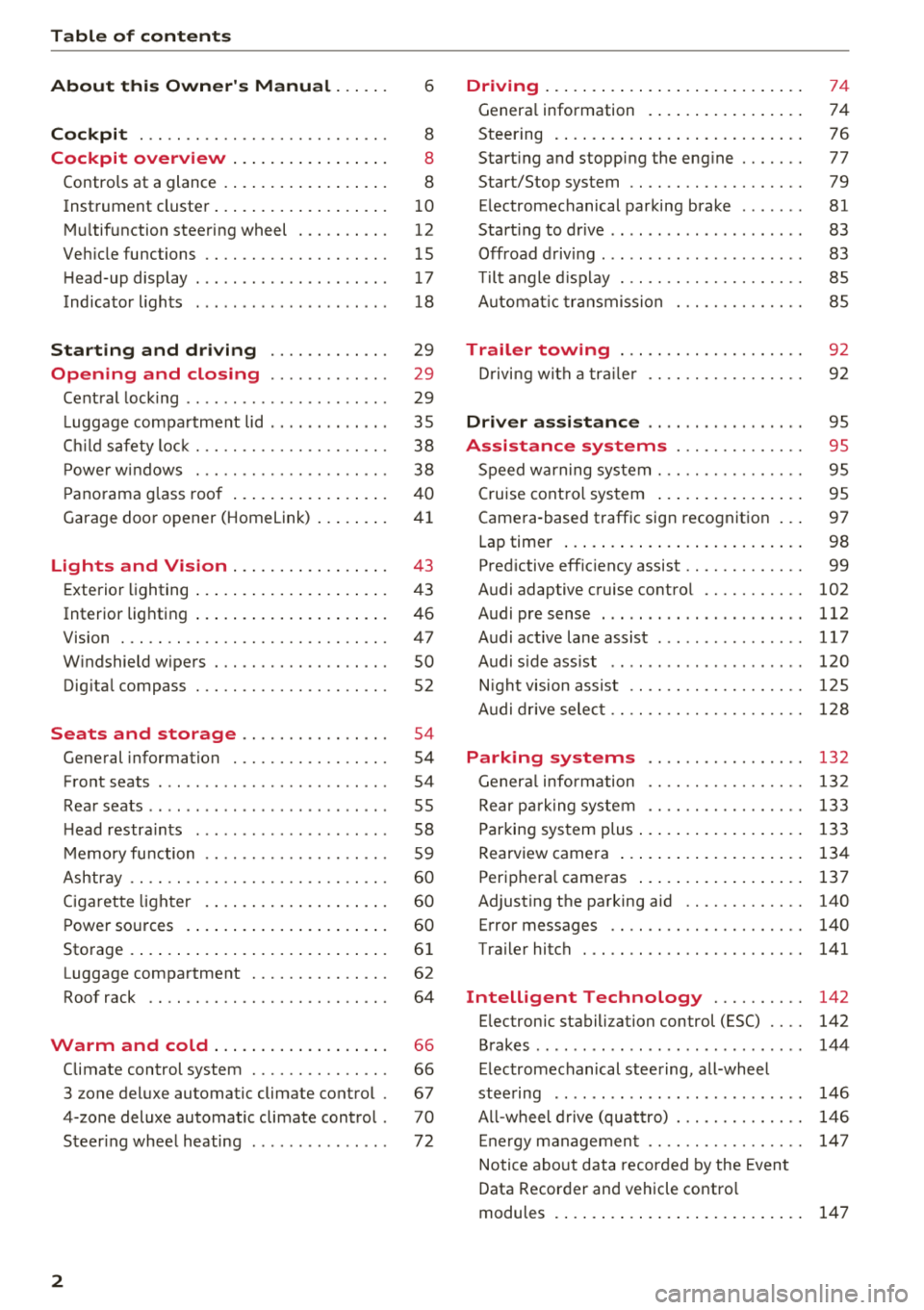
Table of contents
About this Owner's Manual. . . . . .
6
Cockpit . . . . . . . . . . . . . . . . . . . . . . . . . . . 8
Cockpit overview . . . . . . . . . . . . . . . . . 8
Controls at a glance . . . . . . . . . . . . . . . . . . 8
Instrument cluster . . . . . . . . . . . . . . . . . . . 1 0
M ultif unction steering wheel . . . . . . . . . . 12
Veh icle functions . . . . . . . . . . . . . . . . . . . . 15
H ead-up display . . . . . . . . . . . . . . . . . . . . . 17
Indicator l ights . . . . . . . . . . . . . . . . . . . . . 18
Starting and driving . . . . . . . . . . . . . 29
Opening and closing . . . . . . . . . . . . . 29
Cent ral lock ing . . . . . . . . . . . . . . . . . . . . . . 29
L uggage compartment lid . . . . . . . . . . . . . 35
C hil d safety loc k . . . . . . . . . . . . . . . . . . . . . 38
P owe r w indows . . . . . . . . . . . . . . . . . . . . . 38
P ano rama g lass roo f . . . . . . . . . . . . . . . . . 4 0
Garage door opener (Homelink) . . . . . . . . 41
Lights and Vision . . . . . . . . . . . . . . . . . 43
E xterio r lighting . . . . . . . . . . . . . . . . . . . . . 4 3
Interior lighting . . . . . . . . . . . . . . . . . . . . . 46
V1s1on . . . . . . . . . . . . . . . . . . . . . . . . . . . . . 47
W indshield wipers . . . . . . . . . . . . . . . . . . . 50
Dig ita l compass . . . . . . . . . . . . . . . . . . . . . 52
Seats and storage ............. .. .
General information .......... .... .. . 54
54
Front seats . . . . . . . . . . . . . . . . . . . . . . . . . 54
Rea r seats . . . . . . . . . . . . . . . . . . . . . . . . . . 55
H ead restra ints . . . . . . . . . . . . . . . . . . . . . 58
M emory fu nction . . . . . . . . . . . . . . . . . . . . 59
Ashtray . . . . . . . . . . . . . . . . . . . . . . . . . . . . 60
Ciga ret te lighte r . . . . . . . . . . . . . . . . . . . . 60
P ower so urces . . . . . . . . . . . . . . . . . . . . . . 60
Storage . . . . . . . . . . . . . . . . . . . . . . . . . . . . 61
Luggage compartment . . . . . . . . . . . . . . . 62
Roof rack . . . . . . . . . . . . . . . . . . . . . . . . . . 64
Warm and cold . . . . . . . . . . . . . . . . . . . 66
Climate control system . . . . . . . . . . . . . . . 66
3 zone deluxe automatic clim ate control . 67
4-zone deluxe automatic climate control . 70
Steer ing whee l heating . . . . . . . . . . . . . . . 72
2
Driving ... .. .. .... .. ... .. ..... ... . .
Genera l information . .... .. ..... ... . .
Steering . ... .. .... .. ... .. ..... ... . .
Start ing and stopping the eng ine ..... . .
Start/Stop system .. .. ............. . .
E lectromechanical parking brake ...... .
Start ing to drive .. .. .. .............. .
Offroad d riving ... .. .. .............. .
T ilt angle d isp lay . .. .. ............. . .
A utomat ic tra nsmission
Trailer towing ... .. ............. . .
D rivi ng with a tra ile r 74
74
7
6
77
79
81
83
83
85
85
9 2
92
Driver assi stance . . . . . . . . . . . . . . . . . 9S
Assistance systems . . . . . . . . . . . . . . 95
Speed warning system . . . . . . . . . . . . . . . . 95
Cruise cont ro l sys tem . . . . . . . . . . . . . . . . 95
Camera -based traffic sign recognition . . . 97
Lap timer . . . . . . . . . . . . . . . . . . . . . . . . . . 98
Pred ictive eff ic iency assist . . . . . . . . . . . . . 99
Audi adaptive c ruise contro l . . . . . . . . . . . 102
Audi pre sense . . . . . . . . . . . . . . . . . . . . . . 112
Audi active lane assist . . . . . . . . . . . . . . . . 117
Audi s ide ass ist . . . . . . . . . . . . . . . . . . . . . 120
N ight vision assist . . . . . . . . . . . . . . . . . . . 1 25
A udi drive selec t . . . . . . . . . . . . . . . . . . . . . 128
Parking systems 132
Genera l infor mation . . . . . . . . . . . . . . . . . 132
Rear p arking system . . . . . . . . . . . . . . . . . 133
Parking sys tem plus . . . . . . . . . . . . . . . . . . 133
Rearview camera . . . . . . . . . . . . . . . . . . . . 134
Periphera l cameras . . . . . . . . . . . . . . . . . . 137
Adjusting the parking aid . . . . . . . . . . . . . 140
Error messages . . . . . . . . . . . . . . . . . . . . . 140
Trailer hitch . . . . . . . . . . . . . . . . . . . . . . . . 141
Intelligent Technology . . . . . . . . . . 142
E lec tronic stabili zation con trol (ESC) . . . . 142
Brakes . . . . . . . . . . . . . . . . . . . . . . . . . . . . . 144
E lectromechanical steering, all-whee l
stee ring . . . . . . . . . . . . . . . . . . . . . . . . . . . 146
A ll-wheel d rive (quattro) . . . . . . . . . . . . . . 146
E ne rgy managemen t . . . . . . . . . . . . . . . . . 14 7
Notice abo ut data recorded by the Event
Data Recorder and vehicle contro l
modules . . . . . . . . . . . . . . . . . . . . . . . . . . . 147
Page 23 of 398

Cl a:, ...... N
" N ...... 0
0
::r '
c:> page 79
Ad Blue *
c:>page 314
Transmission
c:>page90
Air suspension*
c:> page 131
Adaptive cruise control*
c:> page 106,
Traffic jam assist*
c:> page 110
Traffic jam assist*
c:>page 110
Audi p re sense*
c:> page 116
USA models:
Elect romecha nica l pa rk ing bra ke
c:>page 22
Canada mod els :
Electromechan ical park ing brake
c:> page 22
Hill descent assist
c:> page 144
Child safety lock
c:>page 38
USA models :
Speed warning system *
c:>page 95
Canada mod els :
Speed warn ing system*
c:>page 95
Active lane ass ist*
c:> page 118
Aud i side assist *
c:> page 125
Camera-based traffic sign recogni
tion*
c:> page 98
Nig ht vision ass ist*
c:> page 128
Cockpit o ver view
Hig h beam ass istant *
c:>page 44
High beams
c:> page 44,
High beam ass istant*
c:> page 44
BRAKE/((D) Brake system
If this indica to r li ght tur ns on, t here is a malf unc
t ion in the br ake system .
1111 (USA model s) I. (Canada model s)
Brakes : stop vehicle and ch eck brake fluid level
Stop the vehicle and check the brake fluid level.
See a n author ized Audi dealer or author ized Audi
Service Facility for assistance if necessa ry .
1111 (USA models ) I. ( Canada models )
Brakes: malfunction! Stop vehicle safely
If the indicato r light turns on and this message
appears, there is a ma lf u nction in the brake
booster.
If the ABS indicator light~ (USA mo dels) /
iiJ (Canada models), the ESC indicator light Bl
and the brake system indicator light 1111 (USA
models) /. (Canada models) all turn o n and
t hi s message appears, then the ABS, ESC and
brak ing d istr ibut ion are ma lfunctioning
c:> ,&. .
Do not continue dr iving . See an author ized Audi
dealer or authorized Audi Service Fac ility for as
s istance
c:> ,&. .
1111 (USA models )~ (Canada models) Park
ing brake : malfunction! Safely stop vehicle. See
owner's manual
- If the indicator light and the message appear
when the vehicle is stationary or after switch ·
ing the ignition on ,
check if you can re lease the
park ing brake. If you cannot release the pa rk
ing brake, see an author ized Audi dealer or au
thorized Audi Service Fac il ity . If you can release
the parking b rake and the message st ill ap
pea rs , see a n author ized Audi dealer or author
i z e d Au di S ervice Fac ility immediately to have
t he ma lfu nction correc ted. ..,
21
Page 24 of 398

Cockpit overv ie w
- If the indicator light and message appear while
dri ving ,
the hi ll start assist or emergency brak
ing function may be malfunctioning. It may not
be possib le to set the parking b rake or release
it once it has been set. Do not park your veh icle
on h ills . See an author ized Audi dealer or au
thorized Aud i Serv ice Facility for ass istance .
Brake booste r: limited funct ionality. You can
cont inue dri ving. Please contact Se rvice
There is a malfunction in the brake booster. The
brake booster is available, but its effectiveness is
reduced . Braking behav ior may be diffe rent from
how it normally functions and the brake pedal
may v ibrate .
Drive to an a uthorized Aud i dea le r or a uth orized
Aud i Serv ice Facility immediately to have the
malfunct io n corrected.
A WARNING
- Read and follow the warn ings in
~ page 319, Working in the engine com
partment
before open ing the hood and
che ck ing the b rake fl uid level.
- If the brake system indicator light does not
tu rn off o r it t urns on while driv ing, the
br ak e fluid level in the reservoir is too low,
and this inc reases the risk of an acc iden t.
Stop the vehicle and do no t continue dr iv
ing. See an authorized Audi dealer or au
tho rized Audi Service Facility for assistance .
- If the bra ke sys tem indicator light turns on
together with the ABS and ESC indicator
lights, the ABS/ESC regulating function may
be malfunctioning. Functions that stabilize
the vehicle are no longer ava ilable. This
could cause the veh icle to swe rve, wh ich in
creases the risk that the vehicle w ill slide .
Do not continue driving . See an author ized
Audi dealer or author ized Audi Se rvice Facil i
ty for assis tance .
PARK/{®)! ~ Electromechanical parking
brake
If the -(USA models) I. (Canada mod els)
indicator light t urns on, the park ing brake was
set .
22
If the -(U SA mode ls) . (Canada models) in
dicator light is blinking, the braking force has not
built up enough or it has decreased. Se lect t he
"P" se lector lever position to secure the ve hicle.
Make sure the indicator light is off before you
start driving .
rlJ Parking brake: malfunction! Please contact
Ser vice
There is a ma lf u nction in the parking brake. Drive
to an authorized Audi dea ler or a uthorized Audi
Se rvice Fac ility immed iate ly to have the ma lfunc
tion corrected.
Ill ( USA models )/¢@) (Canada model s) Parking
brake: warning! Vehicle pa rked too steep
There is not eno ugh braki ng for ce to ho ld the ve
hicle in p lace . T he brakes have ove rhea ted. The
vehicle could roll away even on a sma ll inc line.
Ill (USA model s)/ (C@) (Canada model s) Parking
brake : appli ed
If this message appears, press the brake pedal
first and then release the parking brake if neces
sa ry .
II (USA models )/¢@) (Canada models) Parking
brake: emergency braking
The emergency braking function was triggered .
Please relea se parking b rake
Release t he pa rking bra ke if this message ap
pears.
Plea se pre ss the brak e pedal to release the park
ing brake
To release the parking brake, press the brake
pedal and press the~ button at t he same time,
or start driving with hill start assist~
page 83,
Starting to drive .
(D Tips
For additional informat ion on the parking
brake, see~
page 81.
-L Cooling system
• Turn off engine and check coolant level. See
owner' s manual
...
Page 27 of 398

• Air suspension: malfunction! You can con
tinue driving slowly. Speed limited to max.
35 mph (60 km/h )
There is a malfunc tion that can result in restrict
ed driving stability . The speed is limited to a
maximum of 35 mph (60 km/h).
Dri ve to an autho rized Aud i dea le r or authorized
Aud i Service Facility immedia tely to have the
mal funct ion corrected.
• Air suspension: malfunction! You may con
tinue driving slowly at max. 35 mph (60 km/h)
There is a malfunction that can result in restrict
ed driving stability.
Drive to an authorized Aud i dea ler or aut horized
Aud i Service Facility immediately at a maximum
speed of 35 mph (60 km/h) to have the malfunc
tion cor rected.
• Air suspension: service mode. Vehicle can be
moved but handling may be impaired
Carefu lly drive to an authorized Audi dealer or
author ized Audi Service Facility immed iate ly to
have the serv ice mode deactivated.
II Air suspension: malfunction! Please contact
Service
There is a system malfunct ion that can result in
restricted driving stability or reduced ground
clearance.
Dri ve to an autho rized Aud i dea le r or authorized
Aud i Service Facility im media tely to have the
mal funct ion corrected.
II Air suspension: vehicle too low. Limited
ground clearance
The ground clearance is very low due to a system
malfunction . Wait until the air suspens ion sys
tem has restored normal ground clearance. Oth
e rw ise, conditions such as an uneven road sur face
can lead to veh icle damage.
B Suspension: malfunction! You may continue
driving
Cl a:, ;::j There is a suspension control malfunction.
" N ,-1 0
0
::r '
Drive to an authorized Audi dealer or authorized
Audi Service Facility immediate ly to have the
malfunction corrected.
nl & Electronic Stabilization Control (ESC)
If the bl ind icator light blinks while driv ing, the
ESC or ASR (Anti-Slip Regulation) is act ively regu
lating .
If the DJ indicator light turns on, the system has
switched the ESC off. In t his case, you can switch
the ignit io n off and then on to switch the ESC on
again. The ind icator light turns off when the sys
tem is functioning fully.
If the II ind icator light turns on, ESC was
switched off using the
l~Offl button c> page 142.
Stabilization control (ESC/ ABS): malfunction!
See owner's manual
If the bl indicator light and the~ (USA mod
els);tiJ (Canada mode ls) ABS indicator light turn
on and the message appears, there is a malfunc
t ion in the ABS or the e lectron ic differentia l lock .
This also causes the ESC to malfunction. The
brakes still function with their normal power, but
ABS is not active .
Drive to an authorized Audi dealer or authorized
Audi Service Facility immed iate ly to have the
malfunction corrected.
(D Tips
For additional informat ion on ESC and ABS,
see
c> page 142.
!I..' Safety systems
The E,I indicator light mon itors the safety sys
tems .
If them indicator light turns on or blinks, there
is a ma lfunction in a safety system.
Drive to an authorized Audi dealer or authorized
Audi Service Facility immed iate ly to have the
malfunction corrected.
25
Page 28 of 398

Cockpit overview
A WARNING
Have the safety systems inspected immedi
ately. Otherwise, there is a risk that the sys
tems may not activate during a collision,
which increases the risk of serious injury or
death.
( CD ) Brake system
[I] Brakes overheating. Please shift to D
-
There was a heavy load on the brakes. Place the
selector lever in the "D/S" position in order to use
the engine braking effect and reduce the load on
the brakes.
~t~J/(O : Brake pads
II (USA models)/EiJ (Canada models) Brake
pads: wear limit reached. You can continue driv
ing. Please contact Service
The brake pads are worn .
Drive to an authorized Audi dealer or authorized
Audi Service Facility as soon as possible to have
the malfunction corrected.
~ Engine control
II Drive system: malfunction! Please contact
Service
There is an engine control malfunction.
Drive slowly to an authorized Audi dealer or au
thorized Audi Service Facility to have the engine
checked .
W Engine control (diesel engine)
Applies to: vehicles with diesel engines
The engine is preheating if the II indicator light
turns on when the ignition is switched on.
If the indicator light does not turn on or blinks
while driving, there is an engine control malfunc
tion.
Immediately drive slowly to an authorized Audi
dealer or authorized Audi Service Facility to have
the malfunction corrected.
26
!?i Engine speed limitation
(II Maximum engine speed: XXXX rpm
The engine speed is automatically limited to the
speed displayed in the instrument cluster. This
protects the engine from overheating.
The engine speed limitation deactivates once the
engine is no longer in the critical temperature
range and you have released the accelerator ped
al once .
If the engine speed limitation was activated by
an engine control malfunction, the
II indicator
light also turns on . Make sure the engine speed
does not go above the speed displayed, for exam
ple when downshifting . Drive to an authorized
Audi dealer or authorized Audi Service Facility im
mediately to have the malfunction corrected.
(D Tips
Depending on the engine: the engine speed
may be limited when the engine is cold -the
full engine output will not be available. When
the engine is at operating temperature, the
red area in the tachometer moves to a higher
RPM range.
~ ... Engine oil sensor
• Oil level system: malfunction! Please con
tact Service
The sensor to check the engine oil level has
failed . Drive to an authorized Audi dealer or au
thorized Audi Service Facility immediately to have
the malfunction corrected.
• Oil level sensor: oil change necessary. Please
contact Service
Fuel has entered the engine oil as a result of fre
quent short drives. Avoid high engine speeds, full
acceleration and heavy engine loads. Drive to an
authorized Audi dealer or authorized Audi Service
Facility immediately to have the oil changed.
• Oil pressure sensor: malfunction! Please
contact Service
There is a malfunction in the oil pressure sensor.
Drive to an authorized Audi dealer or authorized .,.
Page 76 of 398
Drivin g
Driving
General information
Breaking in
A new vehicle must be broken in for the first 1,000 mi les (1,500 km). Do not dr ive at speeds
t hat will exceed 2/3 of the max imum pe rm itted
engine speed (RPM) for the first 600 miles
(1,000 km), and avoid fu ll acceleration during
this period . You may gradually start increasing
the RPM and the speed between 600 miles
(1,000 km) and 1,000 miles (1,500 km) .
During the first hours of use, the engine has a
higher internal friction than later on when all
moving parts have settled into place with each
other.
How the vehicle is driven d uring the first 1,000
miles (1,500 km) a lso affects the engine quality .
Drive at moderate engine speeds after the initial
break-in per iod, part icu larly when running a cold
eng ine . Th is will reduce eng ine wear and improve
the m ileage.
Do not drive at too low of an engine speed (RPM) .
Shift down if the engine stops running "smooth ly". Extremely high eng ine speeds are automati
cally reduced .
Reducing the risk of vehicle damage
@ Note
When driving on poo r roads, by cu rbs and on
s teep ramps, make su re t hat low-hang ing
compone nts such as the spo ile r and exha ust
system do not come into contact with these
or they could be damaged. This especially ap
plies to vehicles with low ground clearance
and veh icles that are heavily loaded.
Driving through water on roads
Note the following to reduce the r isk of vehicle
damage when driv ing through water, for example
on flooded roads :
- The water must not be any higher than the bot
tom of the vehicle body .
74
-Do not drive faster than walking speed .
A WARNING
After driving through water or m ud, the effec
tiveness of the brakes may be red uced due to
mo isture on the brake rotors and brake pads.
A few careful brake applications shou ld dry
off the brakes and restore the full braking ef
fect .
@ Note
- Vehicle components such as the eng ine,
transmiss ion, suspens ion or electrical sys-
tem can be severely damaged by drivi ng
throug h water .
- Always switch the Start/Stop system* off
when driv ing through water¢ page 79.
(D Tips
-Determine the depth before driving throug h
water.
- Do not stop the vehicle, drive in reverse or
switch t he engine off when driving through
water.
- Keep in mind that oncom ing vehicles may
create waves that raise the water level and
make it too deep fo r yo ur vehicle to drive
throug h safe ly.
- Avoid dr iv ing through salt water, beca use
this can cause corrosion .
Economical and environmentally-friendly
driving
The amou nt o f fuel consumption, the environ
mental impact and the wear to the engine,
brakes and tires depends mostly on your driving
sty le. With an ant icipatory and economic driving
style, fuel consumpt ion can be reduced by ap
prox imately 10-15%. The fol low ing t ips will help
you conserve the environment and your money at the same time .
Anticipatory dri ving
A vehicle uses the most fuel when accelerating.
When you drive with anticipation, you do not
need to brake as often and so you acce lerate less .
When poss ible, let your vehicle coast with a gear .,.
Page 77 of 398

Cl a:, ...... N
" N ...... 0
0
::r '
next traffic light is red . This produces an engine
b raking effect, wh ich he lps to protect the brakes
and tires and reduces the emissions and f uel con
sumpt ion to zero (fuel shut-off dur ing decelera
tion) .
Shift efficientl y
Upshifting earlier is an effective way to save fue l.
Staying in a gear too long uses fue l unnecessari
ly .
Press down on the acce lerator peda l slowly and
avoid "kick -down".
Avoid full acceleration
You sho uld rare ly t rave l at the maxim um vehicle
speed. High speeds cause a d isp roportiona tely
hi gh increase in fuel consump tion, emissions and
traffic noise . Driving more slowly saves f uel.
Reduce idling time
The Start/Stop system* he lps to reduce the id ling
time automatically. In vehicles wi thout the Sta rt/
Stop system*, it is efficient to switch the engine
off when stopped at ra ilroad crossings and long
red lights . Stopping the engine for
30 -40 sec
onds already saves more fuel than the amount of
extra fuel needed to restart the eng ine.
I t takes a very long time in idle to wa rm the en
gine up to operating temperature . Wear and
emissions are especially high in the warm -up
phase. Therefore, you should begin driving im
mediately after starting the engine. Avoid high
RPMs while do ing th is .
Have maintenance perf ormed regularly
By having maintenance performed regu larly on
your ve hicle, you can he lp to reduce fuel con
sumpt ion before you even start to drive. The
maintenance condition of your vehicle not only
affects traffic safety and long-term value but a l
so impacts fuel consumption . A poorly main
tained engine can lead to fuel consumpt ion that
i s
1 0% hi gher tha n normal.
Driving
Avoid short trips
T he eng ine and exh aust cleaning system mus t
r each their optima l operat ing temperatu re to ef
fectively reduce consumption and emissions.
A cold engine uses a d isp roportionately high
amoun t of fue l. The engine re ac h es operat ing
temperat ure and cons umption norma lizes on ly
after approximate ly 2.5 mi les (4 km) .
Check the tire pressure
To save fuel, ma ke sure the t ires are always i n
flated to t he correct pressure~
page 340. The
fuel consumpt io n can increase by
5% if the pres
s u re is on ly
0 .5 bar too low. Due to the increased
rolling resistance, low tire pressures wi ll also
l ead to greater tire wear and will affect driving
behavior.
Do not drive on winter tires year -round, as this
will consume up to
10% more fuel.
Eliminate unnecessary weight
S ince eve ry po und of ext ra weight increases f uel
co nsump tion , a quick inspect io n of the luggage
compartment may be worth it to avoid unneces
sary weight .
When not be ing used , a roof rac k sho uld be re
moved to decrease the w ind resis tance of the ve
hicle . This will save you approximately
12% fu el
at speeds from
62 -75 mph (100 -120 km/h) .
Save energy
The eng ine d rives the generator, which generates
electric ity; the fuel consumpt io n also increases
wi th the dema nd for e lec tric ity . T he refore, sw itch
electrical eq uipment off when you no longer
need it . Examples of eq uipment that uses a lot of
energy are air blowers at a high setting, the rear
window defogger and seat heating* .
@ Note
Do not leave engine idling unattended after
starting. If warning lights sho uld come on to
i ndicate improper operation, they would go
unheeded. Extended idling also produces
heat, which could resu lt in overheating or
other damage to the veh icle or other proper
ty .
75
Page 82 of 398
Drivin g
remain avai lable during the "stop" phase . The en
gine will restart automatica lly when needed.
The Start/Stop system is automatically activated
as soon as the ignit ion is switched on .
Basic requirements
- The driver's door and hood must be closed .
- The "P", "N" or "D" selector lever posit ion must
be engaged .
- The steering wheel must not be sharp ly turned.
- The vehicle must have driven faster than 2 mph
(3 km/h) s ince the last time it stopped.
- A trailer must not be hitched to the vehicle .
@ Note
Always switch the Start/Stop system off when
driving throug h water ~
page 81.
(D Tips
-Depend ing on the driv ing s ituation, t he e n
gine may already stop when
coa sting before
the ve hicle has come to a comp lete stop
ll.
- If yo u se lec t the " D" sele ctor lever pos ition
a fter shifting into reverse, the vehicle mus t
be driven faster than 6 mph ( 10 km/h) in or
der for the Start/Stop system to be active
again.
Stopping/starting the engine
A pp lies to: ve hicles w ith S ta rt/S top system
"' Apply the brakes and keep your foot on the
brake pedal until the veh icle has stopped . The
[I] ind icator light appears in the instrument
cluster once t he e ngine stops automatically.
"'T he eng ine starts aga in when yo u take yo ur
f oot off t he b rake pedal. The ind ica tor light
turns off .
(D Tips
- The ign ition w ill tu rn off if you press the
I START ENGINE STOP! button dur ing a stop
phase.
- You can determ ine for yo urself if the engine
will stop or not by reducing or increasing
1 ) Ma rket -spe cific
80
the amount of force you use to press the
brake pedal. For examp le, if yo u on ly lightly
press on the b rake peda l in stop -and -go
t raffic or when turning, the engine w ill not
switch off when the vehicle is stat ionary. As
soo n as yo u press the brake down harder,
the engine w ill switch off .
- Press the brake peda l during a Stop phase
to keep the vehicle from rolling .
Starting/stopping the engine automat
ically
App lies to: vehicles wi th Start/ Stop sys te m
The sys tem chec ks if cer tain condit ions a re me t
before and d uring the "stop" p hase, and dete r
mines if and how long the engine is stopped de
pending on the situation. For example, if power
u sage is high, the eng ine will not be stopped.
Along with other conditions, the following fac
tors influence the automatic engine start or stop:
- Environmental conditions (slopes, inclines, ele-
vation, temperat ure)
- Battery (cha rge status, temperature, powe r us -
age)
- Engine temperature
- Assistance systems
- Dr iv ing behav ior
If the
rjj ind icator light appears in the instru
ment cluster d isplay, the engi ne w ill not be stop
ped .
Switching the ignition off automatically
App lies to: vehicles wi th Start/ Stop sys te m
If you leave the veh icle dur ing a "stop" phase, the
engine can be res tarted w ithin approximate ly 30
seconds if the doors are closed, the driver's safe
ty be lt is fastened and the brake pedal is pressed.
If you leave the veh icle longer than 30 seconds,
t h e ign it io n will sw itch o ff automa tica lly to pre
vent the vehicle battery from draining. If t his is
the case, the message
Start /stop system: igni
tion will be switched off in 30s
w ill appear in the
i nstrument cluster and, if the low beam
1111-
Page 85 of 398

Cl a:, ...... N
" N ...... 0
0
::r '
lector lever position is engaged . As soon as
you press the accelerator pedal, the park ing
brake releases automat ica lly and your vehicle
starts to move
r=> page 83.
(D Tips
- Occas iona l noises when the par king b ra ke is
set and re leased a re normal and a re not a
ca use for concer n.
- The park ing bra ke goes th rough a se lf-test
cycle at regular intervals when the vehicle is
stopped. Any noises associated w it h this are
normal.
- If there is a power fa ilure, the parking brake
will not set if it is re leased, and it will not
r elease if it is set
r=> ..&, . See a n author ized
A udi dealer or autho riz ed A ud i Service Fa
cil ity fo r ass is tan ce.
Starting to drive
Various conven ience and safety functions may be
ava ilable when t he vehicle begins dr iv ing, de
pending on vehicle eq uipment.
Starting on hills with the parking brake set
Requirement: the doors must be closed and the
driver's safety belt must be fastened .
~ To start driving comfortably when on a hill, set
the parking brake and begin dr iving as usual.
The braking force of the parking brake does not
release automatically u ntil the wheels build up
enough dr iv ing fo rce .
St arting on hills with hill hold a ssist
Hill hold ass ist makes it eas ier to start on hills.
Requirement: the driver's door must be closed
and the engine must be r unning .
~ To activate hill hold assist, press a nd hold the
brake peda l for seve ral seconds. The ve hicle
must be in an up hill direction of travel.
Afte r releasing the bra ke pedal, the bra king pow
e r i s ma inta ined for a br ief moment
r=> & t o p re
ve nt the vehicle from rolling back when starting .
During this time, you can easi ly begin to move
your ve hicle .
Driving
A WARNING
--
-If you do not beg in driving immed iate ly or
the engine stalls afte r releasing the brake
pedal, your veh icle may beg in to roll back
ward. Press the brake pedal or set the park
i n g br ake immedia tely.
- The intelligent technology of h ill hold assist
can not ove rcome the limitat io ns imposed by
n atural physical laws. The increased comfort
offe red by hill ho ld assist should not cause
you to ta ke safety risks .
- Hi ll hold ass ist canno t hold the vehi cle in
p lace on all hills (for examp le, if the ground
is s lippery or icy).
- T o re duce the r is k of an accident, alw ays
make su re the ve hicle is situated safe ly
while stationary .
Offroad driving
General information
The electronic stab il izat io n control (ESC) func
tions were enhanced for driving offroad . Offroad
mode can be activated when driv ing in situa tions
whe re s lippage o r a d iffe ren tial lock f unct ion is
ne cessary
r:=>page 143. The hill desce nt assist is
also availab le, w hic h automatically brakes the ve
hicle and maintains a constant speed as a res ult
r:=> page 144. In addition, your A udi provides con
t inuous all wheel dr ive.
However, yo ur Audi is not a purely offroad vehi
cle . Yo ur vehicle was not designed to drive under
extreme operating conditions s uch as driv ing in
an expedit ion style.
Onl y drive in terrain that is su itable fo r the vehi
cle and you r dri ving ability. Never take any un
ne cessa ry risks!
Befor e driving offroad
-Check the engine o il leve l, the tire p ressure, the
coo lant level and t he fluid leve l in t he washer
fluid reservoir .
- Sto re pieces of luggage and other objects in the
luggage compartment and secure them from
sliding out of place. .,.
83
Page 90 of 398
Drivin g
~ To prevent the vehicle from rolling when you
start driving, set the parking brake when stop
ping on steep hills¢
/A.
~ The parking brake will release automatically
and your vehicle will begin to move when the
doors are closed, the driver's safety belt is fas
tened, and you accelerate as usual.
Stopp ing /p a rki ng
If the selector lever is not in the "P" position
when you open the dr iver's door, the veh icle
could roll.
~ Press and hold the brake pedal¢ /A.
~ Set the parking brake.
~ To select the "P" selector lever pos it ion, press
the "P" button @on the selector lever
¢ page 86, fig . 85 .
Under certain condit ions, such as driving in the
mounta ins or when towing a trailer, it may be
helpful to switch to manual mode temporarily
and sh ift
manually to adapt to the driving condi
tions
¢ page 89.
On hills, set the parking brake first and then s hift
into the "P" position¢
page 81. This prevents too
much stress from being placed on the locking
mechanism .
.8, WARNING
- The veh icle can roll eve n when the engine is
swit ched off.
- Unintended ve hicle movement can lead to
serious injur ies.
- T o reduce the risk of an acc ident, do not
press the acce le rato r pedal whe n cha ng ing
the se lecto r lever posit ion while the ve hicle
is s ta tionary and the eng ine is ru nning.
- T o reduce the risk of an ac cident, never se
lect the "R" or "P" positions while dr iv ing .
- Do not inadvertent ly press the acce le rato r
peda l w hen the veh icle is sta tionary. Othe r
wise the risk of an acc ident in cr eases be
ca use the vehicle will start to move immed i
ate ly, even if the parking brake is set .
88
Hill descent control
The hill descent control system assists the driver
when driving down hills .
Hill descent control activates when the transm is
s ion is in the "D" or "S" pos ition and you press the
brake pedal. The transmission automat ically se
lects a gear that is suitable for the hill. Hill de
sce nt cont rol tr ies to maintain the speed ach
i eved at the t ime of braking, w it hi n phys ical and
tec hnical lim itations . If may still be necessary to
adjust the speed wit h the brake peda l.
Hill descent cont rol sw itches off once the h ill lev
els out or you press the accelerator pedal.
When operating the cru ise control system*
¢
page 95 , hill descent control is also activated
whe n the speed is set.
.8, WARNING
Hill desce nt co ntro l cannot ove rcome physical
lim itat ions, so it may not be ab le to m ainta in
a constant speed under all conditions. A lways
be ready to app ly the brakes.