infotainment AUDI Q7 2019 Owner´s Manual
[x] Cancel search | Manufacturer: AUDI, Model Year: 2019, Model line: Q7, Model: AUDI Q7 2019Pages: 394, PDF Size: 105.97 MB
Page 100 of 394
Assistsystems
Operating
Appliesto:vehicleswith camera-basedtrafficsignrecognition
REO
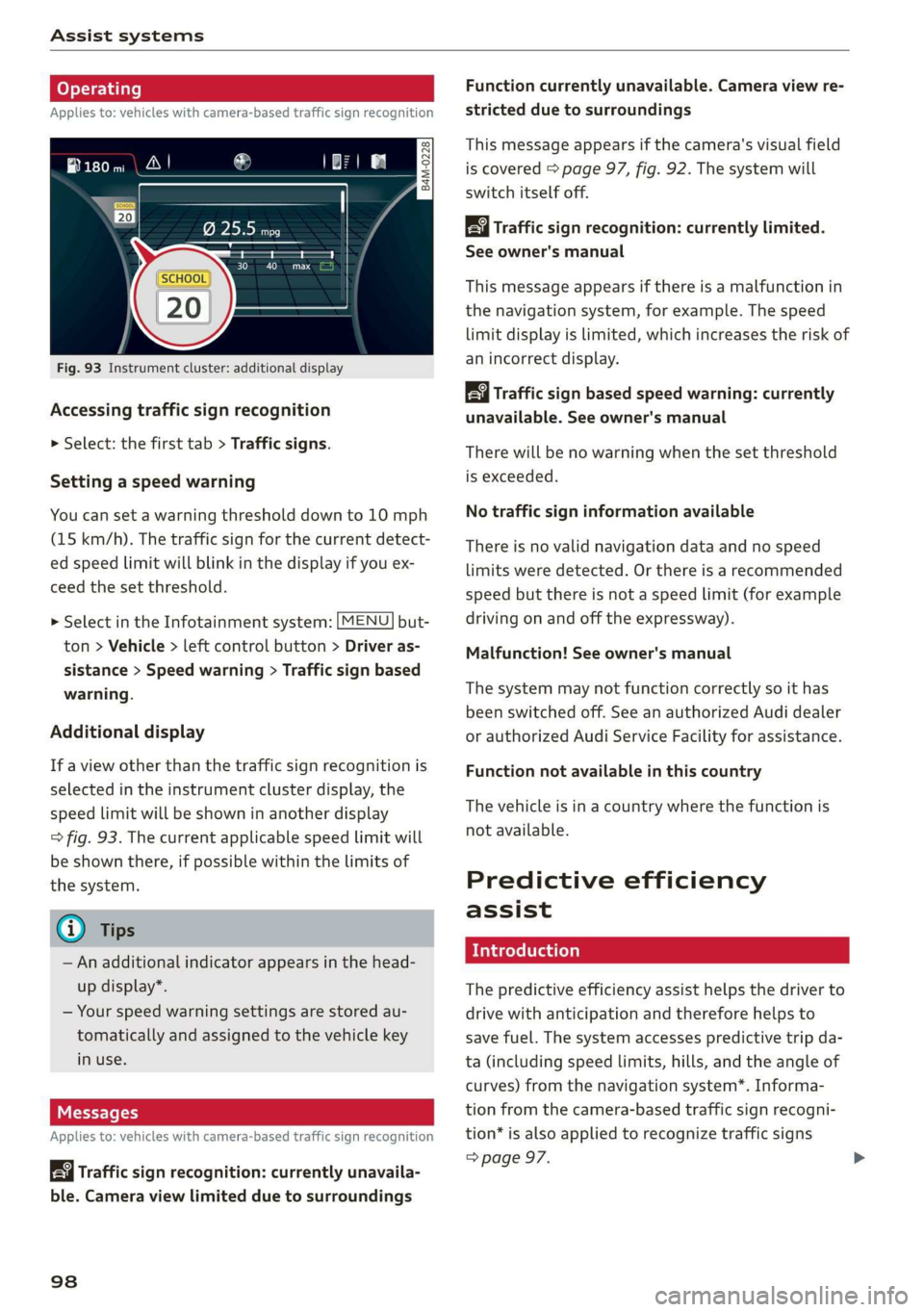
Fig.93Instrumentcluster:additionaldisplay
Accessingtrafficsignrecognition
>Select:thefirsttab>Trafficsigns.
Settingaspeedwarning
Youcansetawarningthresholddownto10mph
(15km/h).Thetrafficsignforthecurrentdetect-
edspeedlimitwillblinkinthedisplayifyouex-
ceed thesetthreshold.
> SelectintheInfotainmentsystem:[MENU]but-
ton>Vehicle>leftcontrolbutton>Driveras-
sistance>Speedwarning>Trafficsignbased
warning.
Additionaldisplay
If aviewotherthanthetrafficsignrecognitionis
selectedintheinstrumentclusterdisplay,the
speedlimitwillbeshowninanotherdisplay
=>fig.93.Thecurrentapplicablespeedlimitwill
beshownthere,ifpossiblewithinthelimitsof
thesystem.
G)Tips
—Anadditionalindicatorappearsinthehead-
updisplay*.
—Yourspeedwarningsettingsarestoredau-
tomaticallyandassignedtothevehiclekey
inuse.
Messages
Appliesto:vehicleswith camera-basedtrafficsignrecognition
Trafficsignrecognition:currentlyunavaila-
ble.Cameraviewlimitedduetosurroundings
98
Functioncurrentlyunavailable.Cameraviewre-
strictedduetosurroundings
Thismessageappearsifthecamera'svisualfield
iscovered>page97,fig.92.Thesystemwill
switchitselfoff.
Trafficsign recognition:currentlylimited.
Seeowner'smanual
Thismessageappearsifthereisamalfunctionin
thenavigationsystem,forexample.Thespeed
limitdisplayislimited,whichincreasestheriskof
anincorrectdisplay.
Trafficsignbased speedwarning:currently
unavailable.Seeowner'smanual
Therewillbenowarningwhenthesetthreshold
isexceeded.
Notrafficsigninformationavailable
Thereisnovalidnavigationdataandnospeed
limitsweredetected.Orthereisarecommended
speedbutthereisnotaspeedlimit(forexample
drivingonandoffthe expressway).
Malfunction!Seeowner'smanual
Thesystemmaynotfunctioncorrectlysoithas
beenswitchedoff.SeeanauthorizedAudidealer
orauthorizedAudiServiceFacilityforassistance.
Functionnotavailableinthiscountry
Thevehicleisinacountrywherethefunctionis
notavailable.
Predictiveefficiency
assist
Introduction
Thepredictiveefficiencyassisthelpsthedriverto
drivewithanticipationandthereforehelpsto
savefuel.Thesystemaccessespredictivetripda-
ta(includingspeedlimits,hills,andtheangleof
curves)fromthenavigationsystem*.Informa-
tionfromthe camera-basedtrafficsignrecogni-
tion*isalsoappliedtorecognizetrafficsigns
=>page97.
Page 103 of 394
4M0012721BG
Assistsystems
notcausetheadaptivecruisecontrolto
switchoff.
—Afterswitchingontheignition,thesystem
initiallyadjuststoaspeedof80mph
(130km/h)whendrivingontohighways
withoutaspeedlimit.Thenthesystemad-
juststothelastspeedstoredbythedriver.
—Thereisnoadaptationtospeedlimitswhen
drivingthroughhighwayinterchangesand
whendrivingonorofftheexpressway.
—Thereisnopredictivecontrolatspeedlimits
under20mph(30km/h).
—Ifaspeedlimitisonlydetectedbythecam-
eraandtheactualspeedissignificantly
higher,thenthespeedlimitwillblinkinthe
displayuntilyouhave reachedtherequired
speed>page98.
—Incorrectvaluesfromthecamera-based
trafficsignrecognition*oroutdatednaviga-
tionsystemmapdatacanleadtoincorrect
orimplausiblecontrol.
—Whenrouteguidanceisswitchedon,the
systemadaptstotherouteprovidedbythe
navigationsystem.Drivingwithoutroute
guidanceorleavingaroutecanresultinim-
plausiblecontrol.
— Thesystemswitchesoffwhenoutsideofa
roadsystemthatisrecordedinthenaviga-
tionsystemmapdata.
SettingsintheInfotainmentsystem
Appliesto:vehicleswithpredictiveefficiencyassist
Predictivemessages*
MENU >IntheInfotainmentsystem,select:
button>Vehicle>leftcontrolbutton>Driver
assistance>Efficiencyassist.
Predictivemessagesareshownwhenthisfunc-
tionisswitchedon.
Predictivecontrol*
MENU]but- >SelectintheInfotainmentsystem:
ton>Vehicle> leftcontrolbutton>Driveras-
sistance>Audiadaptivecruisecontrol>Pre-
dictivecontrol.
Setspeedlimit-whenthisfunctionisswitched
on,thesystemadjusts tothespeedlimits.This
canalsobedonewithattolerance,ifdesired.In
thisscenario,youmayfallbeloworexceedthe
setspeedinfavorofincreasedefficiency.
Adaptationtorouteahead-whenthisfunction
isswitchedon,thesystemadaptstotheroute
ahead, suchasreducingthespeedwhendriving
aroundcurves.
Nopredictivemessagesareshowninvehicles
withoutanavigationsystem.
Audiadaptivecruise
control
Appliesto:vehicleswithAudiadaptivecruisecontrol
B4mM-0091
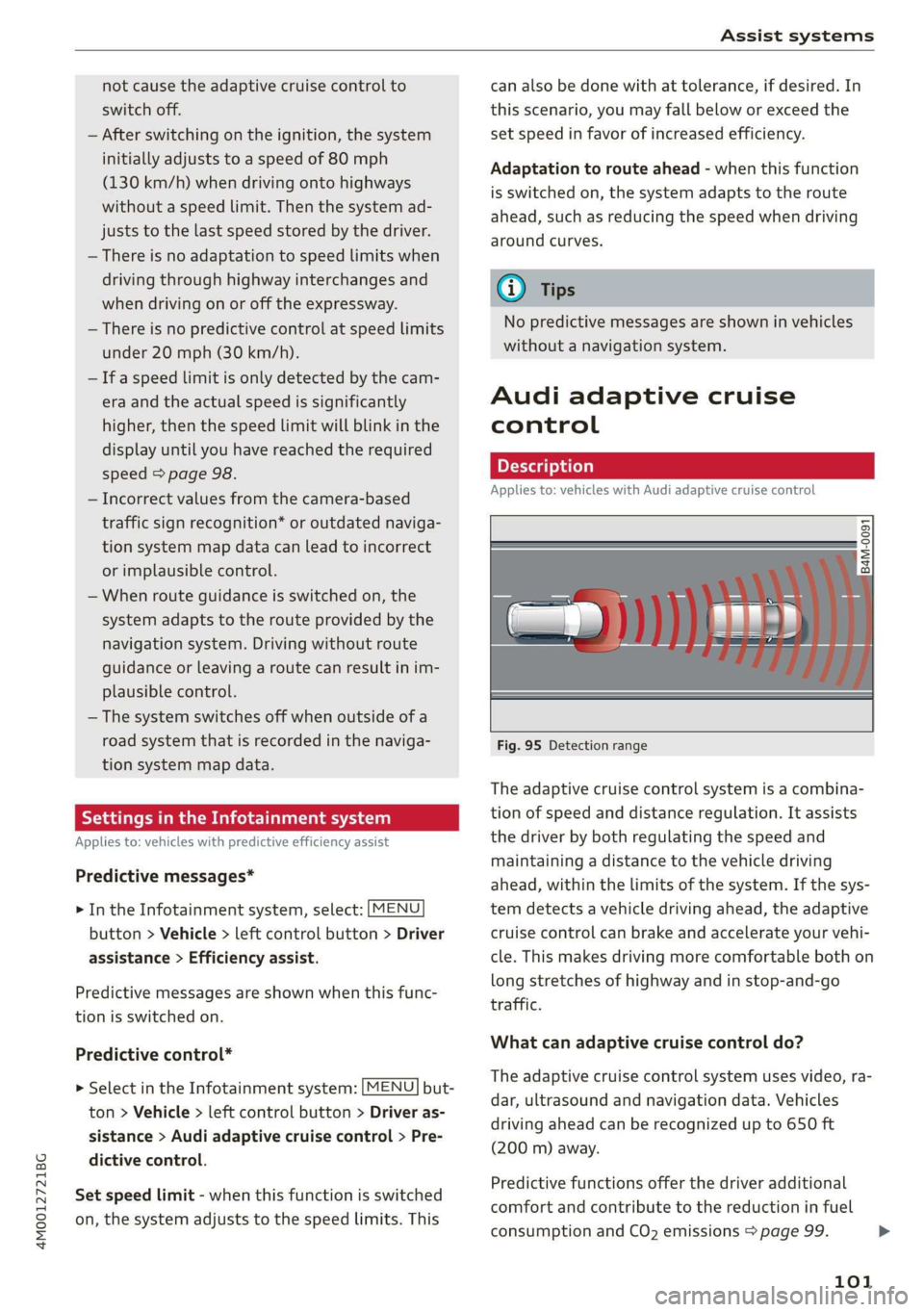
Fig.95Detectionrange
Theadaptivecruisecontrolsystemisacombina-
tionofspeedanddistanceregulation.Itassists
thedriverby bothregulatingthespeedand
maintainingadistancetothevehicledriving
ahead,withinthelimitsofthesystem.Ifthesys-
temdetectsavehicledrivingahead,theadaptive
cruisecontrolcanbrakeandaccelerateyourvehi-
cle.Thismakesdrivingmorecomfortablebothon
longstretchesofhighway andinstop-and-go
traffic.
Whatcanadaptivecruisecontroldo?
Theadaptivecruisecontrolsystemusesvideo,ra-
dar,ultrasoundandnavigationdata.Vehicles
drivingaheadcanberecognizedupto650ft
(200m)away.
Predictivefunctionsofferthedriveradditional
comfortandcontributetothereductioninfuel
consumptionandCO2emissions>page99.
101
>
Page 109 of 394
4M0012721BG
Assistsystems
Cancelingcruisecontrolwhiledriving
>Movetheleverintoposition@).Themessage
ACC:standbyappears.Or
>Pressthebrakepedal.
>Toresumethestoredspeed,movetheleverto-
wardyouintoposition(2).
Cancelingcruisecontrolwhenstopped
>Pushtheleverawayfromyouintoposition@).
ThemessageACC:standbyappears.
>Toresumecruisecontrol,pressthebrakepedal
andpulltheLevertowardyouintoposition(2).
Z\WARNING
—Itisdangeroustoactivatecruisecontroland
resumethestoredspeedwhenthecurrent
road,trafficorweatherconditionsdonot
permitthis.Thisincreasestheriskofanac-
cident.
—Restingyourfootontheacceleratorpedal
couldoverridethecruisecontrol.Brakingin-
terventionsandcorrectiveactionsbythe
systemmaynotoccur.
SettingAudiadaptivecruisecontrol
Appliesto:vehicleswithAudiadaptivecruisecontrol
>SelectintheInfotainmentsystem:[MENU]but-
ton>Vehicle> leftcontrolbutton>Driveras-
sistance>Audiadaptivecruisecontrol.
Storingthelastdistance!)
Thelastdistancethatwassetwillbestoredafter
theignitionisswitchedoff.Ifthedistanceisnot
stored,Distance3isautomaticallyseteverytime
theignitionisswitchedon.
@Tips
Yoursettings areautomaticallystoredandas-
signedtothevehiclekeybeingused.
D_Thisisnotavailableinsomecountriesand onsomeequip-
mentversions.
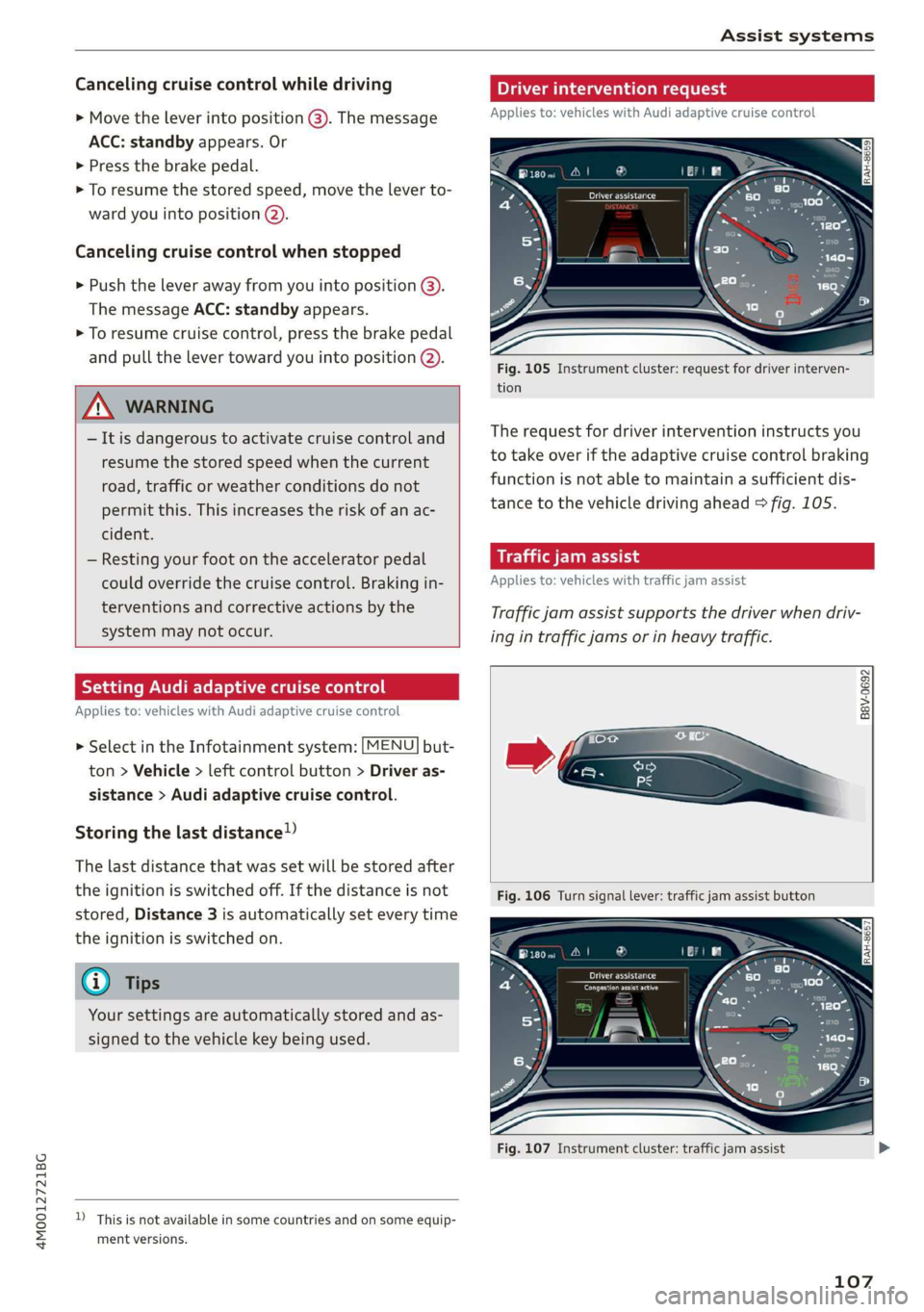
Driverinterventionrequest
Appliesto:vehicleswith Audiadaptivecruisecontrol
Fig.105Instrumentcluster:requestfordriverinterven-
tion
Therequestfordriverinterventioninstructsyou
totakeoveriftheadaptivecruisecontrolbraking
functionisnotabletomaintainasufficientdis-
tancetothevehicledrivingahead>fig.105.
airlaite-eocid
Appliesto:vehicleswithtrafficjamassist
Trafficjamassistsupportsthedriverwhendriv-
ingintrafficjamsorinheavytraffic.
B8V-0692
Fig.106Turnsignallever:trafficjamassistbutton
RAH-8657
Fig.107Instrumentcluster:trafficjamassist
107
Page 110 of 394
Assistsystems
In aspeedrangeunder40mph(65km/h),traffic
jamassistcanhelptokeepthevehiclewithina
lanecalculatedbythesystem.Withinthelimits
ofthe system, thesystemcontrolsthesteering
automaticallywhenadaptivecruisecontrolis
switchedon.Sincetrafficjamassistisonlyanas-
sistsystem,thedrivermustalwayskeephisor
herhandsonthesteeringwheelandbereadyto
steer.Thedrivercanoverridethecontrolatany
timebyactivelysteering.
Thesystemisdesignedfordrivingonexpress-
waysandhighways.
Switchingtrafficjamassistonandoff
>Pressthebuttontoswitchthesystemonand
off>fig.106.
>Toturnthesystemoffcompletely,selectinthe
Infotainmentsystem:[MENU]button>Vehicle
>leftcontrolbutton>Driverassistance>Traf-
ficjamassist.
Iftrafficjamassistwasdeactivatedthroughthe
Infotainmentsystem,youcancontinueoperating
theactivelaneassistusingthe>fig.106button
=>page117.Thetrafficjamassistfunctionsare
nolongeravailable.
Requirementsforusingtrafficjamassist:
—TrafficjamassistmustbeswitchedonintheIn-
fotainmentsystem.
—Adaptivecruisecontrolmustbe switchedon
andactive>page103.
Alwaysswitchofftrafficjamassistinthe
followingsituations:
—Whenincreasedattentionisneededfromthe
driver.
—Inpoorweatherconditionssuchassnowor
heavyrain.
—Whendrivingonroadsinpoorcondition.
—Inconstruction zones.
—Incitydriving.
Trafficjamassistavailability:
WhenyouareintheDriverassistanceviewinthe
instrumentclusterdisplay,theindicatorlight
turnsongyandthemessageTrafficjamassist
availableappearsifatrafficjamsituationwas
detected.YoucanopentheDriverassistancedis-
108
playusingthemultifunctionsteeringwheelbut-
tons>page16.Toactivatetrafficjamassist,you
mustpressthe>fig.106buttonandswitchon
theadaptivecruisecontrol>page103.
Indicatorlights
BandB-Trafficjamassistisswitchedon.Ve-
hiclesdrivingahead weredetected.Yourvehicle
adaptswhiledriving>fig.107.
B-Trafficjamassistswitchesoffifthedriver
doesnottake oversteeringaftermultipledriver
interventionrequests.Thesystembrakes theve-
hicleuntilit isstationary.
Z\WARNING
Always keepyourhandsonthesteeringwheel
soyoucanbereadytosteeratanytime.The
driverisalwaysresponsibleforstayingina
laneandforassessingtrafficsituations.Read
andfollowthewarningson>A\inGeneralin-
formationonpage102.Neverusetrafficjam
assistinthefollowingsituationsoryouwill
increasetheriskofanaccident.
—Drivingoffroadoronunpavedroads.Traffic
jamassistisonlydesignedforuseonpaved
roads.
—Incitydrivingorinconstructionzones.
—Oncurvingstretchesofroad.
—Innarrowlanes.
—Inuncleartrafficsituationssuchasatinter-
sectionsortollstations.
@Tips
Youarenotnecessarilyguidedtothe center
ofyourlane.
Page 111 of 394

4M0012721BG
Assistsystems
Distancedisplayanddistancewarning
Appliesto:vehicleswithAudiadaptivecruisecontrol
Thisfunctionmeasuresthetimebetweentheve-
hicle
drivingaheadandshowsthisintheinstru-
mentclusterdisplay.
Fig.108Instrumentcluster:distanceindicator/warning
Description
Atspeedsaboveapproximately40mph(65
km/h),thisfunctionmeasuresthedistancetothe
vehicleaheadastime.
>Switchtheadaptivecruisecontroldisplayonin
theinstrumentclusterdisplay>page16.
TheBaindicatorlightturnsonifyoufallbelow
thesetdistance.
Settingthewarningthreshold
Youcanset,changeordeletethewarningthresh-
oldintheInfotainmentsystem.
MENU >IntheInfotainmentsystem,select:
button>Vehicle>leftcontrolbutton>Driver
assistance>Distancewarning.
ZA\WARNING
—Readandfollowthewarningson>Ain
Generalinformationonpage102.
—Thedriverisalwaysresponsibleforadhering
totheregulationsapplicableinthe country
wherethevehicleisbeingoperated.
@)Tips
Youmayfallbelowhewarningthreshold
brieflywhenpassingorwhenquicklyap-
proachingaslowvehicle.Thereisnowarning
inthisscenario.Awarningisgivenonlyifyou
fallbelowthewarningthresholdforanex-
tendedperiodoftime.
Appliesto:vehicleswith Audiadaptivecruisecontrol
ACCwithtrafficjamassist:unavailable.See
owner'smanual
Thesystemcannotguaranteethatitwilldetect
vehiclescorrectlyandithasswitchedoff.Thera-
darsensorshaveshiftedor arefaulty.Drivetoan
authorizedAudidealerorauthorizedAudiService
Facilityimmediatelytohave themalfunctioncor-
rected.
ACCwithtrafficjamassist:currentlyun-
available.Seeowner'smanual
Thismessageappearsiftheadaptivecruisecon-
trolcannotbeactivated,forexampleifthehood
isopen.
ACCw.trafficjamassist:currentlyunavaila-
ble.Sensorvisionrestrictedduetosurround-
ings.Seeowner'smanual
Thismessageappearsiftheradarsensorviewis
obstructed,forexamplebyleaves,snow,heavy
sprayordirt.Cleanthesensors>page102,
fig.96.
ACCwithtrafficjamassist:currentlyun-
available.Gradetoosteep
Theroadexceedsthemaximumpossiblegrade
forsafeoperation.Thesystemscannotbeswitch-
edon.
ACCwithtrafficjamassist:onlyavailablein
D,SorM
Selectthe"D/S"or"M" selectorleverposition.
ACCwithtrafficjamassist:currentlyun-
available.Parkingbrakeapplied
Thesystemsswitchoffifyousettheparking
brake.Thesystemsareavailableagainafteryou
releasetheparkingbrake.
ACCwithtrafficjamassist:currentlyun-
available.Stabilizationcontrol(ESC)input
109
>
Page 117 of 394
4M0012721BG
Assistsystems
@)Tips
—Youcancancelthesystembrakinginterven-
tionifyouaccelerateconsiderablyorswerve
away.
— Keepinmindthatpresensecitycanbrake
unexpectedly.Alwayssecureanycargoor
objects
thatyouaretransportingtoreduce
theriskofdamageorinjury.
—Specificpresensecityfunctionsswitchoff
whentheESCislimitedorswitchedoff
=page147orthehilldescentassistis
switchedon>page148.
—Whenthereisamalfunctioninthecamera,
thepresensecityfunctionsalsoswitchoff.
SettingsintheInfotainmentsystem
Appliesto:vehicleswithAudipresense
MENU >SelectintheInfotainmentsystem:but-
ton>Vehicle> leftcontrolbutton>Driveras-
sistance>Audipre sense.
Turnon/offAudipresense-thepresensefunc-
tionscanbe turnedonandoff.
Ifthesystemisswitchedoff,itswitchesonagain
automaticallyoncetheignitionisswitchedon
again.
Prewarning-theearlywarningcan be switched
offorthepresensecity/frontwarningpointcan
beset(Early/Medium/Late).
Setthewarningtimefortheearlywarningto
Earlyatfirst.Ifthiscausesundesiredearlywarn-
ingstoappear,thensetthewarningtimetoMe-
dium. TheLatewarningtimeshouldonlybeset
inspecialcircumstances.
@)Tips
Yoursettings areautomaticallystoredandas-
signedtothevehiclekeybeingused.
Appliesto:vehicleswithAudipresense
Biaudipresense:malfunction!Pleasecontact
Service
Thismessageappearswhenthepresensefunc-
tionisaffected.Forexample,thiscouldbe
causedbyafaultysensor.Drivetoanauthorized
AudidealerorauthorizedAudiServiceFacilityim-
mediatelytohavethemalfunctioncorrected.
Audipresense:currentlylimited.Sensor
viewlimitedduetosurroundings.Seeowner's
manual
Thismessageappearsiftheradarsensorand
cameraviewisobstructed,forexamplebyleaves,
snow,heavysprayordirt.Ifnecessary, cleanthe
sensorsandtheareaaroundthecamera
=page102,fig.96or>page120,fig.116.
Audipresense:currentlylimited.Trailer
towingmode
Forvehicleswithatrailerhitchinstalledatthe
factory,thepresenserearfunctionsswitchoff
whentheelectricalconnectoratthesocketis
pluggedin.Thereisnoguaranteethefunctions
willswitchoffwhenusingaretrofittedtrailer
hitch.
Audipresense:currentlyrestricted
ThismessageappearsiftheESCisrestrictedor
switchedoff,forexample.
Audipresense:currentlylimited.Seeown-
er'smanual
Thismessageappearswhenthereisatemporary
failureinasubsystem,suchastheESC.Ifthis
messageappearsrepeatedly,drivetoanauthor-
izedAudidealerorauthorizedAudiServiceFacili-
tytohave themalfunctioncorrected.
Audipresense:emergencybrakingsystem
off
Thismessageappearsifthepresensefunctions
areswitchedoffthroughtheInfotainmentsys-
temorifthesystemisnotready.
Audiactivelaneassist
Appliesto:vehicleswithAudiactivelaneassist
Activelaneassist(lanedeparturewarning)de-
tectslane markerlineswithinthelimitsofthe
systemusingacamerainthewindshield.Ifyou
areapproachingadetectedlanemarkerlineand
itappearslikelythatyouwillleavethelane,the
115
>
Page 120 of 394
Assistsystems
Displayintheinstrumentcluster
Appliesto:vehicleswithAudiactivelaneassist
Pee
wmaq 9
=+a
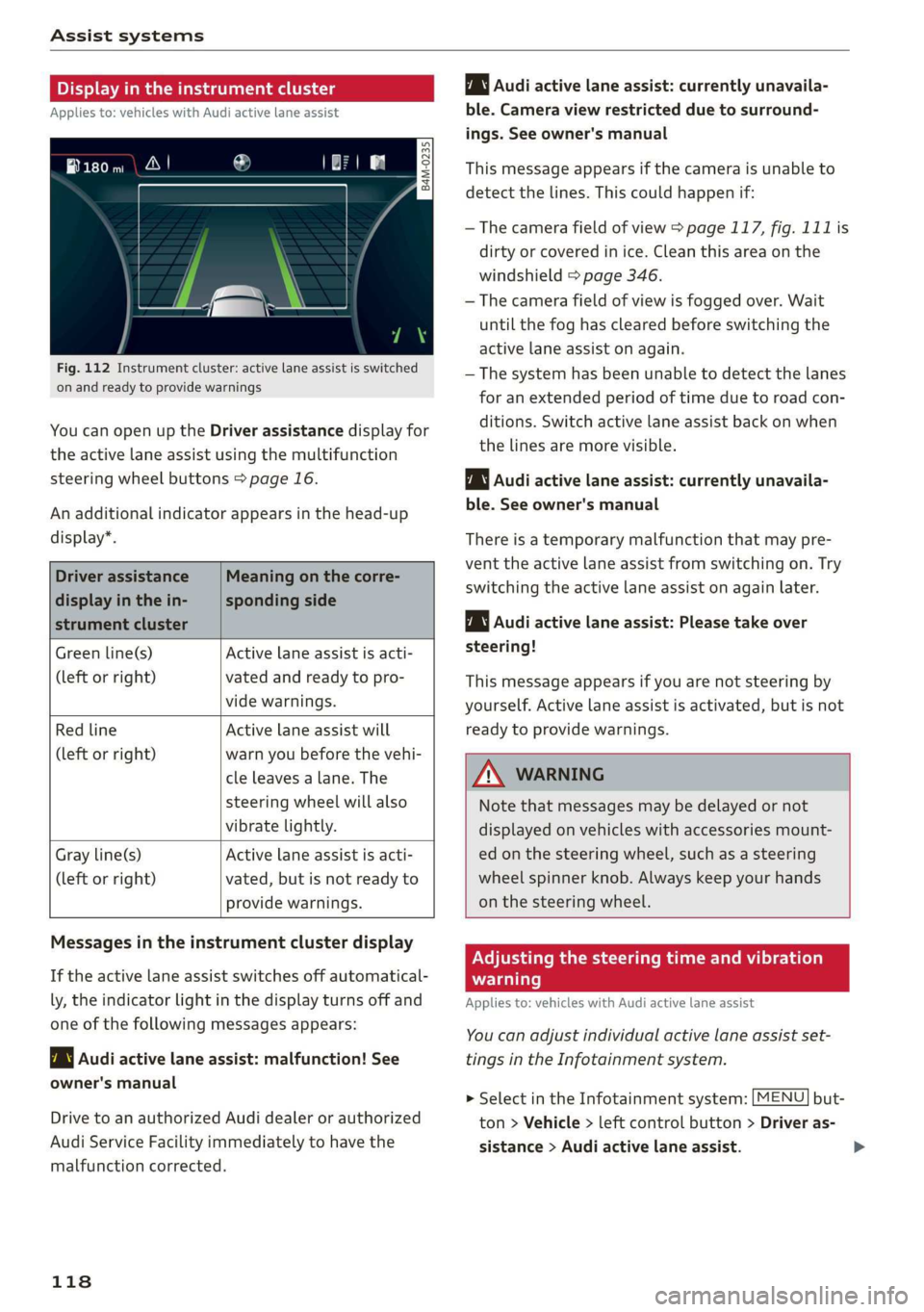
Fig.112Instrumentcluster:activelaneassistisswitched
onandreadytoprovidewarnings
YoucanopenuptheDriverassistancedisplayfor
theactivelaneassistusingthemultifunction
steeringwheelbuttons>page16.
Anadditionalindicatorappearsinthehead-up
display”.
Driverassistance
displayinthein-
strumentcluster
Meaningonthecorre-
spondingside
Greenline(s)Activelaneassistisacti-
(leftorright)vatedandreadytopro-
videwarnings.
RedlineActivelaneassistwill
(leftorright)warnyoubeforethevehi-
cleleavesa lane.The
steeringwheelwillalso
vibratelightly.
Activelaneassistisacti-
vated,butisnotreadyto
providewarnings.
Grayline(s)
(leftorright)
Audiactivelaneassist:currentlyunavaila-
ble.Cameraviewrestrictedduetosurround-
ings.Seeowner'smanual
Thismessageappearsifthecameraisunableto
detectthelines.Thiscouldhappenif:
—Thecamerafieldofview>page117,fig.111is
dirtyorcoveredinice.Cleanthisareaonthe
windshield>page346.
—Thecamerafieldofviewisfoggedover.Wait
untilthe foghasclearedbeforeswitchingthe
activelaneassistonagain.
—Thesystemhasbeenunabletodetectthelanes
foranextendedperiodoftimeduetoroad con-
ditions.Switchactivelaneassistbackonwhen
thelinesaremorevisible.
Audiactivelaneassist:currentlyunavaila-
ble.Seeowner'smanual
Thereisatemporarymalfunctionthatmaypre-
vent theactivelaneassistfromswitchingon. Try
switchingtheactivelaneassistonagainlater.
Audiactivelaneassist:Pleasetake over
steering!
Thismessageappearsifyouarenotsteeringby
yourself.Activelaneassistisactivated,butisnot
readytoprovidewarnings.
ZAWARNING
Notethatmessagesmaybedelayedornot
displayedonvehicleswithaccessoriesmount-
edonthesteeringwheel,suchasasteering
wheelspinnerknob.Alwayskeep yourhands
onthesteeringwheel.
Messagesintheinstrumentclusterdisplay
Iftheactivelaneassistswitchesoffautomatical-
ly,theindicatorlightinthedisplayturnsoffand
oneofthefollowingmessagesappears:
7\|Audiactivelaneassist:malfunction!See
owner'smanual
DrivetoanauthorizedAudidealerorauthorized
AudiServiceFacilityimmediatelytohavethe
malfunctioncorrected.
118
Adjustingthesteeringtimeandvibration
warning
Appliesto:vehicleswithAudiactivelaneassist
Youcanadjustindividualactivelaneassistset-
tingsintheInfotainmentsystem.
MENU]but- >SelectintheInfotainmentsystem:
ton>Vehicle> leftcontrolbutton>Driveras-
sistance>Audiactivelaneassist.
Page 123 of 394
Assistsystems
AWARNINGSwitchingonandoff
Appliesto:vehicleswithAudisideassist
—Alwayspayattentiontotrafficandtothe
areaaroundyourvehicle.SideassistcannotThesystemcanbe switchedon/offintheInfo-
replaceadriver'sattention.Thedriveralonetainmentsystem.
isalwaysresponsibleforlanechangesand
similardrivingmaneuvers.
>SelectintheInfotainmentsystem:[MENU]but-
ton>Vehicle>leftcontrolbutton>Driveras-
sistance>Audisideassist.Offswitchesthe
—Insomesituations,thesystemmaynot
functionoritsfunctionmaybelimited.Forsystemoff.
example:
—IfvehiclesareapproachingorbeingleftIfthesystemisactivated,thedisplaysintheex-
behindveryquickly.Thedisplaymaynotteriormirrorswillturnonbrieflywhentheigni-
turnonintime.tionisswitchedon.
—Inpoorweatherconditionssuchasheavy)
rain,snoworheavymist.@Tips
—Onverywidelanes,intightcurves,orifWhenyouswitchsideassistonoroff,theexit
thereisariseintheroadsurface.Vehicleswarningsystemactivatesordeactivates
intheadjacentlanemaynot be detected=>page122.
becausetheyareoutsideofthesensor
range.Settingthedisplaybrightness
4M0012721BG
Appliesto:vehicleswith Audisideassist
@)Note
ThedisplaybrightnesscanbeadjustedintheIn-
Thesensorscanbedisplacedbyimpactsorfotainmentsystem.
damagetothebumper,wheelhousingand
underbody.Thiscanimpair thesystem.Have»SelectintheInfotainmentsystem:[MENU]but-
anauthorizedAudidealerorauthorizedAuditon>Vehicle>leftcontrolbutton>Driveras-
ServiceFacilitychecktheirfunction.sistance>Audisideassist.
@)TipsThedisplaybrightnessadjustsautomaticallyto
thebrightness ofthesurroundings,bothinthe
informationandinthewarningstage.Invery
darkorverybrightsurroundings,theautomatic
adjustmentwillsetthedisplay totheminimum
ormaximumlevel.Insuchcases,youmaynotice
nochangewhenadjustingthebrightness, orthe
changemayonlybenoticeableoncethesur-
roundingschange.
—Thesesystemsarenotavailableintrailer
towingmode.Thereisnoguaranteethesys-
temswillswitchoffwhenusingaretrofitted
trailerhitch.Donot use thesefunctions
whentowingatrailer.
—Ifthewindowglassinthedriver'sdooror
front
passenger'sdoorhasbeentinted,the
displayintheexteriormirrormaybeincor-
aes.Adjustthebrightnesstoalevelwherethedisplay
—Foranexplanationonconformitywiththeintheinformationstagewillnotdisruptyour
FCCregulationsintheUnitedStatesandtheviewahead.Ifyouchangethebrightness,thedis-
IndustryCanadaregulations,seeplayintheexteriormirrorwillbrieflyshowthe
>page373.brightnesslevelintheinformationstage.The
brightnessofthewarningstageislinkedtothe
brightnessintheinformationstageandisadjust-
edalongwiththeinformationstage.>
121
Page 125 of 394

4M0012721BG
Assistsystems
exitwarningindicatorsturnonduringthe
adjustmentprocess.
— Thedisplaybrightnessfortheexitwarning
systemcannotbeadjusted.
— Thesystemisnotavailablewhentowinga
trailer.
TearLaieh
Appliesto:vehicleswithrearcross-trafficassist
rm
S e
=t+a
Fig.120Infotainmentsystem:rearcross-trafficassistdis-
play
Activatingrearcross-trafficassist
Therearcross-trafficassistisactivatedautomati-
callyifyouturnontheparkingaid>page131or
shiftintoreversegear.
Therearcross-trafficassistcanwarnofapoten-
tialcollisionwithapproachingcross-trafficwhen
drivinginreverseatspeedsuptoapproximately
9mph(15km/h).Withinitslimits,thesystem
monitorstheareasbehindandnexttothevehicle
usingtheradarsensorswhenleavingaparking
space>page120,fig. 116.Movingobjectsthat
areapproaching,suchascars,aredetected
>fig.119.
Ifthesystemdetectscriticalcrosstrafficwhen
backingoutofaparkingspace,itwillreactasfol-
lows:
—Visualindicator: anindicatorappearsintheIn-
fotainmentsystemdisplaywitharedarrow
symbol.Thearrowpointsinthedirectionfrom
whichtheobjectisapproaching>fig.120.
—Audiblewarningsignal:acontinuoustonemay
soundasanadditionalindicatorwhendrivingin
reverse.
—Automaticbrakeactivation:abriefactivation
ofthe brakesmayalsowarnyouofapotential
collisionwithanapproachingobject.
Theaudiblewarningsignalandtheautomatic
brakeactivationoccuronlywhendrivinginre-
verse.
ZXWARNING
—Therearcross-trafficassistisanassistsys-
temandcannotpreventacollisionbyitself.
Thedrivermustalwaysintervene.Thedriver
isalwaysresponsibleforbrakingatthecor-
rect
time.
—Pleasenotethattherearcross-trafficassist
mayactivatethebrakesunexpectedly.Se-
cureanycargothatyouaretransportingto
reducetheriskofdamageorinjury.
—Automaticbrakingcannotbetriggered
againwithin20secondsafteranautomatic
brakeactivation.
—Ifthereisanacousticwarningsignalfrom
therearcross-trafficassist,thentheparking
systemmaynotwarnyouofdetectedobsta-
clesundercertaincircumstances.
— Theviewoftheradarsensorsmaybeim-
pairedbyleaves,snow,heavysprayordirt.
Clean
theareainfrontofthesensors
=>page120,fig.116.
ZXWARNING
—Therearcross-trafficassistwillnotprovide
alertsaboutpeopleandcannotwarnyou
abouteverytypeofapproachingobjects,
suchascyclists.Alwaysmonitorthe traffic
aswellasthevehicle'ssurroundingswithdi-
recteyecontact.
—Therearcross-trafficassistwillnotprovide
alertsifyourvehicleisparallelordiagonally
123
Page 129 of 394
4M0012721BG
Assistsystems
Switchingonandoff
Appliesto:vehicleswithnightvision assist
io+
Ss
2
=¥a
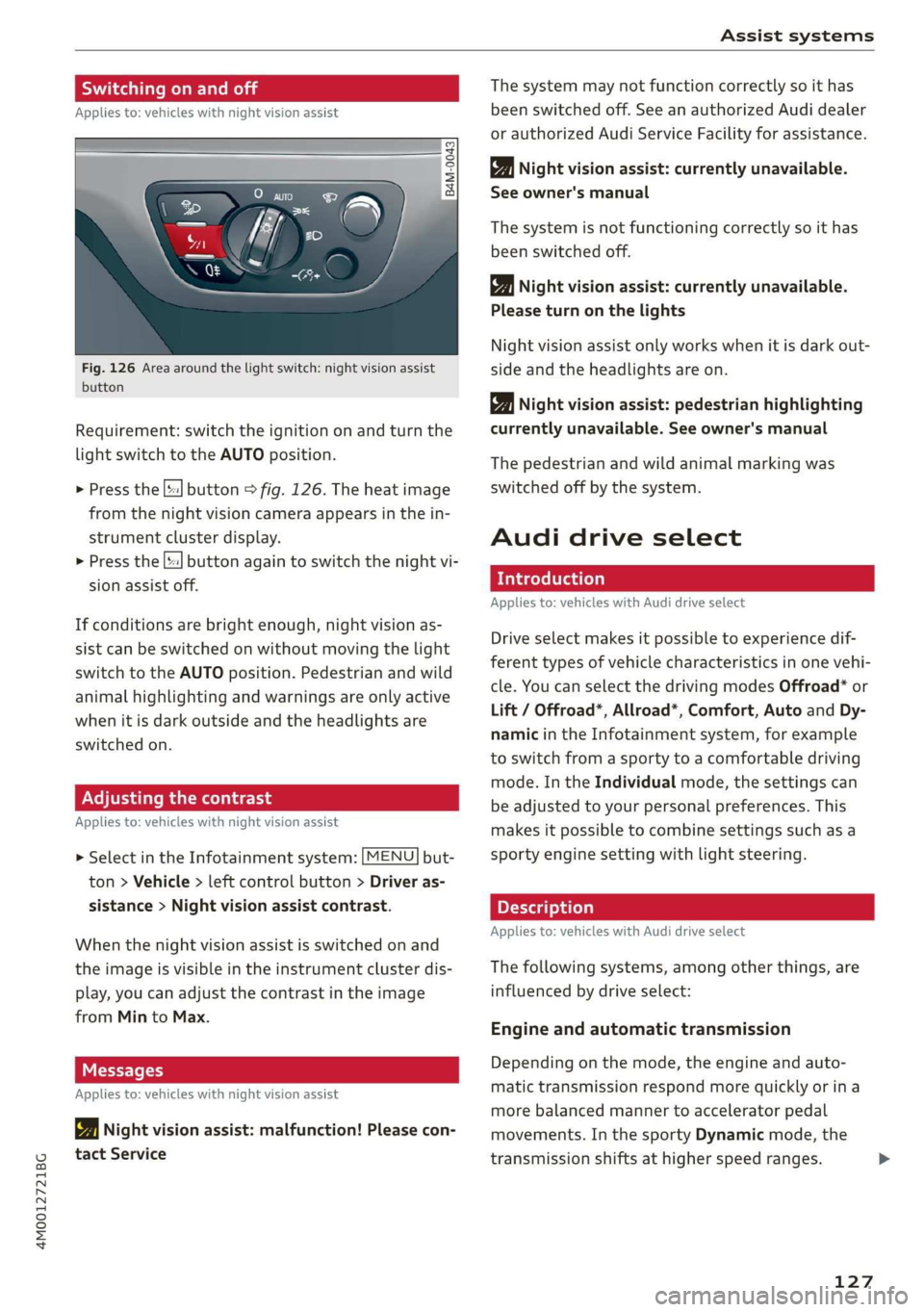
Fig.126Areaaroundthelightswitch:nightvision assist
button
Requirement:switchtheignitiononandturnthe
lightswitchtotheAUTOposition.
>Pressthe[|button>fig.126.Theheatimage
fromthenightvisioncameraappearsinthein-
strumentclusterdisplay.
>
Pressthe||buttonagaintoswitchthenightvi-
sionassistoff.
Ifconditionsare brightenough,nightvisionas-
sistcanbe switchedonwithoutmovingthelight
switchtotheAUTOposition.Pedestrianandwild
animalhighlightingandwarningsareonlyactive
whenitisdarkoutsideandtheheadlightsare
switchedon.
ONCmae9
Appliesto:vehicleswithnightvisionassist
>SelectintheInfotainmentsystem:[MENU]but-
ton>Vehicle> leftcontrolbutton>Driveras-
sistance>Nightvisionassistcontrast.
Whenthenightvisionassistisswitchedon and
theimageisvisibleintheinstrumentclusterdis-
play,youcanadjustthecontrastintheimage
fromMintoMax.
Messages
Appliesto:vehicleswithnightvisionassist
1Nightvisionassist:malfunction!Pleasecon-
tactService
Thesystemmaynotfunctioncorrectlysoithas
beenswitchedoff.SeeanauthorizedAudidealer
orauthorizedAudiServiceFacilityforassistance.
Nightvisionassist:currentlyunavailable.
Seeowner'smanual
Thesystemisnotfunctioningcorrectlysoithas
beenswitchedoff.
Nightvisionassist:currentlyunavailable.
Pleaseturnonthelights
Nightvision assistonlyworkswhenitisdarkout-
sideandtheheadlightsare on.
Nightvisionassist:pedestrianhighlighting
currentlyunavailable.Seeowner'smanual
Thepedestrianandwildanimalmarkingwas
switchedoffbythesystem.
Audidriveselect
Introduction
Appliesto:vehicleswithAudidriveselect
Driveselectmakesitpossibletoexperiencedif-
ferenttypesofvehiclecharacteristicsinonevehi-
cle.YoucanselectthedrivingmodesOffroad*or
Lift/Offroad*,Allroad*,Comfort,AutoandDy-
namicintheInfotainmentsystem,forexample
toswitchfromasportytoacomfortabledriving
mode.IntheIndividualmode,thesettingscan
beadjustedtoyourpersonalpreferences.This
makesitpossibletocombinesettingssuchasa
sportyenginesettingwithlightsteering.
Appliesto:vehicleswith Audidriveselect
Thefollowingsystems,amongotherthings,are
influencedbydriveselect:
Engineandautomatictransmission
Depending onthemode,theengineandauto-
matictransmissionrespondmorequicklyorina
morebalancedmannertoacceleratorpedal
movements.Inthe sportyDynamicmode,the
transmissionshiftsathigherspeedranges.
127