infotainment AUDI Q7 2019 Owner´s Manual
[x] Cancel search | Manufacturer: AUDI, Model Year: 2019, Model line: Q7, Model: AUDI Q7 2019Pages: 394, PDF Size: 105.97 MB
Page 167 of 394
4M0012721BG
Multifunctionsteeringwheel
Multifunctionsteering
wheel
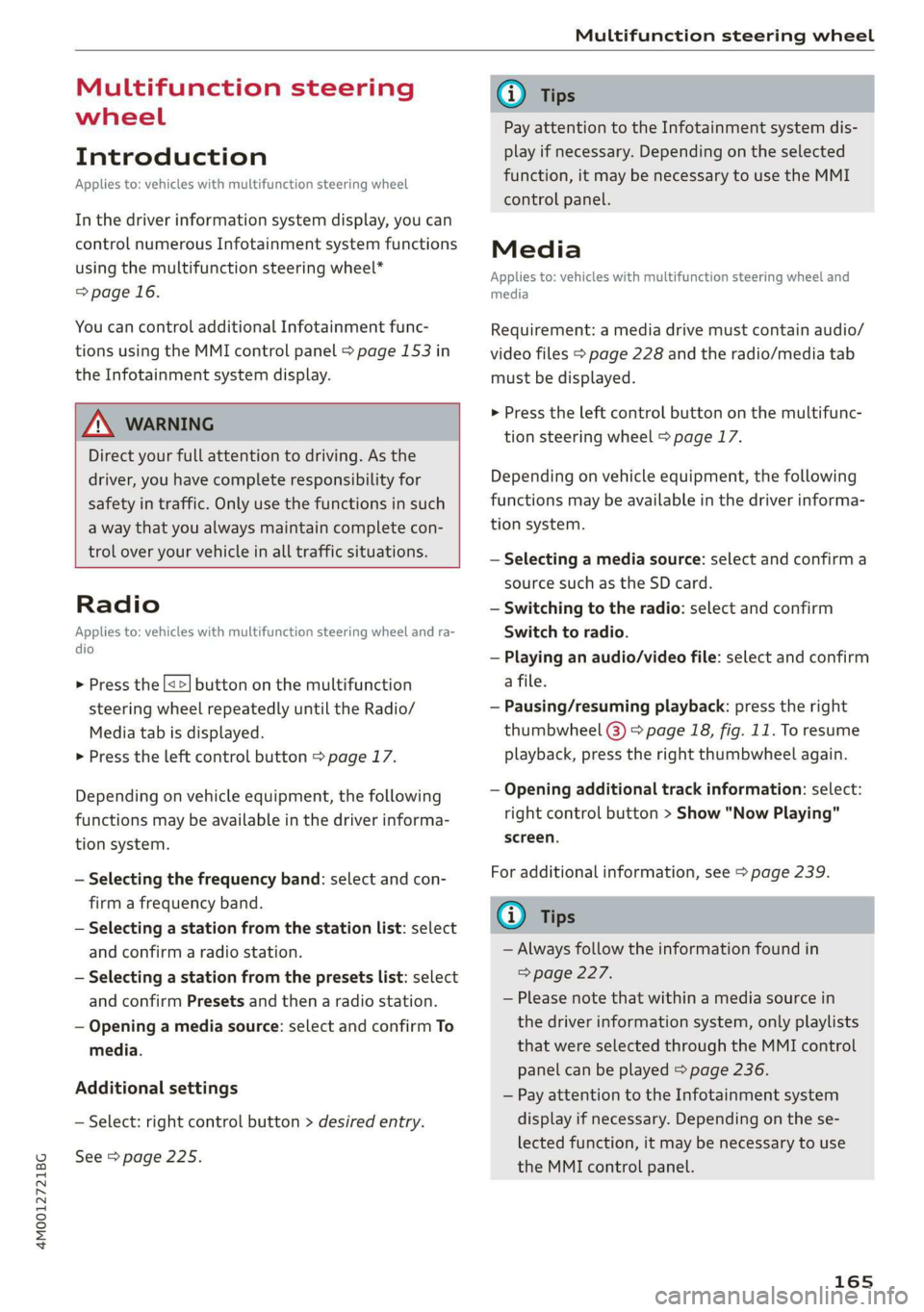
Introduction
Appliesto:vehicleswith multifunctionsteeringwheel
Inthedriverinformationsystemdisplay,youcan
controlnumerousInfotainmentsystemfunctions
usingthemultifunctionsteeringwheel*
=>page16.
Youcancontrol additionalInfotainmentfunc-
tionsusingtheMMIcontrolpanel>page153in
theInfotainmentsystemdisplay.
Z\WARNING
Directyourfullattentiontodriving.Asthe
driver,youhavecompleteresponsibilityfor
safetyintraffic.Only usethefunctionsinsuch
awaythatyoualwaysmaintaincompletecon-
troloveryourvehicleinalltrafficsituations.
Radio
Appliesto:vehicleswith multifunctionsteeringwheelandra-
dio
>Pressthe[<>]buttononthemultifunction
steeringwheelrepeatedlyuntiltheRadio/
Mediatabisdisplayed.
>Presstheleftcontrolbutton>page17.
Dependingonvehicleequipment,thefollowing
functions
maybeavailableinthedriverinforma-
tionsystem.
—Selectingthefrequencyband:selectandcon-
firmafrequencyband.
—Selectingastationfromthestationlist:select
andconfirmaradiostation.
—Selectingastationfromthepresetslist:select
andconfirmPresetsandthenaradiostation.
—Openingamediasource:selectandconfirmTo
media.
Additionalsettings
—Select:rightcontrolbutton>desiredentry.
See>page225.
@Tips
PayattentiontotheInfotainmentsystemdis-
playifnecessary.Dependingontheselected
function,itmaybenecessarytouse theMMI
controlpanel.
Media
Appliesto:vehicleswithmultifunctionsteeringwheeland
media
Requirement:amediadrivemustcontainaudio/
videofiles>page228andtheradio/mediatab
mustbedisplayed.
>Presstheleftcontrolbuttononthemultifunc-
tionsteeringwheel>page17.
Depending onvehicleequipment,thefollowing
functionsmaybeavailableinthedriverinforma-
tionsystem.
—Selectingamediasource:selectandconfirma
sourcesuchastheSDcard.
—Switchingtotheradio:selectandconfirm
Switchtoradio.
—Playinganaudio/videofile:selectandconfirm
afile.
—Pausing/resumingplayback:presstheright
thumbwheel@)>page18,fig.11.Toresume
playback,presstherightthumbwheelagain.
—Openingadditionaltrackinformation:select:
rightcontrolbutton>Show"NowPlaying"
screen.
Foradditionalinformation,see>page239.
@Tips
—Alwaysfollowtheinformationfoundin
>page227.
—Pleasenotethatwithinamediasourcein
thedriverinformationsystem,onlyplaylists
thatwereselectedthroughtheMMIcontrol
panelcanbeplayed=page236.
—PayattentiontotheInfotainmentsystem
displayifnecessary.Dependingonthese-
lectedfunction,itmaybenecessarytouse
the
MMIcontrolpanel.
165
Page 173 of 394
4M0012721BG
Voicerecognitionsystem
Voicerecognitionsystem
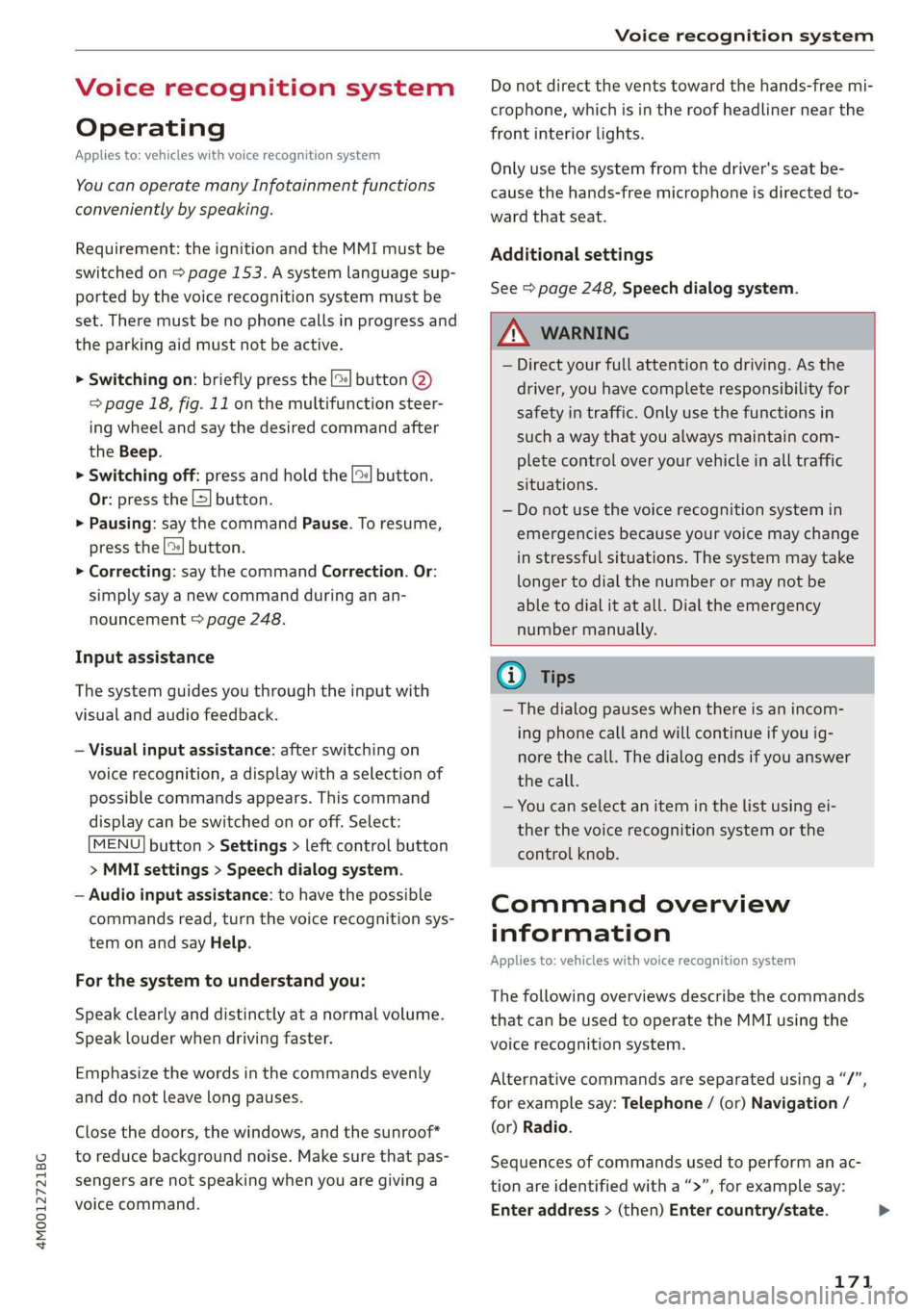
Operating
Appliesto:vehicleswithvoicerecognitionsystem
YoucanoperatemanyInfotainmentfunctions
convenientlybyspeaking.
Requirement:theignitionandtheMMImustbe
switched
on>page153.Asystemlanguagesup-
portedbythevoicerecognitionsystemmustbe
set.Theremustbenophonecallsinprogressand
theparkingaidmustnotbeactive.
>Switchingon:brieflypressthe[2]button@)
=>page18,fig.11onthemultifunctionsteer-
ing
wheelandsaythedesiredcommandafter
theBeep.
>Switchingoff:pressandholdthe|]button.
Or:pressthe|S]button.
>Pausing:saythecommandPause.Toresume,
pressthe|]button.
>Correcting:saythecommandCorrection.Or:
simplysayanewcommandduringanan-
nouncement>page248.
Inputassistance
Thesystemguidesyouthroughtheinputwith
visualandaudiofeedback.
—Visualinputassistance:afterswitchingon
voicerecognition,adisplaywithaselectionof
possiblecommandsappears.Thiscommand
displaycanbe switchedonoroff.Select:
MENU]button>Settings>leftcontrolbutton
>MMIsettings>Speechdialogsystem.
—Audioinputassistance: tohavethepossible
commandsread,turnthevoicerecognitionsys-
temonandsayHelp.
Forthesystemtounderstandyou:
Speakclearlyanddistinctly atanormalvolume.
Speaklouderwhendrivingfaster.
Emphasizethewordsinthecommandsevenly
anddonotleavelongpauses.
Closethedoors,thewindows,andthesunroof*
toreducebackgroundnoise.Makesurethatpas-
sengersarenotspeakingwhenyouaregivinga
voicecommand.
Donotdirecttheventstowardthehands-freemi-
crophone,whichisintheroofheadlinernearthe
frontinteriorlights.
Onlyusethesystemfromthedriver'sseatbe-
causethehands-freemicrophoneisdirectedto-
wardthatseat.
Additionalsettings
See>page248,Speechdialogsystem.
ZAWARNING
—Directyourfullattentiontodriving.Asthe
driver,youhavecompleteresponsibilityfor
safetyintraffic.Only usethefunctionsin
suchawaythatyoualwaysmaintaincom-
pletecontroloveryourvehicleinalltraffic
situations.
—Donotuse thevoicerecognitionsystemin
emergenciesbecauseyourvoicemaychange
instressfulsituations.Thesystemmaytake
longertodialthenumberormaynot be
abletodialitatall.Dialtheemergency
numbermanually.
G)Tips
—Thedialogpauseswhenthereisanincom-
ingphonecallandwillcontinueifyouig-
norethecall.Thedialogendsifyouanswer
thecall.
—Youcanselectan iteminthelistusingei-
therthevoicerecognitionsystemorthe
controlknob.
Commandoverview
information
Appliesto:vehicleswithvoicerecognitionsystem
Thefollowingoverviewsdescribethecommands
thatcan beusedtooperatetheMMIusingthe
voicerecognitionsystem.
Alternativecommandsareseparatedusinga“/”,
forexamplesay:Telephone/(or)Navigation/
(or)Radio.
Sequencesofcommandsusedtoperformanac-
tionareidentifiedwitha“>”,forexamplesay:
Enteraddress>(then)Entercountry/state.
171
Page 175 of 394
4M0012721BG
Voicerecognitionsystem
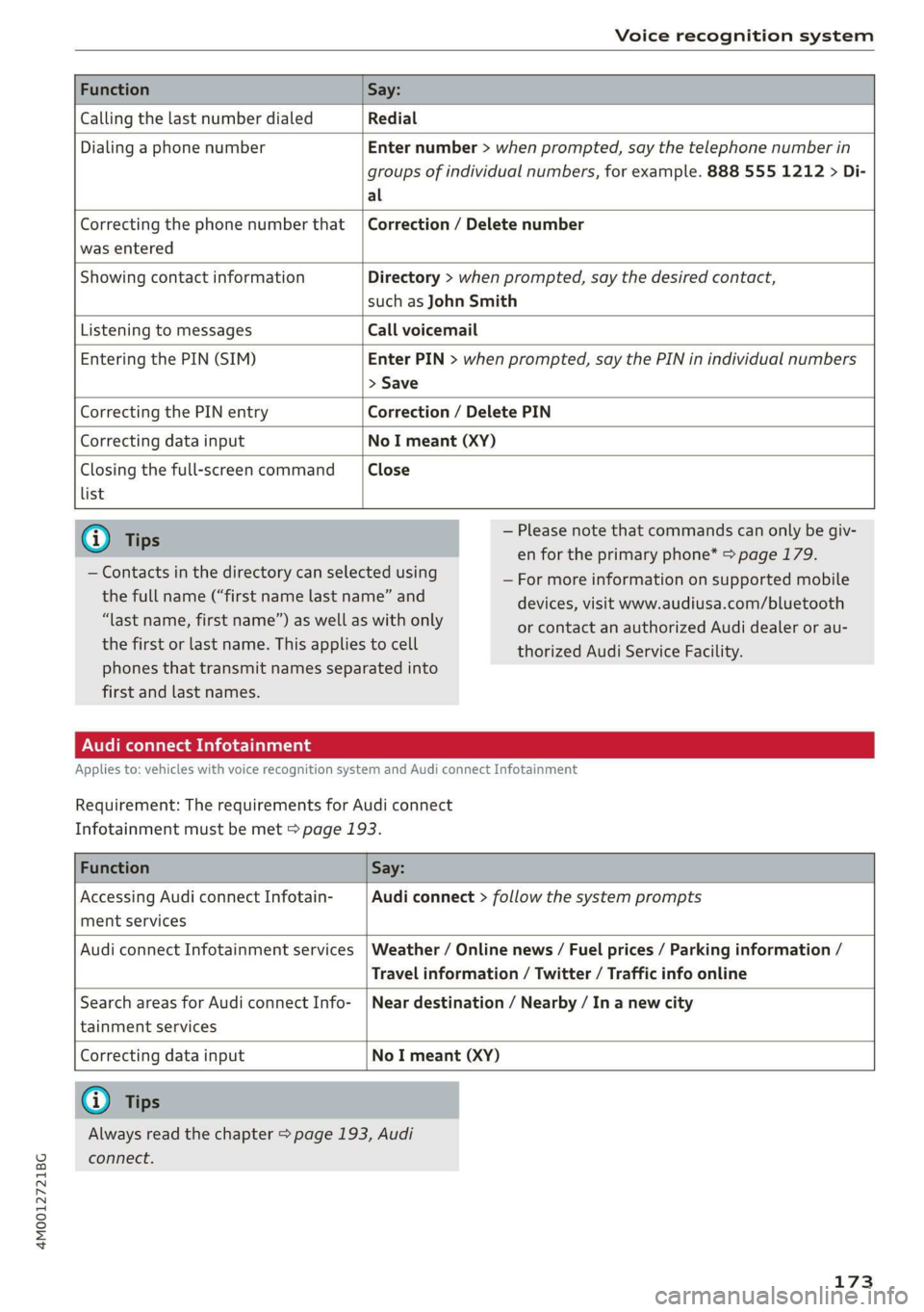
FunctionSay:
CallingthelastnumberdialedRedial
DialingaphonenumberEnternumber>whenprompted,saythetelephonenumberin
groupsofindividualnumbers,forexample.8885551212>Di-
al
Correctingthephonenumberthat|Correction/Deletenumber
wasentered
ShowingcontactinformationDirectory>whenprompted,saythedesiredcontact,
suchasJohnSmith
ListeningtomessagesCallvoicemail
EnteringthePIN(SIM)EnterPIN>whenprompted,saythePINinindividualnumbers
>Save
CorrectingthePINentryCorrection/DeletePIN
CorrectingdatainputNoImeant(XY)
Closingthefull-screencommandClose
list
G)Tips—Pleasenotethatcommandscanonlybegiv-
enfortheprimaryphone*>page179.
—Formoreinformationonsupportedmobile
devices,visitwww.audiusa.com/bluetooth
orcontactanauthorizedAudidealeror au-
thorizedAudiServiceFacility.
—Contactsinthedirectorycanselectedusing
thefullname(“firstnamelastname”and
“lastname,firstname”)aswellaswithonly
thefirstorlastname.Thisappliestocell
phonesthattransmit namesseparatedinto
firstandlastnames.
AudiconnectInfotainment
Appliesto:vehicleswithvoicerecognitionsystem andAudiconnectInfotainment
Requirement:
TherequirementsforAudiconnect
Infotainmentmustbemet>page193.
FunctionSay:
AccessingAudiconnectInfotain-Audiconnect>followthesystemprompts
mentservices
AudiconnectInfotainmentservices|Weather/Onlinenews/Fuelprices/Parkinginformation/
Travelinformation/Twitter/Trafficinfoonline
SearchareasforAudiconnectInfo-|Neardestination/Nearby/In anewcity
tainmentservices
CorrectingdatainputNoImeant(XY)
@Tips
Alwaysreadthechapter>page193,Audi
connect.
173
Page 176 of 394
Voicerecognitionsystem
Messages(AudiconnectInfotainment)
Appliesto:vehicleswithvoicerecognitionsystem andAudiconnectInfotainment
Requirement:acellphonewithanactiveMAP
(MessageAccessProfile)mustbeconnectedto
theMMI>page185.
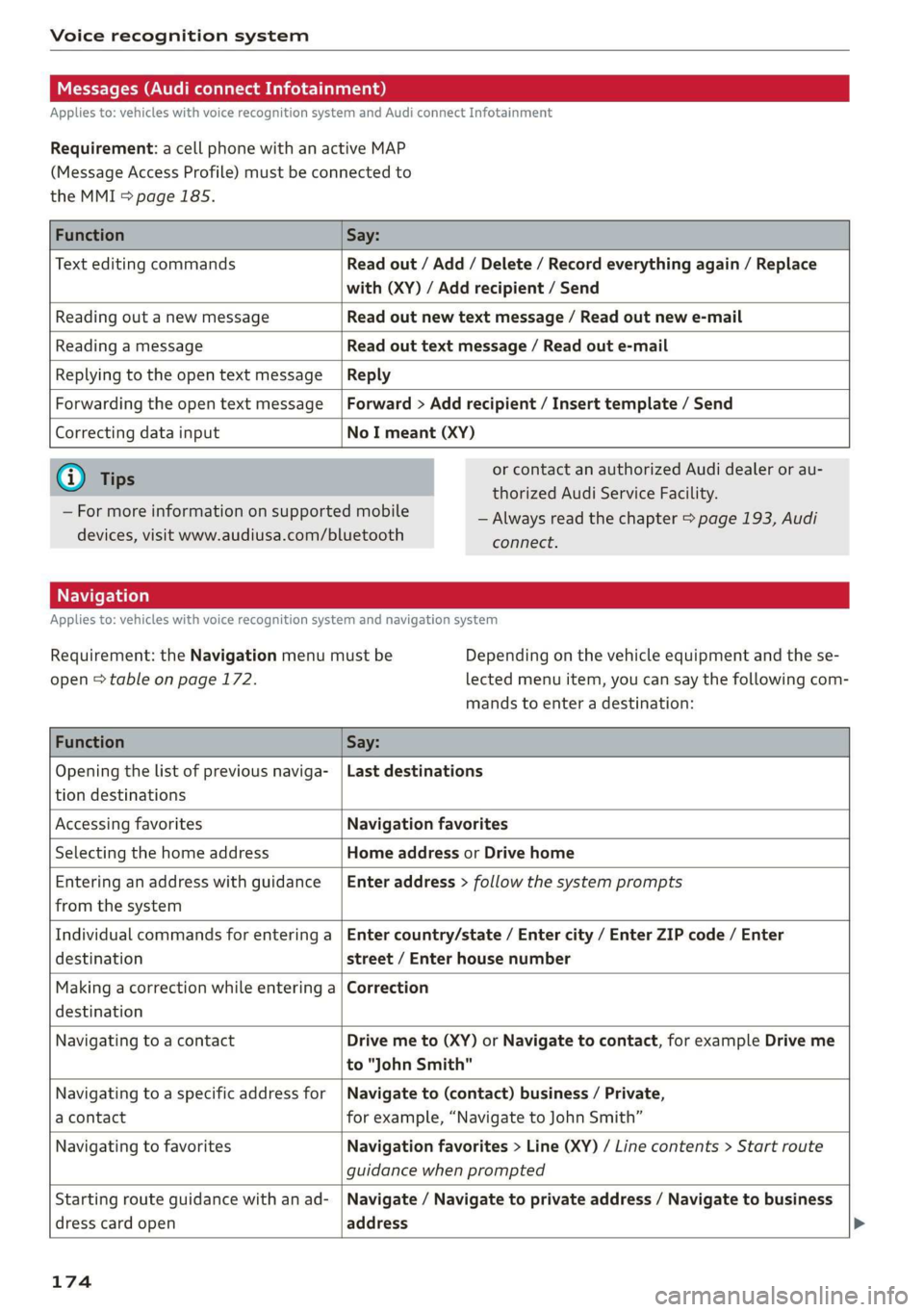
FunctionSay:
TexteditingcommandsReadout/Add/Delete/Recordeverythingagain/Replace
with(XY)/Addrecipient/Send
ReadingoutanewmessageReadoutnewtextmessage/Readoutnewe-mail
ReadingamessageReadouttextmessage/Readoute-mail
ReplyingtotheopentextmessageReply
ForwardingtheopentextmessageForward>Addrecipient/Inserttemplate/Send
Correctingdatainput
NoImeant(XY)
@)Tips
—Formoreinformationonsupportedmobile
devices,visitwww.audiusa.com/bluetooth
orcontactanauthorizedAudidealerorau-
thorizedAudiServiceFacility.
—Alwaysreadthechapter>page193,Audi
connect.
Appliesto:vehicleswithvoicerecognitionsystem andnavigationsystem
Requirement:theNavigationmenumustbe
open>tableonpage172.
Dependingonthevehicleequipmentandthese-
lectedmenuitem,youcansaythefollowingcom-
mandstoenteradestination:
FunctionSay:
Openingthelistofpreviousnaviga-
tiondestinations
Lastdestinations
AccessingfavoritesNavigationfavorites
SelectingthehomeaddressHomeaddressorDrivehome
Enteringan addresswithguidance
fromthesystem
Enteraddress>followthesystemprompts
Individualcommandsforenteringa
destination
Entercountry/state/Entercity/EnterZIPcode/Enter
street/Enterhousenumber
Makingacorrectionwhileenteringa
destination
Correction
NavigatingtoacontactDrivemeto(XY)orNavigatetocontact,forexampleDriveme
to"JohnSmith"
Navigatingtoa specificaddressfor
acontact
Navigateto(contact)business/Private,
forexample,“NavigatetoJohnSmith”
NavigatingtofavoritesNavigationfavorites>Line(XY)/Linecontents>Start route
guidancewhenprompted
Startingrouteguidancewithanad-
dresscardopen
Navigate/Navigatetoprivateaddress/Navigatetobusiness
address
174
Page 186 of 394
Telephone
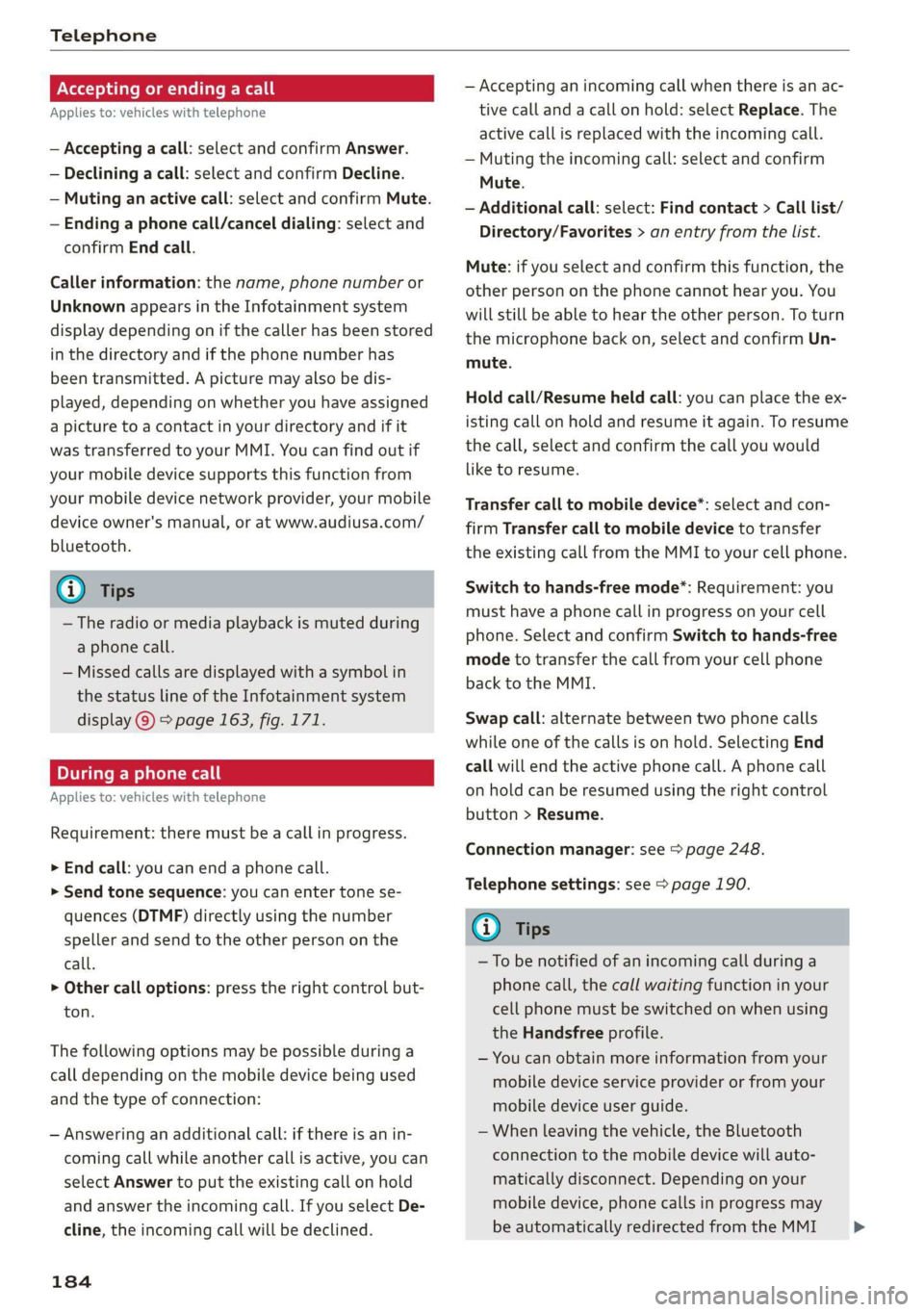
Acceptingorendingacall
Appliesto:vehicleswithtelephone
—Acceptingacall:selectandconfirmAnswer.
—Decliningacall:selectandconfirmDecline.
—Mutinganactivecall:selectandconfirmMute.
—Endinga phonecall/canceldialing:selectand
confirmEndcall.
Callerinformation:thename, phonenumberor
UnknownappearsintheInfotainmentsystem
displaydependingonifthecallerhasbeenstored
inthedirectoryandifthephonenumberhas
beentransmitted.Apicturemayalsobedis-
played,dependingonwhetheryouhaveassigned
apicturetoacontactinyourdirectoryandifit
wastransferredtoyourMMI.Youcanfindoutif
yourmobiledevicesupportsthisfunctionfrom
yourmobiledevicenetworkprovider,yourmobile
deviceowner'smanual,or atwww.audiusa.com/
bluetooth.
@Tips
—Theradioormediaplaybackismutedduring
aphonecall.
—Missedcallsaredisplayedwithasymbolin
thestatuslineoftheInfotainmentsystem
display@)>page163,fig.171.
Duringaphonecall
Appliesto:vehicleswithtelephone
Requirement:
theremustbeacallinprogress.
>
Endcall:youcanendaphonecall.
»Sendtonesequence:youcanentertonese-
quences(DTMF)directlyusingthenumber
spellerandsendtotheotherpersononthe
call.
>Othercalloptions:presstherightcontrolbut-
ton.
Thefollowingoptionsmaybepossibleduringa
calldependingonthemobiledevicebeingused
andthetypeofconnection:
—Answeringanadditionalcall:ifthereisanin-
comingcallwhileanothercallisactive,youcan
selectAnswertoput theexistingcallonhold
andanswertheincomingcall.IfyouselectDe-
cline,theincomingcallwillbedeclined.
184
—Acceptinganincomingcallwhenthereisanac-
tivecallandacallonhold:selectReplace.The
activecallisreplacedwiththeincomingcall.
—Mutingtheincomingcall:selectandconfirm
Mute.
—Additionalcall:select:Findcontact>Calllist/
Directory/Favorites>anentryfromthelist.
Mute:ifyouselectandconfirmthisfunction,the
otherpersononthephonecannothearyou.You
willstillbeabletoheartheotherperson.Toturn
themicrophonebackon,selectandconfirmUn-
mute.
Holdcall/Resumeheldcall:youcanplacetheex-
istingcallonholdandresumeitagain.Toresume
thecall,selectandconfirm thecallyouwould
liketoresume.
Transfercalltomobiledevice*:selectandcon-
firm
Transfercalltomobiledevicetotransfer
theexistingcallfromtheMMItoyourcellphone.
Switchtohands-freemode*:Requirement:you
musthaveaphonecallinprogressonyourcell
phone.SelectandconfirmSwitchtohands-free
modetotransferthecallfromyourcellphone
backtotheMMI.
Swapcall:alternatebetweentwophonecalls
whileoneofthecallsisonhold.SelectingEnd
call willendtheactivephonecall.Aphonecall
onholdcanberesumedusingtherightcontrol
button>Resume.
Connectionmanager:see>page248.
Telephonesettings:see>page190.
G)Tips
—To benotifiedofanincomingcallduringa
phonecall,thecallwaitingfunctioninyour
cellphonemustbeswitchedonwhenusing
theHandsfreeprofile.
—Youcanobtainmoreinformationfromyour
mobiledeviceserviceproviderorfromyour
mobiledeviceuserguide.
—Whenleavingthevehicle,theBluetooth
connectiontothemobiledevicewillauto-
maticallydisconnect.Depending onyour
mobiledevice,phonecallsinprogressmay
beautomaticallyredirectedfromtheMMI>
Page 187 of 394
4M0012721BG
Telephone
toyourmobiledevicesothatyoucancon-
tinuethecallonyourphone.
— Thedisplayofan incomingphonecallinthe
Infotainmentsystemdisplaymaystillbe
visibleforafewsecondsafteracallisan-
sweredorignoreddependingonthecell
phoneinuse.
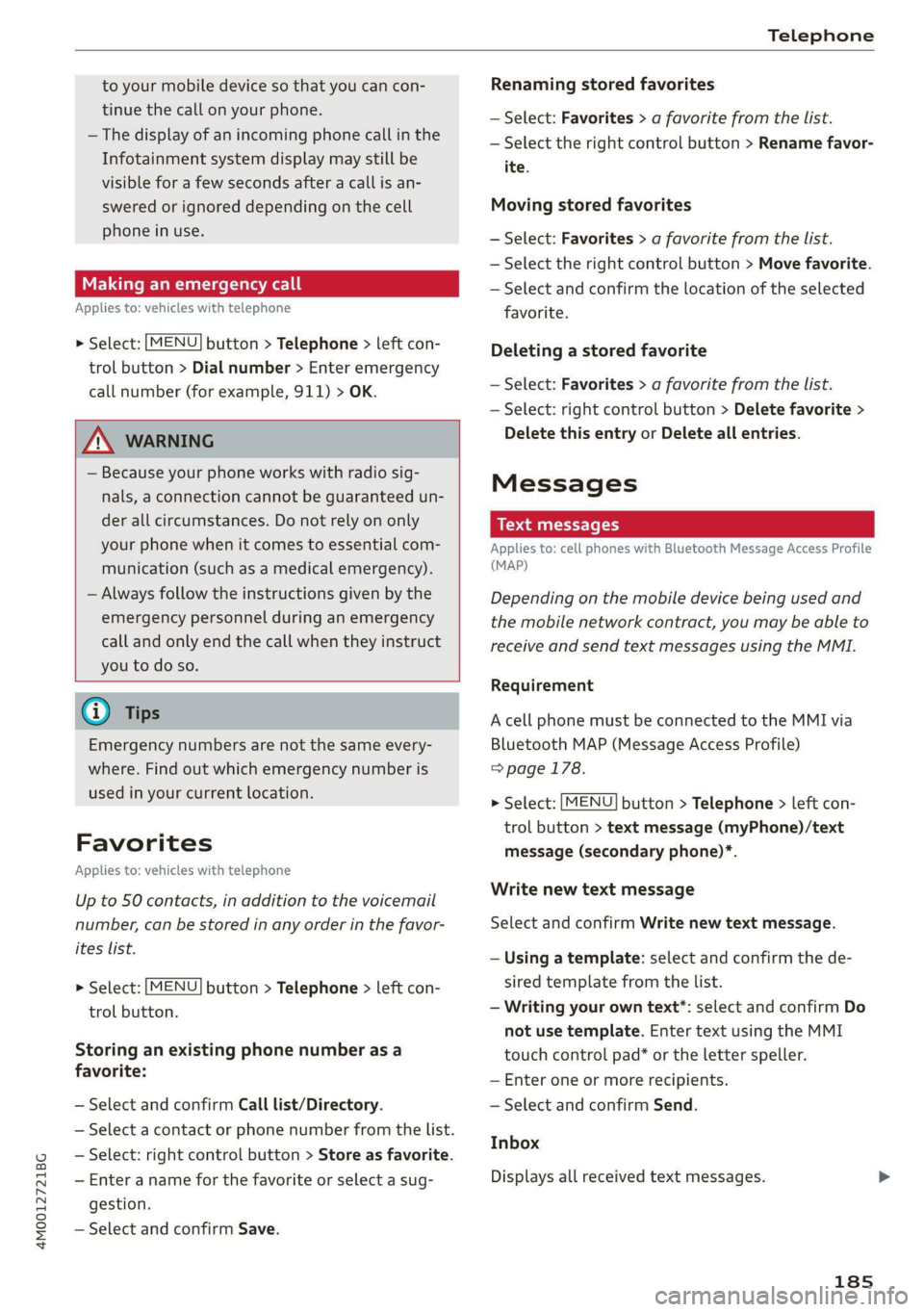
Makinganemergencycall
Appliesto:vehicleswithtelephone
>Select:[MENU]button>Telephone>leftcon-
trolbutton>Dialnumber>Enteremergency
callnumber(forexample,911)>OK.
ZAWARNING
—Becauseyourphoneworkswithradiosig-
nals,aconnectioncannotbeguaranteedun-
derallcircumstances.Donotrelyononly
yourphonewhenitcomestoessentialcom-
munication(suchasamedicalemergency).
—Alwaysfollowtheinstructionsgivenbythe
emergencypersonnelduringanemergency
callandonlyendthecallwhentheyinstruct
youtodoso.
@Tips
Emergencynumbersarenot thesameevery-
where.Findoutwhichemergencynumberis
usedinyourcurrentlocation.
Favorites
Appliesto:vehicleswithtelephone
Upto50contacts,inadditiontothe voicemail
number,canbestoredinanyorderinthefavor-
iteslist.
>Select:[MENU]button>Telephone>leftcon-
trolbutton.
Storinganexistingphonenumberasa
favorite:
—SelectandconfirmCalllist/Directory.
—Selectacontactorphonenumberfromthelist.
—Select:rightcontrolbutton>Storeasfavorite.
—Enteranameforthefavoriteorselectasug-
gestion.
—SelectandconfirmSave.
Renamingstoredfavorites
—Select:Favorites>afavoritefromthelist.
—Selecttherightcontrolbutton>Renamefavor-
ite.
Movingstoredfavorites
—Select:Favorites>afavoritefromthelist.
—Selecttherightcontrolbutton>Movefavorite.
—Selectandconfirmthelocationoftheselected
favorite.
Deletingastoredfavorite
—Select:Favorites>afavoritefromthelist.
—Select:rightcontrolbutton>Deletefavorite>
DeletethisentryorDeleteallentries.
Messages
Textmessages
Appliesto: cellphoneswithBluetoothMessageAccessProfile
(MAP)
Dependingonthemobiledevicebeingusedand
themobilenetworkcontract,youmaybeableto
receiveandsendtextmessagesusingtheMMI.
Requirement
AcellphonemustbeconnectedtotheMMIvia
BluetoothMAP(MessageAccessProfile)
=>page178.
>Select:[MENU]button>Telephone>Leftcon-
trolbutton>textmessage(myPhone)/text
message(secondaryphone)*.
Writenewtextmessage
SelectandconfirmWritenewtextmessage.
—Usingatemplate:selectandconfirmthede-
siredtemplatefromthelist.
—Writingyourowntext”:selectandconfirmDo
not usetemplate.EntertextusingtheMMI
touchcontrolpad*ortheletterspeller.
—Enteroneormorerecipients.
—SelectandconfirmSend.
Inbox
Displaysallreceivedtextmessages.
185
Page 188 of 394
Telephone
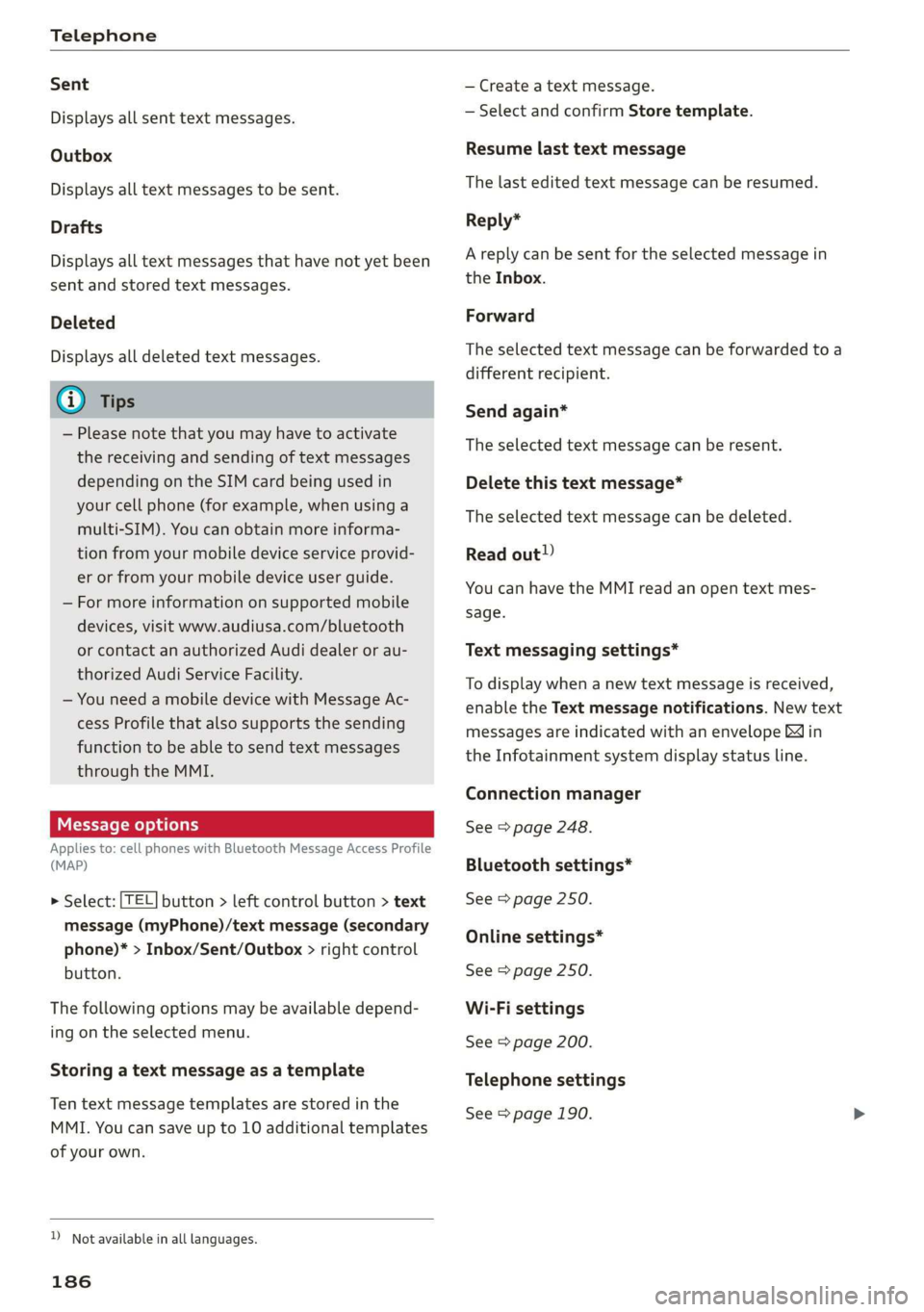
Sent
Displaysallsenttextmessages.
Outbox
Displaysalltextmessagestobesent.
Drafts
Displaysalltextmessagesthathave notyetbeen
sentandstoredtextmessages.
Deleted
Displaysalldeletedtextmessages.
@Tips
—Pleasenotethatyoumayhavetoactivate
thereceivingandsendingoftextmessages
dependingontheSIMcardbeingusedin
yourcellphone(forexample,whenusinga
multi-SIM).Youcanobtainmoreinforma-
tionfromyourmobiledeviceserviceprovid-
erorfromyourmobiledeviceuserguide.
—Formoreinformationonsupportedmobile
devices,visitwww.audiusa.com/bluetooth
orcontactanauthorizedAudidealerorau-
thorizedAudiServiceFacility.
—YouneedamobiledevicewithMessageAc-
cess
Profilethatalsosupportsthesending
functiontobeabletosendtextmessages
throughtheMMI.
Messageoptions
Appliesto:cellphoneswithBluetoothMessageAccessProfile
(MAP)
>Select:|TEL]button>leftcontrolbutton>text
message(myPhone)/textmessage(secondary
phone)*>Inbox/Sent/Outbox>rightcontrol
button.
Thefollowingoptionsmaybeavailabledepend-
ingontheselectedmenu.
Storingatextmessageasatemplate
Tentextmessagetemplatesarestoredinthe
MMI.Youcansaveupto10additionaltemplates
ofyourown.
Notavailableinalllanguages.
186
—Createatextmessage.
—Selectandconfirm Storetemplate.
Resumelasttextmessage
Thelasteditedtextmessagecanberesumed.
Reply*
Areplycanbesentfortheselectedmessagein
the Inbox.
Forward
Theselectedtextmessagecanbeforwardedtoa
differentrecipient.
Sendagain*
Theselectedtextmessagecanberesent.
Deletethistextmessage*
Theselectedtextmessagecanbedeleted.
Readout!)
YoucanhavetheMMIreadanopentextmes-
sage.
Textmessagingsettings*
Todisplaywhenanewtextmessageisreceived,
enabletheTextmessagenotifications.Newtext
messagesareindicatedwithanenvelope&in
theInfotainmentsystemdisplaystatusline.
Connectionmanager
See>page248.
Bluetoothsettings*
See>page250.
Onlinesettings*
See>page250.
Wi-Fisettings
See>page200.
Telephonesettings
See>page190.
Page 190 of 394
Telephone
Deletethismessage*
Theselectede-mailcan bedeleted.
Readout)
YoucanhavetheMMIreadanopene-mail.
E-mailsettings*
Todisplaywhenanewe-mailisreceived,activate
theE-mailnotifications.Newe-mailsareindicat-
edwithanenvelope&intheInfotainmentsys-
temdisplaystatusline.
Connectionmanager
See>page248.
Bluetoothsettings*
See>page250.
Onlinesettings*
See>page250.
Wi-Fisettings
See>page200.
Telephonesettings
See>page190.
G)Tips
—MessagesthataredeletedintheMMIare
alsoautomaticallydeletedintheconnected
cellphone.
—Youcannotreadanymessageswhiledriv-
ing.
Listeningtovoicemail
Appliesto:vehicleswithtelephone
>Select:[MENU]button>Telephone>leftcon-
trolbutton.SelectandconfirmCalllist/Direc-
tory/Favorites>Voicemail.
—Enteringthevoicemailnumber:enterthede-
sirednumber.SelectandconfirmOK.
—Dialingthe voicemailnumber:selectandcon-
firmVoicemail.
Notavailableinalllanguages.
188
G)Tips
—Thisservicemustbesetupandactivatedin
advancebythecellphoneserviceprovider.
Youcanobtainmoreinformationfromyour
cellphoneserviceprovider.
— Thevoicemailnumberdependsonthecell
phoneserviceprovider.
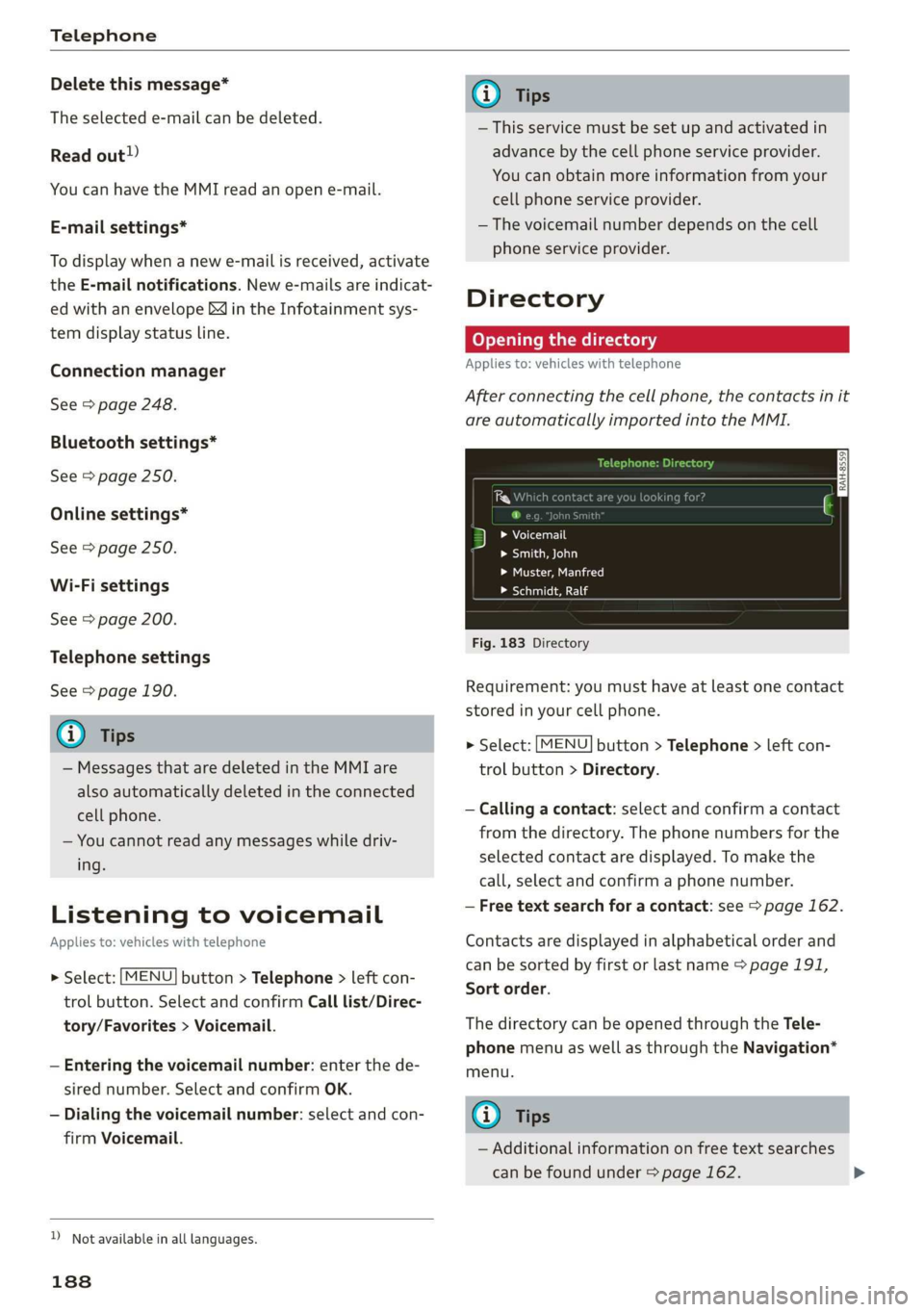
Directory
Openingthedirectory
Appliesto:vehicleswithtelephone
Afterconnectingthecellphone,thecontactsinit
areautomaticallyimportedintotheMMI.
3Lalas
seeeal
>Muster,Manfred
>Schmidt,Ralf
Fig.183Directory
Requirement:youmusthaveatleastonecontact
storedinyourcellphone.
>Select:[MENU]button>Telephone>leftcon-
trolbutton>Directory.
—Calling acontact:selectandconfirmacontact
fromthedirectory.Thephonenumbersforthe
selectedcontactaredisplayed.Tomakethe
call,selectandconfirmaphonenumber.
—Freetextsearchforacontact:see>page162.
Contactsaredisplayedinalphabeticalorderand
canbesortedbyfirstorlastname>page191,
Sortorder.
ThedirectorycanbeopenedthroughtheTele-
phonemenuaswellasthroughtheNavigation*
menu.
(i)Tips
—Additionalinformationonfreetextsearches
canbefoundunder=page162.
Page 192 of 394
Telephone
cellphone.Audirecommendseditingcell
phonecontactsdirectlyinthecellphone.
—OnlythecontactsinthelocalMMImemory
canbeeditedordeleted.
Importingandexportingcontacts
Appliesto:vehicleswithtelephone
ContactsinvCardformat(.vcf)canbeimported
intothedirectoryorexported.
Requirement:anSDcard mustbeinsertedinone
oftheSDcardreaders*>page228oraUSBstor-
agedevicemustbeconnectedtotheAudimusic
interface*>page233ortherequirementsfor
AudiconnectInfotainmentservices*mustbe
met>page193.
MENU >Select:button>Telephone>leftcon-
trolbutton>Directory.
>Select:rightcontrolbutton>Contactsettings.
—Importingcontactsfromastoragedevice:se-
lectandconfirmImportcontacts>SDcard
1/SDcard2orUSBdevice1/USBdevice2>
desiredcontacts>Startimport.
—Exportingcontactstoastoragedevice:select
andconfirmExportcontacts>SDcard1/SD
card2orUSBdevice1/USBdevice2>desired
contacts>Startexport.
—Selectingallcontactsatoncetoimport/
export:selectandconfirmImportcontacts/Ex-
portcontacts>SDcard1/SDcard2orUSBde-
vice1/USBdevice2>All>Startimport/Start
export.
@Tips
—Alwaysreadthechapter>page193,Audi
connect.
—ForadditionalinformationonthemyAudi
account,visitwww.audiusa.com/myaudi.
— Theimportedcontactsarestoredinthelo-
calmemoryofthedirectory.
—Amaximumof1,000contactscanbeim-
ported.Youcancheckthedirectorymemory
capacityatanytime>page191.
1)Dependsontheconnectedcellphone.
190
—Neversaveimportantdataonmemorycards
orUSBstoragedevices.Audiisnotresponsi-
blefordamagedorlostfilesandmedia.
—Contactsthatweredownloadedfromamo-
biledevicecannotbeexported.
—Thereshouldbenootherfilesor folderson
thestoragemediumcontainingthecontacts
tobeimported.
Additionalsettings
Ny)atoadie
Appliesto:vehicleswithtelephone
MENU >Select:button>Telephone>rightcon-
trolbutton>Telephonesettings.
Calloptions*
Callforwarding:youcanswitchtheforwarding
ofincomingcallstoyourvoicemailortoanother
phonenumberonandoff.Youcan checkifthe
functionisactivatedordeactivatedwithCheck
status.
Callwaiting:youare alerted toanincomingcall
duringaphonecallwhenthefunctionisswitched
on[M.Youcancheckifthefunctionisactivated or
deactivatedwithCheckstatus.
Sendowntelephonenumber:sendingyour
phonenumberwithanoutgoingcallcanbeacti-
vatedanddeactivated.WiththeNetwork-de-
pendentsetting,thesettinglistedinthecon-
tractwiththecellphoneserviceproviderisused.
ThesettingsonlyapplytotheTelephonemenuin
theMMI.Pleasenotethatthesettingsonyour
mobiledevicewillapplyafterdisconnectingthe
Bluetoothconnection.Youcancheckifthefunc-
tionisactivatedordeactivatedwithChecksta-
tus.
Ringtoneandvolumesettings”)
UsingtheMutetelephonefunction,youcan
switchtheringtoneplaybackthroughtheMMI
speakeronandoff.Youcanplaytheringtonesus-
ingtheRingtonefunction.Selectandconfirm an
entryfromthelist.FortheRingtonevolume/
Messagevolumesettings,see>page252.The>
Page 195 of 394
4M0012721BG
Audiconnect
Audiconnect
Introduction
Dependingonthecountryandthevehicleequip-
ment,thefollowing functionsmaybeavailable:
—AudiconnectInfotainment
—Audiconnectvehiclecontrol
@)Tips
—AUDIAGprovidesaccesstoservicesfrom
thirdpartyproviders.Permanentavailability
cannotbe guaranteed,becausethatde-
pendsonthethirdpartyprovider.
—YoucanalsofindmoreinformationonAudi
connectonlineatwww.audiusa.com.
Audiconnect
Infotainment
Appliesto:vehicleswithAudiconnectInfotainment
WithAudiconnectInfotainmentservices,online
informationistransmitteddirectlytothevehicle.
AnInternetconnectionisrequiredtouseAudi
connectInfotainment.Dependingonthecountry
andthevehicleequipment,thefollowingoptions
maybeavailable:
Z\WARNING
To reducetheriskofanaccident,onlyuseAu-
diconnectInfotainmentserviceswhenroad
andtrafficconditionspermit.Alwaysreadand
followthenotesin>page153,Trafficsafety
information.
G)Tips
— ThedataconnectionforAudiconnectInfo-
tainmentservicesispre-configuredatthe
factory.Youcanchangethedataconnection
settingsatanytimeifyouneedtochange
theconfiguration>page199.
—UseoftheLTE*mobilenetworkstandardis
notavailableineverycountry.Contactan
authorizedAudidealerorauthorizedAudi
ServiceFacilityoryourcellphoneservice
providerforadditionalinformation.
—AudiconnectInfotainmentservicesareonly
availablewithinthecellphonenetworkcov-
eragefromyourcellphoneserviceprovider.
—Availability,scope,providers,screendisplay,
andcostsofservicesmayvarydependingon
thecountry,model,modelyear,enddevice
andrates.
EmbeddedSIMcard
Appliesto:vehicleswith AudiconnectInfotainmentandan
embeddedSIMcard
ThedataconnectionforAudiconnectInfotain-
mentservicesismadethroughanembeddedSIM
card(eSIMcard)thatisinstalledinthevehicle.
Youcan usetheAudiconnectInfotainmentserv-
icesimmediately.
()Note
—TheconnectioncostsforAudiconnectInfo-
tainmentservicesareincludedintheprice
ofAudiconnectInfotainment.Pleasenote
thatchargesmayapplywhenusingcertain
services.Forexample,thisappliestoInter-
netradio/podcastsorforservicesthatuse
theWi-Fihotspot,suchasonlinemedia
sources.Dependingonthecountry,data
plansmayneedtobepurchasedforthese
services>page201.Foradditionalinfor-
mation,seewww.audiusa.com/myaudi.
—Incertainsituations,theWi-Fihotspotdata
connectionmaybeestablishedasareplace-
mentfortheSIMcardonyourWi-Fidevice.
Thisfeaturedependsontheconfiguration
ofyourWi-Fideviceandoperatingsystem.
Thiscouldresultinfeesdependingonyour
cellphoneserviceprovider,especiallyifyou
areusingthisfeaturewhileabroad.Aflat
ratedataplanisstronglyrecommended.For
moreinformation,contactyourcellphone
serviceproviderorrefertotheowner'sman-
ualforyourWi-Fidevice.
193