service indicator AUDI Q7 2021 Owner´s Manual
[x] Cancel search | Manufacturer: AUDI, Model Year: 2021, Model line: Q7, Model: AUDI Q7 2021Pages: 332, PDF Size: 117.99 MB
Page 161 of 332

4M1012721BC
Driver assistance
Displays, warnings, and braking
— Display: the red arrow @ can indicate the direc-
tion from which the cross traffic is approaching.
The indicator in the upper display only appears
when the parking aid is activated. For vehicles
with peripheral cameras only in the Front and
Front corner camera views. The display only ap-
pears in the instrument cluster > fig. 121 when
the Driver assistance display is open in the on-
board computer > page 15.
— Warnings: the message Cross traffic! © can
warn about critical cross-traffic when driving
forward. There may also be an audible signal.
— Automatic brake activation: if you do not react
to a warning, a brief braking by the system can
warn you of a potential collision with an ap-
proaching object when driving forward at
speeds up to approximately 6 mph (10 km/h).
Switching the intersection assistant on and
off
— The system can be switched on and off in the
MMI = page 126.
Messages
If Eo, or > is displayed when there is a mal-
function, the intersection assistant functions
may be unavailable or may be limited.
A message that indicates the cause and possible
solution may appear with some displays. The
weather conditions may be too poor or a sensor
may be covered. Clean the area in front of the
sensors > page 125 and try to turn the system on
again later.
If the malfunction remains, drive to an author-
ized Audi dealer or authorized Audi Service Facili-
ty immediately to have the malfunction correct-
ed.
ZA\ WARNING
— Observe the safety precautions and note the
limits of the assist systems, sensors, and
cameras > page 123.
— The intersection assistant will not provide
alerts about people and cannot warn you
about every type of approaching objects,
such as cyclists. Always monitor the traffic
as well as the vehicle's surroundings with di-
rect eye contact.
—The system may not react if vehicles are ap-
proaching very fast.
G@) Tips
— The coverage areas of the sensors > fig. 120
are diagrams and do not represent a true-
to-scale image of the sensor ranges.
— The system complies with United States FCC
regulations and ISED regulations
> page 311.
Emergency assist
Applies to: vehicles with emergency assist
General information
Within the limits of the system, emergency assist
can detect inactivity from the driver. In these in-
stances, the system will warn the driver, assume
control of the vehicle if necessary, and bring the
vehicle automatically to a stop in the lane.
Regardless of the speed, the emergency assist is
automatically available when the adaptive cruise
assist* is activated. When the adaptive cruise as-
sist* is deactivated, the system is only available
at speeds above approximately 40 mph
(65 km/h).
Emergency assist functions
Measures may be initiated in stages. The vehicle
can be controlled with the limits of the system.
The measures depend on the dangerous situation
and the vehicle equipment:
— Visual and audio warnings
— Vehicle control
— Reduction of vehicle speed in stages
— Lowers the volume of the Infotainment system
— Tugs on the safety belt
— Activates the brakes
— The emergency flashers are activated
— Audi pre sense preemptive safety measures are
triggered > page 152
— The brakes are applied until the vehicle is sta-
tionary
159
Page 177 of 332
4M1012721BC
Parking and maneuvering
— Park assist plus is an assist system. The driv-
er is still responsible for monitoring the ve-
hicle's surroundings and preventing colli-
sions when using the system.
— When using park assist plus to drive into or
out of a parking space, the steering wheel
turns quickly on its own. Reaching into the
steering wheel spokes while this is happen-
ing can result in injury.
@) Note
Resume steering immediately after the last
corrective movement and the takeover
prompt, so that the specified steering wheel
angle is not recentered.
G) Tips
You can reduce the speed selected by the ve-
hicle or stop the vehicle at any time by press-
ing the brake pedal.
Pausing park assist plus))2)
Applies to: vehicles with park assist plus
You can pause park assist plus at any time by re-
leasing the [>>P] button @ > page 173, fig. 135.
To resume the parking process, press and hold
the [>>P] button again.
Canceling automatically
Park assist plus is canceled automatically among
other things, if:
— If you switch off the system
— You take over steering or press the brake pedal,
— If the time limit is exceeded
— If an obstacle is detected
— The ESC intervenes
Resume control of the vehicle, end the parking
process manually, or:
You can resume the parking process in some sit-
uations. Press and hold the brake pedal and press
Pe.
)_ System availability may be limited depending on the mar-
ket.
2) In preparation at the time of printing.
ZA\ WARNING
Observe the safety precautions and note the
limits of the assist systems, sensors, and
cameras > page 123.
Messages
Applies to: vehicles with park assist plus
If the roll or il indicator light turns on, the
park assist is not available or was interrupted.
A message that indicates the cause and possible
solution may appear with some displays. The
weather conditions may be too poor or a sensor
may be covered. Clean the area in front of the
sensors > page 125 and try to turn the system on
again later.
If the malfunction remains, drive to an author-
ized Audi dealer or authorized Audi Service Facili-
ty immediately to have the malfunction correct-
ed.
Remote controlled
parking!)2)
General information
Applies to: vehicles with remote park assist plus
Remote controlled parking is part of park assist
plus/park assist plus with garage function. The
process for parking or exiting a parking space can
be controlled with a mobile device from outside
the vehicle. To do so, the driver must have both
the vehicle key and the mobile device with him or
her. While the driver controls the vehicle remote-
ly and monitors the vehicle's surroundings, the
system controls the steering, gear selection, ac-
celeration, braking, and locking the vehicle.
ZA\ WARNING
— Observe the safety precautions and note the
limits of the assist systems, sensors, and
cameras > page 123. >
175
Page 199 of 332

4M1012721BC
Audi connect
ZA WARNING
— Always follow the information found in > AA
in General information on page 194.
— Driver messages, text messages, and illumi-
nated warning and indicator lights in the ve-
hicle always take priority over information
from the Audi connect services. The infor-
mation displayed by the Audi connect serv-
ices should not cause you to take safety
risks. This can result in the vehicle breaking
down in traffic and to serious injuries or ac-
cidents.
@) Tips
— Accessing specific data or controlling func-
tions remotely depends on the charge level
of the vehicle battery. Therefore, these
functions only have limited availability after
switching off the ignition.
— An eSIM card establishes the Internet con-
nection for Audi connect vehicle control
services. The costs for this are included in
the price of Audi connect vehicle control
services. The cell phone network, for exam-
ple, must be available to use these services.
Applies to: vehicles with Audi connect vehicle control
Create a myAudi account by registering in the
myAudi app or at my.audi.com, depending on
your country.
>» Set the key user > page 31.
> Install the myAudi app on your mobile device
and log in with your access information.
@) Tips
Some services require you to enter a 4-digit
PIN that you set up during registration.
Settings
Applies to: vehicles with Wi-Fi hotspot
Requirement: the ignition must be switched on.
> Applies to: MMI: Select on the home screen:
SETTINGS > Connection settings > Wi-Fi
Depending on the country and the vehicle equip-
ment, the following functions may be available:
Wi-Fi
When the function is switched on, the MMI's Wi-
Fi hotspot is active and Wi-Fi devices can be con-
nected to the hotspot.
Wi-Fi hotspot settings
The Wi-Fi connection between the MMI and your
Wi-Fi device is encrypted. You can change the fol-
lowing information if needed.
— Access point (SSID): name of the Wi-Fi hot-
spot.
— Password: an initial password was set at the
factory in the MMI. Audi recommends changing
the initial password. Only use secure passwords
that conform to the general guidelines for se-
cure passwords. For more information, refer to
reputable and current sources on password se-
curity.
Allow data connection through Wi-Fi
When the function is switched on, mobile devices
can use the Internet connection through the Wi-
Fi hotspot. A data plan is needed to do this.
Z\ WARNING
Always follow the information found in > AV
in General information on page 194.
@) Note
Always follow the information found in >@ in
General information on page 194.
197
Page 202 of 332
Emergency call
the emergency call button () will blink. The
emergency call will be made. The emergency call
cannot be canceled.
LED status
— Green - The emergency call function is availa-
ble.
— Red - There is a malfunction in the emergency
call function. Contact an authorized Audi dealer
or authorized Audi Service Facility. Note the
messages about the availability of the emer-
gency function > page 200.
— Off - The emergency call function is not availa-
ble, perhaps because no network is available.
Warnings
If there is a critical system failure in the emer-
gency call systems, the vehicle occupants will re-
ceive the following warning: see > page 200, LED
status
and > page 200, Messages.
@) Tips
If the emergency call is canceled due toa
poor connection, then the system automati-
cally tries to connect again.
Messages
Applies to: vehicles with emergency call function
508 Emergency call function: malfunction! Lim-
ited availability. Please contact Service
If this indicator light turns on and this message
appears, the emergency call function is restrict-
ed. For example, you cannot call the emergency
call center, but data may still be transmitted un-
der certain circumstances. Drive to an authorized
Audi dealer or authorized Audi Service Facility im-
mediately to have the malfunction corrected.
BS Emergency call function: malfunction! Func-
tion unavailable. Please contact Service
If this indicator light turns on and this message
appears, you cannot make an emergency call.
Drive to an authorized Audi dealer or authorized
) The availability of the services offered depends on the
country and may change in the future.
200
Audi Service Facility immediately to have the
malfunction corrected.
Online roadside
assistance
Applies to: vehicles with online roadside assistance
An online roadside assistance call )) is a combina-
tion of data transmission and a phone call. The
data transmission from your vehicle forwards im-
portant information to the Audi service center,
such as the vehicle and position data.
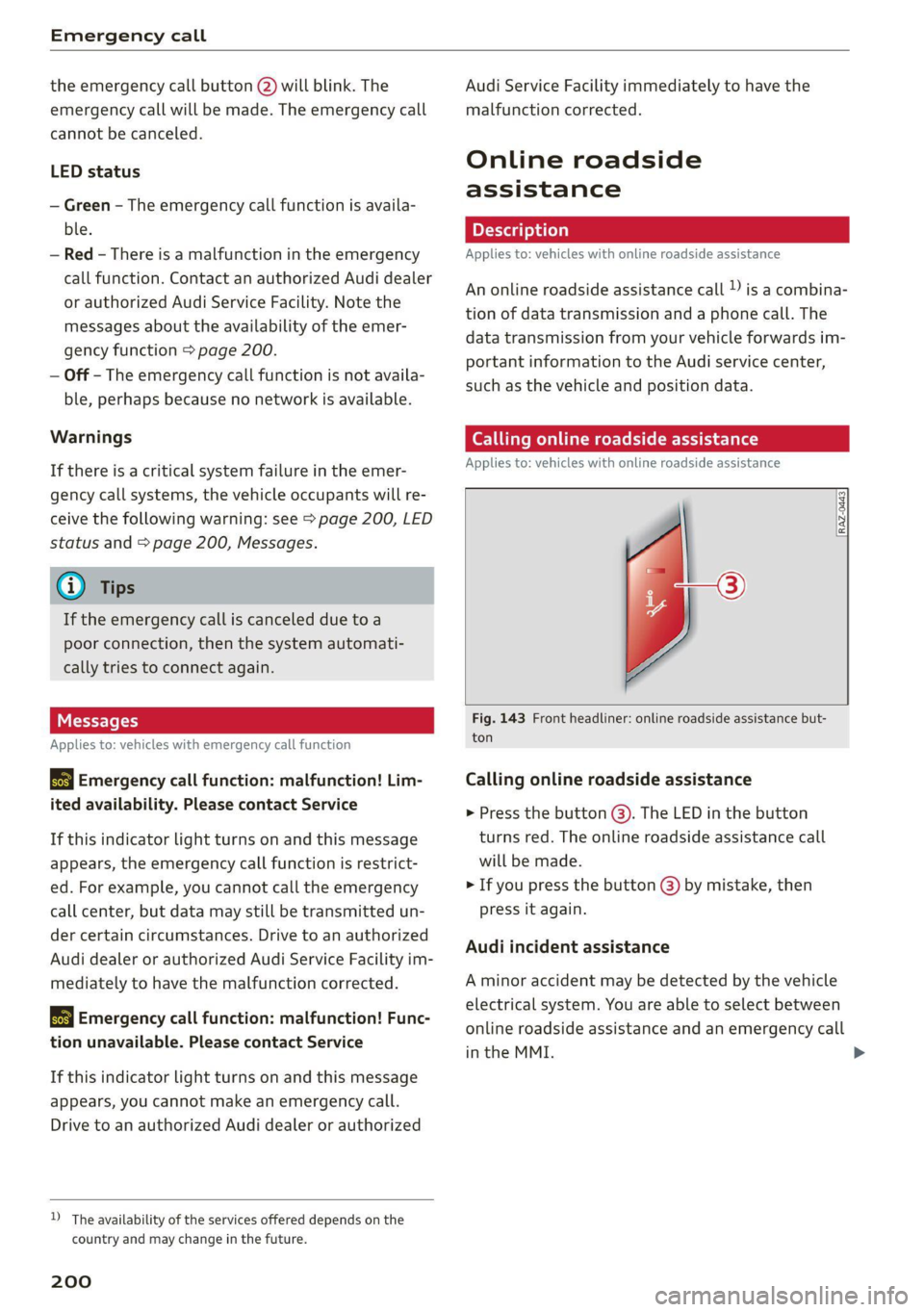
Calling online roadside assistance
Applies to: vehicles with online roadside assistance
RAZ-0443
Fig. 143 Front headliner: online roadside assistance but-
ton
Calling online roadside assistance
> Press the button @). The LED in the button
turns red. The online roadside assistance call
will be made.
> If you press the button @) by mistake, then
press it again.
Audi incident assistance
A minor accident may be detected by the vehicle
electrical system. You are able to select between
online roadside assistance and an emergency call
in the MMI.
Page 204 of 332

Navigation
Navigation
Opening navigation
Applies to: vehicles with navigation system
Fig. 144 Route guidance not started
The navigation system directs you to your desti-
nation, around traffic incidents, and on alterna-
tive routes, if desired.
Opening navigation
>» Applies to: MMI: Press NAVIGATION on the
home screen.
After accessing the navigation for the first time,
the map is displayed.
Opening navigation using the multifunction
steering wheel
> Applies to: multifunction steering wheel: Select
the Navigation tab in the instrument cluster.
> To display navigation when route guidance has
started, select in the instrument cluster: the
button > Map.
The following functions are available in the MMI:
@ Open the Select destination menu
=> page 204, fig. 145.
@ Open the intelligent search > page 203.
@ Switch between the map and the menu:
press A repeatedly until the desired function
is displayed.
You can find additional information about the
map update at > page 207, Map operation.
ZA\ WARNING
— The demands of traffic require your full at-
tention. Always read the chapter > page 19,
Traffic safety information.
— The route calculated by the navigation sys-
tem is a driving recommendation. Follow
202
the traffic regulations that are applicable in
the country where you are operating the ve-
hicle. In the event that the driving directions
contradict traffic regulations, always follow
the traffic regulations applicable in the
country where you are operating the vehicle
to reduce the risk of an accident.
() Note
Read the information about Audi connect, and
be sure to note the connectivity costs section
=>@ in General information on page 194.
(i) Tips
— Snow and obstructions on the GPS antenna
or trees and large buildings can impair sat-
ellite reception and affect the system's abil-
ity to determine the vehicle position. Sever-
al deactivated or malfunctioning satellites
can also interrupt GPS reception and affect
the system's ability to determine the vehicle
position.
— Because street names sometimes change,
the names stored in the MMI may in rare
cases differ from the actual street name.
— Applies to: multifunction steering wheel:
Depending on the selected function, opera-
tion using the upper display may be re-
quired.
— Applies to: vehicles with Audi connect Info-
tainment: Depending on the country and ve-
hicle equipment, additional services may be
available.
— An additional indicator will appear in the
head-up display.
myAudi navigation
Applies to: vehicles with Audi connect Infotainment
MMI navigation works seamlessly with the myAu-
di app.
Your destinations (favorites, last destinations)
are synchronized through your myAudi account.
All important destinations can be displayed in
the vehicle and in the myAudi app.
Page 247 of 332

4M1012721BC
Checking and Filling
or authorized Audi Service Facility to have the
malfunction corrected.
The indicator light can also turn on if the fuel fill-
er cap is not closed correctly > page 2421).
Engine compartment
ere MUL ety
Special care is required if you are working in the
engine compartment
For work in the engine compartment, such as
checking and filling fluids, there is a risk of in-
jury, scalding, accidents, and burns. For this
reason, follow all the warnings and general
safety precautions provided in the following in-
formation. The engine compartment is a dan-
gerous area in the vehicle. > A.
Explanation of warnings (sticker in the engine
compartment):
Hot engine components!
@ Rotating parts!
The radiator fan can switch on at any
[2 time!
High voltage! Switch off the engine be-
fore coming into contact with any igni-
tion system components!
The catalytic converter can be damaged
"271i the oil level is too high!
Always follow the instructions in the op-
oy erating manual.
Z\ WARNING
— Turn the engine off.
— Switch the ignition off.
— Set the parking brake.
— Select the “P” (Park) selector lever position.
— Allow the engine to cool.
— Keep children away from the engine com-
partment.
— Never spill fluids on a hot engine. These flu-
ids (such as the freeze protection contained
— Avoid short circuits in the electrical system.
— Never reach into the radiator fan. The fan is
temperature-controlled and can turn on
suddenly, even when the ignition is switched
off.
— Never open the hood when there is steam or
coolant escaping from the engine compart-
ment, because there is a risk that you could
be burned. Wait until no steam or coolant is
escaping.
—The cap on the coolant expansion tank must
never be opened when the coolant is hot.
The cooling system is under pressure. There
is a risk of burns
—To protect your face, hands, and arms from
hot steam or coolant, cover the cap with a
thick cloth when opening.
— Do not remove the engine cover under any
circumstances. This increases the risk of
burns.
— Due to the risk of electric shock, never touch
the ignition cable or other components in
the electronic high-voltage ignition system
when the engine is running or is starting.
— Ifa gear is engaged while the vehicle is sta-
tionary and the engine is running, do not
press the accelerator pedal inadvertently.
Pressing the accelerator pedal will cause the
vehicle to move, and this could result in an
accident.
— If inspections or repairs must be performed
while the engine is running, moving compo-
nents (such as the ribbed belt, generator,
and radiator fan) pose an additional risk.
— Set the parking brake first and select the
“P” (Park) selector lever position.
— Always make sure that no parts of the
body, jewelry, ties, loose clothing, and
long hair can be caught in moving engine
components. Before any work, always re-
move any jewelry and/or ties, tie back long
hair, and make sure all clothing fits close
to the body to reduce the risk of anything
becoming caught in engine components.
in the coolant) can catch fire.
1) Depending on the engine and country
245
Page 251 of 332
4M1012721BC
Checking and Filling
Fuel has entered the engine oil, either due to low
outside temperatures or frequent short drives.
Drive until the engine is warm so that the fuel in
the engine oil will evaporate. Avoid high engine
speeds, full accelerating, and heavy engine loads
when doing this.
@) Tips
The oil pressure warning 2 is not an oil level
indicator. Always check the oil level regularly.
Checking the engine oil level
The engine oil level can be checked in the MMI.
Observe the safety precautions > page 245, Gen-
eral information.
» Park the vehicle on a level surface.
> Shut the engine off when it is warm.
>» Switch only the ignition back on.
> Wait approximately two minutes.
> Applies to MMI: Select on the home screen: VE-
HICLE > Settings & Service > Oil level.
> Read the oil level in the display. Add engine oil
if the bar in the oil level indicator is just below
“min” > page 250.
@) Note
If the engine oil level is too low or too high,
there is a risk of engine damage.
G) Tips
The oil level indicator in the display is only an
informational display. If the oil level is too
low, a minimum oil warning appears in the in-
strument cluster. Add oil and close the hood.
The current oil level will be displayed on the
MMI the next time the ignition is switched on.
G) Tips
The engine oil consumption may be up to
0.5 quart/600 miles (0.5 liter/1,000 km), de-
pending on driving style and operating condi-
tions. Consumption may be higher during the
first 3,000 miles (5,000 km). The engine oil
level must be checked regularly. It is best to
check each time you refuel your vehicle and
before long drives.
— Because of the lubrication and cooling of
the engine, combustion engines consume
oil. The oil consumption varies depending
on the engine and may change during the
service life of the engine. Engines generally
consume more oil at the beginning during
the break-in period. Then oil consumption
stabilizes after the break-in period.
— Under normal conditions, oil consumption
depends on the quality and viscosity of the
oil, the engine RPM, the climate conditions,
and the road conditions. The dilution of oil
from condensation or fuel residue as well as
the age of the oil also play a role. Because
engine wear increases with mileage, oil con-
sumption will increase again over time until
it may be necessary to replace worn compo-
nents.
— Because all these variables play a role, it is
not possible to define an oil consumption
standard. Therefore, the oil level must be
checked regularly.
— If you believe that your engine has in-
creased its oil consumption, contact an au-
thorized Audi dealer or authorized Audi
Service Facility to determine the cause.
Please note that an exact oil consumption
measurement must be done with the neces-
sary care and accuracy and may take time.
An authorized Audi dealer or authorized
Audi Service Facility is trained in accurately
measuring the oil consumption.
— You can find information on engine oil and
engine oil capacities for the USA at www.
audiusa.com/help/maintenance, or for Can-
ada at www.audi.ca/ca/web/en/
customer-area/care-and-maintenance/
audi-service-schedules.html, or call
800-822-2834.
249
Page 253 of 332
4M1012721BC
Checking and Filling
Because correctly disposing of engine oil is diffi-
cult and special tools and technical knowledge
are needed for an oil change, Audi recommends
having your engine oil changed by an authorized
Audi dealer or authorized Audi Service Facility.
If you change the engine oil yourself, please note
the following important information:
Z\ WARNING
If you change the engine oil on the vehicle
yourself, the following precautions must be
followed:
— Wear protective eyewear.
— Due to the risk of scalding, allow the engine
to cool down sufficiently.
— Maintain enough distance when you are re-
moving the oil drain plug. While doing this,
keep your forearm parallel to the ground to
reduce the risk of hot oil dripping down your
arm.
— Drain the oil into a container designed for
this purpose that is large enough to hold the
full amount of oil in your engine.
— Engine oil is poisonous. Always store out of
reach of children.
— Prolonged contact of used engine oil with
the skin may cause skin damage. Always
wash oil off immediately with soap and wa-
ter to protect your skin.
@) Note
Do not mix any additives with the engine oil.
Additives may cause engine damage that is
not covered by your New Vehicle Limited War-
ranty.
@ For the sake of the environment
— Before changing the engine oil, make sure
you can dispose of the used engine oil cor-
rectly.
— Engine oil must always be disposed of cor-
rectly. Do not dump it in the yard, in the for-
est, or in open water, river channels, or sew-
ers.
— Have your used engine oil recycled by bring-
ing it to a used oil collection site or contact
a gas station.
Cooling system
The engine cooling system is filled with a mixture
of purified water and coolant additive at the fac-
tory. This coolant must not be not changed.
The coolant level is monitored using the || indi-
cator light. However, occasionally checking the
coolant level is recommended.
Messages
| Turn off engine and check coolant level. See
owner's manual
The coolant level is too low.
Stop driving and switch the engine off. Check the
coolant level > page 252.
—If the coolant level is too low, add coolant
=> page 252. Only continue driving once the in-
dicator light turns off.
g Coolant temperature: too high. Please let
engine run while vehicle is stationary
Let the engine run at idle for a few minutes to
cool off, until the indicator light turns off.
— If the indicator light does not turn off, do not
continue driving the vehicle. See an authorized
Audi dealer or authorized Audi Service Facility
for assistance.
|_| Coolant system: malfunction! Please turn
off engine
Do not continue driving, shut the engine off, and
switch the ignition off.
— See an authorized Audi dealer or authorized
Audi Service Facility for assistance.
Coolant additive
The coolant additive is made of anti-freezing and
corrosion protection agents. Only add the follow-
ing coolant additives mixed with distilled water.
Coolant additive
Gl12evo
Specification
TL774L
The amount of coolant additive that needs to be
mixed with water depends on the climate where >
251
Page 256 of 332

Checking and Filling
authorized Audi dealer or authorized Audi
Service Facility for assistance.
— If the brake fluid is old, bubbles may form in
the brake system during heavy braking. This
could impair braking performance and driv-
ing safety, which increases the risk of an ac-
cident.
— The brake fluid in your vehicle must meet
the standard VW 501 14 and is available at
an authorized Audi dealer or authorized
Audi Service Facility. If this brake fluid is not
available, another high-grade brake fluid of
equivalent quality may be used, and it must
meet the U.S. Federal Motor Vehicle Stand-
ard (FMVSS) 116 DOT 4, Class 6.
@) Note
— If the brake fluid level is above the MAX
marking, brake fluid may leak out over the
edge of the reservoir and result in damage
to the vehicle.
— Do not allow any brake fluid to come into
contact with the vehicle paint, because it
will corrode the paint.
Electrical system
If the zz / B or z= indicator light turns on,
there is a malfunction in the power supply, the
battery, or the vehicle electrical system.
HB / BB Electrical system: malfunction! Safely
stop vehicle
Do not continue driving and switch the ignition
off > A\. See an authorized Audi dealer or author-
ized Audi Service Facility for assistance.
= Electrical system: malfunction! Restart not
possible. Please contact Service
If you switch the ignition off, you will not be able
to restart the vehicle. Vehicle functions or driving
stability may be limited. Drive to an authorized
Audi dealer or authorized Audi Service Facility im-
mediately.
=] Electrical system: malfunction! Please con-
tact Service
254
Switch off all electrical equipment that is not
needed. If necessary, some equipment will be
switched off automatically. Vehicle functions or
driving stability may be limited. Drive to an au-
thorized Audi dealer or authorized Audi Service
Facility immediately.
z= Electrical system: low battery charge. Bat-
tery
will be charged while driving
The starting ability may be impaired.
If this message turns off after a little while, the
vehicle battery has charged enough while driving.
If this message does not turn off, drive immedi-
ately to an authorized Audi dealer or authorized
Audi Service Facility.
ZA\ WARNING
When there is an electrical system malfunc-
tion, vehicle functions may not work and driv-
ing stability may be limited, which increases
the risk of an accident. Do not continue driv-
ing and switch the ignition off. See an author-
ized Audi dealer or authorized Audi Service Fa-
cility for assistance.
Battery
ela lame (Tem eeecela)
Because of the complex power supply, all work on
batteries such as disconnecting, replacing, etc.,
should only be performed by an authorized Audi
dealer or authorized Audi Service Facility > A\.
Multiple batteries with different technologies
may be installed in your vehicle:
— Vehicle battery (for example, for starting the
engine, basic power supply) > page 255, 12
Volt vehicle battery or > page 256, Other bat-
tery types
— Auxiliary battery (for example, for recuperation
or optional equipment) > page 256, Other bat-
tery types
Not running the vehicle for long periods of
time
The battery will gradually drain if the vehicle
does not run for long periods of time. To ensure >
Page 259 of 332
4M1012721BC
Checking and Filling
— A highly explosive mixture of gases can form
when charging batteries. Only charge the
battery in well-ventilated areas.
— A drained battery can freeze at tempera-
tures around 32 °F (0 °C). Do not charge or
use a frozen or thawed battery. If ice forms,
the battery housing can crack and battery
electrolyte can leak out, which increases the
risk of an explosion and chemical burns.
Contact an authorized Audi dealer or author-
ized Audi Service Facility for more informa-
tion.
— Do not connect or disconnect the charging
cable while charging because this increases
the risk of an explosion.
@) Tips
Read all of the manufacturer's instructions
for the charger before charging the battery.
Windshield washer
system
B4M-0135)
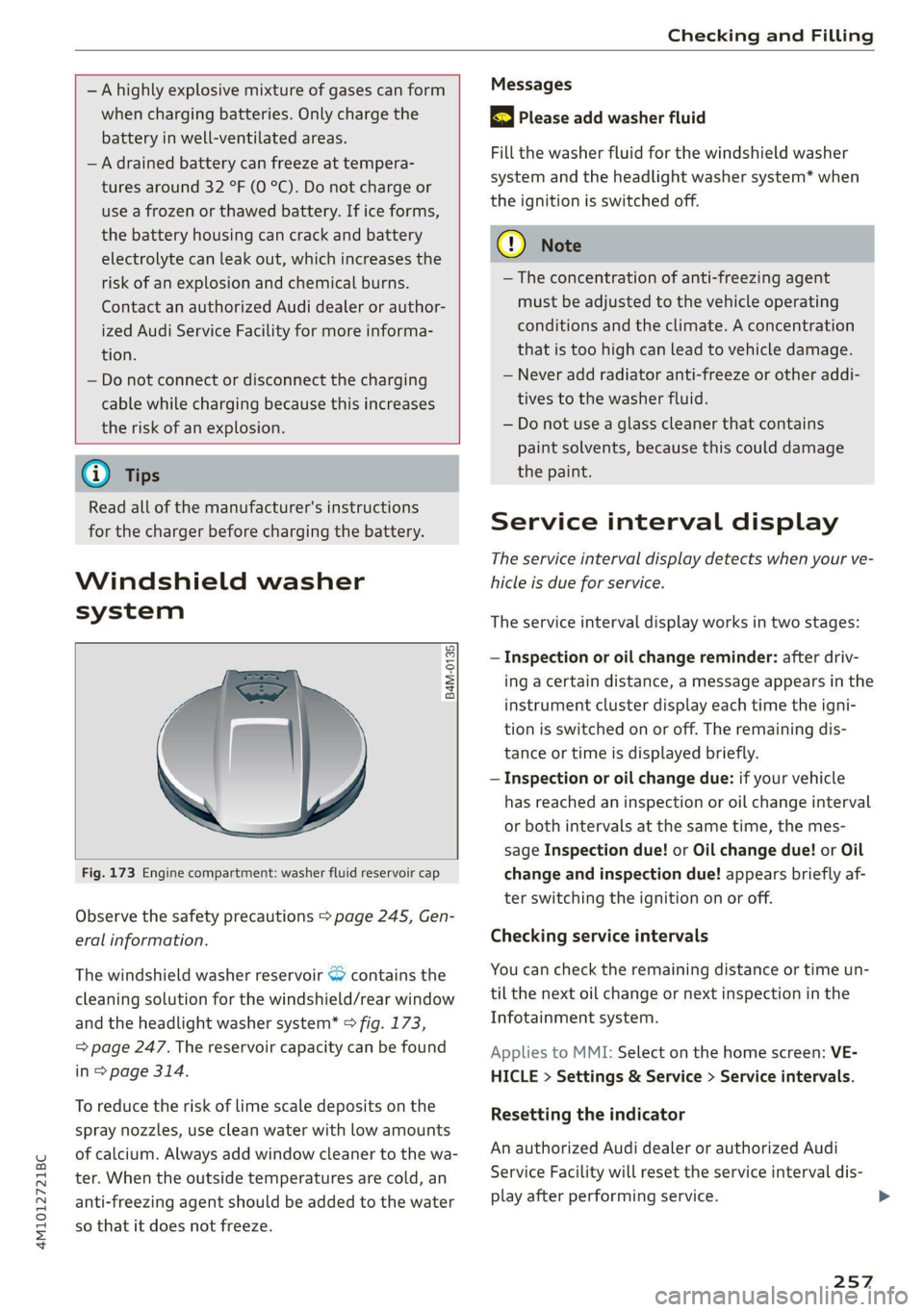
Fig. 173 Engine compartment: washer fluid reservoir cap
Observe the safety precautions > page 245, Gen-
eral information.
The windshield washer reservoir © contains the
cleaning solution for the windshield/rear window
and the headlight washer system* > fig. 173,
=> page 247. The reservoir capacity can be found
in > page 314.
To reduce the risk of lime scale deposits on the
spray nozzles, use clean water with low amounts
of calcium. Always add window cleaner to the wa-
ter. When the outside temperatures are cold, an
anti-freezing agent should be added to the water
so that it does not freeze.
Messages
3 Please add washer fluid
Fill the washer fluid for the windshield washer
system and the headlight washer system* when
the ignition is switched off.
@) Note
— The concentration of anti-freezing agent
must be adjusted to the vehicle operating
conditions and the climate. A concentration
that is too high can lead to vehicle damage.
— Never add radiator anti-freeze or other addi-
tives to the washer fluid.
— Do not use a glass cleaner that contains
paint solvents, because this could damage
the paint.
Service interval display
The service interval display detects when your ve-
hicle is due for service.
The service interval display works in two stages:
— Inspection or oil change reminder: after driv-
ing acertain distance, a message appears in the
instrument cluster display each time the igni-
tion is switched on or off. The remaining dis-
tance or time is displayed briefly.
— Inspection or oil change due: if your vehicle
has reached an inspection or oil change interval
or both intervals at the same time, the mes-
sage Inspection due! or Oil change due! or Oil
change and inspection due! appears briefly af-
ter switching the ignition on or off.
Checking service intervals
You can check the remaining distance or time un-
til the next oil change or next inspection in the
Infotainment system.
Applies to MMI: Select on the home screen: VE-
HICLE > Settings & Service > Service intervals.
Resetting the indicator
An authorized Audi dealer or authorized Audi
Service Facility will reset the service interval dis-
play after performing service.
257
>