warning light AUDI R8 2007 Service Manual
[x] Cancel search | Manufacturer: AUDI, Model Year: 2007, Model line: R8, Model: AUDI R8 2007Pages: 210, PDF Size: 8.1 MB
Page 91 of 210
Driving89
Controls
Safety
Driving tips
General maintenance
Self-help
Technical data Sport driving mode
Select the sport setting for performance-oriented suspension char-
acteristics. The diode in the switch
will light up to indicate that the
sport mode is on.
Note
The warning lamp
lights up in the instrument cluster if a malfunc-
tion occurs. Drive to the nearest qualified workshop as soon as
possible and have the fault corrected.
document_0900452a816e6cc9.book Seite 89 Mittwoch, 21. Februar 2007 1:32 13
Page 93 of 210
Automatic gearbox91
Controls
Safety
Driving tips
General maintenance
Self-help
Technical data
WARNING
•
The accelerator pedal must on no account be pressed inadvert-
ently when a gear is engaged with the vehicle stationary. If this
were to happen, the vehicle would start to move immediately, and
even a firmly applied handbrake might not restrain it (accident
risk).
•
To avoid accidents, apply the handbrake firmly and select
neutral gear (N) before opening the engine lid and working on the
vehicle with the engine running. Please observe the important
safety warnings ⇒page 155, “Working on components in the
engine compartment”.Note
If you accidentally shift to N when driving, you can engage a gear in
the normal way using the selector lever or paddle levers.Applies to vehicles: with R tronicManual modeR tronic allows the driver to change gears manually.Driving away from a standstill
– Press and hold the brake pedal.
– Move the selector lever to the left.
– Briefly push the selector lever forwards .
– Release the brake and press the accelerator ⇒.
Changing gear
– Briefly push the selector lever forwards to change up
a gear.– Briefly pull the selector lever back to change down a
gear.
Stopping briefly
– Apply the foot brake to hold the vehicle when stationary
(for instance at traffic lights).
– Do not press the accelerator while waiting. Neutral gear
(N) will be engaged automatically and a warning tone will
sound after a certain period if the vehicle is at a standstill
and you do not press the brake pedal or accelerator.
Parking
– Press and hold the brake pedal ⇒.
– Apply the handbrake firmly.
– Engage a gear.
– Switch off the ignition.
Stopping on a slope
–Always apply the footbrake to hold the vehicle and
prevent it “rolling back” down the slope ⇒. Do not try
to stop the vehicle “rolling back” by increasing the
engine speed when a gear is engaged.
– Apply the handbrake firmly.
Driving away on a slope
– Once you have engaged a gear, release the footbrake,
press the accelerator and gradually release the hand-
brake.
When accelerating in 1st, 2nd, 3rd, 4th or 5th gear, the R tronic
gearbox automatically shifts up into the next gear shortly before the
A+A+
A-
document_0900452a816e6cc9.book Seite 91 Mittwoch, 21. Februar 2007 1:32 13
Page 95 of 210
Automatic gearbox93
Controls
Safety
Driving tips
General maintenance
Self-help
Technical data
Applies to vehicles: with R tronicLaunch control programmeThe launch control programme enables maximum accel-
eration.– Press the ESP switch once while the engine is running.
The ESP warning lamp
will light up in the driver infor-
mation system display.
– Press and hold the brake pedal with your left foot.
– Engage a gear.
– Press the button.
– Press the accelerator all the way down with your right
foot until the engine reaches a constant rpm speed.
– Take your left foot off the brake ⇒.
WARNING
•
Always adapt your driving style to the traffic conditions.
•
Only use the launch control programme when road and traffic
conditions permit, and make sure your manner of driving and
accelerating the vehicle does not inconvenience or endanger other
road users.
•
Please note that, when the ESP is switched off, the driven
wheels may start to spin, causing the vehicle to lose grip, in partic-
ular on slippery or wet roads - danger of skidding!
•
When acceleration has been completed, the ESP should be
reactivated by pressing the ESP switch.
Note
Accelerating with the launch control programme places a heavy
load on all parts of the vehicle. This can result in increased wear and
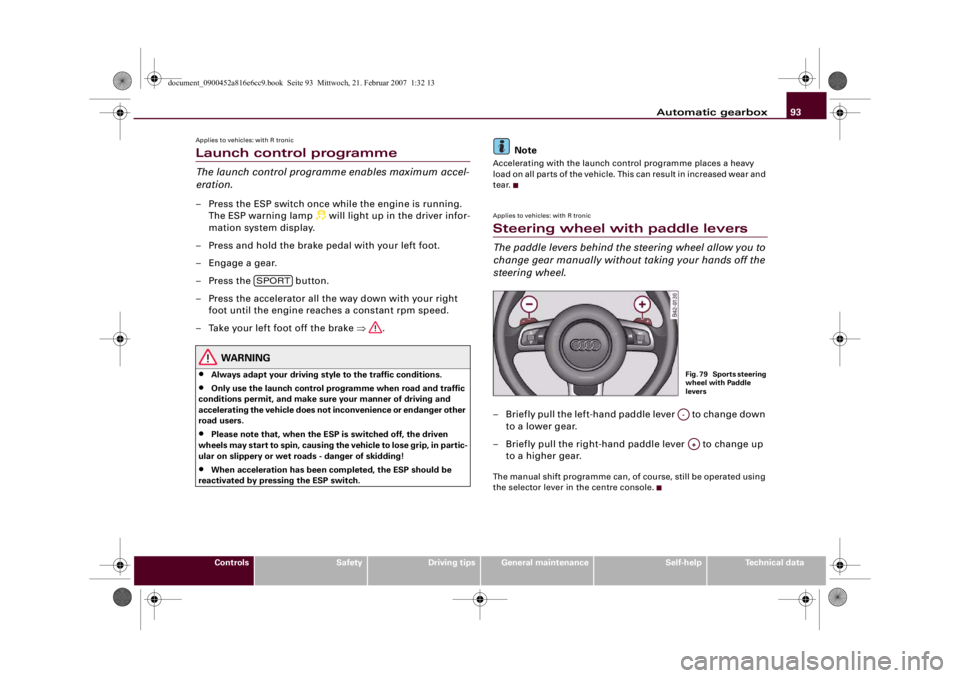
tear.Applies to vehicles: with R tronicSteering wheel with paddle leversThe paddle levers behind the steering wheel allow you to
change gear manually without taking your hands off the
steering wheel.– Briefly pull the left-hand paddle lever to change down
to a lower gear.
– Briefly pull the right-hand paddle lever to change up
to a higher gear.The manual shift programme can, of course, still be operated using
the selector lever in the centre console.
SPORT
Fig. 79 Sports steering
wheel with Paddle
leversA-A+
document_0900452a816e6cc9.book Seite 93 Mittwoch, 21. Februar 2007 1:32 13
Page 97 of 210
HomeLink95
Controls
Safety
Driving tips
General maintenance
Self-help
Technical data
HomeLinkUniversal transmitterApplies to vehicles: with HomeLinkDescription
The HomeLink universal transmitter can be programmed
to replace the hand-held controls of devices already in
use.The HomeLink universal transmitter allows you to conveniently acti-
vate garage doors, estate gates, security systems, home or office
lighting and other electric devices by means of control buttons
inside your car.
The single remote control unit that HomeLink provides will replace
up to three hand-held transmitters operating existing devices on
your property. This will be possible for most transmitters which
control the drive units for a garage door or external gates, etc.
Programming of the individual hand-held transmitters for your
remote control is done at the centre of the front bumper. This is
where the control unit is located.
To be able to control systems with HomeLink, you need to perform
initial programming on the HomeLink transmitter first. If systems
fail to respond after the initial programming, check whether these
systems work with a "rolling code" (variable security code)
⇒page 97.
WARNING
When you are programming the HomeLink universal transmitter,
make sure that no persons or objects are close to the devices
receiving the transmitter signals. If a gate or door is inadvertently
set into motion during programming, persons might be injured or
other damage caused by moving parts.
Note
•
For additional information on HomeLink® and/or products
compatible with HomeLink®, please call the toll-free HomeLink®
hotline (0) 08000466 35465 (in Germany) or alternatively +49 (0) 6838
907 277, or visit the HomeLink® website at: www.homelink.com
•
HomeLink
® is a registered trademark of Johnson Controls.
Applies to vehicles: with HomeLinkProgramming the universal transmitter
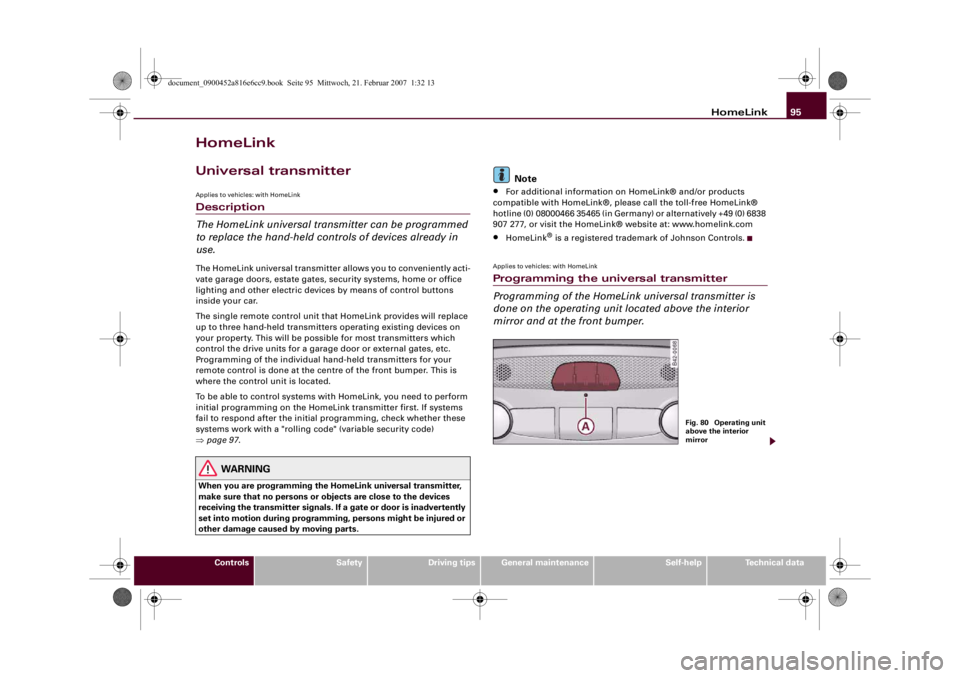
Programming of the HomeLink universal transmitter is
done on the operating unit located above the interior
mirror and at the front bumper.
Fig. 80 Operating unit
above the interior
mirror
document_0900452a816e6cc9.book Seite 95 Mittwoch, 21. Februar 2007 1:32 13
Page 104 of 210
Safe driving 102Safe drivingGeneral notesSafety is the first priority
Your safety is our first priority.This chapter contains important information, tips, sugges-
tions and warnings that you should read and observe for
your own safety and the safety of your passengers.
WARNING
•
The information in this chapter is important for the driver of
the vehicle and all passengers. The other chapters in this manual
(and, where applicable, in the other literature supplied with the
vehicle) contain further important notes which you should read
and observe for your own safety and that of your passengers.
•
Ensure that the complete vehicle wallet is always in the vehicle.
This is especially important when you lend or sell the vehicle to
others.
Safety features
The safety features listed here are part of the vehicle's
occupant restraint system. They work together to help
reduce the risk of injury in a wide variety of accident situ-
ations.Your safety and the safety of your passengers should not be left to
chance. In the event of an accident, the safety features incorporated
in your vehicle are capable of reducing the risk of injury. These are
just a few of the safety features in your Audi:•
Three-point seat belts for all seats,
•
Belt force limiters for the front seats,
•
Belt pre-tensioners for the front seats,
•
Front airbags,
•
Head/thorax airbags in the backrests,
•
“ISOFIX” mountings* for “ISOFIX” child safety seats on the front
passenger's seat,
•
Height-adjustable head restraints in the backrests,
•
Adjustable steering column.
These individual safety features are harmonised to provide you and
your passengers with the best possible protection in accident situ-
ations. However, they can only be effective if you and your passen-
gers sit in the correct position and adjust and use the safety equip-
ment properly.
For these reasons, this chapter explains why these safety features
are so important, how they can protect you, what you need to
remember when using them, and how you and your passengers can
gain the most benefit from them. There are also a number of impor-
tant safety warnings which you and your passengers should always
observe in order to minimise the risk of injury.
Safety is everyone's responsibility!
Before every trip
The driver is responsible for the safety of the passengers
and the safe operation of the vehicle at all times.For your own safety and the safety of your passengers,
always note the following points before every trip:
– Make sure that all lights and turn signals are working
properly.
document_0900452a816e6cc9.book Seite 102 Mittwoch, 21. Februar 2007 1:32 13
Page 106 of 210
Safe driving 104Correct sitting positionsCorrect sitting position for driver
The correct driving position is important for safe and
fatigue-free driving.For your own safety, and to reduce the risk of injury in the
event of an accident, we recommend the following driving
position.
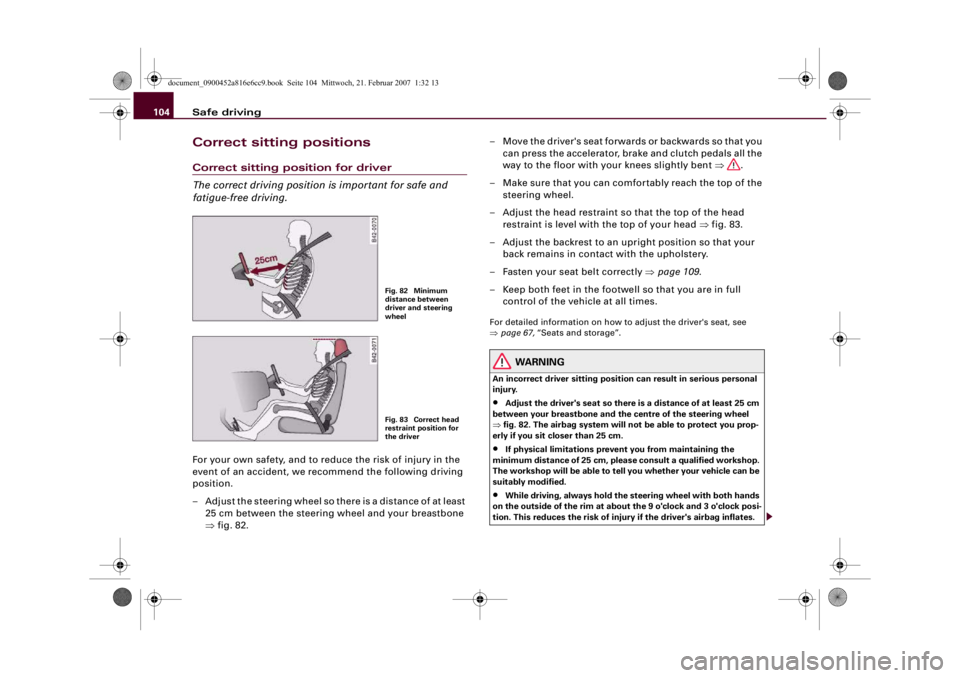
– Adjust the steering wheel so there is a distance of at least
25 cm between the steering wheel and your breastbone
⇒fig. 82.– Move the driver's seat forwards or backwards so that you
can press the accelerator, brake and clutch pedals all the
way to the floor with your knees slightly bent ⇒.
– Make sure that you can comfortably reach the top of the
steering wheel.
– Adjust the head restraint so that the top of the head
restraint is level with the top of your head ⇒fig. 83.
– Adjust the backrest to an upright position so that your
back remains in contact with the upholstery.
– Fasten your seat belt correctly ⇒page 109.
– Keep both feet in the footwell so that you are in full
control of the vehicle at all times.
For detailed information on how to adjust the driver's seat, see
⇒page 67, “Seats and storage”.
WARNING
An incorrect driver sitting position can result in serious personal
injury.•
Adjust the driver's seat so there is a distance of at least 25 cm
between your breastbone and the centre of the steering wheel
⇒fig. 82. The airbag system will not be able to protect you prop-
erly if you sit closer than 25 cm.
•
If physical limitations prevent you from maintaining the
minimum distance of 25 cm, please consult a qualified workshop.
The workshop will be able to tell you whether your vehicle can be
suitably modified.
•
While driving, always hold the steering wheel with both hands
on the outside of the rim at about the 9 o'clock and 3 o'clock posi-
tion. This reduces the risk of injury if the driver's airbag inflates.
Fig. 82 Minimum
distance between
driver and steering
wheelFig. 83 Correct head
restraint position for
the driver
document_0900452a816e6cc9.book Seite 104 Mittwoch, 21. Februar 2007 1:32 13
Page 110 of 210
Safe driving 108Use only floor mats that leave the pedal area unobstructed and are
firmly secured to prevent them from slipping. You can obtain suit-
able floor mats from your dealer or a specialist retailer.
WARNING
Any obstructions that restrict pedal travel can cause loss of
vehicle control and increase the risk of serious personal injury. •
Always make sure that floor mats are properly secured.
•
Never lay or install additional floor mats or other floor cover-
ings over the existing floor mats; this would restrict the pedal area
and possibly obstruct the pedals, which could cause an
accident.
Stowing luggage safelyNotes
All luggage and objects must be securely stowed.Loose items can cause a safety hazard or impair the handling of the
vehicle by changing the weight distribution.
During a collision or an accident, even small and light objects can
possess so much energy that they can cause very severe injuries.
The amount of this “kinetic energy” depends on the speed of the
vehicle and the weight of the object. The most significant factor,
however, is the speed of the vehicle.
An example: An object weighing 4.5 kg is lying unsecured in the
vehicle. During a frontal collision at a speed of 50 km/h, this object
generates a force corresponding to 20 times its weight. That means
that the effective weight of the object increases to about 90 kg. You
can imagine the severity of the injuries which might be sustained if
this “projectile” strikes an occupant as it flies through the
passenger compartment.
WARNING
•
Always stow objects in the luggage compartment.
•
Transporting heavy objects may affect the vehicle's handling by
shifting the centre of gravity – this could cause an accident. Take
extra care when driving and adjust your speed accordingly.
•
Never exceed the maximum axle loads or the maximum gross
weight for the vehicle ⇒page 198, “Performance, weights and
dimensions”. Exceeding the permitted axle loads or gross weight
limit can affect the vehicle's handling characteristics, and increase
the risk of accidents, personal injuries or damage to the vehicle.
•
Never leave your vehicle unattended when the luggage lid is
open. Children could climb into the luggage compartment and
close the luggage lid from the inside. In this case the child would
be unable to get out of the vehicle without help. This could have
fatal consequences.
•
Never allow children to play in or around the vehicle. Always
close and lock the luggage lid and all the doors when you leave the
vehicle.
•
Never let passengers ride in the luggage compartment. All
occupants must be properly restrained by the seat belts at all
times ⇒page 109.
document_0900452a816e6cc9.book Seite 108 Mittwoch, 21. Februar 2007 1:32 13
Page 122 of 210
Airbag system 120•
Any damage to the original seat upholstery or around the
seams of the side airbag units must be repaired immediately by a
qualified workshop.
•
Any work involving the side airbag system or removal and
installation of the airbag components for other repairs (such as
repairs to the seats) should always be performed by a qualified
workshop. Otherwise the airbag system may fail to work
properly.
Deactivating the airbagsDeactivating airbags
If airbags have been deactivated, they should be reacti-
vated as soon as possible so that they can continue to
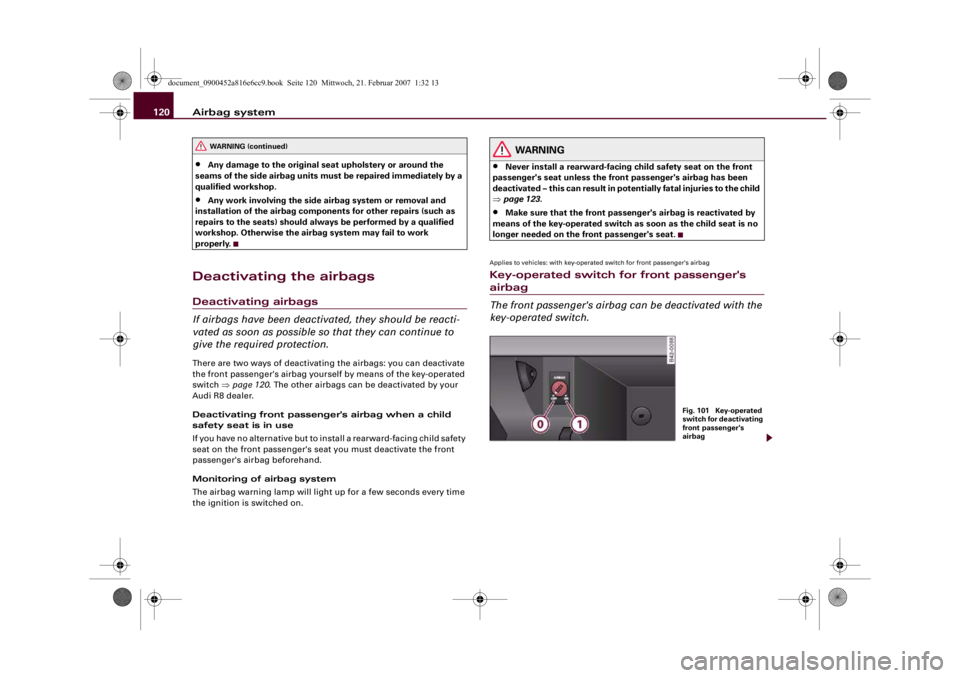
give the required protection.There are two ways of deactivating the airbags: you can deactivate
the front passenger's airbag yourself by means of the key-operated
switch ⇒page 120. The other airbags can be deactivated by your
Audi R8 dealer.
Deactivating front passenger's airbag when a child
safety seat is in use
If you have no alternative but to install a rearward-facing child safety
seat on the front passenger's seat you must deactivate the front
passenger's airbag beforehand.
Monitoring of airbag system
The airbag warning lamp will light up for a few seconds every time
the ignition is switched on.
WARNING
•
Never install a rearward-facing child safety seat on the front
passenger's seat unless the front passenger's airbag has been
deactivated – this can result in potentially fatal injuries to the child
⇒page 123.
•
Make sure that the front passenger's airbag is reactivated by
means of the key-operated switch as soon as the child seat is no
longer needed on the front passenger's seat.
Applies to vehicles: with key-operated switch for front passenger's airbagKey-operated switch for front passenger's airbag
The front passenger's airbag can be deactivated with the
key-operated switch.
WARNING (continued)
Fig. 101 Key-operated
switch for deactivating
front passenger's
airbag
document_0900452a816e6cc9.book Seite 120 Mittwoch, 21. Februar 2007 1:32 13
Page 123 of 210
Airbag system121
Controls
Safety
Driving tips
General maintenance
Self-help
Technical data
The key-operated switch for deactivating the front
passenger's airbag is located in the glove box ⇒page 120,
fig. 101.
– To deactivate the front passenger's airbag, insert the
ignition key in the switch and turn it to position .
– The front passenger's airbag can be reactivated by
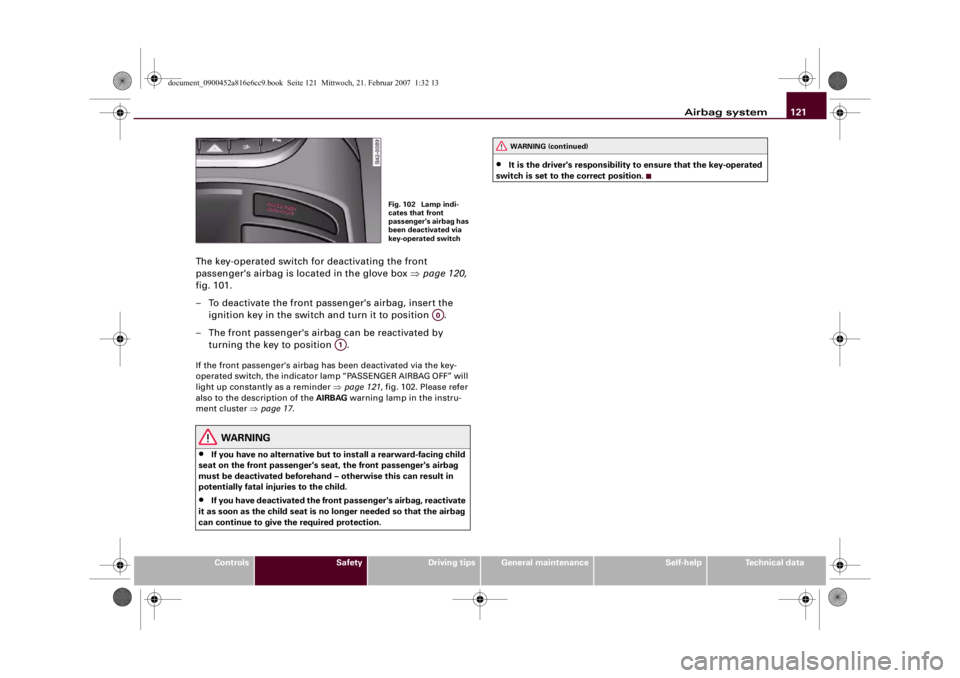
turning the key to position .If the front passenger's airbag has been deactivated via the key-
operated switch, the indicator lamp “PASSENGER AIRBAG OFF” will
light up constantly as a reminder ⇒page 121, fig. 102. Please refer
also to the description of the AIRBAG warning lamp in the instru-
ment cluster ⇒page 17.
WARNING
•
If you have no alternative but to install a rearward-facing child
seat on the front passenger's seat, the front passenger's airbag
must be deactivated beforehand – otherwise this can result in
potentially fatal injuries to the child.
•
If you have deactivated the front passenger's airbag, reactivate
it as soon as the child seat is no longer needed so that the airbag
can continue to give the required protection.
•
It is the driver's responsibility to ensure that the key-operated
switch is set to the correct position.
Fig. 102 Lamp indi-
cates that front
passenger's airbag has
been deactivated via
key-operated switch
A0
A1
WARNING (continued)
document_0900452a816e6cc9.book Seite 121 Mittwoch, 21. Februar 2007 1:32 13
Page 134 of 210
Intelligent technology 132Intelligent technologyElectronic stabilisation program (ESP)The Electronic Stabilisation Program increases the car's
stability.Description
The anti-lock brake system (ABS), the electronic differential lock
(EDL) and the traction control system (ASR) are all integrated into
the electronic stabilisation program (ESP). The ESP is designed to
enhance the control over the vehicle in critical handling situations,
such as when accelerating and cornering. It reduces the tendency to
skid at all speeds under all road conditions and improves the
stability and roadholding of the vehicle. ESP helps the car to start
moving, accelerate and climb a gradient in slippery conditions
where this may otherwise be difficult or even impossible. The ESP is
switched on automatically when the engine is started. It should
normally be left switched on at all times for optimum car stability.
Driving situations
If the car is oversteering (rear wheels losing grip first) the ESP
mainly brakes the outside front wheel; if the car is understeering
(front wheels losing grip first), the ESP brakes the inside rear wheel
and possibly also other wheels. This automatic brake application is
accompanied by characteristic noises.If, when braking, one of the wheels is turning too slowly in relation
to the road speed and is close to locking up, the system will reduce
the pressure in the brake line to this wheel. The driver is made aware
of this control process by a pulsating of the brake pedal and accom-
panying noise. In this situation it is important to keep the brake
pedal fully depressed so the ABS can regulate the brake application
- do not “pump” the brake pedal. However, the ABS will not neces-
sarily guarantee shorter stopping distances in all conditions. For
instance, on loose gravel or fresh snow on top of an icy surface the
stopping distance with ABS may even be slightly longer.
Whenever it detects a significant difference in the speed of the driven
wheels of one axle (for example, if the road is slippery on one side)
the electronic differential lock (EDL) applies the brake to slow down
the spinning wheel so that more of the power is directed to the
other wheels. This function is active up to about 100 km/h. The brake
system will make noises while it is working.
If one wheel has less grip and starts spinning (for instance, if one of
the driven wheels is on ice), press the accelerator hard until the car
starts moving.
If the wheels start to spin, the traction control system (ASR) auto-
matically reduces the engine torque to match the amount of grip
available.
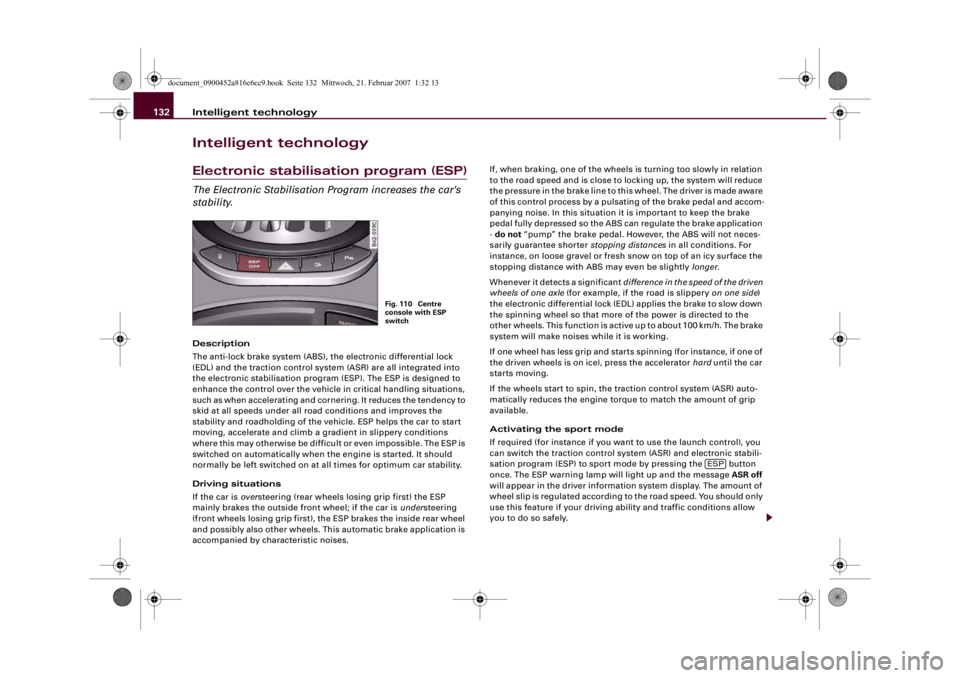
Activating the sport mode
If required (for instance if you want to use the launch control), you
can switch the traction control system (ASR) and electronic stabili-
sation program (ESP) to sport mode by pressing the button
once. The ESP warning lamp will light up and the message ASR off
will appear in the driver information system display. The amount of
wheel slip is regulated according to the road speed. You should only
use this feature if your driving ability and traffic conditions allow
you to do so safely.
Fig. 110 Centre
console with ESP
switch
ESP
document_0900452a816e6cc9.book Seite 132 Mittwoch, 21. Februar 2007 1:32 13