light AUDI R8 SPYDER 2014 User Guide
[x] Cancel search | Manufacturer: AUDI, Model Year: 2014, Model line: R8 SPYDER, Model: AUDI R8 SPYDER 2014Pages: 244, PDF Size: 61.06 MB
Page 18 of 244
16 Instruments and warning/indicator lights
can switch the ignition off and then on to
switch the ESC on again. The system is func
tioning comp letely when the indicator lamp
switches
off.
If the 11 indicator lamp illuminates, the ESC
was switched
off with the [ID button.
Stabilization program and ABS fault! See
owner's manual
If the G1 ind icator lamp and the Ci] ABS indi
cator lamp illuminate and the driver message
appears, the ABS or electronic differential lock
is ma lfunction ing. This also interrupts the
ESC. The brakes sti ll function with their nor
mal power, but ABS is not active.
Drive to you r authorized Audi dealer immedi
ately to have the mal func tion corrected.
For more informat io n about the ESC
¢page 144.
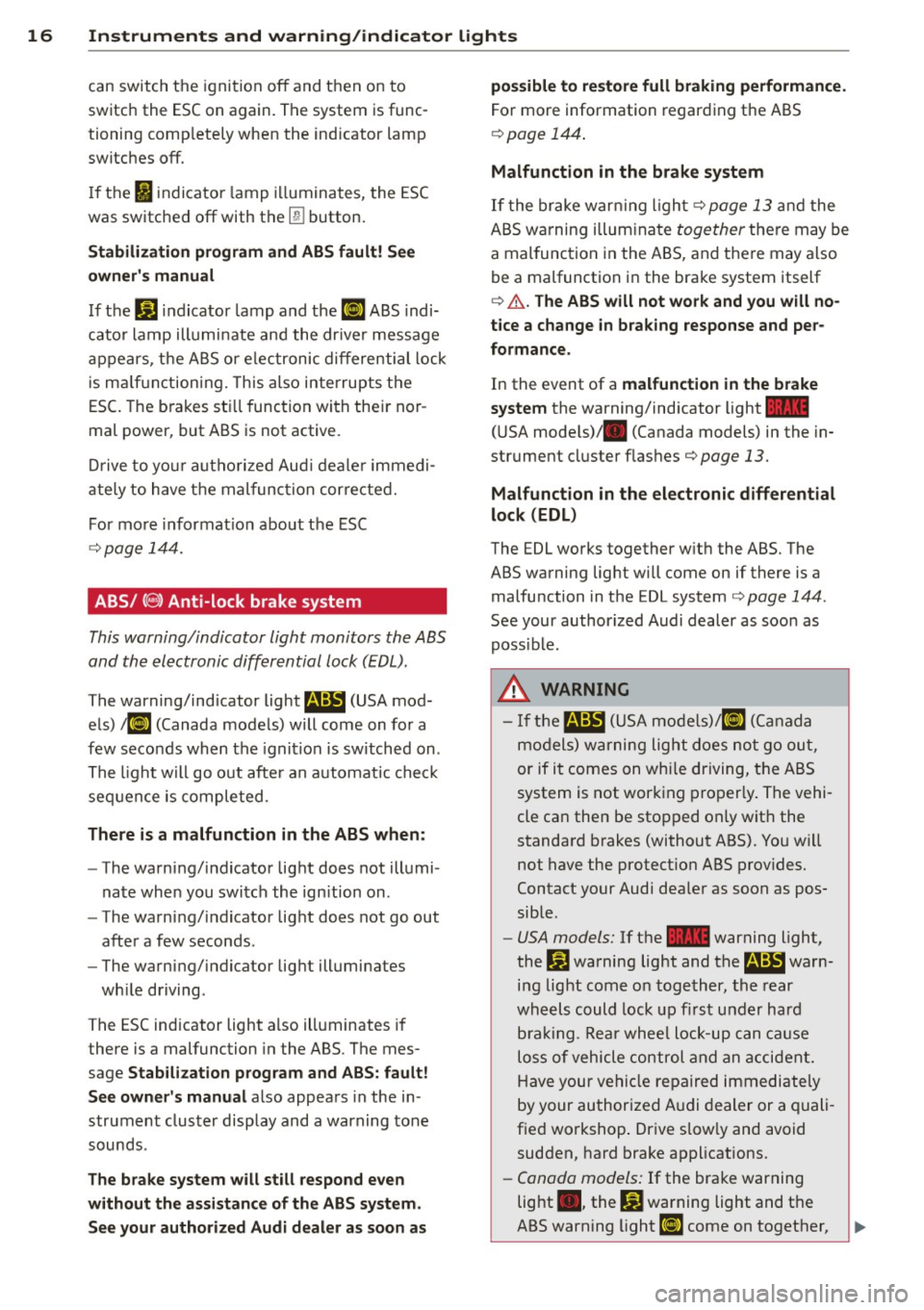
ABS/( (§) Anti-lock brake system
This warning/indicator light monitors the ABS
and the electronic differential lock (EDL).
The warning/ind icator light fl!B (USA mod
els)
;tlJ (Canada models) will come on for a
few seconds when the ignit ion is switched on .
The light will go out after an automatic check
sequen ce is completed.
There is a malfunction in the ABS when:
- The warning/indicator light does not illumi
nate whe n you switch the ign ition on .
- The warning/indicator light does not go out
after a few seconds .
- The warning/indicator light illuminates
wh ile driving .
The ESC indicator light a lso illuminates if
there is a malfunction in the ABS . The mes
sage
Stabilization program and ABS: fault!
See owner's manual
also appears in the in
strument cluster display and a warning tone
sounds .
The brake system will still respond even
without the assistance of the ABS system.
See your authorized Audi dealer as soon as possible to restore full braking performance.
For
more information regarding the ABS
¢page 144.
Malfunction in the brake system
If the brake warning light¢ page 13 and the
ABS wa rning illum inate
together there may be
a mal function in the ABS, and there may also
be a malfunction in the brake system itself
¢ .&.. The ABS will not work and you will no
tice a change in braking response and per
formance.
In the event of a malfunction in the brake
system
the warning/indicator light 1111
(U SA models)/ . (Canada models) in the in
strument cluster flashes¢
page 13.
Malfunction in the electronic differential
lock
(EDL)
The EDL works together w ith the ABS. The
ABS warning light will come on if there is a malfunction in the EDL system ¢
page 144.
See your author ized Audi dealer as soon as
poss ible.
_& WARNING
- If the~ (USA models)/Ci] (Canada
models) warning light does not go out,
or if it comes on whi le driving, the ABS
system is not working properly. The vehi-
cle can then be stopped only with the
standard brakes (without ABS). You w ill
not have the protect ion ABS provides.
Contact your Audi dea ler as soon as pos·
sible.
- USA models: If the 1111 warning light,
the
J$) warning light and the fl!B warn
ing light come on together, the rear
wheels could lock up first under hard
b rak ing. Rear wheel lock-up can cause
loss of vehicle control and an accident.
Have your vehicle repaired immediately
by your authorized A udi dealer or a quali
fied workshop . Drive slow ly and avoid
sudden, hard brake applications.
-Canada models: If the brake warning
light ., the
DJ warning light and the
-
ABS warning light Ci] come on together, ~
Page 19 of 244
Instrument s and warnin g/indic ator ligh ts 17
the rear wheels could lock up first under
hard braking. Rear wheel lock-up can
cause loss of vehicle control and an acci
dent . Have your vehicle repaired immed i
ately by your authorized Audi dealer or a
qualified workshop. Dr ive slowly and
avo id sudden, hard brake applicat ions.
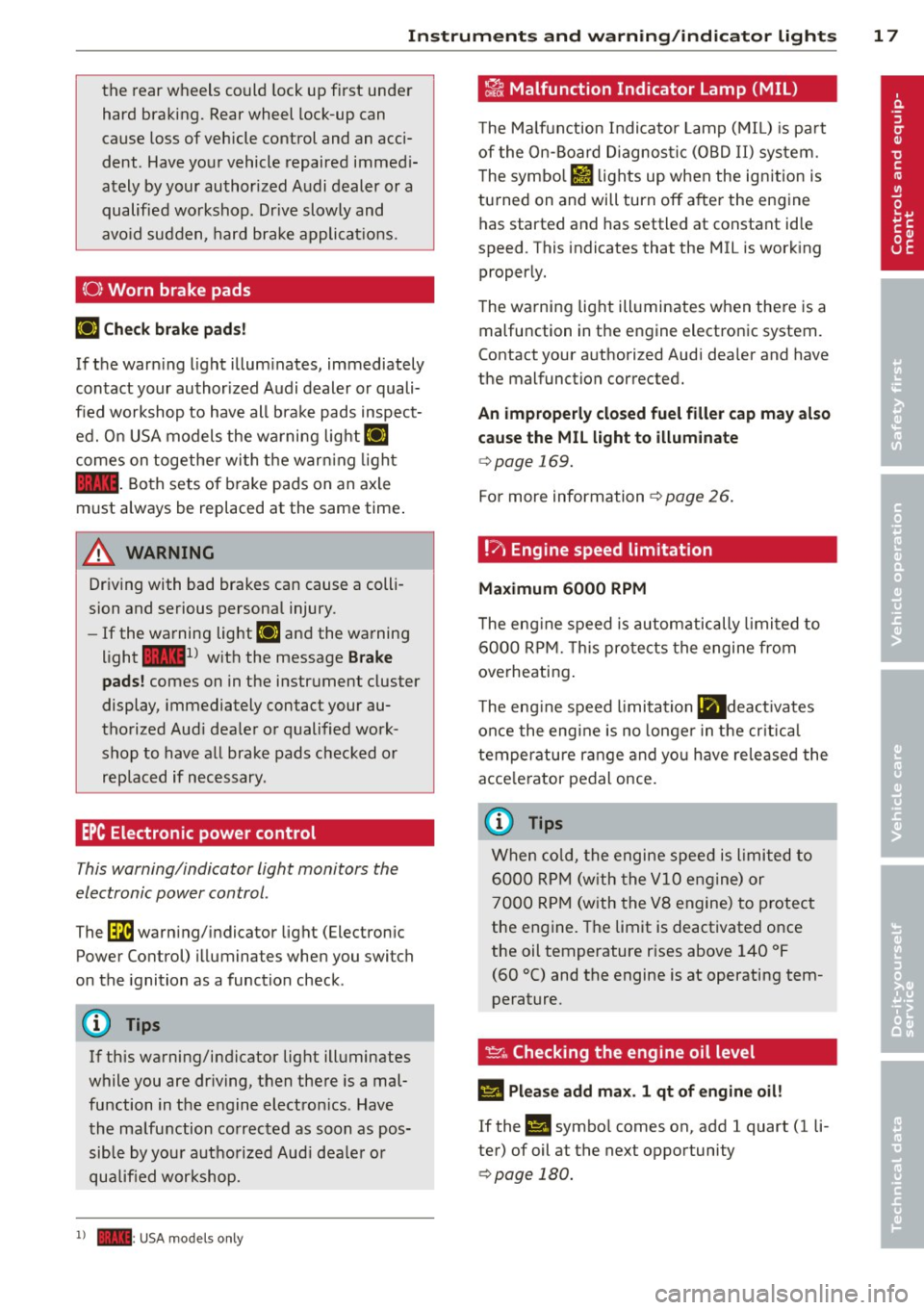
(0 ) Worn brake pads
IJ Che ck brake pad s!
If the warn ing light illum inates, immediately
contact your author ized Audi dealer or quali
fied workshop to have all bra ke pads inspect
ed. O n USA models the wa rning lig ht
IJ
comes on togethe r wi th the warn ing light
1111 . Both sets of brake pads on an axle
must always be replaced at the same time .
& WARNING
Driving with bad brakes can cause a colli
sion and serious personal injury.
- If the wa rning light IJ and the warning
l ight
11111
) w ith the message B rake
pads !
comes on in the instrument cluster
display, immediately contact your au
thorized Aud i deale r or qualified work
shop to have all brake pads checked or replaced if necessary .
EPC Electronic power control
This warning/indicator light monitors the
electronic power control .
The~ warn ing/ indicator light (Electron ic
Power Control) illuminates when you switch
on the ignition as a function check .
(D) Tips
If this warning/indicator light ill uminates
while you are dr iving, then there is a mal
function in the engine electron ics . Have
the malfunction co rrected as soon as pos
sible by you r authorized Aud i dea le r or
qualified workshop.
1) - : USA mod els on ly
-
~ Malfunction Indicator Lamp (MIL)
T he Ma lfunction Indi cato r Lamp ( MIL) is pa rt
of the On-Board Diagnos tic (OBD II) system .
T he symbo l
fl lights up when the ign ition is
turned on and will turn off after the eng ine
has started and has settled at constant id le
speed . This indicates that the MIL is work ing
properly.
T he warning lig ht ill uminates when there is a
malfunction in the engine electronic system .
Contact your a uthori zed Aud i dea ler and have
the malfunction corrected.
An improperly clo sed fuel filler cap may al so
cause the MIL l ight to illum inate
¢ page 169.
For more information ¢ page 26 .
!7, Engine speed limitation
Ma ximum 6000 RPM
T he eng ine speed is automatically limited to
6 000 RP M. T his pro tects the engine fr om
overheating .
T he eng ine speed limitation
lll deact ivates
once the eng ine is no longe r in t he cr itica l
tempe rature range and you have released the
acce le rator pedal once.
(D Tips
When co ld, the engine speed is l imited to
6000 R PM (w ith the
VlO engine) or
7000 R PM (with the VB engine) to p rotect
the engine. The limit is deactivated once
the oil temperature r ises above 140 °F
(60 °C) and the engine is at operating tem
perature .
~ .. Checking the engine oil level
II Please add ma x. 1 qt of engine oil!
If the II symbo l comes on, add 1 quart (1 li
ter) of oil at the next opportunity
¢ page 180.
Page 20 of 244
18 Instrum ent s and w arn ing /indic ato r light s
't':r.,. Engine oil sensor defective
If the Ill symbo l illuminates, contact your
author ized Audi dealer and have the oil sensor
inspected .
0 Battery voltage low
(•) Low batter y ch arg e: batt ery wi ll be
charged while dri ving
If the indicator light turns on and t he mes
sage appears, there may be limited starting
ability.
I f th is message turns off after a litt le wh ile,
the battery cha rged enough wh ile driving.
If the message does not turn off, have your
author ized Audi dealer or qualified workshop
correct the malfunction.
~ Fuel supply too low
When the~ symbo l illuminates, this means
there are about 2 .6 gallons (10 liters) of fue l
l eft in the fuel tank. Time to refuel!
c::> page 168.
If the symbol lights up, even when the re is
ample fuel in the tank, and the text
Tank sys
tem m alfunct ion! Plea se cont act workshop
appears in the display, there is a fault in the
system. Contact a qualified workshop to have
the fault rectified.
<;:> Windshield washer fluid level too
low
If the -· "ymbol illum inates, add w indshield
washer f luid to the washer system
c::> page 188.
~ Defective light bulb warning
The defective light bulb warning tells you
when a vehicle light bulb has become defec tive .
If a defect ive b ulb has been detected by the
sys tem or a ligh t bu lb burns out , the
l',sl sym
bol with a message appears in the disp lay to te
ll yo u which bulb is burnt out and where it is
located. For example:
Rear left turn sign al
After 5 seconds, the message disappears . If
you want to reca ll the message into the dis
play, p ress the CH ECK button
c::> page 8, fig. 3
(J).
The re are three reasons why the defective
bulb message would appear in the disp lay:
- The light bulb has burnt out
c::>page 222.
-The fuse is "blown" c::> page 221, Replacing
fuses.
- The wire connection to the light bulb is de-
fective.
Have the bulb replaced or the connection re
paired by your authorized Audi Service depart
ment.
A WARNING
-- Light bulbs are pressurized and could ex- plode wh ile they are being changed caus
ing serious personal injury.
- Work with due care when handling the
high-vo ltage sect ion of gas discharge
(xenon) lamps. Fa iling to do so could re
sult in death or serious injury!
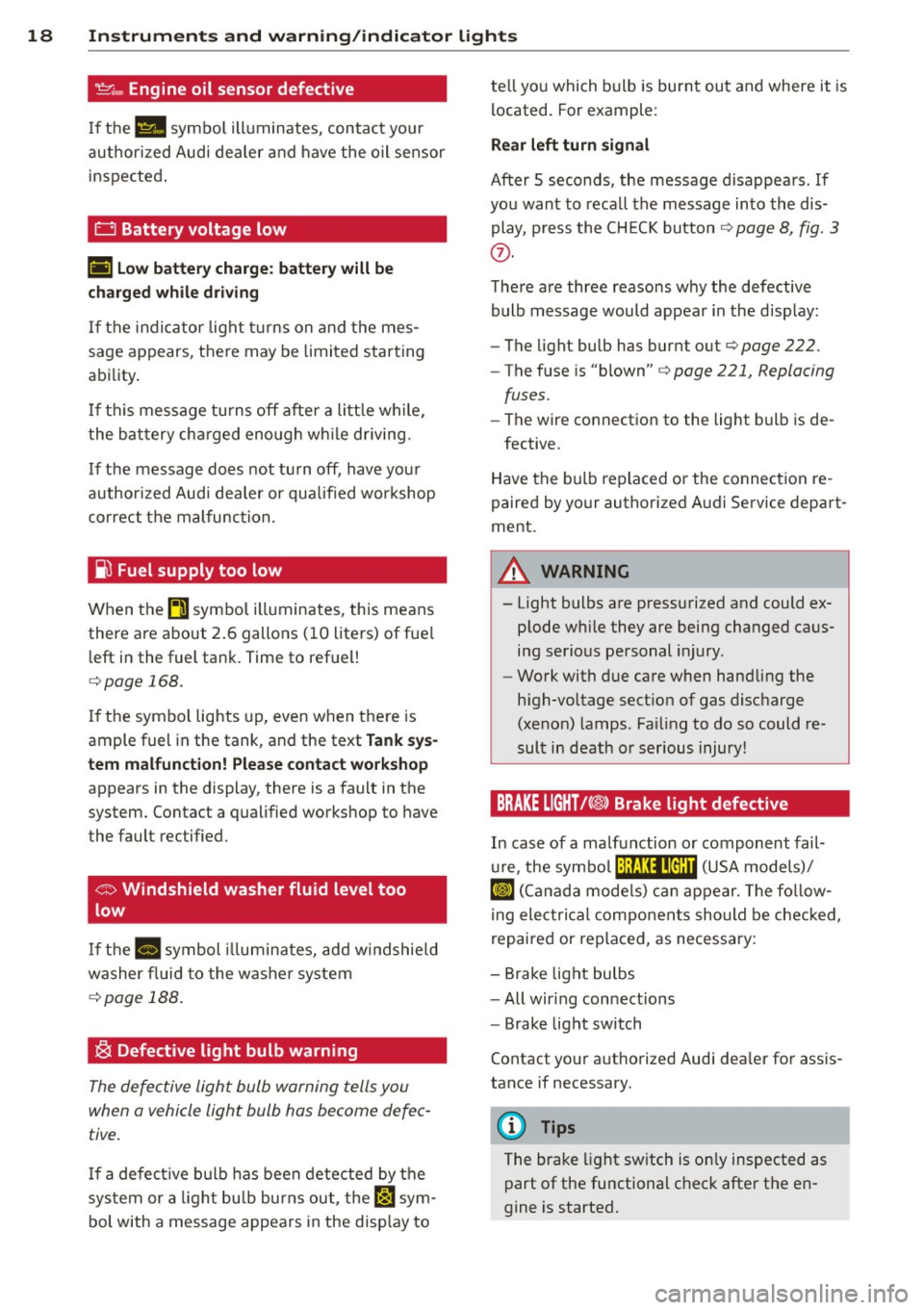
BRAKE LIGHT t<@> Brake light defective
In case of a ma lfunction or component fail-
u re, the symbo l (USA models)/
¢@ )
repaired or rep laced, as necessary:
- Brake light bulbs
- All wir ing connections
- Brake light switch
Contact your a uthorized Audi dea ler for assis
tance if necessary.
(D Tips
The brake light sw itch is on ly inspected as
part of the functional check after the en
gine is started.
Page 21 of 244
Instrument s and warnin g/indic ator ligh ts 19
@:> Light/rain sensor defective
Applies to vehicles: with a utomat ic head lights
The indicator light indicates a defect in the
automatic headlights/automatic wiper sys
tem.
If the symbol illuminates, the light sensor has
failed. For safety reasons, the low beams are
turned on permanently with the switch in
A U
TO . However, you can continue to turn the
lights on and off using the light switch . In the
case of a defect in the rain sensor, the w ind
shie ld wiper lever functions are sti ll available.
Have the light/rain sensor checked as soon as
possible at an authorized Audi dealer.
; Audi magnetic ride
The indicator light monitors vehicle damping .
The indicator l ight
B illum inates when the ig
n ition is switched on as a f unct ion check.
@ Tips
If the ind icator lamp illum inates while you
are driving, there is a malfunct ion in the
veh icle damping. The chass is should be in
spected immediately by an authorized
Audi dea ler .
-::}. Rear spoiler
The warning/indicator light monitors the
electrically retractable rear spoiler.
The warning/ind icator ligh t
IJ has the fol
l owing f unctions:
- It comes on for about 3 seconds as a func
t ion check when the ignition is sw itched on.
- It comes on if there is a malfunction in the
electrically retractable rear spoiler.
Addit ional information about the electrically
retractable rear spoi ler
c> page 148.
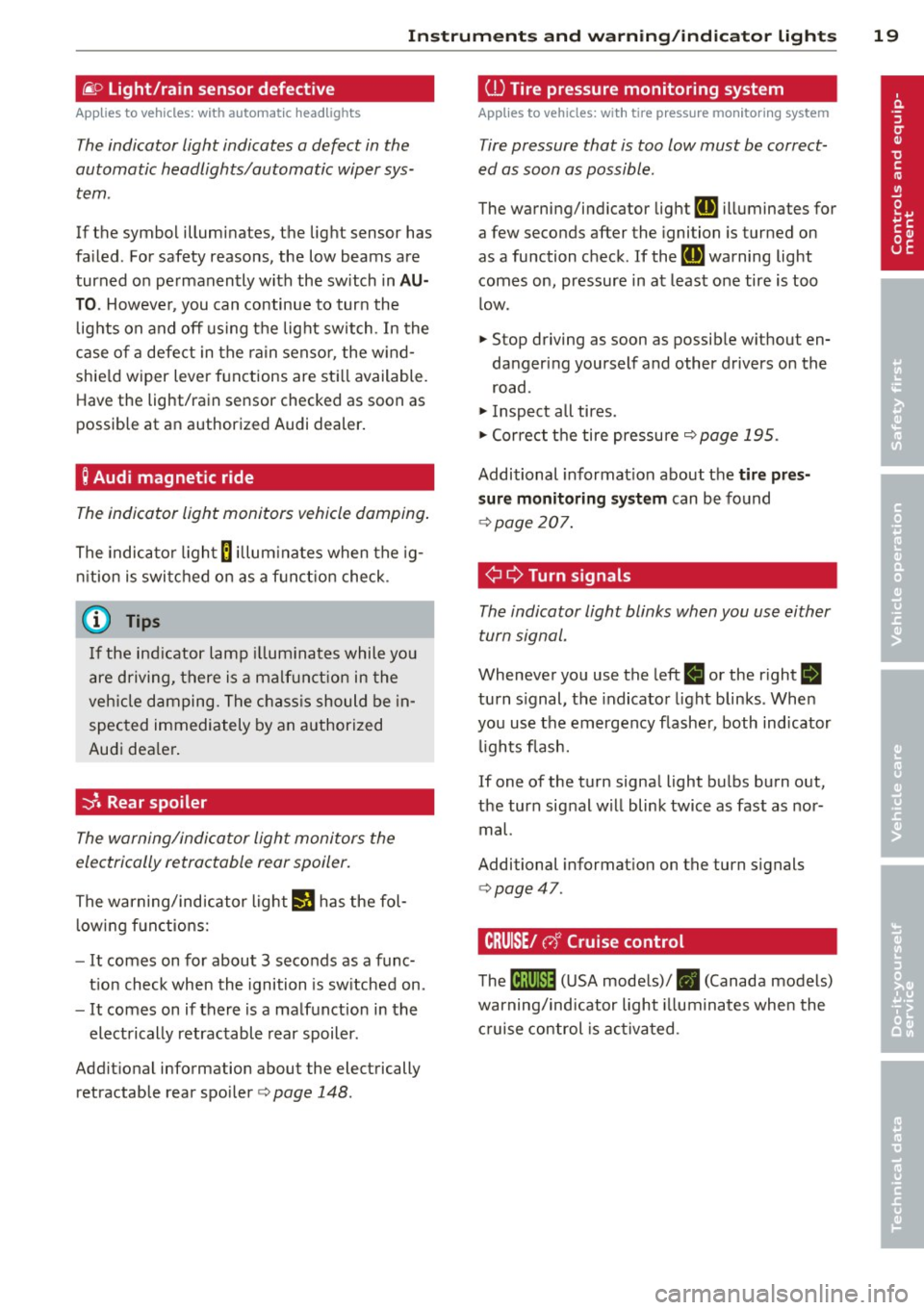
ill Tire pressure monitoring system
Applies to vehicles : wit h tire press ure mo nitor ing system
Tire pressure that is too low must be correct
ed as soon as possible.
The warning/indicator lig ht
RE illuminates for
a few seconds after the ignition is turned on
as a function check. If the
RE warning light
comes on, pressure in at least one tire is too
l ow .
.,. Stop driving as soon as possible w ithout en
dangering yourself and other drivers on the
road.
.,. Inspect all tires .
.,. Correct t he tire pressure
c> page 195.
Additional informat ion about the
tire pr es
s ur e monit oring system
can be found
c> page 207.
¢ ¢Turn signals
The indicator light blinks when you use either
turn signal.
Whenever you use the left
B or the right B
turn s ignal, the indicator light blinks . Whe n
you use the emergency flashe r, both indicator
lights flash.
If one of the turn signa l light bulbs bu rn out,
the turn signal w ill blink twice as fast as nor
mal.
Additional informat ion on the turn s ignals
c> page47 .
CRUISE/ c,)"' Cruise control
The tB;m~14 (U SA mode ls)/ • (Canada models)
warning/indicator light illuminates when the
c ruise control is activa ted.
Page 25 of 244

Set Clock¢ page 24
Tire pressure ¢page206
Computer
c::> page 2 4
Speed warning
c::> page 73
Langu age
c::> page 24
Units (distance, fuel consump-
tion, temperature)
c::> page 24
Lap timer
c::> page 25
Lights
c::> page 46
Wiper (service posit ion)
c::> page 53
Doors (unlocking and locking
mode, for e xample Auto-lock)
c::> page 30, c::> page 30
Check Service c::> page 24
Chassis number
c::> page 223
Keys
Menu off The menu display is hidden and
. the lap timer appears .
Navigating the menu
Use the rocker switch on the windshield wiper
lever and the
I RESET I button to ope rote the
menu and carry out inquiries and selections.
~-- @
Fig. 12 W iper leve r: Co ntrols for the menu d isplay
F ig . 13 D isplay: Start menu
Driver in formation system 23
I Reset I button @ and rocker switch @
c::> fig. 12 fu nctions:
To open the menu
~ Press the I Reset I but to n @ unti l the me nu
disp lay
c::> fig . 13 appears
Selections and settings
~ Press the rocker switch @to reac h a menu
display. The switch is operated the same as
th e display (up/down) .
Entering and confirming
~ Press the I RESET I button @.
Returning to the Start menu
~ Press the I RESET I button longer than 2 sec
onds to return from any menu level to the
Start menu .
U sing the rocker swi tc h, you can selec t the
men us in the display or change settings. A
cu rsor appea rs on the left in front of th e se
lected values.
By press ing the
! RESET I button, you act ivate
the se lec tion you made or confirm the va lues
yo u set.
Sele cted functions are identified wit h
a check mark or are carried out directly .
Mean ings of the symbols i n the display:
Selec
tion bar
>
./
D
Selected funct io n Mea ning
Cursor
C heck ma rk
Box Curren
t Selec
tion
Selected or
Function active
Not selected
Tr ian gle pointi ng Previou s page
up
Triangle pointing IINext page
down
Page 26 of 244
24 Driver information system
Selecting settings
The Driver Information System settings are
menu-guided .
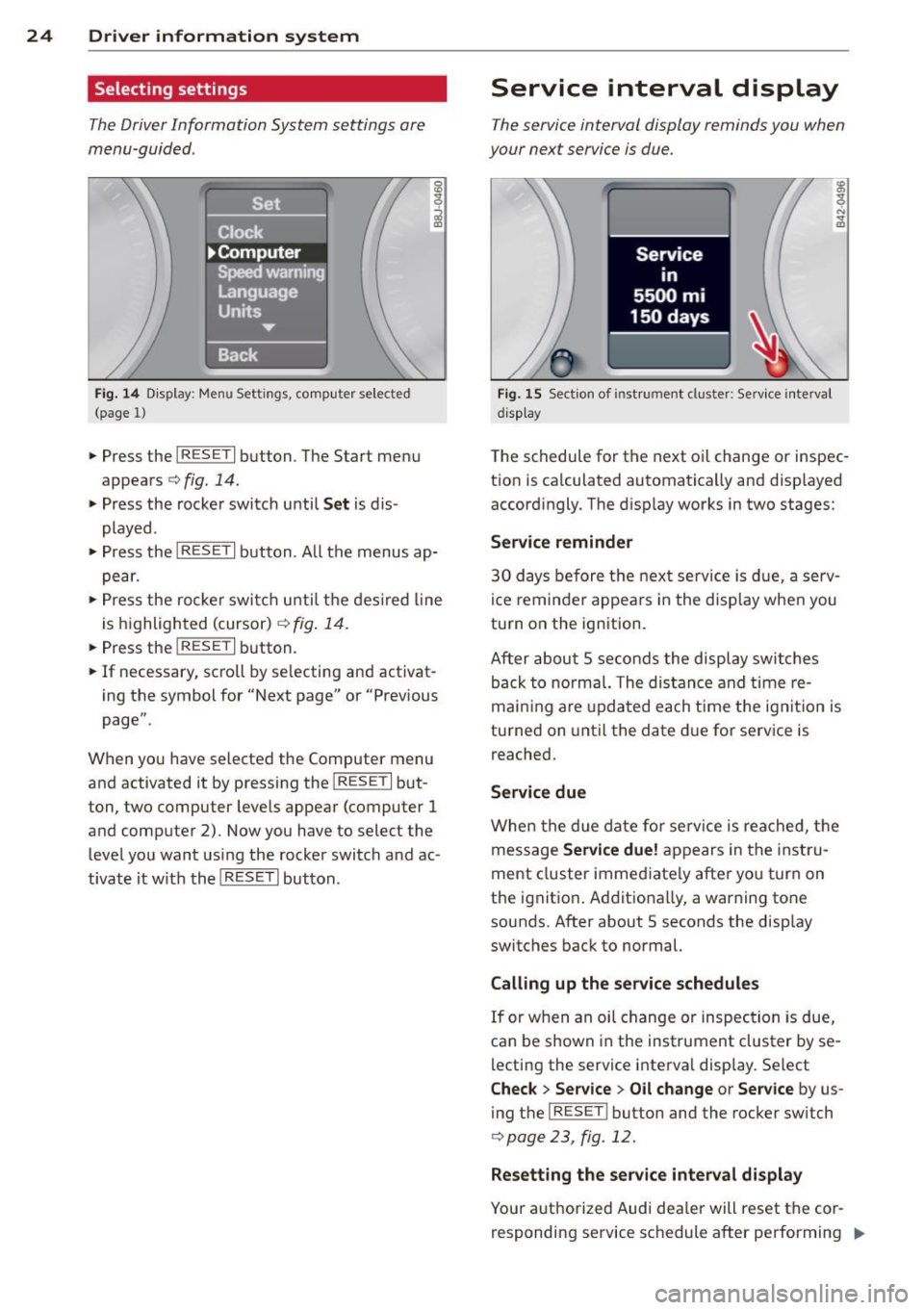
Fig. 14 Display: Menu Settings, comp uter selected
(page 1)
• Press the I RESET I button. The Start menu
appears
c:> fig. 14.
• Press the rocker switch until Set is dis
played .
• Press the
I RESE T I button . A ll the menus ap
pear.
• Press the rocke r swi tch until the desired line
is highlighted (cursor)
c:> fig. 14.
• Press the I RESET I button.
• If necessary, scroll by se lecting and activat
ing the symbol for "Next page" or "Previous
page".
When you have selected the Computer menu
and activated it by pressing the
I RESET I but
ton, two computer levels appear (computer
1
and computer 2). Now you have to select the
level you want using the rocker switch and ac
tivate it w ith the
I RESET I button.
Service interval display
The service interval display reminds you when
your next service is due.
Fig. 15 Section of ins tru ment cl uster: Service interval
d isplay
The schedule for the next oi l change or inspec
tion is ca lculated automatically and displayed
accordingly. The disp lay works in two stages:
Service reminder
30 days before the next service is due, a serv
ice reminder appears in the display when you
turn on the ignition.
After about
5 seconds the display switches
back to normal. The distance and time re
maining are updated each time the ignition is
turned on until the date due for service is
reached.
Service due
When the due date for service is reached, the
message
Service due! appears in the instru
ment cluster immed iate ly after you turn on
the ignit ion . Additionally, a warning tone
sounds. After about 5 seconds the display
switches back to normal.
Calling up the service schedules
If or when an oil change or inspection is due,
can be shown in the instrument cluster by se
lecting the service interva l display. Select
Check > Service > Oil change or Service by us
ing the
I RES ET I bu tton and the rocker switch
c:> page 23, fig. 12.
Resetting the service interval display
Your authorized Audi dea ler will reset the cor
responding service schedule after performing .,.
Page 28 of 244
26 Driver information system
Displaying intermediate time and pausing
timing
• To display an intermediate time, press the
l ower section of the w iper switch @. T he in
termediate time appears in line
CD and is
marked with*.
• To pause tim ing, press the lower section of
the wiper switch @again.
• To continue timing, press the upper section
of the w iper switch @.
If t iming is paused, you can conti nue it later
even if you switch the ign it ion off.
Evaluating times and continuing or
resetting timing
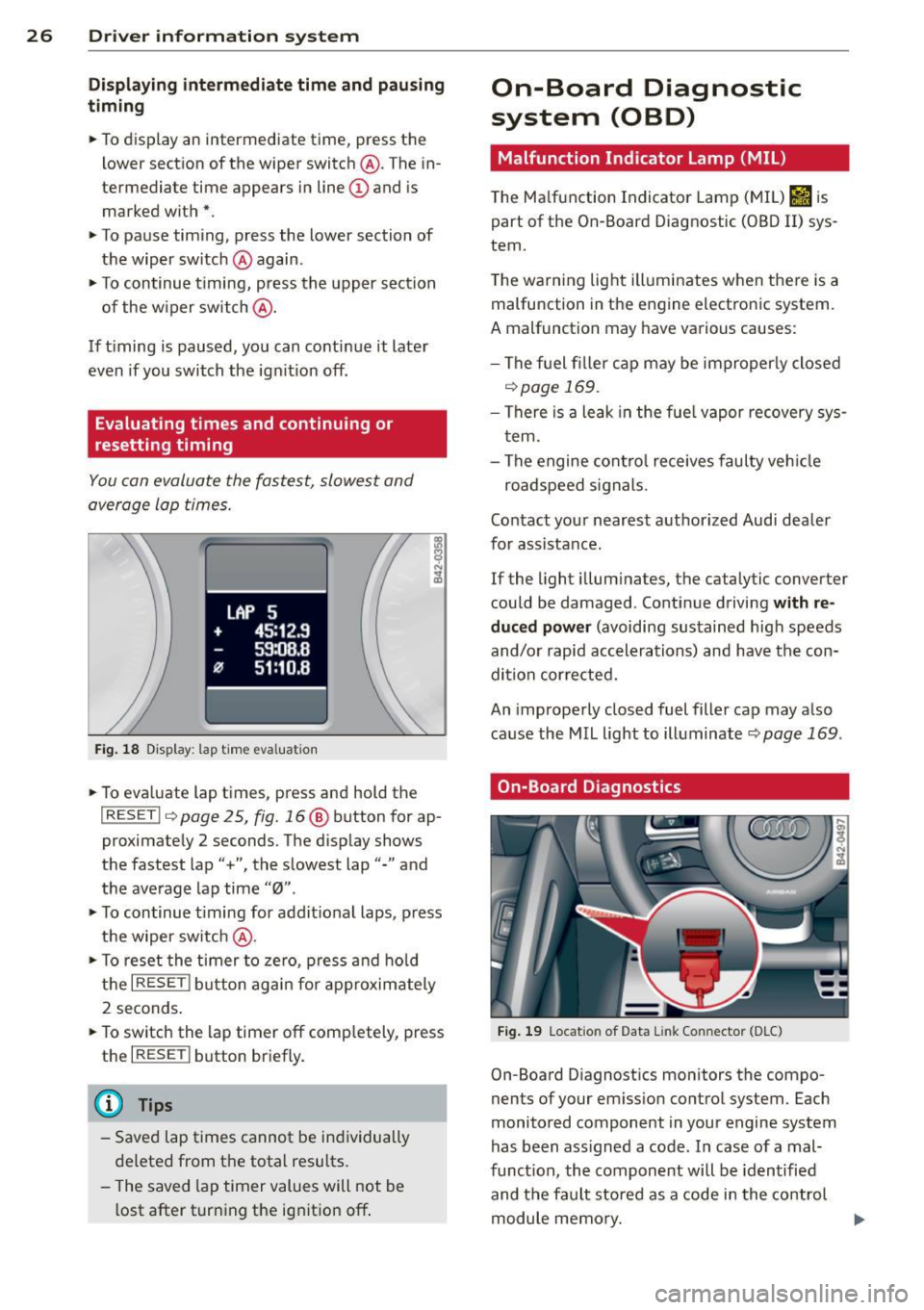
You can evaluate the fastest, slowest and
average lap times.
Fig. 18 Display : lap time eva luation
• To eva luate lap times, press and hold the
I RESET I 9 page 2 5, fig. 16 @ button for ap
proximate ly 2 seconds. The display shows
the fastest lap"+", the s lowest lap"-" and
the average lap time
"0" .
• To continue t iming for addit ional laps , press
the wiper switch @.
• To reset the timer to zero, press and hold
the
I RESE T! button again for approximately
2 seconds .
• To switch the lap timer off comp letely, press
the
I RESET ! button briefly.
(D Tips
-Saved lap times cannot be individually
deleted from the total results.
- The saved lap timer values will not be
l ost after turning the ignition off .
On-Board Diagnostic
system (OBD)
Malfunction Indicator Lamp (MIL)
The Ma lfunction Indicator Lamp (MIL) &iJ is
part of the On -Board Diagnostic (OBO II) sys
tem.
T he wa rning light ill uminates when the re is a
malfunction in the engine electronic system.
A malfunction may have various causes :
- The f uel filler cap may be improperly closed
,=;,page 169.
-There is a leak in the fuel vapor recovery sys
tem.
- The engine control receives faulty vehicle
roadspeed signals.
Contact your nearest authorized Audi dealer
for assistance.
If the light illuminates, the catalytic converter
could be damaged . Continue driving
with re
duced power
(avoiding sustained high speeds
and/or rapid accelerations) and have the con
di tion cor rected.
An improperly closed fuel filler cap may also
cause the MIL light to illuminate
r=;, page 169 .
On-Board Diagnostics
Fig. 19 Locat io n of Data Li nk Conn ecto r (D LC)
On-Board D iagnostics monitors the compo
nen ts of your emission control system . Each
monitored component in your engine system
has been ass igned a code . In case of a mal
funct ion, the component will be identified
and the fault stored as a code in the control
module memory.
Page 30 of 244
28 Opening and closing
Opening and closing
Keys
Key set
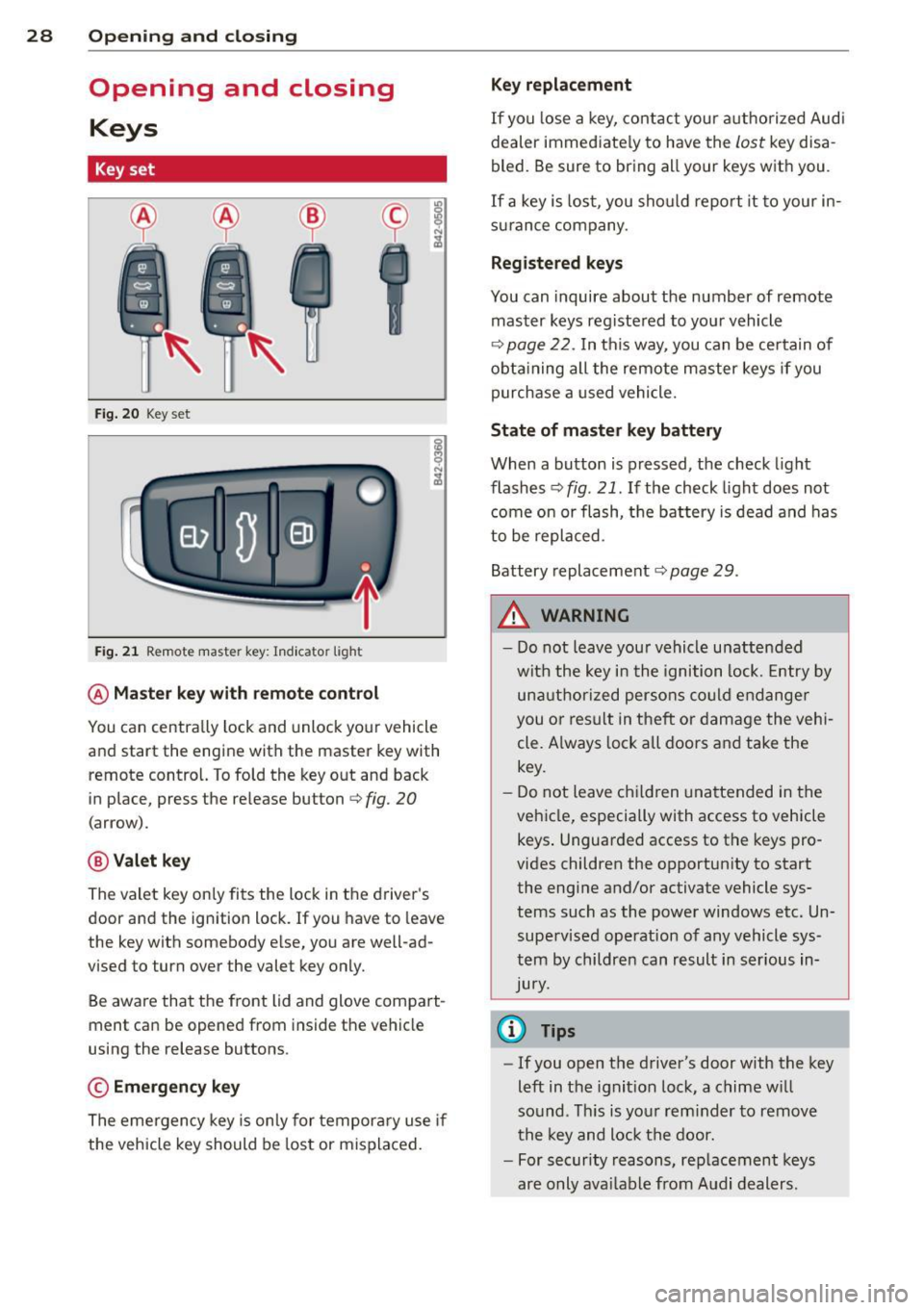
Fig. 20 Key set
Fig. 21 Remot e mas ter key : Indicator ligh t
@ Master key with remote control
You can centrally lock and unlock your vehicle
and start the engine with the master key with
remote control. To fold the key out and back
in place, press the re lease button
c:> fig. 20
( a rrow).
@ Valet key
The valet key on ly fits the lock in the driver's
door and the ignition lock . If you have to leave
the key with somebody e lse, you are well-ad
vi sed to tu rn over the valet key only.
Be aware that the front lid and glove compart
ment can be opened from inside the vehicle
using the release buttons .
© Emergency key
The emergency key is only for temporary use if
the vehicle key should be lost or misplaced.
Key replacement
If you lose a key, contact your authorized Audi
dealer immed iate ly to have the
Lost key disa
bled. Be sure to bring all your keys with you .
If a key is lost, you should report it to your in
surance company .
Registered keys
You can inquire about the number of remote
master keys registered to your vehicle
c:> page 22 . In this way , you can be certain of
obtaining all the remote master keys if you
purchase a used vehicle.
State of master key battery
When a button is pressed, the check light
flashes
c:> fig . 21 . If the check light does not
come on or flash, the battery is dead and has
to be replaced.
Battery replacement
c:::;, page 29 .
.&_ WARNING ~
- Do not leave your vehicle unattended
with the key in the ignition lock. Entry by
unauthorized persons could endanger
you or result in t heft or damage the vehi
cle. A lways lock all doors and take the
key.
- Do not leave children unattended in the
vehicle, especially with access to vehicle keys . Unguarded access to the keys pro
vides children the opportunity to start the engine and/or activate vehicle sys
tems such as the power windows etc. Un supervised operation of any vehicle sys
tem by children can result in serious in
Jury.
{l) Tips
- If you open the driver's door with the key
left in the ignit ion lock, a chime will
so und . This is your reminder to remove
the key and lock the door.
- For security reasons, replacement keys
are only available from Audi dealers.
Page 32 of 244
30 Opening and closing
Power locking system
General description
The power locking system locks or unlocks all
doors simultaneously.
The power lock ing system in your ve hicle in
corporates the fo llow ing funct ions:
- Central locking function
- Remote con tro l feature q page 29.
- Anti -Theft Alarm Sys tem q page 34.
A ll the doors and the fron t lid are loc ked by
the central locking system when you lock the
ve hicl e.
The unlocking a nd lock ing mode * can be
cha nged in t he d river i nfo rmation system
qpage22.
Unlocking the vehicle
You can un lock the vehicle from outs ide e ither
by using the remote control
or by insert ing
a nd turning the key in t he d river's doo r lock.
When you
unlock your veh icle:
- The anti-theft alarm system is deactivated br iefly.
- The veh icle inter ior lights ill uminate for ap
proximate ly 30 seconds.
- All turn signa l lights will f lash twice w hen
the car is unlocked.
- After unloc king the vehicle, yo u have 30 sec
onds t o open a door or the front lid. After 30
seconds, the vehicle automatically locks and
the ant i-theft a larm system activates again.
The front lid can be locked or u nlocked e it h er
by using the remote control
or by insert ing
a nd turning the key in the driver's door lock.
Unlock ing the ve hicle w ith the remote co ntrol
c::::5 will only unlock the front lid, to open it,
the lid handle needs to be p ressed.
Locking the vehicle
You can lock the vehicle from o utside e ither by
using the remote control
or by insert ing and
turning the key in t he d rivers's door lock.
When you
lo ck the vehicle:
- All doors and the front lid are locked. -
All turn signal lights wi ll flash once when
the car is loc ke d.
- The ant i-theft alarm system is ac tiva ted.
The ho rn of the anti -theft alarm system wi ll
sound and the anti-theft a la rm system read
iness light, located in the center of the in
strument panel be low the w indshield on the
r ight side of the a ir vent, will start to blink.
- The vehicle interior lights turn off.
Automatic lock ing*
T he au tom atic locking fea ture locks a ll the ve
hicle doors and the fron t lid when yo u drive
faster than
9 mph (15 km/h).
You can unl ock t he vehi cle from the inside by:
- remov ing the key from the igni tion swi tc h
(the vehi cle w ill automatically u nlock itself)
or
- pressi ng the un lock pa rt of the power lock
sw itch
ll:D or
pull ing the door handle (to open the doo r).
If you wish, yo u can have an autho rized Aud i
dealer convert your power doo r lock system to
automat ic locking.
Unintentionally locking yourself out
T he vehicle does not lock with t he centra l
l ocking switch
¢ page 3 2 if the driver's door
is open .
D o no t lock your ve hicle w ith the
remote mas
ter key
un til a ll doo rs and t he front lid a re
closed. In this way yo u avoid locking yourse lf
o ut acc identally .
_& WARNING
- When you lock yo ur vehicle from o utside,
nobody- espec ia lly children -shou ld re
main inside the vehicle. Remember,
when yo u lock th e vehicle from the out
side th e wi ndows canno t be o pened from
the inside.
- W hen you leav e th e ve hicle, always r e
move the ign ition key an d take it with
you. This will preven t passe ngers (chil
d ren, f or example) from a ccidenta lly be
i ng l ocke d in the vehicle s hould they
Page 33 of 244
accidentally press the power locking
switch in one of the doors.
- Do not leave children inside the vehicle
unsupervised. In an emergency it would
be impossible to open the doors from
the outside without the key.
@ Tips
- The dr iver's door can be locked and un
locked with the key if the power locking
system fails. The passenger's door can be locked manually
o page 33.
- In the event of a crash with airbag de
ployment all locked doors will be auto
matically unlocked to give access to the
vehicle occupants from the outside.
- The anti-theft alarm system cannot be
activated if the power locking system is
not activated.
- You are well advised not to keep valua
bles inside an unattended vehicle, visible
or not . Even a properly locked vehicle
cannot provide the security of a safe!
Unlocking and locking the vehicle with
the remote control
How the remote control works.
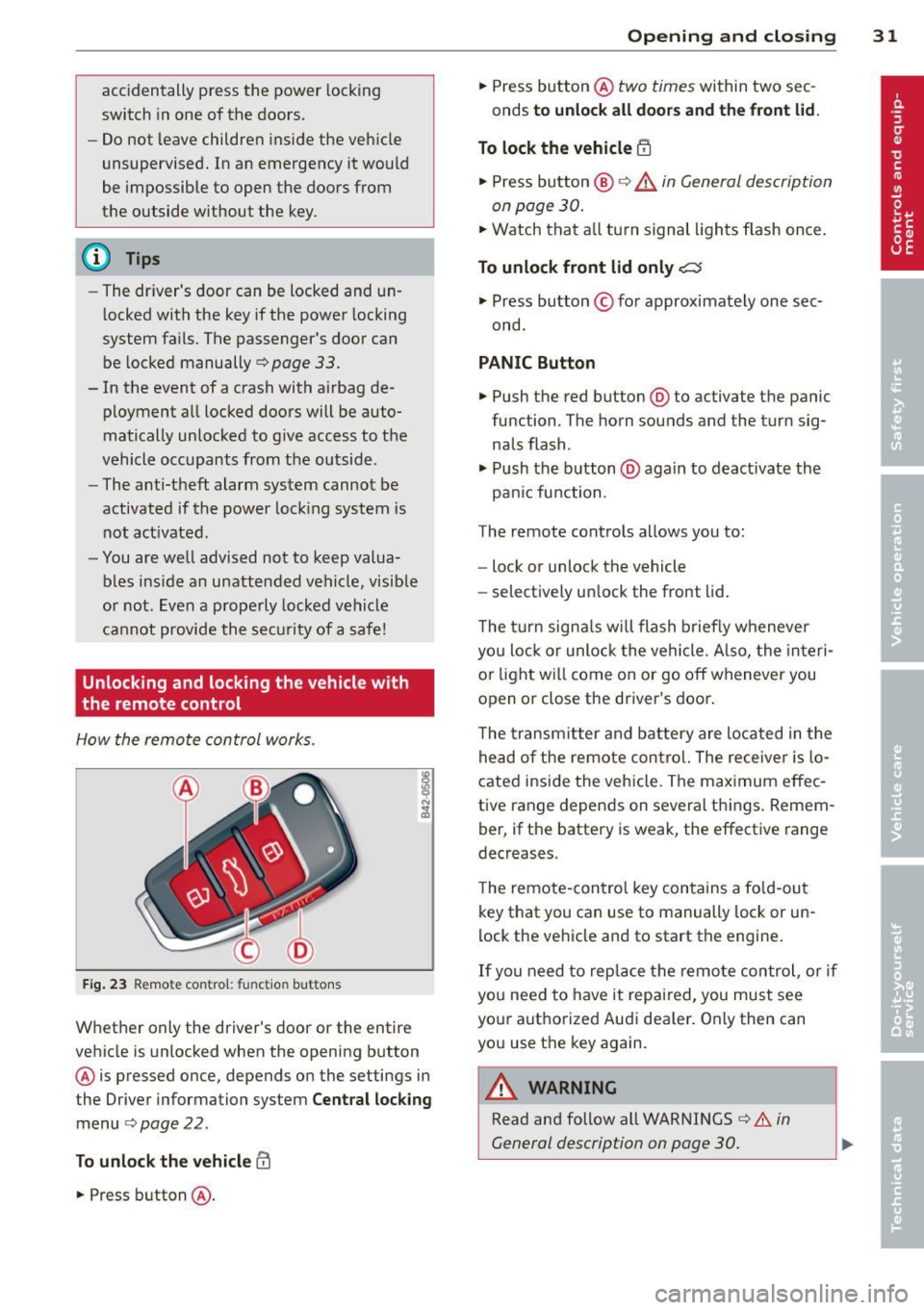
Fig. 23 Remote control: fu nctio n buttons
Whether only the driver's door or the entire
vehicle is unlocked when the opening button
@ is pressed once, depends on the settings in
the Driver information system
Central locking
menu o page 22.
To unlock the vehicle m
.. Press button @.
Opening and closing 31
.. Press button @ two times within two sec
onds
to unlock all doors and the front lid.
To lock the vehicle i'.'fl
.. Press button @ o &_ in General description
on page 30.
.,. Watch that all tu rn signal lights flash once.
To unlock front lid only C::$
.. Press button © for approximately one sec
ond.
PANIC Button
.,. Push the red button @to activate the panic
function . The horn sounds and the turn sig
nals flash.
.. Push the button @again to deact ivate the
pan ic function.
The remote controls allows you to:
- lock or unlock the vehicle
- selectively un lock the front lid.
The turn signals will flash briefly whenever
you lock or unlock the vehicle. Also, the interi
or light will come on or go off whenever you
open or close the driver's door .
The transmitter and battery are located in the
head of the remote control. The receiver is lo
cated inside the vehicle. The maximum effec
tive range depends on several things . Remem
ber, if the battery is weak, the effective range
decreases.
The remote-contro l key contains a fo ld-out
key that you can use to manually lock or un
lock the vehicle and to start the engine.
If you need to replace the remote control, or if
you need to have it repaired, you must see
your authorized Audi dea ler . Only then can
you use the key again.
A WARNING
Read and follow all WARNINGS o .&. in
General description on page 30.