engine AUDI R8 SPYDER 2015 User Guide
[x] Cancel search | Manufacturer: AUDI, Model Year: 2015, Model line: R8 SPYDER, Model: AUDI R8 SPYDER 2015Pages: 232, PDF Size: 58.36 MB
Page 19 of 232
Instrument s and warning /indicator ligh ts
..... N
r-N "':
@ Tips
If this warning/indicator light illuminates
while you are dr iving, then there is a malfunc
tion in the en gine electronics. Have the ma l
function corrected as soon as p ossible by your
author ized Audi dealer or qualified workshop .
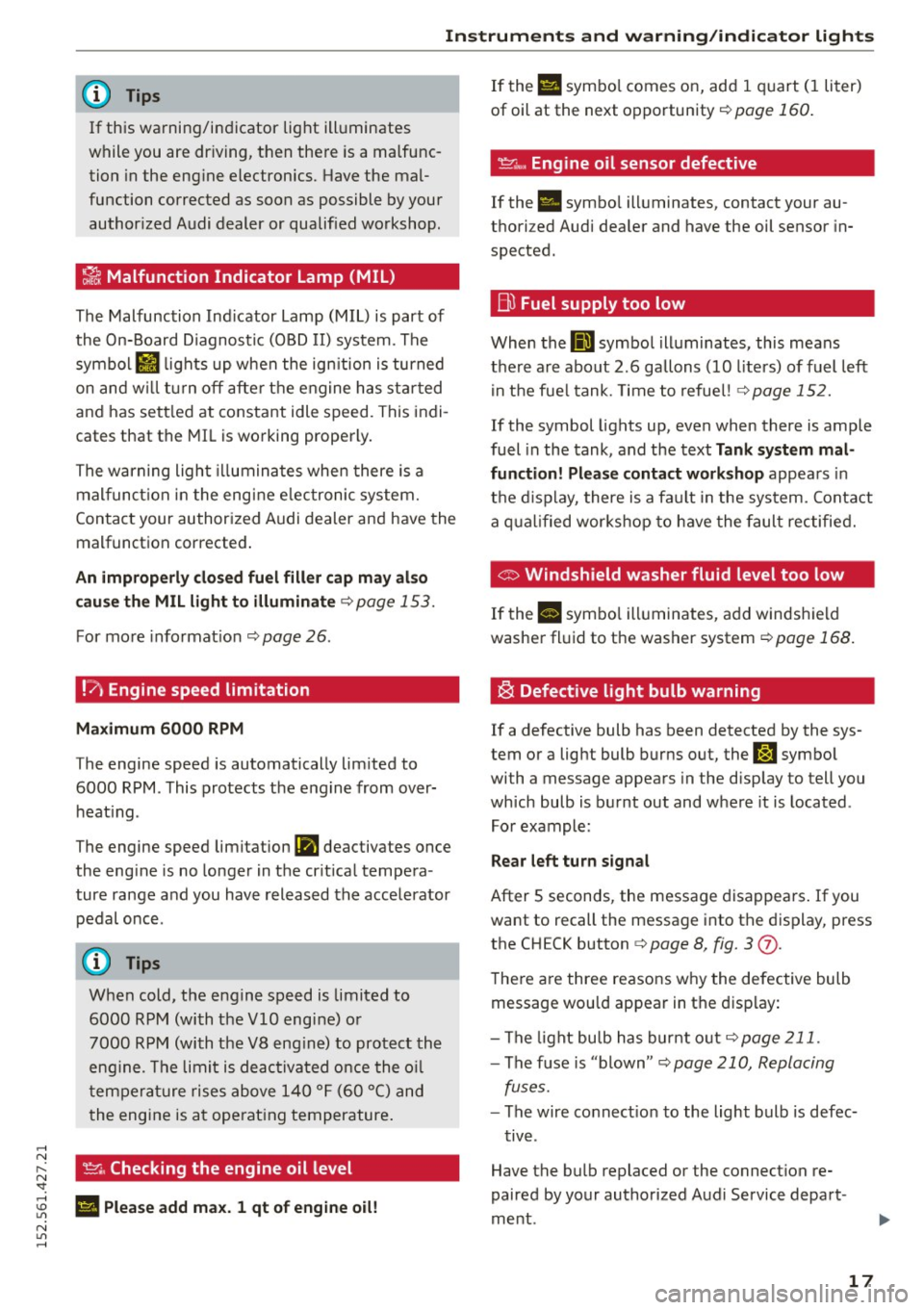
~ Malfunction Indicator Lamp (MIL)
The Malfunction Indicator Lamp (MIL) is part of
the On-Board Diagnostic (OBD II) system . The
symbo l
II lights up when the ign ition is turned
on and w ill tur n off after the engine has sta rted
and has sett led at constant idle speed. This indi
cates that the MIL is working properly.
The warning light illuminates when there is a
mal funct ion in the eng ine e lectronic system.
Contact your author ized Audi dealer and have the
malfunct ion corrected .
An improperly clo sed fuel fill er cap m ay al so
cau se th e MIL light to illuminate¢
page 153.
For more info rmat ion ¢ page 26.
!?' Engine speed limitation
Maximum
6000 RPM
T he engine speed is automatically lim ited to
6000 RPM. This protects t he engine from over
heat ing .
The engine speed limit ation
(Pl deac tivates once
the eng ine is no longer in the cr it ica l tempe ra
ture range and you have released the accelerator
pedal once.
When cold, the engine speed is limited to
6000 RPM (with the
VlO engine) o r
7000 RPM (with the V8 eng ine) to protect the
eng ine . T he limit is deac tivated once the o il
t em pera ture rises above 140 ° F (60 °C) and
t he engine is a t ope rat ing temperature .
~. Checking the engine oil level
; El Plea se add max. 1 qt of eng ine oil!
N
"' .....
If the Ell symbo l comes on, add 1 quart (I liter)
of oil at the next opportunity¢
page 160.
~"' Engine oil sensor defective
If the . symbo l ill um inates, contact your au
thori zed Audi dea ler and have the oil sensor in
spected.
B) Fuel supply too low
When the 00] symbol ill uminates, this means
there a re about 2 .6 gallons (10 liters) of fuel left
i n the fue l tank. Time to refue l! ¢
page 152.
If the symbol lights up , even when there is ample
fuel in the tank , and the text
Tank system mal
function! Please contact workshop
appea rs in
t h e d isplay, there is a fa ult in the system. Contact
a q ual ified wor kshop to h ave the faul t rec tified.
© Windshield washer fluid level too low
If the II symbo l ill uminates, add windsh ield
washe r fl uid to t he washer system
¢ page 168.
~ Defective light bulb warning
If a defective bulb has been detected by the sys
tem or a lig ht bulb burns out, the
J:J symbo l
wi th a message appears in the disp lay to tell you
which bulb is burnt out and w here it is located .
For example :
Rear left turn signal
After 5 seconds , the message disappears . If you
want to recall the message i nto the display, press
the CH ECK button ¢
page 8, fig. 3 (j).
The re a re three reasons w hy the defective bulb
message wou ld appear in t he display:
- The light bu lb has bur nt o ut
¢ page 211.
-The f use is "blown" <=-> page 210, Replacing
fuses.
- The wire co nnect ion to the light bulb is defec-
t iv e .
Have the bulb repl aced or the connect ion re
paired by your authorized Aud i Service depart
me nt.
17
Page 20 of 232
Instruments and warning/indicator lights
A WARNING
- Light bulbs are pressurized and cou ld ex
plode while they are being changed causing
serious persona l injury.
-
- Work with due care when handling the high
vo ltage section of gas discharge (xenon)
lamps. Fa iling to do so could result in death
or serious injury!
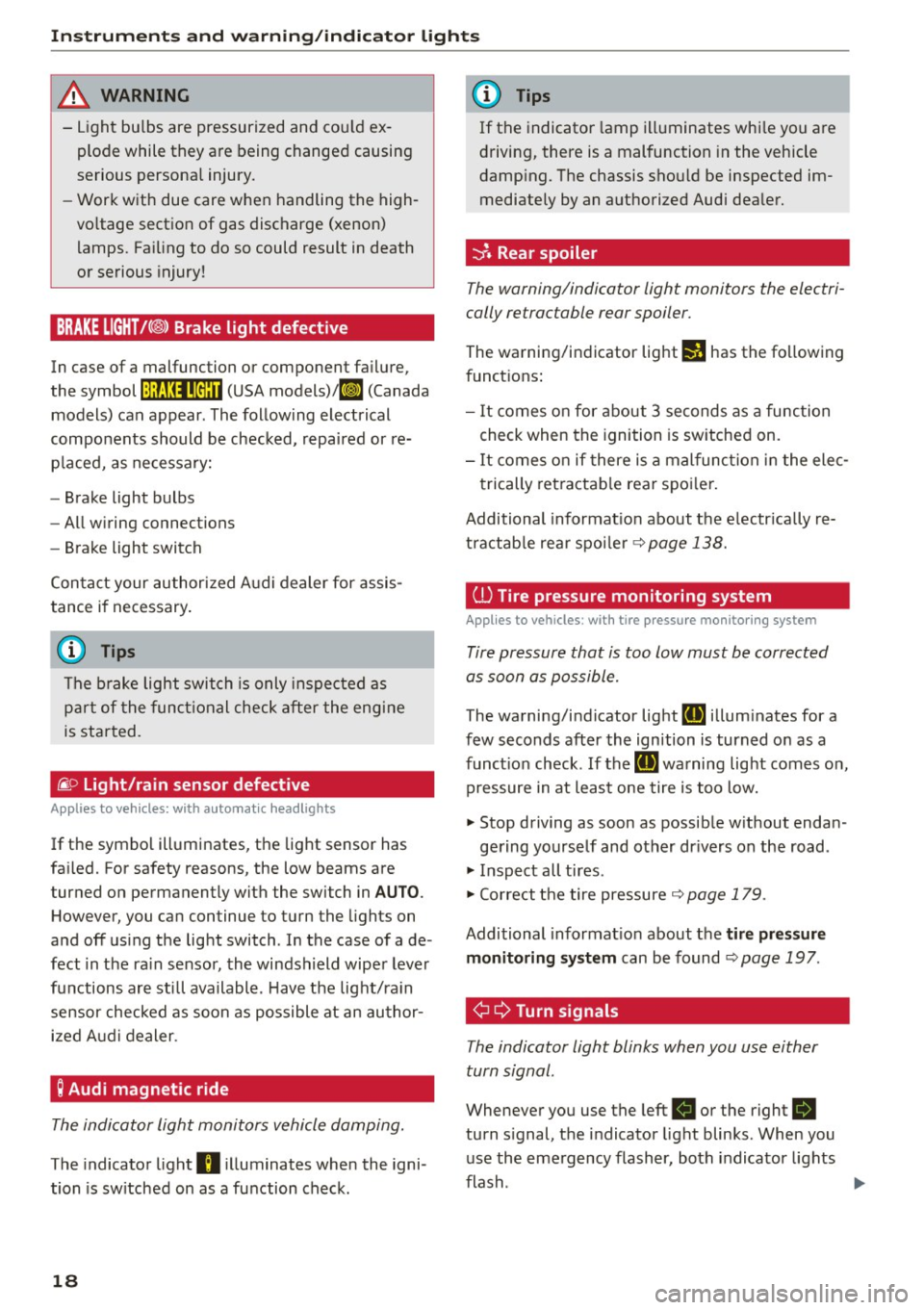
BRAKE LIGHT!< ®> Brake light defective
In case of a malfunction or component failure,
the symbol
!:ljf:Ul•@:U (USA models)/ ll] (Canada
models) can appear. The following electrical
components should be checked, repaired or re
p laced, as necessary:
- Brake light bulbs
- All wiring connections
- Brake light switch
Con tact your authorized Audi dealer for assis
tance if necessary.
(D Tips
The brake light switch is only inspected as
part of the functional check after the engine
is started.
/i. O
Light/rain sensor defective
Applies to veh icles: w ith automatic headlights
If the symbol illuminates, the light sensor has
fai led. For safety reasons, the low beams are
turned on permanently with the switch in
AUTO.
However, you ca n continue to turn the lights on
and off using the light switch . In the case of a de
fect in the ra in sensor, the windshield wiper lever
functions are still available . Have the light/ra in
sensor checked as soon as possible at an author ized Audi dealer.
; Audi magnetic ride
The indicator light monitors vehicle damping.
The indicator light B illuminates when the igni
tion is sw itched on as a function check.
18
(D Tips
If the indicator lamp illuminates whi le you are
driving, there is a malfunction in the vehicle
damping. The chassis should be inspected im
mediately by an authorized Audi dealer.
-::}. Rear spoiler
The warning/indicator light monitors the electri
cally retractable rear spoiler.
The warning/indicator light I! has the fo llowing
funct ions :
- It comes on for about 3 seconds as a function
check when the ignition is switched on.
- It comes on if there is a malfunction in the elec
trically retractable rear spoiler.
Additional informat ion about the e lectr ically re
tractable rear spoiler
~ page 138.
ill Tire pressure monitoring system
Applies to vehicles: with tire pressure monitoring system
Tire pressure that is too low must be corrected
as soon as possible.
The warning/indicator light [IJ illum inates for a
few seconds after the ignition is turned on as a
function check. If the
[IJ warning light comes on,
pressure in at least one tire is too low.
.. Stop driving as soon as possible w ithout endan -
gering yourself and other dr ivers on the road .
.. Inspect all tires .
.. Correct the tire pressure ~
page 179.
Additional informat ion about the tire pr essure
monitoring system
can be found~ page 197 .
¢ Q Turn signals
The indicator light blinks when you use either
turn signal .
Whenever you use the left B or the right R
turn signal, the indicator light blinks. When you
use the emergency flasher, both indicator lights
flash .
Iii>
Page 22 of 232
Driver information system
Driver information
system
Introduction
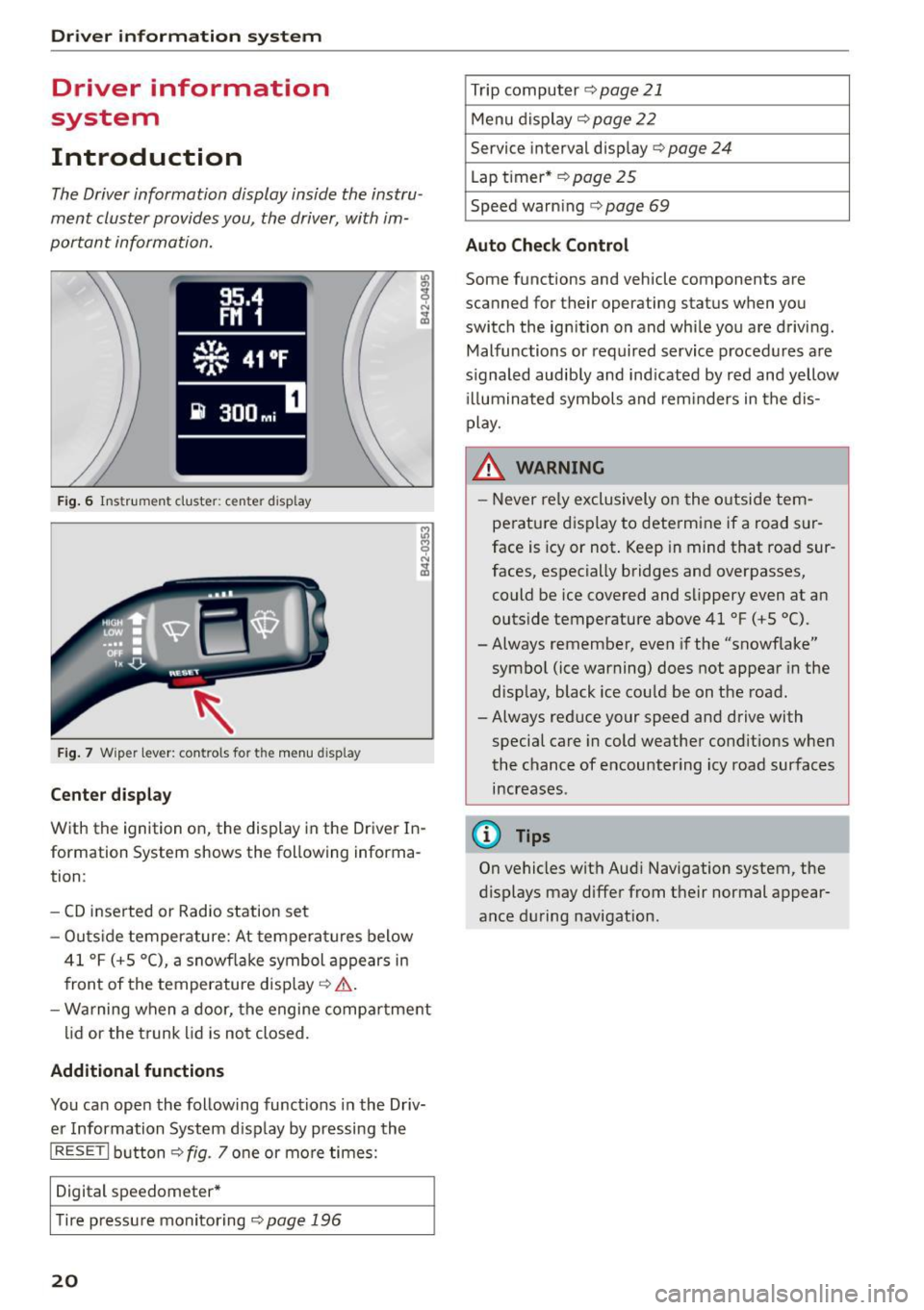
The Driver information display inside the instru
ment cluster provides you, the driver, with im
portant information.
F ig. 6 Instr um en t cluster: center display
Fig. 7 Wiper lever: controls for the menu display
Center display
With the ignition on, the display in the Driver In
formation System shows the following informa
tion :
- CD inserted or Radio station set
- Outs ide temperature: At temperatures below
41 °F (+ S
0
(), a snowflake symbol appears in
front of the temperature display ¢,& .
- Warning when a door, the engine compartment
lid or the trunk lid is not closed.
Additional functions
You can open the following functions in the Driv
er Information System disp lay by pressing the
I RES ET I button ¢ fig. 7 one or more times:
Digital speedometer*
T ir e pressu re monitoring
¢page 196
20
Trip computer ¢ page 21
Menu display ¢ page 22
Service interval display¢ page 24
Lap timer* ¢page 25
Speed warn ing ¢ page 69
Auto Check Control
Some functions and vehicle components are
scanned for their operating status when you
switch the ignition on and whi le you are driving .
Malfunctions or required service procedures are
signaled audib ly and ind icated by red and yellow
ill uminated symbols and reminders in the dis
play.
& WARNING -
- Never re ly exclusively on the outside tem
perature display to determine if a road sur
face is icy or not. Keep in mind that road sur
faces, especially bridges and overpasses,
could be ice covered and slippery even at an
outside temperature above 41 °F (+S °C).
-Always remember, even if the "snowflake"
symbol (ice warning) does not appear in the
display, black ice could be on the road.
- Always reduce your speed and drive with
special care in cold weather cond itions when
the chance of encountering icy road surfaces
increases.
(D Tips
On vehicles with Aud i Navigation system, the
displays may differ from their normal appear
ance during navigation.
Page 26 of 232
Driver information system
• Press the rocker switch until the desired line is
highlighted (cursor)~
fig. 14.
• Press the !R ESE T I button.
• If necessary, scroll by se lecting and activating
the symbol for "Next page" or "Previous page".
When you have selected the Computer menu and
activated it by p ressing the
! RESET I button, two
computer levels appear (computer 1 and comput
er 2) . Now you have to select the level you want
using the rocker switch and activate it with the
I RESET I button .
Service interval display
The service interval display reminds you when
your next service is due.
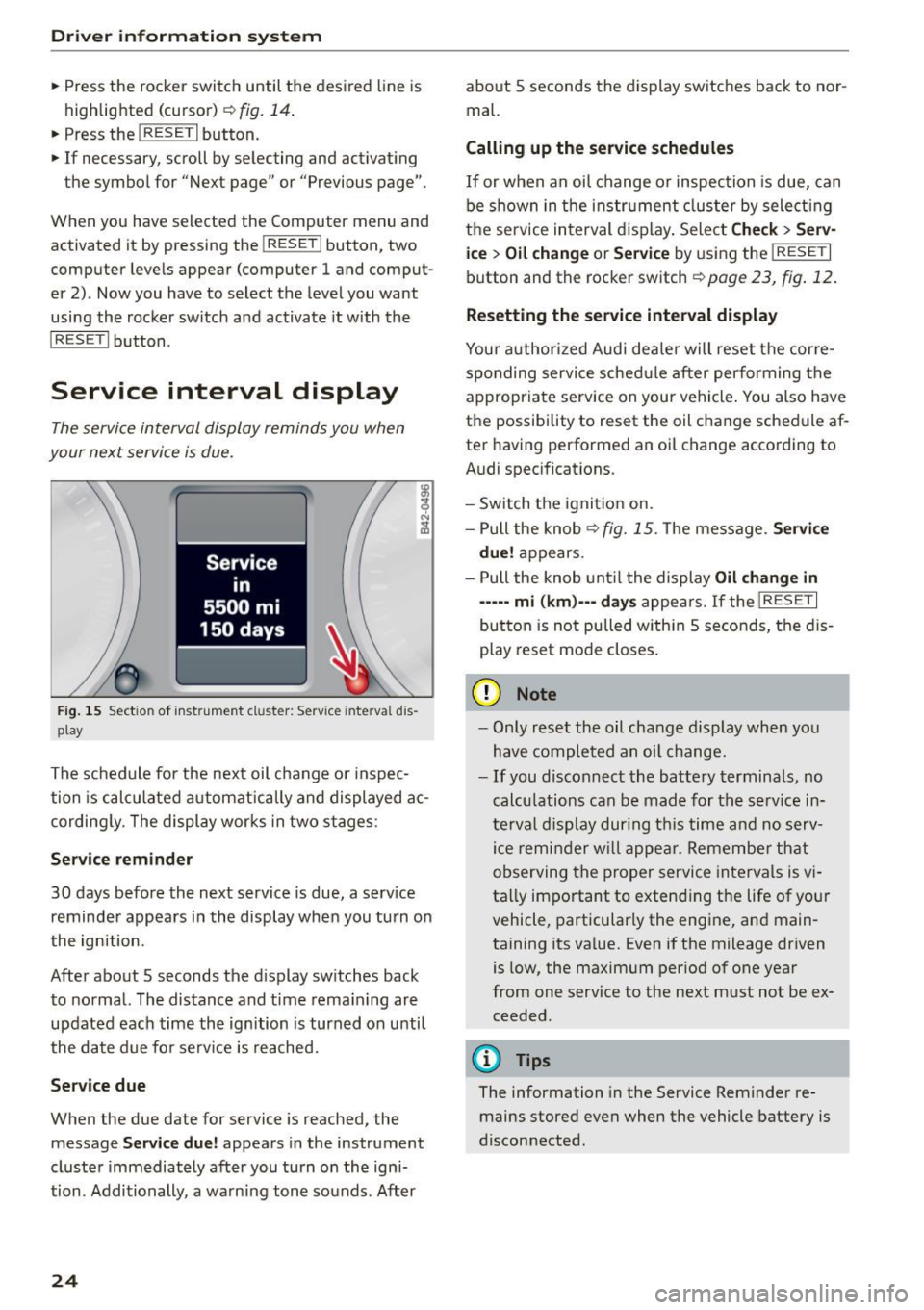
Fig. 15 Sectio n of inst rument cl uster: Serv ice in terva l dis
pl ay
The schedule for the next oil change or inspec
tion is calculated automatically and displayed ac
cording ly. The display works in two stages:
Service reminder
30 days before the next service is due, a serv ice
reminder appears in the display when you turn on
the ignition.
After about 5 seconds the display sw itches back
to normal. The distance and time remaining are
updated each time the ignition is turned on unti l
the date due for serv ice is reached.
Service due
When the due date for service is reached , the
mes sage
Service due! appears in the instrument
cluster immediately after you turn on the igni
tion . Additionally, a warning tone sounds. After
24
about 5 seconds the display switches back to nor
mal.
Calling up the service schedules
If or when an oil change or inspection is due, can
be shown in the instrument cluster by select ing
the se rvice interval display. Select
Check> Serv
ice
> Oil change or Service by using the I RESET I
button and the rocker switch ¢ page 23, fig. 12.
Resetting the service interval display
Your authorized Audi dealer will reset the corre
sponding service schedule after performing the
appropriate service on your vehicle . You also have
the possibility to reset the oil change schedule af
ter having performed an oi l change according to
Audi specifications.
- Switch the ignition on.
- Pull the knob<>
fig. 15. The message. Service
due!
appears.
- Pull the knob until the display
Oil change in
-----mi (km)---days appears. If the I RESE T I
button is not pulled with in 5 seconds, the dis
play reset mode closes.
(D Note
-Only reset the oil change display when you
have completed an oil change.
-If you disconnect the battery terminals, no
calculations can be made for the service in
terval display during this time and no serv
ice reminder will appear. Remember that
observing the proper service intervals is vi
tally important to extend ing the life of your
vehicle, particularly the engine, and main
taining its va lue. Even if the mileage driven
is low, the maximum per iod of one year
from one service to the next must not be ex
ceeded.
@ Tips
The information in the Service Reminder re
mains stored even when the vehicle battery is
disconnected .
Page 28 of 232
Drive r in formation syste m
fastest lap"+", the slowest lap"-" and the aver
age lap time "0" .
.. To continue t iming for additional laps, press
the wiper switch @ .
.. To reset the timer to zero, press and hold the
I RESET I button again for approximate ly 2 sec
onds .
.,. To sw itch the lap timer off comp letely, press
the
I RES ET I button br iefly.
@ Tips
- Saved lap t imes cannot be ind ividually de
l eted from the total results.
- The saved lap timer values will not be lost
after turn ing the ignit ion off.
On-Board Diagnostic
system (OBD)
Malfunction Indicator Lamp (MIL)
The Malfunction Ind icator Lamp (MIL)
llil is part
of the On-Board Diagnostic (OBD II) system .
The warning light illuminates when there is a malfunct ion in the engine electronic system . A
malfunct ion may have various causes:
- The fuel filler cap may be improperly closed
¢ page 153.
- T here is a leak in the fuel vapor recovery sys
tem .
- The engine control receives faulty vehicle road-
speed signals.
Contact your nearest authorized Audi dealer for
assistance.
I f the light illuminates , the catalyt ic converte r
could be damaged. Continue dr iving
w ith re
du ced pow er
(avoiding sustained high speeds
and/or rapid accelerations) and have the condi
tion corrected.
An improper ly closed fuel filler cap may also
cause the MI L light to illuminate
¢ page 153.
26
On-Board Diagnostics
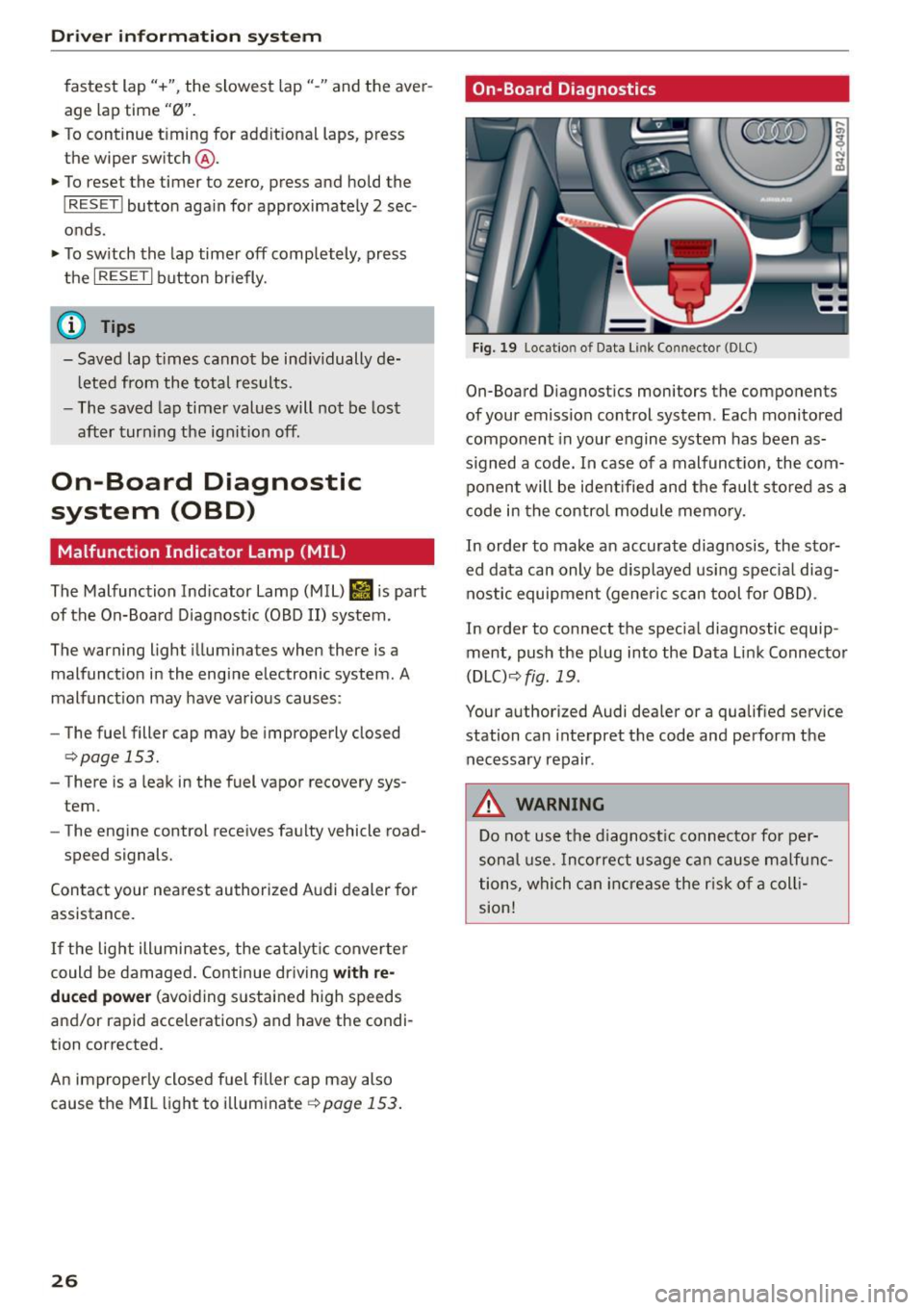
Fig. 19 Locatio n of Data Li nk Co nnector (DLC)
On-Board D iagnostics monitors the components
of your emission control system. Each monitored component in your engine system has been as
s igned a code. In case of a malfunct ion, the com
ponent will be ident ified and the fault stored as a
code in the control module memo ry.
In order to make an accurate diagnosis, the stor
ed data can only be d isplayed using spec ia l diag
nostic equipmen t (generic scan tool for OBD) .
In order to connect the special diagnostic equip ment, push the plug into the Data Link Connector
(DLC) ¢
fig. 19.
Your authorized Audi dealer or a qualified service
station can interpret the code and perform the
necessary repair .
A WARNING
Do not use the d iagnost ic connector for per
sona l use. Incorrect usage ca n cause ma lfunc
tions, which can increase the r isk of a coll i
sion!
-
Page 29 of 232
Opening and closing Keys
Key set
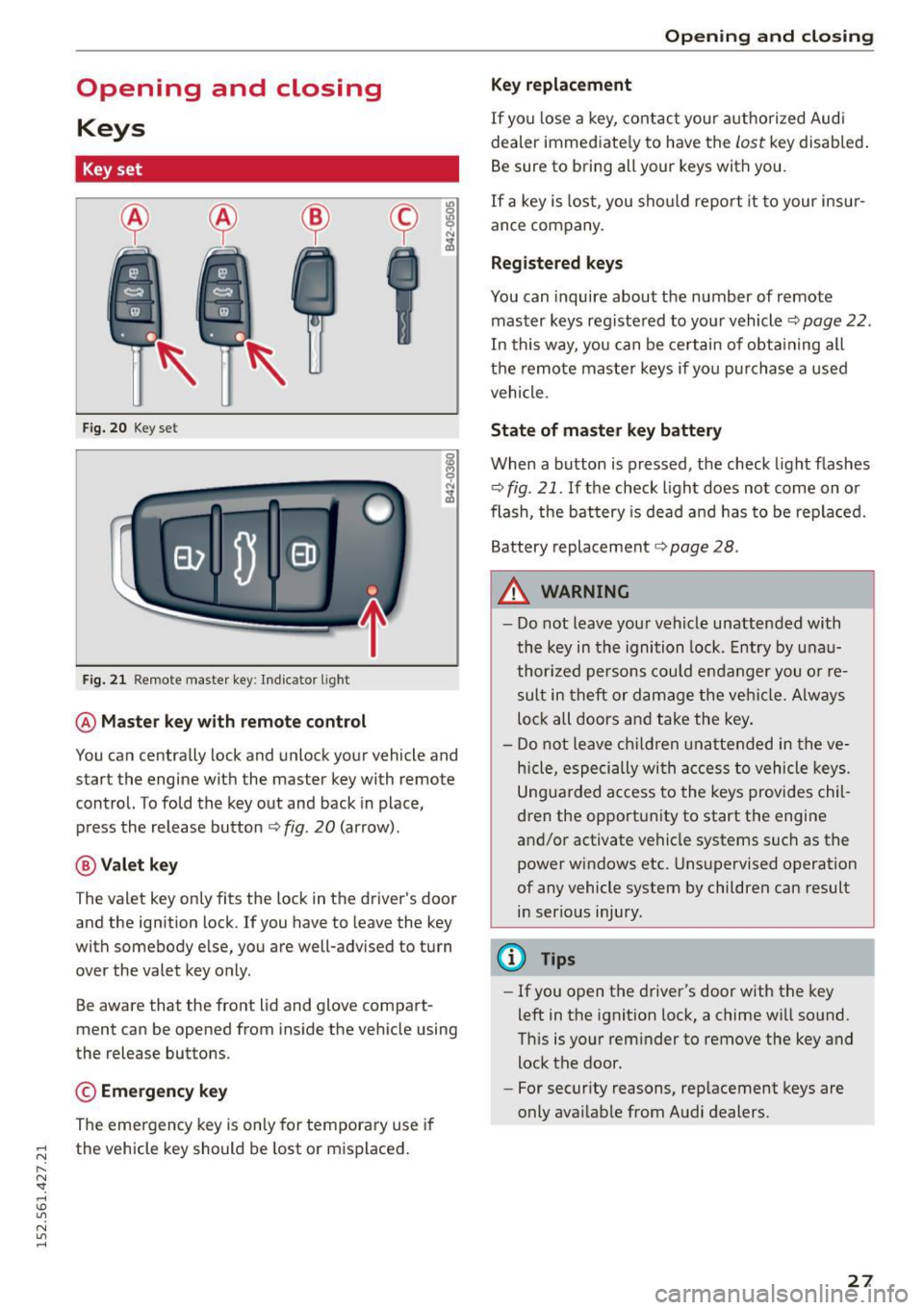
F ig. 20 Key set
Fig. 21 Remote master key : Indicator l ight
@ Ma ste r key with r em ote control
You can centra lly lock and unlock your vehicle and
start the engine with the master key with remote
control. To fold the key out and back in place,
press the release button
c:;, fig. 20 (arrow) .
@Vale t key
The valet key only fits the lock in the driver's door
and the ignition lock. If you have to leave the key
with somebody e lse, you are well-advised to turn
over the valet key o nly.
Be aware that the front lid and glove compart
ment can be opened from ins ide the vehicle using
the release buttons.
© Emergency k ey
The emergency key is only for temporary use if
;::: the vehicle key should be lost or misplaced.
l'N "1: rl I.O
"' N
"' rl
Open ing and clo sing
Key replac ement
If you lose a key, contact you r a uthorized Audi
dealer immed iate ly to have the
Lost key disab led .
Be sure to bring all your keys with you.
If a key is lost, you should report it to your insur
ance company.
Reg istered keys
You can inquire about the number of remote
master keys registered to your vehicle
c:;, page 22 .
In this way, you can be ce rtain of obta ining all
the remote master keys if yo u purchase a used
vehicle.
State of master key battery
When a button is pressed, the check light f lashes
c:;, fig. 21. If the check light does not come on or
flash, the battery is dead and has to be replaced.
Battery replacement
c:;, page 28.
A WARNING ..__
- Do not leave your vehicle unattended with
the key in the ignition lock. Entry by u nau
thor ized persons could endanger you or re
sult in theft or damage the vehi cle. Always
lock all doors a nd take the key .
- D o not leave ch ildren unattended in the ve
h icle, espe cially wi th access to vehicle keys.
Ungua rded access to the keys provides chil
dren the opportunity to start the engine
and/or activate vehicle systems such as the power windows etc. Unsupervised operation
of any vehicle system by children can result
i n ser ious injury.
@ Tips
- If you open the driver's door with the key
left in the ignition lock, a chime will so und.
Th is is your rem inder to remove the key and
lock the door.
- For security reasons, rep lacement keys are
only avai lable from Audi dealers.
-
27
Page 30 of 232
Opening and closing
Master key with remote control
The remote control allows you to lock or unlock
the vehicle electronically .
The transmitter and battery are located in the
head of the remote control. The receiver is locat
ed inside the vehicle . The max imum effective
range depends on several things . Remember, if
the battery is weak, the effective range dec reas
es .
If you need to replace the remote control , or if
you need to have it repaired, you must see your author ized Audi dealer. Only then can you use the
key again .
0) Tips
-If the ignition is sw itched on, the remote
control system is deact ivated.
- The remote control system can be affected
by other systems operating in the same fre
quency range close to the vehicle, such as
mobile te lephones, television broadcasting
stations, etc.
- For Declaration of Compliance to United
States FCC and Industry Canada regulations
¢page 218.
Master key battery replacement
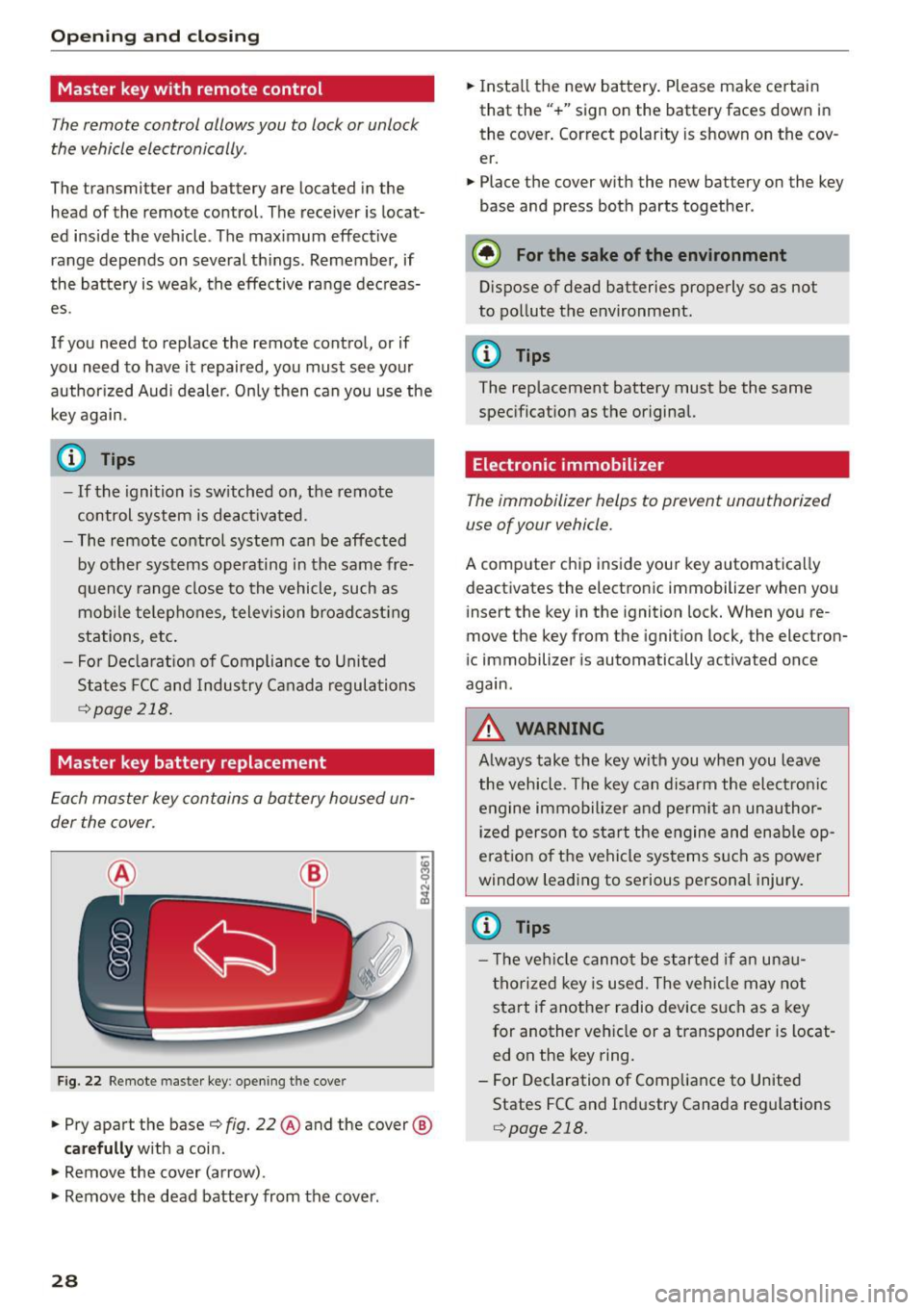
Each master key contains a battery housed un
der the cover.
Fig. 22 Remote master key: opening t he cove r
• Pry apart the base¢ fig. 22 ® and the cover @
carefully with a coin.
• Remove the cover (arrow) .
• Remove the dead battery from the cover .
28
• Insta ll the new battery . Please make certain
that the" +" sign on the battery faces down in
the cover . Correct polarity is shown on the cov
er.
• Place the cover with the new battery on the key
base and press both parts together .
@ For the sake of the environment
D ispose of dead batteries properly so as not
to pollute the environment.
@ Tips
The replacement battery must be the same
specification as the original.
Electronic immobilizer
The immobilizer helps to prevent unauthorized
use of your vehicle.
A comp uter chip inside your key automatical ly
deactivates the electronic immobilizer when you
insert the key in the ignition lock. When you re
move the key from the ignition lock, the electron
ic immobilizer is automatically activated once
again .
A WARNING
Always take the key with you when you leave
the vehicle. The key can disarm the electronic
engine immobilizer and perm it an unauthor
ized person to start the engine and enab le op
e rat ion of t he vehicle systems such as power
window leading to serious personal injury.
{D Tips
- The veh icle cannot be started if an una u
thorized key is used. The vehicle may not
start if another radio device such as a key
for another veh icle or a transponder is locat
ed on the key ring.
- For Declaration of Compliance to United
States FCC and Industry Canada regulations
r::>page 218.
Page 33 of 232
.... N
l'
N "1: .... I.O
"' N
"' ....
on the vehicle to make sure it is properly
l ocked.
- Do not use the remote control if you are in
side the car, otherwise you may unintention
ally lock the vehicle, and then you would set
off the ant i-theft a larm when you try to
start the engine or open a door . In case this
happens anyhow, push the unlock button©.
- Use the panic funct ion only if you are in an
emergency situa tion.
Resetting the remote control
The remote control must be reset if the vehicle
does no t unlock .
.. Press the unlock button 0 on the remote con
trol.
.. Manually unlock the driver's door lock with the
mechan ical key wi thin 30 se cond s.
.. Press e ither the lock-
{fl or the unlock CD button
to comple te the reset sequence .
Operating locks with the key
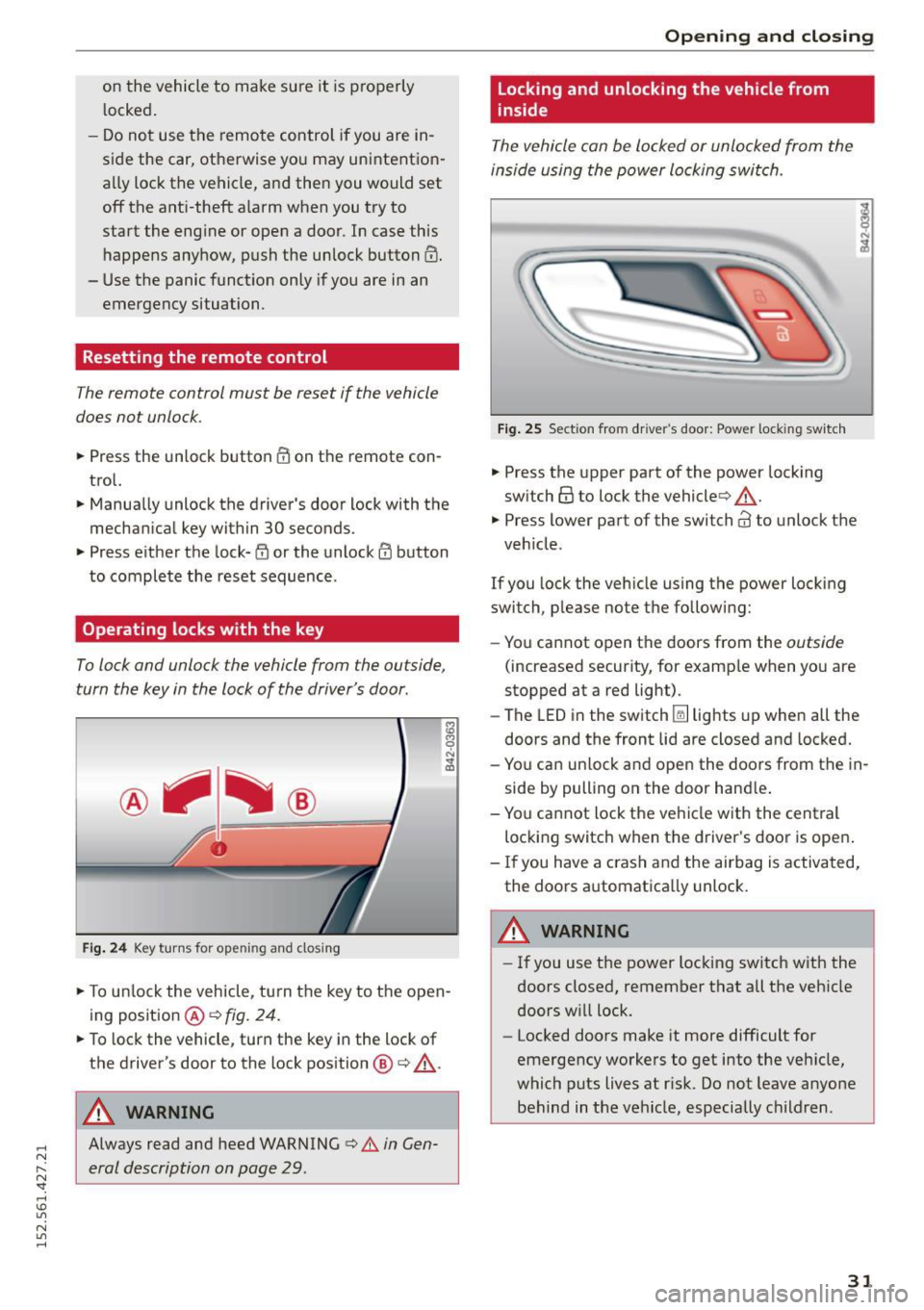
To lock and unlock the vehicle from the outside ,
turn the key in the lock of the driver's door .
Fig. 24 Key turn s for op ening and closin g
.. To un lock the vehicle, tu rn t he key to the open
ing position @¢
fig. 24 .
.. To lock the vehicle , turn the key in the lock of
the driver's door to the lock position @
c:> .&_.
A WARNING
Always read and heed WARNING c> A in Gen
eral description on page 29 .
Opening and clo sing
Locking and unlocking the vehicle from
inside
The vehicle can be locked or unlocked from the
inside using the power locking swi tch .
Fig . 2 5 Sect ion fro m drive r's door : Powe r loc king switc h
.. Press the upper part of the powe r lock ing
sw itch@ to lock the vehicle ¢,&. .
.,. Press lower part o f the sw itch@ to unlo ck the
veh icle .
If you lock the veh icle using the power locking
switch, p lease no te t he following:
- You cannot open the doors from the
outside
(increased security, for examp le when you are
stopped at a red light) .
- The LED in the switch~ lights up when all the
doors and the front lid a re closed and locked.
- Yo u can un lock and open the doors from the in
side by pulling on the door hand le .
- You ca nnot lock the ve hicle w it h the central
locking switch when the d river's door is open .
- If you have a crash and the airbag is activated,
the doors a utomatically unlock.
A WARNING
-
- If you use the power loc king switch with the
doors closed, remember that all the veh icle
doors w ill lock.
- Locked doors make it more difficult for
emergency workers to get into the veh icle,
which puts lives at r isk. Do not leave anyone
behind in the vehicle, especially children .
31
Page 36 of 232
Opening and closing
W hen the system is activated, the ala rm w ill be
triggered if one of the doors, the engine com
partment lid or the front lid are opened.
The ant i-theft a larm system will a lso go off when
the battery is disconnected.
You ca n also tr igger the alarm by p ressing the
PAN IC b utton o n your remote-c on trol key . Thi s
will alert o ther people in case of emergency.
Press the
PANIC button again to t urn off the
alarm.
How is the anti-theft alarm switched off
when trigg ered?
The ala rm sys tem is switc hed off when you un
lock the vehicle using the remote-contro l key or
when the ignit ion is switched on. The a larm w ill
a lso switch itself off when it comes to the end of
its cycle .
Emergency flasher
The emergency f las her will blink briefly w hen the
doors, engine compartment lid and front lid are
properly closed.
If the emergency flashers do no t blink , check the
doors, engine compartment lid and front lid to
make sure they are properly closed . If you close a
door, the engine compartment lid or the front lid
with the an ti-theft alarm switc hed on, the emer
gency flashers will bli nk only after you have
closed the door or lid .
(D Tips
For the anti-theft alarm system to function
properly, make sure all vehicle do ors and w in
dows are closed befo re leavi ng the veh icle .
34
Power windows
Controls
The driver can operate all windows .
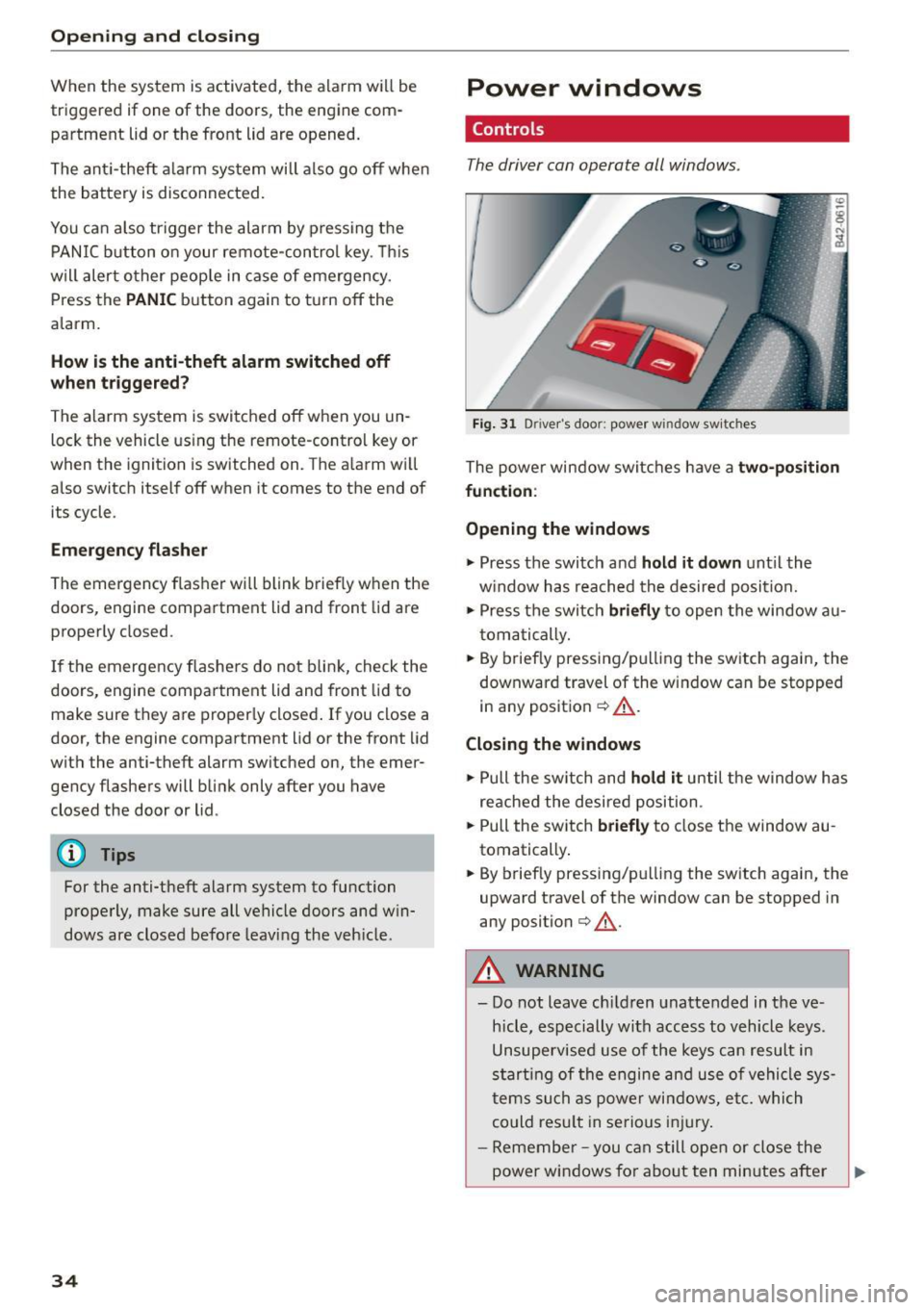
Fig. 3 1 Driver 's doo r: powe r w in dow swi tches
The power window swi tc h es h ave a two-positi on
fun ction :
Opening the windows
.,. Press the switch and hold it down unt il the
w indow has reached the desired posi tion.
.,. Press the switch
briefly to open the window a u
t om atic ally .
.,. By brief ly pressing/p ulling the sw itch again, the
downward travel of the window can be stopped
in any positio n
¢ .&,.
Closing the windows
.,. Pull the sw itch and hold it until t he w indow h as
re ached the desire d position .
.,. Pull the sw itch
briefly to close the window au
tomatically .
.,. By briefly pressing/p ulli ng the switch again, the
upward travel of the window can be stopped in
any position
¢ ,& .
A WARNING
-Do not leave ch ild ren unattended in the ve
hicle, especially with access to vehicle keys .
Unsupervised use of the keys can re sult in
s tarti ng of the engine and use of vehi cle sy s
t ems su ch as power wi ndow s, e tc. whic h
co uld res ult in se rious i njury.
- Remembe r -you ca n still ope n or close the
power windows fo r abo ut ten minutes after
Page 41 of 232
..... N
r--N "': ..... \!) ..,.,
N ..,., .....
- Ma ke sure no one will be in jured by the con
vertible top supports and other moving ob
jects on the ve hicle when opening and clos
ing the top.
(D Note
To prevent damage to the convertible top:
- do not store any objects in the convertible
top storage bay .
- make sure there is enough space above the
vehicle when openi ng or closing the conver
tib le top.
(D Tips
- When the indica to r l amp f+j blinks, there is
a system ma lf u nction
¢page 15.
-The one-touch opening f unction is not avail
able when the vehicle is traveling below
4 mph (6 km/ h) o r above 31 mph (SO km/
h). If this is the case, a warn ing tone will
sound and a message will appear in the in
str ument cluster¢
page 39.
Error message in the instrument cluster
display
An error message appears if the convertible top
cannot open or close.
Severa l conditions must be met for the converti
b le top to open or close automatically .
An error message in the inst rument cluste r dis
p lay indicates i f one of the cond itions is not met
or there is a malfunction.
Soft top : Please clo se engine lid!
The engine compa rtment lid must be closed
when opening or clos ing the converti ble top . This
message appears in the instrument cluster dis
p lay if the engine compartment lid is not closed.
Soft top : Cannot be used!
This e rror message appears if the convertib le top
cannot open or close because of safety reasons or
if there is a malfunction. The following causes a re
possible:
- The vehicle is traveling too fa st: Conver tible
top operation is deactivate d for safety reasons
Con vertible top
if the vehicle is traveling too fast . A message
w ill appea r. Reduce the vehicle speed and pull
or press the switc h aga in to open or close the
convert ible top.
- The battery voltage is too low: Th e convert ible
top cannot open o r close i f the battery vo ltage
is too low. T his ensures there w ill be enough
battery voltage left to sta rt the ve hicle. The
convert ible top can be operated again after the
eng ine is s tarted.
- Overload protection is active: Operating the
convert ible top continuously fo r a long period
of t im e places stress on the hydrau lic uni t.
Ove rload p rotection is activa ted to prevent
d am age to the system. This pro te ct ive f unct ion
p reven ts the convertib le top from opening o r
close for approximate ly 15 to 30 minutes.
It
w ill function again afte r that ¢& .
-Malfun ction: Failure of sys tem components is
one poss ible cause for malf unct ion . If this hap
pens, yo u can also operate the conve rtible top
by hand
<=> page 41.
- The exterior temperature i s too low: Th e con
vertible top will not open in temperatures be
low (5 ° F) (-15 QC).
Soft top not secure
If the convertib le top is not completely open or
cl osed and the vehicle is traveling too fast, the
error message above appears and a wa rn ing tone
sounds. Reduce the veh icle speed and pull or
press the sw itch agai n to ope n or close the co n
vertib le top.
A WARNING
--
N eve r drive when the c onver tible top is not
l ocked correctly . Th e wind from driving co uld
cause the conve rtible top to open . This can re
sul t in injur ies and d amage to t he ve hicle .
39