instrument cluster AUDI RS5 CABRIOLET 2013 Owner's Manual
[x] Cancel search | Manufacturer: AUDI, Model Year: 2013, Model line: RS5 CABRIOLET, Model: AUDI RS5 CABRIOLET 2013Pages: 286, PDF Size: 71 MB
Page 98 of 286
96 Audi adaptive cruise control and braking guard
Interrupting cruise control
Applies to vehicles: with Audi adaptive cruise control
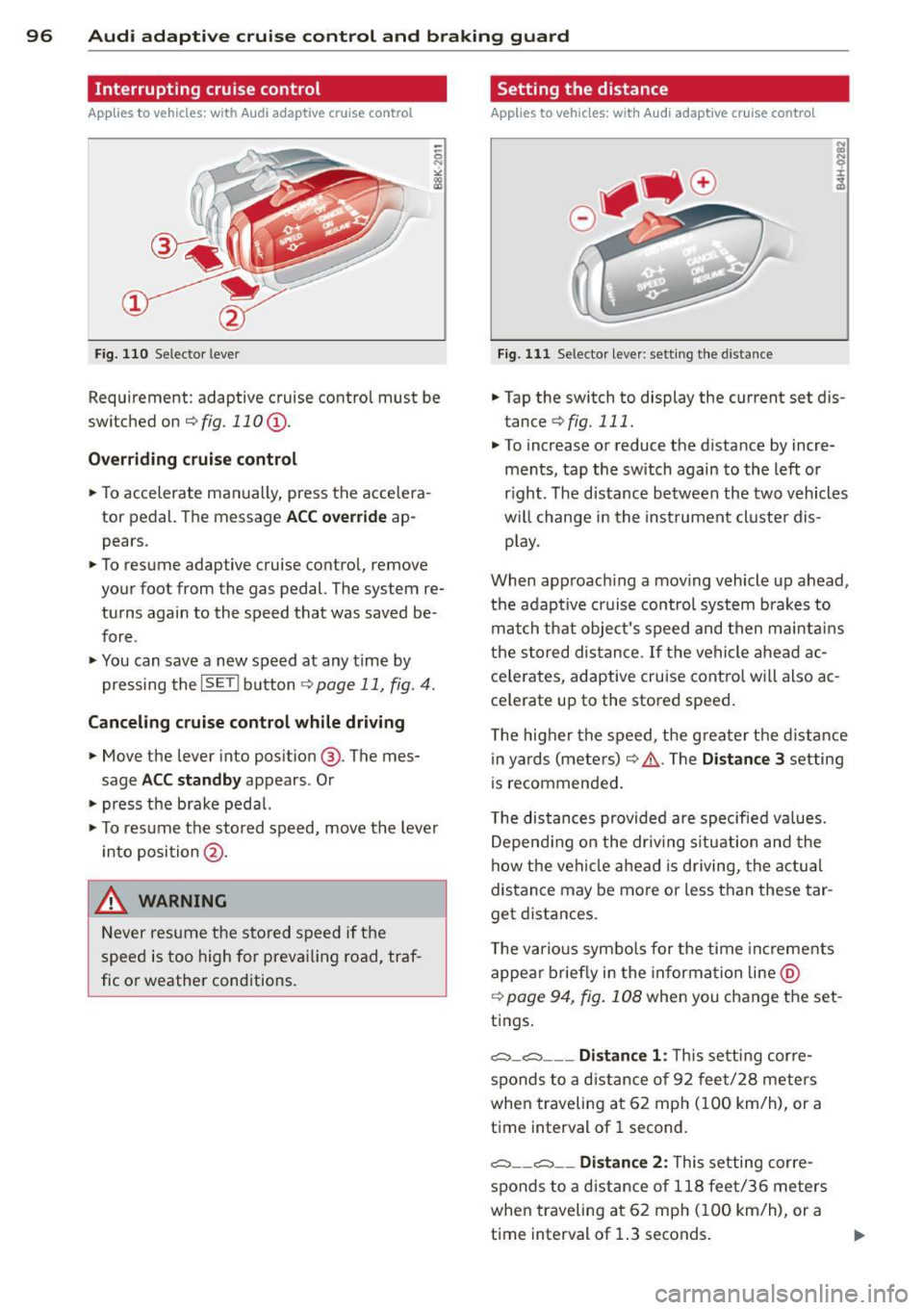
Fig. 110 Selector leve r
Requirement : adaptive cruise contro l must be
switched on
¢fig.110 (i).
Overriding cruise control
.. To accelerate ma nually, press the accelera
tor pedal. The message
ACC override ap
pears .
.. To resume adaptive cruise control, remove
your foot from the gas pedal. The system re
turns again to the speed that was saved be
fore .
.. You can save a new speed at any time by
pressing the
I SETI button ¢ page 11, fig. 4.
Canceling cruise control while driving
.. Move the lever into posit ion @. The mes
sage
ACC standby appears . Or
.. press the brake pedal.
.. To resume the stored speed, move the lever
into position @.
&_ WARNING
Never resume the stored speed if the
speed is too high for prevailing road, traf
fic or weather cond itions.
Setting the distance
Applies to vehicles: wit h Audi adapt ive cr uise contro l
Fig. 111 Selector lever : sett ing the distance
.. Tap the switch to display the current set dis
tance
¢ fig. 111 .
.. To increase or reduce the distance by incre
ments, tap the switch again to the left or
r ight. The distance between the two vehicles
w ill change in the instrument cluster dis
play .
When approach ing a moving vehicle up ahead,
the adaptive cruise control system brakes to
match that object's speed and then maintains
the stored dis tance. If the vehicle ahead ac
ce le rates, adaptive cruise control will also ac
ce lerate up to the stored speed.
T he higher the speed, the greater t he distance
in yards (meters)
c:::> /1.. Th e Distan ce 3 setting
is recommended .
T he distances provided are specified va lues .
Depending on the driv ing situation and the
how the veh icle ahead is driving, the actual
distance may be more or less than these tar
get distances.
T he various symbols for the time inc reme nts
appear briefly in the information line @
¢ page 94, fig. 108 when you change the set
tings.
c::::,_c::::, ___ Distance 1: Th is setting corre-
sponds to a distance of 92 feet/28 meters
when traveling at 62 mph (100 km/h), or a
time interval of 1 second.
c::::, __ c::::, __ Distance 2: This setting corre
sponds to a distance of 118 feet/36 meters
when traveling at 62 mph (100 km/h), or a
time interval of 1.3 seconds.
Page 99 of 286

Audi adaptive cruise control and braking guard 97
~---~-Distance 3: This setting corre
sponds to a distance of 164 feet/SO meters
when traveling at 62 mph (100 km/h), or a
time interval of 1.8 seconds .
~----~ Distance 4: This setting corre
sponds to a distance of 210 feet/64 meters
when traveling at 62 mph (100 km/h), or a
time interval of 2.3 seconds .
A WARNING
Following other vehicles too closely in
creases the risk of collisions and serious
personal injury.
- Setting short distances to the traffic
ahead reduces the time and distance
available to bring your vehicle to a safe
stop and makes it
even more necessary
to pay close attention to traffic.
-Always obey applicable traffic laws, use
good judgment, and select a safe follow
ing distance for the traffic, road and
weather conditions .
¢j) Tips
- Distance 3
is set automatically each time
you switch the ignition on.
- Your standard settings are automatically
stored and assigned to the remote con
trol key being used.
Setting the driving program
Applies to vehicles: with Audi adaptive cruise control
Depending on the selected driving program
and distance, driving behavior when accelerat
ing will
vary from dynamic to comfortable.
Setting the driving program for vehicles
without Audi drive select*
~ In the radio/MMI*, select: !CAR !funct ion
button >
Adaptive cruise control > Driving
prog.
> comfort, standard or dynamic. Or
~ Select : !CARI function button> Car systems*
control button > Driver assist > Adaptive
cruise control
> Driving program* > Com
fort, Standard
or Dynamic. Setting the driving mode for vehicles with
Audi drive select*
Refer to
¢ page 105.
(D Tips
Your settings are automatically stored and
assigned to the remote control key being
used.
Request for driver intervention
Applies to vehicles : with Audi adaptive cruise contro l
Fig. 112 Instrument d uster: request for drive r inte r
ve ntion
In certain situations, the system will prompt
you to take action. This could happen, for ex
ample, if braking by the adaptive cruise con
trol system is not enough to maintain enough
distance to the vehicle ahead.
The instrument cluster will warn you about
the danger ¢
fig. 112:
-A red vehicle is pictured in the display.
- The text
DISTANCE! appears in the status
bar.
- The red indicator light
I blinks .
- In addition, a warning tone sounds .
Page 105 of 286

Have your authorized Audi dealer or au
thorized Audi Service Facility check their
function.
@ Tips
- If the window glass in the driver's door
or front passenger's door has been tint
ed, the display in the exterior mirror may be misinterpreted .
- For Declaration of Compliance to United
States FCC and Industry Canada regula
tions
¢ page 267.
Activating and deactivating
Applies to vehicles: with Audi side assist
Fig. 118 Drive r's d oor : Sid e ass ist bu tton
.. Press the button ¢.&. in General informa
tion on page 102
to switch the system on/
off . The LED in the button turns on when
side assist is switched on.
Adjusting the display brightness
Applies to vehicles: with Audi side assist
The signal brightness can be set in the radio
orMMI* .
.. Select : ICARI function button> Audi side as
sist.
.. Select : I CARI function button > Car systems*
control button > Driver assist > Audi side
assist.
The display brightness adjusts automatically
to the brightness of the surroundings, both in
the information and in the warning stage. In
very dark or very bright surroundings, the dis play is already set to the minimum or maxi
mum level by the automatic adjustment. In
Audi side assist 103
such cases, you may notice no change when
adjusting the br ightness, or the change may
only be noticeable once the surroundings
change.
Adjust the brightness to a level where the dis
play in the information stage will not disrupt
your view forward. If you change the bright
ness, the display in the exterior mirror will
briefly show the brightness level in the infor
mation stage. The brightness of the warning
stage is linked to the brightness in the infor
mation stage and is adjusted along with the
information stage adjustment.
(D Tips
- Side assist is not active while you are
making the adjustment.
- Your settings are automatically stored
and assigned to the remote control key
being used.
Driver messages
Applies to vehicles: wit h Aud i side ass ist
If side assist switches off by itself, the LED in
the button turns off and a message will ap
pear in the instrument cluster display:
Audi side assist unavailable: Sensors blocked
The radar sensors' vision is affected . Do not
cover the area in front of the sensors with bike
wheels, stickers, dirt or other objects. Clean
the area in front of the sensors, if necessary
¢page 101, fig . 117.
Audi side assist: Currently unavailable
Side assist cannot be switched on temporarily
because there is a malfunction (for example,
the battery charge level may be too low) .
Audi side assist: System fault!
The system cannot guarantee that it will de
tect vehicles correctly and it is switched off.
The sensors have been displaced or are faulty.
Have the system checked by an authorized
Audi dealer or authorized Audi Service Facility
soon.
Page 107 of 286

Selecting the driving mode
Applies to vehicles: with Audi drive select
You can choose between Comfort , Auto , Dy
namic
and Indi vidu al* modes .
drive I I a,. selact ~
Fig. 1 19 Ce nter co nsole: Con tro l for Aud i d ri ve se lect
F ig . 120 MM I* : A udi drive se lect
,.. To set the mode, press the 1:i.l'.1 button
9 fig. 119 multiple times until the desired
mode is displayed in the instrument cluster.
Or
Adjusting the Individual mode
Appl ies to vehicles: wit h MMI and Audi drive select
Audi dri ve sele ct 105
,.. In the MMI*, select : ICARlfunction button>
C o mfort , Au to , D ynamic or Indi vidual *.
In vehicles without the MMI*, the r:i.r.~ button
is found underneat h the selector lever .
You can c hange the driving mode whe n the ve
hicle is stationary or whi le driving. If traffic
permits, after changing modes, briefly take
you r foot off the acce le rator pedal so that the
recently selected mode is a lso activated for
the engine and transm ission.
C omf ort -prov ides a comfort-oriented veh icle
setup and is suited for long drives on high
ways .
Auto -provides an overall comfortable ye t dy
nam ic dr iving feel and is suited for every day
u se.
Dynamic -gives the vehicle a sporty driving
feel and is suited to a spo rty dr iv ing style.
I n d iv idual * -¢ page 105.
A WARNING
Pay attention to traffic when operating
drive select to prevent potential risk of an
accide nt.
-
You can personally specify the vehicle setup in the MMI".
,.. Select the ICAR I function button > S et indi
v idu al
control button . Once you select the
menu, you will automatically drive in the
i n
di vidual
mode .
System s Comfort
Engine /Transmi ssi on
balanced
Steering comfortable
Dynamic ste ering * comfortable/ind ire ct
Sport differential* balanced
Adaptiv e cruise control * comfortable The equipment in your vehicle will determine
which sett
ings you can adjust. The following
table prov ides an overview of the characteris
t ics of each driving mode.
Auto Dynamic
balanced sporty
balanced sporty
balanced/direct sporty/direct agile sporty
balanced sporty
Page 131 of 286
Safety belts
General notes
Always wear safety belts!
Wearing safety belts correctly saves lives!
This chapter exp lains why safety be lts are nec
essary, how they work and how to adjust and
wear them correctly.
~ Read a ll the informat ion that fo llows and
heed all of the inst ruct ions and WARNINGS.
A WARNING
Not wearing safety belts or wearing them
improperly increases the risk of ser ious
personal inj ury and death .
- Safety belts are the sing le most effective
means availab le to red uce the r isk of se
rious injury and death in a utomob ile acci
dents . For your prot ecti on and that of
yo ur passenge rs, always co rrec tly wear
sa fe ty bel ts when the ve hicle is mov ing.
- P re g nant women, injured, or physically
impai red perso ns must also use safe ty
belts. L ike a ll vehicle occup ants, they are
more like ly to be ser ious ly injure d if they
do not wea r safety be lts . The best way to
protect a fet us is to protect the mother -
thro ughout the entire pregnancy.
Number of seats
Your Audi has a total of four seating positions:
two in the front and two in the rear. Each seat
i n g position has a safety belt.
A WARNING
N ot wea ring safety belts or wea ring them
improperly increases the risk of ser ious
personal i njury an d deat h.
- Never st rap more than one pe rson, in
cl ud ing small ch ild ren, into a ny belt . It is
e speci ally dangerous t o pl ac e a safety
bel t over a child s itting on yo ur la p.
- N ever le t mo re people ride in t he ve hicle
th an there are s afe ty be lts availab le.
Safety belts 12 9
- Be s ure everyone riding in the vehicle is
properly restrained w ith a separate safe
ty belt or child restra int.
Safety belt warning light
Your vehicle has a warning system for the
driver and (on USA models only) front seat
passenger to remind you about the impor
tance of buckling-up.
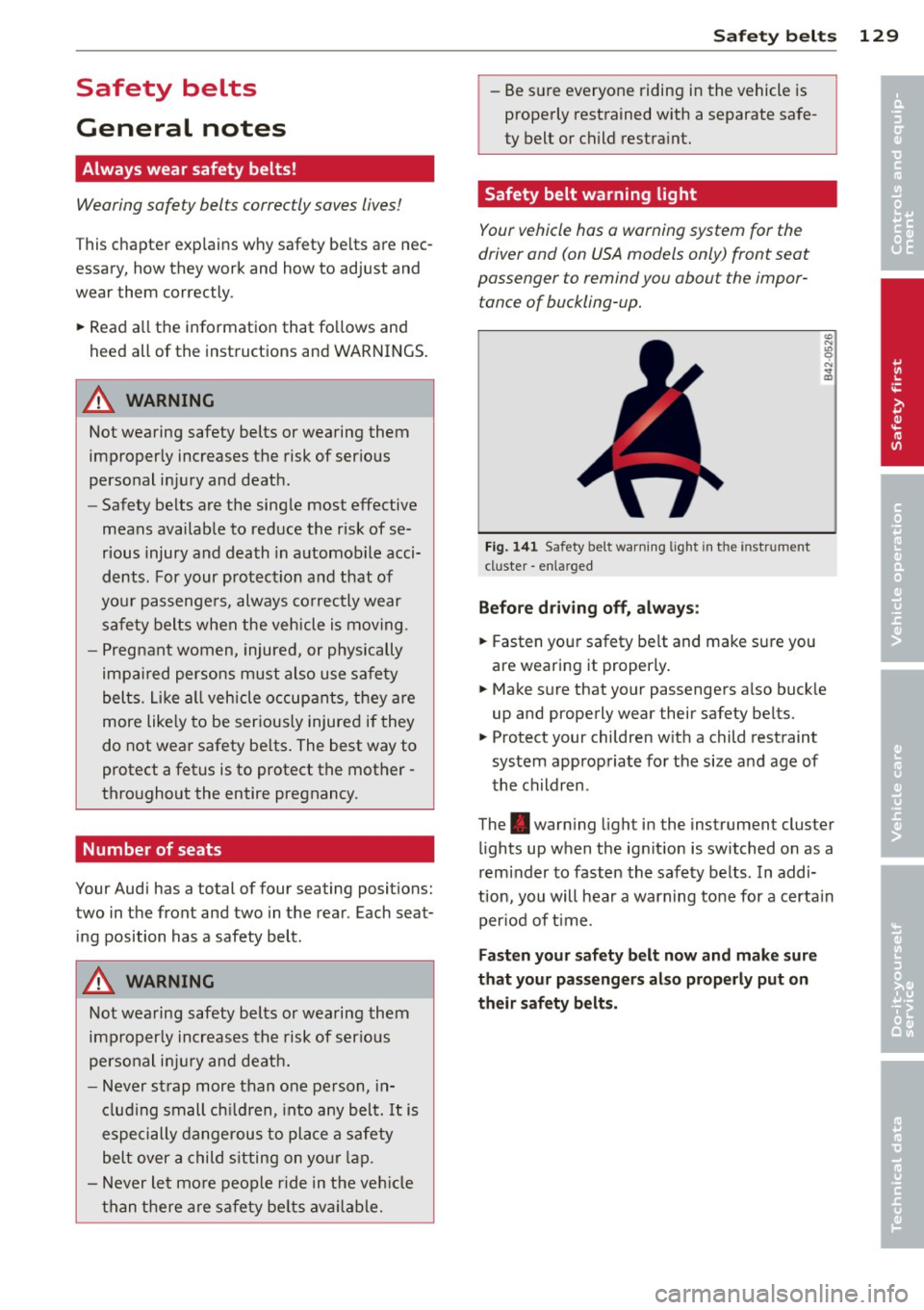
Fig . 141 Safety belt warning lig ht in the instr ument
cl uster -enla rged
Before driving off, alway s:
~ Fasten your safety be lt and ma ke su re you
are wearing it properly .
~ Make sure that yo ur passengers a lso buck le
up and properly wear their safety be lts.
~ Protect your children w ith a child restraint
sys tem app ropriate fo r the size a nd age of
t h e children.
The . warn ing light in the instrument cluster
li ghts up when the ig nit ion is switched on as a
reminder to fasten the safe ty belts. In addi
tion, you will hea r a warning tone for a certa in
per iod of t ime.
Fasten your safety belt now and make sure
that your pas sengers also properly put on
th eir safety belt s.
•
•
Page 141 of 286
Even though your vehicle is equipped with an
Advanced Airbag System, make certain that
all ch ildren, especially those 12 years and
younger, a lways ride in the back seat properly
restrained for their age and size. The airbag
on the passenger side makes the front seat a
potentially dangerous place for a child to ride.
The front seat is not the safest place for a
child in a forward-facing child safety seat.
It
can be a very dangerous place for an infant or
a child in a rearward-facing seat.
The Advanced Airbag System in your veh icle
has been certified to comply w ith the Requ ire
ments of United States Federa l Motor Vehicle
Safety Standard 208 as applicable at the time
your vehicle was manufactured.
The Standard requires the front ai rbag on the
passenger side to be turned off ("sup
p ressed") if a ch ild up to about one year of
age restrained in one of the rear-facing or for
ward -facing infant restraints listed in Federal
Motor Vehicle Safety Standard 208 with wh ich
the Advanced Airbag System in your vehicle
was certified has been installed on the front passenger seat . For a listing of the child re
straints that were used to certify compliance
with the US Safety Standard
Q page 160.
The PASSENGER AIR BAG OFF light in the in
strument panel tells you when the front Ad
vanced A irbag on the passenger side has bee n
turned off by the electronic control unit.
Each t ime you turn on the ignition, the
PAS
SENGER AIR BAG OFF
light will come on for a
few seconds and :
- will stay on if the front passenger seat is not
occupied,
- will stay on if there is a small child or child restraint on the front passenger seat,
- will go off if the front passenger seat is oc
cupied by an adult as registered by the
weight-sensing mat
Q page 148, Monitor
ing the Advanced Airbag System .
The PASSENGER AIR BAG OFF light comes on
when the control un it detects a total weight
on the front passenger seat that requires the
front airbag to be turned off.
Airbag system 139
If the total weight on the front passenger
seat is more than that of a typical 1 year-o ld
c hild but less than the weight of a small
adult, the front airbag on the passenger side
can deploy (the
PASSENGER AIR BAG OFF
light does not come on). If the PASSENGER
AIR BAG OFF
light does not come on, the
front a irbag on the passenger side has not
been turned off by the electronic con trol unit
and can deploy if the contr ol unit senses an
impact that meets the cond itions stored in its
memory .
For example, the airbag may deploy if:
-a small ch ild that is heav ie r than a typical 1
year-old ch ild is o n the front passenger seat
(regard less of whether the child is in one of
the child safety seats listed
Q page 160), or
- a child who has outgrown child restraints is
on the front passenger seat.
If the front passenger airbag is turned off, the
PASSENGER AIR BAG OFF light comes on in
the instrument cluster and stays on.
The front airbag on the passenger side may
not deploy (the PASSENGER AIR BAG OFF
light does not illum inate and stay lit) even if a
small adult or teenager, or a passenger who is
not sitting uprig ht with their back against a
non-reclined backrest w ith their feet on the
vehicle floor in front of the seat is on the front
passenger seat
~ page 119, Proper seating
position for the driver.
If the front passenger airbag deploys, the
Federal Standard requires the airbag to meet
the "low risk" deployment criteria to reduce
the risk of injury thro ugh interaction with the
airbag . "Low risk" deployment occ urs in those
crashes that take place at lower dece lerat ions
as defined in the electronic control unit
Q page 148, PASSENGER AIR BAG OFF light .
Always remember, a child safety seat or infant
carr ier installed on the front seat may be
struck and knocked out of posit ion by the rap
idly inflating passenger's airbag in a frontal
collision . The airbag could greatly reduce the
effectiveness of the child restraint and even
seriously injure the child during inflation. •
•
Page 146 of 286

144 Airbag sys tem
-Always move the passenger seat into its
rearmost position in the seat's fore and
aft adjustment range, as far away from
the a irbag as poss ible, before insta lling
the forward-facing child restraint. The backrest must be adjusted to an upr ight
posit io n.
- Make sure that the
PASSENGER AIR BAG
OFF
light comes on and stays on all the
t ime w henever the ignition is switched
on.
Advanced Airbag System components
The fron t passenger sea t in your vehicle h as a
lot of very important par ts of the Advanced
Airbag System in it. These parts include t he
weight -sensing mat, sensors, wiring, brack
ets, and more. The function of the system in
the front passenger seat is checked by the
e lectronic control u nit when the ignit ion is on.
The control unit mo nitors the Advanced Air
bag System and turns the airbag indicator
l ight on when a ma lfunction in t he system
components is detected. The func tion of the
a ir bag ind icator light is described in greater
detai l be low . Because the front passenger
seat contains important parts of the Ad
vanced A irbag System, you m ust take care to
prevent it from be ing damaged. Damage to
the seat may prevent the Advanced Airbag for
the front passenger seat from doing its job in
a crash .
The front Advanced Airb ag Sy stem
consists of the following:
- Crash sensors in the front of the veh icle that
measure veh icle acceleration/deceleration
to provide information to the Advanced Air
bag System abou t the seve rity of the crash.
- An electron ic co ntrol unit, with integ rated
crash sensors for front and side impacts .
T he cont ro l unit "dec ides " w het her to fire
the front airbags based on the information
received from the crash senso rs . The contro l
unit a lso "decides" whethe r the safety be lt
pretensioners should be activated . -
An Advanced A irbag w ith gas generator and
cont ro l valve for the d river inside the steer
ing wheel h ub.
- An Advanced A irbag with gas ge nerator and
contro l valve inside the instrument pane l for
the front passenger.
- A weight-sensing mat under the up ho lstery
pad ding of the front passenger seat cushion
that measures the total weight on the seat.
The informat ion registered is sent continu
ously to the electronic contro l unit to regu
late deployment of the front Advanced Air bag on the passenger side .
- An airbag monitor ing system and i ndicator
light in the i nstr ument cluster ~
page 148 .
-A sensor in each front seat registers the dis
tance between the respective seat a nd the
steer ing whee l o r i ns trument panel. The i n
formation registered is sent cont inuo usly to
t he ele ctr onic cont ro l uni t to regula te de
p loyment o f the front Advance d Airbags .
- The
PASSENGER AIR BAG OFF ligh t comes
on and st ays on in the cen ter o f the instr u
ment panel
~ page 148, fig . 155 and tells
you whe n the front Advanced Airbag on the
passenger side has been tu rned off .
- A sensor below the safety be lt latch for the
front seat passenger to measure the tension on the safety be lt . The tension on the safety
be lt and the weight registered by the
weight-sensing mat he lp the control unit
"decide" whether the front airbag for the
front passenger seat should be turned off or
not
~ pag e 138, Child restraints on the
front seat -some important things to
know.
- A senso r in the safety belt latch fo r th e d riv
er and fo r the front sea t passenger tha t
senses w het he r th at safety bel t is latched or
not and transmi ts this information to the
electronic control unit.
A WARNING
Damage to the front passenger seat can
p revent the front airbag from work ing
properly.
-
Page 152 of 286

150 Airbag system
in the instrument cluster display. This is to in
form the driver of the current front passenger
airbag status.
Important safety instructions on
monitoring the Advanced Airbag System
A WARNING
An airbag system that is not functioning properly cannot provide supplemental pro
tection in a frontal crash.
- If the airbag indicator light¢
page 20
comes when the vehicle is being used,
have the system inspected immediately
by your authori zed Audi dealer. It is pos
sible that the airbag will inflate when it
is not supposed to, or will not inflate
when it should .
A WARNING
If the front airbag inflates, a child without
a child restraint, in a rearward-facing child
safety seat or in a forward-facing child re
straint that has not been properly installed
will be seriously injured and can be killed.
- Even though your vehicle is equipped
with an Advanced Airbag System, make certain that all children, especially 12
years and younger, always ride on the back seat properly restrained for their
age and size.
- Always install forward or rear-facing
child safety seats on the rear seat -even
with an Advanced Airbag System.
- If you must install a rearward-facing
child safety seat on the front passenger
seat because of exceptional circumstan
ces and the
PASSENGER AIR BAG OFF
light does not appear and stay on, imme
diately install the rear-facing child safety
seat in a rear seating position and have
the airbag system inspected by your au
thorized Audi dealer.
- A tight tether or other strap on a rear
ward-facing child restraint attached to
the front passenger seat can put too
much pressure on the weight-sensing
-
mat in the seat and register more weight
than is actually on the seat. The heavier
weight registered can make the system
work as though an adult were on the seat and deploy the Advanced Airbag when it
must be suppressed causing serious or
even fatal injury to the child.
- If, in exceptional circumstances, you
must install a forward-facing child re
straint on the front passenger seat, al
ways move the seat into its rearmost po
sition in the seat's fore and aft adjust
ment range, as far away from the airbag
as possible. The backrest must be adjust
ed to an upright position. Make sure that
the
PASSENGER AIR BAG OFF light
comes on and stays on all the time when
ever the ignition is switched on .
A WARNING
-
-
-If the PASSENGER AIR BAG OFF light
does not go out when an adult is sitting
on the front passenger seat after taking
the steps described above, make sure the
adult is properly seated and restrained at
one of the rear seating positions.
- Have the airbag system inspected by
your authorized Audi dealer before trans
porting anyone on the front passenger
seat.
(D Tips
If the weight-sensing mat in the front pas
senger seat detects an empty seat, the
front airbag on the passenger side will be
turned off, and
PASSENGER AIR BAG OFF
will stay on.
Repair , care and disposal of the airbags
Par ts of the airb ag system are ins talled at
many different places on your Audi. Installing,
removing, servicing or repairing a part in an
area of the vehicle can damage a part of an
airbag system and prevent that system from
working properly in a collision. .,..
Page 157 of 286

Side airbags
Description of side airbags
The airbag system can provide supplemental
protection to properly restrained occupants.
Fi g. 158 S ide a irbag location i n the driver 's seat
The s ide a irbags are located in the sides of the
front sea t backrests
r=> fig . 158. They are iden
tified by the word "AIRBAG" .
The sid e a irbag system ba sicall y consis ts of :
-the electronic control module and external
side impact senso rs
- the two side airbags located in the sides of
the front backrests
- the a irbag warning light in the instrument
cluster .
The airbag system is monitored electronica lly
to make certain that it is functioning properly at all times . Each time you turn on the igni
tion, the airbag system indicator light will
come on for a few seconds (self diagnostics) .
The s ide a irbag system supplements the safe
ty belts and can help to reduce the risk of in
jury to the dr iver's and front passenge r's up
pe r torso on the side of the veh icle that is
struck in a side co llision . The airbag deploys
on ly in side impacts and on ly when the vehicle
acceleration registered by the control u nit is
hi gh eno ugh . If this rate is below the refer
ence va lue programmed i nto the con trol un it,
the side airbags will not be triggered, even
though the car may be badly damaged as a re
sult of the collision. It is not possible to de
fine an airbag trigger ing range that will cover
eve ry possible angle of impact, since the ci r
cumstances wi ll vary conside rably between
A irba g sy stem 155
one collis ion and anothe r. Important factors
incl ude, for example, the nature (hard or soft)
of the impacting object, the ang le of impact,
vehicle speed, etc.
r=> page 156, Important
safety instructions on the side airbag system .
Aside from their normal safety function, safe
ty belts work to help keep the driver or front
passenger in position in the event of a side
collision so that the side airbags can provide protection .
The airbag system is
not a substitute for your
safety belt. Rather, it is part of the overall oc
cupant restra int system in your vehicle. Al
ways remember that the side airbag system can only help to protect you if you are wearing
you r safety be lt and wea ring it p roperly. This
is anothe r reason why you should a lways wear
yo ur safe ty be lts, no t ju st because the law re
quires you to do so
r=>page 129, General
notes .
It is important to remembe r that wh ile the
s u pplementa l side airbag system is designed
to reduce the likelihood of ser ious inju ries,
other injur ies, for example, swelling, br uising,
and minor abrasions can also be associated
with deployed side airbags. Remember too,
s ide airbags will deploy only once and only in
certain kinds of accidents -your safety belts
are always the re to offer protection .
Vehicle damage, repair costs or
even the lack
of ve hicle damage are not necessarily a n indi
cation of over-sensitive or failed airbag activa
tion. In some coll is io ns, both front and side
airbags may inflate. Remember too, that air
bags will deploy only once and only in ce rtain
k inds of co lli sions -you r safe ty be lts are al
w ays the re to offe r protection in those a cci
dents in whi ch airbags are not s upposed to
deploy or when they have a lready deployed .
The side airbag system will not deploy:
-when t he ignit io n is tu rned off
- in side collisions whe n the acceleration
meas ured by the sensor is too low
- in front-e nd collisions
- in rear-end collis ions
Page 178 of 286

176 Intelligent technology
Intelligent technology
Notice about data
recorded by vehicle
control modules
Your vehicle is not equipped with an Event Da
ta Recorder (EDR), installed by some manu
facturers fo r the express purpose of capturing
data for retrieval after an accident or crash
event . EDR's are sometimes ca lled "crash re
corders".
Some state laws restrict the retr ieval or down
loading of data stored by EDR's that were in
stalled in a vehicle for the express purpose of
retrieving data after an accident or crash
event without the owner's consent.
A lthough your vehicle is not equipped with an
EDR, it is equipped with a number of electron
ic control modules for various vehicle systems
such as, for examp le, eng ine function, em is
sion control, as well as for the airbags and
safety belts.
These electronic contro l modules also record
vehicle-re lated data during normal vehicle op
eration for diagnostic and repair purposes.
The recording capacity of the electronic con
trol modules is limited to data (no sound is re
corded) and only a small amount of data is ac
tually recorded over a very limited pe riod of
time and stored when a system fault or other
condition is sensed by a control unit. Some of
the data then stored may relate to vehicle
speed, direction, braking as we ll as restraint
system use and performance in the event of a
crash or other condition. Stored data can only
be read and downloaded with special equip
ment.
Electronic Stabilization
Control (ESC)
Description
ESC helps to improve road holding and vehicle
dynamics to help reduce the probability of
skidd ing and loss of vehicle control. It works
only when the engine is running. ESC detects certain difficult driving situat
ions, including
when the vehicle is beginning to spin (yaw)
out of control and helps you to get the veh icle
back under control by se lectively braking the
wheels, and/or reducing engine power and
providing steering assistance to help hold the
vehicle on the driver's intended course. The in
dicator light
G) in the instrument cluster
blinks when ESC is taking action to help you
control the vehicle.
ESC has limitations.
It is important to remem
ber that ESC cannot overcome the laws of
physics. It wi ll not always be able to help out
under all conditions you may come up against.
For example, ESC may not always be able to
help you master situations where there is a
sudden change in the coefficient of friction of
the road surface. When there is a section of
dry road that is suddenly covered with water,
slush or snow, ESC cannot perform the same
way it wou ld on the dry surface . If the vehicle
hydroplanes (rides on a cushion of water in
stead of the road surface), ESC will not be
able to help you steer the vehicle because con
tact with the pavement has been interrupted
and the vehicle cannot be braked or steered.
During fast cornering, particularly on winding
roads, ESC cannot always deal as effectively
with difficult driving situations than at lower
speeds. When towing a trailer, ESC is not able
to help you regain control as it would if you
were not tow ing a trailer.
Always adjust your speed and driving style to road, traffic and weather condit ions. ESC can
not override the vehicle's physical limits, in
crease the available traction, or keep a vehicle
on the road if road departure is a result of
drive r inattention. Instead, ESC improves the
poss ibility of keeping the vehicle under con
trol and on the road during ex treme maneu
vers by using the driver's steering inputs to
help keep the vehicle going in the intended di
rection . If you are traveling at a speed that
causes you to run off the road before ESC can
provide any assistance, you may not experi
ence the benefits of ESC.