instrument cluster AUDI RS5 CABRIOLET 2013 User Guide
[x] Cancel search | Manufacturer: AUDI, Model Year: 2013, Model line: RS5 CABRIOLET, Model: AUDI RS5 CABRIOLET 2013Pages: 286, PDF Size: 71 MB
Page 45 of 286
correct the cause of the mal function as
soon as possible.
- If park ing the veh icle w ith the power top
open, remember that the ve hicle interior
will not be protected from the weather
or from unauthorized entry. Closing the
power top before leaving the vehicle is
r ecommended. If you leave items in the
vehicle, lock them in the trunk .
"' Power top operation
The indicator light monitors the power top.
The l'JI indicator light illuminates for approxi
mate ly 2 seconds when the ignit ion sw itches
on to check the function and then goes out
again . T he indicator light also:
- illuminates when the power top opens or
closes.
- blinks if the power top switch is operated
but the conditions for opening or closing the
power top are not met. A warning message
also appears in the instrument cluster dis
play
c::> page 43, Error message in the in
strument cluster display .
-if the power top d id not open or close com
pletely.
(D Tips
The indicator light stays on if the power
top was opened manually.
Error message in the instrument cluster
display
An error message appears if the power top
cannot open or close .
Several conditions must be met for the power
top to open or close automat ically .
An error message in the instrument cluster
d isp lay ind icates if one of the condit ions is not
met or there is a malfunct ion.
Power top: please close rear lid
The luggage compartment lid must be closed
when the power top is opening or closing . This
error message appears in the instrument cl us-
Power top 43
ter display if the luggage compa rtment lid is
not closed .
Storage bay not lowered. Please remove
obstruction
The power top sto rage bay must lower when
the power top is opening . This error message
appears in the instrument cluster display if
the storage bay is not lowered. If the storage
bay does not lower automat ically because of
objects in the luggage compartment, remove
the objects that are in the way from the stor
age bay area . Otherwise, you can operate the
power top storage bay manually
c::> page 45.
Power top : cannot be used
This error message appears if the convertible
cannot open or close automatically because of
safety reasons or if there is a malfunct ion . The
follow ing causes are possible:
- Vehicle speed too high: Power top opera
tion is deactivated and an error message ap
pears if the veh icle speed is too high. Re
duce the vehicle speed and ope rate the
sw itch again to open or close the powe r top.
- Battery voltage too low: The power top can
not be ope rated if the battery voltage is too
low. This ens ures the re will be enough bat
t ery vol tage le ft to sta rt the vehicle. The
power top can be operated again after the
eng ine is started .
-Rollover protection active: If the power top
is operated continuously for an extended pe
riod of time, rollover protection will activate
to prevent damage to the hydra ulic unit.
This protective funct ion prevents the power
top from opening or close for approx imately
15 to 30 minutes. It w ill function again af
ter that
c::> & .
-Malfunction: Failure of system components
is one possib le cause for malfunction . If this
happens, you can a lso ope rate the powe r
top by hand
c::> page 47.
Power top not secure
This message appears with a warning tone if
the power top is not
completely closed or
open and the vehicle speed is above 50 km/h.
ll-
Page 55 of 286

(D Tips
-The light sensor * for headl ight control is
l ocated in the rear view m irror mount.
You should therefore not apply any st ick
ers to the windsh ield in this area in order
to prevent malfunctions or failures .
- Some exterior lighting functions can be
adjusted
¢page 53.
-When yo u remove you r key from the igni
tion w hile the vehicle's lights are turned
on, a buzzer sounds as long as the driv
er's door is open.
- In cool or damp weather, t he ins ide of
the headlights, turn signa ls and tail
li ghts can fog ove r due to the tem pera
ture diffe ren ce betwe en the inside and
outside. They will clear shor tly after
swi tching t hem on. This d oes not aff ect
the service life of the ligh ting.
- In the even t of a ligh t sensor malfunc
tion, the drive r is no tifie d in the inst ru
ment cluster disp lay ~
page 2 2.
Turn signals and high beam lever
The lever operates the turn signal s, the high
beams and the headlight flasher .
Fig. 56 T urn sig na l and high beam leve r
Turn signals ¢i ¢
The turn s ignals activate when you move the
l ever into a turn s ignal position when the ign i
tion is sw itched on.
(D -right turn signal
@ -Left turn signa l
The turn s ignal b links three times if you just
tap the lever .
Clear vision 5 3
High beams and headlight flasher @:D
Move the lever to the corresponding posit io n:
@ -high beams on
@-high beams off or headlight flasher
T he ind icator light
II in the instr ument clus
ter turns on .
Notes on these features
-The turn signals on ly wor k w it h t he ignition
t urned on. The indica tor l igh ts
11 or II in
the instrument cluste r also blink .
- Aft er you have tu rned a corner, the turn s ig
na l swi tches off au tom atically .
- The
high beam wo rks only when the head
lights a re on. The indicator Ligh t. in the
instrumen t clus ter illuminates when the
high beams are on .
- The
headligh t flasher works on ly as long as
you ho ld the lever -even if the re are no
lights switched o n. The ind icator light
Ill i n
the inst rument cluster illuminates when you
use the headlight flasher.
&_ WARNING
Do not use the h igh beam or head light
flasher if you kn ow that these could b lind
oncom ing traffic.
Adjusting exterior lighting
The functions are selected in the radio or
MM!* .
.. Select: !CAR I function button> Exterior
light ing .
Or
.. Select: !CAR I function button > Car systems*
contro l butto n > Vehicle settings > Exterior
lighting .
Coming home (light when leav ing car )*,
Leaving home (light when unlocking car)*
The coming home function illumi nates the
area around the vehicle when the ignition is
switched off and the drive r's door is open ed.
Depend ing on ve hicle equipment, t he fu nction
can be sw itched on and off or the length of
time the lights rem ain on* can be ad justed . .._
Page 56 of 286

54 Clear vis ion
The lea ving home function i lluminates the
area around the vehicle when unlocking it.
This funct ion can be switched on and
off.
The c o ming ho me and leav ing h ome func
tions on ly operate when it is dark and the
light switch is in the AUTO position
r::!) page 52, fig. 55 .
Auto headlight s*
When the light switch is in the AUTO
r::!) page 52 position, the sw itch-on po int of the
lights can be changed in the automatic driving
light function.
Daytime running lights
USA m odels: You can switch the dayt ime run
ni ng lights
on and o ff .
Canada mod els: The function cannot be
turned off .
It is activated automat ica lly each
time the ign ition is switched on.
Travel mod e*
The headlight beam is asymmetrical. This pro
vides stronger illum ination on the s ide of the
road on wh ich you are driving . If you a re driv
ing i n a count ry that d rives on the opposite
side of the road from you r own country, th is
will cause glare for oncoming dr ivers. To pre
vent glare :
- Trave l mode must be selected in vehicles
with Xenon headlights*.
- In vehicles with halogen head lights, certain
areas of the head light lenses must be cov
ered w ith wate rproof adhesive covers tha t
p revent light from passing through. For
more information, p lease see your author
i zed Audi dea ler or author ized repair fac ility .
@ Tips
When trave l mode is activated, a display in
the driver information system indicates
this each time you switch the ignitio n on.
Emergency flashers
Fi g. 5 7 Center co nsole : em ergency flashe r sw itch
The emergency flashers makes other moto
rists aware that you or your vehicle are in an
emergency situation .
... Press the switch~
r::!) fig. 57 to turn the
emergency flashers on or
off.
When the emergency flashers are on, all four
turn s ignals b link at the same time. The turn
s ignal indicator lights
H II in the instrument
cluster, as well as the l ight in the emergency
flasher switch ~ blink likewise.
You can indicate a lane change or a t urn when
the emergency flashers are switched on by us
ing t he turn signal lever. The emergency flash
ers stop temporarily .
T he emergency flashers also work when the
ignition is turned off .
T he emergency flashers wi ll tu rn on automat i
ca lly if yo u are in an accident where the airbag
has deployed.
(D Tips
You sho uld turn on the emergency flas hers
when:
- yo u are the last veh icle standing in a t ra f
fic jam so that any other vehicles corning can see you, o r whe n
- yo ur vehicle has bro ken down or you are
in an emergency s ituation, or when
- yo ur vehicle is be ing towed by a tow
t ruck or if you are towing ano ther vehicle
beh ind you .
Page 81 of 286

This message appears if the master key is re
moved from the vehicle with the engine run
n ing.
If the master key is no longer in the ve
hicle, you cannot switch on the ignition after
stopping the engine and you also cannot start
the engine again . Moreover, you cannot lock
the vehicle from the outside w ith the key.
Shift to P otherwise vehicle can roll away.
Doors do not lock if lever is not in P.
This message appears for safety reasons
along w ith a warning signa l. It appears if the
selector lever for the automat ic transm ission
is not in the P position when switch ing off the
ignition. Move the selector lever to the P posi
tion, otherw ise the veh icle is not secured
against rolling away . You also cannot lock the
veh icle using the locking button* on the door
handle or using the remote key.
Convenience key defective! Use ignition lock
This message appears if the engine must be
started or stopped using the ignition key and
not the
I STAR T ENGIN E STOP ! button .
Electromechanical
parking brake
Operation
The electromechanical parking brake replaces
the hand brake.
F ig. 92 Cen ter console: Pa rk ing brake
.. Pull on the switch @c> fig . 92 to apply the
parking brake. The indicator light in the
switch illum inates .
.. Step on the brake pedal or the acce le rator
pedal and press the switch at the same time
On the road 79
to release the parking brake. The indicator
light in the switch goes out .
Your vehicle is equipped wi th an electrome
chanical parking brake. The parking brake is
designed to prevent the vehicle from rolling
unintentionally and replaces the hand brake.
In addition to the normal functions of a tradi
tiona l hand brake, the electromec hanical
parking brake provides various convenience
and safety funct ions .
When starting from rest
-The integral start ing ass ist helps you when
driving by automatically releasi ng the park
ing brake
¢ page 80, Starting from rest.
-When starting on inclines, the starting as
sist prevents the vehicle from unintentiona l
ly rolling back. The braking force of the
parking brake is not re leased until sufficient
driving force has been bui lt up at the
wheels.
Emergency brake function
An emergency brake ensures that the veh icle
can be slowed down even if the
normal brakes
fail
c> page Bl, Emergency braking.
Indicator lights
- If the parking brake is closed with the ign i
t ion
switched on the . (USA models) /
• (Canada models) indicator lights come
on in the instrument cluster and the switch.
- If the parking brake is closed with the igni
tion
switched off the. (USA models) /
• (Canada models) indicator lights come
on in the instrument cluster and the switch
for about 20 seconds.
A WARNING
If a drive range is engaged with the vehicle
stationary and the engine runn ing, you
must in no instance accelerate carelessly .
Othe rwise the vehicle w ill start to move
imm ediately- risk of an accident.
Page 84 of 286
82 On the road
watch the speedometer to make sure you
are not driving faster than the speed limit.
Speed warning 1: setting a speed limit
Warning threshold 1 is set by the ISE T! but
ton.
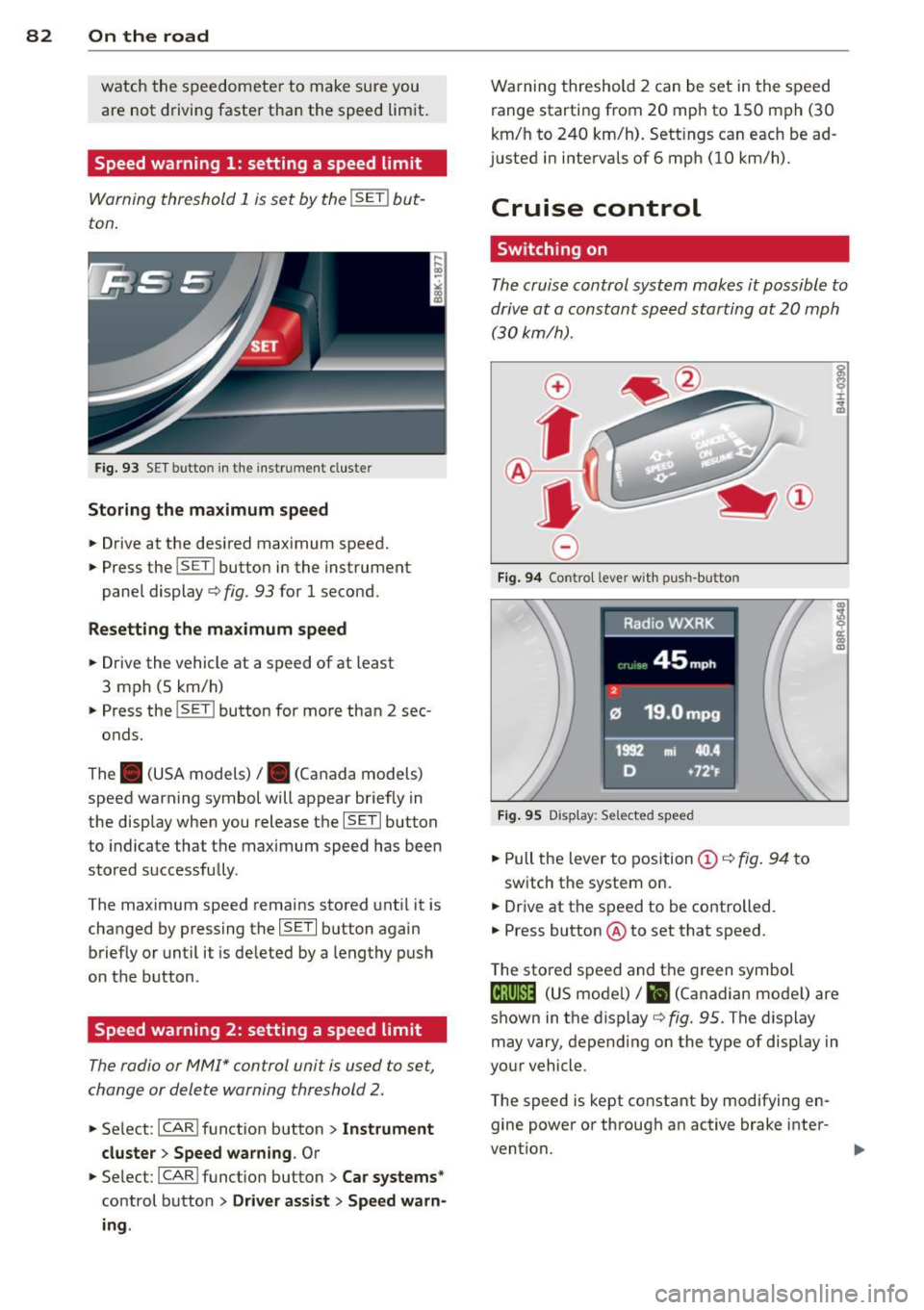
Fig. 93 SE T butto n in the instrument cluste r
Storing the maximum speed
.. Drive at the desired maximum speed .
.. Press the ISET ! button in the instrument
panel display ¢
fig. 93 for 1 second.
Resetting the maximum speed
.. Drive the vehicle at a speed of at least
3 mph (5 km/h)
.. Press the ISET ! button for more than 2 sec-
onds.
The . (USA models)/ . (Canada models)
speed warning symbol will appear briefly in
the display when you release the !SET! button
to indicate that the maximum speed has been
stored successfully .
The maximum speed remains stored until it is
changed by pressing the !SE T! button again
briefly or until it is de leted by a lengthy push
on the button .
Speed warning 2: setting a speed limit
The radio or MMI* control unit is used to set,
change or delete warning threshold 2.
.. Se lect : ICAR ! function button> Instrument
cluster > Speed warning.
Or
.. Select : ICAR !function button> Car systems *
control button > Driver assist > Speed warn
ing .
Warning threshold 2 can be set in the speed
range starting from 20 mph to 150 mph (30
km/h to 240 km/h). Settings can each be ad
justed in intervals of 6 mph (10 km/h).
Cruise control
Switching on
The cruise control system makes it possible to
drive at a constant speed starting at
20 mph
(30kmlh).
0
f
~
0
Fig. 94 Co ntro l leve r wit h pus h-butto n
Fig. 95 Display : Se lected speed
.. Pull the lever to position (D ¢ fig. 94 to
switch the system on.
.. Drive at the speed to be controlled.
.. Press button @ to set that speed .
T he stored speed and t he green symbol
ci!;\l)~i~ (US mode l)/ i'I (Canadian mode l) are
shown in the display ¢
fig. 95 . The display
may vary , depending on the type of display in
your vehicle.
The speed is kept constant by modifying en
gine power or through an active brake inter
vention.
...
Page 87 of 286

Transmission S tronic ®
Introduction
The automat ic transm iss ion is controlled elec
tronically. The transmiss ion ups hifts or down
shifts automatically depend ing on which drive
program is se lected.
When a
modera te driving sty le is used, the
tra nsmission se lec ts the most econom ica l
driving mode.
It w ill then change up early and
de lay the downshifts to g ive better f uel econ
omy .
The transmis sion swit ches to a sporty mode
after a k ick-down o r when the driver uses a
s porty dri ving sty le characterized by quick ac
celerator peda l movements, heavy accelera
tion, frequent changes in speed and traveling
at the maximum speed.
I f desired, the drive r can a lso se lect the gears
manually ( tiptronic mode ) ~ page 89.
The S tronic ® is a dual-clutch transmission.
P owe r is transfe rred using two clutches that
work independently from one anothe r. They
rep lace the torq ue converter used in conven
tional automatic transmiss ions and allow the
vehicle to accelerate without a noticeable in
terruption in traction.
Selector lever positions
F ig. 96 Display in the instrument cluster: se lector lever
in pos itio n P
The selector lever position engaged appears
n ext to the selector leve r as well as in the in
strument cluster display.
Tran sm iss ion 85
P -Park
In this se lector lever posi tion the transm is
s ion is mechanica lly locked. Engage P on ly
when the vehicle is
completely stopped~&.
in Driving the automatic transmission on
page 87.
T o shift in or out of pos it ion P, yo u must first
press and ho ld the brake pedal and then press
the re lease button in the selector leve r hand le
whi le moving the selector lever to or from P.
You can shift out of this position only with the ignition o n.
R - Reverse
Se lect R on ly when the veh icle is at a full stop
and t he engine is running at idle speed~.&. in
Driving the automatic transmission on
page 87.
Before you move the se lector lever to R, press
both the re lease button in the hand le o f the
selector lever
and the brake pedal at the same
time.
When the ignition is on, the backup lights illu
minate when the selecto r lever is moved into
R.
N -Neutral
The transmiss ion is in neu tral in this pos ition .
S hift to t his position fo r standing with the
brakes app lied
~ .&. in Driving the automatic
transmission on page 87.
When the vehicle is stat iona ry or a t speeds
below 1 mph (2 km/h), yo u must always app ly
the footbrake before and whi le mov ing the
l ever o ut of
N.
D/S - Normal posit ion for driving forward
In the D/S pos it ion, t he tr ansmission c an be
operated either in the norma l mode D or in
the sport mode S . To select the sport mode S,
pull the selector lever back briefly. P ulling the
l ever back again will se lect the norma l mode
D. The instr ument cluster disp lay shows the
selected driving mode. ..,_
Page 88 of 286

86 Transmis sion
In the norm al mode D, the transmission auto
matically selects the suitable gear ratio. It de
pends on engine load, vehicle speed and driv
ing style.
Select the
sport mode S for sporty driving.
The vehicle makes full use of the eng ine 's
power. Shifting may become noticeable when
accelerating.
When the vehicle is stationary or at speeds
below 1 mph (2 km/h), you must always apply
the foot brake before and while moving the lever to D/S out of N.
A WARNING
Read and follow all WARNINGS c> .&. in
Driving the automatic transmission on
page 87.
(D Note
-
Coasting downhill with the transmission in
N and the engine not running will result in
damage to the automatic transmission
and possibly the catalytic converter .
(D Tips
-On vehicles with drive select*, you can
adjust the sporty shift characteristics in
the
Dynamic driving mode.Swill appear
in the instrument cluster display instead
ofD.
- If you accidentally select N while driving,
take your foot off the accelerator pedal immediately and wait for the engine to
slow down to idle before selecting D/S.
-If there is a power failure, the selector
lever will not move out of the P position.
The emergency release can be used if
this happensc>poge
91.
Automatic Shift Lock {ASL)
The Automatic Shift Lock safeguards you
against accidentally shifting into a forward or
the reverse gear and causing the vehicle to
move unintentionally.
Fig. 97 Shift ga te : selecto r le ver lock positio ns and re
lease bu tto n highlighted
The selector lever lock is released as follows:
.. Turn the ignition on .
.,. Step on the brake pedal.
At the same time
press and hold the release button on the
side of the gear selector knob <=>
fig. 97 with
your thumb until you have moved the selec
tor lever to the desired position.
Automatic selector lever lock
The selector lever is locked in the P and N po
sitions when the ignition is turned on . You
must press the brake pedal and the release
button to select another position . As a re
minder to the driver , the following warning
appears in the instrument cluster display
when the selector is in P and N:
When stationary apply brake pedal while se
lecting gear
The Automatic Shift Lock only functions when
the veh icle is stationary or at speeds below
1 mph (2 km/h) .
At speeds above about 1 mph (2 km/h) the
Automatic Shift Lock is automatically deacti
vated in the N position .
A time delay element prevents the selector lever from locking when it is moved through
the N position (going from R to D/S) . The lock
ing element w ill lock the selector lever if the
Ill>
Page 91 of 286

conditions. Always be ready to apply the
brakes.
Manual shift program
Using the manual shift program you can
manually select gears.
Fig. 99 Ce nter console: shift ing t he gea rs manually
Fig. 100 Stee ring wheel: S hift b uttons
Gear selection with selector lever
The tiptronic mode can be selected either with
the vehicle stationary or on the move.
.. Push the selector lever to the right from 0/
5. An M appears in the instrument cluster
display as soon as the transmission has
shifted.
.. To upshift, push the selector lever forward
to the plus position
0 c:> fig. 99 .
.. To downshift, push the lever to the minus
position
0 -
Gear selection with paddle levers*
The shift buttons are activated when these
lector lever is in 0/5 or the t iptronic manual
shift program .
.. To upshift, touch the button on the right
0
c> fig . 100. Transmission 89
.. To downshift, touch the button on the left
0.
.. If you do not press a sh ift button within a
short time while in the 0/5 position, the
transmission will return to automatic mode.
To keep shifting using the shift buttons,
move the selector lever to the r ight out of
the 0/5 position .
When accelerating, the transmission does
not
automatically shift to the next gear shortly
before the maximum permitted engine RPM is
reached.
If you have selected a lower gear than the cur
rent one, the automatic transmission will shift
down only when the engine will not be over
revved.
With kick-down, the transmission shifts into a lower gear depend ing on speed and engine
RPM .
(D Tips
Tiptronic is inoperative when the transmis
sion is in the fail-safe mode .
, Kick-down
Kick-down enables maximum acceleration.
When you depress the accelerator pedal be
yond the resistance point, the automatic
transmission downshifts into a lower gear, de
pending on vehicle speed and engine speed .
The upshift into the next higher gear takes
place once the maximum specified engine
speed is reached .
.&_ WARNING
Please note that the whee ls can spin if
kick-down is used on a smooth s lippery
road -there is a risk of skidding.
-
Page 92 of 286

90 Transmi ssion
Launch Control Program
Th e Launch Cont rol Program provides the
best accel eration possible when starting from
a st op .
R equirement : The engine must be at operat
i n g t emp eratur e and the steering wheel must
not be turned .
.,. Press the
I~ O FFI button c:> page 178 while
the engine is running. The
I) indicator light
i lluminates in the instrument cluster and
Stabilization contro l (ESC ): Sport . Warn
ing! Re stricted stability
appea rs in the dr iv
er information system d isplay.
.,. Move the selec tor lever to the D/S pos ition
to select sport mode (S) or select the
dy
nami c
driving mode in drive select*
c:> page 105.
... Press the brake peda l strongly with your left
foot and hold it down for at least 1 second.
.,. At the same t ime, press the accelerator ped
al down complete ly w ith your r ight foot un
t il t he engine reaches and maintains a h igh
RPM .
• Remove you r foot from the brake pedal
withi n S seconds
c:> &, .
&_ WARNING
-Always adapt you r driving to the traffic
flow .
- O nly use the Launch Control Program
when road and traffic con dit ions allow it
and other dr ivers will not be endangered
o r annoyed by yo ur dr iv ing and t he vehi
cle's acce lerat ion.
- Please note that the driving wheels can spin and the vehicle can break away
w hen ASR and ESC are in sport mode, es
p ecially when the road is slippe ry.
- Once yo u have accelerated, yo u should
switch the ESC back on by pressing the
1.$ O FF I button .
(D Tips
- The transm ission temperat ure may in
crease significantly after using the Launch Control Program . If that hap- pens, the p
rog ram may not be availab le
for a few minutes . It will be available
again after a cool-down period .
- When accelerating using the La unch
Cont ro l program, a ll vehicle parts are
subject to heavy loads. Th is can result in
increased wear.
Transmission malfunction
[O] Transmission: Press brake pedal and se
lect gear again .
Press the brake peda l and select the desired
selector lever position again. You ca n then
co nti nue driving .
[O] Transmission overheating: Please drive
conservatively.
T he transmiss ion temperat ure has inc reased
significantly due to the sporty d riving manner .
Drive in a less sporty manner until the tem
perature returns to the normal range and the
indicator light switches of.
[O] Transmission malfunction: You can con
tinue driving
T he re is a system mal func tion in the transm is
sion . You may cont inue driving .
Drive to yo ur
autho rize d Aud i dea le r or qualified repair fa
c ili ty soon to have the ma lfunction corrected.
[O] Transmis sion malfunction : Limited driv
ing functionality
T he re is a system malfunction in the t ransm is
s io n. The transm ission is swi tching to emer
gency mode. This mo de on ly shifts in to cer
tain gears or will no longer shift at all. The en
gine may sta ll. Drive to your authorized Audi
dealer or qualif ied repair facility immediately
to have the malfunction corrected.
[O] Ii] T ran smission malfunction : No re verse
You can continue driving
T he re is a sys tem mal func tion in the transm is
s io n. The transm iss ion is swi tch ing to eme r
gency mode. This mode on ly shifts into cer -
tain gears o r will no longer shift at all . The en
gine may sta ll. You cannot engage the
reverse liJJ,
Page 96 of 286
94 Audi adaptive cruise control and braking guard
Audi adaptive cruise
control
Description
Applies to vehicles: with Audi adap tive cruise co ntrol
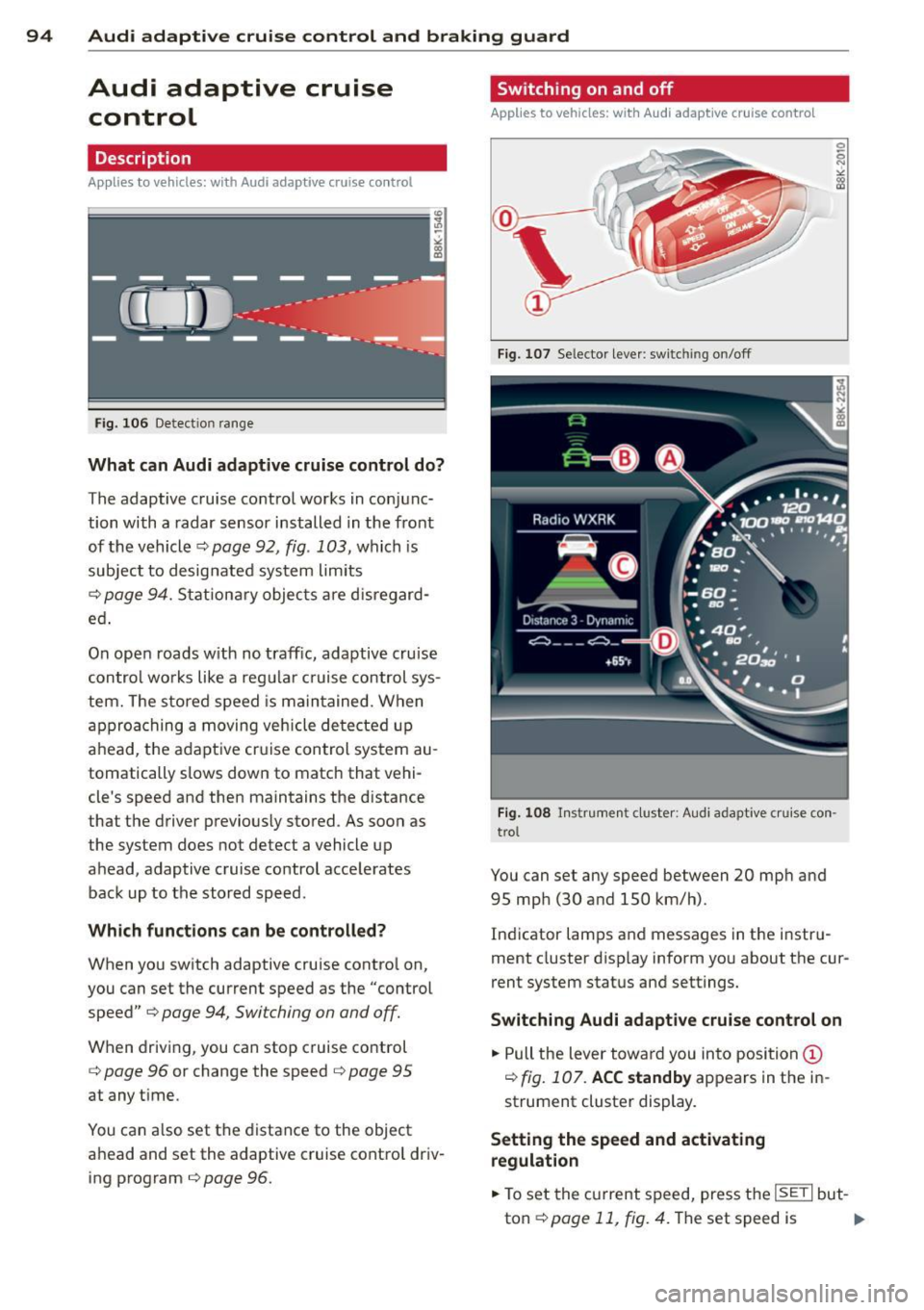
Fig. 106 Detection range
What can Audi adaptive cruise control do?
The adaptive cruise control works in conjunc
tion with a radar sensor installed in the front
of the vehicle¢
page 92, fig. 103, which is
subject to designated system limits
¢
page 94. Stationary objects are disregard
ed .
On open roads w ith no traffic, adaptive cruise
control works like a regular c ruise control sys
tem. The stored speed is maintained. When
approaching a moving vehicle detected up
ahead, the adaptive cruise control system au
tomatically slows down to match that vehi
cle's speed and then maintains the distance
that the driver previously stored. As soon as
the system does not detect a vehicle up
ahead, adaptive cruise control accelerates back up to the stored speed.
Which functions can be controlled?
When you switch adaptive cruise contro l on,
you can set the current speed as the "control
speed"
¢ page 94, Switching on and off.
When driving, you can stop cruise control
¢
page 96 or change the speed ¢ page 95
at any time.
You can also set the distance to the object
ahead and set the adaptive cruise control driv ing program
¢page 96.
Switching on and off
Applies to vehicles: with A udi adapt ive cruise contro l
Fig. 107 Selecto r lever: sw itching on/off
Fig. 108 Instrument cluster: Audi adaptive cruise con
trol
You can set any speed between 20 mph and
95 mph (30 and 150 km/h).
Indicator lamps and messages in the instru
ment cluster disp lay inform you about the cur
rent system status and settings.
Switching Audi adaptive cruise control on
.,. Pull the lever towa rd you into position@
¢
fig. 107. ACC standby appears in the in
strument cluster display.
Setting the speed and activating
regulation
.,. To set the current speed, press the ISETI but-
ton¢
page 11, fig. 4. The set speed is .,..