service AUDI RS7 SPORTBACK 2015 User Guide
[x] Cancel search | Manufacturer: AUDI, Model Year: 2015, Model line: RS7 SPORTBACK, Model: AUDI RS7 SPORTBACK 2015Pages: 302, PDF Size: 74.76 MB
Page 43 of 302
"' N
a:: I.J "". rl I.O
"' rl
"' rl
door is opened . The window will Lower
again when you close the door .
- After the ignition has been switched off,
the windows can still be opened or
closed for about 10 minutes . The power
windows are not switched off until the
driver's door or passenger's door has
been opened.
What to do after a malfunction
The one -touch open and close function must
be reactivated if the battery has been discon
nected .
.. Pull and hold the power window switch until
the window is fully closed.
.. Release the switch and then pull it again for
at least one second .
Valet parking
The valet parking feature protects the lug
gage compartment from unauthorized access from the outside.
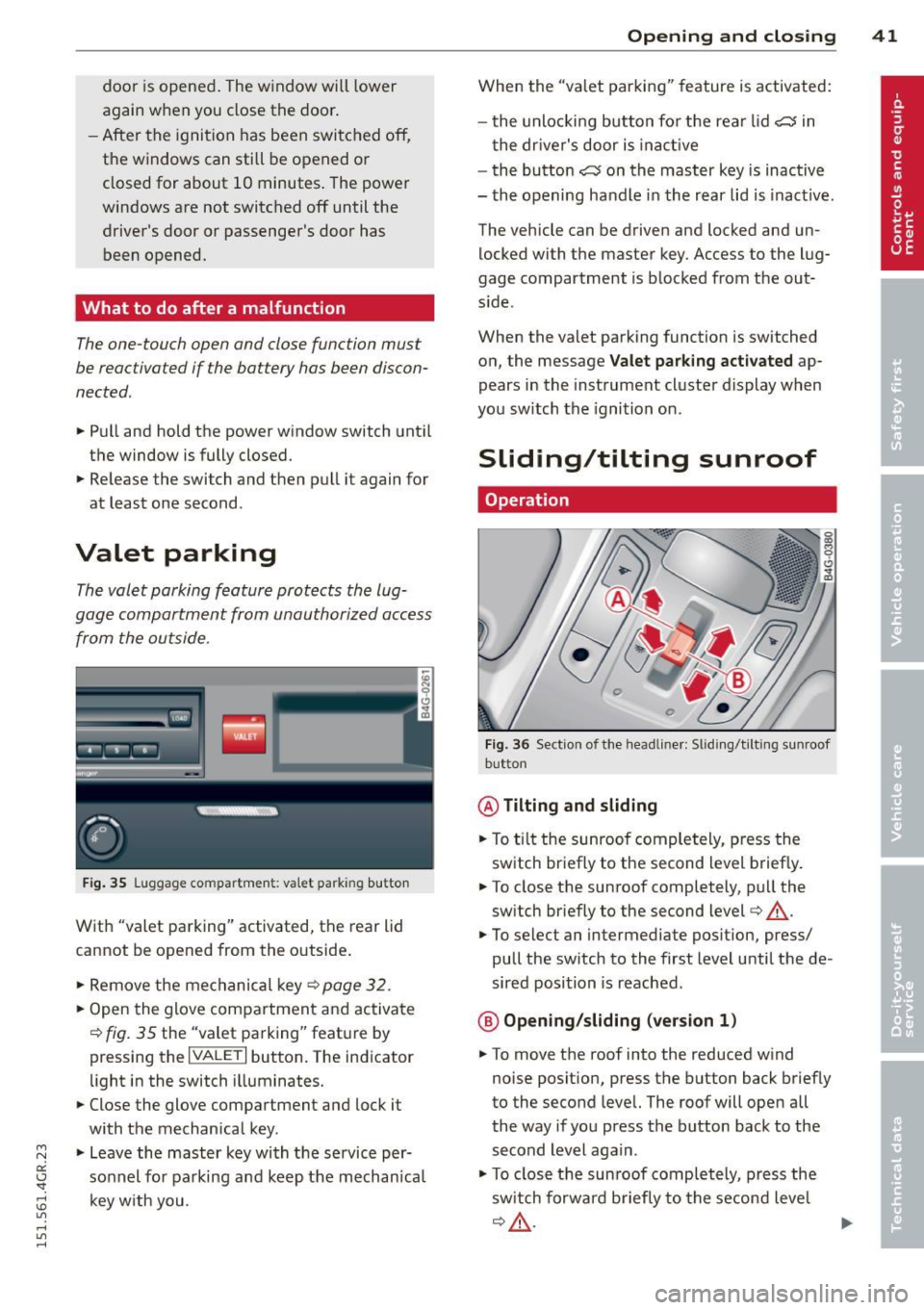
Fig. 35 Luggage compartment: valet parking button
With "valet parking" activated, the rear lid
cannot be opened from the outside .
.. Remove the mechanical key ¢
page 32 .
.. Open the glove compartment and activate
¢
fig. 35 the "valet parking" feature by
pressing the
I VALET I button. The indicator
light in the switch illuminates.
.. Close the glove compartment and lock it
with the mechanical key.
.. Leave the master key with the service per
sonnel for parking and keep the mechanica l
key with you .
Opening and closing 41
When the "valet parking" feature is activated:
- the unlocking button for the rear lid
c:s in
the driver's door is inact ive
- the button
c:s on the master key is inactive
- the opening handle in the rear lid is inact ive.
The vehicle can be driven and locked and un
locked with the master key. Access to the lug
gage compartment is blocked from the out
s ide .
When the valet parking function is switched
on, the message
Valet parking activated ap
pears in the instrument cluster display when
you switch the ignition on .
Sliding/tilting sunroof
Operation
Fig. 36 Sect ion of the headliner: Sliding/t ilting sunroof
button
@ Tilting and sliding
.. To ti lt the sunroof completely, press the
switch briefly to the second level briefly.
.. To close the sunroof completely, pull the
sw itch briefly to the second level¢_&..
.. To select an intermediate position, press/
pull the switch to the first level until the de
sired position is reached .
@ Opening/sliding (version 1)
.. To move the roof into the reduced wind
noise position, press the button back briefly
to the second level. The roof will open all
the way if you press the button back to the
second Level again.
.. To close the sunroof completely, press the
sw itch forwa rd b riefly to the second level
~A -~
Page 47 of 302
"' N
a:: I.J "". rl I.O
"' rl
"' rl
visibility conditions. For example, fog cannot be detected by the light sensors.
So always switch on the headlights 1§.D under these weather conditions and
when driving in the dark.
- Crashes can happen when you cannot see
the road ahead and when you cannot be
seen by other motorists . Always turn on
the headlights so that you can see ahead
and so that others can see your car from
the back.
- Please observe legal regulations when
using the light ing systems descr ibed .
(D Note
The rear fog lights should only be turned
on in accordance with traffic regulation, as
the lights are bright for following traffic.
@ Tips
- The light sensor* for automatic head light range control* is located in the rear
view mirror mount. You should therefore not apply any stickers to the windshield
in this area in order to prevent malfunc
tions or failures.
- In the event of a light sensor malfunc
tion, the driver is notified in the instru
ment cluster display ¢
page 21.
-You will hear a warning tone if you open
the driver door when the exterior lights
are switched on .
- In cool or damp weather, the inside of
the headlights, turn signals and tail
lights can fog over due to the tempera
ture difference between the inside and
outside. They will clear shortly after
switching them on. This does not affect
the service life of the lighting .
Clear vision 45
Emergency flasher
The emergency flasher makes other motorists
aware that you or your vehicle are in an emer
gency situation .
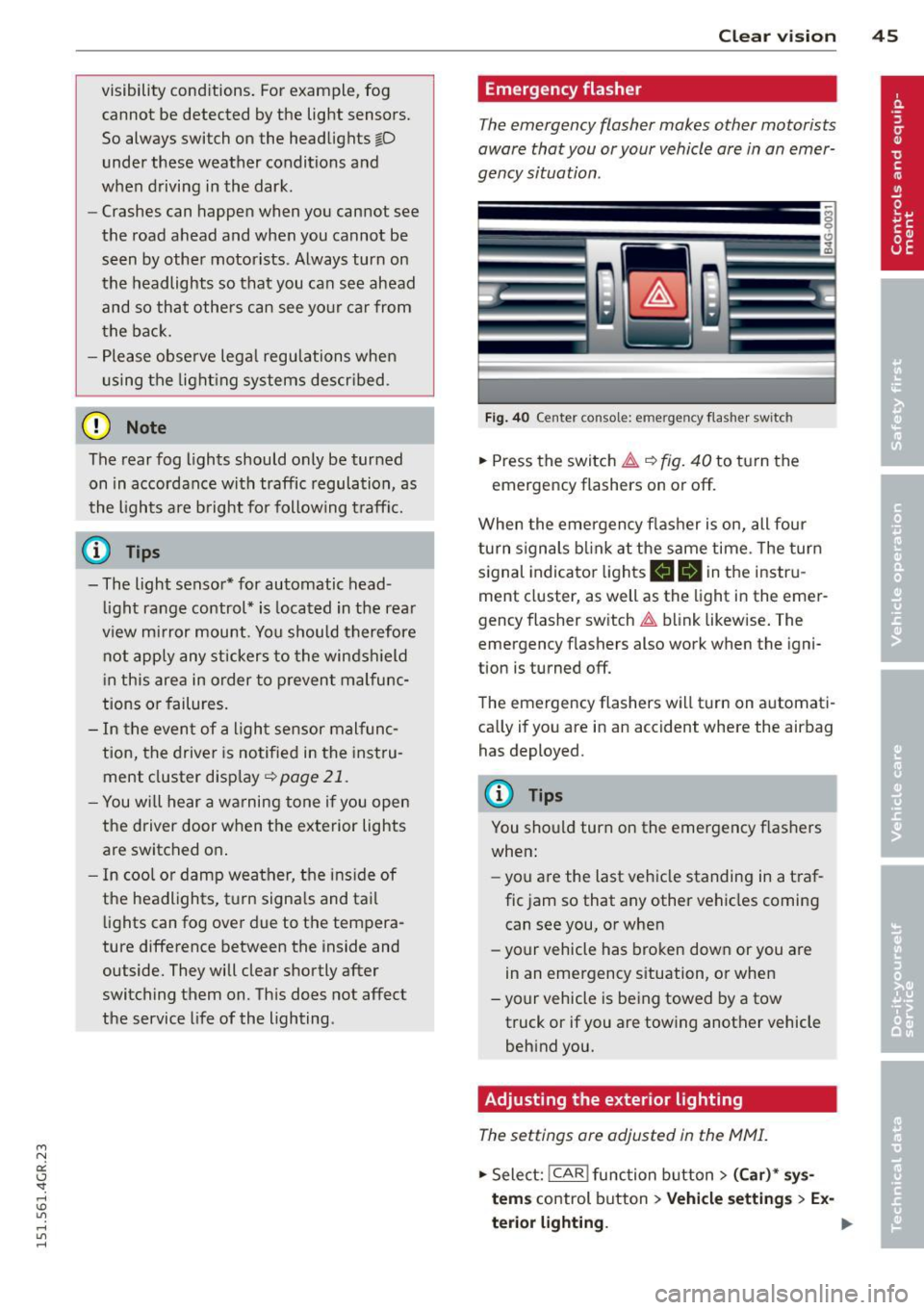
Fig. 40 Ce nt er co nsol e: em erge ncy flash er sw itc h
.,. Press the switch &..¢ fig. 40 to turn the
emergency flashers on or off.
When the emergency flasher is on, all four
turn signals blink at the same time . The turn
signal indicator lights
B DI in the instru
ment cluster, as well as the light in the emer
gency flasher switch &.. blink likewise. The
emergency flashers also work when the igni
tion is turned off.
The emergency flashers will turn on automati
cally if you are in an accident where the airbag has deployed.
@ Tips
You should turn on the emergency flashers
when:
- you a re the last vehicle standing in a traf
fic jam so that any other vehicles coming
can see you, or when
- your vehicle has broken down or you are
in an emergency situation, or when
- your vehicle is being towed by a tow
truck or if you are towing another vehicle
behind you.
Adjusting the exterior lighting
The settings are adjusted in the MMI.
.,. Select: !CAR ! function button> (Car)* sys
tem s
control button > Vehicle settings > Ex-
terior lighting. ..,.
Page 52 of 302
50 Clear vis ion
Wiper servi ce po sition /blade rep lacem ent
po sit ion
• Switch the ignition off and move the wind
shield wiper lever to position @¢
page 48,
fig. 47. The windshield wipers move into the
service position.
• To bring the wipers back into the original
pos ition, switch the ignition on and press
the windshie ld wiper lever.
You can also turn the service position on or
off
in the MMI:
• Switch the w indshield wipers off (posit ion
@ ¢page 48, fig. 47).
• Se lect: I CAR I funct ion button> (C ar)* sys·
tern s
control button > Servicing & ch eck s >
Wip er serv ice po sition > O n/ Off .
R em oving the wip er blade
• Lift the w indshield wiper arm up from the
wi ndshield.
• Press the locking knob
(D ~ fig. 48 on the
wiper blade. Hold t he wiper blade firm ly.
• Remove the wiper blade in the direction of
the arrow .
Attaching th e wiper blade
• Install the new wipe r blade in the retaine r
on the w iper arm @until you hear it cl ick in
to place on the wiper arm.
• Place the wiper arm back on the windshie ld .
• Turn the service pos ition
off .
A WARNING
-
For your safety, yo u should replace the
wiper blades once or tw ice a year. See your
authorized Audi dealer for rep lacement
blades.
(D Note
- The windshield wiper blades must on ly
be folded away when in the service posi
tion! Otherwise, you risk damaging the paint on the hood or the w indshield wip·
er moto r.
- You should not
move your vehicle or
press the w indshield w iper lever when
the wip er arms are folded away from the w
indshield. The windshield wipers wou ld
move back into their original position
and co uld damage the hood and wind
shield.
- To help prevent damage to the wiper sys
tem, always loosen blades wh ich are fro
zen to the windshield before operating
w ipers.
- To help prevent damage to wiper blades,
do not use gasoline, kerosene, paint
thinner, or other solvents on o r near the
w iper blades.
- To help prevent damage to the wiper
arms or other components, do not at
tempt to move the wipe rs by hand.
¢j) Tips
- Commercial hot waxes applied by auto·
matic car washes affect the cleanability
of the windshie ld.
- You can also use the se rvice position, for
example, if you want to protect the
w indshield from icing by using a cover.
- You can not activate the service position
when the hood is open .
Mirrors
Adjusting the exterior mirrors
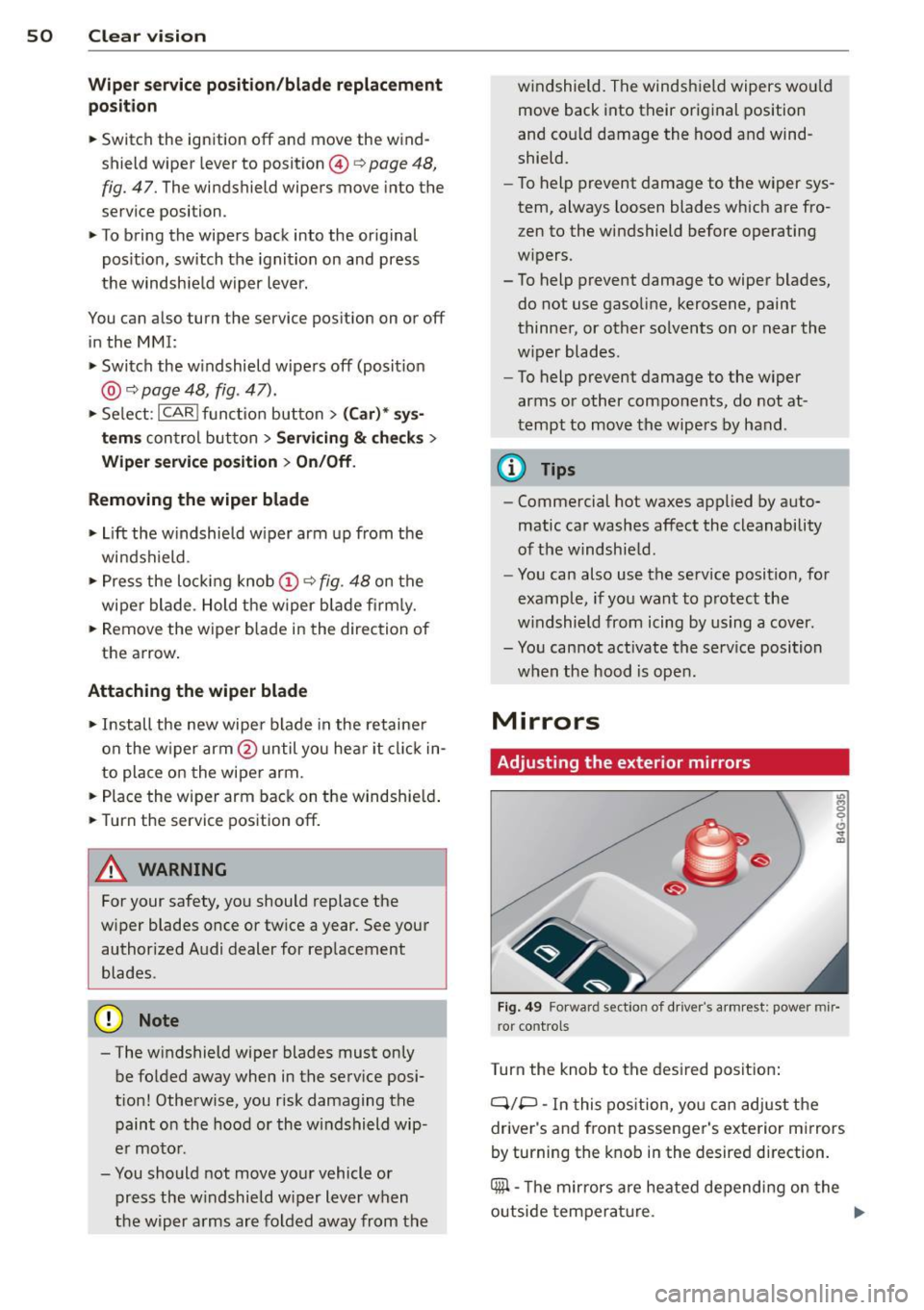
Fig. 49 Fo rward section of driver 's arm rest: power mir·
ror controls
Turn the knob to the desired posit ion :
Q/P -In this pos ition, yo u can adjust the
driver's and front passenger's exterior mirrors
by turning the knob in the desired direction.
4iil -The m irrors are heated depend ing on the
outside tempera ture. .,._
Page 71 of 302
M N
0:: <.J 'SI: ,...., \!) 1.1"1 ,...., 1.1"1 ,....,
Warm and cold Four-zone automatic
climate control
Description
Applies to vehicles: with four-zone automat ic climate co n
tro l
The climate control system warms, cools and
adds humidity to the a ir in the veh icle inter io r.
It is the most effect ive when the windows and
sunroof* are closed.
If the temperature inside
the parked vehicle becomes very warm, open ing the window briefly will speed up the cool
ing process.
I n all heating mode functions except
defrost,
the blower on ly switches to a higher speed
once the engine coolant has reached a certain
temperature.
Condensation from the cooling system can
drip and form a puddle of water under the ve
hicle. This is normal and does not mean there
is a leak.
Pollutant filt er
The po llutant filter removes pollutants such
as dust and pollen from the air.
The air pollutants filter must be changed at
the intervals spec ified in your Wa rranty
&
Maintenance book let, so that the air condi
tioner can properly work.
I f you d rive your vehicle in an area with h igh
air po llution, the fi lter may need to be
changed more frequent ly than specified in
your Audi Warranty
& Maintenance booklet. If
in doubt, ask your authorized Audi Service Ad·
visor for advice.
Key coded setting s
The clima te control sett ings are a utomat ica lly
stored and assigned to the remote contro l key
that is in use .
Warm and c old 69
A WARNING
-
Reduced visibi lity is dangerous and can
cause acc idents .
- For safe driving it is very important that
all windows be free of ice, snow and con
densat ion.
- Comp letely fam il iarize yourse lf with the
proper use and funct ion of the heat ing
a nd ventilation system and especially
how to defog and defrost the w indows.
- Never use the windshield wiper/washer system in freez ing weathe r unt il you
have warmed the windshie ld first, using
the heating and ventilation system. The
washer sol ution may freeze on the wind
shie ld and red uce visibi lity.
CJ) Note
- If you s uspect that the air conditioner
has been damaged, switch the system
off to avoid furt her damage and have it
inspected by a qualified dea lership .
- Repairs to the Audi air conditioner re
quire specia l technical know ledge and
special tools. Contact an authorized Audi
dealer fo r ass istance.
@ For the sake of the envi ronment
By reducing the amount of f uel you use,
you also red uce the amount of pollutants
emitted into the air.
(D Tips
- Keep the air intake s lo ts ( in front of the
w indshield) free from ice, snow and de
bris in order to maintain the proper func
tion of the climate control system.
- The energy ma nagement system may
switch the seat heating* or rear window defroster off temporar ily. These systems
are available again as soon as the energy
balance has been restored .
- Air escapes through vents under the rear window. When plac ing items of cloth ing
on the luggage compartment cover, en
sure that the openings are not covered.
Page 84 of 302
82 Audi ad apti ve cruise contr ol a nd bra king gu ard
vehicles or obstacles that are not moving
can trigger a collision warning and if con
firmed by the v ideo camera, an acute col
lis ion warn ing .
- For safety reasons, do not use adaptive
cruise co ntrol when driving on roads with
many curves, when the road surface is in
poor condit ion and/or in bad weather
(such as ice, fog, gravel, heavy rain and
hydroplan ing) . Using the system under
these cond it ions cou ld result in a co lli
sion .
- Swi tch adap tive c ruise control off tempo
rar ily when driv ing in turning lanes, on
expressway exits or in construction
zones. This prevents the vehicle from ac
celerat ing to the set speed when in these
situations.
- The adapt ive cruise control system wi ll
not brake by itse lf if you put your foot on
the accelerator pedal. Doing so can over
ride the speed and distance regulation .
- When approaching stationary objects such as stopped traff ic, adaptive cruise
co ntrol will not respond and braking
guard w ill have limited function.
- The adapt ive cruise control system and
braking guard do not react to people, an
imals, objects c rossing the road or on
coming objects .
- The function of the radar senso rs can be
affected by reflective objects such as
guard rai ls , the entrance to a tunnel,
heavy rain or ice.
- Never follow a ve hicle so closely that you
cannot stop your vehicle safe ly. The
adaptive cruise contro l canno t slow or
brake the vehicle safely when you follow
another vehicle too closely. Always re
member that the automatic braking
function cannot br ing the vehicle to a
sudden or emergency stop under these condit ions.
- To prevent unintended operation, always switch ACC off when it is not being used. (D Note
The sensors can be displaced by impacts or
damage to the bumper, wheel housing and
underbody. That cou ld affect the adaptive
cruise control system and brak ing guard.
Have your authorized Aud i dea ler or au
thorized Audi Service Facility check their
funct ion .
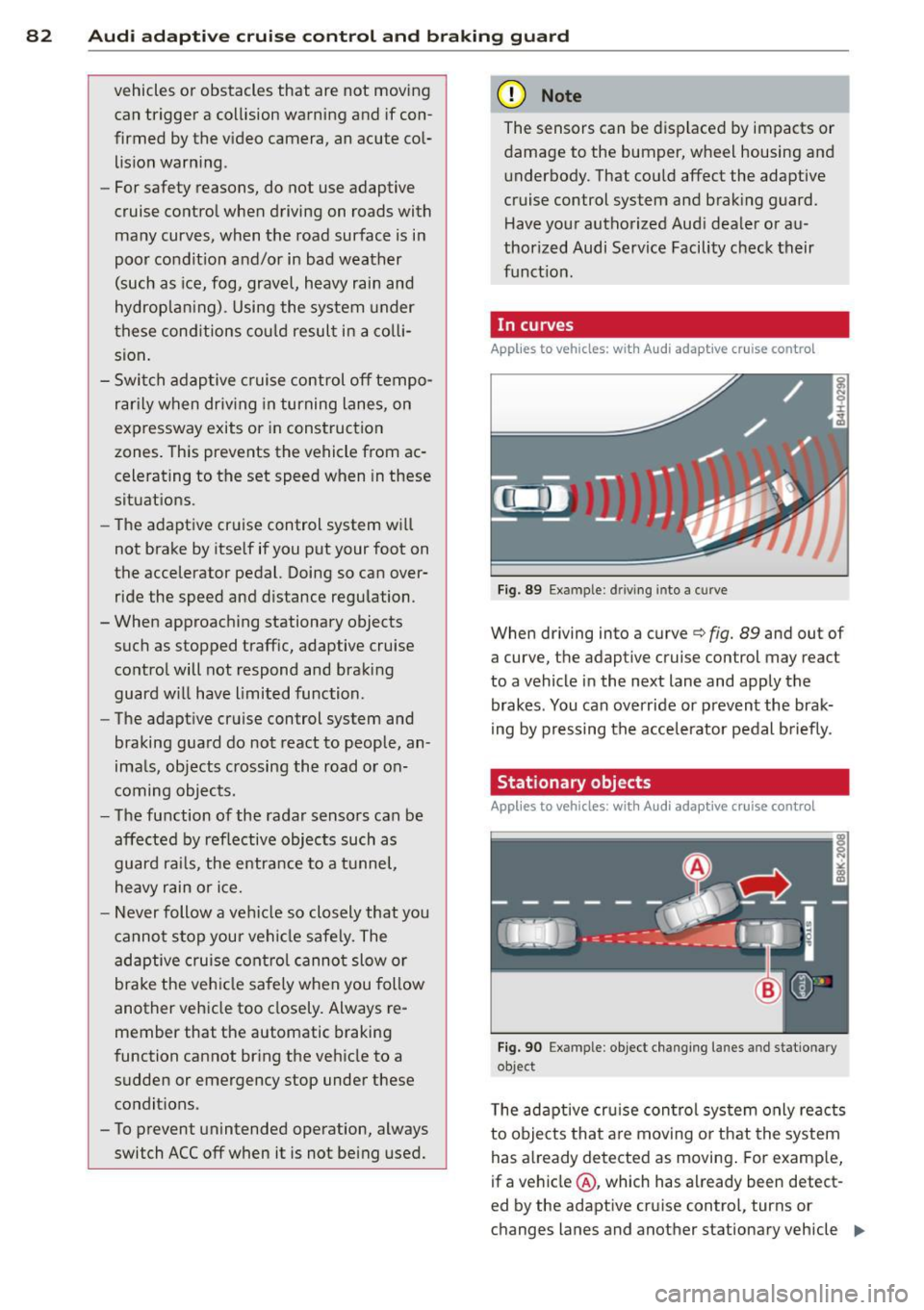
In curves
Applies to vehicles: with Audi adaptive cru ise contro l
I
Fig. 89 Ex ampl e: dri ving in to a curve
When d riving into a curve c> fig. 89 and out of
a curve, the ad aptive cruise control may react
to a vehicle in the next lane and apply the
brakes. You can override or prevent the brak
i ng by pressing the acce lerator pedal briefly .
' Stationary objects
Applies to vehicles: with Audi adaptive cruise control
Fig. 90 Exampl e: objec t ch anging l anes and sta tio nar y
object
T he adaptive cru ise control system only reacts
to objects that are mov ing o r that the system
has already detected as moving . For examp le,
if a vehicle @, which has already been detect-
ed by the adaptive c ruise contro l, tu rns or
ch anges lanes and another stationary vehicle .,.
Page 90 of 302
88 Audi adaptive cruise control and braking guard
stopped vehicle or stationary obstacle (end of a traffic jam or vehicle that has
broken down in traffic).
- Always remember that the radar sensor
for the braking guard works only within
defined detection and range limits that
may prevent the proper detection of oth
er vehicles.
- The radar sensor's function and range
can be reduced by rain, snow and heavy
spray . Moving vehicles up ahead may not
be promptly detected or may not be de
tected at all.
- Reflective surfaces including crash barri
ers or tunnel entrances may impair the
function of the radar sensor.
({) Tips
-You can cancel the braking with increas
ing force that is initiated by the system
by braking yourself, by accelerating no
ticeably or by swerving.
- Braking guard error messages
¢page 88.
- Keep in mind that braking guard can
brake unexpectedly . Always secure any
cargo or objects that you are transport
ing to reduce the risk of damage or in
jury.
Settings in the MMI
Applies to vehicles: with Audi adaptive cruise co ntrol
.. Select : I CARI function button > (Car)* sys
tems
control button > Driver assist > Audi
braking guard.
System -
Switch braking guard On and Off.
When you switch the ignition on, the message
Audi braking guard off appears if the system
is switched off.
Early warning -The distance and approach
warnings in the display can be switched
On/
Off.
(D Tips
- Your settings are automatically stored
and assigned to the remote control key being used at the time the settings are
made.
- If you restrict or switch off the ESC, the
braking guard also switches itself off
¢page 189.
- Switch braking guard off when you are
loading the vehicle onto a vehicle carrier,
train, ship or other type of transporta
tion. This can prevent undesired warn
ings from the braking guard system.
Messages
Applies to vehicles: with Aud i adapt ive cru ise contro l
Braking guard: off
This driver message appears if the system is
turned off via the infotainment. Otherwise , if
the system is turned off, the information ap
pears every time shortly after the start of the
trip.
The driver message also appears if the system
is not available due to a malfunction or if the
ESC is not switched on¢
page 189. If this is
the case, the system will not provide warnings about a possible collision.
Braking guard: activated
This driver message appears if sharp brake
pressure was applied due to an acute warning.
ACC: Unavailable!
ACC and Audi braking guard: not available
The system cannot detect moving vehicles up
ahead correctly and is switched off. The sen
sors have been displaced or are not working
properly. The Audi pre sense functions may al
so be affected . Drive to your authorized Audi
dealer or authorized Audi service facility im
mediately to have the malfunction corrected.
ACC: currently unavailable. No sensor vision
ACC and braking guide: currently unavaila
ble. No sensor vision
This message appears if the sensor view is ob
structed, for example by leaves, snow, heavy
spray or dirt. Clean the sensors¢
page 81,
fig. 88. ll>-
Page 97 of 302
"' N
a:: I.J "". rl I.O
"' rl
"' rl
Have your authorized Audi dealer or au
thorized A udi Service Facility check the ir
function.
@ Tips
- If the win dow g lass in the driver 's door
or front passenger's door has been tint
ed, the disp lay in the exterior m irror may
be misinterp reted .
- For Decla rat ion of Compliance to United
States FCC and Industry Canada regula
tions ¢
page 285.
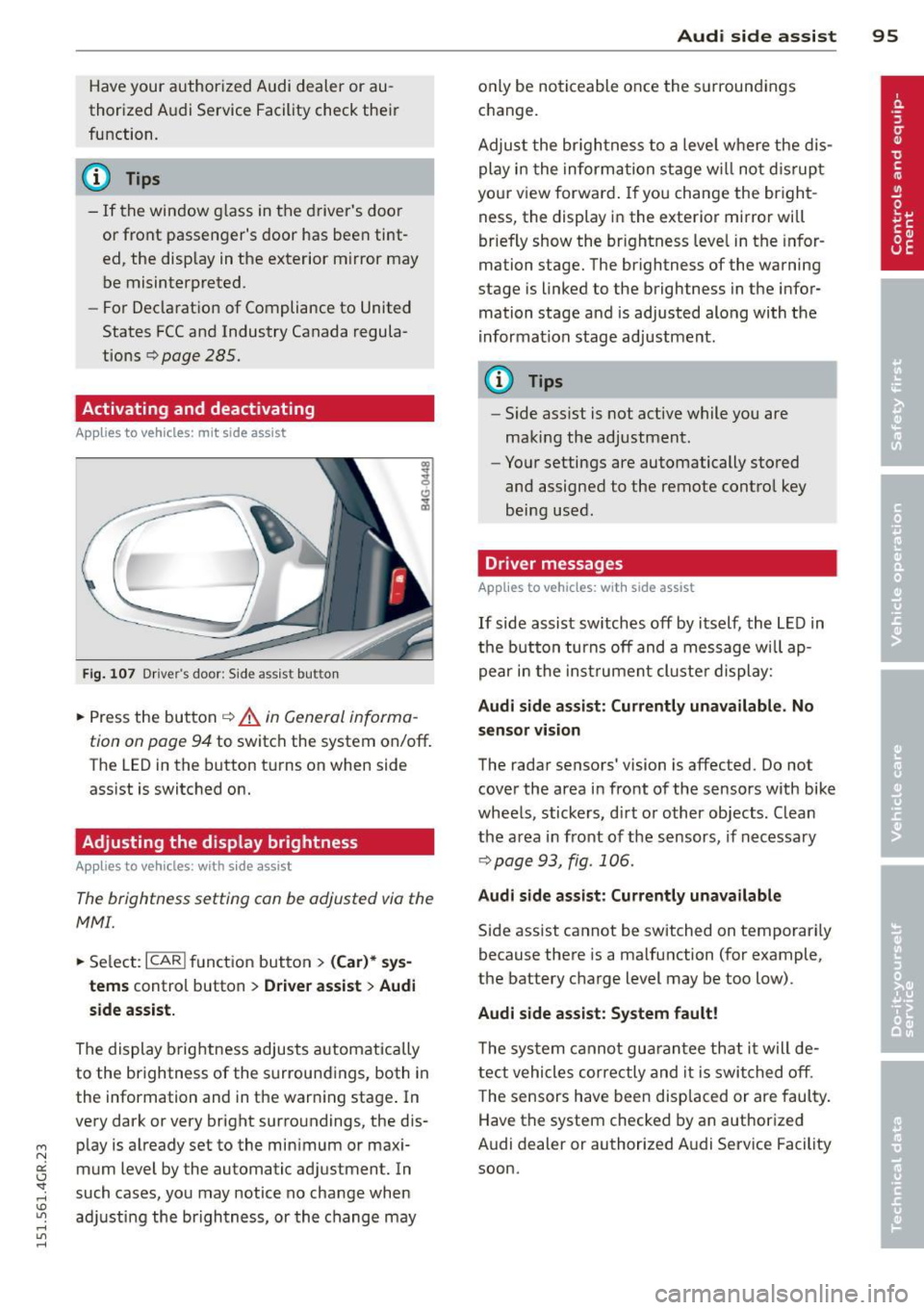
Activating and deactivating
Applies to vehicles: mit side assist
Fig. 107 Dr ive r's d oor : Sid e ass is t butt on
.. Press the but ton ¢ .&. in General informa
tion on page 94
to switch the system on/off .
The LED in the button t urns on when side
ass ist is switc hed on.
Adjusting the display brightness
Applies to vehicles: with side assist
The brightness setting can be adjusted via the
MMI.
.. Se lect : ICAR I function button> (Car)* sys
tems
contro l button > Drive r assist > Audi
side assist.
The display brig htness adjusts a utomatically
to the brightness of the surroun dings, both in
the information and in the warn ing stage . In
very dark or very bright surro undings, the dis
p lay is a lready set to the min imum or maxi
mum Level by the automatic ad justment. In
such cases, you may notice no cha nge when
a d ju sting the brightness, or the change may
Aud i side assist 95
only be no ticeable once the s urround ings
c hange.
Adjus t the br igh tness to a leve l where the dis
play i n the informa tion stage w ill no t dis rup t
your view forward . If you change the br igh t
ness, the display in the exterior mirror will
brief ly show the br ightness leve l in the infor
mation stage. The brightness of the warning
stage is linked to the brightness in the infor
mation stage and is adjusted along with the
i nfor mation stage ad justment.
(D Tips
- Side ass ist is not act ive while you are
making the adjustment .
- Yo ur settings are automatically stored
and assigned to the remote contro l key
being used.
Driver messages
Applies to vehicles: with side assist
If side assist sw itches off by itself, the L ED in
t he b utto n turns off and a message wi ll ap
pe ar in the inst rume nt cl uste r d is play:
Audi side assist: Currently unavailable. No
sensor vi sion
The rada r sensors' vision is affected. Do not
cover the area in fro nt of the sensors with bike
whee ls, sticke rs, d irt o r other objects. Clean
the a rea in front of the sensors, if necessary
¢page 93, fig . 106.
Audi side assist: Currently unavailable
Side assist cannot be switched on temporari ly
because there is a malfunction (for example,
the battery c ha rge level may be too low) .
Audi side assist: System fault !
The sy stem cannot gu arant ee th at it w ill de
tect vehicles correctly and it is swi tched o ff.
T he sensors have been disp laced or are faul ty .
Have the system checked by an authorized
A udi dealer or authorized A udi Service Facility
soon.
Page 139 of 302
M N
0:: <.J 'SI: .-I \!) ..,.,
.-I ..,., .-I
I CARI funct ion button > (Car)* system s > Ve
hicle sett ings
> Seats > Driver 's seat or Pas
s enger 's seat
> Automatic belt ten sione r >
Off.
-In certain driving situations, the safety belts
may t ighten with a reversib le tensioning
function
c:> page 184.
- The safety belts may also tighten with this
revers ible tensioning f unction in minor colli
s ions.
Pyrotechnic safety b elt preten sioner s
The safety be lts are equipped with safety belt
pretensioners. The system is activated by sen
sors in front, side and rear-end collisions of
great severity and in a rollover. Th is tightens
the belt and takes up be lt slack
c:> &. in Service
and disposal of safety belt pre tensioner on
page 137 .
Taking up the slack helps to reduce
forward occupant movement during a co lli
sion.
_& WARNING
- It is possib le for the pre tensioners to de
ploy incorrect ly.
- T he pyrotechnic sys tem c an only provide
pro tection for one co llision.
If t he pyro
technic p retensioners dep loy, t he p reten
sioning system must be replaced .
@ Tips
The pyro te c hni c safety belt pretens ioners
can only deploy once.
- The safety belt pretensione rs do not de
ploy in mi no r frontal and side col lisions,
i n rear-end collisions, in rollove rs and in
collisions invo lving very little impact
fo rce.
- A f ine dust is released whe n the pyro
technic safety belt pretensioners deploy.
This is normal and is not ca used by a fire
i n the veh icle.
- The relevant safety requirements must
be observed when the vehicle or compo
nents of the system are scrapped. A
qualified dea lership is familiar with
these reg ulations and w ill be pleased to
pass on the informat io n to you .
Safety belts 13 7
- Be sure to observe all safety, env iron
menta l and other regu lations if the veh i
cle or ind ividual parts of the system, par
t icu larly the safety belt or airbag, are to
be disposed. We recommend you have
your authorized Audi dealer perform this service fo r you .
Service and disposal of safety belt
pretensioner
The safety belt pretens ione rs are parts o f the
safety belts on your Audi . Insta lling, remov
ing, servicing or repairing of be lt pretension
ers can damage the safety belt system and
prevent it from working correctly in a co lli
s io n.
There are some important t hings you have to
know to make sure that the effectiveness of
the system w ill not be impaired and that dis
carded components do not cause injury or pol
lute the environment .
_& WARNING
Impro per care, serv ic ing and repair p roce
d ur es can i ncrease the risk of pe rsonal in
ju ry and death by preventing a safety belt
p retensioner from activ ating w hen neede d
or activa ting i t unexpectedly :
- T he bel t pretensione r system can be a cti
v ated only once. If be lt pre tensioners
have been activated, t he system m ust be
re placed .
- Never repair, adjus t, or change any pa rts
of the safety be lt system .
- Safety belt systems incl uding safety belt
pretens ioners cannot be repaired. Spe
cial procedures are require d for removal,
installation and d isposa l of th is system.
- For any wo rk on the safety be lt system,
we strongly recommend t hat you see
your author ized Audi dealer or qualif ied
technician who has an Audi approved re
pa ir manua l, trai ning and spec ial eq uip
men t necessa ry . •
•
Page 158 of 302
156 Airbag system
www.dtsc.ca.gov/hazardouswaste/per
chlorate. When the vehicle or parts of the
restraint system including airbag modules
and safety belts with pretensioners are
scrapped, all applicable laws and regula
tions must be observed. Your authorized
Audi dealer is familiar with these require
ments and we recommend that you have
your dealer perform this service for you.
Other things that can affect Advanced
Airbag performance
Changing the vehicle's suspension system can
change the way that the Advanced Airbag Sys
tem performs in a crash. For example, using
tire-rim combinations not approved by Audi,
lowering the vehicle, changing the stiffness of
the suspension, including the springs, suspen
sion struts, shock absorbers etc. can change
the forces that are measured by the airbag sensors and sent to the electronic control
unit. Some suspension changes can, for exam
ple, increase the force levels measured by the
sensors and make the airbag system deploy in
crashes in which it would not deploy if the
changes had not been made . Other kinds of
changes may reduce the force levels meas ured by the sensors and prevent the airbag
from deploying when it should.
A WARNING
Changing the vehicle's suspension includ
ing use of unapproved tire-rim combina
tions can change Advanced Airbag per
formance and increase the risk of serious
personal injury in a crash.
- Never install suspension components
that do not have the same performance characteristics as the components origi
nally installed on your vehicle.
- Never use tire-rim combinations that
have not been approved by Audi.
Knee airbags
Description of knee airbags
Applies to vehicles: with knee airbags
The knee airbag system can provide supple
mental protection to properly restrained
front seat occupants .
Fig. 163 Driver 's knee airbag
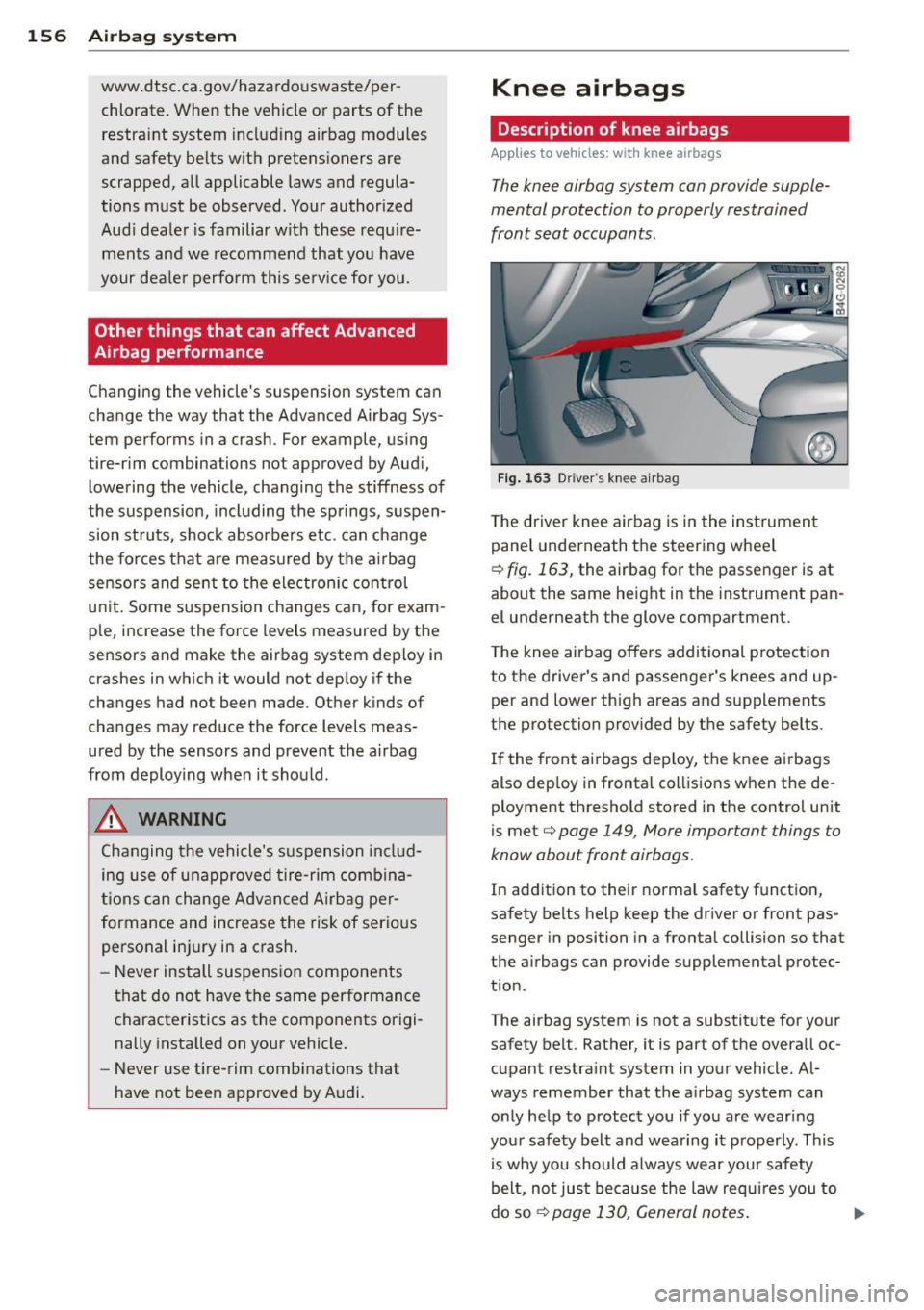
The driver knee airbag is in the instrument
panel underneath the steering wheel
¢ fig. 163, the airbag for the passenger is at
about the same height in the instrument pan
el underneath the glove compartment.
The knee airbag offers additional protection
to the driver 's and passenger's knees and up
per and lower thigh areas and supplements
the protection provided by the safety belts.
If the front airbags deploy, the knee airbags
also dep loy in frontal collisions when the de
ployment threshold stored in the control unit
is met
<=> page 149, More important things to
know about front airbags .
In addition to their normal safety function,
safety belts help keep the driver or front pas
senger in position in a frontal collision so that
the airbags can provide supplemental protec
tion.
The airbag system is not a substitute for your
safety belt . Rather, it is part of the overall oc
cupant restraint system in your vehicle. Al
ways remember that the airbag system can
only help to protect you if you are wearing
your safety belt and wearing it properly. This
is why you should always wear your safety
belt, not just because the law requires you to
do so
¢ page 130 , General notes. ..,.
Page 200 of 302
198 Driving and en vironm ent
_& WARNING
The temperature o f the exhaust system is
high, both when driving and after stopping
the engine .
- Never touch the exha ust tail p ipes once
they have become hot. This could result in burns .
- Do not park or operate the veh icle in
areas where the hot exhaust system may
come in contact with dry grass, brush,
fuel spill or other material which can cause a fire .
- Do not apply additional undercoating or
rustproofing on or near the exhaust
man ifold , exhaust p ipes, catalytic con
verte r or heat shie lds. D uri ng d riving, the
substance used for undercoating cou ld
over heat and cause a fire .
(I) Note
- Be aware that just one tank filling with
l eaded fuel will already seriously de
grade the perfo rmance of the cata lytic
conve rter.
- Do not exceed the correct engine oil leve l
¢page 215.
- Do not d rive until the fuel tank becomes
completely empty. The eng ine could mis
fire. Unburned f uel could a lso ge t in to
t h e exhaus t sys tem and this could cause
the ca talyt ic converte r to ove rheat.
- Do no t switch off the ign ition wh ile the
vehicle is moving.
- Do no t continue to operate yo ur vehicle
u nder these condi tions, as otherw ise fuel
can reac h the catalytic converter . This
could result in overheating of the co n
verter, req uiring its replacement.
- To assure efficient operation of the Emis
sion Control System :
- Have your veh icle maintained properly
and in accordance with the service rec
ommendations in your Wa rranty
&
Ma intenance booklet.
- Lack of proper maintenance as well as
improper use of the vehicle will impa ir the function of the em
ission cont ro l
system and could lead to damage .
~ For the sake of the env ironment
Even when the Emiss ion Con trol Sys tem is
operat ing proper ly, the exha ust gas can
have a sulfur-li ke ex haust gas smell under
some ope rat ing states . This depends on
the sulfur content of the fuel being used .
Using a different brand of fue l may help,
or fil ling the tank with lead -free super
grade gasoline .
Shutting down vehicle
If you would like you r vehicle to remain inop
erative for a longer per iod of t ime, contact an
Audi o r other spec ia lized dealer. They can ad
v ise you on ne cessa ry precautions e .g. co rro
s io n preven tion , maintena nce and s to rage.
Pay a ttent ion to addi tional in fo rmat ion con
cerning the battery. Refer to
¢ page 2 21.
Operate your vehicle
economically and
minimize pollution
General
Your p ersonal style of driving will determine
the economy of your vehicle , as well as ex
haust and nois e le ve ls .
Fu el economy, environmenta l impact, and
wear on your engine , brakes and tires largely
depend on three factors:
- your personal d riving style
- operati ng conditions
- technical limitat ions
If you an tic ipate what you need to do next and
drive economically, you can easily cut your
fuel consumpt io n by 10 -15 percent . This sec
t ion w ill give you some tips on how you can
help the e nvir onment and your pocketbook .