warning light AUDI RS7 SPORTBACK 2015 Owner's Guide
[x] Cancel search | Manufacturer: AUDI, Model Year: 2015, Model line: RS7 SPORTBACK, Model: AUDI RS7 SPORTBACK 2015Pages: 302, PDF Size: 74.76 MB
Page 49 of 302
"' N
a:: I.J "". rl I.O
"' rl
"' rl
instrument cluster illuminates when the
high beams are on.
- The
headlight flasher works only as long as
yo u hold the lever -even if there are no
l ights turned on . The indicator light
II in
the instrument cluster illuminates when you
use the headlight flasher.
A WARNING
Do not use the high beam or headlight
flasher if you know that these could blind
oncoming traffic.
Interior lights
Front and rear interior lighting
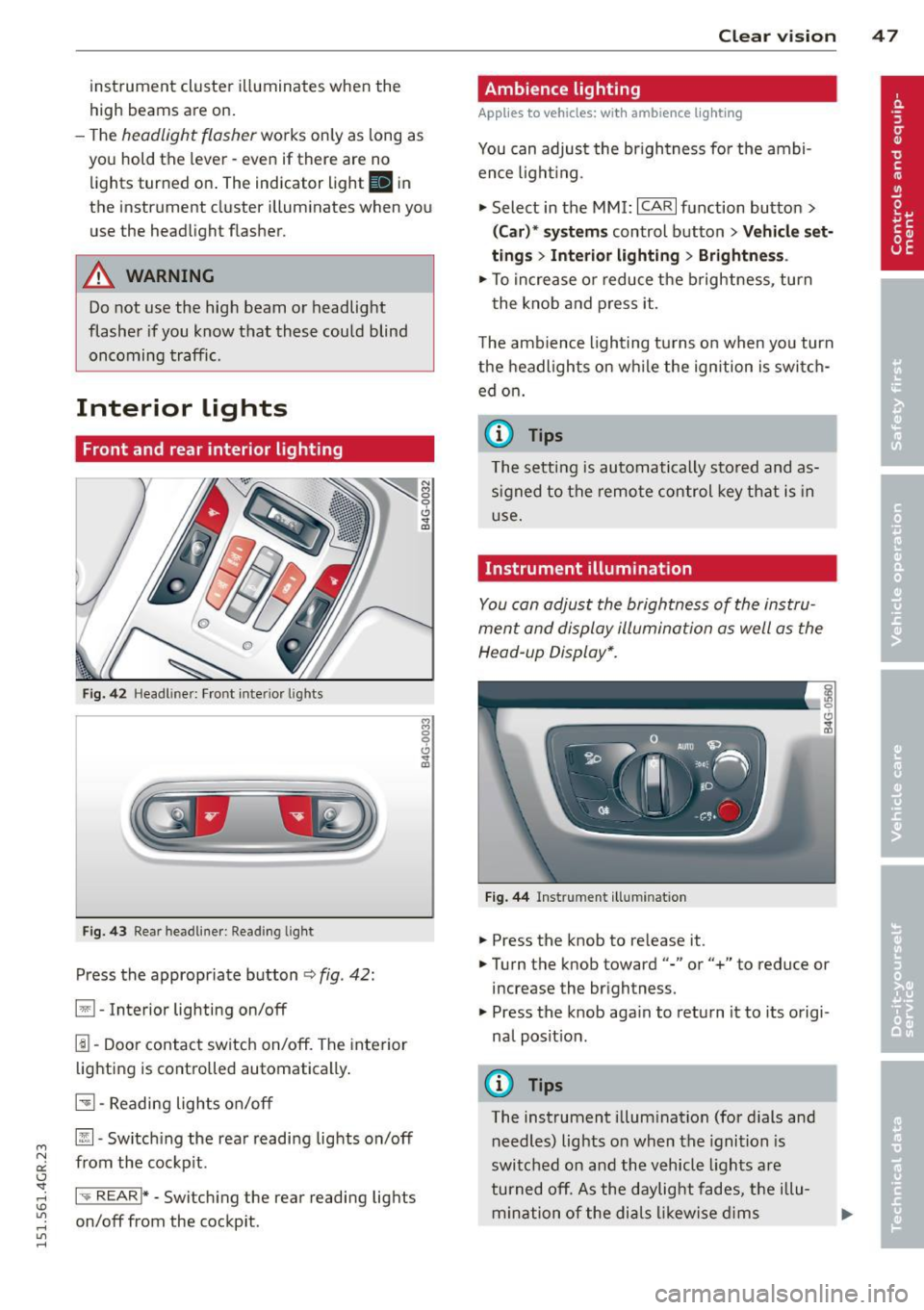
Fig. 42 Headl iner: Front inter ior l ights
F ig. 43 Rear headl iner: Reading lig ht
Press the appropriate button ¢ fig. 42:
§1 -Interior lighting on/off
1!1-Door contact switch on/off. The inte rior
lighting is controlled automatically .
51-Reading lights on/off
~- Switch ing the rear reading lights on/off
from the cockp it.
1-.. REAR !* -Switch ing the rear reading lights
on/off from the cockp it.
Clear vi sion 4 7
Ambience lighting
Applies to veh icles : w ith amb ience lig hting
You can adjust the brightness for the ambi
ence ligh ting.
.,. Select in the MMI: ICARlfunction button>
(Car)* systems control button > Vehicle set
tings
> Interior lighting > Brightne ss.
.,. To increase or reduce the brightness, turn
t he knob and press it.
The ambience lighting turns on when yo u turn
the headlights on while the ign ition is switch
ed on.
(D Tips
The setting is automatically stored and as
signed to the remote control key that is in
u se.
Instrument illumination
You can adjust the brightness of the instru
ment and display illumination as well as the
Head -up Display*.
Fig. 44 Instrument illumination
.. Press the knob to release it .
.. Turn the knob toward"-" or"+" to reduce or
increase the brightness.
.,. Press the knob aga in to return it to its origi
nal posit ion .
(D Tips
The instrument illumination (for dials and
needles) lights on when the ignition is
switched on and the vehicle lights are
turned off. As the daylight fades, the illu
mination of the dials likewise dims
Page 50 of 302
48 Clear vis ion
automatically and will go o ut comp letely
when the outside light is very low. This
feature is meant to remind you to switch on the headlights when outs ide light con
ditions become poor.
Vision
Sun visors
( )
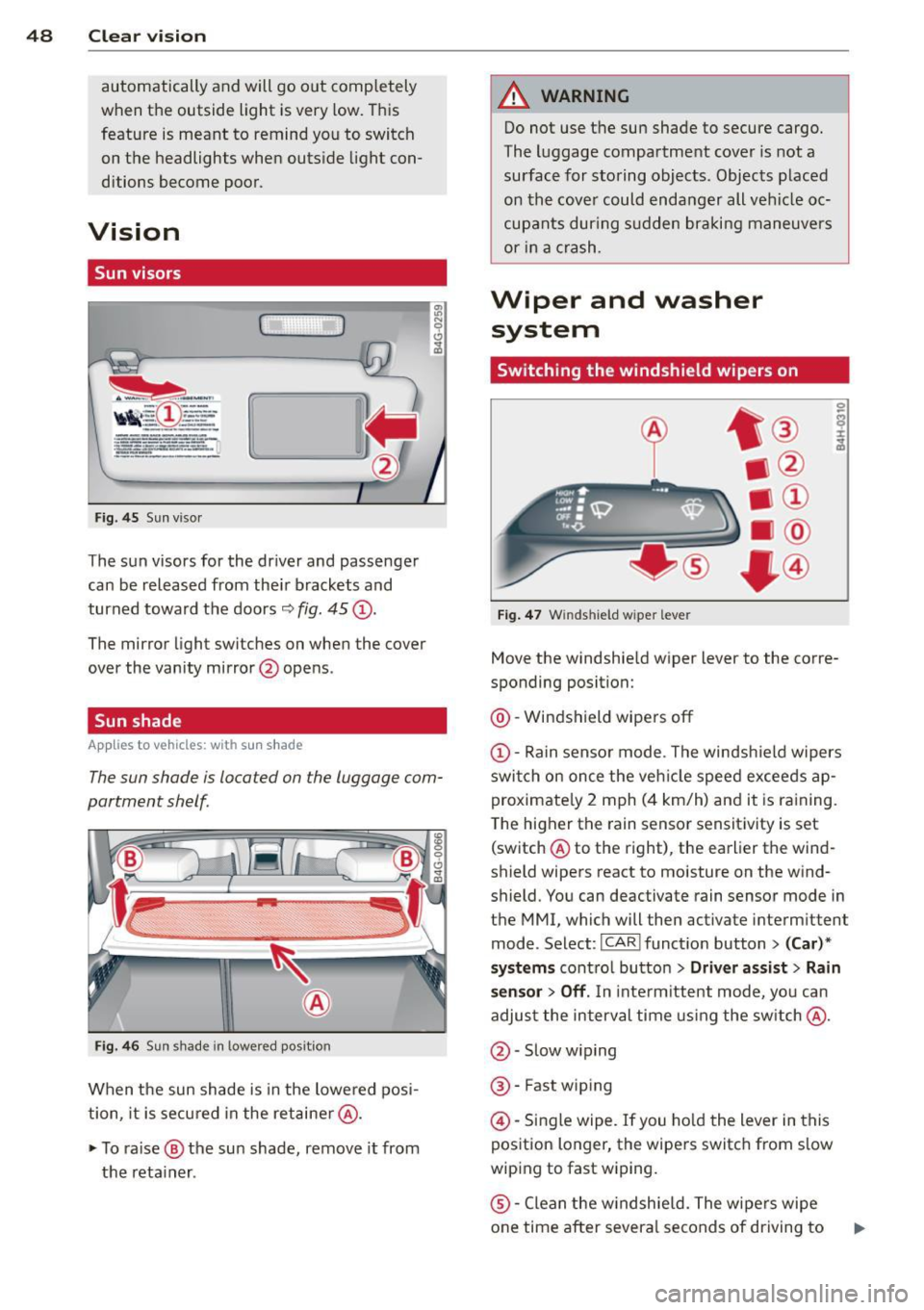
Fig. 45 Sun viso r
The sun visors for the dr iver and passenge r
can be released from the ir brackets and
turned toward the doors
9 fig. 45 (D .
The mirror light switches on whe n the cover
over the vanity mirror @opens .
Sun shade
Applies to vehicles: with s un shade
The sun shade is located on the luggage com
partment shelf.
Fi g. 4 6 Sun s hade in lowered position
When the sun shade is in the lowe red posi
tion, it is secured in the retaine r@ .
~ To ra ise ® the su n shade, remove it from
the reta iner .
A WARNING
-Do not use t he sun shade to secure cargo.
The luggage compartme nt cover is not a
surface for storing objects. Objects p laced
on th e cove r could enda nger all vehi cle oc
cup ants dur ing s udden braki ng maneuvers
or i n a crash.
Wiper and washer
system
Switching the windshield wipers on
Fig. 47 Windshield wiper leve r
Move the windshie ld wiper lever to the corre
sponding position:
@ -Windshield wipers off
(D-Rain sensor mode . The windsh ie ld wipers
swi tch on once the veh icle speed exceeds ap
proximate ly 2 mph ( 4 km/h) and it is ra ining.
T he higher t he rain sensor sensit ivity is set
(switch @to the right), the earlier the wind
shield wipers react to moisture on the w ind
shield. You can deactivate rain sensor mode in
the MMI, which will then activate interm ittent
mode. Select:
I CAR ! funct ion button > (Car )*
systems
cont ro l butto n > Driver as sist > Rain
sensor > Off .
In inte rm ittent mode, yo u can
adjust the interval time using the sw itch @.
@ -Slow w iping
® -Fast wiping
@ -Single wipe. If you ho ld the lever in this
position longer, the wipe rs switch from s low
wiping to fast w iping.
® -Clean the w indshie ld. The wipe rs wipe
one time after severa l seconds of driving to
Page 51 of 302
M N
0:: <.J 'SI: ,...., \!) 1.1'1 ,...., 1.1'1 ,....,
remove water droplets . You can switch this
function off by moving the lever to position ®
within 10 seconds after the afterw ipe. The af
terw ipe funct ion is react ivated the next time
you switch the ignit ion on .
C lea ning the headlights *. The headlight wash
er system * operates on ly when the headlights
are on. If you move the lever to pos ition ®,
the headlights and the night vision assistant
camera* are washed in intervals .
.&_ WARNING
-The ra in sensor is only des igned to assist
and support the drive r.
It remains entire
ly the dr iver's respons ibility to monitor
o utside wea ther conditions and to man
ually activate the wipers as soon as rain
or drizzle reduces visibility through the
w indshield.
- The w indshie ld m ust not be treated with
water -repe llent materials. They can in
c rease glare under poor visibi lity condi
tions such as wetness, darkness, or when
the sun is low on the horizon. I n addi
tion, they can cause the windshield wip
ers to chatte r.
- Properly functioning windshie ld w iper
blades are required for a clear view and
safe dr iv ing ¢
page 49, Replacing
windshield wiper blades .
(D Note
-In the case of frost, check whether the
windsh ield wiper b lades a re frozen to
t h e windshie ld. Switching on the wind
s h ield wipers can damage the wiper
blades!
- Prior to using a car wash, the win dsh ield
wipe r system must be switched off (lever
i n position @). This helps to prevent un
i ntent ional sw itch ing on and damage to
the windshie ld w iper sys tem .
- Do no t use the wipe rs to cle ar a frosted
window. Using the wipers as a conven
i ent ice sc raper will destroy t he wiper
b lades .
Clear vis ion 49
(D Tips
- The windshie ld wipers are switched off
when the ign it ion is off. Activate the
w indshield wipers after the ignition is
switched back on by moving the w ind
shield wiper lever to any position .
- Worn or d irty windshield wiper blades
result in streaking. This ca n affect the
rai n sensor function. Check your wind
shield wiper blades regularly.
- The washer fluid nozz les of the wind
shield washe r system a re heated at low
tempe ratu res whe n the ignition is on.
- When stopping temporarily, e .g. at a
t raffic light, the set spe ed of the wind
shield wipers is automatically reduced by
one speed.
Cleaning windshield wiper blades
Clean the w indsh ie ld w iper blades when t hey
begin to leave st reaks. Use a soft clo th and
glass cleaner to clean the wi ndshield wipe r
blades.
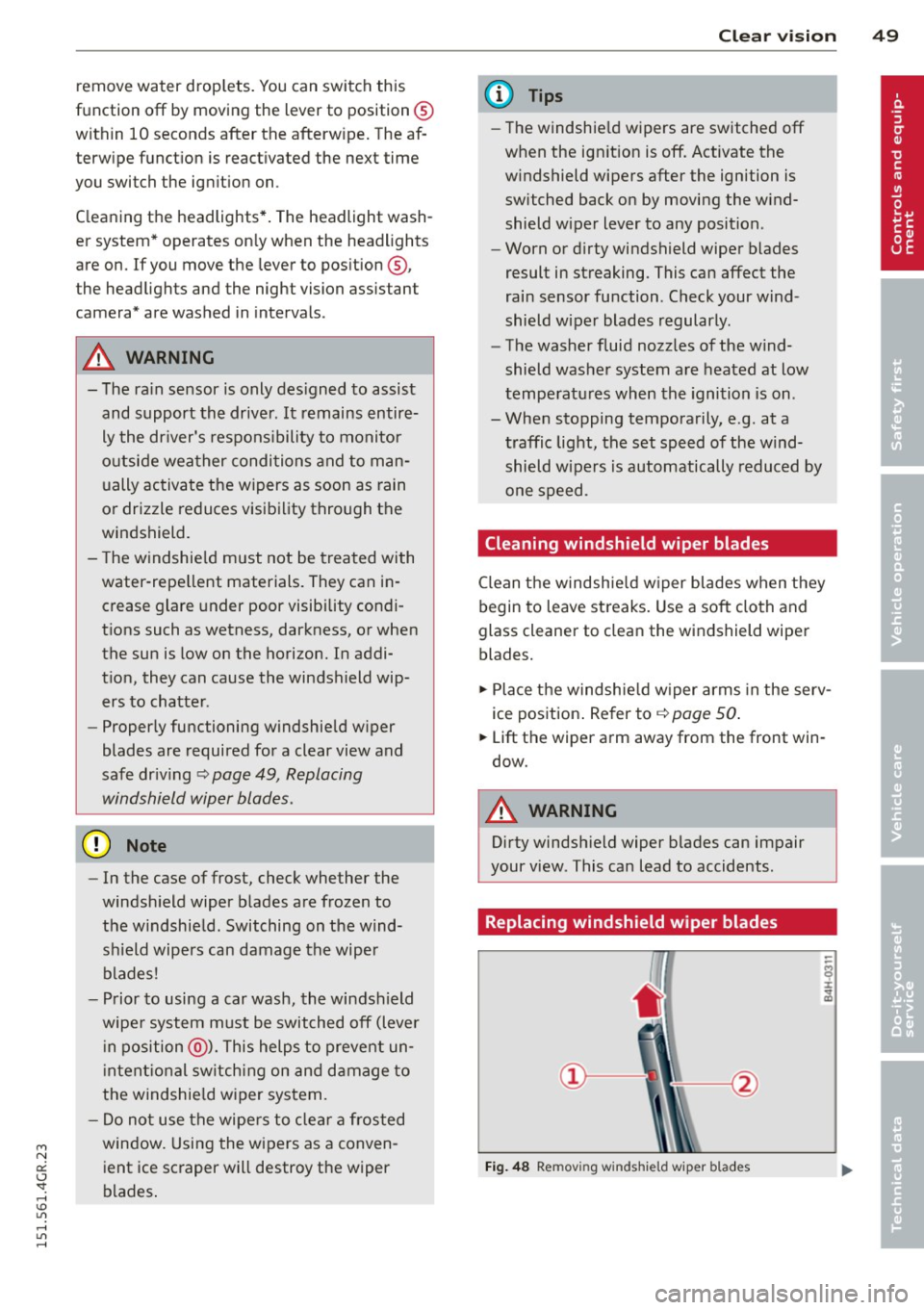
.,. Place t he windsh ie ld w iper arms in the serv
ice pos ition . Re fer to ¢
page 50 .
.,. Lift the wiper arm away from the front win
dow.
.&_ WARNING
Dirty windsh ield wiper b lades can impair
your view. This can lead to accidents .
Replacing windshield wiper blades
Fig. 48 Removing windshie ld wiper blades
Page 53 of 302
"' N
a:: I.J "". rl I.O
"' rl
"' rl
8 - The exterior mirrors fold in. In the MMI,
you can select if the mirrors fold in automati
cally when you lock the vehicle ~
page 34.
Tilt function for the passenger's mirror
To help you see the curb when backing into a
parking space, the surface of the mirror tilts
slightly. The knob must be in the P position
for this to happen.
You can adjust the tilted mirror surface by
turning the knob in the desired direction.
When you move out of reverse and into anoth
er gear, the new mirror position is stored and
assigned to the key you are using.
The mirror goes back into its original position
once you drive forward faster than 9 mph (15
km/h) or switch the ignition off.
.&_ WARNING
- Curved (i.e. convex) mirror surfaces in
crease your field of view. Remember that
vehicles or other objects will appear
smaller and farther away than when seen in a flat mirror.
If you use this mirror to
estimate distances of following vehicles
when changing lanes, you could estimate
incorrectly and cause an accident.
(D Note
-If the mirror housing is moved uninten
tionally (for example, while parking your
vehicle), then you must first fold the mi r
ror electrically. Do not readjust the mir
ror housing manually. You could damage
the motor which controls the mirror.
- If you wash the vehicle in an automatic
car wash, you must fold the exterior mir
rors in to reduce the risk of damage to
the mirrors. Never fold power folding ex
terior mirrors* by hand. Only fold them in and out using the power controls.
@ Tips
-The exterior mirror settings are stored
with the memory function*
~ page S 7.
- If there is a malfunction in the electrical
system, you can still adjust the exterior
Clear vision S 1
mirrors by pressing the edge of the mir
ror.
Dimming the mirrors
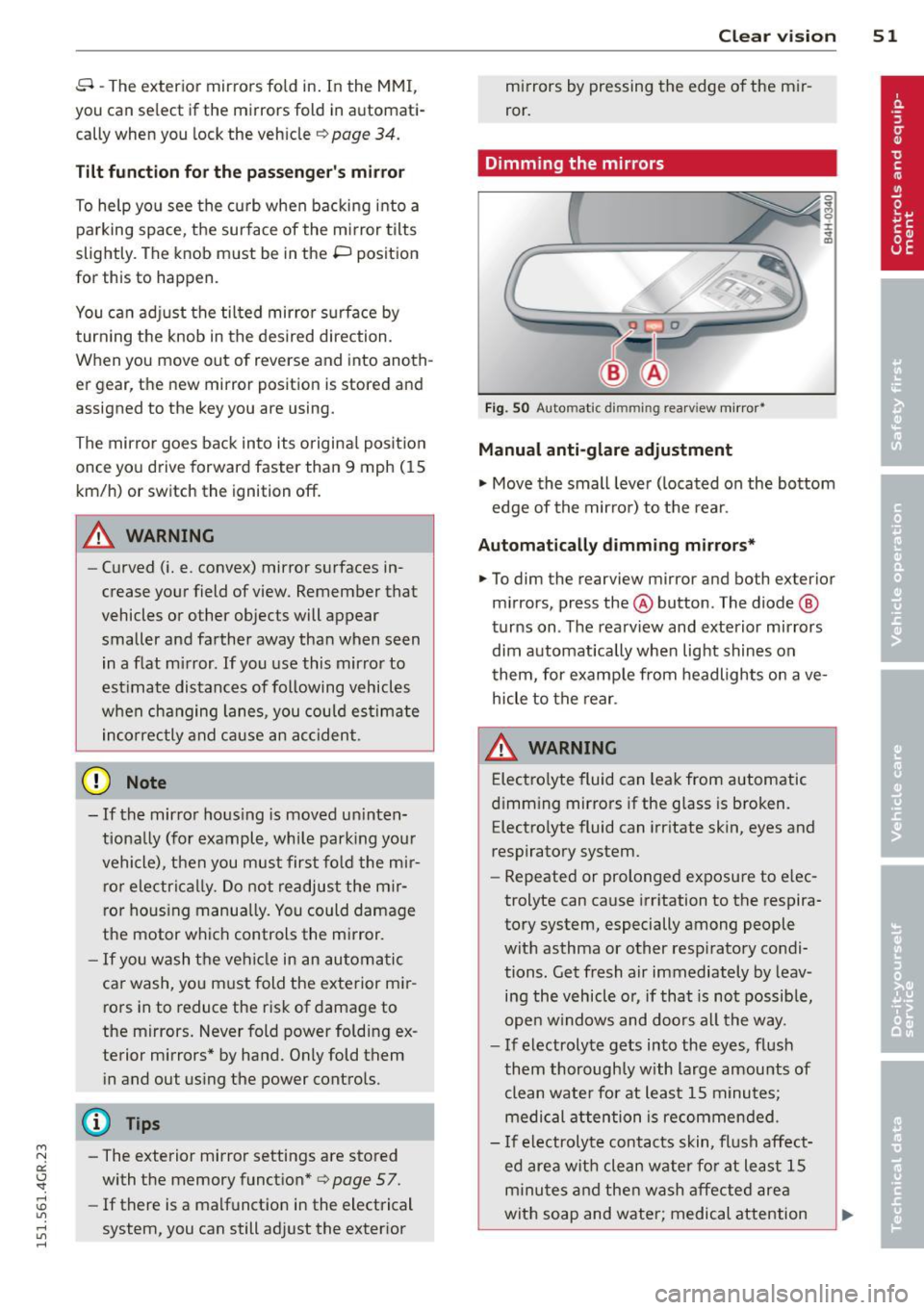
Fig. SO Automatic dimming rea rview mirro r•
Manual anti-glare adjustment
"' Move the small lever (located on the bottom
edge of the mirror) to the rear.
Automatically dimming mirrors*
"'To dim the rearview mirror and both exterior
mirrors, press the@button. The diode @
turns on. The rearview and exterior mirrors
dim automatically when light shines on
them, for example from headlights on ave
hicle to the rear.
&_ WARNING
= Electrolyte fluid can leak from automatic
dimming mirrors if the glass is broken.
Electrolyte fluid can irritate skin, eyes and
respiratory system.
~
- Repeated or prolonged exposure to elec
trolyte can cause irritation to the respira
tory system, especially among people
with asthma or other respiratory condi
tions. Get fresh air immediately by leav
ing the vehicle or, if that is not possible,
open windows and doors all the way.
- If electrolyte gets into the eyes, flush
them thoroughly with large amounts of
clean water for at least 15 minutes·
'
medical attention is recommended.
- If electrolyte contacts skin, flush affect
ed area with clean water for at least 15 minutes and then wash affected area
with soap and water; medical attention
.___ ______ _:_ ____ _:_.::..:.:..__J ....
Page 55 of 302
M N
0:: <.J 'SI: ,...., \!) 1.1'1 ,...., 1.1'1 ,....,
Seats and storage
General recommen
dations
Why is your seat adjustment so important?
The safety belts and the airbag system can
only provide maximum protection if the front
seats are correctly adjusted.
There are various ways of adjusting the front
seats to provide safe and comfortable support
for the driver and the front passenger. Adjust
your seat properly so that :
- you can easily and quick ly reach all the
switches and controls in the instrument
panel
- your body is properly supported thus reduc ing physical stress and fatigue
- the safety belts and airbag system can offe r
maximum protection
¢ page 139.
In the following sections, you will see exactly
how you can best adjust your seats .
There are special regulations and instructions
for installing a child seat on the front pas
senger's seat. Always fo llow the information
regarding chi ld safety provided in
¢ page 165, Child Safety .
A WARNING
Incorrect seating position of the driver and
all other passengers can result in serious
personal injury.
- Always keep your feet on the f loor when
the vehicle is in motion -never put your
feet on top of the instrument panel, out
of the window or on top of the seat cush
ion. Th is applies especially to the passen
gers . If your seating position is incorrect,
you increase the r isk of injury in the case
of sudden braking or an acc ident. If the
airbag inflates and the seating position
is incorrect, this could result in persona l
injury or even death.
- It is important for both the driver and
front passenger to keep a distance of a t
Seat s an d sto rage 53
least 10 inches (25 cm) between them
selves and the steering wheel and/or in
strument panel. If you're s itting any
closer than th is, the airbag system can
not protect you properly. In addition, the
front seats and head restraints must be
adjusted to your body height so that they
can give you maximum protect ion.
- Always try to keep as much distance as
possible between yourself and the s teer
ing wheel o r instrument pane l.
- Do not adjust the driver's or front pas
senger's seat whi le the vehicle is moving.
Your sea t may move unexpected ly, caus
ing sudden loss of vehicle cont rol and
personal injury . If you adjust yo ur seat
while the veh icle is moving, yo u are out
of posit ion.
Driver's seat
The correct seat position is important for safe
and relaxed driving.
We recommend that you adjus t the dr iver's
seat in the fo llowing manner:
.,. Adjust the seat in fore and aft direction so
that you can easily push the peda ls to the
floor wh ile keeping your knees s lightly bent
i:::> A in Why is your seat adjustment so im
portant? on page 53.
.,. Adjust the backrest so that when you sit
w ith your back against the backrest, you can
still grasp the top of the steering wheel.
.,. For adjustable head restra ints: adjust the
head restra int so the upper edge is as even
as poss ible with the top of your head . If that
is not poss ible, try to adjust the head re
straint so that it is as close to this position
as possible ¢
page 56. Move the head re
straint so that it is as close to the back of
the head as possib le .
A WARNING
-Never place any objects in the dr iver's foot-
well. An object could get into the pedal
area and interfere with pedal funct ion . In
~
Page 57 of 302
"' N
a:: I.J "". rl I.O
"' rl
"' rl
Multifunction button
Applies to vehicles: with memory function
You con adjust the massage function, Lumbar
support, side bolsters and seating surface us ing the multifunction button .
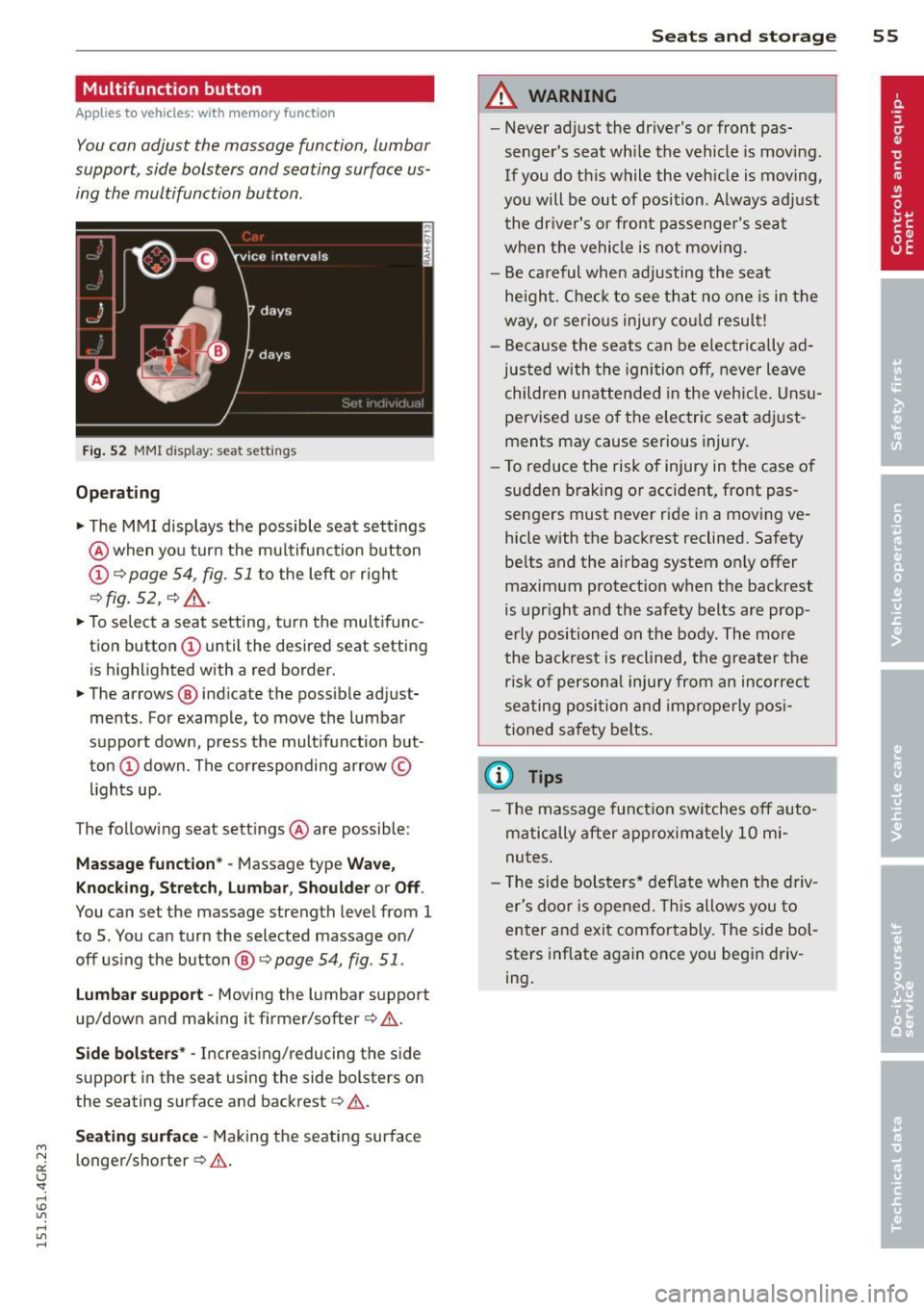
Fig. 52 MMI disp lay : sea t sett ings
Operating
.. The MMI displays the possible seat settings
@ when you turn the multifunction button
(D c:> page 54, fig. 51 to the left or right
~fig . 52 , c:> ,& .
.. To select a seat setting, turn the multifunc
tion button
(D until the desired seat setting
is highlighted with a red border.
• The arrows @ indicate the possible adjust
ments. For example, to move the lumbar
support down, press the multifunction but
ton
(D down . The corresponding arrow ©
lights up.
T he follow ing seat settings @ are possible:
Massage function* -Massage type Wave,
Knocking, Stretch, Lumbar, Shoulder or Off .
You can set the massage strength level from 1
to 5. You can turn the selected massage on/
off using the button @~
page 54, fig . 51 .
Lumbar support -Moving the lumbar support
up/down and making it firmer/softer
c:> .&. .
Side bolsters * -Increasing/reducing the side
support in the seat using the side bolsters on
the seating surface and backrest
c:> A .
Seating surface -Making the seating surface
l onger/shorter
c:> .&. .
Seats and storage 55
A WARNING
-Never adjust the driver's or front pas
senger's seat while the vehicle is moving.
If you do this while the veh icle is moving,
you will be out of position . A lways adjust
the driver's or front passenger's seat
when the vehicle is not moving.
- Be careful when adjusting the seat
he ight. Check to see that no one is in the
way, or serious injury could result!
- Because the seats can be electrically ad
justed with the ignit ion off, never leave
children unattended in the vehicle. Unsu
pervised use o f the electric seat adjust
ments may cause serious injury.
- To reduce the risk of injury in the case of
sudden braking or accident, front pas
sengers must never ride in a moving ve
hicle with the backrest reclined. Safety
belts and the airbag system on ly offer
maximum protection when the backrest
is upright and the safety belts are prop
erly positioned on the body . The more
the backrest is reclined, the greater the
ris k of persona l inju ry from an incorrect
seating position and improperly posi
tioned safety belts.
(D Tips
- The massage function switches off auto
matically after approximately 10 mi
nutes.
- Th e side bolsters* deflate when the driv
er's doo r is opened. This allows you to
enter and exit comfortably. The side bol
sters inflate again once you begin driv
ing.
Page 60 of 302
58 Seats and storage
Remote Memory button
control master
key
Dri ver Driver Front
passen -
ge r
Seat X X X
Stee ring X X
wheel*
Both exterior
X
X
rearview mir-
rors*
Remote control key
Applies to vehicles: with memory function
To assign the driver 's seat set tings to the re
mote contro l key when locking the vehicle, the
function must be switched on .
• Se lect:
I CAR I funct ion button > (Ca r)* sys
tem s
control button > V ehi cle se tt ings >
Sea ts > Dr ive r se a t > R emot e control k ey >
On.
@ Tips
If you do not want ano ther driver's set
tings to be assigned to the remote contro l
key, switch off the memory function using
the MMI or the
!OFF ! button c::> page 58.
Memory buttons
Applies to vehicles: with memory function
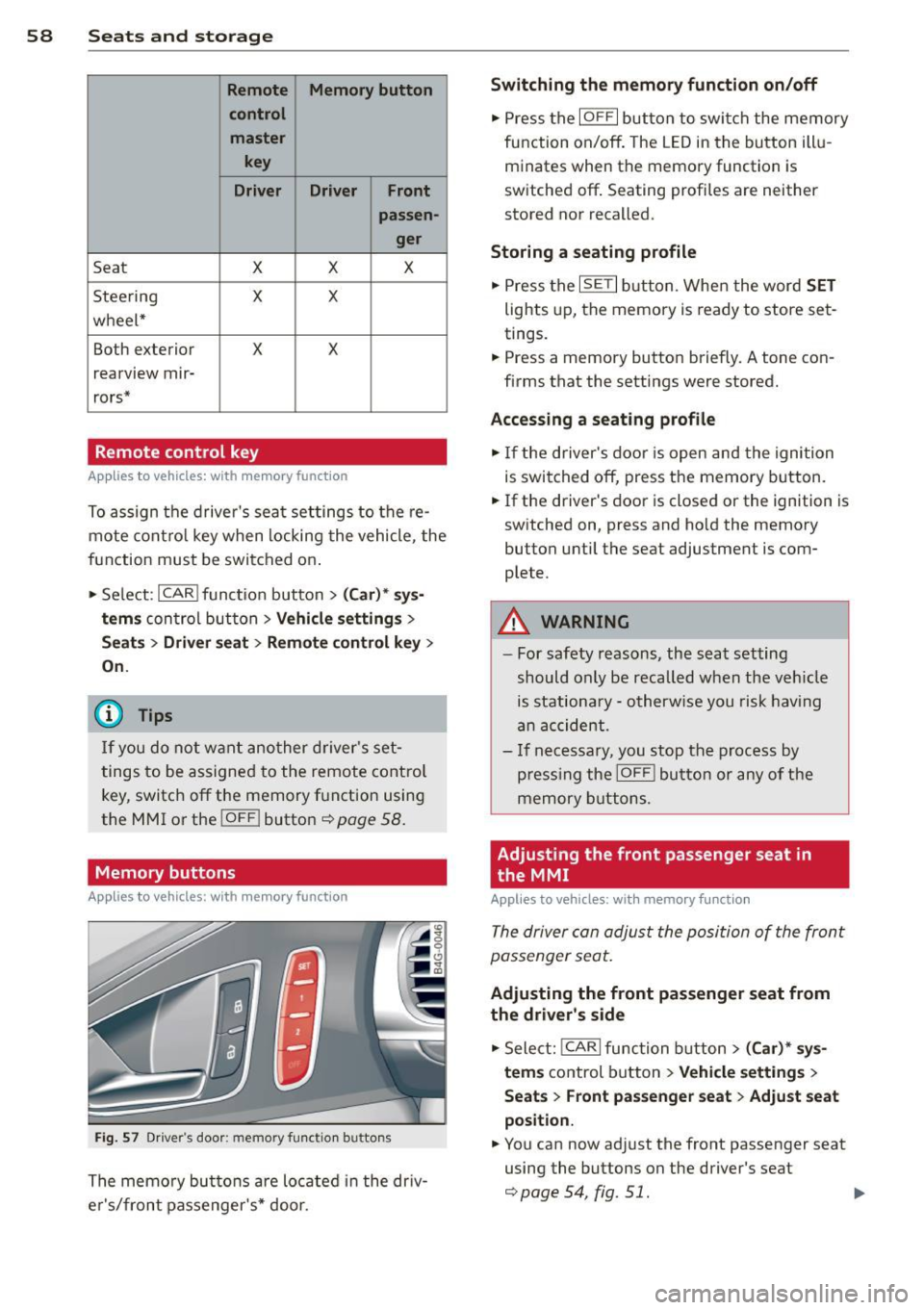
Fi g. 57 D river's door: memory function buttons
The memory but to ns are located in the dr iv
e r's/front passenger 's* door.
Switching the memory function on /off
• Press the IOFFI button to swi tch the memory
function on/off. The LED in the button illu
minates when the memory function is
switched off. Seating profi les are neither
stored nor recalled.
Storing a seating profile
• Press the ISETI button. When the word SET
lights up, the memory is ready to store set
tings.
• Press a memory button briefly. A tone con
firms that the settings were stored.
Accessin g a seating profile
• If the driver's door is open and the ignition
is switched off, press the memory button.
.,. If the driver's door is closed or the ignition is
switched on, press and hold the memory
button until the seat adjustment is com
plete.
_&. WARNING
- For safety reasons, the seat setting
should only be recalled when the veh icle
is stationa ry - otherw ise you risk having
an accident .
- I f necessary, you stop the process by
p ress ing the
I OFF ! button or any of the
memory buttons.
Adjusting the front passenger seat in
the MMI
Applies to vehicles: with memory function
The driver con adjust the position of the front
passenger seat.
Ad ju stin g the front passeng er seat fr om
the driv er's s id e
• Select: !CARI function button> ( C a r)* sys
tem s
control button > Vehicle sett ings >
Seat s > Front pass enge r seat> Adju st seat
po siti on.
.,. You can now adjust the front passenger seat
using the buttons on the driver's seat
c::>page 54, fig. 51.
Page 61 of 302
"' N
a:: I.J "". rl I.O
"' rl
"' rl
Matching the position of the driver's seat
• To adj ust the front passenger seat to match
the driver's seat settings, se lect the
! CAR I
function button > (C ar) * sys tems control
button
> Vehicle settings > Seats > Front
passenger seat > Symmetry to driver seat.
• Press and hold the control knob until the ad
justment process is complete.
@ Tips
When matching seat settings, the settings
for the lumbar support and seat ing sur-
face wi ll not transfer to the front passeng
er's seat.
Ashtray
App lies to vehicles: with ashtray
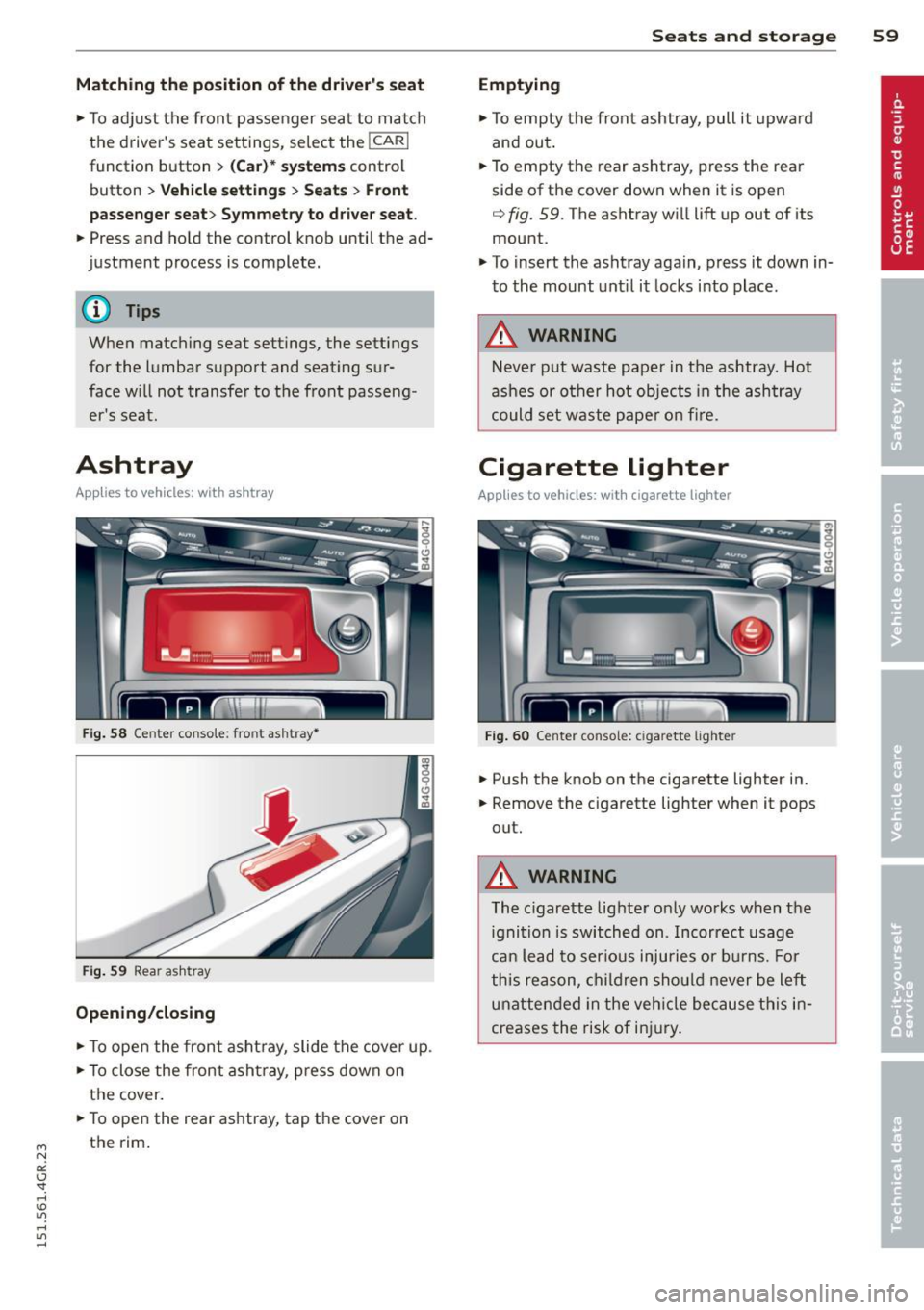
Fig . 58 Ce nter conso le : fron t ash tray*
Fig. 59 Rear a sh tray
Opening /closing
• To open the front ashtray, slide the cover up .
• To close the front asht ray, press down on
the cover.
• To open the rear ashtray, tap the cover on
the rim.
Seats and storage 59
Emptying
• To empty the front ashtray, pull it upwa rd
and out .
• To empty the rear ashtray, press the rear
side of the cover down when it is open
¢ fig . 59. The ashtray will lift up out of its
mount.
• To insert the ashtray again , press it down in
to the mount unt il it locks into place.
A WARNING
Never put waste paper in the ashtray. Hot
ashes or other hot objects in the ashtray
could set waste paper on fire.
Cigarette lighter
Applies to vehicles: with cigarette lighter
Fig. 60 Center co n sole: ciga rette lighte r
• Push the knob on the cigarette lighter in.
• Remove the cigarette lighter when it pops
out.
A WARNING
The cigarette lighter only works when the
ignition is switched on . Incorrect usage
can lead to ser ious inju ries or burns. For
this reason, children should never be left
unattended in the vehicle because this in
creases the risk of inj ury.
Page 64 of 302
62 Seats and storage
-Compartments* on the back of the front
seat backrests
- Garment hooks on the sides of the pillars in
the rear of the vehicle and in the rear grab
handles
- Compartment in the rear center armrest
- Storage in the trim panels in the luggage
compartment
~ WARNING
-
- Always remove objects from the instru
ment panel. Any items not stored could
slide around inside the vehicle while driv
ing or when accelerating or when apply
ing the brakes or when driving around a
corner.
- When you are driving make sure that
anything you may have placed in the cen
ter console or other storage locations
cannot fall out into the footwells. In case
of sudden braking you would not be able
to brake or accelerate.
-Always keep the lid of the compartment
for (sun)glasses* closed while driving to
reduce the risk of injury during a sudden
braking maneuver or in the event of an
accident.
- Any articles of clothing that you have
hung up must not interfere with the driv
er's view. The coat hooks are designed
only for lightweight clothing. Never hang
any clothing with hard, pointed or heavy
objects in the pockets on the coat hooks.
During sudden braking or in an accident -
especially
If the airbag is deployed -
these objects could injure any passen
gers inside the vehicle.
- To reduce the risk of personal injury in an
accident or sudden stop, always keep the
glove compartment closed while driving.
- Read and follow all WARNINGS
~ page 160, Important safety instruc
tions on the side airbag system.
-Hang clothes in such a way that they do
not impair the driver's vision.
- The coat hooks must only be used for
lightweight clothing. Do not leave any
heavy or sharp edged objects in the pock- ets which may interfere with the side cur
tain airbag deployment and can cause
personal
injury in a crash.
- Do not use coat hangers for hanging
clothing on the coat hooks as this can in
terfere with proper deployment of the side curtain airbags in an accident.
- Do not hang heavy objects on the coat
hooks, as they could cause personal in
jury in a sudden stop.
(D Note
Objects located on the rear shelf that rub
against the rear window could damage the heating wires for the rear window defog-
ger .
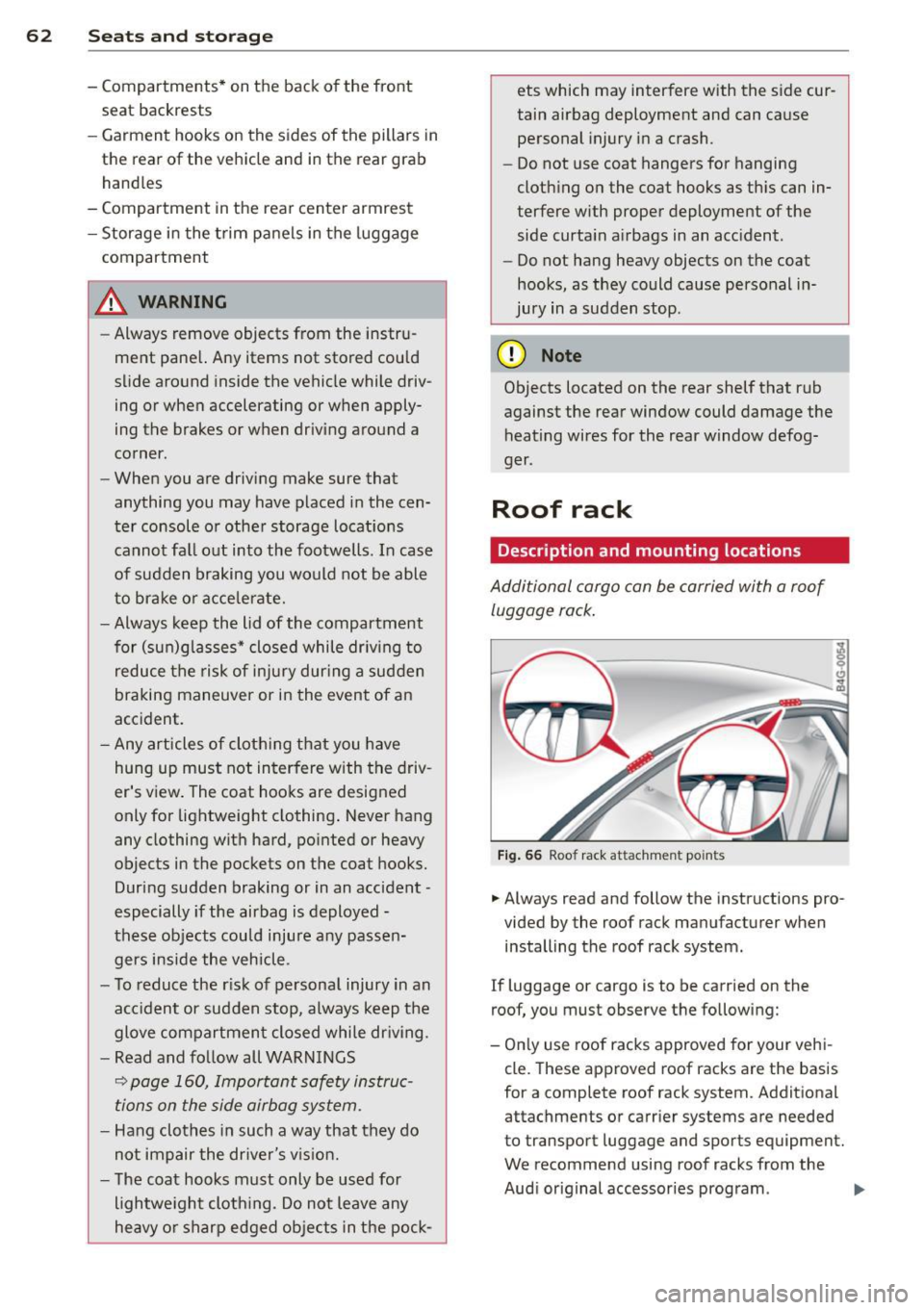
Roof rack
Description and mounting locations
Additional cargo can be carried with a roof
luggage rack.
Fig. 66 Roof rack attachment po ints
... Always read and follow the instructions pro
vided by the roof rack manufacturer when installing the roof rack system.
If luggage or cargo is to be carried on the
roof, you must observe the following:
- Only use roof racks approved for your vehi
cle. These approved roof racks are the basis
for a complete roof rack system. Additional
attachments or carrier systems are needed
to transport luggage and sports equipment.
We recommend using roof racks from the
Audi original accessories program . .,..
Page 69 of 302
"' N
a:: I.J ""'. rl I.O
"' rl
"' rl
Bag hooks
Light objects can be secured on the hooks.
Fig. 73 Luggage compartme nt: bag hooks
You can also use the hooks to hang light purs
es,bags, etc.
A WARNING
The hooks can hold a maximum weight of
3 kg. Heavier objects are not adequately
secured. There is risk of personal injury .
Luggage compartment covering
(reversible mat )
Applies to vehicles: with luggage compartment carpeting
The reversible luggage compartment covering
should be used when transporting dirty or
wet objects.
Fig. 74 Luggage compartment carpeting with seatback
folded dow n: sp read out over the bumper
The lugg age compartment carpeting can be
used w ith the dirt resistant s ide or the decora
tive side, depending on what is needed .
@ Tips
The protective mat should be folded up
only when dry.
Seats and storage 67
Pass-through with ski
sack
Preparing the pass-through
Applies to vehicles: wi th ski sack
Long objects such as skis can be transported
in the ski sack*.
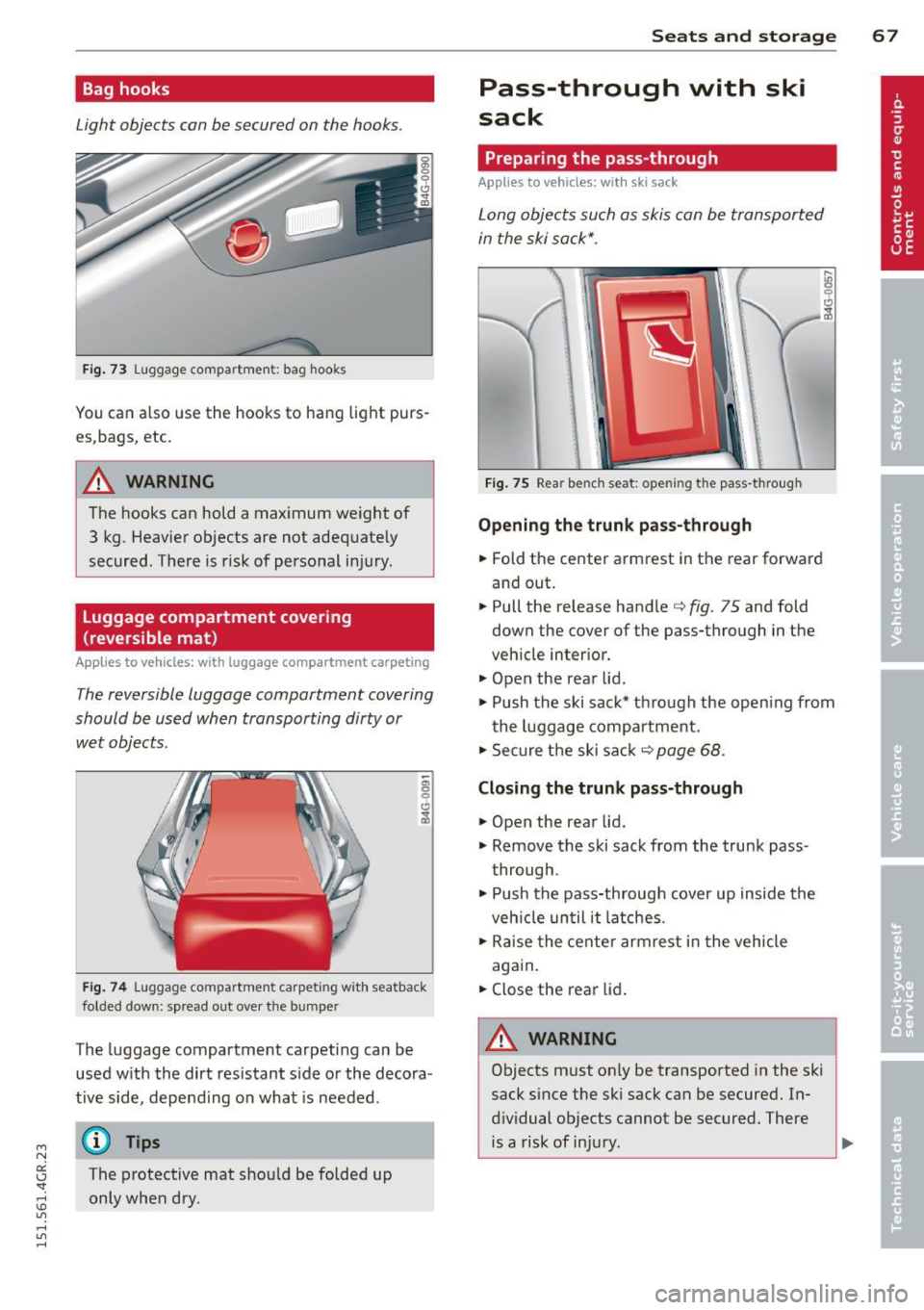
Fig. 75 Rear bench seat: opening the pass -through
Opening the trunk pass-through
.. Fold the center armrest in the rear forward
and out .
.. Pull the release handle
c::> fig. 75 and fold
down the cover of the pass-through in the
vehicle interior.
.. Open the rear lid .
.,. Push the ski sack* through the opening from
the luggage compartment.
.,. Secure the ski sack
c::> page 68 .
Closing the trunk pass-through
.,. Open the rear lid .
.,. Remove the ski sack from the trunk pass
through .
.. Push the pass-through cover up inside the
veh icle until it latches .
.,. Raise the center armrest in the vehicle
again.
.. Close the rear lid.
A WARNING ~
Objects must only be transported in the ski
sack since the ski sack can be secured. In
dividual objects cannot be secured. There is a risk of injury .