light AUDI RS7 SPORTBACK 2016 User Guide
[x] Cancel search | Manufacturer: AUDI, Model Year: 2016, Model line: RS7 SPORTBACK, Model: AUDI RS7 SPORTBACK 2016Pages: 282, PDF Size: 70.78 MB
Page 19 of 282
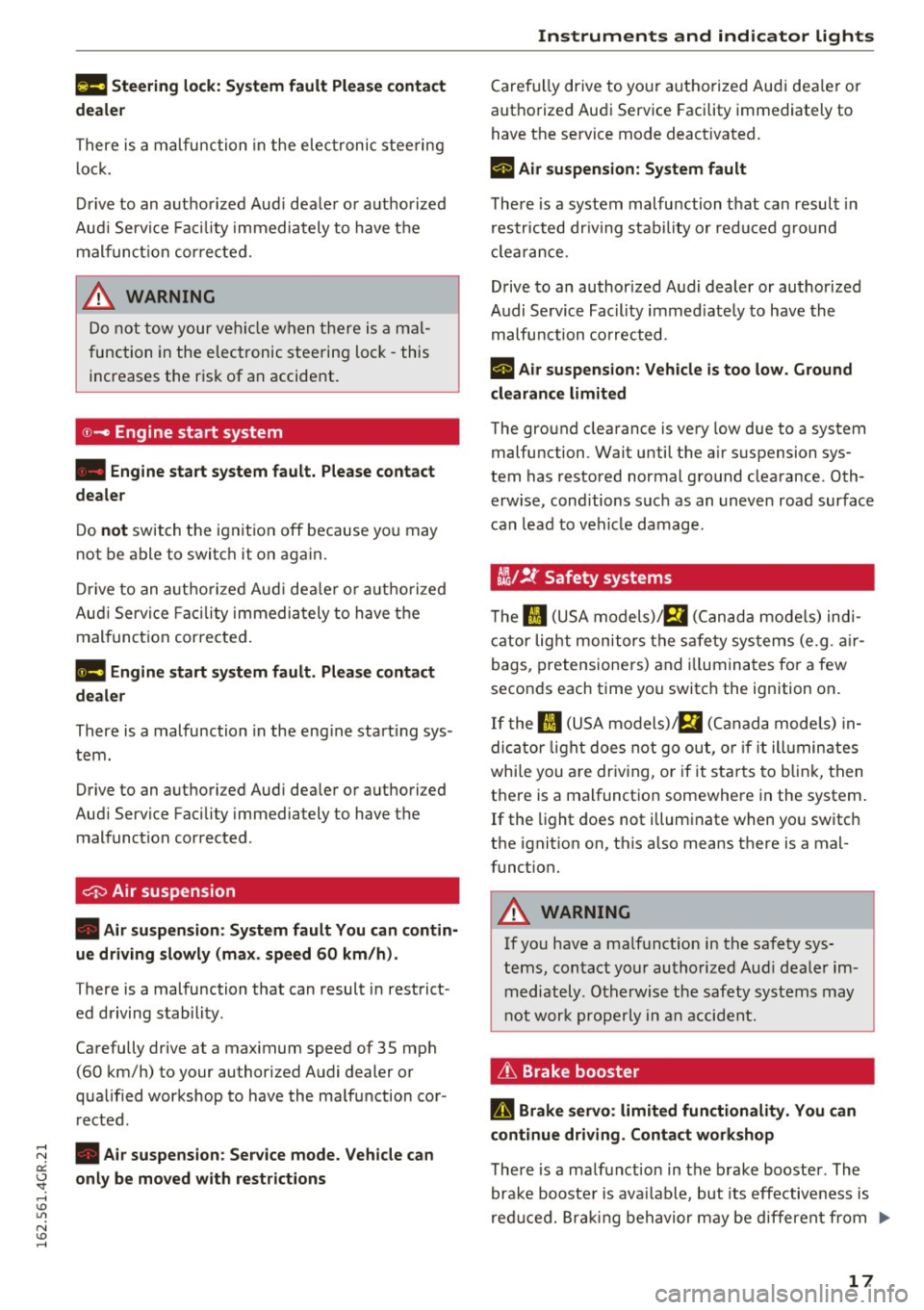
l!II Steering lock: System fault Please contact
deale r
There is a malfunction in the elec tronic stee ring
l o ck .
D rive to an aut ho rized Aud i dea le r or a uthorized
Aud i Serv ice Faci lity immediately to have t he
m alfunc tion corrected.
A WARNING
Do no t tow your veh icle when there i s a mal
function in the elec tronic steering loc k -this
increases the r is k of an accident .
©-c Engine start system
• Engine start system fault. Please contact
dealer
D o not switch the ignit ion off because yo u may
not be able to switc h it on aga in.
-
Dr ive to an autho rized Aud i dea le r o r a uth o rized
Au di Serv ice Fa cility immedi ately to have the
mal funct ion correcte d.
11111 Engine start system fault. Please contact
dealer
There is a malfunction in the eng ine start ing sys
tem .
Drive to an authori zed Aud i dea ler or a uth ori zed
Aud i Service Facility immediately to have the
malfunc tion corrected .
0 Air suspens ion
• Air suspens ion: System fault You can contin
ue driving slowly (max . speed 60 km/h).
There is a malfunction that can result in restrict
ed driving s tabili ty .
Ca refully drive at a max imum speed of 35 mph
(60 km/h) to your authorized Audi dealer or
qua lified workshop to have the ma lf un ction cor
rected .
;:::: • Air suspension: Service mode. Vehicle can er:
~ only be moved with restrictions
,....,
Caref ully drive to yo ur autho rize d Aud i dea le r o r
autho rize d Au di Serv ice Facility immediately to
have the se rvice mode deactivated.
II Air suspension: System fault
T he re is a system malfu nction t hat can resul t in
r estr icted dr iv ing stabi lity or red uced g round
cl earan ce.
Drive to an author ized A udi dealer or authorized
Audi Se rvice Facility immed iate ly to have the
malfu nction correcte d.
II Air suspension: Vehicle is too low. Ground
clearance limited
The gro und clearance is ve ry low due to a system
malfunction . Wait until the a ir suspension sys
tem has restored normal gro und clearance . Oth
erwise , cond itions s uch as an uneven road surface
can lead to vehi cle damage .
tlit !f Safety systems
The II (USA models)/ E,I (C anad a models) ind i
cator lig ht monitors the s afety sys tems (e.g . a ir
bags, pretensione rs) and illumina tes fo r a few
secon ds each time you switc h the ignition on .
If the II (USA mo dels) !E,I (Canada mode ls) in
di cator light does not go ou t, o r if it ill umin ates
wh ile you are dr iv ing, or if it star ts to b link, then
t h ere is a malfunct io n somewhere in the system.
If the light does not illum inate when yo u switc h
the ignit ion on, this a lso means there is a mal
funct ion.
A WARNING
If yo u have a ma lf u nct ion in the safety sys
t e ms, con tact your au tho rized Aud i dealer im
m ediately . Ot herwise the safety systems may
n ot wor k properly in a n acci dent.
& Brake booster
D Brake servo : limited functionality. You can
continue driving. Contact workshop
T he re is a ma lf u nction in t he br ake booster . The
brak e bo oste r is ava ilab le, but its effectiveness is
r ed uce d. Brakin g behavior may be d iffere nt from .,_
17
Page 20 of 282
Instruments and indicator lights
how it normally functions and the brake pedal
may vibrate.
Drive to an autho rized Aud i de aler or autho rized
Aud i Service Facility immediately to have the
malfunct ion corrected .
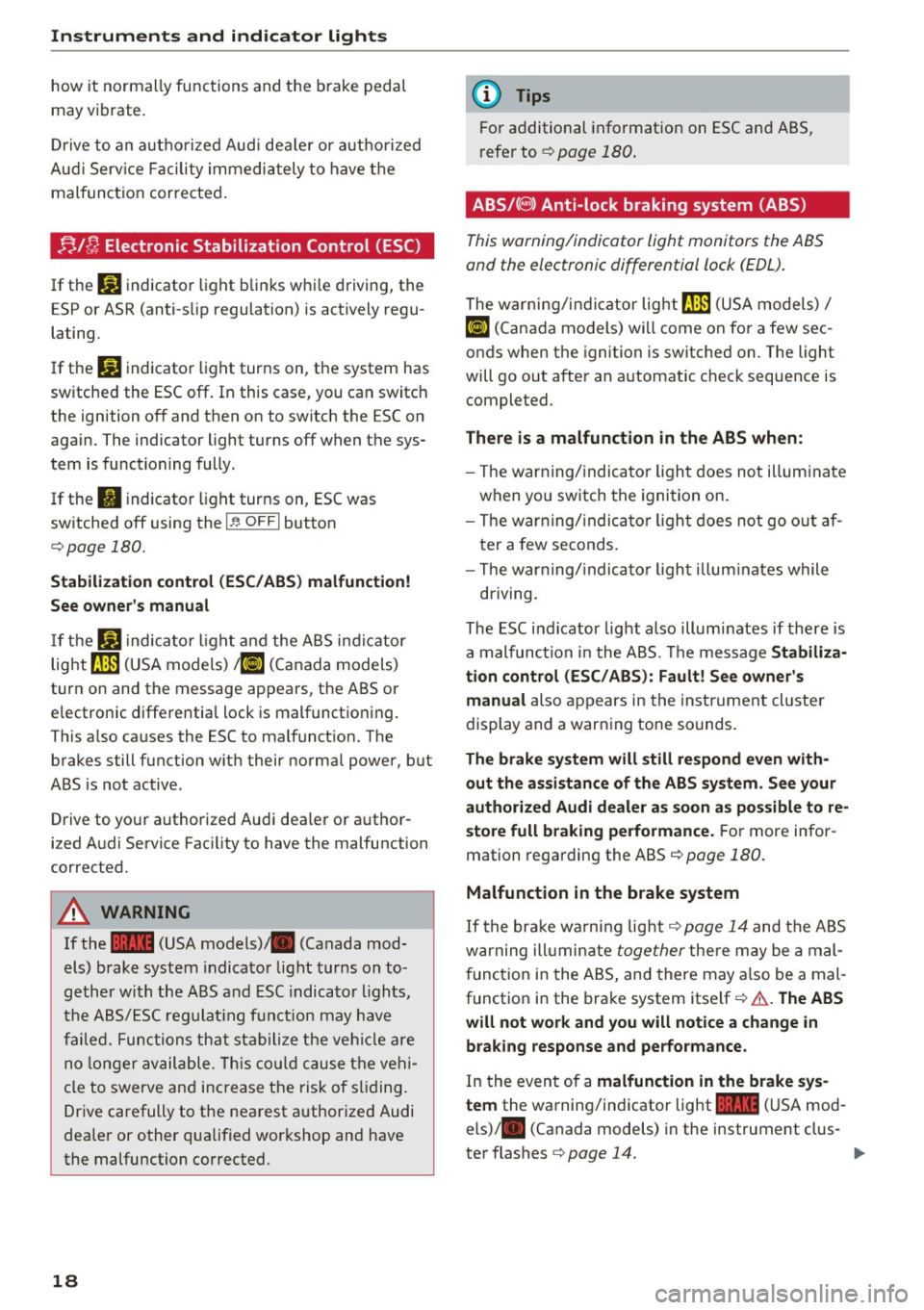
;;Jf; Electronic Stabilization Control (ESC)
If the m indicator light blinks while driving, the
E SP or ASR (anti-slip regulation) is actively regu
lating.
I f the
liJ indicator light turns on, the system has
sw itched the ESC off . In this case, you can switch
the ignition off and then on to switch the ESC on
again. The indicator light turns off when the sys
tem is functioning fully.
If the
II indicator light turns on, ESC was
switched off using the
I ~ OFFI button
¢page 180.
Stabilization control (ESC/ ABS) malfunction!
See owner's manual
If the liJ indica to r light and the ABS indicator
lig ht ~ (USA models)
;fiJ (Canada models)
turn on and the message appears, the ABS or
electronic differential lock is malfunctioning .
This a lso causes the ESC to malfunct ion. The
brakes still function w ith their norma l power, but
ABS is not active .
Drive to yo ur aut ho rized Audi dea ler or a uthor
ized Audi Service Fac ility to have the malfunction
corrected.
A WARNING
If the 1111 (USA models) ,111 (Canada mod
els) brake system indicator light turns on to
gether with the ABS and ESC indicator lights,
the ABS/ESC regulating funct ion may have
failed. Functions that stabilize the vehicle are
no longer available. This could cause the vehi
cle to swerve and increase the risk of sliding.
Drive carefully to the nearest authorized Audi
dealer or other qualified wor kshop and have
the malfunction corrected.
18
(D Tips
For additional information on ESC and ABS,
r efe r to ¢
page 180.
ABS/( @) Anti-lock braking system (ABS)
This warning/indicator light monitors the ABS
and the electronic differential lock (EDL) .
The warning/indicator lig ht fJ] (USA models)/
ti] (Cana da models) wi ll come on for a few sec
onds when the ignition is switched on. The light
will go out after an a utomatic check sequence is
completed.
There is a malfunction in the ABS when:
- The war ning/ indicator light does not illuminate
when you switch the ignition on.
- The war ning/ indica tor light does not go out af
ter a few seconds.
- The war ning/indica tor light illuminates while
driving.
The ESC indi cator lig ht also illum inates if there is
a malfunction in the ABS. The message Stabiliza•
tion control (ESC/ABS): Fault! See owner's
manual
also appears in the inst rument cl uste r
display and a warn ing tone sounds .
The brake system will still respond even with
out the assistance of the ABS system. See your
authorized Audi dealer as soon as possible to re
store full braking performance.
For more infor
mation regarding the ABS
¢page 180.
Malfunction in the brake system
If the brake wa rning light ¢ page 14 and the ABS
warning ill umin ate
together there may be a mal
function in the ABS, and there may also be a mal
funct ion in the brake system itself¢&. .
The ABS
will not work and you will notice a change in
braking response and performance.
In the even t of a malfunction in the brake sys
tem
the wa rning/indicator light 1111 (USA mod
els) ,111 (Canada models) in the instrument clus-
ter flashes ¢
page 14. .,.
Page 21 of 282
.... N
er: (.J
'SI: ......
lock (EDL)
The EDL works together with the ABS. The ABS
warn ing light will come on if there is a ma lfunc
tion in the EDL system
c::.>page 180. See your au
thor ized Audi dealer as soon as possible.
A WARNING
-If the t'm (USA models)/ 11] (Canada mod-
els) warn ing light does not go out, or if it
comes on while driving, the ABS system is
not wo rking prope rly. The vehicle can then
be stopped on ly with the standard brakes
(without ABS). You will not have the protec
tion ABS provides. Contact your Audi dealer
as soon as possible.
- USA models: If the 1111 warning light, the
DJ warning light and the t'm warning lig ht
come on together, the rear wheels could
lock up first under hard braking. Rear wheel
lock-up can cause loss of vehicle control and
an acc ident. Have your vehicle repaired im
med iately by your authorized Audi dealer or
a qualified workshop. Drive slowly and avoid
sudden, hard brake applications.
-Canada models: If the brake warning light
. , the
DJ wa rning light and the ABS warn
ing light
II] come on together, the rear
wheels could lock up first under hard brak
ing. Rear wheel lock -up can cause loss of ve
hicle control and an accident . Have your ve
hicle repaired immediately by your author
ized Audi dealer or a qualified workshop.
Drive slowly and avoid sudden, hard brake
applications .
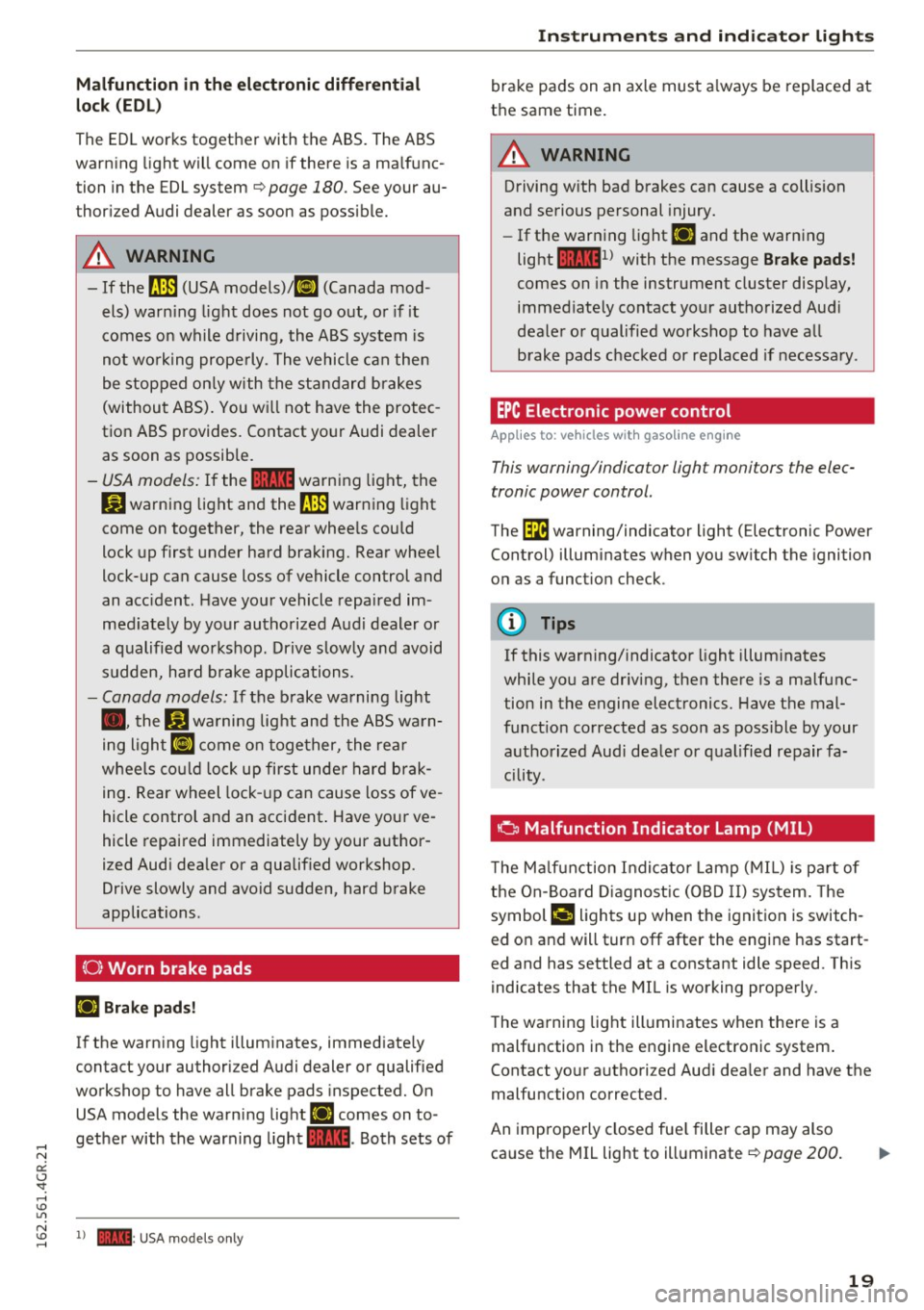
{0} Worn brake pads
IJ Brake pads!
-
If the warning light illum inates, immediate ly
contact your authorized Audi dealer or qualified
wo rkshop to have all brake pads inspected. On
USA models the warning light
IJ comes on to
gether with the warning light
1111. Both sets of
~ 1) - : USA models only
Instruments and indicator lights
brake pads on an axle must always be replaced at
the same time.
A WARNING
-Driving with bad brakes can cause a collision
and serious personal injury.
- If the warn ing light
IJ and the warning
light
llll1 l with the message Brake pads!
comes on in the instrument cluster display,
immed iately contact your authorized Aud i
dealer or qualified workshop to have all
brake pads checked or replaced if necessary .
EPC Electronic power control
Applies to : veh icles w it h gasoli ne e ngi ne
This warning/indicator light monitors the elec
tronic power control.
The (m warning/indicator light (Electronic Power
Control) illuminates when you switch the ignition
on as a function check.
(!) Tips
If this warning/indicator light illuminates
while you are driv ing, then there is a malfunc
tion in the engine electronics. Have the mal
funct ion corrected as soon as poss ible by your
authorized Audi dealer or qualified repair fa
cility.
o Malfunction Indicator Lamp (MIL)
T he Ma lfunction Indicator Lamp (MIL) is pa rt of
the On-Board Diagnostic (OBD II) system. The
symbol
¢,ij lights up when the ignition is switch
ed on and will turn off after the engine has start
ed and has settled at a constant idle speed. This
indicates that the MIL is working properly.
The warning light illuminates when there is a
malfunction in the engine electronic system.
Contact yo ur authorized Audi dea ler and have the
malfunction corrected.
An improperly closed fuel filler cap may also
ca use the MIL light to illuminate
c::.>page 200 .
19
Page 22 of 282
Instruments and indicator lights
For more information ¢page 28.
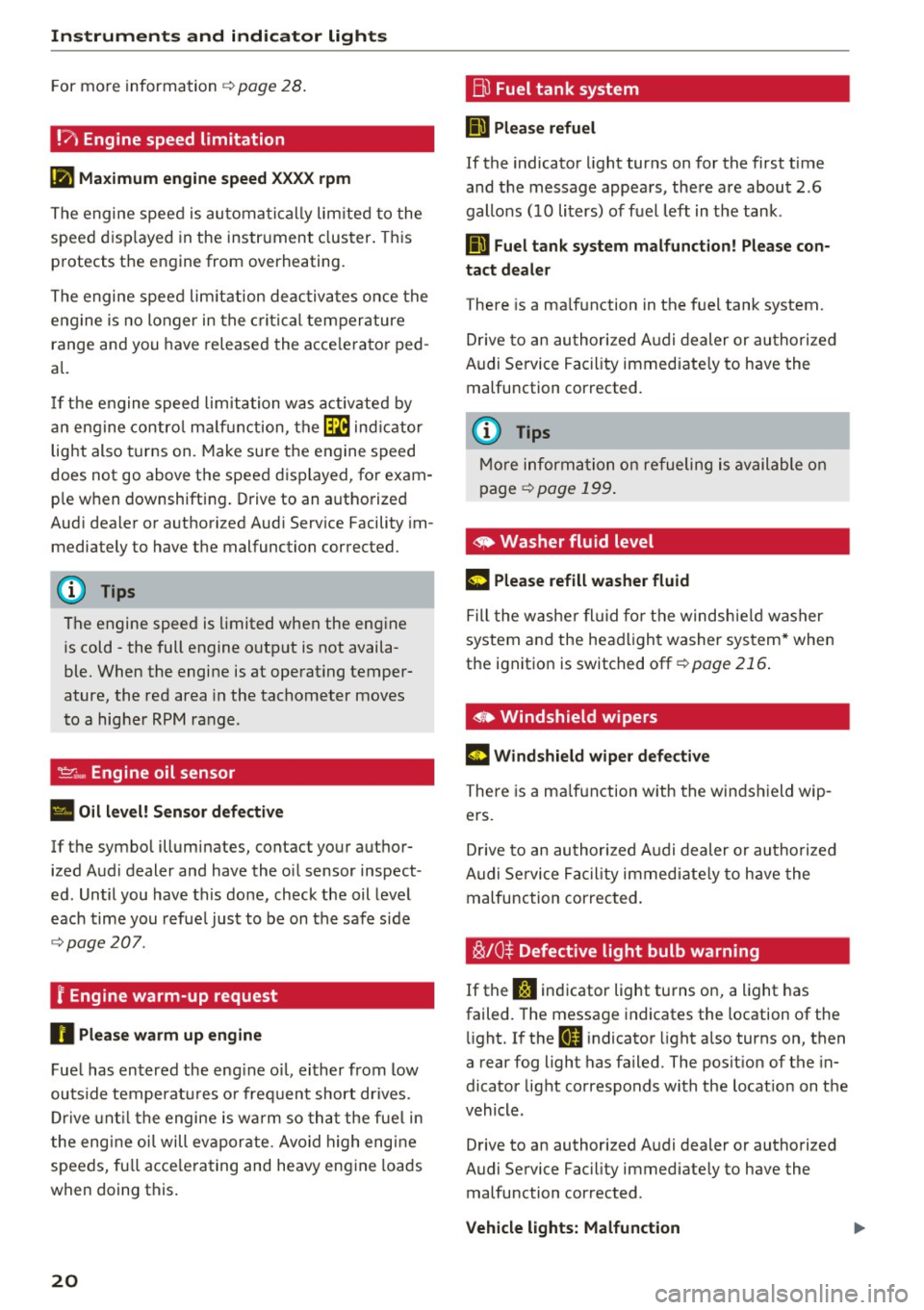
!?) Engine speed limitation
(II Maximum engine speed XXXX rpm
The engine speed is automatically limited to the
speed displayed in the instrument cluster. This
protects the engine from overheating.
The engine speed limitation deactivates once the
engine is no longer in the critical temperature
range and you have released the accelerator ped
al.
If the engine speed limitation was activated by
an engine control malfunction, the~ indicator
light also turns on. Make sure the engine speed
does not go above the speed displayed, for exam
ple when downshifting. Drive to an authorized
Audi dealer or authorized Audi Service Facility im
mediately to have the malfunction corrected.
(D Tips
The engine speed is limited when the engine
is cold -the full engine output is not availa
ble. When the engine is at operating temper
ature, the red area in the tachometer moves
to a higher RPM range .
-Engine oil sensor
• Oil level! Sensor defective
If the symbol illuminates, contact your author
ized Audi dealer and have the oil sensor inspect
ed. Until you have this done, check the oil level
each time you refuel just to be on the safe side
¢page 207 .
f Engine warm-up request
n Please warm up engine
Fuel has entered the engine oil, either from low
outside temperatures or frequent short drives.
Drive until the engine is warm so that the fuel in
the engine oil will evaporate . Avoid high engine
speeds, full accelerating and heavy engine loads
when doing this.
20
~ Fuel tank system
II] Please refuel
If the indicator light turns on for the first time
and the message appears , there are about 2.6
gallons (10 liters) of fuel left in the tank .
111 Fuel tank system malfunction! Please con
tact dealer
There is a malfunction in the fuel tank system.
Drive to an authorized Audi dealer or authorized
Audi Service Facility immediately to have the
malfunction corrected.
(D Tips
More information on refueling is available on
page
¢ page 199.
· <9 Washer fluid level
g, "$ Please refill washer fluid
Fill the washer fluid for the windshield washer
system and the headlight washer system* when
the ignition is switched off ¢
page 216.
• Windshield wipers
m Windshield wiper defective
There is a malfunction with the windshield wip
ers.
Drive to an authorized Audi dealer or authorized
Audi Service Facility immediately to have the
malfunction corrected.
~ /0* Defective light bulb warning
If the J:i indicator light turns on, a light has
failed. The message indicates the location of the
light. If the
I) indicator light also turns on, then
a rear fog light has failed. The position of the in
dicator light corresponds with the location on the
vehicle .
Drive to an authorized Audi dealer or authorized
Audi Service Facility immediately to have the malfunction corrected .
Vehicle lights: Malfunction
Page 23 of 282
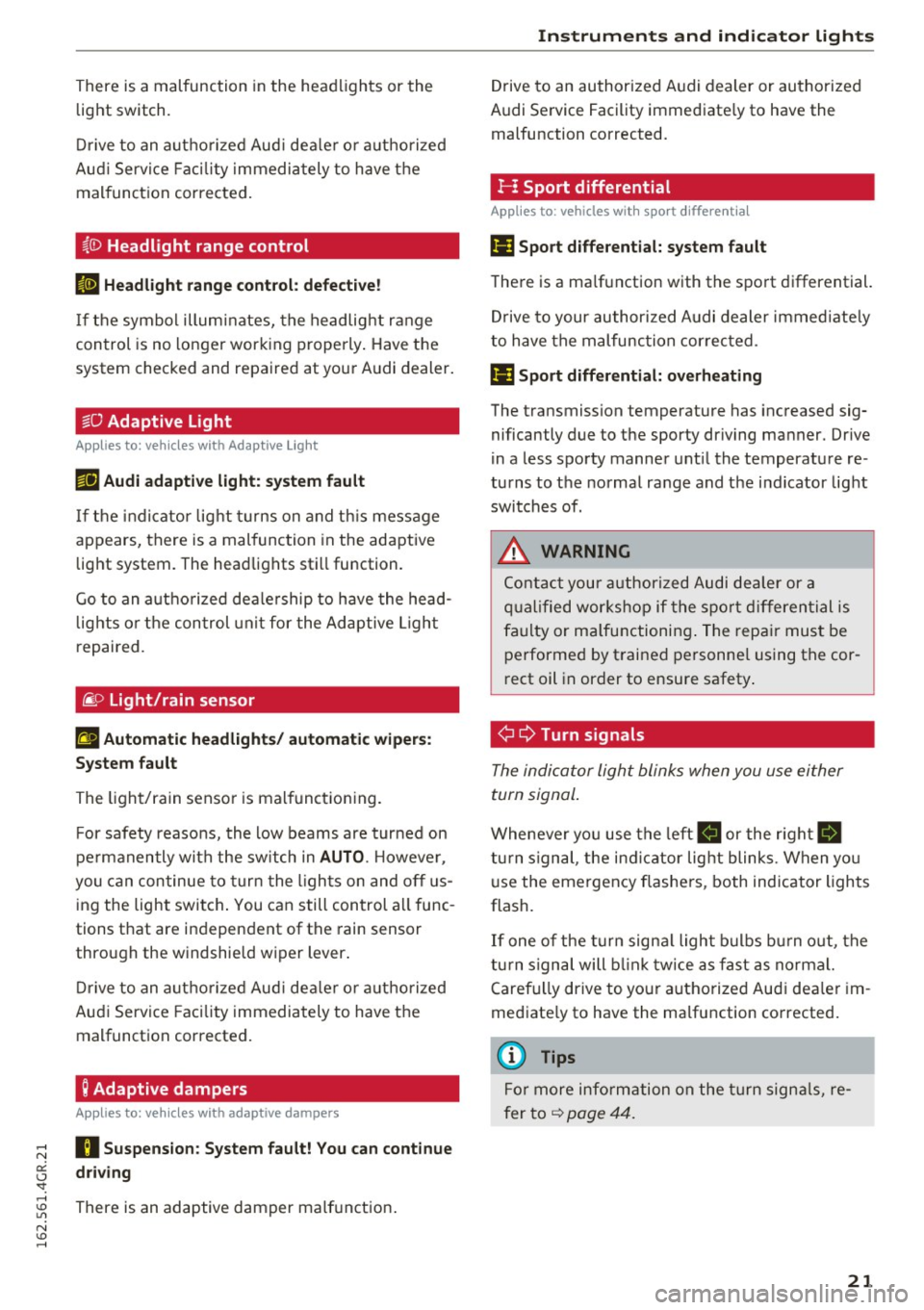
There is a malfunction in the headlights or the
light switch.
Drive to an authorized Audi dealer or authorized
Audi Service Facility immediately to have the
malfunction corrected.
i,CD Headlight range control
II Headlight range control: defective!
If the symbol illuminates, the headlight range
control is no longer working properly. Have the
system checked and repaired at your Audi dealer.
§0 Adaptive Light
Applies to: veh icles with Adapt ive Light
miJ Audi adaptive light: system fault
If the indicator light turns on and this message
appears, there is a malfunction in the adaptive
light system . The headlights still function.
Go to an authorized dealership to have the head
lights or the control unit for the Adaptive Light
repaired.
@) Light/rain sensor
!'al Automatic headlights/ automatic wipers:
System fault
The light/rain sensor is malfunctioning .
For safety reasons, the low beams are turned on
permanently with the switch in
AUTO. However,
you can continue to turn the lights on and
off us
ing the light switch. You can still control all func
tions that are independent of the rain sensor
through the windshield wiper lever.
Drive to an authorized Audi dealer or authorized
Audi Service Facility immediately to have the
malfunction corrected.
; Adaptive dampers
Applies to: veh icles with adaptive dampers
;:::: R Suspension: System fault! You can continue
t3 driving
'SI: ,....,
~ There is an adaptive damper malfunction.
N v:, ,....,
Instruments and indicator lights
Drive to an authorized Audi dealer or authorized
Audi Service Facility immediately to have the
malfunction corrected.
I- : Sport differential
Applies to: vehicles wit h spo rt differential
Ill Sport differential: system fault
There is a malfunction with the sport differential.
Drive to your authorized Audi dealer immediately
to have the malfunction corrected.
Ill Sport differential: overheating
The transmission temperature has increased sig
nificantly due to the sporty driving manner. Drive
in a less sporty manner until the temperature re
turns to the normal range and the indicator light
switches of.
,8. WARNING
-
Contact your authorized Audi dealer or a
qualified workshop if the sport differential is
faulty or malfunctioning. The repair must be
performed
by trained personnel using the cor
rect oil in order to ensure safety.
¢ Q Turn signals
The indicator light blinks when you use either
turn signal.
Whenever you use the left B or the rig ht Ill
turn signal, the indicator light blinks. When you
use the emergency flashers, both indicator lights
flash.
If one of the turn signal light bulbs burn out, the
turn signal will blink twice as fast as normal.
Carefully drive to your authorized Audi dealer im
mediately to have the malfunction corrected.
(D Tips
For more information on the turn signals, re
fer to
~ page 44.
21
Page 24 of 282
Instruments and indicator lights
CRUISE /11
(') Cru ise control
The warning/indicator light ltj;\9~1@ (USA models)/
El (Canada models) illuminates when the cruise
control is activated ¢
page 77.
Driver information
system
Overview
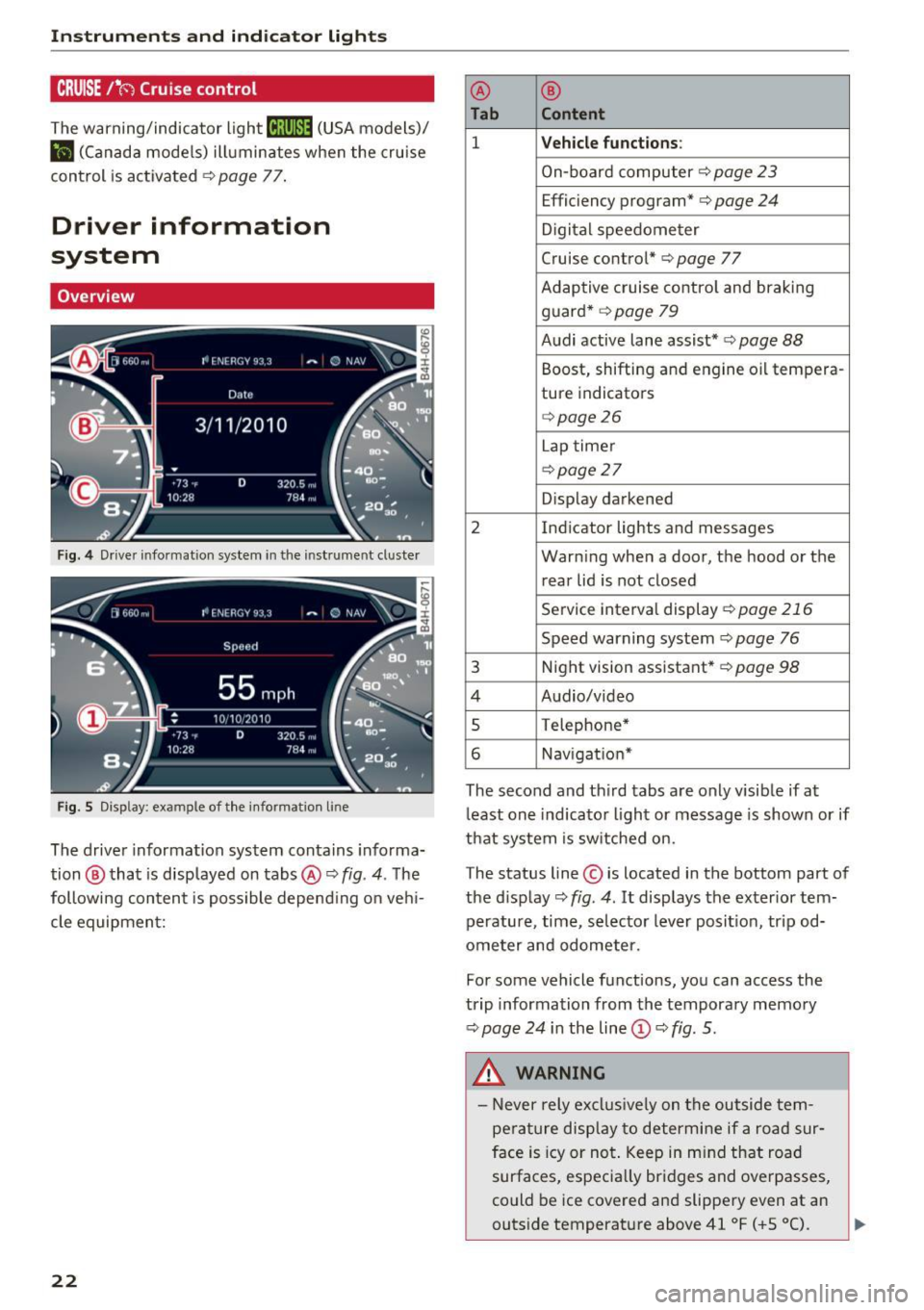
Fig. 4 Driver informat ion system in the instrument cluster
Fig. S Disp lay: example of the in formation lin e
The driver information system contains informa·
tion @ that is displayed on tabs@¢
fig. 4. The
following content is possible depend ing on veh i
cle equipment:
22
@ ®
Tab Content
1 Vehicle functions :
On-board computer¢ page 23
Efficiency program*¢ page 24
Digital speedometer
Cruise control* ¢
page 77
Adaptive cruise control and braking
guard* ¢
page 79
Audi active lane assist* ¢ page 88
Boost, shifting and engine oil tempera-
ture indicators
¢page26
Lap timer
¢page 27
Display darkened
2 Indicator lights and messages Warning when a door, the hood or the rear lid is not closed
Service interval display
¢page 216
Speed warning system~ page 76
3 Night vision assistant* ¢ page 98
4 Audio/video
s Telephone*
6 Nav igat ion*
The second and third tabs are only visible if at
least one indicator light or message is shown or if
that system is switched on.
The status line © is located in the bottom part of
the display¢
fig. 4 . It displays the exterior tern·
perature, time, selector lever position, tripod·
ometer and odometer.
Fo r some vehicle functions, you can access the
trip information from the temporary memory
¢
page 24 i n the line©¢ fig. 5.
&_ WARNING
- Never rely exclusively on the outside tern·
perature display to determine if a road sur
face is icy or not. Keep in mind that road
surfaces, especially bridges and overpasses,
could be ice covered and slippery even at an
-
outside temperature above 41 °F ( +S 0
(). ~
Page 25 of 282
-Always reduce your speed and drive with
special care in cold weather cond itions when
the chance of encountering icy road surfaces
increases.
(D Tips
- If the vehicle is stat iona ry, o r if you are driv
i ng at a very low speed, the temperature
s hown in the d isp lay m ight be slightly high
er t han the actual outside temperature. T his
i s caused by t he heat be ing radiated from
t h e eng ine.
- You can select the u nits used for temp era
ture, speed and othe r measureme nts in the
MM I.
- Fo r info rmation o n the a udio/video and nav
i ga tion* func tions, re fer to the s epa ra te
M MI owner's manual.
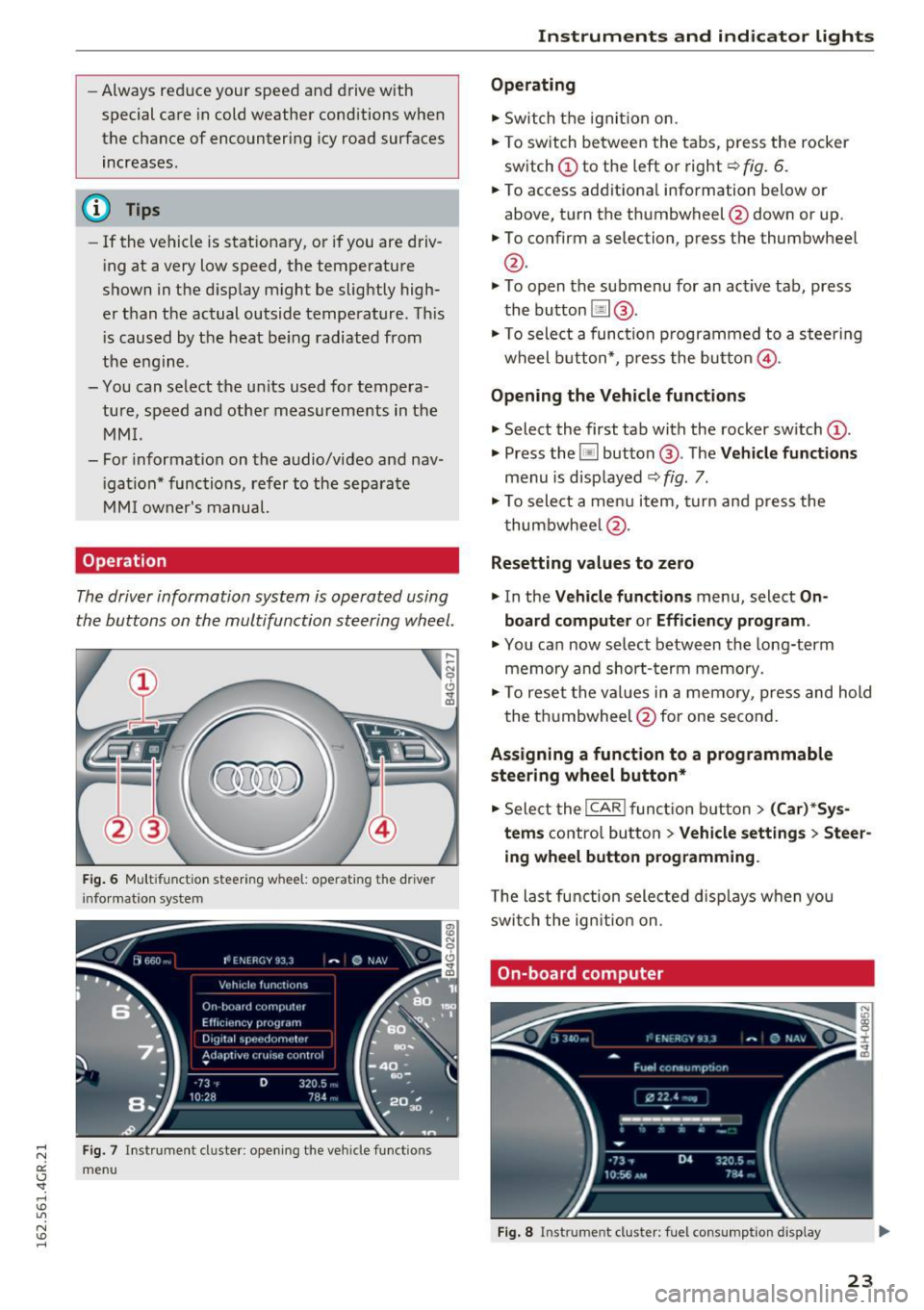
Operation
The driver information system is operated using
the buttons on the multifunc tion steering wheel.
F ig. 6 M ultifunct io n steering wheel: operating the driver
info rmation system
Fig. 7 In strume nt cluste r: o penin g the vehicle funct ions
menu
Instruments and indicator lights
Operating
.,. Switch t he igni tion on.
.,. To switch be twee n the tabs, p ress the rocker
sw itch
(D to the left o r right¢ fig. 6 .
.,. To access additiona l information below or
above, t urn the th umbwheel @down or up .
.,. To confirm a selection, p ress the thumbwheel
@.
.,. To open the submenu for an ac tive tab , press
the button [ii@.
.,. To sele ct a func tion p rogrammed to a steering
wheel button *, p re ss the butto n @ .
Opening the Vehicle functions
.,. Select the first tab with the rocker sw itch (D .
.,. Press the~ button @. The Vehicle functions
menu is disp layed ¢ fig. 7.
.,. To sele ct a men u it em, turn an d press the
t humbwhee l@ .
Resetting values to zero
.,. In the Vehicle functions menu, select On
board computer or Efficiency program .
.,. You ca n now se lec t b etw een the long-term
memory an d short- term memory .
.,. To reset the val ue s in a m emo ry, pres s and hold
the t humbwheel @for one se cond.
Assigning a function to a programmable
steering wheel button*
.,. Sele ct the I CAR ! fun ction butt on> (Car) *Sy s
tem s
contro l butto n > Vehicle settings > Steer
ing wheel button programming .
The la st fun ction sele cte d di spla ys w hen yo u
swi tch the ig nition on.
On-board computer
Fi g. 8 Instrument cluster: fuel consu mptio n display
23
Page 27 of 282
Economy tips
In certain situations, economy tips appear auto
matica lly for a short time in the efficiency pro
gram~
fig. 10. If you fo llow these economy tips,
you can reduce your vehicle's fuel consumption.
To turn an economy tip
off immediately after it
appears, press any button on the mult ifunction
steering whee l.
(D Tips
- If you erase the data in the efficiency pro
gram, the values in the on-board computer
will a lso be reset.
- Once you have turned an economy tip off, it
will only appear again after you turn the ig
nition on again .
- The economy tips are not displayed in every
instance, but rather in intervals over a peri
od of time.
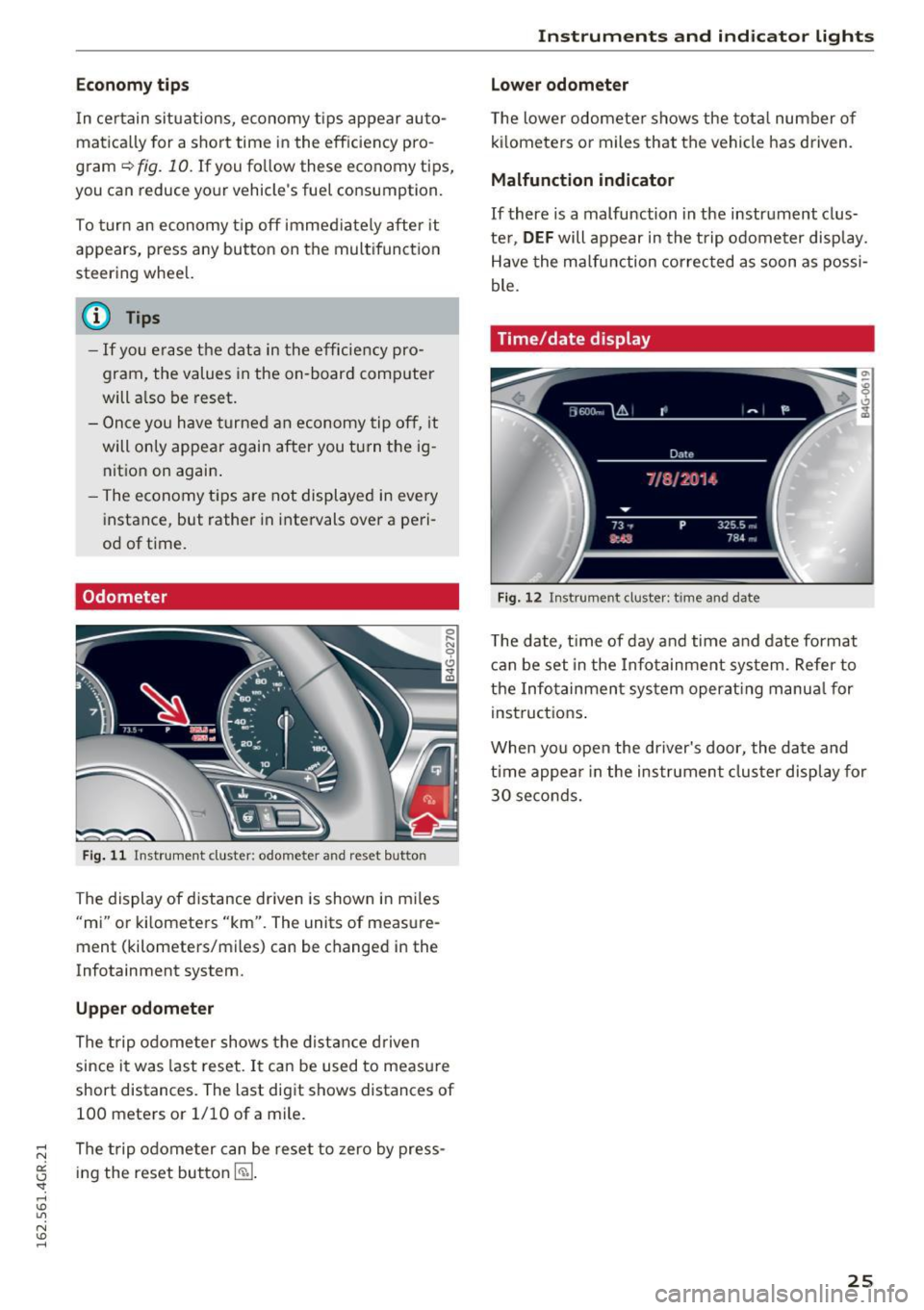
Odometer
Fig . 11 Instrument cluster: odometer and reset butto n
The display of distance dr iven is shown in miles
"mi" or kilometers "km". The units of measure
ment (kilometers/miles) can be changed in the
Infotainment system.
Upper odometer
The trip odome ter shows the distance driven
since it was last reset.
It can be used to measu re
short distances. The last digit shows distances of
100 meters or 1/10 of a mile.
The trip odome ter can be reset to zero by press
ing the reset button
I ~ ].
Instruments and indicator lights
Lower odometer
The lower odomete r shows the tota l number of
kilometers or miles that the vehicle has driven.
Malfunction indicator
If there is a malfunction in the instrument clus
te r,
DEF will appear in the trip odometer display.
Have the malfunction corrected as soon as possi
ble.
Time/date display
Fig. 12 Instrument cluste r: time and date
The date, time of day and time and date format
can be set in the Infotainment system. Refer to
the Infotainment system operat ing manua l for
instructions .
When you open the driver's door, the date and
time appear in the instrument cluster display for
30 seconds.
25
Page 28 of 282
Instruments and indicator lights
Head-up display
Applies to: vehicles with Head-up display
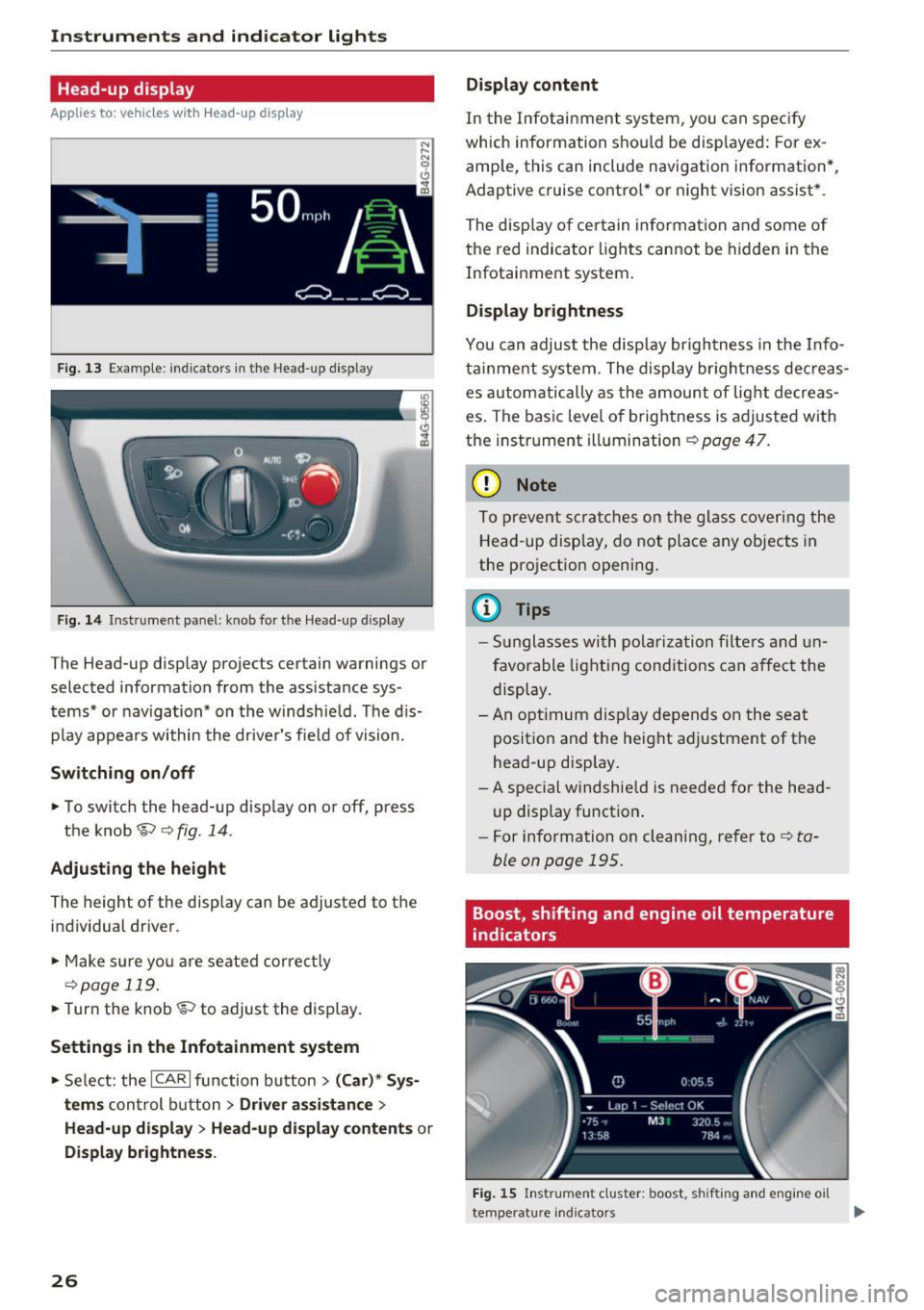
Fig. 13 Example: indicators in the Head-up display
F ig. 14 Inst rument panel: knob for the Head-up display
The Head-up display projects certain warnings or
selected information from the ass istance sys
tems* or navigation* on the windshie ld. The d is
p lay appears within the driver's fie ld of vision.
Switching on/off
• To switch the head-up disp lay on or off, press
the knob~
c:> fig. 14.
Adjusting the height
The height of the display can be adjusted to the
individual driver.
• Make sure yo u are seated correct ly
c:> page 119.
• Turn the knob~ to adjust the display.
Settings in the Infotainment system
• Select: the ICAR I function bu tton > (Car)* Sys
tems
control b utton > Driver assistance >
Head-up displ ay> Head-up di splay contents or
Display brightness .
26
Display content
In the Infotainment system, you can spec ify
which information shou ld be disp layed: For ex
amp le, this can include navigation information*,
Adaptive cruise contro l* or night vision assist *.
The display of certain information and some of
the red indicator lights cannot be hidden in the
Infotainment system.
Display brightness
You can adjust the display brightness in the Info
ta inment system . The display br ightness dec reas
es automatically as the amount of light decreas
es . The basic leve l of brightness is adjusted with
the instrument illumination
c:> page 47.
(D Note
To prevent scratches on the glass covering the
Head-up display, do not place any objects in
the projection opening.
(D Tips
- Sunglasses with polarization filters and un
favorable lighting conditions can affect the
display.
- An optimum display depends on the seat
position and the height adjustment of the
head-up display.
- A special windshie ld is needed for the head
up display function .
- For information on cleaning, refer to
c:> ta
ble on page 195.
Boost, shifting and engine oil temperature
indicators
Fig. 15 Instrument cluster: boost, shifting and engine oil
temperature indicators
Page 29 of 282
.. Turn the menu thumbwheel on the steering
whee l until
Lap timer appears in the instru
ment cluster display .
@ Boost pressure indicator
The current engine load (meaning the current
boost pressure) is indicated by a bar.
@ Shifting indicator
The shifting indicator is only visible when shift ing
gears in tiptronic mode
~ page 105. Green LEDs
turn on as the eng ine RPMs increase. The LE DS
flash red at speeds nea r the RPM lim it.
In vehicles with an activated Head-up display
<=>
page 26, the shifting indicator is shown in the
H ead-up display instead of the instrument clus
ter.
© Engine oil temperature indicator
If the engine oil temperature is below 60 °C, the
II symbol followed by three hyphens"---" and
the °C unit is shown.
The engine has reached its operat ing tempera
ture when the engine oil temperature is between
60
· c and 120 °C under normal driving condi
tions . The engine oil tempe rature may be higher
if there is heavy eng ine load and high tempera
tures outside . This is not a cause for concern as
long as the .
~page 16 or Ill ~page 16 indi
cator lights in the display do not blink.
Lap timer
Introduction
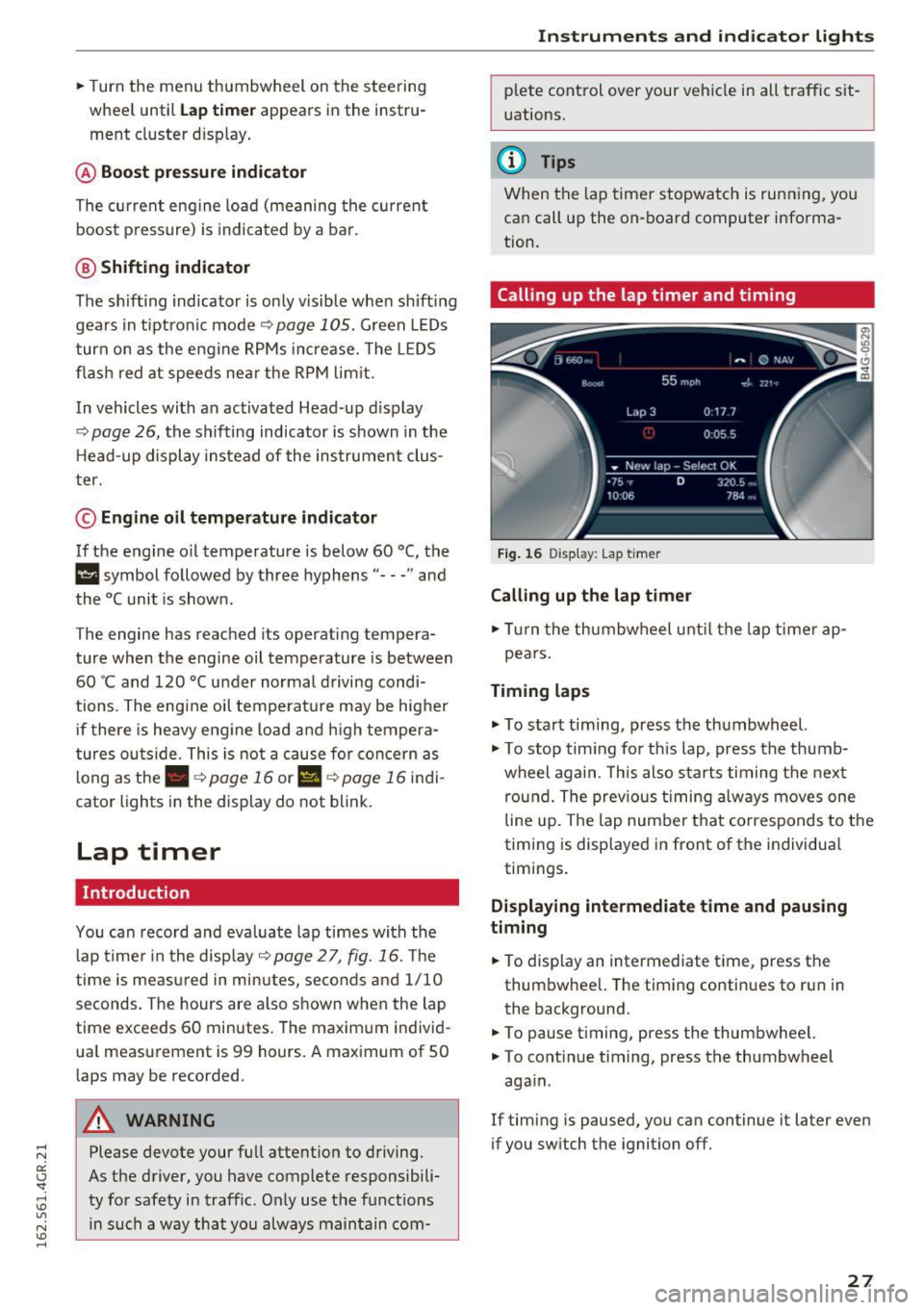
You can record and evaluate lap times with the
lap timer in the display <=>
page 2 7, fig. 16. The
time is measured in minutes, seconds and 1/10
seconds. The hours are also shown when the lap
time exceeds 60 minutes. The maxim um individ
ua l measurement is 99 hours. A maximum of SO
laps may be recorded.
A WARNING
Please devote your full attention to driving.
As the driver, you have complete responsibili
ty for safety in traffic. Only use the functions
in such a way that you always maintain com-
-
Instruments and indicator lights
plete control over your vehicle in all traffic sit
uations.
(D Tips
When the lap timer stopwatch is running, you
can call up the on-board computer informa
tion.
Calling up the lap timer and timing
Fig. 16 Display : Lap timer
Calling up the lap timer
.. Tu rn the thumbwheel unti l the lap timer ap-
pears.
Timing laps
.,. To start tim ing, press the thumbwheel.
.,. To stop tim ing for this lap, press the thumb
wheel again . T his also starts timing the next
round. The previous timing always moves one
line up. The lap number that corresponds to the
timing is displayed in front of the individua l
timings.
Displaying intermediate time and pausing
timing
.. To display an intermediate time, press the
thumbwheel. The timing continues to run in
the background.
.. To pause timing, press the thumbwheel.
.. To continue timing, press the thumbwheel
aga in .
If timing is paused, you can continue it later even
if you switch the ignition off.
27