ignition AUDI S3 2009 User Guide
[x] Cancel search | Manufacturer: AUDI, Model Year: 2009, Model line: S3, Model: AUDI S3 2009Pages: 324, PDF Size: 76.02 MB
Page 22 of 324
Driver informati on displ ay
Service Interval Display
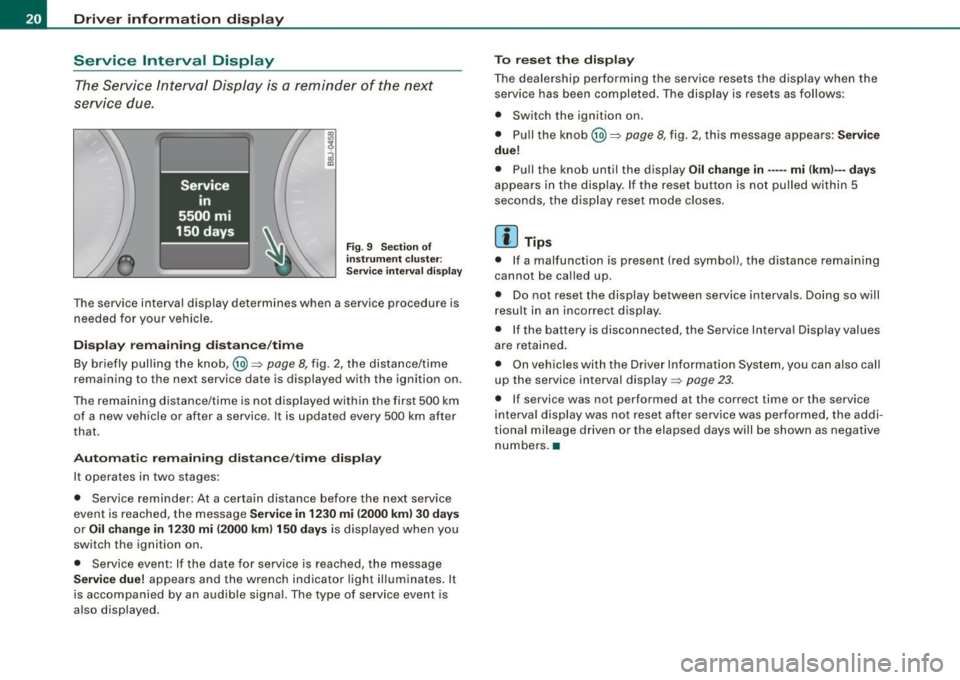
The Service Interval Display is a reminder of the next
service due.
F ig . 9 Sect io n of
i n strum en t cl uster:
Se rv ice in terva l d isplay
The service interval display determines when a service procedure is
needed for your vehicle.
Di sp lay re main ing di sta nce/ tim e
By briefly pulling the knob,@~
page 8, fig. 2, the distance/time
remaining to the next service date is displayed with the ignition on.
The remaining distance/time is not displayed within the first 500 km of a new vehicle or after a service . It is updated every 500 km after
that.
A utom ati c re maini ng d ista nce/ tim e dis play
It operates in two stages:
• Service reminder: At a certa in distance before the next service
event is reached, the message
S ervice in 12 30 mi (2000 km ) 3 0 d ays
or Oil ch ange in 1 230 mi (2000 km ) 15 0 days is displayed when you
switch the ignition on.
• Service event : If the date for service is reached, the message
S ervic e due! appears and the wrench indicator light il luminates. It
is accompanied by an audib le signal. The type of service event is
a lso displayed. T
o r eset the disp lay
The dealership performing the service resets the display when the service has been completed. The display is resets as follows :
• Switch the ignition on .
• Pull the knob@)~
page 8, fig. 2, this message appears: S erv ice
du e!
• Pull the knob until the display Oil chang e in ----- mi (km )--- days
appears in the display . If the reset button is not pulled within 5
seconds, the disp lay reset mode c loses.
[ i ] Tip s
• If a malfunction is present (red symboll, the distance remaining
cannot be called up.
• Do not reset the display between service interva ls . Doing so will
resu lt in an incorrect display .
• If the battery is disconnected, the Service Interva l Display values
are retained.
• On vehicles with the Driver Information System, you can also call
up the service interval display~
page 23.
• If service was not performed at the correct time or the service
interva l display was not reset after service was performed, the addi
tional mileage driven or the elapsed days will be shown as negative
numbers. •
Page 23 of 324
On-Board Diagnostic system (08D)
On-Board Diagnostics
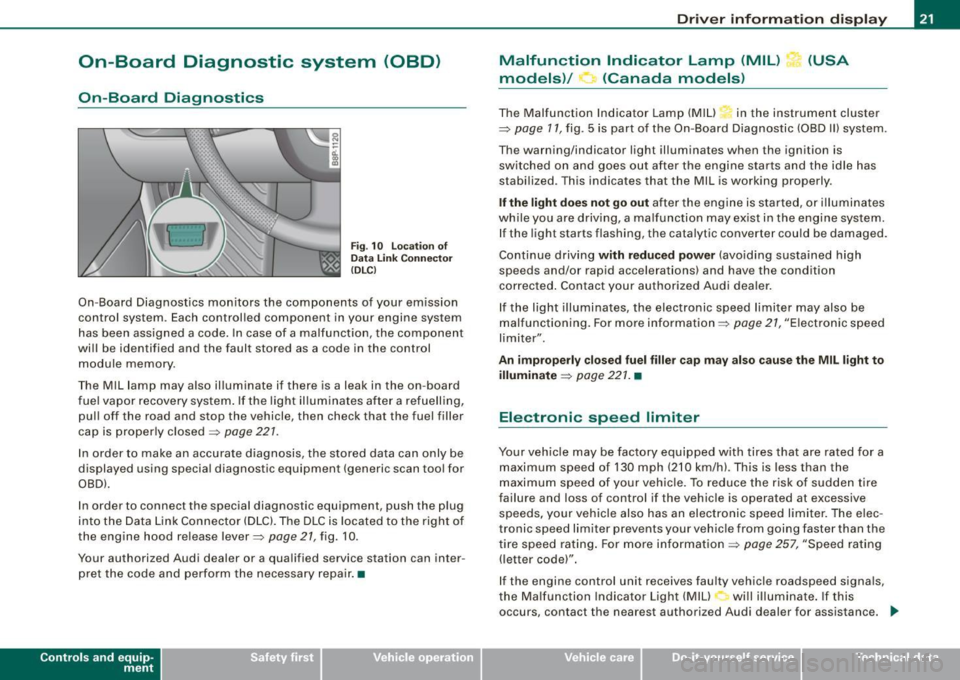
Fig. 10 location of
Data Link Connecto r
( DL C)
On-Board Diagnostics monitors the components of your emission
control system . Each controlled component in your engine system
has been assigned a code. In case of a malfunction , the component
will be identified and the fault stored as a code in the control
module memory .
The Mil lamp may also illuminate if there is a leak in the on-board
fuel vapor recovery system . If the light illuminates after a refuelling,
pull off the road and stop the vehicle, then check that the fuel filler
cap is properly closed=>
page 227.
In order to make an accurate diagnosis, the stored data can only be
displayed using special diagnostic equipment (generic scan tool for
OBDl.
In order to connect the special diagnostic equipment, push the plug
into the Data Link Connector (DLC). The DLC is located to the right of
the engine hood re lease lever=>
page 21, fig. 10 .
Your authorized Audi dealer or a qualified service station can inter
pret the code and perform the necessary repair. •
Contro ls and eq uip
ment
Driver information display
Malfunction Indicator Lamp (MIL) (USA
models)/ (Canada models)
The Malfunction Indicator Lamp (MIU in the instrument cluster
=> page 17, fig . 5 is part of the On-Board Diagnostic (OBD II) system .
The warning/indicator light illuminates when the ignition is
switched on and goes out after the engine starts and the idle has
stabilized. This indicates that the Mil is working properly .
If the light does not go out after the engine is started, or illuminates
while you are driving, a ma lfunction may exist in the engine system.
If the light starts flashing, the catalytic converter cou ld be damaged.
Continue driving
with reduced power (avoiding sustained high
speeds and/or rapid accelerations) and have the condition
corrected . Contact your authorized Audi dealer.
If the light illuminates , the electronic speed limiter may also be
malfunctioning. For more information=>
page 27, "Electronic speed
limiter".
An improperly closed fuel filler cap may also cause the MIL light to
illuminate => page 221. •
Electronic speed limiter
Your vehicle may be factory equipped with tires that are rated for a
maximum speed of 130 mph (210 km/h) . This is less than the
maximum speed of your vehicle. To reduce the risk of sudden tire
failure and loss of control if the vehicle is operated at excessive
speeds, yo ur vehicle also has an electronic speed limiter. The elec
tronic speed limiter prevents your vehicle from going faster than the
tire speed rating. For more information
=> page 257, "Speed rating
(letter code)".
If the engine control unit receives faulty vehicle roadspeed signals,
the Malfun cti on Indicator Light (MIU will illuminate . If this
occurs, contact the nearest authori zed Audi dealer for assistance. _.,
Vehicle care I I irechnical data
Page 24 of 324
Driver information display
& WARNING
Always observe the posted speed limits and adjust your speed to
suit prevailing road, traffic and weather conditions. Never drive
your vehicle faster than the maximum speed rating of the tires
installed. •
Trip computer
Introduction
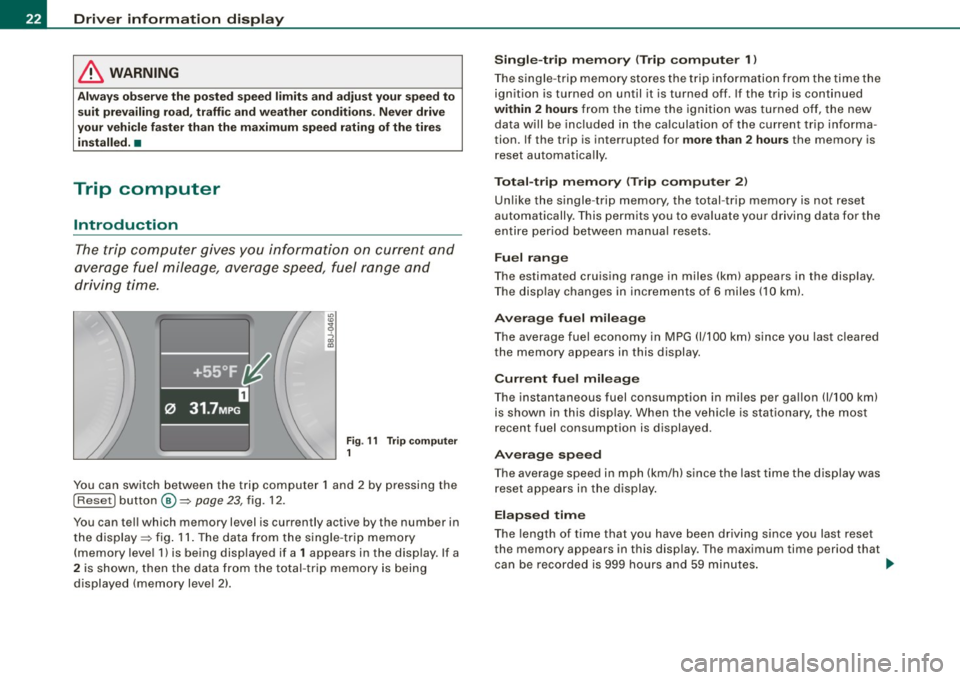
The trip computer gives you information on current and
average fuel mileage, average speed, fuel range and
driving time.
Fig . 11 Trip computer
1
You can switch between the trip computer 1 and 2 by pressing the
I Reset I button @=> page 23, fig. 12.
You can tell which memory level is curren tly active by the number in
the display => fig. 11. The data from the single -trip memory
(memory level 1) is being displayed if a
1 appears in the display . If a
2 is shown, then the data from the total -trip memory is being
displayed (memory level 2).
Single-trip memory (Trip computer 1)
The single -trip memory stores the trip information from the time the
ignition is turned on until it is turned off. If the trip is continued
within 2 hours from the time the ignition was turned off, the new
data will be included in the calculation of the current trip informa
tion. If the trip is interrupted for
more than 2 hours the memory is
reset automatically.
Total-trip memory (Trip computer 2)
Unlike the single-trip memory, the total-trip memory is not reset
automatically. This permits you to evaluate your driving data for the
entire period between manual resets.
Fuel range
The estimated cruising range in miles (km) appears in the display .
The display changes in increments of 6 miles (10 km).
Average fuel mileage
The average fuel economy in MPG 0/100 km) since you last cleared
the memory appears in this display.
Current fuel mileage
The instantaneous fuel consumption in miles per gallon 0/100 km)
is shown in this display. When the vehicle is stationary, the most
recent fuel consumption is displayed.
Average speed
The average speed in mph (km/h) since the last time the display was
reset appears in the display.
Elapsed time
The length of time that you have been driving since you last reset
the memory appears in this display . The maximum time period that
can be recorded is 999 hours and 59 minutes.
~
Page 25 of 324

Distance
The elapsed distance since the last time the memory was cleared
appears in the display. The maximum distance that can be recorded
is 9,999 .9 miles (9,999.9 kilometers).
[ i ) Tips
All stored values will be lost if the vehicle battery is disconnected. •
Operation
The trip computer is controlled by two switches on the
windshield wiper lever.
Selecting the trip computer
Fig. 12 Wiper
arm/wiper lever:
co ntr ols for the trip
co mputer
- Tap the [Reset) button © until the tr ip computer
(memory level 1 or 2) appears in the display =>
page 22,
fig. 11.
Selecting the functions
- Push in the upper (lower) protrusion on the functi on
se lector switch @=>fig . 12. The functions for the trip
computer are displayed in succession on the respective
memory levels.
Contro ls and eq uip
ment
Driver information display
Resetting the function to zero
- Push the
(Reset] button © for at least two seconds.
You can reset the following values to zero using the [Reset] button:
• driving time
• distance
• average fue l mi leage
• average speed
The trip computer only operates when the ignition is on. When you
turn on the ignition, the function that was in use when you last
tu rned the ignition off will be displayed.
[ i ) Tips
• You can also set the values for the functions to zero in the menu
display
( Reset) ~ page 23.
• All stored values will be lost if the vehicle battery is
disconnected .•
Menu display
Introduction
Fig . 13 Wiper lever:
Controls for the menu
di sp la y ..,
Vehicle care I I irechnical data
Page 26 of 324
Driver informati on displ ay
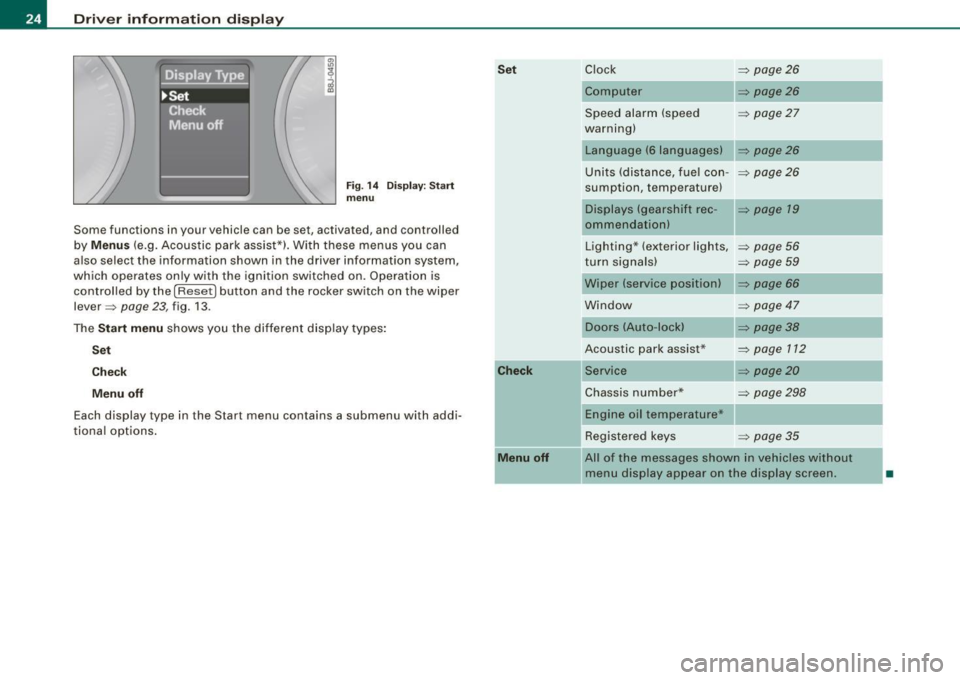
Fig. 1 4 Display : Start
menu
Some functions in your vehicle can be set, activated, and controlled
by
M enu s (e.g. Acoustic park assist*). With these menus you can
also select the information shown in the driver information system,
which operates only with the ignition switched on. Operation is
control led by the
I Reset) button and the rocker switch on the wiper
lever =>
page 23, fig. 13 .
The
S ta rt m enu shows you the different disp lay types :
Set
C he ck
M enu off
Each display type in the Start menu contains a submenu with addi
tiona l options .
Set
C he ck
M enu off
Clock => page 26
Computer => page26
Speed alarm (speed => page27
warning)
Language (6 languages)
Units (distance, fuel con-
=> page26
sumption, temperature)
Displays (gearshift rec -=> page 19
ommendationl
Lighting* (exterior lights, => page 56
turn signals) => page 59
Wiper (service position) => page 66
Window => page 47
Doors (Auto-lock)
Acoustic park assist*
Service
=> page38
=> page 112
=> page20
Chassis number* => page 298
Engine oil temperature*
Registered keys
=> page 35
All of the messages shown in vehicles without
menu display appear on the display screen.
•
Page 28 of 324
Driver informati on displ ay
Selecting settings
The Driver Information System settings are menu-guided.
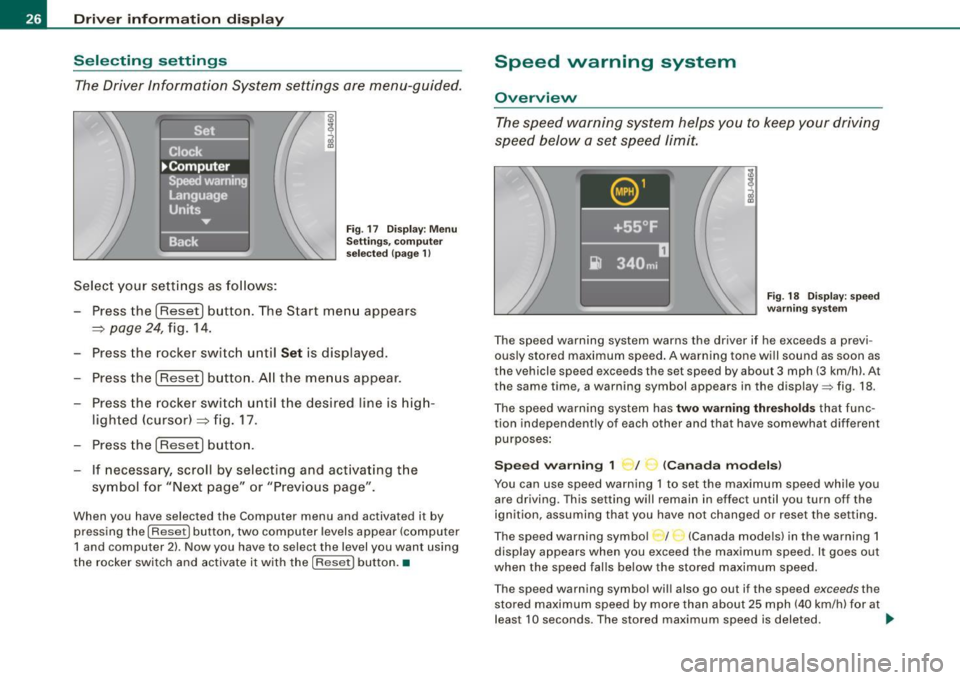
Select your settings as follows:
Fig . 17 Dis play: Men u
Sett ings, co mputer
sel ected (page 1)
- Press the !Reset] button. The Start menu appears
~ page 24, fig. 14.
- Press the rocker switch until
Set is displayed.
- Press the [Reset] button. All the menus appear.
- Press the rocker switc h until the desired line is hig h-
lighted (cursor)~ fig. 17.
- Press the !Reset] button .
- If necessa ry, scroll by selecting and activating t he
symbol for "Next page" or "Previous page".
When you have selected the Computer menu and activated it by
pressing the
I Reset] button, two computer levels appear (computer
1 and computer 2) . Now you have to select the level you want using
the rocker switch and activate it with the [R ese t] button. •
Speed warning system
Overview
The speed warning system hel ps you to keep your driv ing
speed below a set speed limit.
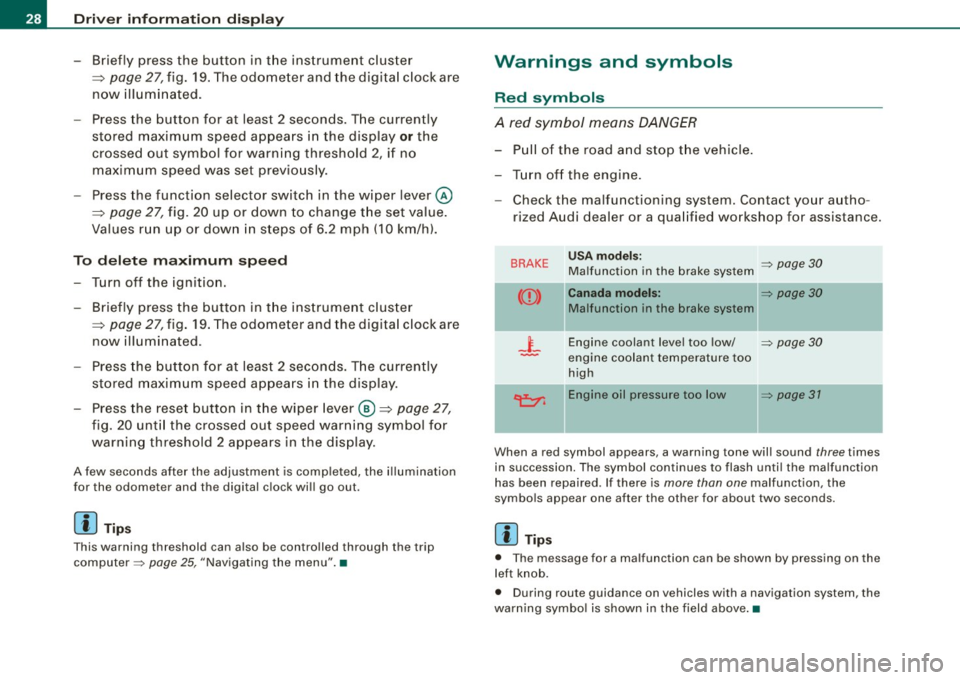
F ig. 18 Disp lay : sp ee d
w arni ng s yste m
The speed warning system warns the dr iver if he exceeds a previ
ous ly stored maximum speed . A warning tone will sound as soon as
the vehicle speed exceeds the set speed by about 3 mph (3 km/h). At
the same time, a warning symbol appears in the display=> fig. 18.
The speed war ning system has
two warn ing thre shold s that func
tion independently of each other and that have somewhat different
purposes :
Spee d warning 1 ~ / (Canad a mod els)
You can use speed warning 1 to set the maximum speed whi le you
are driving. This setting will remain in effect until you turn off the
ignition, assuming that you have not changed or reset the set ting.
The speed warning symbo l / (Canada models) in the warning 1
display appears when you exceed the maximum speed. It goes out
when the speed falls below the stored maximum speed.
T he speed warning symbol wi ll also go out if the speed
exceeds the
stored maximum speed by more than about 25 mph (40 km/h) for at
leas t 10 seconds . The stored maximum speed is deleted. .,_
Page 29 of 324

Setting speed warning 1 ~ page 27.
Speed warning 2 ,,. / (Canada models)
Storing warning 2 is recommended if you always want to be
reminded of a certain speed, for example when you are traveling in
a country that has a general maximum speed limit, or if you do not
want to exceed a specified speed for winter tires.
The speed warning 2 symbol, /
,J. (Canada models) appears in the
display when you exceed the stored speed limit. Unlike warning 1,
it will not go out until the vehicle speed drops below the stored
speed limit.
Setting speed warning 2
~ page 27.
[ i ] Tips
Even though your vehicle is equipped with a speed warning system,
you should still watch the speedometer to make sure you are not
driving faster than the speed limit. •
Speed warning 1: setting a speed limit
Warning threshold 1 is set by the button.
Storing the maximum speed
-Drive at the desired maximum speed .
Contro ls and eq uip
ment
Fig . 19 Section of
instrument cluster:
Set/Check button
Driver information display
- Press the knob button~ fig. 19 until the~ page 26,
fig. 18 symbol appears.
Resetting the maximum speed
- Drive the vehicle at a speed of at least 3 mph (5 km/h)
- Press the knob for more than 2 seconds.
The speed warning symbol·-(USA models) /- (Canada models) will
appear briefly in the display when you release the button to indicate
that the maximum speed has been stored successfully.
The maximum speed remains stored until it is changed by pressing
the button again briefly or until it is deleted by a lengthy push on the
button. •
Speed warning 2: setting a speed limit
Switches in the wiper arm are used to operate warning
threshold 2.
To store maximum speed
- Turn off the ignition.
Vehicle care I I
Fig. 20 Wiper lever:
Trip computer controls
irechnical data
Page 30 of 324
Driver inf ormati on displ ay
- Briefly press the button in t he ins trument cluster
=>
page 27, fig . 19. T he odome ter and the digita l clock are
now illuminated .
- Press the button for at least
2 seconds. The currently
stored maximum speed appears in the display
or the
crossed out symbol for warning threshold
2, if no
maximum speed was set previously .
- Press the function selector switch in the wiper lever @
=>
page 27, fig. 20 up or down to change t he set value .
Values r un up or dow n in steps of
6.2 mph (10 km/h) .
To dele te max imum sp eed
-Turn off the ignition.
- Briefly press the button in t he instrument cluster
=>
page 27, fig . 19. The odometer and the digita l clock are
now illuminated.
- Press the butt on for at least 2 seconds. T he currently
stored maximum speed appears in the display.
- Press the rese t button in the wiper lever @=>
page 27,
fig. 20 unt il the crossed out speed warning symbo l for
warning threshold 2 appears in the display.
A few seconds after the adjustment is comp leted, the i llumination
for the odometer and the digital clock wil l go out .
[ i ] Tip s
This warning threshold can also be controlled through the trip
computer =>
page 25, "Navigating the menu". •
Warnings and symbols
Red symbols
A red symbol means DANGER
-Pull of the r oad and stop t he vehicle .
- Turn o ff the engine .
Check the malfunctioning system. Contact your autho
rized Audi dealer or a qua lified workshop for assistance .
BRAKE USA m odels: => page 30 Ma lfunction in the brake system
CCD > Ca na da m odel s: => page 30
Malfunction in the brake system
_t_ Engine coolant level too low/ => page 30
-engine coolant temperature too
high
~ Engine oil pressure too low => page 37
- --
When a red symbol appears, a warning tone will sound three times
in succession. The symbol continues to flash unti l the malfunction
has been repaired . If there is
more than one malfunction, the
symbols appear one after the other for about two seconds.
[ i ] Tip s
• The message for a malfunction can be shown by pressing on the
left knob.
• During route guidance on vehicles with a navigation system, the
warn ing symbo l is shown in the field above .•
Page 37 of 324
Opening and closing
Keys
Key set
®
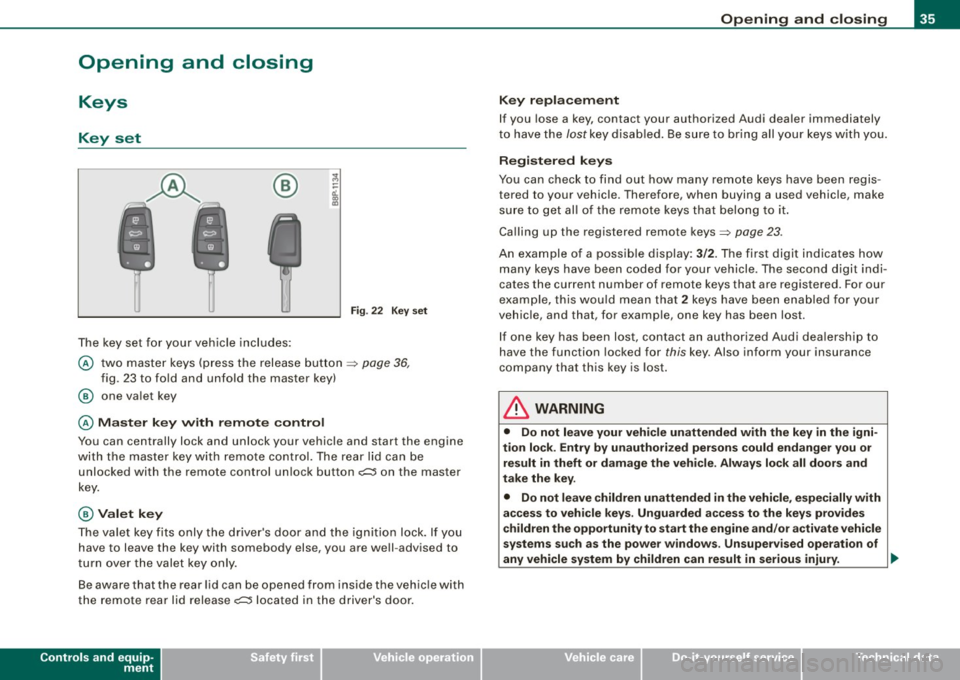
The key set for your vehicle includes:
Fig. 22 Key s et
@ two master keys (press the release button ~ page 36,
fig . 23 to fo ld and unfold the master key)
@ one va let key
@ M as ter key with rem ote control
You can centrally lock and unlock your vehicle and start the engine
with the master key with remote control. The rear lid can be
unlocked with the remote control un lock button
o;:::::::5 on the master
key.
@ Valet key
The va let key fits only the driver's door and the ignition lock. If you
have to leave the key with somebody else, you are well -advised to
turn over the valet key only .
Be aware that the rear lid can be opened from inside the vehic le with
the remote rear lid release
o;:::::::5 located in the driver's door.
Controls and equip
ment
Opening and clo sing
K ey repla cement
If you lose a key, contact your authorized Audi dea ler immediately
t o have the /ostkey disab led . Be sure to bring all your keys wi th you.
Registered keys
You can check to find out how many remote keys have been regis
tered to your vehic le. Therefore, when buying a used vehicle, make
su re to get a ll of the remote keys that belong to it .
Calling up the registered remote keys~
page 23.
An example of a possib le display: 3/2. The first digit indicates how
many keys have been coded for your vehicle . The second digit indi
cates the current number of remote keys that are registered . For our
exa mple, this wou ld mean that
2 keys have been enab led for your
vehicle, and that, for examp le, one key has been lost.
I f one key has been lost, co ntact an authorized Aud i dea lership to
have the function locked for
this key. Also inform your insurance
company that this key is lost .
& WARNING
• Do not leave your vehicle unattended with the key in the igni
tion lock . Ent ry b y unauth oriz ed persons could endanger you or
re sult in theft or damage the vehi cle . Always lock all door s and
t ak e the k ey.
• Do not leave children unattended in the vehicle , especially with
acce ss to veh icle key s. Unguarded a ccess to the key s pro vide s
c hildren the opportunity to sta rt the engine and /or a ctivate vehicle
sy stem s suc h a s the po wer window s. Un supervised operation of
any vehicle system by children can result in serious injury . ..,.
I • •
Page 38 of 324
Opening and closing
[ i J Tips
• If you open the driver's door with the key left in the ignition lock,
a chime will sound. This is your reminder to remove the key and lock
the door.
• For security reasons, replacement keys are only available from
authorized Audi dealers. •
Master key vvith remote control
The remote control allows you to Jock or unlock the
vehicle electronically.
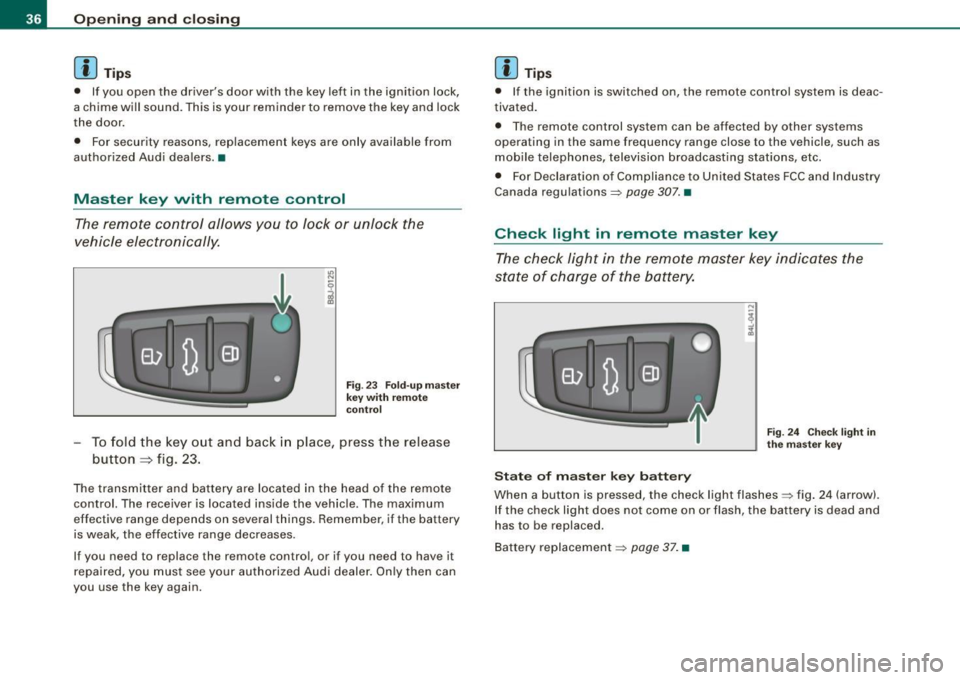
Fig . 23 Fold-up master
key with remote
control
To fold the key out and back in place, press the release
button
=> fig. 23.
The transmitter and battery are located in the head of the remote control. The receiver is located inside the vehicle. The maximum
effective range depends on several things. Remember, if the battery
is weak, the effective range decreases.
If you need to replace the remote control, or if you need to have it
repaired, you must see your authorized Audi dealer. On ly then can
you use the key again.
[ i J Tips
• If the ignition is switched on, the remote control system is deac
tivated.
• The remote control system can be affected by other systems
operating in the same frequency range close to the vehicle, such as
mobile telephones, television broadcasting stations, etc.
• For Declaration of Compliance to United States FCC and Industry
Canada regulations~
page 307. •
Check light in remote master key
The check light in the remote master key indicates the
state of charge of the battery.
State of master key battery
Fig. 24 Check light in
the master key
When a button is pressed, the check light flashes~ fig . 24 (arrow).
If the check light does not come on or flash, the battery is dead and
has to be replaced.
Battery replacement
~ page 37. •