service AUDI S3 2015 User Guide
[x] Cancel search | Manufacturer: AUDI, Model Year: 2015, Model line: S3, Model: AUDI S3 2015Pages: 310, PDF Size: 76.15 MB
Page 24 of 310
22 Instruments and indicator lamps
See an authorized Audi dealer o r autho riz ed
Audi Service Facility for assistance.
A WARNING
If the eng ine stops whi le driving, yo u wi ll
need to use more force to b rake the vehi
cle. This increases the risk of an accident.
T here will still be power steer ing if the ig
nition is switched on w hile the vehicle is
rolling and ther e is suffici ent ba tte ry
c h arge. Othe rwise, you mu st use greate r
force when s tee ring.
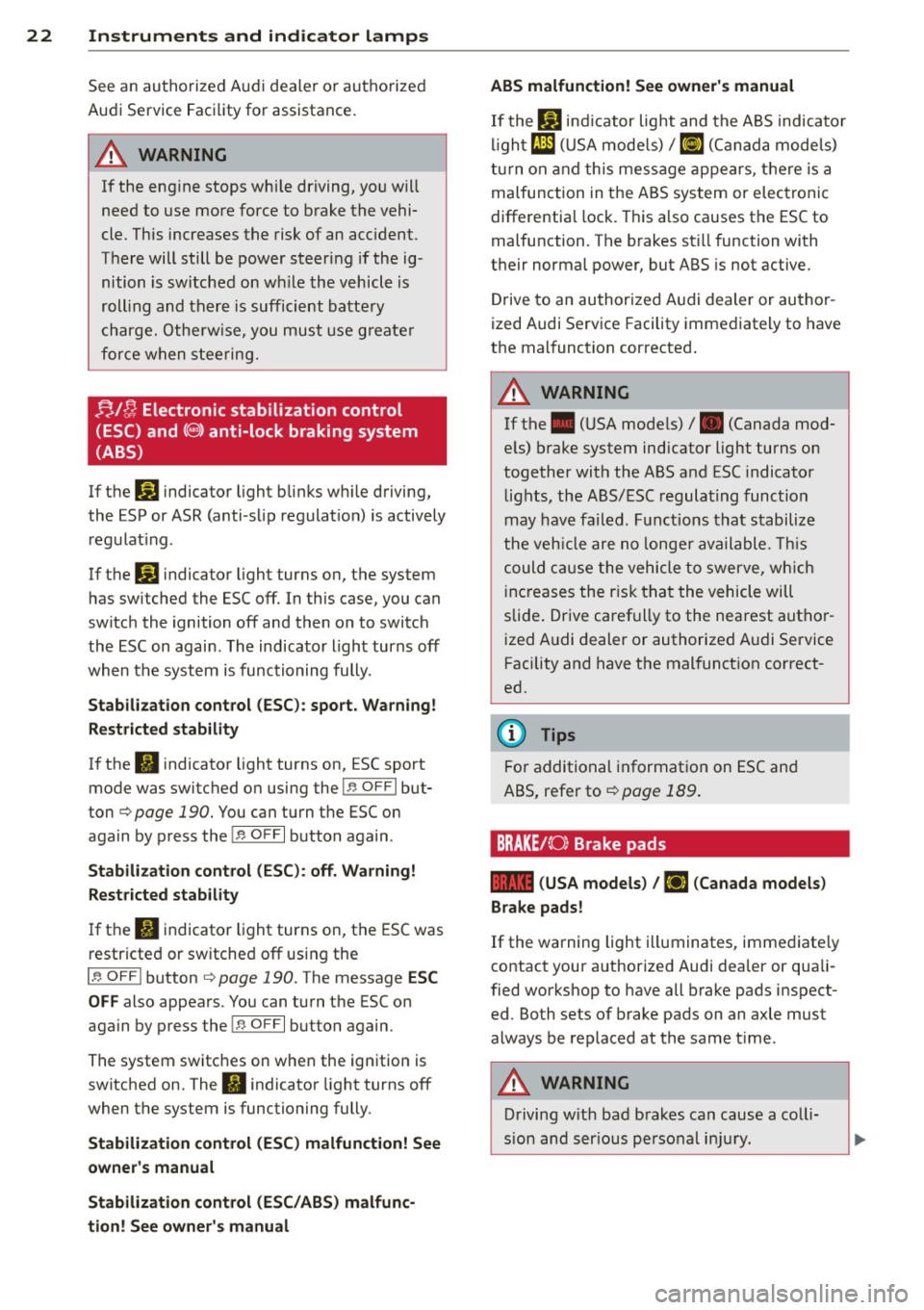
f;! ~ Electronic stabilization control
(ESC) and
( @ ) anti-lock braking system
(ABS)
If t he Jj;J indicato r light b links w hile driving,
the ESP or ASR (anti-s lip regulat io n) is actively
regulat ing .
If the
J;.) indicato r light turns on, t he system
h as sw itched the ESC off . In this case, you can
sw itch the ignition off and then on to switch
the ESC on again. The indicator light turns off
when t he system is functioning fully .
Stabilization control (ESC): spo rt. Warning!
Restricted stability
If the II indicato r light turns on, ESC sport
mode was switched o n using the!.$ OFF I but
ton
c> page 190 . You can turn the ESC on
aga in by press the!.$ OFFI button again .
Stabilization control (ESC ): off. Warning!
Restricted stab ility
I f the II indicator light turns on, t he ESC was
restricte d or sw itched off using the
I .$ OFF i button
c> page 190. The message ESC
OFF
also appears. You can tu rn the ESC o n
again by p ress the!.$ OFFI button again .
The system switc hes on when the ign ition is
switched on. The
II i ndicato r light turns off
when t he system is functioning fully .
Stabilization control (ESC) malfunction! See
owner's manual
Stabilization control (ESC/ABS) malfun c
tion! See owner 's manual ABS malfunction! See owner's manual
I
f the Bl ind icator light and the ABS indica to r
li gh t
El] (US A mode ls)/ ilJ (C anad a m ode ls)
tu rn on and th is message appears, t he re is a
malfunction in the A BS system or electronic
differentia l lock. This also causes the ESC to
malfu nction. The b rakes st ill function with
their normal power, but ABS is not active.
Drive to an au thori zed A udi dealer or au tho r
ized Audi Serv ice Facility immediately to have
t h e mal function c orrected .
A WARNING "--
If th e . (U SA mode ls) /. (Canada mod -
e ls) b rake system indicator light turns on
t o gether wi th the ABS a nd ESC indicato r
lig hts, the A BS/ ESC regula ting func tion
may have fa iled. F unctions that stabilize
t he veh icle are no longe r ava ilable. This
could cause the vehicle to swerve, wh ich
i nc reases the r is k th at the vehicle will
slide . Dr ive caref ully to the nearest aut ho r
i zed A udi dealer or authorized A udi Service
Facility and have the mal funct ion c orrect
ed.
(D Tips
Fo r additional informat io n on ES C an d
ABS, refer to
c> page 189 .
BRAKE/{ 0: Brake pads
1111 (USA models ) I riJ (Canada models )
Brake pads!
If the warning light i lluminates, imme diate ly
contact your a uthorized Audi dea ler or qua li
fied workshop to have all b rake pads inspect
ed. Both sets of brake pads on an axle must
always be replaced at the same t ime .
A WARNING
Driving w it h ba d brakes can cause a colli
sion and s erious pe rsonal in ju ry.
Page 25 of 310
M N
0 > co ,...., \!) 1.1'1
-If the warning light EiJ or the warning
light
11111 ) w ith the message B ra ke
pads !
comes on in the instrument cluster
display, immediately contact your au
thorized Aud i dealer or qualified work
shop to have a ll brake pads checked or
replaced if necessary.
· ~ Hill hold
Hill h old ass is t: un availabl e
If the II indicator l ight turns on and this
message appears, hill hold is not available.
II Manu al control!
If this message appears, press the brake ped
al.
Continue dr iving with the help of the parking
brake .
¢ page 80
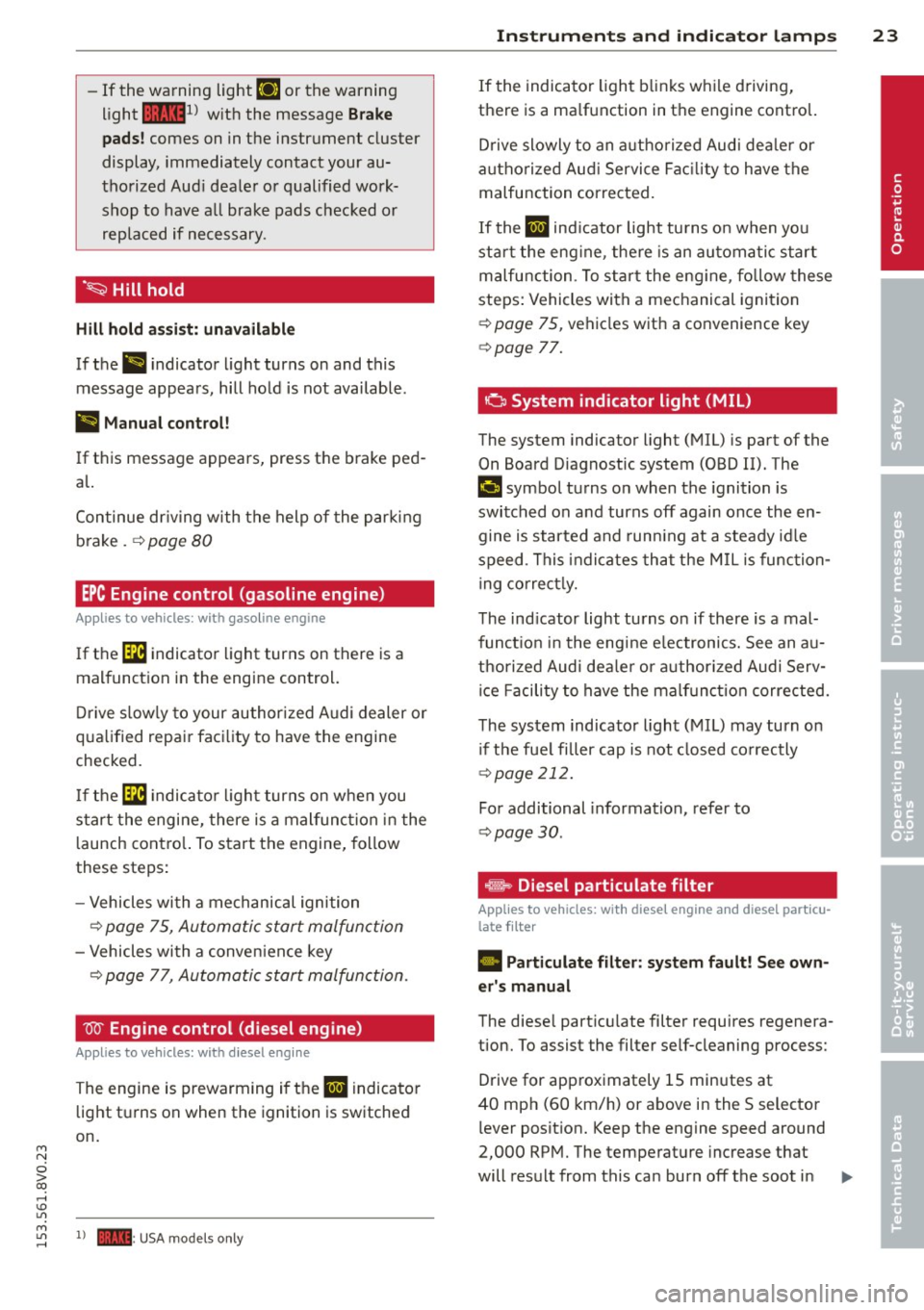
EPC Engine control (gasoline engine)
Applies to vehicles: with gasoline engine
If the [ID indicator light turns on there is a
malfunct ion in the engine control.
Drive s low ly to your author ized Audi dealer or
qua lified repai r facility to have the engine
checked.
If the ~ indicato r ligh t turns on when you
start the engine, there is a mal func tion in the
l aunch cont ro l. To start the engine, follow
these steps:
- Vehicles with a mechanical ignition
¢ page 75, Automatic start malfunction
-Vehicles with a conven ience key
¢ page 77, Automatic start malfunction .
W Engine control (diesel engine)
Applies to vehicles: with diesel engine
The engine is prewarming if the II indicato r
light turns on when the ignition is switched
on.
M
~ 1) - : USA mod els only
In strum ent s an d indicator lamp s 23
If the indicator light blinks while d riving,
there is a ma lfunction in the engine control.
D rive slowly to an authorized Aud i dea ler or
a uthorized Aud i Service Fac ility to have the
malfunction corrected.
If the II ind icator light turns on when you
star t the eng ine, the re is an automa tic start
malfunction . T o start the eng ine , fo llow these
steps: Vehicles with a mechanical ignition
¢ page 75, vehicles with a convenience key
¢ page 77.
a System indicator light (MIL)
The system indicator light (MIL) is part of the
On Board Diagnostic system (OBD II). The
II symbol turns o n when the ignition is
switched on and turns off again once the en gine is started and run ning at a steady id le
speed . This indicates that the M IL is function
ing correct ly.
The ind icator light turns on if there is a mal
functio n in the eng ine e lectronics. See an au
tho rized Audi dea le r or authorized Audi Serv
ice Facili ty to have the malf unc tion corrected.
The system indicator light (MIL) may turn on i f the fue l filler cap is not closed co rrectly
¢ page 212.
For additional information, refer to
¢ page 30 .
®-~ Diesel particulate filter
Applies to veh icles: w ith diese l engine and d iese l particu
late filter
• Particulate filter: s ystem fault! See own
er's manual
The diese l particu late filter requires regenera
tion. To assist the filter self-cleaning process:
Drive for approximately lS minutes at
40 mph (60 km/h) or above in the S selector
lever position. Keep the engine speed around
2,000 RPM. The temperature increase that
will result from this can burn off the soot in .,. •
Page 26 of 310
24 Instruments and indicator lamps
the filter. The indicator light will turn off
when the cleaning has completed successful
ly.
If the indicator light does
not turn off, drive
immediately to an authorized Audi dealer or
authorized Audi Service Facility to have the
malfunction corrected .
.&_ WARNING
Always adapt your speed to the current
weather, road and traffic conditions. You
should never disobey traffic laws in order
to follow driv ing recommendations .
(D Tips
For additional information on the diese l
particulate f ilter, refer to¢
page 199.
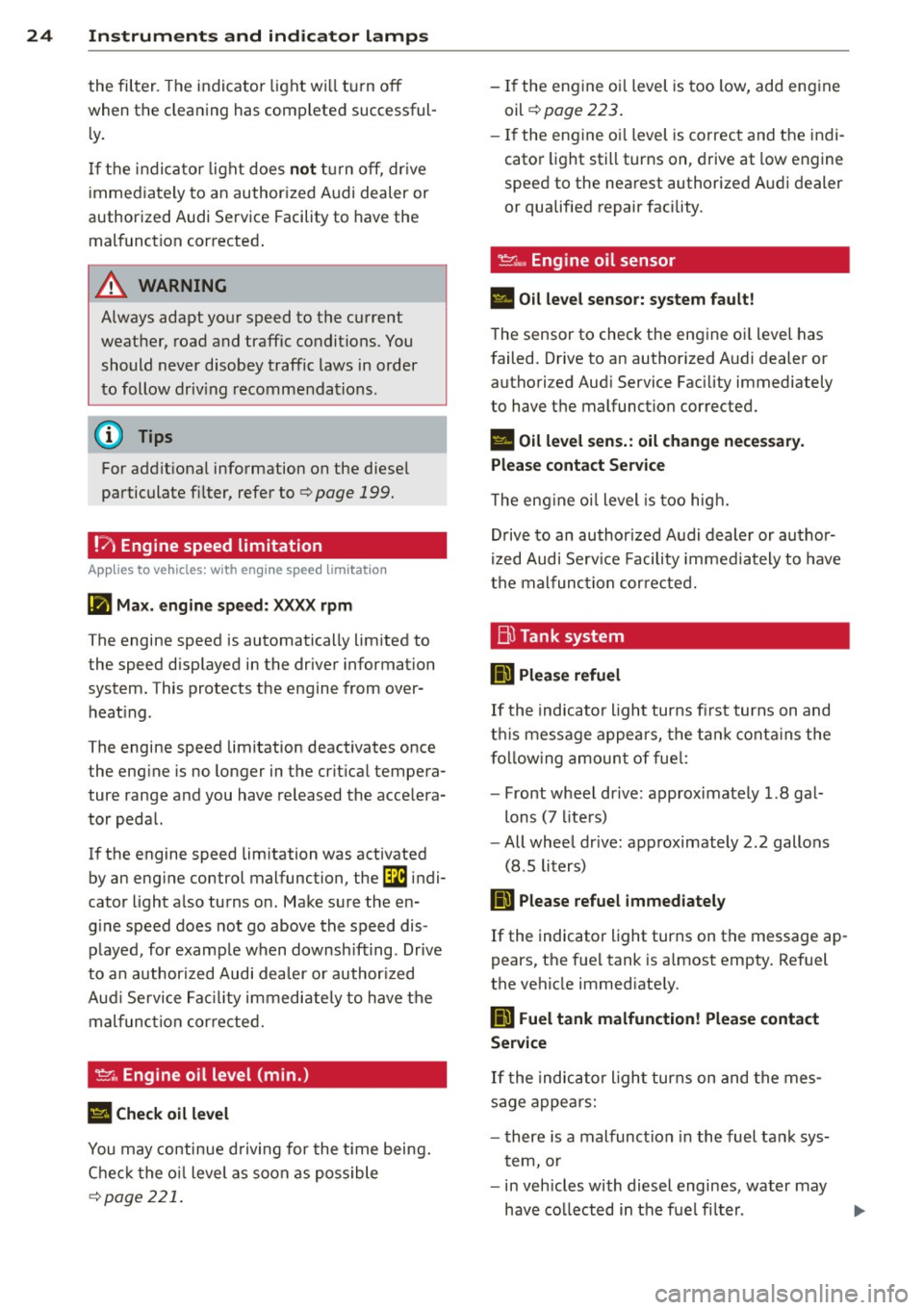
!?i Engine speed limitation
App lies to vehicles: with engine speed limitation
Ill Max. engine speed: XXXX rpm
-
The engine speed is automatically limited to
the speed displayed in the driver information
system. This protects the engine from over
heating .
The engine speed limitation deactivates once
the engine is no longer in the c ritical tempera
ture range and you have released the accelera
tor pedal.
If the engine speed limitation was activated
by an engine control malfunction, the
Di indi
cator light also turns on. Make sure the en
g ine speed does not go above the speed dis
played, for example when downsh ifting . Drive
to an authorized Audi dealer or author ized
Aud i Service Facility immediately to have the
malfunction corrected.
~"' Engine oil level (min.)
l!I Check oil level
You may continue driving for the time being.
Check the oil level as soon as possible
¢page 221.
-If the engine oi l level is too low, add engine
oil
¢ page 223.
-If the engine oi l level is correct and the indi
cator light still turns on, drive at low engine
speed to the nearest authorized Audi dealer
or qualif ied repair facility .
~w, Engine oil sensor
• Oil level sensor: system fault!
The sensor to check the engine oi l level has
failed. Drive to an author ized Audi dealer or
authori zed Aud i Service Facility immediately
to have the malfunction corrected.
• Oil level sens.: oil change necessary.
Please contact Service
T he eng ine oi l level is too high.
Drive to an authorized Audi dealer or author
ized Audi Serv ice Fac ility imm ediately to have
the malfunction corrected.
Bl Tank system
D Please refuel
If the indicator light turns first turns on and
t his message appears, the tan k contains the
following amount of fuel:
- Front wheel dr ive : approximately 1.8 gal
lons (7 liters)
- All wheel dr ive : approximately 2.2 gallons
(8 .5 liters)
II] Please refuel immediately
If the indicator light turns on the message ap
pears, the fuel tank is almost empty. Refuel
the vehicle immed iate ly.
D Fuel tank malfunction! Please contact
Service
If the indicator l ight turns on and the mes
sage appea rs:
- there is a malfunction in the fuel tank sys
tem, or
- in vehicles with diesel engines, water may
have collected in the fuel fi lter.
Page 27 of 310
M N
0 > co ,...., \!) 1.1"1
Drive to an authorized Audi dea ler or a uthor
ized Audi Service Facility immediate ly to have
the ma lfunction corrected.
([) Note
Applies to vehicles with diese l engines: If
the diesel fuel quality is poor, it may be
necessary to have the water drained from
the water separator
l ) in the fuel filter
more often than specified in the mainte
nance schedule. This can help reduce en
gine malfunctions.
@I For the sake of the environment
Fuel should never enter the sewer system
or come into contact with the ground .
(j) Tips
More information on refueling is available
on page
¢page 212.
~ Washer fluid level
= Please add washer fluid
Fill the washer fluid with the ignition switched
off¢page232.
o Windshield wipers
m Windshield wiper: system fault!
There is a malfunction with the w indshield
wipers.
Drive to an authorized Audi dea ler or author
ized Audi Service Facility immed iate ly to have
the malfunction corrected.
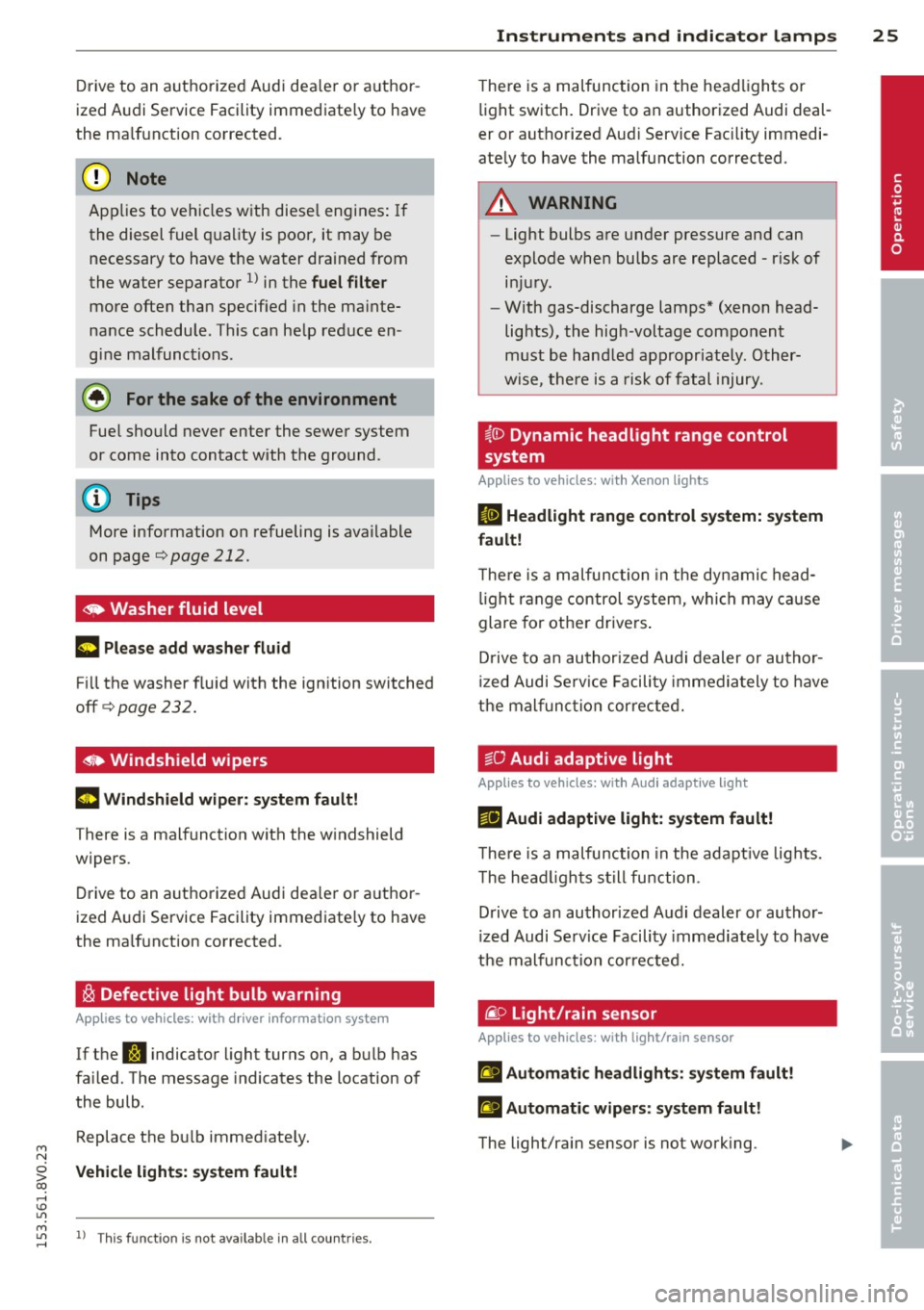
~ Defective light bulb warning
App lies to vehicles: with dr iver information system
If the S:!I indicator light turns on, a bulb has
fa iled. The message indicates the location of
the bulb.
Replace the bu lb immediate ly.
Vehicle lights: sy stem fault!
M 1.1"1 l) Th is fu nct io n is not available in all coun tries. ,....,
Instruments and indicator lamps 25
T here is a malfunction in the headlights or
light switch. Drive to an authorized Audi deal
er or authorized Aud i Service Fac ility immedi
ate ly to have the malfunction corrected .
A WARNING
-Light bulbs are under pressure and can
explode when bulbs are replaced - risk of injury.
- With gas-discharge lamps* (xenon head
lights), the high-voltage component
must be handled appropriately. Other
wise, there is a risk of fatal injury.
~{i) Dynamic headlight range control
sy stem
Applies to vehicles: wi th Xeno n lights
fl Headlight range control system: system
fault!
T here is a malfunction in the dynamic head
light range control system, which may cause
glare for other drivers .
D rive to an authorized Audi dealer or author
ized Audi Serv ice Facility immediately to have
the malfunction corrected.
tsO Audi adaptive light
App lies to vehicles: wi th Audi ada ptive ligh t
r!l Audi adaptive light: system fault!
The re is a malfunction in the adapt ive lights.
T he head lights still function .
Drive to an authorized Audi dealer or author
ized Audi Serv ice Facility immediately to have
the malfunction corrected.
@) Light/rain sensor
App lies to vehicles: wit h lig h t/rain senso r
El Automatic headlights: system fault!
El Automatic wipers: system fault!
The light/rain sensor is not working. •
Page 28 of 310
26 Instruments and indicator lamps
For safety reasons , the low beams are turned
on permanent ly with the switch in
AUTO. You
can cont inue to turn the lights on and off us
ing the light switch. You can still control all
wiper functions that are independent of the
ra in sensor .
Drive to an authorized Aud i dea ler or author
i z ed Audi Service Facility immediately to have
the malfunction corrected .
Q Adaptive dampers
Applies to vehicles: with Audi drive select
B Suspension: system fault!
There is an adaptive damper ma lfunction .
Drive to an authorized Aud i dea ler or author
ized Audi Service Facility immediate ly to have
the malfunction corrected.
¢i Q Turn signals
If the B or R indicator light b links, a turn
signal is turned on. If both indicator lights are
blink ing, the emergency flashers are on .
In an indicator light blinks twice as fast as
usual then a blinker bu lb has failed. Carefully
drive to your authorized Audi dealer immedi
ately to have the malfunction corrected.
@ Tips
For more informat ion on the turn signals,
refer to
c:::> page 48.
Page 33 of 310
If the light doe s not turn off after starting
the engin e
or turns on while driving, this may
indicate there is a malfunction in the eng ine.
If the indicator turns on, the catalytic convert
er may be damaged .
Drive
with reduc ed engine perfo rm ance
(avo id h igh speeds for extended periods of
time and/or fast accelerat ion) and have the
malfunction corrected. See an authorized Audi
dealer o r authorized Aud i Service Facility .
The indicator may turn on if the electron ic
speed limiter is faulty. For additional informa
tion, refer to
c:> page 31, Electronic speed
limiter" .
The MIL m ay also turn on if the fuel filler c ap
i s not clo sed co rre ctl y
c:> page 212 .
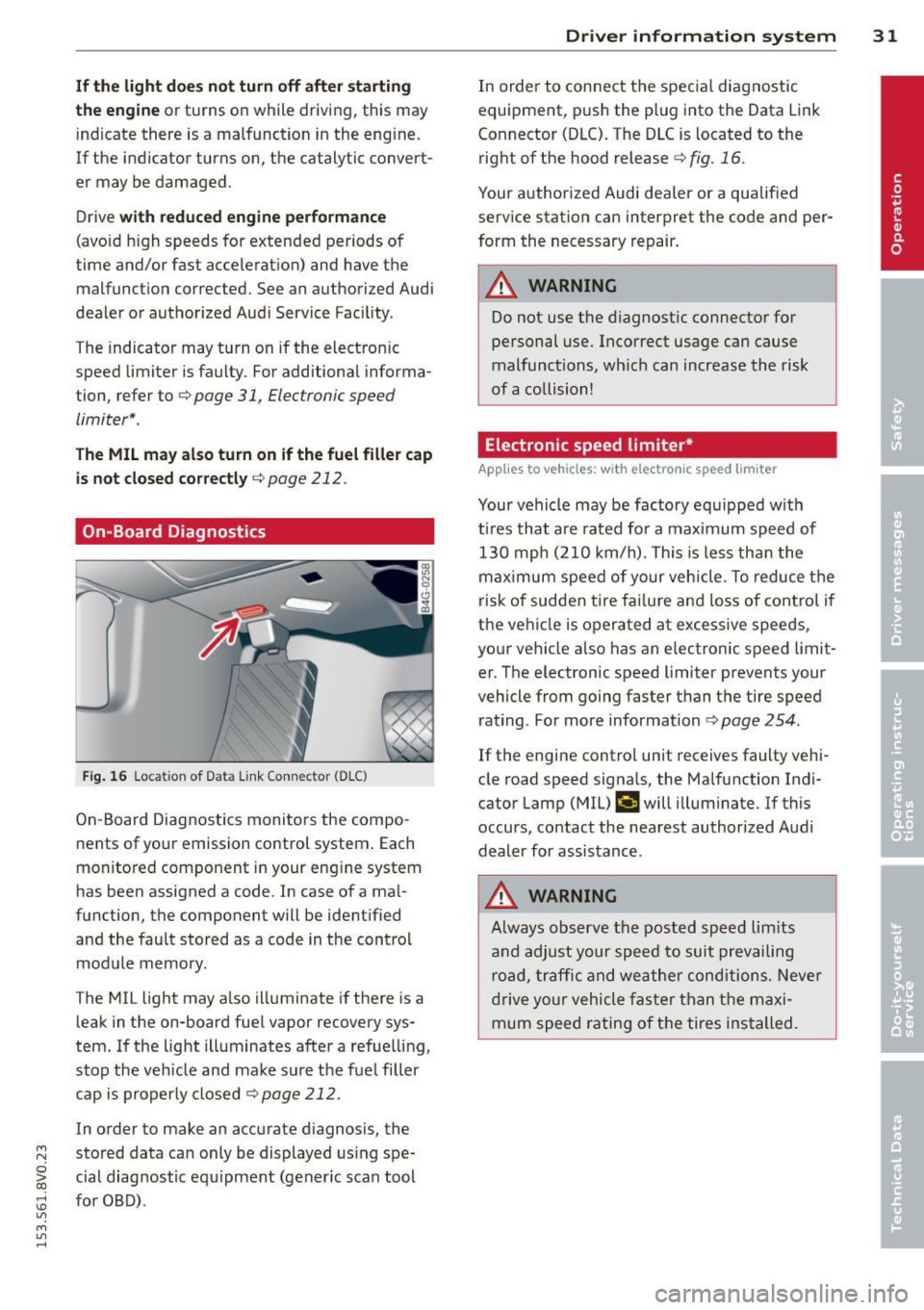
On-Board Diagnostics
Fi g. 16 Locat ion of Data Link Connector (DLC)
On -Board Diagnostics monito rs the compo
nents of you r emission control system . Each
monitored component in your engine system
has been assigned a code . In case of a ma l
function, the component will be ident ified
and the fau lt stored as a code in the control
module memory.
The MIL light may a lso illuminate if there is a
leak in the on-board fuel vapor recovery sys
tem. If the light illuminates after a refue lling,
stop the veh icle and make sure the fuel filler
cap is properly closed
c:> page 212.
In order to make an accurate d iagnosis, the
~ stored data can only be displayed us ing spe-
o iii cial diag nostic equipment (gener ic scan tool
:;, for OBD) .
"' M
"' ......
Driver in formation system 31
In order to connect t he specia l diagnostic
equipment, pus h the plug into the Data Link
Connector (DLC). The D LC is located to the
right of the hood release
c:> fig . 16.
Your authorized Audi dea ler or a qualified
service station can interpret the code and per
form the necessary repair.
_& WARNING
Do not use t he diagnostic connector for
personal use. Incorrect usage can cause
malfunctions, wh ic h can increase the risk
of a collision!
Electronic speed limiter *
Applies to vehicles: wit h electro nic s peed limiter
-
Your vehicle may be factory equipped w ith
t ires that are rated for a maximum speed of
130 mph (210 km/h). Thi s is less tha n the
maximum speed of your vehicle. To reduce t he
risk of sudden tire fai lure and loss of contro l if
the ve hicle is operated at excessive speeds,
your vehicle a lso has an e lectronic speed limit
er . T he e lectronic speed limiter prevents your
vehicle from go ing faster than the tire speed
rating . For more information
c:> page 254.
If the engine contro l unit receives faulty vehi
cle road speed signa ls, the Ma lfunction Indi
cator Lamp (MIL)
¢'4 will illuminate. If this
occurs, contact the nearest authorized Audi
dealer for assistance .
_& WARNING
Always observe the posted speed lim its
a nd adjust your speed to suit prevailing
road, traffic and weather conditions. Neve r
drive yo ur vehicle fas ter than the maxi
mum speed rating of the tires installed.
-
Page 37 of 310
M N
0 > co ,...., \!) ..,.,
M ..,., ,....,
Opening and closing
Central locking
Key set
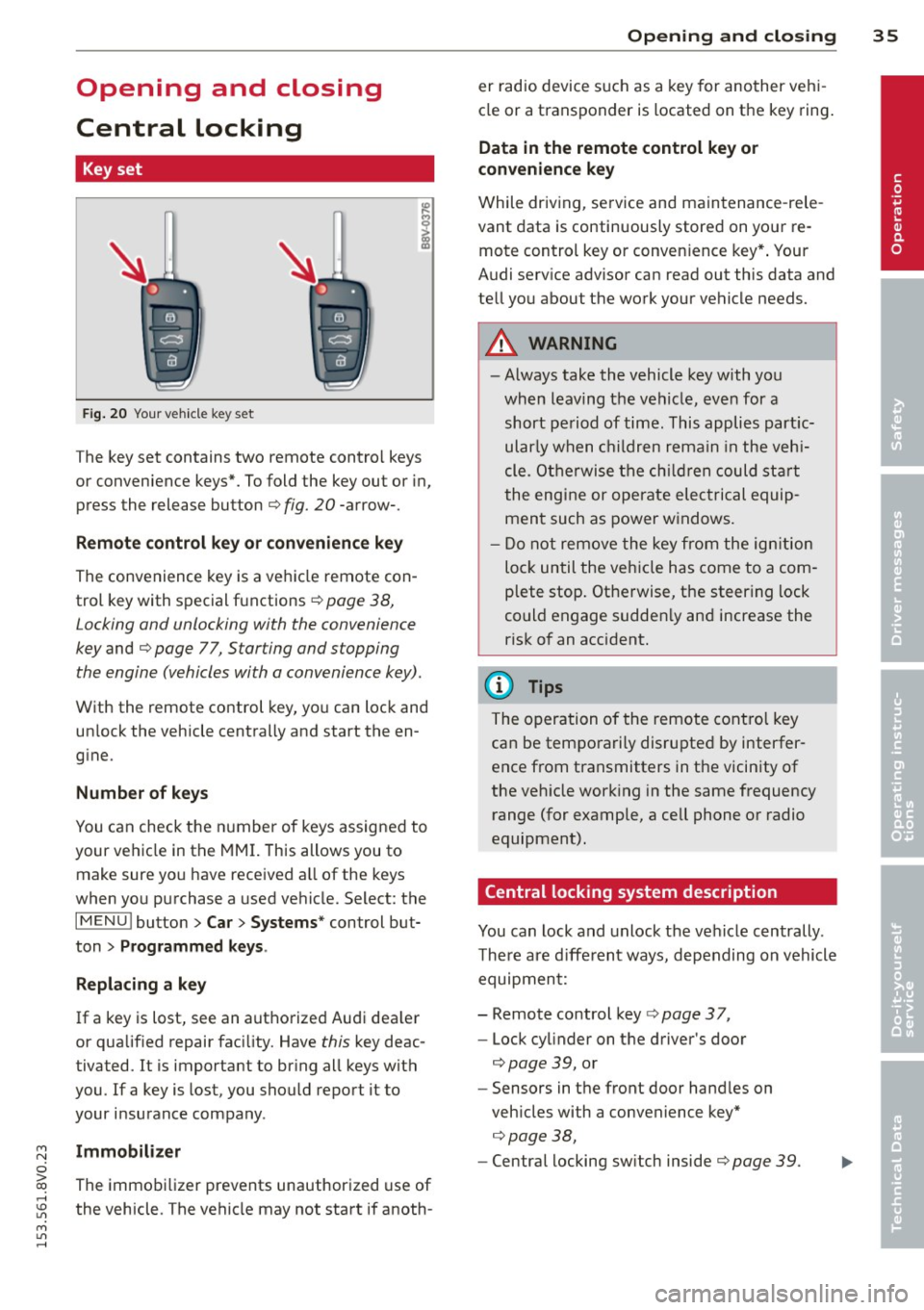
Fig . 20 Your vehicle key set
The key set contains two remote contro l keys
or convenience keys*. To fold the key out or in,
press the release button
q fig. 20 -arrow-.
Remote control key or convenience key
The convenience key is a vehicle remote con
trol key with special functions
q page 38,
Locking and unlocking with the convenience
key and q page 77, Star ting and stopping
the engine (vehicles with a convenience key).
With the remote control key, you can lock and
un lock the vehicle centrally and start the en
g ine.
Number of keys
You can check the number of keys assigned to
your vehicle in the
MMI. T his allows you to
make sure you have received a ll of the keys
when you purchase a used vehicle. Select: the
I MENU I button > Car> Systems* control but
ton
> Programmed keys.
Replacing a key
If a key is lost, see an authorized Audi dea ler
or qualified repair facility. Have
this key deac
tivated. It is important to br ing all keys with
you.
If a key is lost, you should report it to
your insurance company .
Immobilizer
The immobilizer prevents unauthorized use of
the vehicle . The vehicle may not start if anoth -
Opening and closing 35
er radio device such as a key for another veh i
cle or a transponder is located on the key ring.
Data in the remote control key or
convenience key
While driving , service and maintenance -rele
vant data is continuously stored on your re
mote control key or convenience key*. Your
Audi serv ice advisor can read out this data and
tell you about the work your vehicle needs.
_& WARNING
- Always take the vehicle key with you
when leaving the vehicle, even for a
short period of time. This applies partic
ularly when children remain in the vehi
cle . Otherwise the children could start
the engine or operate electrical equip
ment such as power windows.
- Do not remove the key from the ignition
lock until the vehicle has come to a com
plete stop. Otherwise, the steering lock
could engage sudden ly and increase the
risk of an accident.
{i) Tips
The operation of the remote control key
can be temporarily disrupted by interfer
ence from transmitters in the vicinity of
the veh icle working in the same frequency
range (for example, a cell phone or radio
equipment).
Central locking system description
You can lock and unlock the vehicle centrally .
There are different ways, depending on vehicle
equipment:
- Remote control key
q page 3 7,
- Lock cylinder on the driver's door
qpage 39, or
- Sensors in the front door handles on
veh icles with a convenience key*
q page 38,
-Central locking sw itch inside q page 39. •
Page 38 of 310
36 Opening and closing
Selective unlocking
The doors and rear lid lock when they close.
You can set in the MMI whether
only the driv
er's door or the entire vehicle should unlock
when unlocking ¢
page 40.
Automatic locking (Auto Lock)
The Auto Lock funct ion locks all doors and the
l uggage compartment lid once the speed has
exceeded approximately 9 mph (15 km/h) .
The car is un locked again once the ignition key
is removed. In addition, the vehicle can be un
l ocked if the opening function in the power
locking system switch is used or one of the
door handles is pulled. The Auto Lock function
can be turned on or off* in the MMI
c::>page40.
In the event of a crash with airbag dep loy
ment, the doors automatically unlock to allow
access to the vehicle.
Anti -theft alarm system*
If the anti-theft alarm system detects a vehi
cle break-in, audio and visual warning signa ls
are triggered .
The anti-theft alarm system turns on auto mat ically when you lock the vehicle.
It deacti
vates when un locking using the remote con
trol key or by touching the sensor on the door
handle (convenience key) .
To switch the alarm off, press them button on
the remote control key or convenience key or
switch the ignition on . The alarm also stops
automatically after a certain amount of time.
Turn signals
The turn signals flash twice when you unlock
the vehicle and once when yo u lock the vehi
cle.
If they do not flash, one of the doors, the lug
gage compartment lid or the hood is not
lock ed or the ignition is still sw itched on (the
latter applies to vehicles with a convenience
key) .
Unintentionally locking yourself out
The following situations prevent you from
locking your remote control key in the vehicle:
- The vehicle does not lock w ith the cent ral
lock ing switc h if the driver's door is open
c::> page 3 9.
- On veh icles with a convenience key* , the lug
gage compartment lid unlocks again after
clos ing if the most recent ly used key is in
the luggage compartment.
Do not lock your veh icle w ith the remote con
trol key or convenience key* until all doors and
the luggage compartment lid are closed. This
helps to prevent from locking yourself out ac
cidentally .
(D Tips
-Do not leave va luab les unattended in the
vehicle. A locked vehicle is not a safe!
- If the LED in the upper edge of the driv
er's door turns on for about 30 seconds
after the vehicle is locked, there is a mal
function in the power locking or the anti
theft alarm system* . Have the problem
corrected by an authorized Audi dea ler or
authorized Audi Service Facility.
Page 53 of 310
M N
0 > co ,...., \!) ..,.,
M ..,., ,....,
A WARNING
-The ra in sensor is only intended to assist
the driver. The driver is still responsible
for manually sw itching the w ipers on ac
cording to the v is ibility conditions.
- The windshield may not be treated w ith
water-repe lling windshield coat ing
agents. Unfavorable conditions, such as
wetness, darkness o r low sun, can result
in increased glare. W iper blade chatter is
also possible.
- Properly functioning windshie ld w iper
blades are requi red fo r a clear view and
safe driving~
page 51, Replacing
front windshield wiper blades .
(D Note
-In case of frost, make sure the wind
shield wiper b lades are not frozen to the
windsh ield . Sw itching on the windshield
wipers when the blades are frozen to the
windsh ield can damage the wiper blades.
- Prior to using a car wash, the windshield
wipe r system must be switched
off (lever
in position 0). This prevents unintention
al sw itching on and damage to the wind
s h ield wiper system.
- Do not use the wipers to remove ice from
the windows. Using windshie ld w ipers as
i ce scrapers destroys the wiper b lades.
(D Tips
- The windshield wipe rs switch off when
t h e ignit ion is turned
off. You can acti
vate the windshield wipers after the igni
tion is switched back on by moving the
windsh ield wiper leve r to any pos ition.
- Worn or dirty windsh ie ld w iper blades
r esult in streak ing. This can affect the
r ain senso r funct ion. Check your wind
s hi eld wipe r blades regularly.
- The washer fluid nozzles in the w ind
s hi eld washer system are heated* at low
temperatures when the ig nit ion is on.
- When stopping temporar ily, e.g. at a
traff ic light, the se t speed of the w ind- Light
s and Visi on 5 1
shield w ipers is automatically reduced by
one speed.
- In vehi cles w ith an MMI, you can switch
the rain senso r or
off in the Driver assi s
tance
menu.
Cleaning windshield wiper blades
Clean the wiper b lades when you see w iper
streaks . Use a soft clot h and a glass cleaner .
.,. Place the windshie ld wiper arms in the serv
ice pos ition
~ page 51.
.,. Fold the windshie ld w iper arms away from
the windshield.
A WARNING
Di rty windsh ield wiper b lades can impair
v ision, which increases the r isk of an acci
dent.
(D Note
If you see streaks again after clean ing the
wiper blades, the blades must be replaced
~page 51.
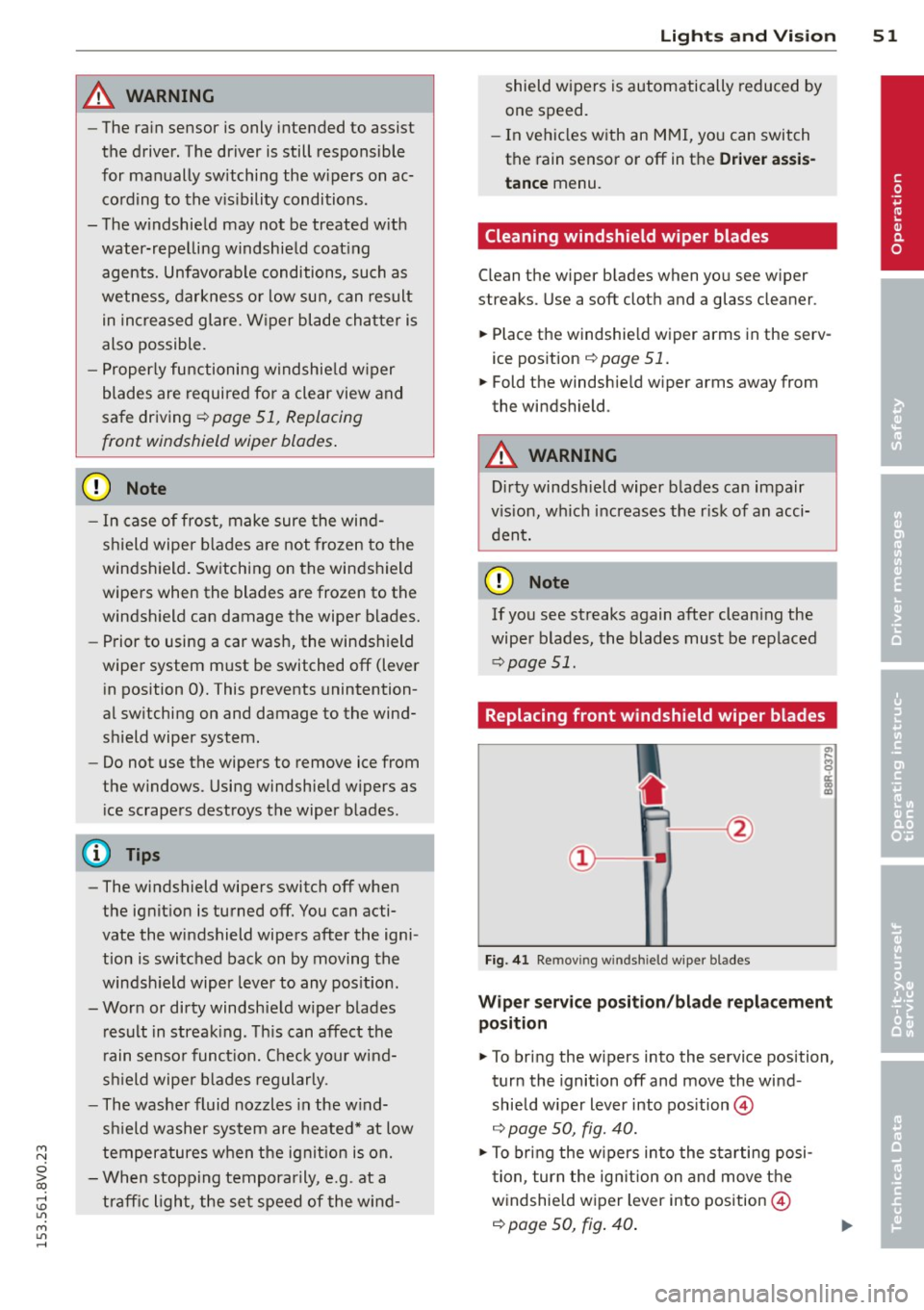
Replacing front windshield wiper blades
Fig. 41 Remov ing w indsh ie ld wipe r blades
Wiper servic e posit ion /bl ade repl ace ment
position
.,. To bri ng the w ipers into the service position,
tur n the ignition
off and move the wind
shield w iper lever into pos ition @
~ page 50, fig. 40.
.,. To bring the w ipers into the starting posi
t ion, tur n the ig nition on and move t he
w indshie ld w iper lever into position @
~ page 50, fig. 40 .
•
Page 54 of 310
52 Lights an d Vi sion
Removing the wip er blad e
.,. Fold the w indshield wiper arm away from
the windshie ld .
.,. Press the locking knob
(D ¢ fig. 41 on the
wip er blade . Hold th e wiper blade f irm ly.
.,. Remove the wipe r blade in the direction of
t he arrow.
In stall ing t he wip er blade
.,. Inse rt the new wipe r blade into the mount
on the w iper arm @ until you hear it latch
into place .
.,. Place the wiper arm back on the windshie ld.
.,. Tu rn the serv ice position off.
_& WARNING
For safety reasons, the windshield wiper
blades should be replaced once or twice
each year.
Q) Note
- The w indshield wiper blades must only
be folded away when in the serv ice posi
tion . Otherw ise, you risk damag ing the
paint on the hood or the windshield wip
er motor.
- You should not drive your veh icle or
press the w indshield w iper lever when
the wiper arms are folded away from the
winds hield. The w indshie ld w ipers would
move back into their original position
and could damage the hood and wind
shield.
- To prevent damage to the windshield
washer system, always loosen wiper
blades that have frozen to the wind
s h ield before turning the wipers on.
- To prevent damage to the wiper blades,
do not apply gasoline, petroleum, thin
ning agents or other solvents on the wip
er blades or near them.
- To prevent damage to the wipe r arms or
other components, do not try to move
the windshie ld w ipers by hand .
-
(D Tips
-Commercial hot wax such as the types
used by car washes make it more d ifficult
to clean the windshie ld.
- You can also use the service position, for
example, if you want to protect the
w indshield from icing by using a cover.
- Yo u cannot activate the serv ice position
when the hood is open .
Outside mirror
Adjusting the exterior mirrors
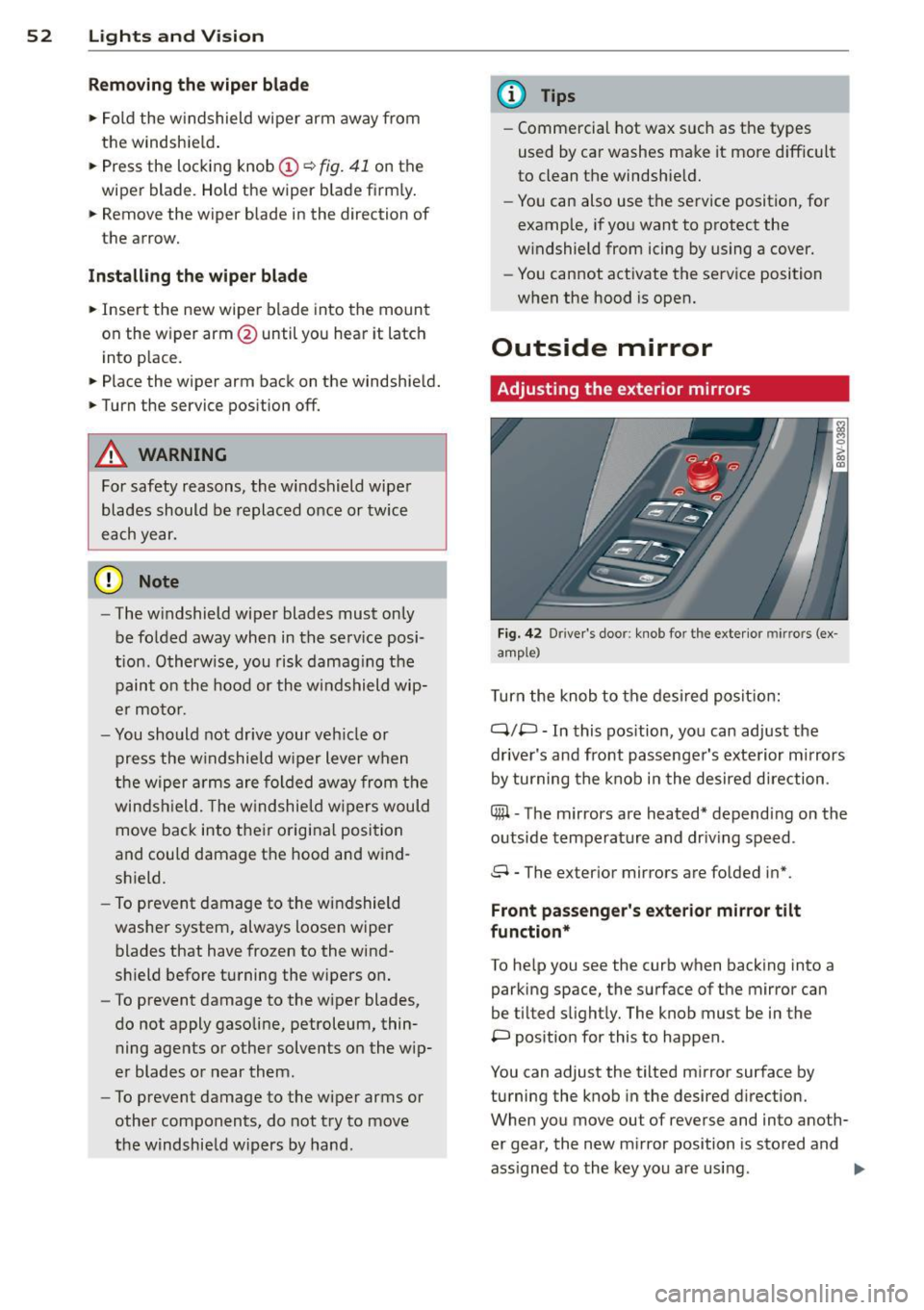
F ig. 42 Drive r's doo r: kno b fo r th e exte rior mir rors (ex
amp le)
T urn the knob to the des ired posit ion:
q;p -In this pos ition, yo u can adjust the
dr iver's and front passenger's exterior m irrors
by turning the knob in the desired direction .
Cffil -The mirrors are heated* depend ing on the
outside temperature and dr iv ing speed .
8 - The ex ter ior m irrors are folded in*.
Front passenge r's ex terior mirror tilt
function*
To he lp you see the curb when backing into a
parking space , the surfa ce of the mirror can
be tilted s light ly. The knob mus t be in the
P pos ition for this to happen .
You can adjust the tilted mir ror surface by
turning the knob in the desired direction.
When you move ou t of reverse and into ano th
er gear, the new m irror position is stored and
ass igned to the key you are using. .,.