service AUDI S3 2015 Owner's Manual
[x] Cancel search | Manufacturer: AUDI, Model Year: 2015, Model line: S3, Model: AUDI S3 2015Pages: 310, PDF Size: 76.15 MB
Page 70 of 310
68 Warm and cold
Warm and cold Climate control system
Description
Different systems cou ld be installed.
- manual climate control system* or
- automatic climate control system*
The
climate control system* cools and re
moves humidity from the air in the vehicle in
terior. It is the most effective when the win
dows and panorama sunroof* are closed. If
there is a build-up of heat inside the vehicle,
ventilation can help to speed up the cooling
process . For this reason, the windows and
panorama sunroof can be opened from the
outside .
9 page 43, Convenience opening/
closing
Pollutant filter
T he pollutant filter removes pollutants such
as dust and pollen from the air .
Key recognition
You can store various settings for the manua l
and automatic
climate control system* and
assign them to the key being used .
A WARNING
Poor visibility can lead to accidents.
- For safer driving, keep all windows free
of ice, snow and fog .
- Become familiar as quickly as possible
with the correct use and function of the cl imate control system, especially with
the defrosting and defogg ing funct ion .
- When the temperature is below freezing,
only use the windsh ield washer system
after the w indshield has been warmed by the cl
imate control system . The washer
fluid could freeze on the windshield and
impair visibility.
(D Note
- If you suspect that the climate control
system is damaged, switch the system
off to prevent further damage and have
it checked by an authorized Audi dealer
or authorized Audi Service Facility.
- Repairs to the Audi climate control sys
tem require special technical knowledge
and special tools. See an authorized Audi
dealer or authorized Audi Serv ice Facility .
® For the sake of the environment
Reducing the amount of fuel used also re
duces the amount of pollutants that enter
the air.
(D Tips
- To prevent interference with the heating
and cooling output and to prevent the
w indows from fogging over, the air in
take in front of the windshield must be
free of ice, snow or leaves.
- Condensation from the cooling system*
can dr ip and form a puddle of water un
der the vehicle. This is normal and does
not mean there is a leak.
- T he energy management system may
switch the seat heating* or rear window
defroster off temporari Ly . These systems
are available again as soon as the energy
balance has been restored.
- The flows through the vents under the
rear window. Make sure the openings are
not covered when placing clothing on the
luggage compartment cover.
Page 76 of 310
74 Driving
Driving
Steering
Adjusting the steering wheel position
The steering wheel position is fully adjustable
up and down and forward and bock .
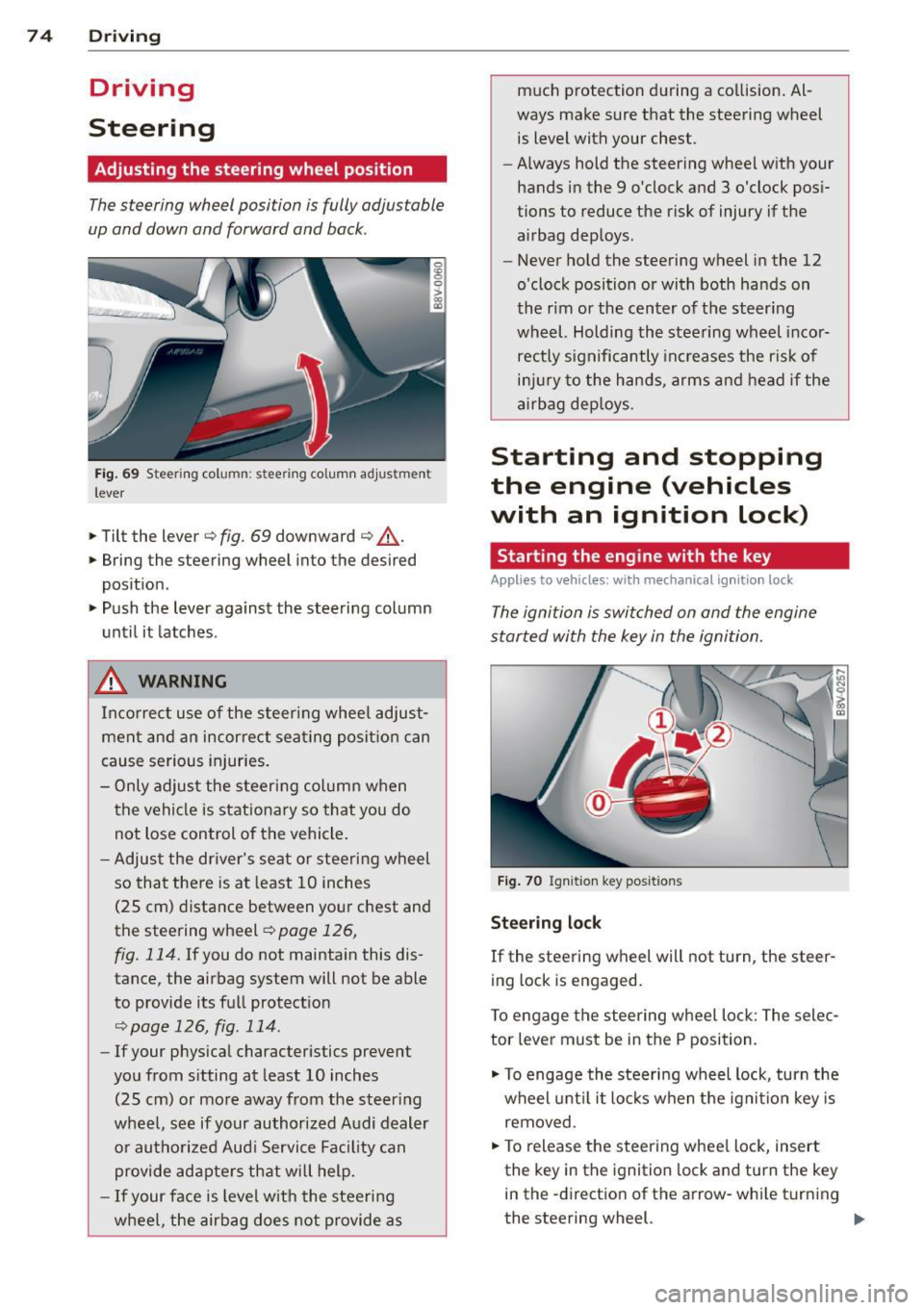
Fig. 69 Steering column: stee ring column adjustmen t
lever
.. Tilt the lever ¢ fig. 69 downward ¢ &_.
.. Bring the steering wheel into the desired
position .
.. Push the lever against the steering column
until it latches .
_& WARNING
Incorrect use of the steer ing whee l adjust
ment and an incorrect seating position can
cause serious injuries.
- Only adjust the steering column when
the vehicle is stationary so that you do
not Lose control of the vehicle .
- Adjust the driver's seat or steering wheel
so that there is at least 10 inches
(25 cm) distance between your chest and
the steering wheel~
page 126,
fig. 114.
If you do not maintain this dis
tance, the airbag system will not be able
to provide its full protect ion
<=> page 126, fig. 114.
- If your phys ical characteristics prevent
you from sitting at least 10 inches
(25 cm) or more away from the steer ing
wheel, see if your authorized Audi dealer or authorized Audi Service Fac ility can
provide adapters that will help.
- If your face is level with the steering
wheel, the airbag does not provide as much protection during a co
llision. Al
ways make sure that the steering wheel is level with your chest .
- Always hold the steering wheel with your
hands in the 9 o'clock and 3 o'clock pos i
tions to reduce the risk of injury if the
airbag deploys.
- Never hold the steering wheel in the 12
o'clock position or with both hands on
the rim or the center of the steering
wheel. Holding the steering wheel incor
rectly significantly increases the r is k of
inj ury to the hands, arms and head if the
airbag deploys.
Starting and stopping
the engine (vehicles
with an ignition lock)
Starting the engine with the key
Applies to vehicles: wit h mechanical ignition loc k
The ignition is switched on and the engine
started with the key in the ignition.
Fig. 70 Ignit ion key pos itions
Steering lock
If the steering wheel will not turn, the steer
ing lock is engaged.
To engage the steering wheel Lock: The selec
tor leve r must be in the P position.
.. To engage the steering wheel lock, turn the
wheel until it locks when the ignition key is
removed .
.. To release the steering wheel Lock, insert
the key in the ignition lock and turn the key
in the -direction of the arrow-whi le turning
the steering wheel. .,.
Page 79 of 310
....,
N
0 > co
rl I.O
"' ....,
"' rl
Starting and stopping
the engine (vehicles
with a convenience key)
St t· th · ith the
button
Applies to vehicles: with convenience key
The I START ENGINE STOPI button switches
the ignition on and starts the engine.
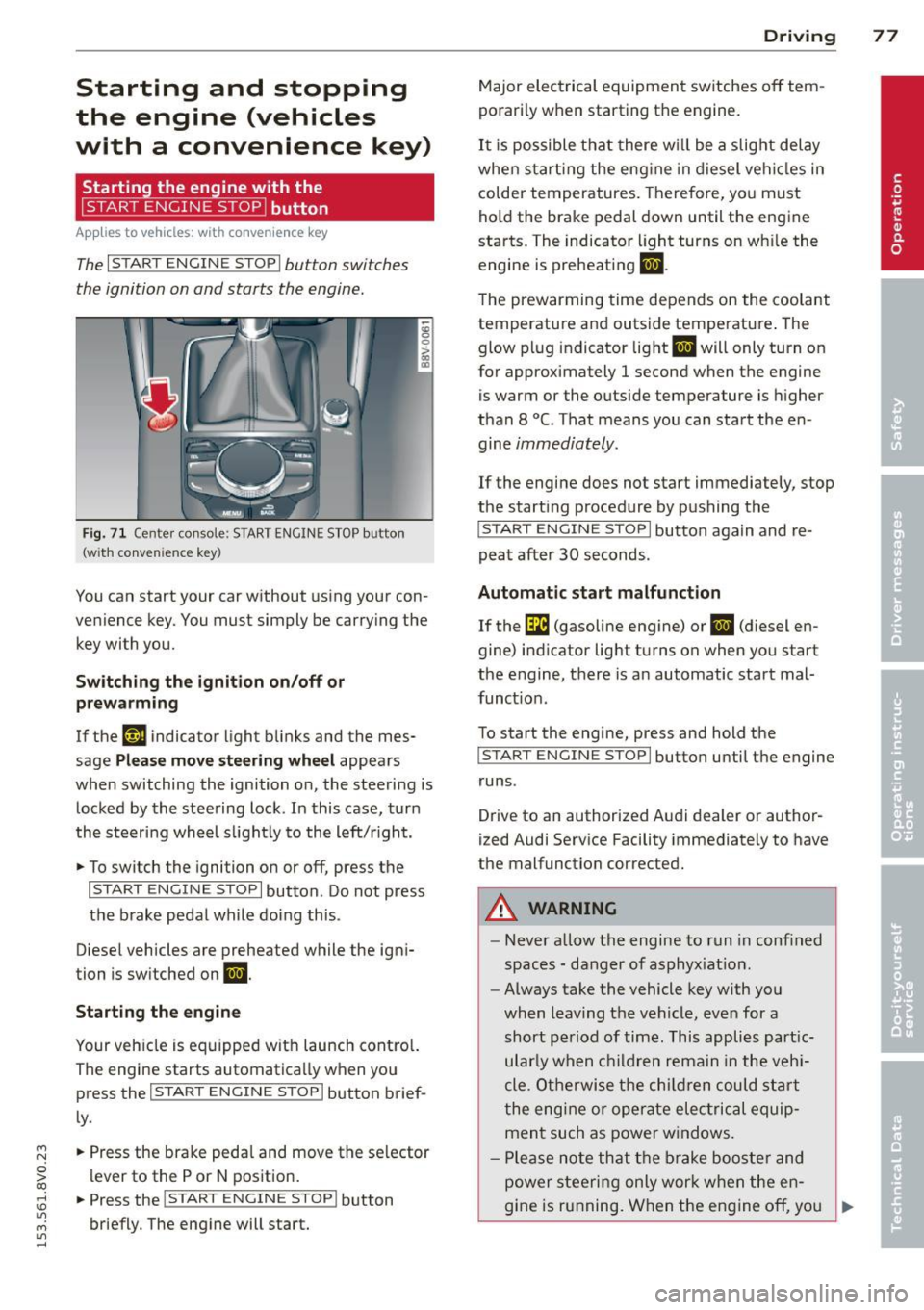
Fig. 71 C en ter con sole : START ENGINE STOP b utton
(w ith conve nien ce key)
You can start your car without using your con
venience key. You must simply be carry ing the
key with you.
Switching the ignition on/off or
prewarming
If the 'y.ij indicator light blinks and the mes
sage
Please move steering wheel appears
when switching the ignition on, the steering is
locked by the steering lock . In this case, turn
the steering wheel slightly to the left/r ight .
.,. To switch the ignition on or off, press the
I START ENGINE STOPI button . Do not press
the brake pedal while do ing this .
Diesel vehicles are preheated while the igni
tion is switched on
II.
Starting the engine
Your vehicle is equipped with launch contro l.
The engine starts automatically when you press the
I START ENGINE STOP I button brief
ly .
.,. Press the brake pedal and move the se lector
lever to the P or N position.
.,. Press the
I START ENGINE STOPI button
briefly. The engine will start .
Driving 77
Major electrical equipment switches off tem
porarily when starting the engine.
It is possible that there will be a slight delay
when starting the engine in diesel vehicles in
colder temperatures. Therefore, you must
hold the brake pedal down until the engine
starts. The indicator light turns on wh ile the
engine is preheating
II .
The prewarming time depends on the coolant
temperature and outside temperature . The
glow plug indicator light
II will only turn on
for approximately 1 second when the engine
is warm or the outside temperature is higher
than 8
°C. That means you can start the en
gine
immediately.
If the engine does not start immediately, stop
the start ing procedure by pushing the
I START ENGINE STOP I button again and re
peat after
30 seconds.
Automatic start malfunction
If the GI (gasoline engine) or II (diesel en
gine) indicator light turns on when you start
the engine, there is an automatic start mal
funct ion .
To start the engine, press and hold the
I START ENGINE STOP I button until the engine
runs .
Drive to an authorized Audi dealer or author
ized Audi Service Facility immediately to have
the malfunction corrected .
A WARNING
-Never allow the engine to run in confined
spaces - danger of asphyx iat ion.
- Always take the vehicle key with you
when leaving the vehicle, even for a
short period of time. This applies part ic
ular ly when children remain in the vehi
cle . Otherwise the children could start
the engine or operate electrical equip
ment such as power windows .
- Please note that the brake booster and
power steering only work when the en-
gine is running. When the engine off, you
~
Page 81 of 310
....,
N
ci > co
rl I.O
"' ....,
"' rl
-After the engine has been switched off ,
the radiator fan can continue to run for
up to 10 minutes -even with the ignition
switched off . It can also switch on again
after some time if the coolant tempera
ture rises as the result of heat buildup or
if the engine compartment is heated by
the sun's rays and the engine is hot.
(D Note
If the engine has been under heavy load
for an extended period of time, heat builds
up in the engine compartment after the
engine is sw itched off -there is a ris k of
damaging the engine. For this reason, let
the engine run for at idle for approx imate
ly two minutes before shutting it off.
Starting the engine if there is a
malfunction
App lies to vehicles: with conve nience key
It may not b e possibl e to start the engine un
der cer tain circumstances , for example if the
battery in the vehicle key is drained , if inter
ference is affected the key or if there is o sys
tem mo/function.
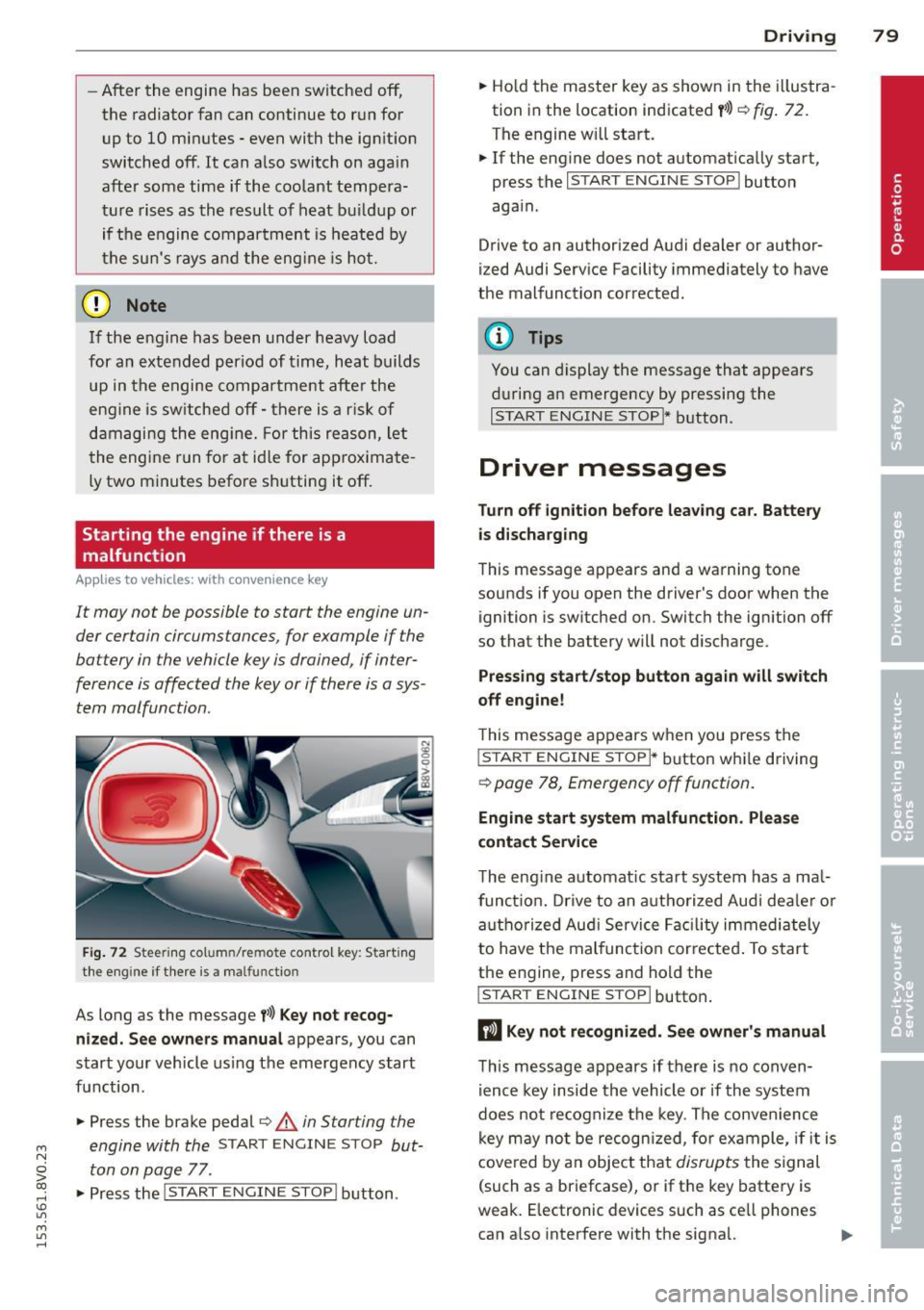
Fig. 72 Steering co lu m n/re mote control key : Start ing
the engine if there is a ma lfunctio n
As long as the message f>l) Key not recog
nized. See owners manual
appears, you can
start your vehicle using the emergency start
function .
"" Press the brake pedal¢.&.
in Starting the
engine with the
START ENGINE STOP but
ton on page
77 .
.,. Press the
j;..,, s=T~A~R=T~-EN~G-I_N_E--ST--OP I button.
Driving 79
""Ho ld the master key as shown in the illustra
tion in the location indicated
y>>) r=) fig. 72.
The engine w ill start.
"" If the engine does not automatically start,
press the
I START ENGINE STOP I button
again .
Drive to an authorized Audi dealer or author
ized Audi Service Facility immediately to have
the malfunction corrected.
(D Tips
You can display the message that appears
during an emergency by pressing the
I START ENGINE STOP!* button.
Driver messages
Turn off ignition before leav ing car. Battery
is discharging
This message appears and a warning tone
sounds if you open the driver's door when the ignition is switched on. Switch the ignition off
so that the battery will not discharge.
Pressing start/stop button again will switch
off engine!
T his message appears when you press the
I STAR T ENGINE S TOPI* button while driving
¢ page 78, Emergency off function .
Engine start system malfunction. Please
contact Service
The engine automat ic start system has a ma l
funct ion. Drive to an authorized Audi deale r or
authorized Aud i Service Facility immediately
to have the malfunction corrected . To start
the engine, press and hold the
I STAR T ENGINE S TOP I button.
DJ Key not recognized. See owner's manual
This message appears if there is no conven
ience key inside the vehicle or if the system
does not recognize the key. The convenience
key may no t be recogn ized, for example, if it is
covered by an object that
disrupts the signal
(such as a briefcase), or if the key battery is
weak. E lectronic devices such as ce ll phones
can a lso interfere with the signal. ..,.
Page 83 of 310
M N
0 > co ,...., \!) ..,.,
M ..,., ,....,
driving force has been built up at the
whee ls.
E mergenc y brake fun ction
An emergency braking funct ions ensures that
the vehicle can be slowed down even if the
normal brakes fail¢ page 82, Emergency
braking function .
A WARNING
-Do not press the accelerator pedal inad
vertent ly when the vehicle is stationary
and the engine is runn ing and a gear is
selected. Otherwise the vehicle will start
to move immediately and could result in a crash .
- If the power supply fa ils, the re leased
park ing brake can no longer engage. In
this case, par k the vehicle on level
ground and secure it by placing the se
lector lever i n the P pos ition. See an au
thori zed Aud i dea ler or a utho rized Aud i
Serv ice Facility for ass istance.
(D Note
I f the . or. (U SA mode ls) /. (Cana
da mode ls) indicato r light in t he instru
ment cluster blinks, there is a mal fun ct ion
in the brake system . Re fer to the detailed
description of the indicator lights
r=:>page 18.
-If the . (USA models) /. (Cana-
da models) or
Iii indicator light turns
on, there is a malfunct ion in the park ing
brake
r=:> page 19.
(D Tips
- If the electromechanical parking brake is
set wh ile the ignition is switched off, the
¢C)'A indicator light in the button and in
the instrument cluster dis- play . (USA models)
I. (Cana-
da models) w ill t urn off afte r a ce rtain
amount of time.
- If dr iver's door is opened while the ign i
tion is switched on, the parking b rake
sets automat ically. This prevents unin
tended ro lling of the vehicle .
Dri vin g 81
-Occasional noises when the pa rking
brake is set and released are normal and
are not a cause for concern.
- When the vehicle is pa rked, the park ing
brake goes through a self -test cycle at
regu lar interva ls. Any no ises assoc iated
w ith this are normal.
- If there is a power fa ilure, the park ing
brake will not set if it is released, and it
w ill not release if it is set
r=;, & . See a n
authorized Audi dealer or autho rized
Audi Service Facility fo r ass ista nce.
Parking
" Press the b rake pedal to stop the veh icle.
" Pull the switch @¢
page 80, fig. 73 to set
t he par king brake.
" Place the se lecto r lever in the P position .
.. Turn the engine off¢
A_.
"Tu rn the steering wheel when parking on in
clines so that the wheels w ill roll into the
curb if the vehicle starts moving.
A WARNING
- Always take the vehicle key w ith you
when leav ing the vehicle, even for a
short pe riod of time. This applies part ic
ularly when children rema in in the veh i
cle . Ot herwise children co uld s tart the
engine, release the pa rking brake o r op
erate electrical equipment such as power
windows, which increases the risk of an
accident.
- No one should remain in the vehicle
when it is locked, especially children.
Loc ked doors make it more difficult for
emergency workers to get into the ve hi
cle, which puts lives at risk.
•
Page 89 of 310
....,
N
0 > co
rl I.O
"' ....,
"' rl
-When approaching stationary objects
such as stopped traffic, adaptive cruise
control will not respond and pre sense
front will have limited function.
- The adaptive cruise control system and
pre sense front do not react to people,
animals, objects crossing the road or on
coming objects.
- The function of the radar sensors can be
affected by reflective objects such as
guard rails, the entrance to a tunnel,
heavy rain or ice.
- Never follow a vehicle so closely that you
cannot stop your vehicle safely. The
adaptive cruise control cannot slow or
brake the vehicle safely when you follow
another vehicle too closely. Always re
member that the automatic braking
function cannot bring the vehicle to a
sudden or emergency stop under these
conditions.
- To prevent unintended operation, always
switch ACC off when it is not being used.
(D Note
The sensor can be displaced by impacts or
damage to the bumper, wheel housing and
underbody. The adaptive cruise control
and pre sense front may become impaired
as a result. Have an authorized Audi dealer
or authorized Audi Service Facility check
their function.
In curves
Applies to vehicles: with Audi adaptive cruise control and
Audi pre se nse front
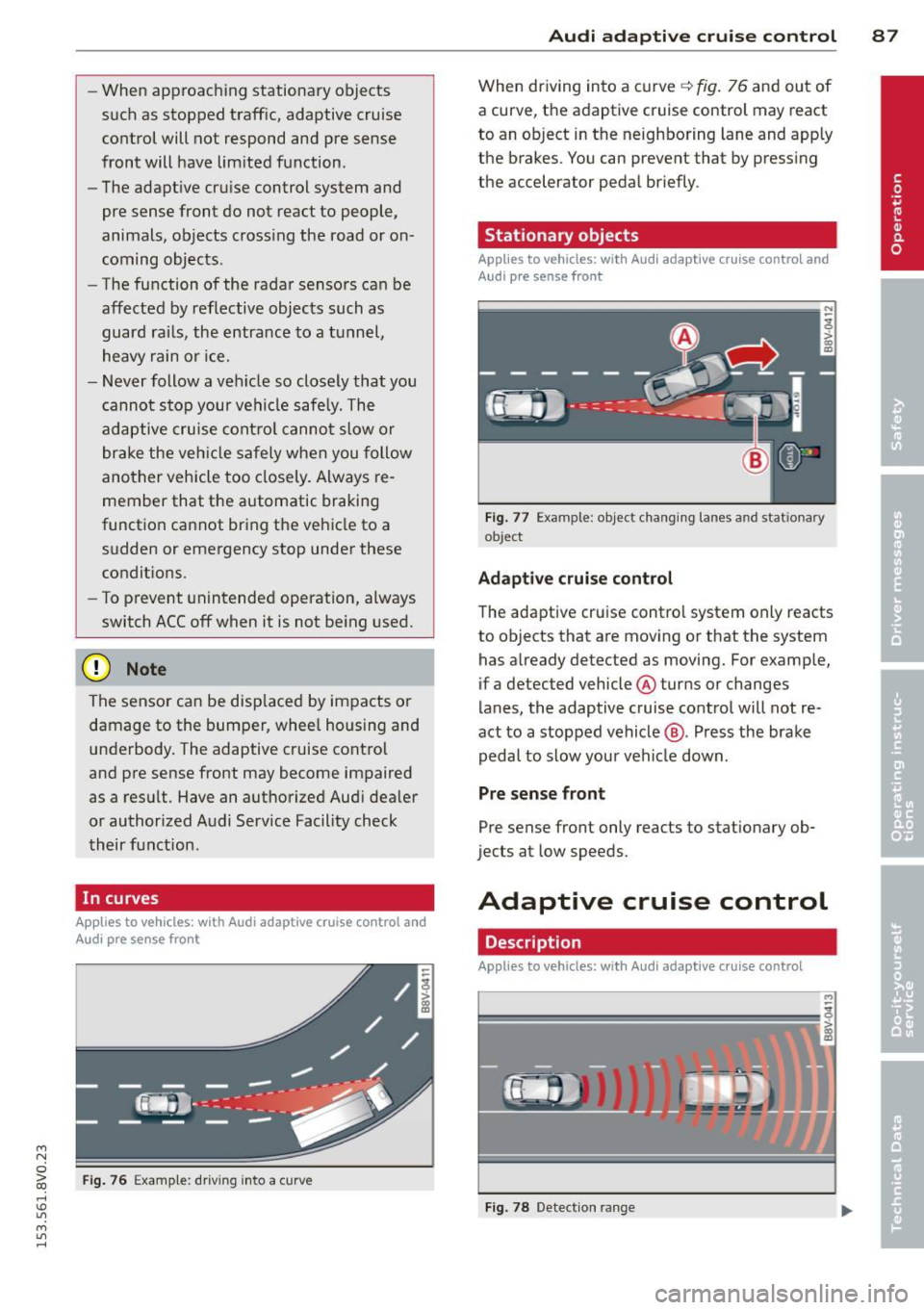
Fig. 76 Example: driv ing into a curve
Audi adaptive crui se control 87
When driving into a curve q fig. 76 and out of
a curve, the adaptive cruise control may react
to an object in the neighboring lane and apply
the brakes. You can prevent that by pressing
the accelerator pedal briefly.
Stationary objects
Applies to vehicles: with Audi adaptive cruise control and
Aud i pre sense front
Fig. 77 Example : object changing lanes and stat ionary
ob ject
Adaptive cruise control
The adaptive cruise control system only reacts
to objects that are moving or that the system
has already detected as moving. For example,
if a detected vehicle @turns or changes
lanes, the adaptive cruise control will not re
act to a stopped vehicle@. Press the brake
pedal to slow your vehicle down .
Pre sense front
Pre sense front only reacts to stationary ob
jects at low speeds.
Adaptive cruise control
Description
Applies to vehicles: with Audi adaptive cruise control
=--=~----
?!!!! = ';! ~~~~
Fig. 78 Detection ran ge
Page 94 of 310
92 Audi adaptive cruise control
Setting the driving program
App lies to vehicles: with Audi adaptive cruise co ntrol
A adapt ive cru ise con trol driving progr am is
ad ju st abl e on vehicle s wi tho ut Aud i dr ive se
l ec t*.
"' Se lect in the M MI: the
I MENU I button > Car
> Systems * control button > Driver assi s
tance > Adaptive cruise control > Driving
program > Comfort/Standard /Dynamic .
Selecting the driving mode
Applies to vehicles: with Audi adaptive cruise co ntrol
The adaptive cruise contro l driv ing program is
ad justab le for ve hicles w ith Aud i dr ive se lect
using the driving mode.
"' Se lect th e des ired driv ing mode
Comfort ,
Auto , Dynamic or Individual *
wit h the knob
t:;, page 106 .
Request for driver intervention
App lies to vehicles: with Audi adaptive cruise co ntrol
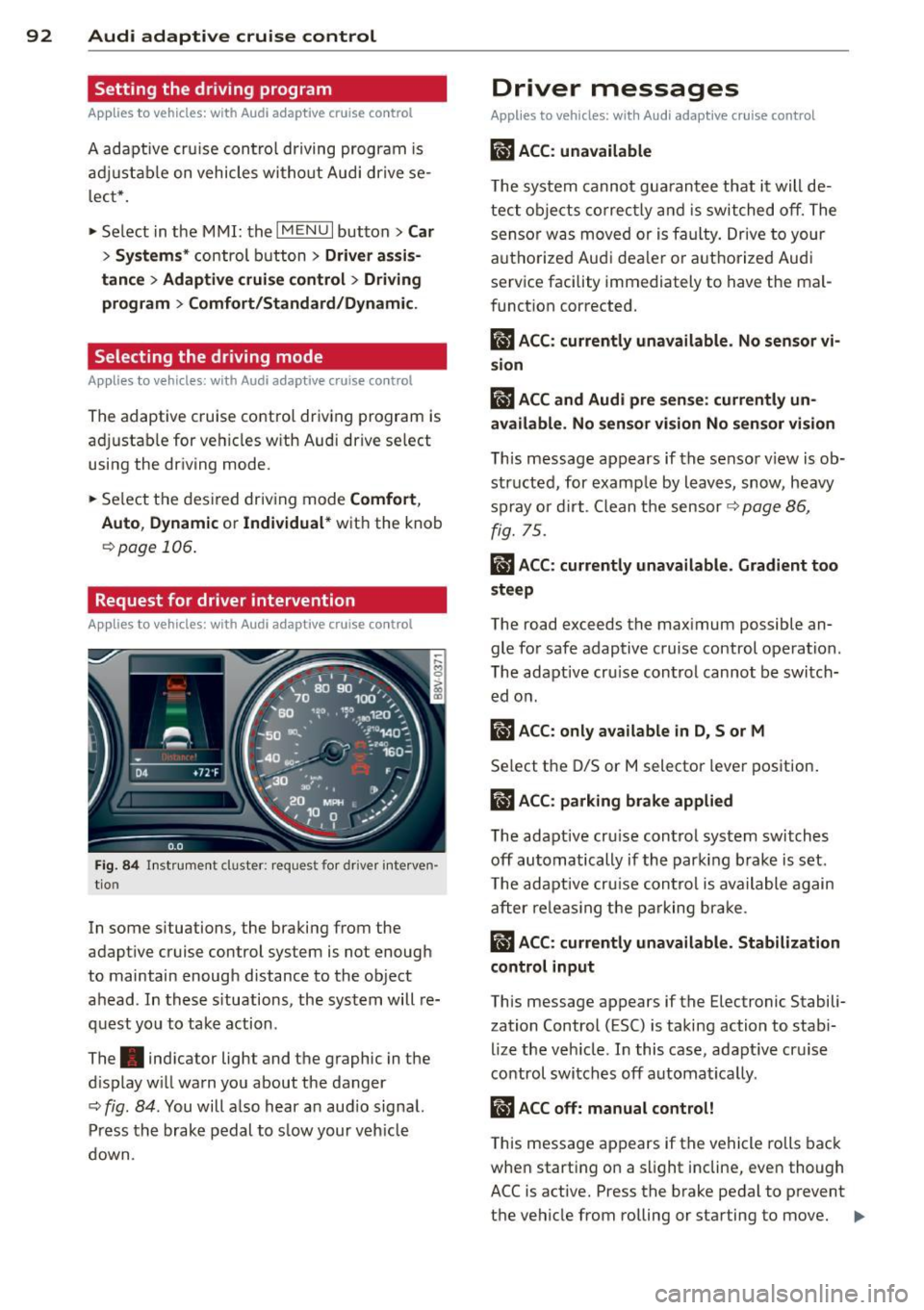
Fig . 84 In strum ent cluster: request fo r d rive r in terven
ti on
In some s ituations , the braki ng from the
adapt ive cruise control system is not enough
to maintain enough d istance to the object
ahead. In thes e situations, the system will re
quest yo u to take action .
The . indicat or light and the graphic in the
d isplay w ill wa rn you about the danger
t:;, fig . 84 . You will a lso hear an aud io signa l.
Pr ess the brake pedal to s low y our veh icl e
down.
Driver messages
Applies to vehicles: wit h Aud i adapt ive c ru ise control
IIJ ACC : unavailable
The system cannot gu arantee that it will de
tect o bject s cor rectly and i s switched off. The
sens or was move d or is fa ulty. Drive to your
autho rized Audi dea le r or a uth ori zed Audi
service facility immediately to have the ma l
f unct ion corrected.
Ill ACC: currently unavailable . No sensor vi
sion
fl ACC and Audi pre sense : currently un
available. No sen sor vision No sen sor vi sion
T h is message appears if the senso r view is ob
structe d, for examp le by l eaves, snow, heavy
s pr ay or d irt . C lean t he sensor
t:;, p age 86 ,
fig. 75.
ill ACC: currently unavailable. Gradient too
steep
The road exceeds t he max imum possible an
gle fo r safe adaptive cruise control operation.
T he adapt ive cr uise control cannot be switch
ed o n.
ill ACC: only available in D, Sor M
Se lect the D/S or M selector leve r position .
ill ACC: parking brake applied
The adapt ive cr uise control system switch es
off automa tically if th e parki ng br ake is set.
T he adapt ive cru ise con tro l is ava ilable again
aft er re leas ing t he pa rking br ake.
ill ACC: currently unavailable. Stabilization
control input
This message appears if the Electronic Stabili
zation Control (ESC) is taking action to stab i
l ize the veh icle. I n this case, adapt ive cr uise
control switches off automat ica lly .
ill ACC off: manual control!
This message a ppears if t he vehicle ro lls back
whe n start ing on a s light incline, even though
ACC is active. Press the b rake pedal to prevent
the vehicle from rolling or starting to move.
IIJ,
Page 98 of 310
96 Audi pre sen se
it is necessary. A lways follow traffic laws
regarding mainta ining a safe distance
between your vehicle and vehicles ahead.
- pre sense front works within certain lim
its and cannot react to situations that
are outside of the system lim its, such as
when approaching a stationary vehicle or
a stationary obstacle (the end of a traffic
jam or a vehicle that has broken down).
-Always keep i n m ind that the radar sen
sor fo r pre sense front only works within
defined detection zones, which mea ns
other vehicles may not always be dete ct
ed correct ly.
- T he function and range of the radar sen
sor can be impaired by rain, snow and
heavy mist. Veh icles ahead may not be
detected right away, or not detected at
all.
- Reflective surfaces such as g uard rails or
entrances to t unnels may impair the
function of the radar sensor .
{[) Note
The senso r can be disp laced by impacts or
damage to the bumper, whee l housing and
underbody . The pre sense front sensor can
be damaged by this . Have your authorized
Aud i dea ler or authorized service facility
check the ir function.
(D Tips
- You can cance l the braking w ith increas
ing force that is initiated by the system
by braking yourself, by accelerating no
ticeab ly or by swerving.
- For information on dr iver messages
about pre sense, refer to¢ page 96.
- Keep in mind that pre sense can brake unexpectedly. Always secure any cargo or
objects that you are transporting to re
duce the r isk of damage or injury .
- Certain pre sense front funct ions sw itch
off when ESC is sw itched off (sport
mode) or when drivi ng in reve rse .
- The pre sense front funct ions are not
available if there is a malfunction in the adaptive cru
ise cont ro l* system
¢ page
92 or ¢ page 96.
- Keep in mind that pre sense front can
brake abruptly. Always sec ure cargo or
objects that you transport to red uce the
r isk of damage or injury.
Settings in the Infotainment system
Applies to vehicles: with Aud i pre sense front or Aud i
adaptive crui se con trol
.,. Select in the MM I: I MENU I button > Car >
Systems * control button > Drive r assi st a nce
> Audi pre sense .
Switching the system on and off
Audi pre sense (Sys tem): If the system is
switched off, it switches on again automati
ca lly once the ignition is switched on aga in.
S ys te m -Swit ch A udi pre sense o n-off . With
th is, yo u can switch the p rewarning and the
braking intervention from Audi pre sense on
or off.
Prewarning -The distance and app roach
warnings can be switched
o n/off .
(D Tips
-If you restrict or sw itch off the ESC, the
pre sense also sw itches i tself off
¢page
190.
- Switch the p re sense off when you a re
loading the vehicle onto a veh icle carrier,
t rain, ship o r othe r type of transporta
tion . This can prevent undesired warn
ings from the pre sense system .
Driver messages
Applies to vehicles: wit h Aud i pre sense or Aud i adapt ive
cruise control
Aud i pr e se nse curr ently un availabl e. No sen
so r vi sion
This message appears if the sensor v iew is ob
structed, for examp le by leaves, snow , heavy
spray or d irt. Clean the sensor¢ page
86,
fig. 75.
Audi pre sense: off
Page 106 of 310
104 Audi side assist
-If vehicles are approaching or being
left behind very quickly. The display
may not turn on in time.
- In poor weather conditions such as
heavy rain, snow or heavy mist.
- On very wide lanes, in tight curves, or if
there is a rise in the road surface.
Vehicles in the adjacent lane may not
be detected because they are outside
of the sensor range.
- Audi side assist cannot detect all vehicles
under all conditions, which can increase
the risk of accidents.
- Please note that side assist only displays
approaching vehicles or vehicles in your
blind spot if your vehicle is traveling at
least 19 mph (30 km/h).
- In certain situations, the system may not
work or its function may be limited. For
example:
- The display may not turn on at the
right time if vehicles are approaching
or passing very quickly.
- In poor weather conditions, such as
heavy rain, snow or fog.
- In very wide lanes, in tight curves or
when there are slopes in the roadway,
vehicles in the neighboring lanes may not be detected because they are out
side of the sensor range.
The sensors can be displaced by impacts or damage to the bumper, wheel housing and
underbody. This can affect the system. Have your authorized Audi dealer or au
thorized service facility check their func
tion.
{D) Tips
- If the window glass in the driver's door
or front passenger's door has been tint
ed, the display in the exterior mirror may
be misinterpreted .
- For an explanation on conformity with
the FCC regulations in the United States and
the Industry Canada regulations, re
fer to~
page 292.
Switching on and off
Applies to vehicles: with Aud i s ide ass ist
The system and be switched on and off in the
MMI.
.. Select: the I MENU I button >Car> Systems*
control button > Driver assistance > Audi
side assist.
With Off, the system is switched
off.
An activated system will signal every time the ignition is switched on by turning the displays
in the exterior mirrors on briefly.
Adjusting the display brightness
Applies to vehicles: with A udi side ass ist
The display brightness can be adjusted in the
MMI.
.. Select: the I MENU I button >Car> Systems*
control button > Driver assistance > Audi
side assist.
The display brightness adjusts automatically
to the brightness of the surroundings, both in
the information and in the warning stage. In
very dark or very bright surroundings, the dis play is already set to the minimum or maxi
mum level by the automatic adjustment. In
such cases, you may notice no change when
adjusting the brightness, or the change may
only be noticeable once the surroundings
change.
Adjust the brightness to a level where the dis
play in the information stage will not disrupt
your view forward. If you change the bright
ness, the display in the exterior mirror will
briefly show the brightness level in the infor
mation stage. The brightness of the warning
stage is linked to the brightness in the infor
mation stage and is adjusted along with the
information stage adjustment. .,_
Page 113 of 310
....,
N
ci > co
rl I.O
"' ....,
"' rl
position longer than approximately 2 seconds
when the brake pedal is not pressed.
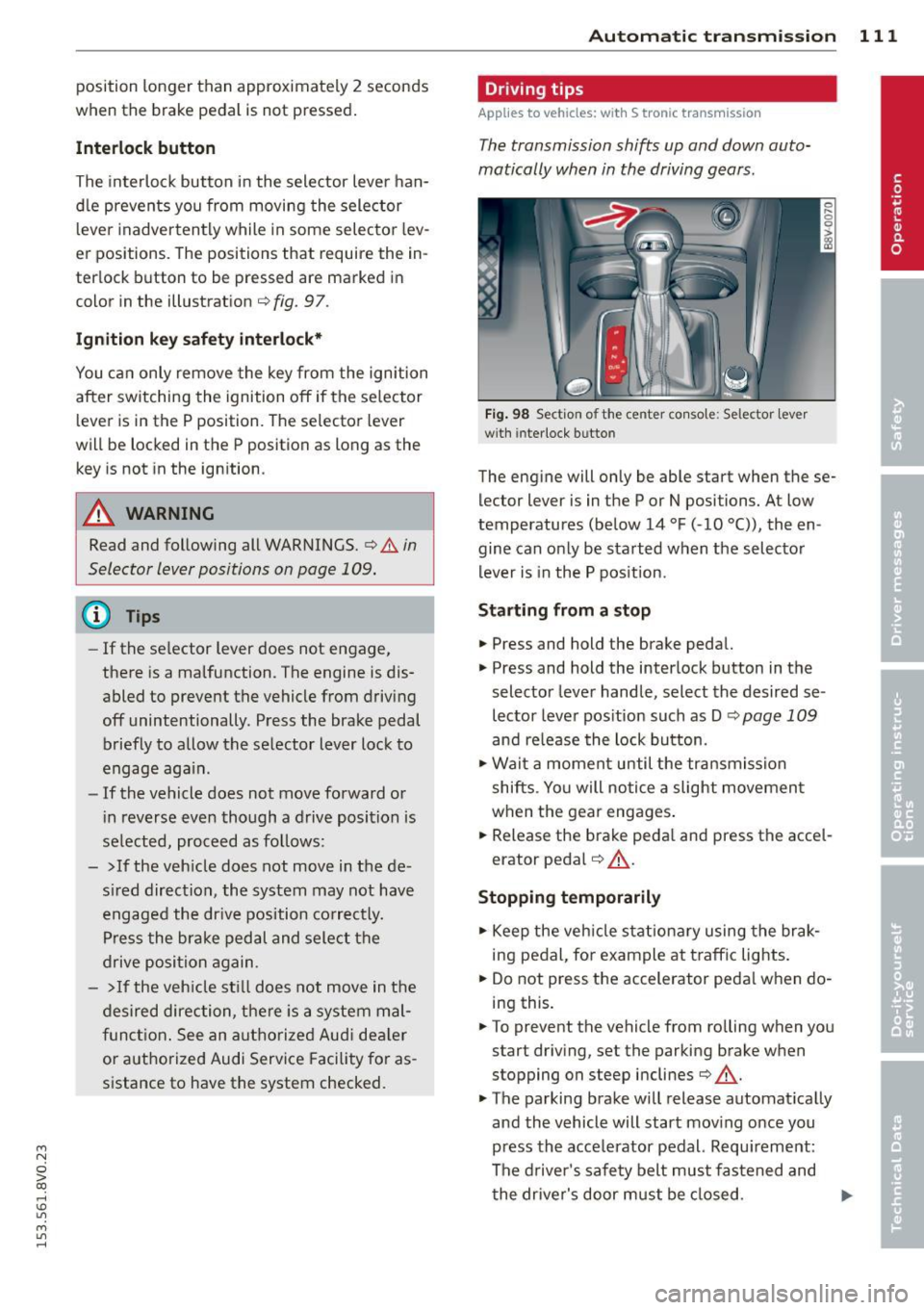
Interlock button
The interlock button in the selector lever han
dle prevents you from moving the selector
l eve r inadvertently while in some selecto r lev
er positions. The positions that require the in
terlock button to be pressed are marked in
color in the illustration
c::;, fig. 97.
Ignition key safety interlock*
You can only remove the key from the ignition
after switching the ignition off if the se lector
lever is in the P position. The selector lever
will be locked in the P position as long as the
key is not in the ignition .
A WARNING
Read and following all WARNINGS. c::;, &. in
Selector lever positions on page 109.
{D) Tips
- If the selector lever does not engage,
there is a malfunction. The engine is dis
abled to prevent the vehicle from driving
off unintentionally . Press the brake pedal
briefly to allow the selector lever lock to
engage again.
- If the vehicle does not move forward or
i n reverse even though a drive position is
se lected, proceed as follows:
- > If the veh icle does not move in the de
sired direction, the system may not have
engaged the dr ive position correctly.
Press the brake pedal and select the
drive position again.
- >If the vehicle still does not move in the
desired direction, there is a system mal
function. See an authorized Aud i dea ler
or authorized Audi Service Facility for as
sistance to have the system checked.
Autom atic transm ission 111
Driving tips
Applies to veh icles: w it h S tronic transm iss ion
T he transmission shifts up and down auto
matically when in the driving gears.
Fig. 98 Section of the center co nsole: Selector lever
w ith interlock b utto n
The engine will only be able start when these
lector lever is in the P or N positions. At low
temperatures (below 14 °F (-10 °C)), the en
gine can only be started when the selector
lever is in the P position.
Starting from a stop
.,. Press and hold the brake pedal.
.,. Press and hold the interlock button in the
selector lever handle, select the desired se
lector lever position such as D
c::;, page 109
and re lease the lock button.
.,. Wait a moment until the transmission
shifts . Yo u will notice a slight movement
when the gear engages.
... Release the brake peda l and press the accel
erator pedal
c::;, .&_ .
Stopping temporarily
.,. Keep the vehicle stationary using the brak
ing pedal, for example at traffic lights.
.,. Do not press the accelerator peda l when do
ing this.
.,. To prevent the vehicle from ro lling when you
start driving, set the parking brake when
stopping on steep inclines
c::;, .&_ .
.,. The parking brake will release automat ically
and the vehicle will start moving once you
press the acce lerator pedal. Requ irement:
The driver's safety belt must fastened and
the driver's door must be closed.
IJll,,