ignition AUDI S4 CABRIOLET 2009 User Guide
[x] Cancel search | Manufacturer: AUDI, Model Year: 2009, Model line: S4 CABRIOLET, Model: AUDI S4 CABRIOLET 2009Pages: 340, PDF Size: 77.32 MB
Page 25 of 340
![AUDI S4 CABRIOLET 2009 User Guide [ i] Tips
If this warning/indicator light illuminates while you are driving, then
there is a malfunction in the engine electronics. Have the malfunc
tion corrected as soon as pos](/img/6/57654/w960_57654-24.png "AUDI S4 CABRIOLET 2009 User Guide [ i] Tips
If this warning/indicator light illuminates while you are driving, then
there is a malfunction in the engine electronics. Have the malfunc
tion corrected as soon as pos")
[ i] Tips
If this warning/indicator light illuminates while you are driving, then
there is a malfunction in the engine electronics. Have the malfunc
tion corrected as soon as possible by your authorized Audi dealer or qualified workshop. •
Brake system BRAKE (USA models)/ (CD)
(Canada models)
This warning/indicator light illuminates when the brake
fluid level is too low or when there is a malfunction in the
ABS, or when the parking brake is set.
The light illuminates when the ignition is turned on. It goes out after
the engine has been started and the parking brake is fully released.
This indicates that the brake warning light is functioning properly.
If the brake warning light does not light up when the engine is
cranking or the parking brake is applied, there may be a malfunction
in the electrical system. In this case, contact your Audi dealer.
(USA models): If the warning light BRAKE and the warning light
illuminate together, immediately contact your authorized Audi
dealer or qualified workshop to have all brake pads inspected
=:> page 33.
When the light comes on, an audible warning signal is also given.
Parking brake set
The BRAKE or ((D) (Canada) warning/indicator light illuminates when
the parking brake is set=:>& .
& WARNING
• USA models: If the BRAKE warning light and the . J'l warning
light come on together, the rear wheels could lock up first under
hard braking. Rear wheel lock-up can cause loss of vehicle control
Controls and equip
ment
Instruments and warning/indicator lights
& WARNING (continued)
and an accident. Have your vehicle repaired immediately by your
authorized Audi dealer or a qualified workshop. Drive slowly and
avoid sudden, hard brake applications.
• Canada models: If the brake warning light (CD) and the ABS
warning light _. come on together, the rear wheels could lock up
first under hard braking. Rear wheel lock-up can cause loss of
vehicle control and an accident. Have your vehicle repaired imme
diately by your authorized Audi dealer or a qualified workshop.
Drive slowly and avoid sudden, hard brake applications.
• If the brake warning/indicator light does not go out after a few
seconds and the parking brake released, or lights up while you are
driving, the fluid level in the brake fluid reservoir is too low. If you
believe that it is safe to do so, proceed immediately at low speed
to the nearest authorized Audi dealer or qualified repair facility
and have the brake system inspected .
• Always keep in mind that after several brake applications, you
will need greater pressure on the brake pedal to stop your vehicle.
Do not rely on strained brakes to respond with maximum stopping
power in critical situations . You must allow for increased braking
distances. The extra distance used up by fading brakes could lead
to an accident. •
Page 27 of 340
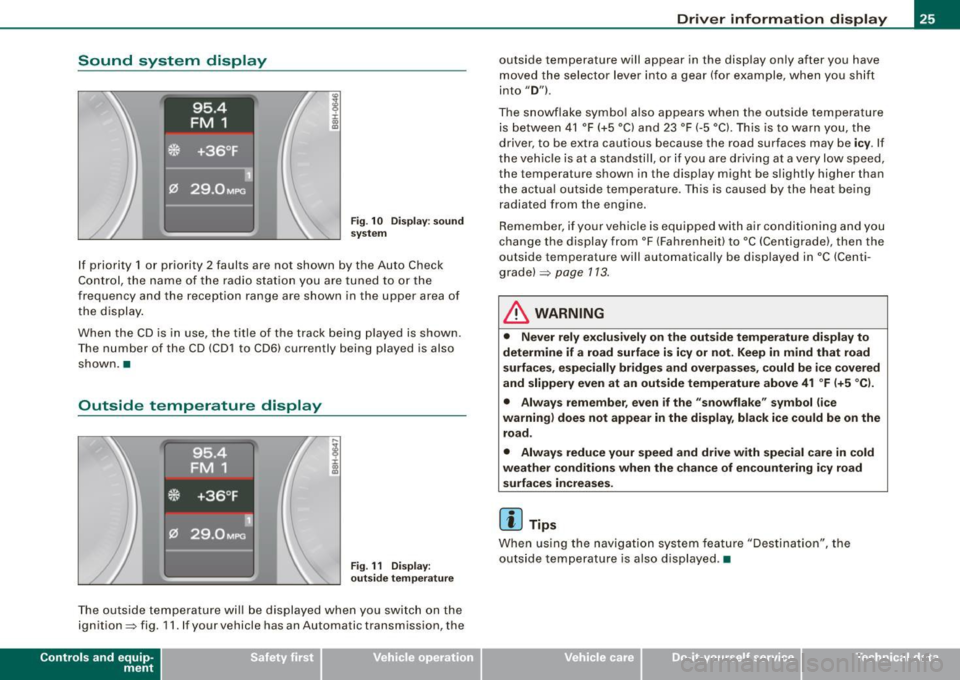
Sound system display
Fig . 1 0 Displ ay : soun d
syste m
If priority 1 or priority 2 faults are not shown by the Auto Check
Control, the name of the radio station you are tuned to or the
frequency and the reception range are shown in the upper area of
the display .
When the CD is in use , the title of the track being p layed is shown .
The number of the CD (CD1 to CD6) currently being played is also
shown. •
Outside temperature display
Fig . 11 Dis pla y :
o utsi de tem perature
The outside temperature will be displayed when you switch on the
ignition=> fig. 11 . If your vehicle has an Automa tic transmission , the
Contro ls and eq uip
ment
Dri ver informa tio n di spl ay
outside temperature will appear in the disp lay only after you have
moved the selector lever into a gear (for example, when you shift
into
" D ") .
The snowflake symbo l a lso appears when the outside temperature
is between 41 °F (+5 °C) and 23 °F (-5 °Cl. Th is is to warn you, the
driver, to be extra cautious because the road surfaces may be
i c y . If
the vehicle is at a standstill, or if you are driving at a very low speed, the temperature shown in the display might be slightly higher than
the actua l outs ide temperature. This is caused by the heat be ing
radiated from the engine.
Remember , if your vehicle is equipped with a ir conditioning and you
change the display from °F (Fahrenhei t) to °C (Centigrade), then the
outside temperature will automatically be displayed in
•c (Centi
g rade) =>
page 113.
& WARNING
• Never r ely exc lusiv el y o n th e out side t emp erat ure di spl ay to
determine if a ro ad sur face is icy or not. Keep in mind that road
s urf aces , esp eci ally br idge s and overpa sses, co uld b e ic e co ve red
and slipp ery even at an out side temperature above 41 °F (+ 5 °C l.
• Alway s re memb er, eve n if the "snowflake" sy mbol (ic e
warning ) does not ap pea r in the display , b lack ice cou ld be on the
r o ad .
• Alway s reduc e your speed and driv e with sp ec ial care in cold
we ather condition s when th e chance of en countering i cy ro ad
s urf ace s incr eases.
[ i ] Tips
When using the navigation system feature "Destination", the
outside temperature is also displayed. •
~ehicle care irechnical data
Page 28 of 340

Driver inf orma tion d ispl ay
Miles (kilometers ) to empty
The miles (kilometers) to empty indication is a valuable
aid to schedule the refueling stops on a trip .
.,
8 :i: ., m
F ig . 12 Display: miles
(k ilo m eters} to empty
T his feature shows you the estimated range in miles (km)=> fig. 12
until the tank runs dry. This fea ture ca lculates how far you could
drive with the amount of fuel left in your fuel tank while driving
under the current driving conditions. The remaining distance is
recalculated every
6 miles (10 km) .
Whi le calculating the mi les (km) to empty, the system also ca lcu
lates your fuel consumption over the last
18 miles (30 km!.
Remember: -the more economically you drive, the further you can
go. •
Open door or trunk lid warning
Fig. 13 D isp lay: o pe n
door o r tr un k wa rning
With the ignition switched on, the open -door-or -lid warning illumi
nates when at least
one door, or the engine hood or the trunk lid is
not closed. The symbol also shows you
which door(s) or lid is not
closed. The illustration shows that both the dr iver's and the right
rear door are not closed=>
fig. 13.
If the engine hood or trunk lid are not closed, the display will f lash.
As soon as all the doors and lids a re proper ly closed, the warning
goes out .
You can switch off the open -door -or -lid warning display by briefly
pressing the On Board computer control buttons=>
page 38. The
open door or trunk warning will, however, illuminate again as soon
as there is a change in the position of the doors, engine hood or
trunk lid. •
Page 29 of 340
Fuel filler cap not closed properly
M ....
~ :c IX) m
Fig. 14 Center disp lay:
fu el f iller ca p open
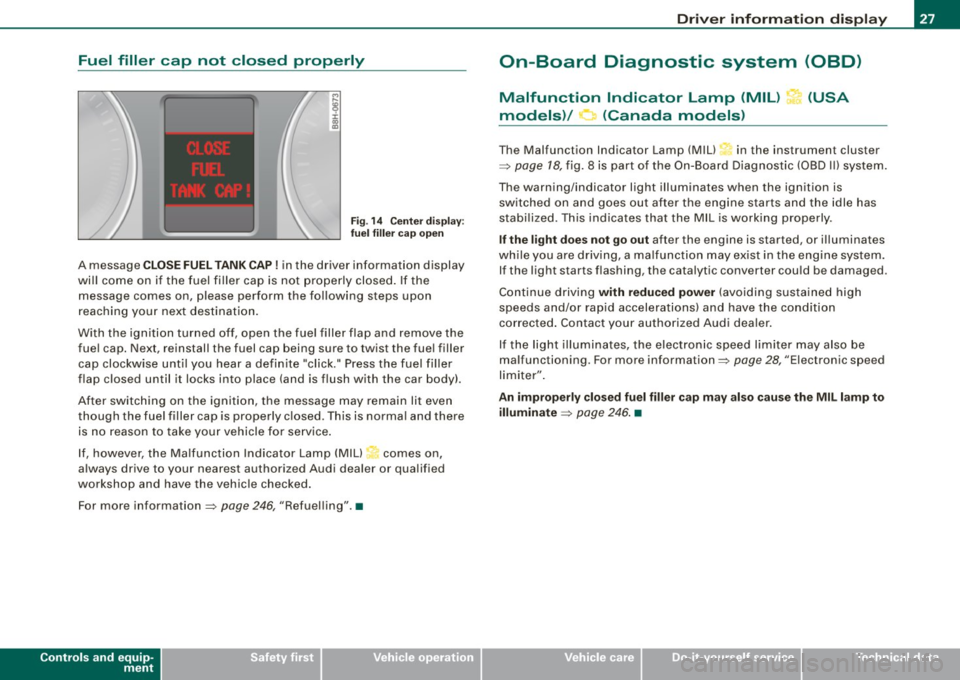
A message C LO SE FUEL TANK CAP! in the driver information display
wi ll come on if the fuel filler cap is not properly closed . If the
message comes on, please perform the following steps upon
reaching your next destination.
With the ignition turned off, open the fuel filler flap and remove the
fue l cap. Next, reinstall the fuel cap being sure to twist the fue l filler
cap clockwise until you hear a definite "click." Press the fuel filler
flap closed until it locks into place (and is flush with the car body).
After switching on the ignition, the message may remain lit even
though the fuel filler cap is properly c losed . This is norma l and there
is no reason to take your vehicle for service .
I f, however, the Malfunction Indicator Lamp (MIU~ comes on,
always drive to your nearest authorized Audi dealer or qualified
workshop and have the vehicle checked .
For more information =>
page 246, "Refuelling".•
Controls and equip
ment
Driv er inf ormati on di spl ay
On-Board Diagnostic system (08D)
Malfunction Indicator Lamp (MIL) ?-1' (USA
models)/ (Canada models)
The Malfunction Indicator Lamp (M IU in the instrument cluster
=>
page 18, fig. 8 is part of the On-Board Diagnostic (OBD I I) system.
The warning/indicator light illuminates when the ignition is switched on and goes out after the engine starts and the idle has
stabi lized. This indicates that the MIL is working properly.
If the l ight doe s not go out after the engine is started, or illuminates
wh ile you are driv ing, a ma lfunc tion may ex ist in the engine system .
If the light starts flashing, the catalytic converter cou ld be damaged.
Continue driving
with r educ ed power (avo iding sustained high
speeds and/or rapid accelerations) and have the condition
corrected . Contact your authorized Audi dea ler.
I f the light illuminates, the electron ic speed limiter may also be
malfunctioning . For more information=>
page 28, "Electronic speed
limiter" .
An improperly clo sed fu el filler cap may also cau se the MIL l amp to
illuminate
=> page 246 . •
Page 30 of 340
Driver information display
On-Board Diagnosti cs
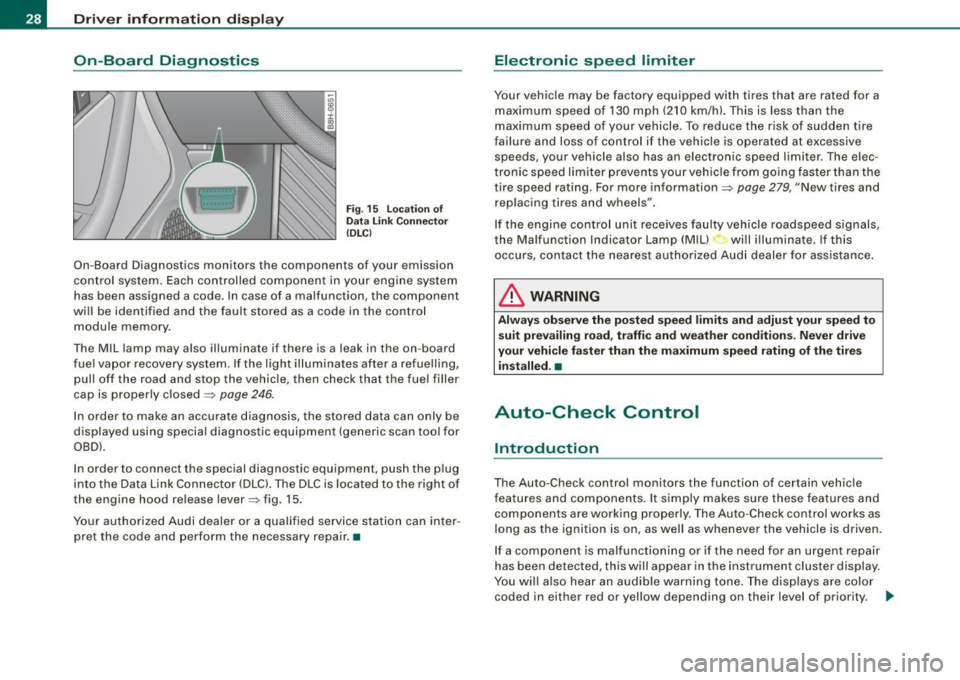
Fig . 15 Location of
Data Link Connector
(DLC)
On-Board Diagnostics monitors the components of your emission
control system. Each controlled component in your engine system
has been assigned a code. In case of a malfunction, the component
will be identified and the fault stored as a code in the control module memory .
Th e MIL lamp may also illuminate if there is a leak in the on -board
fuel vapor recovery system. If the light illuminates after a refuelling,
pull off the road and stop the vehicle, then check that the fuel filler
cap is properly closed
=> page 246.
In order to make an accurate diagnosis, the stored data can only be
displayed using special diagnostic equipment (generic scan tool for
OBDl.
In order to connect the special diagnostic equipment, push the plug
into the Data Link Connector (DLC). The DLC is located to the right of
the engine hood release lever=> fig. 15.
Your authorized Audi dealer or a qualified service station can inter
pret the code and perform the necessary repair. •
Electronic speed limiter
Your vehicle may be factory equipped with tires that are rated for a
maximum speed of 130 mph (210 km/h). This is less than the
maximum speed of your vehicle . To reduce the risk of sudden tire
failure and loss of control if the vehicle is operated at excessive
speeds, your vehicle also has an electronic speed limiter . The elec
tronic speed limiter prevents your vehicle from going faster than the
tire speed rating. For more information=>
page 279, "New tires and
replacing tires and wheels".
If the engine control unit receives faulty vehicle roadspeed signals,
the Malfunction Indicator Lamp (Mill will illuminate. If this
occurs, contact the nearest authorized Audi dealer for assistance.
& WARNING
Always observe the posted speed limits and adjust your speed to
suit prevailing road, traffic and weather conditions. Never drive
your vehicle faster than the maximum speed rating of the tires installed. •
Auto-Check Control
Introduction
The Auto-Check control monitors the function of certain vehicle
features and components. It simply makes sure these features and
components are working properly. The Auto-Check control works as
long as the ignition is on, as well as whenever the vehicle is driven.
If a component is malfunctioning or if the need for an urgent repair
has been detected, this will appear in the instrument cluster display.
You will also hear an audible warning tone. The displays are color
coded in either red or yellow depending on their level of priority. .,_
Page 31 of 340
A red symbol means Danger, a yellow symbol indicates Warning. In
certain situations, information message for the driver appear in
addition to the red and yellow symbols.
Function test: automatic transmission
Th e Auto -Check Control will automatically perform a test each time
you switch on the ignition. With the selector lever in
P or N, the
following message appears in the display:
When stationary apply footbrake while selecting gear.
When you a select a different gear (for example: R, D, etc.), the
message will disappear and the Auto -Check function is displayed.
If there is a malfunction, then the malfunction message will appear
about 15 seconds after the you start the vehicle. At the same time
you will hear a warning tone. •
Driver information messages
Driver information messages are shown in the instrument
cluster display in addition to the red and yellow symbols.
I S2YY
0
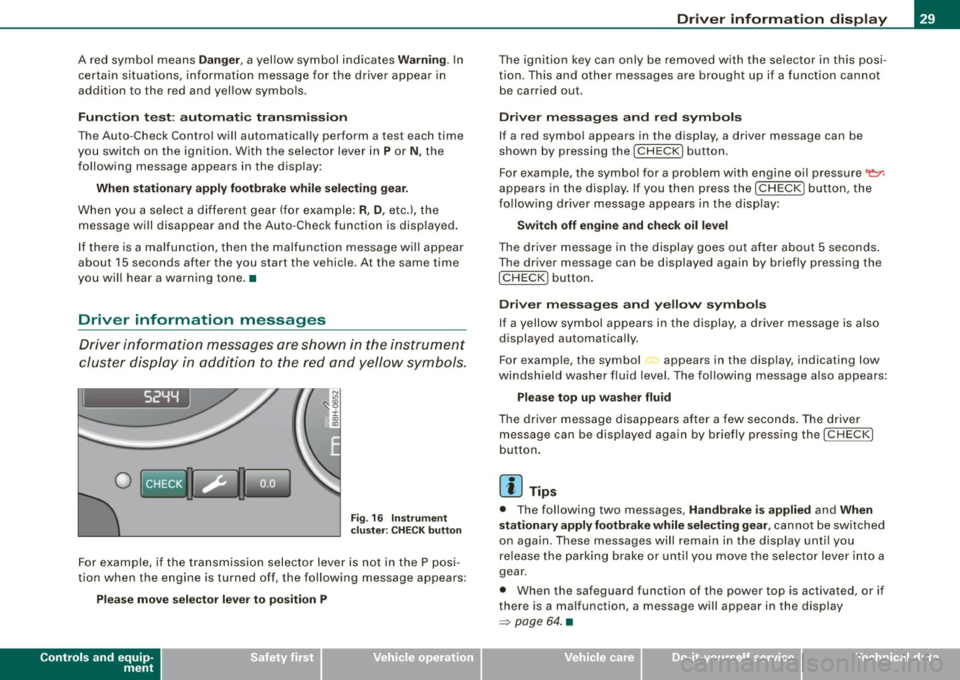
Fig. 16 Instrument
cluster: CHECK button
For example, if the transmission selector lever is not in the P posi
tion when the engine is turned off, the following message appears:
Please move selector lever to position P
Controls and equip
ment
Driver information display
The ignition key can only be removed with the selector in this posi
tion. This and other messages are brought up if a function cannot
be carried out.
Driver messages and red symbols
If a red symbol appears in the display, a driver message can be
shown by pressing the
I CHECK] button.
For example, the symbol for a problem with engine oil pressure~
appears in the display. If you then press the
I CHECK] button, the
following driver message appears in the display:
Switch off engine and check oil level
The driver message in the display goes out after about 5 seconds.
The driver message can be displayed again by briefly pressing the
!CH ECK) button.
Driver messages and yellow symbols
If a yellow symbol appears in the display, a driver message is also
displayed automatically.
For example, the symbol appears in the display, indicating low
windshield washer fluid level. The following message also appears:
Please top up washer fluid
The driver message disappears after a few seconds. The driver
message can be displayed again by briefly pressing the
I CHECK]
button.
[ i] Tips
• The following two messages, Handbrake is applied and When
stationary apply footbrake while selecting gear,
cannot be switched
on again. These messages will remain in the display until you
release the parking brake or until you move the selector lever into a
gear.
• When the safeguard function of the power top is activated, or if
there is a malfunction, a message will appear in the display
=> page 64. •
Page 37 of 340
Defective light bulb warning The defective light bulb warning tells you when a vehicle
light bulb has become defective.
If a defective bulb has been detected by the system or a light bulb
burns out, the symbol with a message appears in the display to
tell you which bulb is burnt out and where it is located. For example:
R ear left tu rn signal
After 5 seconds, the message disappears . If you want to reca ll the
message into the display, press the CHECK button .
There are three reasons why the defective bulb message would appear in the display:
• the light bu lb has burnt out~
page 302.
• the fuse is "blown"~ page 300, "Replacing a fuse" .
• the wire connection to the light bulb is defective .
Have the bulb replaced or the connection repaired by your autho
rized Audi Service department .
& WARNING
• Light bulb s are pre ssur ized and cou ld e xplode while they are
being changed causing se rio us pe rsona l injury .
• Work with du e care when h andling the high -voltage sect ion of
gas disc ha rg e !x enon ) la mp s* . F a il ing to do so cou ld r esult in death
o r seriou s inju ry! •
Contro ls and eq uip
ment
Dri ver informa tio n di spl ay
Speed warning system
Overview
The spee d warning system helps you to keep your driving
speed below a set speed limit.
Fig. 19 D ispl ay : s pee d
wa rning sy st em
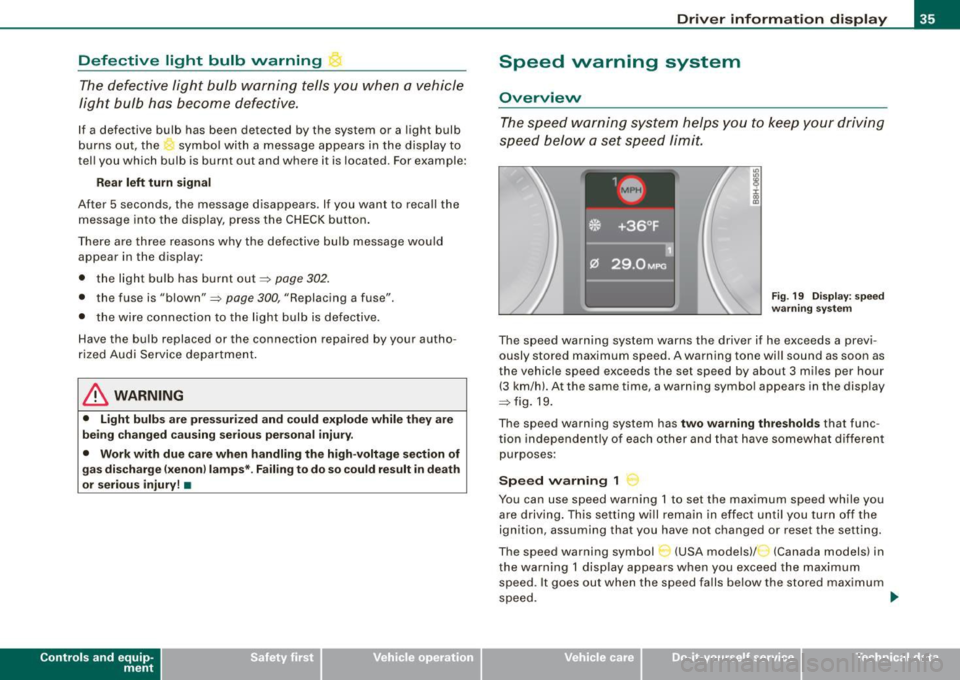
The speed warning system warns the driver if he exceeds a previ
ously stored maximum speed . A warning tone wi ll sound as soon as
the vehicle speed exceeds the set speed by about 3 miles per hour (3 km/hl. At the same time, a warning symbo l appears in the display
~fig.19.
The speed warning system has
two warning thre sh old s that func
tion independently of each other and that have somewhat different
purposes :
Speed warning 1
You can use speed warning 1 to set the maximum speed while you
are driving . This setting will remain in effect un til you turn off the
ignition, assuming that you have not changed or reset the setting.
The speed warning symbol
C-~ (USA models)/ (Canada models) in
the warning 1 display appears when you exceed the maximum speed . It goes out when the speed falls below the stored maximum
speed. .,
~ehicle care Technical data
Page 39 of 340
Saving a maximum sp eed
- Turn off the ignition .
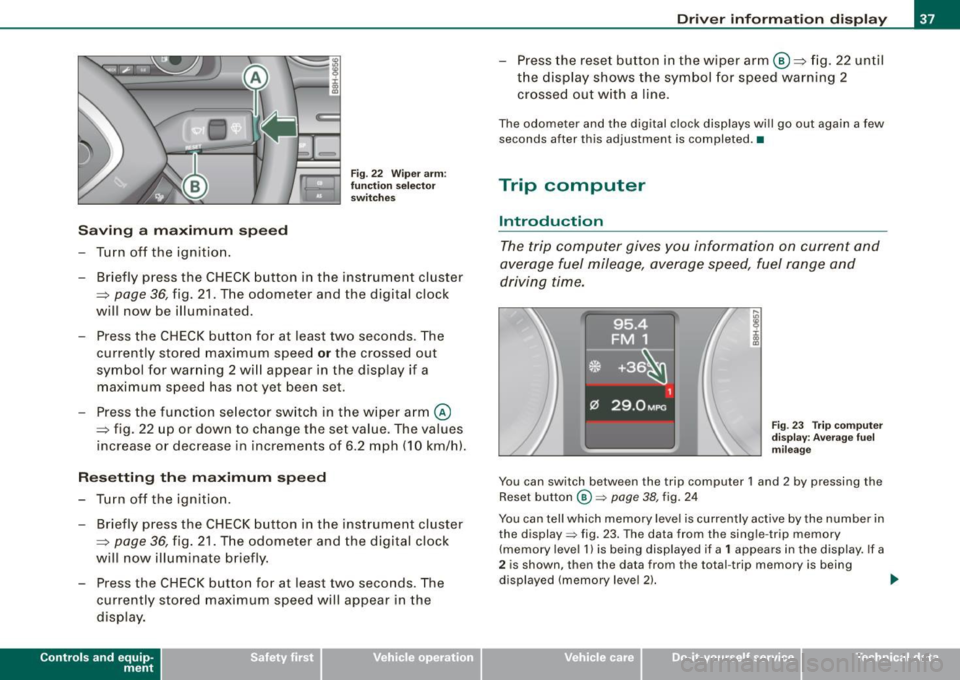
Fig. 22 Wiper arm :
fu nc tio n se lec to r
switches
- Briefly press the CHECK button in the instrument cluster
=> page
36, fig. 21 . The odometer and the digital clock
will now be illuminated.
Press the CHECK button for at least two seconds. The
currently stored maximum speed
o r the crossed out
symbol for warning 2 wi ll appear in the display if a
maximum speed has not yet been set.
Press the function se lector switch in the wiper arm@
=> fig. 22 up or down to change the set value . The values
increase or decrease in increments of 6 .2 mph (10 km/h).
R ese tting th e m aximum sp eed
- Turn off the ignition .
- Briefly p ress the CHECK button in the instrument cluster
=> page 36, fig. 21. The odometer and the digital clock
will now illuminate briefly .
- Press the CHECK button for at least two seconds. The
cu rrently stored maximum speed will appear in the
disp lay.
Contro ls and eq uip
ment
Dri ver informa tio n di spl ay
- Press the rese t button in the wiper arm@=> fig. 22 until
t h e d isplay shows the symbol for spe ed warning 2
crossed out w ith a line .
The odometer and the digital clock disp lays wi ll go out again a few
seconds after this adjustment is completed .•
Trip computer
Introduction
The trip computer gives you information on current and
average fuel mileage, average speed, fuel range and
driving time.
F ig . 23 Tr ip co mput er
d is pl ay : Ave ra ge f uel
mi leage
You can switch between the trip computer 1 and 2 by pressing the
Reset button
@ => page 38, fig. 24
You can tell which memory level is currently active by the number in
the display => fig. 23. The data from the single -trip memory
(memory level 1 l is being displayed if a
1 appears in the display. If a
2 is shown, then the data from the total -trip memory is being
displayed (memory leve l 2) . ..,_
~ehicle care Technical data
Page 40 of 340
Driver inf orma tion d ispl ay
S in gle- trip m em ory (Tr ip co mputer 1)
The single -trip memory stores the trip informa tion from the time the
ignition is turned on until it is turned off. If the trip is continued
w ithin 2 hour s from the time the ignition was turned off, the new
data will be included in the calculation of the current trip informa
tion. If the trip is interrupted for
mo re t han 2 ho ur s the memory is
reset automatically.
T ot al-tr ip m emor y (Trip comp uter 2)
Un like the s ingle-trip memory, the total -trip memory is not reset
automatically . This permits you to evaluate your driving data for the
entire period between manua l resets .
Fuel r an ge
The es timated cruising range in miles (km) appears in the display .
This tells you how far your vehicle wil l be able to trave l on the
current tank of fuel and with the same driving style. The display
changes in increments of 6 miles (10 km).
The cruising range is ca lculated based on the fuel consumption for
the last 18 miles (30 km). If you drive conservatively, the cruising
range will increase.
Ave rage f uel m ileage
The average fuel economy in MPG (1/100 km) s ince you last cleared
the memory appears in this display. You can use this disp lay to
adjust your driving technique to achieve a desired mileage.
Curren t fue l mile age
The instantaneous fuel consumption in mi les per ga llon (1/100 km)
is shown in this display. You can use this disp lay to adjust your
driving technique to achieve a desired mileage.
Fuel consumption is recalcu lated at intervals of 33 yards (30
meters). When the vehic le is stationary, the most recent fuel
consumption is displayed.
A ve ra ge speed
The average speed in mph (km/h) since the last time the display was
reset appears in the display.
Elapsed time
The length of time that you have been driving since you last reset
the memory appears in this display .
Distance
The elapsed distance since the last time the memory was cleared
appears in the disp lay. The maximum distance that can be recorded
is 9,999.9 m iles (9,999 .9 kilomete rs) .
[ i ] Tips
A ll stored values will be lost if the vehicle battery is disconnected .•
Operation
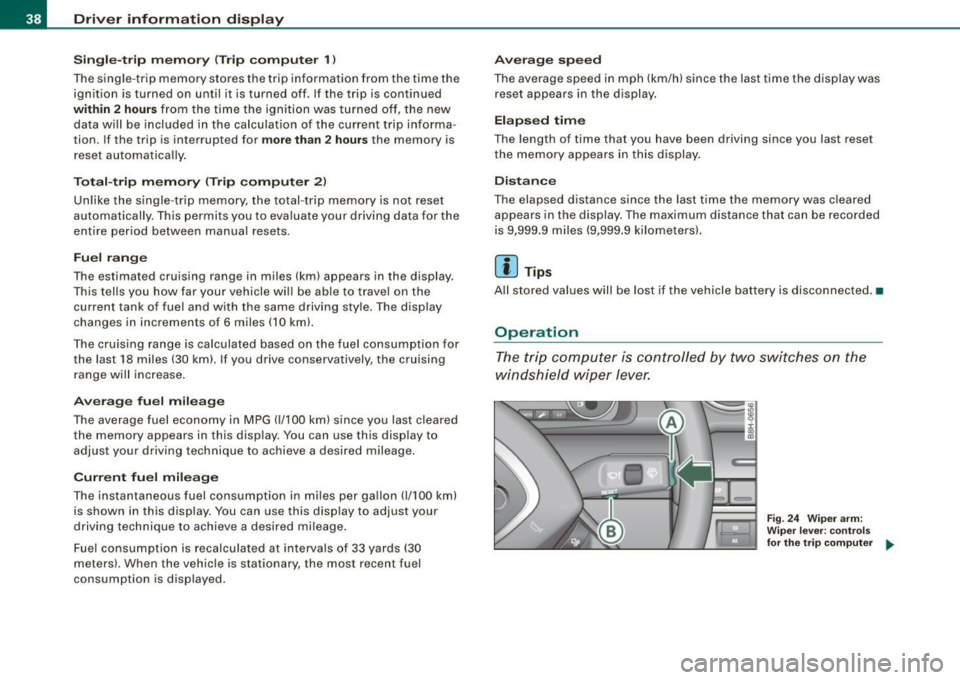
The trip computer is controlled by two switches on the
windshield wiper lever.
Fig. 24 W iper ar m:
W ipe r leve r: co ntrol s
for the tr ip co mpu ter ..
Page 41 of 340
Sele cting th e fun ctions
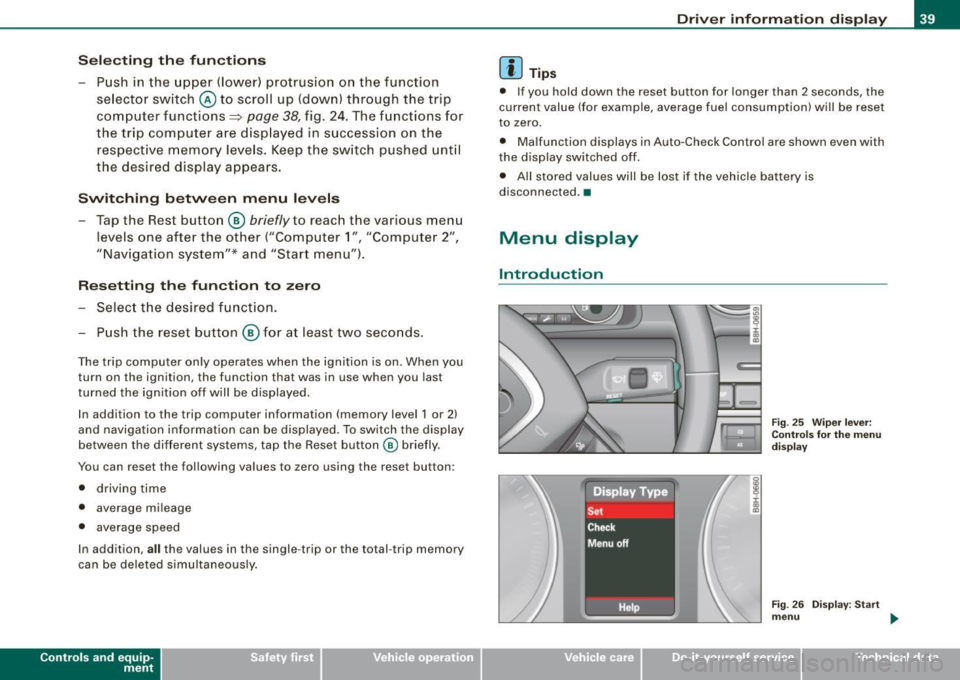
- Push in the uppe r (lower) protrusion on the function
se lector switch @to scroll up (down) through the trip
computer functions~
page 38, fig. 24. The fu nctions for
the trip computer a re d isp layed in succession on the
respective memory leve ls. Keep the switch pushed unt il
the desired display appears .
Swi tching b etw een m enu levels
- Tap the Rest button @
briefly to reach the various menu
levels one after the other ("Computer 1 ", "Computer 2",
"Navigation system"* and "Start menu") .
Res etting th e function to zero
- Selec t the desired func tion.
Push the reset button @for at least two seco nds .
The trip computer on ly operates when the ignition is on. When you
turn on the ignition, the function that was in use when you last
turned the ignition off will be displayed.
In addition to the trip computer information (memory level 1 or 2)
and navigation information can be displayed. To switch the d isp lay
between the different systems, tap the Reset button
@ briefly.
You can reset the fol lowing va lues to zero using the reset button:
• driving time
• average mileage
• average speed
In addition,
a ll the values in the single -trip or the total -trip memory
can be deleted s imu ltaneously .
Controls and eq uip
ment
Dri ver informa tio n di spl ay
[ i ] Tip s
• If you hold down the reset button for longer than 2 seconds, the
current value (for example, average fuel consumption) will be reset
to zero.
• Malfunction displays in Auto-Check Control are shown even with
the display sw itched off.
• All stored values will be lost if the vehic le battery is
disconnected. •
Menu display
Introduction
~ehicle care
Fig. 25 W iper leve r:
Con trols fo r the menu
d isp lay
F ig . 2 6 Di splay: Start
m enu
Technical data