ignition AUDI S4 CABRIOLET 2009 Owner's Guide
[x] Cancel search | Manufacturer: AUDI, Model Year: 2009, Model line: S4 CABRIOLET, Model: AUDI S4 CABRIOLET 2009Pages: 340, PDF Size: 77.32 MB
Page 63 of 340
Power top
Normal operation
General information
The power top is designed for quick and easy operation. The power
top opens and closes automatically by itself . When the top is folded
dow n, it is stored in a special compartment and hidden under a
cover.
The power top is both wind -and waterproof under normal oper
ating conditions . Only under extreme weather conditions, for
examp le, a violent burst of rain or torrentia l rainfall, can a few drops
of water possibly form inside the roof. This is normal and no cause
for concern.
To maintain the appearance of the power roof and to keep it water
proof , read the information on roof care in=> page
233, "Power top
care". In addition to this, please note the following:
• Always open or close the power roof on ly when it is clean . Other
wise particles of dirt can scratch the rear window when the power
top fo lds down . The particles can chafe a nd damage the fabric over
a period of time. It is a lso important to remove ice and snow before
opening the power roof.
• Do not use a sharp object or any other tools, which cou ld scratch
t he fabr ic when removing ice or snow. A normal ice scraper can be
used to remove ice from the rear window.
• The power roof should be opened only when it is completely dry .
I f you open and store the power roof when it is wet, unsight ly marks
or mildew can form if left for long per iods of time .
• Never leave the roof open for severa l weeks at a time. You should
close it occasiona lly to prevent discoloration in the folds of the
fabric and to allow the creases to smooth out. This is especially
impor tan t if t he top has once been s tored away when it was not
completely dry .
Controls and equip
ment
P ow er top
• Do not open the power when it is colder than 32 °F (0 °C). At
these temperatures, the fabric is less flexible.
L1}. WARNING
• For safety reasons never open or close the power top when the
v ehi cle is moving .
• Never drive the vehicle without the power top securely locked
in the closed po sition . If it i s not firml y en gaged , the top can be
blown open by the airstream and cau se in jur ies and damage to the
vehi cle . - Risk of cr ash!
• When opening and closing the power top m ake sure to keep
yo urself and other s clear of all moving pa rt s. Risk of injury!
• During opera tion of the power top the head clearance in the
re ar of the vehi cle is r edu ced . Alw ay s m ake sure that rea r seat
p assen gers keep clear of the power top a s it is being opened or
cl osed . Ri sk of injury!
[ i ] Tip s
• The power top can only be operated w ith the ignition switched
on.
• To avoid unnecessary strain on the battery, you should not open
and c lose the top several times in a row when the e ngine is n ot
running.
• The display in the ins trument cluster will indicate if a pr otective
feature of the power top has been activated or if a malfunction
occurs ~ page
64.
• In case of a ma lfunction the power top can be operated manu
a lly. This is intended for a limited time only~ page
68, "Opera te the
power top manually" . T he cause of the malfunction should be
tracked down and repaired by an au tho rized Aud i deale r as soon as
possible . _.,
Page 64 of 340
Power top
• If you park the vehicle with the power top open, be aware that
you leave the interior exposed to the effects of unexpected weather
changes as well as to criminal access. To protect your property,
close the top before leaving the car and lock away any valuables in
the luggage compartment. •
Open the power top
The power top opens automatically.
Switch on the ignition.
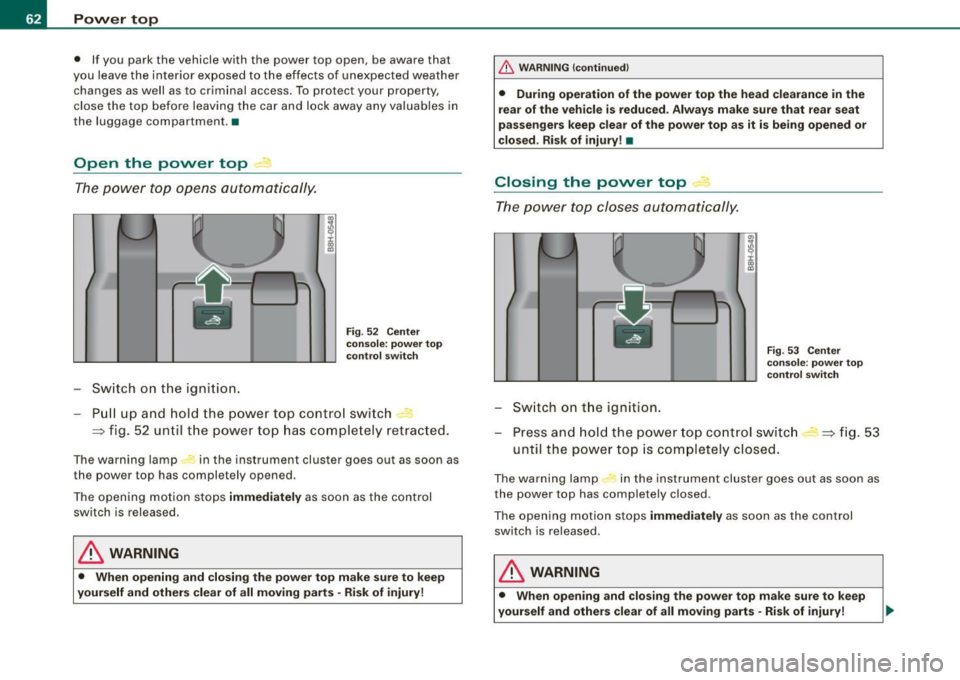
Fig. 52 Center
console: power top
control switch
Pull up and hold the power top control switch -
=:> fig. 52 until the power top has completely retracted.
The warning lamp in the instrument cluster goes out as soon as
the power top has completely opened.
The opening motion stops immediately as soon as the control
switch is released.
& WARNING
• When opening and closing the power top make sure to keep
yourself and others clear of all moving parts · Risk of injury!
_& WARNING (continued)
• During operation of the power top the head clearance in the
rear of the vehicle is reduced . Always make sure that rear seat
passengers keep clear of the power top as it is being opened or
closed . Risk of injury! •
Closing the power top 4
The power top closes automatically.
Switch on the ignition.
"'
I
Fig. 53 Center
console: power top
control switch
Press and hold the power top control switch
until the power top is completely closed. =:> fig. 53
The warning lamp #, in the instrument cluster goes out as soon as
the power top has completely closed .
The opening motion stops immediately as soon as the control
switch is released.
& WARNING
• When opening and closing the power top make sure to keep
yourself and others clear of all moving parts -Risk of injury!
Page 67 of 340
Power top: ca nnot b e use d
Power top not operating
This message wi ll appear in the display if the power top has been
deactivated for safety reasons or if there is a malfunction. Possible
causes are:
• vehicle speed t oo high: the power top operation is deactivated
for safety reasons if the vehic le is mov ing at a speed above 3 mph
(5 km/hi.
• battery voltage too low: the power top wil l not operate if the
battery voltage is too low . This is a precautionary feature to make
s u re that the re is always enough battery power avai lable to start the
engine. The power top can be activated again once the engine has
been started and is running.
• ove rload cut -off: if the power top is operated repeatedly the
hydraulic actuator components will be severely stressed . In this
case the over load cut -off will safeguard the system against damage.
This safeguard deactiva tes the system fo r abou t 15 to 30 minutes.
After this time the power top can be operated again as usual=> & .
• Malfunction: One possible cause of a malfunction is the fai lure
of a system component. In this case the power top can a lso be
manual ly operated =>
page 68. Turning off the ignition during the
opening or closing process may cause a malfunction. You can
correct this yourself=>
page 65.
Pow er top no t sec ure
Power top not locked in place
If the top has not opened or closed completely and the vehicle
moves then at a speed above 3 mph (5 km/h), this
warning will
appear in the instrument cluster display. Stop the vehicle. Open or
close the power top completely. The warning should disappear .
& WARNING
Never drive the car with a power top that is not securely lock ed in
place . If it i s not fir mly engaged , the top can b e blown ope n by the
Contro ls and eq uip
ment
P o w er top
& W ARN ING (conti nued )
airstre am and ca u se injur ies and damage to the vehicle . - Risk of
crash !•
Correcting a malfunction
Turning off the ignition durin g the opening or closing
process may cause a malfunction.
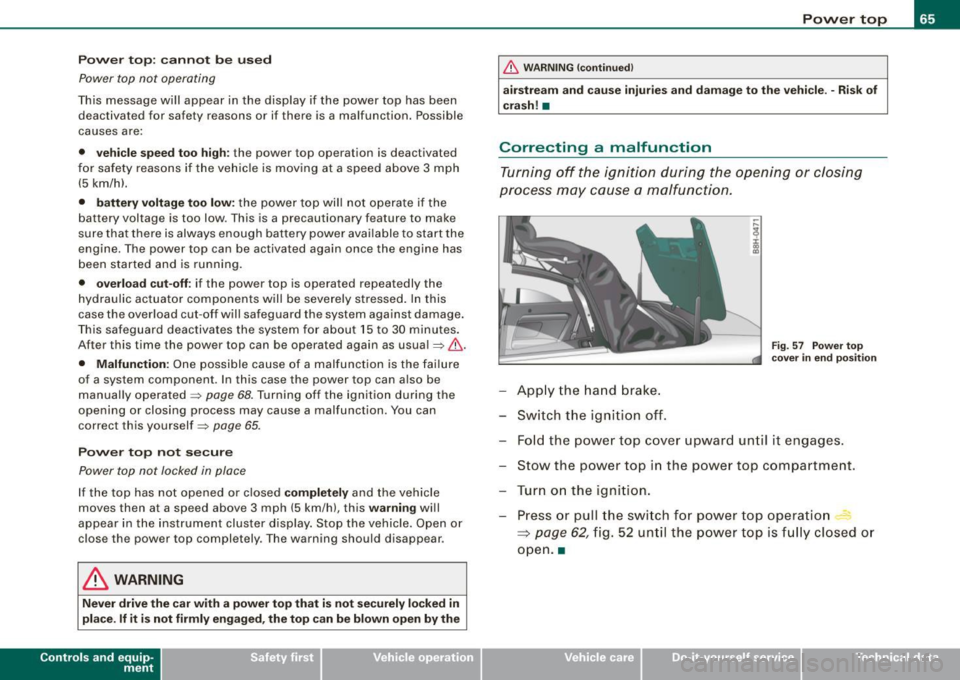
F ig. 57 Power top
cov er in end p osition
App ly the hand b rake.
Sw it c h t he igniti on off .
Fold the powe r top cove r upward un til it engages.
Stow the power top in the powe r top compa rtment.
T ur n on the igni tion.
Press or pull the swi tch f or p ow er top operatio n
~ page 62, fig . 52 un til the powe r top is f ully clos ed o r
open .a
~ehicle care Technical data
Page 71 of 340
forward goes much easier when done by two people. However, if no
assistance is available, you may find it easier to position yourself on
the rear seatbench and lift the power top up by grabbing it at the
center. •
Where is the manual release key stored?
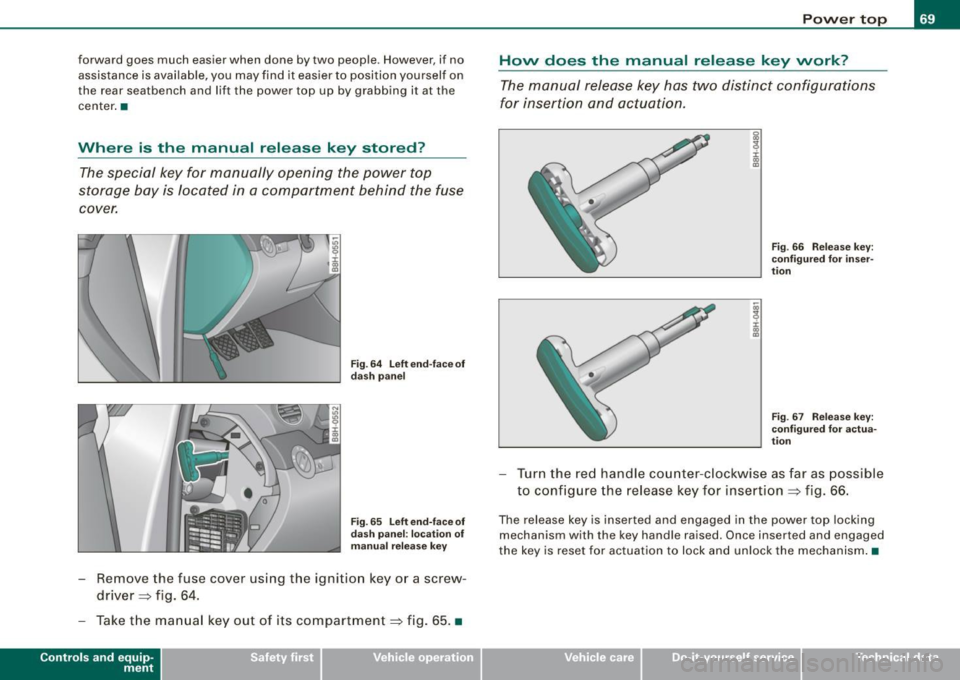
The special key for manually opening the power top
storage bay is located in a compartment behind the fuse
cover.
Fig. 64 Left end-face of
dash panel
Fig. 65 Left end-face of
dash panel: location of
manual release key
-Remove the fuse cover using the ignition key or a screw
driver=:> fig. 64.
- Take the manual key out of its compartment=:> fig. 65. •
Controls and eq uip
ment
Power top
How does the manual release key work?
The manual release key has two distinct configurations
for insertion and actuation.
g
9 :c: ., a,
j ., m
Fig . 66 Release key:
configured for inser
tion
Fig. 67 Release key:
configured for actua
tion
Turn the red handle counter-clockwise as far as poss ible
to configure the release key for insertion =:> fig. 66.
The release key is inserted and engaged in the power top locking
mechanism with the key handle raised. Once inserted and engaged
the key is reset for actuation to lock and unlock the mechanism. •
~ehicle care Technical data
Page 76 of 340
Power top
Step 7: Closing the power top
Front and base frame must be brought into position
manually.
Fig . 79 Base frame
Fig . 80 Windshield:
front frame
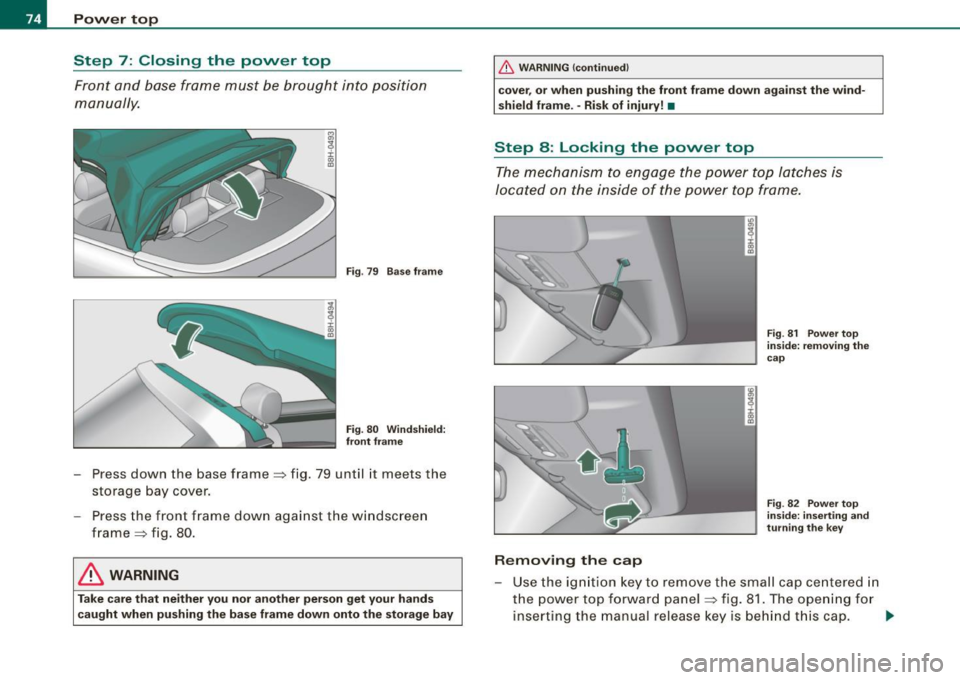
- Press down the base frame => fig. 79 until it meets the
storage bay cover.
Press the front frame down against the windscreen
frame => fig. 80.
& WARNING
Take care that neither you nor another person get your hands
caught when pushing the base frame down onto the storage bay
_& WARNING (continued)
cover, or when pushing the front frame down against the wind
shield frame. -Risk of injury! •
Step 8: Locking the power top
The mechanism to engage the power top latches is
located on the inside of the power top frame.
ID
~ i. ., a,
Removing the cap
Fig. 81 Power top
inside: removing the
cap
Fig . 82 Power top
inside: inserting and
turning the key
- Use t he ignition key to remove the small cap centered in
the power top forward panel:::::, fig. 81. The opening for
inserting the manual release key is behind this cap. ..,,
Page 78 of 340
Clear vision
Clear vision
Lights
Switching the headlights on and off ·'t!-·
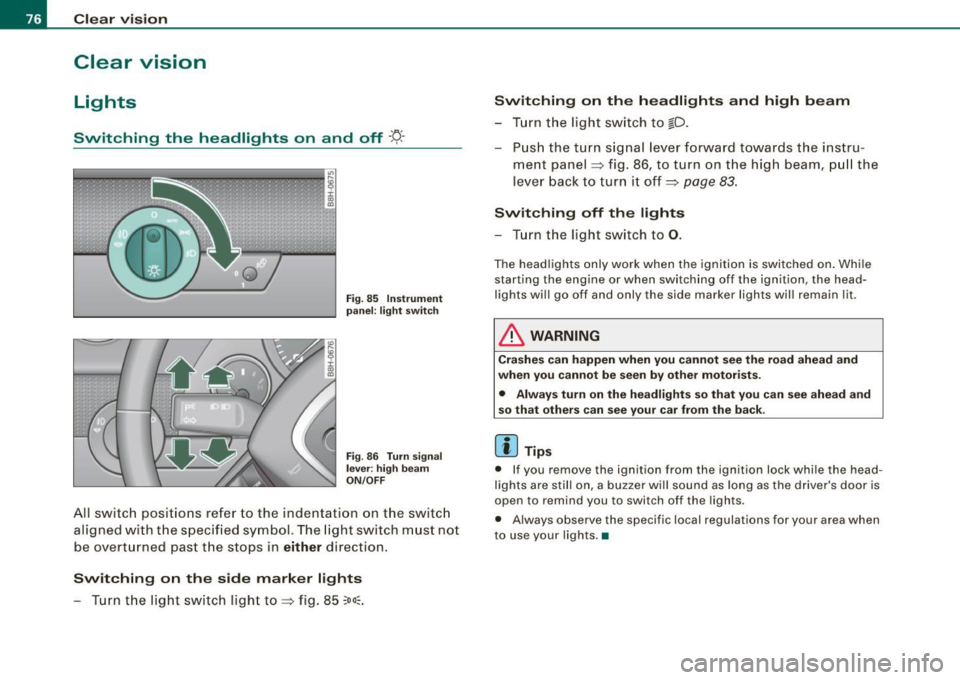
Fi g. 85 Ins tru ment
pan el: lig ht sw itc h
Fi g.
86 Turn sig nal
lev er: high beam
ON /OFF
All switch pos itions refer to the indentation on the switc h
aligned with the spec if ied symbol. The light switch m ust not
be overt urned past the stops in either direction .
Switching on the side marker lights
- Turn t he light switch light to=> fig. 85
;oo:: .
Switching on the headlights and high beam
- T urn the light switch to ~D.
- Push the turn signa l lever forward towa rds the ins tru -
ment panel => fig. 86, to turn on the high beam, pu ll the
lever back to turn it off=>
page 83.
Swit ching off th e lights
- T urn the light switch to
0 .
The headlights only work when the ignition is switched on . While
starting the engine or when sw itching off the ignition , the head
lights wi ll go of f and only the side marker lights wil l remain lit .
& WARNING
Crashe s can happen when you cannot se e t he ro ad ah ead and
whe n you c annot b e seen by othe r motori sts.
• Alway s turn on the headlights so that you can see ahead and
s o that other s can see y our car fr om the b ack.
[ i ] Tip s
• If you remove the ignition from the ign ition lock whi le the head
lights are still on, a bu zzer will sound as long as the driver 's door is
open to remind you to switch off the lights .
• Always observe the specific local regulations for your area when
to use your lights .•
Page 79 of 340
Applies 10 vehic les: with light senso r package
Sensor activated head -and tail light control
In the "AUTO" position, light sensors monitor outside light
conditions and s witch the head- and t ail lights on and off
as required.
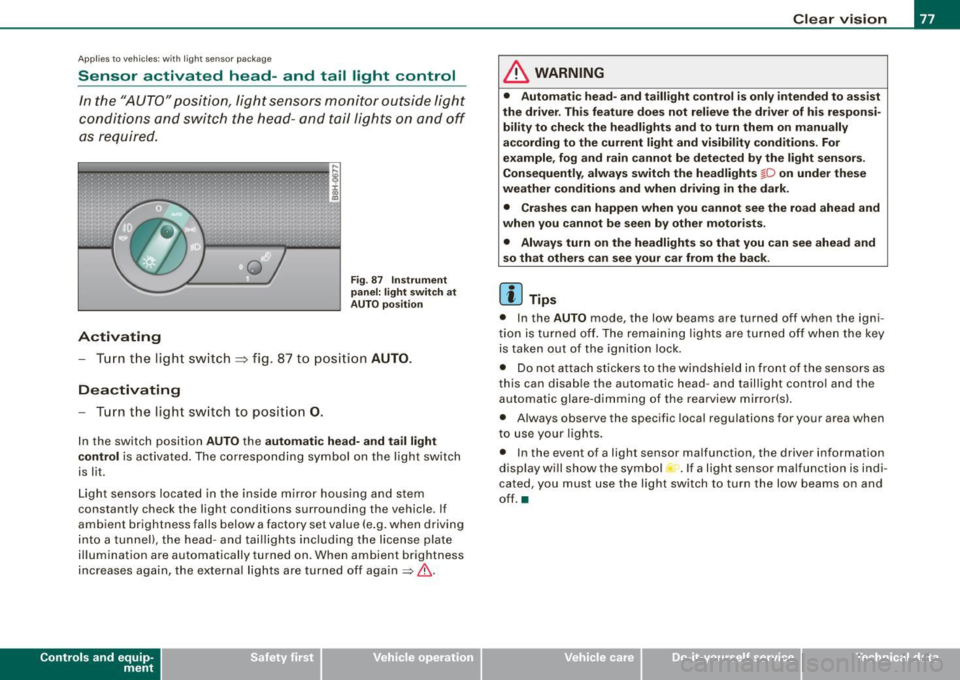
Activating
F ig . 87 Instru men t
p an el: li ght sw itch at
A UTO pos ition
- Tur n the light switch ~ fig. 87 to positi on AUTO.
Deactivating
- Turn the light switch to posit ion 0.
In the switch position AUTO the automati c head -a nd ta il light
contr ol
is activated . The corresponding symbol on the light switch
is lit.
Light sensors located in the ins ide mirror housing and stem
constantly check the light conditions surrounding the vehicle . If
ambient brightness falls below a factory set value (e .g. when driving
into a tunnel), the head -and tai llights including the license plate
illumination are automatically turned on. When ambient brightness
increases again, the external lights are turned off again
=> & -
Contro ls and eq uip
ment
Cle ar v ision
& WARNING
• Autom ati c head - and tailli ght control is only int ended to a ss is t
the driver . Th is feature does not reli ev e th e driver of h is res pon si
bilit y to che ck the headl ights and to turn them on m anuall y
according to the current light and vi sibilit y condition s. For
e xa mple , fo g and r ain cannot be dete cted by the light s en sor s.
Consequently , alw ay s swit ch th e headlights
fD on under the se
we ather condition s and when driving in th e da rk .
• Crashe s can happen when you cannot s ee the road ahead and
w hen you cannot be seen by oth er m otori sts .
• Alway s turn on the headlight s so that you can see ahead and
s o that others ca n s ee your car fr om th e back.
[ i ] Tip s
• In the AUTO mode , the low beams are turned off when the igni
tion is turned off. The remaining lights are turned off when the key is taken out of the ignition lock.
• Do not at tach stickers to the windshield in front of the sensors as
this can disable the automatic head- and taillight contro l and the
automatic glare -dimming of the rearview mirror(s).
• Always observe the specific local regulations for your area when
to use your lights .
• In the event of a light sensor malfunction, the driver information
display wi ll show the sy mbol -.
If a light sensor malfu nction is indi
cated, you must use the light switch to turn the low beams on and
off. a
~ehicle care irechnical data
Page 80 of 340
Clear vision
Ap plies to vehi cles: with d ayt ime running ligh ts
Daytime running lights (DRL) (USA models)
Use the activation switch to turn the daytime running
lights on or off.
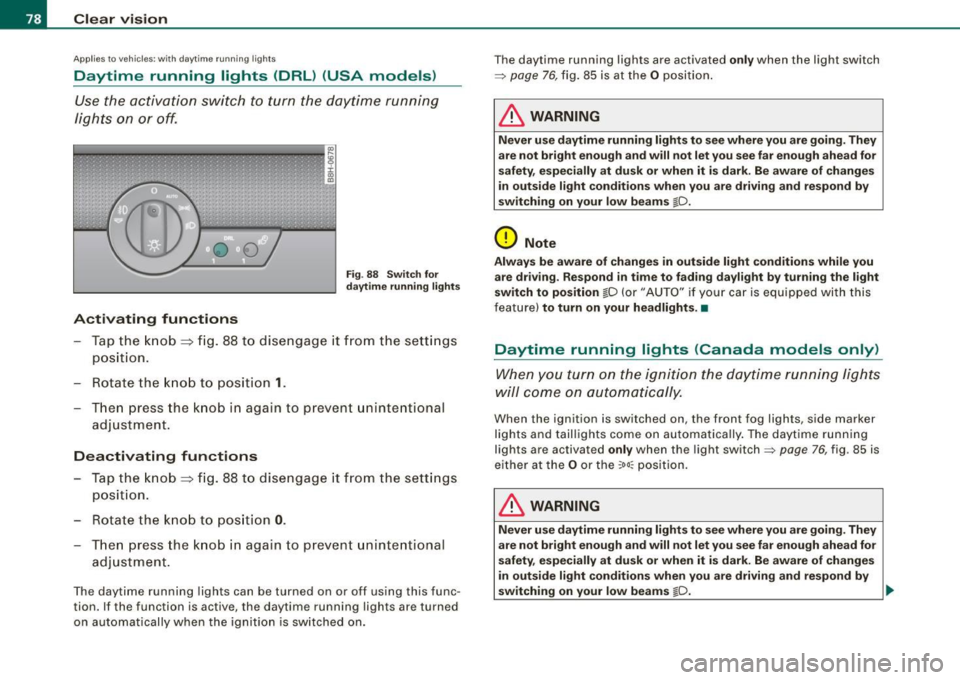
Activating functions
Fi g. 88 Sw itch for
d ayt ime runn ing light s
-Tap the knob ==> fig. 88 to dise ngage it from the sett ings
position.
- Rot ate the k nob to positi on
1.
T hen p ress the knob i n again to prevent unintentional
adjustment .
Deactivating functions
-Tap the knob==> fig. 88 to disengage it from the sett ings
posit ion.
- Rota te th e kn ob to p osition
0 .
- T hen p ress the knob in aga in to p reve nt uninte ntiona l
adjustment .
The daytime running lights can be turned on or off using this func
tion. If the function is active, the daytime running lights are turned
on automatically when the ignition is sw itched on . The daytime running lights are activated
only when the light switch
=>
page 76, fig. 85 is at the O posi tion .
& WARNING
Never u se daytime running lights to see where you are going. They
are not bright enough and will not let you see f ar enough ahead for
s afety , e spe cially at dusk or when it i s dark. Be aware of change s
i n out side light condition s when you are driving and re spond by
s witching on your low beams
@-0.
0 Note
Alway s be aware of change s in outside light conditions while you
are dr iving . Re spond in tim e to fading da ylight b y turning the light
s witch to po sition
@-0 {or "AUTO" if you r car is equipped with this
feature)
to turn on your headlight s.•
Daytime running lights (Canada models only)
When yo u tur n on the igni tion t he da ytime running ligh ts
w ill c ome on au toma tic ally.
When the ignition is switched on , the front fog lights, side marker
lights and taillights come on au toma tica lly . The daytime runn ing
lights are activated
only when the light switch=> page 76, fig. 85 is
e ithe r at the
O or the ~o o:: pos ition.
& WARNING
Never u se dayt ime running lights to see where you ar e going. They
ar e not bright enough and will not let y ou see far eno ugh ahead for
s afet y, espe cially at dusk or when it is dark. Be aware of changes
i n out side light conditions whe n you are dri ving a nd respond by
s witching on your low beam s
@-0. ~
Page 82 of 340
Clear vision
Applies to vehi cles : equip ped wit h Ligh t se nso r pa ckag e
Coming home /leaving home function gr!}
The coming home/leaving home function switches on the
external lights on a vehicle parked in the dark to illumi
nate the surroundings.
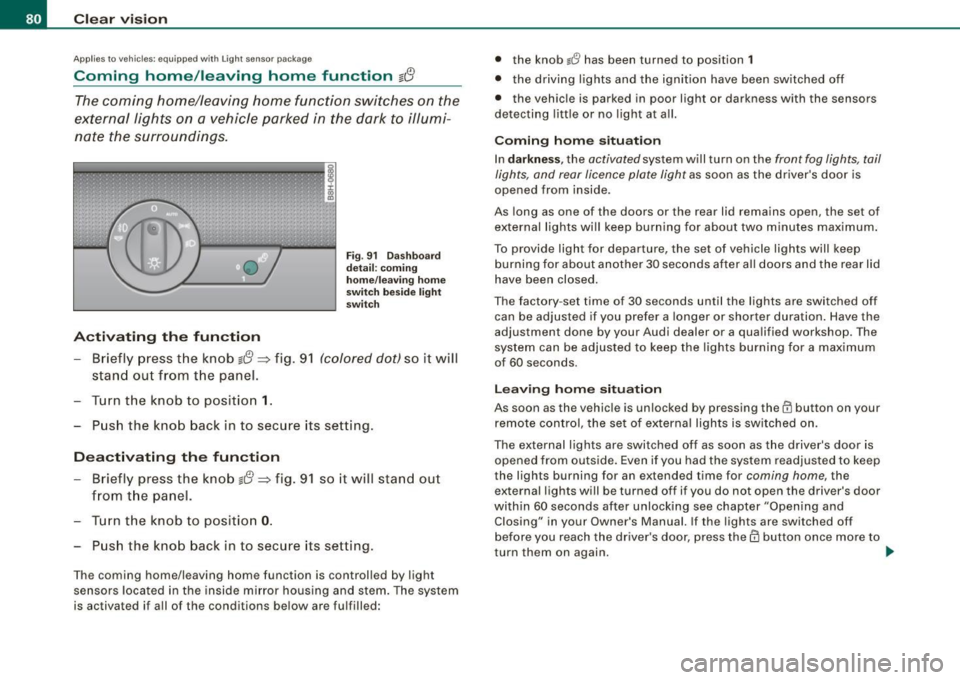
Activating the function
Fig . 91 Dashboard
detail: coming
home/leaving home
switch beside light
switch
- Briefly press the knob g{!} => fig. 91 (colored dot) so it will
stand out from the panel.
Turn the knob to position
1.
Push the knob back in to secure its setting.
Deactivating the function
- Briefly press the knob g{!} => fig. 91 so it will stand out
from the panel.
- Turn the knob to position
0.
Push the knob back in to secure its setting.
The coming home/leaving home function is controlled by light
sensors located in the inside mirror housing and stem. The system
is activated if all of the conditions below are fulfilled: •
the knob
lJ has been turned to position 1
• the driving lights and the ignition have been switched off
• the vehicle is parked in poor light or darkness with the sensors
detecting little or no light at all.
Coming home situation
In darkness , the activated system will turn on the front fog lights, tail
lights, and rear licence plate light as soon as the driver's door is
opened from inside.
As long as one of the doors or the rear lid remains open, the set of
external lights will keep burning for about two minutes maximum.
To provide ligh t for departure, the set of vehicle lights will keep
burning for about another 30 seconds after all doors and the rear lid
have been closed.
The factory -set time of 30 seconds until the lights are switched off
can be adjusted if you prefer a longer or shorter duration. Have the
adjustment done by your Audi dealer or a qualified workshop . The
system can be adjusted to keep the lights burning for a maximum
of 60 seconds.
Leaving home situation
As soon as the vehicle is unlocked by pressing the@ button on your
remote control, the set of external lights is switched on .
The external lights are switched off as soon as the driver's door is opened from outside. Even if you had the system readjusted to keep
the lights burning for an extended time for coming home, the
external lights will be turned off if you do not open the driver's door
within 60 seconds after unlocking see chapter "Opening and Closing" in your Owner's Manual. If the lights are switched off
before you reach the driver's door, press them button once more to
turn them on again. .,_
Page 83 of 340
[ i J Tip s
• Do not attach any stickers to the windshield in front of the two
light sensors, as this would interfere with both the automatic oper
ation of the head ligh ts and the automatic dimming of the inside
mirror(s).
• If the veh icle is remotely un locked and locked
three times in
succession,
leaving home will not turn on the lights a fourth time to
safeguard the battery and lights.
• If you wish to use the coming home/leaving home function regu
larly, you can leave it activated at all times wi thout risking perma
nent strain on the electrical system. As the system is contro lled by
light sensors, i t wi ll only b e energi zed in darkness.
• Frequent use of the coming home/leaving home function for
approac hin g and departing a vehicle parked in the dark wi ll strain
the batte ry. This applies particularly if only short distances are
driven between stops . Occasiona lly drive longer distances to make
sure the battery is recharged sufficient ly.
• If the fo g lights have been switched on by the coming
home/leaving home function, they will always be switched off when
you switch on the ig nition. •
Contro ls and eq uip
ment
Cle ar v ision
Instrument panel illumination
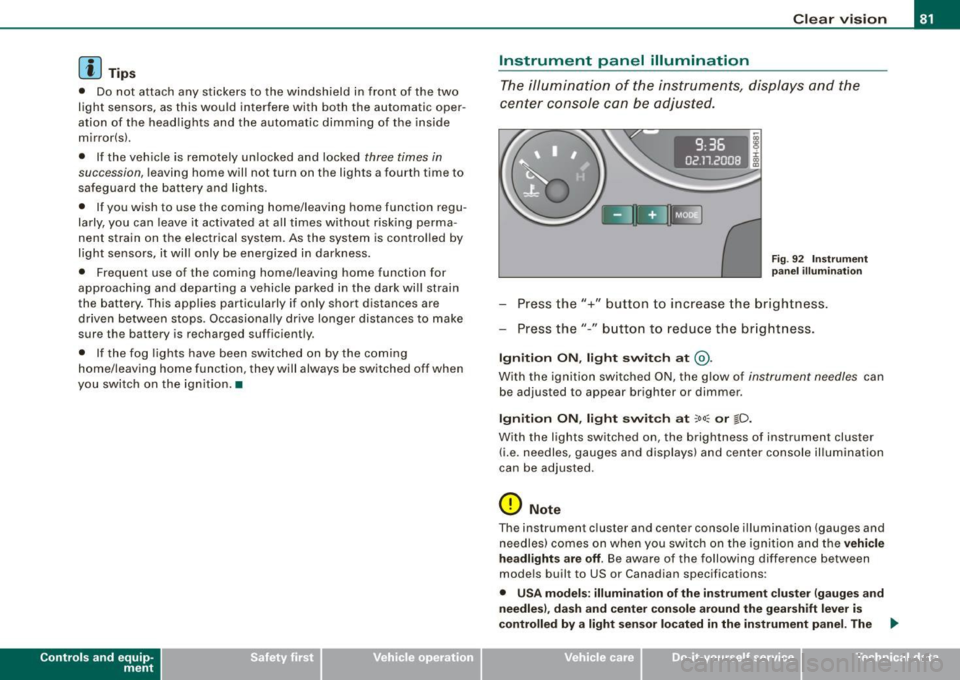
The ill umina tion of the ins trume nts, dis pla ys and the
cente r consol e can be adjusted.
9:3 6
02.11.2008
Fig . 9 2 Instru men t
pane l illum in a ti on
Press the"+" button to increase the brigh tness .
Press the" -" b utton to reduce the br ig htness.
Igniti on ON , light swit ch at @ .
With the ignition switched ON, the glow of instrument needles can
be adjusted to appear brighter or dimmer.
Ignition ON , light switch at :oo: or gD.
With the lights switched on, the brightness of instrument cluster
(i .e. needles, gauges and displays) and center c onsole il luminat io n
can be adjusted .
0 Note
The instrument c luster and center console i llumination ( gauges and
needles) comes on when you swi tch on the ignition and the
vehicle
headlights are off .
Be aware of the following difference between
models built to US or Canadian specifications:
• USA model s: illumination of the in strument cluster (gauge s and
needles ), dash and center conso le around the gearshift lever is
controlled
by a light sen sor located in the instrument panel. The .,
~ehicle care Technical data