ignition AUDI S4 CABRIOLET 2009 Owner's Manual
[x] Cancel search | Manufacturer: AUDI, Model Year: 2009, Model line: S4 CABRIOLET, Model: AUDI S4 CABRIOLET 2009Pages: 340, PDF Size: 77.32 MB
Page 42 of 340
Driver inf orma tion d ispl ay
Some functions in your vehicle can be set, activated, and controlled
by
M enu s (e.g. Acoustic Park Assist*). With these menus you can
a lso select the information shown in the DIS disp lay, which operates
only with the ignition switched on. Operation is controlled by the
!Reset) button and the rocker switch on the wiper lever~
page 39,
fig. 25.
The
Start m enu shows you the different disp lay types :
Set
Check
Menu off
H el p
Each display type in the Start menu contains a submenu with addi
tional options.
S et
Check
Me nu off
H elp
Clock ~ page40
Computer
Speed alarm (speed
~ page35
warning)
Language (6 languages)
=> page40
Units (distance, fuel con-~ page40
sumption, temperature)
Service
~ page 17
All of the messages shown in vehicles without menu disp lay appear on the display screen.
The Help function helps you to make the right selection.
•
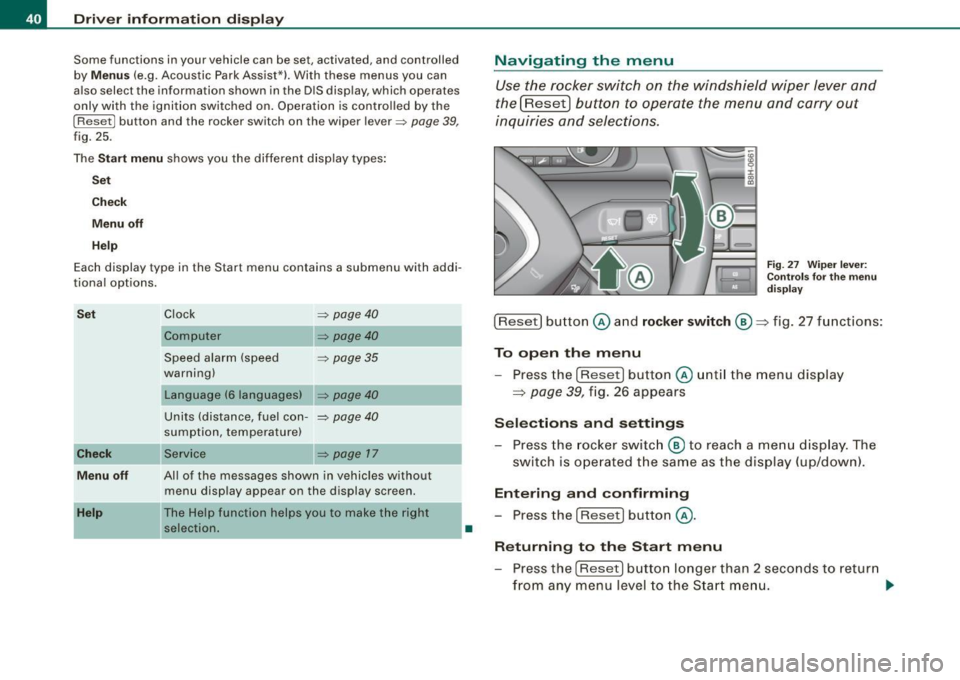
Navigating the menu
Use the rocker switch on the windshield wiper lever and
the[ResetJ button to operate the menu and carry out
inquiries and selections.
F ig . 27 Wipe r leve r:
Con trols for t he m en u
d is pl ay
!Reset] button @and rocker switch @=> fig. 27 functions:
To op en th e menu
- Press the
!Reset! button @unti l the menu display
=> page 39, fig. 26 appears
Sele ctions and setting s
- Press the rocker switc h
@ to reach a me nu display . The
switch is ope rated the sam e as the display (up/down).
Entering and confirming
- Press the
I Reset I button @.
R eturning to th e Start menu
- Press the
[Reset) butto n longer than 2 seconds to retur n
from any menu level to the Star t m en u. •
Page 49 of 340
Opening and closing
Keys
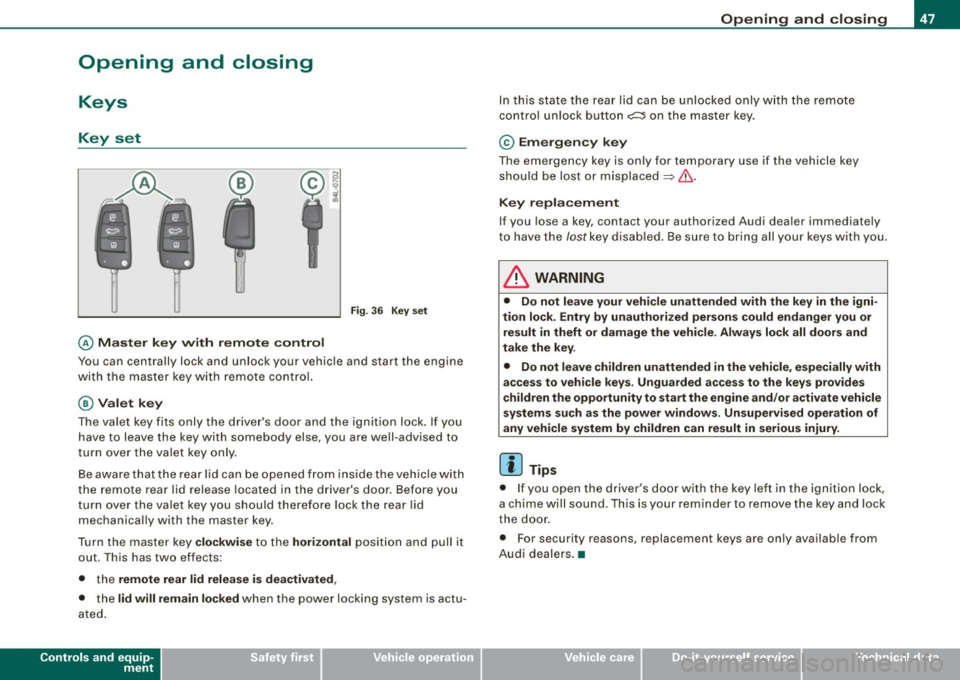
Key set
@ Master key w ith rem ote con tro l
Fig . 3 6 Key set
You can centrally lock and unlock your vehicle and start the engine
with the master key with remo te contro l.
@Val et k ey
The va le t key fits only the driver's door and the ignition lock. If you
have to leave the key with somebody else, you are well-advised to
turn over the valet key only.
Be aware that the rear lid can be opened from inside t he veh ic le with
the remote rear lid release located in the driver's door. Before you
turn ove r the valet key you should therefo re lock the rear lid
mechanica lly with the master key.
Turn t he master key
clo ckwi se to the hor izont al posit ion and pull it
out. This has two effects:
• the
remote rear lid release i s dea ctivated ,
• the lid will rem ain lo cked when the power locking system is actu
ated .
Controls and equip
ment
Op ening and clo sing
In this state the rear lid can be unlocked only with the remote
control unlock button
c::::5 on the master key.
© Em erg en cy key
The emergency key is only for temporary use if the vehicle key
should be lost or misplaced
~ & .
Key r epla cemen t
If you lose a key, contact your authorized Audi dea ler immediately
to have the /ostkey disab led. Be sure to bring all your keys with you.
& WARNING
• Do not leave your vehicle unattended wi th the key in the igni
tion lock. Entr y by un auth orized persons could e ndanger you or
re sult in theft or damage the vehi cle . Always lock all door s and
t a ke th e key.
• Do not le ave children unattend ed
in the vehicle , es pecially with
a cce ss to vehic le key s. Unguarded a ccess to the ke ys prov ide s
children th e opportunity to start th e eng ine and /or a ctivate vehicle
s y stem s suc h as the po wer w indo ws. Un sup erv is ed oper atio n of
an y vehi cle sy ste m by children can re sult in seriou s injury .
[ i ] Tips
• If you open the driver's door with the key left in the ignition lock,
a chime will sound . This is your reminder to remove the key and lock
the door .
• For security reasons, replacement keys are only available from
Audi dealers. •
Page 50 of 340
Opening and clos ing
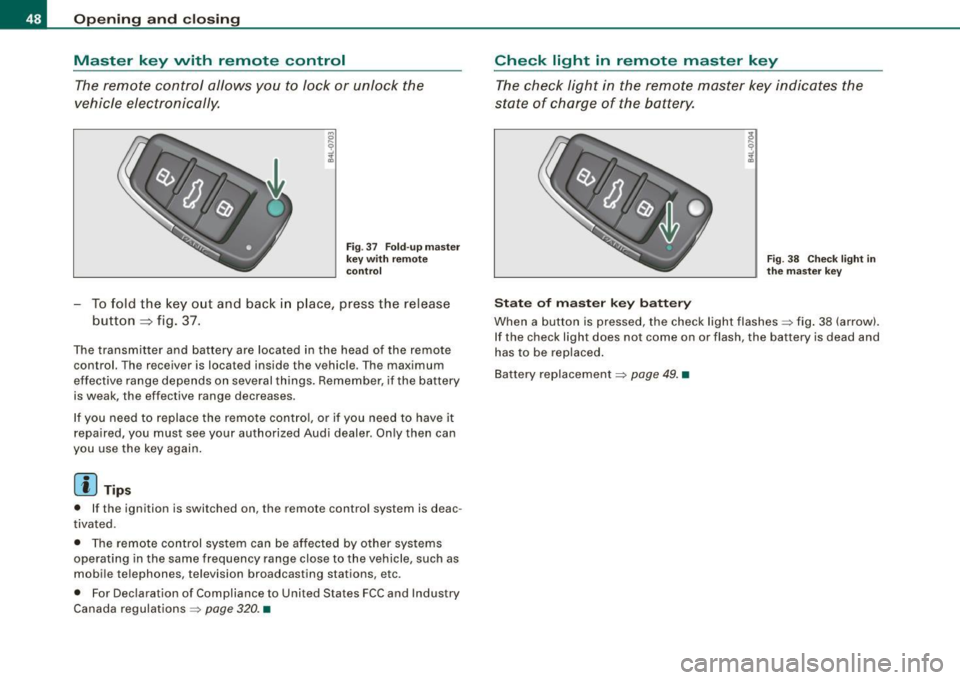
Master key with remote control
The rem ote control allows you to lock or unlock the
vehicle electronically.
F ig . 37 Fo ld- up ma ster
key with re mote
co ntr ol
- To fold the key out and back i n place, press the release
button ::::, fig. 37.
The transmitter and battery are located in the head of the remote
control. The receiver is located inside the vehicle. The maximum
effective range depends on several things. Remember, if the ba ttery
is weak, the effective range decreases.
I f you need to replace the remote cont ro l, or if you need to have it
repaired, you must see your authorized Audi dealer. Only then can
you use the key again .
[ i ] Tips
• If the ignition is switched on, the remote control system is deac
tivated.
• The remote control system can be affected by other systems
operating in the same frequency range close to the vehicle, such as
mobile telephones, television broadcasting stations, etc.
• For Declaration of Compliance to United States FCC and Industry
Canada regulations =>
page 320. •
Check light in remote master key
The check light in the rem ote master key indic ates the
state of charge of the battery.
S ta te o f m aste r k ey ba tt e ry
F ig . 3 8 Check lig ht in
th e m as ter key
When a button is pressed, the check light flashes=> fig . 38 (arrow).
If the check light does not come on or flash, the battery is dead and
has to be replaced .
Battery replacement =>
page 49. •
Page 51 of 340
Master key battery replacement
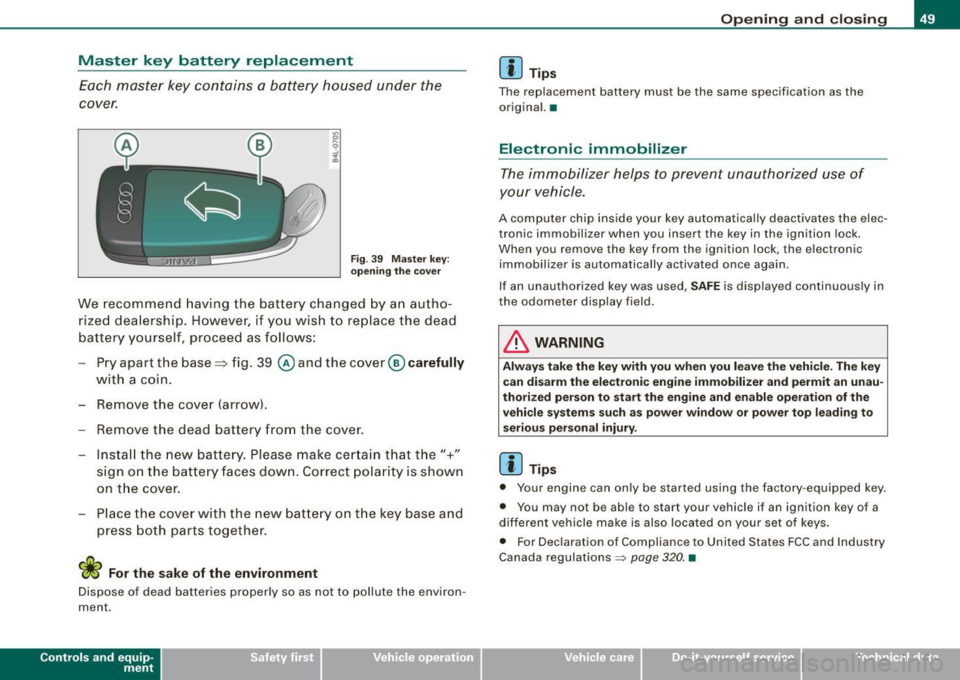
Each master key contains a battery housed under the
cover.
Fig. 39 Master key:
opening the cover
We recommend having the battery changed by an autho
rized dealership. However, if you wish to replace the dead
battery yourself, proceed as follows:
- Pry apart the base=> fig. 39
@ and the cover @carefully
with a coin.
- Remove the cover (arrow).
- Remove the dead battery from the cover.
- Install the new battery. Please make certain that the"+"
sign on the battery faces down. Correct polarity is shown
on the cover.
- Place the cover with the new battery on the key base and
press both parts together.
W For the sake of the environment
Dispose of dead batteries properly so as not to pollute the environ
ment.
Contro ls and eq uip
ment
Opening and closing
[ i] Tips
The replacement battery must be the same specification as the
original. •
Electronic immobilizer
The immobilizer helps to prevent unauthorized use of
your vehicle.
A computer chip inside your key automatically deactivates the elec
tronic immobilizer when you insert the key in the ignition lock.
When you remove the key from the ignition lock, the electronic
immobilizer is automatically activated once again.
If an unauthorized key was used,
SAFE is displayed continuously in
the odometer display field.
in. WARNING
Always take the key with you when you leave the vehicle. The key
can disarm the electronic engine immobilizer and permit an unau
thorized person to start the engine and enable operation of the
vehicle systems such as power window or power top leading to
serious personal injury.
[ i] Tips
• Your engine can only be started using the factory -equipped key.
• You may not be able to start your vehicle if an ignition key of a
different vehicle make is also located on your set of keys.
• For Declaration of Compliance to United States FCC and Industry
Canada regulations
~ page 320. •
~ehicle care irechnical data
Page 52 of 340
Openin g and clo sin g
Power locking system
General description
The power Jocking system Jocks all the vehicle doors and
rear lid simultaneously or allows you to unl ock either just
the driver's door or all the vehicle doors and rear lid
simultaneously.
The power locking system in your veh icle incorporates the following
f unctions:
• Central locking function
• Remote contro l feature~
page 51.
• Anti -theft alarm system ~ page 57 .
All the doors and the rear lid are locked by the central locking
system when you lock the vehicle .
Unlo cking th e vehicle
You can unlock the vehicle from outside either by using the remote contro l
or by inserting and turning the key in the driver's door lock.
When you
unlo ck your vehic le:
• The anti-theft alarm sys tem is deact ivated briefly.
• The vehicle interior lights i lluminate for approximately 30
seconds.
• All turn signal lights will flash twice when the car is un locked.
• After un locking the vehicle, you have 60 seconds to open a door
or the rear lid. After 60 seconds, t he vehicle automatically locks and
the anti-theft a larm system activates again .
T he rear lid can be locked or unlocked either by using the remote
co ntro l
or by inserti ng and turning the key in the driver's door lock .
Un locking the vehicle with the remote control will only
unlock the
r ear lid, to
open it, the lid handle needs to be pressed . Lo
cking th e veh icle
You can lock the vehic le from outside e ither by using the remote
control
or by inserting and turning the key in the drivers's door lock .
When you
lock the vehicle:
• All doors and t he rear lid are locked .
• All turn signal lights w ill flash once when the ca r is locked.
• The anti -theft alarm system is activated . The horn of the anti
theft alarm sys tem will sound and the anti -t heft ala rm sys tem readi
ness l ight, located in the upper par t of the driver's door panel , wi ll
start to blink.
• The vehicle interior lights turn off .
Automatic locking*
The automat ic locking feature locks all the vehicle doors and the
rear lid when you drive faster than 9 mph (15 km/h).
You can unlock the vehicle from the inside by:
• removing the key from the ignition switch (the vehicle wil l auto
matically u nlock itself) or
• pressing the unlock pa rt of the power lock switch €:Dor
pulling the door handle (twice to open the door) .
If you wish, you can have an authorized Audi dea ler convert your
powe r door lock sys tem to automatic locking.
& WARNING
• When you lock your vehic le from out side , nobody -especially
c h ildren - should remain in side the vehicle . Remembe r, when you
lo ck the vehicle from the out side the windows cannot be opened
from the in side .
• When you leave the vehicle , alway s remove the ignition key and
take it with you . Thi s w ill prev ent pa ssenger s (children , fo r
example) from ac cidentally being locked in the vehicle should they
ac cidentally pre ss the power locki ng swit ch in the front door s. .,
Page 54 of 340
Opening and clos ing
PANIC Button
- Push the red button@to activate the panic function. The
horn sounds and the turn signals flash.
- Push the button® again to deactivate the panic f unc
tion.
& WARNING
R ead a nd fo llo w all W ARNING S => & in "Ge nera l desc ription " on
page 50.
[ i ] Tips
• In order to make sure the locking function is working, you should
always keep your eye on the vehicle to make sure it is properly
locked.
• Do not use the remote control if you are inside the car, otherwise
you may unintentionally lock the vehic le, and then you would set off
the anti-theft alarm when you try to start the engine or open a door.
In case this happens anyhow, push the unlock button@.
• Use the panic function only if you are in an emergency
situation .•
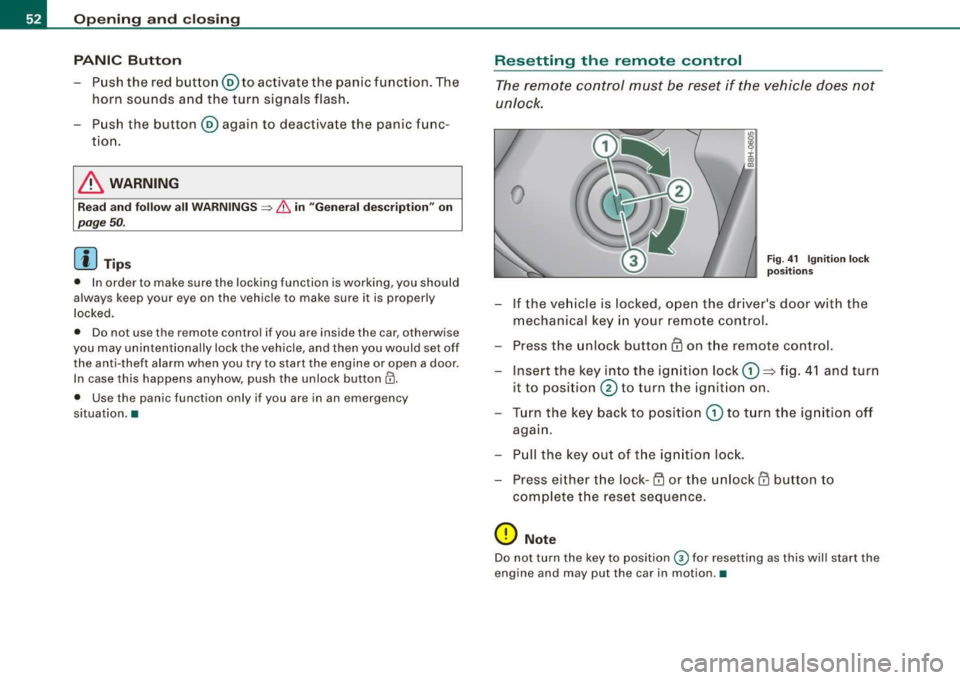
R ese tting the remote control
The remote c ontr ol must be reset if the vehicle does not
unlock .
0
Fig . 4 1 Ign itio n l ock
p os it ions
- If the ve hicle is locked, o pen the driver's door with the
mechanical key i n your remote con tro l.
- Press the unlock button
III on the remote control.
- Insert the key into the ign ition lock
CD => fig. 4 1 and turn
it to position
0 to turn the ignition on .
Turn the key back to position
CD to t urn the ig nition off
agai n.
- Pu ll the key out of t he ig nition loc k.
- Press e it her the lock-1'.D or the unlock
III button to
com plete the reset sequence .
0 Note
Do not turn the key to position 0 for resetting as this will start the
engine and may put the car in motion .•
Page 59 of 340
To unlock r ear lid
- Pu ll the switch c:::::5 ~ page 56, fig. 48 in the driver's door.
To open re ar lid
- Raise the rear lid.
The remote rear lid re lease is deactivated automatically if you lock
the rear lid using the key . This enables the driver to lock the luggage
compartment permanently with the key and prevent unwanted
access to the trunk .•
Anti-theft alarm system
Description
The anti-theft alarm triggers an alarm if anyone attempts
to break into the vehicle.
The anti -theft a larm system triggers an audible alarm and turns on
the emergency flasher if an unauthorized interference with the
veh ic le is sensed by the system.
How i s the anti -theft alarm syste m switched on ?
The anti-theft alarm system is switched on when you lock the
driver's door manually using your key, o r when you use the remote
control. The system is activated approx imately 30 seconds after the
vehic le is locked. The indicator light on top of the door trim start
fl ashing rapid ly for 30 seconds and then b link slowly.
How i s the anti -theft al arm syst em switch ed off ?
The anti-theft alarm system is switched off only when you use the
remote contro l to unlock your vehicle . If you do not open a door
with in 60 seconds after you have unlocked with the remote control,
the vehic le will lock itself again automatica lly.
Controls and equip
ment
Op ening and clo sing
If you lock just the driver's door using your key, the front
passenger's door, the rear and the fuel f iller flap remain locked.
If you use the vehicle key to unlock the driver's door, the other
doors, the rear lid and the fuel tank flap will remain locked . The
a larm system will not be deactivated unless you insert the key in the
ignition switch within 15 seconds and turn on the ignition. If you fai l
to do this, the a lar m wi ll sound.
When will the anti theft alarm system be triggered?
When the vehic le is locked, the a larm system monitors and protects
the following parts of the vehic le:
• engine compar tment
• luggage compartment
• doors
• vehic le incline
• ignition
• factory installed radio.
When the system is activated, the alarm will be triggered if one of
the doors, the engine hood or the rear lid are opened, or if the igni
tion is turned on or the radio removed or if the vehicle incline has
been changed.
The ant i-theft alarm system will also go off when you unlock the rear
lid with your key and open it. The alarm is switched off again when
you close the rear lid.
The anti-theft alarm system will also go off when the battery is d isconnected.
You can also trigge r the alarm by pressing the PANIC button on your
remote control. This will alert other people in case of emergency.
Press the
PANI C button again to turn off the a larm. .,_
Page 60 of 340
Openin g and clo sin g
How is th e a nti-th eft ala rm switch ed off whe n
t riggered ?
The alarm system is switched off when you unlock the vehicle using
the remote control or when the ignition is switched on. The a larm
will a lso switch itse lf off when it comes to the end of its cycle.
Em erg en cy flashe r
The emergen cy flashe r will blink briefly when the doors, engine
hood and rear lid are properly closed .
If the emergency flashers do not blink, check the doors, engine hood
and r ear lid to make sure they are properly closed . If you close a
door, the hood or the rear lid w ith the anti-theft a larm switched on,
the emerg ency flashers will blink only aft er you have clos ed the
door or lid.
[ i ] Tips
• For the anti -theft alarm system to function properly, make sure
all vehicle doo rs and windows are closed before leaving the vehicle .
• When you open the vehicle from the driver's door using the key,
the c entral locking switch will work only af ter you hav e swi tched on
the ignition. •
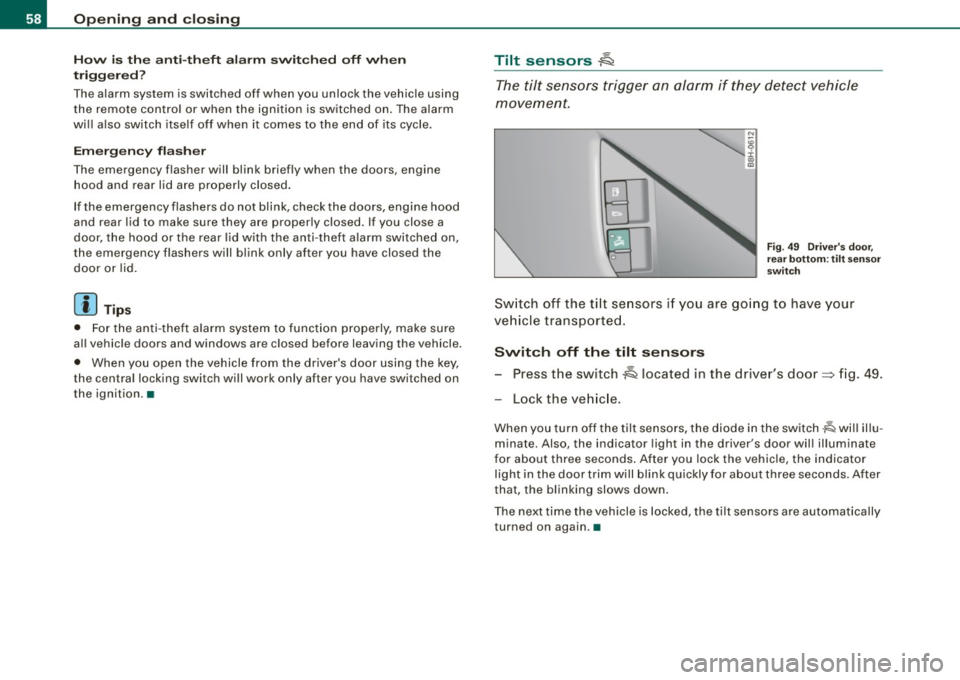
Tilt sensors ~
The tilt sensors trigger an alarm if they detect vehicle
movement.
N
ij
:c .,
"'
Fig . 49 D river's do or,
rear botto m: ti lt se nso r
sw itch
Sw itch off the tilt se nsors i f you are go ing to have your
ve hicle tr ansported .
Switch off the tilt s ensors
- Press the switch A located in the driver's door=> fig. 49 .
Lock the ve hicle.
When you turn off the tilt sensors, the diode in the switch -lQ wi ll illu
minate. Also , the indicator light in the driver's door wil l illuminate
for about three seconds . After you lock the vehicle, the indicator
light in the door trim will b link quickly for about three seconds . After
that, the blinking slows down.
The next time the vehicle is locked, the tilt sensors are automatically
turned on again .•
Page 61 of 340
Power windows
Controls
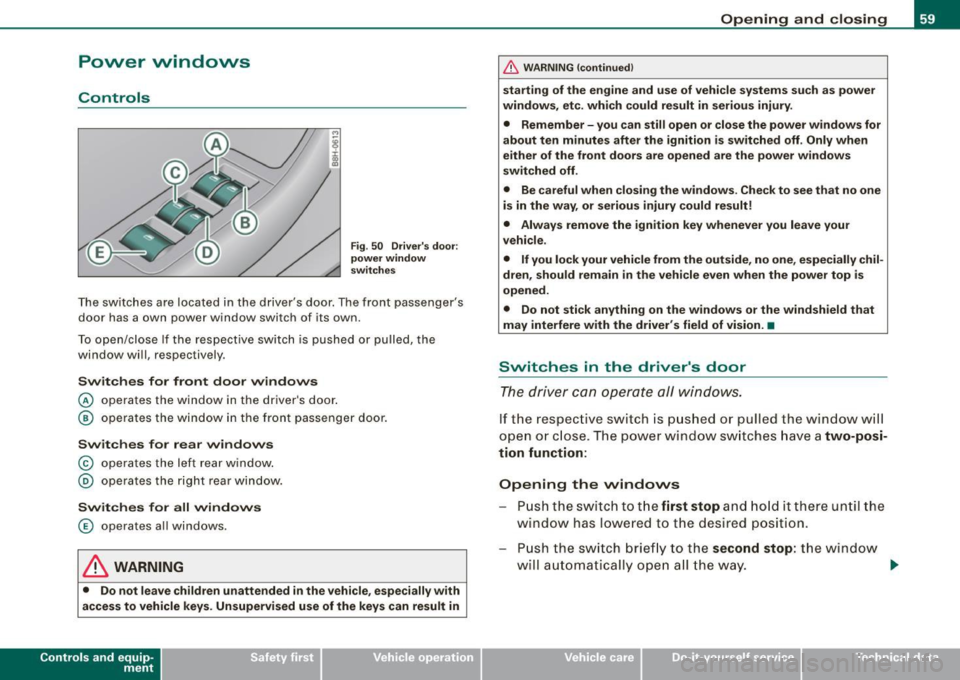
Fig. 50 Driver's door:
power window
switches
The switches are located in the driver's door. The front passenger's
door has a own power window switch of its own.
To open/close If the respective switch is pushed or pulled, the
window will, respectively .
Switches for front door windows
© operates the window in the driver's door.
@ operates the window in the front passenger door.
Switches for rear windows
© operates the left rear window.
@ operates the right rear window.
Switches for all windows
© operates all windows .
& WARNING
• Do not leave children unattended in the vehicle, especially with
access to vehicle keys. Unsupervised use of the keys can result in
Contro ls and eq uip
ment
Opening and closing
& WARNING (continued)
starting of the engine and use of vehicle systems such as power
windows, etc. which could result in serious injury.
• Remember -you can still open or close the power windows for
about ten minutes after the ignition is switched off. Only when
either of the front doors are opened are the power windows
switched off.
• Be careful when closing the windows . Check to see that no one
is in the way, or serious injury could result!
• Always remove the ignition key whenever you leave your
vehicle.
• If you lock your vehicle from the outside, no one, especially
chil
dren, should remain in the vehicle even when the power top is
opened.
• Do not stick anything on the windows or the windshield that
may interfere with the driver's field of vision. •
Switches in the driver's door
The driver can operate all windows.
If the respect ive switch is pushed or pulled the windo w will
open or close . The power w indow switches have a
two-posi
tion function:
Opening the windows
Push the switch to the first stop and hold it there until the
window has lowered to the desired position.
Push the switch briefly to the
second stop: the window
will automatically open all the way. ..
~ehicle care Technical data
Page 62 of 340
Opening and closing
Closing the windows
- Pull the switch up to the first stop and hold it there until
the window has risen to the desired position.
- Pull the switch quickly to the
second position : the
window will automatically close all the way=>
& in
"Contro ls".
Operating switch © =>page 59, fig. 50 you can open/close all
windows centrally=> & in "Controls".
[ i] Tips
The windows can still be opened and closed for about ten minutes
after the ignition has been turned off. The power windows are not
shut off until one of the front doors is opened. •
Switch in the front passenger 's door
...
~ i ., m
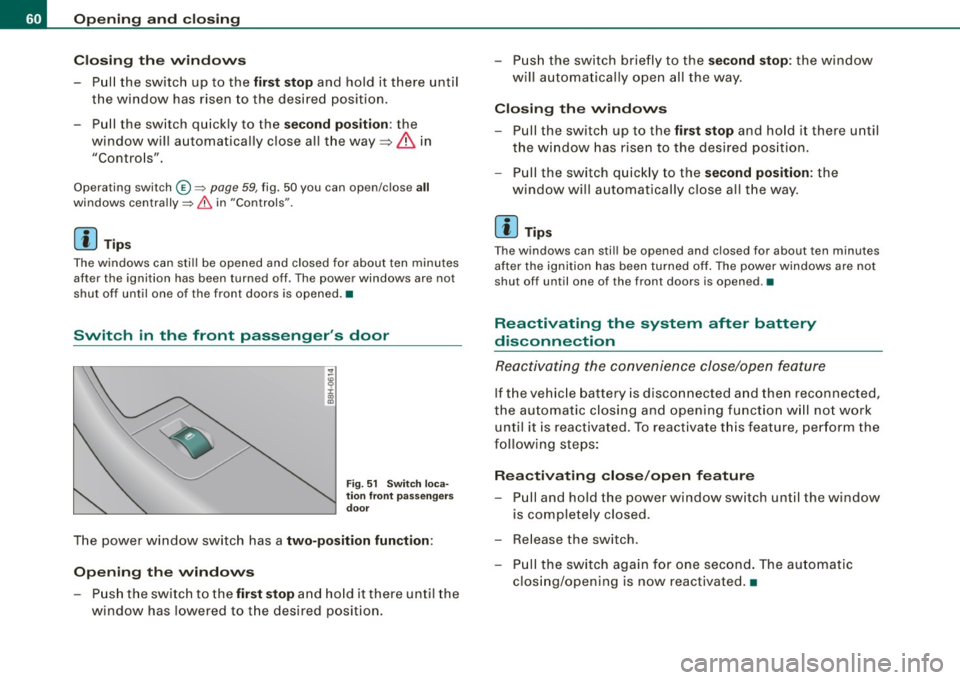
Fig. 51 Switch loca
tion front passengers
door
The power window switch has a two-position function :
Opening the windows
-Push the switch to the first stop and hold it there until the
window has lowered to the desired position. - Push the switch briefly
to the
second stop: the window
will automatically open all the way.
Closing the windows
Pull the switch up to the first stop and hold it there until
the window has risen to the desired position.
- Pull the switch quickly to the
second position: the
window will automatically close all the way.
[ i] Tips
The windows can still be opened and closed for about ten minutes
after the ignition has been turned off. The power windows are not
shut off until one of the front doors is opened .•
Reactivating the system after battery
disconnection
Reactivating the convenience close/open feature
If the vehicle battery is disconnected and then reconnected,
the automatic closing and opening function will not work
until it is reactivated. To reactivate this feature, perform the
following steps:
Reactivating close/open feature
-Pull and hold the power window switch until the window
is completely closed.
- Release the switch.
- Pull the switch again for one second. The automatic
closing/opening is now reactivated. •