ignition AUDI S4 CABRIOLET 2009 Service Manual
[x] Cancel search | Manufacturer: AUDI, Model Year: 2009, Model line: S4 CABRIOLET, Model: AUDI S4 CABRIOLET 2009Pages: 340, PDF Size: 77.32 MB
Page 85 of 340
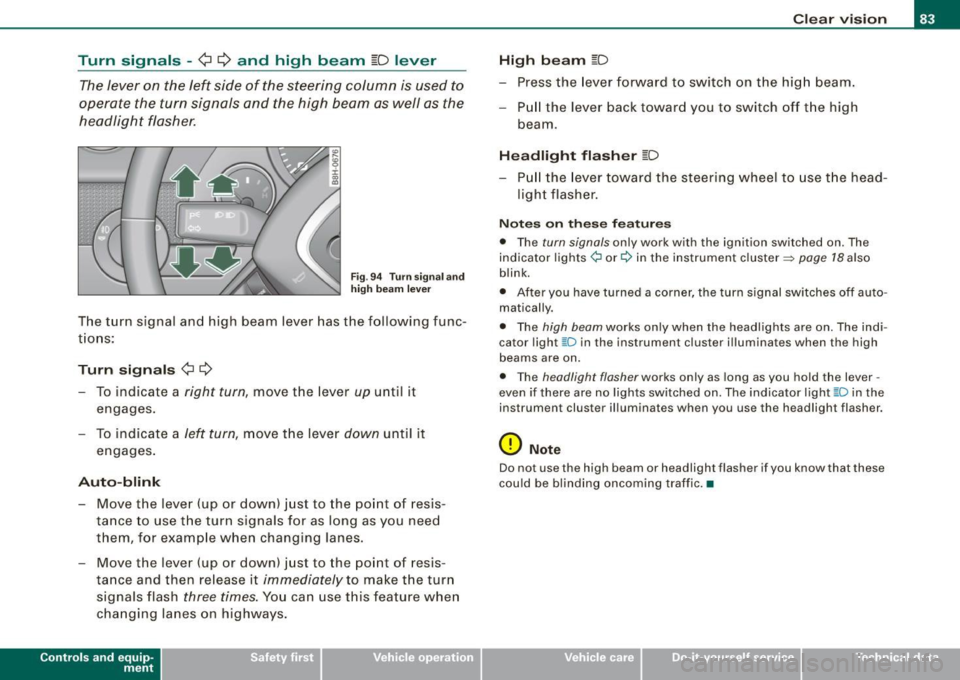
Turn signals -¢ Q and high beam ~D lever
The lever on the left side of the steering column is used to
operate the turn signals and the high beam as well as the
headlight flasher.
Fig . 94 Turn signal and
high beam lever
The turn signal and high beam lever has the following func
tions:
Turn signals ¢ ¢
- To indicate a right turn, move the lever up until it
engages.
- To indicate a
left turn, move the lever down until it
engages.
Auto-blink
- Move the lever (up or down) just to the point of resis
tance to use the turn signals for as long as you need
them, for example when changing lanes.
- Move the lever (up or down) just to the point of resis
tance and then release it
immediately to make the turn
signals flash
three times. You can use this feature when
changing lanes on highways.
Contro ls and eq uip
ment
Clear vision
High beam
[D
- Press the lever forward to switch on the high beam.
- Pull the lever back toward you to switch off the high
beam .
Headlight flasher [D
-Pull the lever toward the steering wheel to use the head
light flasher.
Notes on these features
• The turn signals only work with the ignition switched on. The
indicator lights¢ or¢ in the instrument cluster~ page 18 also
blink.
• After you have turned a corner, the turn signal switches off auto
matically.
• The high beam works only when the headlights are on. The indi
cator light ~Din the instrument cluster illuminates when the high
beams are on.
• The headlight flasher works only as long as you hold the lever -
even if there are no lights switched on. The indicator light ~D in the
instrument cluster illuminates when you use the headlight flasher.
0 Note
Do not use the high beam or headlight flasher if you know that these
could be blinding oncoming traffic.•
~ehicle care irechnical data
Page 86 of 340
Clear vision
Interior lights
Interior lights
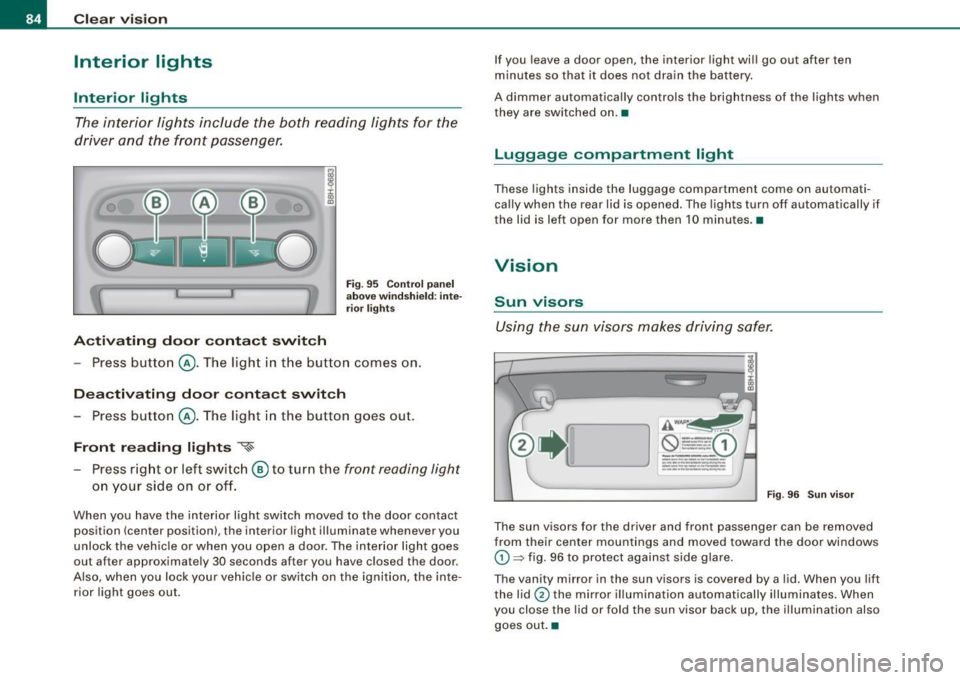
The interi or lights include the both readi ng lights for the
driver and the front passenger.
Activ ating door conta ct switch
Fi g. 95 Co ntrol p an el
a b ove w indsh ie ld : inte
ri or light s
-Press butto n@ . The ligh t in the button comes on.
Deactivating door contact switch
- Press button @. The light in the button goes out.
Front re ading light s '{~
Press right or left swi tch ® to turn the front reading light
on your side on o r off.
When you have the interior light switch moved to the door contact
position (center position), the interior light illuminate whenever you
unlock the vehic le or when you open a door. The interior light goes
out after approximate ly 30 seconds after you have c losed the door.
A lso, when you lock your veh ic le or switch on the ignition, the inte
rior light goes out. If you leave a door open, the interior
light wi ll go out after ten
m inutes so that it does not dra in the battery .
A dimmer automatically controls the brightness of the lights when
they are switched on. •
Luggage compartm ent light
These lights inside the luggage compartment come on automati
ca lly when the rear lid is opened. The lights turn off automatically if
the lid is left open for more then 10 minutes. •
Vision
Sun visors
Using the sun visors makes driving safer.
AWAI'~
--- -0 ----- 1 ---·
---
-·------... -..... -
_____ ... _
---.... -~ .. -----------
Fig . 9 6 Sun v is o r
The sun visors for the driver and front passenger can be removed
from their center mountings and moved toward the door windows
G) ~ fig. 96 to protect against side glare.
The vanity mirror in the sun visors is covered by a lid . When you lift
the lid
0 the mirror i llumi nation automatically illumina tes . When
you close the lid or fold the sun visor back up, the illumination also
goes out .•
Page 87 of 340
Wiper and washer system
r.-·.
Windshield wiper ~
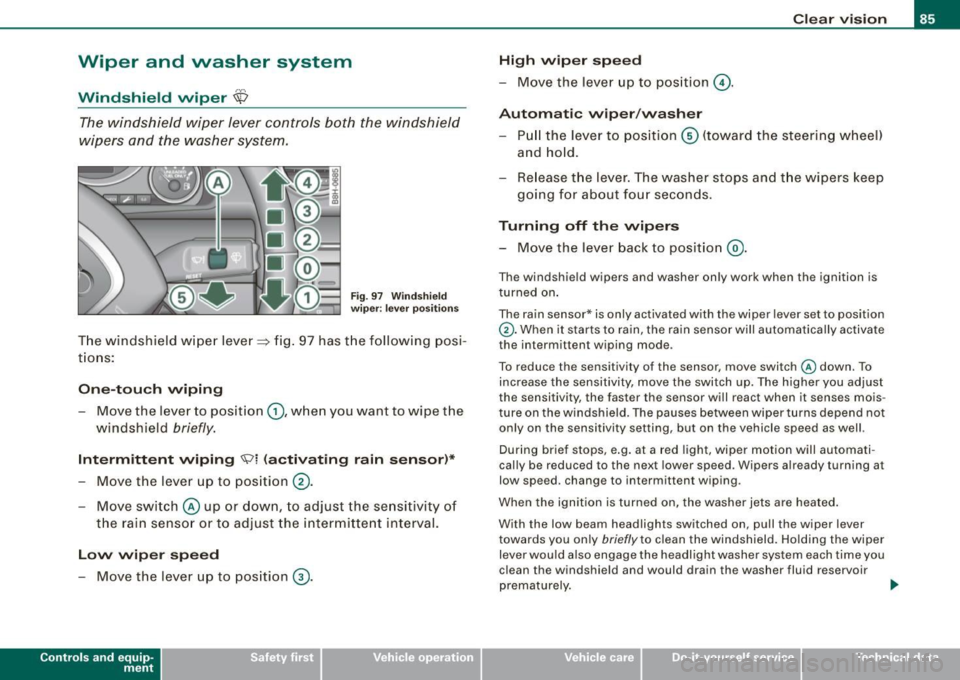
The windshield wiper lever controls both the windshield
w ipers and the washer system.
Fig. 9 7 W ind sh ie ld
wip er: leve r posi tion s
The windshield w iper lever=> fig. 97 has t he following posi
t io ns:
On e-tou ch wiping
- Move the lever to position G), whe n you want to wipe the
windshield
briefly .
Intermittent wiping ~l (activating rain sensor )*
- Move the lever up to position 0 -
- Move swit ch @ up or down, to adjust the se nsitivity of
the rain senso r or to adjust the intermitte nt interval.
Low wip er speed
- Move the lever up to pos ition ® ·
Contro ls and eq uip
ment
Cle ar v ision
High wiper sp eed
-Move the lever up to position @.
Automatic wiper /washer
- Pull the lever to pos iti on © (toward the steering w heel)
and ho ld.
Re lease t he lev er. The washer stops and t he wipers keep
going for about fou r seconds.
Turning off the wipers
- Move the lever back to position @ .
The windshie ld wipers and washer on ly work when the ignition is
turned on .
The rain sensor* is only activated with the wiper lever set to position
G). When it starts to rain, the rain sensor will automatically activate
the intermittent wiping mode .
To reduce the sensitivity of the sensor ,
move switch @down . To
increase the sensitivity, move the switch up. The highe r you adjust
the sensitivity, the faster the sensor wi ll react when it senses mois
ture on the windshield. The pauses between wiper turns depend not
only on the sensitivity setting, but on the vehicle speed as well.
During brief stops, e.g. at a red light, wiper motion will automati
cal ly be reduced to the next lower speed. Wipers already turning at
low speed. change to intermittent wiping.
When the ignition is turned on, the washer jets a re heated .
With the low beam headlights switched on, pull the wiper
lever
towards you only briefly to clean the windshield. Ho lding the wiper
lever would also engage the headlight washer system each time you
clean the windshield and would drain the washer fluid reservoir
prematurely. ..
~ehicle care irechnical data
Page 88 of 340
Clear vision
& WARNING
• Wiper blade s are cru cial fo r safe driving ! O nly when they are in
good cond it ion are they able to clear the window s properly to
p ro vi de un comp romi sed vis ibility . Worn or damaged wiper blade s
are a safety hazard
=> page 8 7, "In stalling new w ipe r blades "!
• The rain sen sor is onl y de signed to a ssis t and support the
driver. It remain s ent irely the driver' s re spon sibility to monitor
o ut side weather condit ion s a nd to manually acti vate the wipers a s
soon a s rain or drizzle reduces vi sibility through the wind shield .
• The wind shield mu st not be treat ed w ith water -repellent mate
rials. They can increase glare under poor visibility conditions such
a s w etne ss, darknes s, or when the sun i s lo w on t he horizon . In
addition , they can cause the windshield wipers to chatter .
0 Note
In freezing or near freezing conditions :
• Always check that the wiper blades are not frozen to the g lass
before you turn the wipers on. Loosen a wiper b lade which is frozen
in place before operating the wipers to prevent damage to the wiper
b lade or the wipe r motor.
• Do not use the wipers to clear a frosted window . Using the
wipe rs as a convenient ice scraper wil l destroy the wiper blades .
• Before you take your vehicle to an automatic car wash , make sure
you have the wi ndshield w iper system switched off (lever in position
0), otherwise the windshield wiper system could get damaged in the
car wash if it should suddenly come on .
[ i ] Tips
• The rain sensor is part of the interva l wiping system . Turning off
the ignition will also deactivate the rain sensor. To reactivate the sensor, switch off the interva l wiping function, then switch it back
on aga in. • I
f you switch off the ignition with the windshield wiper lever sti ll
in the interva l wipe position and then come back a while late r and
drive off, the rain sensor will reactivate itself after the vehicle speed
has exceeded 4 mph (6 km/h) .
• Worn or dirty windshield wiper b lades cause smearing which
can affect the operation of the rain sensor . Check the condition of
your windshield wiper b lades regularly .
• Make sure the washer fluid reservoir in the engine co mpartment
is topped off before going on a long trip. Look up=>
page 266 for
checking and f illing the washer container .•
Headlight washer system
The headlight washer system cleans the headlights.
Operate the w indshie ld wiper/washer system, leve r posi
tion
© =>page 85, fig. 97, w ith the head lig hts switched
on
by h old ing the lever for longer than o ne second .
The washer jets extend forward out of the front bumper driven by
water pressure to s pray the front headlights with water .
You should inspec t the head lights regu larly (for examp le when refu
e ling) and c lean off any so lid dirt or insects from the lenses .
To ensure the sys tem works proper ly in winter, keep the washer jets
free of snow and
remove any ice using a de -icing spray .•
Page 90 of 340
Clear vision
& W AR NIN G (c ontinued )
• For your saf ety , you sh ould replace the wip er blade s once or
t w ic e a ye ar. S ee your auth oriz ed Audi d ealer for repla cem ent
blades .
0 Note
To prevent damage to the wiper system:
• Always loosen blades which are frozen to the windshield before
operating wipers.
• Do not use gaso line, kerosene, paint thinner, or other solvents on
or near the wiper blades .
• Do not attempt to move the wipers by hand .
[ i ] Tip s
Commercial hot waxes applied by automatic car washes affect the
cleana bility o f the g lass su rface .•
Mirrors
Manual glare-dimming
Standard setting
Move the sma ll lever (located on the bottom edge of t he
m irror) to the front.
Anti -glare setting
- Move the sma ll leve r (located on the bo ttom edge of t he
m ir ro r) to the rea r. •
App lies to vehicles: wi th au tomatica lly dimm ing in side mirro r
Automatically dimming inside mirror
The automatic dimming function can be turned on and off
if required.
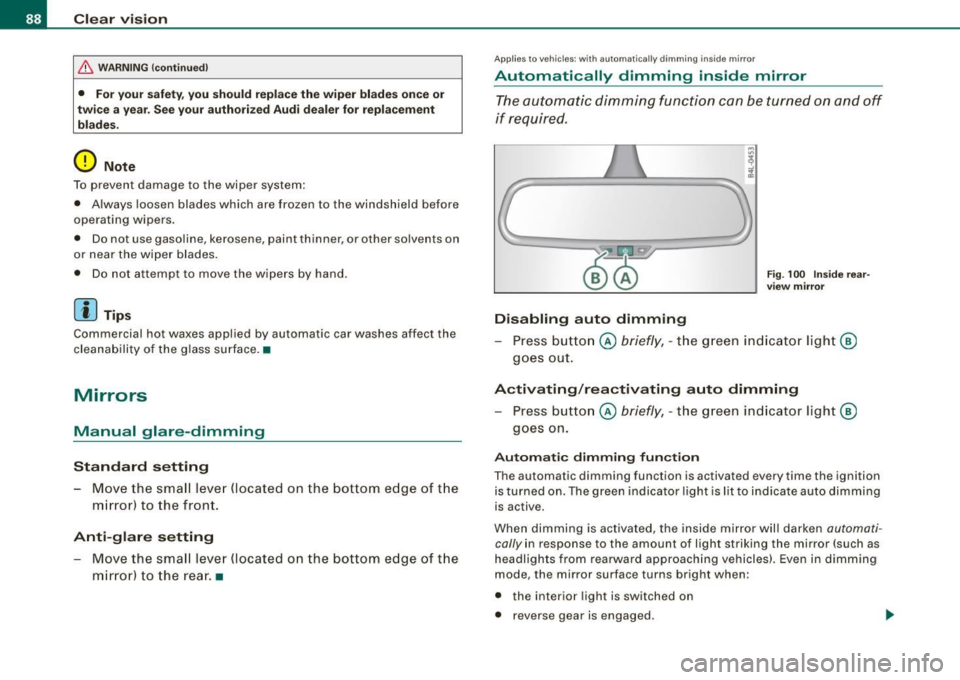
D isabling auto dimming
Fig . 100 In side rear
view mi rror
Pr ess button @ briefly, -th e green in dic ato r ligh t®
goes out .
Activating /re activating auto dimming
- Press button @ briefly, -the green indicator light®
goes on.
Au tomatic dimming fun ction
The automatic dimming function is activated every time the ignition
is turned on. The green indicator lig ht is lit to ind ica te auto dimming
is active.
When dimming is activated, the inside mirror will darken
automati
cally
in response to the amount of light striking the mirror (such as
headlights from rearward approaching vehicles). Even in d imm ing
mode , the mirror surface turns bright when :
• the interior light is switched on
• reverse gear is engaged .
Page 92 of 340
Clear vision
selector lever into R (Reverse). This feature provides a better view of
the curb when you are backing into a parking space.
The mirror returns to its initial position as soon as reverse gear is disengaged and vehicle speed is above about 9 mph (15 km/h). The
mirror also returns to its initial position if the switch is moved to the
driver's outside mirror © or@ .
Memory setting for the outside mirrors*
On vehicles with the memory function*, when you store a seat posi
tion in the memory, the position of the outside mirrors is also stored
in the memory =>
page 101.
0 Note
• Curved (i.e. convex) mirror surfaces increase your field of view.
Remember that vehicles or other objects will appear smaller and
farther away than when seen in a flat mirror . If you use this mirror to
estimate distances of following vehicles when changing lanes, you
could estimate incorrectly and cause an accident.
• If the mirror housing is moved unintentionally (for example,
while parking your vehicle), then you must first fold the mirror elec
trically. Do not readjust the mirror housing manually. You could
damage the motor which controls the mirror.
[ i] Tips
I f there should be a malfunction in the electrical system, you can
still adjust the outside mirrors by pressing the edge of the mirror. •
Applie s to vehic les : w ith au tomat ica lly dim ming ou ts id e m irrors
Automatic dimming for the outside mirrors *
The outside mirrors dim at the same time as the inside mirror. When
th e ignition is switched on, the mirrors automatically dim
depending on the amount of flight striking the mirrors (such as
headlights shining into the vehicle from the rear). When you switch on the interior light, or when you move the
selector lever into
R (Reverse), the dimming function stops and the
mirrors return to their original condition (not darkened).
[ i] Tips
The automatic dimming feature on the mirrors will not operate
properly if the light shining on the mirrors is blocked by other
objects .•
Digital compass
Ap plies to veh icles : with digita l compass
Activating or deactivating the compass
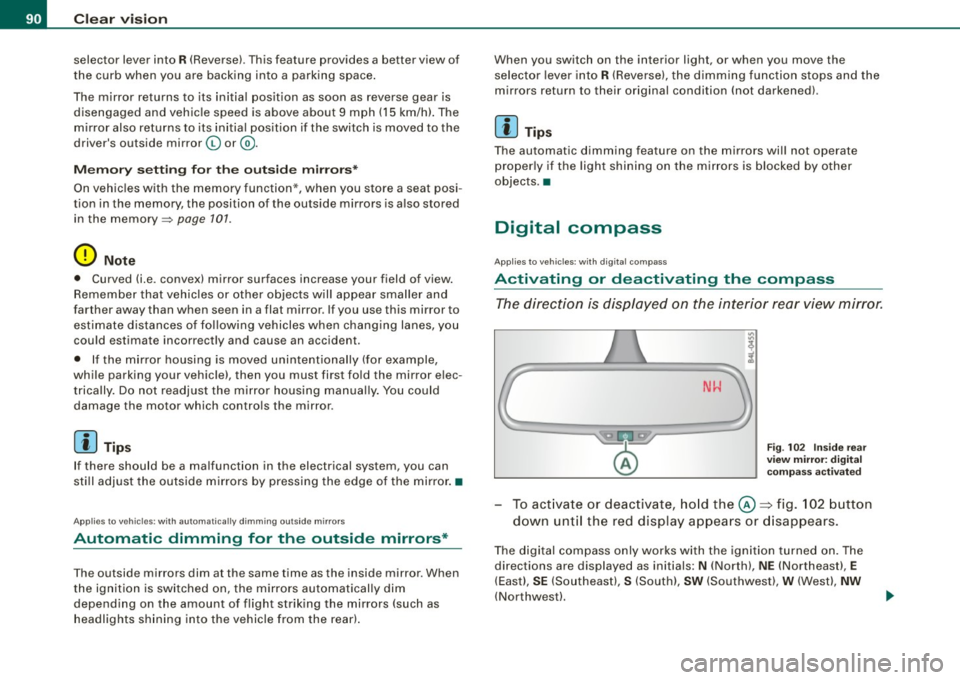
The direction is displayed on the interior rear view mirror.
Fig. 102 Inside rear
view mirror: digital
compass activated
To activate or deactivate, hold the©~ fig. 102 button
down until the red display appears or disappears.
The digital compass only works with the ignition turned on. The
directions are displayed as initials:
N (North), NE (Northeast), E
(East), SE (Southeast), S (South), SW (Southwest), W (West), NW
(Northwest).
Page 98 of 340
Seats and storage
- Release the l ever an d s lide th e se at fo rwar d.
Folding the seatback up again
Pu sh the front seat bac kward befo re y ou fol d the se at
b ac k up ag ain as o the rwise t he seat will
not slide bac k to
its origin al po sit io n .
& WARNING
Always make sure the front seatbacks are in the upright position
and securely locked in place when driving. •
Power seats
Applies to vehic les : wi th p ow er sea ts
Adjustment switches
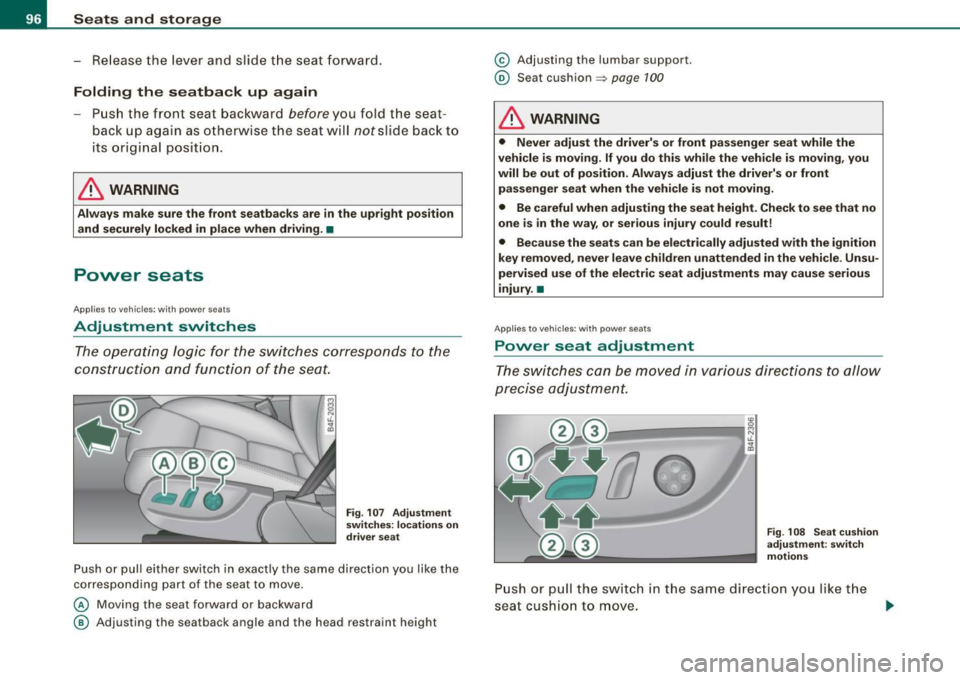
Th e operati ng logic f or t he swit ches c orresp on ds to the
co nstru ction and functio n of th e seat.
Fig . 10 7 Adjustment
switches: locations on
driver seat
P ush o r pull ei ther swi tc h in ex actly the sa me di re ct io n yo u like th e
corresponding part of the seat to move.
© Moving the seat forward or bac kward
@ A djusting the seatback ang le and the head restraint height
© A djusting the lumbar s upport.
© Seat cushion => page 1 00
& WARNING
• Never adjust the driver's or front passenger seat while the
vehicle is moving. If you do this while the vehicle is moving , you
will be out of position . Always adjust the driver's or front
passenger seat when the vehicle is not moving.
• Be careful when adjusting the seat height . Check to see that no
one is in the way, or serious injury could result!
• Because the seats can be electrically adjusted with the ignition
key removed , never leave children unattended in the vehicle . Unsu
pervised use of the electric seat adjustments may cause serious
injury. •
Applies to veh ic les : w ith p ower sea ts
Power s eat adjustment
The sw itches can be move d in v ari ous dir ec tio ns to allow
p recise adj ustmen t.
Fig . 10 8 Seat cushion
adjustment : sw itch
motions
P u sh or p ull the s witch in t he sa me dir ec tio n you like t he
se at c ushio n to m ov e . ._
Page 99 of 340
Moving the seat forward and backward (D
-Press t he swi tch fo rward or back ward h orizon ta lly => & -
Adjusting the seat height @ and 0 together
Pull the sw it c h eve nly at b oth ends to r aise th e sea t=> & .
-Pus h th e le ver e venl y at both ends to lo we r the seat =>& .
Angling the seat cushion up and down @ or 0
To an gle th e se at cush ion up, pull th e swit ch at t he front
on ly=>
&-
- Alter nativel y, push the sw it c h at the re ar onl y=> & .
- To ang le the seat cush io n down, pu sh the switch at th e
fron t o nly =>
&-
- Alt e rn ativ ely, p ull the switch at the r ea r only =>& .
& WARNING
• Never adjust the driver's or front passenger seat while the
vehicle is moving . If you do this while the vehicle is moving , you
will be out of position . Always adjust the driver's or front
passenger seat when the vehicle is not moving.
• Be careful when adjusting the seat height . Check to see that no
one is in the way, or serious injury could result!
• Because the seats can be electrically adjusted with the ignition
key removed , never leave children unattended in the vehicle. Unsu
pervised use of the electric seat adjustments may cause serious
injury. •
Contro ls and eq uip
ment
Ap plies to veh ic les : w ith powe r seats
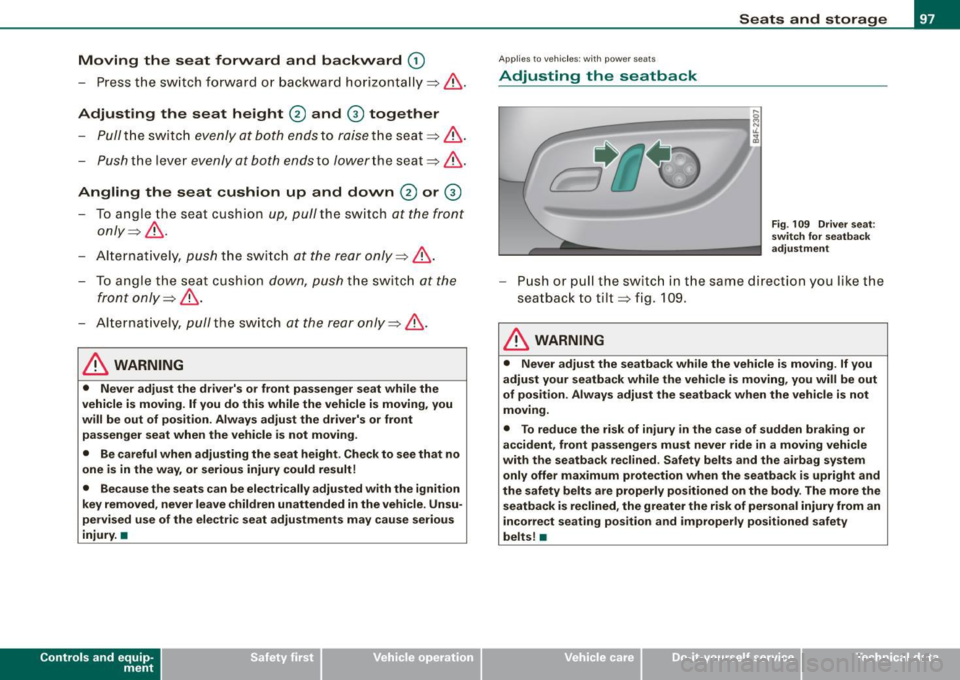
Adjusting the seatback
Seats and storage
Fig . 109 Driver seat :
sw itch for seatback
adjustment
Push or pull th e swit ch in th e sa me dir ectio n y ou lik e the
s eat back t o tilt => fig. 1 09.
& WARNING
• Never adjust the seatback while the vehicle is moving . If you
adjust your seatback while the vehicle is moving, you will be out
of position . Always adjust the seatback when the vehicle is not
moving.
• To reduce the risk of injury in the case of sudden braking or
accident, front passengers must never ride in a moving vehicle
with the seatback reclined . Safety belts and the airbag system
only offer maximum protection when the seatback is upright and
the safety belts are properly positioned on the body . The more the
seatback is reclined , the greater the risk of personal injury from an
incorrect seating position and improperly positioned safety
belts !•
~ehicle care irechnical data
Page 109 of 340
________________________________________________ S_e_ a_ ts_ a_ n_d _ s_t _o _r_ a ....; g::. e _ ___,_
The outlet may be used for 12-volt appliances with maximum
consumption of up to 100 watts, such as a flash light, small vacuum
cleaner, etc.
Before you purchase any accessories, a lways read and follow the
information in~
page 318, "Additional accessories and parts
replacement".
& WARNING
The outlet plus any appliances plugged into it remain functional
even if the ignition is switched off or the ignition key is removed.
Never leave children inside the vehicle without supervision.
0 Note
To avoid damaging the socket, only use plugs that fit properly.
[ i] Tips
When the engine is off and accessories are still plugged in and are
on, the vehic le battery can still be drained. •
Storage
General
& WARNING
• Always remove objects from the instrument panel. Any items
not put away could slide around inside the vehicle while driving or
when accelerating or when applying the brakes or when driving
around a corner.
• When you are driving make sure that anything you may have
placed in the center console or other storage locations cannot fall
Contro ls and eq uip
ment
& WARNING (continued)
out into the footwells . In case of sudden braking you would not be
able to brake, depress the clutch or accelerate .
• Any pieces of clothing that you have hung up must not interfere
with the driver's view. The coat hooks are designed only for light
weight clothing . Never hang any clothing with hard , pointed or
heavy objects in the pockets on the coat hooks . During sudden
braking or in an accident -especially if the airbag is deployed -
these objects could injure any passengers inside the vehicle. •
Glove compartment
The glove compartment is illuminated and can be locked.
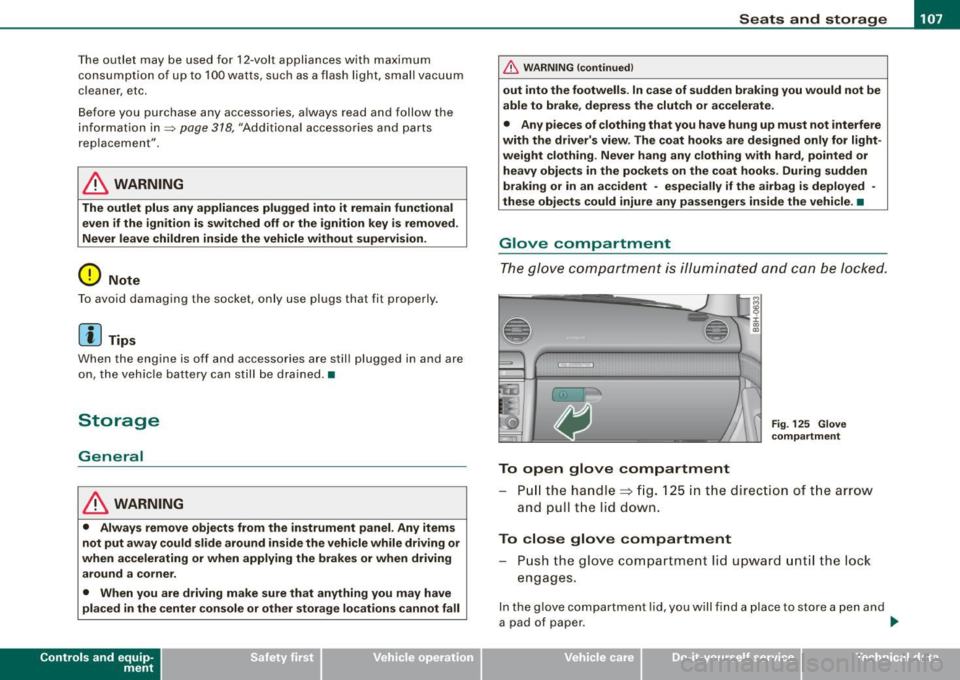
To open glove compartment
Fig. 125 Glove
compartment
P ull the handle~ fig. 125 in the direction of the arrow
and pull the lid down.
To close glove compartment
Push the glove compartment lid upward until the lock
engages.
In the glove compartment lid, you w ill find a place to store a pen and
a pad of paper . ..,_
~ehicle care irechnical data
Page 116 of 340
• .___w __ a _r _m _ a _n_d_ c_ o _ ld __________________________________________________ _
Moreover, the air conditioning switches on again whenever you
press the fan speed or temperature buttons.•
Automatic air recirculation [~I
If outside air is polluted, an air quality sensor in the
vehicle will automatically s witch on the air recirculation .
Switching on air recirculation
-Press [~ J:::::, page 777,fig.130.
Switching off air recir culation
Press~ again, or
- press [AUTO J, or
- press[ ~).
The automat ic air recirculat ion mode should nor mally be left
switched on at a ll times.
The system is ready to operate approximately 30 seconds afte r yo u
turn on the ignition or start the vehicle. Fresh air enters the vehicle only during this initialization period .
I f the
air quality sensor in the air conditioning sys tem detects
exhaust fumes in the outside air, the control unit wil l either pass the
incoming a ir through the pol lution filter, or automatically switch on
the air recirculation .
The air conditioning syste m wi ll aut omatically swi tch o n the ai r
recirculation if it senses that the outside air is very po lluted. At the
same time, it wil l not al low any outside air to ente r the vehic le until
the a ir quality has improved .
T he air recircula tion operates for a maximum of
12 minutes. If the
w indows s tart to fog up whi le the air rec ircula tion is on, press[@!.
Under certain operating conditions (for example, if 1@1 or
[ci;;,, I are
pressed) the air recircu lation automatically switches off . If "ECON" is pressed, or if the temperature is below
-8 °C, the air recirculation
will operate on ly for
12 sec onds. •
Adjusting the fan speed 8 0
The automaticall y selected fan speed can be increased or
de crease d.
D
D
=
D
:c
"' "'
D
D
F ig . 131 Fa n speed
butt ons a nd di splay
ind ication
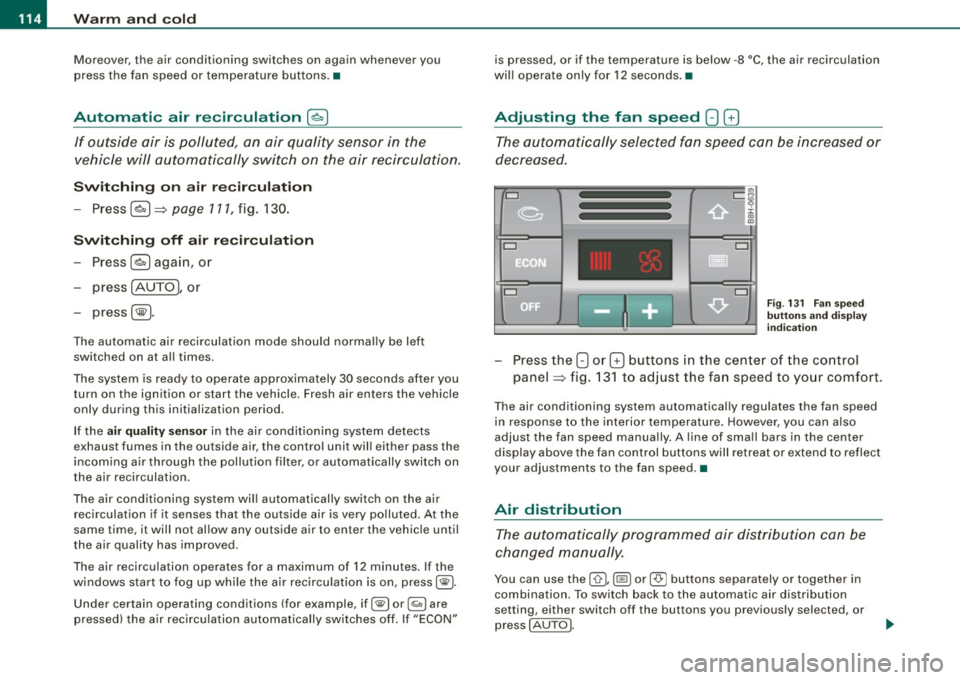
Press the 8 or G buttons in the center of the co ntrol
panel :::::, fig. 13 1 to adjust the fan speed to your comfort.
The air conditioning system automatical ly regulates the fan speed
in respo nse to the i nterior temperature . However, you can a ls o
adjust the fan speed manually . A line of sma ll bars in the center
display above the fan control but tons will retreat or ex tend to reflect
your adjustments to the fan speed .•
Air distribution
The aut omatically pr ogr am med air dis tribution ca n be
c ha nged m anu ally.
You can use the [ 0 I, (@ ] or [-0- J buttons separately or together in
combina tion . To swi tch back to the au tomatic air distribution
setting, either switch off the buttons you previously selected, or
press
[ AUTO J.