light AUDI S6 2008 Manual PDF
[x] Cancel search | Manufacturer: AUDI, Model Year: 2008, Model line: S6, Model: AUDI S6 2008Pages: 390, PDF Size: 88.42 MB
Page 140 of 390
• ..__A_ d_a...: p:,..._ ti_v _ e_ C_ ru_ is_ e_ C_ o_n_ t_ r_ o _ l ___________________________________________ _
- Drive at the speed you want. The speed must be between
20 and 95 mph (30 and 150 km/h).
Press the !S ETI button ~
page 137, fig. 132 to store the
desired speed.
Af te r the (S ET) button is released, the current speed is stored and
maintained .
The saved speed is now shown in the LED display in the speedom
eter by one or two illuminat ed red light diod es =>
page 143. At the
same time, the saved speed is also shown for a short time in the
Information line=>
page 745.
[ i ) Tips
For safety reasons , the stored speed is dele ted when the ignition is
turned off. •
Applie s to vehi cle s: wi th Ad aptive Cruise Co ntrol
Changing stored speed
The speed can be changed without touching the acceler
ator or brake pedal.
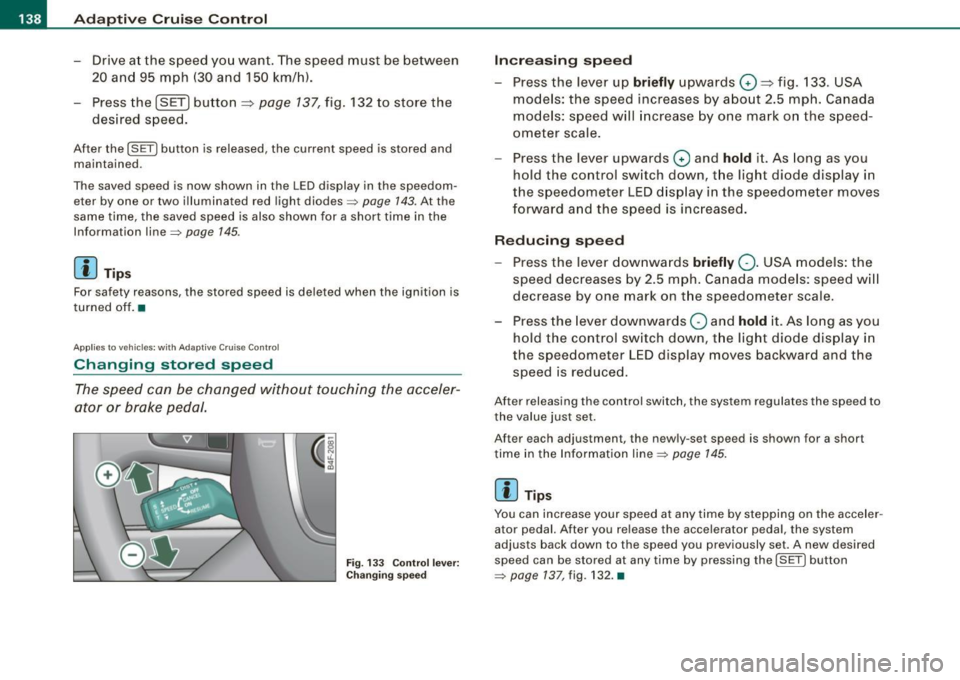
Fig. 133 Control lever:
Changing speed
Increasing speed
- Press the lever up briefly upwards 0 ~ fig. 133. USA
models: the speed increases by about 2.5 mph. Canada
models: speed will increase by one mark on the speed
ometer scale.
- Press the lever upwards
0 and hold it. As long as you
hold the control switch down, the light diode display in
the speedometer LED display in the speedometer moves
forward and the speed is increased.
Reducing speed
- Press the lever downwards briefly Q. USA models: the
speed decreases by 2.5 mph. Canada models: speed will
decrease by one mark on the speedometer scale.
- Press the lever downwards
O and hold it. As long as you
hold the control switch down, the light diode display in
the speedometer LED display moves backward and the
speed is reduced .
After releasing the control switch, the system regulates the speed to
the value just set.
After each adjus tmen t, the n ewly-set speed is shown for a short
time in the Information line=>
page 145.
[ i ) Tips
You can increase your speed at any time by stepping on the acceler
ator pedal. After you release the accelerator pedal , the system
adjusts back down to the speed you previously set. A new desired
speed can be stored at any time by pressing the
( S ETI button
=> page 137, fig. 132. •
Page 144 of 390
• ..__A_ d_a...: p:,..._ ti_v _ e_ C_ ru_ is_ e_ C_ o_n_ t_ r_ o _ l ___________________________________________ _
& WARNING (continued)
• Setting short distances to the traffic ahead reduces the time
and distance available to bring your vehicle to a safe stop and
makes it even more necessary to pay close attention to traffic.
• Always use good judgment and select a safe following distance
for the traffic, road and weather conditions.
[ i ] Tips
The distance setting is reset to the factory default DISTANCE 3 the
next time the ignition is turned on.•
Driver information
Applies to veh icles : with Ada ptive C ru is e Cont ro l
Displays in the instrument cluster
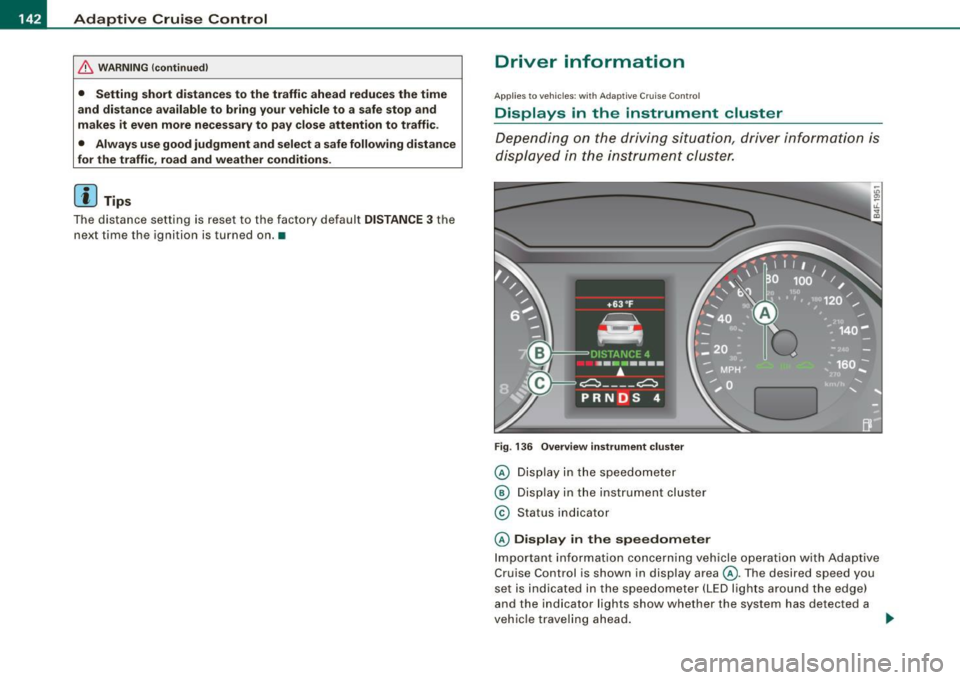
Depending on the driving situation, driver information is
displayed in the instrument cluster.
Fig. 136 Overview instrument cluster
© Display in the speedometer
® Display in the instrument cluster
© Status indicator
© Display in the speedometer
Important information concerning vehicle operation with Adaptive
Cruise Control is shown in display area@. The desired speed you
set is indicated in the speedometer (LED lights around the edge)
and the indicator lights show whether the system has detected a
vehicle traveling ahead. -.,
Page 145 of 390
_____________________________________________ A_ d_a ...: p_ t_ i_ v _e_ C_ ru_ is_ e_ C_ o_n _ t_ r_o _ l _ __.11111
@ Di spl ay in t he instrum ent clust er
In display area@ information from the navigation system and the
trip computer is disp layed in addition to information about Adap tive
Cruise Cont rol.
You can select among the different information by repeated brie f
taps on the
[RESET) button on the w indsh ie ld wiper lever
=> page 41, "Operation" .
© Statu s indi cator
The information in area@ is not displayed permanently . Informa
tion is displayed only if you set or change the speed setting, change
t he time interval, when messages are disp layed or if the Adaptive
Cruise Control is turned off for safety reasons. •
Applies to veh ic les: with Ad apt ive Cru ise Co nt rol
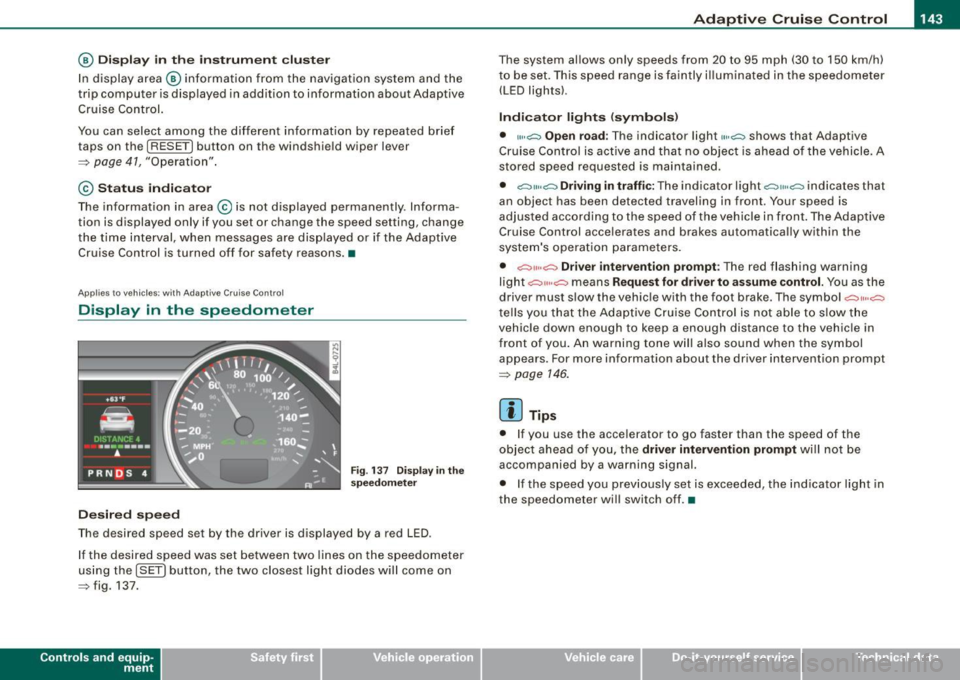
Display in the speedometer
Desired speed
Fig . 1 37 Display in th e
s pe ed om eter
The desired speed set by the driver is displayed by a red LED .
I f the desired speed was set between two lines on the speedometer
us ing the
[ SET ) button, the two closest light diodes will come on
=> fig. 137.
Con tro ls and eq uip
ment
The system al lows only speeds from 20 to 95 mph (30 to 150 km/h)
t o be set. This speed range is faintly i lluminated in the speedome ter
(LED ligh ts) .
Ind icator light s (sy mbols )
• "'' ~ Open ro ad :
The indicator light""~ shows that Adaptive
Cruise Control is active and that no object is ahead o f the vehicle.
A
stored speed requested is maintained .
• ~'" '~ Driving in traffic: The indicator light~""~ indicates that
an object has been detected trav eling in front. Your speed is
adjusted according to the speed of the vehicle in fr ont . The Adap tive
Cruise Control acce lerates and brakes automatica lly within the
system's operation pa rameters.
• ~" "~ Driver inter vention p rompt : The red flashing warning
light
c::::, ,,, ,~ means Request for driver to a ssume control. Yo u as the
drive r must slow the vehic le with the foot brake . The symbol ~,, ..
~
tel ls you that the Adaptive Cruise Control is not able t o slow t he
vehicle down enough to keep a enough distance to the vehic le in
front of you . An warning tone will also sound when the symbol
appears. For more information about the driver intervention prompt
=> page 146.
[ i ] Tips
• I f you use the accelerator to go faster than the speed of the
object ahead of you, the
driver intervention prompt wi ll no t be
accompanied by a warning signal.
• I f the speed you prev iously set is exceeded, the ind icator light in
the speedometer will switch off. •
Vehicle care I I Technical data
Page 147 of 390
_____________________________________________ A_ d_a ...: p_ t_ i_ v _e_ C_ ru_ is_ e_ C_ o_n _ t_ r_o _ l _ __.11111
Ap plies to vehicles: with Adaptive Cru ise Co nt rol
System status indicator
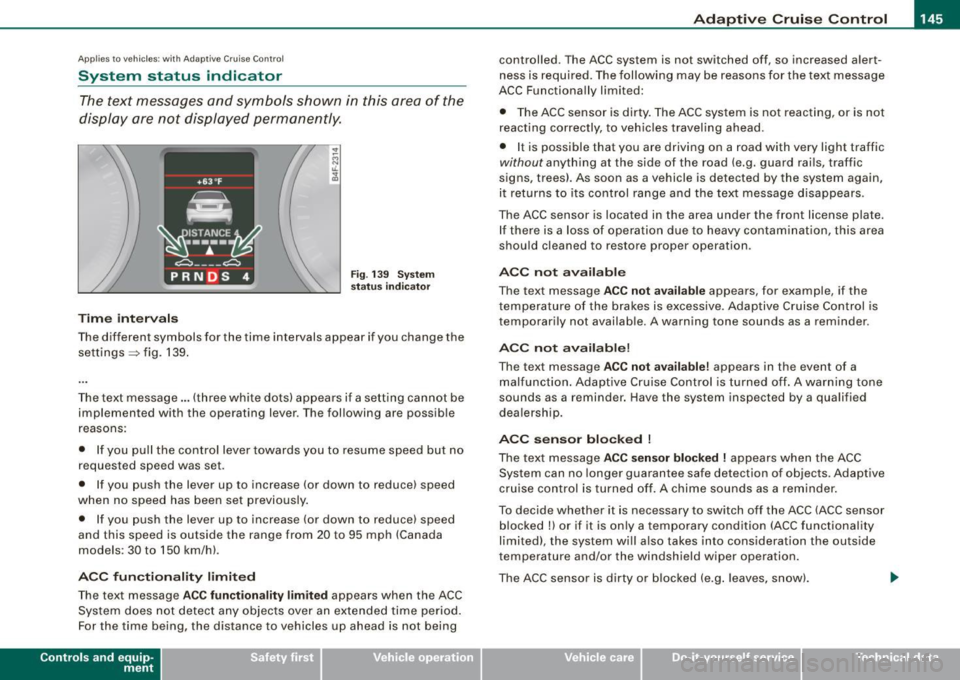
The text messages and symbols shown in this area of the
display are not displayed perm anently.
T ime intervals
Fig . 139 Sy stem
sta tus indi cator
The different symbols for the time intervals appear if you change the
settings ~ fig. 139 .
The text message ... (three white dots) appears if a setting cannot be implemented with the operating lever . The following are possible
reasons:
• If you pul l the control lever towards you to resume speed but no
requested speed was set .
• I f you push the lever up to increase (or down to reduce) speed
when no speed has been set previously.
• If you push the lever up to increase (or down to reduce) speed
and this speed is outside the range from 20 to 95 mph (Canada
models : 30 to 150 km/h) .
ACC fun cti ona lity limited
The text message AC C functionalit y limited appears when the ACC
System does not detect any objects over an extended time period.
For the time being, the distance to vehicles up ahead is not being
Con tro ls and eq uip
ment
controlled. The ACC system is not switched off, so increased alert
ness is required. The following may be reasons for the text message
ACC Functiona lly limited:
• The ACC sensor is dirty. The ACC system is not reacting, or is not
reacting correctly, to veh ic les travel ing ahead.
• I t is possible that you are driving on a road with very light traffic
without anything at the side of the road (e.g. guard rai ls, traffic
signs, trees). As soon as a vehicle is detected by the system again,
it returns to its control range and the text message disappears .
The ACC sensor is located in the area under the front license plate.
If there is a loss of operation due to heavy contamination, this area
should cleaned to restore proper operation .
ACC not available
The text message ACC n ot ava ila ble appears, for example, if the
t emperature of the brakes is excessive. Adap tive Cruise Control is
temporarily not available . A warning tone sounds as a reminder .
ACC not available!
The text message ACC not ava ilable ! appears in the event of a
malfunction . Adaptive Cruise Contro l is tur ned o ff. A warning to ne
sounds as a reminder. Have the system inspected by a qua lified
dea lership .
ACC se nsor bl ocked !
The text message AC C sensor blocked ! appears when the ACC
System can no longer guarantee safe detection of objects . Adaptive
cruise control is turned off. A chime sounds as a rem inder .
To decide whether it is necessary to switch off the ACC (ACC sensor
blocked
!) or if it is only a temporary condition (ACC functionality
limited), the system wi ll also takes into consideration the outside
temperature and/or the windshield wiper operation.
The ACC sensor is dirty o r blocked (e .g . leaves, sn ow).
Vehicle care I I irechnical data
Page 148 of 390
• ..__A_ d_a...: p:,..._ ti_v _ e_ C_ ru_ is_ e_ C_ o_n_ t_ r_ o _ l ___________________________________________ _
The ACC sensor is located in the area under the front license plate .
If there is a loss of opera tion d ue to heavy contam ination, this area
should cleaned to restore proper operation.
E PB activatio n
The text message EPB activation appears if emergency braking was
manual ly initia ted with the Electromechanica l Parking Brake (EPB).
The Adaptive Cruise Contro l is turned off. This is accompanied by a
wa rning tone .
ESP activa tio n
The tex t message ESP activat ion appears i f the Elec tronic Stabil iza
tion Program (ESP) has intervened. In this case the Adaptive Cruise
Contr ol is a utomat ical ly turned off . This is accompanied by a
warning tone.
Speed
The set speed in mph (Canada km/h) a lways appears when saving or
cha nging the speed in Adaptive c ruise control =>
page 137, "How is
the speed stored?" and=>
page 138, "Changing stored speed".
Speed range
The text message Speed r ange appears if the current speed is too
low
to set or to hold the requested speed .
When setting a desired speed, it must be at least 20 mph (30 km/h).
At speeds below 12 mph (20 km/h), the cruise control is turned off .
In speeds
over 95 mph (150 km/h), the system remains active and
resumes the speed of 95 mph (150 km/h) if the driver removes the
foot from the accelerator .
Selector lever position!
The text message Selector lever po sition! appears when the
selector lever is moved to position N. In this position, Adaptive
Cruise Control is not ava ilable .•
App lies to vehic les: w ith Ad apt ive Cruise Contro l
Driver intervention prompt
The driver intervention promp t calls on the driver to take
over the situation.
F ig . 140 I nstru ment
c lu ster: Dri ver int er
v ention prompt
In cer tain situati ons, the braking power of t he Adaptive cruise
control is not sufficient to maintain an adequate distance from the
object ahead. In this situation, the Adap tive cruise contro l ca lls on
you as the driver to take action.
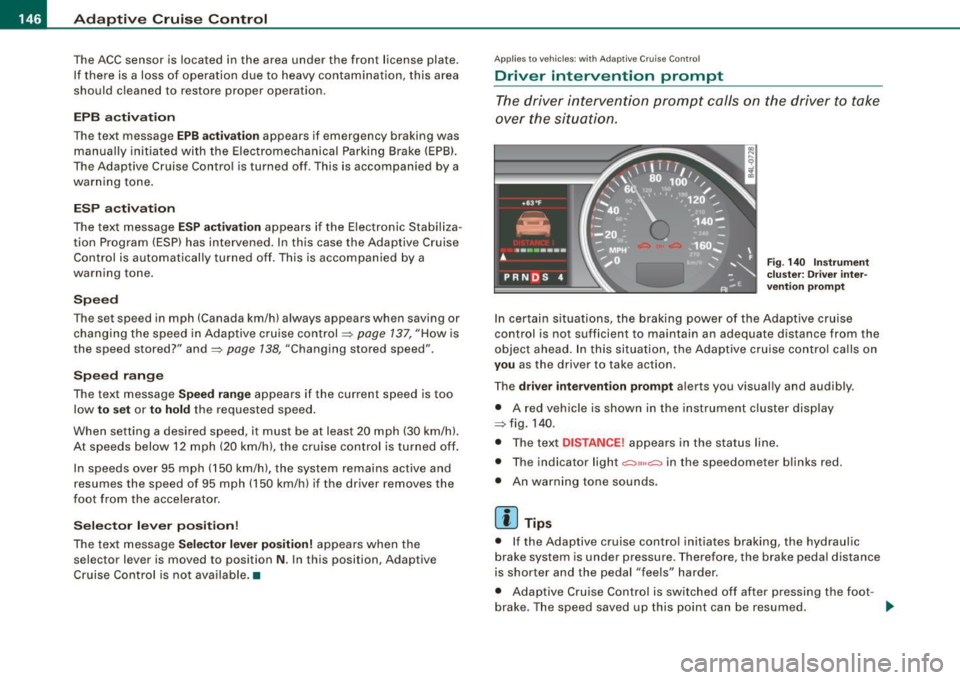
The
driver intervent ion prompt a lerts you visual ly and audibly.
• A red vehicle is shown in the instrument c luster disp lay
=> fig. 1 40 .
• The tex t
DISTANCE! appears in the sta tus line.
• The indicator light
,;:::::,11 .. ,;:::::, in the speedometer b links red.
• An warning tone sounds .
[ i ] Tips
• I f the Adaptive cruise control initiates braking, the hydraul ic
brake system is under pressure. Therefore, the brake peda l distance
is shorter and the pedal "feels" harder.
• Adaptive Cruise C ontro l is switched off af ter pressing the foot -
brake. The speed
saved up this point can be resumed. _,,,
Page 149 of 390
_____________________________________________ A_ d_a ...: pc.. t _i_ v _e_ C_ ru_ is_ e_ C_ o_n_ t_ r_ o _ l __ ,n
• To resume the saved speed, release the brake pedal and press
t he control lever~
page 139, "Turning Adaptive Cruise Contro l off
temporarily".
• If you use the accelerator to go faster than the speed of the
object ahead of you, the
drive r int erv enti on prompt will not be
accompanied by a warning signal.
• If the speed you previously set is exceeded, the indicator light in
t he speedometer wi ll switch off .•
Appl ies to veh icles : w ith Ada ptive C ru ise Cont rol
MMI settings
Individual settings for Adaptive Cruise C ontr ol can be
selected in the MM/ .
Fig. 1 41 MMI D isplay:
Ad apti ve C ru is e
Co ntrol
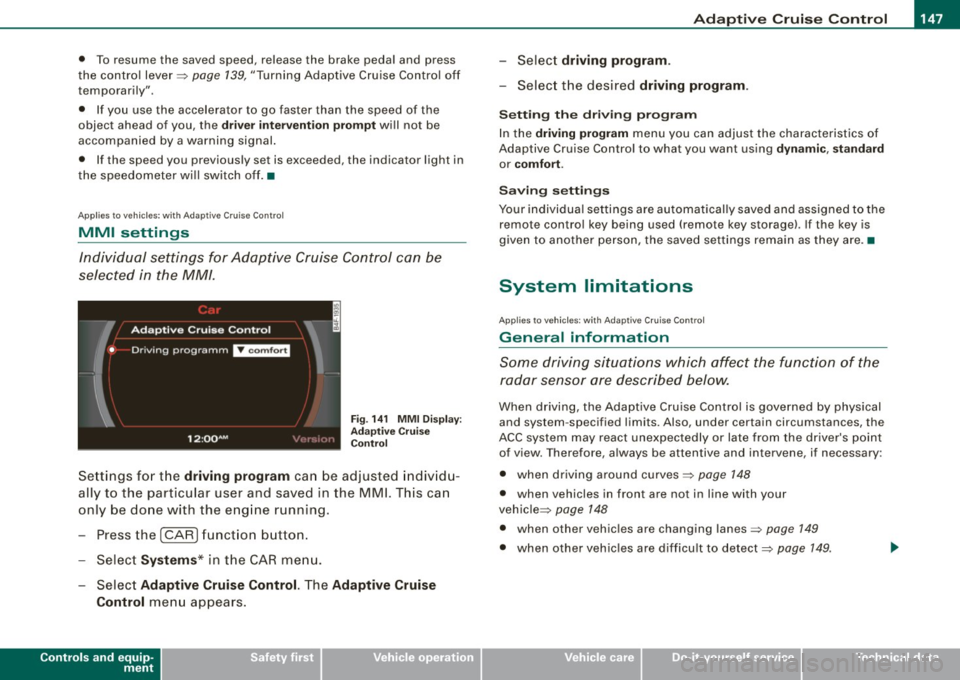
Sett ings for t he driving program can be adjusted indiv id u
ally to the particular user and saved in the MMI. This can
only be done with the eng ine running.
- Press the
I CARI funct ion b utton .
- Selec t
System s* in the CAR menu.
Select
Ad aptive Cruise Control. The Adaptive Cruise
Control
menu appears .
Controls and equip
ment
Select driving progr am.
- Selec t the desi red driving program .
Setting th e dri ving p rogr am
In the dri ving program menu you can adjus t the characteristics of
Adaptive Cruise Contro l to what you want using
dyn ami c, s ta ndard
or co mfort .
Saving setting s
Your individual settings are automat ical ly saved and assigned to the
remote contro l key being used (remote key storage). If the key is
given to another person, the saved settings remain as they a re. •
System limitations
Ap plie s t o v ehi cles: with Ad apt ive Crui se Co nt rol
General information
Some driving situations which affect the function of the
radar sensor ore described below.
When driving, the Adaptive Cru ise Control is governed by physical
and system -specified limits. Also, under certain circumstances, the
ACC system may react unexpec tedly or late from the dr iver's point
of view. Therefore, always be attentive and intervene, if necessary :
• when driv ing around curves~
page 148
• when vehicles in front are not in line with your
vehic le ~
page 148
• when other vehicles are changing lanes~ page 149
• when other vehic les are difficu lt to detect~ page 149.
I • •
Page 152 of 390
-L_!_A~u~d:!!i~la~n~e :...a ~ s~s ~i s ~t _______________________________________________ _
Audi lane assist
Lane assist
Applies to vehic les : w ith lane assist
Description
Lane assist helps you keep your vehicle in your lane.
Lane assist uses a camera to detect lane boundary lines. If the
system detects that your vehicle is about to leave a lane boundary
line, the steering wheel
vibrates to alert the driver . If lane assist
de tects boundary lines on both sides of the vehicle's lane, the
system enters active standby mode, which is indicated by the green
indicator light /: on the instrument cluster.
If the system is in active standby mode and the turn signal is acti
vated before driving over the boundary line, the warning does not
occur since the system allows for intentional lane changes.
The system is designed for driving on freeways and expanded high
ways and thus works only at speeds of 40 mph (65 km/h) or more.
& WARNING
• Lane assist will not keep your vehicle in your lane. The system
only warns the driver when the vehicle is leaving the lane . The
driver is always responsible for keeping the vehicle in the lane .
• The camera is not able to detect all lane boundary lines and in
some cases might also detect lane structures or objects as
boundary lines . This can lead to incorrect warnings or warnings
that fail to go off at all.
• The camera's visibility can be impaired by vehicles ahead of
you , for instance, or by rain, snow, heavy spray or light shining into
the camera lens. This can cause lane assist to fail to detect
boundary lines. •
Applies to veh icle s: with lane assi st
Activating and deactivating
Fig . 147 Turn signal
le ve r: Lane assist
button
Fig . 148 Windshield:
Lane assist camera
viewing window
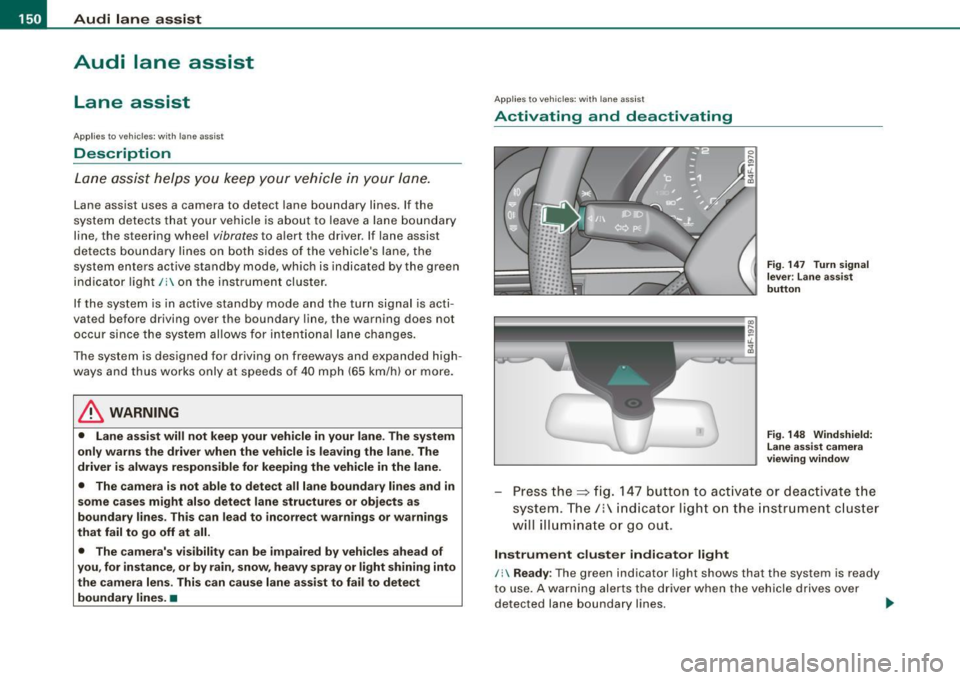
Press the=> fig. 147 button to activate or deactivate the
system. The/: indicator light on the instrument cluster
will illuminate or go out.
Instrument cluster indicator light
/: Ready : The green indicator light shows that the system is ready
to use. A warning alerts the driver when the vehicle drives over
detected lane boundary lines. -.,
Page 153 of 390
Audi lane assist -
----------------
, Not ready: The yellow indicator light shows that the system is
turned on but unable to send a warning. This can be due to the
following:
• There are no boundary lines, or there is only one boundary line
present .
• The boundary lines are not detected (e.g. due to snow, dirt, wet
conditions or light shining into the camera lens).
• More than two boundary lines (such as at construction sites) are
located in the vehicle's lane.
• The vehicle's speed is below the speed needed to activate it,
which is about
40 mph (65 km/h).
• The lane is narrower than about
8 ft. (2.5 ml, or wider than about
16 ft. (5 ml.
• The curve is too sharp.
Notes on the instrument cluster display
When the lane assist turns off automatically, the instrument cluster
indicator goes out and one of the following messages appears on
the display:
Audi lane assist not available: Currently no sensor vision
This message appears when the camera can no longer function
because it cannot detect the boundary lines. This may be due to the
following:
• The exterior side of the camera viewing window=>
page 150,
fig. 148 is covered with dirt or ice. Clean this part of the windshield.
• The camera viewing window is fogged up on the inside. In this
case, wait until the fog disappears before turning lane assist on
again.
• The system was unable to detect boundary lines over an
extended period of time due to road conditions (such as snow
covered lanes). Do not turn lane assist on again until the lines can
be more easily detected.
Audi lane assist not available
Controls and equip
ment A temporary malfunction is preventing
lane assist from operating .
Try turning on lane assist again at a later time.
Audi lane assist: system fault
The system should be checked by an authorized Audi dealer or other qualified workshop.
[ i] Tips
• Make sure that the camera viewing window=> page 150, fig. 148
is not covered by stickers or similar objects .
• Always keep the camera viewing window clean. This can usually
be done by operating the windshield wipers. •
Applies to vehic les: with lane ass ist
MMI settings
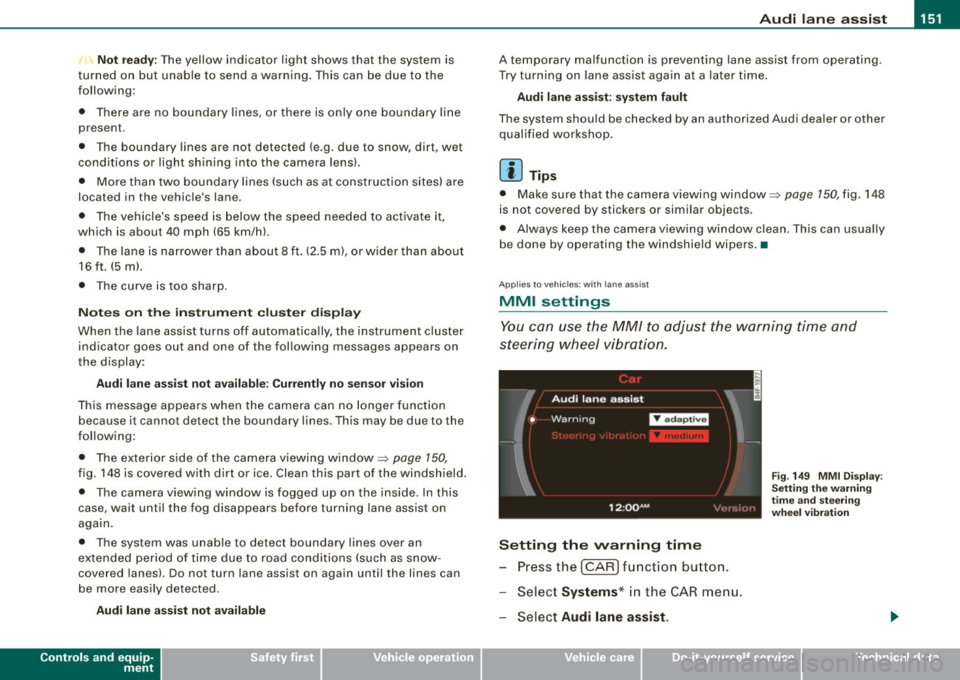
You can use the MM/ to adjust the warning time and
steering wheel vibration.
Setting the warning time
Pressthe[CAR]function button.
Select
Systems * in the CAR menu.
Select
Audi lane assist.
I • •
Fig . 149 MMI Display :
Setting the warning
time and steering
wheel vibration
Page 157 of 390
Automatic transmission -
------------------'
R -Reverse
The transmission will automatically select the lowest gear ratio
when you shift into reverse .
Select
R only when the vehicle is at a full stop and the engine is
running at idle speed::::;,
& in "Driving the automat ic transmission"
on
page 153 .
Before you move the se lector lever to R , press both the button in the
handle of the selector leve r
and the brake pedal at the same time .
When the ignition is on , the backup lights i lluminate when the
selector lever is moved into
R.
N -Neutral
The transmission is in neutral in this position . Shift to this position
for standing with the brakes applied=>
page 155.
When the vehicle is stationary or at speeds below 3 mph (5 km/h),
you must always apply the footbrake befor e and while moving the
lever out of
N.
D -Normal position for driving forward
Position Dis for norma l city and highway driving. It ranges from zero
to top speed and all six gears shift au tomatically, depending on
engine load, driving speed and automatica lly selected shift
programs. The gear engaged is shown in the right of the display
::::;, page 154, fig. 151.
When the vehicle is stationary or at speeds below 3 mph (5 km/h),
you must always apply the foot brake before and while moving the
lever to
D out of N .
In certain circumstances i t may be advantageous to temporarily
switch to the manual shift program to manua lly se lect gear ratios to
match specific driving conditions::::;,
page 157.
S -Sport position
Se lect this position for spor tier performance . In this position, the
transmission will not upshift as soon, allowing the vehicle to use the
Con tro ls and eq uip
ment
increased power available at higher engine speeds to achieve live
lier acceleration.
When the vehicle is stationary or at speeds below 3 mph (5 km/h),
you must always apply the foot brake before and while moving the lever to
S out of N.
& WARNING
Read and follow all WARNINGS ::::;, & in "Driving the automatic
transmission" on
page 153 .
0 Note
Coasting downhill with the transmission in N and the engine not
running will result in damage to the automatic transmission and
possibly the catalytic converter. •
Applies to ve hic les: with 6-spee d autom atic trans mission
Automatic Shift Lock (ASL)
The Automatic Shift Lock safeguards you against acciden
tally shifting into a forward or the reverse gear and
causing the vehicle to move unintentionally.
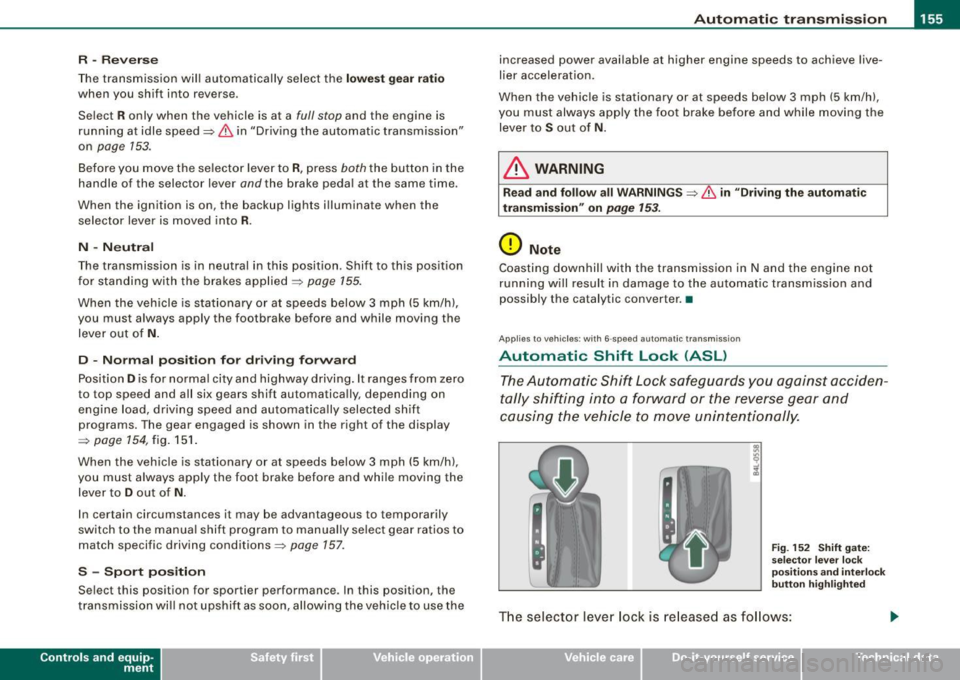
Fig. 152 Shift gate:
selec tor leve r loc k
positions and interlock
button highlight ed
The selector lever lock is released as follows:
Vehicle care I I irechnical data
Page 158 of 390
....... __ A_u_ t_o _m_ a_ t_ ic_ t_ r_a _ n_ s_m _ i_s _s _i_o _n ________________________________________________ _
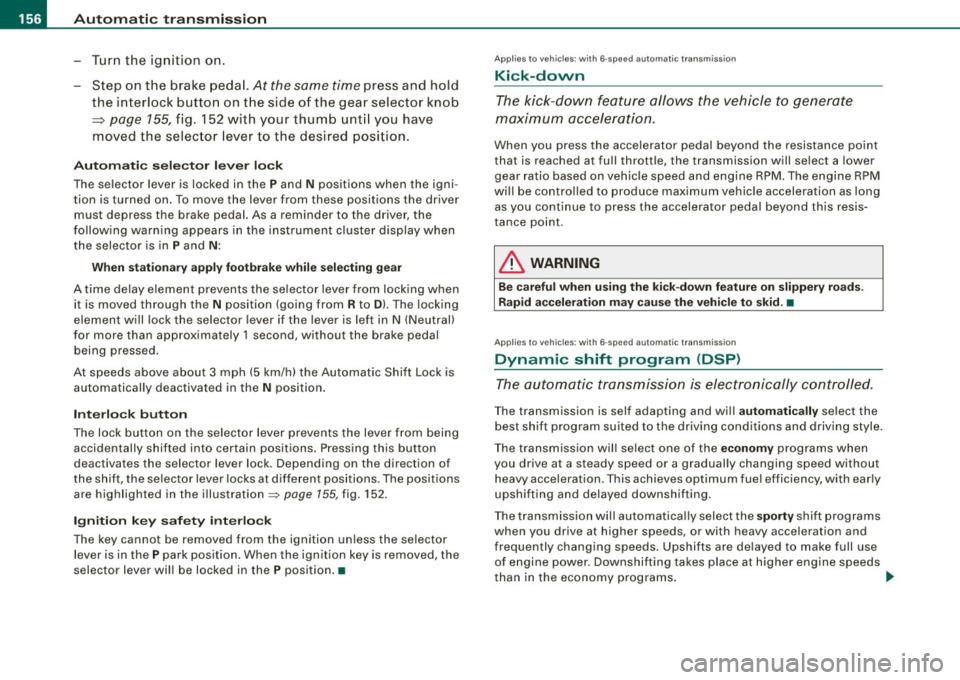
-Tu rn t he igniti on on .
- Step on the brake peda l.
At the some time press and hold
the interlock button on t he side of the gear selector knob
~ page 155, fig. 152 with your thumb unt il you have
moved the selec to r l eve r to the desi red posi tion .
Automatic sele cto r lever lo ck
The selector lever is locked in the P and N positions when the igni
t ion is turned on . To move the lever from these positions the dr iver
must depress the brake pedal. As a reminder to the driver, the
following warning appears in the ins trument cluster disp lay when
the selector is in
P and N :
When stationary apply footbr ake while selecting ge ar
A time delay e lement prevents the se lector lever from lock ing when
it is moved through the
N position (going from R to Dl. The locking
e lement will lock the selector lever if the lever is lef t in
N (Neutra l)
for more than approximately 1 second, without the brake pedal
being pressed .
At speeds above about 3 mph (5 km/h) the Au tomat ic Shift Lock is
automatically deactivated in the
N position .
Interlo ck button
The lock button on the se lector lever prevents the lever from being
accidentally shifted into certain positions. Pressing this button
deactivates the selector lever lock. Depending on the direction of
the shift, the se lector lever locks at different positions . The positions
are highlighted in the illustration ~
page 155, fig. 152 .
Ignition key saf ety int erlo ck
The key cannot be removed from the ignition un less the selector
lever is in the
P park position . When the ignition key is removed , the
selector lever wil l be locked in the
P position. •
Applies to vehi cles : w it h 6- spee d au tomat ic t ra nsm issio n
Kick-down
The kick-down feature allows the vehicle to generate
maximu m acceler atio n.
When you press the accelerato r pedal beyond the resistance po int
that is reached at fu ll thrott le, the transmission will se lect a lower
gear rat io based o n vehicle speed and engine RPM . The engine RPM
wi ll be contro lled to produce max imum vehicle acceleration as long
as y ou co ntinue to press the accelera tor pedal beyo nd this resis
tance po int .
& WARNING
Be careful when u sing the kick-down feature on slippery roads .
Rapid acceleration may cause the veh icle to skid. •
Applies to vehicles : wi th 6-s pee d au to m ati c transmiss ion
Dynamic shift program (DSP)
The aut om atic tr a nsmission is ele ctr onically cont rolled.
T he transmission is self adapting and wi ll automati cally se lect the
b est shift program suited to the driving condi tions and drivi ng s tyle.
The transmission wil l se lect one of the
economy programs when
you drive at a steady speed or a gradually changing speed without heavy acceleration . This achieves optimum fuel efficiency, with ear ly
upshifting and delayed downshifting.
The trans missi on will au tomat ica lly select the
sporty shi ft prog rams
when you drive at higher speeds, or with heavy acce leration and
frequen tly cha nging speeds . Upshifts ar e delayed t o make full use
of engine power . Down shifting takes place at higher engine speeds
t han in the economy programs . _.,