tow AUDI S6 2008 Owners Manual
[x] Cancel search | Manufacturer: AUDI, Model Year: 2008, Model line: S6, Model: AUDI S6 2008Pages: 390, PDF Size: 88.42 MB
Page 5 of 390
Safety first ........ ... ... .. .
Driving Safely ................. .
General notes ... .............. .
Proper occupant seating positions Peda l area ... ..... ....... .... . .
Sto\Ning luggage . .... .... .... . .
Reporting safety defects ....... .
Safety belts .......... ....... .. .
Genera l notes ...... ........... .
W hy safety belts? ............. .
Safety belts ............. ... .. .
Safety belt tensioners . ....• .. ..
Airbag system ........... ... .. .
Important things to kno\N ...... .
Front airbags . ... ... .......... .
Monitoring the Advanced Airbag
System ... .. ... .... ..... ..... .
Side airbags .......... ... ... .. .
Side curta in airbags (SIDEGUARD™l
Child Safety ................... .
191
192
192
194
198
199
201
202
202
203
206
210
212
212
216
223
228
231
234
Important things to kno\N . . . . . . . 234
Child safety seats . . . . . . . . . . . . . . 239
Install ing a ch ild safety seat . . . . . 244
Additional Information . . . . . . . . . . 247
Lo\Ner anchorages and tether for
children (LA TCH) . . . . . . . . . . . . . . . .
249
Vehicle operation . . . . . . . . 257
Intelligent technology . . . . . . . . . . 258
Notice about data recorded by
vehicle contro l modules . . . . . . . . .
258
Elect ronic Stabilizat ion Program
!ESP) . . . . . . . . . . . . . . . . . . . . . . . . . .
258
Braking . . . . . . . . . . . . . . . . . . . . . . . . 261
Servotronic® -advanced po\Ner
steer ing system . . . . . . . . . . . . . . . .
263
Driv ing \Nith your quattro® . . . . . . 264
Energy management . . . . . . . . . . . . 265
Driving and environment . . . . . . . 267
The first 1,000 miles (1,500 km) and
after\Nards . . . . . . . . . . . . . . . . . . . . .
267
Cata lytic converter . . . . . . . . . . . . . 268
Avoid damaging the vehicle . . . . . 269
Operate your vehicle economically
and minimize pollution . . . . . . . . . .
269
Trailer towing . . . . . . . . . . . . . . . . . . 272
Driv ing \Nith a trailer . . . . . . . . . . . . 272
Trai ler to\Ning tips . . . . . . . . . • . . . . 274
Table of contents
Vehicle care ....... ... ... ... 277
Cleaning and protection ........ 278
General information . . . . . . . . . . . . . 278
Care of exterior . . . . . . . . . . . . . . . . . 278
Care of inte rior . . . . . . . . . . . . . . . . . 285
Fuel supply and filling your fuel
tank ... .... ... .... ... .. .... ... .. 291
Gasoline . . . . . . . . • . . . . • . . . . . . . . . 291
Fuel tank . . . . . . . . . . . . . . . . . . . . . . . 292
Checking and filling . . . . . . . . . . . . 296
Engine hood . . . . . . . . . . . . . . . . . . . 296
Engine oil . . . . . . . . . . . . . . . . . . . . . . 299
Engine cooling syste1T1 . . . . . . . . . .
303
Brake fluid . . . . . . . . . . . . . . . . . . . . . 306
Battery . . . . . . . . . . . . . . . . . . . . . . . . 307
Windshield/headlight \Nasher
containe r .... .... .. ... .. .... ... 312
Tires and wheels ............... 313
Tires . . . . . . . . . . . . . . . . . . . . . . . . . . . 313
Vehicle care I I irechnical data
Page 6 of 390
Table of contents
Do-it-yourself service ... 335
What do I do now? . . . . . . . . . . . . . 336
Trunk escape handle . . . . . . . . . . . . 336
J ack, tools and spare wheel . . . . . . 336
Changing a whee l . . . . . . . . . . . . . . 338
Fuses and bulbs . . . . . . . . . . . . . . . . 345
Fuses . . . . . . . . . . . . . . . . . . . . . . . . . . 345
Bulbs ................... •...... 349
Em erge ncy s itua tions . . . . . . . . . . 351
Genera l ... ... ... ..... .... .. .... 351
Starting by pushing or towing . . . . 351
Start ing with jumpe r cab les . . . . . . 351
Use of junipe r cab les . . . . . . . . . . . . 352
E mergency tow ing with commerc ia l
t ow truck . . . . . . . . . . . . . . . . . . . . . . 354
Lifting vehicle . . . . . . . . . . . . . . . . . . 356
Technical data
General in format ion
Explanat ion of t echnical data ... .
Vehic le iden tif ic ation .... ....... .
Display ing Vehic le Identification
Number in the MMI ..... .. .. ... . 359
360
360
360
361 Weights . .
. . . . . . . . . . . . . . . . . . . . . 361
Dimensions . . . . . . . . . . . . . . . . . . . . 362
Data . . . . . . . . . . . . . . . . . . . . . . . . . . . 363
255 hp, 6-cylinder eng ine
363
350 hp, 8-cylinder engine . . . . . . . 364
Co ns umer In forma tion . . . . . . . . . 365
War ranty coverages ......... .. .
Reporting safety defects ....... .
Operating your vehicle outs ide the
U.S.A . or Canada .............. .
Audi Service Repa ir Manuals and
Liter ature ..................... .
Main tenance .............. ... .
Additional accessories ,
modif icat ions and parts
rep lacement ............... ... . 365
365
365
366
366
368
Alphabetical index
. . . . . . 371
Page 36 of 390
Driver information display
0 Note
Do not continue driving if the -F-symbo l illuminates . There is a
malfunction in the engine coo ling system -you could damage your
engine. •
Engine oil pressure malfunction ~
The red engine oil pressure warning symbol requires
immediate service or repair. Driving with a low -oil -pres
sure indication is likely to inflict severe damage to the
engine.
If the "l=7': symbol appears in the display and blinks, the oil
pressure is too low. An additional driver message can also
be displayed by pressing the [
CHECK] button:
Switch off engine and check oil level
Immediate actions
- Pull off the road .
- Stop the vehicle.
- Turn off the engine.
-Check the engine oil level with the dipstick:::::> page 301.
Dipstick readings checks too low
- Top off oil to the proper level :::::> page 302.
-Make sure that the oil pressure warning symbol "l=7':
appears no longer in the display before you start driving
again.
Dipstick reading checks OK
-If the oil pressure warning symbol "l=7': starts flashing
again even though the engine oil level checks OK on the
dipstick,
do not continue driving and do not let the
engine run in idle.
Instead, contact your authorized Audi
dealer for assistance.
[ i ] Tips
• The engine oil pressure symbol ~ is not an indicator for a low
engine oil level . Do not rely on it. Instead , check the oil level in your
engine at regular intervals, preferably each time you refuel, and
always before going on a long trip .
• The yellow oil level warning indication ... requires oil refill or
workshop service without delay. Do not wait until the red oil pres
sure warning
~ starts to flash before you respond to the low oil
level warning
= . By then, your engine may already have suffered
serious damage. •
Steering malfunction i
If there is a malfunction in the electronic steering column
lock, the steering cannot be unlocked.
If the ~ symbol in the display blinks, there is a malfunction
in the electronic steering column lock. An additional driver
message can also be displayed by pressing the
I CHECK]
button:
Do not drive vehicle: Steering defective
- Contact your nearest authorized repair facility.
- Do
not tow your vehicle.
Page 37 of 390
& WARNING
Your vehicle must not be towed in the event of a malfunction in the electronic steering column lock because it cannot be steered due
to the locked steering . If it is towed with the steering locked, there
is the risk of an accident. •
Ignition lock malfunction ~
A malfunction in the ignition lock must be repaired imme
diately.
If the .Pe symbol in the display blinks, there is a malfunction
in the electronic ignition lock. An additional driver message
can also be displayed by pressing the [ CHECK] button:
Ignition lock defective. Contact workshop!
-Do not turn the engine off.
- Drive immediately to an authorized Audi dealer to have
the malfunction corrected.
If there is a malfunction in the electronic ignition lock, the ignition
cannot be turned off. Drive immediately to an authorized Audi
dealer to have the cause of the malfunction corrected.
On vehicles wi th Advanced Key *, the engine should not be switched
off using the
I STOP I button because the engine cannot be started
again after the ignition is switched off .•
Controls and equip
ment
Driver information display
Yellow symbols
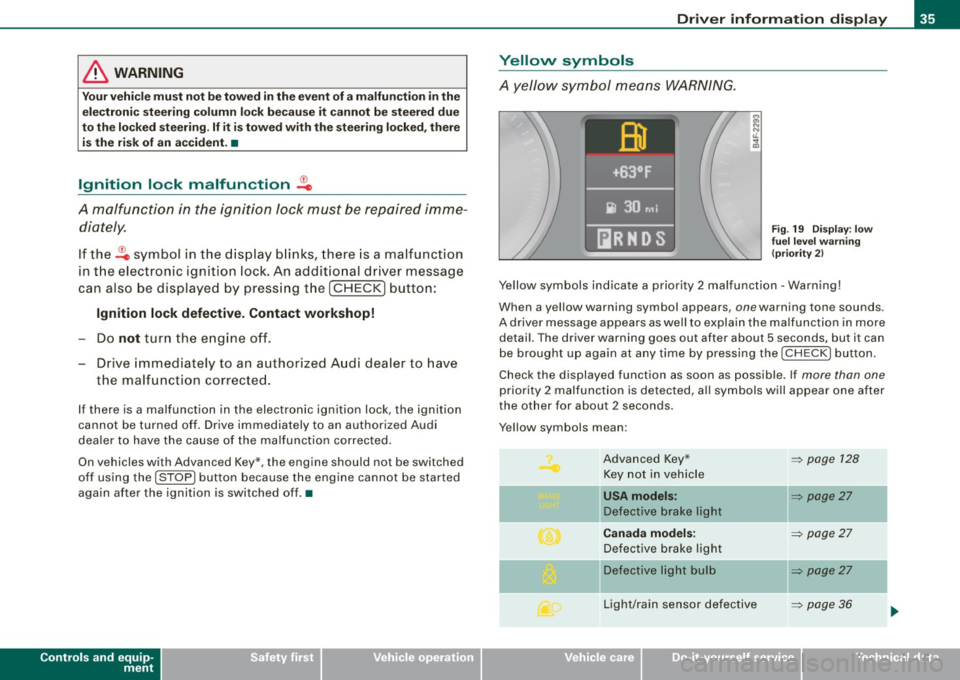
A yellow symbol means WARNING.
Fig. 19 Display: low
fuel level warning
(priority 2)
Yellow symbols indicate a priority 2 malfunction -Warning!
When a yellow warning symbol appears , one warn ing tone sounds.
A driver message appears as well to explain the malfunction in more
detail. The driver warning goes out after about 5 s econds, but it can
be brought up again at any time by pressing the I CHECK I button.
Check the displayed function as soon as possible . If more than one
priority 2 malfunction is detected, all symbols will appear one after
the other for about 2 seconds .
Y ellow symbols mean :
Advanced Key* Key not in vehicle
l[usA models:
Defective brake light
Canada models:
Defective brake light
]f Defective light bulb
Light/rain sensor defective
I • •
~ page 128
~ page27
-
~ page27
~ page27
-
~ page36
Page 72 of 390
Clear vision
Clear vision
Lights
Switching the headlights on and off ·t/.·
In the "AUTO" position, a light sensor automatically
s w itches the head- and taillights on an d off in resp onse to
l igh t co nditio ns.
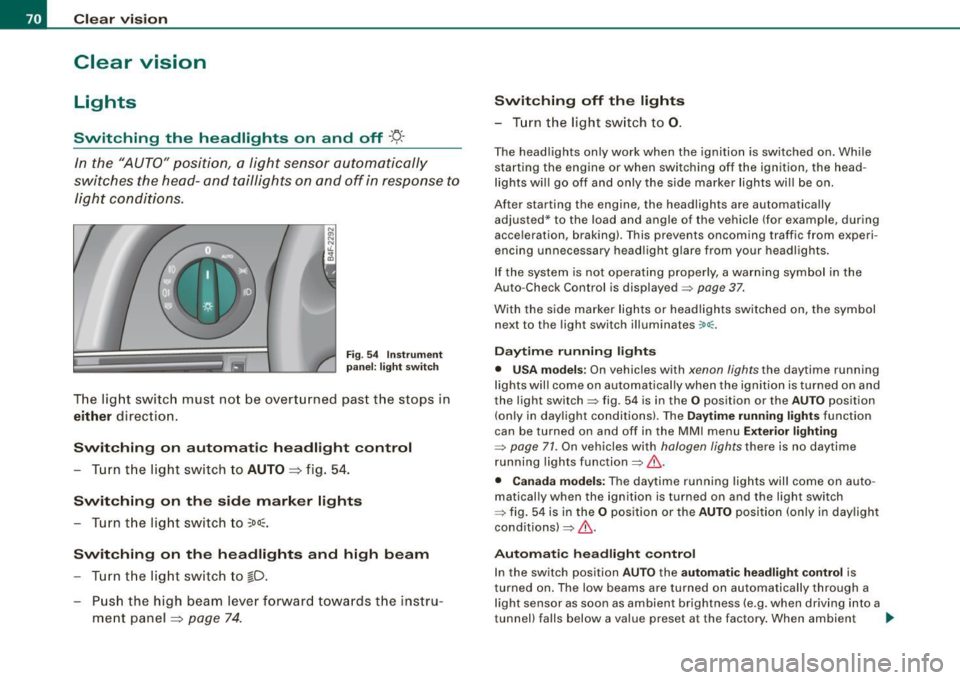
Fig . 54 In strument
p anel: light swit ch
T he lig ht switc h must no t be overt urned pas t the stops in
either direc tion .
Switching on automatic headlight control
-Tur n t he light switch to AUTO =:> fig. 5 4.
Switching on the side marker lights
- Turn t he lig ht s witch to ~oo~.
Switching on the headlights and high beam
- Turn t he lig ht switch to ~D.
- Pu sh th e high beam l ever f orwar d tow ards t he ins tru-
m en t panel =:>
page 74 .
Switching off th e lights
- T urn the light switch to 0.
The head lights only work when the ignition is swi tched on. Whi le
starting the engine or when switching off the ignition, the head
l ights wi ll go off and only the side marker lights wi ll be on.
After starting the engine, the headlights are automatically adjusted* to the load and angle of the vehicle (for example, dur ing
acce leration, braking) . T his prevents oncoming traffic from experi
encing unnecessary head ligh t glare from your headligh ts .
If the system is not ope rating properly, a warni ng sy mbol in the
Auto -Check Control is displayed =>
page 37.
With the side marker lights or headlights switched on, the symbol
next to the light switch illuminates
coo:.
Daytime running light s
• USA models : On vehicles with xenon lights the daytime running
l ights wil l come on a utomatica lly when th e ignition is t urned on an d
the light switch => fig. 54 is in the
O position or the AUTO position
(on ly in day light co nditions). The
Daytime running lights func tion
can be turned on and off in the MMI menu
Exterior lighting
=> page 71. On vehicles with halogen lights there is no daytime
running lights function=> &.
• Canada models: The daytime running lights wil l come on auto
matical ly when the ignition is turned on and the ligh t switch
=> fig. 54 is in the
O position or the AUTO position (only in day ligh t
conditions)=> &.
Automatic headlight control
In the switch position AUTO the automatic h eadlight control is
turned on . The low beams are tu rned on automatically through a
l ight sensor as soon as ambient brightness (e .g. when driving into a
tunnel) falls below a value preset at the factory . When ambient ...
Page 76 of 390
Clear vision
[ i J Tips
You should turn on the emergency flashers when:
• you are the last vehicle standing in a traffic jam so that any other
vehicles coming can see you, or when
• your vehicle has broken down or you are in an emergency situa
tion, or when
• your vehicle is being towed by a tow truck or if you are towing
another vehicle behind you. •
Turn signal ¢ ¢ and high beam ~D lever
The lever on the left side of the steering column is used to
operate the turn signals and the high beam as well as the
headlight flasher.
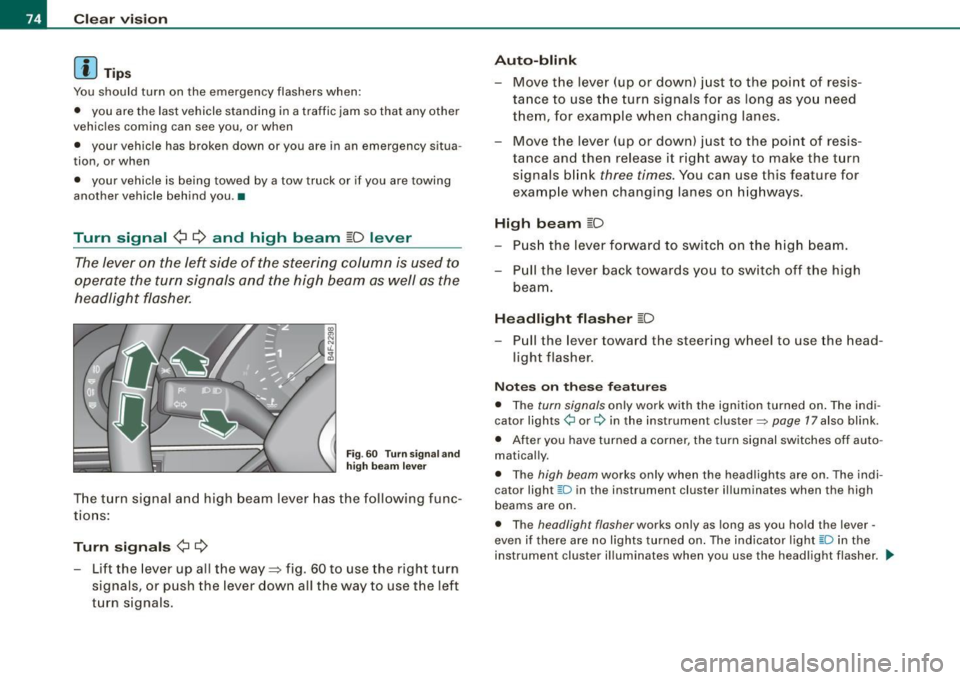
Fig . 60 Turn signa l and
high beam lever
The turn signal and high beam lever has the following func
tions :
Turn signals ¢ ¢
- Lift the lever up all the way=:> fig . 60 to use the right turn
signals, or push the lever down all the way to use the left
turn signals.
Auto -blink
- Move the lever (up or down) just to the point of resis
tance to use the turn signals for as long as you need
them, for example when changing lanes .
- Move the lever (up or down) just to the point of resis
tance and then release it right away to make the turn
signals blink
three times . You can use this feature for
example when changing lanes on highways.
High beam ~D
- Push the lever forward to switch on the high beam.
- Pull the lever back towards you to switch off the high
beam .
Headlight flasher ~D
Pull the lever toward the steering wheel to use the head
light flasher.
Notes on these features
• The turn signals only work with the ignition turned on. The indi
cator lights ¢ or¢ in the instrument cluster::::;, page 17 also blink.
• After you have turned a corner, the turn signal switches off auto
matically.
• The high beam works only when the head lights are on . The indi
cator light ~D in the instrument cluster illuminates when the high
beams are on.
• The headligh t flasher works only as long as you hold the lever -
even if there are no lights turned on. The indicator light ~Din the
instrument cluster illuminates when you use the headlight flasher. _.,
Page 78 of 390
Clear vision Rear interior lights There are reading lights in the rear for the passengers.
8Qj
------------
0
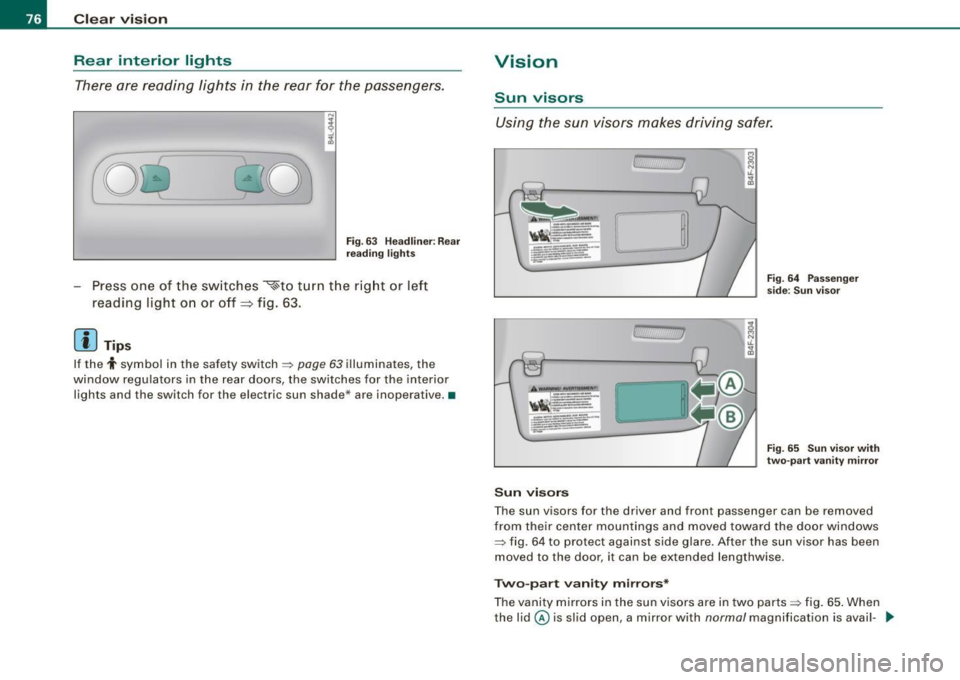
Fig . 63 Hea dlin er: Rear
reading lights
Press one of the switches ~to turn the right or left
reading light on or off~ fig. 63.
[ i J Tips
If the t symbol in the safety switch~ page 63 illuminates , the
window regulators in the rear doors, the switches for the interior
lights and the switch for the electric sun shade * are inoperative. •
Vision
Sun visors
Using the sun visors makes driving safer.
c;
'
Sun visors
Fig. 64 Passenger
side; Sun visor
Fig. 65 Sun visor with
two-part vanity mirror
The sun visors for the driver and front passenger can be removed
from their center mountings and moved toward the door windows
~ fig. 64 to protect against side glare . After the sun visor has been
moved to the door, it can be extended lengthwise.
Two-part vanity mirrors*
The vanity mirrors in the sun v isors are in two parts ~ fig. 65 . When
the lid@ is slid open, a mirror with
normal magnification is avail -..,.
Page 81 of 390
High wiper sp eed
- Move the lever up to pos ition
G) .
Automatic w ip er/ washer
- Pull the lever to pos ition ® (toward the steering wheel)
and hold .
- Re lease t he lever. The washer stops a nd the wipers keep
going f or about four seconds. Depending on how long
the lever is held, d ifferent numbers of was h cyc les are
perform ed .
Turning off the wipers
- Move the lever back to position
® ·
Ge nera l inf ormati on
The w indshield wipers and the windshield washer system operate
only with the ignition on.
During a temporary stop, e.g. at a traffic signal, the set wipe speed
is automatically reduced by one stage.
The windshield washer nozzles are heated at low temperatures
when the ignition is on .
Rem ov ing w ate r dro ple ts
About 5 seconds after the wash cycle is complete, the wiper system
performs a single automatic wipe cycle to remove any water drop
lets that remain on the windshield .
If you wou ld like to deactivate this delayed wipe cycle while driving,
you have to pull the lever to position © again within 10 seconds
after this wipe cyc le.
Water droplet removal is reactivated after the ignition is switched off and then on again .
Controls and equip
ment
Cl ea r vision
Ra in se nso r
The rain sensor operates only in the interval wiper position . When it
starts to rain, the interval wiper mode is activated automatica lly .
If the windshie ld wiper lever is in the interval wipe position with the
ignit ion switched off, the rain sensor is not activated until vehicle
speed is above 4 mph (6 km/h).
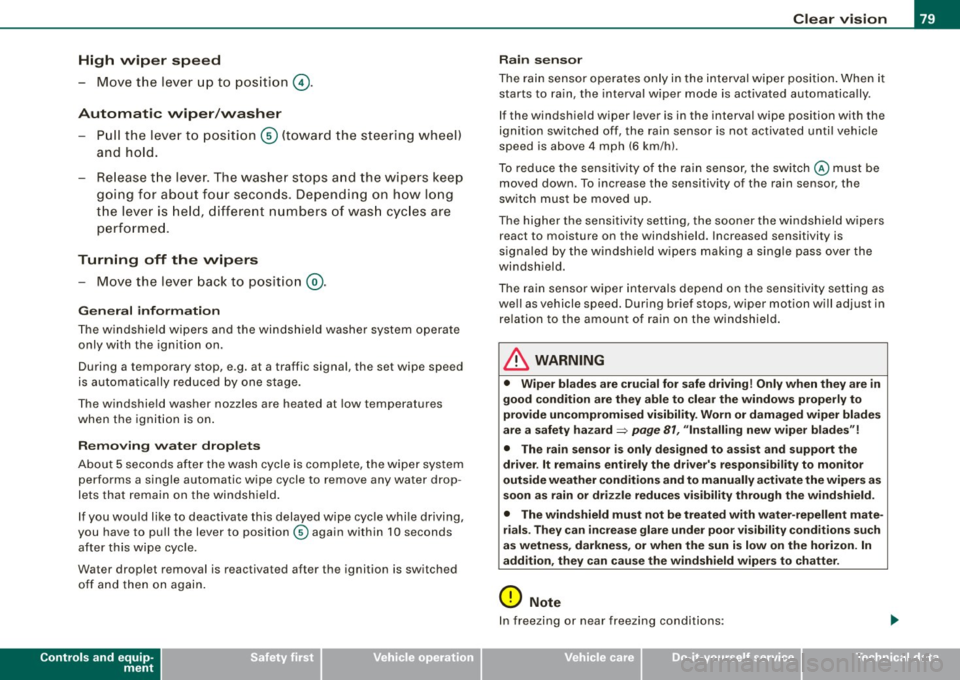
To reduce the sensit ivity of the rain sensor, the switch © must be
moved down. To increase the sensitivity of the rain sensor, the
switch must be moved up.
The higher the sensitiv ity setting, the sooner the windsh ield w ipers
react to moisture on the windshield. Increased sensitivity is
s igna led by the windshie ld wipers making a sing le pass over the
windshield.
The rain sensor wiper interva ls depend on the se nsitivi ty setting as
we ll as vehicle speed. During brief stops, wiper motion will adjust in
re lation to the amount of rain on the windshield .
& WARNING
• Wiper bl ade s are cru cial f or s afe drivin g! Only w hen they are in
good condition ar e the y able to cle ar the w indo ws prop erly to
provide uncomp romi sed visibility . Worn or d amaged wiper blade s
a re a sa fety haz ard =>
pag e 81 , "In stalling n ew wiper bl ad es"!
• The rain s ensor i s onl y designed to a ssist and supp ort the
dri ver . It re mains e ntirel y th e dr iver' s res ponsibi lity to m onitor
out side weat her condition s and to manuall y activate the wiper s as
s oon as rain or dr iz zle redu ce s v is ibilit y throug h the wind shield.
• The wind shield mu st not be treat ed with w ater-repell ent mat e
ri als. Th ey ca n in crea se glare und er poor visi bilit y cond ition s s uch
as wetne ss, dar knes s, or when th e sun is low on th e horizon. In
a dd itio n, t hey ca n c aus e the w ind shield wiper s to chatter .
0 Note
In freezing or near freezing conditions :
I • •
Page 99 of 390
Returning backrest to upright position
-Pu sh rear seat back rest up until it engages~ &. You will
know that the sea t is proper ly engaged when you can not
see the red marki ng on the lever ®·
Locking the backrest
- Insert yo ur key into t he lock~ page 96, fig. 88 and t urn it
cloc kwise.
Unlocking the backrest
- Inse rt th e key i nto the lock a nd tu rn it co unter-cloc kw ise.
Stowing luggage
- For safe loading and securing of i tems read and follow
the guidelines on~ page 199.
The rear seatback is divided into two segments -one thi rd/two
thirds . You can fold down either or both parts o f the seatback.
T he release levers for the fold ing backrests can be locked when the
backrests are pro pe rly engaged in their up right pos itio n. This
prevents unauthorized access to the luggage compartment from
with in the veh icle. The release levers can on ly be locked with the
master key or emer gency key.
& WARNING
• The ba ck rest must al ways be securely lat ched so that the
safety b elt of the center seating position can work properly to help
protect the o ccupant .
• The backre st must be securely latched in po sition so that no
items contained in the luggage compartment can slide forward
upon sudden brak ing .
• Never allow safety belt s to be come damaged by being caught
in door or seat hardware .
Con tro ls and eq uip
ment
Seats and storag e
& WARNING !continued )
• Torn or frayed safety belts can tear and damaged belt hard
ware can b reak in a cra sh . Inspect the belts periodically . B elt s
showing damage to webbing , bindings, buckles , or retractor s
must be replaced .
& WARNING
Always read and heed WARNINGS ::::;, & in "Loading the luggage
c ompartment " on
page 199.
(D Note
When fo lding the backrest back into p lace, make sure the safety belt
does not get caught, because it can be damaged. A damaged belt
can fail to provide safe restraint . •
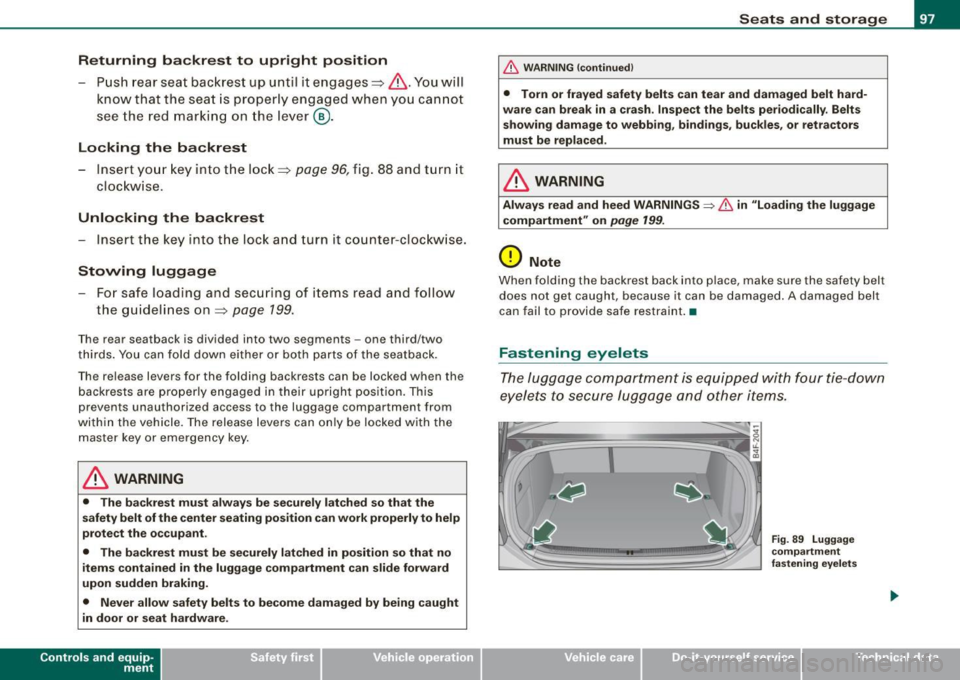
Fastening eyelets
T he luggage compartment is equipped with four tie -down
eyelets to secure lugga ge and other items.
Vehicle care I I
Fig . 8 9 Luggage
co mp artment
fastening eye lets
irechnical data
Page 100 of 390
Seats and storage
- Use the tie-down eyelets to secure your cargo properly
=> fig. 89 -arrows-.
Read and heed all WARNINGS=>
page 199, "Stowing
luggage".
In a collision, the laws of physics mean that even smaller items that
are loose in the vehicle will turn into heavy missiles that can cause
serious injury. Items in the vehicle pick up kinetic energy which
varies w ith the vehicle and the weight of the item. Vehicle speed is
the most significant factor.
For example , in a frontal collision a t a speed of 30 mph (48 km/h),
the forces acting on a 10 -lb (4.5 kg) object are about
20 times the
normal weight of the item . This means that the weight of the item
would suddenly be the equivalent of about 200 lbs (90 kg). One can
easily imagine the injuries that an item of that weight flying freely
through the passenger compartment can cause in a collision at a
speed considered relatively low .
& WARNING
Weak, damaged or improper straps used to secure items to tie
downs can fail during hard braking or in a collision and cause
serious personal injury.
• Always use suitable retaining straps and properly secure items
to the tie-downs in the luggage compartment to help prevent
items from shifting or flying forward.
• When the rear seat backrest is folded down, always use suit
able retaining straps and properly secure items to the tie-downs in
the luggage compartment to help prevent items from flying
forward into the passenger compartment.
• Never attach a child safety seat tether strap to a tie-down. •
App lies to veh ic les: with cargo net
Elastic cargo net
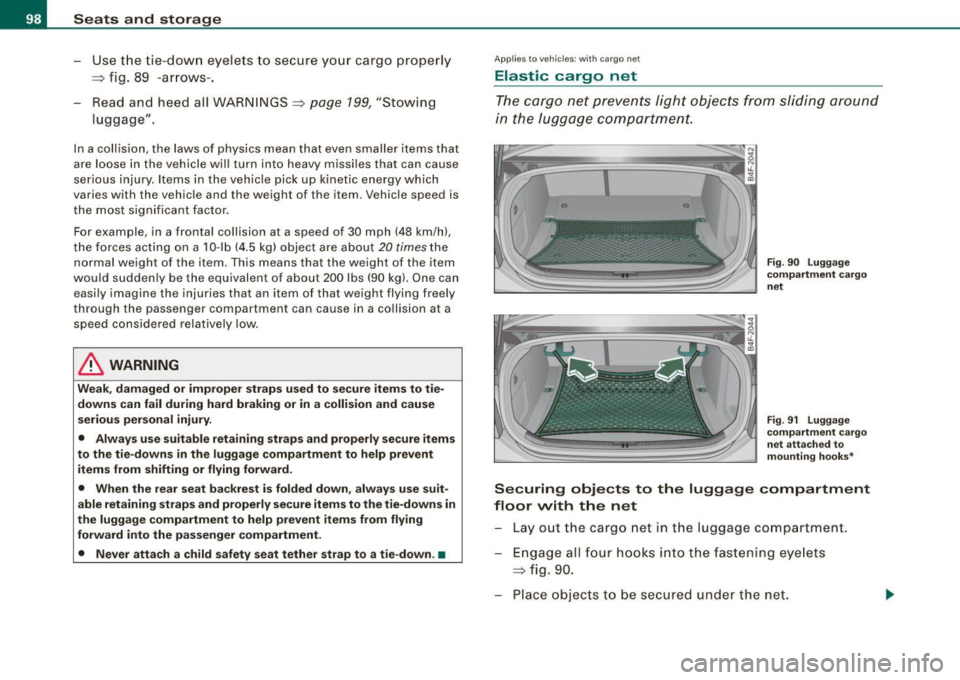
The cargo net prevents light objects from sliding around
in the luggage compartment.
Fig . 90 Luggage
compartment cargo
net
Fig. 91 Luggage
compartment cargo
net attached to
mounting hooks*
Securing objects to the luggage compartment
floor with the net
Lay out the cargo net in the luggage compartment .
Engage all four hooks into the fastening eyelets
=> fig. 90.
Place objects to be secured under the net.