steering AUDI S6 2009 User Guide
[x] Cancel search | Manufacturer: AUDI, Model Year: 2009, Model line: S6, Model: AUDI S6 2009Pages: 398, PDF Size: 43 MB
Page 86 of 398
Seats and storage
Seat memory
Applies to vehi cles : w ith seat memo ry
Driver's seat memory
The seat adjustment settings for two drivers can be stored
using the memory buttons in the driver's door.
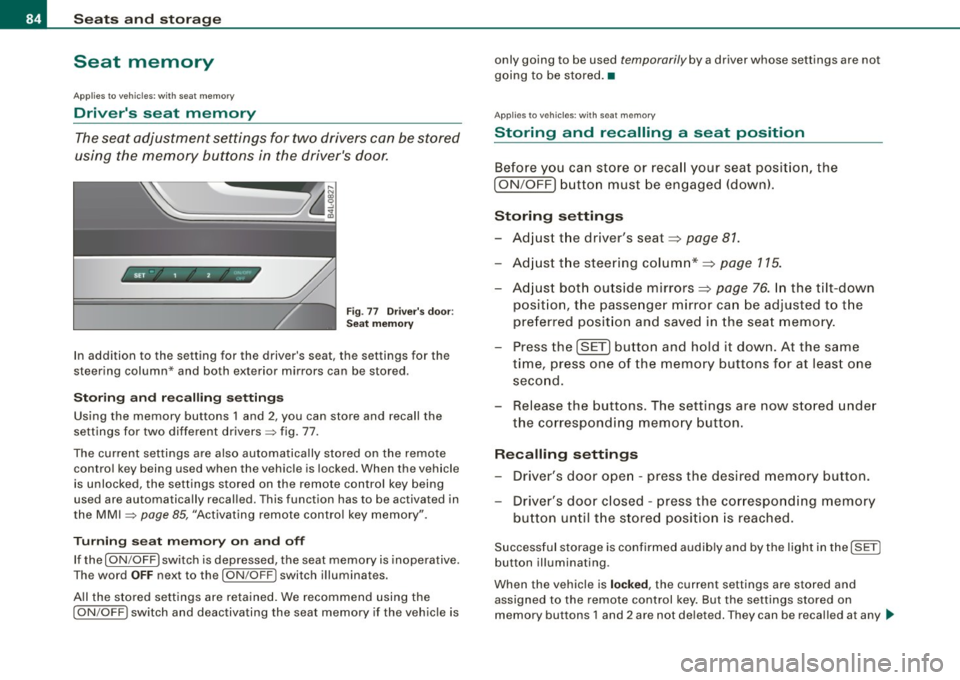
SET - 1 2 ~
Fig. 77 Driver's door:
Seat memory
In addition to the setting for the driver's seat, the settings for the
steering column* and both exterior mirrors can be stored.
Storing and recalling settings
Using the memory buttons 1 and 2 , you can store and recall the
settings for two different drivers=> fig. 77.
The current settings are also automatically stored on the remote
control key being used when the vehicle is locked. When the vehicle
is unlocked, the settings stored on the remote control key being
used are automatically recalled. This function has to be activated in
the MMI
=> page 85, "Activating remote control key memory".
Turning seat memory on and off
If the [ ON/OFF ) switch is depressed, the seat memory is inoperative.
The word
OFF next to the [ ON /OFF I switch illuminates.
All the stored settings are retained. We recommend using the
I ON/OFF) switch and deactivating the seat memory if the vehicle is only
going to be used
temporarily by a driver whose settings are not
going to be stored. •
Applies to v ehi cle s: wit h seat memory
Storing and recalling a seat position
Before you can store or recall your seat position, the
[ ON /OFF] button must be engaged (down).
Storing settings
-Adjust the driver's seat=> page 81.
- Adjust the steering column*=> page 115.
- Adjust both outside mirrors=> page 76. In the tilt-down
posit ion, the passenger mirror can be adjusted to the
preferred position and saved in the seat memory.
- Press the [SET] button and hold it down. At the same
time, press one of the memory buttons for at least one
second.
- Release the buttons. The settings are now stored under
the corresponding memory button.
Recalling settings
- Driver's door open -press the desired memory button.
- Driver's door closed -press the corresponding memory
button until the stored position is reached.
Successful storage is confirmed audib ly and by the light in the [ SETI
button illuminating .
When the vehicle is
locked , the current settings are stored and
assigned to the remote control key. But the settings stored on
memory buttons 1 and 2 are not deleted. They can be recalled at any .,_
Page 113 of 398
Warm and cold 1111
-------------------'
[ i J Tip s
Please note that objects p laced on the seats may be detected . If
these obj ects are heavy enough, the ir weight wil l cause the seat
heating to switch on .•
A pplies to veh icle s: w it h s tee rin g wh eel heat ing
Steering wheel heating ~
The steering wheel can be heated electrically.
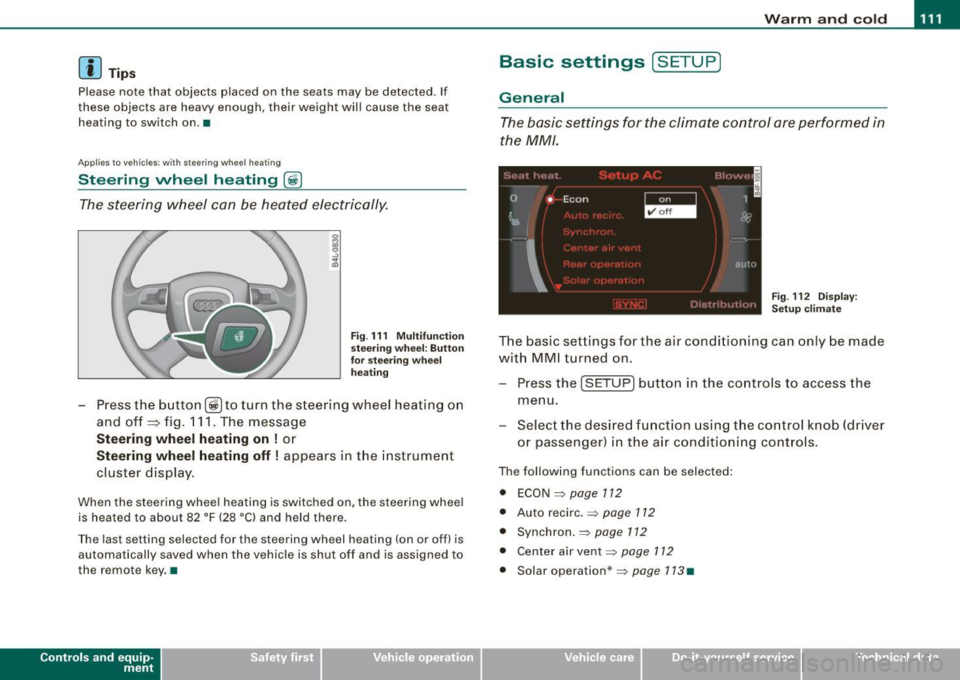
Fig . 1 11 Mult ifun ctio n
s tee ring whee l: B utt on
for stee ring w hee l
hea ting
Press the button [~ )to turn the steering wheel heating on
and off
~ fig. 1 11 . The message
St eering wheel h eating on ! or
Steering wh eel heating off ! appears in the instrument
cluster display.
When the steering wheel heating is switched on, the steering wheel
is heated to about 82 °F (28 °Cl and held there .
The las t sett ing s ele ct ed for the steering wheel heating (on or o ff) is
automatically saved when the vehicle is shut off and is assigned to
the remot e key . •
Contro ls and eq uip
ment
Basic settings [ S ET UP )
General
The basic settings for the climate control are performed in
the
MM/.
'' I", I -
0 •
I Econ 1
~ &
I
aut{J
Fig . 112 Dis play:
Set up clim ate
The basic settings for t he air conditioning can only be made
w ith MMI turned on .
- Press the
(SETUP ] button in the controls to access the
menu.
- Select the des ired fu nction using the co ntrol knob (dr iver
or passenger) in the air conditioning cont rols .
The following functions can be selected :
• ECON =>
page 112
• Auto recirc . => page 712
• Synchron . => page 112
• Center air vent=:>
page 112
• Solar operation *=> page 113 •
Vehicle care
I I irechnical data
Page 116 of 398
• ..__O_ n_ t_ h _e _ ro_ a_d __________________________________________________ _
On the road
Steering
Applies to vehicl es : with m anua lly a dju stab le steer in g wh eel
Manually adjusted steering wheel
The height and reach of the steering wheel can be
adjusted.
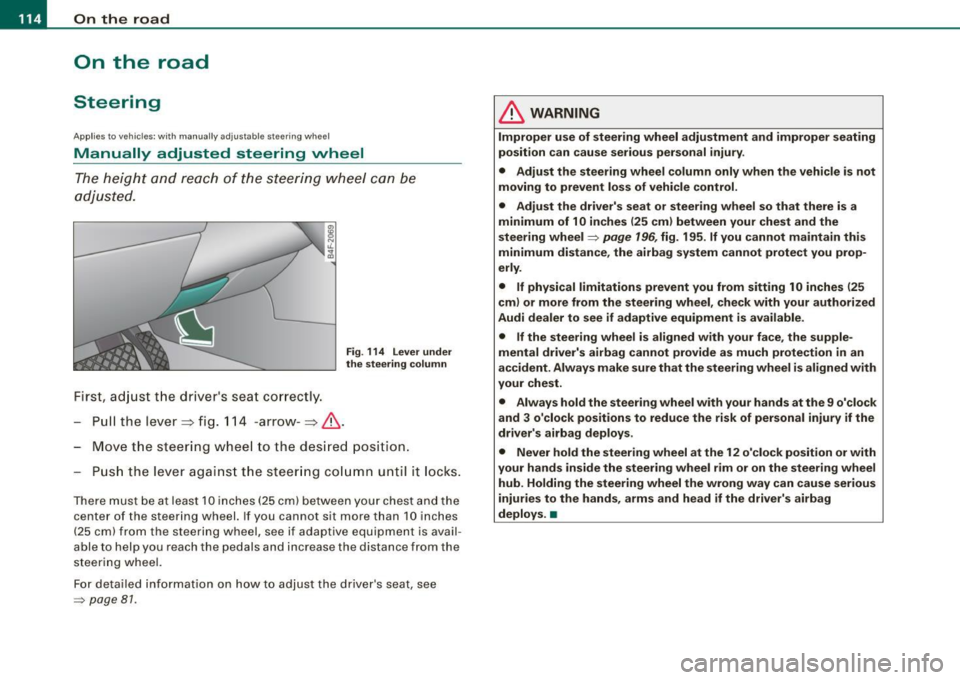
First, adjust the driver 's seat correctly.
Pull the lever~ fig. 114 -arrow -~&,.
Fig. 114 Lever under
the steering column
Move the steering wheel to the desired position.
Push the lever against the steering column unt il it locks.
There must be at least 10 inches (25 cm) between your chest and the
c en ter of th e steering wh eel. If you cannot sit more than 10 inches
( 25 cm) from the steering wheel, se e if adaptive equipment is avail
able to help you reach the pedals and inc rease the dis tance fro m the
steering whe el.
For detailed information on how to adjust the driver 's seat, see
=> pag e 81 .
& WARNING
Improper use of steering wheel adjustment and improper seating
position can cause serious personal injury.
• Adjust the steering wheel column only when the vehicle is not
moving to prevent loss of vehicle control.
• Adjust the driver's seat or steering wheel so that there is a
minimum of 10 inches
(25 cm) between your chest and the
steering wheel=>
page 196, fig. 195. If you cannot maintain this
minimum distance, the airbag system cannot protect you prop
erly.
• If physical limitations prevent you from sitting 10 inches
125
cm) or more from the steering wheel, check with your authorized
Audi dealer to see if adaptive equipment is available .
• If the steering wheel is aligned with your face, the supple
mental driver's airbag cannot provide as much protection in an
accident. Always make sure that the steering wheel is aligned with
your chest.
• Always hold the steering wheel with your hands at the 9 o'clock
and 3 o'clock positions to reduce the risk of personal injury if the
driver's airbag deploys.
• Never hold the steering wheel at the 12 o'clock position or with
your hands inside the steering wheel rim or on the steering wheel
hub. Holding the steering wheel the wrong way can cause serious
injuries to the hands, arms and head if the driver's airbag
deploys. •
Page 117 of 398
On the road 1111
-------------------'
Applies to v ehi cles : wi th ele ctr ic ally a djuste d steer in g wh eel
Electrically adjusted steering vvheel
The he ight and re ach of the stee ring whe el can b e electr i
cally adj uste d to s uit t he d river .
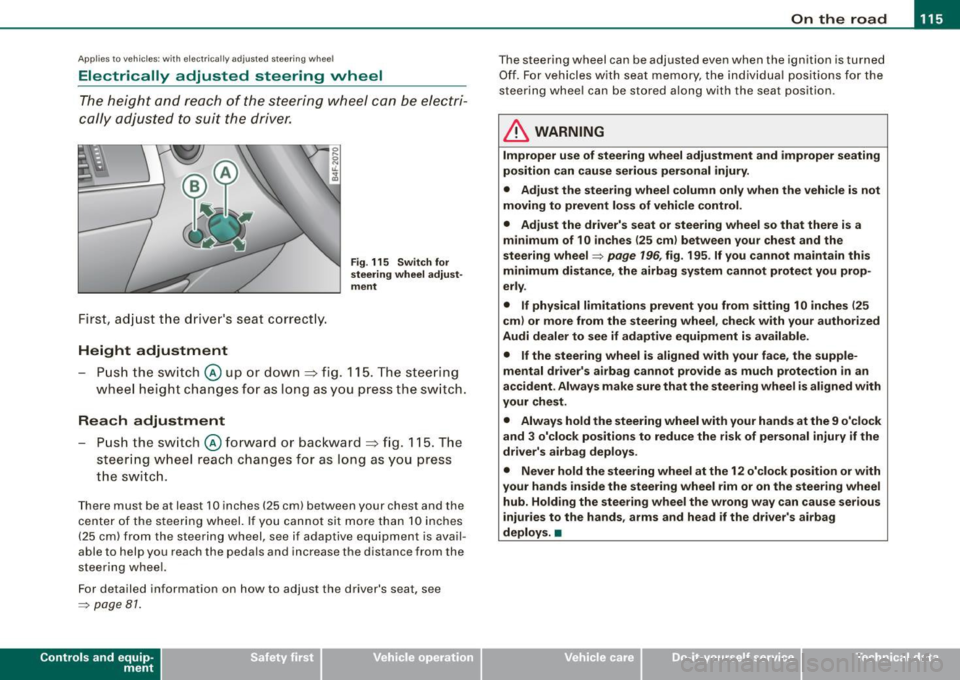
First, adjust the d river's seat co rrect ly.
Height adjustment
Fig . 115 Switch for
steering wheel adjust ·
ment
- Push the switch@ up or dow n=> fig. 1 15. T he steer ing
w heel he ight cha nges for a s long as you pre ss th e swi tc h.
Reach adjustment
- Push the s witch @ forw ard o r backwar d => fig . 11 5. T h e
s teer ing whe el reach ch an ges for as lon g as you pr ess
t h e s wit c h.
Ther e must b e at least 1 O in ches ( 25 cml betw een your chest and the
cen te r of th e st eer ing w hee l. If you cannot sit mo re than 1 0 in che s
(2 5 cm) from the stee rin g wh eel, se e if adaptive equ ipm ent is ava il
able to help you reach the pedals and increase the distance from the
st eeri ng whe el.
F or detailed info rmation on how to ad just the drive r's seat, see
~ pa ge 81.
Con tro ls and eq uip
ment
T he steering whe el can be adj ust ed even when the ignition is turn ed
O ff . F or vehi cle s with seat memory , the i ndividu al p osi tions fo r the
st eer in g w he el can be sto red a lon g w ith th e seat position.
& WARNING
Improper use of steering wheel adjustment and improper seating
position can cause serious personal injury.
• Adjust the steering wheel column only when the vehicle is not
moving to prevent loss of vehicle control .
• Adjust the driver's seat or steering wheel so that there is a
minimum of 10 inches (25 cm ) between your chest and the
steering wheel~
page 196 , fig. 195 . If you cannot maintain this
minimum distance , the airbag system cannot protect you prop
erly .
• If physical limitations prevent you from sitting 1 O inches (25
cml or more from the steering wheel , check with your authorized
Audi dealer to see if adaptive equipment is available.
• If the steering wheel is aligned with your face, the supple
mental driver's airbag cannot provide as much protection in an
accident . Always make sure that the steering wheel is aligned with
your chest .
• Always hold the steering wheel with your hands at the 9 o'clock
and 3 o'clock positions to reduce the risk of personal injury if the
driver's airbag deploys .
• Never hold the steering wheel at the 12 o'clock position or with
your hands inside the steering wheel rim or on the steer ing wheel
hub . Holding the steering wheel the wrong way can cause serious
injuries to the hands, arms and head if the driver's airbag
deploys. •
Vehicle care I I Technical data
Page 118 of 398
• ..__O_ n_ t_ h _e _ ro_ a_d __________________________________________________ _
Easy entry feature
The easy entry feature makes it easier to enter and exit the
vehicle by automatically adjusting the steering wheel.
Press the button @~ page 115, fig. 115 to turn the easy
entry feature on or off.
When the easy entry feature is turned on (button depressed), the
steering wheel moves up to the parked position when the ignition is
turned off. After you enter the vehicle, the steering wheel moves to
the stored position as soon as you turn on the ignition .
Easy entry feature on vehicles with memory seat*
For the stored steering wheel position to be recalled, the driver's
seat memory must be switched on
(I ON OFF I switch in depressed
position).
If the easy entry feature is switched off, the steering wheel moves to
the stored position as soon as you press the seat memory button. •
Ignition lock and ignition switch
Ignition key positions
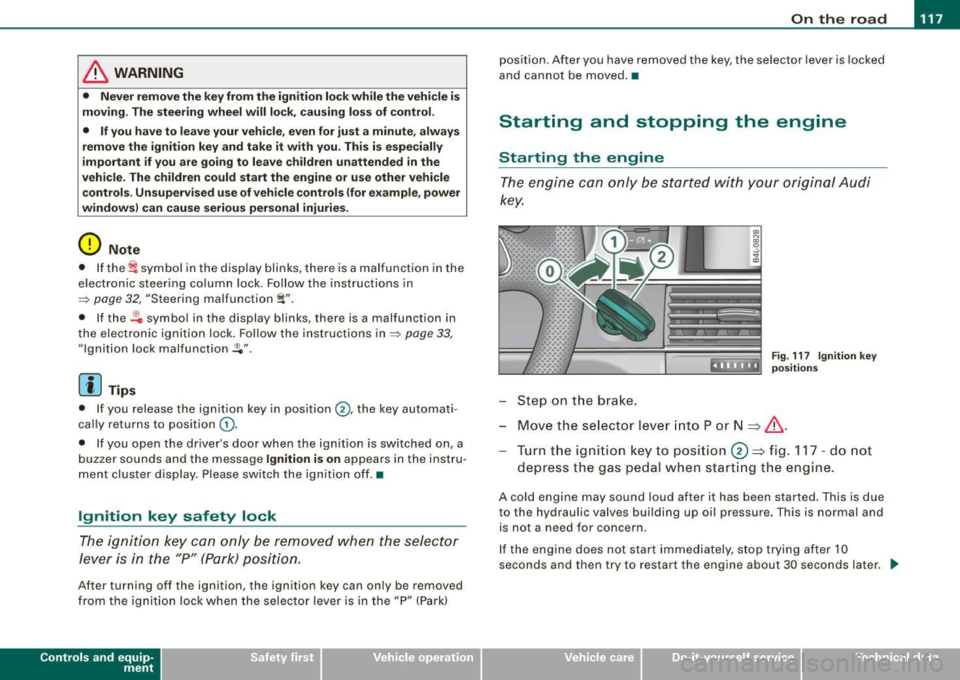
The engine can be started or turned off with the ignition
key.
Position @
Fig. 116 Ignition
switch positions
The ignition key can be inserted into the ignition switch in this posi
tion. This automatically unlocks the steering column lock. When the
ignition key is removed, the steering column lock is automatically
locked
~ & .
Ignition on 0
Turn the ignition key to this position and release it .
Starting the engine 0
The engine starts with the key in this position. Major electrical loads
are temporarily turned off.
Ignition off @
Turn the ignition key to this position and release it.
Page 119 of 398
_________________________________________________ O_ n_ t_h _e _ ro_ a_d _ __._
& WARNING
• Ne ver re m ove the ke y from the ignition lo ck wh ile th e ve hicl e is
movin g. The steering wh eel will l ock , cau sing l oss of contr ol.
• I f yo u have t o le ave y our veh icle, e ven for ju st a mi nute , always
r e m ove the ign ition ke y and t ake it with you. T his is es pe ciall y
import ant if y ou are going t o leave c hildren unatt end ed in the
vehic le. The children could start the engin e or use other ve hicle
c ontr ols. Un sup erv is ed u se of veh icle c ontrol s (for e xam ple, pow er
w indow s) can cause se rious per sonal injurie s.
0 Note
• I f the ~ symbol in the display blinks, there is a malfunction in the
e lectronic steering column lock . Follow the instructions in
~ page 32 , "Steering malfunction i".
• If the ~ symbol in the display blinks , there is a malfunction in
the electronic ignition lock . Follow the instructions in~ page
33,
"Ignition lock malfunction ~"-
[ i ] Tip s
• If you release the ignition key in posit ion @, the key automati
cally r eturns to posit ion
G) .
• If you open the driver's door when the ignition is swi tched on , a
buzzer sounds and the message Ignition is on appears in the instru
ment cluster display. P lease switch the ignition off. •
Ignition key safety lock
The ignition key can only be removed when the selector
lever is in the "P" (Park) position.
After turning off the ignition, the ignition key can only be removed
from the ignition lock when the selec tor lever is in the "P" (Park)
Con tro ls and eq uip
ment position. Af
ter you have removed the key , the sele ctor lever is locked
and cannot be moved. •
Starting and stopping the engine
Starting the engine
The engine can only be started with your original Audi
key.
.... _:::::•:
Step on t he brake.
Fig . 117 Ig ni tio n k ey
posit io n s
Move the selector lever into P or N => &,.
Tu rn the ignition key to pos ition 0 => fig . 117 - do not
depress the gas peda l when start ing the engine.
A co ld engine may sound loud after it has been started . This is due
to the hydrau lic valves building up oi l pressure. This is normal and
is not a n eed for concern .
If the engine does not start immediately, stop trying after 10
seconds and th en try to restart the engine about 30 seconds later . _.,
Vehicle care
I I irechnical data
Page 120 of 398
• ..__O_ n_ t_h _e _ r_o _a _ d __________________________________________________ _
& WARNING
Never start or let the engine run in a confined or enc losed area .
Exhaust fumes from the engine contain carbon monoxide , a color
le ss and odorless gas . Carbon monoxide can be fatal if inhaled .
• Never leave the engine idling unattended . An unattended
vehi cle with a runn ing engine poses a danger of personal injury or
theft.
0 Note
• Avoi d high engine speed s, fa st a ccele rati on or heavy eng ine
loads while the engi ne is sti ll cold. This cou ld damage the engine.
• The e ngi ne canno t be sta rt e d by pushing o r to w ing the vehicle.
~ For the sake of the environment
To avoid unnecessary engine wear and to re duce ex hau st emis
sions, do not let your vehicle stand and warm up. Be ready to drive
off immed iate ly afte r start ing y our veh icle. Maintain modera te
sp eed unt il the engine is completely warm. Remembe r, th e engine
performs best a t operati ng tempe ra ture .•
Stopping the engine
- Turn t he ignit ion key to position © ~ page 117 , fig. 117 .
& WARNING
• Never turn off the engine until the vehicle has come to a
complete stop.
• The brake booster and servotroni c only work when the engine
is running . With the ignition turned off , you have to apply more
force when steering or braking . Since you cannot steer and stop
normally, this can lead to accidents and serious injuries .
& WARNING (continued )
• The radiator fan can continue to run for up to 10 minutes even
after you have turned off the engine and removed the ignition key .
The radiator fan can also turn on again if the engine coolant heats
up because of inten se sunlight or heat build -up in the engine
compartment .
0 Note
Do not stop the engine immediatel y after hard or extended driving.
Keep the eng ine runn ing f or ap proximate ly t wo minu tes to preven t
excessive heat build -up. •
Starting and stopping the engine
with Convenience key
Ap plies to vehicles: wit h C onvenien ce key
Starting the engine with the [ START) button
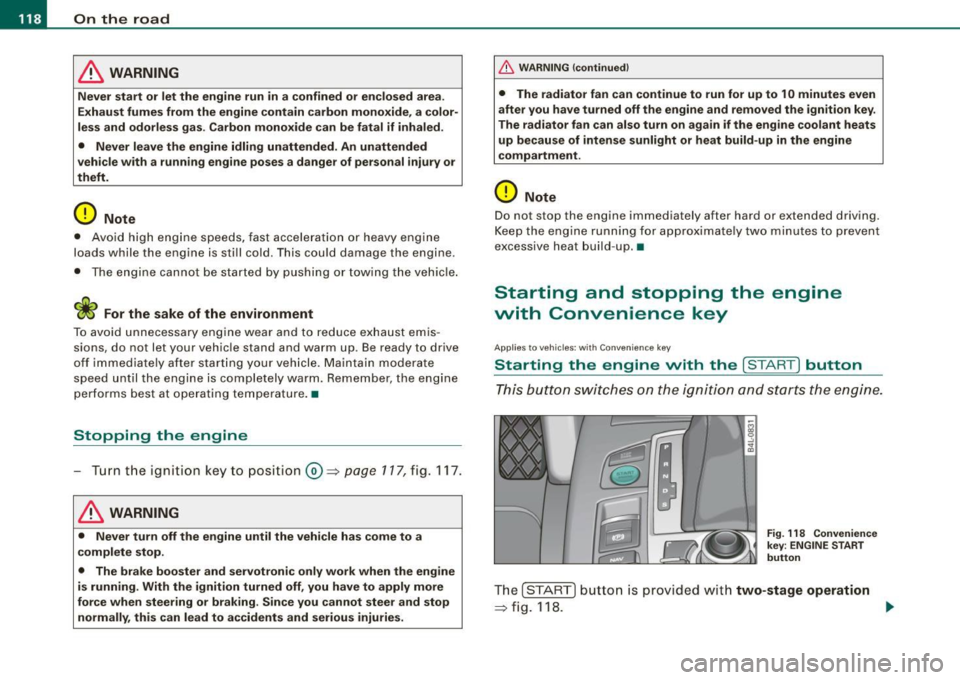
This button switches on the i gnition and starts the en gine.
Fig. 118 Convenienc e
key ; EN GINE START
button
T he [ S TA RT ] b utto n is prov ided with two-stage operation
~ fig .118. .,,_
Page 121 of 398
![AUDI S6 2009 User Guide On th e road 111111 _________________________________ __::..:....:.......;,;_;_;_ _ __;____,J
Switching the ignition on
- Press t he [ S TART] button once to the first stage to switch
on](/img/6/57595/w960_57595-120.png "AUDI S6 2009 User Guide On th e road 111111 _________________________________ __::..:....:.......;,;_;_;_ _ __;____,J
Switching the ignition on
- Press t he [ S TART] button once to the first stage to switch
on")
On th e road 111111 _________________________________ __::..:....:.......;,;_;_;_ _ __;____,J
Switching the ignition on
- Press t he [ S TART] button once to the first stage to switch
on on ly the ignition.
Starting the engine
- Step on t he brake.
- Move the se lector leve r to t he P or N posit ion
~ & .
- Press the [ STA RT ] button to t he second s tage to star t the
engine.
After a cold engine is started, there may be a brief period of
increased noise because oil pressure must first bui ld up in the
hydraulic valve adjusters . This is norma l and not a cause for
concern.
If the engine does not start immed iately, stop trying after 10
seconds and then try to restart the engine about 30 seconds later.
& WARNING
Ne ver all ow the e ngine to run in confined spa ce s -danger of
asphyxi atio n.
0 Note
• Avo id high engi ne rp m, full throttle and heavy engine loads unti l
the engine has reached operating temperature -otherwise you risk
engine damage .
• T he engine cannot be started by pushing or towing the vehic le.
c£> For the sake of the environment
Do not allow the engine to warm up with the vehicle stationary . Start
driving right away . In this way you avo id unnecessary emissions .
Contro ls and eq uip
ment
[ i ] Tip s
If you open the driver's door when t he ign itio n is switched on, a
buzzer sounds and the message
Ign ition i s on appears in the instru
ment cluster display. P lease switch the ignition off. •
Applies to vehic les : w ith C onven ien ce key
Switching engine off with the [STOP] button
Bring yo ur vehicle to a comp le te sto p.
Fig. 11 9 Con veni ence
k ey: E NGIN E STO P
button
Move the se lector lever to the P o r N position .
Press the [
STOP I button ~ fig. 119.
Pressing the ( STO P] button once switches off the engine and the
ignition . If you press the ( S T O P! button again for more than 1
second, the steering is locked, provided that the selector leve r is in
the P position
~ & .
Emergency OFF function
If necessary , the engine can be switched off with the selector leve r
in the R, Dor S positions. To do so, step on the brake peda l and
press and hold the ( STOP] button (vehicle speed must be less than
6 mph/ 10 km /h. .,,_
Vehicle care I I irechnical data
Page 122 of 398
• .___O_ n_ t_ h_ e_ r_ o_ a_d ____________________________________________________ _
& WARNING
• Never turn off the engine until the vehicle has come to a
complete stop.
• The brake booster and servotronic only work when the engine
is running. With the ignition turned off, you have to apply more
force when steering or braking. Since you cannot steer and stop
normally, this can lead to accidents and serious injuries.
• For safety reasons, you should always park your vehicle with
the selector lever in P. Otherwise, the vehicle could inadvertently roll away.
• After the engine has been switched off, the radiator fan can
continue to run for up to 10 minutes -even with the ignition
switched off. It can also switch on again after some time if the
coolant temperature rises as the result of a heat buildup or if the
engine is hot and the engine compartment is additionally heated
by the sun's rays.
0 Note
If the engine has been under heavy load for an extended period,
heat builds up in the engine compartment after the engine is
switched off -there is a risk of damaging the engine. Allow the
engine to run at idle for about 2 minutes before switching it off. •
Applies to vehicles: w ith Conven ience key
Driver messages in the instrument cluster
display
If a function is not present, a driver message appears.
No key identified
This message appears when the [STAR T) button is pressed if there
is no master key inside the vehicle or if the system does not recog
nize it . For example, the master key cannot be recognized if it is
covered by an object (e.g. aluminum brief case) which
screens the radio signal.
.Electronic devices such as cell phones can also inter
fere with the radio signal.
Press brake pedal to start engine
This message appears if you press the [ START) button to start the
engine and do not depress the brake pedal. The engine can only be
started if the brake pedal is depressed.
Engage N or P to start engine
This message appears when the engine is started if the selector
lever for the automatic transmission is not in the P or N position.
The engine can only be started with the selector in these positions.
? Key not in vehicle
This message appears along with the symbol if the master key is
removed from the vehicle with the engine running. It is intended to
remind you (e.g. when changing drivers) not to continue the journey
without the master key.
If the master key is no longer in the vehicle, you cannot switch off
the ignition after stopping the engine and you also cannot start the engine again. Moreover, you cannot lock the vehicle from the
outside with the key.
Shift to P, otherwise vehicle can roll away. Doors do not lock if lever
is not in
P.
This message appears for safety reasons along with a warning
buzzer if the selector lever for the automatic transmission is not in
the P position when the ignition is switched off with the
[STOP)
button and the driver's door is opened. Move the selector lever to
the P position, otherwise the vehicle is not secured against rolling
away. You also cannot lock the vehicle using the locking button on
the door handle or using the remote key.
To engage steering lock, press and hold STOP button
This message appears for safety reasons if the engine and the igni
tion have been switched off by pressing the [
STOP) button once, .,,_
Page 123 of 398
![AUDI S6 2009 User Guide On th e road -
-------------------
and then the drivers door is opened. In this instance, the steering is
not locked . The steering is locked :
• If you press the
I STOP ] b](/img/6/57595/w960_57595-122.png "AUDI S6 2009 User Guide On th e road -
-------------------
and then the drivers door is opened. In this instance, the steering is
not locked . The steering is locked :
• If you press the
I STOP ] b")
On th e road -
-------------------'
and then the driver's door is opened. In this instance, the steering is
not locked . The steering is locked :
• If you press the
I STOP ] button aga in for more than 1 second.
• If you c lose the driver's door and lock your vehicle from the
outside .•
Electromechanical parking brake
Operation
The electromechanical parking brake replaces the hand
brake.
Fi g. 120 Center
co nso le: Parki ng bra ke
- Pull the switch to app ly the park ing brake => fig. 12 0. The
indicator light in the switch will come on .
- Step on the brake pedal or the accelerator pedal and
press the switch at the same time to rel ease the parking
brake. The indicator lig ht in the switch wi ll go out.
Your vehicle is equipped with an elect romechanical parking brake
which replaces the handbrake . T he parking brake is designed to
prevent the vehicle from rol ling unintentional ly.
Con tro ls and eq uip
ment
I n add ition to the normal functions of a traditional hand brake, the
e lectromechanica l parking brake provides various convenience and
safety functions.
Emergen cy brake
An emergency brake ensur es that the vehicle can be slowed even if
t he
normal brakes fail=> page 123, "Emergency braking".
Ind icator lights
• If the parking brake is applied with the ignition tu rned on , the
indicator light in the instrument cluster (U.S models :
::i.:,, Canadian
models: ®)) and in the switch <®) will com e on .
• I f the parking brake is app lie d with the ignition
turn ed off , the
indicator light in the instrument cluster (U.S. models: ::.:\,, Canadian
models :(®) ) and in the switch(®) will come on for about 30 seconds
and then go out .
& WARNING
If the vehicle i s stationary and the tr ansmi ssion is engag ed with
the engine ru nning , the engine should not be speeded up (e .g .
manu ally from under the hood ). Otherwi se the vehicle will sta rt to
move -you run the risk of a n accident .
0 Note
If the warning/indica tor light (U.S . mode ls: BRAKE , Canadian mode ls :
(Ci)) ) flashes in the instrument clus ter, there is a brake system
malfunction . By pressing the
I CHECK] button, you can bring up a
driver message which explai ns the ma lfunc tion in more detail. If the
message
P a rki ng brake ! Please conta ct w ork shop appears, there is
a par king brake malfunction which you should have repaired imme -
d iate ly by an authorized dealership=>
page 30. ..
Vehicle care
I I irechnical data