instrument cluster AUDI S6 2009 Owner's Manual
[x] Cancel search | Manufacturer: AUDI, Model Year: 2009, Model line: S6, Model: AUDI S6 2009Pages: 398, PDF Size: 43 MB
Page 113 of 398
Warm and cold 1111
-------------------'
[ i J Tip s
Please note that objects p laced on the seats may be detected . If
these obj ects are heavy enough, the ir weight wil l cause the seat
heating to switch on .•
A pplies to veh icle s: w it h s tee rin g wh eel heat ing
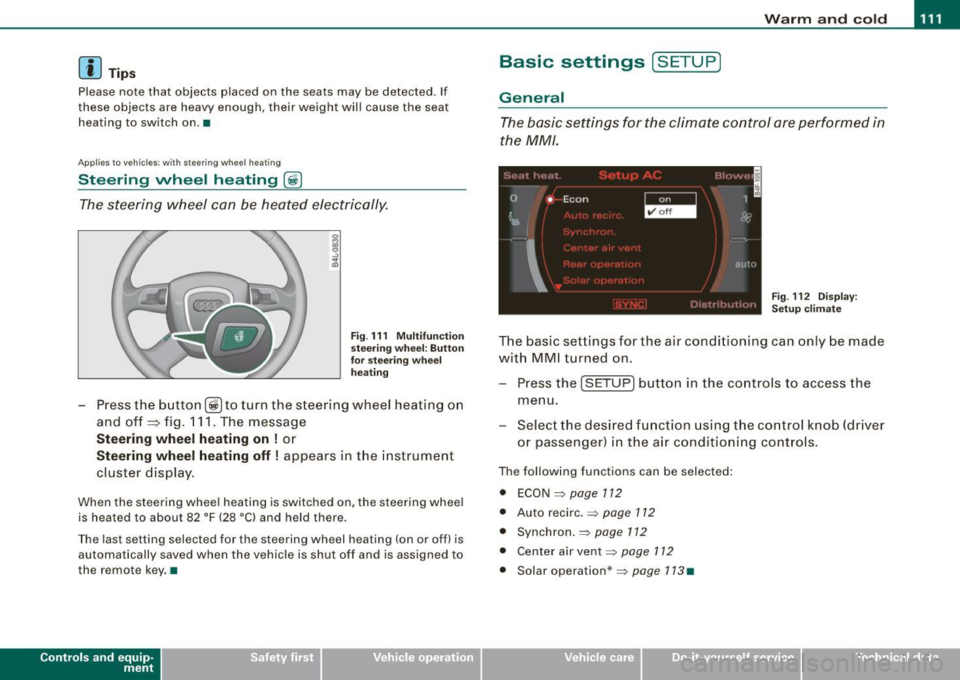
Steering wheel heating ~
The steering wheel can be heated electrically.
Fig . 1 11 Mult ifun ctio n
s tee ring whee l: B utt on
for stee ring w hee l
hea ting
Press the button [~ )to turn the steering wheel heating on
and off
~ fig. 1 11 . The message
St eering wheel h eating on ! or
Steering wh eel heating off ! appears in the instrument
cluster display.
When the steering wheel heating is switched on, the steering wheel
is heated to about 82 °F (28 °Cl and held there .
The las t sett ing s ele ct ed for the steering wheel heating (on or o ff) is
automatically saved when the vehicle is shut off and is assigned to
the remot e key . •
Contro ls and eq uip
ment
Basic settings [ S ET UP )
General
The basic settings for the climate control are performed in
the
MM/.
'' I", I -
0 •
I Econ 1
~ &
I
aut{J
Fig . 112 Dis play:
Set up clim ate
The basic settings for t he air conditioning can only be made
w ith MMI turned on .
- Press the
(SETUP ] button in the controls to access the
menu.
- Select the des ired fu nction using the co ntrol knob (dr iver
or passenger) in the air conditioning cont rols .
The following functions can be selected :
• ECON =>
page 112
• Auto recirc . => page 712
• Synchron . => page 112
• Center air vent=:>
page 112
• Solar operation *=> page 113 •
Vehicle care
I I irechnical data
Page 122 of 398
• .___O_ n_ t_ h_ e_ r_ o_ a_d ____________________________________________________ _
& WARNING
• Never turn off the engine until the vehicle has come to a
complete stop.
• The brake booster and servotronic only work when the engine
is running. With the ignition turned off, you have to apply more
force when steering or braking. Since you cannot steer and stop
normally, this can lead to accidents and serious injuries.
• For safety reasons, you should always park your vehicle with
the selector lever in P. Otherwise, the vehicle could inadvertently roll away.
• After the engine has been switched off, the radiator fan can
continue to run for up to 10 minutes -even with the ignition
switched off. It can also switch on again after some time if the
coolant temperature rises as the result of a heat buildup or if the
engine is hot and the engine compartment is additionally heated
by the sun's rays.
0 Note
If the engine has been under heavy load for an extended period,
heat builds up in the engine compartment after the engine is
switched off -there is a risk of damaging the engine. Allow the
engine to run at idle for about 2 minutes before switching it off. •
Applies to vehicles: w ith Conven ience key
Driver messages in the instrument cluster
display
If a function is not present, a driver message appears.
No key identified
This message appears when the [STAR T) button is pressed if there
is no master key inside the vehicle or if the system does not recog
nize it . For example, the master key cannot be recognized if it is
covered by an object (e.g. aluminum brief case) which
screens the radio signal.
.Electronic devices such as cell phones can also inter
fere with the radio signal.
Press brake pedal to start engine
This message appears if you press the [ START) button to start the
engine and do not depress the brake pedal. The engine can only be
started if the brake pedal is depressed.
Engage N or P to start engine
This message appears when the engine is started if the selector
lever for the automatic transmission is not in the P or N position.
The engine can only be started with the selector in these positions.
? Key not in vehicle
This message appears along with the symbol if the master key is
removed from the vehicle with the engine running. It is intended to
remind you (e.g. when changing drivers) not to continue the journey
without the master key.
If the master key is no longer in the vehicle, you cannot switch off
the ignition after stopping the engine and you also cannot start the engine again. Moreover, you cannot lock the vehicle from the
outside with the key.
Shift to P, otherwise vehicle can roll away. Doors do not lock if lever
is not in
P.
This message appears for safety reasons along with a warning
buzzer if the selector lever for the automatic transmission is not in
the P position when the ignition is switched off with the
[STOP)
button and the driver's door is opened. Move the selector lever to
the P position, otherwise the vehicle is not secured against rolling
away. You also cannot lock the vehicle using the locking button on
the door handle or using the remote key.
To engage steering lock, press and hold STOP button
This message appears for safety reasons if the engine and the igni
tion have been switched off by pressing the [
STOP) button once, .,,_
Page 123 of 398
![AUDI S6 2009 Owners Manual On th e road -
-------------------
and then the drivers door is opened. In this instance, the steering is
not locked . The steering is locked :
• If you press the
I STOP ] b](/img/6/57595/w960_57595-122.png "AUDI S6 2009 Owners Manual On th e road -
-------------------
and then the drivers door is opened. In this instance, the steering is
not locked . The steering is locked :
• If you press the
I STOP ] b")
On th e road -
-------------------'
and then the driver's door is opened. In this instance, the steering is
not locked . The steering is locked :
• If you press the
I STOP ] button aga in for more than 1 second.
• If you c lose the driver's door and lock your vehicle from the
outside .•
Electromechanical parking brake
Operation
The electromechanical parking brake replaces the hand
brake.
Fi g. 120 Center
co nso le: Parki ng bra ke
- Pull the switch to app ly the park ing brake => fig. 12 0. The
indicator light in the switch will come on .
- Step on the brake pedal or the accelerator pedal and
press the switch at the same time to rel ease the parking
brake. The indicator lig ht in the switch wi ll go out.
Your vehicle is equipped with an elect romechanical parking brake
which replaces the handbrake . T he parking brake is designed to
prevent the vehicle from rol ling unintentional ly.
Con tro ls and eq uip
ment
I n add ition to the normal functions of a traditional hand brake, the
e lectromechanica l parking brake provides various convenience and
safety functions.
Emergen cy brake
An emergency brake ensur es that the vehicle can be slowed even if
t he
normal brakes fail=> page 123, "Emergency braking".
Ind icator lights
• If the parking brake is applied with the ignition tu rned on , the
indicator light in the instrument cluster (U.S models :
::i.:,, Canadian
models: ®)) and in the switch <®) will com e on .
• I f the parking brake is app lie d with the ignition
turn ed off , the
indicator light in the instrument cluster (U.S. models: ::.:\,, Canadian
models :(®) ) and in the switch(®) will come on for about 30 seconds
and then go out .
& WARNING
If the vehicle i s stationary and the tr ansmi ssion is engag ed with
the engine ru nning , the engine should not be speeded up (e .g .
manu ally from under the hood ). Otherwi se the vehicle will sta rt to
move -you run the risk of a n accident .
0 Note
If the warning/indica tor light (U.S . mode ls: BRAKE , Canadian mode ls :
(Ci)) ) flashes in the instrument clus ter, there is a brake system
malfunction . By pressing the
I CHECK] button, you can bring up a
driver message which explai ns the ma lfunc tion in more detail. If the
message
P a rki ng brake ! Please conta ct w ork shop appears, there is
a par king brake malfunction which you should have repaired imme -
d iate ly by an authorized dealership=>
page 30. ..
Vehicle care
I I irechnical data
Page 125 of 398
On the road -
----------------
• Please also exercise exceptional care when you drive up or down
steep ramps or drive over curbs or other obstac les, f or which the
vehicle is not designed, because components of the veh ic le close to
the g round, suc h as bumper covers, spoi lers and suspension and
exhaust system components, may become damaged . •
Starting off with a trailer
To p reven t ro lling b ack unintentionally o n an incline, do
the foll owing:
- Keep the sw it c h pulled and depr ess the acce lera to r. The
p arking b rake stays a pplie d a nd pre ve nts the v ehi cle
f rom rolling backw ard .
- You can rele ase the switch o nce you are sure t hat you are
deve lo p ing e noug h forward mo mentum at the whee ls as
yo u de press the accelera tor.
Depending on the weight of the rig (vehicle a nd trailer) and the
severity of the inc line, you may roll backwards as you start. You can
prevent rolling bac kwards by holding the parking brake switch
pul led out and acce lerating -just as you would when starting on a
hill with a conven tiona l hand brake .•
Emergency braking
In the event that the conventional brake system fails or
locks .
-Pull the sw itch and cont inue to pu ll it to slow yo ur vehicle
with the parking b rake in an emergency.
- As soo n as you release the sw itch or acce le rat e, the
b raking proc ess s tops .
Controls and equip
ment
I f you pull the switch and hold it above a speed of about 5 mph (8
km/h), the emergency braking function is initia ted . The ve hic le is
braked at all four whee ls by activating the hydraulic brake system.
Brake performance is sim ilar to mak ing an eme rgency stop=>& .
So that emergency braking is not activated by mistake, an audible
warning tone (buzzer) sounds when the switch is pulled. As soon as
t he sw itch is released, or the accelera tor pedal is depressed, emer
gency braking stops.
& WARNING
Emergency braking should only be used in an emergency , when
the normal foot brake ha s failed or the brake pedal i s obstructed .
Using the parking brake to perform emergency braking will slow
your vehicle as if you had made a full brake application. The law s
of physi cs cannot be suspended even with E SP and its asso ciated
components (ABS , ASR , EDS ). In corner s and when road or
we ather conditions are bad , a full bra ke appl ication can cau se the
vehicle to skid or the rear end to break away -risking an
accident .•
Driver messages in the instrument cluster
Caution : Vehicle p arked too steep
This message appears when the park ing brake is app lied on an
inc line that exceeds about 30% .
I n this case the braking power of the parking brake may
not be
adequate
to prevent the vehicle from rol ling unintentional ly .
Please release parking brake
This message appears, when a gear is selected and the accelerator
pedal is depressed -re lease the parking brake. ...
I • •
Page 126 of 398
_L--_O=-..:.. n:......:. t:...; h :..:e :.......:.. ro.:...:: a:...;d:.;_ _________________________________________________ _
Press brak e peda l to re lease parking br ake
This driver message appears when the switch to release the parking
brake was pressed . The pa rking brake can only be released if you
press the brake or accelerator pedal and press the switch at the
same time.
Parking bra ke malfu nctio n !
This driver message appears together with the yel low symbol
when there is a parking brake ma lf u nction .
0 Note
If the warning/indicator l ight (U .S . models : BRAKE, Canadian mode ls:
«D> l flashes in the instrument cluster, there is a brake system
malfunct ion. By pressing the [ CH ECK] button, you can bring up a
driver message which explains the malfunction in more detail. If the
messag e
Parking br ake! Ple ase conta ct w ork shop appea rs , there is
a parking brake malfunction which you shou ld have repaired imme
dia te ly by an authori zed dealership =>
page 30. •
Cruise control
Ap plies to veh icles : with crui se co ntro l
Switching th e system on
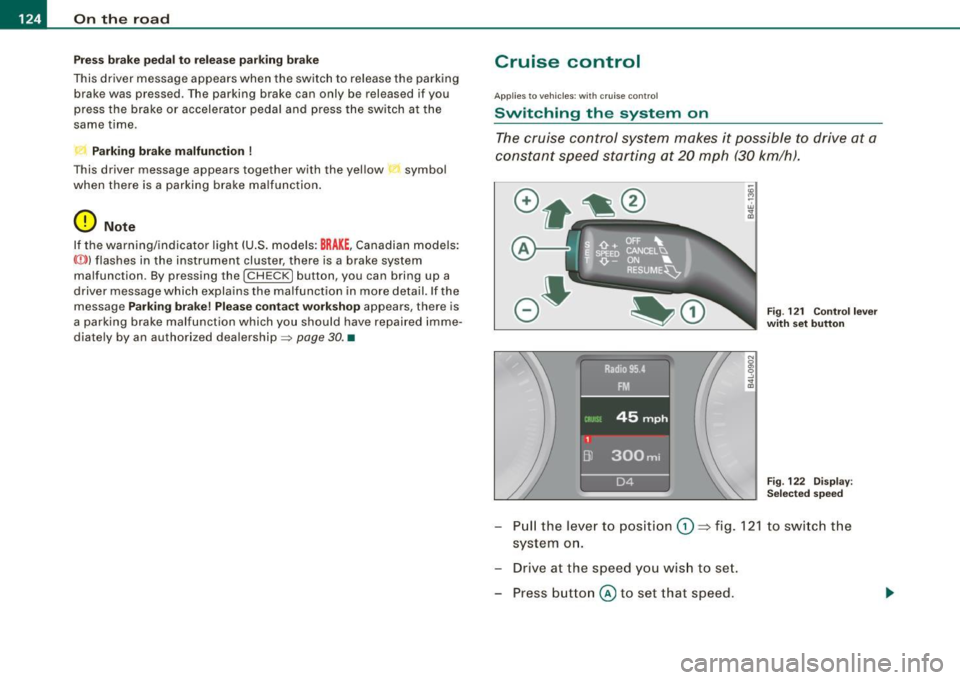
The cruise control system makes it possible to drive at a
constant speed starting at 20 mph (30 km/h).
-"' M
-w ., a,
F ig . 121 Co ntrol l ever
w ith set button
Fi g. 122 D is p la y:
Se lecte d sp ee d
- Pull the lever to position G) ~ fig. 12 1 to s wit ch the
system o n.
- Drive at the speed you wish to set.
- Press button
@ to set that speed.
Page 127 of 398
On the road -
----------------
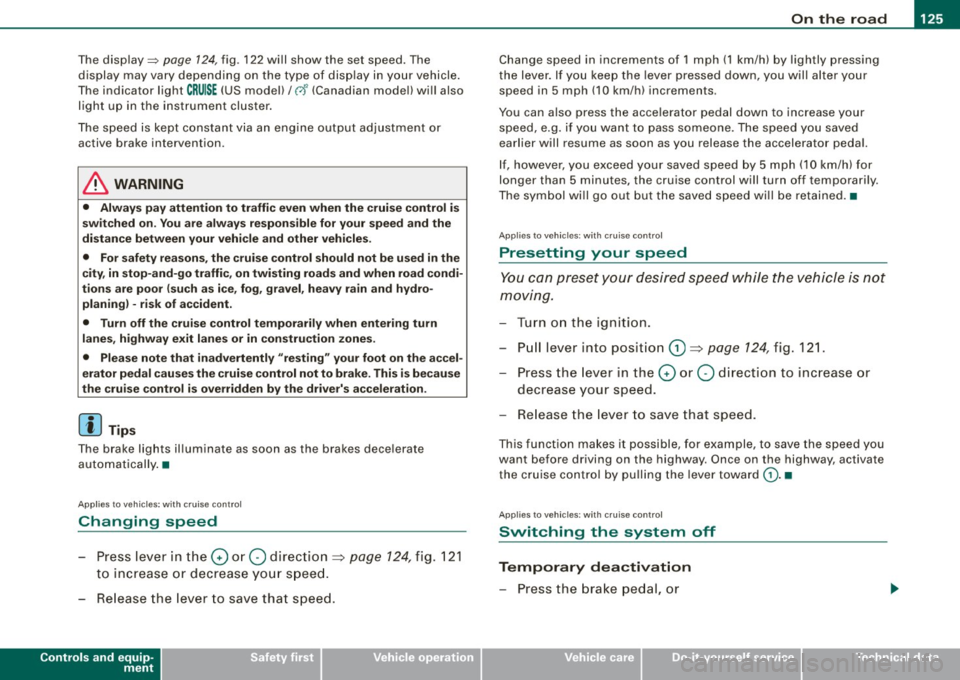
The display=> page 124, fig. 122 will show the set speed . The
display may vary depending on the type of disp lay in your vehicle .
The ind icator light
CRU ISE (US model) I (')0 (Canadian mode l) wi ll also
light up in the instrument cluster.
The speed is kept constant via an engine output adjust ment or
active brake intervention .
_& WARNING
• Always pay attent ion to traffic even when the crui se control is
s w it ched on. You are alw ays r esp onsi ble for your speed and the
di sta nce b etween your vehi cle and other vehi cle s.
• For s afet y reason s, the crui se control should not be u sed in the
c ity , in stop- and-go traffic , on twi sting roads and when road condi
t ion s a re p oor (s uch a s ice , fo g, gra vel , he avy ra in and h ydro
planing ) - risk of accident.
• Turn off the crui se control tempor arily when e nte ring tu rn
lan es, highway exit lanes or in constru ction zone s.
• Plea se note that in adv ertentl y "re sting " yo ur foot on the accel
erator ped al cau se s the cruise control not to brake . Thi s is b ecau se
the crui se control i s overridden b y the dri ve r's acc eleration .
[ i] Tips
The brake lights il luminate as soon as the brakes decelerate
automatically .•
Ap plie s to v ehicl es: w it h c ruise contro l
Changing speed
-Press lever in the 0 o r Q dir ection => page 124, fig. 121
to increase or decrease you r sp eed.
- Release the lever to s ave that speed.
Controls and equip
ment Change speed in increments of 1 mph (1 km/h) by
lightly pressing
the lever . If you keep the lever pressed down, you will a lter your
speed in 5 mph (10 km /h) increments .
You can a lso press the acce lerator pedal down to increase your
speed, e.g. if you want to pass someone. The speed you saved
earlier will resume as soon as you release the accelerator pedal.
If , however, you exceed your saved speed by 5 mph (10 km/h) for
longer than 5 minutes, the cruise control will turn off temporarily .
The symbol wi ll go ou t bu t the saved speed wi ll be retained. •
Applie s to v ehic le s: with c ru ise cont ro l
Presetting your speed
You can prese t your desire d speed while the vehicle is not
moving.
- Turn o n the ignition .
Pu ll lever into pos ition
G) => page 124, fig. 12 1.
Press the lever in the
0 or Q direction to increase or
decrease your speed .
- Release the lever to save that speed .
This function makes it possible, for example, to save the speed you
want before driving on the highway. Once on the highway , activate
the cruise contro l by pu lli ng the lever toward
G) . •
Ap plies to ve hic les: with c ruise contro l
Switching the system off
Temporary dea ctivation
- Press the brake pedal, or
I • •
Page 129 of 398
_____________________________________________ A_ d_a ...: p_ t_ i_ v _e_ C_ ru_ is_ e_ C_ o_n _ t_ r_o _ l _ __._
Adaptive Cruise Control
Speed and distance control system
Applies to vehic les : with Adaptive C ruise Cont rol
Description
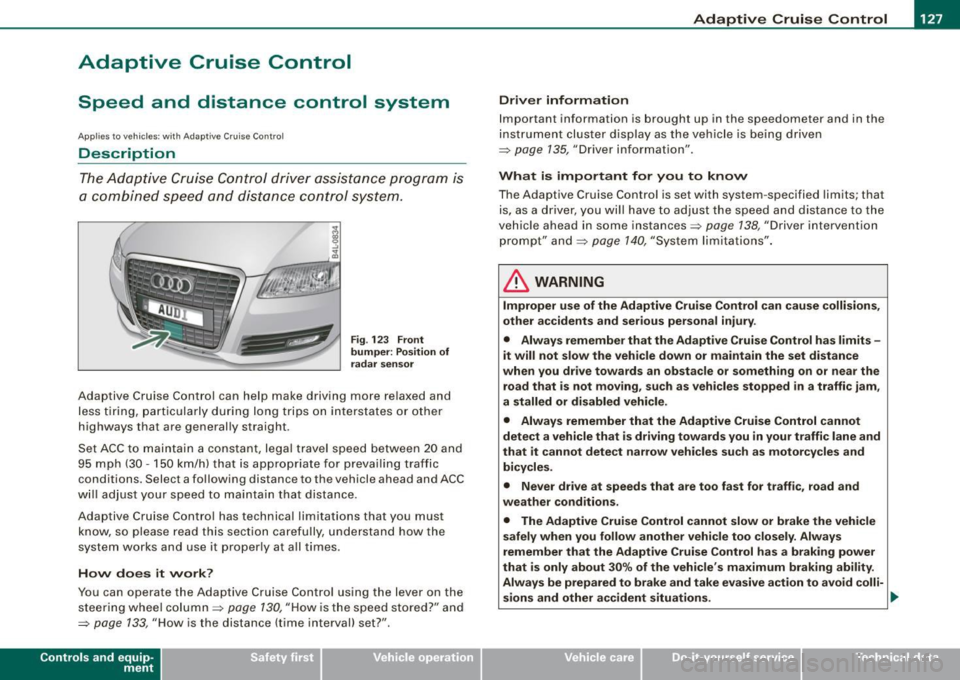
The Adaptive Cruise Control driver assistance pr ogram is
a combined speed and distance control system .
Fig. 123 Fro nt
bu mper: Pos it io n of
r adar senso r
Adaptive Cruise Control can help make driving more re laxed and
less t iring, particula rly during long trips on interstates or other
highways that are generally straight .
Set ACC to maintain a constant, legal travel speed between 20 and
95 mph (30 -150 km/h) that is appropriate for prevailing traffic
conditions. Select a following distance to the vehicle ahead and ACC
w ill adjust your speed to maintain that distance .
Adaptive Cruise Contro l has technical limitations that you must
know, so please read this section carefully, understand how the
system works and use it proper ly at all times .
How does it work ?
You can operate the Adaptive Cruise Control using the lever on the
steering wheel column=> page 130, "How is the speed stored?" a nd
=> page 133, "How is the distance (time interval) set? ".
Con tro ls and eq uip
ment
Driver inf ormation
Important information is brought up in the speedometer and in the
instrument cluster display as the ve hicle is being driven
=> page 135, "Driver information" .
What is important for y ou to kn ow
The Adaptive Cruise Control is set with system -specified limits; that
is, as a driver, you will have to adj ust the speed and distance to the
vehic le ahead in some instances=> page 138 , "Driver intervention
prompt" and=> page 140, "System limita tions" .
& WARNING
Improper u se of the Adapti ve Crui se Control can c ause colli sion s,
oth er ac cident s and s eriou s per sonal injur y.
• Alway s reme mber that the Adapt ive Cruise Control ha s limit s -
it will not slow the veh icle do wn or maintain the set dis tance
w hen you drive to w ard s an obst acle or something o n or ne ar the
road th at is not moving, such as vehicle s stopped in a traffi c jam ,
a stalled or disabled vehicle .
• Alwa ys remember th at the Adaptive Cru ise Control can not
dete ct a vehicle th at is driving to ward s you in your tr affi c lane and
th at it can not dete ct n arr ow vehi cles su ch as motorcycl es and
bicycle s.
• Never dr ive at speed s th at ar e too fa st for traff ic, road and
we ather co nd ition s.
• The Adaptive Cru ise Control cannot slow or brake th e vehi cle
sa fely wh en yo u follo w anothe r vehi cle too closely . Al wa ys
remember th at the Adaptive Crui se C ontrol ha s a braki ng power
t hat i s onl y ab out 30% of the veh icle 's maximum braking abilit y.
Alway s be p rep ared to br ake and take eva sive a ctio n to avoid colli-
s ion s and other a ccident situa tio ns. ._
Vehicle care
I I irechnical data
Page 135 of 398
Adaptive Cruise Control -
---------------=-------'
Applies to vehi cles: with Adaptive Cru ise Co nt rol
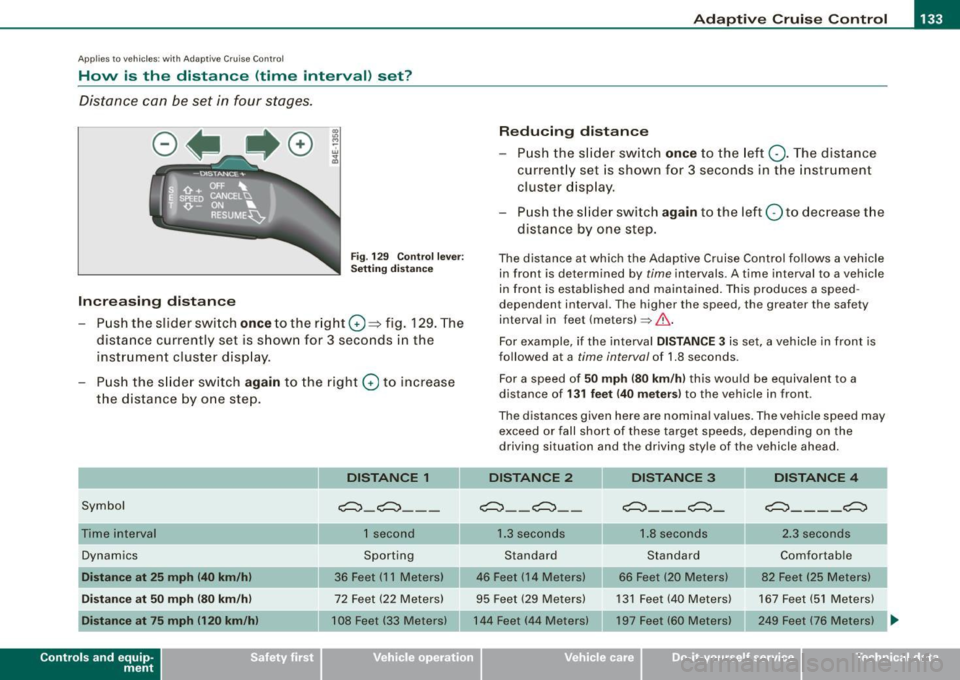
How is the distance (time interval) set?
Distance can be set in four stages.
Fig . 129 Control lever:
Setting distance
Increasing distance
- Push the slider switch
once to the right G) ~ fig. 129. The
distance currently set is shown for 3 seconds in the
instrument cluster display.
- Push the slider switch
again to the right G) to increase
the distance by one step.
Symbol
Dynamics
Distance at 25 mph (40 km/h)
Distance at 50 mph (80 km/h)
Distance at 75 mph 1120 km/h)
Con tro ls and eq uip
ment
DISTANCE 1
~-~---
1 second
Sporting
36 Feet (11 Meters)
72 Feet (22 Meters)
108 Feet (33 Meters)
Reducing distance
Push the slider switch
once to the left Q. The distance
currently set is shown for 3 seconds in the instrument
cluster display.
Push the slider switch
again to the left Oto decrease the
distance by one step.
The distance at which the Adaptive Cruise Control follows a vehicle in front is determined by
time intervals. A time interval to a vehicle
in front is established and maintained. This produces a speed
dependen t interval. The higher the speed , the greater the safety
interval in feet (meters)
=> &..
For example, if the interval DISTANCE 3 is set, a vehicle in front is
followed at a
time interval of 1.8 seconds .
For a speed of
50 mph (80 km/h) this would be equivalent to a
distance of
131 feet (40 meters) to the vehicle in front.
The distances given here are nominal values. The vehicle speed may exceed or fall short of these target speeds, depending on the
driving situation and the driving style of the vehicle ahead.
DISTANCE 2 DISTANCE 3 DISTANCE 4
~--~--~---~- ~----~
1.3 seconds 1.8 seconds 2.3 seconds
Standard Standard Comfortable
46 Feet (14 Meters) 66 Feet (20 Meters) 82 Feet (25 Meters)
95 Feet (29 Meters) 131 Feet (40 Meters) 167 Feet (51 Meters)
144 Feet (44 Meters) 197 Feet (60 Meters) 249 Feet (76 Meters)
~
Vehicle care I I Technical data
Page 137 of 398
Adaptive Crui se Control Ill
---------------=-------'
Driver information
Ap plies to vehic les : with Ada ptive C ruise Cont rol
Displays in the instrument cluster
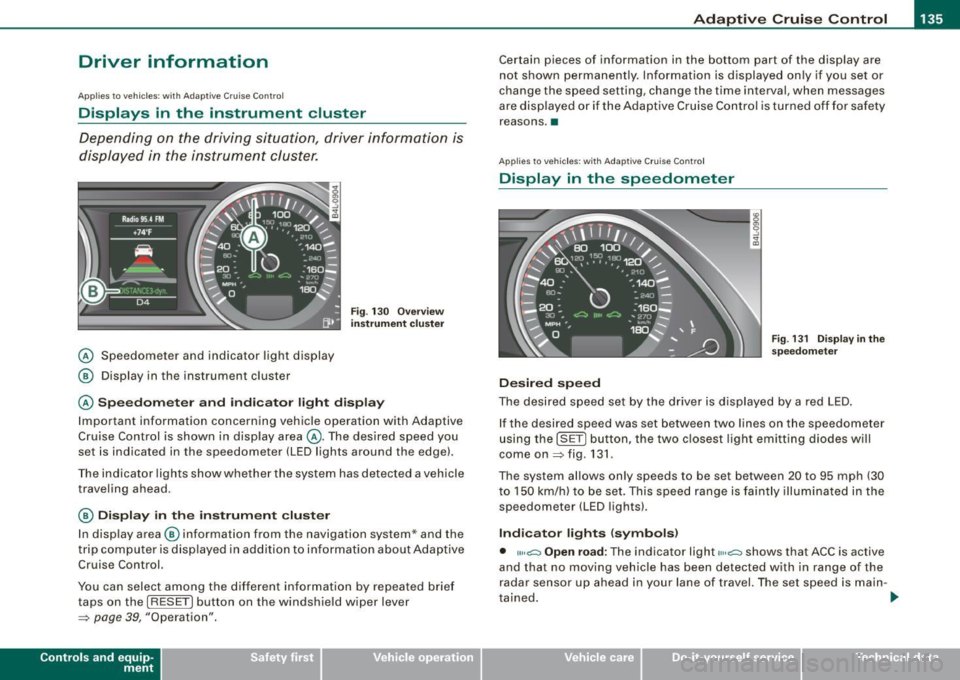
Depending on the driving situation, driver information is
d isplayed in the instrument cluster.
@ Speedometer and indicator light display
@ Display in the instrument cluster
Fig. 13 0 O verv ie w
instrument cluste r
@ Spe edom ete r and indi cat or light display
Important information concerning vehic le operation with Adaptive
Cruise Control is shown in display area @. The desired speed you
set is indicated in the speedometer (LED lights around the edge).
Th e in dicator lights sh ow whe ther the system has detected a vehicle
traveling ahead.
@ Display in the instrument cluster
I n disp lay area @ information from the navigation system* and the
t rip c omputer is disp layed in ad diti on to inf ormation about Adaptive
Cruise Control.
You can select among the differen t info rmation by repea ted brie f
taps on the [R ESET) button on the windshie ld w iper lever
~ page 39, "Operation".
Con tro ls and eq uip
ment
Certain pieces of information in the bottom part of the disp lay are
not shown permanent ly. Information is d isplayed on ly if you se t or
change the speed setting, change the time interval, when messages
are disp layed or if the Adaptive Cruise Control is turned off for safety
reasons .•
A pplies to veh ic les : with Ada ptive Cru is e Cont ro l
Display in the speedometer
Desired speed
Fig . 1 31 D isplay in th e
s pe edome ter
The desired speed set by the drive r is displayed by a red LED .
If the desired speed was set between two lines on the speedometer
using th e [SET) bu tton, the two c losest light emitting diodes will
come on
~ fig . 131 .
The system allows only speeds to be set between 20 to 95 mph (30
t o 150 km/h) to be set. This speed range is faintly illuminated in the
speedometer (LED lights).
Ind icator lights ( symbols )
• ""~ Open road : The indicator light""~ shows that ACC is active
and that no moving vehicle has been detected with in range of the
radar senso r up ahead in your lane of travel. The set speed is main -
t ained . .,
Vehicle care I I Technical data
Page 138 of 398
• ..__A_ d_a...: p:,..._ ti_v _ e_ C_ ru_ is_ e_ C_ o_n_ t_ r_ o _ l ___________________________________________ _
• <0111,c::::, Driv ing in traffi c: The indicator light '°"'''° shows that a
ve hicle moving in your lane of travel has been de tec ted up front in
your lane of travel. Your speed is adjusted according to the speed of
the vehic le up front . ACC accelerates and brakes automatically
within the system's capabilities.
• -011 ,,-0 Dr iv e r intervention prompt : The red flashing warning
light
-011 .. ~ means Request for dri ver to as sume contr ol. You as the
driver must slow the vehic le with the foot brake . The symbol
<0 1111<0
tel ls you that the Adaptive Cruise Control is not able to slow the
vehic le down enough to keep a enough distance to the vehicle in
front of you. A warning tone will also sound when the symbo l
appears . For more information about the driver intervention prompt
::;, page 138.
& WARNING
Improper use of the Adap tive Crui se Contro l features and inatten
tion can lead to an crash and serious personal injury .
• Never allow the closing speed betw een you and other veh icles
to be so high that the Adapt ive Cruise Control may not be able to
slow you r vehi cle saf ely . If clo sing speed is too high , you mu st
apply the brake s yourself to reduce the ri sk of a re ar-end cra sh .
• Always sele ct a greater follo wing dist ance to the vehi cle up
ahead on wet roads than on dry road s.
• Alway s re ad and heed the information and WARNINGS::;,
& in
"De scription " on
pag e 127 .
[ i ] Tips
• If you use the acce lerato r to go faster than the speed of the
vehicle ahead of you, the driver intervention prompt wi ll not be
accompanied by a warning tone.
• If the speed you previously set is exceeded , the indicator light in
the speedometer w ill sw itc h off. •
App lies to vehic les: w ith Ad apt ive Cruise Contro l
Display in the instrument cluster
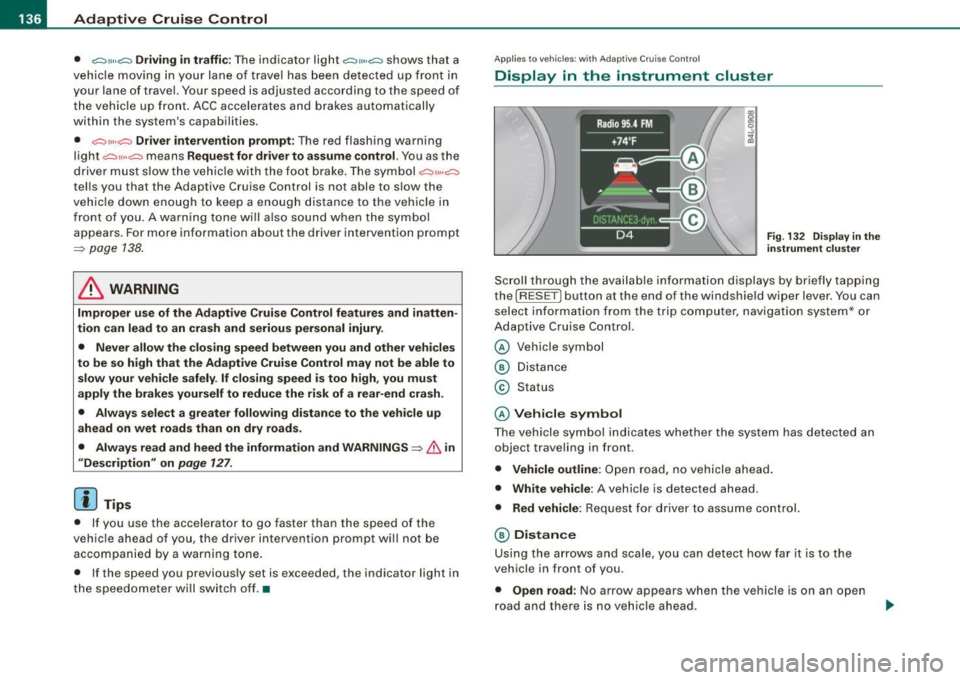
Fig. 1 32 D isplay i n the
i n strum ent c lust er
Scroll through the availab le in formati on displays by briefly tapping
the (RESET] button at the end of the windshie ld wiper lever. You can
se lect information from the trip computer, navigation system* or
Adaptive Cruise Control.
© Vehicle symbol
® Distance
© Status
© Vehi cle s ymbol
The vehicle symbo l indicates whether the system has detected an
object traveling in front .
• Vehicle outline : Open road, no vehicle ahead .
• Wh it e v ehi cle: A vehic le is detected ahead.
• Red vehicle: Request for driver to assume co ntrol.
® Distance
Using the arrows and scale, you can detect how far it is to the
vehic le in front of you.
• Open road : No arrow appears when the vehicle is on a n open
road and there is no vehic le ahead .