light AUDI S8 2009 Owner's Guide
[x] Cancel search | Manufacturer: AUDI, Model Year: 2009, Model line: S8, Model: AUDI S8 2009Pages: 408, PDF Size: 91.63 MB
Page 51 of 408
Battery operation in the master key is monitored by a check light .
The check light flashes when one of the buttons on the master key
is pressed . If the check light does not flash, the battery is dead and
has to be replaced .
In addition, when the battery is dead the symbol appears in the
instrument cluster display as well as the message :
Please ch ange key battery
We recommend having the battery changed by an Audi Dealer .•
Electronic immobilizer
T he immob ili z er helps to prevent unauthorized use of
y o ur vehicle.
A computer chip inside your key automatically deactivates the e lec
tr onic im mob ilizer when you insert the key in the ign iti on lock, or on
vehic les with Convenience key*, when the key is inside the vehicle .
When you remove the key from the ignition lock, or on vehicles with
Convenience key, when you remove the key from the vehicle, the
e lectronic immobilizer is automatica lly activated once again.
If an unauthor ized key was used,
SAFE is disp layed continuously in
the odometer disp lay field.
& WARNING
Always take the key w ith you when you leave the vehicle. The key
c an disarm the electronic engine immob ilizer and permit an unau
thori zed person to start the engine and enable oper atio n of the
vehicle sy stem s such a s power window or power sunroof leading
to s eriou s personal injury .
[ i ] Tip s
• Your engine can on ly be started using the factory-equipped key.
Controls and equip
ment
Opening and clo sing
• You may not be ab le to start your vehic le if an ignition key of a
different ve hicle make is a lso l oca ted on your set of keys .
• F or Dec laration of Comp liance to United States FCC and Industry
Canada regulations =>
page 385 . •
Power locking system
General description
T he power locking system locks or unlocks all doors and
the rear lid simultaneousl y.
The power loc kin g system in your veh ic le incorporates the following
functions:
• Central locking function
• Selective unlock feature=>
page 52
• Remo te contro l fea ture => page 48
• Convenience key*=> page 58
• Ant i-theft a larm system => page 60
All the doors and the rear lid are locked by the central locking
system when you lock the v ehicle. You can set whether general ly
only the driver's door or all doors and the rear lid should be
unlocked when you open t he vehic le in the MM I menu
Central
loc king
to suit your individua l desires=> page 52.
Unlocking the vehicle
You can un lock the vehic le from outside either by using the remote
co ntrol
or by tur ning the key i nside the driver's door lock. When you
unlo ck your vehic le:
• The anti -theft ala rm system is deactivated briefly .
• The vehicle interior lights i lluminate for approximately 30
sec ond s.
• All turn signal lights wi ll flash twice when the car is unlocked. .,,_
I • •
Page 52 of 408
Openin g a nd clo sin g
• After un locking the vehicle, you have 60 seconds to open a door
or the rear lid. After 60 seconds, the vehicle automatically locks and
the anti-theft a larm system activates again .
The rear lid can be locked or unlocked either by using the remote
control
or by turning the key ins ide the driver's door lock. Unlocking
the vehicle with the remote control will on ly
unlock the rear lid, to
open it, the lid handle needs to be pressed .
Lock ing t he ve hicle
You can lock the vehicle from outside either by using the remote
control
o r by turning the key inside the drivers's door lock . When
you
l o ck the vehic le :
• All doors and the rear lid are locked .
• All turn signal lights will flash once when the car is locked.
• The anti -theft alarm system is activated. The horn of the anti
t heft alarm system wi ll sound and the anti-theft alarm system readi
ness light, located in the upper part of the driver's door panel, will
start to blink.
• The vehicle interior lights turn off.
Unlo ck ing and lo ckin g th e ve hicle using th e
C onven ien ce key *
The Con ve nie n ce key* feature is a keyless system which al lows you
to unlock the vehicle via sensors in the door handle . Lock ing is like
wise
keyless using a lock button. Each door is equipped with a
sensor and lock button.
P ower s ide door clo ser*
The vehicle is equipped with a power side door closer . When closing
a door, you simply need to gently push on the door. The door wil l
then automatically close by itself ~
page 53 .
Autom atic lockin g
The automatic locking feature locks a ll the veh ic le doors and the
rear lid when you drive faster than 9 mph (15 km/h). This function can be turned on and off in the
MMI C
entral lo cking Menu
~ page 52.
You can unlock the vehicle from the inside by:
• removing the key from the ignition switch (the vehicle wi ll auto
matically unlock itself) or
• pressing the unlock part of the power lock switch
ffi or
pulling the door handle (once to open the door).
& WARNING
• When you lock your veh icle from o utside, nobod y -espec iall y
c h ildr en -should rem ain in sid e the vehicle . R emember , when you
lo ck the vehicle from the out side the window s ca nnot be opened
from t he in side .
• When you l eav e the vehi cle , al ways remove th e ign ition key and
take it with you . Thi s w ill prevent pa ssenger s (childr en , for
exampl e) from acciden tally being locked in the vehicle should they
a cc ident ally p re ss th e p ower lo cking s witch in the door s.
• Do not lea ve children in side the vehi cle un supe rvis ed. In an
e merg ency i t would be impos sible t o ope n th e door s from the
out side wi thou t the key.
[ i ] T ips
• In the event of a crash with a irbag deployment all locked doors
wi ll be automatically un locked to give access to the vehic le occu
pants from the outside .
• If the power locking system should malfunction, you can lock
each door individually using the vehicle key~
page 54.
• If the power locking system should fail, you can still open the
fue l tank flap in an emergency ~
page 307.
• You are well advised not to keep valuables inside an unattended
vehic le, visib le or not. Even a properly locked vehic le cannot provide
the security of a safe .•
Page 53 of 408
Unlocking and locking the vehicle with the remote control
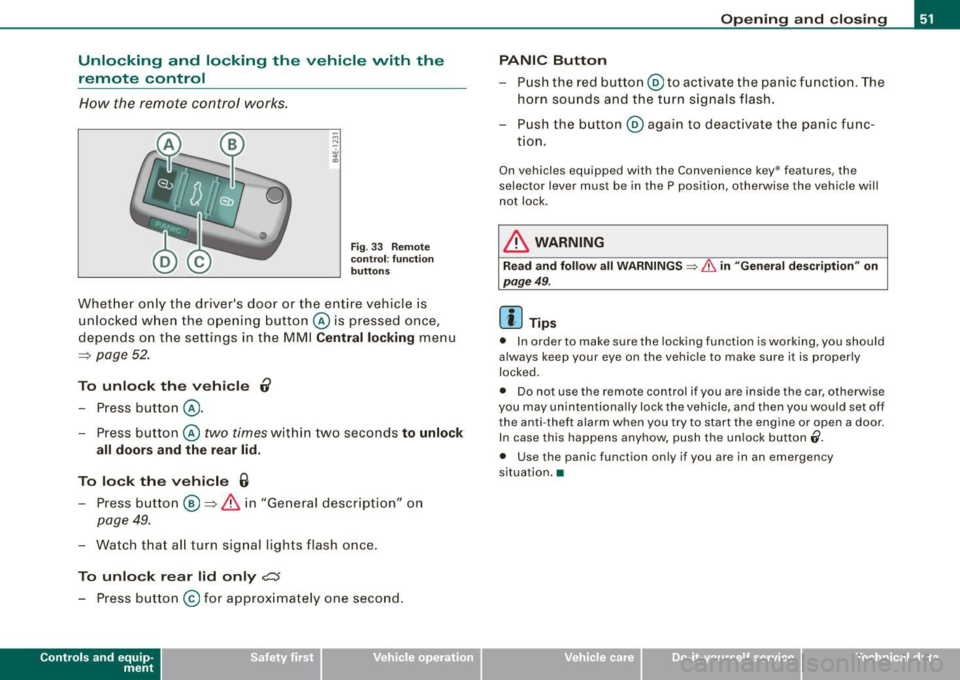
How the remote control works .
Fig . 33 Re mote
co ntr ol: fu nctio n
bu tton s
Whet her o nly the driver's door or the entire vehicle is
unlocked w hen the opening butt on @ is pressed once,
depends on the settings in the MMI
Centr al locking menu
=:> page 52 .
To unlo ck th e ve hicle 0
- Press button @.
- Press button @
two times within two seconds to unlock
all doors and the r ear lid .
To lock th e vehi cle 6
- Press button @ =:> & i n "General description" on
page 49.
- Watch that a ll turn sig nal lights flash once.
To unlo ck r ear lid only
c:s
- Press button @for approximately one second.
Con tro ls and eq uip
ment
Op ening and clo sing
PANIC Button
- Push the red button @to ac tivate the panic function . The
horn sounds and the turn signals flash.
- P ush the button @again to deact ivate the panic func-
t ion.
On vehicles equ ipped with the Convenience key* features, the
selector lever must be in the P position, otherwise the vehicle will
not lock .
& WARNING
Rea d and foll ow all WARNINGS => & in "Gene ral de scription " on
pag e 49 .
[ i ] Tips
• In order to make sure the locking function is working, you should
always keep your eye on the vehicle to make sure it is proper ly
locked.
• Do not use the remote control if you are inside the car, otherwise
you may unintent iona lly lock the vehicle , and then you would set off
the anti -theft alarm when you try to start the engine or open a door.
In case this happens anyhow, push the un lock button
(i .
• Use the panic function only if you are in an emergency
s ituation .•
Vehicle care I I irechnical data
Page 55 of 408
[ i J Tip s
When locking, all doors and the trunk lid are locked automatical ly. •
App lies to veh icle s: wit h pow er sid e door closer
Doors with power side door closer
The vehicle doors are equipped with a power door closer. When you
want to close an open door, gent ly push on the door. The door w ill
automatically close by itself .
& WARNING
When closing a door, make sure nothing can interfere with the
door . Thi s could caus e serio us per sonal injury .
• You can stop the door from cl osing at any t ime by pulling on the
in side o r out side do or handle .•
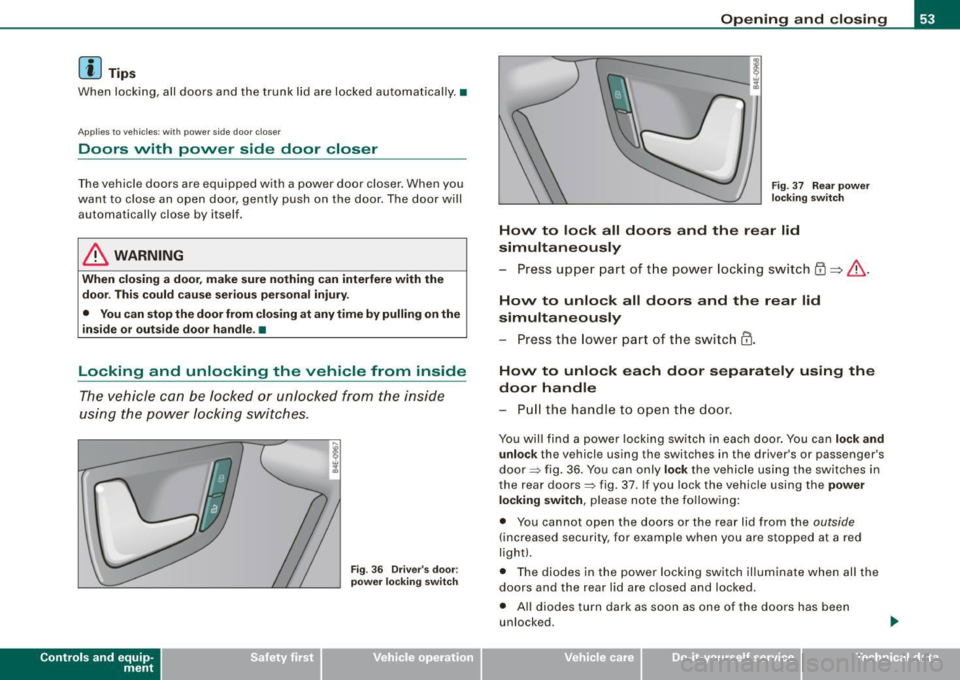
Locking and unlocking the vehicle from inside
The vehicle can be locked or unlocke d from the inside
using the p ower locking s witches .
Contro ls and eq uip
ment
Fi g. 36 Driver's door:
p ow er lo ck ing swi tch
Op ening and clo sing
Fig. 3 7 R ear pow er
l oc king switch
How to lock all doors and the rear lid
simultaneous ly
- Press upper part of t he power locking switch {D => & .
How to unlock all doors and the rear lid
simultan eously
- Press the lower part of t he switch @ .
How to unlo ck each door separately using the
door hand le
- Pull the h andle to o pen t he do or.
You wil l fi nd a power locking switch in each door . You can lock and
u nlo ck
the vehicle using the switches in the driver 's or passenger's
door => fig. 36 . You can only
lo ck the vehicle using the switches in
the rear doors=> fig. 37 . If you lock the vehicle using the
power
lo cking sw itch ,
please note the fo llowing :
• You cannot open the doors or the rear lid from the
outside
(increased security, fo r examp le when you are stopped at a red
light).
• The diodes in the power lock ing switch il luminate when al l the
doors and the rear lid are closed and locked.
• All diodes turn da rk as soon as one of the doors has been
unlocked .
Vehicle care I I irechnical data
Page 58 of 408
Opening and closing
To unlock the rear lid
- Turn the key to the left to the opening position
©
~ page 55, fig. 41. The rear lid opens.
To lock the rear lid
- Pull the rear lid down and slam it closed gently~,&.
Turning the key counter-clockwise to position @ will release the
rear lid and cause it to rise slightly. In this position the key cannot
be pulled out of the lock cylinder.
Turning the key
clockwise to the horizontal position @ and pulling
it out will cause the
lid to remain locked when the power locking
system is actuated.
In this state the rear lid can only be unlocked with the unlock button
,c:::j on the remote control. On vehicles equipped with the Conve
nience key* feature, press the handle on the rear lid to unlock the
luggage compartment =>
page 55, fig. 40.
After you turn the key
counter-clockwise back to the vertical posi
tion, the rear lid will again respond to the power locking system.
& WARNING
Read and follow all WARNINGS=> & in "Opening and closing rear
lid" on page 54. •
Applies 10 vehic les: w ith automatic rear lid/trun k lid ope rat ion
Automatic rear lid /trunk lid operation
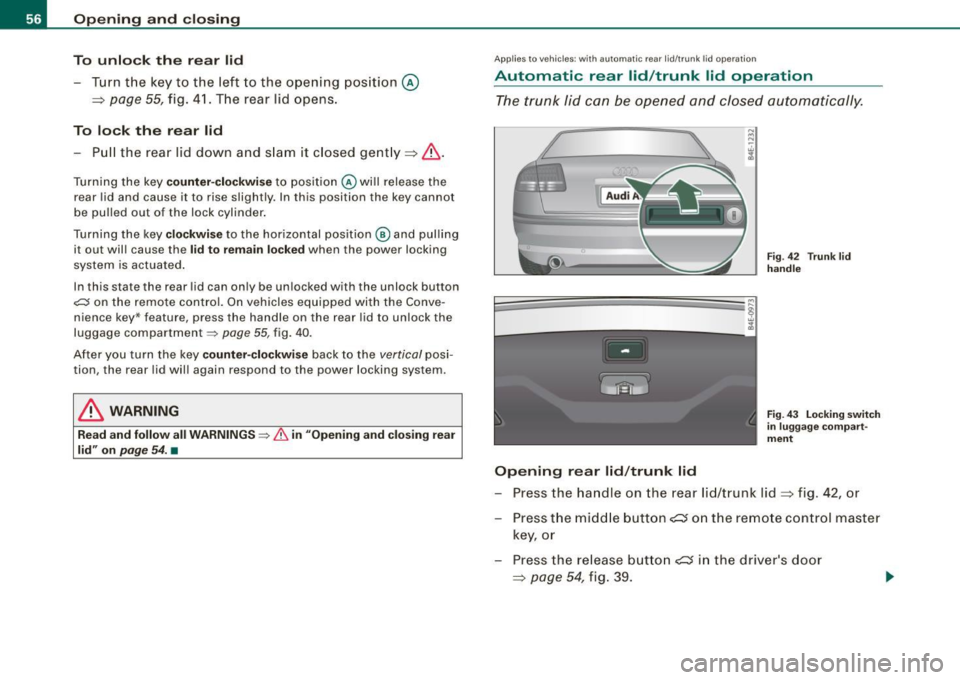
The trunk lid can be opened and closed automatically.
Opening rear lid/trunk lid
Fig. 42 Trun k lid
handle
Fig . 43 Locking switch
in luggage compart
ment
- Press the handle on the rear lid/trunk lid~ fig. 42, or
- Press the middle button
- Press the release button
Page 60 of 408
Opening and closing
- To swit ch on the child safe ty lock, turn the ignition key in
the direction of the ar row.
- To
switch off the child safety lock, turn the ignition key in
the opposite d irection to the arrow.
The child safety lock prevents the doors from being opened from the
inside when you have smal l children sitting in the rear. •
Applies t o vehicl es : w it h power c hild s afety lock i n the rea r doo rs
Power child safety lock for the rear doors t
The power child safety lo ck prevents the rear doors from
being o pene d from the inside.
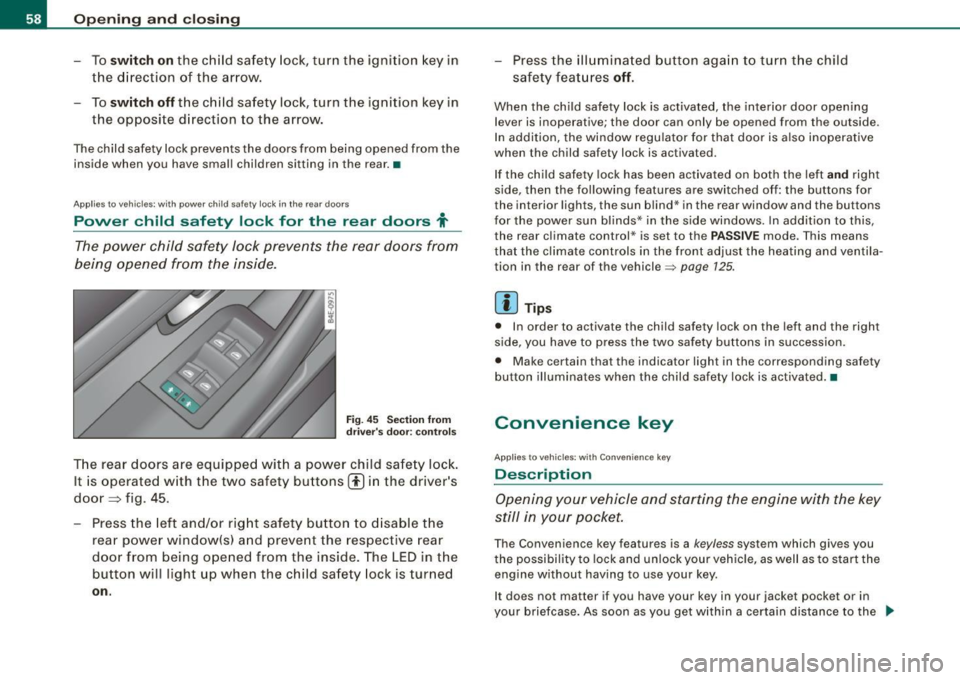
Fi g. 45 Section from
dr ive r's do or: con trols
T he rear doors are equippe d with a power child sa fe ty lock .
It is operated w ith the two safety buttons(!) in the driver 's
doo r~ fig. 45 .
Press the left an d/or rig ht safety button to d isable t he
rear powe r window(s) and prevent the respective rear
door from being o pened from the inside . The LED in the
button wil l light up when the child safety lock is turned
on .
- Pr ess the il lumina ted butt on aga in to t urn the child
safety feat ures
off .
When the ch ild safety lock is activated, the interior door opening
lever is inoperative; the door can only be opened from th e outside.
I n addi tion, the wi ndow regu lator for that door is a ls o inoperative
when the child safe ty lock is activated .
I f the ch ild safety lock has been act ivated on both the left
a nd right
side , then the fol lowing features are swi tched off: the buttons for
the interio r lights, the sun b lind * in the rear window and the buttons
f or the power sun blinds* in the s ide windows. In addition to this ,
the rear cl imate control* is set to the PASSIVE mode. T his means
that the cl imate co ntrols in the front adjust the hea ting and ventila
tion in the rear of the vehicle~
page 125 .
[ i ] Tip s
• In order to activate the child safety lock on the left and the right
side, you have to press the two safety bu ttons in succession.
• Make certain that the indicator light in the corresponding safety
bu tton illuminates when the child safety lock is activated .•
Convenience key
Ap plies t o ve hicles : with C onv eni enc e ke y
Description
Opening your vehicle and starting the engine with the key
still i n yo ur pocket.
The Convenience key features is a keyless system which gives you
the possibility to lock and un lock your veh ic le , as well as to start the
engine without having to use your key.
It does not matter if you have your key in your jacket pocket or in
your briefcase . As soon as you get w ithin a cer tain distance to the ..,_
Page 62 of 408
Opening and closing
• Again, to conserve battery power so that you can start the
vehicle after it has been standing for a long period, the vehicle's
energy management system will switch off any convenience
features not necessary. You will not be able to unlock your vehicle
using the keyless system. •
Applies to vehicles: wi th Conven ience key
Locking the vehicle
You can lock the doors and rear lid without using the
remote control.
Move the selector lever into P.
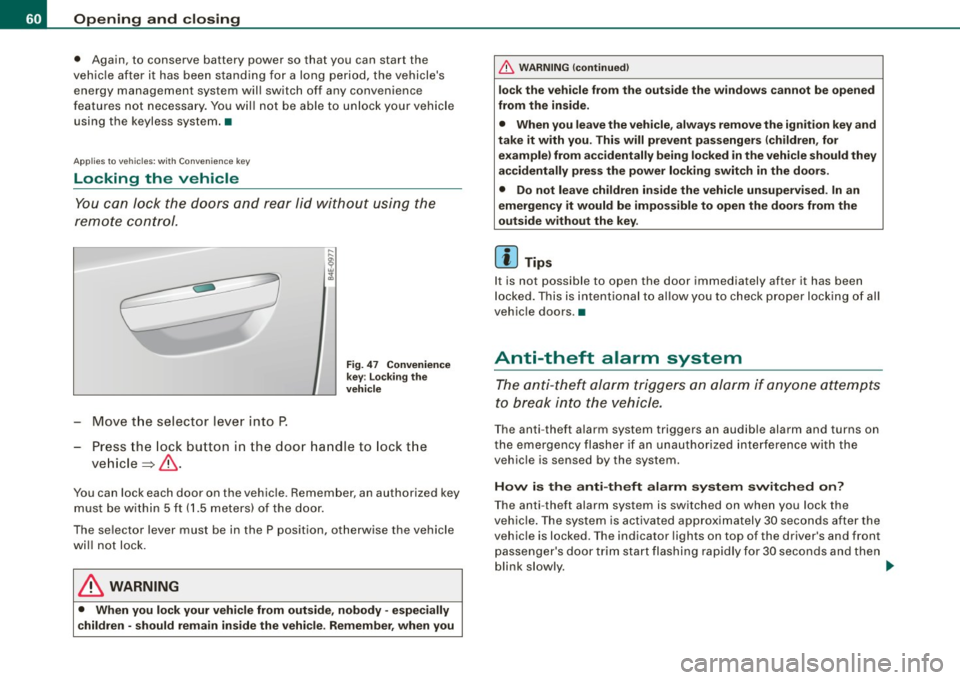
Fig. 47 Convenience
key: locking the
vehicle
- Press the lock button in the door handle to lock the
vehicle ~& .
You can lock each door on the vehicle. Remember, an authorized key
must be within 5 ft (1.5 meters) of the door.
The selector lever must be in the P position, otherwise the vehicle
will not lock.
& WARNING
• When you lock your vehicle from outside, nobody -especially
children -should remain inside the vehicle. Remember, when you
& WARNING (continued)
lock the vehicle from the outside the windows cannot be opened
from the inside.
• When you leave the vehicle, always remove the ignition key and
take it with you. This will prevent passengers (children, for example) from accidentally being locked in the vehicle should they
accidentally press the power locking switch in the doors.
• Do not leave children inside the vehicle unsupervised. In an
emergency it would be impossible to open the doors from the
outside without the key.
[ i] Tips
It is not possible to open the door immediately after it has been
locked. This is intentional to allow you to check proper locking of all
vehicle doors .•
Anti-theft alarm system
The anti-theft alarm triggers an alarm if anyone attempts
to break into the vehicle.
The anti-theft alarm system triggers an audible alarm and turns on
the emergency flasher if an unauthorized interference with the
vehicle is sensed by the system .
How is the anti-theft alarm system switched on?
The anti-theft alarm system is switched on when you lock the
vehicle. The system is activated approximately 30 seconds after the
vehicle is locked . The indicator lights on top of the driver's and front
passenger's door trim start flashing rapidly for 30 seconds and then
blink slowly. ._
Page 64 of 408
Opening and closing
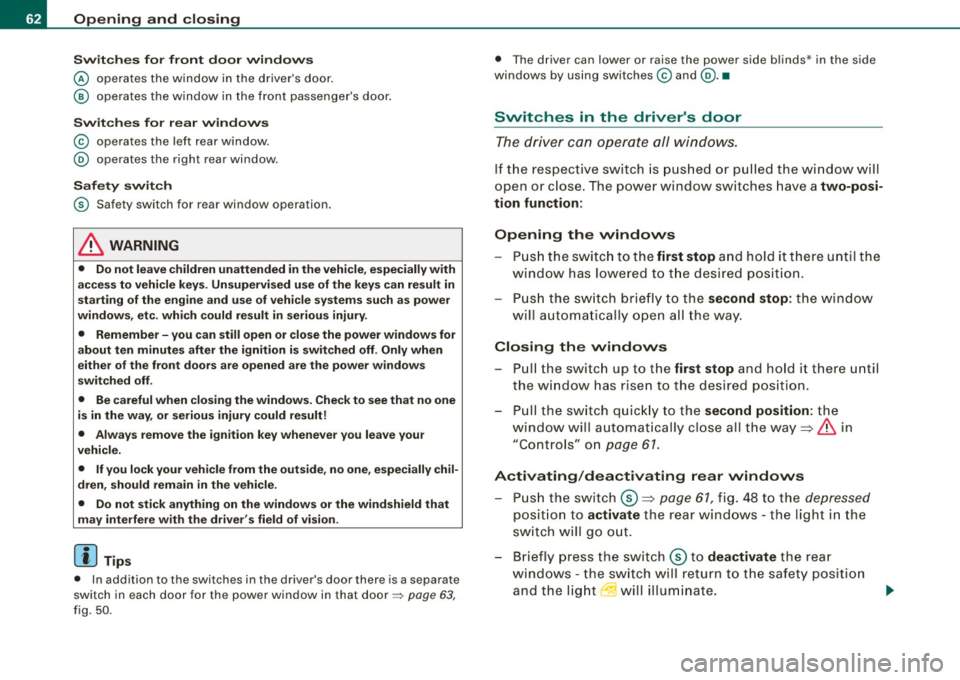
Switches for front door windows
@ operates the window in the driver's door.
@ operates the window in the front passenger's door.
Switches for rear windows
© operates the left rear window.
@ operates the right rear window .
Safety switch
© Safety switch for rear window operation.
& WARNING
• Do not leave children unattended in the vehicle, especially with
access to vehicle keys. Unsupervised use of the keys can result in
starting of the engine and use of vehicle systems such as power
windows, etc. which could result in serious injury.
• Remember -you can still open or close the power windows for
about ten minutes after the ignition is switched off. Only when
either of the front doors are opened are the power windows
switched off.
• Be careful when closing the windows. Check to see that no one
is in the way, or serious injury could result!
• Always remove the ignition key whenever you leave your
vehicle.
• If you lock your vehicle from the outside, no one, especially chil
dren, should remain in the vehicle.
• Do not stick anything on the windows or the windshield that
may interfere with the driver's field of vision.
[ i] Tips
• In addition to the switches in the driver's door there is a separate
switch in each door for the power window in that door=>
page 63,
fig.
50 .
• The driver can lower or raise the power side blinds * in the side
windows by using switches © and
@. •
Switches in the driver's door
The driver can operate all windows.
If the respective switch is pushed or pulled the window will
open or close. The power window switches have a
two-posi
tion function:
Opening the windows
- Push the switch to the first stop and hold it there until the
window has lowered to the desired position.
- Push the switch briefly to the
second stop: the window
will automatically open all the way.
Closing the windows
-Pull the switch up to the first stop and hold it there until
the window has risen to the desired position.
- Pull the switch quickly to the
second position: the
window will automatically close all the way=>
& in
"Controls" on
page 61.
Activating/deactivating rear windows
- Push the switch ®=> page 61, fig. 48 to the depressed
position to activate the rear windows - the light in the
switch will go out.
- Briefly press the switch ® to
deactivate the rear
windows - the switch will return to the safety position
and the light
I will illuminate.
Page 65 of 408
Switching the power to the rear windows on or
off on vehicles with power child safety lock
- Press the left 00 button~ page 61, fig. 49 to switch off
the power window in the left door only. The LED in the
button illuminates .
- Press the right(!) button to
switch off the power window
in the
right door only. The LED in the button illuminates.
- Press the
00 button again to switch the power back on.
The LED in the button will go off.
By pressing the safety switch ®~ page 61, fig . 48, the function of
some switches in the rear can be turned off. When the symbol in
the safety switch illuminates, the fol lowing functions are switched
off:
• The power windows in the rear doors.
• The buttons for the in terior lights.
• The buttons for the power sun blinds* in side windows.
• The button for the power sun blind* in the rear window.
• In vehic les with rear climate contro l* the PASSIVE mode is ac ti
vated . In this mode the rear air conditioning can be operated only
from controls in the driver's area~
page 125.
This feature has been provided for the safety of small children riding
in the rear of the vehicle .
On vehicles with the
power child safety lock*~ page 61, fig. 49
these features can likewise be switched off . Both(!) buttons®
must be pressed.
• If
only the left(!) button is pressed, then only the rear left door
power window is switched off and the door is locked.
• If
only the right(!) button is pressed, then only the rear right
door
power window is switched off and the door is locked.
Contro ls and eq uip
ment
Opening and closing
[ i ] Tips
• The windows can still be opened and closed for about ten
minutes after the ignition has been turned off. The power windows
are not shut off until one of the front doors is opened.
• To switch on the child safety lock in both rear doors, you must
press both child safety switches. Make sure the LEDs in the switches
are illuminated. •
Switch in the front passenger 's door and on
the rear doors
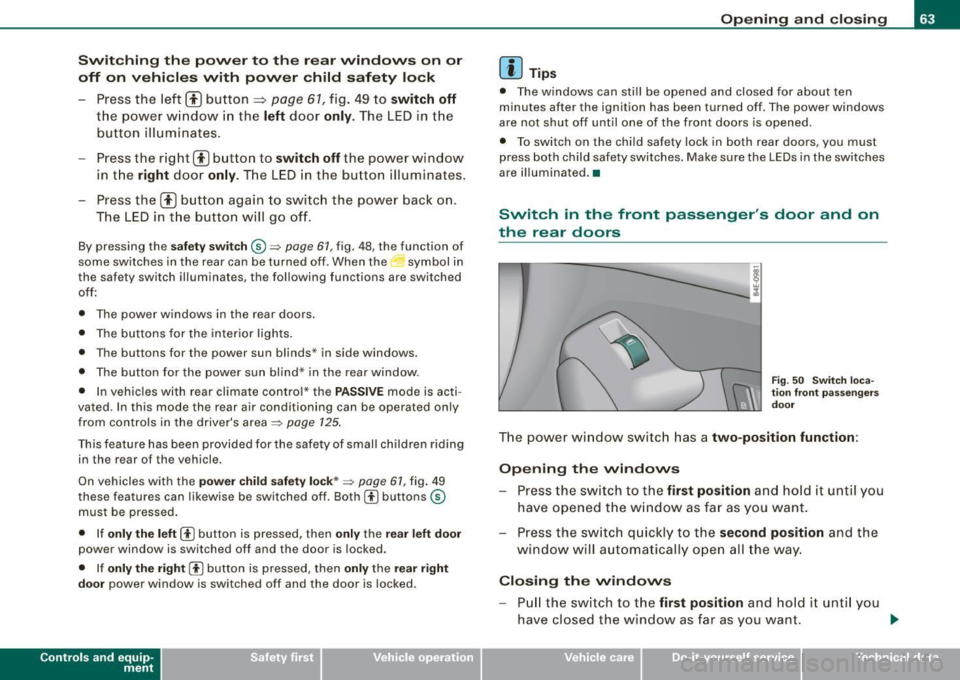
Fig. 50 Switch loca
tion front passengers
door
The power window switch has a two-position function :
Opening the windows
-Press the switch to the first position and hold it until you
have opened the window as far as you want.
- Press the switch qu ickly to the
second position and the
window will automatically open all the way.
Closing the windows
Pull the switch to the first position and hold it unti l you
have closed the window as far as you want. _,.
Vehicle care I I irechnical data
Page 67 of 408
React ivating clo se/ open f eature
- Pull and hold the power window switch until the window
is complete ly closed.
- Re lease the switch.
- Pull the switch again for one second. The automatic
clos ing/opening is now reactivate d.•
Sliding/tilting power sunroof
How the power sunroof works
ffi
UUNU ~ 1-=llllf ~llfl
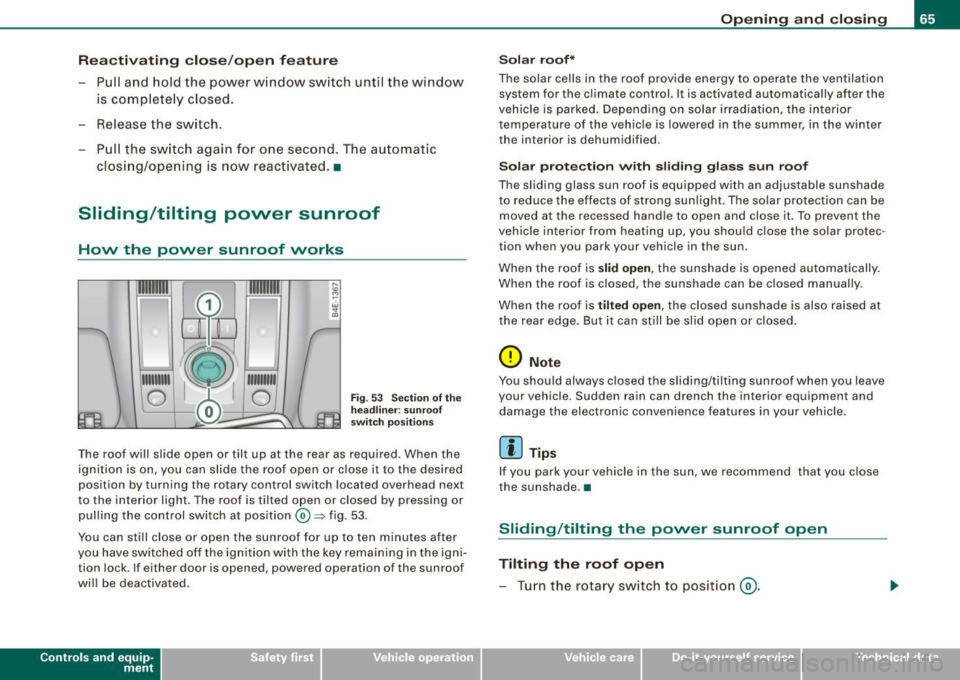
0 @ 0 F ig . 53 Sec tio n o f the
hea dlin er: s unroof
sw itch pos ition s
The roof will slide open or tilt up at the rear as required. When the
ignition is on, you can slide the roof open or c lose it to the desired
position by turning the rotary control switch located overhead next
to the interior light. The roof is tilted open or closed by pressing or
pul ling the control switch at position®~ fig. 53.
You can still close or open the sunroof for up to ten minutes after
you have switched off the ignition with the key remaining in the igni tion lock. If either door is opened, powered operation of the sunroof
will be deactivated .
Contro ls and eq uip
ment
Op ening and clo sing
S ol ar r oof *
The solar cells in the roof provide energy to operate the ventilation system for the c limate control. It is activated automatically after the
veh ic le is parked. Depending on solar i rradiation , the interior
temperature of the vehicle is lowered in the summer, in the winter
the interior is dehumidified.
So la r pr otec tion with slidi ng glass su n roof
The slid ing glass sun roof is equ ipped with an adjustable sunshade
to reduce the effects of strong sunl ight . The so lar protection can be
moved at the recessed handle to open and close it. To prevent the
vehic le interior from heating up, you should close the solar protec
tion when you park your vehicle in the sun.
When the roof is
slid open , the sunshade is opened automatically.
When the roof is closed, the sunshade can be closed manually.
When the roof is
t ilted open , the closed sunshade is also raised at
the rear edge. But it can still be slid open or closed.
0 Note
You should always closed the sliding/tilting sunroof when you leave
your vehicle. Sudden rain can drench the interior equipment and
damage the electronic convenience features in your vehicle .
[ i ] Tips
If you park your vehicle in the sun, we recommend that you close
the sunshade .•
Sliding /tilting the power sunroof open
Tilting the roof open
- Turn the rotary sw itch to posit ion @ .
Vehicle care I I irechnical data