light AUDI S8 2009 Owner's Manual
[x] Cancel search | Manufacturer: AUDI, Model Year: 2009, Model line: S8, Model: AUDI S8 2009Pages: 408, PDF Size: 91.63 MB
Page 33 of 408
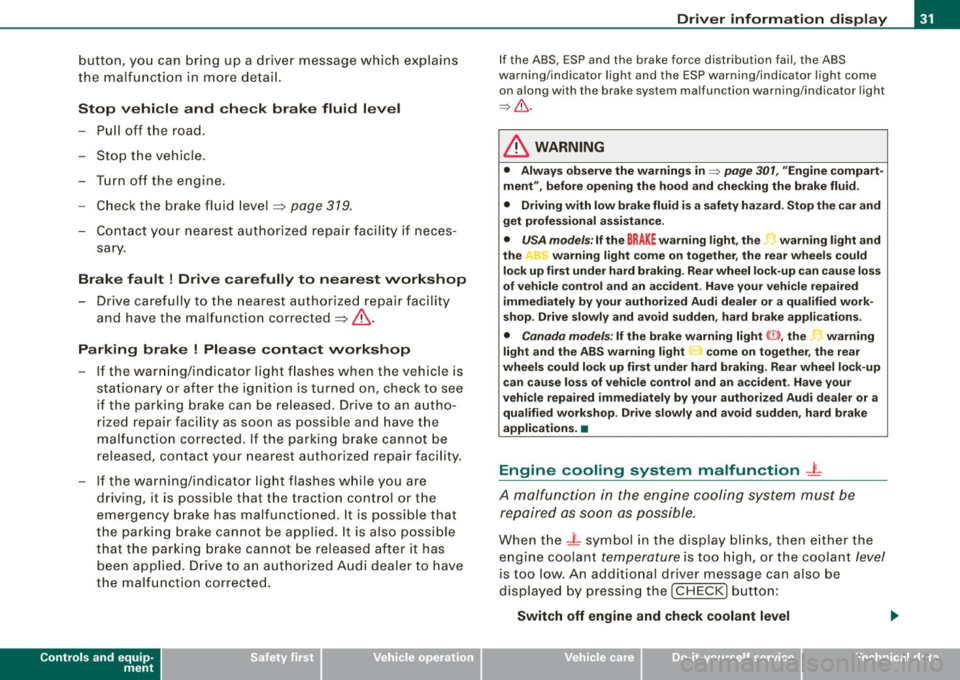
button, you can bring up a driver message which explains
the malfunction in more detail.
Stop vehicle and check brake fluid level
-Pull off the road .
- Stop the vehicle.
- Turn off the engine.
- Check the brake fluid level=>
page 319.
- Contact your nearest authorized repair facility if neces-
sary.
Brake fault ! Drive carefully to nearest workshop
- Drive carefully to the nearest authorized repair facility
and have the malfunction corrected =>
&.
Parking brake ! Please contact workshop
- If the warning/indicator light flashes when the vehicle is
stationary or after the ignition is turned on, check to see
if the parking brake can be released. Drive to an autho
rized repair facility as soon as possible and have the
malfunction corrected. If the parking brake cannot be
released, contact your nearest authorized repair facility.
- If the warning/indicator light flashes while you are
driving, it is possible that the traction control or the
emergency brake has malfunctioned. It is possible that
the parking brake cannot be applied. It is also possible
that the parking brake cannot be released after it has
been applied. Drive to an authorized Audi dealer to have
the malfunction corrected.
Controls and equip
ment
Driver information display
If the ABS, ESP and the brake force distribution fail , the ABS
warning/indicator light and the ESP warning/indicator light come
on along with the brake system malfunction warning/indicator light
=>& .
& WARNING
• Always observe the warnings in=> page 301, "Engine compart
ment", before opening the hood and checking the brake fluid.
• Driving with low brake fluid is
a safety hazard. Stop the car and
get professional assistance .
• USA models: If the BRAKE warning light, the. warning light and
the "'L') warning light come on together, the rear wheels could
lock up first under hard braking. Rear wheel lock-up can cause loss
of vehicle control and an accident. Have your vehicle repaired
immediately by your authorized Audi dealer or a qualified work
shop. Drive slowly and avoid sudden, hard brake applications.
• Canada models: If the brake warning light <
light and the ABS warning light
G come on together, the rear
wheels could lock up first under hard braking. Rear wheel lock-up can cause loss of vehicle control and an accident. Have your
vehicle repaired immediately by your authorized Audi dealer or a qualified workshop . Drive slowly and avoid sudden, hard brake
applications. •
Engine cooling system malfunction -L
A malfunction in the engine cooling system must be
repaired as soon as possible.
When the -L symbol in the display blinks, then either the
engine coolant
temperature is too high, or the coolant level
is too low. An additional driver message can also be
displayed by pressing the [CHECK] button:
Switch off engine and check coolant level
I • •
Page 34 of 408

Driver information display
-Pull off the road.
- Stop the veh icle.
- Turn off the engine.
- Check coolant level~
page 317.
-Add coolant if necessary ~ page 318.
-Continue dr iving only after the eng ine coolant
warning/ indicator light goes out .
- Contact your authorized Audi dealer for assistance if
necessary .
If the engine coolant le ve l is correct, then the radiator fan may be
the cause of the malfunction.
If the generator warning/indicator light should also illuminate
~ page 18, then the fan belt may be damaged.
& WARNING
• If your vehicle should break down for mechanical or other
reasons, park at a safe distance from moving traffic, turn off the
engine and turn on the hazard warning lights
~ page 73, "Emer
gency flasher
A".
• Never open the hood if you see or hear steam or coolant
escaping from the engine compartment -you risk being scalded.
Wait until you can no longer see or hear steam or coolant escaping.
• The engine compartment of any vehicle is a dangerous area.
Before you perform any work in the engine compartment, turn of
the engine and allow it to cool. Follow the warning stickers
~ page 301, "Engine compartment".
0 Note
Do not continue driving if the -~- symbol illuminates. There is a
malfunction in the engine cooling system -you could damage your
engine. •
Engine oil pressure malfunction "t=:?:
The red engine oil pressure warning symbol requires
immediate service or repair. Driving with a low -oil -pres
sure indication is likely to inflict severe damage to the
engine.
If the ~ symbol appears in the display and blinks, the oil
pressure is too low. An additional driver message can also
be displayed by pressing the
I CHECK] button:
Switch off engine and check oil level
Immediate actions
- Pull off the road.
- Stop the vehicle.
- Turn off the eng ine.
- Check the engine oil level
with the dipstick~ page 313.
Dipstick readings checks too low
- Top off oil to the proper level~ page 314.
-Make sure that the oil pressure warning symbol~
appears no longer in the display before you start driving
again. .,,,
Page 36 of 408
Driver information display
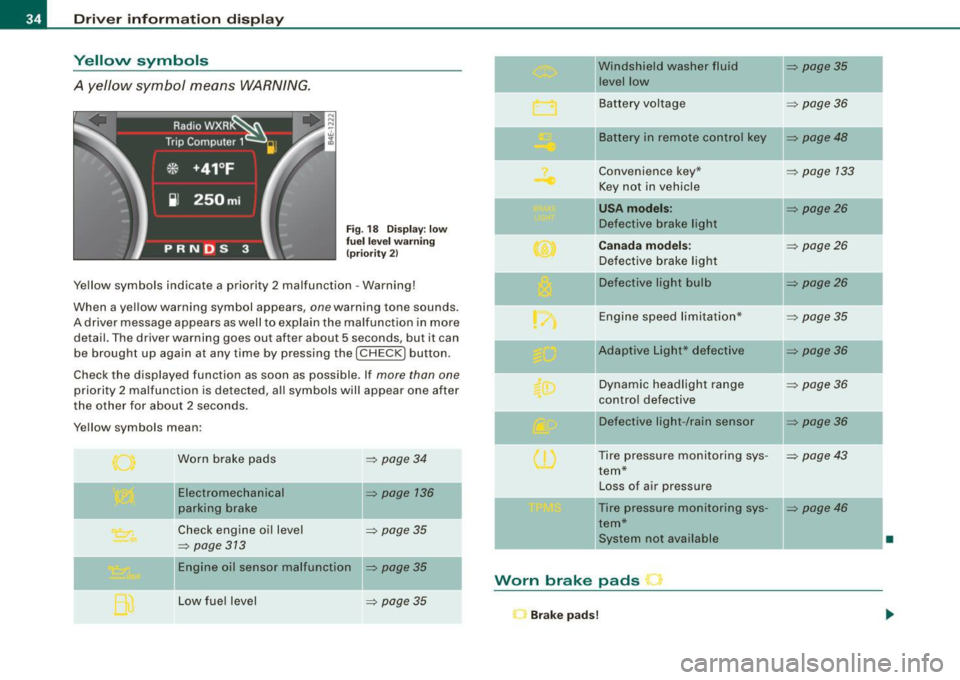
Yellow symbols
A yellow symbol means WARNING.
Fig. 18 Display: low
fuel level warning
(priority 2)
Yellow symbols indicate a priority 2 malfunction -Warning!
When a y ellow warning symbol appears,
one warn ing ton e sounds.
A driver message appears as well to explain the malfunction in more
detail. The dr iver warning goes out after about
5 s e conds, bu t it can
be brought up again at any time by pressing the [
CHECK I button .
Check the displayed function as soon as possible . If
more than one
priority 2 malfunction is detected, all symbols will appear one after
the other for about
2 seconds .
Yellow symbols mean :
Worn brake pads
Electromechanical
parking brake
=> page 34
=> page 136
Check engine oil level => page 35
=> page 313
Engine oil sensor malfunction => page 35
Low fuel level => page 35
Windshield washer fluid => page 35
level low
Battery voltage
=> page 36
-
II Battery in remote control key => page 48
Convenience key * => page 133
Key not in vehicle
USA models: => page26
Defect ive brake light
Canada models: => page26
Defective brake light
Defective light bulb
=> page26
Engine speed limitation* => page 35
-
IIAdaptive Light* defective => page 36
Dynamic headlight range => page 36
control defective
Defect ive light -/rain sensor
=> page 36
Tire pressure monitoring sys-=> page 43
tern*
Loss of air pressure
-Tire pressure monitoring sys -=> page 46
tern*
ll system not ava ilable
•
Worn brake pads r
Brake pads!
Page 37 of 408
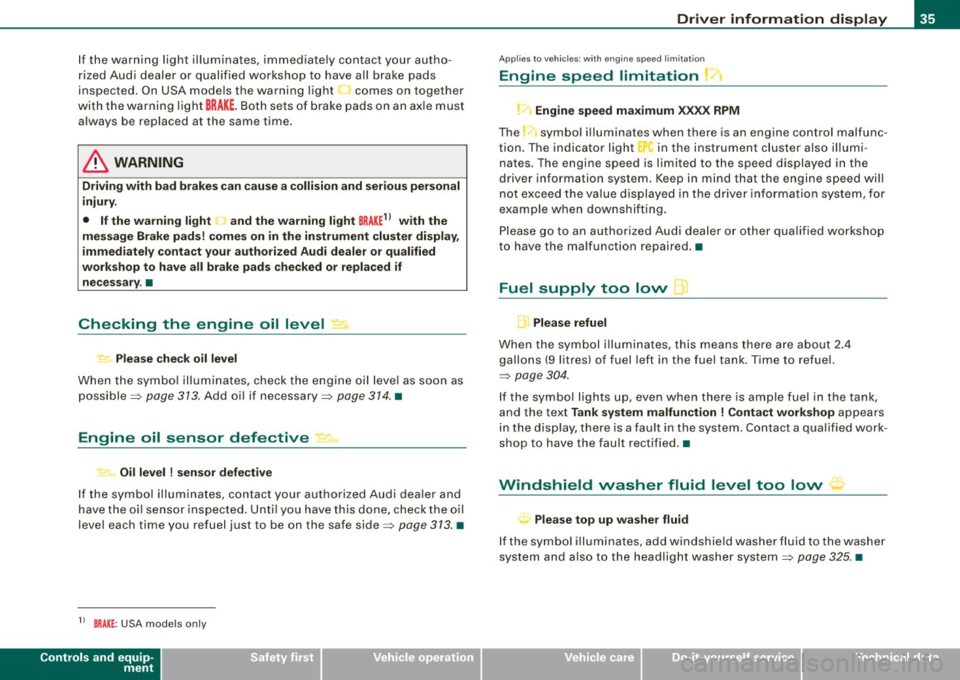
If the warning light illuminates, immediate ly contact your autho
ri zed Aud i dealer or qualified workshop to have a ll brake pads
inspected . On USA models the warning light
.1 comes on together
with the warni ng light
BRA KE. Both set s of brake pads on an axle must
a lways be replaced at the same time .
& WARNING
Driving with bad brakes can cau se a colli sion and serious personal
injury.
• If the warning light and the warning light
BRAKE11 with the
mes sage Brake pads ! come s on in the in strument clu ster display ,
immediately conta ct your authorized Audi dealer or qualified
workshop to have all brake pads checked or replaced if nece ssary .•
Checking the engine oil level ~
.... ,. Plea se check oil le vel
When the symbo l illuminates, chec k the eng ine oi l leve l as so on as
possible=>
page 313 . Add oil if necessary=> page 374 . •
Engine oil sensor defective
~ Oil level ! sen sor defective
If the symbo l il luminates, contact your authorized Audi dea ler and
have the oi l sensor inspecte d. Until you have this done, check the o il
level each time you refuel just to be on the safe side=>
page 373. •
11 BRAK E: USA mode ls on ly
Controls and equip
ment
Driv er information display
Ap plies to vehic les: wit h eng ine s peed limita tio n
Engine speed limitation
!-1 Engine speed maximum XXXX RPM
The _-symbo l illuminates when there is an engine control malfunc
t io n. The indica to r light "in the instrument clus te r also illumi
nates . The engine speed is limited to the speed displayed in the
driver info rmation system . Keep in mind that the engine speed wil l
not e xceed the va lue d isplayed in the dr ive r info rm ation system, fo r
examp le when downshifting.
Please go to an au thorized Audi deale r or other qua lif ied workshop
to have the ma lfunction repaired .•
Fuel supply too low l
A Please refuel
When the symb ol i llu minates, this means there are abo ut 2.4
gallons
(9 l itres) of fuel left in the fuel tank . Time to refuel.
=>
page 304 .
If the symbo l lig hts up, eve n w hen there is ample fuel in th e tank,
and the text
Tank system malfunction ! Conta ct workshop appears
i n the d isp lay, t here is a fault in th e sys tem. C ontac t a q ua lified work
shop to have the fault rectified .•
' Windshield washer fluid level too low ~
Plea se top up washe r fluid
If t he symbo l illum inates, add windshie ld washe r fluid to the washe r
system and a lso to the headlight washer system=>
page 325. •
I • •
Page 38 of 408
Driver information display
Battery voltage ~
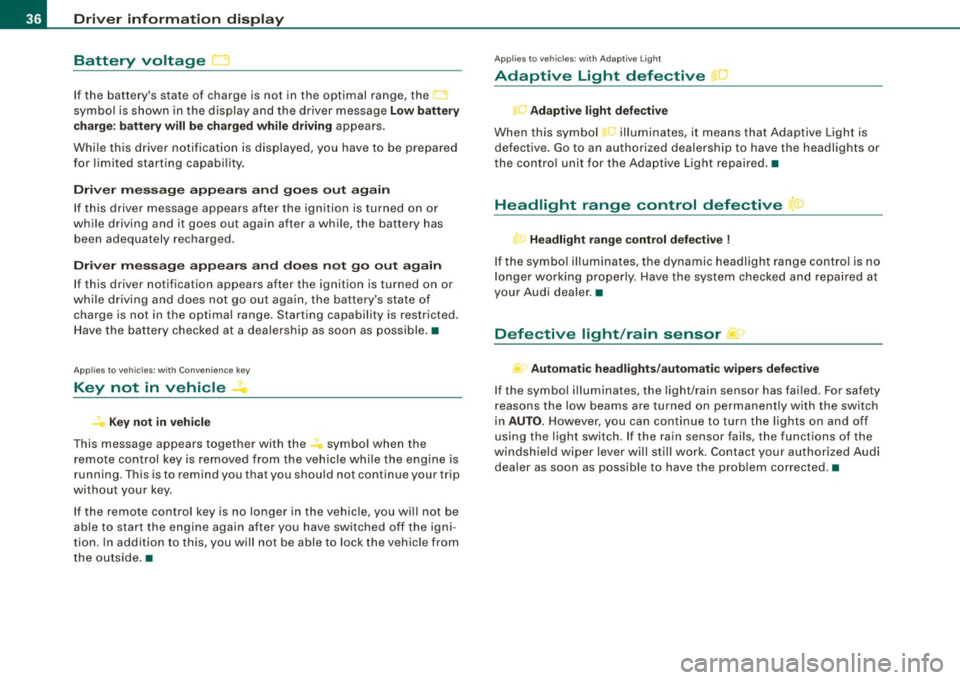
If the battery's state of charge is not in the optimal range, the
symbol is shown in the display and the driver message
Low battery
charge: battery will be charged while driving
appears.
While this driver notification is displayed, you have to be prepared
for limited starting capability.
Driver message appears and goes out again
If this driver message appears after the ignition is turned on or
while driving and it goes out again after a while, the battery has
been adequately recharged.
Driver message appears and does not go out again
If this driver notification appears after the ignition is turned on or
while driving and does not go out again, the battery's state of
charge is not in the optimal range. Starting capability is restricted.
Have the battery checked at a dealership as soon as possible.•
Applies to vehicles: w ith Conven ience key
Key not in vehicle
Key not in vehicle
This message appears together with the symbol when the
remote control key is removed from the vehicle while the engine is
running. This is to remind you that you should not continue your trip
without your key.
If the remote control key is no longer in the vehicle, you will not be
able to start the engine again after you have switched off the igni
tion. In addition to this, you will not be able to lock the vehicle from
the outside. •
Applies to vehicles: with Adap tive ligh t
Adaptive Light defective== ~
.. c; Adaptive light defective
When this symbol L illuminates, it means that Adaptive Light is
defective. Go to an authorized dealership to have the headlights or
the control unit for the Adaptive Light repaired. •
Headlight range control defective '.:1
T<. Headlight range control defective !
If the symbol illuminates, the dynamic headlight range control is no
longe r working properly. Have the system checked and repaired at
your Audi dealer. •
Defective light /rain sensor jf:>
.... Automatic headlights/automatic wipers defective
If the symbol illuminates, the light/rain sensor has failed. For safety
reasons the low beams are turned on permanently with the switch
in
AUTO. However , you can continue to turn the lights on and off
using the light switch. If the rain sensor fails, the functions of the
windshield wiper lever will still work. Contact your authorized Audi
dealer as soon as possible to have the problem corrected. •
Page 43 of 408
-Select System s in the CAR menu .
- Selec t
Instrument cluster .
-Select Trip computer 1 or Trip computer 2 .
-Select, for examp le, Fuel range On to turn on the display
or
Off to turn the disp lay off.
All values in the single -trip or the total -trip memory can be reset to
zero simultaneously in MMI. In addition you can determine what
driving information from the trip computer should be shown in the
instrument cluster display. If one of the pieces of driver information
is turned off, that driver information will not be shown in the display .
The information will continue to be calcu lated by the trip computer
and can be turned back
on at any time. •
Tire pressure monitoring system
Applies t o vehi cle s: with n re pre ss ure moni toring sys te m
General notes I)
Each tire, including the spare (if provided}, should be checked
month ly when cold and inflated to the inflation pressure recom
mended by the vehicle manufacturer on the vehicle placard or tire
inflation pressure label. (If your vehicle has tires of a different size
than the size indicated on the vehicle placard or tire inflation pres
sure label, you should determine the proper tire inflation pressure
for those tires.}
As an added safety feature, your vehicle has been equipped with a
tire pressure monitoring system (TPMSl that illuminates a low tire pressure tellta le when one or more of your tires is significantly
under-inflated . Accordingly, when the low tire pressure te lltale i llu
minates, you should stop and check your tires as soon as possible,
and inflate them to the proper pressure. Driving on a significantly
under -inflated tire causes the tire to overheat and can lead to tire
Controls and equip
ment
Dr ive r informat ion di spl ay
failure . Under -inflation also reduces fuel efficiency and tire tread
life, and may affect the vehicle's handling and s topping ability.
Please note that the TPMS is not a substitute for proper tire mainte
nance, and it is the driver 's responsibility to maintain correct tire
pressure, even if under-inflation has not reached the leve l to trigger
illumination of the TPMS low tire pressure te lltale.
Your vehic le has a lso been equipped with a TPMS malfunction indi
cator to indicate when the system is not operating proper ly. The
TPMS ma lfunction indicator is combined w ith the low ti re p ressure
tel ltale . When the system detects a malfunction , the telltale wil l
flash for approximately one minute and then remain continuously
il luminated . This sequence will cont inue upon subsequent vehicle
start -ups as long as the malfunction exists.
When the ma lfunction indicator is illuminated, the system may not
be able to detect or signal low tire pressure as intended . TPMS
mal functions may occur for a variety of reasons, including the
insta llation of replacement or alternate tires or wheels on the
vehic le that prevent the TPMS from funct ioning properly. A lways
check the TPMS malfunction tellta le after replacing one or more
tires or whee ls on your vehicle to ensure that the replacement or
alternate tires and wheels allow the TPMS to continue to function
properly. •
Applies t o vehic les : w ith Tire press ure mon itoring sy stem
Introduction
The tire pressure monitoring system moni tors air pressure
in all four roa d wheels and the spare tire* while the
vehicle is moving.
As soon as the tire pressure monitoring system senses a significant loss of air pressure in one o r severa l tires, text messages and yellow
symbo ls appear in the instrument cluster display to alert the driver.
The L warni ng light in the instrument cluster comes on when the
tire is significantly underinflated
=> page 20. _,,
I • •
Page 44 of 408
Driver inf ormati on displ ay
The warning light n also illuminates in the case of a system
mal fu n ction.
The system continuously receives radio signals from sensors located inside each tire .
Be aware that tire pressure is also dependent on the temperature of
the tire. For every 18 °F (10 °C) increase in tire temperature, tire pres
sure increases by about
1 .5 psi (0.1 bar). The tire warms up while the
vehic le is moving and tire pressure rises. So you should adjust tire
pressure only when the tires are
cold, when the temperature of the
tires is roughly the same as the ambient air temperature .
In order to keep the tire pressure monitoring system properly cali
brated, tire pressure on al l four tires and on the spare tire * should
be checked at regular intervals, adjusted if necessary and sav ed in
the proper setting (recommended pressure) =>
page 44.
The tire pressure is shown on the tire pressure label. On USA vehi
cles, the tire pressure label is located on the driver's side B -pi llar. On
Canada vehicles, the tire pressure labe l is located either on the
driver's side B -pil lar or inside the fuel filler flap . The tire pressu re
label lists the recommended cold t ire inflat ion pressures for the
vehic le at its maximum capacity weight and the tires that were on
your vehicle at the time it was manufactured . For recommended tire
pressures for normal load conditions, please see chapter
=>
page 330 .
The current temperatures and pressure of your tires can be viewed
i n the MMI =>
page 44.
& WARNING
• When the t ire pre ssure moni toring sy st em warning light i s lit ,
one or more of your tir es is s ignifi cantly under -infl ate d . Y ou s hould
s to p and che ck your tir es as soon as poss ible, and infl ate th em to
th e p rop er p ress ure as i ndicated on the vehicle's tire press ure
lab el
=> page 3 30 . Driving on a s ig n ific antly und er-inflated tir e
ca uses the t ire to overheat an d ca n le a d t o tir e fai lur e. U nde r- infl a-
& W ARN IN G (c ontinued )
tion a lso is likel y to imp air t he veh icle 's handling and sto pping
ability .
• Do not adju st t ire press ure when t ire temper atu re i s excessiv e.
T hi s c ould le ad to seriou s tire dam age and even cause the ti re to
bur st, w ith the additional d ange r of an accident .
tread life.
[ i ] Tips
• Each tire, includin g the sp are*, should be checked monthly when
cold and set to the recommended inflation pressure as specified on
the tire pressure label=>
page 330.
• T he tire pressure monitoring system he lps the d river to keep an
eye on tire pressures . But the dr iver st ill has the responsibility for
maintaining the correct tire pressure .
• Tire pressure must only be adjusted when the temperature of the
tires is about the same as ambient air temperature.
• When tires are replaced, the sensors and valves shou ld not be
detached or exchanged . Only the valve core needs to be replaced
and, if necessary, the va lve and the wheel electronics replaced .
• If you should put different whee ls and tires on your vehicle (e.g .
winter wheels and tires), you must be certain that the wheels and
tires are compatible with the tire pressure monitoring system. Otherwise the system will register a ma lfunction and a fault
message will be displayed. For more information , contact your
authorized Audi dea ler.
• Adjust the tire pressure and store the pressure in the tire pres
sure mon itor ing system to the load you are carrying=>
page 330.
• For Declaration of Compliance to United States FCC and Industry
Canada regulations =>
page 385. •
Page 45 of 408
Applies to vehi cle s: w ith nr e pressu re monitoring syst em
Significant loss of air pressure '
The yellow symbol appears in the event of a significant
loss of air pressure.
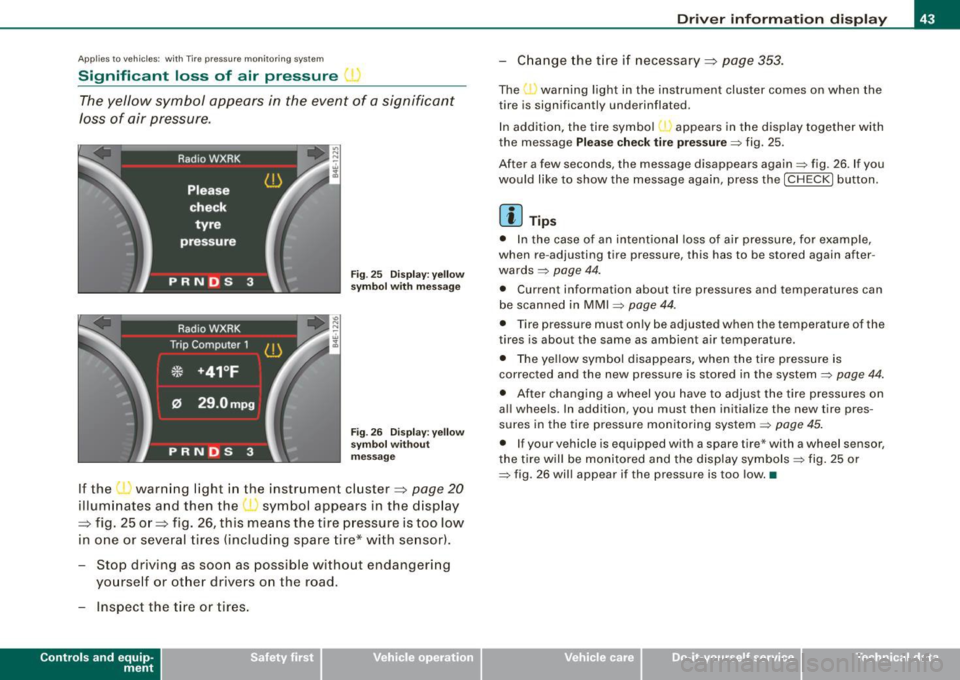
Fig. 25 Display: yellow
sy mbol with message
Fig . 26 Display: yellow
sy mbol without
mess age
If the ' ' warning light in the instrument cluster=:> page 20
illuminates and then the symbol appears in the display
=:> fig. 25 or=:> fig. 26, this means the tire pressure is too low
in one or several tires (including spare tire* with se nsor).
- Stop driving as soon as possible without endangering
yourself or other drivers on the road.
- Inspect the t ire or tires .
Contro ls and eq uip
ment
Driver information display
-Chang e the tire i f necessary =:> page 353.
The warning light in the instrument cluster comes on when the
tire is significantly underinflated.
In addition, the tire symbol appears in the display together with
the message
Please check tire pressure=> fig. 25.
After a few seconds, the message disappears again=> fig. 26 . If you
would like to show the message again, press the [ CH ECK] button.
[ i ] Tips
• In the case of an intentional loss of air pressure, for example,
when re -adjusting tire pressure, this has to be stored again after
wards =>
page 44.
• Current information about tire pressures and temperatures can
be scanned in MMI
~ page 44.
• Tire pressure must only be adjusted when the temperature of the
tires is about the same as ambient air temperature.
• The yellow symbol disappears, when the tire pressure is
corrected and the new pressure is stored in the system~
page 44.
• After changing a wheel you have to adjust the t ire pressures on
al l whee ls. In addition, you must then initialize the new tire pres
sures in the tire pressure monitoring system~
page 45.
• If your vehicle is equipped with a spare tire* with a wheel sensor,
the tire will be monitored and the display symbols~ fig. 25 or
~ fig. 26 will appear if the pressure is too low. •
Vehicle care I I irechnical data
Page 48 of 408
Driver informati on displ ay
Ap plies to vehicles : w ith n,e pre ss ure monito ring syst em
Malfunctions
A malfunction can have various causes.
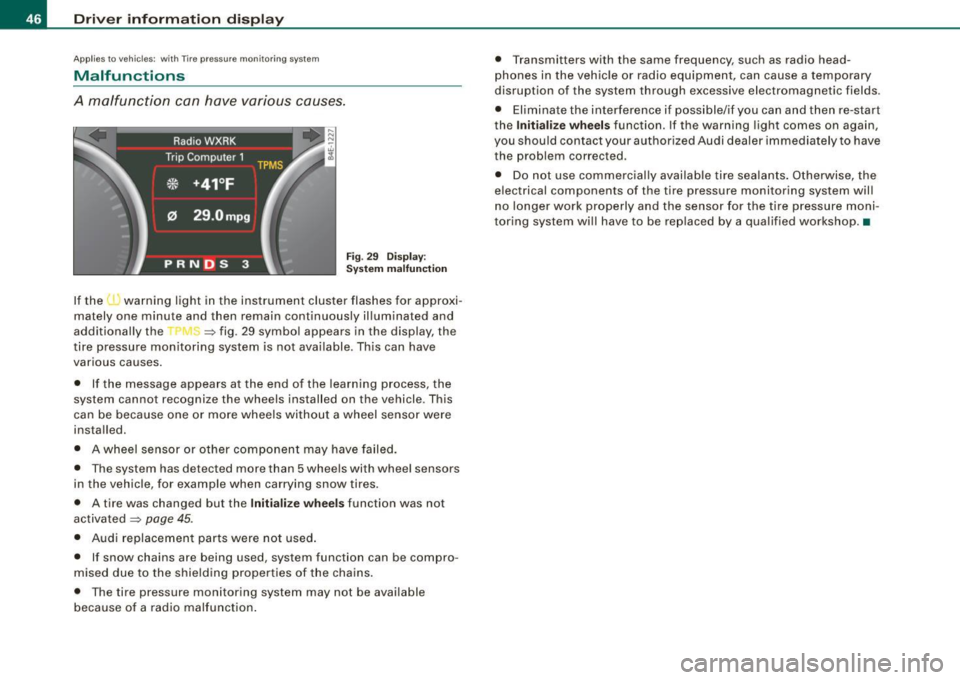
Fi g. 2 9 Dis p lay :
S ystem m alfun ction
If the l · warning light in the instrument cluster flashes for approxi
mately one minute and then remain continuously il luminated and
additional ly the
-r J ~ fig . 29 symbo l appears in the display, the
tire pressure monitoring system is not ava ilable . Th is can have
various causes.
• If the message appears at the end of the learning process, the
system cannot recognize the wheels installed on the vehicle. This
can be because one or more wheels without a wheel sensor were
installed.
• A wheel sensor or other componen t may have failed.
• The system has detected more than 5 whe els with wheel sensors
in the vehicle, for example when carrying snow tires.
• A tire was changed but the
Initiali ze wheels function was not
activated
=:> page 45.
• Audi replacemen t parts were not used .
• If snow chains are being used, system function can be compro
mised due to the shielding properties of the chains.
• The tire pressure monitoring system may not be available
because of a radio malfunction . • T
ransmitters with the same frequency, such as radio head
phones in the vehicle or radio equipment, can cause a temporary
disruption of the system through excessive electromagnetic fields .
• Eliminate the interference i f possible/if you can and then re-start
the
I n itia lize w heel s function . If the warning light comes on again,
you shou ld contact your authorized Audi dealer immediately to have
the problem corrected .
• Do not use commercial ly availab le tire sealants . Otherwise, the
electrical components of the tire pressure monitoring system will
n o l onger work properly and the sensor for the tire p ressure moni
toring system wi ll have to be replaced by a qua lified workshop .•
Page 50 of 408
Opening and closing
Master key with remote control
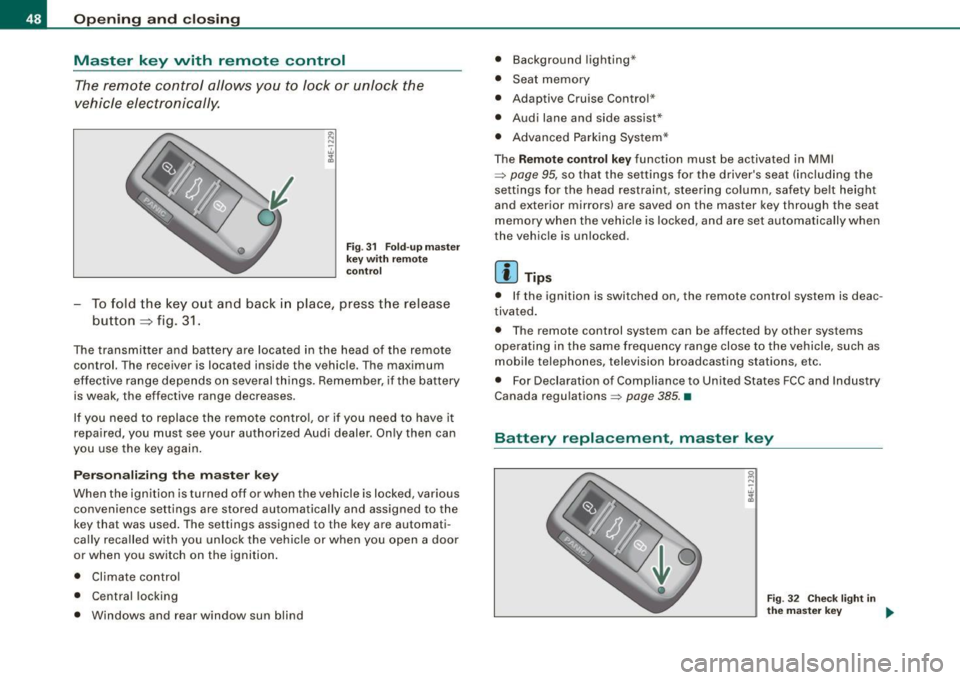
The remote control allo ws you to l ock or unlo ck the
vehicle electronically .
Fig . 3 1 F old -up ma ste r
ke y wit h re mote
c ontro l
-To fold the key out and back i n place, press the release
button
=:> fig. 3 1.
The transmitter and battery are located in the head of the remote
control. The receiver is located inside the vehicle . The maximum
ef fective ra nge depends on several t hings. Remember, if the battery
is weak, the effective range decreases .
If you need to replace the remote contro l, or if you need to have it
repaired, you must see your authorized Audi dealer. On ly then can
you use the key again .
Personalizing the master key
When the ignition is turned off or when the vehicle is locked, various
convenience settings are stored automatically and assigned to the
key that wa s used . The settings assigned to the key are automati
cally reca lled with you unloc k the vehicle or when you open a door
or when you switch on the ignition .
• Climate contro l
• Central locking
• Windows and rear window sun blind •
Background lighting *
• Seat me mory
• Adaptive Cruise Contro l*
• Audi lane and side assist *
• Advanced Parking Syste m*
T he
Remo te co ntrol ke y function must be activated in MMI
=> page 95, so that the settings for the driver's seat (including the
sett ings for the head restraint, steering column , safety be lt height
and exterior mirrors) are saved on the master key through the seat
memory when the vehicle is locked, and a re set automatically when
the vehic le is unlocked .
[ i ] Tip s
• I f the ignition is switched on, the remote control system is deac
tivated .
• T he remote control system can be affected by other systems
opera ting in the same frequency range close to the vehicle, such as
mobile telephones, television broadcasting stations, etc.
• For Declaration of Compliance to United States FCC and Indus try
Canada regulations =>
page 385. •
Battery replacement , master key
. w ',!
Fig . 32 C heck lig ht in
the m aster key ..