light AUDI S8 2009 Repair Manual
[x] Cancel search | Manufacturer: AUDI, Model Year: 2009, Model line: S8, Model: AUDI S8 2009Pages: 408, PDF Size: 91.63 MB
Page 109 of 408
________________________________________________ S_e_ a_ ts_ a_ n_d _ s_t _o _r_ a --' g"'" e _--J_
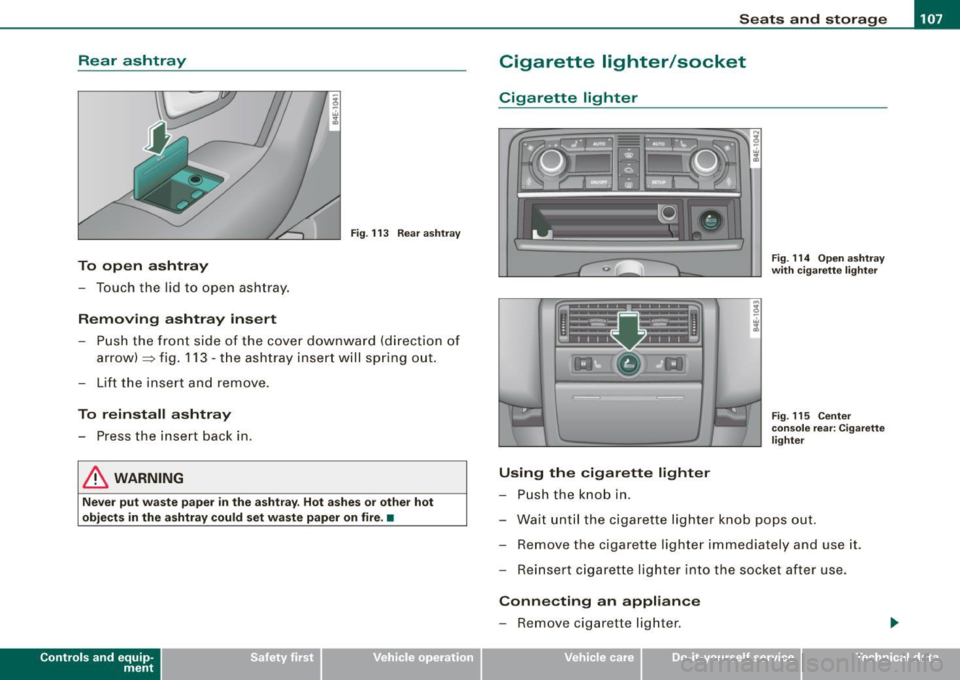
Rear ashtray
Fig . 113 Rear ashtray
To open ashtray
- Touch the lid to open ashtray.
Removing ashtray insert
- Push the front side of the cover downward (direction of
arrow) ::::::, fig. 113 -the ashtray insert will spring out.
- Lift the insert and remove.
To reinstall ashtray
- Press the insert back in.
& WARNING
Never put waste paper in the ashtray. Hot ashes or other hot
objects in the ashtray could set waste paper on fire. •
Con tro ls and eq uip
ment
Cigarette lighter/socket
Cigarette lighter
Using the cigarette lighter
- Push the knob in.
Fig. 114 Open ashtray
with cigarette lighter
Fig . 115 Center
console rear: Cigarette
lighter
- Wait until the cigarette lighter knob pops out.
- Remove the cigarette lighter immediately and use it.
- Reinsert cigarette lighter into the socket after use.
Connecting an appliance
- Remove cigarette lighter.
Vehicle care I I irechnical data
Page 110 of 408
• ..__S_ e_a _ t_ s_ a_ n_ d_ s_t _o _r_ a-' g==- e ________________________________________________ _
-Plug in applian ce to be u se d.
The soc ket of t he ci gare tte l ighter may be used for 12 -vo lt appli
ances with maximum cons umption of u p to 100 watts, such as a
fl as h lig ht, small vacuum c leane r, etc .
Before you purchase any accessories , always read and fo llow th e
i nfo rm ati on in
=> p age 384 , "Add itio nal ac ce ssor ies a nd pa rts
replacement".
& WARNING
Improper use of the cigarette lighter can cause serious injury or
start a fire .
• Be careful when us ing the cigarette lighter . If you do not pay
attention to what you are doing when you are u sing the cigarette
lighter you can burn yourself .
• The cigarette lighter and socket remain functional even if the
ignition is switched off or the ignition key is removed . Never leave
children inside the vehicle without supervision.
0 Note
• To av oid damagi ng the so ck et, o nly u se p lug s th at fit pr oper ly.
• Only use the cigarette lighter socket as a power source for elec
tr ical acc esso ries f or s hor t durations. Use the s ock ets in the vehi cle
when a power source is needed for longer durations .
[ i J Tips
When the engine is off and accessories are sti ll plugged in and are
on, th e vehi cle battery ca n still be draine d.•
Long center console
Ap plies to veh icles : w it h lon g cen ter co nso le
Overview
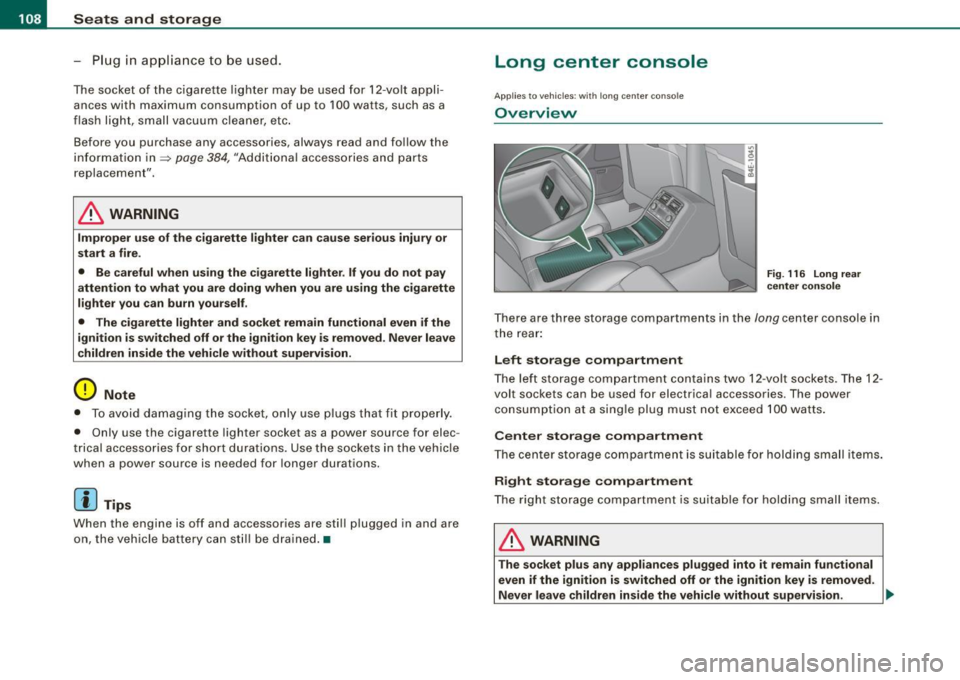
F ig . 116 Long rear
center con sole
T here a re thre e storage co mpartments in th e lon g center co nsole in
t he rear :
Left storage compartment
The lef t st orage c om partm ent co ntain s two 12 -v o lt so cke ts . The 12 -
volt sockets can be used for elect rica l accessories . T he power
co nsump tion a t a sing le plug mu st no t exceed 100 wa tts.
Center storage compartment
The ce nter st orag e compa rtmen t i s s uita ble fo r hol ding small it em s.
Right storage compartment
The right st orage co mpart ment is s uit a bl e for hold ing sma ll items.
& WARNING
The socket plus any appliances plugged into it remain functional
even if the ignition is switched off or the ignition key is removed.
Never leave children inside the vehicle without supervision. ..
Page 111 of 408
![AUDI S8 2009 Repair Manual ________________________________________________ S_ e_ a _ t_ s _a_ n_d _ s_t _o _ r_ a...: g==-- e __ llffllJI
0 Note
To avoid damaging the socket, only use plugs that fit properly.
[ i]](/img/6/57618/w960_57618-110.png "AUDI S8 2009 Repair Manual ________________________________________________ S_ e_ a _ t_ s _a_ n_d _ s_t _o _ r_ a...: g==-- e __ llffllJI
0 Note
To avoid damaging the socket, only use plugs that fit properly.
[ i]")
________________________________________________ S_ e_ a _ t_ s _a_ n_d _ s_t _o _ r_ a...: g==-- e __ llffllJI
0 Note
To avoid damaging the socket, only use plugs that fit properly.
[ i] Tips
When the engine is off and accessories are still plugged in and are
on, the vehicle battery can still be drained. •
Storage
General overview
There are numerous places to store items in your vehicle.
Glove compartment
Storage compartment
Pockets in the front seats*
Compartments in the door trim panels
Compartments in the rear doors* :::::,
page 109
=:> page 11 O
=:> page 110
=:> page 111
Left side storage compartment in the :::::, page 112
trunk
- -Right side storage compartment in the :::::, page 113
trunk
Emergency warning triangle
Umbrella holder
& WARNING
=:> page 350
• Always remove objects from the instrument panel. Any items
not stored could slide around inside the vehicle while driving or
Controls and equip
ment
& WARNING (continued)
when accelerating or when applying the brakes or when driving
around a corner.
• When you are driving make sure that anything you may have
placed in the center console or other storage locations cannot fall
out into the footwells. In case of sudden braking you would not be
able to brake or accelerate.
• Any articles of clothing that you have hung up must not inter
fere with the driver's view. The coat hooks are designed only for lightweight clothing . Never hang any clothing with hard, pointed
or heavy objects in the pockets on the coat hooks. During sudden
braking or in an accident -especially if the airbag is deployed -
these objects could injure any passengers inside the vehicle. •
Glove compartment
Your Owner's Literature and the media player are stored
in the lockable glove compartment.
t--------------. l
i
I • •
Fig. 117 Glove
compartment
Page 113 of 408
Seats and storage 1111
-----------------=-----'
Compartments in the door trim panels
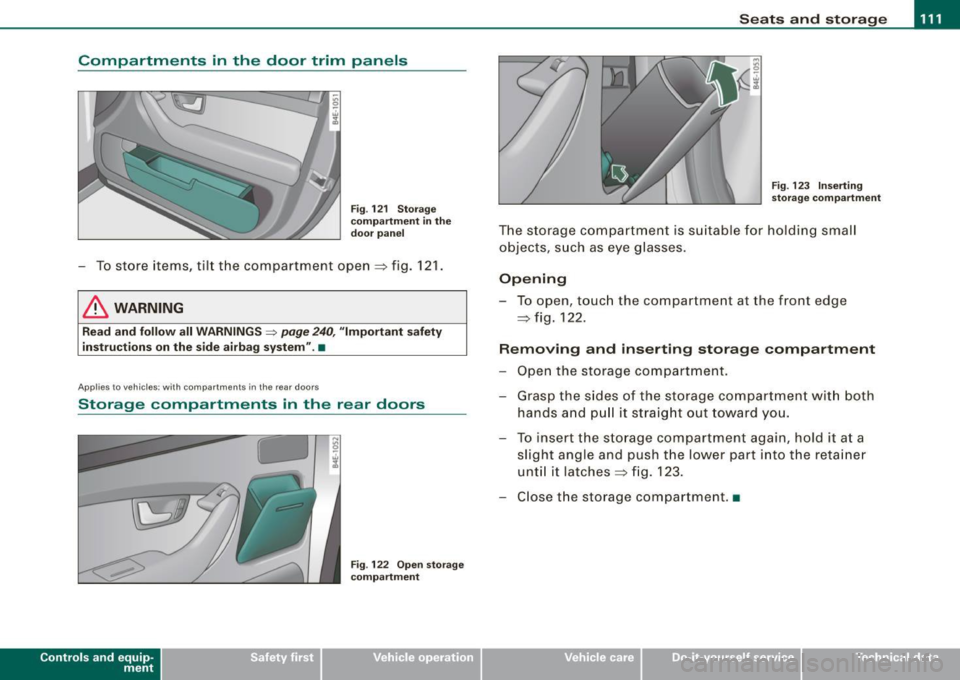
Fig. 121 Storage
compartment in the
door panel
- To store items, tilt the compartment open=:> fig. 121.
& WARNING
Read and follow all WARNINGS ~ page 240, "Important safety
instructions on the side airbag system" .•
Ap plies to ve hicl es: with compartments in the rea r doo rs
Storage compartments in the rear doors
Con tro ls and eq uip
ment
Fig . 122 Open storage
compartment Fig.
123 Inserting
storage compartment
The storage compartment is suitable for holding small
objects, such as eye glasses.
Opening
-To open, touch the compartment at the front edge
=> fig. 122.
Removing and inserting storage compartment
- Open the storage compartment.
- Grasp the sides of the storage compartment with both
hands and pull it straight out toward you.
- To insert the storage compartment again, hold it at a
slight angle and push the lower part into the retainer
until it latches =:> fig. 123.
- Close the storage compartment .•
Vehicle care I I irechnical data
Page 114 of 408

-Seats and storage "-------=---------------
Coat hooks
Fig
. 124 Coat hook
above left rear seat
There are fold-out coat hooks over each rear door.
- To open, touch the top of the coat hook=> fig. 124.
& WARNING
• Hang clothes in such a way that they do not impair the driver's
v1s1on.
• The coat hooks must only be used for lightweight clothing . Do
not leave any heavy or sharp edged objects in the pockets which
may interfere with the side curtain airbag deployment and can
cause personal injury in a crash.
• Do not use coat hangers for hanging clothing on the coat hooks
as this can interfere with proper deployment of the side curtain
airbags in an accident.
• Do not hang heavy objects on the coat hooks, as they could
cause personal injury in a sudden stop .•
Left-side compartment
Fig . 125 Luggage
compartment , left side
Fig . 126 Luggage
compartment, left side
The DVD player for the navigation system is in the left-side
storage compartment.
To open the side storage compartment, turn the two pins
© to the vertical position.•
Page 116 of 408
• .___w_ a_ rm __ a_ n_ d_ c_o _l_d ________________________________________________ _
Warm and cold
Climate controls
Description
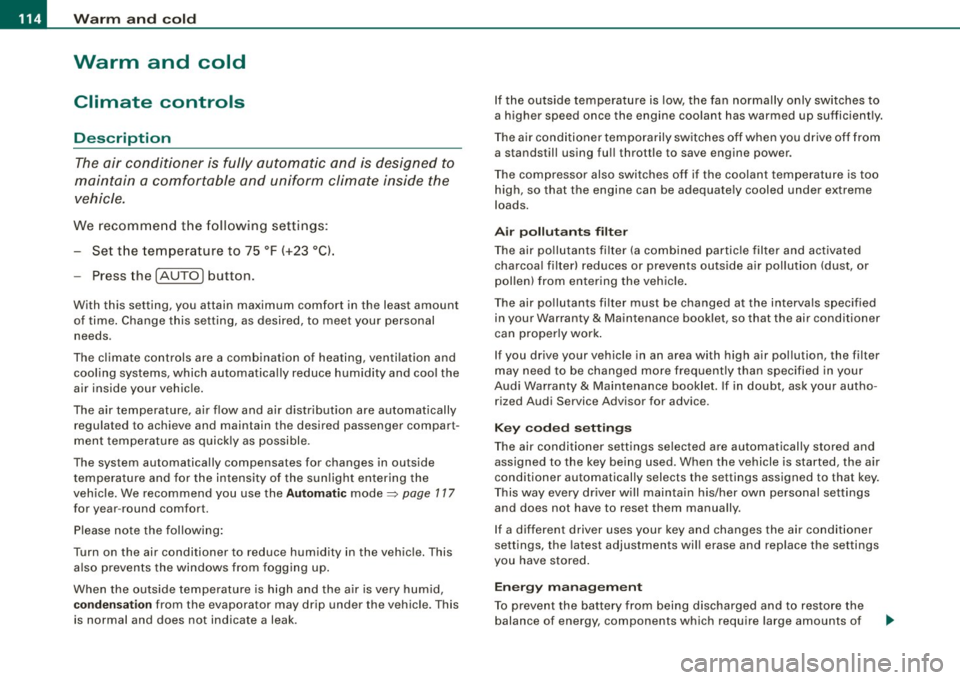
The air conditioner is fully automatic and is designed to
maintain a comfortable and uniform climate inside the
vehicle.
We recommend the follow ing settings:
- Set the temperature to 75 °F (+23 °C).
- Press the !AUTO
I button.
With this setting, you attain maximum comfort in the least amount
of time. Change this setting, as desired, to meet your personal needs.
The climate controls are a combination of heating, ventilation and cooling systems, which automatically reduce humidity and cool the
air inside your vehicle.
The air temperature, air flow and air distribution are automatically
regulated to achieve and maintain the desired passenger compart
ment temperature as quickly as possible.
The system automatically compensates for changes in outside
temperature and for the intensity of the sunlight entering the
vehicle. We recommend you use the
Automatic mode=> page 117
for year-round comfort.
Please note the following:
Turn on the air conditioner to reduce humidity in the vehicle. This also prevents the windows from fogging up.
When the outside temperature is high and the air is very humid,
condensation from the evaporator may drip under the vehicle. This
is normal and does not indicate a leak. If the outside temperature is low,
the fan normally only switches to
a higher speed once the engine coolant has warmed up sufficiently.
The air conditioner temporarily switches off when you drive off from
a standstill using full throttle to save engine power.
The compressor also switches off if the coolant temperature is too
high, so that the engine can be adequately cooled under extreme
loads.
Air pollutants filter
The air pollutants filter (a combined particle filter and activated
charcoal filter) reduces or prevents outside air pollution (dust, or
pollen) from entering the vehicle.
The air pollutants filter must be changed at the intervals specified
in your Warranty
& Maintenance booklet, so that the air conditioner
can properly work.
If you drive your vehicle in an area with high air pollution, the filter
may need to be changed more frequently than specified in your
Audi Warranty
& Maintenance booklet. If in doubt, ask your autho
rized Audi Service Advisor for advice.
Key coded settings
The air conditioner settings selected are automatically stored and
assigned to the key being used. When the vehicle is started, the air
conditioner automatically selects the settings assigned to that key.
This way every driver will maintain his/her own personal settings
and does not have to reset them manually.
If a different driver uses your key and changes the air conditioner
settings, the latest adjustments will erase and replace the settings
you have stored.
Energy management
To prevent the battery from being discharged and to restore the
balance of energy, components which require large amounts of
Page 125 of 408
Warm and cold -
--------------------------------J
[ i J Tips
If the climate control system is operating in cooling mode, air flows
primarily from the outlets in the center console and in the door
pillars . To achieve adequate cooling, you should never close the
outlets completely. •
Using climate controls economically
Using the climate controls prudently can help save fuel.
When you use the air conditioner, engine power is reduced
and fuel consumption increases. To save fuel, you should
use the air conditione r only when necessary. Also please
n ote the following points:
- If you want to save fuel, activate ECON.
If you are going to drive with the windows open, use
ECON.
W For the sake of the environment
By reducing the amount of fuel you use, you also reduce the amount
of pollutants emitted into the air.•
Applie s to v ehicl es: with so lar slidi ng /tilt ing sunr oof
Solar blower fan /solar roof
With sufficient sunlight, the blower fan continues to
operate with solar energy to bring in fresh air after the
ignition has been switched off.
T he fan motor is operated by solar energy through the solar roof
after the ignition is turned off. Please make certain that vents ©
and © are open to achieve optimal ventilation=>
page 122, fig. 137.
Con tro ls and eq uip
ment
The ventilation operates only with the sunroof closed or in the tilted
position .
If the vehicle was switched off in the recircu lation mode, the air
conditioning automatically switches to fresh air operation.
Solar operation is not activated at low outside temperatures. •
Windshield defogging/defrosting
Applie s to v ehic les: w ith windsh ield defogg er/defr oste r
Windshield defogger /defroster @
The windshield defogger removes humidity from the
windshield.
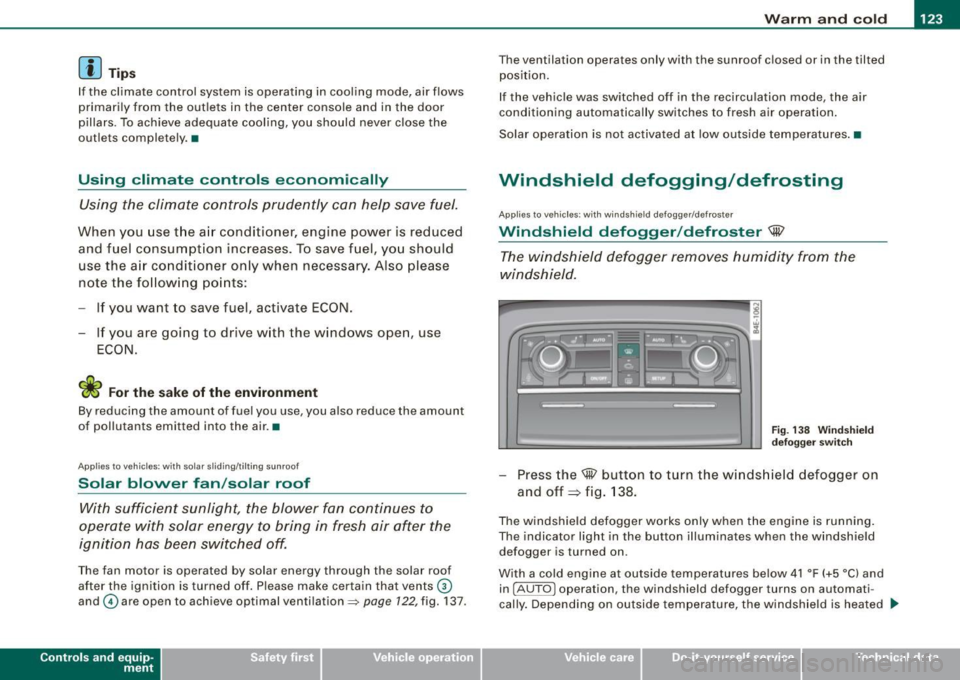
Fig . 138 Windshield
defogger switch
-Press the@ button to turn the windshield defogger on
and off~ fig . 138.
The windshield defogger works only when the engine is running.
The indicator light in the button illuminates when the windshield
defogger is turned on.
With a cold engine at outside temperatures below 41 °F (+5 °C) and
in !AUTO
l operation, the windshield defogger turns on automati
cally. Depending on outside temperature, the windshield is heated _,.
Vehicle care I I irechnical data
Page 126 of 408
• ..__w_ a_ r_m _ a_ n_d_ c_ o_ ld __________________________________________________ _
for a maximum of 4 minutes. The temperature for the climate
control must be selected so that it is operating in the heating mode.
When selecting the program setting
@, the windshield
defogger/defroster is switched on automatically at outside temper
atures below 41 °F (+5 °C). Depending on outside temperature, the
windshield is heated from 2 up to a maximum of 4 minutes.
The windshield defogger is deactivate d in ECON mode .
[ i ] Tips
• If a crack forms in the windshie ld due to a foreign object (e .g . a
stone chip), the defogger/defroster is not turned on . This prevents
t he crack from spreading.
• We recommend that you locate an Audi dealership immediately
to have the windshield replaced. •
Rear window defogger [ml
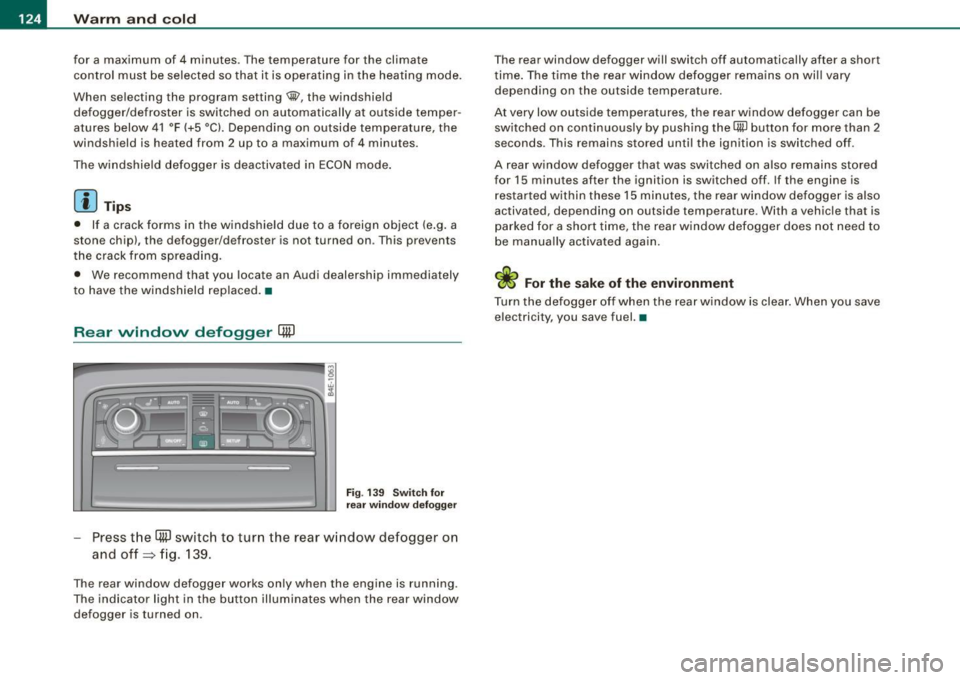
Fig. 13 9 Sw itch for
r ea r wi ndow defo gger
Press t he (ffi] switch to turn the rear w indow defogger o n
and off=> fig. 139.
The rear window defogger works only when the engine is running .
The indicator light in the butto n illuminates when the rear win dow
defogger is turned on . T
he rear window defogger will switch off automatically after a short
t ime . The time the rear window defogger remains on wi ll vary
depending on the outside temperature.
At very low outside temperatures, the rear window defogger can be switched on continuously by push ing the
QW bu tton for more than 2
seconds. This remains stored unti l the ignition is switched off .
A rear window defogger that was switched on also remai ns stored
for 15 minutes after the ignition is switched off . If the engine is
r estar ted within these 15 minutes, the rear w indow defogger is also
activated, depending on outside temperature. With a vehic le that is
par ked for a short time, the rear window defogger does not need to
be manua lly activated again.
ci> For the sake of the environment
Turn the defo gger off when the rear w indow is clea r. When you save
electricity, you save fuel. •
Page 133 of 408

On the road -
-------------------'
Stopping the engin e
-Turn the ignition key to position ©~ page 130, fig. 145.
& WARNING
• Never turn off the engine until the vehicle has come to a
complete stop.
• The brake booster and servotronic only work when the engine
is running. With the ignition turned off, you have to apply more
force when steering or braking. Since you cannot steer and stop
normally, this can lead to accidents and serious injuries .
• The radiator fan can continue to run for up to 10 minutes even
after you have turned off the engine and removed the ignition key.
The radiator fan can also turn on again if the engine coolant heats
up because of intense sunlight or heat build-up in the engine
compartment.
0 Note
Do not stop the engine immediately after hard or extended driving.
Keep the engine running for approximately two minutes to prevent
excessive heat build-up.•
Con tro ls and eq uip
ment
Starting and stopping the engine
using the Convenience key
A pp lies to veh ic les: w ith Convenie nce key
Starting th e engin e using th e [ START ] button
Using this button, you can switch on the ignition and start
the engine .
0
0
Fig. 146 Convenience
key: START button
The [ START] button has a two position feature. ~ fig. 146.
Switching on the ignition
- Press the [
START] button to the first position. Only the
ignition switches on .
Starting the engine
- Depress the foot brake.
- Move the selector lever into the P or N position
~ & .
- Press the I START] button to the second position. The
engine starts.
Vehicle care I I irechnical data
Page 135 of 408

On the road -
----------------
& WARN IN G ( continu ed )
required to steer or bra ke the vehicle . If you are not prepa red , th is
c ould re sult in a collision and serious per sonal in jur y.
• For your safet y, move the sele ctor lever t o the P po sition , then
turn off the engine . Otherwise the veh icle could inadvertently roll
away .
• After t urning off th e engine , the r adi ator f an c an come on and
run for up to 10 mi nute s -even if the i gnition i s switc hed off . Like
wise , the fan could come on if the temperature in the engin e
c omp artment r ais e s due to heat build up or if you le ave the vehi cle
s tandin g in direct sunlight .
0 Note
After driving at high engine load, heat can build up in the engine
compartment after you have turned off the engine. This can damage
t he engine . Let the veh icle stand and run in idle for about 2 minutes
before turning off the engine .•
Ap plies to ve hicles : w ith Conve nie nce key
Driver's messages in the instrument cluster
Messages appear in the instrument cluster to let the
driver know if something is missing or if some thing must
be done.
No ke y identified
This message appears when you press the [ START ] button, but
there is no remote control key insi de the vehicle or if the system
does not recogni ze the key . For example, if your key is
shielded by
an object or
encased, i.e . inside an a lum inum briefcase, the signal
from the key cannot be detected. Electronic devices such as cell
phones can also interfere with the radio signal.
Controls and equip
ment P
re ss br ake pedal to start engine
This message appears when you press the I S TART] button when
starting the engine but you have not depressed the brake pedal.
En gage N or P to start e ngine
This message appears when you start the engine but the selector
lever is not in the P or N position. The e ngine can be sta rted o nly if
the selector lever is in one of these two positions.
.!., Key not in vehicle
This message appears together with the ..Z. symbol when the
remote control key is removed from t he vehicle whi le the eng ine is
running . This is to remind you that you should not continue your trip
without you r key .
If the key is no longer inside the veh ic le when you turn off the
engine, you will not be able to switch on the ignition or restart the
engine. Also, you will not be ab le to lock the vehicle from the
outside.
S hift to P, othe rwis e vehi cle ca n roll a way. Door s do not lo ck i f lev er
is not in P.
This message appears for your safety together wit h an aud ib le
warning signa l when you press the [S TO P] button but the selector
lever is not in the P position and you open the driver 's door . Move
the selector lever into P, otherwise the vehic le could roll away. In
addition, you w ill not be able to lock the vehicle with either the lock
button located on the door handle or the remote control.
T o engage steering lo ck, press a nd hold STOP button
This message appears for your personal safety if you switch off the
eng ine and the ignition by pressing the
I S TOP ] button and then
open the driver's door . In this case, the steering will still not be
locked . The stee ring wheel wi ll lock :
• I f you press the
I STOP ] button for longer than 1 second.
• I f you lock the vehicle from the outside .•
I • •