tire pressure AUDI S8 2010 Owners Manual
[x] Cancel search | Manufacturer: AUDI, Model Year: 2010, Model line: S8, Model: AUDI S8 2010Pages: 384, PDF Size: 90.95 MB
Page 5 of 384
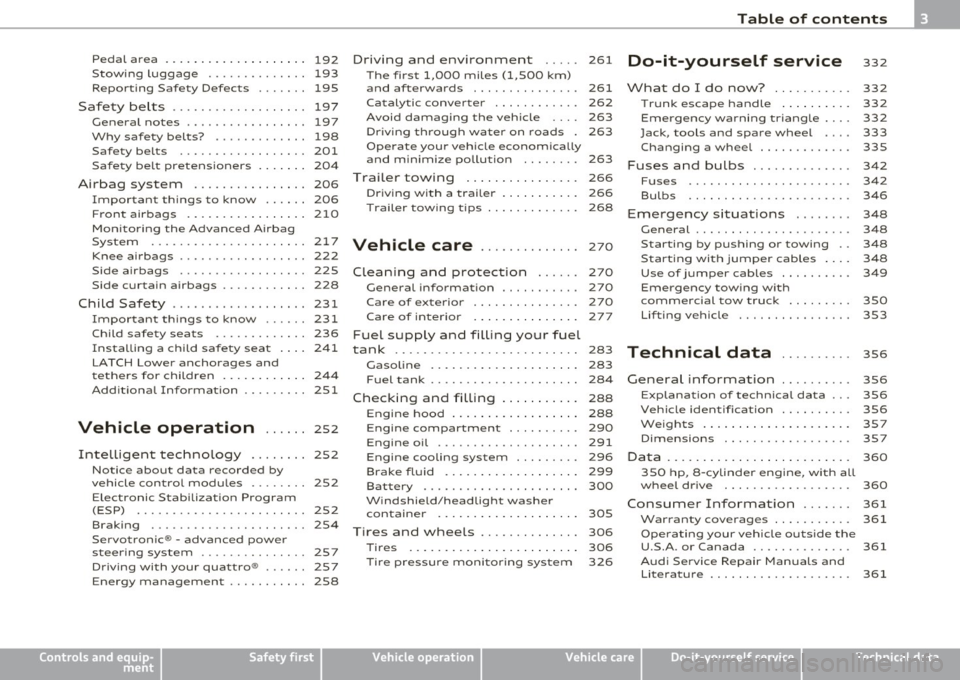
Pedal area ... ........ ......... 192
S towing luggage .............. 193
Reporting Safety Defects ....... 195
Safety be lts ................... 197
General notes ................. 197
Why safety belts? . . . . . . . . . . . . . 198
Safety belts . . . . . . . . . . . . . . . . . . 201
Safe ty be lt pretensioners . . . . . . . 204
Airbag system ................ 206
Important th ings to know . . . . . . 206
F ront airbags ......... ........ 210
Mon ito ring the Advanced A irbag
Syst em ...................... 217
Knee airbags . . . . . . . . . . . . . . . . . . 2 22
Side airbags . . . . . . . . . . . . . . . . . . 225
Side curtain airbags . . . . . . . . . . . . 228
Child Safety ................... 231
Important things to know ...... 231
Child safety seats . . . . . . . . . . . . . 236
Ins ta lling a ch ild safety seat . . . . 24 1
LAT CH Lower anchorages and
t ethers for chi ldren . . . . . . . . . . . . 244
Add itiona l Informa tion 251
Vehicle operation ...... 252
Intelligent tec hno logy ........ 252
Notice about data recorded by
v e hicl e contro l modu les . . . . . . . . 252
Electronic Stab ili z ati on Program
(ESP) ........................ 252
Braking . . . . . . . . . . . . . . . . . . . . . . 254
Servotronic ® -advanced power
steer ing system ............ ... 257
Dr iving with your quattro® ...... 257
Energy management . . . . . . . . . . . 258
Controls and equip
ment Safety first
Driving and environment
..... 261
The first 1,000 miles (1,500 km)
and afterwards . . . . . . . . . . . . . . . 261
Catalytic converter . . . . . . . . . . . . 262
Avoid damaging the veh icle 263
Dr ivi ng th rough wat er on roads . 263
Operate your veh icle economica lly
and m inimi ze po llution . . . . . . . . 263
Trailer towing ................ 266
Dr iving wi th a traile r . . . . . . . . . . . 266
T railer tow ing tips . . . . . . . . . . . . . 268
Vehicle care .............. 270
Clea nin g and pro tect ion ...... 270
General information . . . . . . . . . . . 270
Care of exterior . . . . . . . . . . . . . . . 270
Care of interior . . . . . . . . . . . . . . . 277
Fuel supply and filling your fuel
tank .......................... 283
Gasol ine . . . . . . . . . . . . . . . . . . . . . 283
F u el tank . . . . . . . . . . . . . . . . . . . . . 284
Checking and filling . . . . . . . . . . . 288
Eng ine hood . . . . . . . . . . . . . . . . . . 288
Eng ine compartment . . . . . . . . . . 290
Engine oil ............... ..... 291
Engine cooling system . . . . . . . . . 296
Brake fluid . . . . . . . . . . . . . . . . . . . 299
Bat tery . . . . . . . . . . . . . . . . . . . . . . 300
W indshield/head light washer
containe r . . . . . . . . . . . . . . . . . . . . 305
Tires and wheels .............. 306
Ti res 306
T ir e pressure monitor ing system 326
Table of contents
Do-it-yourself service
What do I do now? .......... .
Trunk escape handle ......... .
Emergency wa rning tria ngle ... .
Jack, tools and spare wheel ... .
Changing a wheel ........... . .
Fuses and bulbs ............. .
Fuses ...................... .
Bulbs ...................... .
Emergency situations ....... .
General ..................... .
Starting by pushing or towing ..
S tarting with jumper cables ... .
Use of j umper cables ......... .
Emergency towing with
commercial tow truck ........ .
Lifting vehicle ............... .
Technical data
General information
Explanat ion of technical data .. .
Vehicle identification ......... .
We ig hts ... ....... ....... ... .
Dimensions ................. .
Data .......... ......... ...... .
350 hp, 8-cylind er engine, with all
whee l dr ive ................. .
Consumer Information ...... .
Warranty coverages .......... .
Ope rating your vehicle outs ide the
U.S.A. or Canada ............. .
Aud i Se rvice Repair Man uals and
Literature ................... . 332
332
332
332
333
335
342
342
346
348
348
348
3
4 8
349
350
353
356
356
356
356
357
357
360
360
361
361
361
361
Vehicle operation Vehicle care Do-it-yourself service Technical data
Page 17 of 384
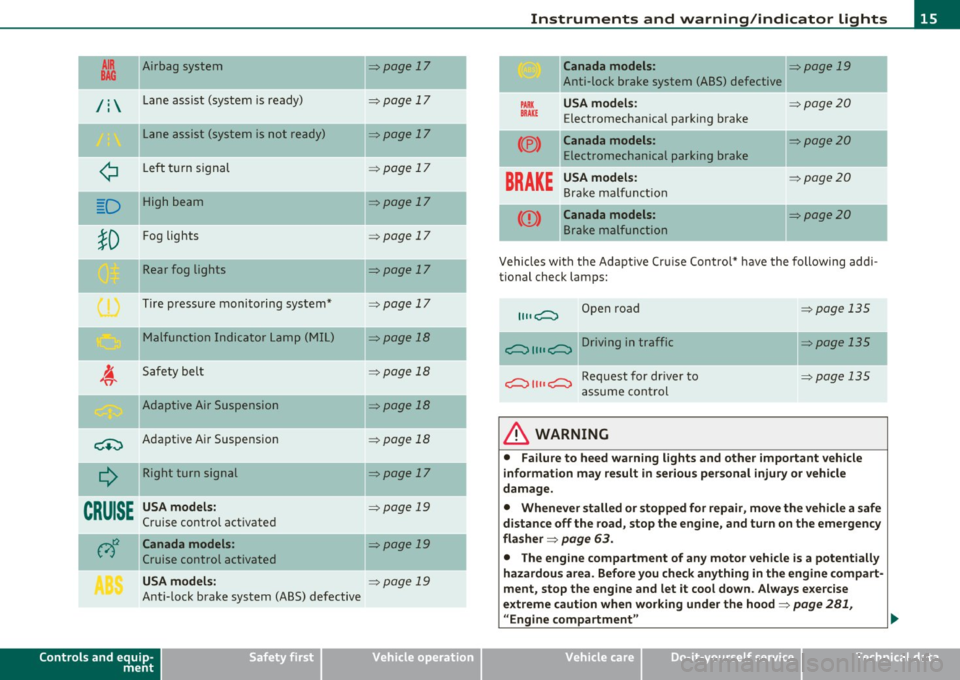
AIR Airbag system
BAG ~
/ : Lane assist (system is ready)
L ane assist (system is not ready)
¢ Left t urn signal
D High beam
!D
Fog lights
Rear fog lights
Tire pressure monitoring system*
M alfunction Indicator Lamp (MI L)
I. "fi'
Safety bel t
-Adaptive Air Suspension
~ Adaptive A ir Suspension
Q
Right turn signal
--
CRUISE
USA models:
Cruise contro l act ivate d
c;)~ Canada models :
Cruise control activated
USA models:
Ant i-lock brake system (ABS) defective
Controls and equip
ment Safety first
=:>page
17
-
=> page 17
=> page 17
=> page 1 7
=> page 17
=> page 17
=> page 17
=> page 17
=> page 18
=> page 18
-=>page 18
=> page 18
=>page 17
-
=> page 19
=>page 19
=> page 19
Instruments and warning /indicator lights
Canada models: => page 19
Anti-lock brake system (ABS) defective
PARK USA m odel s: =:>page20
BRAK E Electromechan ica l parking brake
(®) Canada models: =:> page 20
Electromechanical parking brake
BRAKE
USA models: =:> page20
Bra ke ma lf u ncti on
Canada models: =:>page20
B rake malfunction
-
Vehicles wi th the Adapt ive Cr uise Control* have the following add i-
tional check lamps:
II II c;::::::::, Open road => page 135
c;::::::::, II II c;::::::::, Driving in traffic => page 135
c;::::::::, II II c;::::::::, Request for dr iver to =>page 135
assume cont rol
& WARNING
• Failure to heed warning lights and other important veh icle
information may result in serious personal injury or vehicle
damage.
• Whenever stalled or stopped for repair , move the vehicle a safe
distance off the road, stop the engine, and turn on the emergency
fla sher =>
page 63.
• The engine compartment of any motor vehicle is a potentially
hazardous area. Before you check anything in the engine com part -
ment, stop the eng ine and let it cool down . Always e xercise
extreme caution when working under the hood=>
page 281,
"Engine compartment " ..
Vehicle care Technical data
Page 19 of 384
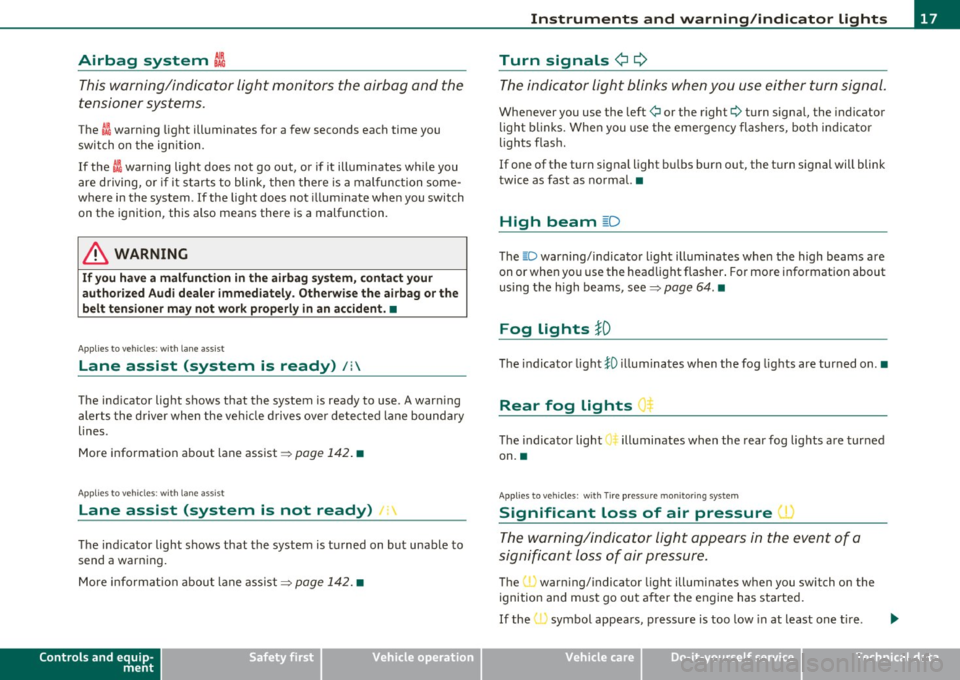
Airbag system I
This warning/indicator light monitors the airbag and the
tensioner systems.
The I warn ing light illuminates for a few seconds each time you
switch on the ign ition.
If the
I warn ing lig ht does not go out, or if it illuminates w hile you
are d riving, or if it s tar ts to blink, the n t here is a mal func tion some
where in the system . If the light does not illum inate when you switch
on t he ignition, this also means there is a malfunction.
& WARNING
If you have a malfunction in the airbag sy stem, c ontact your
authorized Audi dealer immediately. Otherwise the airbag or the
belt tensioner ma y not work properly in an accident. •
Appli es to ve hicle s: with lane a ss ist
Lane assist (system is ready) /:
The ind icator light shows that the system is ready to use . A warning
alerts the d river when the ve hicle drives ove r de tected l ane boundary
lines .
More i nformat ion about lane assist~
page 142. •
A ppli es to ve hicles : w it h lane ass ist
Lane assist (system is not ready) 1:
The ind icator light shows that the system is tu rned on but una ble to
send a war ning.
M ore info rma tion about lane assis t ~
page 14 2. •
Controls and equip
ment Safety first
Instruments and warning
/indicator lights
Turn signals
¢i ¢
T h e indicat or li ght blinks when you use ei ther turn signal .
Whenever you use the left ¢ or the right¢ turn signa l, the indicator
ligh t bli nks. Whe n you use the eme rgency flas hers, bo th in d ic ator
lights flas h.
If one of the turn signa l light b ulbs burn out, the t urn s ignal will blink
twice as fast as norma l.•
High beam ~D
The @:D warning/indicato r light illumi nates whe n the high beams are
on or when yo u use the hea dlight flasher. For mo re information about
us ing the h igh beams, see~
page 64. •
Fog Lights }D
Th e indicator light }O illum inates whe n the fog lig hts are turned on .•
Rear fog Lights
T he indica tor light ill uminates when the rear fog lights are turned
on. •
Appli es to ve hicl es : wit h Tir e pr essu re m onitoring s ystem
Significant Loss of air pressure 1 ~
The warning/indi ca tor li ght appears in the even t of a
s ign ific ant loss of air pressure.
The (I) warn ing/ indicator light illuminates when you swi tch on the
ignitio n an d m ust g o ou t aft er the e ngine has started.
If the , symbo l appea rs , p ressure is too low in at least on e tire .
~
Vehicle care Technical data
Page 24 of 384
Driver information displ ay
Driver information display
Introduction
General notes
The driver information display inside the instrument
cluster provides you, the driver, with much useful infor
mation .
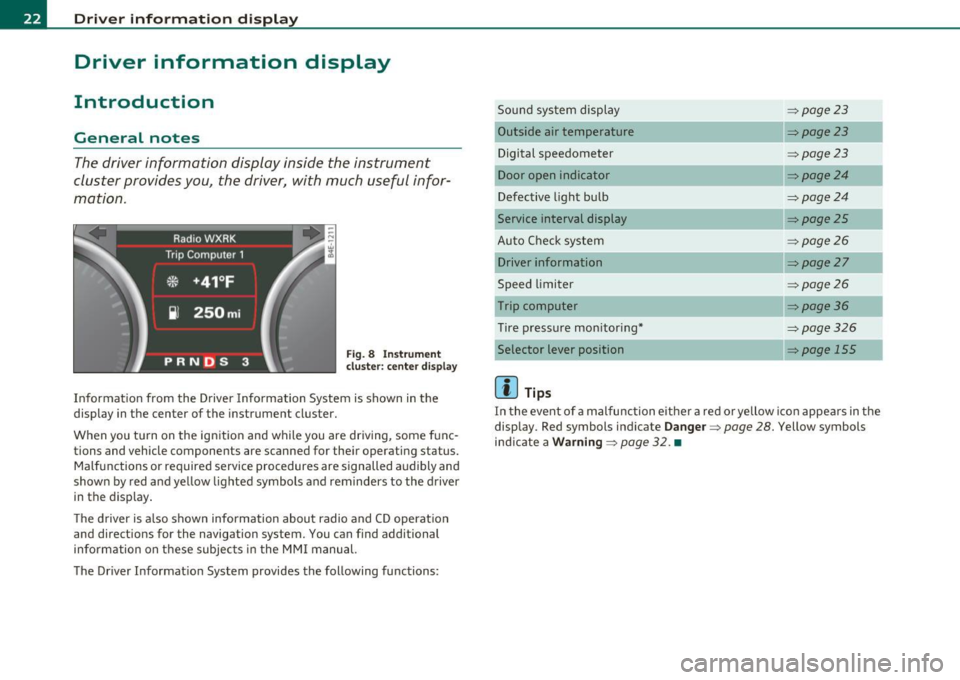
Fig. 8 Inst rument
cluster: center d isplay
Informat ion from the Driver Information System is shown in the
display in the center of the instrument cluster.
When you tu rn on the ign ition and while you are driving, some func
tions and vehicle components are scanned for their operating status. Malfunctions or required service procedures are signalled audibly and
shown by red and yellow lighted symbols and reminders to the driver
in the display .
T he d river is a lso shown information about radio and CD operation
and directions for the navigation system. You can find additional
information on these subjec ts in the MMI manual.
The Driver Informat ion System provides the following functions: Sound system display
:::>
page23
Outside air temperature :::>page23
Digital speedometer :::>page23
Door open indicator :::>page24
Defective light bulb :::>page24
Service interval display :::> page25
Auto Check system :::> page26
Driver information :::>page27
Speed limiter :::>page26
Trip computer :::> page36
Tire pressure mon itoring* :::>page326
Selector lever position => page 155
[]] Tips
In the event of a malfunction either a red or yellow ico n appea rs in the
display . Red symbols indicate
Da nge r=> page 28. Yellow symbols
ind icate a
Wa rning => page 32. •
Page 34 of 384
Driver information displ ay
Yellow symbols
A yellow symbol means WARNING.
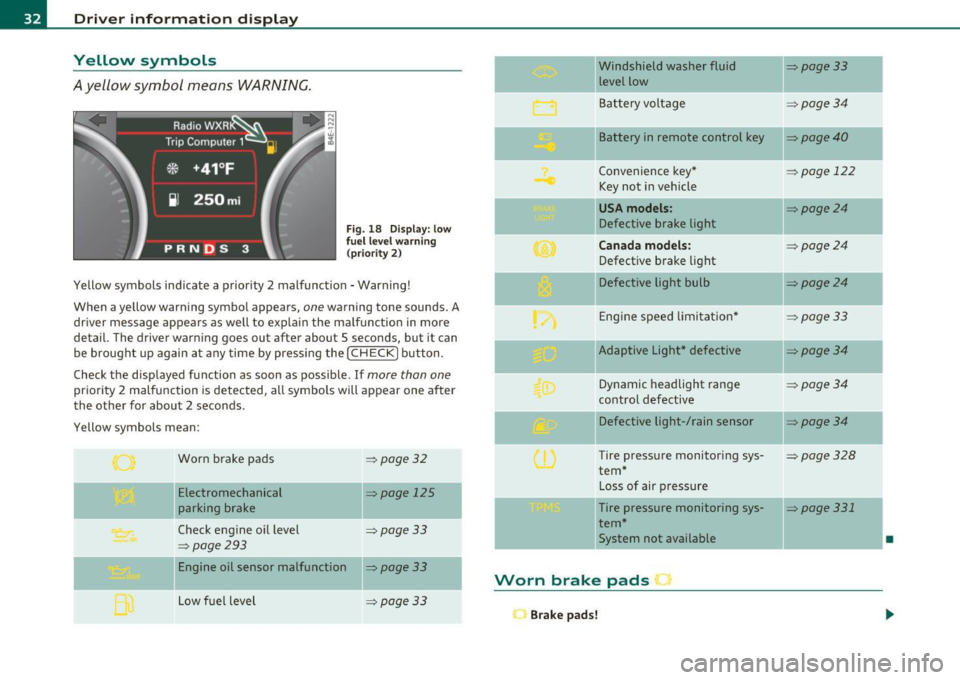
Fig . 18 Display: low
f ue l level warn ing
(priority 2)
Yellow symbols ind icate a prior ity 2 malfunction -Warning!
When a yellow warning symbo l appears,
one warning tone sounds. A
dr iver message appears as well to explain the ma lfunction in more
detail. The driver warning goes out after about 5 seconds, but it can
be brought up again at any time by pressing the
I CHECK] button .
Check the displayed function as soon as possible.
If more than one
priority 2 malfunction is detected, all symbols will appear one after
the other for about 2 seconds .
Yellow symbols mean:
Worn brake pads
=> page 32
Electromechanical => page 125
parking brake
Check engine oil level
=> page 33
=> page 293
Engine oil sensor malfunction => page 33
-
Low fuel level =>page33
Windshield washer fluid =>page33
level low ~
Bat tery voltage =>page34
-
II Battery in remote control key =>page40
Convenience key * =>page 122
Key not in veh icle
USA models: => page24
Defective brake light
Can ad a mod els : =>page24
Defect ive brake light
Defective light bulb
=>page24
E ng ine speed limitat ion* => page33
-
IIAdaptive Light* defective =>page34
Dynamic headlight range => page 34
contro l defective
Defective light-/rain sensor
=> page34
Tire pressure monitoring sys-=>page328
tern *
Loss of air p ressure
-Tire pressure monitoring sys-=> page331
tern*
11System not available •
Worn brake pads •
Brake pa ds!
Page 178 of 384

IIIJIL_...!.A~d~a:!.!p~t!_;iv~e~A~ir~S~u~s~p~e:!n.!:s~io~n~ -----------------------------------------
Adaptive Air Suspension
Adaptive Air Suspension and
Damping
Description
Adaptive Air Suspension and damping can be regulated and they adapt automatically to a request from the
driver and the drivin g situati on at the time.
Adaptive Air Suspens ion is an e lectron ically controlled springing and
damping system. This chass is system makes it eas ie r on the d river by
adapting to the particular situation t hrough imperceptible contro l
processes.
T he
Adapt ive Air Su spen sion component regu lates ground clea rance
depending on vehicle speed, load condition and driver input. Acce le r·
a ting to a speed above a predetermined limi t will make the vehicle
lower itself. On the other hand, driving more slow ly results in the
vehicle raising aga in at spe cific speeds .
Th e
damping component provides individua l contro l of the damping
forces. For example, with damp ing characte rist ics set to provide
greater comfort, damp ing is set som ewhat harder for a br ief period
only as req uired, for example, whe n going around a curve or over
roug h road surfaces as we ll as when bra king.
Settings
Adaptive Air Suspension provides the drive r with the opportu nity to
set the chassis characte ristics also to the ir individual preference.
W ith the dr iv in g m odes
standard, automatic and dynamic the d river
has three chassis sett ings available, ranging from comfort to sporty.
In add it io n,
lift prov ides a fourth mode whi ch can be sele cti ng fo r
dr iving over poor stretches of road =:>
page 177, "Chass is Controls".
T he modes a re set in MM I
=:> page 179.
On veh icles equipped w ith the sport su spen sion Adaptive A ir Suspen
sion -Sport *, there is genera lly more emphasis on a sporty chassis
sett ing. Setti ngs ra nge from comfo rtable to fi rm=:>
page 178, "Spo rt
Chassis Cont rols" .
0 Note
• Whenever you park you r vehicle, always ma ke su re there is
adeq uate clea rance above and below t he ve hicle. The heig ht of the
parked veh icle ca n change as the res ult of temperature fluctuat ions,
c hanges in loa d cond ition and changes in the dr iv ing mode (ground
cleara nce) .
• M ount t he tie-down ch ains/ cables over the r unning s urfa ce
(circumfere nce) of the tires . Never secu re the vehicle by the axle, the
suspension st ruts or the front o r re ar tow line eye . For technical
reaso ns, the pressure in t he suspension struts may change dur ing the
transport and this will adverse ly affect vehicle handling.
• To prevent damage to the vehicle u nderbody, remembe r th at your
veh icle is no t an off- road vehicle, even in the lift mode. The ground
cleara nce is insufficient for this type of operation .
• If yo u are go ing to tow a tra il e r, you mus t act iv a te the trai le r oper
ation mode =:>
page 179 .
[I] Tips
Before you ca n ra ise your vehicle using the vehicle jack (fo r examp le ,
w hen changing a flat tire) you must activate the jacking mode
=:>
page 179 . •
Page 189 of 384

______________________________________________ D_ ri_v _ i_n _,,g ,c.._ S_a_ f_ e_ l..:: y __ __
Important things to do before driving
Safety is everybody's job! Vehicle and occupant safety always depends on the informed and careful driver.
For your safety and the safety of your passengers, before
driving always:
- Make sure that all lights and signals are operating
correctly.
- Make sure that the tire pressure is correct.
- Make sure that all windows are clean and afford good visi-
bility to the outside.
- Secure all luggage and other items carefully::::>
page 98.
-Make sure that nothing can interfere with the pedals.
- Adjust front seat, head restraint and mirrors correctly for your height .
- Instruct passengers to adjust the head restraints according to their height.
- Make sure to use the right child restraint correctly to
protect children ::::,
page 231, "Child Safety".
- Sit properly in your seat and make sure that your passen gers do the same::::,
page 76, "General recommenda
tions".
- Fasten your safety belt and wear it properly. Also instruct
your passengers to fasten their safety belts properly
=:> page 197. •
Controls and equip
ment Safety first Vehicle operation
What impairs driving safety?
Safe driving is directly related to the condition of the
vehicle, the driver as well as the driver's ability to concen
trate on the road without being distracted .
The driver is responsible for the safety of the vehicle and all
of its occupants. If your ability to drive is impaired, safety
risks for everybody in the vehicle increase and you also
become a hazard to everyone else on the road::::,,& . There
fore:
Do not let yourself be distracted by passengers or by using
a cellular telephone.
NEVER drive when your driving ability is impaired (by
medications, alcohol, drugs, etc.).
- Observe all traffic laws, rules of the road and speed limits
and plain common sense .
- ALWAYS adjust your speed to road, traffic and weather
conditions.
- Take frequent breaks on long trips. Do not drive for more than two hours at a stretch.
- Do NOT drive when you are tired, under pressure or when
you are stressed .
& WARNING
Impaired driving safety increases the risk of serious personal
injury and death whenever a vehicle is being used.•
Vehicle care Do-it-yourself service Technical data
Page 255 of 384

_________________________________________ I_ n_ t_ e_ ll_,igent technology ,__E~-
acting on the vehicle, the brake pressure and the steering angle are
all meas ured.
The direction in which the driver wishes to travel is determined with
the aid of the steering angle and vehicle speed and is continually
compared with the actual behavior of the vehicle. If the two do not
match, for example , when the vehicle starts hydroplaning on a wet
road, ESP will automatically brake the appropriate wheel to correct
the problem.
The vehicle is then stabi lized by the forces acting on the whee l during
braking. If the vehicle is
oversteering (rear tends to skid out of the
turn), the brakes are main ly applied on the wheel that is on the
outs ide of the curve. In the case of a vehicle that is
understeering
(tendency to slide out of the curve), the brakes are applied at the rear
wheel that is on the inside of the curve. An acoustic signal ind icates
when ESP brake application cuts in =>
&.
Th e system operates across the entire speed range in combination
with the ABS system=>
page 256. If the Anti-Lock Brake System
(ABS) malfunctions, the ESP will be out of action as we ll.
Activation
When you turn on the engine, ESP will automatically be activated and
will perform a self-test .
The system can be activated or deactivated by pressing the button
=>
page 252, fig. 234 . The warning light comes on when the system
is switched off=>
page 16.
Normally, the ESP should always be on, however, it may be advanta
geous to turn off the sys tem in certain special cases when some
degree of whee l spin is desired such as:
• when driving with snow chains
• when driving in deep snow or on a loose surface (to allow the
wheels to dig in to reach firm ground)
• when trying to "roc k" the vehicle free when it has become stuck.
The system should be reactivated once you are no longer in such situ
ations.
Controls and equip ment Safety first Vehicle operation
Both the ABS and
EDS systems are still functioning even if the ESP is
switched off.
& WARNING
The Electroni c Stabilization Program is nevertheless subject to the
laws of physics. It is particularly important to pay attention to
this fact on wet and slippery roads. It is therefore important that
you always adapt your driving to the condition of the road and
traffic conditions. Do not allow the increased safety provided by
the Electronic Stabilization Program system to lull you into
accepting additional safety risks. •
Electronic differential lock (EDL)
The electronic differential lock monitors the rotational
speed of the drive wheels.
General notes
The electronic differential lock (EDL) helps the car to start moving,
acce lerate and climb a gradient on surfaces providing poor or almost
no grip . Without EDL, this would be difficult, if not impossible .
How the system works
The EDL operates automatically. It monitors the rotational speed of
the drive wheels on an axle with the he lp of the ABS sensors
=>
page 256 . If a noticeable difference in rotational speed between
the drive wheels on one axle is detected (e .g . on slippery ground
on
one side),
the spinning wheel is braked, thereby transferring power to
the other drive whee l or wheels (all -wheel drive). This is done up to a
speed of about 60 mph (100 km/h) . Noises from the brake system
signal that wheel spin is being contro lled.
Driving off
When driving off, always be sure to keep road conditions in mind as
you accelerate. If one drive wheel spins because it is on a surface with
less grip , gradually increase the pressure on the accelerator peda l
Iii>
Vehicle care Do-it-yourself service Technical data
Page 269 of 384

Operating instructions
Maximum trailer weight
A trailer for your vehicle is limited to a typical class 1 or class 2 trailer.
Trailer load distribution
Be sure the load in the trailer is held securely in place to prevent it
from shifting forward, backward or sideways.
Never allow a passenger to ride in a trailer=>
& in "Driving instruc
tions".
Engine cooling system
Towing a trailer makes the engine work harder. It is important that
the cooling system's performance is up to the additional load. Make
sure that the cooling system has enough fluid.
Tire pressure
When towing a trailer, inflate the tires of your vehicle to the cold tire
pressure listed under "Full load" on the label located either on the
driver's side B -pillar (visible when the door is open) or inside the fuel
filler flap. Inflate trailer tires to trailer and tire manufacturers' spec
ifications .
Lights
The headlight settings should be checked with the trailer attached
before driving off. Check to make sure both vehicle and trailer lights
are working properly.
Safety chains
Be sure trailer safety chains are properly connected from the trailer
to the hitch on the vehicle. Leave enough slack in the chains to permit
turning corners . When you install safety chains, make sure they will
not drag on the road when you are driving.
The chains should cross under the trailer tongue to prevent it from
dropping in case of separation from the hitch .
Controls and equip ment Safety first Vehicle operation
Trailer
towingL_,1!:::!:·~-
0 Note
If you are going to tow a trailer, you must activate the trailer opera
tion mode =>
page 179, "Towing a Trailer". •
Driving instructions
Driving with a trailer always requires extra care and
consideration .
To obtain the best possible handling of vehicle and trailer,
please note the following:
- Do not tow a loaded trailer when your car itself is not
loaded.
- Be especially careful when passing other vehicles.
- Observe speed limits.
- Do not drive at the maximum permissible speed.
- Always apply brakes early .
- Monitor the temperature gauge.
Weight distribution
Towing a loaded trailer with an empty car results in a highly unstable
distribution of weight. If this cannot be avoided, drive at very low
speeds only to avoid the risk of losing steering control.
A "balanced" rig is easier to operate and control. This means that the
tow vehicle should be loaded to the extent possible and permissible,
while keeping the trailer as light as possible under the circumstances.
Whenever possible, transfer some cargo to the luggage compart
ment of the tow vehicle while observing tongue load requirements
and vehicle loading considerations.
Vehicle care Do-it-yourself service Technical data
Page 274 of 384
-Cleaning and protection pn,,._____ _ __,____ ____________ _
0 Note
• Never try to remove dirt, mud o r d ust if the s urface of the vehicle
is dry. Never use a dry cloth or sponge, s ince this could scratch your
veh icle's pai nt o r win dows.
• Never was h your car in bright sunlight . D rops of water act as
magnifyi ng lenses and may damage your p aint.
• When you was h yo ur car in the winter: if you rinse your vehicle w ith
a hose , be careful not to a im the stream of wate r d irect ly at locks, or
at doo r or hatch openings -they can freeze s hut.
• N ever use sponges des igned to remove insects, o r any kitchen
sco uring sponges or s imilar pro ducts. They can damage yo ur paint
fi ni sh.
• N ever use a dry cl oth o r sp on ge to clean t he he adlig hts. Only use
wet cloths or sponges to prevent scratches . It is best to use soapy
water .
• You shou ld remove debr is (s uch as insects) from the head light
lenses o n a regu lar b asis, for examp le w hen re fue ling your veh icle.
N ever clean the headlights w ith a dry clot h or sponge . Use a wet cloth
or sponge. It is best to use soapy water.
c£> For the sake of the environment
In the interest of the environment, the ve hicl e should on ly be washed
in spe cial wash bays .•
Washing your vehicle with a power washer
C le aning the exterior of y our car wit h a hi gh-pressur e
p ower washe r is s afe as long as you observe a few simple
r ul es .
- Before using t he power washer, make su re yo u have read
and und ers tood th e WARNI NGS =:::>
& in "General in for
mation" o n
page 270. -
Always fo llow t he operat ing inst ructio ns for the power
washer .
- Make su re that t he jet o n th e sp ray hose produces a "fan
s ha ped spr ay".
- Do
not hold the spray nozz le too close to soft ma terials.
W hen cleaning the vehicle with a power washer always fo llow the
operat ing in str uctio ns. T his appli es p art icu larly to t he
operating
pressure
and the spraying distance . Maintain a suffic ient distance to
so ft ma ter ia ls s uch as rubbe r hoses an d so und/v ibration deaden ing
materials (part icular ly on the unde rside o f the engine hood) . Do not
use a jet wh ich sprays water in a
direct stream o r o ne that has a
rotating jet .
Water temperature sho uld not exceed 140
°F (60 °().
& WARNING
Never wash tires with a jet that sprays water in a direct stream .
This could cau se invisible damage to the tires and weaken them,
even if the spray i s from a relatively long distance and for a short
time . Damaged and weakened tires can fail and cause accidents
and personal injury.
0 Note
To avoid damaging your vehicle, always ma ke su re that there is suffi
cien t dista nce between the spr ay head and sof t mate ria ls like r ubber
hoses, p lastic parts and sound-deadening mater ials. Never aim the
spr ay he ad at the s ame po int for a long t ime . This also ap plies to
cleaning headlights and pai nted b umpe rs. Remember : the close r the
noz zle is to the surfa ce of the mate rial, t he greate r the stress on the
material. •