turn signal AUDI S8 2010 Owner's Manual
[x] Cancel search | Manufacturer: AUDI, Model Year: 2010, Model line: S8, Model: AUDI S8 2010Pages: 384, PDF Size: 90.95 MB
Page 170 of 384

ffl..__A_ d _ v_a_ n_ c_e _d _ P_ a_ r_ k_ i _n_ g:- S_,,_ y_s _t _e _m ________________________________________ _
Fig. 186 MMI Display:
Contac t of the b lue
curved line wi th the
curb
- Find a parking spot on the right side of the road, for
example.
- Switch on the Adaptive Air Suspension=>
page 18 stan
dard or automatic mode.
- Position your vehicle parallel to the edge of the road, approx imately 3
ft (1 m) away from a parked vehicle
=> page 164, fig . 180. When par king next to obstacles,
please note=>
page 169.
-Activate the Aud i parking system=> page 161. "Parking
mode 1" is displayed by default .
- Press the control button with the
mode © => page 166,
fig. 184 function. "Parking mode 2" => page 167, fig. 185
appears in the MMI Display .
- Back up in reverse gear and adjust the position of your vehicle in such a way, that the dark blue surface indicated in the MMI Display@=>
page 167 , fig. 185 borders on
the vehicle behind, or the parking spot line. If you are
not
parking next to any obstacles=> page 169, the long side
of the dark blue surface should border on the curb. The
entire dark blue surface has to fit into the park ing spot
=>
page 164, fig . 180. -
Whi le the vehicle is stationary, turn your steering wheel to
the right as far as it will go.
- Back up into the parking spot. If you are
not parking next
to any obstacles =>
page 169, the dark blue bend©
should touch the curb=> fig. 186 . Stop your vehicle .
- While the vehicle is stationary, turn your steering wheel in the opposite direction (left) as far as it wil l go .
- Continue to back up into the parking spot until the vehicle
is parked parallel to the curb. When backing up, also keep
an eye on the vehicle front=>
0.
With "parking mode 2", you can park on the left and right side of the
road. For this reason, the b lue surfaces and curved lines are displayed
in different shades of blue . The dark blue surface @and the dark blue
curved line © can be used to park on the right s ide of the road . The
light blue surface
(D and the light blue curved line® can be used to
park on the left side of the road.
When the tur n signal is sw itched on , only the necessary s urfaces and
curves are shown. To change the side that is shown , simply change
t he tu rn s ignal.
T he disp layed light blue® or dark blue © curved line identif ies the
turn-around po int when maneuvering to park. If the curved line
touches the curb, the steer ing wheel turn-around point has been
reached => fig .
186.
The d istance from the rear bumper © to the red line@ is app roxi
mately
1.3 ft (40 cm) . Here, at the latest, you should stop backing up
=>
page 170 .
& WARNING
Please note th at obje cts not tou chin g th e g ro und can app ear t o be
further away than they rea lly are (fo r exa mp le, the bumpe r of a
parked vehi cle, a traile r hit ch , or the r ear of a truck ). In thi s ca se, •
Page 174 of 384

Ill Advanced Parking System ..__ __ ..___,,__ ___________ _
The volume and frequency settings are automatically stored and
as signed to the remote maste r key.
& WARNING
Alway s make sure that the volume and frequency of the chimes is
adjusted so that you can eas ily hear the acou stic di stance signal
even if the radio is playing , the air -condition er blower i s on High
or there is a high l ev el of outs ide no ise. Check the settings when
ever someone el se has driven the vehicle before you .•
Ap plies to veh icle s: wit h Adva nced Park in g S ystem wit h rear v iew came ra
Adjusting the chimes -option 2
The menu for adjus ting signal sounds can also be call ed
up via the control button with the "settings" function .
Fig. 191 MMI Displa y:
Re ar-vi ew cam era
pi ctu re Fig.
192 MMI D is pl ay:
Audi pa rking sy ste m
- Activate the Audi pa rki ng sys tem ~ page 161. The rear
view camera pict ure appears in the MMI Display.
- Select
Settings ~ fig. 191. The menu for adjusting Front
volume, Front frequency , Rear volume
and Rear
frequency
appears in the MMI Disp lay ~ fig . 192 .
- Select
Front volume to change the vo lume of the front
aud ible signal generator, or
Rear volume to c hange t he
vo lu m e of the rear aud ible sig nal ge nerator .
- Sel ect
Front frequency to c han ge th e frequ ency of th e
fro nt a udi ble signal generator or
Rear frequency if you
want to ch ange t he frequency of t he rear aud ible signal
generator .
- Sele ct
Settings ~ fig . 1 92, or
- Press the [
RETURN I button . The r ear-view came ra picture
ap pea rs in the MMI Display again .
When adjusting the volume a nd frequency, the new sett ing will
sound for about 2 seconds from each a udibl e signal ge nerator. The
volume and frequency settings a re au tomat ically s to red and a ssigne d
to the master key with remote control. _..
Page 235 of 384

-----------------------------------------~C~ h~il ~d ~ S~a _!fe ~ t !;YL __
and for the different models of the same kind of child restraint
offered by child restraint manufacturers.
The weight ranges for the individual types, makes and models of ch ild
restraints that the NHTSA has specified in the Safety Standard
together with the weight ranges of typical infants and typical 1 year
old child have been stored in the control unit of the Advanced Airbag
System. When a child restraint is being used on the front passenger
seat with a typical 1 year-old chi ld, the Advanced Airbag System
compares the weight meas ured by the weight sensing mat with the
information stored in the electronic control unit .
The electronic contro l unit a lso registers the tension on the front
passenger safety belt. The tension on the safety belt for the front
passenger seat will be different for an adult who is properly using the
safety belt as compared to the tension on the belt when it is used to
attach a child restraint to the seat . The sensor below the latch for the
safety belt for the front seat passenger measures the tension on the
belt. The input from this sensor is then used with the weight to
"decide", whether there is a child restraint with a typical 1 year-old
child on the front passenger seat and whether or not the airbag must
be turned off .•
Child restraints and Advanced Airbags
Regardless of the child restraint that you use, ma ke sure that it has
been certified to meet United States Federal Motor Vehicle Safety
Standards and has been ce rtified by its manufacturer for use with an
airbag . Always be sure that the child restraint is properly installed at
one of the rear seating positions. If in exceptional circumstances you
must use it on the front passenger seat, carefully read all of the infor
mation on ch ild safety and Advanced Airbags and heed all of the
app licab le WARNINGS. Make certain that the child restra int is
correctly recognized by the weight-sensing mat inside the front
passenger seat, that the front passenger airbag is turned off and that
the airbag status is always correctly signaled by the
PASSENGER AIR
BAG OFF
light.
Controls and equip ment Safety first Vehicle operation
Many types and models of child restra
ints have been available over
t he years, new models are introduced reg ularly incorpo rating new
and improved designs and older models are taken out of product ion.
Chi ld restraints are not standardized. Child restraints of the same
type typ ically have d ifferent weights and sizes and differe nt 'foot
prints,' the size and shape of the bottom of the child restraint that
sits on the seat, when they are installed on a vehicle seat . These
differences make it virtually impossib le to certify compliance with
t he requirements for advanced airbags with each and every chil d
restra int that has ever been sold in the past or will be sold over the
course of the useful life of your vehicle.
For this reason, the United States Nationa l Highway Traffic Safety
Administration has published a list of specific type, makes and
mode ls of child restra ints that must be used to cert ify compliance of
the Advanced Airbag System in yo ur vehicle with the suppression
requirements of Federal Motor Veh icle Safety Standard 208. These
child restraints are:
A. Car beds, manufactured on or after September 1,
2004:
• Cosco Dream Ride 02-719
B. Rear facing child restraint systems,
manufactured on or after September 1, 2004:
(When the restraint system comes equipped with a removable base,
compliance has to be cert ified with or without the base) .
• Britax Handle with Care 191
• Century Assura 4553
• Century Smart Fit 4543
• Cosco Arriva 02727
• Evenflo Discovery Adjust Right 212
• Evenflo First Choice 204
• Graco Infant 8457
Vehicle care Do-it-yourself service Technical data
Page 255 of 384

_________________________________________ I_ n_ t_ e_ ll_,igent technology ,__E~-
acting on the vehicle, the brake pressure and the steering angle are
all meas ured.
The direction in which the driver wishes to travel is determined with
the aid of the steering angle and vehicle speed and is continually
compared with the actual behavior of the vehicle. If the two do not
match, for example , when the vehicle starts hydroplaning on a wet
road, ESP will automatically brake the appropriate wheel to correct
the problem.
The vehicle is then stabi lized by the forces acting on the whee l during
braking. If the vehicle is
oversteering (rear tends to skid out of the
turn), the brakes are main ly applied on the wheel that is on the
outs ide of the curve. In the case of a vehicle that is
understeering
(tendency to slide out of the curve), the brakes are applied at the rear
wheel that is on the inside of the curve. An acoustic signal ind icates
when ESP brake application cuts in =>
&.
Th e system operates across the entire speed range in combination
with the ABS system=>
page 256. If the Anti-Lock Brake System
(ABS) malfunctions, the ESP will be out of action as we ll.
Activation
When you turn on the engine, ESP will automatically be activated and
will perform a self-test .
The system can be activated or deactivated by pressing the button
=>
page 252, fig. 234 . The warning light comes on when the system
is switched off=>
page 16.
Normally, the ESP should always be on, however, it may be advanta
geous to turn off the sys tem in certain special cases when some
degree of whee l spin is desired such as:
• when driving with snow chains
• when driving in deep snow or on a loose surface (to allow the
wheels to dig in to reach firm ground)
• when trying to "roc k" the vehicle free when it has become stuck.
The system should be reactivated once you are no longer in such situ
ations.
Controls and equip ment Safety first Vehicle operation
Both the ABS and
EDS systems are still functioning even if the ESP is
switched off.
& WARNING
The Electroni c Stabilization Program is nevertheless subject to the
laws of physics. It is particularly important to pay attention to
this fact on wet and slippery roads. It is therefore important that
you always adapt your driving to the condition of the road and
traffic conditions. Do not allow the increased safety provided by
the Electronic Stabilization Program system to lull you into
accepting additional safety risks. •
Electronic differential lock (EDL)
The electronic differential lock monitors the rotational
speed of the drive wheels.
General notes
The electronic differential lock (EDL) helps the car to start moving,
acce lerate and climb a gradient on surfaces providing poor or almost
no grip . Without EDL, this would be difficult, if not impossible .
How the system works
The EDL operates automatically. It monitors the rotational speed of
the drive wheels on an axle with the he lp of the ABS sensors
=>
page 256 . If a noticeable difference in rotational speed between
the drive wheels on one axle is detected (e .g . on slippery ground
on
one side),
the spinning wheel is braked, thereby transferring power to
the other drive whee l or wheels (all -wheel drive). This is done up to a
speed of about 60 mph (100 km/h) . Noises from the brake system
signal that wheel spin is being contro lled.
Driving off
When driving off, always be sure to keep road conditions in mind as
you accelerate. If one drive wheel spins because it is on a surface with
less grip , gradually increase the pressure on the accelerator peda l
Iii>
Vehicle care Do-it-yourself service Technical data
Page 375 of 384

Alphabetical index -________________ fWI
MMI settings ... .. .. .. .. .... ..... 143
Notes on instrument cluster d isplay . 142
LATCH .............. ..... .... .. .. . 244
Description ...................... 245
Guidance fixtures for lower anchorages ..
246
Installing a child restraint ......... 248
Location ................ .... ... . 245
Mounting and releasing the anchorage
hook .. ... . ... .. .. .. .. .... .... . 248
Leather .............. ...... .. .... . 278
Cleaning ............... .. .... .. . 279
Level adjustment
See Adaptive A ir Suspens ion ....... . 176
Lifting jack ... .. ...... ... .. .. .. .. .. . 338
Lifting points ... ................ ... . 353
Lifting vehicle ................. .... . 353
Light sensor defective ................. 34
Lights .............................. 60
Coming home ........... .... .. .. .. 61
Daytime running lights ........ ... .. 61
Emergency flashers .......... .. .. .. 63
Exterior lights .................... 61
Front fog lights .. .. .. .. .... ....... 62
Headlights .. ...... ... ... ... .. .. .. 60
High beam . . . . . . . . . . . . . . . . . . . 60, 64
High beam warning/indicator light ... 17
Leaving home ....... .... .. .. .... .. 61
Rear fog lights ......... ........... 62
Side marke r lights ....... .... .. .. .. 60
Turn signals .................... .. 64
Xenon headlights ................ .. 60
Load ing the luggage compartment . ... . 193
Controls and equip
ment Safety first
Loading the roof rack
... .. ... ... ..... . 94
Locking Power locking switch ............... 45
Rear lid/trunk lid ... ............... 46
Remote control ....... .. .. ........ 43
Using the key ............ .. .. .. .. .
44
Lower universal anchorage bars (Canada) .. .
244
Lower universal anchorages (Canada) .. . 244
Luggage Stowing ... .. .... ............. .. 193
Luggage compartment Cargo net .. .. .. .... .. ... ..... .... 90
DVD player for navigation system ... 102
Side Compartment ... ....... ... .. 102
Side compartment ... .. ... ... ..... 102
Sk i sack .... ............... .... .. . 91
Tie-down eyelets .... .. .. .......... 90
See also Loading the luggage
compartment .................. 193
Lumbar support .................... . 80
M
Maintenance . .... ... .. .... ......... 361
Malfunction Ind icator Lamp (MIL) . . . 18, 25
Massage function ........... .. .. .. .. . 79
Master key ....... .......... .. .. .... . 40
Mileage Average ... ... .... ...... .. ... ... . 36
Instantaneous ................ ... . 36
Mirror Vanity mirror .. .... .. .. .. .. .. .... . 68 Mirrors
Automatic anti -glare adjustment . .... 74
Automatic dimming for the outside mirrors ... .. ................... 74
Interior mirror .................... 74
Outside mirrors .... ............... 74
Recalling position of outside mirrors .. 84
Storing position of outside mirrors ... 84
Monitoring the Advanced Airbag System 217
N
Natural leather ..... .. .............. 278
New tires and wheels .. .. .. ... ....... 318
NHTSA Contacting ........ ............. . 195
Number of seats ............ ..... ... 197
0
Occupant seating positions ......... .. 188
Octane rating .................... .. 283
Odometer ...................... .. .. 12
Oil
See Engine oil ............ .. .. .. . 291
On-Board Diagnostic System (OBD) Data Link Connector (DLC) .......... 26
Electronic speed limiter . ... ....... . 26
Malfunction Indicator Lamp (MIL) . ... 25
Open door or rear lid warning .. .. .. .. .. 24
Opening Power sunroof .................... 57
Vehicle operation Vehicle care Do-it-yourself service Technical data
Page 380 of 384
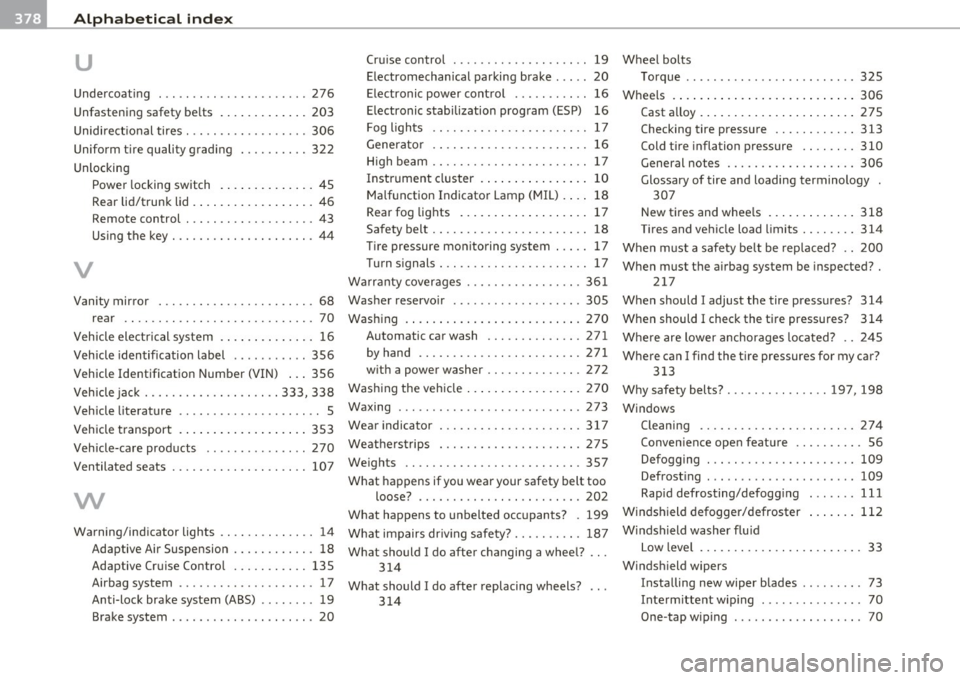
___ A_ l_. p_ h_a _b_ e_ t_ic _a_ l _ in_ d_e _ x ____________________________________________ _
u
Undercoating ...... ... ... ..... ..... 276
Unfastening safety be lts ............. 203
Unidi rect ional tires . .. .. .. .. .... ..... 306
Uniform tire quality grading . ........ . 322
Unlocking Power locking switch . ... .......... 45
Rear lid/trunk lid . ... .............. 46
Remote control . .. .. .. .. .... ...... 43
Using the key ........ .... .. .. .. .. . 44
V
Cruise control ... ... ...... .. .. .. . . 19 Wheel bolts
Electromechanical parking brake .... . 20 Torque .............. ... .. .. .. .. 32S
Electronic power control ........ .. .
16 Wheels . ... .. .. .. .. ........ ... .. .. 306
Electronic stabilization program (ESP) 16
Fog lights .... .... ............... 17
Generator .. .. .... ....... ...... .. 16
H igh beam ............... .. .. .. .. 17
Instrument cluster .... .... ........ 10
Malfunction Indicator Lamp (MIL) . ... 18
Rear fog lights ...... .... . .. .... .. 17
Safety belt ............... .. .. .. .. 18
Tire pressure monitoring system ..... 17
Turnsignals . .. .... ....... ...... .. 17
Wa rranty coverages .......... .. .. .. . 361 Cast alloy
....................... 27S
Checking tire pressure ............ 313
Cold tire inflation pressure .. .. . ... 310
General notes ....... .. .... .... .. 306
Glossary of tire and loading terminology .
307
New tires and wheels ...... ..... .. 318
Tires and vehicle load limits ...... . .
When must a safety be lt be replaced? .. 314
200
When must the airbag system be inspected? .
217
Vanity mirror 68 Washer reservoir
...... .... .... .. .. . 30S When should I adjust the tire pressures? 314
When should I check the tire pressures? 314
Where are lower anchorages located? .. 245
Where can I find the tire pressures for my car?
rear
.. ...... .......... .......... 70
Veh icle electr ical system .. .. .. ... ..... 16
Vehicle identification label ........... 356
Vehicle Identification Number (VIN) ... 356
Vehicle jack .............. .... .. 333, 338
Vehicle literature ................ ..... S
Vehicle transport ................ ... 353
Vehicle-care products ............ ... 270
Ventilated seats 107
vv
Warning/indicator lights .. .... ........ 14
Adaptive Air Suspension ............ 18
Adaptive Cruise Control ......... .. 13S
Airbag system ... ....... ....... ... 17
Anti-lock brake system (ABS) ........ 19
Brake system ............. ... .. .. . 20 Washing .
... .................... .. 270
Automati c car wash ....... .. ..... 2 71
by hand ....... .... .. .. .... .. ... 271
with a power washe r ............. . 272
313
Washing the vehicle ................. 270 Why safety belts? ........ . .. ... . 197, 198
Waxing ..................... ... .. . 273 Windows
Wear indicator .............. ...... . 317 Cleaning ........... .. .... .... .. 274
Weatherstrips . .. ........... ...... . 275 Convenience open feature ......... . 56
Weights .. ................. .. .... . 357 Defogging . .. .. .... ............. 109
What happens if you wear your safety belt too
loose? ............ ... ......... 202
What happens to unbelted occupants? . 199
What impairs dr iv ing safety? ......... . 187
What should I do after changing a wheel? .. .
314
What should I do after replacing wheels? 314 Defrosting .
.. .. ................. 109
Rapid defrosting/defogging ... .. ..
111
Windshield defogger/defroster
Windshield washer fluid 112
Low level ....... .. .. .. .. .. .. .. .. . 33
Windshield wipers Installing new wiper blades .... .. .. . 73
Intermittent wip ing ............... 70
One -tap wiping ................. .. 70