ignition AUDI S8 2010 Workshop Manual
[x] Cancel search | Manufacturer: AUDI, Model Year: 2010, Model line: S8, Model: AUDI S8 2010Pages: 384, PDF Size: 90.95 MB
Page 108 of 384
![AUDI S8 2010 Workshop Manual 1111....__w __ a _r_ m __ a_n_ d_ c_ o _ l_d _______________________________________________ _
Turning on and off
I ON/OFF]
Turning the air conditioning on
- Press!ON/OFF],or
- Press !](/img/6/57617/w960_57617-107.png "AUDI S8 2010 Workshop Manual 1111....__w __ a _r_ m __ a_n_ d_ c_ o _ l_d _______________________________________________ _
Turning on and off
I ON/OFF]
Turning the air conditioning on
- Press!ON/OFF],or
- Press !")
1111....__w __ a _r_ m __ a_n_ d_ c_ o _ l_d _______________________________________________ _
Turning on and off
I ON/OFF]
Turning the air conditioning on
- Press!ON/OFF],or
- Press !AUTO
J .
Turning th e air conditioning off
- Press I ON/OFF] to turn the air conditioner off and block
outside air from entering the vehicle.
T he air cond itioner turns back on if you press one of the control
buttons or the contro l knob.
[ i J Tips
Residu al h eat: With the ignition turned off, you can activate the
res idual heat function by p ressing the [
ON/OFF) button. The res idual
heat from the coolant can be used to heat the vehicle interior. The
resid ual heat funct ion is t urned off automatically after 30 m inutes. •
Automatic mode [AUTO I
The automatic mode is the standard setting for all
seasons.
Turning on AUTO
- Select temperatur e between 60 °F (+16 °() and 84 °F
(+28
°().
- Press!AUTO]=>page 105, fig. 118.
Automatic operation ensures constant temperatures in the interior
and dehumidifies the air inside the veh icle . Air temperature, volume
and distribution are controlled automatica lly to reach or maintain the
desired interior temperature as q uickly as possible . Fl uctuations in exterior temperature and the effects of temperature from the pos
i
t ion of the s un a re compensa ted for automatically.
T hi s operating mode works only in the adj ustab le temperature range,
from 60 °F ( +16 °C) to 84 °F ( +28 °C) . If a temperature below 60 °F
(+ 16 °C) is se lec ted, LO appea rs in the disp lay. At temperatu res above
84 °F (+28 °C),
HI is displayed. At both extreme settings, climate
cont rol r uns continuously at max imum coo ling o r heat ing power.
There is no temperature regulation. •
Setting the temperature
Separate temperatures can be selected for the driver's
and front passenger's side.
- Rotate the contro l knob to t he left to reduce the temper-
ature, or to the right to inc rease the temperature.
[ i J Tips
• When you press the contro l knob fo r choosing the tempera ture,
the temperature you choose will also appear in the MMI display.
• Synchr onizing clim ate control : By pressing and ho ld ing the
control knob on the driver's side, the temperature setting on the
dr iver's side can be switched to the passenger's side, and vice ve rsa.
In the case of vehicles with rear a ir condit ion ing*, the selected
t empe ra ture se tt ing is also applied to the outer rear seats . The new
temperature is shown in the display .•
Page 114 of 384
-Warm and cold .,.,..__ ______________ _
(I) Tips
If the climate control system is operating in cooling mode , air flows
p rima rily from th e outlets in the center console and in the door
pillars . T o ach ieve adequa te cooling, you should never close the
ou tle ts completely. •
Using climate controls economically
Using the climate controls prudently can help save fuel.
When you use the a ir conditioner, e ngine power is reduced
and fuel consumption increa ses. To save fu el, you should use
the air co nditioner o nly when necessary. Also please note the
following points :
If you want to save fuel , activate ECON .
If you are going to drive with the wi ndows open, use ECO N.
~ For the sake of the environment
By reducing t he amount of fuel you use, you also reduce the amou nt
of pollutants emitted into the air .•
A ppli es to vehicl es : w ith sola r sliding /til tin g sunroof
Solar blower fan /solar roof
With sufficient sunlight, the blower fan continues to
operate with solar energy to bring in fresh air after the
ignition has been switched off
The fan motor is operated by solar energy throug h the solar roof after
t he ignition is tur ned off . P lease make certai n that vents @ and ©
are ope n to ach ieve op timal ventilation =:,
page 111, fig. 124.
The venti lation operates on ly with the sunroof closed or in the ti lted
position. If the veh
icle was switched off in the rec irculat ion mode, the air
condi tioning au tomatically sw itches to fresh a ir operation .
Solar operation is not activated at low outside temperatures .•
Windshield defogging/defrosting
A pp lie s t o v eh icles: w it h win dshie ld defo gger/ defrost er
Windshield defogger/defroster ®
The windshield defogger removes humidity from the
windshield .
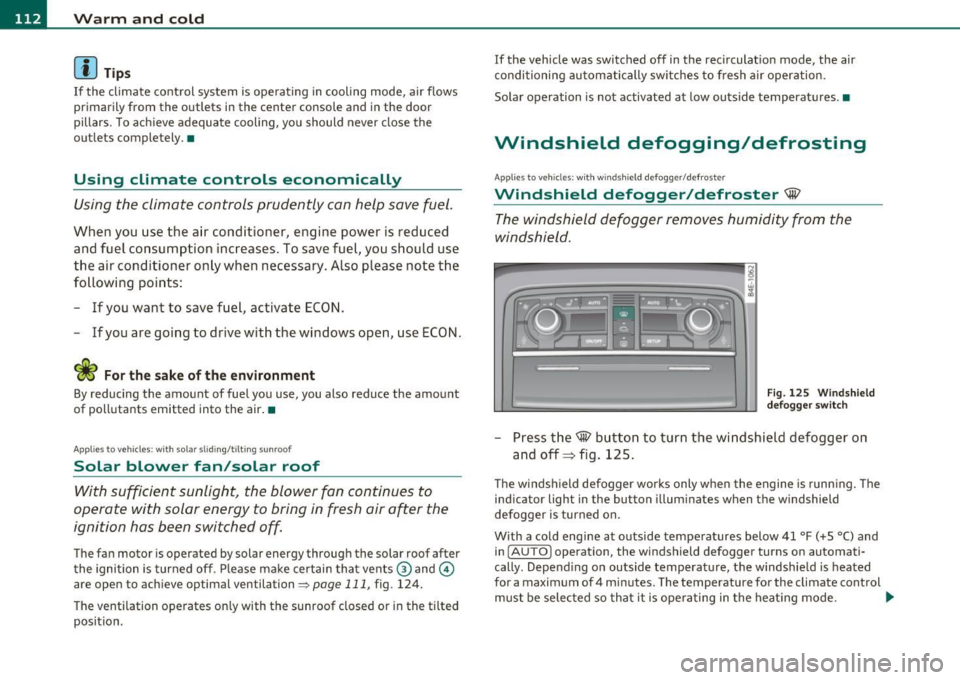
Fig. 12 5 Wi ndshie ld
def ogger switch
- Press the~ button to turn the wi ndsh ield defogger on
and off=> fig. 125.
T he windsh ield defogger works only when the engine is runn ing . T he
ind icator light in the button illum inates when the windshield
defogger is turned on.
With a cold engine at outside temperatures below 41 °F (+5 °C) and i n
( AU TO] operation, the windshield defogger turns on automati
cally . Depend ing o n outside temperat ure, the w indshie ld is heated
for a maximum of 4 m inutes. The temperature for the climate control
must be selected so tha t it is ope ra ting in the heat ing mode . .,_
Page 115 of 384
Warm and cold -_______________ __.
When selecting the program setting®, the windshield
defogger/defroster is switched on automatically at outside tempera
tures below 41
°F (+5 °(). Depending on outside temperature, the
windshield is heated from 2 up to a maximum of 4 minutes .
Th e windshield defogger is deactivated in ECON mode.
(I] Tips
• If a crack forms in the windshie ld due to a foreign object (e.g. a
stone chip), the defogger/defroster is not turned on. This prevents
the crack from spreading.
• We recommend that you locate an Audi dealership immediately to
have the windshie ld replaced. •
Rear window defogger QuJ
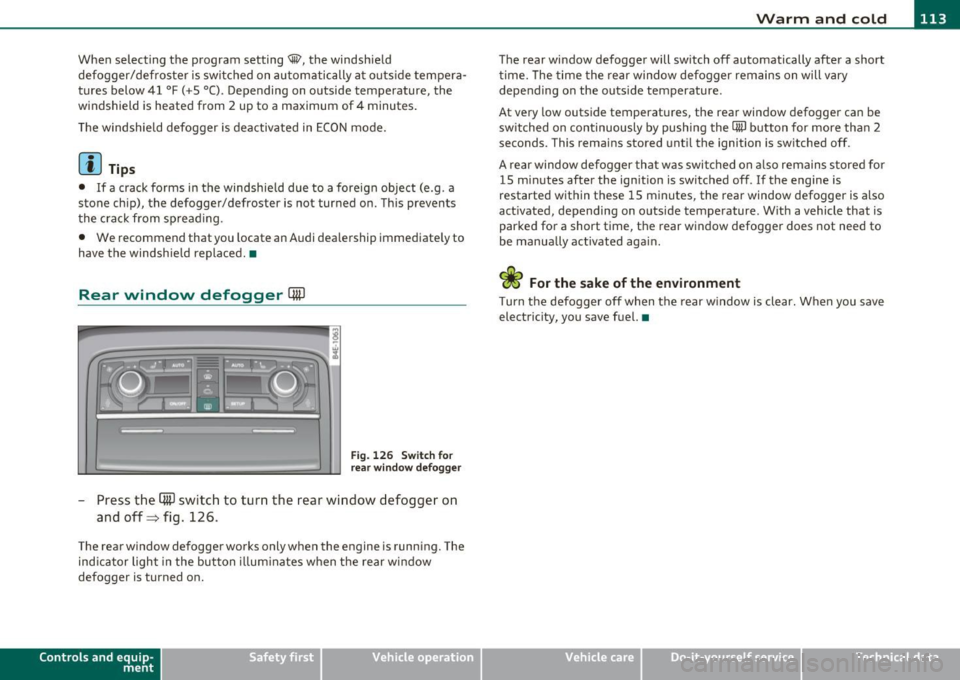
Fig. 126 Switch for
rear window defogger
- Press the (ffi) switch to turn the rear window defogger on
and off=> fig. 126 .
The rear window defogger works only when the engine is running. The
ind icator light in the button illum inates when the rear w indow
defogger is turned on.
Con tro ls a nd e quip
m en t Vehicle
OP-eration
The rear window defogger will switch off automatically after a short
time. The time the rear window defogger remains on will vary
depending on the outs ide temperature.
At very low outside temperatures, the rear window defogger can be
switched on continuously by push ing the
CiiiJ button for more than 2
seconds. This rema ins stored until the ignition is switched off.
A rear window defogger that was switched on also remains stored for
15 m inutes after the ignition is switched off . If the engine is
restarted within these 15 minutes, the rear window defogger is a lso
act ivated, depending on outside temperature . W ith a vehicle that is
parked for a short time, the rear window defogger does not need to
be manually activated again.
<£> For the sake of the environment
T urn the defogger off when the rear w indow is clear. When you save
electricity, you save fuel. •
Vehicle care Do-it-yourselt service iTechnical data
Page 116 of 384

llffl..__w __ a _r _m __ a_n _ d_ c_ o_ ld ________________________________________________ _
Rear climate controls
Applies to vehicle s: with rear a ir conditioning
Controls
This overview is to assist you in familiarizing yourself with
the air conditioning controls.
F ig . 127 Air condi
t io nin g cont rols
The left side of the display shows the temperature selected for the
rear passenger on the left, the right side shows the temperature
selected for the rear passenger on the right .
If the air conditioning
sett ings are changed, th is appea rs briefly in the cor respond ing a rea
of the display.
Functions a re t urned on and off by touching the buttons. The LED in
the switch illuminates when the function is turned on .
By pressing the
safety s wit ch ® in the driver's door~ page 54 the
climate contro ls in the rear are deactivated. The message
PASSIVE
appears in the display. In this mode the rear climate control can only
be operated by the driver th rough the controls in the front compa rt
ment.
ION/OFF I Tu rning on and off
The air conditioning can be turned on and off by pressing the
I ON/OFF I button. W it h the ignition Off, the residua l heat funct ion
can be activated by pressing the button. The residual heat from the coolant can
be used to heat the vehicle interior. The residual heat
function is turned off a utomatically after 30 minu tes.
Set ting the temperature
Temperat ure c an be adjusted over a range from 64 ° F (+18 °C) to 80
Of (+ 26 °()
® Air distribution
You can adjust the air circulation so that air flows from specific vents.
• In the
I !setting, all the air flows from the vents in the center
conso le and the out lets in the door pillars.
• In the
-0 setti ng, a ir f lows from the ou tlets u nder the front seats.
• In the~ setting, air flows from outlets in the center console and
t he door pilla rs as we ll as from the outlets under the front seats.
To regulate air distribution automatically, switc h to
[AUTO] .
~ Heated se a ts *
In position O the heating for the seats is turned off. The range of
adjustment is from 1 to 6.
The seats can be pre-heated for about 10 minutes using the heat ing .
However, the heating is turned off if the seat sensors do not detect
the weight of an occupant during th is period .
l'tJ] Ventilated sea ts*
The seat cushion and the seat back surfaces of the front seats can be
ventila ted. In pos it ion O the sea t ventilation is t urned off . The range
of adjustment is from 1 to 6.
!AU TO I Automatic operation
Air temperature, volume of air and air distribution are automatically
reg ulated to ach ieve or ma inta in t he desired temperatures as qu ickly
as possible . •
Page 118 of 384

lffll.___w __ a _r_ m __ a_n_ d_ c_ o _ l_d _______________________________________________ _
as the concentration of pollutants in the outside air drops, fresh air is
supplied to the vehicle interior again.
In the event that the windows fog up during automatic air recircula
tion, you must press th e@ button immediately.
Under certain operating conditions, automatic air recirculation is
switched off automatically. With outside temperatures below about
-8 °C and in the ECON mode, automatic air recirculation is limited to
15 seconds. •
Synchronization
One climate control setting for all seats.
With synchronization active, the driver's or the passenger's settings
are adopted for the other seats. All the other settings that were made
are transferred to the other seats. This includes all the climate
control settings right down to the heated seats.
If a different setting is selected at a "synchronized seat", synchroni
zation is cancelled. •
Center air vent
The temperature of the air leaving the center vents can be
changed to differ from the temperature setting.
Fig. 129 MMI display:
Center air vent
The air flow coming from the center vents can be adjusted to be
colder or warmer than the selected set temperature.
In this way you have the opportunity to have the air flow from the
center vents a little warmer or cooler, depending on the time of year.
A little cooler in the summer and a little warmer in the winter. •
Applies to veh icles: w ith rear air conditioning
Rear seat operation
The rear climate controls can be operated from the
driver's area.
With active rear seat operation, the driver or the passenger can
operate the rear climate control system from
his/her controls. •
Applies to veh icles: with solar roof
Solar operation
Depending on the solar irradiation in the vehicle, the fan
will run using solar power to keep fresh air circulating
inside the vehicle, even a~er you switch off the ignition.
-Switch the solar operation to on.
After you switch off the ignition, the fan is operated using so lar
power from the solar roof. Make sure outlets ® and © are open for
maximum ventilation=::;,
page 111, fig. 124.
The ventilation works only if the sunroof is closed or tilted up.
If you turn off the engine while the air recircu lation is on, the air
conditioning automatically switches to fresh air mode.
Solar operation is not activated at low outside temperatures. •
Page 120 of 384

llffl..__O_ n_ t_h _e_ r_o _ a_ d _________________________________________________ _
& WARN ING (con tinu ed)
inju ries to the hands, arms and head if the d river 's airbag
deploy s.•
Easy entry feature
The easy entry feature makes it easier to enter and exit
the vehicle by autom atically adjusting the steering
w heel .
Press the button @=> page 11 7, fig. 130 to turn t he easy
en try featur e on or off.
W hen the easy entry fea ture is tu rned on ( button depre ssed) , the
steering wheel moves up to the parked position w hen the ignition is
tu rned off. After you ente r the vehicle, the steerin g wheel moves to
the stored pos ition as soon as you turn on the ign ition .•
Ignition Lock and ignition switch
Ignition key positions
The e ngine can be started or turned off with the ignition
key .
Fig . 131 Ig nition
swit ch posit ions
Position @
The ig nit io n key can be inserted into the ignition switc h in this posi
ti on . This automatically unloc ks the steer ing co lumn lock. When the
ig nition key is removed, the steer ing colum n lock is a utomat ically
locked~ &-
Ignition on (D
Turn t he ignit ion key to this position and re lease it.
Starting the engine@
The engine starts w ith the key in this position . Major electr ical loads
are te mpora rily tur ned off .
Ignition off 0
Turn the ignit ion key to this position and re lease i t.
& WARNING
• Never remove the key from the ignition lock while the vehicle
is moving . The steering wheel will lock , causing loss of control.
• If you have to leave your vehicle, even for just a minute, always
remove the ignition key and take it with you. This is especially
important if you are going to leave children unattended in the
vehicle. The children could start the engine or use other vehicle
controls . Unsupervised use of vehicle controls (for example, power
windows ) can cause serious personal injuries.
(D Note
• If the i symbol in the display blinks, there is a mal function in t he
elec tronic s tee ring co lumn lock. Follow the in struc tions in
~ page 31 , "Steer ing malfunction~" .
• If th e ~ sy m bol in the d is pla y blink s, t here i s a m alf unc tion in the
electronic ignition lock. Follow t he inst ru ctions in =>
page 31, "Igni-
t io n lock mal fu nctio n
.:2.". .,
Page 121 of 384
![AUDI S8 2010 Workshop Manual _________________________________________________ O_ n_ t_ h_ e_ r _o_ a_d _ __.lftI
(]] Tips
• If you release the ignition key in posit ions G) , @ or@, the key
automatically returns t](/img/6/57617/w960_57617-120.png "AUDI S8 2010 Workshop Manual _________________________________________________ O_ n_ t_ h_ e_ r _o_ a_d _ __.lftI
(]] Tips
• If you release the ignition key in posit ions G) , @ or@, the key
automatically returns t")
_________________________________________________ O_ n_ t_ h_ e_ r _o_ a_d _ __.lft'I
(]] Tips
• If you release the ignition key in posit ions G) , @ or@, the key
automatically returns to position @.
• If you open the driver's door when the ignition is switched on, a
buzzer sounds and the message
Ignition is on appears in the instru
ment cluster display. Please switch the ignition off.•
Ignition key safety lock
The ignition key can only be removed when the selector
lever is in the "P" (Park) position.
After turning off the ignition, the ign ition key can only be removed
from the ignition lock when the se lector lever is in the "P" (Park) posi
tion . After you have removed the key, the selector lever is locked and
cannot be moved. •
Starting and stopping the engine
Starting the engine
The engine can only be started with your original Audi
key.
Con tro ls a nd e quip
m en t
Fig. 132 Ignition key
positions
Vehicle OP-eration
-Step on the brake.
- Move the selector lever into P or N
~ &.
- Turn the ignition key to position @~ fig. 132 -do not
depress the gas pedal when starting the engine.
A cold engine may sound loud after it has been started. This is due to
the hydraulic valves building up oil pressure. This is normal and is not
a need for concern.
If the engine does not start immediately, stop trying after 10 seconds
and then try to restart the engine about 30 seconds later .
& WARNING
Never start or let the engine run in a confined or enclosed area.
Exhaust fumes from the engine contain carbon monoxide , a color
less and odorless gas. Carbon monoxide can be fatal if inhaled.
• Never leave the engine idling unattended. An unattended
vehicle with a running engine poses a danger of personal injury or
theft .
0 Note
• Avoid high eng ine speeds, fast accelerat io n or heavy engine loads
wh ile the engine is still cold. This could damage the engine.
• The engine cannot be started by push ing or towing the vehicle.
~ For the sake of the environment
To avoid unnecessary engine wear and to reduce exhaust emissions,
do not let your vehicle stand and warm up. Be ready to drive off imme
diately after starting your vehicle. Maintain moderate speed unti l the
engine is completely warm. Remember, the engine performs best at
operating temperature .•
Vehicle care Do-it-yourselt service iTechnical data
Page 122 of 384

1111..__0_ n_ t_h _e_ r_o _ a_ d _________________________________________________ _
Stopping the engine
-Turn the ignition key to position @::::} page 119, fig. 132.
& WARNING
• Never turn off the engine until the vehicle has come to a
complete stop.
• The brake booster and servotronic only work when the engine
is running. With the ignition turned off, you have to apply more
force when steering or braking. Since you cannot steer and stop
normally, this can lead to accidents and serious injuries.
• The radiator fan can continue to run for up to 10 minutes even
after you have turned off the engine and removed the ignition key.
The radiator fan can also turn on again if the engine coolant heats up because of intense sunlight or heat build-up in the engine
compartment.
0 Note
Do not stop the engine immediate ly after hard or extended driving .
Keep the engine running for approximately two minutes to prevent
excessive heat build-up. •
Starting and stopping the engine
using the Convenience key
Applies to veh icles: with Conven ience ke y
Starting the engine using the [START]
button
Using this button, you can switch on the ignition and start
the engine.
C,
0
Fig. 133 Convenience
key :
START button
The [ST ART] button has a two position feature. ::::} fig . 133.
Switching on the ignition
- Press the [ST ART ) button to the first position. Only the
ignition switches on.
Starting the engine
- Depress the foot brake.
- Move the selector lever into the P or N position ~,& .
- Press the
[ST ART ) button to the second position. The
engine starts.
Page 123 of 384

On the road -
----------------
When starting a cold engine , the eng ine may be a b it no isy for a short
w hil e. T his is bec ause the hy dra ulic va lves are w orking to br ing up the
oil p ressure . This is normal and no cause for conce rn .
If the engine does not start immediately, stop c ranking the engi ne
a fter 1 0 seconds . Wai t 30 secon ds, then try to re start the e ngine.
& WARNING
Never start the engine in an enclosed area such as in your garage
with the garage door closed. The exhaust fumes are poisonou s!
0 Note
• Avoid high engine speeds, full gas or heavy eng ine loads if the
eng ine has not war med up to its operat ing te mperatu re. You cou ld
damage the eng ine.
• Do not try to start the eng ine by pu lling or pushing.
~ For the sake of the environment
Do not let your v ehicle stand and war m up . Be r eady to drive off r ig ht
away . This way, you prevent unnecessary exhaust emiss io ns.
[ i ] Tips
If you open the driver 's doo r when the ignition is sw itched on, a
bu zzer sounds and t he message
Ignition is on appea rs in t he ins tru
ment cl uster d isplay . Please switch the ignition off. •
Controls and equip
ment Safety first
A
pp lies to ve hicles : w ith Conve nie nc e key
Stopping the engine using the (STO P)
button
0
Fig. 134 Convenie nce
key : STOP butto n
-Bring t he ve hicle to a co mplete stop .
- Move t he sele cto r in to the P or N p osit ion .
- Press th e
[STOP] b ut ton => fig. 134.
Pressing the !STO P I button o nce sw itches off the engine and t he ign i
t ion. I f yo u press the
[STOP ) button again fo r approximately 2
seconds, the stee ring w ill be loc ked , p rovided t hat the se lec tor leve r
is in the P pos ition ~& .
Emergency OFF function
If necessa ry, the eng ine ca n be switched off with the se lecto r lever in
t he R, Dor S positions . T o do so, s tep on the foo t brake and p ress and
hold t he
[STOP ) button (ve hicle speed must be be low 6 mph/ 10
km/ h).
& WARNING
• Never stop the engine until the vehicle has come to a complete
stop. _,,,,
Vehicle care Technical data
Page 124 of 384
-On the road •m ___________________ _
& WARNING (continued)
• The brake booster and the servotronic only work when the
engine is running. If you turn off the engine, more force will be
required to steer or brake the vehicle. If you are not prepared, this
could result in a collision and serious personal injury.
• For your safety, move the selector lever to the P position, then
turn off the engine. Otherwise the vehicle could inadvertently roll
away.
• After turning off the engine, the radiator fan can come on and
run for up to 10 minutes -even if the ignition is switched off. Like
wise, the fan could come on if the temperature in the engine
compartment raises due to heat build up or if you leave the vehicle
standing in direct sunlight.
0 Note
After driving at high engine load, heat can build up in the engine
compartment after you have turned off the engine. This can damage
t he engine. Let the vehicl e stand and run in idl e for about 2 minutes
before turning off the engine. •
App lies to ve hicles : w ith Conve nie nc e key
Driver's messages in the instrument
cluster
Messages appear in the instrument cluster to let the
driver know if something is missing or if something must
be done.
No key identified
This message appears when you press the [START) button, but there
is no remote contro l key inside the vehicle or if the system does not
recognize the key. For example, if your key is
shielded by an object or
encased, i .e . in side an aluminum briefcase, the signal from the key cannot be detected
. Electron ic devices such as cell phones can also
in terfere w ith the radio signal.
Press brake pedal to start engine
This message appears when you press the !S T ART ) butto n when
starting the engine but you have not depressed the brake pedal.
Engage N or P to start engine
This message appears when you start the engine but the selector
lever is not in the P or N position . The engine can be started only if the
selector lever is in one of these two positions .
Key not in vehicle
This message appears together with the 7 symbol when the remote
control key is removed from the vehicle while the engi ne is running.
Th is is to remind you that you should not cont inue your tr ip without
your key.
If the key is no longer inside the vehicle when you turn off the engine,
you will not be able to switch on the ignition or restart the engine.
Also, you will not be able to lock the vehicle from the outs ide .
Shift to P, otherwise vehicle can roll away. Doors do not lock if lever
is not in P.
Thi s message appears for your safety together with an audible
warning signal when you press the
[STOP) button but the selector
lever is not in the P position and you open the driver's door. Move the
selector leve r in to P, otherwise the vehicle could roll away. I n addi
tion, you will not be able to lock the ve hicle with either the lock
button located on the door hand le or the remote control.
To engage steering lock, press and hold STOP button
Th is message appears for your personal safety if you switch off the
engine and the ignition by pressing the
[STOP) button and then open
the driver's door. In this case, the steering will still not be locked. The
steering wheel will lock:
• If you press the
I STO P I button for longer than 1 second.
• If you lock the vehicle from the outside .•