ignition AUDI S8 2010 User Guide
[x] Cancel search | Manufacturer: AUDI, Model Year: 2010, Model line: S8, Model: AUDI S8 2010Pages: 384, PDF Size: 90.95 MB
Page 26 of 384
Driver information display
The current speed appears on the display. The speed is displayed in 1 mph (US model) or 1 km/h (Canadian model) increments .
You can sw itch the display from miles to kilometers and vice versa via
the MMI. •
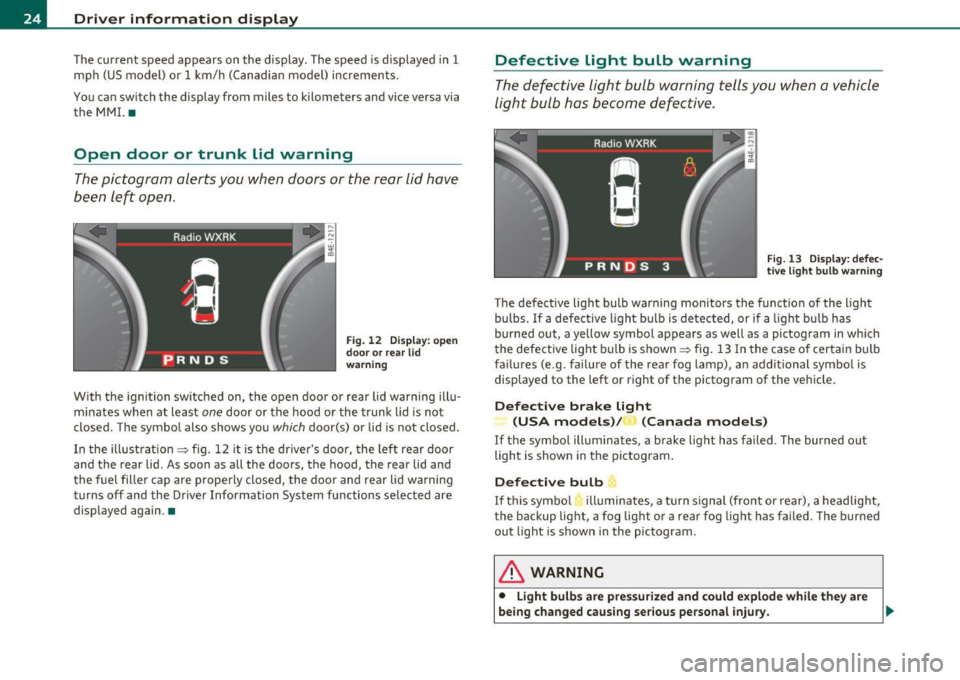
Open door or trunk lid warning
The pictogram alerts you when doors or the rear lid have
been left open.
Fig. 12 Display: open
door or rear lid
warning
With the ignition switched on, the open door or rear lid warning illu
minates when at least
one door or the hood or the trunk lid is not
closed. The symbol also shows you
which door(s) or lid is not closed.
In the illustration ::::> fig. 12 it is the driver's door, the left rear door
and the rear lid. As soon as all the doors, the hood, the rear lid and
the fuel filler cap are properly closed, the door and rear lid wa rning
turns off and the Driver Information System functions selected are
displayed again. •
Defective light bulb warning
The defective light bulb warning tells you when a vehicle
light bulb has become defective .
Fig. 13 Display: defec
tive light bulb warning
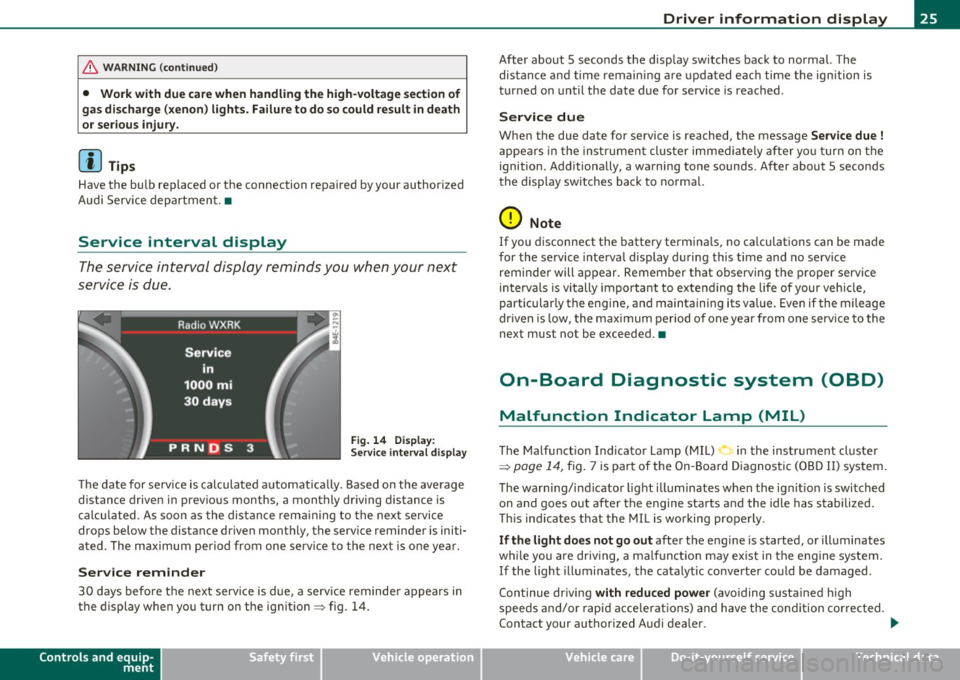
The defective light bulb warning monitors the function of the light
bulbs. If a defective light bulb is detected, or if a lig ht bu lb has
burned out, a yellow symbol appears as well as a pictogram in which
the defective light bulb is shown ::::> fig . 13 In the case of certa in bulb
failures (e .g . failure of the rear fog lamp), an addit ional symbol is
displayed to the left or right of the pictogram of the vehicle.
Defective brake Light
(USA models)/ (Canada models)
If the symbol illuminates , a brake light has failed . The burned out
light is shown in the pictogram.
Defective bulb
If this symbo l illuminates, a turn signal (front or rear), a headlight,
the backup light, a fog light or a rear fog light has fai led. The burned
out light is shown in the pictogram.
& WARNING
• Light bulbs are pressurized and could explode while they are
being changed causing serious personal injury . .,_
Page 27 of 384
& WARNING (co ntinued )
• Wo rk with due care when handling the high-voltage section of
gas di scharge (xenon) lights. Failure to do so could result in death
or ser ious injury.
[ i ] Tips
Have the bulb rep laced or the connection repaired by your autho rized
Audi Se rvice departmen t.•
Service interval display
The service interval display reminds you when your next
service is due.
Fig . 14 D ispl ay :
Service inte rval disp la y
Th e date for serv ice is ca lculated automat ica lly . B ased on t he average
distance driven in previous months, a monthly driving distance is
c al cul ated. As soon as the dis tan ce rem aining to the nex t se rvi ce
drops below the distance dr iven mont hly, the serv ice reminder is initi
a ted. The m aximum pe riod from one se rvi ce to the ne xt is one ye ar.
Service reminder
30 day s befo re th e nex t serv ice i s du e, a serv ice reminde r appears in
the display when yo u turn on t he ignit ion~ fig. 14 .
Controls and equip
ment Safety first
Driver information display
After about 5 seconds the disp
lay switches back to norma l. The
dis tan ce and tim e rema ining a re up dat ed ea ch time the ign ition is
t urned on until the date due for service is reached .
Service due
When the due date for service is reached, t he message Service due !
appe ars in t he inst rume nt cluster immedi ately after yo u turn on t he
ignition . Additionally, a wa rning tone sounds . After about 5 seconds
t he disp lay sw itches ba ck to no rm al.
0 Note
If you d isconnect the batte ry termina ls, no ca lculations can be made
for the service in terva l display during this time and no serv ice
reminder will appear. Remember that observing t he p roper service
in terva ls is vi tally im portant to exte nd ing the life of your veh icle,
particular ly the e ngine, and maintainin g its va lue. Eve n if the mileage
dr ive n is low, the max im um per io d of o ne year from one serv ice to the
next must not be exceeded. •
On-Board Diagnostic system (OBD)
Malfunction Indicator Lamp (MIL)
The Ma lf u nc tion Indica tor Lamp ( MIL) in the ins trument cl uster
~ page 14, fig . 7 i s pa rt of t he On-B oard D iagnost ic (O BD II) system.
Th e warn ing/i nd ica to r lig ht ill umi nates when the ig nition is swi tched
on and goes out after the engine starts and the idle has stabilized.
Thi s ind ic at es that the MIL i s working prope rly .
If the light does not go out afte r th e e ngine is started, or ill uminates
w hil e you a re dr iv in g, a malf unct io n may e xis t in t he engine system.
If the light illum ina tes, the ca talytic conve rter co uld be damaged .
Continue driving
with reduced power (avo iding susta ined high
s peeds and/or rapi d acc elera tions) and h ave the con dition cor rec ted.
Contact your authorized A ud i dea le r. .,_
Vehicle care Technical data
Page 28 of 384
Driver information display
If the light illuminates, the electronic speed limiter may also be
malfunctioning. For more information~
page 26, "Electron ic speed
limiter".
An improperly closed fuel filler cap may also cause the MIL light to
illuminate ~
page 285. •
On-Board Diagnostics
Fig. 15 Location of
Data Link Connector
(OLC)
On-Board Diagnostics monitors the components of your emission
control system. Each mon itored component in your engine system
has been assigned a code. In case of a malfunction, the component
will be identified and the fault stored as a code in the control module
memory.
The MIL light may also illum inate if there is a leak i n the on-board fuel
vapor recovery system.
If the light illuminates after a refuelling, stop
the vehicle and make sure the fuel filler cap is properly closed
~page 285.
In order to make an accurate diagnosis, the stored data can only be
displayed using special d iagnostic equipment (generic scan too l for
OBD).
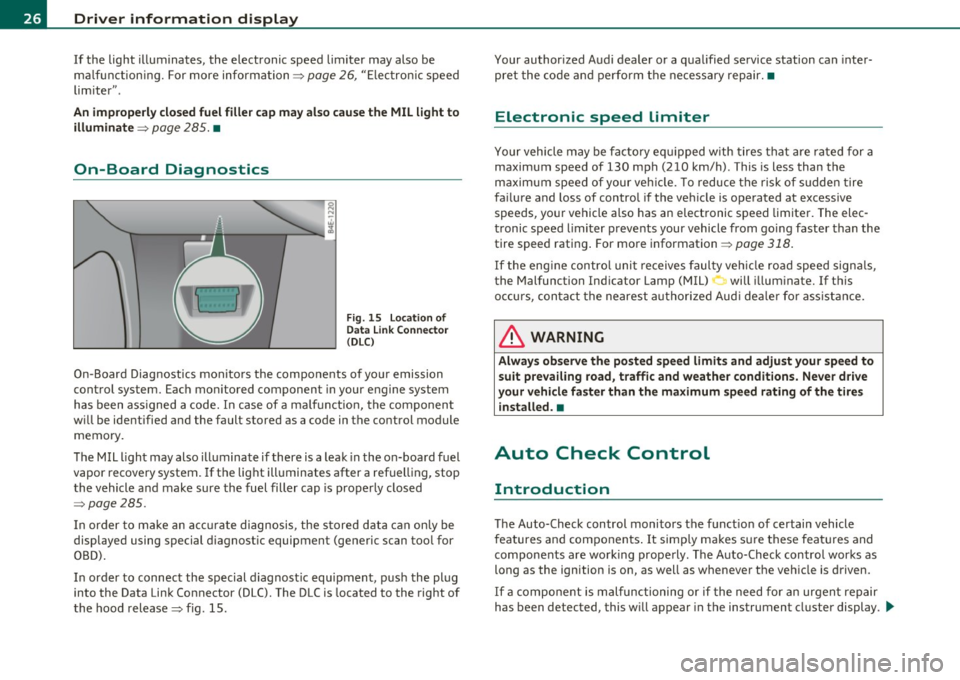
In order to connect the special diagnostic equipment, push the plug
into the Data Link Connector (DLC). The DLC is located to the right of
the hood release~ fig. 15. Your authorized
Audi dealer or a qualified service station can inter
pret the code and perform the necessary repair.•
Electronic speed limiter
Your vehicle may be factory equipp ed w ith tires that are rated for a
maximum speed of 130 mph (210 km/h) . This is less than the
maximum speed of your vehicle. To reduce the risk of sudden tire
failure and loss of control if the vehicle is operated at excessive
speeds, your vehicle a lso has an electronic speed limiter. The elec
tronic speed limiter prevents your vehicle from going faster than the
tire speed rating . For more information ~
page 318.
If the eng ine control unit receives faulty vehicle road speed signals ,
the Malfunction Indicator Lamp (MIL) will illuminate. If this
occurs, contact the nearest a uthorized Aud i dealer for assistance.
& WARNING
Always observe the posted speed limits and adjust your speed to
suit prevailing road , traffic and weather conditions. Never drive
your vehicle faster than the maximum speed rating of the tires
i nstalled. •
Auto Check Control
Introduction
The Auto-Check control monitors the funct io n of certain vehicle
features and components . It simply makes sure these features and
components are working properly. The Auto-Check control works as
long as the ignition is on, as well as whenever the vehicle is driven.
If a component is malfunctioning or if the need for an urgent repair
has been detected, this w ill appear in the instrument cluster display . .,,_
Page 29 of 384

You will also hear an audible warning tone. The displays are color
coded in eith er red or yellow depending on their level of priority.
A red symbol means
Danger , a yellow symbol ind icates Warning . In
certain situations, information message for the driver appear in addi
tion to the red and yellow symbols.
Function test: automatic transmission
The Auto-Check Control will automat ically perform a test each t ime
you switch on the ignition. With the selector lever in
P or N , the
following message appears in the display:
When stationary apply foot brake while selecting gear.
When you a select a different gear (for example: R, D, etc.) , the
message will disappear and the Auto-Check function is d isplayed.
If there is a malfunction, then the malfunction message will appear
about 15 seconds after the you start the vehicle. At the same time
you will hear a warning tone. •
Driver information messages
Driver information messages are shown in the instru
ment cluster display in addition to the red and yellow
symbols .
Controls and equip
ment
(C HECK ·Fo
Safety first
Fig. 16 CHECK button
in the inst rument
clu ster
Driver information display
For example, if the transmission selector lever is not in the P position
when the engine is turned off, the following message appears :
Shift to P, otherwise vehicle can roll away. Doors do not lock if
lever is not in P.
Th e ignition key can only be removed w ith the selector in this posi
tion . This and other messages are brought up if a function cannot be
carried out .
Driver messages and red symbols
If a red symbol appears in the display, a driver message can be shown
by pressing the (
CHECK) button.
For example, the symbo l for a prob lem with engine oil pressu re
following driver message appears in the display :
Switch off engine and check oil level
The dr iver message in the display goes out after about 5 seconds . The
dr ive r message can be disp lay ed again by briefly pressing the
(CHECK) button .
Driver messages and yellow symbols
If a yellow symbol appears in the display, a driver message is also
displayed automatically.
For example, the symbol
-> appears in the display, indicating low
windshield washer fluid level. The following message also appears:
Please top up washer fluid
The driver message disappears after a few seconds . The driver
message can be displayed again by briefly pressing the
I CHECK)
button.•
Vehicle care Technical data
Page 30 of 384
Driver information displ ay
Red symbols
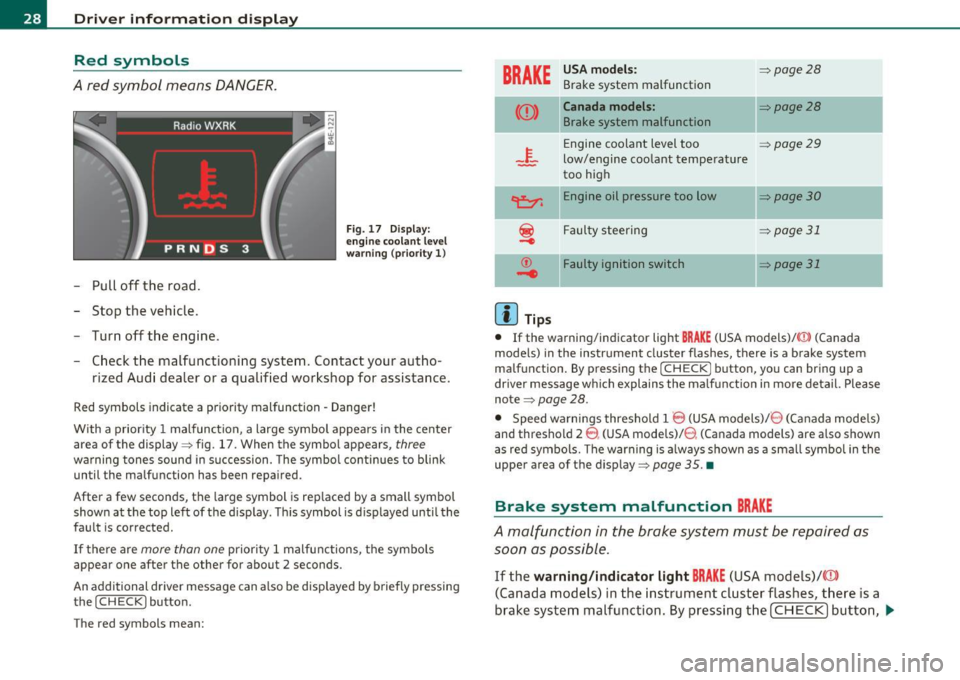
A red symbol means DANGER.
-Pull off the road.
- Stop the vehicle.
- Turn of f the engine .
Fig . 1 7 Display:
en gine coo lant le v el
w arning (pr ior ity 1)
- Check the malfunctioning system. Contact your autho -
rized Audi dealer or a qualified workshop for assistance .
Red symbols indicate a priority malfunction -Danger !
With a prior ity 1 malfunction , a large symbo l appears in the center
area of the display => fig . 17 . When the symbol appears,
three
warning tones sound in succession. The symbol co ntinues to blink
until the malfunction has been repaired.
After a few seconds, the large symbol is replaced by a small symbol
shown at the top left of the display. This symbol is d isp layed unti l the
fault is corrected.
If there are more than one priority 1 malfunctions, the symbols
appear one after the other for about 2 seconds .
An additional driver message can a lso be displayed by b riefly pressing
the
! CHECK ] button.
The red symbols mean:
BRAKE
USA mod els:
Brake system malfunction =>
page28
((D) Canada models:
Brake system malfunction
ll
=>page28
Engine coolant level too => page 29
low/engine coo lant temperature
too high
~ E ngine oil pressure too low
-
~ Faulty steering
~
© Faulty ignition switch
.....
(I) Tips
]I=> page 30
=> page 31
::::> page31
• If the warning/indicator light BRAKE (USA models)/ CCD) (Canada
mode ls) in the instrument cluster flashes, there is a b rake system
malfunction . By pressing the [
CHECK] button, you can bring up a
driver message w hich explains the ma lf u nction in more detail. Please
note=>
page 28 .
• Speed wa rnings threshold 1 8 (USA models)/ 8 (Canada models)
and threshold 2
8 , (USA models)/ 8. (Canada models) are also shown
as red symbols. The warning is always shown as a sma ll symbo l in the
upper area of the disp lay=>
page 35. •
Brake system malfunction BRAKE
A malfunction in the brake system must be repaired as
soon as possible.
If the warning /ind icator light BRAKE (USA models)/ (CD)
(Canada models) in the instrument cluster flas hes, there is a
brake system malfunction . By pressing th e [
CHECK] bu tton, ~
Page 31 of 384
you can bring up a driver message which explains the malfunction in more detail.
Stop vehicle and check brake fluid Level
- Pull off the road .
- Stop the vehicle.
- Turn off the engine.
- Check the brake fluid level~
page 299.
-Contact your nearest authorized repair facility if neces-
sary.
Brake fault ! Drive carefully to nearest
workshop
- Drive carefully to the nearest authorized repair facility and
have the malfunction corrected~& .
Parking brake ! Please contact workshop
- If the warning/indicator light flashes when the vehicle is
stationary or after the ignition is turned on , check to see if
the parking brake can be released . Drive to an authorized
repair facility as soon as possible and have the malfunc
tion corrected. If the parking brake cannot be released,
contact your nearest authorized repair facility.
- If the warning/indicator light flashes while you are driving, it is possible that the traction control or the emer
gency brake has malfunctioned. It is possible that the parking brake cannot be applied . It is also possible that
the parking brake cannot be released after it has been
applied. Drive to an authorized Audi dealer to have the malfunction corrected.
Controls and equip
ment Safety first
Driver information display
I
f the ABS , ESP and the brake for ce distribution fail, the ABS
warning/indicator light and the ESP warning/indicator light come on
along with the brake system malfunction warning/indicator light
~ & -
& WARNING
• Always observe the warnings in ::::> page 281, "Engine compart
ment", before opening the hood and checking the brake fluid.
• Driving with low brake fluid is a safety hazard. Stop the car and
get professional assistance.
• USA models: If the BRAKE warning light, the ~ warning light
and the warning light come on together, the rear wheels
could lock up first under hard braking. Rear wheel lock-up can
cause loss of vehicle control and an accident. Have your vehicle
repaired immediately by your authorized Audi dealer or a qualified
workshop. Drive slowly and avoid sudden, hard brake applica
tions.
• Canada models: If the brake warning light(())), the r-warning
light and the ABS warning light come on together, the rear
wheels could lock up first under hard braking. Rear wheel lock-up
can cause loss of vehicle control and an accident. Have your vehicle
repaired immediately by your authorized Audi dealer or a qualified
workshop. Drive slowly and avoid sudden, hard brake
applications. •
Engine cooling system malfunction -1-
A malfunction in the engine cooling system must be
repaired as soon as possible.
When the - L symbol in the display blinks, then either the
engine coolant
temperature is too high, or the coolant level ~
Vehicle care Technical data
Page 33 of 384
- Make sure that the oil pressure warning symbol 't=:1:
appears no longer in the display before you start driving
again.
Dipstick reading checks OK
- If the oil pressure warning symbol 't=:1: starts flashing
again even though the engine oil level checks OK on the
dipstick,
do not continue driving and do not let the
engine run in idle.
Instead, contact your authorized Audi
dealer for assistance.
[ i) Tips
• The engine oil pressure symbol~ is not an indicator for a low
engine oil level. Do not rely on it. Instead, check the oil level in your
engine at regular intervals, preferably each time you refuel, and
always before going on a long trip.
• The yellow oil level warning indication _ requires oil refill or
workshop service without delay. Do not wait until the red oil pres sure warning ~ starts to flash before you respond to the low oil
level warning _ . By then, your engine may already have suffered
serious damage. •
Steering malfunction i
If there is a malfunction in the electronic steering column
lock, the steering cannot be unlocked.
If the i symbol in the display blinks, there is a malfunction
in the electronic steering column lock . An additional driver
message can also be displayed by pressing the (
CHECK)
button:
Do not drive vehicle: Steering defective
-Contact your nearest authorized repair facility.
Controls and equip
ment Safety first
Driver information display
-
Do not tow your vehicle.
& WARNING
Your vehicle must not be towed in the event of a malfunction in
the electronic steering column lock because it cannot be steered
due to the locked steering. If it is towed with the steering locked,
there is the risk of an accident. •
Ignition lock malfunction ,Pe
A malfunction in the ignition lock must be repaired imme
diately.
If the 2e symbol in the display blinks, there is a malfunction
in the electronic ignition lock. An additional driver message
can also be displayed by pressing the
(CHECK] button:
Ignition lock defective. Contact workshop !
- Do
not turn the engine off.
- Drive immediately to an authorized Audi dealer to have
the malfunction corrected.
If there is a malfunction in the electronic ignition lock, the ignition
cannot be turned off . Drive immediately to an authorized Audi dealer
to have the cause of the malfunction corrected.
If your vehicle has a Convenience key*, then you should not use the
[ STOP
l button to shut off the engine. You will not be able to start the
engine again once the ignition is switched off. •
Vehicle care Technical data
Page 36 of 384
Driver information display
Battery voltage
1 ~
If the battery's state of charge is not in the optimal range, the <--..J
symbol is shown in the display and the dr iver message Low battery
charge: battery will be charged whil e dri ving
appears.
While this driver notification is displayed, you have to be prepared for limited starting capability .
Driver message appears and goes out again
If this driver message appears after the ignition is turned o n or wh ile
dr iving and it goes o ut aga in afte r a while , the ba ttery has been
adeq uate ly recharged .
Driver message appears and does not go out again
If this dr iver notification appears after the ignition is turned o n or
w hile driving and does no t go ou t agai n, the battery 's s ta te o f ch arge
is no t in the opt imal range . S tarting capabili ty is restr icted . Have t he
bat tery checked at a dealersh ip as soon as possib le .•
A ppli es to ve hicles : wit h Conve nie n ce k ey
Key not in vehicle
Key not in vehicle
Th is message appears together w it h the -. symbo l whe n the remote
cont rol key is remov ed from the v ehicl e wh ile the engine is runni ng.
Th is is to remind yo u that you should not cont inue you r trip without
your key.
If the remo te control key is no longer in the vehicle, you wi ll not be
able to start the engine again a fter yo u have swi tched off the igni tion .
In addit ion to t his, you will no t be a ble to lock the vehicle from the
outs ide .•
A pplie s to vehicles : with Adaptive Light
Adaptive Light defective •
.. c Adaptive light defective
When th is symbol .., illuminates, it means that Adaptive Light is
defective . Go to an authorized dealersh ip to have the head lights or
the contro l unit for the Adaptive Light repa ired .•
Headlight range control defective '">
T<. Headlight range control defective !
If the symbo l ill uminates, the dynamic head light range contro l is no
longer wo rking prope rly. Have t he sys tem check ed and repaired at
your Audi dealer. •
Defective light/rain sensor ...>
.... Automatic headlights/automatic wipers defective
If the symb ol ill umina te s, the lig ht/r ain sensor has failed. F or sa fety
reasons the low beams are t urned on permane ntly w ith the sw itch in
AUTO . Howeve r, you ca n con tinue to turn the lig hts o n and off using
the light sw itch. If the ra in se nsor fa ils , the functions of the wind
shield wiper leve r will still wor k. Contact your aut horized Audi dea ler
as soon as possible to have the prob lem cor rected .•
Page 40 of 384
Driver info rmation d isplay
Operation
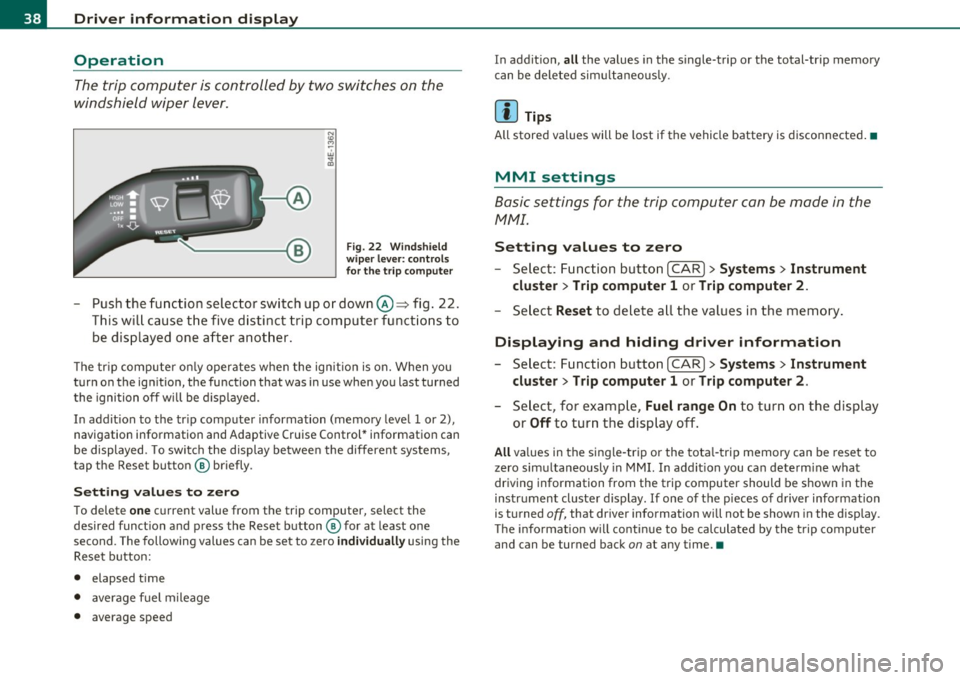
The trip computer is controlled by two switches on the
windshield wiper lever.
Fig. 22 Wi ndshi eld
wi per leve r: contr ols
for th e t rip co mputer
- Push the function selector switch up or down@~ fig . 22.
This will cause the five distinct trip computer functions to
be displayed one after another .
The tr ip computer only operates when the ignition is on. When you
turn on the ignition, the function that was in use when you last turned
the ignition off will be d isplayed.
In addit ion to the trip computer information (memory level 1 or 2),
navigation information and Adaptive Cruise Control* information can
be displayed. To switch the display between the different systems,
tap the Reset button ® briefly .
Sett ing values to zero
To delete one current value from the trip computer, select the
desired funct ion and press the Reset button ® for at least one
second. The following values can be set to zero
individu ally using the
Reset button:
• elapsed time
• average f uel mileage
• average speed In addit
ion,
all the values in the single-trip or the total-trip memory
can be deleted sim ultaneous ly .
[ i ] Tips
All stored values will be lost if the vehicle battery is disconnected.•
MMI settings
Basic settings for the trip computer can be made in the
MMI.
Setting values to zero
---Select: Function button I CAR ]> Systems > Inst rument
clust er > Trip comput er 1 or Trip computer 2 .
Selec t Reset to dele te all the values in the memory .
Displaying and hiding driver information
- Select: Function button I CAR ]> Sy stem s> Instru ment
clu ster > Trip computer 1 or Trip computer 2 .
-Select, for example, Fuel rang e On to turn on the d isplay
or
Off to turn the display off.
All values in the single -trip or the tota l-trip memory can be reset to
zero simu ltaneously in MMI. In add it ion you can determine what
driving information from the trip computer should be shown in the
instrument cluster display. If one of the p ieces of driver information
is turned
off, that dr iver information will not be shown in the display.
T he information will cont inue to be calculated by the trip computer
and can be turned back
on at any time. •
Page 41 of 384

Opening and closing
Keys
Key set
Fig. 23 Key set
© Ma ster key with remote control
You can centrally lock a nd u nlock your ve hicle and start the eng ine
with the master key with remote contro l.
® Emergency key
The emergency key is only for tempo rary use if the vehicle key sho uld
be lost or misplaced~ &.
@ Valet key
The valet key f its only the driver's door and the ignition lock. If you
have to le ave t he key with somebody else, you are we ll-advised to
turn over the va let key on ly .
Be aware that the rear lid can be opened from inside the vehicle wit h
the remote rear lid release located in the dr iver's door. Before you
t u rn over the va let key you should therefore lock the rear lid mechan
ically w it h the mas ter key .
Turn t he master key
clockwise to the horizontal position and pull it
o ut . This has two effects:
Controls and equip
ment Safety first
Opening and closing
•
the remote rear lid release is deactivated ,
• the lid will remain locked when the power lock ing system is actu
ated .
In this state the rear lid can be unlocked only with the remote cont rol
unlo ck button ~ on the mas ter key.
Key replacement
If yo u lose a key, contact your a utho riz ed A udi dea ler immedia tely to
have t he
lost key disabled . Be sure to bring all your keys with yo u.
& WARNING
• Do not leave your vehicle unattended with the key in the igni
tion lock. Entry by unauthorized persons could endanger you or
result in theft or damage the vehicle. Always lock all doors and
take the key .
• Do not leave children unattended in the vehicle, especially with
ac ces s to v ehicle key s. Unguarded access to the keys provides chil
dren the opportunity to start the engine and/or activate vehicle
s ystems such as the power windows etc . Unsupervised operation
of any vehicle sy stem by child ren can result in serious injury.
(I) Tips
• If you open the dr iver's door with the key left in the ignit ion lock,
a ch ime will sound. This is your reminde r to remove t he key and lock
the door.
• For sec urity reasons, rep lacement keys a re only availab le from
Audi dealers. •
Vehicle care Technical data