cruise control AUDI S8 2010 Owners Manual
[x] Cancel search | Manufacturer: AUDI, Model Year: 2010, Model line: S8, Model: AUDI S8 2010Pages: 384, PDF Size: 90.95 MB
Page 4 of 384
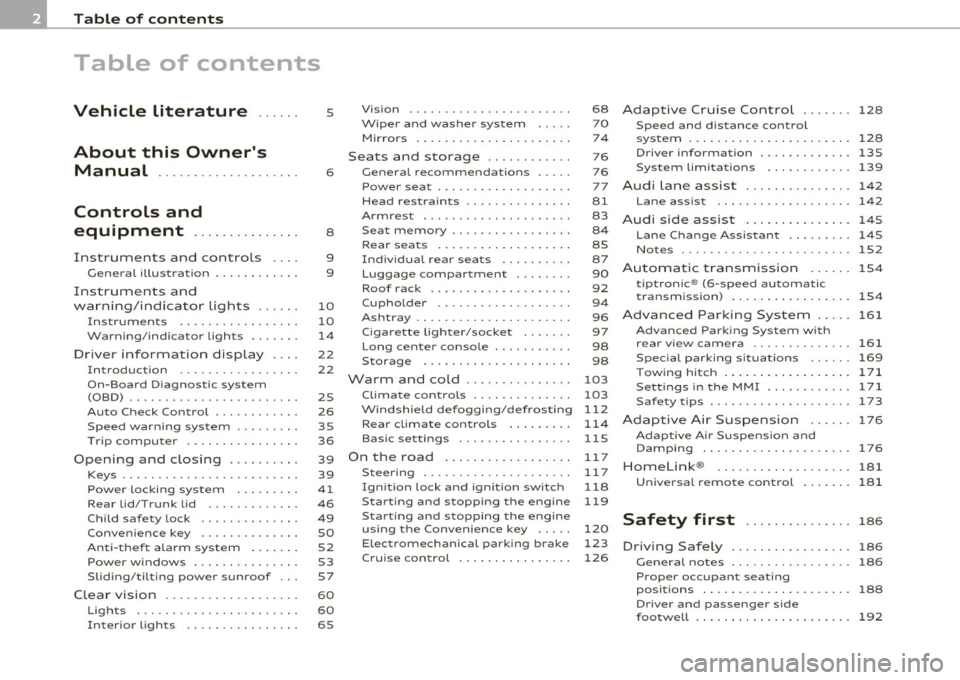
Table of contents
Table of contents
Vehicle literature
About this Owner's Manual ............. ...... .
Controls and
equipment .............. .
Instruments and controls ... .
General illustration ........... .
Instruments and
warning/indicator Lights ..... .
Instruments ................ .
Warning/indicator ligh ts ...... .
Driver information display ... .
Introduction ............ ... . .
On-Board Diagno stic system
(OBD) ....................... .
Auto Ch eck Control ........... .
Speed warning system ........ .
Tr ip computer ............... .
Opening and closing ......... .
Keys ........................ .
Power locking system ........ .
Rear lid/Trunk lid ......... ... .
Child safety Lock ............. .
Convenience key ............. .
Anti-theft alarm system ...... .
Power windows .............. .
Sliding/tilting power sunroof .. .
Clear vision .. ................ .
Lights ....... ......... ...... .
Interior ligh ts ........ ....... .
5
6
8
9
9
10
10
14
22
22
25
26
35
36
39
39
41
46
49
so
52
53
57
60
60
65 Vi
sion
Wiper and washer system
Mirrors
Seats and storage ........... .
General recommendations .... .
Power seat ....... ........... .
Head restraint s .... .......... .
Armr est ................. ... .
Seat memory ................ .
Rear seats ............. ..... .
Indiv idual rear seats ......... .
Luggage compartment .. ..... .
Roof rack ................... .
Cupho lder .................. .
Ashtray ..................... .
Cigarette Lighter/socket ...... .
Long cente r console .... ...... .
Storage ............. ....... .
Warm and cold ........... ... .
Climat e controls ...... ... .. .. .
W ind shield defogging/defrosting
Rear climate controls ........ .
Basic settin gs ............... .
On the road ................. .
s . teenng .................... .
I gn ition lock and ign ition switch
S tarti ng and stopping the en gine
Starting and stopping the engine
us ing the Convenience ke y .....
Electromechanical park ing brake
C ru ise control ............... . 68
70
7
4
76
76
77
81
83
8 4
85
87
90
92
9 4
96
97
98
98
103
103
112
114
115
11 7
11 7
118
119
120
123
126
Adaptive Cruise Control ....... 128
Speed and distance control
system
Driver information .......... .. .
System Limitation s ........... .
A d' l . u I ane assist ............. . .
128
135
139
142
Lane assist . . . . . . . . . . . . . . . . . . . 142
Audi side assist ............... 145
Lane Change Assistan t . . . . . . . . . 145
No tes ..... ......... .......... 152
Automatic transmission 154
tiptronic ® (6-speed automatic
transmission ) . . . . . . . . . . . . . . . . . 1 54
Advanced Parking System ..... 161
Advanced Parking System with
rear view camera .............. 161
Specia l park ing situat ions . . . . . . 169
Tow ing hitch ........... ....... 1 71
Settings in the MMI ......... ... 171
Saf ety tips .... ................ 173
Adaptive Air Suspension 176
Adaptiv e Air Suspens ion and
Damp ing . . . . . . . . . . . . . . . . . . . . . 176
Homelink ® ............. ...... 181
Universal remote control
181
Safety first ............... 186
Driving Safely ................. 186
General notes . . . . . . . . . . . . . . . . . 186
Proper occupan t seating
positions . . . . . . . . . . . . . . . . . . . . . 188
Driver and passenger side
footwell . . . . . . . . . . . . . . . . . . . . . . 192
Page 11 of 384
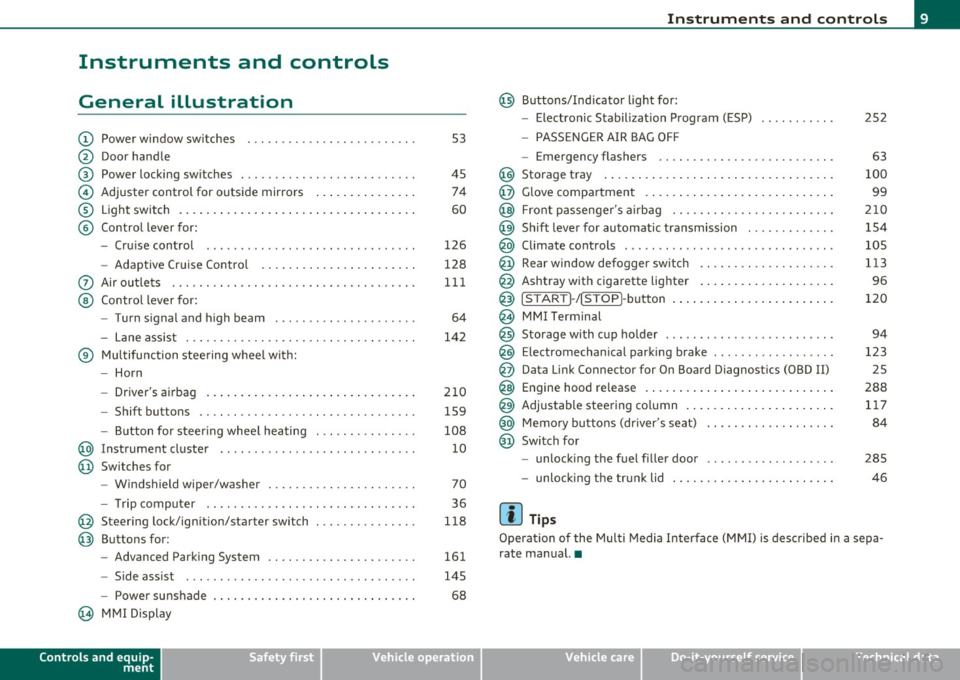
Instruments and controls
General illustration
(D Power window switches . .. .. .. ... .. ... .. ... ... . .
@ Door handle
@ Power locking switches . .. .. ......... .. .. .... ... .
© Adjuster control for outside mirrors .............. .
® Light switch ............... . ... ..... ....... ... .
© Control lever for:
- Cruise contro l ............ .... ... . ... ....... .
- Adaptive Cruise Control . ................... .. .
0 Air outlets .... .... .. .. .. ... ... ............. .. .
@ Control lever for:
- Turn signal and high beam .................... .
- Lane assist ................ ...... .. .. .. .. ... .
® Multifunction steering wheel with:
- Horn
- Driver's airbag ....................... ....... .
- Shift buttons .... .. .. .. .. .... ............... .
- Button for steer ing whee l heating . .. .. ... ...... .
@ Instrument cluster .................. .... ... ... .
@ Switches for
- Windshield wiper/washer ................ .. ... .
- Tr ip computer .. .......... . .. .... .. .. .... ... .
@ Steering lock/ignition/starter switch .............. .
@ Buttons for:
- Advanced Parking System .... .. .... .. ...... ... .
- Side ass ist ........... ........ ... ..... ... ... .
- Power sunshade
@ MMI Display
Controls and equip
ment Safety first
53
45 74
60
126
128
111
64
142
210 159
108 10
70
36
118
161
145
68
Instruments and controls
@ Buttons/Indicator light for:
- Electronic Stabilization Program (ESP)
- PASSENGER AIR BAG OFF
- Emergency flashers .. .. .. .. .. .... .. ......... .
@ Storage tray .................. .. .. .. ......... .
@ Glove compartment .... .... .. .. .... ........... .
@ Front passenger 's airbag .................... .. . .
@ Sh ift lever for automatic transmission ........... . .
@ Climate controls . .. .................... .... ... .
@ Rear window defogger switch .. .. .. .. .. .... ..... .
@ Ashtray with cigarette lighter ................... .
@ IS TART ]-/IS TOP]-button . ... ................ ... .
@ MMI Terminal
@ Storage with cup holder ..... .. .. .. ............. .
@ Electromechanical parking brake ... .. ...... ..... . .
@ Da ta Link Connector for On Board Diagnostics (OBD II)
@ Engine hood release ........................... .
@ Adjustable steering column ..................... .
@ Memory buttons (driver's seat) .................. .
@ Switch for
- unlock ing the fuel filler door ....... ....... .... .
- unlock ing the trunk lid
[ i ] Tips
252
63
100
99
210
154
105
113
96
120
94
123 25
288 117
84
285
46
Operation of the Multi Media Interface (MMI) is described in a sepa
rate manual. •
Vehicle care Technical data
Page 17 of 384
AIR Airbag system
BAG ~
/ : Lane assist (system is ready)
L ane assist (system is not ready)
¢ Left t urn signal
D High beam
!D
Fog lights
Rear fog lights
Tire pressure monitoring system*
M alfunction Indicator Lamp (MI L)
I. "fi'
Safety bel t
-Adaptive Air Suspension
~ Adaptive A ir Suspension
Q
Right turn signal
--
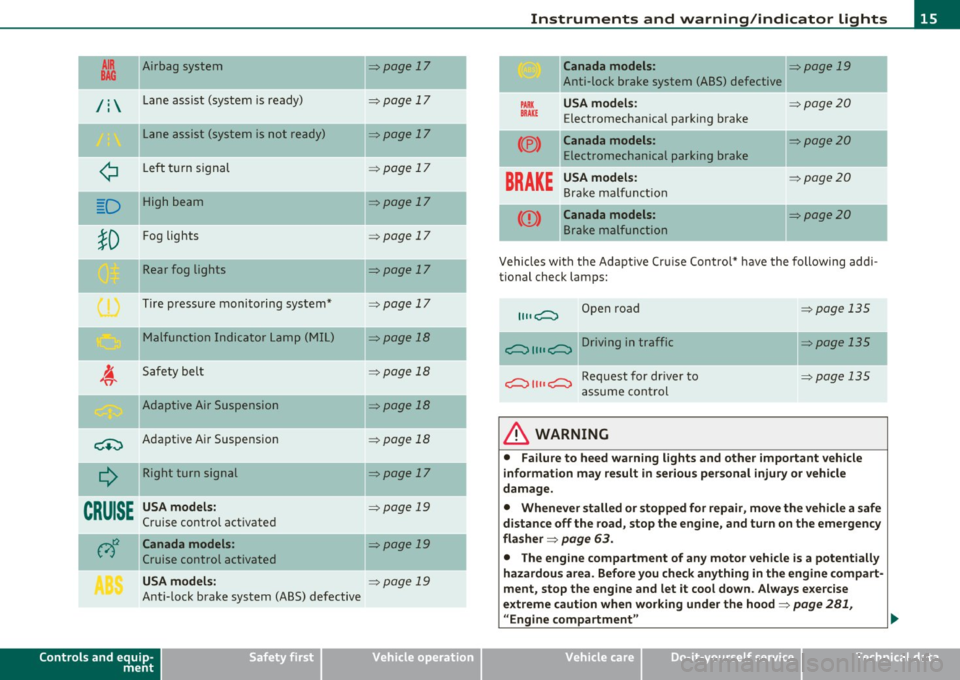
CRUISE
USA models:
Cruise contro l act ivate d
c;)~ Canada models :
Cruise control activated
USA models:
Ant i-lock brake system (ABS) defective
Controls and equip
ment Safety first
=:>page
17
-
=> page 17
=> page 17
=> page 1 7
=> page 17
=> page 17
=> page 17
=> page 17
=> page 18
=> page 18
-=>page 18
=> page 18
=>page 17
-
=> page 19
=>page 19
=> page 19
Instruments and warning /indicator lights
Canada models: => page 19
Anti-lock brake system (ABS) defective
PARK USA m odel s: =:>page20
BRAK E Electromechan ica l parking brake
(®) Canada models: =:> page 20
Electromechanical parking brake
BRAKE
USA models: =:> page20
Bra ke ma lf u ncti on
Canada models: =:>page20
B rake malfunction
-
Vehicles wi th the Adapt ive Cr uise Control* have the following add i-
tional check lamps:
II II c;::::::::, Open road => page 135
c;::::::::, II II c;::::::::, Driving in traffic => page 135
c;::::::::, II II c;::::::::, Request for dr iver to =>page 135
assume cont rol
& WARNING
• Failure to heed warning lights and other important veh icle
information may result in serious personal injury or vehicle
damage.
• Whenever stalled or stopped for repair , move the vehicle a safe
distance off the road, stop the engine, and turn on the emergency
fla sher =>
page 63.
• The engine compartment of any motor vehicle is a potentially
hazardous area. Before you check anything in the engine com part -
ment, stop the eng ine and let it cool down . Always e xercise
extreme caution when working under the hood=>
page 281,
"Engine compartment " ..
Vehicle care Technical data
Page 21 of 384

Adaptive Air Suspension - Sport*, the check light does not come o n in
t his instance s in ce g round clea rance is ge ner ally reduced .
Thi s wa rning/indicator light has the following functions:
• It illuminates for a few seconds after the ignition is turned on as
fu nction check a nd then goe s out.
• If the wa rning/ind icator light flashes in conjunction with t he
c.:>
w ar ning/ind icator l igh t, y o u s hould not dr ive the vehicle immed iately
in order to prevent damage to the underbody. T he two wa rning/ind i
c ato r light s fl ashing together po ints to an ex tre me Lo w leve l. A ve ry
pronounced lowering of the ve hicle (extreme Low leve l) can result ,
for example, from a he avy load. A s so on a s the leve l h as r eturned to
normal, t he warning/indicator lights stop flashing, and you can drive
away .
0 Note
If the wa rni ng /ind icator light flashes in conjunction with the~ ~
warning/ind icator ligh t, you s hould not driv e the vehicle because low
lyin g vehicle pa rts can bottom out as you drive over uneven groun d
a nd be da maged as a result . •
Cruise control
CRUISE (USA models) / (?Jr) (Canada models)
The warn ing/ ind icator lig ht illuminates when the cruise contro l is
a ct ivated .•
Controls and equip
ment Safety first
Instruments and warning
/indicator lights
Anti-lock brake system (ABS)
A
.:> (USA models) / .... (Canada models)
This w arnin g/in dic ator light monitors the ABS and the
ele ctroni c diff ere n tial l ock (ED L).
Th e wa rning/indicator light w ill come on fo r a few second s when the
ignition is sw itche d on. The lig ht w ill go ou t after a n automat ic check
sequence is comp leted .
There is a malfunction in the ABS when:
• Th e warnin g/i ndi ca tor lig ht doe s not illumin ate whe n you swit ch
on th e ig nitio n.
• Th e warn ing /indicator l ight doe s not go out aft er a f ew seconds .
• The warning/in dicator lig ht i llu minates while d riving .
Th e ESP indic at or lig ht als o illu min ates if there is a malfunctio n in the
A BS. The message
ESP / ABS fault! See owner's manual also appears
in t he i nstr ument cluster d isp lay and a war ning to ne sounds .
The brake system will still respond even without the assistance of
the ABS system. See your authorized Audi dealer as soon as
possible to restore full braking performance.
F o r mo re inform ation
rega rding the ABS=>
page 256.
The ABS warning light and the brake warning light come on
together. The ABS will not work and you will notice a change in
braking response and performance.
Malfunction in the brake system
If t he b rake war ning ligh t=> page 20 and the A BS war ning ill umin ate
tog eth er ther e may be a malfu nction in t he A BS , a nd there may a lso
be a mal fun ction in the bra ke system itself => & .
I n t he ev en t of a
malfunction in the brake system the warn ing/ indi
cator light
BRAKE (USA models)/ {(D) (Canada models) in the instr ument
clu ster flashes. B y p res sing the [
CHECK ! button, yo u ca n brin g up a
dr ive r message w hich expla ins the malfunction in more deta il. Please
no te =>
page 28. _..
Vehicle care Technical data
Page 40 of 384
Driver info rmation d isplay
Operation
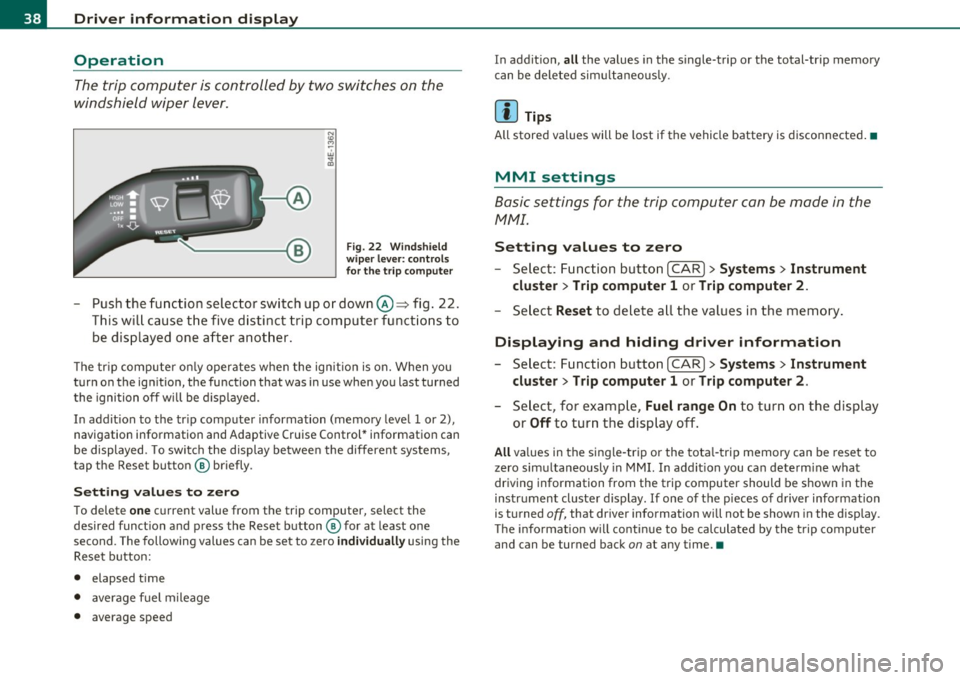
The trip computer is controlled by two switches on the
windshield wiper lever.
Fig. 22 Wi ndshi eld
wi per leve r: contr ols
for th e t rip co mputer
- Push the function selector switch up or down@~ fig . 22.
This will cause the five distinct trip computer functions to
be displayed one after another .
The tr ip computer only operates when the ignition is on. When you
turn on the ignition, the function that was in use when you last turned
the ignition off will be d isplayed.
In addit ion to the trip computer information (memory level 1 or 2),
navigation information and Adaptive Cruise Control* information can
be displayed. To switch the display between the different systems,
tap the Reset button ® briefly .
Sett ing values to zero
To delete one current value from the trip computer, select the
desired funct ion and press the Reset button ® for at least one
second. The following values can be set to zero
individu ally using the
Reset button:
• elapsed time
• average f uel mileage
• average speed In addit
ion,
all the values in the single-trip or the total-trip memory
can be deleted sim ultaneous ly .
[ i ] Tips
All stored values will be lost if the vehicle battery is disconnected.•
MMI settings
Basic settings for the trip computer can be made in the
MMI.
Setting values to zero
---Select: Function button I CAR ]> Systems > Inst rument
clust er > Trip comput er 1 or Trip computer 2 .
Selec t Reset to dele te all the values in the memory .
Displaying and hiding driver information
- Select: Function button I CAR ]> Sy stem s> Instru ment
clu ster > Trip computer 1 or Trip computer 2 .
-Select, for example, Fuel rang e On to turn on the d isplay
or
Off to turn the display off.
All values in the single -trip or the tota l-trip memory can be reset to
zero simu ltaneously in MMI. In add it ion you can determine what
driving information from the trip computer should be shown in the
instrument cluster display. If one of the p ieces of driver information
is turned
off, that dr iver information will not be shown in the display.
T he information will cont inue to be calculated by the trip computer
and can be turned back
on at any time. •
Page 128 of 384

1111..__0_ n_ t_h _e_ r_o _ a_ d _________________________________________________ _
0 Note
If the warn in g/i nd icator lig ht ( U.S . models: BRAKE , Canadia n mode ls:
«D> ) flashes in the instrument cluster, t here is a b rake system
ma lf u nct ion. By p ress ing t he [
C H E CK i button, yo u can br ing up a
dr iver message which explains the ma lfunction in more detail. If the
mes sage
Parking brake ! Please conta ct work shop appe ars, there is
a park ing brake ma lfunction which you s hou ld have repaired immedi
a tely by an au thor ized deale rship =>
page 28. •
Cruise control
Switching the system on
The cruise contr ol syst em makes it possib le to drive at a
constant speed starting at 2 0 m ph ( 30 km/h).
Fig. 136 Co ntrol lever
w ith set button Fig. 137 D
ispl ay:
Se lec ted speed
- Pull the lev er to positio n (D ~ fig. 136 to switc h th e
syst em on.
- Drive at th e speed you wis h to s et.
- Press button
© to set t hat speed .
The display => fig. 137 will show the set speed. The d isp lay may vary
depe nding on the ty p e of displa y in yo ur vehicle. The indica to r li gh t
CRUISE (US mode l)/ 0 (Canadian mode l) wi ll also light up in the
in st rumen t clu ste r.
T he speed is kept constant via an eng ine output adjustment or act ive
brake intervention.
& WARNING
• Alway s pay attention to traffic even when the cruise control i s
switched on. You are always responsible for your speed and the
di stan ce between your vehicle and other vehicles.
• For safety r easons , the cruise control should not be used in the
city, in stop-and-go traffic , on twisting roads and when road
conditions are poor ( such as ice , fog, gravel, heavy rain and hydro
planing ) -risk of accident .
• Turn off the cruise control temporarily when enter ing turn
lanes , highway exit lane s or in construction zone s.
Page 129 of 384

_________________________________________________ O_ n_t_ h _ e_ ro_ a_d __ ffllll
& WARNING (continued)
• Please note that inadvertently "resting" your foot on the accel
erator pedal causes the cruise control not to brake. This is because
the cruise control is overridden by the driver's acceleration.
[ i] Tips
The brake lights illuminate as soon as the brakes decelerate automatically. •
Changing speed
-Press lever in the
0 or O direction=> page 126, fig. 136
to increase or decrease your speed.
- Release the lever to save that speed.
Change speed in increments of 1 mph (1 km/h) by lightly pressing the
lever. If you keep the lever pressed down, you will alter your speed in
S mph (10 km/h) increments.
You can also press the accelerator pedal down to increase your speed,
e.g. if you want to pass someone. The speed you saved earlier will
resume as soon as you release the accelerator pedal.
If, however, you exceed your saved speed by S mph (10 km/h) for
longer than S minutes, the cruise control will turn off temporarily .
The green symbol in the display~
page 126, fig. 13 7 is replaced with
a white symbol. The saved speed remains the same.•
Presetting your speed
You can preset your desired speed while the vehicle is not
moving .
-Turn on the ignition.
Controls and equip
ment Safety first
- Pull lever
into position ©=> page 126, fig. 136.
- Press the lever in the
0 or O direction to increase or
decrease your speed.
- Release the lever to save that speed .
This function makes it possible, for example, to save the speed you
want before driving on the highway. Once on the highway, activate
the cruise control by pulling the lever toward
(D . •
Switching the system off
Temporary deactivation
- Press the brake pedal, or
- Press the lever into position@ (not clicked into place)
=> page 126, fig. 136, or
- Drive for longer than 5 minutes at more than 5 mph
(10 km/h) above the stored speed.
Switching off completely
- Press lever into position @ (clicked into place), or
- Switch the ignition off .
The system retains the saved speed if you deactivate the cruise
control temporarily. To resume the saved speed, release the brake
pedal and pull the lever to position
(D.
Switching the ignition off erases the saved speed.
& WARNING
You should only return to the saved speed if it is not too fast for
the current traffic conditions -risk of an accident! •
Vehicle care Technical data
Page 130 of 384
"" Adaptive Cruise Control .._ _ ____:.. ___ __::_....::...:;..:...:....:.:-=...:.. ____________________________ _
Adaptive Cruise Control
Speed and distance control system
Applies to veh icles : w it h Adap tive Cru ise Cont ro l
Description
Th e Adaptiv e Cruis e Control driver a ssistanc e program is
a co mbine d speed and d istan ce contr ol s ys tem.
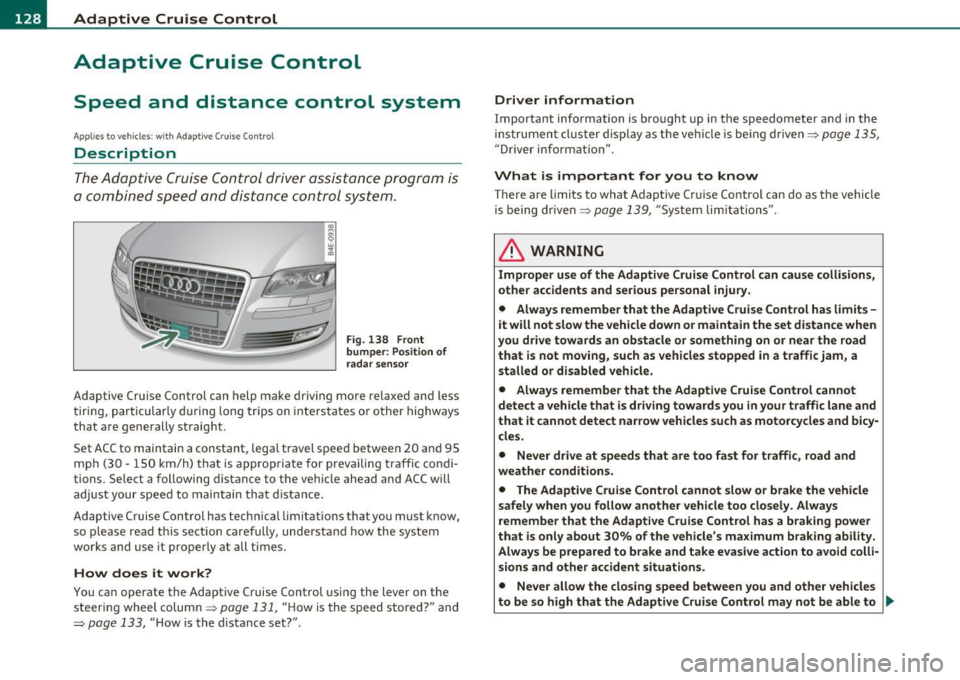
Fig . 138 Front
bumper: Po sition of
rada r sensor
Adaptive Cru ise Cont rol can h elp ma ke driving mo re relaxed and less
t iri ng , par ticularly d uring lon g trips on i nte rs t a tes o r oth er hig hways
that a re generally st raig ht.
Set ACC to maintain a constan t, lega l travel spee d between 20 and 95
m ph (3 0 · 150 k m/h) t hat is approp riat e f or preva iling traf fic co ndi
tions. Select a following distance to t he ve hicle ahead and ACC w ill
adjus t your speed to maintai n that d istance.
Adaptive Cruise Control has technica l limitations that you must k now,
so p le a se read this sectio n carefully, understa nd how the sy stem
works and use it p ro p erly at all ti mes.
How does it work?
You ca n op erate the Adaptive Cruise Control usi ng the lever on the
s teer ing wheel column ~
page 13 1, " H ow is the speed sto red?" and
~ page 133, " H ow is the distance set?" .
Driver information
Important information is bro ught up in the s peedometer and in the
i nst rumen t clust er displa y as the ve hicl e is be ing drive n~
pa ge 135,
"Driver informat io n".
What is important for you to know
T here are limits to what Adaptive Cr uise Contro l can do as the vehicle
is being drive n~
page 139 , "Sys tem lim itations".
& WARNING
Improper use of the Adaptive Cruise Control can cause collisions,
other accidents and serious personal injury.
• Always remember that the Adaptive Cruise Control has limits -
it will not slow the vehicle down or maintain the set distance when
you drive towards an obstacle or something on or near the road
that is not moving, such as vehicles stopped in a traffic jam , a
stalled or disabled vehicle.
• Always remember that the Adaptive Cruise Control cannot
detect a vehicle that is driving towards you in your traffic lane and
that it cannot detect nar row vehicles such as motorcycles and bicy
cles.
• Never drive at speeds that are too fast for traffic, road and
weather conditions.
• The Adaptive Cruise Control cannot slow
or brake the vehicle
safely when you follow another vehicle too closely. Always
remember that the Adaptive Cruise Control has a braking power
that is only about 30% of the vehicle 's maximum braking ability .
Always be prepared to brake and take ev asive action to avoid colli·
sions and other accident situations.
• Never allow the closing speed between you and other vehicles
to be so high that the Adaptive Crui se Control may not be able to .,
Page 131 of 384

__________________________________________ A_ d_ a_,_ p_t _iv _ e_C_ r_u _i _ s _e _C_ o_n_ t_ r_ o_ l __ _
& WARNING (continued)
slow your veh icle safely. If clos ing speed is too high , you must
apply the brake s your self to reduc e the ri sk of a rear-end cra sh .
• Never re st you r foot on the accelerator pedal , especially when
the Adaptive Cruise Control is being used. Pressure on the acceler
ato r will override the ACC braking function and prevent the brakes
from being applied when ACC detects a situation when the brakes
must be applied.
• Never use Adaptive Cruise Control when you cannot drive safely
at a steady speed, including on city st reets , on winding roads or
when road conditions are poor (for example , on ice, gravel , in fog,
heavy rain or on wet roads that increase the ris k of hydroplaning ).
• The radar sensor's
vision can be reduc ed by rain, snow and
heavy road spray . These and similar conditions can prevent vehi
cle s up ahead from being accurately detected and in some cases
they may not be detected at all . Do not use ACC when the radar
sen sors cannot ac curately detect vehicles moving ahead of you in
traffic .
• Alway s turn off Adaptive Crui se Control when entering turn
lanes , exit lanes and construction zones o r in similar situat ions
because the vehicle will automatically ac celerate to the stored
speed when the road ahead is clear .
• To prevent unintended operation , always switch ACC off when
it is not being used .
[ i] Tips
• For safety reasons, the stored speed is deleted when the ignition
i s turned o ff.
• When Adapt ive Cruise Control is switched on, the Electronic Stabi
li zation Program ( ESP) is also automa tica lly activ ated.
• Damage caused by accidents and some minor collisions can affect
th e rad ar senso r se ttings and ca use the syste m to m alfunction o r
switch off completely.
Controls and equip
ment Safety first
•
In winter conditions, you should check the radar sensor cover
be fore drivi ng to m ake su re it is free of i ce and s now. If ne cessa ry,
clean the area near the radar sensor carefully=>
page 128, fig. 138 .
• T o ensure th at the radar sensor is not blo cked, fore ign objects
(e .g . stickers, larger license plate mo unts, add-on parts) mus t not
c ove r th e ar ea ne ar the ra dar sensor =>
page 12 8, fi g. 13 8. T he area
near the radar sensor must not be painted, e ither.
• F or Declar ation o f Compliance to United Sta tes FCC and I ndus try
Canada regulations=>
page 364 . •
App lies to vehicles: with Adapt ive Cru is e Co ntr ol
How does Adaptive Cruise Control work?
Vehicl es traveling ahead are d etected with th e aid of the
radar sensor.
Fig. 139 Radar sen sor
m easur em ent range
Adaptive C ruise Con trol uses a radar se nsor in t he front o f the vehi cle
=> fig . 139 . The system has limitations=>
page 139. Things that are
not moving in your lane and in yo ur direction o f travel will no t be
detected . The sensor measures the distance to reflective su rfaces
that m ust have a certain s ize. The system responds only after the
distance measu remen t has been made . If a measurement is not
poss ible, the system cannot res pond and w ill not react to a vehicle or
s o me thing el se up ah ead. .,_
Vehicle care Technical data
Page 132 of 384
1111....__A_ d_ a_,_ p_t _i_ v _e _ C_r_ u_ i_ s_ e_ C_ o_ n_ t_ r_ o_ l __________________________________________ _
Vehicles moving in your direction can be detected up to a distance of
about 140 yards (130 meters) but the Adaptive Cruise Control cannot
detect vehicles that are stopped or stalled, obstacles that do not
move or narrow vehicles like motorcycles and bicycles .
Open road
When the road is clear, Adaptive Cruise Contro l works like cruise
control. It maintains a constant target speed specified by the driver.
Driving in traffic
If a slower vehicle driving ahead is detected, the Adaptive Cruise
Control decelerates (within the limits of the system) =>
page 139 to
its speed and after adjusting, tries to maintain the set distance from
the vehicle ahead. The vehicle may temporarily drive slower than the
set speed while adjusting=>
& in ''Description " on page 128 .
If the vehicle in front accelerates, Adaptive Cruise Control a lso acce l
erates up to the speed that you have set.
Situations requiring driver intervention
In some situat ions you will have to use the foot brake and slow the
vehicle down in order to keep a safe distance from vehicle in front of
you or to avoid a rear-end co llision . In this situation, a symbo l
appears and a warning tone sounds =>
page 135.
Passing another vehicle
If you move into the passing lane and no vehicle is detected ahead,
Adaptive Cruise Contro l accelerates to the speed you have set and
maintains it.
Overriding ACC
You can increase your speed at any time by stepping on the acceler
ator pedal. After you release the accelerator pedal, the system
adjusts back down to the speed you previously set.
& WARNING
• Never rely on the distance control feature of ACC alone to
prevent rear-end collisions . Always be prepared to brake and take
evasive action to avoid collisions and other accident situations.
• Never allow the closing speed between you and other vehicles
to be so high that the Adaptive Cruise Control may not be able to
slow your vehicle safely. If closing speed is too high, you must
apply the brakes yourself to reduce the risk of a rear-end crash.
(I] Tips
Please note that the amount of acceleration the Adapt ive Cru ise
Control uses depends on the Distance setting selected. DISTANCE 1
gives you acceleration that is dynam ic and sporty. DISTANCE 4, on the
other hand, gives more moderate acce leration. For more information
about the time intervals =>
page 133, "Ho w is the distance set?". •
Applies t o ve hicles: w ith Ad ap tiv e Cr uise Contr ol
Switching the system on and off
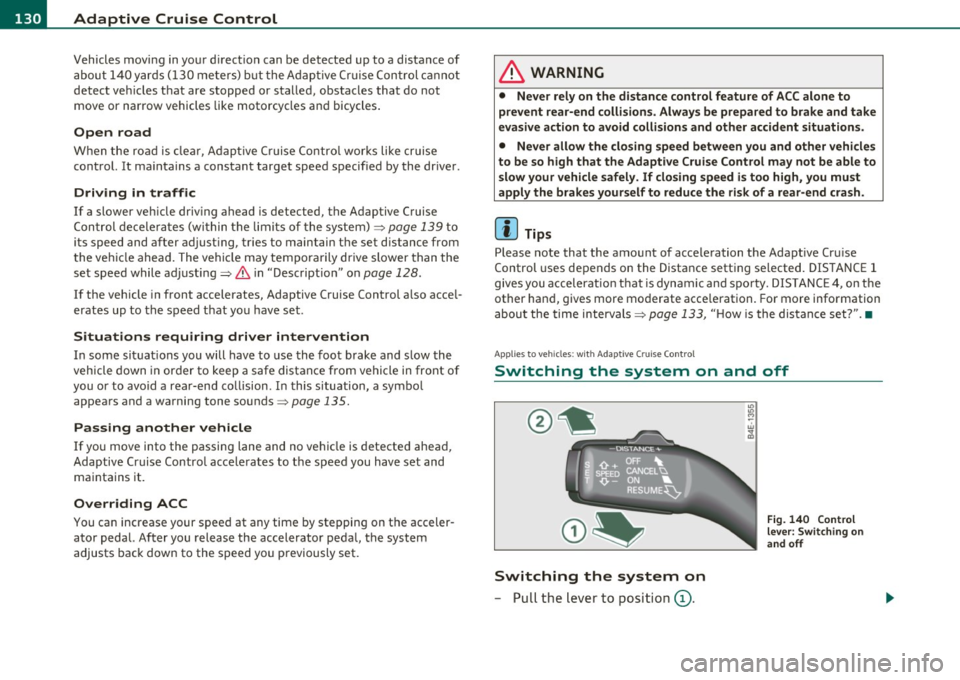
Switching the system on
-Pull the lever to position (D.
"' "' M ~ w
" m
Fig. 140 Control
lever: Switching on
and off