home AUDI TT 2021 Owner´s Manual
[x] Cancel search | Manufacturer: AUDI, Model Year: 2021, Model line: TT, Model: AUDI TT 2021Pages: 280, PDF Size: 99.18 MB
Page 150 of 280

Navigation
Navigation
Opening navigation
Applies to: vehicles with navigation system
aay
Fig. 135 Instrument cluster: entering a destination
The navigation system directs you to your desti-
nation, around traffic incidents, and on alterna-
tive routes, if desired.
> Press the [NAV/MAP] button.
The Enter destination menu is displayed after
opening navigation.
The following information can be displayed:
@ Input field for free text search .... 149
@ Home address ................. 150
@® Last destinations ............... 149
@ Stored favorites ............... 150
Once you select an entry from the list (depending
on the vehicle equipment), the corresponding
destination will display as a map preview* ).
If you have connected a mobile device to the
MMI, your directory contacts will also be listed if
they have navigation data assigned to them.
The Favorites (4) menu item as well as the direc-
tory/contacts are only shown in the Enter desti-
nation menu if you have entered one or more
characters using the input field.
Switching between the destination entry and
the map
— Press the [NAV/MAP] button repeatedly until
the map is displayed, or
148
— Select: left control button > Switch to map.
ZA\ WARNING
— The demands of traffic require your full at-
tention. Always read the chapter
=> page 110, Traffic safety information.
— The route calculated by the navigation sys-
tem is a driving recommendation. Follow
the traffic regulations that are applicable in
the country where you are operating the ve-
hicle. In the event that the driving directions
contradict traffic regulations, always follow
the traffic regulations applicable in the
country where you are operating the vehicle
to reduce the risk of an accident.
(i) Tips
— You can find information about importing a
map update to your MMI using an SD card
at my.audi.com.
— Snow and obstructions on the GPS antenna
or interference caused by trees and large
buildings can impair satellite reception and
affect the system's ability to determine the
vehicle position. Several deactivated or mal-
functioning satellites can also interrupt GPS
reception and affect the system's ability to
determine the vehicle position.
Page 151 of 280
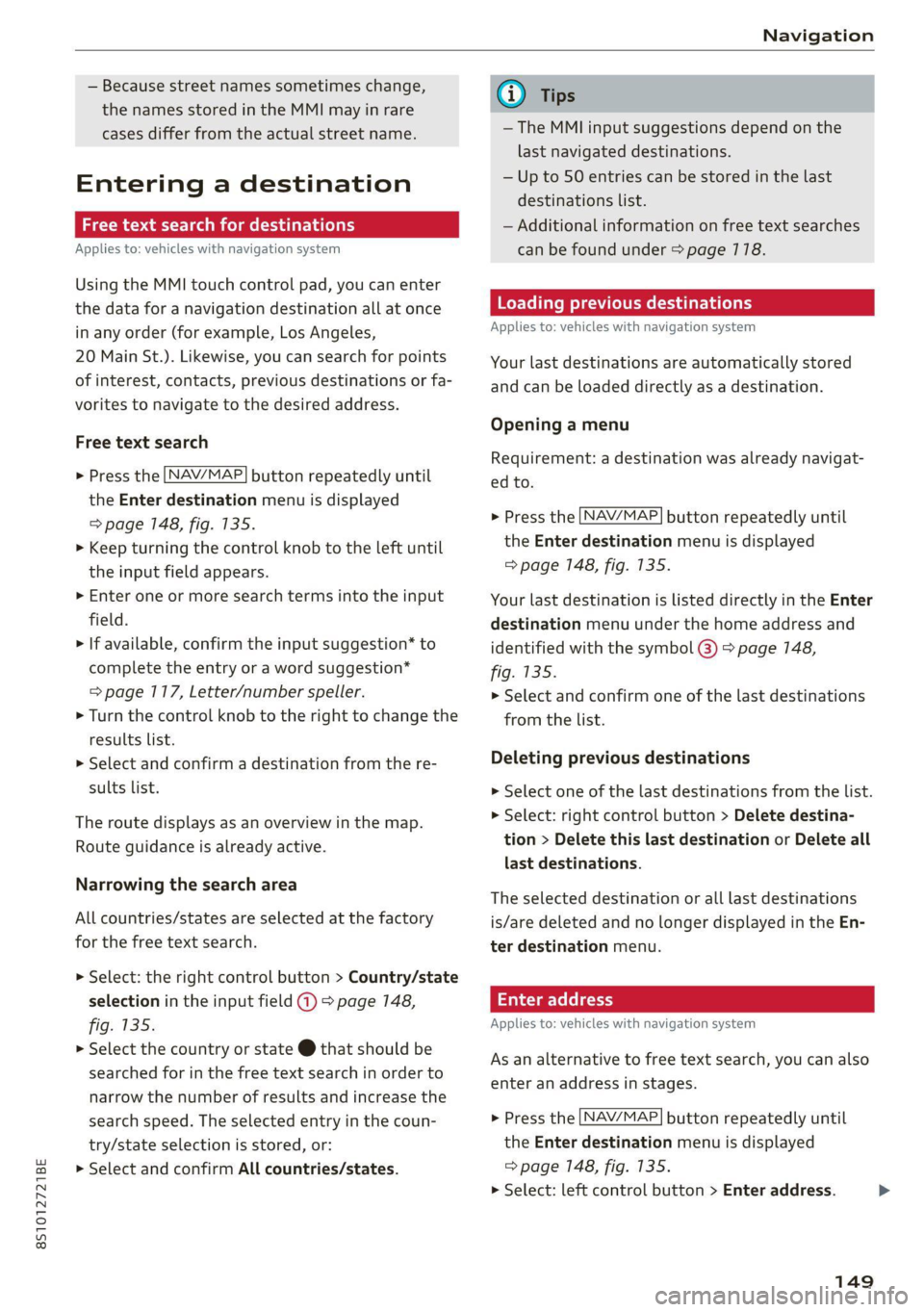
8S1012721BE
Navigation
— Because street names sometimes change,
the names stored in the MMI may in rare
cases differ from the actual street name.
Entering a destination
aia eee mid Lela
Applies to: vehicles with navigation system
Using the MMI touch control pad, you can enter
the data for a navigation destination all at once
in any order (for example, Los Angeles,
20 Main St.). Likewise, you can search for points
of interest, contacts, previous destinations or fa-
vorites to navigate to the desired address.
Free text search
> Press the [NAV/MAP] button repeatedly until
the Enter destination menu is displayed
=> page 148, fig. 135.
> Keep turning the control knob to the left until
the input field appears.
> Enter one or more search terms into the input
field.
> If available, confirm the input suggestion” to
complete the entry or a word suggestion*
= page 117, Letter/number speller.
> Turn the control knob to the right to change the
results list.
> Select and confirm a destination from the re-
sults list.
The route displays as an overview in the map.
Route guidance is already active.
Narrowing the search area
All countries/states are selected at the factory
for the free text search.
> Select: the right control button > Country/state
selection in the input field @ > page 148,
fig. 135.
> Select the country or state @ that should be
searched for in the free text search in order to
narrow the number of results and increase the
search speed. The selected entry in the coun-
try/state selection is stored, or:
> Select and confirm All countries/states.
@) Tips
— The MMI input suggestions depend on the
last navigated destinations.
— Up to 50 entries can be stored in the last
destinations list.
— Additional information on free text searches
can be found under = page 118.
Loading previous destinations
Applies to: vehicles with navigation system
Your last destinations are automatically stored
and can be loaded directly as a destination.
Opening a menu
Requirement: a destination was already navigat-
ed to.
> Press the [NAV/MAP] button repeatedly until
the Enter destination menu is displayed
=> page 148, fig. 135.
Your last destination is listed directly in the Enter
destination menu under the home address and
identified with the symbol @) > page 148,
fig. 135.
> Select and confirm one of the last destinations
from the list.
Deleting previous destinations
> Select one of the last destinations from the list.
> Select: right control button > Delete destina-
tion > Delete this last destination or Delete all
last destinations.
The selected destination or all last destinations
is/are deleted and no longer displayed in the En-
ter destination menu.
Enter address
Applies to: vehicles with navigation system
As an alternative to free text search, you can also
enter an address in stages.
> Press the [NAV/MAP] button repeatedly until
the Enter destination menu is displayed
=> page 148, fig. 135.
> Select: left control button > Enter address.
149
>
Page 152 of 280
Navigation
> Select and confirm a line (such as Street, House
number or Country/state) and enter the de-
sired information.
> Select and confirm Start route guidance.
Stee mie RRL)
Applies to: vehicles with navigation system
A point on the map can be used as the destina-
tion.
Opening the map
> Press the [NAV/MAP] button repeatedly until
the map is displayed.
Adjusting the scale
> Turn the control knob to the left or to the right.
Activating the crosshairs
> Press the control knob. The crosshairs are
shown on the map.
Moving the crosshairs
> Move the crosshairs to the destination using
the MMI touch control pad > page 174.
Selecting the destination
> Press the control knob when the crosshairs are
shown.
> Select and confirm Start route guidance.
Hiding the crosshairs
> Press the [BACK] button.
Additional information about the location of
the crosshairs: when you select map content us-
ing
the crosshairs, a display of available informa-
tion appears (such as street name, address or
points of interest) ©) > page 157, fig. 140.
Setting a home address/favorite as the
destination
Applies to: vehicles with navigation system
You can quickly and easily start route guidance to
your home address using the home address func-
tion. Favorites allow easier access to frequently
used destinations.
150
Opening a menu
> Press the [NAV/MAP] button repeatedly until
the Enter destination menu is displayed
=> page 148, fig. 135.
Setting a home address as the destination
Requirement: a home address must be stored
=> page 154.
Your Home address is shown directly in the Enter
destination menu @) > page 7148, fig. 135.
> Select and confirm Home address.
Setting a favorite as the destination
Requirement: a favorite must be stored as a des-
tination > page 154.
> Enter one or more letters into the free text
search input field. The favorites found are
shown in the Infotainment system display @)
=> page 148, fig. 135.
> Select and confirm the desired entry.
G) Tips
— Additional settings for the home address
can be found under > page 154.
— Additional settings for the favorites can be
found under > page 754.
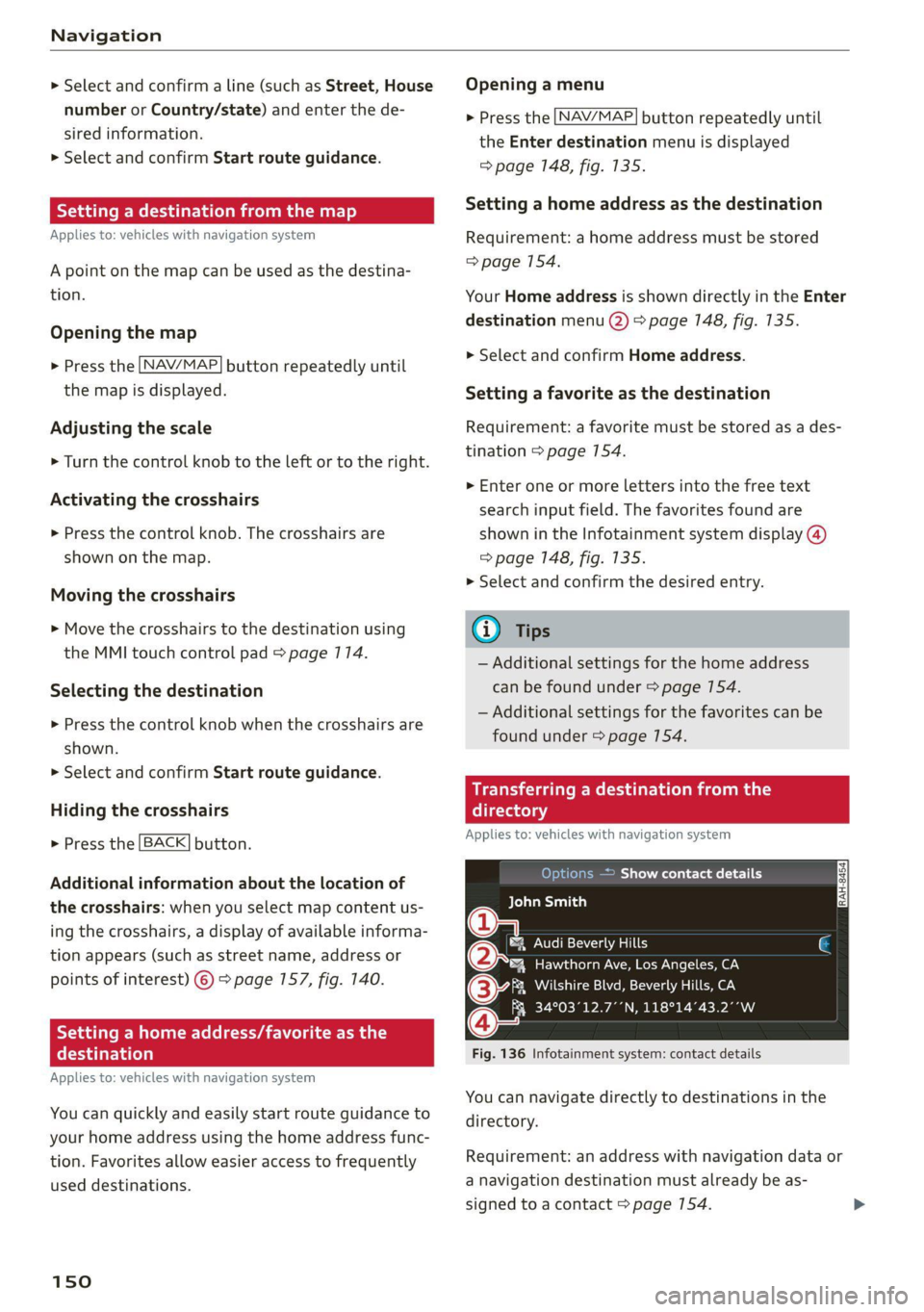
Transferring a dest!
ectory
Applies to: vehicles with navigation system
10) )e(e] a eee Asie Cy
BCT Dian)
a
®&% Audi Beverly Hills
4 Hawthorn Ave, Los Angeles, CA
(3 aia NTSC NeIN Mea aan oe
Q FR 34°03°12.7°’N, 118°14°43.2°°W
Fig. 136 Infotainment system: contact details
You can navigate directly to destinations in the
directory.
Requirement: an address with navigation data or
a navigation destination must already be as-
signed to a contact > page 154.
Page 156 of 280
Navigation
Online traffic data*: receiving online traffic infor-
mation > page 767 can be switched on or off.
Country/state selection > page 149.
Store as favorite > page 154.
Home address
Applies to: vehicles with navigation system
Opening a menu
> Press the [NAV/MAP] button repeatedly until
the Enter destination menu is displayed
=> page 148, fig. 135.
Storing a home address
> Select and confirm Home address (2)
=> page 148, fig. 135. After opening the home
address for the first time, you will be asked to
create a home address.
> Select and confirm Create now.
> Enter a destination, or
>» Select and confirm a destination from the list.
Editing the home address
> Select the Home address (2) > page 148,
fig. 135.
> Select: right control button > Edit home ad-
dress.
> Select and confirm a new destination as the
home address.
The selected destination is stored as the new
home address.
Favorites
Applies to: vehicles with navigation system
Opening a menu
> Press the [NAV/MAP] button repeatedly until
the Enter destination menu is displayed
=> page 148, fig. 135.
Saving a destination as a favorite
> Search for the desired destination in the input
field, or:
> Select a destination from the list.
> Select: right control button > Store as favorite.
154
Renaming a favorite
> Select: left control button > Favorites > select a
favorite from the list > right control button >
Rename favorite.
Moving a favorite
> Select a favorite from the list > right control
button > Move favorite.
> Select and confirm the location of the selected
favorite.
Deleting a favorite
> Select a favorite from the list > right control
button > Delete favorite > Delete this favorite
or Delete all favorites.
Directory contacts
Applies to: vehicles with navigation system
Two addresses (private/business) can be assigned
as destinations for each contact in the directory.
Opening a menu
> Press the [NAV/MAP] button repeatedly until
the Enter destination menu is displayed
=> page 148, fig. 135.
Storing a destination as a contact in the
directory
Requirement: a mobile device must be connected
to the MMI > page 128.
> Select: a destination > right control button >
Add destination to contact.
> Enter the first letters of the desired contact in
the free text search input field > page 148,
fig. 135 and then select a contact from the list.
> Select and confirm Add business destination or
Add private destination.
Page 269 of 280

8S1012721BE
Index
COMING HOME «2 esc = 2 crews =o weaves ov eres 38
Command (voice recognition system) ...... 122
Compartments: « s scsu ¢ ¢ ewe ay ewe ov eee 64
Compass: ithe Mirtor’s « esas < eae s 3 pew ss 43
Compliance: « swe = i ees s i Sows ¥ BoE es 261
Conference call... ..... cee eee eee eee 133
CONNECE. 6. Lee eee 141
Datta Privacy'os + « meen s x easy s wee s ee 257
Infotainment: seis oo sane oe coven a comme 2 141
Infotainment services............-0005 143
Connection manager...............005 190
Connections
refer to Media.............000005 169, 177
Connection settingS............0... eee 190
Consumer information.................% 258
Consumption
Reducing............. cece eee 74
Consumption (fuel) ................0000 15
COMEAGES smccoce 4 0 sxenens «mise om suanmce © oxenens 6 137
Additional directory................0- 191
Importing/exporting...............0.. 138
Memiorycapacityins. 2 6 ceca uo ncien © 6 omen © 139:
Searching... ......cc cece eee eee e ee eee 138
Showing details 5 osc. = s enya se eee se eee 138
Storing as destination................. 154
Gontrol: DuttOnstes « o sxsces 2 « semen ws were oo we 13
Control buttons (operating the MMI)...... 111
Control knob with joystick function....... 115
Convenience key.........---0 eee eee eee ee 19
Indicator ilighttics 5 & suse « x ina & 0 cone @ wane 76
Unlocking and locking............-...0. 22
Convenience opening and closing
Setting... ccc eee ee eee 27
WINDOWS ¢ sme + ¢ soyee x 2 gee 2 x cee oa 27
Cooling MOdGs: s escew s wewe s seems ee VERS 70
Cooling system
Adding
coolant 2 i: 6 scene 2 cen ee eee 208
Checking the coolant level............. 208
Coolant.................0.00 0c eee eee 207
Coolant temperature indicator........... 10
Crank (power top emergency operation) .... . 34
GrosshiairS:: = smax 2 s seme zs some : 2 ae Ee
Cruise control system
Cup holders........ 0... cee eee eee eee eee
Current fuel consumption................ 15
D
Data Privacy.................. 0000000. 257
Date... cece eee eee 189
Date display.................000200 08 189
Daytime running lights.................. 36
Declaration of compliance............... 261
Defrosting (windows) ................000 71
DEF (instrument cluster) s sewea ss veus a x owas 10
Deluxe automatic climate control.......... 70
Demo mode
refer to Presentation mode............ 155
Determining correct load limit........... 228
Digital: COMPASS saws ss oes ss ees Ge ewe ae 43
Digital Rights Management.............. 169
Dimensions............0.00 00 eee ee eee 263
Dimming the rearview mirror............. 40
Directory
refer to ContactS.......... cee eee eee 137
Display
Cleaning’: ¢ ¢ 2s ¢ 2 sees 2s wees es eewn 2 239
DiSpOSaliss » + saeas x = aces & 5 SGcas es Be Ee 258
Distance driven........... 0.0. e cece eee Is
Doors
Mechanically unlocking and locking....... 24
Driver information system................ 12
ENergyCOnsUINIels saves ¢ « wewn 2 » mown oo mew 15
On-board computer................-00. 15
Switching Views ........... eee e eee eee 13
Drives
Fefer to Mediates « e esas < ween + nee 169, 177
DiiVESOLECE’s = sags x x mere ee seuwe 5b aaron 3 2 ae 96
Driving through water...............200- 74
Driving time... 1.6... cece eee 15
Driving tips
Driving through water..............00-. 74
Efficient:driving « mcs se ace sa mwa se mere 74
Driving track secs = = secs se oes = + sows ee oes 81
Dust filter
refer to Pollutant filter. ............00.. 69
DVD drive (media drives) ................ 170
Dynamic volume
refer to System volume..............-. 193
E
Stiles & : ssonane v ceceimaes 2 amowems ev aneiios a x seinem 136
Page 271 of 280
8S1012721BE
Index
Free text'searchicccs . 2 cece ee emer ve mee ve 118
Media... .... cece eee eee eee eee 179
NaVigationts s ¢ ems « 4 zeus 5 2 sees § 2 meee 149
RadiOtes. ce scene e ae vv omnes © Hetero ww oe 165
Telephone.......... 0. cece eee eee 138
Freeze protection
Coolant.......... cece eee eee eee 207
Frequency band................... 164, 166
also refer to Frequency band........... 164
EUGL » sens ¢ 5 seme y © ees fe weee ts een 2 oe 196
AGdIRIVES « sce @ sires ¥ 0 oneneon 2 8 rere 3 8 oe 197
Current fuel consumption............... 15
Fue@ldisSplay sacs s s acu = ¢ eins 3 ¢ eaves Gg ee 10
FURL QaUGC Hii. 5 wise 2s wae es wee oe eer 2 12
Fuelstank capacity’. « sive oo snore x eee 6 « 264
Gasoline... 2.2... ee eee eee eee 196
Reducing fuel consumption............. 74
Saving fuel... 0.0... 2... eee eee eee eee 96
Fueling
Fuel filler door manual release.......... 200
FUCL GAUGE cs s sccm ss news 2s peee eo Bee 12
Fuel:tank. capacity’. « css ov een ex new oe 264
Opening the fuel filler door............ 197
With reserve canister (emergency fueling) . 199
Fuses
ASSIQNMENE's soso se cece 5 & sei s ¥ cere vs 254
Replacing ........ 0. cee eee eee ee eee 253
G
Garage:door Opener ais + 6 sven + 6 see © 6 saeco © 28
Garment hookS:sis 3 6 eva 3s ees ov oma vv oe 64
GasOlin@rs: owes ev ween 2 seems 2 mee ees 196
Additives ...... 0.0.0... eee eee eee 197
Gasoline mixture..............00--00. 196
GAWR
refer to Gross Axle Weight Rating (GAWR) . 264
Global commands (voice recognition sys-
HOM) cao a x seas wo samen aH catmans ww cK & Bae 123
Glossary of tire and loading terminology... 217
GIOVE COMPATEMENE wen s s wees ss waren ss ee 64
G meter
refer to Sport displays.................. 15
Gross Axle Weight Rating (GAWR)........ 264
Gross Vehicle Weight Rating (GVWR)...... 264
GVWR
refer to Gross Vehicle Weight
Rating (GVWR) « « esss 2 x wens 2 ean 2 Hen 264
H
HanaSTrGG: ¢ s aus 5 s sees sc ee Fo eee eae 129
Hands Free Profile.............00eee eee 129
Headlight range control system........... 36
Headlights............ 0.0... e eee eee eee 37
ClOANING « < s swan so sees ye ees gs wees eo: 237
Headlight range control system.......... 36
Washer system. ...... 0.0.0 cee eee eae 41
Heated
Exterior mirrors... 20... cee cece eee ee 39
REAP WINdOWen»: = s aoe « x wou 2 eee a ee 71
SeatSiene s wuss a x aan 2 aie © ¥ arene © w areine 5 71
Washer nozzles..........-.00--000 eee 41
Heating........... 0.002. ee 69
Hex socket ..... 0.0.0... cece eee ee eee 242
HFP
refer to Hands Free Profile............. 128
Hill descent control...............-.000- 85
Hill hold assist... 0.2.2... eee eee eee eee 80
also refer to Hill hold assist............. 80
Home address...........-00 000 e ee 150, 154
HomeLink
refer to Garage door opener............. 28
HOM... eee eee 6
Hotspot
refer to Wi-Fi vc ¢ = een 2 gees sv ees 146, 173
I
Ignition (indicator light)................. 16
Imbalance (wheels) ...........--..00005 223
Immobilizer
refer to Electronic immobilizer........... 19
Importing and exporting (contacts) ....... 138
Indicator lights. ..... 2.0.0... cee eee eee eee 7
Input
Using the MMI touch...............--. 112
Using theispelleticcis « « sane 6 3 sews o smenes 117
Input level (media) ..............0000005 180
Inspection interval owas « same + supe + 2 sem 212
269
Page 272 of 280
Index
Instrumenticlusten «secon + & avcnsie x 0 sucuses © a swe 10
Cleaning..... 2.0... cee eee eee eee 239
FailibGios » 2 smo $ 2 ama ge meew 4 e eM a A om 10
Me@SSageS sxasis wo onesies vv oenens « 8 coewer wx mewn 16
Operating ........ 0... cee cece eee 12
Service interval display................ 212
Switching tabs. « « ssi a «asa ss eww oo we 12
Instruments
Adjusting the lighting.................. 39
Interior LIQHtiNG secs. esses ee areunce a 6 arenes a a 39
Interior monitoring.................0 eee 24
Intermittent (windshield wipers).......... 41
Internet
referto connects « = secs ve views vo seme ¥ oe 141
IntermetiradiOnes: « «seine s x oxime + ¥ soanese % © awas 174
iPod
refer to Audi music interface....... 175,176
HTUMESAQGING & woes so aeseie + cess o + ecswoR os 164
J
Joystick function (MMI) ..............005 115
JOKED OX: s cams « yam a + earn 8 x Rem ae oe 171
JUMP Starting ces + = news < eases s aaem 3 3 Ra 248
K
KG": wcme s = mame 2 2 eeNNs ¢ 2 STS xo eee 8 2 19
Convenience opening and closing......... 27
Key not recognized.................00. 77
Key replacement <« < s sees s sees eeeeaee 19
Mechanical key.............---0005 19, 20
MESSAGES cress «sonnei o ovens 4 0) onenene 9 oem 76
Replacing the battery.................. 20
Unlocking and locking............... 21,22
WehiGle GOde « scenic 6 4 accace vo aunsaon nn enazece #0 19
Kick-down
Automatic transmission................ 86
L
Laptimer..... 2... eee eee eee 91
LATCH (securing child safety seats)......... 60
LaumeleComtrolins « sims + + ssmmn « + memo © eens 86
Leather care and cleaning............... 239
LEAVING HOMCiesn: «2 aes 6 c aewn so ee oe Ee 38
License plate bracket................--- 260
Licensing agreements (MMI)............- 194
270
Lifting points (vehicle jack).............. 246
Light/rain sensor
Headlights...............0 00. cece eee 36
Intermittent (windshield wipers) ......... 41
Lighting
EXterlor’: : wean ¢ s were « » gems so come oo eee 36
PEC OP sci « + consowe = a enesion = suomes ws eee wo He 39
Lights 2 cases ou nese 2 2 meas 2s mame 2 ewe 8 6 36
Coming/Leaving home...............4 38
Daytime running lights................. 36
Entry/exit lighting « « sii ¢ «were oo weve + oe 38
Fog lights/rear fog light(s).............. 36
Headlight flashers: s scsas + een gs anes s s 37
Headlight range control system.......... 36
HEALIGHES xerieie « scaem @ » stiesnes ovate wines 37
Interior/reading lights.................. 39
Low beam headlights.................. 36
Parking light...............00 000000 ee 36
Switching daytime running lights on and off .38
Listening to music
refer to Mediaiecs ss ecw se seves ve ee 169; 177
EOad + same 2 = suum ¢ 2 mene © E eae FY eae a 264
Locking and unlocking
By remote control... : seca .: eeea ss eves ee 21
With the convenience key............... 22
Low beam headlights.................00, 36
Luggage compartment
Bag... cee cece eet eee 66
Cover... eee eee eee 65
Increasing the'size.. 2. nsec sccsee se veee ees 66
POWEPSOURGES ecessics 1 = ssseews wo 2 eerie oo seers 63
Tie-downs ... 2... 0... cece eee 67
also refer to Luggage compartment...... 64
Luggage compartment lid................ 27
Mechanically unlocking...............-. 26
Opening and closing................00- 25
Opening from the inside in an emergency.. 27
Luggage compartment net............... 67
Lumbar support.............-.00 eee eae 46
M
Maintenance........... 0. cece eee eee 258
Maintenance intervals..............005. 212
Making an emergency call............... 134
Malfunction Indicator Lamp (MIL)......... 200
Page 276 of 280
Index
Settings
Directory... ... cece eee eee eee eee 139
Mapaeos x 2 aeee x & seem o 2 eH oe ee 2 Eee 159
Medias. «= seman ss wave ox amanus ¥ ancaaneos « saners 180
Navigation...........0..0..0200 eee ee 155
RadiGuess: x x game x = seme os wee fs eee a oe 167
System (MM]) « « asiws + wom 6 wan we mewn 189
Telephone........... 00 eee eee eee 139
Voice recognition system.............. 190
Wi-Fi hotspot coicvs <5 esorn es ows oe ween oe 146
Setting the language.................0. 189
Shift light indicator’: sess ss vows se wae sy we 15
Shift paddles (automatic transmission) .... . 85
Shuffle... 2... eee eee eee 180
Side assist... 2... eee eee eee 93
Adjusting the brightness................ 95
Cleaning the sensors...........0000005 237
Sensor range... ..- 22... cece ee eee 94
Switching on and off...............0-0- 95
also refer to Side assist... .......0000006 93
SIM card Teader’s « « wera 2 » enw 2 2 ges 2 ges 142
Ski DaGiics + ais & © nets & ¥ MOE oo SOUS FE 66
Smartphone
referto Telephone...............00005 128
Snowboard bag ; ¢ «sess ¢ seas cones a ewes 66
SNOW. Chains: « = scan & o wee eee & Hae & 229
Socket
refer to Power sourceS..........--.200-5 63
Software update
refer to System update (MMI).......... 192
Software (MMI)
Licensing agreements................. 194
Updates 2 aces ¢ seu & y reen ¢ come x oes 192
MersiOMies ¢ 2 ccmers @ v serses © v sone 2 6 seme 2 Y 192
SParetiress « s mse se seas x e wows x e ees «es 248
Speed dependent volume control......... 193
Speedometer’: sexs sz ween sy ses x eee gee 10
Speed warning system.............2--00. 89
Speller... 20... 2. eee eee eee eee ee 117
Sport displays....... 0.0.0... cee eee eee ee 15
Sport mode...... 2... eee eee eee eee ee 105
SPOT MWh & viene «+ srenoire w e embewie a w ease a wa 13
Sporty CrivVing wien «+ wows = 0 wow © © eee oo ws 81
Stabilization program
refer to Electronic Stabilization
Control (ESC)... 2... eee 104
274
Start/Stop SYSte Mier «2 ssa = 2 ance ev eae 77
Engine does not switch off.............. 78
Engine starts automatically............. 78
Indicator lights: . . cise oe cme «sane ee oe 77.
MessageS.... 0.2... cece eee ee eee eee 79
Stopping and starting the engine......... 77
Switching off and/oni. « «swe sa wei «2 ames 79
START ENGINE STOP button........... 75,76
SUAEIMG EO ArIVEle: = = coun + x coups oe Rue ye om 80
Starting (Cngine)ixe « «wees x » ween ss mee 2 oe 75
Steering............ 00.0. cece eee eee 107
Indicator lighticcs ss scape seems so ewes ve 16
also refer to Steering...............4. 107
Steering
wheel
Adjusting ...... 0.6... cece eee eee 48
Shift paddles (automatic transmission) .... 85
also refer to Multifunction
steering wheel..............-.0000- 12,14
Steps for determining correct load limit... 228
Stopover (navigation) .............0000- 153
Storage:areasiia: « 6 wns e+ were « ¥ ewes © 9 swear 64
Streaming
refer to Online media................. 174
S tronic (automatic transmission).......... 81
Subtithes(DVD) « + seovse x 6 swine a 6 seaians 6 @ ones 180
SUIWISOFS.« wesu = 5 wane 6 s wang x % geRE & & BEER 41
SUSPENSION CONtOlws « < nem: « pea se ews 96
Swappinigiealls): « « seme 2s amex zs mee s oe 133
Switching daytime running lights on and off. 38
Switching the ignitionon................- 75
Symbols... 0.00... 0 cece eee eee eee 119
NaViGBtiOnece = y sews ¢ 2 deaik 2 eee § Bas 157
TRAFIC scoxe os esata oe ore 6 2 aor ae aeRO 161
also refer to Indicator lights.............. 7
System settings (MMI) w.cesx « cncu ee wane a « 189
System update (MMI)...............0088 192
System VOLUME « ace s case es nae ev eee os 193
T
Tachometer iiss « + wus ¢ ¢ were a eeoee 4 2 10,11
Technical datas: «sews < pase se nee ss ve 263
Technical modifications................. 258
Telephone.......... 0. cece cece eee eee 128
Audi phone box... .:c..sseecesneeees 130
Connecting a mobile phone............ 128
Dialinganumber..............-.0000- 132