change time AUDI TT COUPE 2016 Owner's Manual
[x] Cancel search | Manufacturer: AUDI, Model Year: 2016, Model line: TT COUPE, Model: AUDI TT COUPE 2016Pages: 322, PDF Size: 52.86 MB
Page 137 of 322
Downloaded from www.Manualslib.com manuals search engine ..... N
G: CX)
.....
"' U"I ,....,
"' ,....,
.. Select: left control button > Online search. The
search
area last set is shown in the input field.
- Changing the search area: select and confirm
Sear ch area > o search area from the list.
-Sear ching for online destination s in these
lec ted se arch area: enter a new city/state if
necessary.
Enter the search term, such as res
taurant. Se lect and confi rm an online destina
t ion. Select and confirm Sta rt route guidance.
- Searching for online destination s in a specific
category :
select Select category. Select and
confirm a category such as Restaurants .
Find which search areas are available under
9 page 134, Entering a point of interest .
You ca n search for online destina tions using the
voice recogni tion system 9 table on page 107.
@ Tips
- Refer to the notes in the About Audi con
nect chapte r 9 page 128.
-For additional information, visit
www.audiusa.com/help/audi-co nnect.
Finding destinations from a myAudi
account
Applies to: vehicles with nav igation system and Audi connect
Import destinations from your myAudi account
into the MM!.
Req uirement: you must have a myAudi account
set up at http://my.audiusa .com. You must have
a vehicle
stored in your myAudi accou nt and you
must have a destination stored .
.. Press the I NAV/MAPI repeatedly until the Ent er
de stination
menu is displayed ¢page 131,
fig. 114 .
.. Select: left control button > myAudi contacts .
.. If necessary, enter your myAud i user data or
your myAudi PIN. The contacts stored in myAu
di are displayed.
- Se l
ect and confirm a contact.
-Select and confirm a private or bu siness desti-
na tion .
- Se l
ect and co nfirm Start route guidance .
Navigation
(D Tips
-You only need to e nter your myAudi user da
ta one time.
-
You can rece ive your myAudi PIN if yo u have
set up a myAu di account. For more informa
tion, go to www.audi.com/myaudi.
-Add itional information can be found on the
Internet at www .a udiusa.com/help/audi
connect.
Entering a destination using geocoor
dinates
Applies to: vehicles with navigat ion system
"" Press the I NAV /MAP I repeatedly until the Enter
destination
menu i s disp layed ¢ page 131,
fig. 11 4.
.. Select: left control button > Geo coordinates.
-Select and confirm either Latitude or Longi
tude .
-Turn the control knob to the left/right to
change the latitude/longitude.
-Press the control knob to confirm your in put.
-
Select and confirm Start route guidance .
Entering a stopover
Applies to: vehicles with navigat ion system
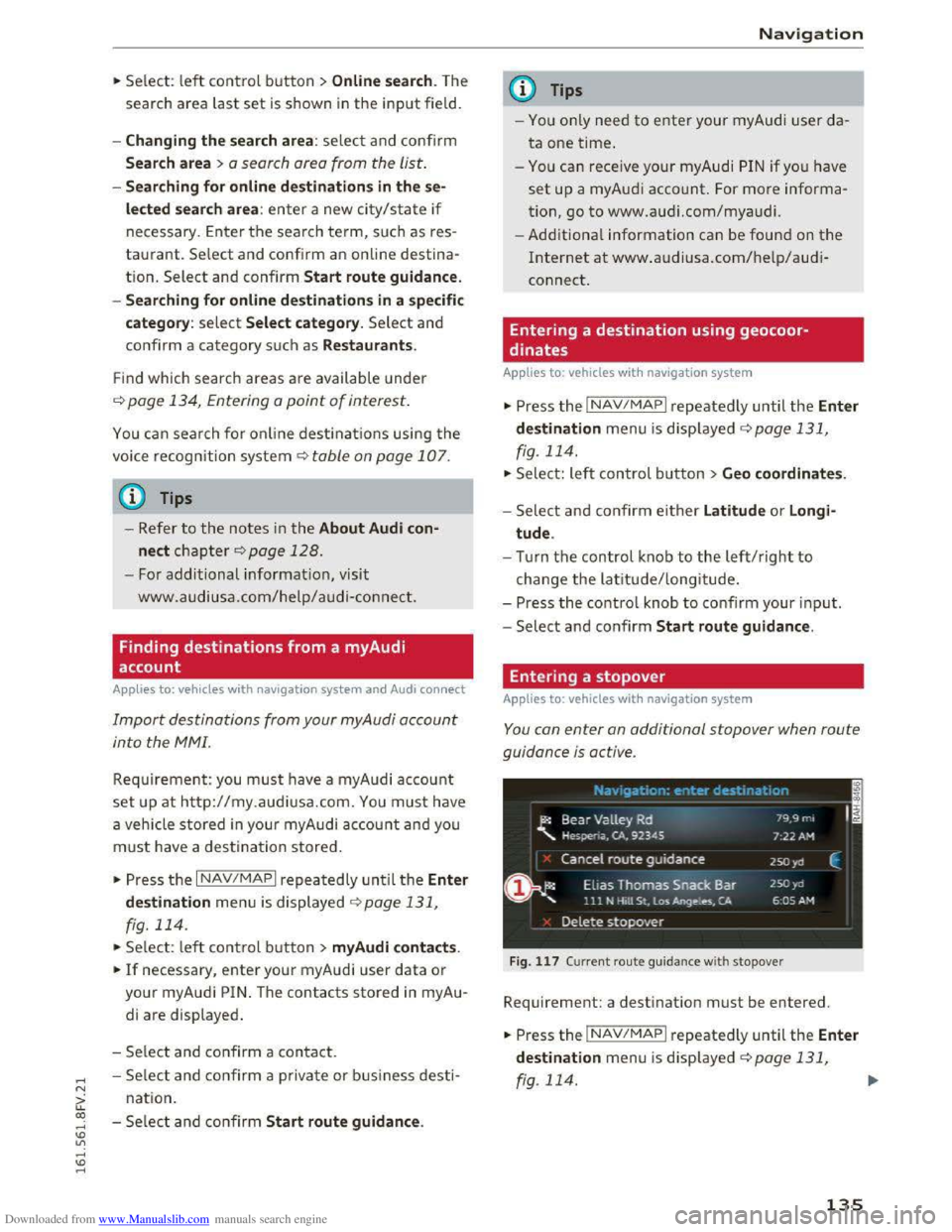
You can enter an additional stopover when route
guidance is active .
Fig. 117 Cu rren t ro u te guida nce with stopover
Requirement: a destination must be entered.
.. Press the I NAV /MAP I repeatedly until the Enter
destination
menu is disp layed ¢ page 131,
rg. 114. ~
135
Page 164 of 322
Downloaded from www.Manualslib.com manuals search engine Media
-Move favorit e: select the desired entry from
the favorites list. Select the right control but
ton > Move fa vorite. Select and confirm the
desired presets lo cation.
- Deleting a fa vo rite:
select the desired entry
from the favorites list. Select the right control
button > Delete favorite > Delete this favorite
or Delete all favorites.
Additional settings
Options menu
Context-specific functions and settings are avail
able depending on the selected source.
.. Press the right control button.
Sound settings
See Q page 169.
Input level
Requirement: a mobile device must be connected
to the AUX connection cable* or to a USB adapt
er*.
The volume
of the mobile device is adapted to
the MMI. Audi recommends adjusting the volume
on
the mobile device to 70o/o of the maximum
volume
output.
Bluetooth settings
See Q page 168.
Connection manager
See Qpage 167.
Additional track information
When the function is switched on~ and a play
list is open, various information
about the cur
rent track (such as artist, album, album cover*)
as well as the elapsed playing time and the re
maining playing time are displayed .
ll The func tion automatically switc hes off when th e sou rce
is ch
anged.
162
Jukebox memory capacity
Information on the Jukebox memory capacity and
the number of stored tracks in the Jukebox is dis
played.
Change playing position
Turn the control knob to the left or to the right.
Or: move your finger across the MMI touch con
trol pad from left to right.
Shuffle1>
With the function switched on~' all files in the
playlist are played and shown in random order.
Repeat trackll
When the funct ion is switched on~, the current
track repeats.
Back
to "Now playing"
The options menu is closed. The track being cur
rently played
appears in the playlist.
Play
similar music*
The track being played is quickly analyzed (such
as artists, genres, mood , beat) and a smart play
list with similar
tracks is shown.
Play more ...
A
smart playlist is shown based on the track be
ing played. You can select between a playlist with
more tracks by this artist, from this album or of
this genre.
Gracenote online database*
Requirement : the MMI must be connected to the
Internet.
Depending on ava
ilability, various information
will
Load about the track being currently played
when
this function is switched on~.
Copy to jukebox
See Q page 151 , Adding to the Jukebox.
Favorites
See ~page 161.
Page 168 of 322
Downloaded from www.Manualslib.com manuals search engine System settings
System settings
Setting the date and
time
You can set the clock time manually or using the
CPS.
.,. Select: IMENUI button> Settings > left control
button > MMI settings> Date & time .
Automatic setting
When this function is switched on~, the time
and date are automatically adjusted.
Time
The Time can be set manually. The Automatic
setting
must be switched off to do this.
Date
The Date can be set manually. The Automatic
setting
must be switched off to do this.
Time zone
When selecting the appropriate time zone, a
sampling of countries in this zone will be listed .
Automatic time zone*
When the automatic time zone function is
swi t
ched on, the time will automatically adjust to
the corresponding time zone.
Time format
If you select 24h, the clock will display, for ex
ample, 13:00. If you select AM/PM, the clock
will display, for
example, 1:00 PM.
Date format
I f you select 00.MM .YYYY, the date will display,
for example, 31.12.2015. If you select MM/DD/
YYYY , the date will display, for example,
12/31/2015. If you select YYYY·MM·DD , the
date display will display, for example,
2015-12-31.
MMI settings
.,. Select: IMENUI button> Settings > left control
button > MMI settings.
166
Language
The display language as well as the language for
Voice guidance* and the voice recognition sys
tem* can be changed.
The number of languages available depends on
the market .
Units of measurement
The following units can be selected:
-Speed (mph or km/h)
- Distance (miles or kilometers)
-Temperature (°F or 0()
- Fuel consumption (l/lOOkm, mpg (US), mpg
(UK) or km/l)
-Volume (liters, gallons)
Operating tips
When the function is switched on~. your MM!
shows you operating tips for input. The frequency
of how often it displays decreases with time. You
can switch off the operating tips at any time.
Voice recognition*
Command display : the display of possible com
mands during voice input can be switched on or
off.
Short dialog : prompts in a shorter format can be
switched on
or off.
Speech dialog system volume: you can adjust
the volume of the announcements by turning the
control knob.
Individual speech training (only when the vehi
cle is
stationary): you can adapt the voice recog
nition
system to your voice or pronunciation in
order to imp rove the system's ability to recognize
your speech. Individual training is comprised of
20 speech entries that consist of commands and
sequences of numbers. You can delete the pro
grammed voice training with the Reset individu
al speech training function .
Factory default settings
The following functions can be reset to the facto
ry default settings:
-Sound settings ~
Page 170 of 322
Downloaded from www.Manualslib.com manuals search engine System settings
-
Lis t of devices already co nn ected : select your
cell phone from the list of all the cell phones
that are already connected.
Additional options
Depending on the selected function, you can use
the right control button to access the available
additional options in the connection manager.
Bluetooth settings
-Bluetooth : when the function is switched on
~, the Bluetooth symbol appears in the Info
tainment system display. The MMI visibility for
Bluetooth devices can be turned on or off using
the Visible /Invi sible settings. Howeve r, it is
still possible to establish a Bluetooth connec
tion w ith pa ired devices when the visibility is
switched off. Bluetooth shoul d be switched t o
Invisible when the pairing process is complete
so that the MMI is not visible to others. Blue
tooth can be switched off. Then a Bluetooth
connection is not possible.
-Delete Bluetooth device: the selected cell
phone/mobile device is disconnected from the
MMI.
-Show Bluetooth profi les: you can individually
Connect or Dis connect the H andsfree , Car
phone and Directory/contacts profiles.
- Bluetooth audio player : switch this function on
~to select the Bluetooth audio player as a
source in the Media menu.
-Bluetooth name: the MMI Bluetooth name (for
example ,,AUDI MMI 2613") is displayed and
can be changed.
Online settings*
-Data connection settings: see~ page 127,
Configuring
the data connection
- Data usage coun ter : the amount of data pack
ets that are sent and received through the MMI
is displayed. You can reset the data usage infor
mation to zero using the Reset data cou nter
option.
-Netwo rk status: the mobile network provider
for data service as well as the network status
are displayed.
168
Wi-Fi settings*
See ~page 126, Wi-Fi Hotspot.
SIM PIN settings*
-Automatic PIN en try : when this function is
switched on~, the SIM PIN is automatically
saved in the MMI after it is entered for the first
time. The SIM PIN for four different SIM cards
can be saved in the MMI. With the function
switched off, the currently stored SIM PIN is
deleted from the MMI. When the automatic
PIN entry is switched on, there are no SIM PIN
prompts.
- Disable PIN query : when switched on, there are
no SIM PIN queries. The automatic PIN entry is
not used in this case.
-Change PIN: you can change the PIN on your
SIM card. First enter the current SIM PIN. The
SIM PIN can only contain digits 0-9. The new
SIM PIN must be entered twice for security and
then it will be saved to the SIM card.
Network settings*
- Logi
n: you can chose an autom atic login to
your cell phone service provider's network, or
you can choose a manual login from the list of
available networks.
-Netwo rk selection : available networks in the
present location can be selected under network
selection. This function is only available for the
manual login setting.
(D Tips
Some SIM cards do not allow the SIM PIN
queries to be switched off.
System update
"'Select: IMENUI button> Settings> left control
button > Sy ste m ma intenance .
-
System update : slide the storage device with
the update data into the appropriate drive
¢page 150. Select and confirm the drive>
Start update . The duration of the process de
pends on the size of the update.
Page 171 of 322
Downloaded from www.Manualslib.com manuals search engine -Reset driv e r in stallation: the selected media
driver package is
reset to the settings at the
time of delivery.
- Ver
sion in fo rmation: information on the MMI
software version and the navigation database*
software version is displayed. The Software in
formation function also provides information
on the software contained in the MMI and the
licensing agreement.
Sound settings
The sound distribution and volume of the MM!
can be adjusted individually . The settings depend
on vehicle equipment.
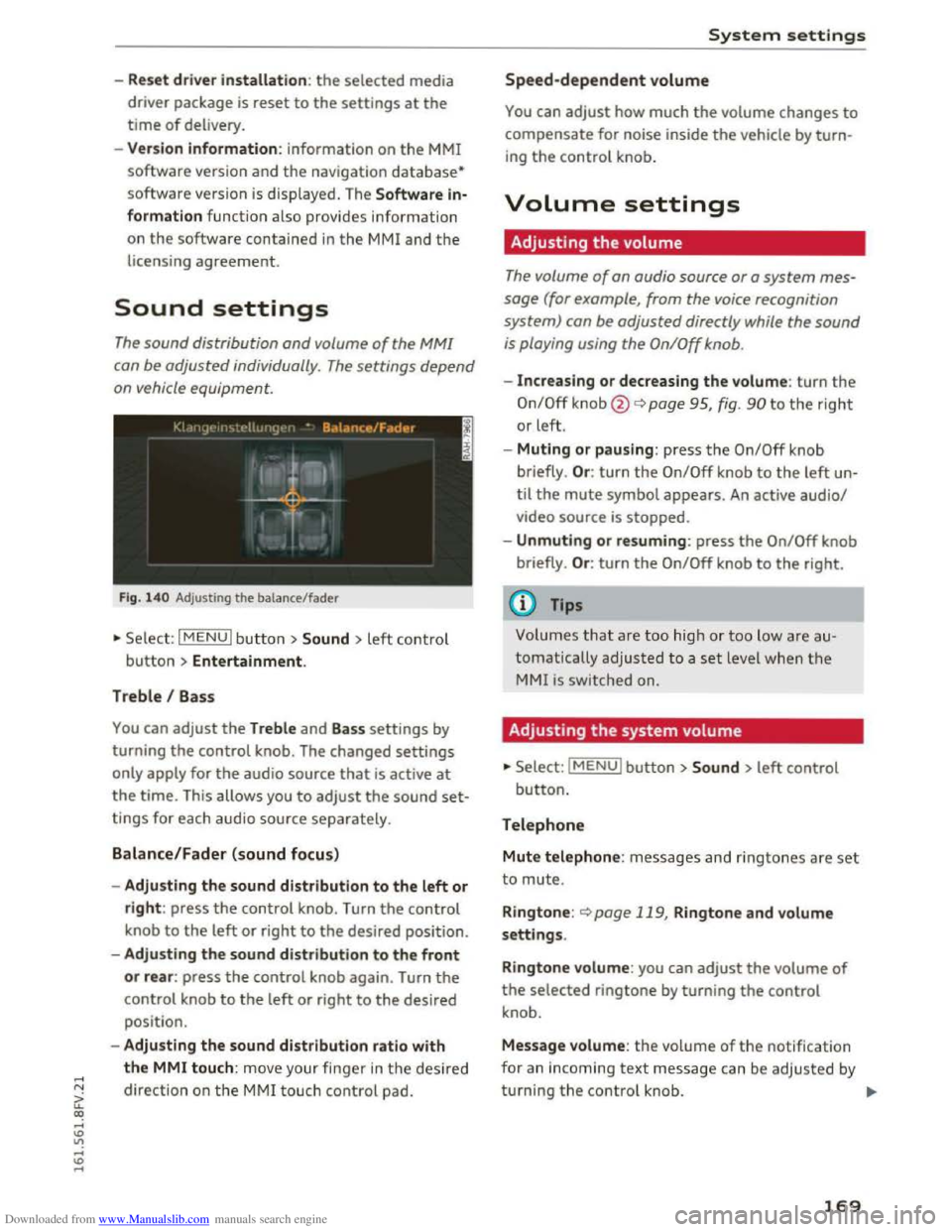
Fig. 14 0 Adjusting the balance/fader
"'Se lect: I MENU I butt on >Sound > left contro l
button > Entertainment.
Treble I Bass
You can adjust the Treble and Bass settings by
turning
the control knob. The changed settings
only apply for the audio source that is active at
the time. This allows you to adjust the sound set
tings for each audio source separately.
Balance/Fader (sound focus)
- Adju sting the sound distribution to the left or
right: press the control knob. Turn the control
knob to the left or right to the desired position.
- Adjusting
the sound distribution to the front
or rear: press the control knob again. Turn the
control knob to the left or right to the desired
position.
- Adjusting
the sound distribution ratio with
the MMI touch: mov e your finger in the desired
direction
on the M MI touch control pad.
System settings
Speed-dependent volume
You can adjust how much the volume changes to
compensate for noise inside the vehicle by turn
ing the control knob.
Volume settings
Adjusting the volume
The volume of an audio source or a system mes
sage (for example, from the voice recognition
system) can be adjusted directly while the sound
is playing using the On/Off knob.
-Increasing or decreasing the volume: turn the
On/Off knob@¢ page 95, fig. 90 to the right
or left.
- Muting
or pausing: press the On/Off knob
briefly . Or :
turn the On/Off knob to the left un
til the mute symbol appears. An active audio/
video source is stopped.
-Unmuting or resuming: press the On/Off knob
briefly . Or :
turn the On/Off knob to the right.
(0 Tips
Volumes that are too hig h or too low are au
tomatically
adjusted to a set level when the
MMI is switched on.
Adjusting the system volume
"'Select: IMENUI button> Sound> left control
button.
Telephone
Mute telephone: messages and ringtones a re set
to mute.
R i
ngtone: <::)page 119, Ringtone and volume
settings.
Ringtone volume: you can adjust the volume of
the selected ringtone by turning the control
knob.
Message volume: the volume of the notification
for an incoming
text message can be adjusted by
turning
the control knob. ..,..
169
Page 201 of 322
Downloaded from www.Manualslib.com manuals search engine those areas and yourself. These objects
could cause injury in a crash, especially
when the airbags inflate.
- Never recline
the front passenger's seat to
transport objects. Items can also move into
the area of the side airbag or the front air
bag during braking or in a sudden maneu
ver. Objects near the airbags can become
projectiles and cause injury, particularly
when the seat is reclined.
- Never place
or transport objects on the
front passenger seat. Objects on the front
passenger seat could cause the capac itive
sensor in the seat to signal to airbag system
that the seat is occup ied by a person when it
in fact is not, or that the person on the seat
is heavier than he or she actually is. The
change in electric capacitance because of
such objects can cause the passenger front
airbag to be turned on when it should be
off, or can cause the a irbag to work in a way
that is diffe rent from the way it would have
worked without objects on the seat.
- Always make sure that there is nothing on
the front passenger seat that will cause the
capaciti ve passenger detection system in
the seat to signal to the Airbag System tha t
the seat is occupied by a person when it is
not, or to signa l that it is occupied by some
one who is heavier than the person actually
sitting on
the seat. The presence of an ob
ject could cause the passenger front airbag
to be turned on when it should be off, or
cou ld cause the air bag to work in a way that
is different from the way it wou ld have
worked witho ut the object on the seat.
- Never tilt the front passenger seat backrest
forward when the vehicle is moving. An in
flating airbag will force the backrest back
ward and can injure rear seat occupants.
_&WARNING
The fine dust created when airbags deploy can
cause breathing problems for people w ith a
history
of asthma or other breathing condi
tions.
Airba g system
- To reduce the ris k of breathing problems,
those with asthma or other respiratory con
ditions should get fresh a ir right away by
getting out of the vehicle or opening win
dows or doors.
-
If you are i n a collision in which airbags de
p loy, wash your hands and face with mild
soap and water before eating.
-
Be carefu l not to get the dust into your eyes,
or into any cuts or scratches.
-Ifthe residue should get into your eyes,
f lush
them w ith water.
Monitoring the
Advanced Airbag System
t~~ Airbag monitoring indicator light
Two separate indicators monitor the function of
the Advanced Airbag System: the airbag moni
toring indicator light and the PASSENGER AIR
BAG OFF light.
The Advanced Airbag System as well as the side
airbags and side curta in airbags with ejection
mitigation features (including the electronic con
trol unit, sensors and system wiring) are all
monitored continuously to make sure that they
are functioning properly whenever the ignition is
on. Every time you turn on the ign ition, the a ir
bag system indica to r light II will come on for a
few
seconds ( function check).
The system must be inspected when the
indicator light II:
-does not come on when the ignition is sw itched
on,
-
does not go out a few seconds after you have
switched on the igni tion, or
-comes on while driving .
If an airbag system malfunction is detected, the
indicator light will first start flashing to catch the
driver's attention and then stay on continuously
to serve as a constant rem inder to have the sys
tem inspected immediately.
If a malfunction occurs that turns the front air-
bag on
the passenger side off, the PASSENGER ..,.
199
Page 204 of 322
Downloaded from www.Manualslib.com manuals search engine Airbag system
"
Important safety instructions on
monitoring the Advanced Airbag System
A WARNING
--I
-If the status of the Advanced Airbag System
has changed while the vehicle is moving, the
PASSENGER AIR BAG OFF light blinks for
about 5 seconds to catch the driver's atten
tion. If this happens, always stop as soon as
it is safe to do so and check the steps descri
bed above.
-If the PASSENGER AIR BAG OFF light does
not go off when an adult who is not very
small is sitti ng on the front passenger seat
after taking the steps described above,
make sure the adult is properly seated and
restrained at one of the rear seating posi
tions. Have the airbag system inspected by
your authorized Aud i dealer before trans
porting anyone on the front passenger seat.
A WARNING
An airbag system that is not functioning prop-
erly
cannot provide supplemental protection
in a frontal crash.
-
If the airbag indicator light Q page 15
comes when the vehicle is being used, have
the system inspected immediately by your
authorized Audi dealer. It is possib le that
the airbag will inflate when it is not sup
posed to, or will not inflate when it should.
A WARNING
If the front airbag inflates, a child without a
child
restrai nt, or in a rearward-facing child
safety seat, or in a forward-facing child re
straint that has not been properly installed
will be seriously injured and can be killed.
- Even
though your vehicle is equipped with
an Advanced Airbag System, make certain
that all children, especially 12 years and
younger, always ride on the back seat prop
erly
restrained for their age and size.
- Always install forward
or rear-facing child
seats on the rear seat -even with an Ad
vanced Airbag System.
202
-If you must install a rearward-facing child
seat on the front passenger seat because of
exceptional circumstances and the PASSEN
GER AIR BAG OFF light does not appear and
stay on, immediately install the rear-facing
child
seat in a rear seating position and have
the airbag system inspected by your Audi
dealer.
- If, in exceptional circumstances, you must
install a forward-facing child restraint on
the front passenger seat, always move the
seat into its rearmost position in the seat's
fore and aft adjustment range, as far away
from the airbag as possi ble. The backrest
must be adjusted to an upright position.
M
ake sure that the PASSENGER AIR BAG
OFF light comes on and stays on all the time
whenever the ignition is swi tched on.
A WARNING
---"
-If the PASSENGER AIR BAG OFF light does
not go out when an adult is sitting on the
front passenger seat after taking the steps
described above, make sure the adult is
properly seated and restrained at one of the
rear seating positions.
- Have
the airbag system inspected by your
Audi
dealer before transporting anyone on
the front passenger seat.
(1) Tips
If the capacitive passenger detection system
d etermines that the front passenger seat is
empty, the frontal airbag on the passenger
side will be turned off, and the PASSENGER
AIR BAG OFF light will stay on.
Repair, care and disposal of the airbags
Parts of the airbag system are installed at many
different places on your Audi. Installing, remov
ing, servicing
or repairing a part in an area of the
vehicle can damage a part of an airbag system
and prevent that system from working properly
in a collision.
There
are some important things you have to
know to make sure that the effectiveness of the ~
Page 216 of 322
Downloaded from www.Manualslib.com manuals search engine Child safety
208 as applicable at the time your vehicle was
manufactured.
The Advanced Airbag system in your vehicle has
been certified to meet the "low-risk" require
ments for 3-and 6-year old children on the pas
senger side and small adults on the driver side.
The low risk deployment criteria are intended to
reduce the risk of injury through interaction with
the airbag that can occur, for example, by being
too close to the steering wheel and instrument
panel when the airbag inflates. In addition, the
system has been certified to comply with the
"suppression" requirements of the Safety Stand
ard, to turn off the front airbag for infants up to
12 months who are restrained on the front pas
senger seat in child restraints that are listed in
the Standard.
Even though your vehicle is equipped with an Ad
vanced Airbag
system, all children, especially
those 12 years and younger, should always ride
in the back seat properly restrained for their age
and size. The airbag on the passenger side makes
the front seat a potentially dangerous place for a
child
to ride. The front seat is not the safest place
for a child
in a forward-facing child safety seat. It
can be a very dangerous place for an infant or a
larger child in a rearward-facing seat.
The vehicle's Advanced Airbag System has a ca
pacitive
passenger detection system in the front
passenger seat cushion that can detect the pres
ence of a baby or a child in a ch ild restraint sys
tem on this seat.
The capacitiv e passenger detection system regis
ters the changes that resul t in an electrical field
when a ch ild , a child restraint, and a baby blanket
are on the front passenger seat. The change in
the measured capacitance due to the presence of
a child, a child restraint, and a baby blanket on
the front passenger seat is related to the child
restraint system resting on the seat. The meas
ured capacitance of a child restraint system var
ies
depending on the type of system and specific
make and model.
The electrical capacitance of the various types,
makes, and models of child restraints specified
by
the U.S.National Highway Traffic Safety Ad-
214
ministration (NHTSA) in the relevant safety
standard are stored in the Advanced Airbag Sys
tem control unit together with the capacitances
typical of infants and a 1-year old child. When a
child
restraint is used on the front passenger
seat with a typical 1 year-old infant, the Ad
vanced Airbag
System compares the capacitance
measured by the capacitive passenger detection
system with the data stored in the electronic con
trol unit.
Child restraints and Advanced front airbag
system
Regardless of the child restraint that you use,
make sure that it has been certified to meet Unit
ed States Federal Motor Vehicle Safety Standards
and ha s been certified by its manufacture r for
use with a n airbag. Always be sur e that the child
restraint is properly installed at one of the rear
seating positions. If in exceptional circumstances
you must use it on the front passenger seat, care
fully
read all of the information on child safety
and Advanced Airbags and heed all of the appli
cable WARNINGS. Make certain that the child
and child restraint are correctly recognized by the
capacitive passenger detection system in the
front passenger seat, that the front passenger
airbag is turned off, and that the airbag status is
always correctly si
gnaled by the PASSENGER AI R
BAG OFF light.
Many types and models of child restraints have
been available over the years, new models are in
troduced regularly incorporating new and im
proved
designs a nd older models are taken out of
production. Child restraints are not standardized .
Child
restraints of the same type typically have
different weights and sizes and different "foot
pr ints", the size and shape of the bottom of the
child restraint that sits on the seat, when they
are installed on a vehicle seat. These differences
make it virtually impossible to certify compliance
with the requirements for advanced airbags with
each
and every child restraint that has ever been
sold in the past or will be sold over the course of
the useful life of your vehicle.
For
this reason, the United States Nat ional High
way Traffic
Safety Administration has published a ..,_
Page 233 of 322
Downloaded from www.Manualslib.com manuals search engine Checking and Filling
Fuel
Gasoline grade
The correct gasoline grade is stated on the inside
of the fuel filler door.
The vehicle is equipped with a catalytic converter
and must only be driven with unleaded gasoline.
Audi recommends using TOP TIER Detergent Gas
oline. Additional information on TOP TIER Deter
gent Gasoline can be found on the official web
site (www.toptiergas.com).
The individual gasoline grades are differentiated
by octane ratings. This value is given with (R+M)/
2 equating to AKI or in RON.
The following headings match the corresponding
sticker in the fuel filler door.
UNLEADED FUEL ONLY MIN. (R+M)/2 87
Regular I MIN. RON 91 Regular
Use regular gasoline with minimum 87 AKI I
91 RON ~CD.
The maximum engine power is only reached if
p r
emium gasoline 91AKII95 RON is used.
UNLEADED FUEL ONLY PREMIUM MIN. (R
+M)/2 91 I SUPER MIN. RON 95
Using premium gasoline with minimum 91 AKI I
95 RON is recommended.
If premium gasoline is not available, you can also
use regular gasoline 87 AKI I 91 RON. However
this does reduce the engine power slightly.
CD Note
-Fill ing the tank just one time with leaded
fuel or other metallic additives will cause
permanent deterioration to the catalytic
converter function.
-When gasoline with an octane rating that is
too low is used, high speeds or heavy engine
load
can lead to engine damage.
Checking and Filling
{!) Tips
The vehicle can be filled with fuel that has a
higher octane rating than what is required by
the engine.
Blended gasoline
Use of gasoline containing alcohol or MTBE
(methyl tertiary butyl ether)
You may use unleaded gasoline blended with al
cohol or MTBE (commonly referred to as oxygen
ates) ifthe blended mixture meets the fo llowing
criteria:
Blend of gasoline methanol (wood alcohol or
methyl alcohol)
-Anti-knock index must be 87 AKI or higher.
- Blend must contain no more than 3% metha-
nol.
- Blend
must contain more than 2o/o co-solvents.
Blend of gasoline and ethanol (grain alcohol or
ethyl alcohol)
-Anti-knock index must be 87 AKI or higher.
- Blend must not contain more than 15% etha-
nol.
Blend of gasoline and MTBE
-Anti-knock index must be 87 AKI or higher.
- Blend must contain not more than 15% MTBE.
Seasonally adjusted gasoline
Many gasoline grades are blended to perform es
pecially well for winter or summer driving . Dur
ing
seasonal change-over, we suggest that you
fill
up at busy gas stations where the seasonal
adjustment is more likely to be made i n time.
CD Note
-Methanol fuels which do not meet these re
quirements may cause corrosion and dam
age to plastic and rubber components in the
fuel system.
-Do not use fuels that fail to meet the speci-
fied
crit eria in this chapter. ll>
231
Page 241 of 322
Downloaded from www.Manualslib.com manuals search engine Engine oil
Engine oil specifications
The engine oil used must conform to exact speci
fications.
The ser vice interva l disp lay in the instrument
cluster of your vehicle will inform you when it is
time for an oil change . We recommend that you
have your
oil changed by an authorized Audi Serv
ice Advisor.
If you have to top off the oil between oil changes,
use the Audi oil quality standard specified in the
table.
Audi oil quality standard
G
asoline VW S02 00 or
engin e vw S0400
Using the proper engine oil is important for the
functionality and service life of the engine. Your
engine was factory-filled
with a high-quality oil
which
can usually be used throughout the entire
year.
CD Note
Your Limited New Vehicle Warranty does not
cover damage or malfunctions due to failure
to follow recommended maintenance and use
requirements as set forth in the Audi Owner's
Manual and Warranty
& Maintenance booklet.
-
Use only a high quality engine oil that ex-
pressly complies
with the Audi oil quality
standard specified for your vehicle's engine.
Using any other oil can cause serious engine
damage.
-
Do not mix any lubricants or other additives
into the engine oil. Doing so can cause en
gine damage.
Tips
If you need to add oil and there is none availa
ble
that meets the Audi oil quality standard
your engi
ne requires, you may add a tota l of
no more than O.S qt/l of a high-quality "syn
thetic" oil that meets the following spec ifica
tions.
Checking and F illing
-ACEA A3 or API SM with a viscosity grade of
SAE OW-30, SAE SW-30 or SAE SW-40.
-For more information about engine oil that
has been approved for your vehicle, please
contact either your
authorized Audi dealer
or Audi Customer
Relations at
1 (800) 822-2834 o r visit our web site at
www .audiusa .com or www.audicanada .ca.
Engine oil consumption
The engine in your vehicle depends on an ade
quate
amount of oil to lubricate and cool all of
its moving parts.
In order to provide effective lubrication and cool
i ng
of internal engine components, all internal
combustion engines consume a certa in amount
of oil. Oil consumption varies from engine to en
gine and may change significantly over
the life of
the engine. Typically, engines with a specified
break-in period
(see~ page 56) consume more
oil during the break-in period than they consume
after oil consumption has stabilized.
Under normal cond it ions, the rate of oil con
s u
mption depends on th e qu ality and viscos ity of
the oil, the RPM (revolutions per minute) at
which the engine is operated, the ambient tem
perature and road conditions. Further factors are
the amount of oil dilution from water condensa
tion or fuel residue and the oxidation level of the
oil. As any engine is subject to wear as mileage
builds
up, the oil consumption may increase over
t ime
until replacement of worn components may
become necessary.
With all these variab les coming into play, no
standard rate
of oil consumption can be estab
lished
or specified. There is no alternative to reg
ular and frequent checking of the oil level, see
Note .
If the yellow engine oil level warning symbol II
in the instrument cluster lights up, you should
check
the oil level as soon as possible
~page 240. Top off the oil at your earliest con-
venience
Q page 240. ..,..
239