lock AUDI TT COUPE 2017 Owners Manual
[x] Cancel search | Manufacturer: AUDI, Model Year: 2017, Model line: TT COUPE, Model: AUDI TT COUPE 2017Pages: 322, PDF Size: 79.73 MB
Page 4 of 322
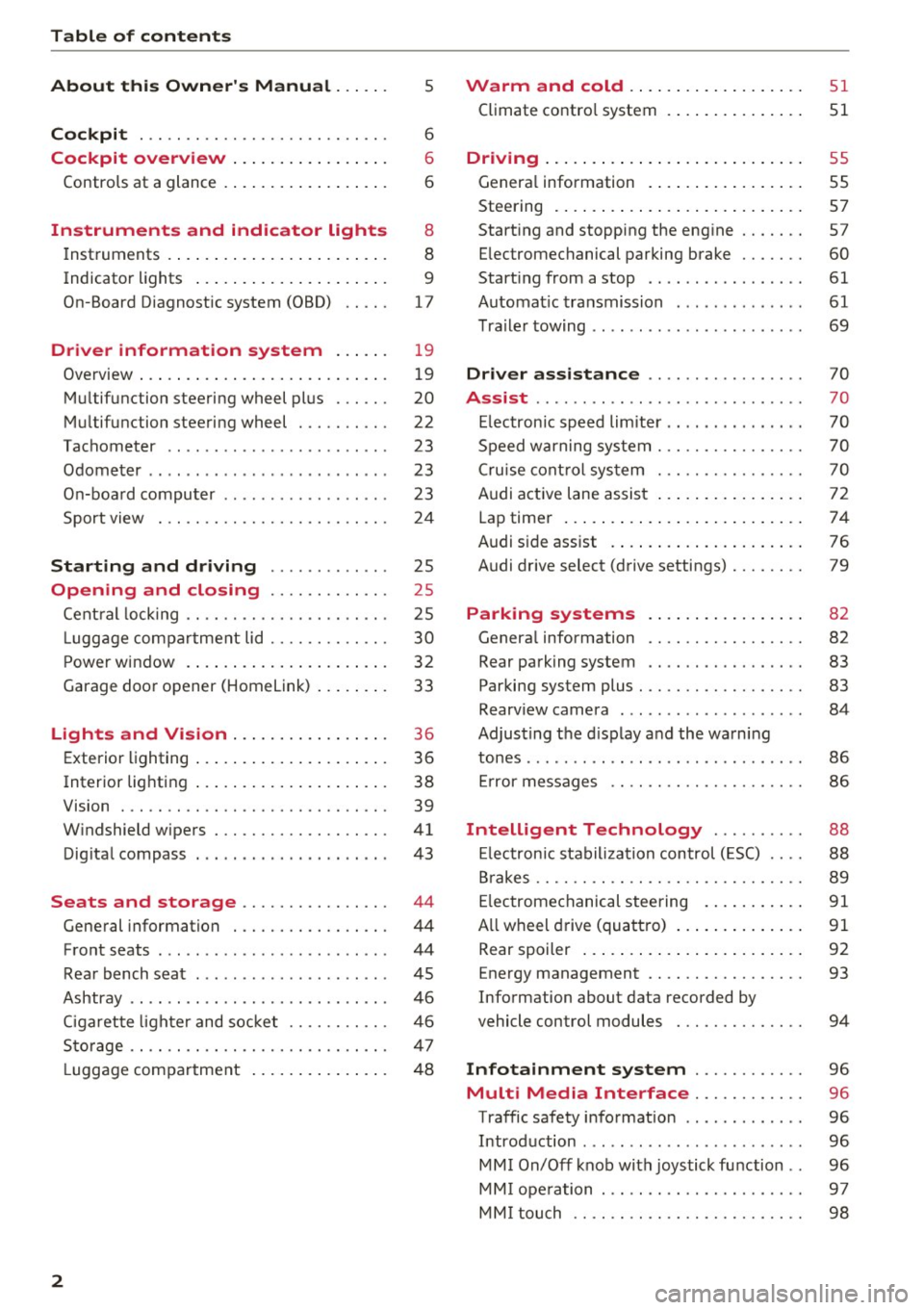
Table of content s
About this Owne r's Manual . .. .. .
5
Cockpi t . . . . . . . . . . . . . . . . . . . . . . . . . . . 6
Cockpit overview . . . . . . . . . . . . . . . . . 6
Controls at a glance . . . . . . . . . . . . . . . . . . 6
Instruments and indicator lights 8
Instruments . . . . . . . . . . . . . . . . . . . . . . . . 8
Indicator lights . . . . . . . . . . . . . . . . . . . . . 9
On-Board Diagnostic system (OBD) . . . . .
17
Drive r information system . . . . . . 19
Overview . . . . . . . . . . . . . . . . . . . . . . . . . . . 19
M ultifunction steering wheel plus . . . . . . 20
Mu ltifunction steering wheel . . . . . . . . . . 22
Tachometer . . . . . . . . . . . . . . . . . . . . . . . . 23
Odometer . . . . . . . . . . . . . . . . . . . . . . . . . . 23
On-board computer . . . . . . . . . . . . . . . . . . 23
Sport view . . . . . . . . . . . . . . . . . . . . . . . . . 24
Start ing and driving . . . . . . . . . . . . . 25
Opening and closing . . . . . . . . . . . . . 25
Cent ral locking ... ............ .... .. .
L uggage compartment lid ............ .
P ower window .. ... .. ..... ... .. .. .. .
Garage doo r opener (Home link) ... .. .. . 25
30
32
33
Lights and Vision . . . . . . . . . . . . . . . . . 36
Exterior lighting . . . . . . . . . . . . . . . . . . . . . 36
Interior lighting . . . . . . . . . . . . . . . . . . . . . 38
V1s1on . . . . . . . . . . . . . . . . . . . . . . . . . . . . . 39
W indshield wipers . . . . . . . . . . . . . . . . . . .
41
Dig ital compass . . . . . . . . . . . . . . . . . . . . . 43
Seats and storage . . . . . . . . . . . . . . . . 44
General information . . . . . . . . . . . . . . . . . 44
Front seats . . . . . . . . . . . . . . . . . . . . . . . . . 44
Rea r bench seat . . . . . . . . . . . . . . . . . . . . . 45
Ashtray . . . . . . . . . . . . . . . . . . . . . . . . . . . . 46
Ciga rette lighter and socket . . . . . . . . . . . 46
S to rage . . . . . . . . . . . . . . . . . . . . . . . . . . . . 47
L uggage compa rtment . . . . . . . . . . . . . . . 48
2
Warm and cold .. .. ... . .. .... ... .. 51
Climate contro l system . . . . . . . . . . . . . . . 51
Dr1v1ng ... .. .. .. .. .. .. .. .. .... ... . .
Genera l information .. ... . .. .... ... . .
Steering . ... .. .. .. .. ... .. ..... ... . .
Start ing and stopping the engine
Electromechanical parking brake ...... .
Start ing from a stop .. ... ....... ... . .
Automat ic transmission ....... ..... . .
Tra ile r towing ...................... .
Driver assistance .............. .. .
Assist ............................ .
Electronic speed lim iter ..... ....... .. .
Speed warning sy stem . .. ........... . .
Cruise cont rol sys tem
Audi active lane assist ... . ... .... ... . .
Lap timer ... .. .. .. ... .. .. ..... ... . .
Audi s ide assist . ... .. ... . .. .... ... . .
Audi drive select (drive settings) ....... .
Parking systems
General information .. ............. . .
Rear parking system .. .. ........... . .
Parking system plus . .. ............. . .
55
55
57
57
60
61
61
69
70
70
70
70
70
72
74
76
79
82
82
83
83
Rearv iew camera . . . . . . . . . . . . . . . . . . . . 84
Adjust ing the d isplay and the wa rning
tones ...... ... .. .. .. ... ....... ... .. 86
Er ror messages . . . . . . . . . . . . . . . . . . . . . 86
Intelligent Technology . . . . . . . . . . 88
El ectronic stabiliza tion control ( ESC) . . . . 88
B rakes . . . . . . . . . . . . . . . . . . . . . . . . . . . . . 89
E lectromechanical steering . . . . . . . . . . .
91
A ll wheel d rive (quattro) . . . . . . . . . . . . . . 91
Rear spoiler . . . . . . . . . . . . . . . . . . . . . . . . 92
Energy management . . . . . . . . . . . . . . . . . 93
Information about data recorded by
vehicle control modules . . . . . . . . . . . . . . 94
Infotainment system . . . . . . . . . . . . 96
Multi Media Interface . . . . . . . . . . . . 96
Traffic safety information . . . . . . . . . . . . . 96
Introd uction . . . . . . . . . . . . . . . . . . . . . . . . 96
MM I On/Off knob with joystick function . . 96
MM I ope ration . . . . . . . . . . . . . . . . . . . . . . 9 7
MM I touch . . . . . . . . . . . . . . . . . . . . . . . . . 98
Page 9 of 322
co
co
.... N
" N .... 0
0
Vl c:o
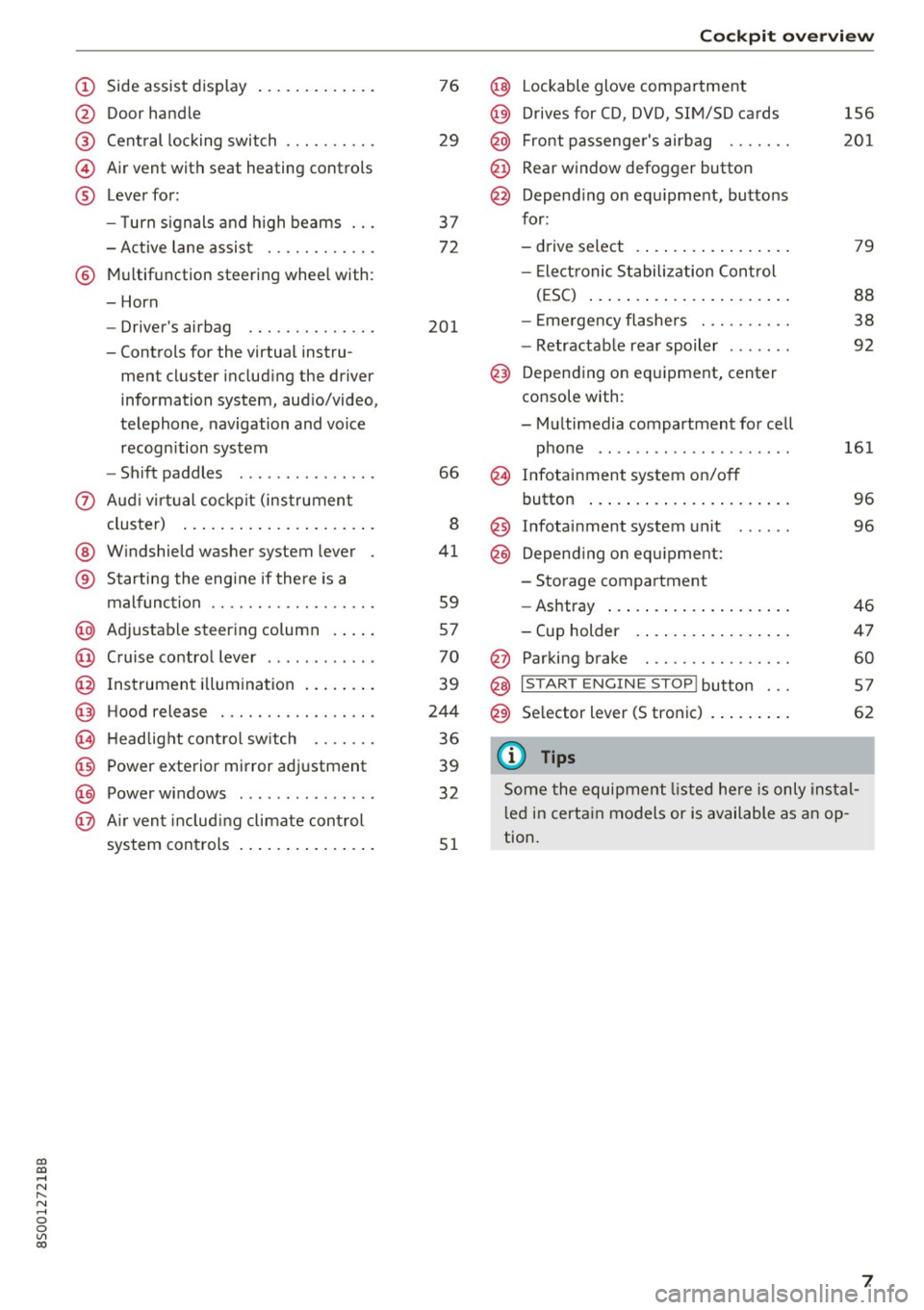
(!) Side assist display ..... ... .. .. .
@ Door handle
®
©
®
Cent ral locking switch
Air vent with seat heating controls
Lever for:
- T urn s ignals and h igh beams .. .
- Active lane assis t ......... .. .
® Multifunction steering wheel with :
- Horn
- Driver's ai rbag .. ......... .. .
- Controls for the virtual instru-
ment cluster includ ing the driver
information system, aud io/video,
telephone, navigation and voice
recogn ition system
- Shift paddles . .... ..... ... . .
0 Aud i v ir tu al co ckpit (instrument
cluster) ... .... .. .... ... .. .. .
@ W indshield washer system lever
® S tarting the engi ne if the re is a
mal func tion .. ........... .. .. .
@ Adjustab le st eering column . ... .
@ Cruise co ntrol lever .. ..... ... . .
@ Ins trument i llum ination ... .. .. .
@ Hood release . .... ......... .. .
0 H eadlight cont rol sw itch .... .. .
@ Power exterior mirror adjustment
@ Power windows . .... ..... ... . .
@ A ir ven t incl uding climate con trol
system controls ... .... ... .. .. .
76
29
3 7
72
201
66
8
41
59
57
70
39
244
36
39
32
5 1
Coc kpit o ve rv iew
@ Lockable glove compartment
@) Drives for CD, DVD, SIM/SD cards
@ Front passenge r's airbag ...... .
@ Rear window defogg er button
@ Depend ing o n equ ipment, buttons
for :
- drive select .. ... .. .. ..... .. .
- Elect ronic S tabilization Control
( E SC) ... .. .. .. .... . ..... .. .
- E me rgency flashe rs ...... ... .
- Retractab le rear spoiler ...... .
@) Depending on eq uipment, center
console with :
- Multimedia compartment for cell phone ...... .. ............ .
@ Infotainment system on/off
button ... .. .. ... .. .. ..... .. .
@ Infotai nment system unit
@) Depend ing o n eq uipment:
- Storage compartment
- Ashtray ... .. ... .. .. ..... .. .
- Cup holder .. ... .. .. ..... .. .
@ Parking brake . .. ............ .
@ I START E NGINE STOP I button ...
@) Selector lever (S tronic)
(D Tips
156
2 01
79
88
38
92
161 96
96
46
4 7
60
5 7
62
Some the equipment listed he re is only ins tal
l e d in certa in models or is available as an op
tion.
7
Page 11 of 322
co
co
.... N
" N .... 0
0
Vl c:o
(D Note
Never drive until the tank is completely emp
ty. The irregular supply of fuel that results
from that can cause engine misfires . Uncom
busted fuel will then enter the exhaust sys
tem. This can cause overheating and damage
to the catalytic converter .
Indicator lights
Description
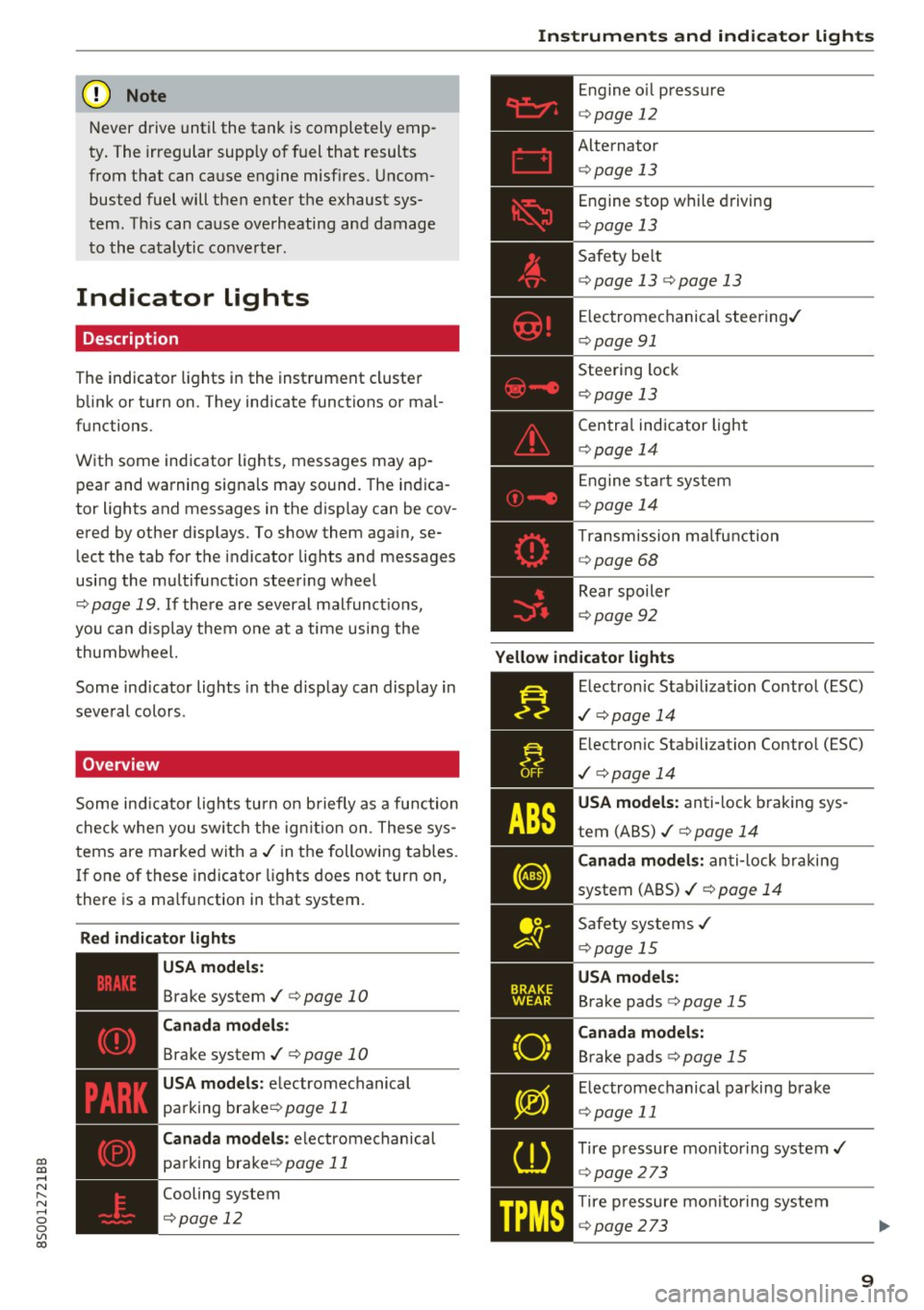
The indicator lights in the instrument cluster
blink or turn on. They indicate functions or mal
functions.
With some indicator lights, messages may appear and warning signals may sound. The indica
tor lights and messages in the display can be cov
ered by other displays. To show them again, se lect the tab for the indicator lights and messages
using the multifunction steering wheel
c;, page 19. If there are several malfunct ions,
you can display them one at a time using the
thumbwheel.
Some ind icator lights in the display can display in
several colors .
Overview
Some indicator lights turn on briefly as a function
check whe n you switch the ign ition on . These sys
tems are marked with a
,I in the following tables.
If one of these indicator lights does not turn on,
there is a ma lfunction in that system.
Red indicator lights
---------------
US A models :
Brake system ./ c;, page 10
Canada models:
Brake system ./ c;, page 10
USA models : electromechanical
parking brake¢
page 11
Canada models: electromechanical
parking brake¢
page 11
Cooling system
<=>page 12
Instruments and indicator lights
Engine oil pressure
c;,page 12
Alternator
¢ page 13
Engine stop while driving
¢page 13
Safety be lt
c;, page 13 c;, page 13
Electromechanical steering./
c;,page 91
Steering lock
¢page 13
Central indicator light
c;,page 14
Engine start system
c;,page 14
Transmission malfunction
c;, page 68
Rear spoiler
c;,page 92
Yellow indicator lights
Electronic Stabilization Contro l (ESC)
,I c;, page 14
Electronic Stabilization Control (ESC)
./ c;, page 14
USA models: anti-lock braking sys
tem (ABS)./
c;, page 14
Canada models: anti-lock braking
system (ABS) ./
c;, page 14
Safety systems ,I
c;,page 15
USA models:
Brake pads c;, page 15
Canada models:
Brake pads c;, page 15
Electromechanical parking brake
c;,page 11
Tire pressure monitoring system../
<=>page 273
Tire pressure monitoring system
<=>page 273
9
Page 15 of 322
co
co
.... N
" N .... 0
0
Vl c:o
-If the engine oil level is correct and the indica
tor light still blinks , turn the engine off and do
not continue driving. See an authorized Audi
dealer or authori zed Audi Service Facility for as
sistance.
The oil pressure warning is not an oil level in
dicator. Always check the oil level regularly.
0 Generator/vehicle battery
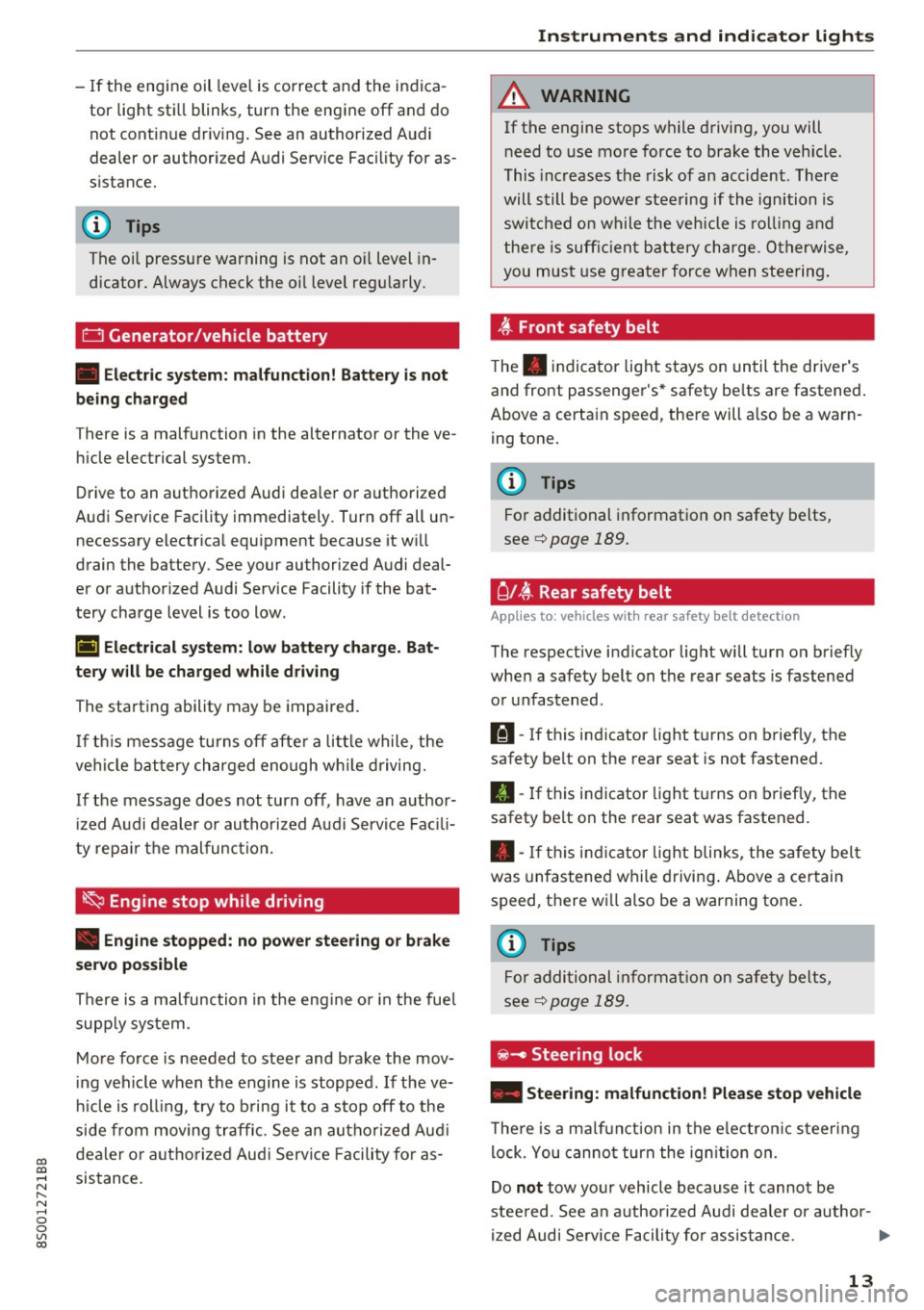
• Electric system: malfunction! Battery is not
being charged
T here is a malfunction in the alternator or the ve
hicle electrical system.
Drive to an authorized Audi dealer or authorized
Audi Service Facility immediately. Turn off all un
necessary electrical equipment because it will
drain the battery . See your authori zed Audi deal
er or authorized Audi Service Facility if the bat
tery charge level is too low .
(•) Electrical system: low battery charge. Bat·
tery will be charged while driving
The starting ability may be impaired.
If this message turns off after a little while , the
vehicle battery charged enough while driving.
If the message does not turn off, have an author
ized Audi dealer or authorized Audi Service Facili
ty repair the malfunction.
~ Engine stop while driving
• Engine stopped: no power steering or brake
servo possible
There is a malfunction in the engine or in the fuel
supply system .
More force is needed to steer and brake the mov
ing vehicle when the engine is stopped. If the ve
hicle is rolling , try to bring it to a stop off to the
side from moving traffic. See an authorized Audi
dealer or authorized Audi Service Facility for as
sistance .
Instruments and indicator lights
A WARNING
-
If the engine stops while driving, you will
need to use more force to brake the vehicle .
This increases the risk of an accident . There
will still be power steering if the ignition is
switched on while the vehicle is rolling and
there is sufficient battery charge. Otherwise,
you must use greater force when steering.
~ Front safety belt
The. indicator light stays on until the driver's
and front passenger's* safety belts are fastened.
Above a certain speed, there will also be a warn ing tone.
@ Tips
For additional information on safety belts,
see
c::> page 189.
C l~ Rear safety belt
Applies to : vehicles with rear safety belt detection
The respective indicator light will turn on briefly
when a safety belt on the rear seats is fastened
or unfastened .
111-If this indicator light turns on briefly, the
safety belt on the rear seat is not fastened.
II-If this indicator light turns on briefly, the
safety belt on the rear seat was fastened.
• -If this indicator light blinks, the safety belt
was unfastened while driving. Above a certain
speed, there will also be a warning tone .
(D Tips
For additional information on safety belts,
see
¢page 189.
~ - Steer ing lock
• Steering: malfunction! Please stop vehicle
There is a malfunction in the electronic steering
lock. You cannot turn the ignition on.
Do
not tow your vehicle because it cannot be
steered. See an authorized Audi dealer or author-
ized Audi Service Facility for assistance.
1111>
13
Page 16 of 322
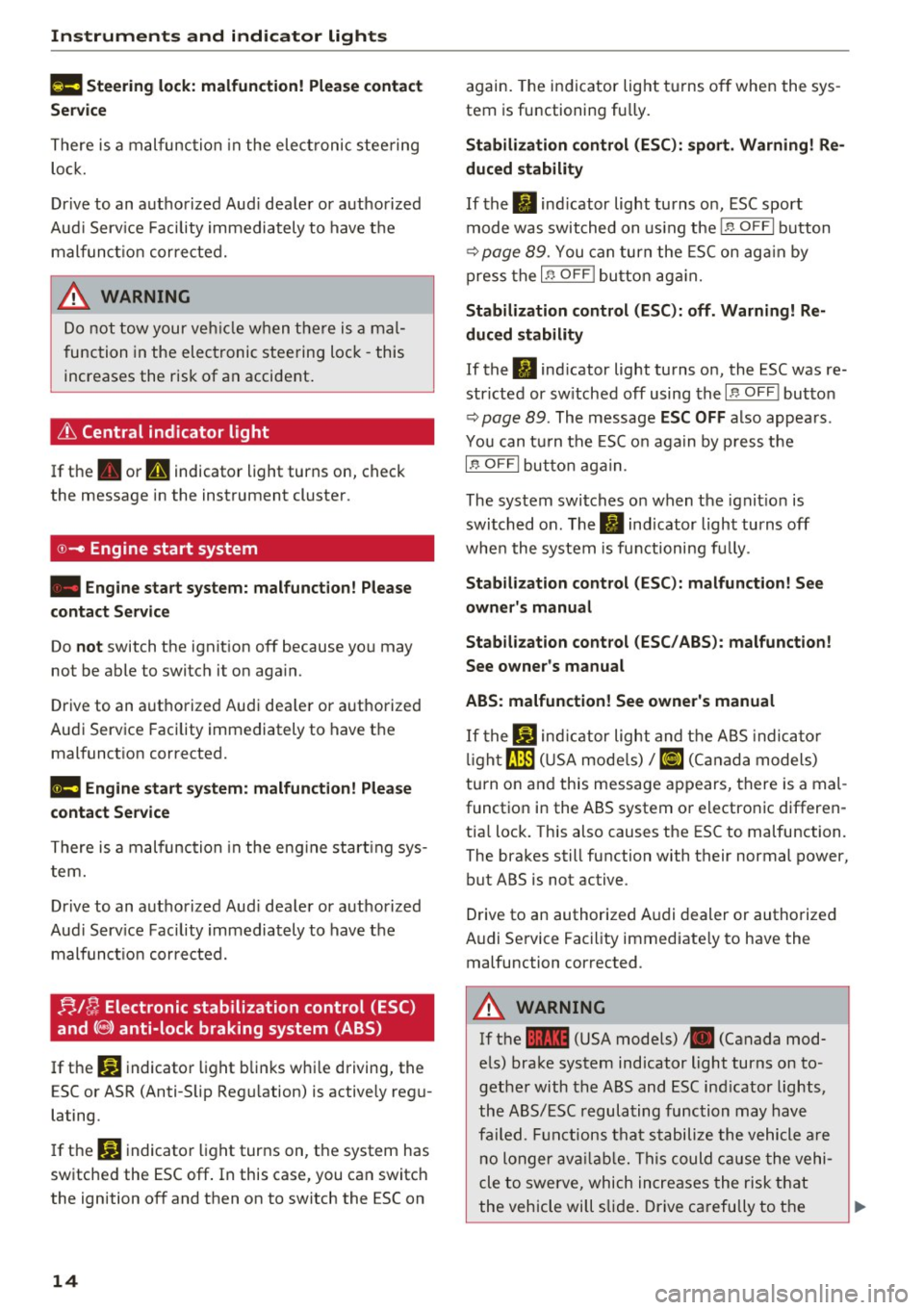
Instruments and indicator lights
f!II Steering lock: malfunction! Please contact
Service
There is a malfunction in the elect ronic stee ring
lo ck.
Dr ive to an authorized Aud i dea ler or aut horized
Aud i Serv ice Facility immediately to have the
malfunct io n corrected.
_& WARNING
Do not tow your veh icle when there is a mal
function in the electronic steering lock -this
increases the risk of an accident.
i'.t Central indicator light
If the . or U indicator light turns on, check
the message in the instrument cluster .
©-Engine start system
• Engine start system: malfunction! Please
c ontact Service
Do not switch the ign it ion off because you may
not be able to switch it on aga in.
D rive to an a uthorized Audi dea le r or a uthorized
Aud i Service Facility immediately to have the
malfunct ion corrected.
II! Engine start system: malfunction! Plea se
c ontact Service
There is a malfunction in the eng ine start ing sys
tem.
Dr ive to an a uthorized Aud i dea le r or authorized
Aud i Serv ice Facility immediately to have t he
malfunc tion corrected.
f!. I~ Electronic stabilization control (ESC)
and
( 8 ) anti-lock braking system (ABS)
.
If the DJ indicato r light b links w hile driving, the
E SC or ASR (Anti-S lip Reg ulation) is actively reg u
lating.
I f the
DJ indicato r light turns on, the system has
switched the ESC off . In this case, you can switch
the ignition off and then on to switch the ESC on
14
again. The in dicator light t urns of f when the sys
tem is functioning fully.
Stabi lization control (ESC ): sport . Warning! Re
duced stab ility
If the II ind icator light turns o n, ESC sport
mode was switched on using the
I.a OFF I button
~ page 89. You can turn the ESC on aga in by
press the
I ~ OFF ! button ag ain.
Stabilization control (ESC ): off. Warn ing! Re
duced stability
If the 11 ind icator light turns on, the ESC was re
str icted or sw itched off using the
I .$ OF F I butto n
~ page 89. The message ESC OFF also appea rs .
You can t urn the ESC o n aga in by p ress t he
l.13 OFF I but to n aga in.
The system switches on when the ignit ion is
switched on . The
II ind icator light turns off
whe n the system is fu nctioning fu lly .
Stabili zation cont rol (ESC ): malfunct ion! See
owner's manual
Stab ilization control (ESC / ABS ): malfunction!
See owner's manual
ABS: malfunction! See owner 's manual
I f the DJ ind ic a tor light and t he A BS indica to r
li gh t
tJ:]) (U SA mode ls)/ riJ (C anada models)
turn on and this message appears, there is a mal
function in the ABS system or electronic differen
tia l lock. Th is also causes the ESC to malfunction.
The brakes still function with their normal power,
but ABS is not active .
Drive to an authorized A udi dealer or authorized
Audi Se rvice Facility immediate ly to have the
malfunction corrected .
_& WARNING
If the 1111 (USA models) • (Canada mod
e ls) brake system indicator light turns on to
ge ther with the ABS and ESC ind icator lights ,
the ABS/ESC regula ting func tion may have
failed. F unctions tha t stabili ze the vehicle a re
no longer ava ilabl e. This could c ause the vehi
cle to swerve, which inc reases the risk that
the vehicle will slide . Drive ca refully to the
~
Page 27 of 322

CD
CD
.... N
" N .... 0
0
Ill co
Opening and closing
Central locking
Description
You can lock and u nlock the veh icle centrally . You
h ave the following options:
- Remote contro l key <=>
page 2 7,
- Sensors in the door hand les*
<=> page 28,
-Lock cylinder on the driver's door<=> page 30,
or
- Centra l locking switch inside<=>
page 29.
Auto Lock
The Auto Lock f uncti on lock s all doors and the
l uggage compartment lid on ce the spee d has ex
ceede d approximately 9 mph (15 km/ h).
The vehicle can be unlo cked if the open ing f unc
t ion in the centra l loc king system sw itch is used
or one o f the door ha nd les is pulled. The Auto
L oc k function can be sw itched on and off in the
I nfotainment system
<=> page 29.
In the event of a crash wi th air bag deployment,
t he doors will a lso automa tic all y unlock to allow
access to the ve hicle.
Selective unlocking
The doo rs and luggage compartmen t lid w il l lock
when they close . You can set in the Infotainment
sys tem w hether
only the d river's door or the en
tire ve hicl e should be unlocked when unlocking
<=> page 29 .
Turn signals
The tu rn s ignals flash tw ice when you unlock the
ve hicl e and f lash once when you lock the veh icle.
If the b linki ng continues, one of the do ors or the
l uggage compartment lid is not closed or the ig
nition is still switched o n.
Unintentionally locking yourself out
The follow ing cond it io ns prevent you from lock
in g your remo te contro l key in the vehicle :
- If the dr iver's door is open, the veh icle cannot
be locked by pressi ng the
ill] button o n the re-
Open ing and closing
mote contro l key o r touching the locking sen
sor* on a door.
- W he n l ocki ng us ing the ~ button in the central
loc king switch, the vehicle will not lock if a door
is open <=>
page 29.
-On ve hicles with a convenience key*, the lug
gage compartment lid unlocks again after clos
ing if the most recent ly used key is in the lug
gage compartment. The emergency flas hers
blink four times .
Do not lock your vehicle w ith the remote cont rol
key or convenience key* until all doors and the
l u ggage compartment lid are closed . Th is helps
to prevent you from lock ing you rself out acciden
tally .
(D Tips
- Do not leave val uables unattended in the ve
hicle. A locked vehicle is not a safe!
- The LED in the driver's door rail blinks when
you lock the veh icle. If the LED lights up for
app roximately 30 seconds after lock ing,
there is a malfunction in the centra l locking
system . Have th e problem cor rected by a n
authoriz ed A udi dealer o r authoriz ed Audi
Service Facili ty.
Key set
Fig . 14 Yo ur veh icle key set
@ Remote control key with integrated
mechanical key
.. .... N
~ a)
You can unloc k/lock you r vehicle wi th the remo te
c ontro l key . A me chani cal key is in tegr ated in the
r emote cont rol key¢
page 26 . ll>
25
Page 28 of 322
Opening and clo sin g
@ Key tag with PIN
Only app lies to veh icles with Connec tiv ity serv
ice*: open the key fob and rub th e PIN unti l it is
visib le. You can activate the Connectivity service*
on your vehicl e using this PIN code.
Replacing a key
If a key is lost, see an authorized Audi dealer or
author ized Audi Service Facility. Have
this key de
activated . It is important to bri ng a ll keys with
you . If a key is lost, you should report it to your
insuranc e company.
Numb er of keys
You can check the n umber of keys ass igned to
your veh icle in the Infotainment system . To do
this, select : the
I MEN U I button > Vehicl e > left
control b utton
> Service & chec ks > Vehicle in
fo rm ation .
This way, you can make sure that you
have all the keys when purchasing a used vehicle .
Electron ic immobili ze r
The immobilizer preven ts unauthorized use of
the vehicle .
Under ce rtain c ircumstances, the ve hicle may not
be ab le to start if the re is a key from a differe nt
vehicle manufact urer on the key chain .
Data in the master k ey
When driving, service and maintenance-relevant
data is continuously stored in your remote con
trol key. Your Aud i service adv isor can read out
this da ta and tell yo u about the wo rk your vehicle
needs . This applies a lso to vehicles with a con
ven ience key* .
Personal convenience settings
If two peop le use one vehicle, it is recommended
that ea ch pe rson always uses "t heir ow n" master
key. When the ignition is tur ned off or when the
vehicle is locked, persona l convenience settings
for the follow ing systems are stored and as
signed to the remote mast er key.
- Clima te contro l system
- Parking a id*
- Active lane assist*
- Side assist*
26
- Drive se lect
The stored settings a re a utomat ica lly recalled
whe n you unlock the vehicle , open the doo rs or
tu rn o n the ignition.
&_ WARNING
Always take the vehicle key with you when
leav ing the veh icle, even for a short period of
time. This applies particularly when chi ldren
remain in the vehicle . Otherwise the children
could start the engine or operate e lectrica l
equ ipment such as power wi ndows.
(D Tips
-
The operation of the remote control key can
be temporarily d isrupted by interference from
transmitters near the vehicle working in the
same frequency range (such as a cell phone or radio equipment) . A lways check if your vehicle
i s locked!
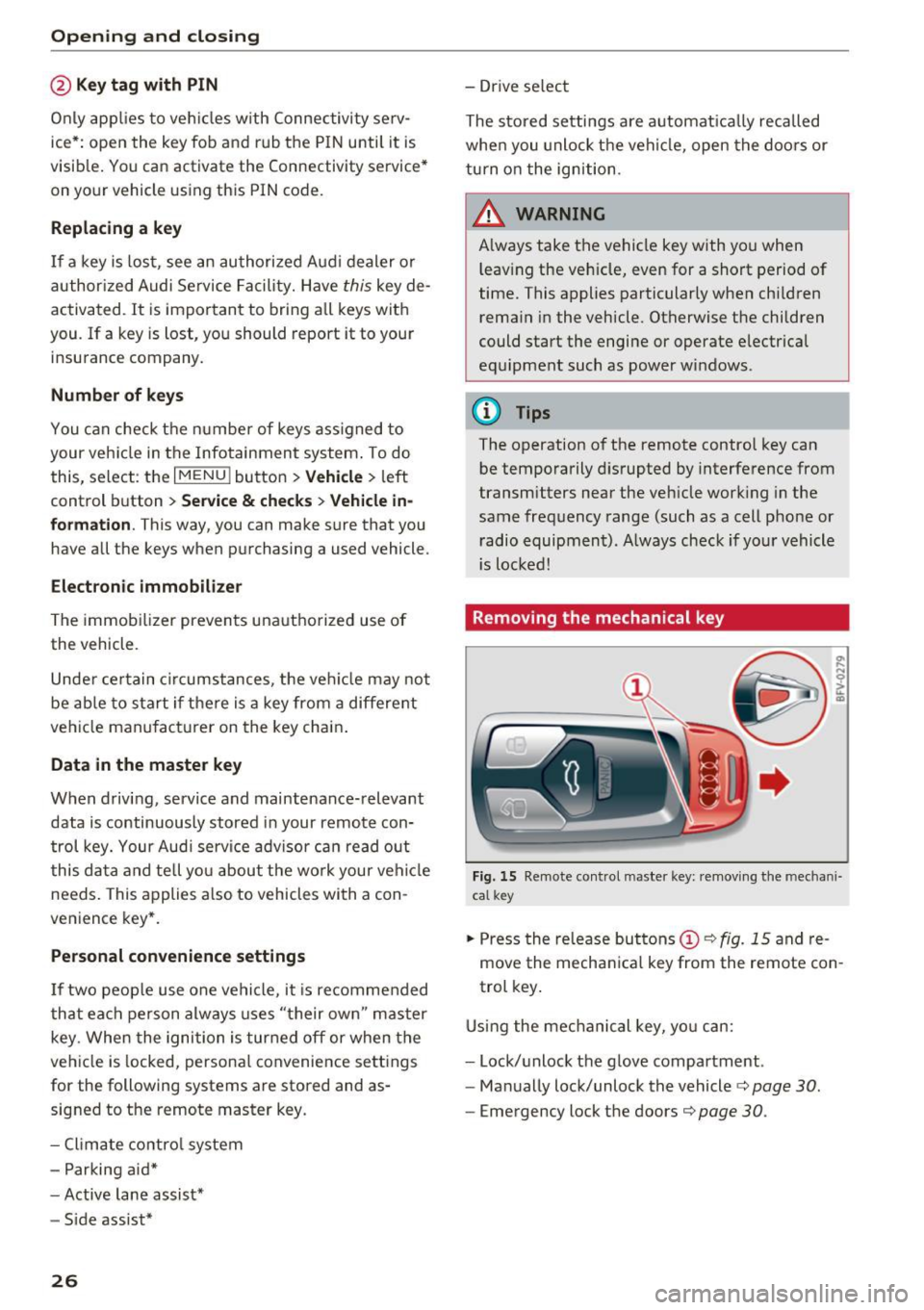
Removing the mechanical key
F ig. 15 Remote control m aste r key : remov ing the mec hani
ca l key
.. Press the re lease buttons (!)¢ fig. 15 and re
move the mecha nica l key from the remote con
trol key .
Using the mec hani cal key, yo u ca n:
- Lock/unlock the g love compar tment .
- Ma nually lock/unlock the vehicle¢
page 30.
-Emergency lock the doors¢ page 30.
Page 29 of 322
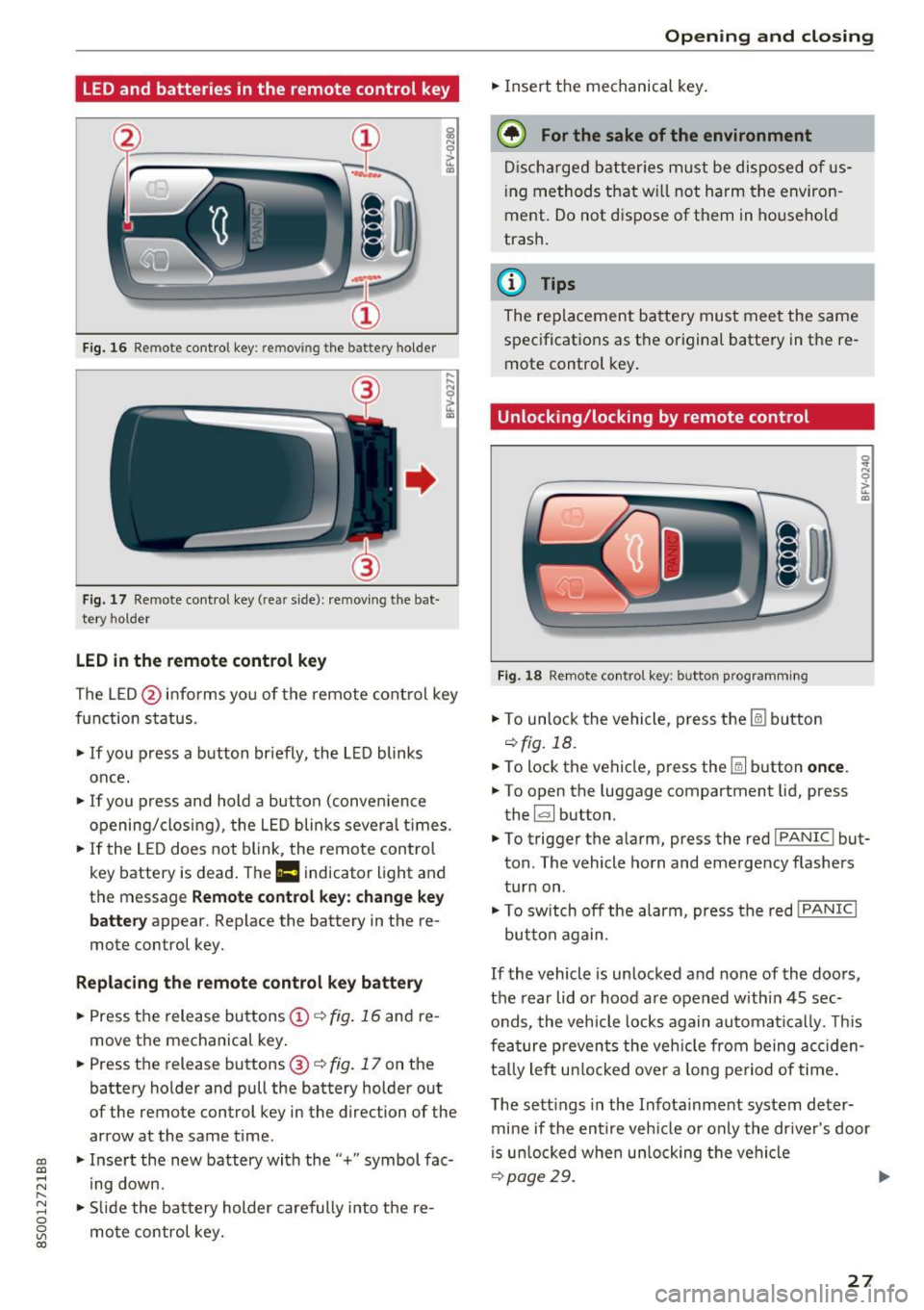
LED and batteries in the remote control key
Fig. 1 6 Rem ot e con trol key : rem ovin g the ba ttery hol der
Fi g. 17 Re mote con trol key ( rea r side) : rem ovin g the bat
te ry ho ld er
LED in the remote control key
! a,
... ... N
~ ... a,
The L ED @ in fo rms you of the remote cont ro l key
function s tatus .
• If you press a button br iefly , the L ED blinks
once .
• If you press and hold a but ton (conve nience
opening/closi ng) , the L ED blinks sever al times .
"" If the LED does not blink, the remo te con trol
key battery is dead . The
Ill indicator light and
t h e message
Remote control key: change key
battery
appear. Replace the battery in the re
mote control key.
Replacing the remote control key battery
• Press t he release bu ttons © q fig. 16 and re
move t he mechanical key .
• Press t he r elease buttons @
q fig. 17 on the
batte ry holder and pull the battery holder out
of the remote control key in the direction of the arrow at the same time .
~ • Inse rt the new battery with the "+ " symbol fac-
;:::: ing down.
" 8 "" Slide the bat tery holder carefully i nto t he re-
~ mo te con trol key. co
Open ing and closing
• Insert t he mechanical key .
@) For the sake of the environment
Disc har ged batt er ies m ust be dispo se d of us
ing m ethod s tha t w ill not harm t he environ
ment. Do not d ispose o f them in ho useho ld
trash .
@ Tips
The re placeme nt ba tte ry mus t mee t the same
s p ec ificat io ns as t he origi nal batte ry in the re
mote control key .
Unlocking/locking by remote control
Fig . 18 Remote con tro l ke y: butto n prog ra m ming
• To unlo ck the veh icle , press t he Ii bu tton
q fig. 18.
• To lock the vehicle, press the
[ml button once .
.. To open the luggage compartment lid, press
the ~ button.
• To trigge r the a larm , press the red
I PANIC ! but
ton . The vehicle horn and emerge ncy flashers
tur n on .
• To sw itch off the al arm, press the red
! PANIC I
button again .
If the vehicle is un locked and none of the doors ,
the rear lid o r hoo d are open ed withi n 45 sec
onds, the vehicle locks again automa tica lly. Thi s
f ea tu re p reven ts the ve hicle from being accid en
ta lly le ft unl ocke d over a long pe riod of time .
T he se tt ings in the Infota inme nt system de ter
mine if the entire veh icle o r on ly the dr ive r's door
i s u nloc ked whe n un loc king the ve hicl e
qp age29. ..,..
27
Page 30 of 322

Opening and closing
& WARNING
No one, especially children, should stay in the
vehicle when it is locked from the outside, be
cause the w indows can no longer be opened
from the inside¢
page 30. Locked doors
make it more difficu lt for eme rgency workers
to get into the vehicle, which puts lives at
risk.
@ Tips
- Only use the remote control key when you
a re within view of the vehicle.
- Do not use the remote control when you are
in side the vehicle. Otherwise, you could un
in tent ionally lock the vehicle. If you then
tried to start the engine or open a door, the
alarm would be triggered. If this happens,
press the un lock button@.
- The selector lever must be in the P position
on vehicles with a convenience key*. Other
wise the vehicle will not be ab le to lock .
- Only use the panic function in an emergen
cy.
Unlocking and locking with the
convenience key
App lies to: ve hicles with conven ience key
The doors and luggage compartment lid can be
unlocked/locked without using the remote con
trol key .
Fig. 19 Door han dle : senso r
Unlocking the vehicle
.,. Grip the door handle . The door unlocks auto
matically.
.,. Pull on the door handle to open the door.
28
.... 0 0
0
~ al
Locking the vehicle
.,. Place the selector lever in the P position (auto
matic transmissions), or else the vehicle wi ll
not be able to lock.
.,. To lock the vehicle, close the door and touch
the sensor in the door handle once¢
fig. 19. Do
not hold the door handle while doing this .
You can unlock/lock the vehicle at every door.
The remote control key cannot be more than ap
prox imately S ft (1.5 m) away from the door han
dle. It makes no difference whether the master
key is in your jacket pocket or in your briefcase,
for example .
If you hold the door handle while locking, this
can impair the locking function.
The door cannot be opened for a brief period di
rectly after locking it. This way you have the op
portunity to check if the doors locked correctly.
The settings in the Infotainment system deter
mine if the entire vehicle or on ly one of the doors
is un locked when un locking the vehicle
¢ page 29.
& WARNING
Read and follow ing all WARNINGS. ¢ A in
Key set on page 26
{!) Tips
If your vehicle is left standing for a long peri
od of t ime, note the following :
- The proximity sensor sw itches off after a
few days to
save energy. You then have to
pull once on the door handle to un lock the
vehicle and a second time to open it.
- The energy management system gradually
turns off unnecessary convenience functions
to prevent the veh icle battery from drain ing
and to maintain the vehicle's ability to start
for as lon g as poss ible. You may not be ab le
to unlock your vehicle using the convenience
key.
- For an explanati on on conformity with the
FCC reg ulations in the United States and the
Industry Canada regulations, see
¢page 304.
-
Page 31 of 322
CD
CD
.... N
" N .... 0
0
Ill co
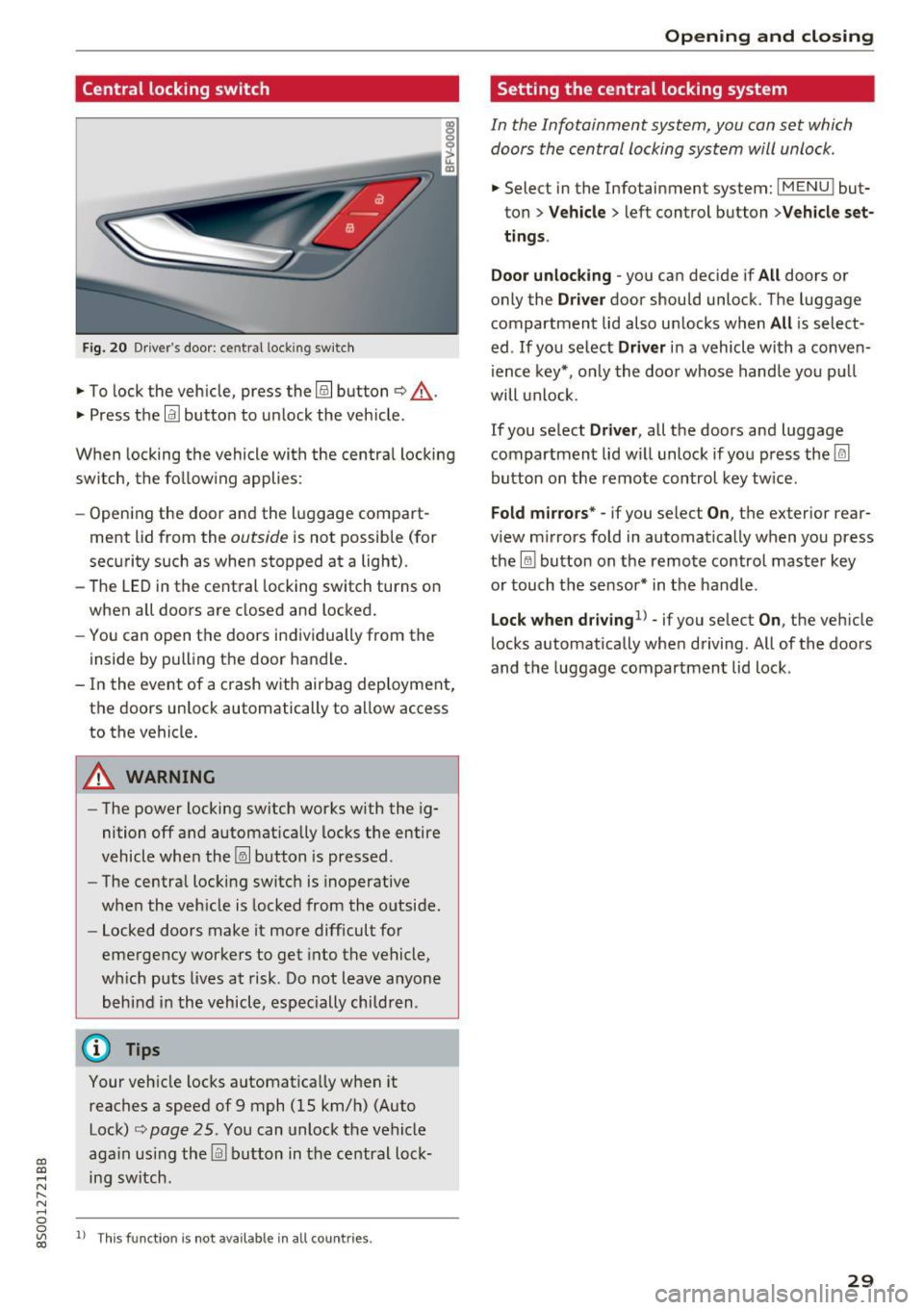
Central locking switch
Fig. 20 Dr ive r's door: cent ral loc king sw itch
.,. To lock the veh icle, press the@! button ¢,&. .
.,. Press the
!ill button to u nlock the veh icle.
When locking the vehicle with the centra l locking
switch, the fo llowing applies :
- Opening the door and the l uggage compart
ment lid from the
outside is not possible (for
sec urity such as when stopped at a light) .
- The LED in the central locking switch turns on
when a ll doors are closed and locked.
- You can open the doors in dividually from the
inside by pulling the door ha ndle .
- In the event of a crash with airbag dep loyment,
the doors un lock automatically to a llow access
to the vehicle.
A WARNING
- The power locking sw itch works w ith the ig
nition off a nd automatically locks the entire
vehicle whe n the ~ button is pressed .
- The centra l loc kin g switc h is inoperative
when the veh icle is locked from the o utside.
- Locked doors make it more difficult for
eme rgency worke rs to get into the ve hicle,
wh ic h puts lives at risk. Do not leav e anyone
behind i n the v ehicle , especially chi ldren .
@ Tips
Your veh icle loc ks a utomat ica lly w hen it
reaches a speed of 9 mph (15 km/h) (Auto Lock)
q page 25 . You can unlock the vehicle
ag ain usi ng the
llil bu tton in the ce ntral loc k
ing sw itch .
ll T hi s fun ctio n is not a vail able in all c oun tries.
Open ing and closing
Setting the central locking system
In the Infotainment system , you con set which
doors the central locking system will unlock .
.,. Select in the Infotainment system: I MENU ! but
ton>
Vehicle > left control button >Vehicle set
ting s.
Door unlocking
-you can decide if All doors o r
only the
Driver door shou ld unlock. T he luggage
compartment lid also un locks when
All is select
ed . If you se lect
Driver i n a vehicle wi th a conve n
i ence key*, o nly the doo r whose handle you p ull
will unlock .
If you se lect
Driver , all the doors and luggage
compartment lid w il l unlock if yo u press the@l
button on the remote control key tw ice.
Fold m irrors* -if you select On , the exterior rear
view m irrors fo ld in automatically when you press
the
lru bu tton on the remo te contro l master key
o r touch t he s ensor* in t he handle .
Lock when dr iving1l -if you se lect On, the veh icle
locks a utomatically whe n driving. All of the doors
and the luggage compartmen t lid lock .
29