key AUDI TT ROADSTER 2008 User Guide
[x] Cancel search | Manufacturer: AUDI, Model Year: 2008, Model line: TT ROADSTER, Model: AUDI TT ROADSTER 2008Pages: 316, PDF Size: 70.1 MB
Page 57 of 316
Rear lid/trunk lid
Opening and closing rear lid
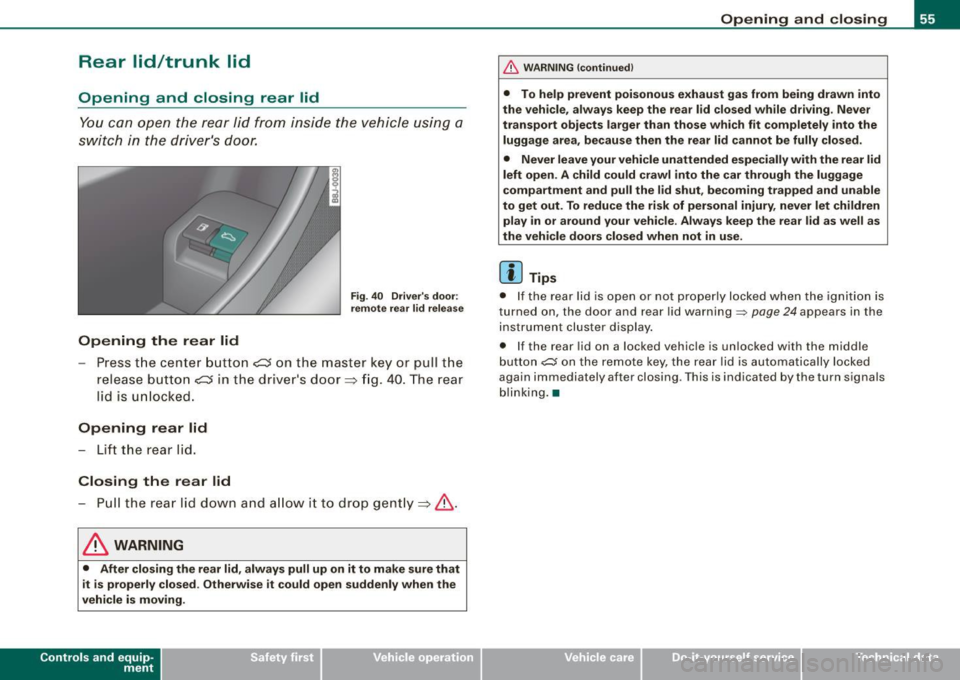
You can open the rear lid from inside the vehicle using a
switch in the driver's door.
Opening the rear lid
Fig . 40 Driver's door:
remote rear lid release
-Press the center button e::5 on the master key or pull the
release button
C::5 in the dr iver's door=> fig. 40. The rear
lid is unlocked.
Opening rear lid
- Lift the rear lid.
Closing the rear lid
- Pull the rear lid down and allow it to drop gently=>& .
& WARNING
• After closing the rear lid, always pull up on it to make sure that
it is properly closed. Otherwise it could open suddenly when the
vehicle is moving.
Con tro ls and eq uip
ment
Opening and closing
& WARNING !continued)
• To help prevent poisonous exhaust gas from being drawn into
the vehicle, always keep the rear lid closed while driving. Never
transport objects larger than those which fit completely into the
luggage area, because then the rear lid cannot be fully closed.
• Never leave your vehicle unattended especially with the rear lid
left open. A child could crawl into the car through the luggage
compartment and pull the lid shut, becoming trapped and unable
to get out. To reduce the risk of personal injury, never let children
play in or around your vehicle . Always keep the rear lid as well as
the vehicle doors closed when not in use.
[ i] Tips
• If the rear lid is open or not properly locked when the ignition is
turned on, the door and rear lid warning~
page 24 appears in the
instrument cluster display.
• If the rear lid on a locked vehicle is unlocked with the m iddle
button
~ on the remote key, the rear lid is automatically locked
again immediately after closing . This is indicated by the turn signals
blinking. •
Vehicle care
I I irechnical data
Page 58 of 316
Opening and closing
Rear Lid Emergency Release
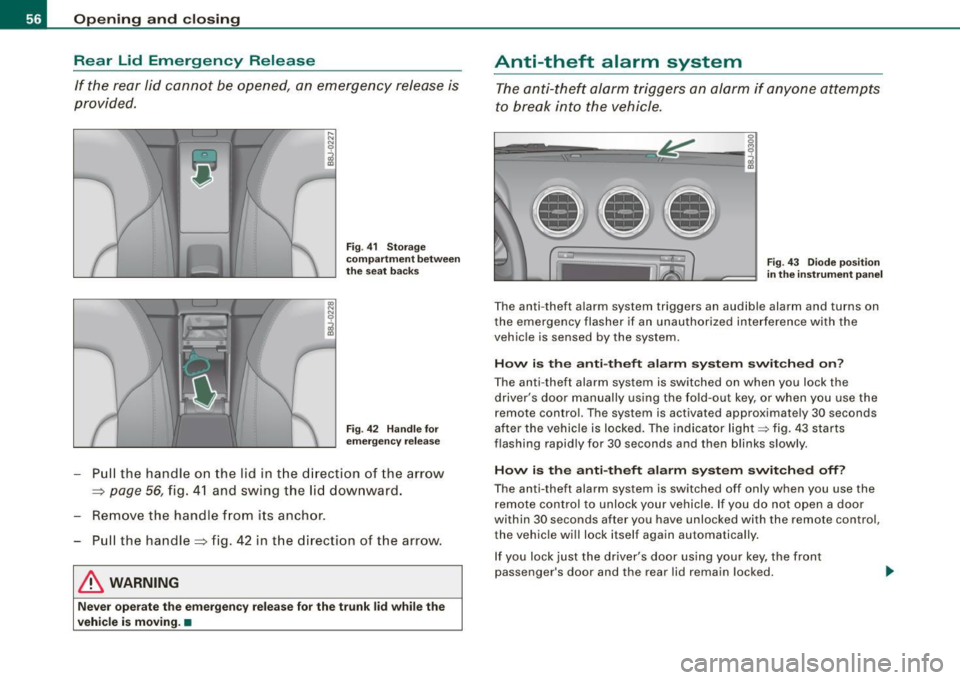
If the rear li d cannot be opened, an emergency relea se is
provided.
F ig . 41 Stor ag e
c omp artm en t b etw een
th e se at ba cks
Fig . 4 2 Handl e for
e m erg ency re lease
- Pull the handle on the lid in t he d irecti on of th e arrow
=> page 56, fig . 41 and swing the lid downwa rd.
- Remove the handle f rom its anchor .
Pull the handle=> fig. 42 in the direction of the arrow.
& WARNING
Ne ver oper ate the emergen cy r ele ase fo r the tr unk lid while the
vehicle is moving .•
Anti-theft alarm system
The a nti-thef t alarm triggers an alarm if anyone attempts
to break into the vehicle .
---
Fig . 4 3 Diode p osition
in th e ins tru ment pan el
T he an ti- theft alarm system triggers an audible alarm and turns on
the emergency flasher if an unauthorized inte rference with the
vehic le is sensed by the system.
How i s the anti -theft alarm sy stem switched on ?
The anti-theft alarm system is switched on when you lock the
driver's door manually using the fold-out key, or when you use the
remote control. The system is activated approximate ly 30 seconds
after the vehicle is locked. The indicator light~ fig. 43 starts
flashing rapidly for 30 seconds and then blinks slowly .
How is the anti-theft alarm sy stem switched off ?
The anti- theft alarm system is switched off only when you use the
r emote control to unl ock your vehicle. I f you do not open a doo r
wi thin 30 seconds after you have unlocked with the remote control ,
the vehic le will lock itse lf again automatically .
If you lock just the driver's door using your key, the front
passenger's door and the rear lid remain locked.
Page 59 of 316
When w ill the anti th eft ala rm sys te m be trigge re d ?
When the vehicle is locked, the alarm system mon itors and protects
the following parts of the vehicle :
• engine compartment
• luggage compartment
• doors
• ignition
When the system is activated, the alarm will be triggered if one of the doors , the engine hood or the rear lid are opened, or if the igni
tion is turned on .
The anti -theft alarm sys tem will also go off when the battery is
disconnected .
You can also trigger the alarm by pressing the PANIC button on your remo te -control key . This will alert other people in case of emer
gency. Press the
PANIC button again to turn off the a larm.
H ow is the ant i-th eft al arm s witche d o ff wh en
t riggered ?
The alarm system is switched off when you unlock the vehic le using
t he remote -con tro l key or when the ignition is swi tched on . The
alarm will also switch itse lf off when it comes to the end of its cycle .
Emerg en cy fla sher
The emergency flasher wil l b link brief ly when the doors, engine
hood and rear lid are properly closed .
If the emergency flashers do not blink, check the doors, engine hood
and rear lid to make sure they are properly closed. If you close a
door, the hood or the rear lid with the anti-theft alarm switched on,
the emergency flashers will blink only after you have closed the
door or lid.
[ i ] Tips
• For the ant i-theft a larm system to function properly, make sure
all vehicle doors and windows are closed before leaving the vehicle.
Con tro ls and eq uip
ment
Op ening and clo sing
• When you open the vehicle from the driver's door using the key,
the central locking swi tch wi ll work only after you have swi tched on
the ignition .•
Power windows
Controls
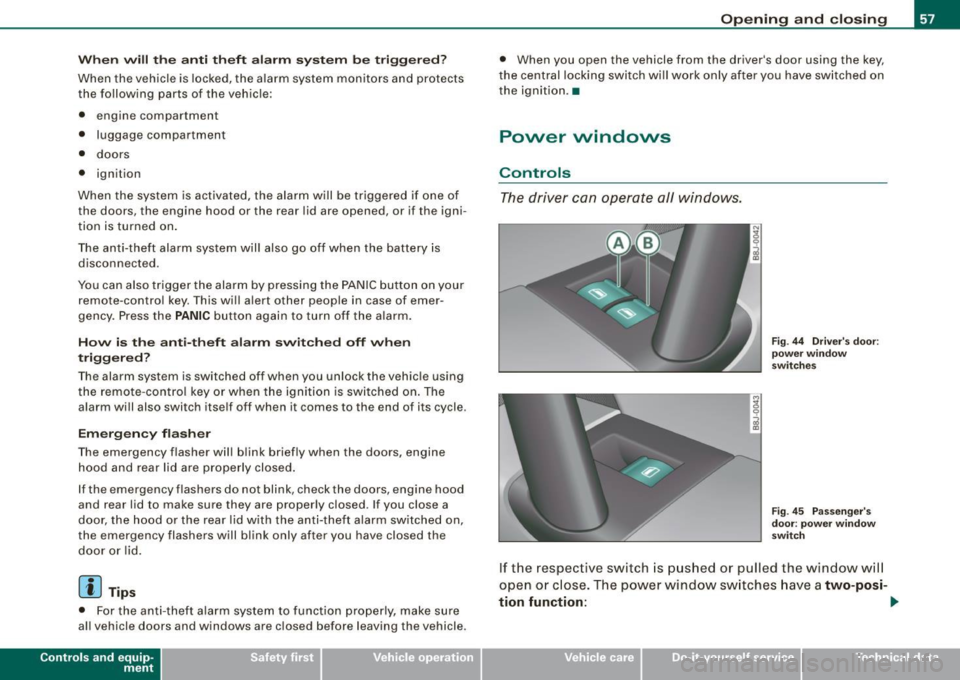
The driver can operate all windows.
M ;g 0
i
F ig . 44 Dri ver's door:
p ow er w in dow
swi tc hes
Fi g. 4 5 Passe nger's
d oor : p ow er window
swi tch
If the respective switch is pushed or pulled the window wil l
open or close. The power window sw itches have a
two-posi -
tion fun ction :
1)1,
Vehicle care I I Technical data
Page 60 of 316
Opening and closing
Opening the windows
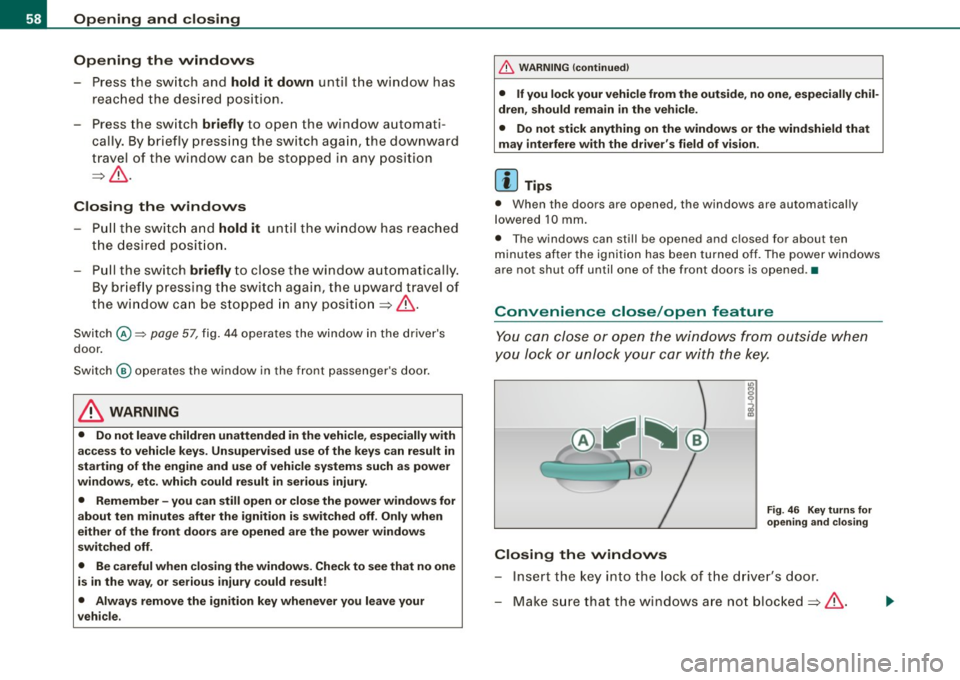
- Press the switch and hold it down until the window has
reached the desired position.
- Press the switch
briefly to open the window automati
cally. By briefly pressing the switch again, the downward
travel of the window can be stopped in any position
=> & .
Closing the windows
- Pull the switch and hold it until the window has reached
the desired position.
- Pull the switch
briefly to close the window automatically.
By briefly pressing the switch again, the upward travel of
the window can be stopped in any position => & .
Switch @:::::, page 57, fig. 44 operates the window in the driver's
door.
Switch @ operates the window in the front passenger's door.
& WARNING
• Do not leave children unattended in the vehicle, especially with
access to vehicle keys. Unsupervised use of the keys can result in
starting of the engine and use of vehicle systems such as power
windows, etc. which could result in serious injury.
• Remember -you can still open or close the power windows for
about ten minutes after the ignition is switched off. Only when
either of the front doors are opened are the power windows
switched off.
• Be careful when closing the windows. Check to see that no one
is in the way, or serious injury could result!
• Always remove the ignition key whenever you leave your
vehicle.
& WARNING (continued)
• If you lock your vehicle from the outside, no one, especially chil
dren, should remain in the vehicle.
• Do not stick anything on the windows or the windshield that
may interfere with the driver's field of vision.
[ i] Tips
• When the doors are opened, the windows are automatically
lowered 10 mm.
• The windows can still be opened and closed for about ten
minutes after the ignition has been turned off. The power windows
are not shut off until one of the front doors is opened .•
Convenience close /open feature
You can close or open the windows from outside when
you lock or unlock your car with the key.
Closing the windows
Fig. 46 Key turns for
opening and closing
- Insert the key into the lock of the driver's door.
- Make sure that the windows are not blocked=>& .
Page 61 of 316
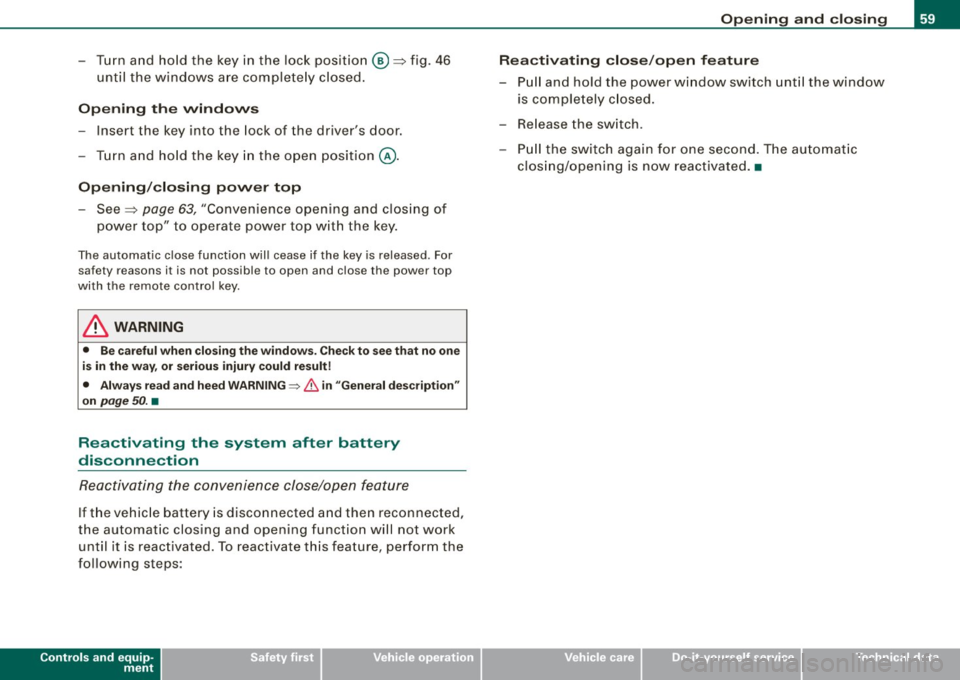
-Turn and hold the key in the lock pos ition @=>fig. 46
until the w indows are completely closed.
Opening the windows
- Insert the key into the lock of the dr iver's door .
- Turn and hold the key in the open position
@.
Opening/closing power top
- See => page 63, "Conven ience open ing and c losing of
power top " to operate power top with the key.
The automatic close function will cease if the key is released . For
sa fety reasons it is not poss ibl e to open and close the power top
with the remote control key.
& WARNING
• Be careful when closing the windows. Check to see that no one
is in the way, or serious injury could result!
• Always read and heed WARNING~
/.1 in "General description"
on
page 50. •
Reactivating the system after battery
disconnection
Reactivating the convenience close/open feature
If the vehicle battery is disconnected and then reconnected,
the automatic closing and opening function will not work until it is reactivated. To reactivate this feature, perform the
following steps:
Controls and equip
ment
Opening and closing
Reactivating close/open feature
- Pull and hold the power window switch until the window
is completely closed.
- Release the switch.
- Pull the switch again for one second. The automatic
closing/opening is now reactivated. •
I • •
Page 65 of 316
-Press and hold the switch down throughout the closing
procedure.
The folding top is completely open or closed when the indicator
light <:-in the instrument cluster goes out. The door windows are
automatically lowered about 20 mm while the top is opening .
& WARNING
Never drive the vehicle with the top not properly latched! Other
wise there is a risk that the top will be opened by the wind. This
can result in injuries and damage to the vehicle.
[ i] Tips
• Opening and closing the automatic convertible top is possible
below posted speed limits in city driving . At speeds above 4 mph (6
km/h), you can use the "convenience opening" function. The folding
top is completely opened by briefly pulling on the switch.
• The indicator light for the folding top goes out as soon as it is
correctly latched .
• In order not to discharge the battery unnecessarily, the top
should not be lowered or raised several times in succession with the
engine not running.
• I f the indicator light for the folding top flashes when the switch
is actuated, there is a malfunction. •
Controls and equip
ment
Folding top
Ap plies to vehic les: with power fo lding top
Convenience opening and closing of power
top
The power top can alternatively be opened and closed by
turning the key in the driver's door Jock.
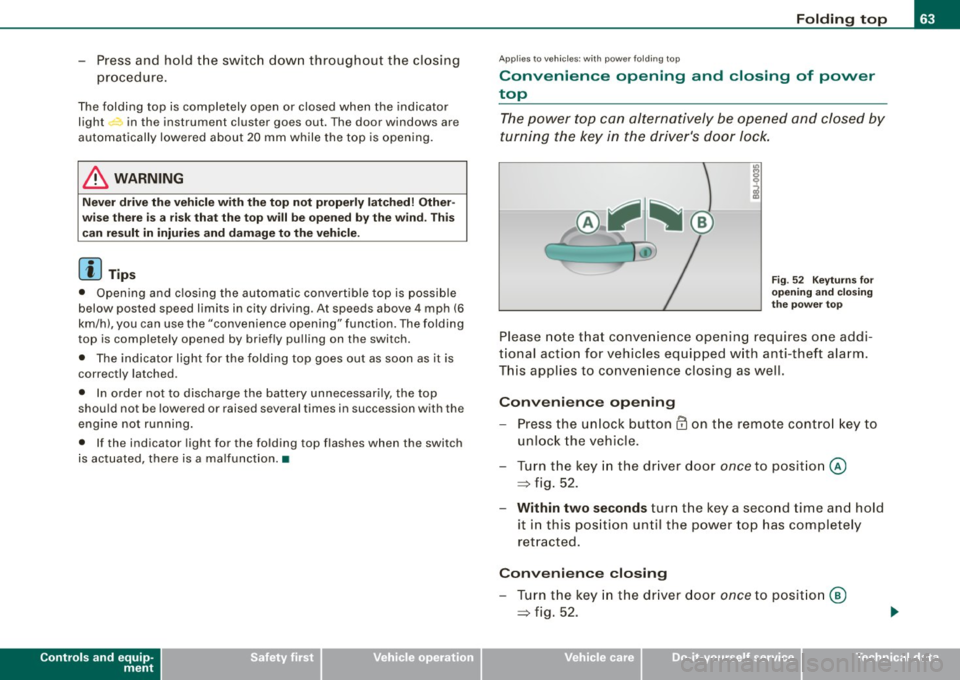
Fig. 52 Keyturns for
opening and closing
the power top
Please note that convenience opening requires one addi
tional action for vehicles equipped with anti-theft alarm.
This applies to convenience closing as well.
Convenience opening
-Press the unlock button CD on the remote control key to
unlock the vehicle.
- Turn the key in the driver door
once to position @
=> fig. 52.
- Within two seconds turn the key a second time and hold
it in this position until the power top has completely
retracted.
Convenience closing
- Turn the key in the driver door once to position @
=> fig. 52.
I • •
Page 66 of 316
Folding top
-Within two seconds turn the key a second time and hold
it in this position until the power top has completely
closed.
Opening or closing motion stops immediately as soon as you
release the key . For safety reasons, i t is not possible to activate the
convenience feature with the remote control.
& WARNING
When opening and closing the power top make sure to keep your
self and others clear of all moving parts. Risk of injury! •
Applies to vehi cles: w ith wind deflecto r
Wind Deflector
The wind deflector reduces turbulence in the passenger
compartment and makes driving more comfortable.
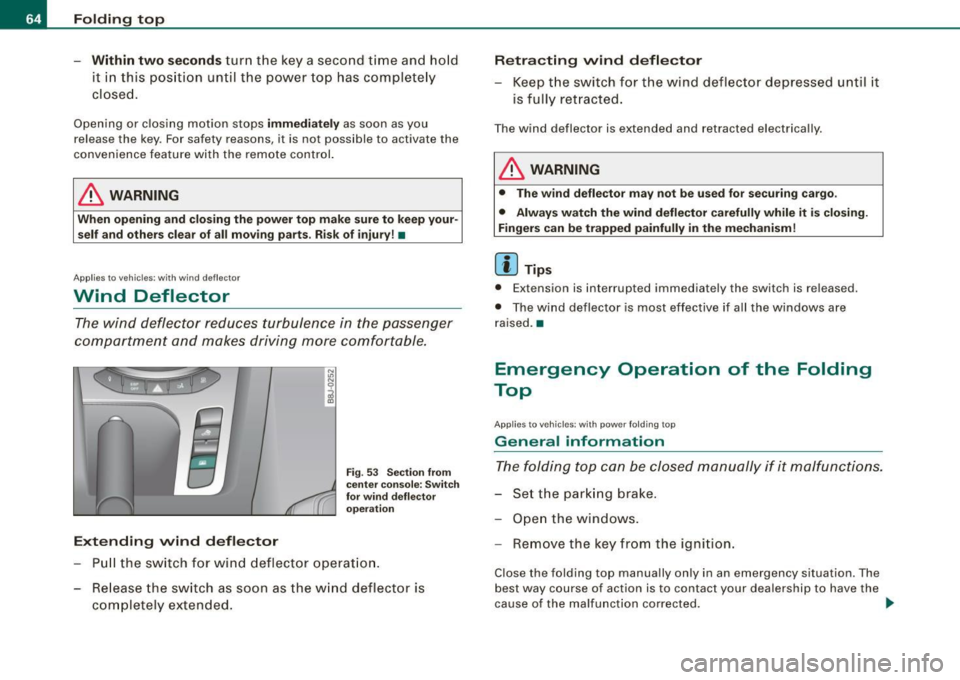
Extending wind deflector
N
"'
I
Fig . 53 Section from
center console: Switch
for wind deflector
operation
Pull the switch for wind deflector operation.
- Release the switch as soon as the wind deflector is
completely extended.
Retracting wind deflector
- Keep the switch for the wind deflector depressed until it
is fully retracted.
The wind deflector is extended and retracted electrically .
& WARNING
• The wind deflector may not be used for securing cargo.
• Always watch the wind deflector carefully while it is closing.
Fingers can be trapped painfully in the mechanism!
[ i ] Tips
• Extension is interrupted immediat ely the sw itch is releas ed.
• The wind deflector is most effective if all the windows are
raised. •
Emergency Operation of the Folding
Top
A pp lies to vehicles: wit h p owe r fo ld ing t op
General information
The folding top can be closed manually if it malfunctions.
- Set the parking brake.
- Open the windows.
- Remove the key from the ignition.
Close the folding top manually only in an emergency situation . The
best way course of act ion is to contact your dealership to have the
cause of the malfunction corrected. .,
Page 67 of 316
The folding top's emergency operation basically consists of the
following steps:
• Depressurize the hydraulic system for operating the folding top:
The hydraulic system pump must be depressurized.
• Unlock the covers : The covers must be manually unlocked and
positioned.
• Raise the folding top: The folding top must be manually lifted out
of its well and raised.
• Lock the folding top: The latches for the folding top must be
locked with the emergency lock key.
• Close the hydraulic system's emergency operation bolt: Turn the
emergency operation bolt=> fig. 54 to the right to close the
hydraulic system that operates the folding top.
& WARNING
• When raising the folding top, take care not to reach into the
linkage that operates the folding top or any of its other moving
parts. Otherwise, your hands may be trapped in the mechanism -
risk of injury!
• Never drive while the folding top is not properly secured . Other
wise, it may be pulled open by the wind. This can cause injuries and damage to the vehicle -danger of an accident!
[ i] Tips
Get a second person help you to close the folding top. It is much
easier to raise the folding top with the help of a second person. •
Controls and equip
ment
Folding top
Ap plies to vehi cles: with po wer fo ldin g top
Step 1: Depressurizing the hydraulic system
-
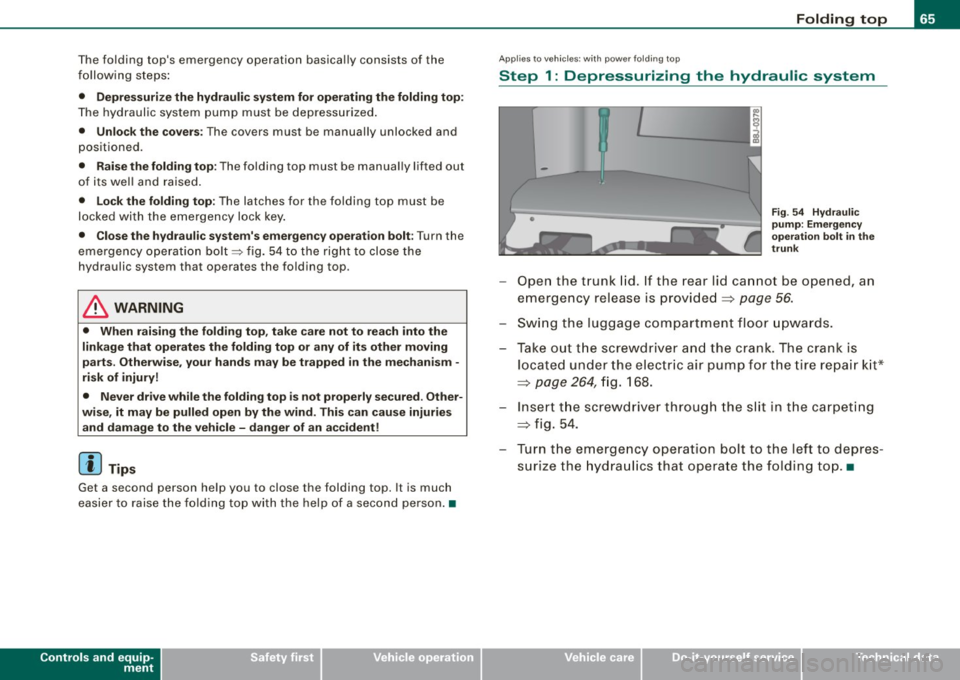
Fig. 54 Hydraulic
pump: Emergency
operation bolt in the
trunk
- Open the trunk lid. If the rear lid cannot be opened, an
emergency release is provided
=> page 56.
- Swing the luggage compartment floor upwards.
- Take out the screwdriver and the crank. The crank is
located under the electric air pump for the tire repair kit*
=> page 264, fig. 168.
-Insert the screwdriver through the slit in the carpeting
=> fig. 54.
-Turn the emergency operation bolt to the left to depres
surize the hydraulics that operate the folding top.•
I • •
Page 72 of 316
Clear vision
Ap plies to vehicles: with light senso r package
Sensor activated head and tail light control
In the "AU TO" position light sensors swit ch the he ad and
t a il lights on and off.
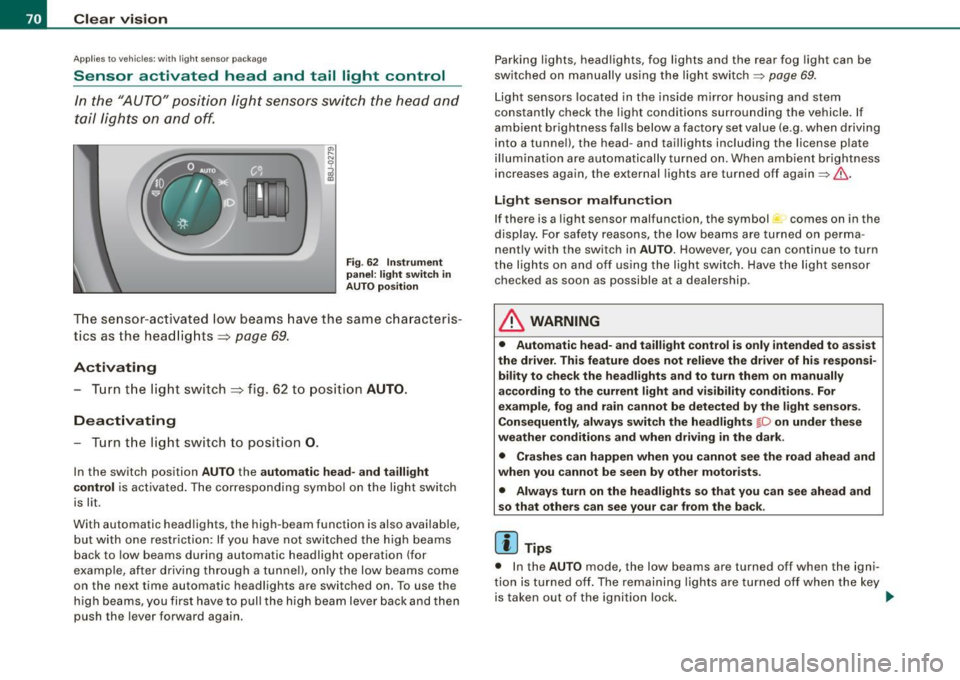
F ig . 62 Instru ment
pan el: light switch in
AUTO po siti on
T he se nsor-activated low beams have the same c haracteris
t ics as the headlig hts=>
page 69.
Activating
- Tur n th e lig ht s witch => fig. 62 t o p ositi on AUTO.
Deactivating
- Turn t he light swi tch to position 0 .
In the switch position AUTO the automatic head -and taillight
control
i s activated . The correspo nding symbol on the light swi tch
is lit .
With automatic head lights, the high -beam function is also avai lab le,
bu t with one restrict io n: If you have not switched the h ig h beams
back to low beams during automatic headlight operation (for
example, afte r driving through a tun nel), on ly the low beams come
on the next time automatic headlights are switched on. To use the
h igh beams, you first have to pull the high beam lever back and then
push the lever forward again. Parking
lights, headlights, fog lights and the rear fog light can be
swi tch ed on manually using the ligh t switch ~
page 69.
Light sensors located in the inside mirror housing and stem
constantly check the light conditions surrounding the vehicle. If
am bie nt brightness falls below a facto ry set value (e.g. wh en driv ing
into a tunnel), the head -and tai llights inc luding the license p late
ill um inat ion are automatica lly t urn ed on. When ambient br ightness
increases again, the external lights are turned off again~&.
Light sens or malfunction
If there is a light sensor malfunct ion, the symbol comes on in the
display . For sa fety reasons, the low beams are turned on perma
nent ly with the switch in
AUTO . However, you can continue to turn
the lights on and o ff using the light swi tch . Have the light sensor
checked as soon as possible at a dealership .
& WARNING
• Automatic head- and taillight control is only intended to ass ist
the driver . This feature doe s not relieve the dr iver of hi s re spon si
bil ity to check the headlights and to turn them on manually
ac cording to the current light and vi sibility conditions. For
e x ample , fog and rain cannot be detected by the light sensors .
Con sequently , always switch the headlights
io on under thes e
weather conditions and when driving
in the dark .
• Crashe s can happen when you cannot see the road ahead and
when you cannot be seen by other motor ists .
• Alway s turn on the headlights so that you can see ahead and
so that others can see your car from the ba ck .
[ i ] Tips
• I n the AUTO mode, the low beams are turned off when the igni
t ion is turned o ff. The remaining lights are turned o ff when the key
is taken out of the ignition lock. _.,
Page 79 of 316
Interior lights
Interior lights
The interior lights include the reading lights for the driver
and the front passenger.
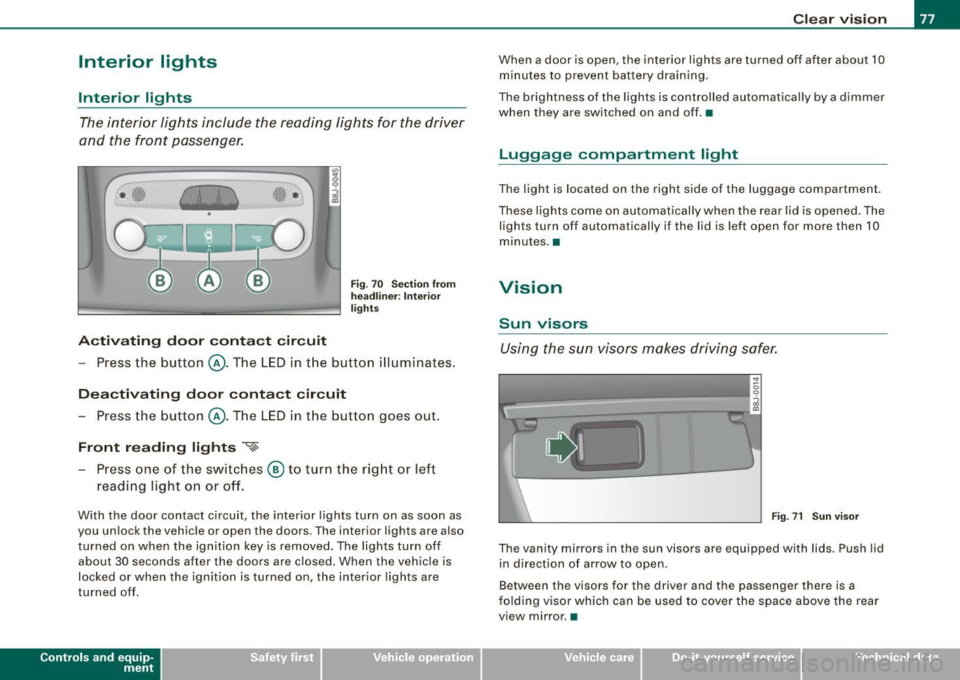
Activating door contact circuit
Fig. 70 Section from
headliner: Interior
lights
- Press the button @. The LED in the button illuminates.
Deactivating door contact circuit
- Press the button @. The LED in the button goes out.
Front reading lights ~
- Press one of the switches @ to turn the right or left
reading light on or off.
With the door contact circuit, the interior lights turn on as soon as
you unlock the vehicle or open the doors. The interior lights are also
turned on when the ignition key is removed. The lights turn off
about 30 seconds after the doors are closed. When the vehicle is
locked or when the ignition is turned on, the interior lights are
turned off .
Contro ls and eq uip
ment
Clear vision
When a door is open, the interior lights are turned off after about 10
minutes to prevent battery draining.
The brightness of the lights is controlled automatically by a dimmer
when they are switched on and off. •
Luggage compa rtm ent light
The light is located on the right side of the luggage compartment.
These lights come on automatically when the rear lid is opened. The
lights turn off automatically if the lid is left open for more then 10
minutes. •
Vision
Sun visors
Using the sun visors makes driving safer.
•
Fig. 71 Sun visor
The vanity mirrors in the sun visors are equipped with lids . Push lid
in direction of arrow to open.
Between the visors for the driver and the passenger there is a
folding visor which can be used to cover the space above the rear
view mirror .•
Vehicle care I I irechnical data