ECO mode AUDI TT ROADSTER 2008 Owners Manual
[x] Cancel search | Manufacturer: AUDI, Model Year: 2008, Model line: TT ROADSTER, Model: AUDI TT ROADSTER 2008Pages: 316, PDF Size: 70.1 MB
Page 7 of 316
Vehicle literature
In addition to this Owner's Manual, your Audi comes with a Mainte
nance
& Warranty booklet.
Moreover, depending on the model and the equipment. there may
be additional instruction booklets delivered with your vehicle (for
example, Operating Instructions for your Sound System, Navigation
Syst em etc.) .
If you are missing one of these publications, or if you believe that
the information is not complete , contact your authorized Audi
dealer for assistance .
The Maintenance & Warranty booklet
explains how you can keep your Audi in top driving condition by
having it serviced regularly and contains detailed information about
the warranties covering your Audi. Always have the booklet with you
when you take you r vehicle to an authorized Audi dealer for service .
Your Audi Service Adviser will record each scheduled service and
can answer any questions you may have regarding how to maintain
your vehicle.
In Canada,
the vehicle literature is also available in French. To obtain a copy,
contact your dealer or write to :
Au Canada , on peut se procurer un exemplaire en frarn;ais de ce
document aupres du concessionnaire ou de:
Volkswagen Canada, Inc.
Client Assistance
Assistance a la Clientele
777 Bayly Street , West,
Ajax, Ontario L 1 S 7G7
If you sell your Audi
all literature should be left in the vehicle to make the Warranty terms
as well as all operating, safety and maintenance information avail
able to the next owner.
Controls and equip ment Safety first Vehicle operation
Vehicle literature
If you change your address or if you bought this
Audi used
be sure to send in a "Notice of Address Change"/ "Notice of Used
Car Purchase" post card. This card can be found in the Maintenance
& Warranty booklet or obtained from your authorized Audi dealer.
It is in your own interest that we are able to contact you should the
need arise. •
Vehicle care Do-it-yourself service Technical data
Page 19 of 316
USA models: anti-lock brake system ~ page 20
(ABS) defective
Canada models: anti-lock brake sys-
~ page 20
tern (ABS) defective
/@ Electro -mechanical power assist => page 21
& WARNING
• Failure to heed warning lights and other important vehicle
information may result in serious personal injury or vehicle
damage .
-
• Whenever stalled or stopped for repair, move the vehicle a safe
distance off the road, stop the engine, and turn on the emergency
flasher
=> page 75.
• The engine compartment of any motor vehicle is a potentially
hazardous area. Before you check anything in the engine compart
ment, stop the engine and let it cool down. Always exercise
extreme caution when working under the hood
~ page 212,
"Engine compartment"
[ i] Tips
Many functions are moni tored by the Auto -Check system
=> page 29. Malfunctions or faults will be identified either with a red
symbol (priority 1 - Danger!) or with a yellow symbol (prior ity 2 -
Warning). •
Applies to vehicles : with Audi m agnetic rid e
Audi magnetic ride
The indicator light monitors vehicle damping.
The indicator ligh t illuminat es when th e ignition is switched on as
a function check.
Controls and equip
ment
Instruments and warning/indicator lights
[ i] Tips
If the indicator lamp illuminates while you are driving, there is a
malfunction in the vehicle damping. The chassis should be
inspected immediately by an authorized Audi dealer. •
Tire pressure monitoring system -telltale
indicator lamp
C.
The warning/indicator light appears in the event of a
significant loss of air pressure.
The warning/indicator light illuminates for a few seconds after
the ignition is turned on as function check and then goes out.
If the symbol appears, pressure is too low in at least one tire .
When the system d etects a malfunction, the warning/indicator light
will flash for approximately one minute and then remain continu
ously illuminated . This sequence will continue upon subsequent
vehicle starts up as long as the malfunction exists. Contact your
authori zed Audi dealer and have the malfunction corrected.
For more information
=> page 43. •
Electronic power control "
This warning/indicator light monitors the electronic
power control.
The warning/indicator light (Electronic Power Control) illumi -
nates when you switch on the ignition as a function check .
[ i] Tips
If this warning/indicator light illuminates while you are driving , then
there is a malfunction in the engine electronics. Have the malfunc
tion corrected as soon as possible by your authorized Audi dealer or
qualified workshop. •
I • •
Page 21 of 316
Additional information about the electrically retractable rear spoiler
=:> page 187 . •
Turn signals ¢ Q
The indicator light blinks when you use either turn signal.
Whenever you use the left¢ or the right c::::> turn signal, the indicator
light blinks. When you use the emergency flasher, both indicator
lights flash .
If one of the turn signa l light bu lbs burn out, the turn signal will
blink twice as fast as normal.
Additiona l information on the turn signals :::::>
page 76. •
Cruise control
CRUISE (USA models )/ (')<> (Canada models)
The CRUISE warning/indicator light illuminates when the cruise
control is activated. •
Airbag system
~~ (USA models) / !_~· (Canada models)
This warning/indicator light monitors the airbag and the
tensioner systems .
The ti (USA models) !! 'tr (Canada models) warning light illuminates
for a few seconds each time you switch on the ignition .
If the m (USA mode ls)
/ J q· (Canada models) warning light does not
go out, or if it i lluminates whi le you are driving, or if it starts to blink,
then there is a malfunction somewhere in the system. If the light
does not illuminate when you switch on the ignition, this also
means there is a malfunction.
Controls and equip
ment
Instruments and warning /indi cator lights
& WARNING
If you have a malfunction in the airbag system, contact your autho
rized Audi dealer immediately. Otherwise the airbag or the belt
tensioner may not work properly in an accident. •
Generator 0
This warning/indicator light detects a malfunction in the
generator or in the vehicle's electrical system.
The D warning/indicator light illuminates when you switch on the
ignition and must go out after the engine has started.
If the D warning/indicator light illuminates while you are driving,
you should contact your authorized Audi deale r. Since the vehicle
battery is discharging, you should switch off any unnecessary elec
trical consumers (for example, the air conditioner).
0 Note
If the -~- warning/indicator light (malfunction in the engine cooling
system) in the instrument cluster shou ld illuminate :::::>
page 32, stop
the vehicle and turn off the engine . The coolant pump is not working
- this can cause engine damage!•
Applies to veh ic les : w ith safety belt warning l ight
Safety belt warning light 4
The warning light is a reminder to fasten safety belts.
The warning light 4 comes on for a few seconds after the ignition
is switched on as a reminder to fasten your safety belt.
Additional information on safety belts:::::>
page 137. •
I • •
Page 22 of 316
Instruments and warning/indicator lights
Brake system BRAKE (USA)/ (CD) (Canada)
This warning/i ndi cat or light illumina tes whe n th e brake
fluid level i s to o low or w hen t here is a malfuncti on in the
ABS , or w hen the pa rkin g br ake is set.
The ligh t illumin ates when the igniti on is turned on . It goes out aft er
th e engine has been started and the parking brake is fu lly r eleased.
Th is i ndicates that t he bra ke w arning ligh t is f uncti oning properly .
If the brake warning light does not light up when the engine is
cranking or the parking brake is applied , there may be a malfunction
in the electrical system. In thi s case , contact your Audi dealer.
When the light com es on, an acoustic warn ing signa l will sound .
Parking brake set
The BRAKE warning/indicator light illuminates when the parking
br ak e i s set :::::,& .
& WARNING
• USA model s.~ If both , the BRAKE warning light and the ~
warning light come on at the same time , the rear wheels could
lock up first under hard braking . Lo ck-up of the rear wheel brakes
can cause loss of vehicle control and an accident . Have your
vehicle repaired immediately by your authorized Audi dealer or a qualified workshop . Drive slowly and avoid sudden, hard brake
application.
• Canada models : If both , the b rake warning light
((j)) and the ABS
warning light come on at the same time , the rear wheels could
lock up first under hard brak ing . Lock -up of the rear wheel brakes
c an cause loss of vehicle control and an accident. Have your
vehi cle repaired immediately by your authorized Audi dealer or a
qualified workshop . Drive slowly and avoid sudden , hard brake
application
• If the brake warning /indicator light does not go out after a few
seconds and the parking brake released , or lights up while you are
& WARNING (continued)
driving , the fluid level in the brake fluid reservoir is too low . If you
believe that it is safe to do so, proceed immediately at low speed
to the nearest authorized Audi dealer or qualified workshop and
have the brake system inspected.
• Please be very careful and always keep in mind that after
several brake applications, you will need greater pressure on the
brake pedal to stop your vehicle . Consequently , you must allow for
increased braking distances. Trying to brake as qui ckly as usual
c ould lead to an ac cident . •
Anti-lock brake system 8 (USA)/
~ (Canada)
This warni ng /ind icato r lig ht moni tors the AB S and the
electronic differenti al lock (EDL).
The light will come on for a few seconds when the ignition is
switched on. The light wil l go out after an automatic check sequence
is completed.
There is a malfunction in the ABS when :
• The warnin g/i ndica to r l ight do es no t illumin ate when you swi tch
on the ignition .
• The warn ing/i ndi cator lig ht does not go ou t after a few seconds .
• T he warning/indicator l ight il luminates whi le driving.
The brake system will still respond even without the assistance of
the ABS system. See your authorized Audi dealer as soon as possible to restore full braking performance . For more in for mati on
regarding t he ABS=> page
189.
The ABS warning l ight and the brake warning light come on
together . The ABS will not work and you will notice a change in
braking response and performance .
Page 27 of 316
If, however, the Malfunction Indicator Lamp (MIU comes on,
always drive to your nearest authorized Audi dealer or qualified
workshop and have the vehicle checked.
For more information =>
page 216, "Refuelling".•
Service interval display
The service interval display reminds you when your next
service is due.
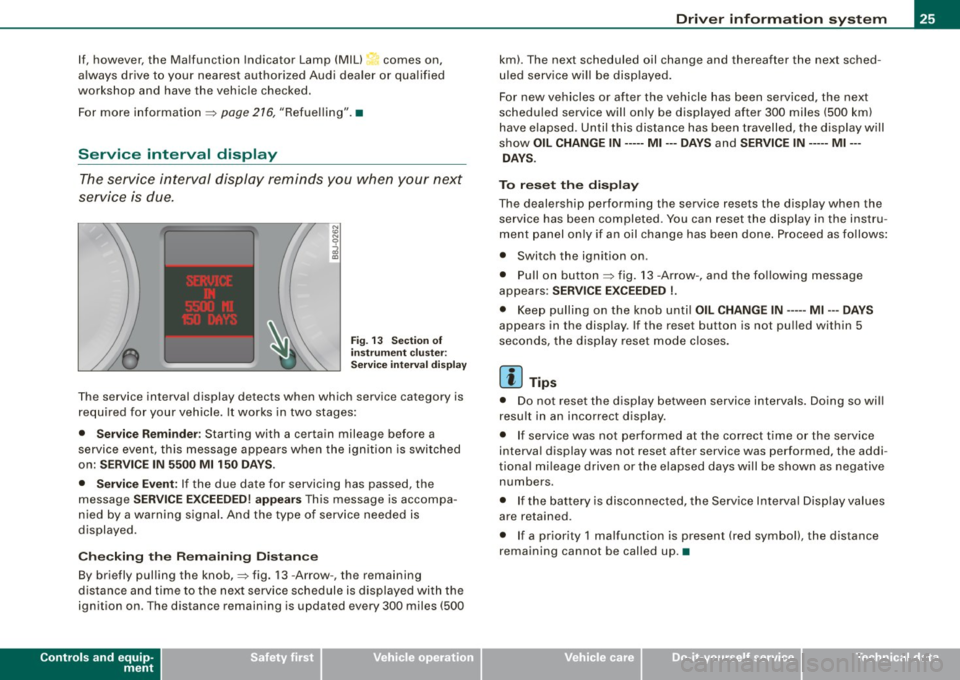
Fig. 13 Section of
instrument cluster:
Service interval display
The service interval display detects when which service category is
required for your vehicle. It works in two stages:
• Service Reminder : Starting with a certain mileage before a
service event, this message appears when the ignition is switched
on:
SERVICE IN 5500 Ml 150 DAYS.
• Service Event:
If the due date for servicing has passed, the
message
SERVICE EXCEEDED! appears This message is accompa
nied by a warning signal. And the type of service needed is
displayed.
Checking the Remaining Distance
By briefly pulling the knob,=> fig. 13 -Arrow -, the remaining
distance and time to the next service schedule is displayed with the
ignition on . The distance remaining is updated every 300 miles (500
Controls and equip
ment
Driver information system
km). The next scheduled oil change and thereafter the next sched
uled service will be displayed.
For new vehicles or after the vehicle has been serviced, the next
scheduled service will only be displayed after 300 miles (500 km)
have elapsed. Until this distance has been travelled, the display will
show
OIL CHANGE IN----- Ml ---DAYS and SERVICE IN----- Ml --
DAYS.
To reset the display
The dealership performing the service resets the display when the service has been completed . You can reset the display in the instru
ment panel only if an oil change has been done. Proceed as follows:
• Switch the ignition on .
• Pull on button=> fig.
13 -Arrow-, and the following message
appears:
SERVICE EXCEEDED !.
• Keep pulling on the knob until OIL CHANGE IN ---- -Ml ---DAYS
appears in the display. If the reset button is not pulled within 5
seconds, the display reset mode closes.
[ i] Tips
• Do not reset the display between service intervals. Doing so will
result in an incorrect display.
• If service was not performed at the correct time or the service
interval display was not reset after service was performed, the addi
tional mileage driven or the elapsed days will be shown as negative
numbers.
• If the battery is disconnected, the Service Interval Display values
are retained.
• If a priority 1 malfunction is present (red symbol), the distance
remaining cannot be called up. •
I • •
Page 33 of 316
Applies to vehi cles : wi th m anua l tra nsmi ssion
Function test: manual transmission
When the ignition is switched on, the Auto-Check Control automati
cally performs an operational check . If the functions tested are O .K .,
no message is shown in the display.
If one or more faul ts exist, the driver information disappears
approximately 15 seconds after the engine has been started and the
appropriate fault symbol appears in the display.
If malfunctions exist , this is indicat ed by r ed (prio rity
1) or yellow
(priority
2) symbols. A warning signal sounds at the same time. •
Applies to vehicle s: with autom ati c tra nsm iss io n
Function test: automatic transmission
Th e Auto-Check Con trol will automatically p erform a test each tim e
you switch on the ignition. When the selector lever in
P or N, the
following message appears in the display :
WHEN STATIONARY APPLY FOOTBRAKE WHILE SELECTING GEAR.
When you a select a different gear (for example: R, D, etc.), the
messag e will disappear and th e Auto-Check function is display ed .
If the functions tested are O.K., no message is shown in the display .
If there is a malfunction, then the malfunction message will appear
about 15 seconds after the you start the vehicle. At the same time
you will hear a warning tone.
[ i] Tips
On vehicles with automatic transmission*, the driver message
WHEN STATIONARY APPLY FOOTBRAKE WHILE SELECTING GEAR
cannot be shown again. This driver message appears in the display
only un til a gear is engaged. •
Controls and equip
ment
Driver information system
Red symbols
A red symbol means DANGER.
Pull of the road and stop the vehicle.
Turn off the engine.
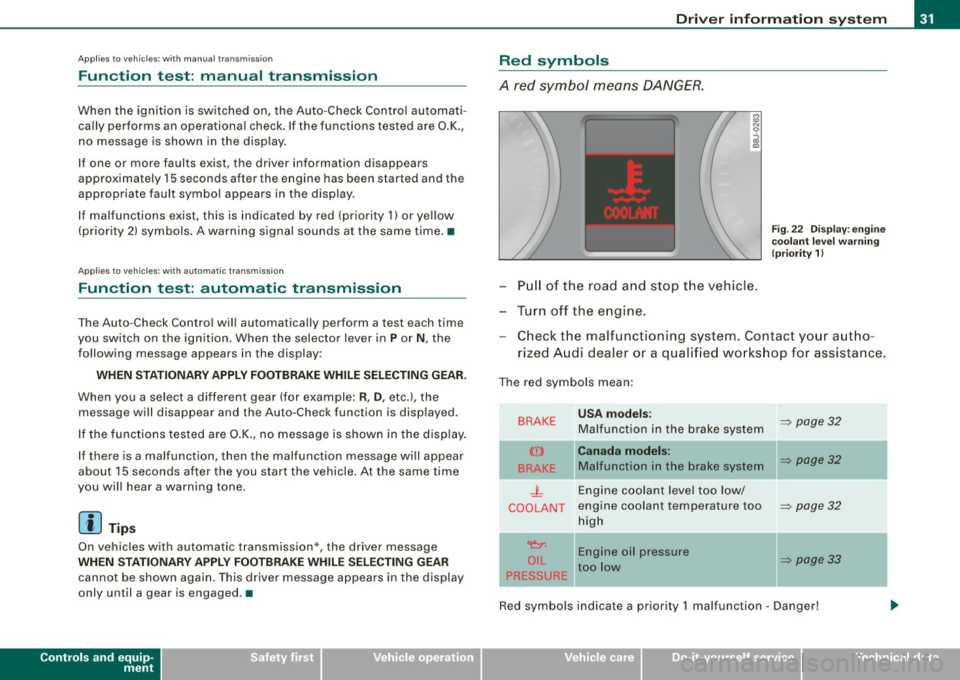
Fig . 22 Display : engine
coolant level warning
(priority 1)
Check the malfunctioning system . Contact your autho
rized Audi dealer or a qualified workshop for assistance.
The red symbols mean :
BRAKE
(Ci)
BRAKE
.J_
COOLANT
'e:1:
O IL
PRESSURE
-
USA models:
Malfunction in the brake system
Canada models:
Malfunction in the brake system
Engine coolant level too low/
engine coolant tempera ture too
high
Engine oil pressure
too low
-
~ page 32
~ page32
~ page32
~ page33
Red symbols indicate a priority 1 malfunc tion - Danger!
I • •
Page 34 of 316
Driver information system
When a red symbol appears, a warning tone will sound consecu
tively
three times. The symbol continues to flash until the malfunc
tion has been repaired. If there are
more than one priority 1 malfunc
tions, the symbols appear one after the other for about two
seconds.
[ i] Tips
• The message for a malfunction can be shown by pressing on the
left knob.
• During route guidance on vehicles with a navigation system, the
warning symbol is shown in the field above. •
Brake system malfunction
BRAKE (USA models) /
(CD) (Canada models)
A malfunction in the brake system must be repaired as
soon as possible.
When BRAKE/ (CD) (Canada models) appears in the display
and flashes, this means there is a malfunction in the brake
system. In addition to the symbol, one of the following two
messages also appears in the display:
STOP VEHICLE AND CHECK BRAKE FLUID
ABS FAULT! SEE OWNER'S MANUAL
- Pull of the road and stop the vehicle.
- Check the brake fluid level=>
page 230.
USA models: if there is a malfunction in the ABS system, the i:i
warning/indicator light illuminates along with the BRAKE system
malfunction warning/indicator light=>&.
Canada models: if there is a malfunction in the ABS system, the
warning/indicator light illuminates together with the ID brake
system malfunction warning/indicator light=>& .
& WARNING
• Always observe the warnings in=> page 212, "Engine compart
ment", before opening the engine hood and checking the brake
fluid.
• Driving with low brake fluid is a safety hazard! Stop the car and
get professional assistance .
• If the brake system warning/indicator light illuminates
together with the ABS warning/indicator light, then the ABS
system is malfunctioning. The rear wheels could quickly lock up
when you apply the brakes. This could lead to loss of control _and
your vehicle could slide! Drive carefully to the nearest authorized
Audi dealer and have the malfunction corrected. •
Engine cooling system malfunction _t_
A malfunction in the engine cooling system must be
repaired as soon as possible.
When the _t symbol in the display flashes, then either the
engine coolant
temperature is too high, or the coolant level
is too low. In addition to the symbol, the following message
also appears in the display:
SWITCH OFF ENGINE AND CHECK COOLANT LEVEL
-Pull off the road and stop the vehicle .
Turn off the engine.
Check coolant level =>
page 228.
Add coolant if necessary => page 228.
-Continue driving only after the engine coolant
warning/indicator light goes out.
Page 36 of 316
![AUDI TT ROADSTER 2008 Owners Manual Driver information system
[ i] Tips
• The engine oil pressure symbol 9:::r. is not an indicator for a low
engine oil level. Do not rely on it. Instead, check the oil level](/img/6/57671/w960_57671-35.png "AUDI TT ROADSTER 2008 Owners Manual Driver information system
[ i] Tips
• The engine oil pressure symbol 9:::r. is not an indicator for a low
engine oil level. Do not rely on it. Instead, check the oil level")
Driver information system
[ i] Tips
• The engine oil pressure symbol 9:::r. is not an indicator for a low
engine oil level. Do not rely on it. Instead, check the oil level in your
engine at regular intervals, preferably each time you refuel, and
always before going on a long trip.
• The yellow oil level warning indication · requires oil refill or
workshop service without delay. Do not wait until the red oil pres
sure warning symbol
9:::r. starts to flash before you respond to the
low oil level warning . By then, your engine may already have
suffered serious damage. •
Yellow symbols
A yellow symbol means WARNING.
Yellow symbols mean:
Low fuel level
Check engine oil level Engine oil sensor malfunction
-
Worn brake pads
USA models:
Speed warning 1
Canada models:
Speed warning 1
-
USA models:
Speed warning 2
-Canada models:
Speed warning 2 =>
pag
e35
=> page35
=> page35
-
=> page35
=> page35
=> page35
=> page35
-
=> page35
Dynamic headlight range con
trol* defective => page35
Windshield washer fluid level low
=> page 35
Battery voltage too high or too
low
Defective light bulb
USA models:
Defective brake light
Canada models:
Defective brake light =>
page35
=> page36
=> page36
=> page36
Light/rain
sensor defective (auto-=> page 36
matic headlights) * defective
Adaptive Light* defective =>
page 36
Tire pressure monitoring system * => page 37
Yellow symbols indicate a priority 2 malfunction -Warning!
When a yellow symbol appears, a warning tone will sound
once .
Check the displayed function as soon as possible . If more than one
priority 2 malfunction is detected, all symbols will appear one after
the other for about two seconds.
To display driver information
As an example, the[} symbol appears in the display . If you now
press the button =>
page 12, fig. 2 ©, the following driver message
appears in the display:
PLEASE REFUEL
The driver message in the display goes out after about 5 seconds.
You can display the driver message again by briefly p ressing the
button. •
Page 38 of 316
Driver information system
Also see if the generator warning/indicator light illuminates
=> page 19. •
Defective light bulb warning
The defective light bulb warning tells you when a vehicle
light bulb has become defective.
If a defective bulb has been detected by the system or a light bulb
burns out, the symbol with a message appears in the display to
tell you which bulb is burnt out and where it is located. For example:
REAR LEFT TURN SIGNAL
After 5 seconds, the message disappears. If you want to recall the
message into the display, press the CHECK button.
There are three reasons why the defective bulb message would appear in the display:
• the light bulb has burnt out=> page 277.
• the fuse is "blown" => page 273, "Replacing a fuse".
• the wire connection to the light bulb is defective.
Have the bulb replaced or the connection repaired by your autho
rized Audi Service department.
& WARNING
• Light bulbs are pressurized and could explode while they are
being changed causing serious personal injury.
• Work with due care when handling the high-voltage section of
gas discharge (xenon) lamps*. Failing to do so could result in death
or serious injury! •
Brake light defective K: U (USA
models) / (Canada models)
In case of a malfunction or component failure, the acoustic warning
will sound and the symbol&;
l[ (USA models)/ (Canada
models) can appear.
The following electrical components should be checked, repaired or
replaced, as necessary :
• Brake light bulbs
• All wiring connections
• Brake light switch
Contact your authorized Audi dealer for assistance if necessary.
[ i] Tips
The brake light switch is only inspected as part of the functional
check after the engine is started. •
Applies to vehicles: with automat ic headlights and rain sensor
Light /rain sensor defective >
AUTOMATIC HEADLIGHTS/AUTOMATIC WIPERS DEFECTIVE
If the symbol illuminates, the light sensor has failed. For safety
reasons the low beams are turned on permanently with the switch
in
AUTO. However , you can continue to turn the lights on and off
using the light switch. In the case of a defect in the rain sensor, the
windshield wiper lever functions are still available. Have the
light /rain sensor checked as soon as possible at a dealership. •
Applies to veh ic le s: w ith Adaptive Light
Adaptive Light defective
ADAPTIVE LIGHT DEFECTIVE
•
'
Page 39 of 316
When this symbol ' illuminates, it means that Adaptive Light is
defective. Go to a qualified workshop to have the headlights or the
control unit for the Adaptive Light repaired. •
Applies to vehic les: w it h tir e p ressure monitor in g system
Tire pressure monitoring system J
Tire pressure that is too low must be corrected as soon as
possible .
If the 'symbol flashes for about one minute after the igni
tion is switched on and then remains on, there is a malfunc
tion in the system. Consult the nearest authorized Audi
dealer as soon as possible.
Additional information about the tire pressure monitoring system
can be found: => page 41. •
Speed warning system
Overview
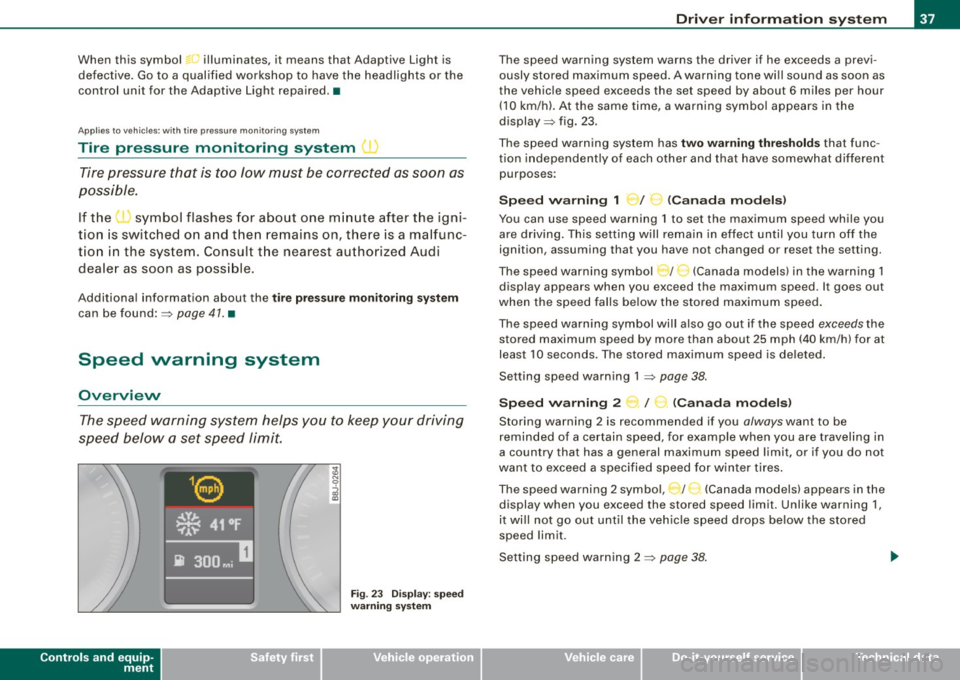
The speed warning system helps you to keep your driving
speed below a set speed limit.
Controls and equip
ment
Fig . 23 Display: speed
warning system
Driver inform ation system
The speed warning system warns the driver if he exceeds a previ
ously stored maximum speed. A warning tone wi ll sound as soon as
the vehicle speed exceeds the set speed by about 6 miles per hour (10 km/h). At the same time, a warning symbol appears in the
display=> fig. 23.
The speed warning system has
two warning thresholds that func
tion independently of each other and that have somewhat different
purposes :
Speed warning 1 )f ..._ (Canada models)
You can use speed warning 1 to set the maximum speed while you
are driving . This setting will remain in effect until you turn off the
ignition, assuming that you have not changed or reset the setting.
The speed warning symbol
J I ,.... (Canada models) in the warning 1
display appears when you exceed the maximum speed . It goes out
when the speed falls below the stored maximum speed.
The speed warning symbol will also go out if the speed
exceeds the
stored maximum speed by more than about 25 mph (40 km/h) for at
least 10 seconds. The stored maximum speed is deleted .
Setting speed warning 1 =>
page 38.
Speed warning 2 ...,,, /
e!. (Canada models)
Storing warning 2 is recommended if you always want to be
reminded of a certain speed, for example when you are traveling in
a country that has a general maximum speed limit, or if you do not
want to exceed a specified speed for winter tires.
The speed warning 2 symbol, / ) (Canada models) appears in the
display when you exceed the stored speed limit. Unlike warning 1,
it wi ll not go out until the vehicle speed drops below the stored
speed limit .
Setting speed warning 2 =>
page 38 .
I • •