tow AUDI TT ROADSTER 2011 User Guide
[x] Cancel search | Manufacturer: AUDI, Model Year: 2011, Model line: TT ROADSTER, Model: AUDI TT ROADSTER 2011Pages: 260, PDF Size: 64.11 MB
Page 85 of 260
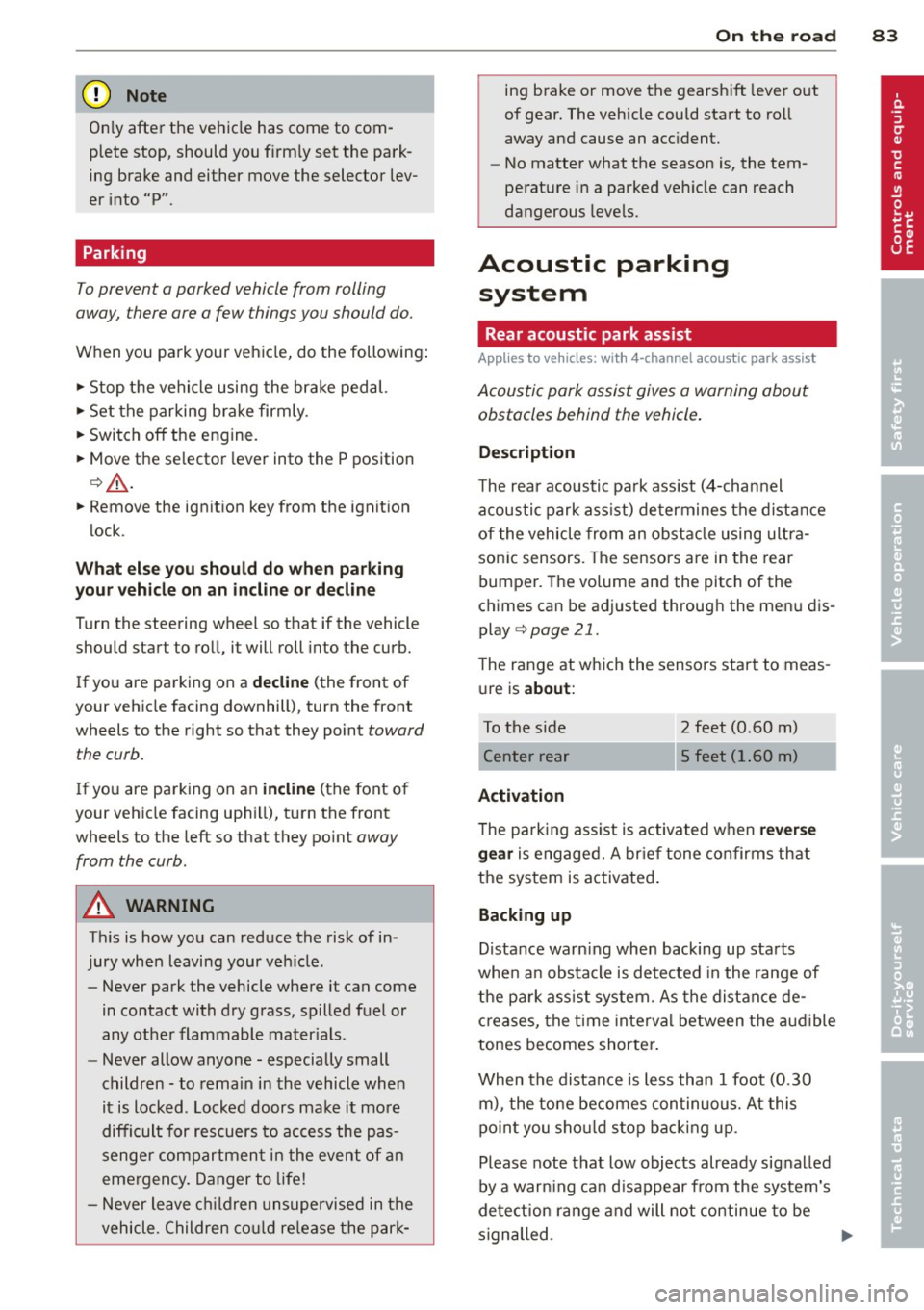
(D Note
Only after the vehi cle has come to com
plete stop, should you f irm ly set the park
ing brake and either move the selector lev
er into "P".
Parking
To prevent a parked vehicle from rolling
away, there are a few things you should do.
When you park your vehicle, do the following:
.,. Stop the vehicle using the brake pedal.
... Set the parking b ra ke firmly .
... Switch
off the engine.
... Move the selector lever into the P position
¢ A .
... Remove the ign it ion key from the ignit ion
lock.
What else you should do when pa rking
your vehicle on an incline or decline
Turn the steering wheel so that if the vehicle
should start to roll, it will roll into the curb.
If you are parking on a decl ine (the front of
your vehicle facing downhill), turn the front
wheels to the right so that they point
toward
the curb.
If you are parking on an incline (the font of
your vehicle facing uph ill), turn the front
wheels to the left so that they po int
away
from the curb.
A WARNING
Th is is how you can reduce the risk of in
jury when leaving your veh icle.
- Never park the vehicle where it can come
in contact with d ry grass, sp illed fuel or
any othe r flammable mater ials .
- Never allow anyone -especially small
children -to remain in the vehicle whe n
it is locked . Locked doors ma ke it more
difficult for rescuers to access the pas
senge r compartmen t in the event of an
eme rgency. Danger to life!
- Never leave c hildren unsupervised in the
vehicle. Children co uld re lease the par k-
-
On th e ro ad 83
ing brake or move the gearsh ift leve r out
of gear. The vehicle could start to ro ll
away and cause an acc ident.
- No matter what the season is, the tem
perature in a parked ve hicle can reach
dangerous leve ls.
Acoustic parking
system
' Rear acoustic park assist
Applies to vehicles: with 4-channel acoust ic park assist
Acoustic park assist gives a warning about
obstacles behind the vehicle .
Description
The rea r acoustic pa rk ass ist (4-channel
a coustic park ass ist) de termines the dista nce
of the vehicle from an obstacle using ult ra
son ic sensors. The sensors are in the rear
bumper. The volume and the pitch of the
c hi mes can be adjusted throug h the men u dis
play¢
page 21.
T he range at wh ich the sensors start to meas
u re is
about :
To the side
Activation
2 feet (0.60 m)
5 feet (1.60 m)
T he park ing ass ist is activated when
rever se
g ear
is engaged. A br ief tone confirms th at
the sys tem is activated .
Backing up
Distance warning whe n backing up sta rts
whe n an obstacle is detected in the range of
t he pa rk ass ist system. As the distance de
c reases, the t ime inte rva l between the audible
tones becomes shorte r.
When the distance is less than 1 foot (0.30
m), the tone becomes continuous. At this
po in t you sho uld s top bac king up .
Please note that low objects already signalled
by a war ning ca n disappear from the system's
de te ction range and will not continue to be
s ignalled . .,._
Page 87 of 260
ice, fog, gravel, heavy rain and hydro
planing) -risk of accident.
- Turn off the cruise control tempo rari ly
when entering turn lanes, highway exit
lanes or in construction zones.
- Please note that inadvertent ly "rest ing"
yo ur foot on the accelerator peda l causes
the cruise control not to brake. Th is is
because the cru ise control is overridden
by the d river's acce le rat ion .
(D Tips
The cruise control cannot mainta in a con
stant speed when driving downhill. The ve
hicle will acce lerate under its own weight.
Downshift to a lower gear or use the
brakes to slow down.
Changing speed
.,. Press leve r in the 0 or O direction
¢ page 84, fig. 92 to increase or decrease
your speed.
... Re lease the lever to save that speed .
Change speed in incremen ts of 1 mph (1 km/
h) by light ly pressing the lever.
If you keep the
l ever pressed down, yo u will alter yo ur speed
in 5 mph ( 10 km/h) increments .
You ca n also press the acceler ator peda l down
to inc rease your speed, e .g. if yo u want to
pass someone. The speed yo u saved earlier
will resume as soon as you release the acceler
ator peda l.
I f, however, yo u exceed your saved speed by
S mph ( 10 km/h) for longer than 5 mi nutes,
the cruise contro l will turn off tempora rily.
T he symbol will go o ut but the saved speed
will be retained.
Presetting your speed
You can preset your desired speed while the
vehicle is not moving .
... Turn on the ignition .
... Pull lever into position
(D ~ page 84,
fig. 92.
On th e ro ad 85
... Press the lever in the 0 or O direction to
increase or decrease your speed .
... Release the lever to save that speed.
T his function makes it possib le, for e xamp le,
to save the speed you want before driving on
the highway . Once on the highway, activate
the cr uise control by pulling the lever toward
(D .
Switching the system off
Temporary deacti vation
... Press the brake pedal, or
... Press the lever into position @(not clicked
into place)
¢ page 84, fig . 92, or
... Dr ive fo r longe r than 5 m inutes at mo re
than 5 mph (10 km/h) above the stored
speed.
Switching off completely
... Press lever into position @(clicked into
place), or
... Switch the ignit ion off .
The system retains the saved speed if you de activate the cruise control temporar ily. To re
sume the saved speed, re lease the brake ped
al and pu ll th e leve r to pos it ion
(D .
Switc hing the ignit ion off erases the saved
speed .
A WARNING
You shou ld only ret urn to the saved speed
i f it is not too fast for the cu rrent traffic
conditions -ris k of an accident!
Page 93 of 260
If you have selected a lower gear than the cur
rent one, the transmission w ill only shift down
when the engine cannot be overspeeded .
If kick-down is actuated, the transmission
shifts into a lower gear independent ly of
speed and engine rpm .
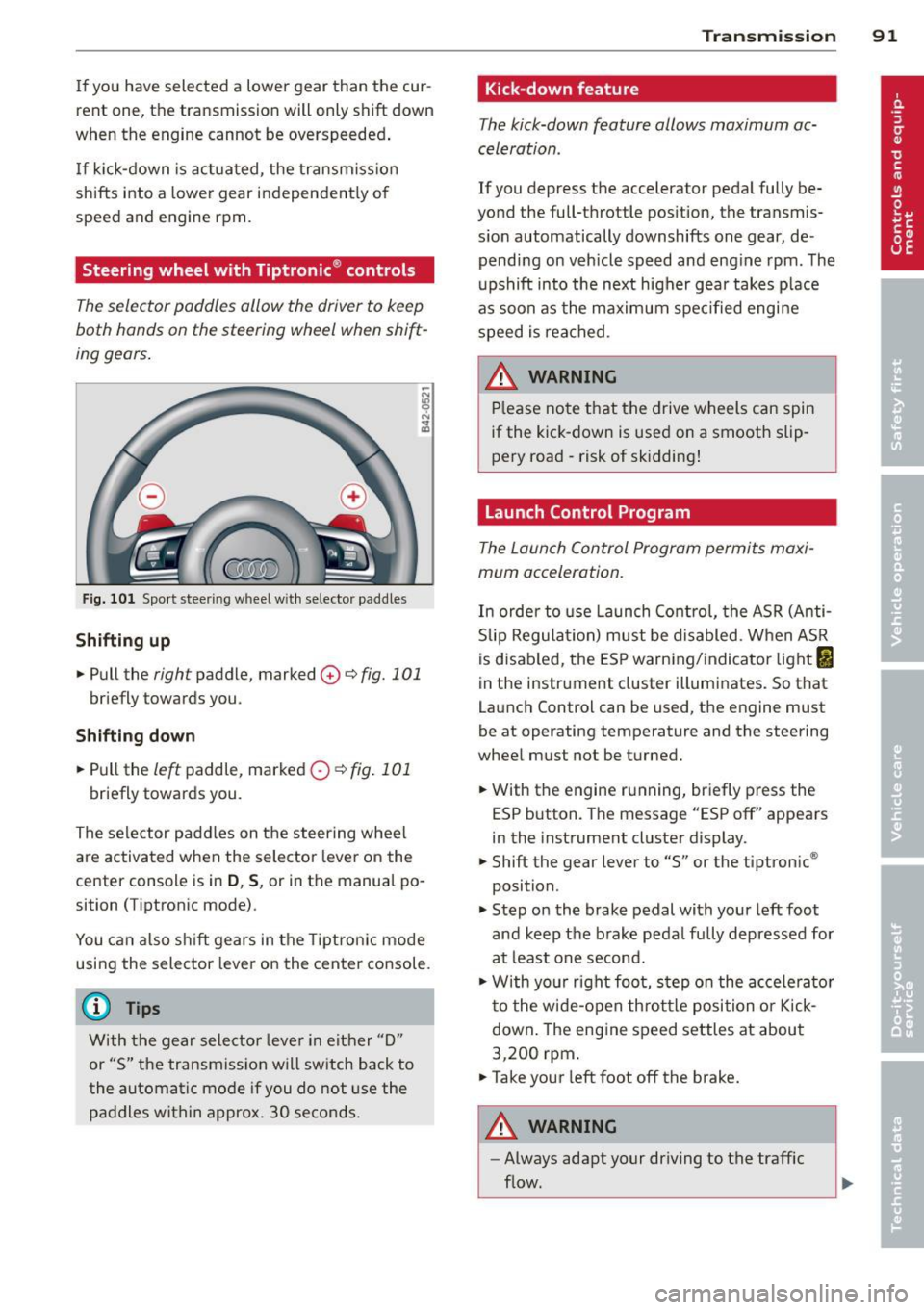
Steering wheel with Tiptronic ® controls
The selector paddl es allow the driver to keep
both hands on the steering wheel when shift
ing gears.
Fig. 101 Sport steer ing wheel w ith selector paddle s
Shifting up
.. Pull the right paddle, marked 0 ¢ fig. 101
briefly towards you .
Shifting down
.. Pull the left paddle, marked 0 ¢fig. 101
briefly towards you.
The selector paddles on the steering wheel
are activated when the selector lever on the
center console is in
D , S, or in the manual po
sition (Tiptronic mode) .
You can also shift gears in the Tiptronic mode
using the selector lever on the center console.
@ Tips
With the gear selector lever in either "D"
or "S" the transmission will switch back to
the automatic mode if you do not use the
paddles within approx. 30 seconds.
Transmission 91
Kick-down feature
The kick-down feature allows maximum ac
celeration .
If you depress the accelerator pedal fully be
yond the full-throttle position, the transmis
s ion automatically downshifts one gear, de
pending on vehicle speed and engine rpm. The
upshift into the next higher gear takes place
as soon as the maximum specified engine
speed is reached.
_&. WARNING
Please note that the drive wheels can spin
if the kick-down is used on a smooth slip
pery road -risk of sk idding!
Launch Control Program
The Launch Control Program permits maxi
mum acceleration.
In order to use Launch Control, the ASR (Anti
Slip Regulation) must be disabled. When ASR
is disabled, the ESP warning/indicator light
I
in the instrument cluster illuminates. So that
Launch Control can be used, the engine must
be at operating temperature and the steering
wheel must not be turned .
.. With the engine running, briefly press the
ESP button. The message "ESP off" appears
in the instrument cluster display.
.. Shift the gear lever to "S" or the tiptronic ®
position.
.. Step on the brake pedal with your left foot
and keep the brake pedal fully depressed for
at least one second.
.. W ith your right foot, step on the accelerator
to the wide-open throttle position or Kick
down. The engine speed settles at about
3,200 rpm.
.. Take your left foot off the brake.
&_ WARNING
-
-Always adapt your driving to the traffic
flow.
Page 95 of 260
~ Clip the selector lever boot back into the
shift gate after using the emergency re
lease .
I f the vehicle m ust be pushed or towed due to
a power failure (for example, the battery is
discharged), the selector lever must first be
moved to the N position using the emergency
re lease mechanism.
A WARNING
Only move the selector lever out of the P
position when the parking brake is activat
ed. Otherw ise, the vehicle could sta rt to
move unintentiona lly when the selector
lever is moved out of the P position.
Tran sm iss ion 93
Page 102 of 260
100 Driving Safely
• Grasp the top of the steering wheel with
your elbow(s) slightly bent.
• Adjust the head restraint so that the upper
edge is as even with the top of your head as
possible but no lower than eye level and so
that it is as close to the back of your head as
possible
t::;> fig. 108 .
• Fasten and wear safety belts correctly
t::;> page 110.
• Always keep both feet in the footwell so
that you are in control of the vehicle at all
times.
For detailed information on how to adjust the
driver's seat, see
¢page 67 .
.&_ WARNING
Drivers who are unbelted, out of position
or too close to the airbag can be seriously
injured by an airbag as it deploys. To help
reduce the risk of serious personal injury:
- Always adjust the driver's seat and the
steering wheel so that there are at least
10 inches (25 cm) between your breast
bone and the steering wheel.
- Always adjust the driver's seat and the
steering wheel so that there are at least
4 inches (10 cm) between the knees and
the lower part of the instrument panel.
- Always hold the steering wheel on the
outside of the steering wheel rim with
your hands at the 9 o'clock and 3 o'clock positions to help reduce the risk of per
sonal injury if the driver's airbag inflates.
- Never hold the steering wheel at the
12 o'clock position or with your hands at
other positions inside the steering wheel
rim or on the steering wheel hub. Hold
ing the steering wheel the wrong way
can cause serious injuries to the hands,
arms and head if the driver's airbag in
flates
- Pointing the steering wheel toward your
face decreases the ability of the supple
mental driver's airbag to protect you in a
collision.
- Always sit in an upright position and nev
er lean against or place any part of your body too close to the area where the air
bags are located.
- Before driving, always adjust the front
seats and head restraints properly and make sure that all passengers are prop
erly restrained .
- Never adjust the seats while the vehicle
is moving. Your seat may move unexpect
ed Ly and you could lose control of the ve
hicle .
- Never drive with the backrest reclined or
tilted far back! The farther the backrests
are tilted back, the greater the risk of in
jury due to incorrect positioning of the safety belt and improper seating posi
tion .
- Children must always ride in child seats
t::;> page 136. Special precautions apply
when installing a child seat on the front
passenger seat
t::;> page 115.
Proper seat ing position for the front
passenger
The proper front passenger seating position
is important for safe, relaxed driving.
For your own safety and to reduce the risk of
injury in the event of an accident, we recom
mend that you adjust the seat for the front
passenger to the following position :
• Adjust the angle of the seatback so that it is
in an upright position and your back comes
in full contact with it whenever the vehicle is
moving.
• Adjust the head restraint so that the upper
edge is as even with the top of your head as possible but not lower than eye level and so
that it is as close to the back of your head as
possible
¢ page 101.
• Keep both feet flat on the floor in front of
the front passenger seat.
• Fasten and wear safety belts correctly
t::;> page 110.
For detailed information on how to adjust the
front passenger's seat, see
¢ page 66.
Page 105 of 260
Pedal area
Pedals
The pedals must always be free to move and
must never be interfered with by a floor mat
or any other object.
Make sure that all pedals move freely without
interference and that nothing prevents them
from returning to their original positions .
Only use floor mats that leave the peda l area
free and can be secured with floor mat fasten
ers .
If a brake circuit fails, increased brake peda l
travel is required to bring the vehicle to a full
stop.
A WARNING
Pedals that cannot move freely can cause
loss of vehicle control and increase the r isk
of serious injury.
- Never place any objects in the driver's
footwell. An object could get into the
peda l area and interfere w ith pedal func
tion. In case of sudden braking or an ac
cident, you would not be able to brake or
accelerate!
- Always make sure that nothing can fall
or move into the driver's footwell.
Floor mats on the driver side
Always use floor mats that can be securely
attached to the floor mat fasteners and do
not interfere with the free movement of the
pedals.
"' Make sure that the floor mats are properly
secured and cannot move and interfere with
the pedals ~
A,.
Use only floor mats that leave the pedal a rea
unobstructed and that are firmly secured so
that they cannot s lip out of position. Yo u can
obtain suitable floor mats from your author
ized Audi Dealer.
Floor mat fasteners are installed in your Audi .
Driving S afel y 103
Floor mats used in your vehicle must be at
tached to these fasteners . Properly securing
the f loor mats will prevent them from sliding
into positions that could interfere with the
pedals or impair safe operat ion of your vehicle
in other ways.
A WARNING
Pedals that cannot move freely can result
in a loss of vehicle control and increase the
risk of serious persona l injury.
- Always make sure that floor mats are
properly secured.
- Never p lace or install floor mats or other
f loor coverings in the vehicle that cannot
be properly secured in place to prevent
them from slipping and interfer ing with
the peda ls or the ab ility to contro l the
vehicle .
- Never place or install floor mats or other
floor coverings on top o f already instal
led floor mats . Additiona l floor mats and
other coverings will reduce the size of
the peda l area and interfere with the
pedals.
- Always properly reinstall and secure floor
mats that have been taken out for clean
ing.
- Always make sure that objects cannot
fall into the dr iver footwell while the ve
hicle is moving . Objects can become
trapped under the brake pedal and accel
erator pedal causing a loss of vehicle
control.
Stowing luggage
Loading the luggage compartment
All luggage and other objects must be prop erly stowed and secured in the luggage com
partment.
Loose items in the luggage compartment can
shift suddenly, changing vehicle handling
characteristics. Loose items can a lso increase
the risk of serious persona l injury in a sudden
vehicle maneuver or in a collision. •
•
Page 108 of 260
106 Driving Safely
Road Safety and Motor Vehicle
Regulation Directorate
Transport Canada
Tower C, Place de Ville, 330 Sparks Street
Ottawa, Ontario
KlA ONS
For additional road safety infor
mation, please visit the Road
Safety website at:
http://www.tc.gc.ca/roadsaf
ety/i ndex . htm
Page 114 of 260
112 Safet y belt s
Pregnant women must also be properly
restrained
The best way to protect the fetus is to make
sure that expectant mothers always wear
safety belts correctly -throughout the preg
nancy.
Fig. 117 S afety be lt pos it io n during p regnancy
To provide maximum protection, safety belts
must always be positioned correctly on the
wearer's body
c> page 111 .
• Adjust the front seat and head restraint cor
rectly
c> page 66, General recommenda
tions.
• Make sure the seatback of the rear seat
bench is in upright posit ion and securely
latched in p lace before using the belt .
• Hold the belt by the tongue and pull it even
ly across the ches t and pelvis
c> fig. 117,
c> ,& .
• Insert the tongue into the correct buckle of
yo ur seat until you hear it latch securely
c> poge 110 , fig. 115.
•Pullon the belt to make sure that it is se
curely latched in the buckle .
A WARNING
Improperly positioned safety belts can
cause se rious personal injury in an acci
dent.
-
- Expectant mothers must always wear the
lap po rtion of the safety belt as low as
poss ible ac ross the pe lv is and be low the
rounding of the abdomen.
- Always read and heed all WARN INGS and
ot her impo rtan t info rmat ion
c> .&. in Fas
tening safety belts on page
111.
Unfastening safety belts
Unbuckle the safety belt with the red release
button only o~er the vehicle has stopped .
,,
}_
Fig . 1 18 Releas ing the tongue from the buc kle
• Push the red release b utton on the buckle
c> fig. 118. T he be lt tongue will spring out
of t he b uckle
c> ,& .
N 0 ;c
a1i
• Let the belt wind up on the retractor as you
guide the belt tongue to its stowed position .
A WARNING
-
Never unfasten safety belt while the vehi-
cle is mov ing . Do ing so will increase your
risk of being i njured or k illed.
Improperly worn safety belts
Incorrectly positioned safety belts con cause
severe injuries.
Wearing safety belts improper ly can ca use se
rious injury or deat h. Safety belts can only
work when they are correctly positioned on
the body . Improper seat ing positions reduce
the effectiveness of safety be lts and will even
increase the risk of injury and death by mov
ing the safety be lt to crit ica l areas of the
body . Imp roper seati ng posi tions a lso in
crease the risk of serious injury and death
whe n an airbag dep loys and strikes an occu
pant who is not in the correct seating posi
t ion. A driver is respons ible for the safety of
all veh icle occupants and especially for chil
dren. Therefore:
• Never pe rmit anyone to assume an incorrect
sitting position in the vehicle while traveling
c> ,& . ~
Page 125 of 260
the airbag system from working properly.
- Never place seat covers or replacement
upholstery that have not been specifical
ly approved by Audi on the front seats.
- Seat covers can prevent the Advanced
Airbag System from recognizing child re
straints or occupants on the front pas
senger seat and prevent the side airbag
in the seat backrest from deploying prop
erly .
- Never use cushions, pillows, blankets or similar items on the front passenger
seat. The additional padding will prevent
the weight-sensing mat in the seat from
accurately registering the child restraint
or person on the seat and prevent the
Advanced Airbag System from function
ing properly.
- If you must use a child restraint on the
front passenger seat and the child re
straint manufacturer's instructions re
quire the use of a towel, foam cushion or
something else to properly position the
child restraint, make certain that the
PASSENGER AIR BAG OFF light comes
on and stays on whenever the child re
straint is installed on the front passen
ger seat .
- If the
PASSENGER AIR BAG OFF light
does not come on and stay on, have the
airbag system inspected by your Audi
dealer.
How the Advanced Airbag System
components work together
The front Advanced Airbag System and the
side airbags supplement the protection of
fered by the front three-point safety belts
with pretensioners and load limiters and the adjustable head restraints to help reduce the
risk of injury in a wide range of accident and
crash situations . Be sure to read the impor
tant information about safety and heed the
WARNINGS in this chapter.
Deployment of the Advanced Airbag System
and the activation of the safety belt preten-
Airbag system 123
sioners depend on the deceleration measured
by the crash sensors and registered by the
electronic control unit. Crash severity depends
on speed and deceleration as well as the mass
and stiffness of the vehicle or object involved
in the crash .
When the electronic control unit registers a
low severity crash and the safety belt is being
used, the airbag will not deploy. I f the safety
belt is not being used, the first stage deploys,
followed by the second stage after a much lat
er time in the crash sequence.
If the electronic control unit registers a crash
of medium severity , the first stage of the air
bag deploys followed by the second stage at a
much later time in the crash sequence -re
gardless of whether the safety belt is being
used or not . In higher severity crashes as reg
istered by the electronic control unit, both the
first and second stages deploy almost at the
same time.
On the passenger side, regardless of safety
belt use, the airbag will be turned off if the
weight on the passenger seat is less than the
amount programmed in the electronic control
unit. The front airbag on the passenger side
will also be turned off if one of the child safe
ty seats that has been certified under Federal
Motor Vehicle Safety Standard 208 has been
recognized on the seat. The
PASSENGER AIR
BAG OFF
light comes on and stays on to tell
you when the front Advanced Airbag on the passenger side has been turned off
¢ page 116, Child r estraints on the front s eat
- some important things to know.
_&, WARNING
To reduce the risk of injury when an airbag
inflates, always wear safety belts properly .
- If you are unrestrained , leaning forward,
sitting sideways or out of position in any
way, your risk of injury is much higher.
- You will also receive serious injuries and
could even be killed if you are up against
the airbag or too close to it when it in
flates -even with an Advanced Airbag
¢ page 115.
•
•
Page 149 of 260
Deactivating the convertible locking
retractor
The convertible locking retractor for child re
straints will be deactiva ted automatically
when the belt is wound all the way back into the retractor.
" Press the red button on the safe ty belt buc k
l e. The bel t tongue w ill pop out of the buck
l e .
" Guide the safety be lt all the way back into
its stowed pos ition .
A lways le t the safety belt retrac t complete ly
into its stowed pos it ion . The sa fety belt can
now be used as an ordinary safety belt with
out the convert ib le lock ing ret ractor for chi ld
rest ra ints .
If the conver tible locking retractor shou ld be
activated inadve rtently , the safety belt m ust
be unfastened and guided comp letely back in
to its stowed position to deactivate th is fea
ture. If the conver tib le locking retractor is not
deactivated, the safety belt will gradually be
come tighter and u ncomfo rtable to wea r.
A WARNING
Imprope rly insta lled child saf ety seats in
c rease the risk of ser ious perso nal inju ry
a n d de ath in a colli sion.
- Never unfasten the safety belt to deacti
va te the convert ible lo cking re tr actor for
ch ild re st rain ts w hile the veh icle is mov
ing. You would not be rest rained an d
cou ld be ser iously injure d in an accident.
- Always read and hee d all WARN INGS
whenever using a child rest rained in ave
hicle is being use d¢
page 136. Spec ial
precautions apply when installing a ch ild
safety seat on the front passenger seat
¢ page 116, Child restraints on the front
seat -some important things to know .
Child Safet y 147
Additional Information
Sources of information about child
restraints and their use
T here a re a number o f sources of add itiona l
information abo ut child restraint se lection, in
stallation and use :
N HT SA advises t hat the bes t ch ild safety seat
is the one that fi ts your chi ld and fits in your
vehicle, and that yo u will use correct ly and
consistently.
T ry before yo u buy!
U.S National Highway Traffic Safety Admin
istration
T el.: 1 -888 -3 27-42 36 (TIY: 1-800-4 24-9153)
www. n hts a .gov
National SAFE KIDS Campaign
Tel.: (202) 66 2-0600
www.safe kids.o rg
Safety BeltSafe U. S.A
Tel.: (800) 7 45-SAFE (English)
Te l.: (800) 7 47-SANO (Span ish)
www. carseat .org
Transport Canada Information Centre
Tel.: 1 (800) 333-037 1 or call
1 (613) 9 98-8616 if you are in the Ottawa
area
www.tc.gc. ca/ ro ad safe ty
Audi Cu stomer CARE
T el.: (800) 82 2-2834 •
•