ignition AUDI TT ROADSTER 2011 Owners Manual
[x] Cancel search | Manufacturer: AUDI, Model Year: 2011, Model line: TT ROADSTER, Model: AUDI TT ROADSTER 2011Pages: 260, PDF Size: 64.11 MB
Page 11 of 260
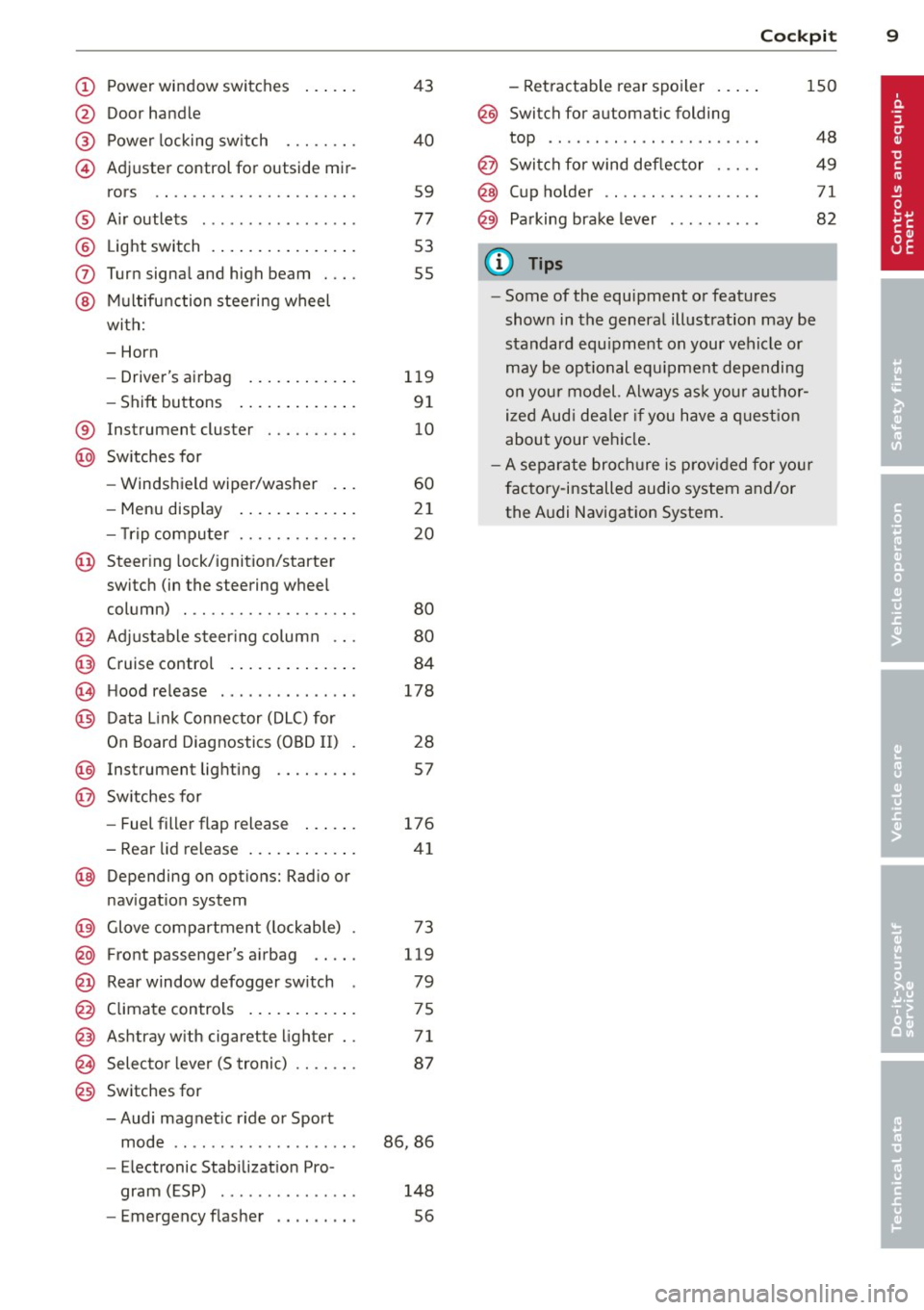
(!) Power wi ndow switches
@
@
©
Door hand le
Powe r locking sw itch
Adjuster control for outside mir- rors ... . ............. .... .
® Air outlets ............... . .
@ Light switch . ... .... ... .. .. .
(J) Turn signa l and high beam . .. .
@ Mu ltifunction stee ring wheel
with:
- Horn
- Drive r's ai rbag .... ... .. .. .
- Shift buttons ..... ... .. .. .
® Instrument cluster
@ Sw itches for
- Windshield wiper/washer
- Menu disp lay ..... ... .. .. .
43
40
59
77
53
55
1 19
9 1
10
60
21
- T rip comp uter . . . . . . . . . . . . . 20
© Steering lock/ignition/starter
switch (in the steering wheel
column) . . . . . . . . . . . . . . . . . . . 80
@ Adjustab le s teer ing column . . . 80
@ Cruise control . . . . . . . . . . . . . . 84
€3J H ood re lease . . . . . . . . . . . . . . . 178
@ Data L ink Connector (DLC) for
On Board Diagnostics ( OBD II) 28
@ Instrument lighti ng . . . . . . . . . 57
@ Switches for
- Fuel filler flap release 176
- Rea r lid re lease . . . . . . . . . . . . 41
@ Depending on opt ions: Rad io or
nav igat ion system
@ Glove compar tment ( lockable) 73
@ Front passenger's a irbag . . . . . 119
@ Rear window defogger sw itch 79
@ C limate controls . . . . . . . . . . . . 75
@ Ashtray w ith cigarette lighter . . 71
@ Selecto r l ever (S troni c) . . . . . . . 87
@) Switches for
- Audi magnet ic r ide or Sport
mode . . . . . . . . . . . . . . . . . . . . 86, 86
- Electronic Stab ilizat ion Pro-
gram ( ESP) . . . . . . . . . . . . . . . 148
- Emergency flasher . . . . . . . . . 56
Cockpi t 9
- Retractable rear spo iler .. ...
@ Switch for automatic folding
150
top . ... .. .. .. .. . .. .... ... .
@ Swi tch for wind deflector .... .
@ C up ho lder .. .. .. .......... .
@ Pa rking brake lever
(D Tips
- Some of the equipment or features
show n in the genera l illustration may be
standard equ ipme nt on your vehicle or
may be opt ional equ ipment depending
on you r model. Always as k yo ur au tho r
ized Aud i de aler if you have a quest ion
abou t your vehi cle.
- A separate bro ch ure is p rov ided for yo ur
factory-installed audio system a nd/or
the A udi Navigation System. 48
49
71
82
Page 12 of 260
10 Instruments and warning /indicator lights
Instruments and warning/indicator Lights
Instruments
Instrument cluster and controls
The instrument cluster is your central source of information.
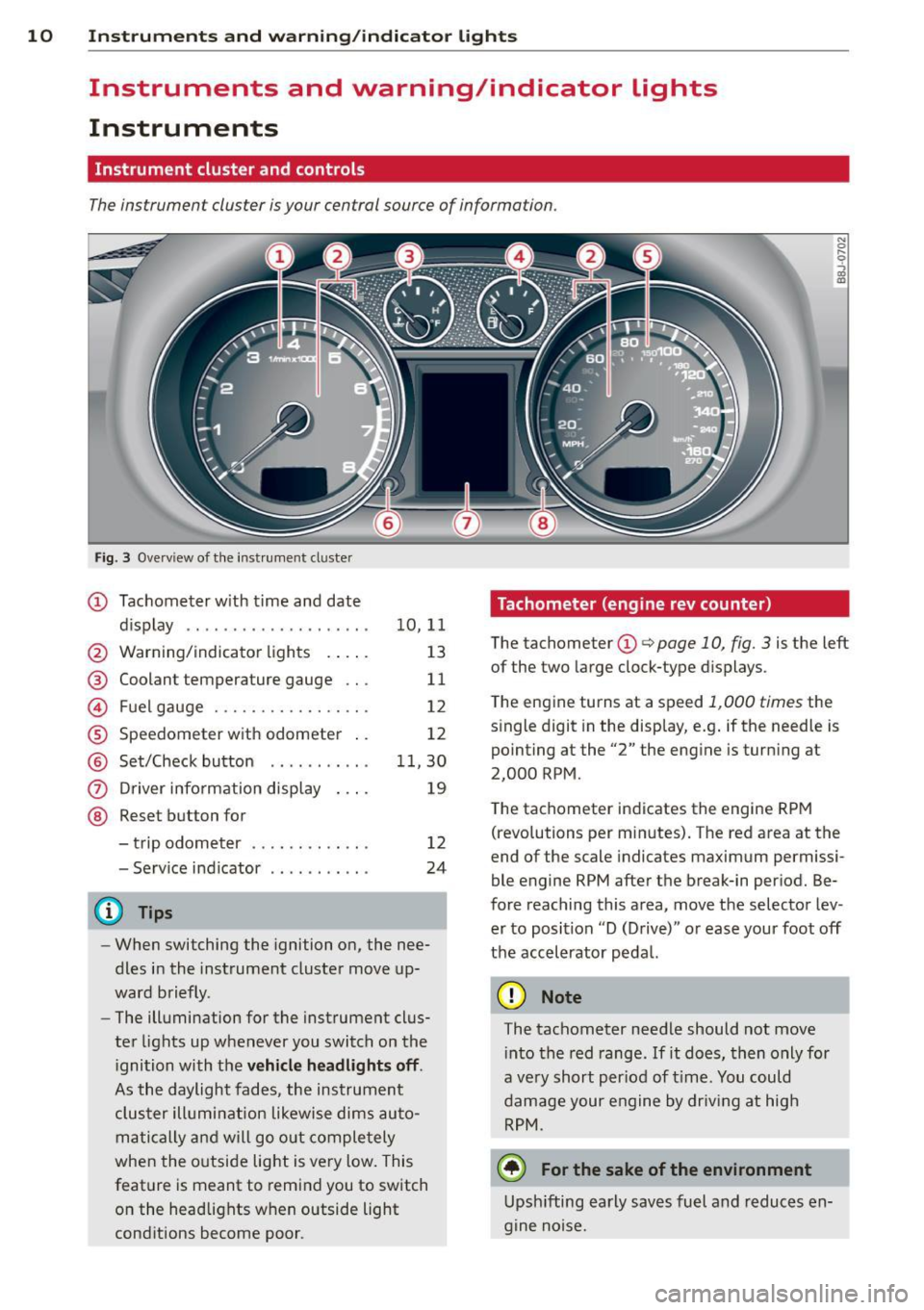
Fig. 3 Ove rvi ew of the instrument cluster
CD Tachometer with time and date
dis play .. .......... ....... .
@ Warning/indicator lights . ... .
@ Coolant temperature gauge .. .
© Fuel gauge ............ .. .. .
® Speedometer with odometer ..
@ Set/Check button ....... ... .
(i) Driver information display
@ Reset button for
- trip odometer ...... ..... . .
- Serv ice indicator
(D Tips
10,11
13
11
12
12
11,30
19
12
24
-When switching the ignition on, the nee
dles in the instrument cluster move up
ward briefly.
- The illumination for the instrument clus
ter lights up whenever you switch on the
i gnition with the
vehicle headlights off.
As the daylight fades, the instrument
cluster illumination likewise dims auto
matically and will go out completely
when the outside light is very low. This
feature is meant to remind you to switch
on the headlights w hen outside light
conditions become poor .
Tachometer (engine rev counter)
The tachometer CD q page 10, fig. 3 is the left
of the two large clock-type dis plays.
The engine turns at a speed
1,000 times the
single digit in the display, e.g . if the needle is
pointing at the "2" the engine is turning at
2,000 RPM.
The tachometer indicates the engine RPM
(revolutions per minutes). The red area at the
end of the scale indicates maximum permissi
ble engine RPM after the break-in period. Be
fore reaching this area, move the selector lev
er to position "D (Drive)" or ease your foot off
the accelerator pedal.
(D Note
The tachometer needle should not move into the red range . If it does, then only for
a ve ry short per iod of time. You could
damage your engine by driving at high
RPM.
@) For the sake of the environment
Upshifting early saves fuel and reduces en
gine noise.
Page 13 of 260
Instrument s and warning /indicator lights 11
Digital clock with date display
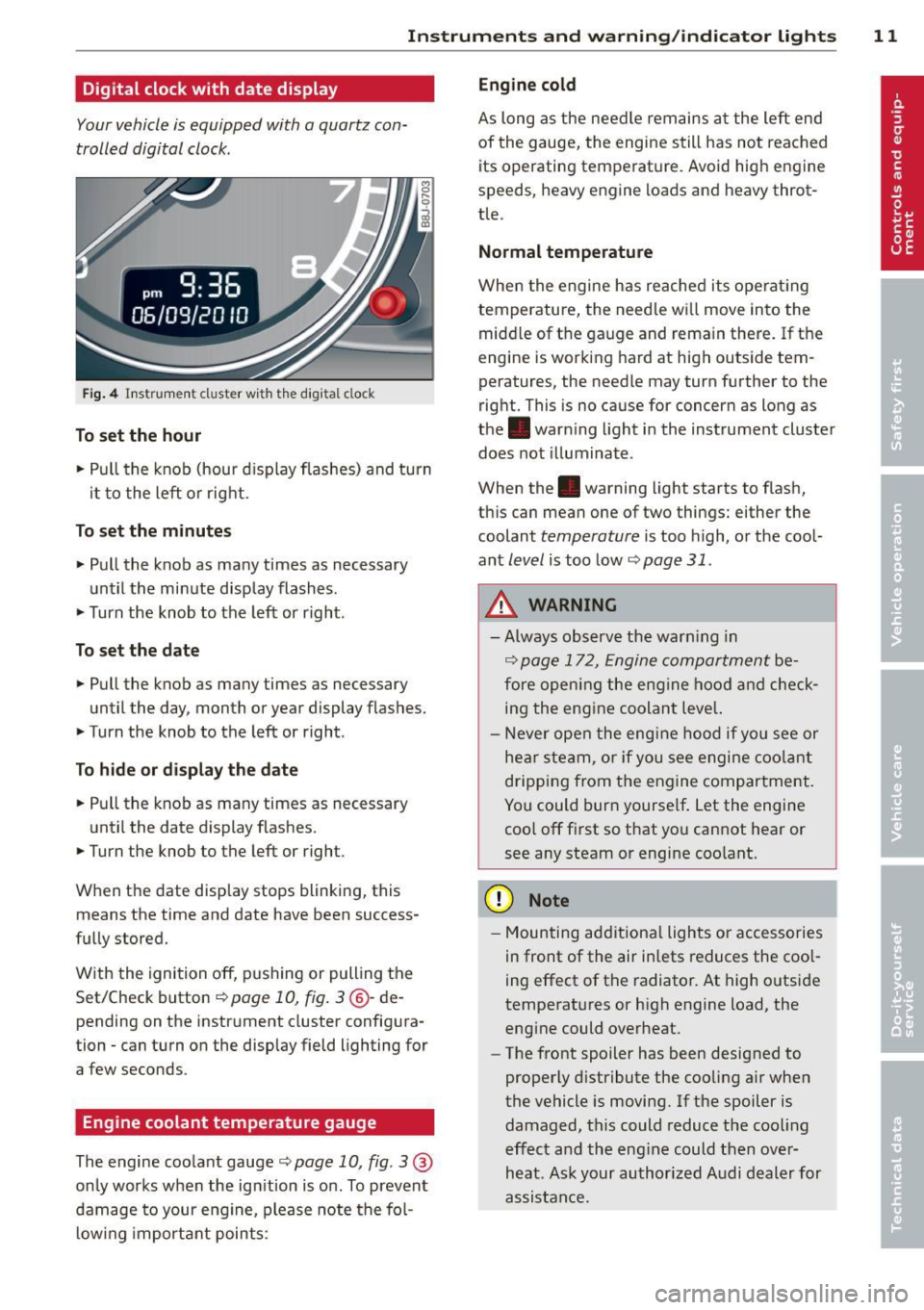
Your vehicle is equipped with a quartz con
trolled digital clock .
Fig. 4 In str um en t cl uster w ith th e dig ita l cloc k
To set the hour
.. Pull the knob (hou r d isplay flashes) and turn
it t o the left o r right.
To set the minutes
.. Pull the knob as many times as necessary
un til the mi nute display flash es.
.. Turn the knob to the left or right .
To set the date
.. Pull the knob as many times as necessary
until the day, month or year display flashes.
.. Turn the knob to the left or right .
To hide or d isplay the d ate
.. Pull the knob as many times as necessary
unti l the date display flashes.
.. Turn the knob to the left or right.
When the date disp lay stops blinking, this
means the time and date have been success
fu lly stored.
W ith the ignition off, pushing or pulling the
Set/Check button
~ page 10, fig . 3 ® -de
pending on the instr ument cluster config ura
tion - can turn on the display field lighting for
a few seconds .
Engine coolant temperature gauge
The engine coo lant gauge ~ page 10, fig . 3 @
only wor ks when the ign ition is on. To prevent
damage to your engi ne, please note t he fo l
lo wing important points :
Engine cold
As long as the need le rem ains a t the left end
of the gauge, the engine s till has not reac hed
its operating temperat ure. Avoid high engine
speeds, heavy e ngine loads and heavy throt
tle.
Normal temperature
When the engine has re ache d its ope rat ing
temperature, the need le w ill move into the
mid dle of t he gauge and rema in there .
If the
engine is working hard at high outside tem
peratures, the needle may turn fu rther to the
right. This is no cause for concern as long as
the . war ning light i n the inst rument cluster
does not illuminate .
When the. warning light starts to f lash,
th is can mean one of two things: either the
coolant
temperature is too high, o r the coo l
ant
level is too low ~ page 31 .
A WARNING
--Always obs erv e the warn ing in
~ page 17 2, Engine compar tment be
fore opening the eng ine hoo d and check
ing the eng ine coolan t leve l.
- N ever ope n the eng ine hood if you see or
hea r ste am, or if you see e ngine c oo la nt
dripping from t he en gine compar tment .
You could burn yourse lf . Let the engi ne
coo l off fi rst so that you can not hear or
see any steam or engine coo lant.
(D Note
- M ounting ad ditiona l lights or accessories
in front of the air inlets reduces the coo l
ing effect of t he radiato r. At high o utside
tempe rat ures or h igh engine load, the
eng ine could overheat.
- The front spoiler has been designed to
properly d istribute the cooling a ir when
the vehicle is movi ng. If the spoiler is
damaged, this could reduce the coo ling
e ff ect a nd the eng ine could then ove r
heat . As k yo ur au thori zed A udi deal er for
assis tan ce.
Page 14 of 260
12 Instruments and warning /indicator lights
Fuel gauge
The fuel gauge works only when the ignition is
on.
When the needle reaches the red area, the
warning light in the instrument cluster will il
luminate
9 page 32 li)J. This means you
have approximately 1.9 gallons (7 litres) of
fuel left in the tank.
Time to refuel!
The total tank capacity of your vehicle is listed in
9 page 239.
(D Note
Never run the tank completely dry! An ir
regu lar supply of fue l can cause eng ine
misfiring and fuel could enter into the ex
haust system. The catalyt ic converter
co uld then overheat and be damaged.
Speedometer with odometer
The speedometer shows you the vehicle
speed, and the odometer shows you how
many miles (kilometers) you have driven.
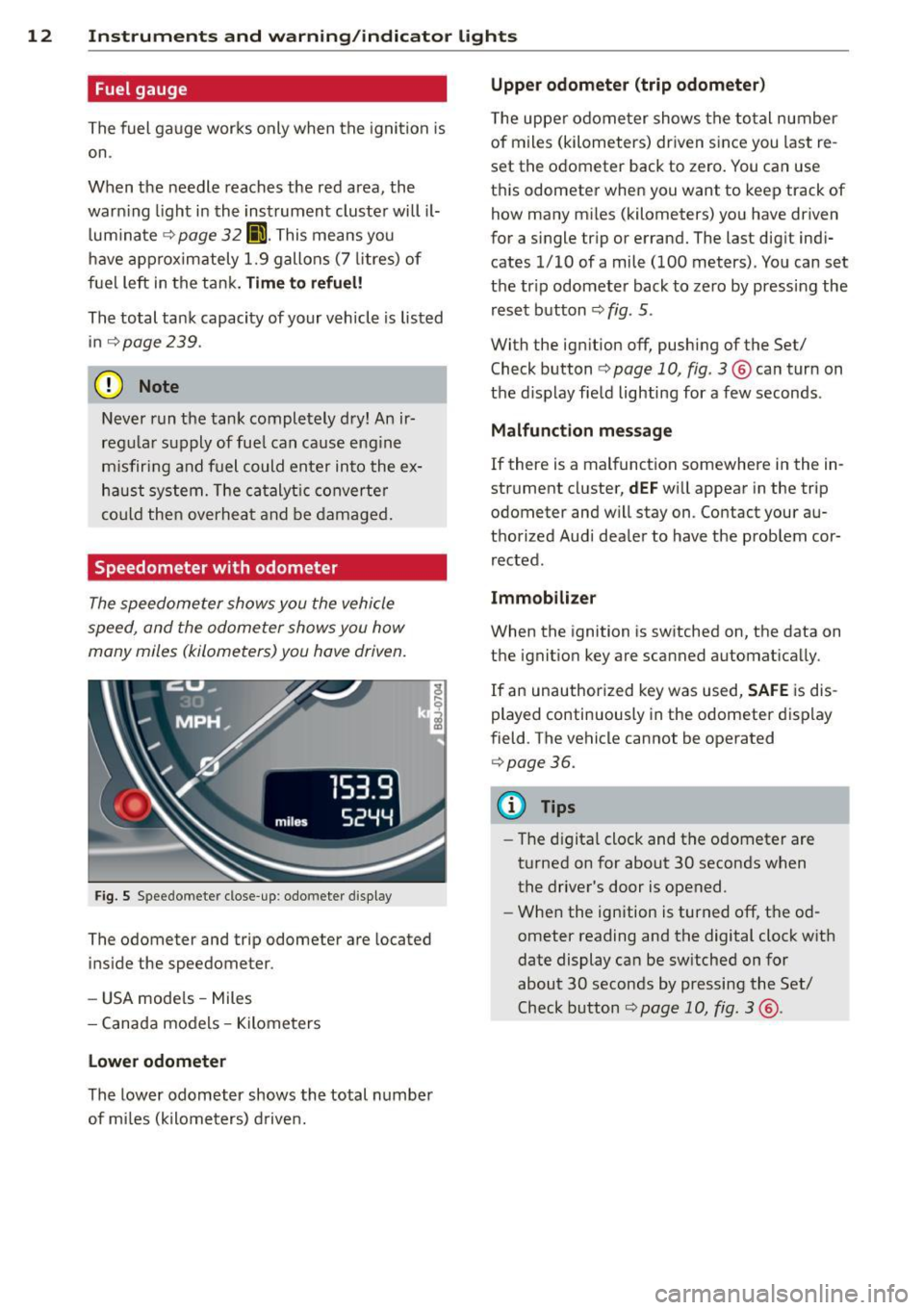
Fig. 5 Speedomete r close -up: odometer display
The odometer and trip odometer are located
inside the speedometer .
- USA mode ls - Miles
- Canada models -Kilometers
Lower odometer
The lower odometer shows the total number
of miles (kilometers) driven.
Upper odometer (trip odometer)
The upper odometer shows the total number
of miles (kilometers) driven s ince you last re
set the odometer back to zero. You can use
th is odometer when you want to keep track of
how many miles (kilometers) you have driven
for a single trip or errand. The last digit indi
cates
1/10 of a mile (100 meters) . You can set
the tr ip odometer back to zero by pressing the
reset button
<:;> fig . 5.
With the ig nition off, pushing of the Set/
Check button
9 page 10, fig. 3 ® can turn on
the d isplay field lighting for a few seconds .
Malfunction message
If there is a malfunction somewhere in the in
strument cluster,
dEF will appear in the trip
odometer and w ill stay on. Contact your au
thorized Aud i dealer to have the problem cor
rected.
Immobilizer
When the ignition is switched on, the data on
the ignition key are scanned automatically.
If an unauthorized key was used, SAFE is dis
played continuously in the odometer display
field . The vehicle cannot be operated
9page 36.
(D Tips
-The digital clock and the odometer are
turned on for about 30 seconds when
the driver's door is opened .
- When the ignition is turned off, the od
ometer reading and the digital clock with
date display can be switched on for
about 30 seconds by pressing the Set/
Check button
<:;> page 10, fig. 3 @ .
Page 16 of 260
14 Instrument s and w arn ing /indic ato r light s
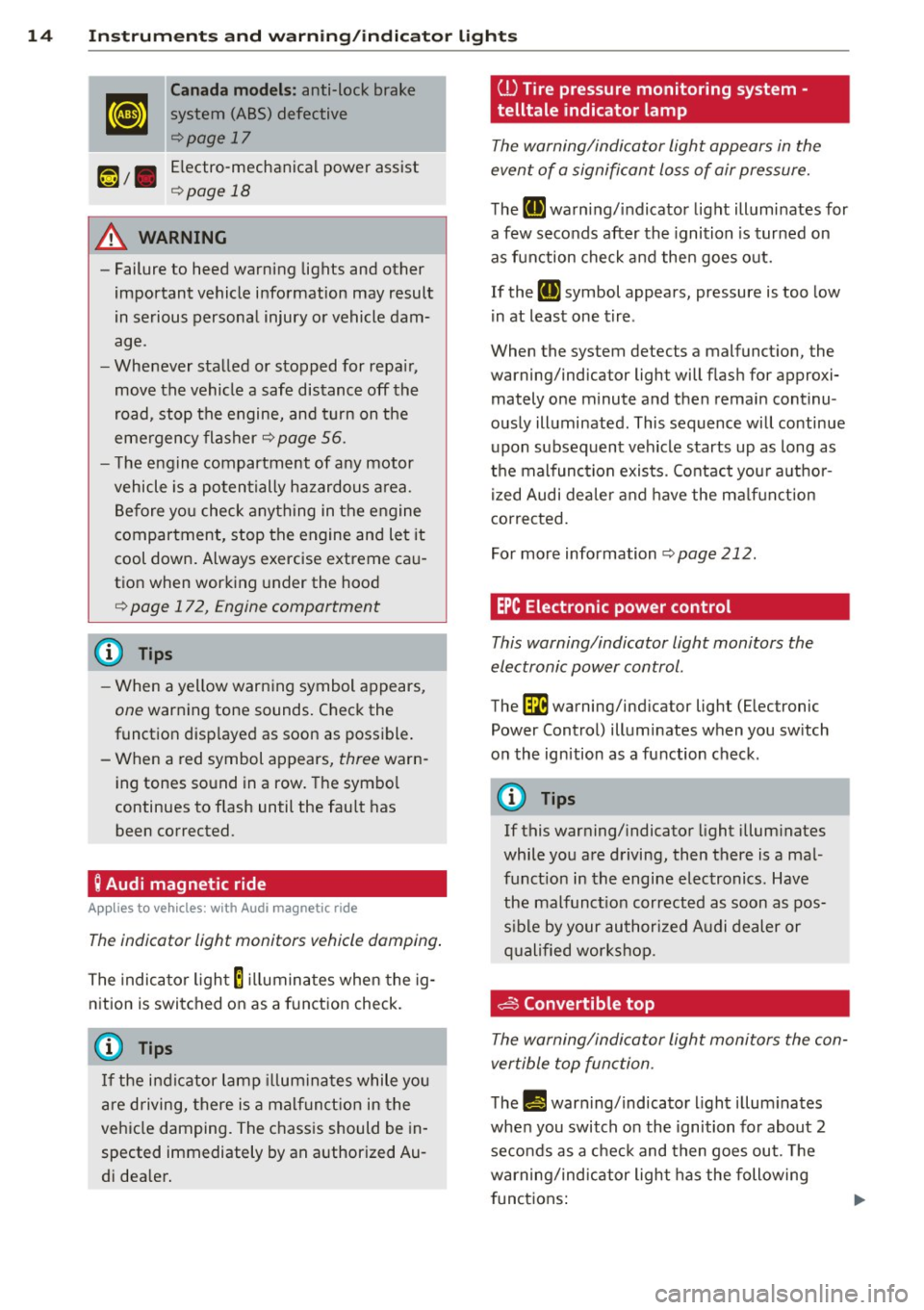
Canada models : anti-lock brake
system (ABS) defective
¢page 17
Electro-mechanical power assist
¢ page 18
A WARNING
-Failure to heed warning lights and other
important vehicle information may result
in serious personal injury or vehicle dam
age.
- Whenever stalled or stopped for repa ir,
move the vehicle a safe distance off the
road, stop the engine, and turn on the
eme rgency flasher¢
page 56.
- The engine compartment of any motor
vehicle is a potentially hazardous a rea.
Before you check anything in the engine
compartment, stop the engine and let it
cool down. Always exercise extreme ca u
t ion when working under the hood
¢ page 172, Engine compartment
(D Tips
- When a yellow warn ing symbol appears,
one warning tone sounds. Chec k the
function disp layed as soon as possible .
- When a red symbol appears,
three warn
ing tones so und in a row. The symbo l
continues to flash until the fau lt has
been corrected.
; Audi magnetic ride
App lies to vehicles: with Audi magnetic ride
The indicator light monitors vehicle damping .
The indicator ligh t E illumina tes when the ig
n ition is switched on as a funct ion check.
(D Tips
I f the indi cator lamp illuminates while you
are driving, there is a malf unct ion in the
veh icle damping. The chass is should be in
spected immediately by an authorized Au
di dea ler .
ill Tire pressure monitoring system ·
telltale indicator lamp
The warning/indicator light appears in the
event of a signifi cant loss of air pressure.
T he II] warn ing/ indicator light illumi nates for
a few seconds after the ignition is turned on
as function che ck a nd the n goes out.
If the
II] symbol appears, pressure is too low
i n at least one t ire .
When the system detects a malfunct ion, the
warning/indicator light will flas h for approxi
mately one minute and then remain continu
ously ill uminated . This sequence will continue
upon subsequent vehicle starts up as long as
the malfunc tion exists . Contact you r a uth o r
ized Audi de aler and have the ma lf u nction
corrected.
For more information
¢ page 212.
EPC Electronic power control
This warning/indicator light monitors the
electronic power control .
The~ warning/ind icator light (E lectronic
Power Control) illuminates when you sw itch
on the ign ition as a fu nction check .
(D Tips
If this warning/ indicator light illum inates
while you are d riving, then there is a mal
funct ion in the engine electronics . Have
the malfunct ion corrected as soon as pos
s ib le by your au thori zed A udi dealer or
q ualified works ho p.
c§:3 Convertible top
The warning/indicator light monitors the con
vertible top function .
The l!!J!I warning/indicato r light illum inates
whe n you switch on th e ignition fo r about 2
seco nds as a c heck and then goes out. The
warning/ind ic a tor light has the following
f unct ions:
Page 17 of 260
Instruments and warning/indicator lights 15
-The light illuminates when the folding top
opens or closes .
- It flashes if one of the conditions for auto
matically lowering or raising the convertib le
top is not met and the switch to actuate the convertible top is pressed.
- The light i lluminates when the convertib le
top is opened or closed
incompletely.
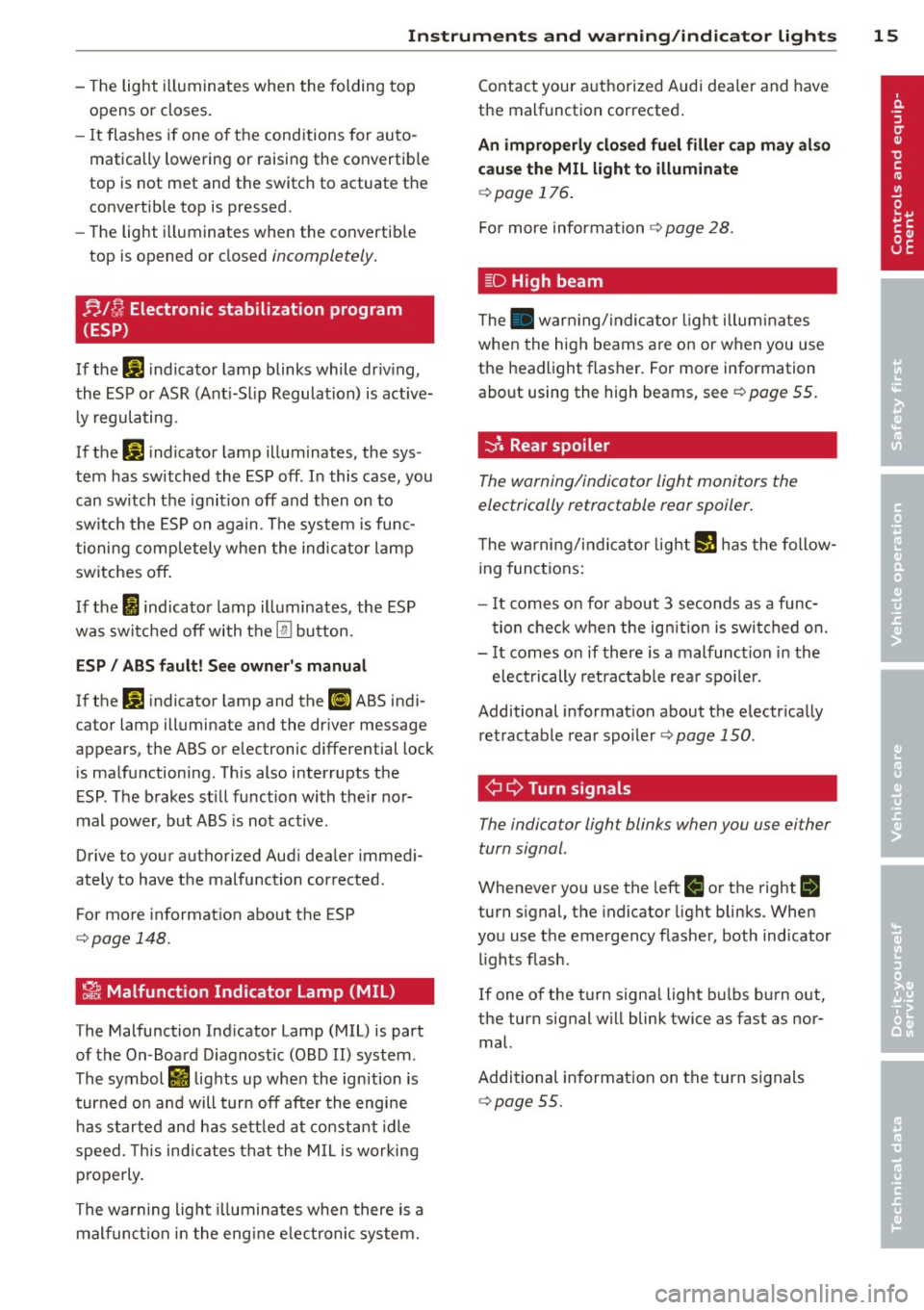
nl /J Electronic stabilization program
(ESP)
If the G1 i ndicator lamp blinks while dr iv ing,
the ESP or ASR (Ant i-S lip Regulation) is active
l y regulating.
If the G1 indicator lamp illuminates, the sys
tem has sw itched the ESP off. In this case, you
can switch the ignition off and then on to
switch the ESP on again. The system is func
tioning completely whe n the indicator lamp
switches off .
I f the
I indicato r lamp illuminates, the ESP
was switched off with the
[ru bu tton.
ESP/ ABS fault! See owner's manual
If the G1 indicator lamp and the ll] ABS indi
cator lamp illuminate and the dr iver message
appears, the ABS or e lectronic differential lock
is malfunctioning. This also interrupts the
E SP . The brakes st ill function with the ir nor
mal power, but ABS is not active.
Drive to your authorized Aud i dea ler immedi
ately to have the malfunction corrected .
For more information about the ESP
¢page 148.
~ Malfunction Indicator Lamp (MIL)
The Malfunction Ind icator Lamp (MIL) is part
of the On-Board Diagnostic (OBD II) system .
The symbol
rfl lights up when the ignition is
turned o n and will turn off after the engine
has started and ha s settled at constant idle
speed. This ind icates that the MIL is working
p roperly.
The warning light illuminates when there is a
malfunction in the engine e lectronic system. Contact
your authorized Audi dea ler and have
the malfunction corrected .
An improperly closed fuel filler cap may also
cause the MIL light to illuminate
¢page 176.
For more information ¢ page 28.
[D High beam
The . warn ing/ indicato r light illum inates
when the high beams are on or when you use
the headlight flasher. For more information
about using the high beams, see¢
page 55.
-::}. Rear spoiler
The warning/indicator light monitors the
electrically retractable rear spoiler .
The warning/indicator light I! has the follow
ing functions:
- It comes on for about 3 seconds as a func
tion check when the ignition is switched on.
- It comes on if there is a malfunction in the
electrically ret ra ctab le rea r spo ile r.
Additional informat ion about the e lectr ically
retractable rear spoiler ¢
page 150.
¢¢Turn signals
The indicator light blinks when you use either
turn signal.
Whenever you use the left II or the right II
turn s ignal, the indicator light blinks. When
you use the emergency flasher, both indicator
lights flash.
If one of the turn signa l light bulbs burn out,
the turn signal will blink twice as fast as nor
mal.
Additional information on the turn signals
¢page 55.
Page 18 of 260
16 Instruments and warning/indicator lights
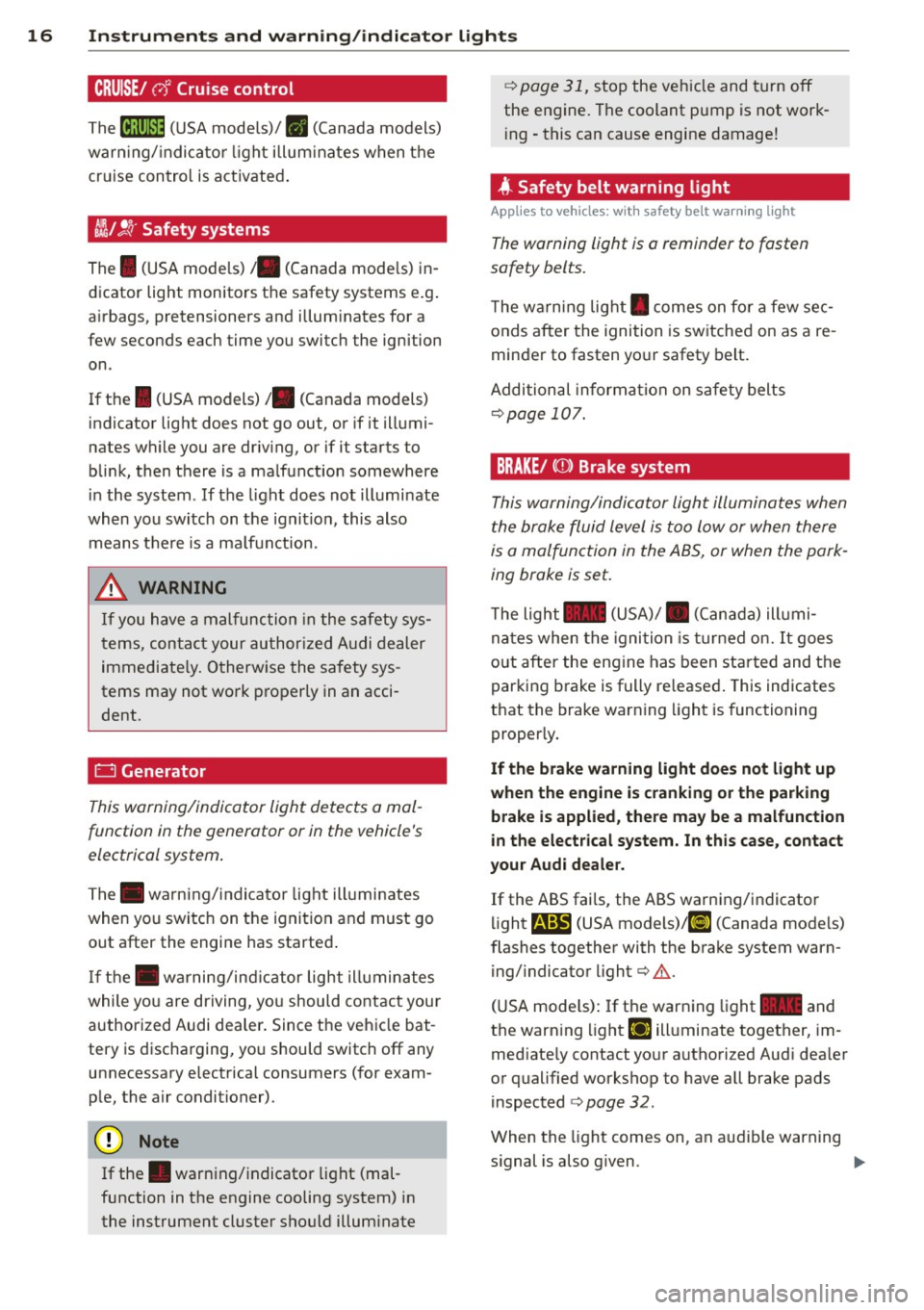
CRUISE/ vJ' Cruise control
The iR;\l)~i~ (USA models)! II (Canada models)
warn ing/ indicator light illum inates when the
cruise control is act ivated .
~/ !.!r Safety systems
The I (USA models)/ . (Canada mode ls) in
dicator light monitors the safety systems e.g.
airbags, pretensioners and illuminates for a
few seconds each time you switch the ignition
on .
If the
I (USA models)/ . (Canada models)
indicator light does not go out, or if it illumi
nates while you are driving, or if it starts to
blink, then there is a malfunction somewhere
in the system . If the light does not illuminate
when you switch on the ignition, this also
means there is a ma lfunction.
_& WARNING
If you have a malfunction in the safety sys
tems, contact your authorized Audi dealer
immediately. Otherwise the safety sys
tems may not work properly in an acci
dent.
0 Generator
This warning/indicator light detects a mal
function in the generator or in the vehicle's
electrical system.
The . warning/indicator light illuminates
when you switch on the ignition and must go
out after the engine has started .
If the . warning/ind icator light illuminates
while you are driving, you should contact your
authorized Audi dealer . Since the vehicle bat
tery is discharging, yo u should switch
off any
unnecessary electrical consumers (for exam
p le, the air conditioner).
0 Note
If the . warn ing/indicator light (mal
function in the engine cooling system) in
the instrument cluster should illum inate
¢ page 31, stop the veh icle and turn off
the engine. The coolant pump is not work
in g -this can cause engine damage!
4 Safety belt warning light
Applies to vehicles: wit h safety belt wa rning lig ht
The warning light is a reminder to fasten
safety belts.
T he warn ing light . comes on for a few sec
onds after the ignition is switched on as a re
minder to fasten your safety belt.
Additional information on safety belts
¢page 107.
BRAKE/ ((D ) Brake system
This warning/indicator light illuminates when
the brake fluid level is too low or when there
is a malfunction in the ABS, or when the park
ing broke is set.
T he light 1111 (USA)/ . (Canada) ill umi
nates when the igni tion is turned on.
It goes
out after the engine has been started and the
parking brake is fully released. This indicates
that the brake warning light is functioning
proper ly.
If the brake warning light does not light up
when the engine is cranking or the parking
brake is applied, there may be a malfunction
in the electrical system. In this case , contact
your Audi dealer.
If the ABS fails, the ABS warning/indicator
li ght
r.t.m:il (USA models)/ l~» (Canada models)
flashes together with the brake system warn
ing/indicator light¢&.
(USA mode ls) : If the warning light
1111 and
the warn ing light
El illuminate together, im
med iately contact your authorized Audi dea ler
or qualified workshop to have all brake pads
inspected
¢ page 32.
When the light comes on, an audible warning
s ignal is also g iven. ..,.
Page 19 of 260
Instrument s and warnin g/indi cator ligh ts 17
Par king brak e set
The 1111 warning/indicator light ill uminates
when the parking brake is set¢
A.
,&. WARNING
,-
- USA models:: If both, the -warning
light and the
m warning light come
on at the same time, the rear whee ls
could lock up first under hard braking.
Lock-up of the rear wheel brakes can
cause loss of vehicle control and an acci
dent . Have your vehicle repaired immed i
ately by your authorized Audi dealer or a qualified wo rkshop. Dr ive slowly and
avo id sudden, hard brake applicat ion.
- Canada models: If both, the brake warn
ing light . and the ABS warning light
Ii] come on at the same time, the rear
wheels co uld lock up first unde r hard
braking . Lock-up of the rear wheel brakes
can cause loss of vehicle control and an
acc ident. Have your vehicle repaired im
med iately by your authorized Audi dealer
or a qualified workshop. Drive slowly and
avo id sudden, hard brake applicat ion
- If the brake warning/indicator light does
not go out after a few seconds and the
park ing brake re leased, or lights up while
you a re d riving, the fluid level in the
brake fl uid reservo ir is too low. If you be
lieve that it is safe to do so, p roceed im
mediately at low speed to the nearest
authorized Audi dealer or qualified wo rk
shop and have the brake system inspect
ed.
- Please be very carefu l and always keep in
mind that after several brake applica
t ions, you will need greater pressure on
the brake pedal to stop your vehicle. Consequently, you must allow for in
cr eased braking distances. Trying to
brake as quickly as usual could lead to an
acci den t.
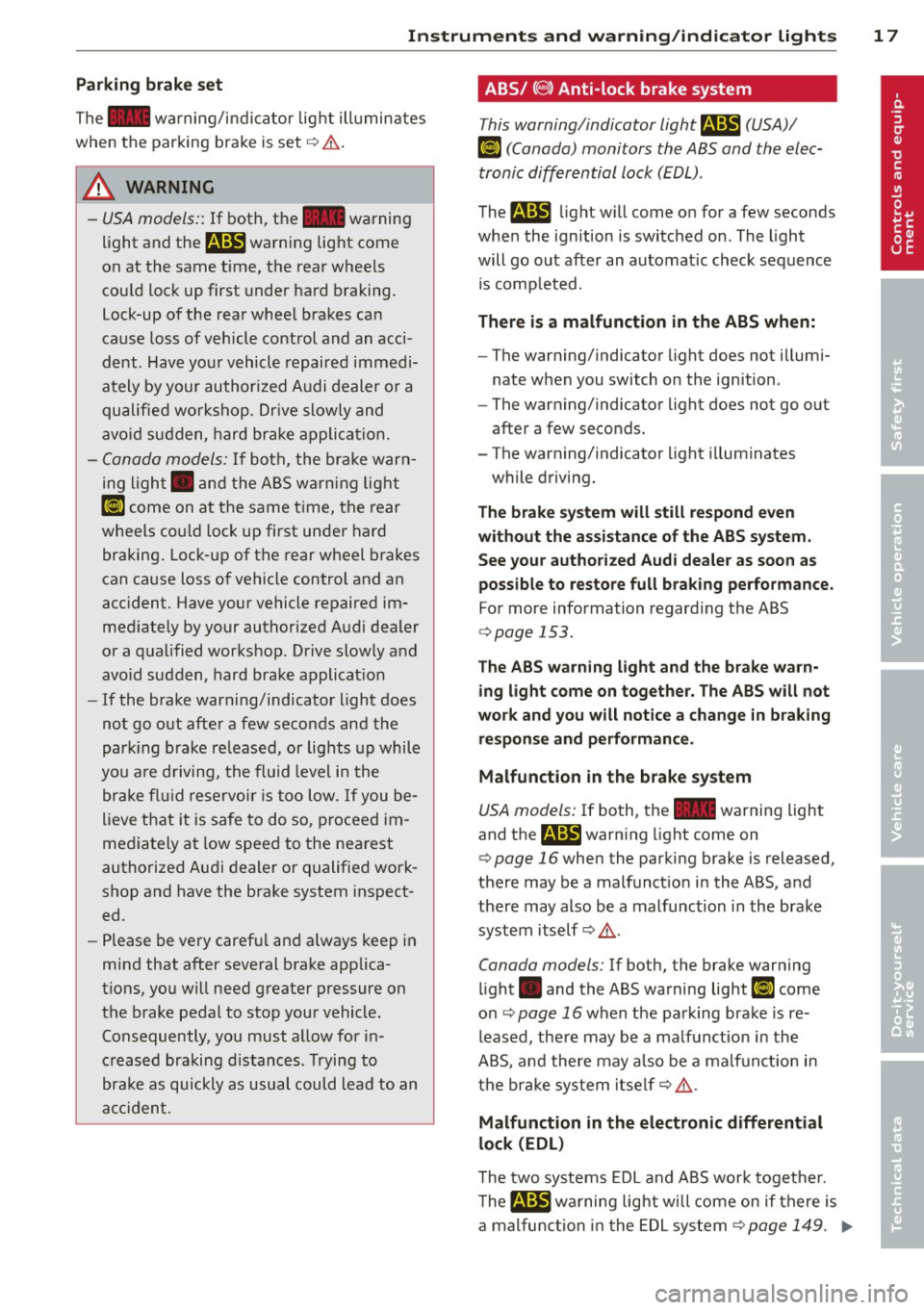
ABS/ (8 ) Anti-lock brake system
This warning/indicator light m (USA)/
Ii] (Canada) monitors the ABS and the elec
tronic differential lock (EDL).
The m light w ill come o n for a few seconds
when the ignition is switched on. The light
will go out after an automatic check sequence
is comp leted.
There is a malfunction in the ABS when:
-The warning/indicator light does not illumi
nate when you switch o n the ignition.
- The warning/indicator light does not go out
after a few seconds.
- The warning/indicator light illuminates
while driving.
The brake system will still respond e ven
without the a ssistance of the ABS system.
See your author ized Audi de aler as soon as
possible to restore full braking performance.
For more information regard ing the ABS
¢ page 153.
The AB S warning light and the b rake w arn
ing light come on togethe r. The ABS will not
work and you will no tice a ch ange in braking
r e sponse and perform ance .
Malfunction in the brake sy stem
USA models: If both, the 1111 warning light
and the
B warn ing light come on
¢ page 16when the parking brake is released,
the re may be a malfunct ion in the ABS, and
there may also be a malfunction in the brake
system itself¢
A.
Canada models: If both, the brake warning
li ght . and the ABS warning light
(I] come
o n ¢
page 16 when the parking brake is re
l eased, there may be a ma lf u nction in the
ABS, a nd there may a lso be a malfun ct ion in
the b ra ke system itse lf¢
A .
Malfunction in th e electronic differential
lock (EDL)
T he two systems EDL and ABS work togethe r.
T he
&1!B w ar ning lig ht w ill come on if there is
a mal func tion in the EDL system¢
page 149. .,.
Page 21 of 260
Driver information
system
Introduction
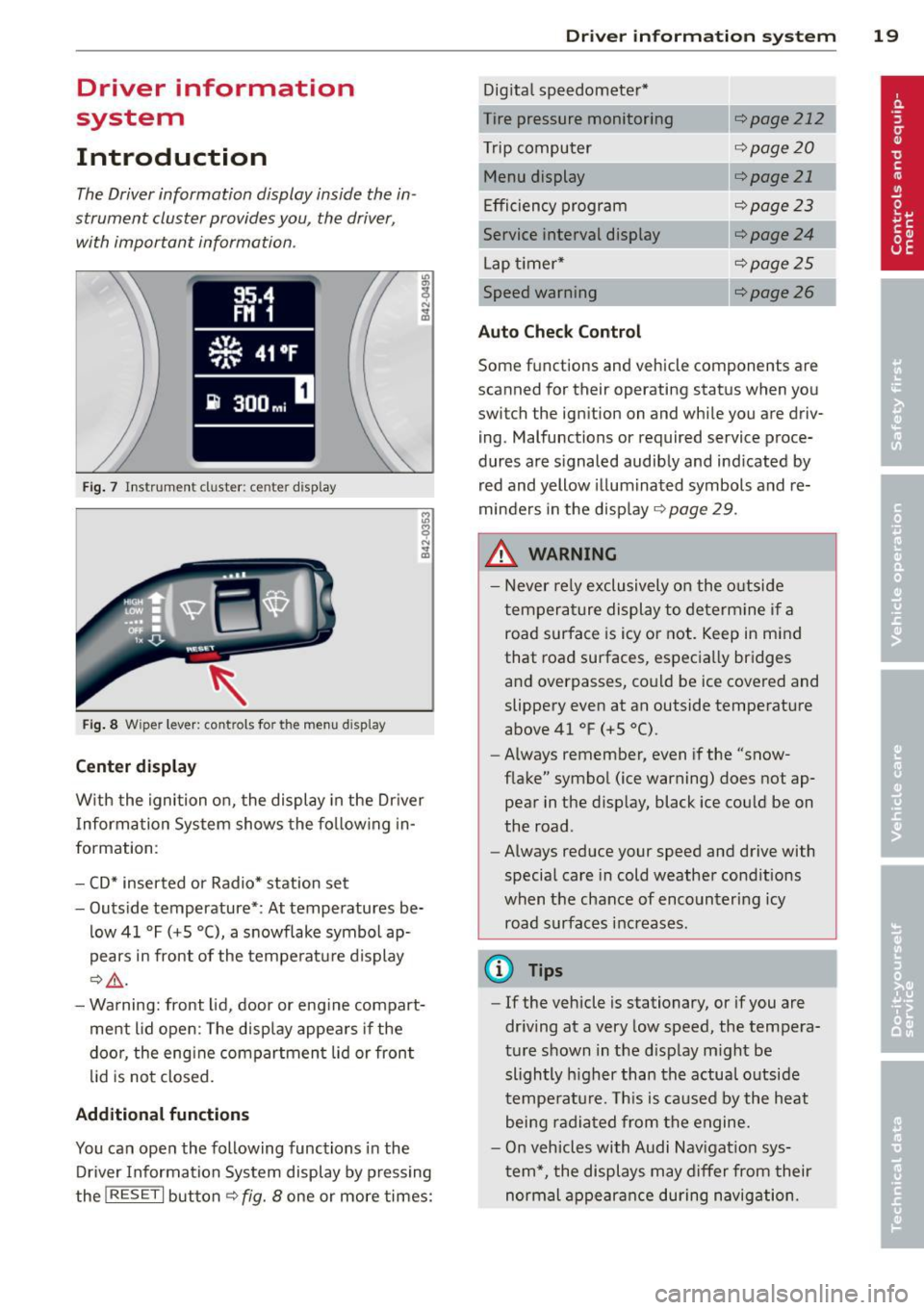
The Driver information display inside the in
strument cluster provides you, the driver,
with important information .
Fig. 7 Instrument cluster: center display
Fig. 8 Wiper lever: controls for the menu display
Center display
"' 0,
~ .. m
With the ignition on, the display in the Driver
I nformation System shows the fol lowing in
formation:
- CD* inserted or Radio* station set
- Outside temperature*: At temperatures be-
low 41 °F
(+5 °(), a snowflake symbol ap
pears in front of the temperature display
¢&_ .
-Warning: front lid, door or engine compart
ment lid open: The display appears if the
door, the engine compartment lid or front
lid is not closed.
Additional functions
You can open the following functions in the
Driver Information System display by pressing
the
I RESET I button ¢ fig. 8 one or more times:
Driver in format ion syste m 19
Digital speedometer*
Tire pressure monitoring
r:!;> page 212
Trip computer r:::;,page20
Menu display ¢page 21
Efficiency program ¢page23
Service interval display ¢page24
Lap timer* ¢page25
Speed warning r:::;,page 26
Auto Check Control
Some fun ction s and vehicle components are
scanned for their operating status when you
switch the ig nition on and while you are driv
ing . Malfunctions or required service proce
dures are signa led audibly and indicated by
red and yellow illuminated symbols and re
minders in the display
r:::;, page 29 .
.&_ WARNING
-
- Never rely exclusively on the outside
temperature display to determine if a road surface is icy or not. Keep in mind
that road surfaces, especially bridges
and overpasses, could be ice covered and
slippery even at an outside temperature
above 41 °F
(+S 0
().
-Always remember, even if the "snow
flake" symbol (ice warning) does not ap
pear in the display, black ice could be on
the road .
- Always reduce your speed and drive with
special care in cold weather conditions
when the chance of encountering icy
road surfaces increases.
@ Tips
- If the vehicle is stationary, or if you are
driving at a very low speed, the tempera
ture shown in the display might be
slightly higher than the actual outside
temperature. This is caused by the heat
being radiated from the engine.
- On vehicles with Audi Nav igation sys
tem*, the displays may differ from their
normal appearance during navigation.
Page 22 of 260
20 Driv e r in formation sy stem
Trip computer
Introduction
The trip computer gives you information on
current and average fuel mileage, average
speed, fuel range and driving time .
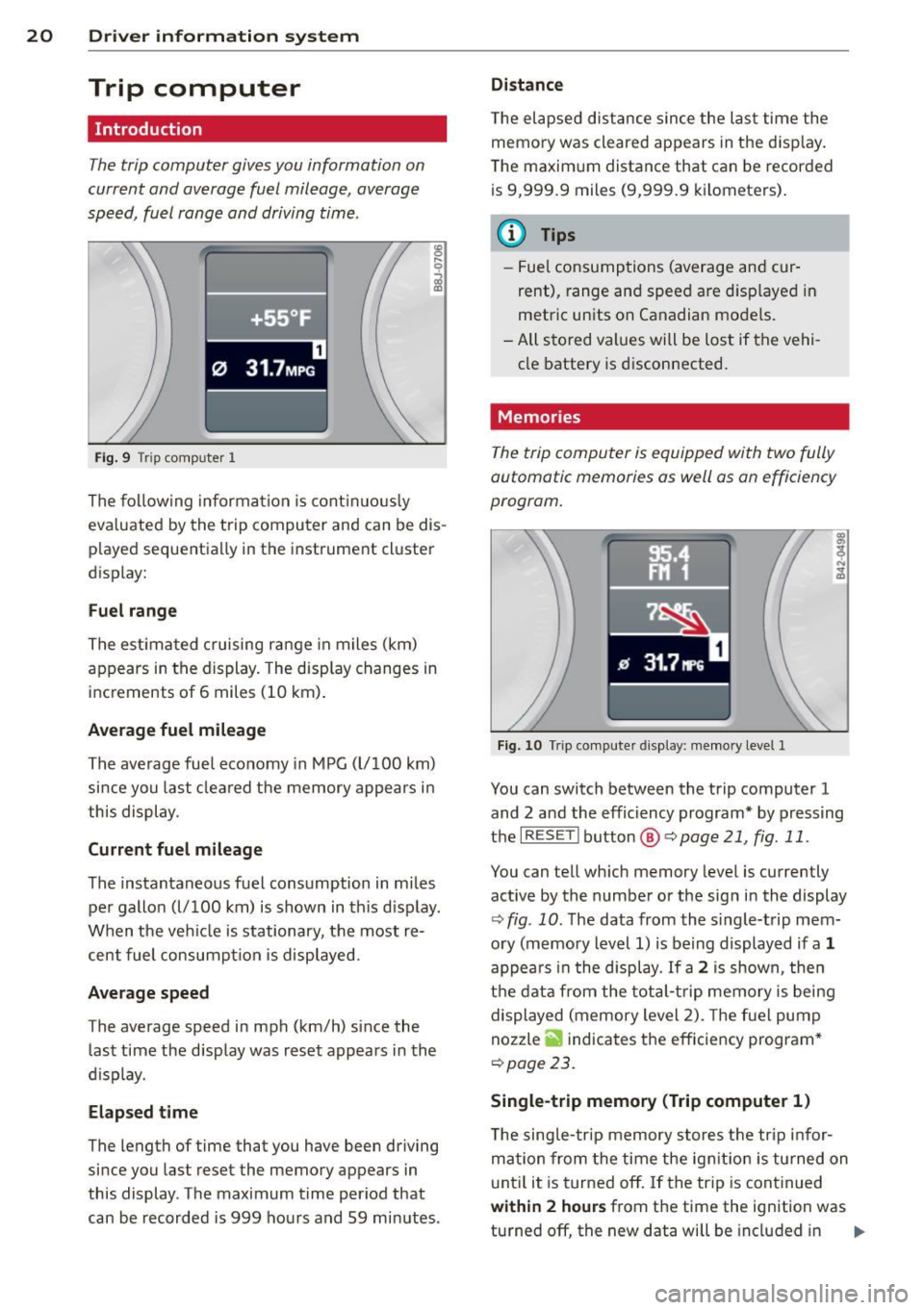
f ·+ss ~F .
0 31.7MP G
Fig. 9 Tri p comp uter 1
The follow ing information is cont in uo usly
eva luated by the trip computer and can be dis
p layed sequentially in the instrument cluster
display:
F u el range
The estimated c ruising range in miles (km)
appears in the display. The disp lay changes in
increments of 6 miles (10 km) .
Average fuel mileage
The average fuel economy in MPG (l/100 km)
since you last cleared the memory appears in
this display .
Current fuel mileage
The instantaneous fuel consumption in miles
pe r gallon (l/100 km) is shown in this d isp lay.
When the veh icle is stationary, the most re
cent fuel consumpt ion is displayed .
Average speed
The average speed in mph (km/h) since the
last time the display was reset appears in the
d isplay.
Elapsed time
The length of time that you have been driving
since you last rese t the memory appears in
this display . The maximum time period that
can be recorded is 999 hou rs and 59 minutes .
Distance
T he elapsed dis tance s ince the last time the
memo ry was cleared appears in the d isp lay .
The maxim um distance that can be recorded
is 9,999 .9 miles (9,999.9 kilometers) .
a) Tips
-Fuel consumptions (average and cur
rent), range and speed are d isp layed in
metric units on Canadian mode ls.
- All stored values will be lost if the vehi
cle battery is d isconnected.
Memories
The trip computer is equipped with two fully
automatic memories as well as an efficiency
program.
Fig . 10 Tr ip compute r d isplay: me mory level 1
You can switch between the trip computer 1
and 2 and the effic iency program* by pressing
the
IRES ET I button @ Qpage 21, fig . 11 .
You can tell wh ich memory level is currently
active by the number o r the sig n in the display
¢ fig . 10 . The data from the s ingle-t rip mem
ory (memory level 1) is being displayed if a
1
appea rs i n the display . If a 2 is shown, then
t h e dat a from the tota l-t rip memory is being
displayed (memory level 2). The f ue l pump
nozzle
ii indicates the efficiency program *
¢page 23.
Single-trip memory (Trip computer 1 )
The sing le- trip memory stores the tr ip infor
mation from the time the ign it ion is tu rned on
u nt il it is turned off.
If t he trip is cont inued
with in 2 hour s from the time the ignition was
turned off, the new data will be included in ..,.