language AUDI TT ROADSTER 2016 User Guide
[x] Cancel search | Manufacturer: AUDI, Model Year: 2016, Model line: TT ROADSTER, Model: AUDI TT ROADSTER 2016Pages: 306, PDF Size: 31.82 MB
Page 209 of 306
Downloaded from www.Manualslib.com manuals search engine 0
N
,.....
N
......
0
,.....
Vl
CX) Media
be ensured that these characters are always
dis played correctly. -
Some functions of MTP players such as vid
eo playback and the rating of tracks are not
supported.
- The manufacturer will provide you with in
formation on the "USB Device Subclass" of a
USB memory device.
CD drive
Applies to: vehicles with CD drive
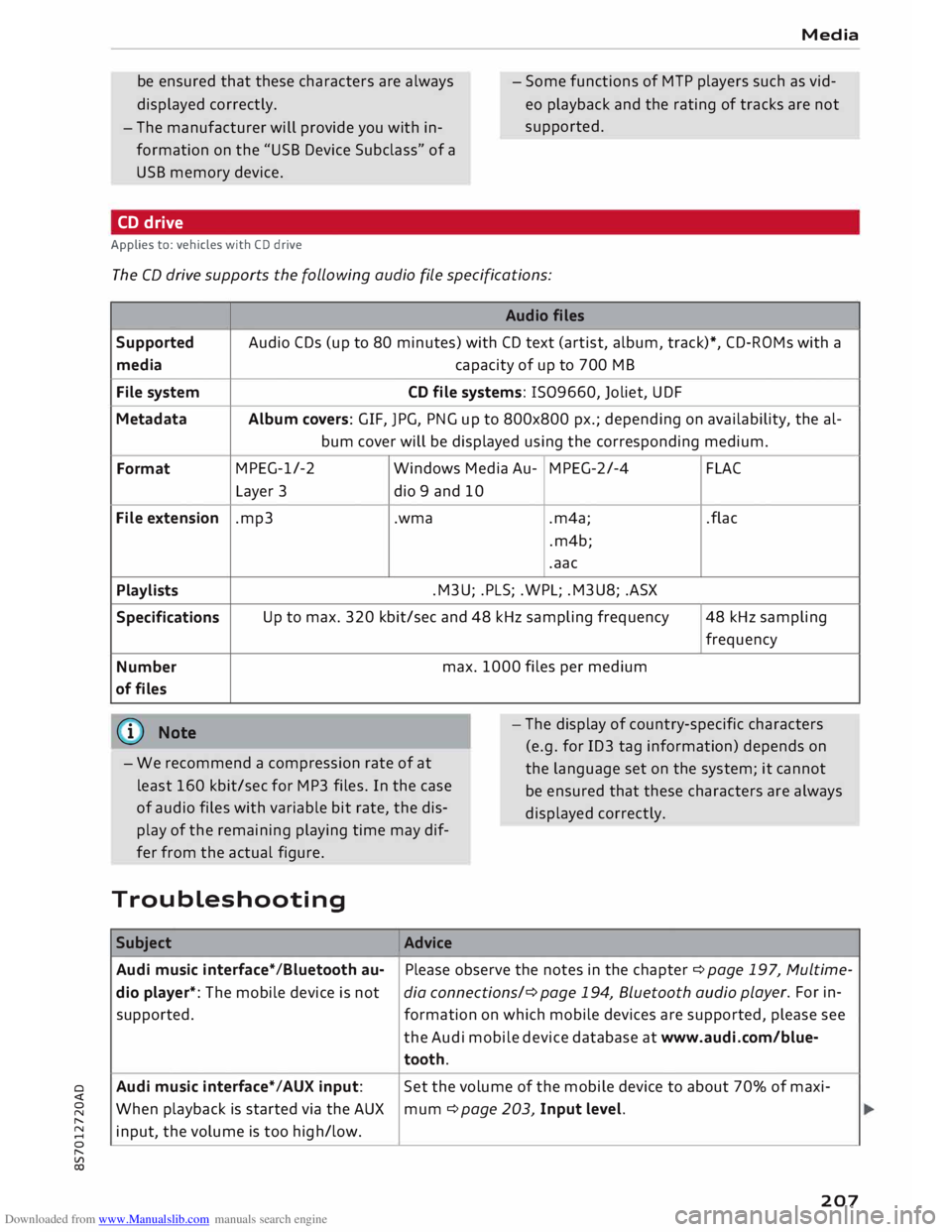
The CD drive supports the following audio fi
le specifications:
Audio files
Supported Audio
CDs (up to 80 minutes) with CD text (artist, album, track)*, CD-ROMs with a
media capacity
of up to 700 MB
File system CD
file systems: 1509660, Joliet, UDF
Metadata Album
covers: GIF, JPG, PNG up to 800x800 px.; depending on availability, the al-
bum cover will be displayed using the corresponding medium.
Format MPEG-1/-2
Windows Media Au-MPEG-2/-4
FLAC
Layer 3
dio 9 and 10
File extension .mp3
.wma
.m4a;
.flac
.m4b;
.aac
Playlists .M3U;
.PLS; .WPL; .M3U8; .ASX
Specifications Up
to max. 320 kbit/sec and 48 kHz sampling frequency 48 kHz sampling
frequency
Number max.
1000 files per medium
of files
@ Note
- We recommend a compression rate of at
least 160 kbit/sec for MP3 files. In the case
of audio files with variable bit rate, the dis
play of the remaining playing time may dif
fer from the actual figure. -
The display of country-specific characters
(e.g. for ID3 tag information) depends on
the language set on the system; it cannot
be ensured that these characters are always
dis played correctly.
Troubleshooting Subject Advice
Audi music interface* /Bluetooth au-Please
observe the notes in the chapter ¢ page 197, Multime-
dio player*: The mobile device is not dia connections/¢ page 194, Bluetooth audio play
er. For in-
supported. formation on which mobile devices are supported, please see
the Audi mobile device database at www.audi.com/blue-
tooth.
Audi music interface*/AUX input: Set
the volume of the mobile device to about 70% of maxi-
When playback is started via the AUX
mum ¢ page 203, Input level.
input, the volume is too high/low.
207
Page 212 of 306
Downloaded from www.Manualslib.com manuals search engine Audi
smartphone interface
Audi smartphone
interface
Setting up1
)
Applies to: vehicles with Audi smartphone interface
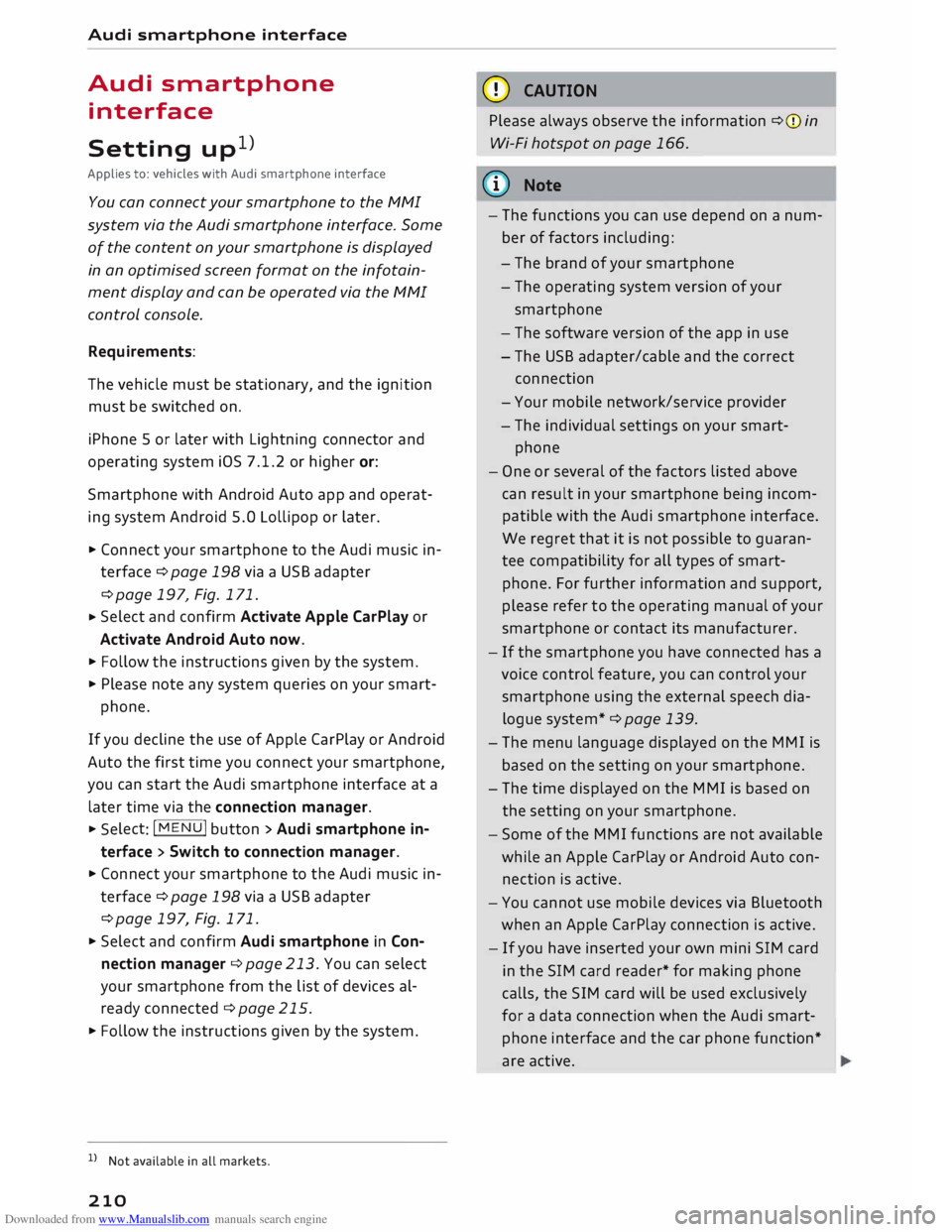
You can connect your smartphone to the MMI
system via the Audi smartphone interface. Some
of the content on your smartphone is displayed
in an optimised screen format on the infotain
ment display and can be operated via the MMI
control console.
Requirements:
The vehicle must be stationary, and the ignition
must be switched on.
iPhone 5 or later with Lightning connector and
operating system iOS 7.1.2 or higher or:
Smartphone with Android Auto app and operat
ing system Android 5.0 Lollipop or later.
... Connect your smartphone to the Audi music in
terface ¢page 198via a USB adapter
¢page 197, Fig. 171.
... Select
and confirm Activate Apple CarPlay or
Activate Android Auto now.
... Follow the instructions given by the system.
... Please note any system queries on your smart-
phone.
If you decline the use of Apple CarPlay or Android
Auto the first time you connect your smartphone,
you can start the Audi smartphone interface at a
later time via the connection manager . ...
Sele ct: !MENU! button > Audi smartphone in
terface > Switch to connection manager .
... Connect your smartphone to the Audi music in
terface ¢page 198via a USB adapter
¢page 197, Fig. 171 .
... Select and confirm Audi smartphone in Con
nection manager ¢ page 213. You can select
your smartphone from the list of devices al
ready connected ¢ page 215.
... Follow the instructions given by the system.
l l
Not available in all markets.
210 CD
CAUTION
Please always observe the information ¢(Din
Wi-Fi hotspot on page 166.
ijj) Note
- The functions you can use depend on a num
ber of factors including:
- The brand of your smartphone
- The operating system version of your
smartphone
- The software version of the app in use
- The USB adapter/cable and the correct
connection
- Your mobile network/service provider
- The individual settings on your smart-
phone
- One or several of the factors listed above
can result in your smartphone being incom
patible with the Audi smartphone interface.
We regret that it is not possible to guaran
tee compatibility for all types of smart
phone. For further information and support,
please refer to the operating manual of your
smartphone or contact its manufacturer.
- If the smartphone you have connected has a
voice control feature, you can control your
smartphone using the external speech dia
logue system* ¢ page 139.
- The menu language displayed on the MMI is
based on the setting on your smartphone.
- The time displayed on the MMI is based on
the setting on your smartphone.
- Some of the MMI functions are not available
while an Apple CarPlay or Android Auto con
nection is active.
- You cannot use mobile devices via Bluetooth
when an Apple CarPlay connection is active.
- If you have inserted your own mini SIM card
in the SIM card reader* for making phone
calls, the SIM card will be used exclusively
for a data connection when the Audi smart
phone interface and the car phone function*
are active.
Page 214 of 306
Downloaded from www.Manualslib.com manuals search engine System
settings
System settings
Setting the time and
date
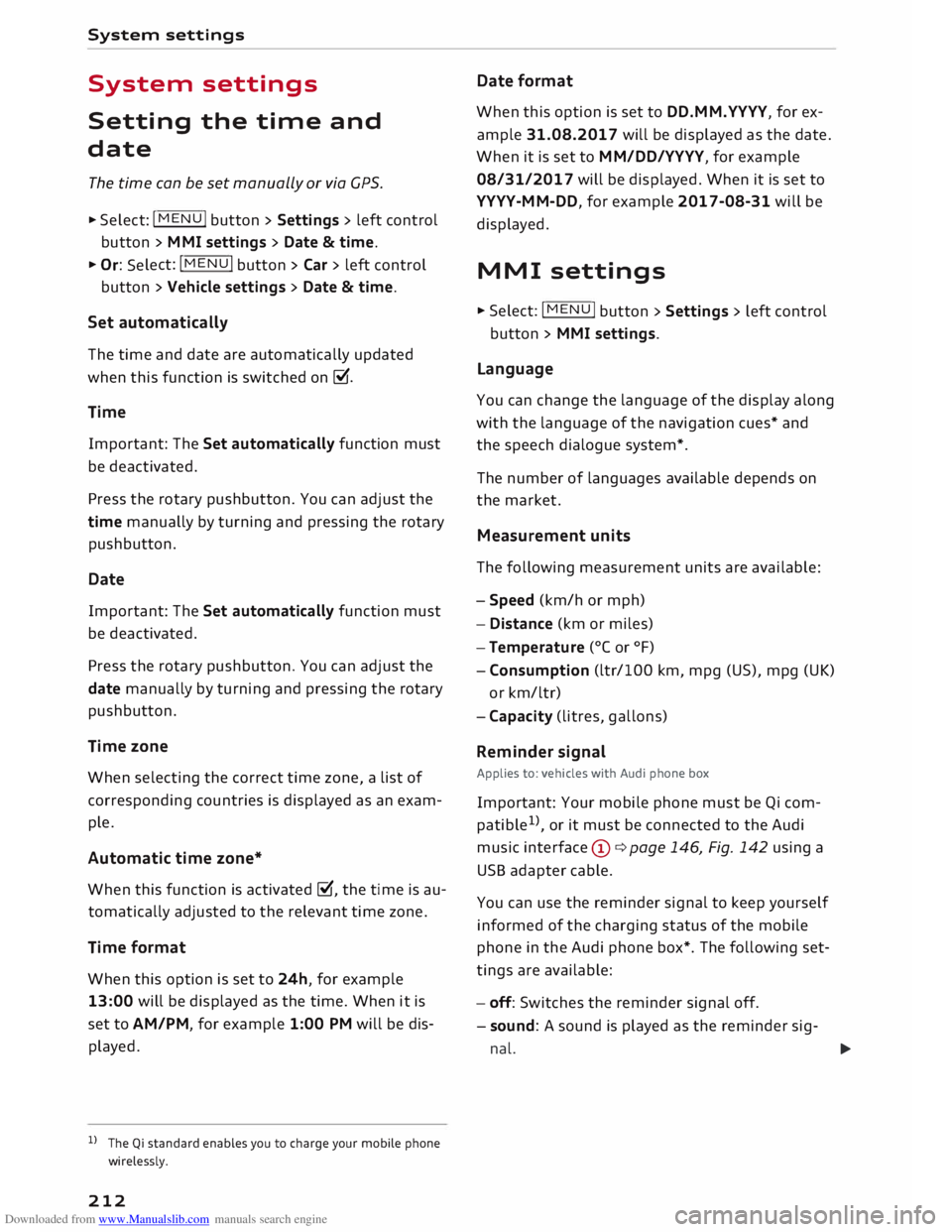
The time can be set manually or via CPS.
... Select: I MEN
U
I button > Settings > left control
button > MMI settings > Date & time ....
Or: Select: !MENU! button
> Car > left control
button > Vehicle settings > Date & time.
Set automatically
The time and date are automatically updated
when this function is switched on�-
Time Important: The Set automatically function must
be deactivated.
Press the rotary pushbutton. You can adjust the
time manually by turning and pressing the rotary
pushbutton.
Date
Important: The Set automatically function must
be deactivated.
Press the rotary pushbutton. You can adjust the
date manually by turning and pressing the rotary
pushbutton.
Time zone
When selecting the correct time zone, a list of
corresponding countries is displayed as an exam
ple.
Automatic time zone*
When this function is activated �, the time is au
tomatically adjusted to the relevant time zone.
Time format
When this option is set to 24h, for example
13:00 will be displayed as the time. When it is
set to AM/PM, for example 1:00 PM will be dis
played.
l l
The Qi standard enables you to charge your mobile phone
wirelessly.
212 Date
format
When this option is set to DD.MM.YYYY, for ex
ample 31.08.2017 will be displayed as the date.
When it is set to MM/DD/YYYY, for example
08/31/2017 will be displayed. When it is set to
YYYY-MM-DD, for example 2017-08-31 will be
displayed.
MMI settings
... Select: I MEN
U
I button >Settings> Left control
button > MMI settings.
Language
You can change the language of the display along
with the language of the navigation cues* and
the speech dialogue system*.
The number of languages available depends on
the market.
Measurement units
The following measurement units are available:
- Speed (km/h or mph)
- Distance (km or miles)
- Temperature (0
( or °F)
- Consumption (ltr/100 km, mpg (US), mpg (UK)
or km/ltr)
- Capacity (litres, gallons)
Reminder signal
Applies to: vehicles with Audi phone box
Important: Your mobile phone must be Qi com
patible 1
>
, or it must be connected to the Audi
music interface (!)¢ page 146, Fig. 142 using a
USB adapter cable.
You can use the reminder signal to keep yourself
informed of the charging status of the mobile
phone in the Audi phone box*. The following set
tings are available:
- off: Switches the reminder signal off.
- sound: A sound is played as the reminder sig-
nal. �
Page 218 of 306
Downloaded from www.Manualslib.com manuals search engine System
settings
Ab out Appl e CarPla y/About Android Auto
Applies to: vehicles with Audi smartphone interface
Here you will find legal information about using
Apple CarPlay/Android Auto and information
about data transfer for specific devices.
Delete CarPlay device/Delete Android Auto
device
Applies to: vehicles with Audi smartphone interface
Important: Your mobile phone must no longer be
connected to the Audi music interface via a USB
adapter.
Select: Audi smartphone > a device from the list
> right control button.
To remove your mobile phone from the list of
mobile phones already connected, select and
confirm Delete CarPlay device or Delete Android
Auto device.
� Note
Some SIM cards do not allow the SIM PIN
query to be deactivated.
System update ..,
Sele
ct:
!MENU! button > Settings > left control
button > System maintenance.
- System update: Insert the storage medium
with the update data into the appropriate drive
¢page 192. Select and confirm the appropri
ate drive > Start update. The duration of this
process depends on the size of the update.
- Reset driver installation: The media driver
package selected is reset to the factory de
faults.
- Version information: Information on the soft
ware version of the M MI and the navigation da
tabase* is displayed. In addition, you can use
the Software information function to display
information on the MMI's software and licence
conditions.
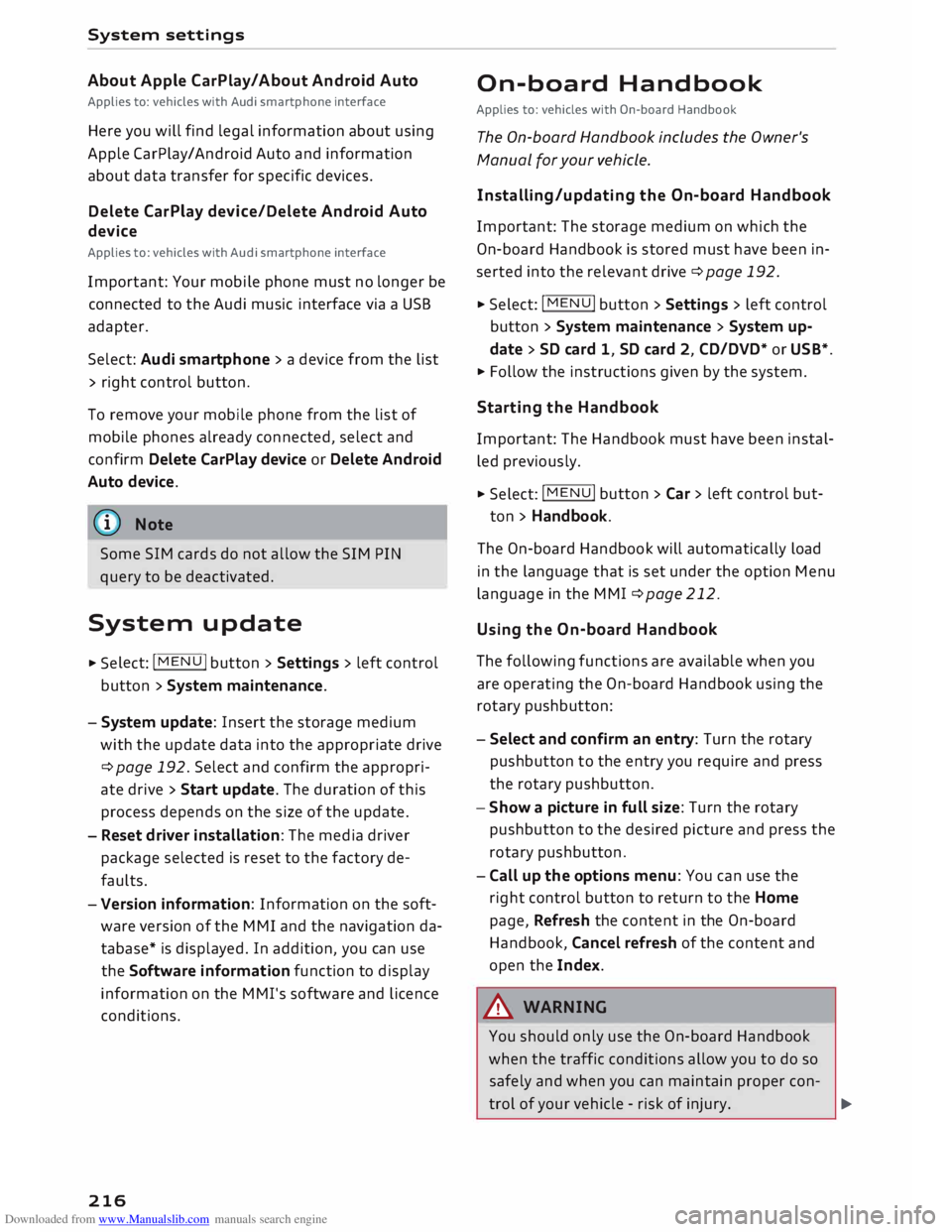
216 On-board
Handbook
Applies to: vehicles with On-board Handbook
The On-board Handbook includes the Owner's
Manual for your vehicle.
Insta lling/u pdating the On-board Handbook
Important: The storage medium on which the
On-board Handbook is stored must have been in
serted into the relevant drive ¢page 192.
.., Select: I MEN
U
I button >Settings > left control
button > System maintenance > System up
date> SD card 1, SD card 2, CD/DVD* or USB*.
.., Follow the instructions given by the system.
Starting the Handbook
Important: The Handbook must have been instal
led previously.
.., Select: I MENU
I button >Car> left control but-
ton > Handbo ok.
The On-board Handbook will automatically load
in the language that is set under the option Menu
language in the MMI ¢page 212.
Using the On-board Handbook
The following functions are available when you
are operating the On-board Handbook using the
rotary pushbutton:
- Select and confirm an entry: Turn the rotary
pushbutton to the entry you require and press
the rotary pushbutton.
- Show a picture in full size: Turn the rotary
pushbutton to the desired picture and press the
rotary pushbutton.
- Call up the options menu: You can use the
right control button to return to the Home
page, Refresh the content in the On-board
Handbook, Cancel refresh of the content and
open the Index.
A WARNING
You should only use the On-board Handbook
when the traffic conditions allow you to do so
safely and when you can maintain proper con-
trol of your vehicle -risk of injury.
�
Page 298 of 306
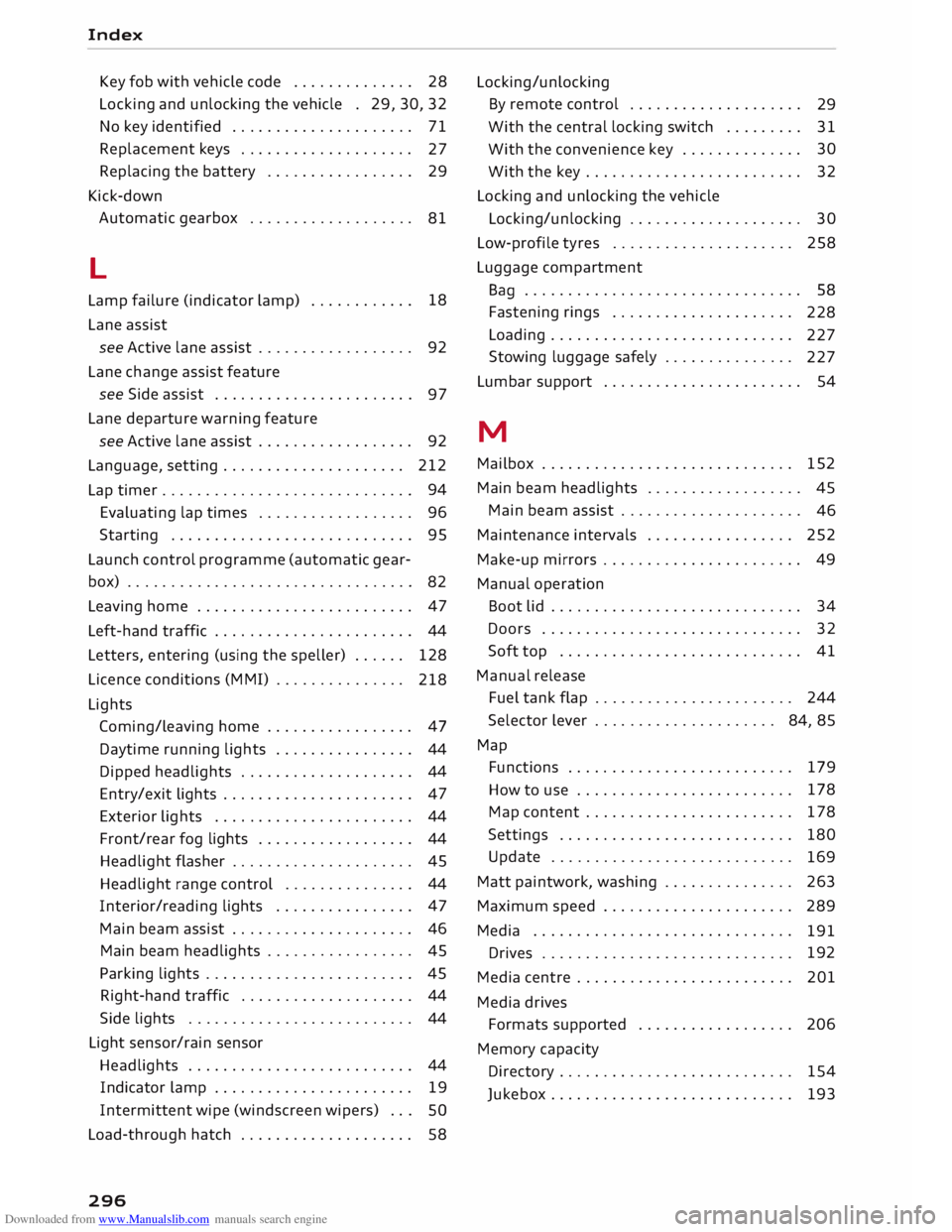
Downloaded from www.Manualslib.com manuals search engine Index
Key fob with vehicle code . . . . . . . . . . . . . . 28
Locking and unlocking the vehicle . 29, 30, 32
No key identified . . . . . . . . . . . . . . . . . . . . .
71
Replacement keys . . . . . . . . . . . . . . . . . . . .
27
Replacing the battery . . . . . . . . . . . . . . . . .
29
Kick-down Automatic gearbox . . . . . . . . . . . . . . . . . . .
81
L
Lamp failure (indicator lamp) . . . . . . . . . . . . 18
Lane assist
see Active lane assist . . . . . . . . . . . . . . . . . . 92
Lane change assist feature
see Side assist . . . . . . . . . . . . . . . . . . . . . . .
97
Lane departure warning feature
see Active lane assist . . . . . . . . . . . . . . . . . . 92
Language, setting..................... 212
Lap timer . . . . . . . . . . . . . . . . . . . . . . . . . . . . . 94
Evaluating lap times . . . . . . . . . . . . . . . . . .
96
Starting . . . . . . . . . . . . . . . . . . . . . . . . . . . . 95
Launch control programme (automatic gear-
box) . . . . . . . . . . . . . . . . . . . . . . . . . . . . . . . . .
82
Leaving home . . . . . . . . . . . . . . . . . . . . . . . . .
47
Left-hand traffic . . . . . . . . . . . . . . . . . . . . . . .
44
Letters, entering (using the speller) . . . . . .
128
Licence conditions (MMI) . . . . . . . . . . . . . . .
218
Lights Coming/leaving home . . . . . . . . . . . . . . . . . 47
Daytime running lights . . . . . . . . . . . . . . . . 44
Dipped headlights . . . . . . . . . . . . . . . . . . . . 44
Entry/exit lights . . . . . . . . . . . . . . . . . . . . . . 47
Exterior lights . . . . . . . . . . . . . . . . . . . . . . . 44
Front/rear fog lights . . . . . . . . . . . . . . . . . . 44
Headlight flasher . . . . . . . . . . . . . . . . . . . . . 45
Headlight range control . . . . . . . . . . . . . . . 44
Interior/reading lights . . . . . . . . . . . . . . . . 47
Main beam assist . . . . . . . . . . . . . . . . . . . . . 46
Main beam headlights . . . . . . . . . . . . . . . . . 45
Parking lights . . . . . . . . . . . . . . . . . . . . . . . . 45
Right-hand traffic . . . . . . . . . . . . . . . . . . . .
44
Side lights . . . . . . . . . . . . . . . . . . . . . . . . . . 44
Light sensor/rain sensor
Headlights . . . . . . . . . . . . . . . . . . . . . . . . . . 44
Indicator lamp . . . . . . . . . . . . . . . . . . . . . . .
19
Intermittent wipe (windscreen wipers) . . .
SO
Load-through hatch . . . . . . . . . . . . . . . . . . . . 58
296 Locking/unlocking
By remote control . . . . . . . . . . . . . . . . . . . .
29
With the central locking switch . . . . . . . . .
31
With the convenience key . . . . . . . . . . . . . . 30
With the key . . . . . . . . . . . . . . . . . . . . . . . . . 32
Locking and unlocking the vehicle
Locking/unlocking . . . . . . . . . . . . . . . . . . . . 30
Low-profile tyres . . . . . . . . . . . . . . . . . . . . . 258
Luggage compartment
Ba g
. . . . . . . . . . . . . . . . . . . . . . . . . . . . . . . . 58
Fastening rings . . . . . . . . . . . . . . . . . . . . .
228
Loading . . . . . . . . . . . . . . . . . . . . . . . . . . . .
227
Stowing luggage safely . . . . . . . . . . . . . . .
227
Lumbar support . . . . . . . . . . . . . . . . . . . . . . . 54
M
Mailbox . . . . . . . . . . . . . . . . . . . . . . . . . . . . .
152
Main beam headlights . . . . . . . . . . . . . . . . . .
45
Main beam assist . . . . . . . . . . . . . . . . . . . . .
46
Maintenance intervals . . . . . . . . . . . . . . . . . 252
Make-up mirrors . . . . . . . . . . . . . . . . . . . . . . . 49
Manual operation
Boot lid . . . . . . . . . . . . . . . . . . . . . . . . . . . . . 34
Doors . . . . . . . . . . . . . . . . . . . . . . . . . . . . . .
32
Soft top . . . . . . . . . . . . . . . . . . . . . . . . . . . .
41
Manual release
Fuel tank flap . . . . . . . . . . . . . . . . . . . . . . . 244
Selector lever . . . . . . . . . . . . . . . . . . . . . 84, 85
Map Functions . . . . . . . . . . . . . . . . . . . . . . . . . . 179
How to use . . . . . . . . . . . . . . . . . . . . . . . . . 178
Map content . . . . . . . . . . . . . . . . . . . . . . . .
178
Settings . . . . . . . . . . . . . . . . . . . . . . . . . . .
180
Update . . . . . . . . . . . . . . . . . . . . . . . . . . . .
169
Matt paintwork, washing . . . . . . . . . . . . . . .
263
Maximum speed . . . . . . . . . . . . . . . . . . . . . .
289
Media . . . . . . . . . . . . . . . . . . . . . . . . . . . . . .
191
Drives . . . . . . . . . . . . . . . . . . . . . . . . . . . . . 192
Media centre . . . . . . . . . . . . . . . . . . . . . . . . . 201
Media drives
Formats supported . . . . . . . . . . . . . . . . . . 206
Memory capacity
Directory . . . . . . . . . . . . . . . . . . . . . . . . . . . 154
Jukebox . . . . . . . . . . . . . . . . . . . . . . . . . . . .
193