parking AUDI TT ROADSTER 2016 Owner's Manual
[x] Cancel search | Manufacturer: AUDI, Model Year: 2016, Model line: TT ROADSTER, Model: AUDI TT ROADSTER 2016Pages: 306, PDF Size: 31.82 MB
Page 82 of 306
Downloaded from www.Manualslib.com manuals search engine Driving
fully interrupted even when the engine is
idling.
- The accelerator pedal must on no account
be pressed inadvertently when the vehicle is
stationary. The vehicle could otherwise start
moving immediately (in some cases even if
the parking brake is engaged) and possibly
cause an accident.
- Do not press the accelerator while selecting
a gear with the vehicle stationary and the
engine running, as this could cause an acci
dent.
- Never move the selector lever to R or P
when driving at normal speeds, as this could
cause an accident.
- Before you drive down a steep gradient, re
duce the speed and use "tiptronic" to select
a low gear.
- Never allow the brake to drag when driving
downhill and do not use the brake pedal too
often or for long periods. Constant braking
will cause the brakes to overheat and will
considerably reduce the effectiveness of the
brakes. It will increase the braking distance
and could cause the brake system to fail.
- To avoid rolling back on gradients always
hold the vehicle with the footbrake or park
ing brake if you have to stop.
- Never attempt to hold the vehicle with the
clutch when stopping on a gradient. The
clutch is disengaged automatically if it is
overloaded and becomes too hot -accident
risk! If the clutch is overloaded, the indica
tor lamp 51 will light up and a message will
appear ¢page 83.
CD CAUTION
- When you have stopped on a gradient, do
not try to stop the vehicle rolling back by ac
celerating when a gear is engaged. This
could cause the automatic gearbox to over
heat and become damaged. Apply the park
ing brake or press the brake pedal in order
to prevent the vehicle from rolling back.
- If you allow the car to roll with the selector
lever in position N with the engine switched
off, the automatic gearbox will be damaged
as it will not be lubricated.
80 -
In certain driving and traffic conditions, for
instance in stop-and-go traffic, if you have
to pull away frequently or if the vehicle
creeps forwards over a long distance, the
gearbox can overheat and become dam
aged. If the indicator lamp 51 or the warn
ing lamp . lights up, stop the vehicle at
the first opportunity and let the gearbox
cool down ¢page 83.
- If you allow the car to roll with the engine
switched off, the S tronic gearbox will be
damaged as it will not be lubricated
¢ page 2 78, Tow-starting I towing away.
ijJ) Note
For safety reasons the parking brake will only
release automatically if the driver's seat belt
is engaged in its buckle.
Downhill speed control
Applies to: vehicles with automatic gearbox
The downhill speed control function helps the
driver when driving down steep gradients.
Downhill speed control is activated on a downhill
gradient when the selector lever is in D/S and the
driver presses the brake pedal. The gearbox auto
matically selects a suitable gear for the gradient.
The downhill speed control function attempts to
maintain the speed at which the vehicle was trav
elling when the foot brake was applied (subject
to the laws of physics and technical limitations of
the power train). It may be necessary to adjust
the speed again using the foot brake. The down
hill speed control can change down to 3rd gear
but no further, so it may be necessary to change
to tiptronic mode on very steep gradients. In this
case, change down manually to 2nd or 1st gear in
tiptronic mode to use the engine braking effect
and reduce the load on the brakes.
Downhill speed control is deactivated as soon as
the road levels out again or you press the acceler
ator pedal.
On vehicles with cruise control system*
¢ page 86, downhill speed control is activated
when you set a cruising speed.
�
Page 86 of 306
Downloaded from www.Manualslib.com manuals search engine Driving
Releasing the selector lever manually (LHD
vehicles)
Applies to: vehicles with automatic gearbox
The selector Lever can be released manually if
the electrical power supply should fail.
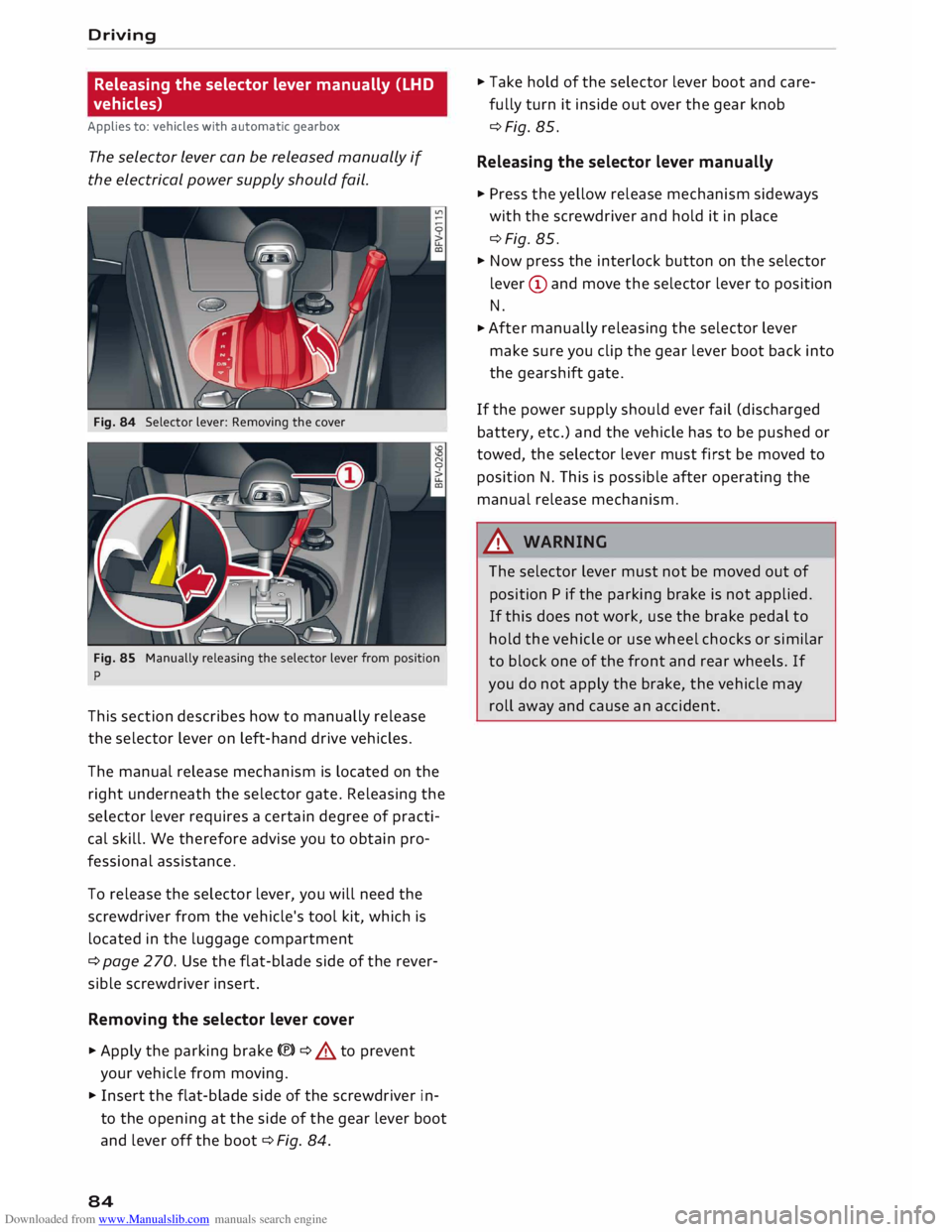
Fig. 84 Selector lever: Removing the cover
Fig. 85 Manually releasing the selector lever from position
p
This section describes how to manually release
the selector lever on left-hand drive vehicles.
The manual release mechanism is located on the
right underneath the selector gate. Releasing the
selector lever requires a certain degree of practi
cal skill. We therefore advise you to obtain pro
fessional assistance.
To release the selector lever, you will need the
screwdriver from the vehicle's tool kit, which is
located in the luggage compartment
¢ page 270. Use the flat-blade side of the rever
sible screwdriver insert.
Removing the selector lever cover
� Apply the parking brake(®)¢ & to prevent
your vehicle from moving.
� Insert the flat-blade side of the screwdriver in
to the opening at the side of the gear lever boot
and lever off the boot ¢Fig. 84.
84 �
Take hold of the selector lever boot and care
fully turn it inside out over the gear knob
¢Fig. 85.
Releasing the selector lever manually
� Press the yellow release mechanism sideways
with the screwdriver and hold it in place
¢Fig. 85.
� Now press the interlock button on the selector
lever (D and move the selector lever to position
N.
� After
manually releasing the selector lever
make sure you clip the gear lever boot back into
the gearshift gate.
If the power supply should ever fail (discharged
battery, etc.) and the vehicle has to be pushed or
towed, the selector lever must first be moved to
position N. This is possible after operating the
manual release mechanism .
.&_ WARNING
The selector lever must not be moved out of
position P if the parking brake is not applied.
If this does not work, use the brake pedal to
hold the vehicle or use wheel chocks or similar
to block one of the front and rear wheels. If
you do not apply the brake, the vehicle may
roll away and cause an accident.
Page 87 of 306
Downloaded from www.Manualslib.com manuals search engine Releasing
the selector lever manually (RHD
vehicles)
Applies to: vehicles with automatic gearbox
The selector Lever can be released manually if
the electrical power supply should fail.
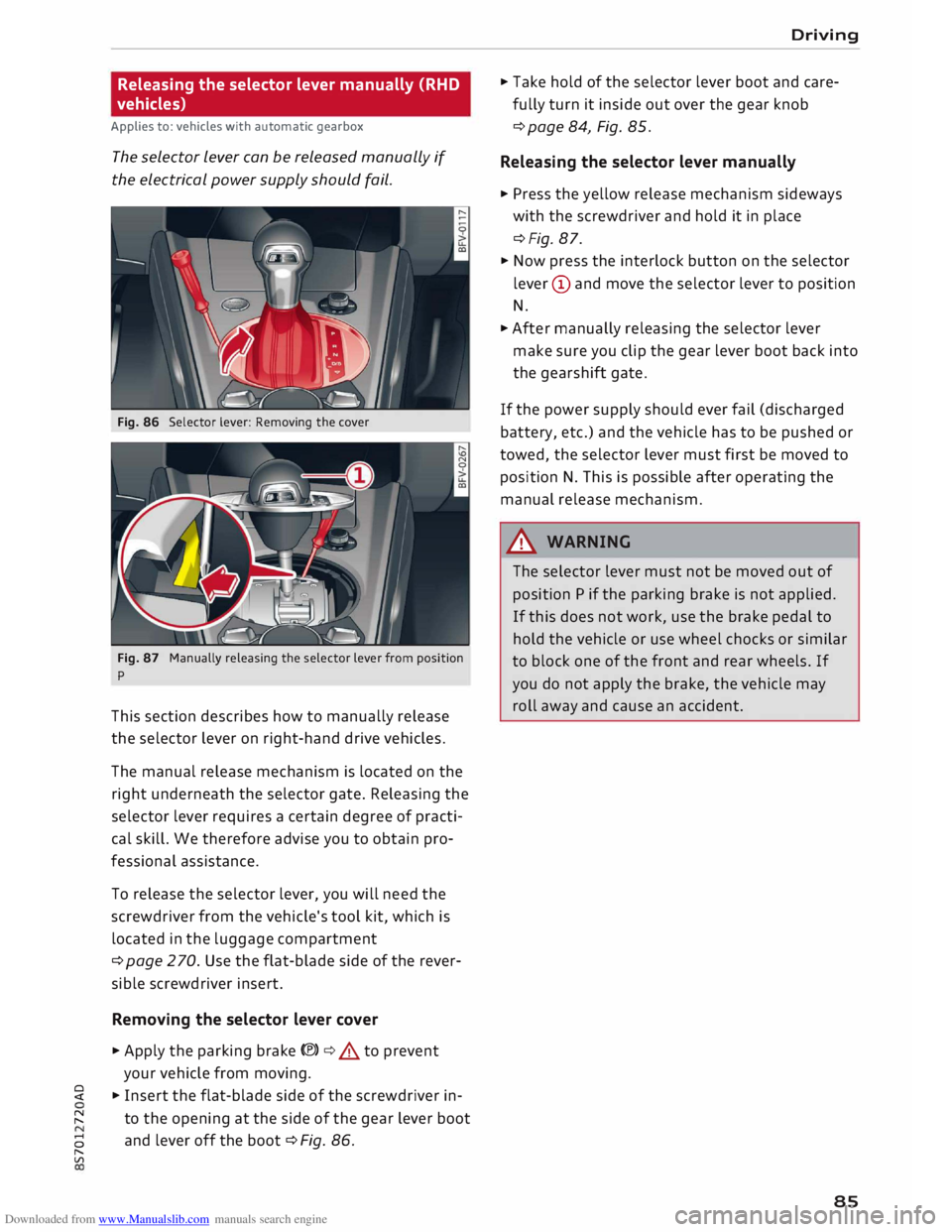
Fig. 86 Selector lever: Removing the cover
Fig. 87 Manually releasing the selector lever from position
p
This section describes how to manually release
the selector lever on right-hand drive vehicles.
The manual release mechanism is located on the
right underneath the selector gate. Releasing the
selector lever requires a certain degree of practi
cal skill. We therefore advise you to obtain pro
fessional assistance.
To release the selector lever, you will need the
screwdriver from the vehicle's tool kit, which is
located in the luggage compartment
¢ page 2 70. Use the flat-blade side of the rever
sible screwdriver insert.
Removing the selector lever cover
� Apply the parking brake(®)¢.&. to prevent
your vehicle from moving.
� � Insert the flat-blade side of the screwdriver in-
� to
the opening at the side of the gear lever boot
8 and
lever off the boot ¢ Fig. 86.
"
Vl Driving
� Take hold of the selector lever boot and care
fully turn it inside out over the gear knob
¢ page 84, Fig. 85.
Releasing the selector lever manually
� Press the yellow release mechanism sideways
with the screwdriver and hold it in place
¢Fig. 87.
� Now press the interlock button on the selector
lever (D and move the selector lever to position
N.
� After manually releasing the selector lever
make sure you clip the gear lever boot back into
the gearshift gate.
If the power supply should ever fail (discharged
battery, etc.) and the vehicle has to be pushed or
towed, the selector lever must first be moved to
position N. This is possible after operating the
manual release mechanism.
&_ WARNING
The selector lever must not be moved out of
position P if the parking brake is not applied.
If this does not work, use the brake pedal to
hold the vehicle or use wheel chocks or similar
to block one of the front and rear wheels. If
you do not apply the brake, the vehicle may
roll away and cause an accident.
85
Page 105 of 306
Downloaded from www.Manualslib.com manuals search engine 0
N
,.....
N
......
0
,.....
Vl
CX) Parking
aids
General notes
Applies to: vehicles with rear parking aid/parking system
plus/park assist
Various systems are available to help you when
parking or manoeuvring in tight spaces, depend
ing on the equipment fitted on your vehicle.
The rear parking aid gives an acoustic warning if
there are any obstacles behind the car
¢page 104.
When you are parking, the parking system plus
warns you acoustically and optically about obsta
cles detected in front of and behind the vehicle
¢page 104. On vehicles with park assist, the
area detected at the side of the vehicle ®
¢page 104, Fig. 106 is also monitored.
The reversing camera uses the infotainment sys
tem display to show a picture of the area behind
the vehicle captured by the camera. Orientation
lines in the image from the reversing camera as
sist you when parking or manoeuvring
¢ page 106. In addition, you are assisted by the
functions of the parking system plus
¢page 104.
The park assist helps you to find suitable parking
spaces, to manoeuvre the vehicle into spaces par
allel or perpendicular to the roadside and to drive
out of spaces parallel to the kerb ¢ page 108.
A WARNING
-Always watch the road and the area sur
rounding the vehicle. The electronic systems
cannot replace the full concentration of the
driver. The driver is always responsible for
safety during parking and all other manoeu
vres.
- Please note that certain surfaces, such as
clothing fabrics, cannot be detected or dis
played by the system -risk of accident!
- The sensors and cameras have blind spots in
which neither people nor objects are regis
tered. It is particularly important to ensure
that there are no small children or animals
near the vehicle -risk of accident! Parking
aids
- Impacts or damage to the radiator grille,
bumper, wheel arches or underbody can
cause misalignment of the sensors. This can
impair the effectiveness of the parking aids.
Have the systems checked by a qualified
workshop.
CD CAUTION
- The system may not always be able to de
tect objects such as the following:
- Chains, trailer draw bars, posts or fences
- Objects above the sensors, such as wall
protrusions, etc.
- Objects with certain surfaces or struc
tures, such as wire fences or powder snow
- As your car moves closer to low obstacles,
they may disappear from the sensors' field
of vision. Please note that you will no longer
be warned about these obstacles.
- Remember to maintain sufficient clearance
from the kerb to avoid damaging the wheel
rims.
(@ Note
- In certain situations, a warning may be giv
en by the system even if there is no obstacle
within range of the sensors. This can be
caused by the following, for instance:
- Certain road surfaces or long grass
- External ultrasound sources, e.g. from
street cleaning vehicles
- Heavy rain or snow or dense exhaust
fumes
- To familiarise yourself with the system, we
recommend that you practise parking in a
quiet location or a car park. The weather
and light conditions should be good.
- You can adjust the volume of the beeps.
- There is a slight delay in the picture display.
- To ensure that the acoustic parking aid
works properly, the sensors must be kept
clean and free of snow and ice.
103
Page 106 of 306
Downloaded from www.Manualslib.com manuals search engine Parking
aids
Rear parking aid
Description
Applies to: vehicles with rear parking aid
The rear parking aid is an acoustic parking sys
tem.
Description
Sensors are located in the rear bumper. When
the sensors detect an obstacle, you are alerted by
acoustic signals (beeps).
Please ensure that the sensors are kept free of
stickers, deposits and any other substances
which could impair the function of the system.
Notes on cleaning ¢page 263.
The measuring range of the sensors starts at
about:
I Side
Centre 1.60 m
The acoustic signals sound with increasing fre
quency as you approach the obstacle. A warning
tone will sound continuously when the vehicle is
less than approx. 0.30 m away from the obstacle.
Stop reversing immediately¢ A in General notes
on page 103, ¢ 0 in General notes on page 103 !
The volume of the warning beeps will be gradual
ly reduced after about four seconds if the vehicle
remains at a constant distance from a detected
obstacle (it will not be reduced if the obstacle is
closer than 0.30 m).
Activating
The rear parking aid is activated automatically
when reverse gear is engaged. You will hear a
brief acknowledgement tone.
104 Parking
system plus
Description
Applies to: vehicles with parking system plus/park assist
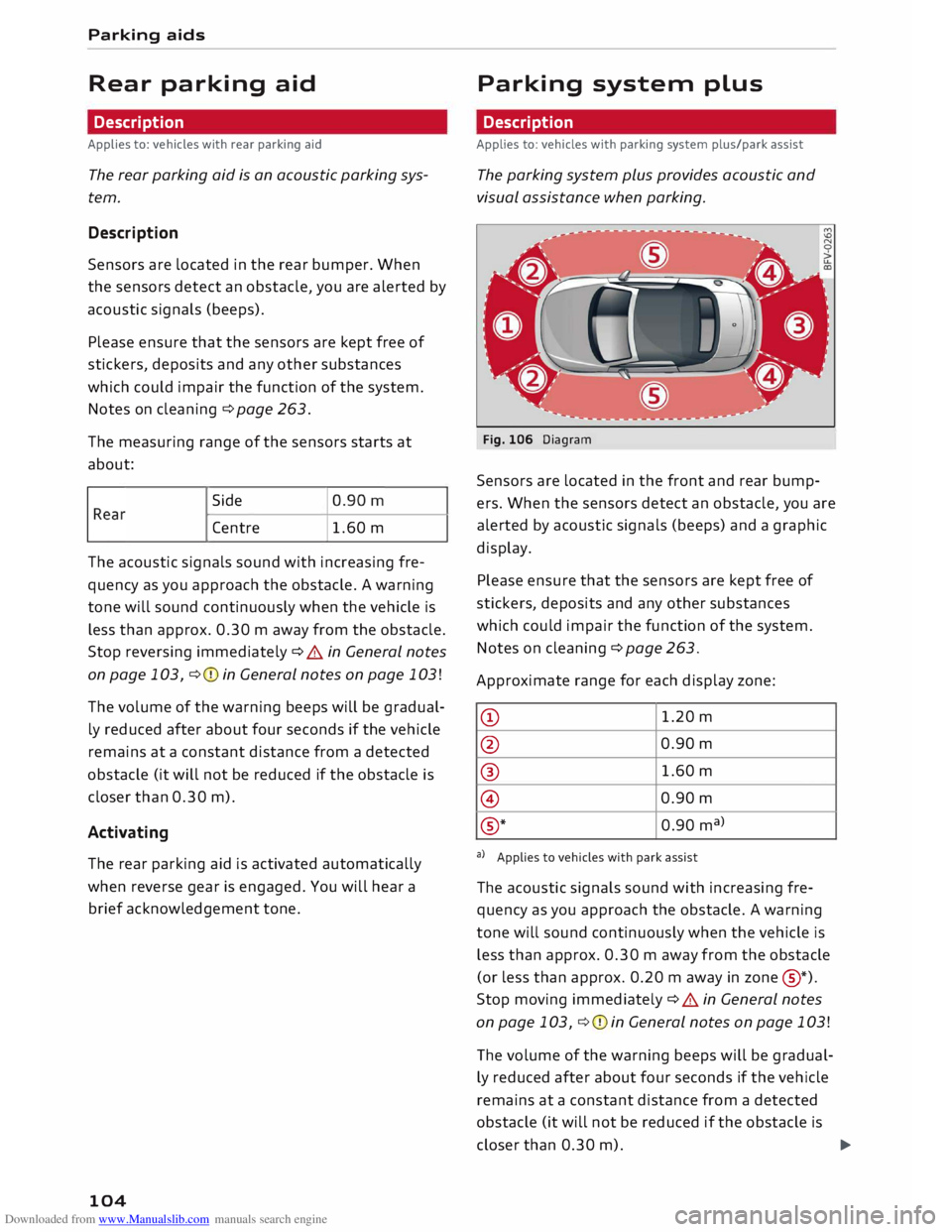
The parking system plus provides acoustic and
visual assistance when parking.
Fig. 106 Diagram
Sensors are located in the front and rear bump
ers. When the sensors detect an obstacle, you are
alerted by acoustic signals (beeps) and a graphic
display.
Please ensure that the sensors are kept free of
stickers, deposits and any other substances
which could impair the function of the system.
Notes on cleaning ¢ page 263.
Approximate range for each display zone:
CD 1.20
m
@ 0.90
m
® 1.60
m
@ 0.90
m
® *
0.90
ma
>
a) Applies to vehicles with park assist
The acoustic signals sound with increasing fre
quency as you approach the obstacle. A warning
tone will sound continuously when the vehicle is
less than approx. 0.30 m away from the obstacle
(or less than approx. 0.20 m away in zone @
*)
.
Stop moving immediately ¢ A in General notes
on page 103, ¢ 0 in General notes on page 103 !
The volume of the warning beeps will be gradual
ly reduced after about four seconds if the vehicle
remains at a constant distance from a detected
obstacle (it will not be reduced if the obstacle is
closer than 0.30 m).
...,
Page 107 of 306
Downloaded from www.Manualslib.com manuals search engine 0
N
,.....
N
....
0
,.....
Vl
CX) (D}
Note
Zone ®
* is detected and analysed as the vehi
cle is moving past. When you switch on the ig
nition or after the vehicle has been stationary
for a while or a door is opened, the ambient
surroundings may have changed. Zone®
* is
displayed in black on the infotainment system
for this reason.
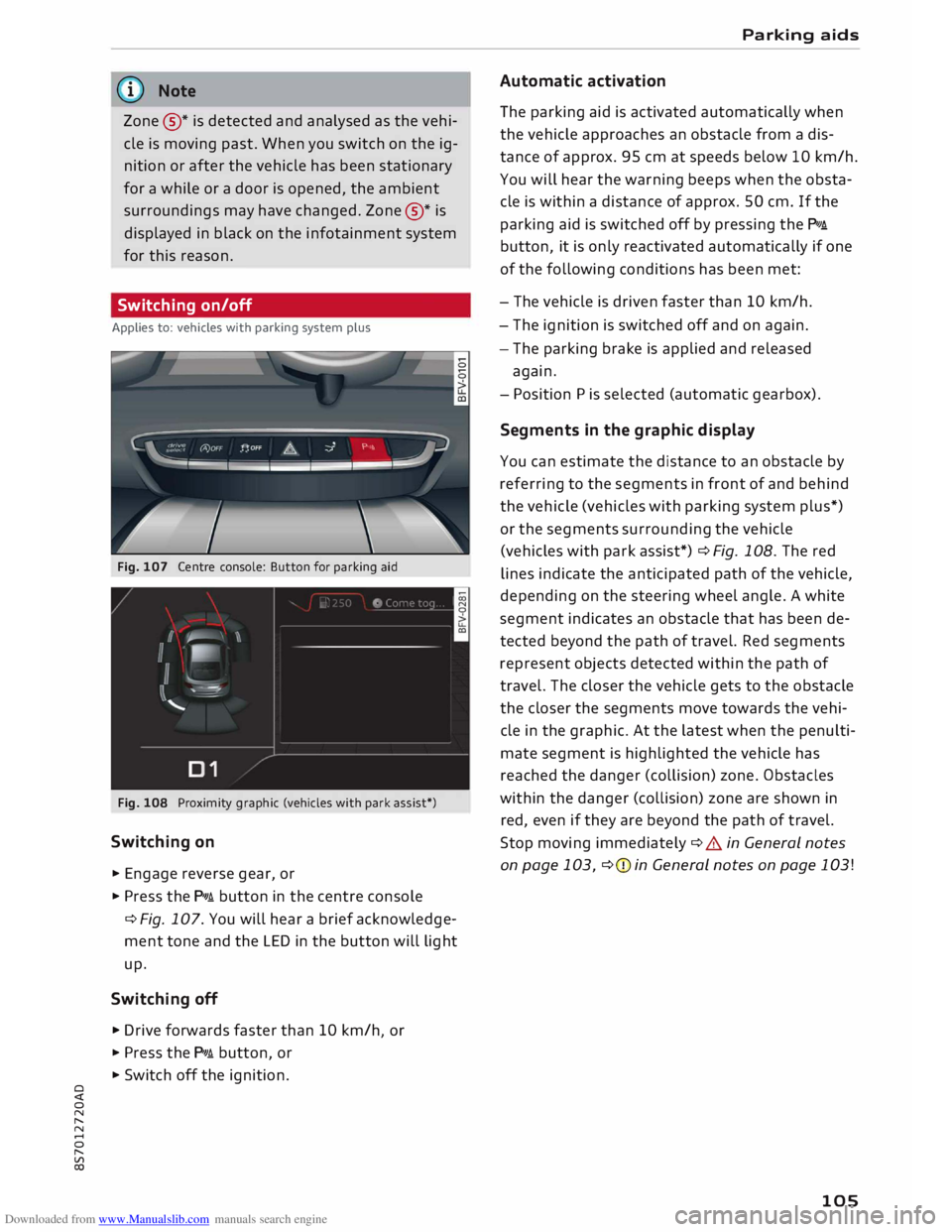
Switching on/off
Applies to: vehicles with parking system plus
Fig. 107 Centre console: Button for parking aid
Fig. 108 Proximity graphic (vehicles with park assist*)
Switching on
... Engage reverse gear, or
... Press the p,,,i button in the centre console
¢ Fig. 107. You will hear a brief acknowledge
ment tone and the LED in the button will light
up.
Switching off
.,. Drive forwards faster than 10 km/h or
I
... Press the p,,,i button, or
... Switch off the ignition. Parking
aids
Automatic activation
The parking aid is activated automatically when
the vehicle approaches an obstacle from a dis
tance of approx. 95 cm at speeds below 10 km/h.
You will hear the warning beeps when the obsta
cle is within a distance of approx. 50 cm. If the
parking aid is switched off by pressing the P,#A.
button, it is only reactivated automatically if one
of the following conditions has been met:
- The vehicle is driven faster than 10 km/h.
- The ignition is switched off and on again.
- The parking brake is applied and released
again.
- Position Pis selected (automatic gearbox).
Segments in the graphic display
You can estimate the distance to an obstacle by
referring to the segments in front of and behind
the vehicle (vehicles with parking system plus*)
or the segments surrounding the vehicle
(vehicles with park assist*) ¢Fig. 108. The red
lines indicate the anticipated path of the vehicle,
depending on the steering wheel angle. A white
segment indicates an obstacle that has been de
tected beyond the path of travel. Red segments
represent objects detected within the path of
travel. The closer the vehicle gets to the obstacle
the closer the segments move towards the vehi
cle in the graphic. At the latest when the penulti
mate segment is highlighted the vehicle has
reached the danger (collision) zone. Obstacles
within the danger (collision) zone are shown in
red, even if they are beyond the path of travel.
Stop moving immediately ¢ A in General notes
on page 103, ¢(Din General notes on page 103!
105
Page 108 of 306
Downloaded from www.Manualslib.com manuals search engine Parking
aids
Reversing camera
Introduction
Applies to: vehicles with reversing camera
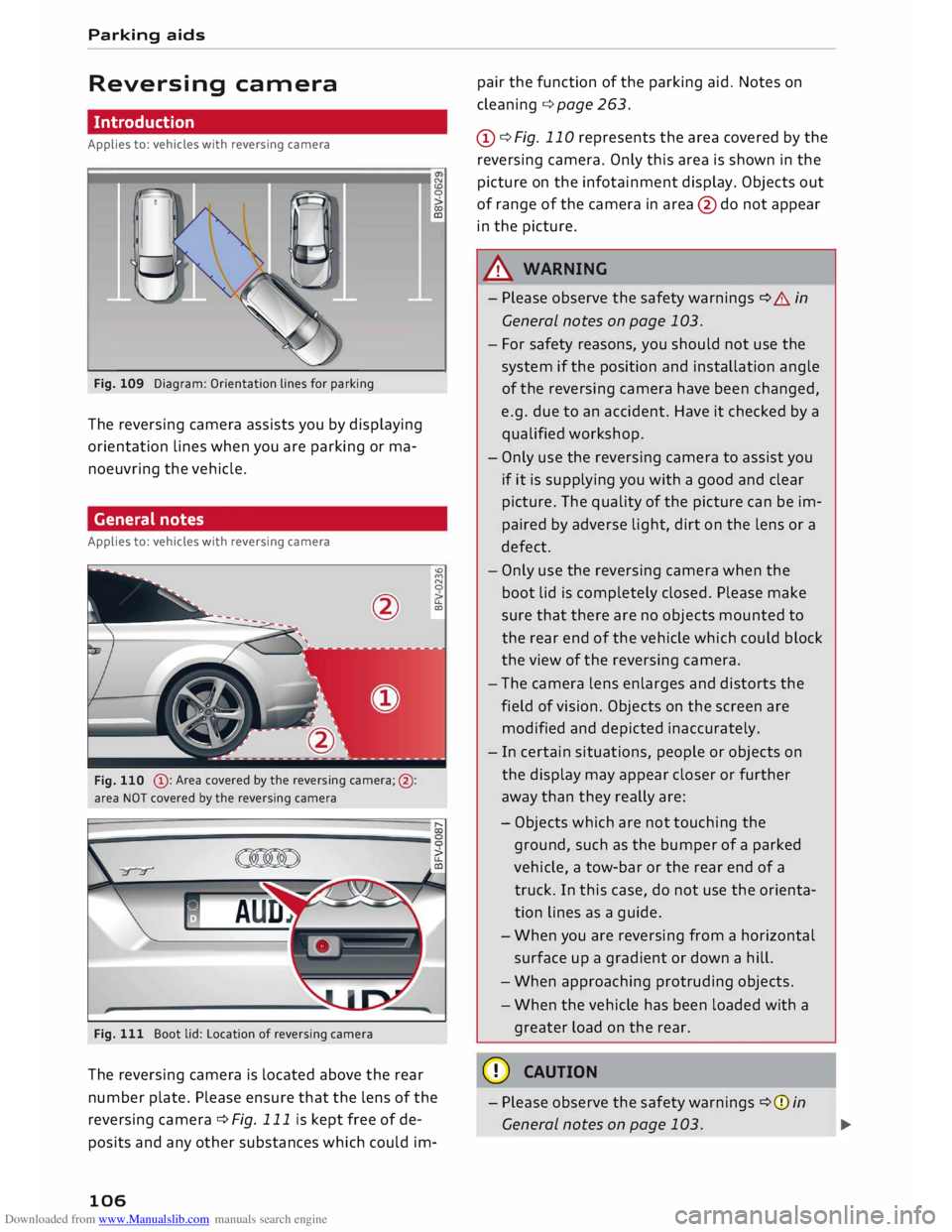
Fig. 109 Diagram: Orientation lines for parking
The reversing camera assists you by displaying
orientation lines when you are parking or ma
noeuvring the vehicle.
General notes
Applies to: vehicles with reversing camera
@ : Area covered by the reversing camera;@:
area NOT covered by the reversing camera
Fig. 111 Boot lid: Location of reversing camera N
CD
0
co
ID
'°
M
N
0
u..
CXl
The reversing camera is located above the rear
number plate. Please ensure that the lens of the
reversing camera ¢ Fig. 111 is kept free of de
posits and any other substances which could im-
106 pair
the function of the parking aid. Notes on
cleaning ¢page 263.
(D ¢ Fig. 110 represents the area covered by the
reversing camera. Only this area is shown in the
picture on the infotainment display. Objects out
of range of the camera in area @do not appear
in the picture.
A WARNING
- Please observe the safety warnings ¢ A in
General notes on page 103.
- For safety reasons, you should not use the
system if the position and installation angle
of the reversing camera have been changed,
e.g. due to an accident. Have it checked by a
qualified workshop.
- Only use the reversing camera to assist you
if it is supplying you with a good and clear
picture. The quality of the picture can be im
paired by adverse light, dirt on the lens or a
defect.
- Only use the reversing camera when the
boot lid is completely closed. Please make
sure that there are no objects mounted to
the rear end of the vehicle which could block
the view of the reversing camera.
- The camera lens enlarges and distorts the
field of vision. Objects on the screen are
modified and depicted inaccurately.
- In certain situations, people or objects on
the display may appear closer or further
away than they really are:
- Objects which are not touching the
ground, such as the bumper of a parked
vehicle, a tow-bar or the rear end of a
truck. In this case, do not use the orienta
tion lines as a guide.
- When you are reversing from a horizontal
surface up a gradient or down a hill.
- When approaching protruding objects.
- When the vehicle has been loaded with a
greater load on the rear.
CD CAUTION
- Please observe the safety warnings ¢(Din
General notes on page 103.
Page 109 of 306
Downloaded from www.Manualslib.com manuals search engine 0
N
,.....
N
......
0
,.....
Vl
CX) -
The orange orientation lines on the infotain
ment display show the path of the rear end
of the vehicle if you were to reverse using
the current steering angle. Please note that
the front end of the vehicle swings out fur
ther than the rear. Please make sure you
keep a sufficient distance between the vehi
cle and any obstacles to make sure that the
exterior mirror or edge of the vehicle do not
collide with the obstacles.
Switching on/off
Applies to: vehicles with reversing camera
Switching on
� Engage
reverse gear, or
� Press the p,,1.4 button in the centre console
¢ page 105, Fig. 107. You will hear a brief ac
knowledgement tone and the LED in the button
will light up.
Switching off
� Drive forwards faster than 10 km/h, or
� Press the p,�.4 button, or
� Switch off the ignition.
(D} Note
- The graphic on the left of the display helps
identify the critical area of the vehicle.
- You can change the display and adjust the
volume of the beeps ¢ page 112.
Parking perpendicular to the roadside
Applies to: vehicles with reversing camera
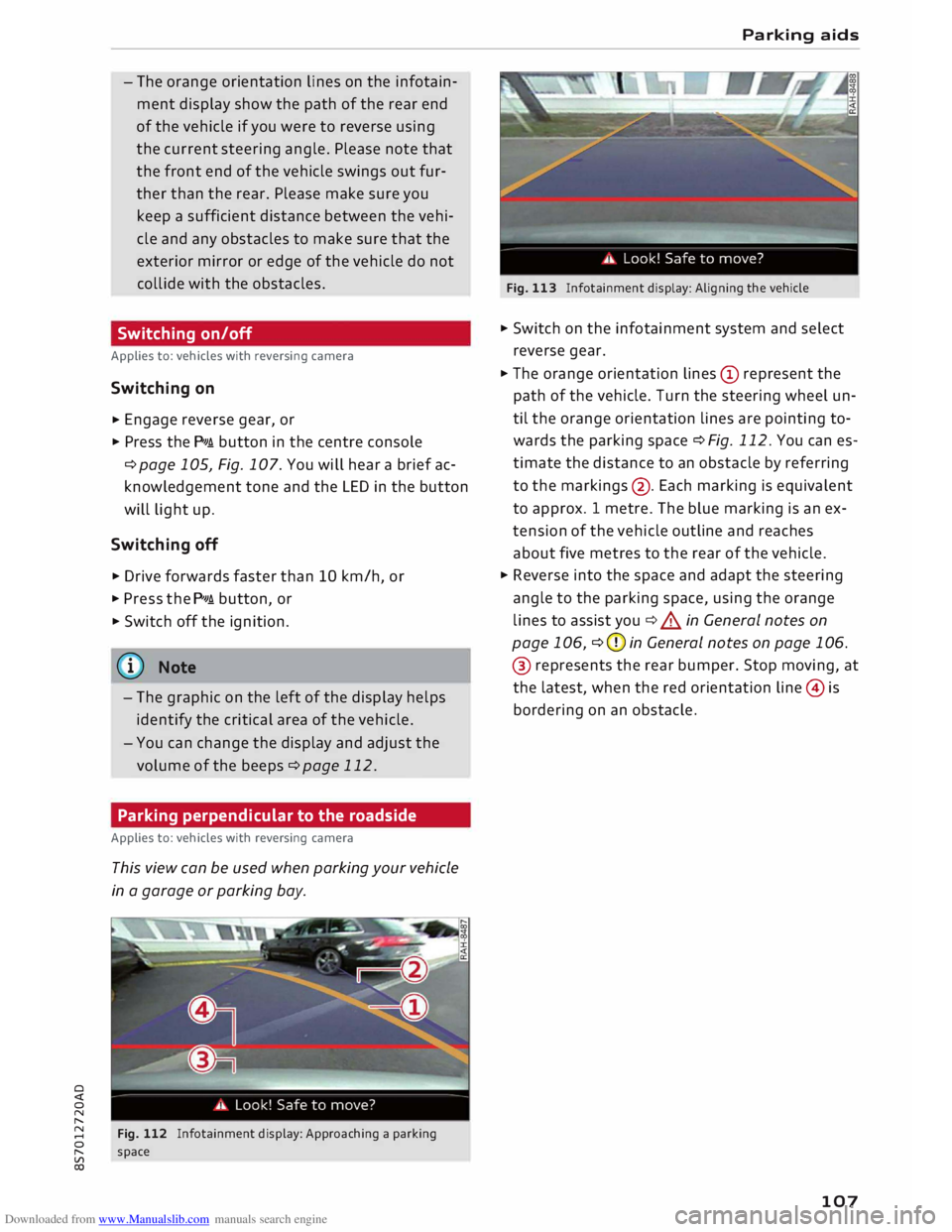
This view can be used when parking your vehicle
in a garage or parking bay.
Fig. 112 Infotainment display: Approaching a parking
space Parking
aids
Fig. 113 Infotainment display: Aligning the vehicle
� Switch on the infotainment system and select
reverse gear.
� The orange orientation lines(!) represent the
path of the vehicle. Turn the steering wheel un
til the orange orientation lines are pointing to
wards the parking space ¢Fig. 112. You can es
timate the distance to an obstacle by referring
to the markings @. Each marking is equivalent
to approx. 1 metre. The blue marking is an ex
tension of the vehicle outline and reaches
about five metres to the rear of the vehicle.
� Reverse into the space and adapt the steering
angle to the parking space, using the orange
lines to assist you¢&. in General notes on
page 106, ¢CJ) in General notes on page 106.
® represents the rear bumper. Stop moving, at
the latest, when the red orientation line@ is
bordering on an obstacle.
107
Page 110 of 306
Downloaded from www.Manualslib.com manuals search engine Parking
aids
Park assist with 360°
display
Description
Applies to: vehicles with park assist
The park assist helps the driver to manoeuvre
the vehicle into and out of parking spaces.
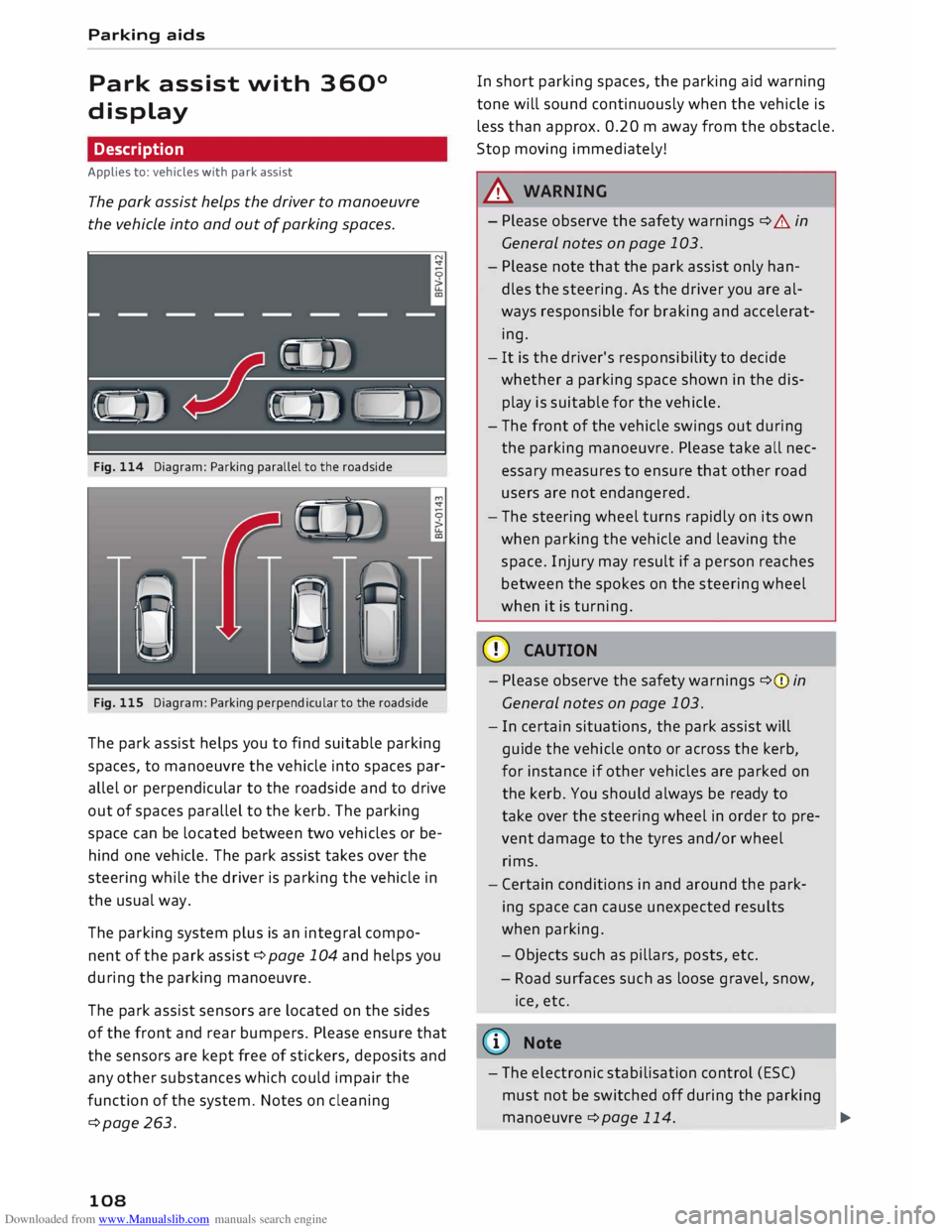
Fig. 114 Diagram: Parking parallel to the roadside
Fig. 115 Diagram: Parking perpendicular to the roadside
The park assist helps you to find suitable parking
spaces, to manoeuvre the vehicle into spaces par
allel or perpendicular to the roadside and to drive
out of spaces parallel to the kerb. The parking
space can be located between two vehicles or be
hind one vehicle. The park assist takes over the
steering while the driver is parking the vehicle in
the usual way.
The parking system plus is an integral compo
nent of the park assist c:::> page 10
4 and
helps you
during the parking manoeuvre.
The park assist sensors are located on the sides
of the front and rear bumpers. Please ensure that
the sensors are kept free of stickers, deposits and
any other substances which could impair the
function of the system. Notes on cleaning
c:::>page 263.
108 In
short parking spaces, the parking aid warning
tone will sound continuously when the vehicle is
less than approx. 0.20 m away from the obstacle.
Stop moving immediately!
A WARNING
- Please observe the safety warnings c:::> &. in
General notes on page 103.
- Please note that the park assist only han
dles the steering. As the driver you are al
ways responsible for braking and accelerat
ing.
- It is the driver's responsibility to decide
whether a parking space shown in the dis
play is suitable for the vehicle.
- The front of the vehicle swings out during
the parking manoeuvre. Please take all nec
essary measures to ensure that other road
users are not endangered.
- The steering wheel turns rapidly on its own
when parking the vehicle and leaving the
space. Injury may result if a person reaches
between the spokes on the steering wheel
when it is turning.
CD CAUTION
- Please observe the safety warnings c:::>(j) in
General notes on page 103.
- In certain situations, the park assist will
guide the vehicle onto or across the kerb,
for instance if other vehicles are parked on
the kerb. You should always be ready to
take over the steering wheel in order to pre
vent damage to the tyres and/or wheel
rims.
- Certain conditions in and around the park
ing space can cause unexpected results
when parking.
- Ob j
ects such as pillars, posts, etc.
- Road surfaces such as loose gravel, snow,
ice, etc.
ijJ} Note
- The electronic stabilisation control (ESC)
must not be switched off during the parkingmano euvre
c:::>page
11
4
.
--
-- ---
-�
Page 111 of 306
Downloaded from www.Manualslib.com manuals search engine 0
N
,.....
N
......
0
,.....
Vl
CX) -
The park assist cannot be used to park the
vehicle on tight bends.
Switching on and off
Applies to: vehicles with park assist
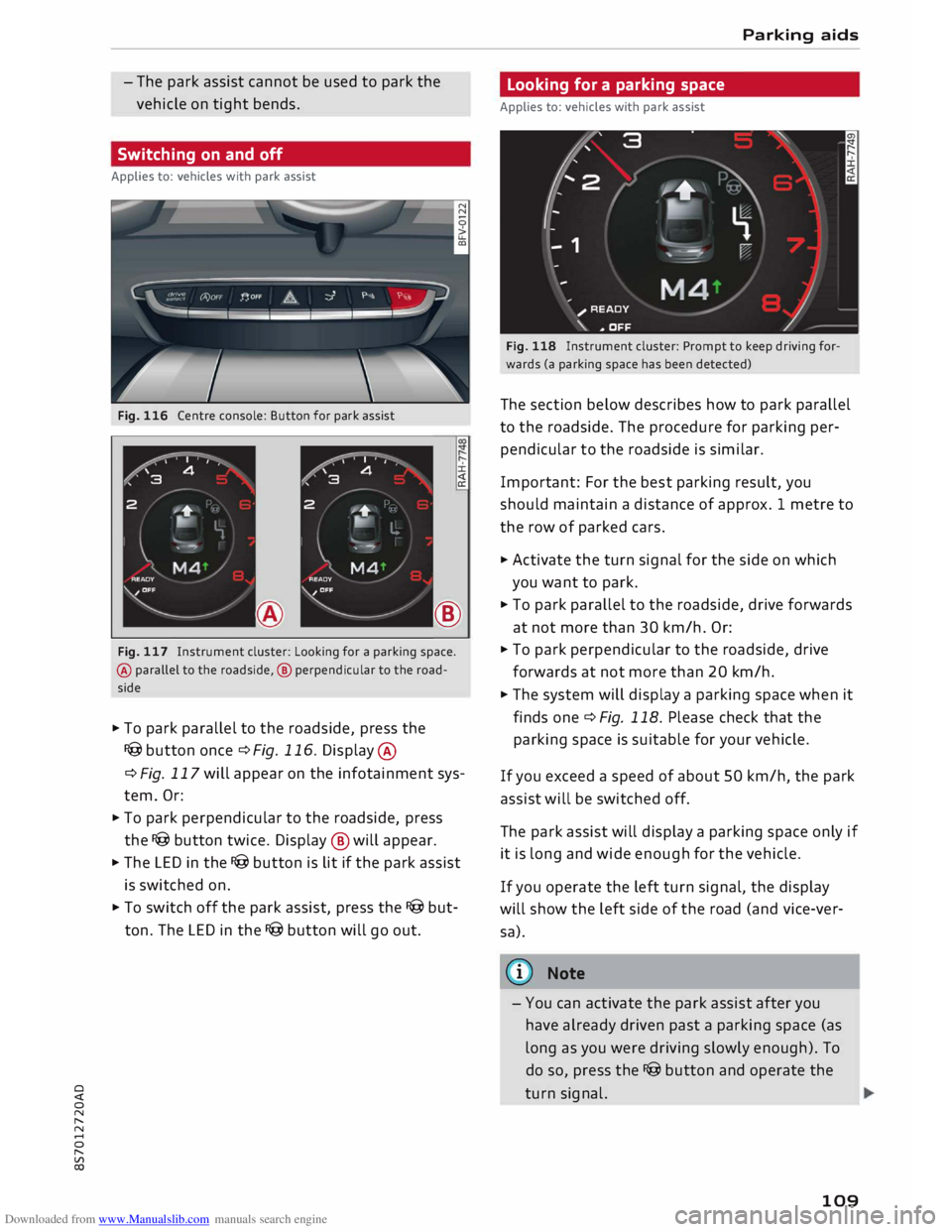
Fig. 116 Centre console: Button for park assist
±.
®
Fig. 117 Instrument cluster: Looking for a parking space.
@ parallel to the roadside, @ perpendicular to the road
side
� To park parallel to the roadside, press the
I@ button once¢ Fig. 116. Display @
¢ Fig. 117 will appear on the infotainment sys
tem. Or:
� To park perpendicular to the roadside, press
the I@ button twice. Display ® will appear.
� The LED in the I@ button is lit if the park assist
is switched on.
� To switch off the park assist, press the I@ but
ton. The LED in the I@ button will go out. Parking aids
Looking for a parking space
Applies to: vehicles with park assist
Fig. 118 Instrument cluster: Prompt to keep driving for
wards (a parking space has been detected)
The section below describes how to park parallel
to the roadside. The procedure for parking per
pendicular to the roadside is similar.
Important: For the best parking result, you
should maintain a distance of approx. 1 metre to
the row of parked cars.
� Activate the turn signal for the side on which
you want to park.
� To park parallel to the roadside, drive forwards
at not more than 30 km/h. Or:
� To park perpendicular to the roadside, drive
forwards at not more than 20 km/h.
� The system will display a parking space when it
finds one¢ Fig. 118. Please check that the
parking space is suitable for your vehicle.
If you exceed a speed of about 50 km/h, the park
assist will be switched off.
The park assist will display a parking space only if
it is Long and wide enough for the vehicle.
If you operate the left turn signal, the display
will show the left side of the road (and vice-ver
sa).
@ Note
- You can activate the park assist after you
have already driven past a parking space (as
Long as you were driving slowly enough). To
do so, press the I@ button and operate the
turn signal.
109