start stop button AUDI TT ROADSTER 2016 Owner's Manual
[x] Cancel search | Manufacturer: AUDI, Model Year: 2016, Model line: TT ROADSTER, Model: AUDI TT ROADSTER 2016Pages: 306, PDF Size: 31.82 MB
Page 173 of 306
Downloaded from www.Manualslib.com manuals search engine 0
N
,.....
N
......
0
,.....
Vl
CX) the
Enter destination menu c::> page 169,
Fig. 153.
Entering an address
Applies to: vehicles with navigation system
� Press the I NAV/MAPI
button repeatedly until
the Enter destination menu is displayed
c:>page 169, Fig. 153.
� Select: left control button> Enter address.
- Select and confirm a line (e.g. Street, House
number or Country) and enter the data you
wish to use.
- Select and confirm Start route guidance.
Setting a destination from the map
Applies to: vehicles with navigation system
A Location on the map can be set as a destina
tion.
� Press the I NAV/MAP!
button repeatedly until
the map is displayed.
- To set a convenient map scale: Turn the rotary
pushbutton anti-clockwise or clockwise to
change the map scale.
- To activate the crosshairs: Press the rotary
pushbutton. The crosshairs will appear on the
map.
-To move the crosshairs: Use the MMI touch pad
to move the crosshairs to the destination.
- To use the destination for route guidance:
Press the rotary pushbutton when the cross
hairs are displayed. If you wish to set a stop
over, select and confirm Set as stopover and
then Start route guidance.
- To hide the crosshairs: Press the I BACK!
button.
Additional information on the point selected
with the crosshairs: If you use the crosshairs to
preselect a location on the map, any existing in
formation on this location (e.g. town name or
special destinations) will be displayed ®
c:>page 178, Fig. 159. Navigation
Using home address/favourite as the
destination
Applies to: vehicles with navigation system
The home address option is a quick and easy way
to have the system guide you home. The favour
ites make it easier to access destinations you re
quire regularly.
� Press the I NAV/MAP!
button repeatedly until
the Enter destination menu is displayed
c:>page 169, Fig. 153.
Using the home address as the dest ination
Important: A home address must have been stor
ed c::> page 175.
Your home address is displayed in the Enter des
tination menu@c:>page 169, Fig. 153.
- Select and confirm the home address.
- Select and confirm Start route guidance.
Using a favourite as the dest ination
Important: At least one destination must have
been stored as a favourite c::> page 175.
- Enter one or more letters in the entry field for
the search function. The favourites found will
be shown on the infotainment display and
marked with the corresponding symbol@
c:>page 169, Fig. 153.
- Select and confirm the desired favourite.
- Select and confirm Start route guidance.
@ Note
- Further home address settings can be found
on c:>page 175.
- Further favourites settings can be found on
c:>page 175.
171
Page 174 of 306
Downloaded from www.Manualslib.com manuals search engine Navigation
Using a destination from the directory
Applies to: vehicles with navigation system
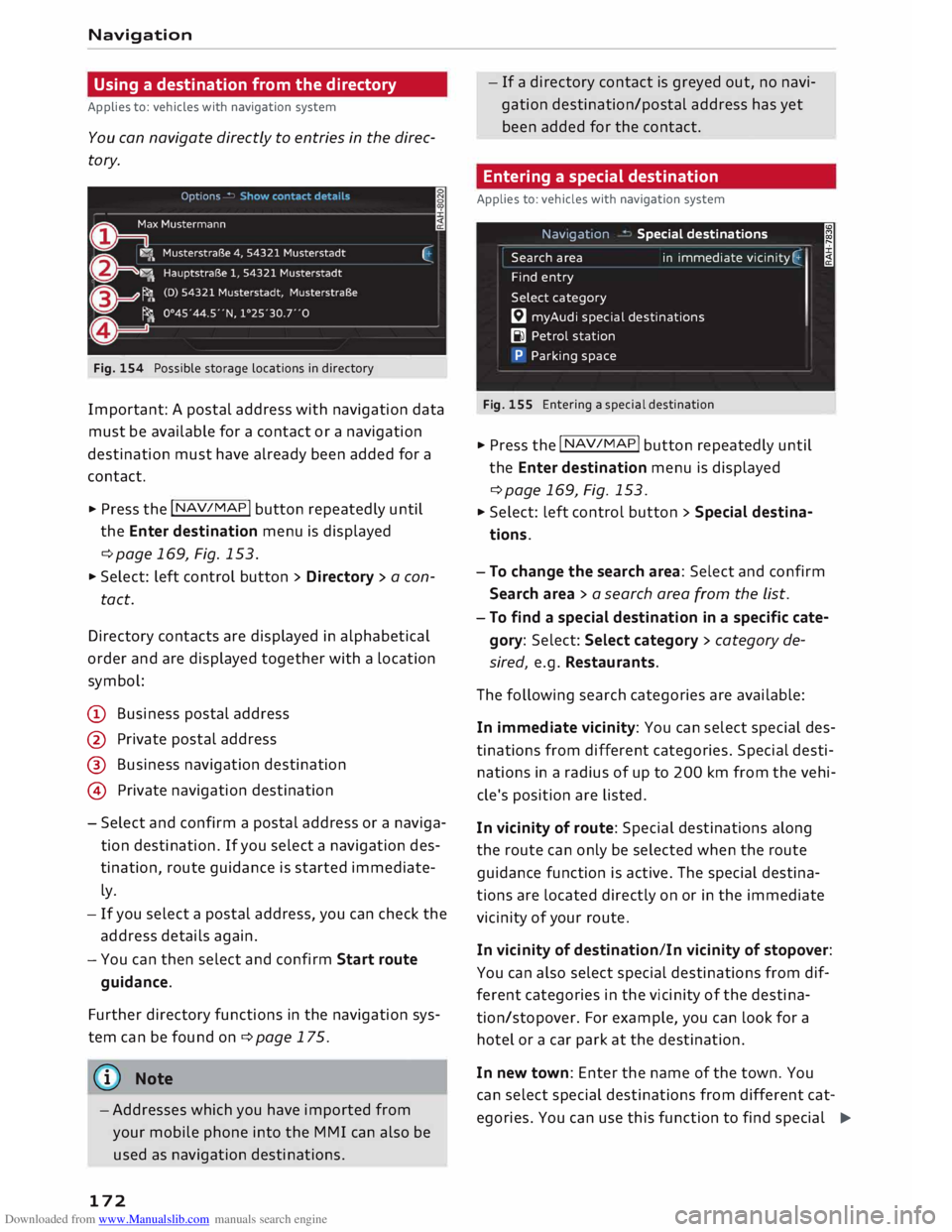
You can navigate directly to entries in the direc
tory.
Fig. 154 Possible storage locations in directory
Important: A postal address with navigation data
must be available for a contact or a navigation
destination must have already been added for a
contact.
.,. Press the I NAV
/M
AP
I button
repeatedly until
the Enter destination menu is displayed
¢ page 169, Fig. 153.
.,. Select: left control button > Directory > a con-
tact.
Directory contacts are displayed in alphabetical
order and are displayed together with a location
symbol:
(D Business postal address
@ Private postal address
@ Business navigation destination
@ Private navigation destination
- Select and confirm a postal address or a naviga
tion destination. If you select a navigation des
tination, route guidance is started immediate
ly.
- If you select a postal address, you can check the
address details again.
- You can then select and confirm Start route
guidance.
Further directory functions in the navigation sys
tem can be found on¢ page 175.
((!> Note
-Addresses which you have imported from
your mobile phone into the MMI can also be
used as navigation destinations.
172 -
If a directory contact is greyed out, no navi
gation destination/postal address has yet
been added for the contact.
Entering a special destination
Applies to: vehicles with navigation system
Nav1gat1on
Search area
Find entry
Select category Special
destinations
in immediate vicin ity (:
I
� myAudi special destinations
Bl Petrol station
P Parking space
Fig. 155 Entering a special destination
.,. Press the I NAV/
MAP
! button repeatedly until
the Enter destination menu is displayed
¢page 169, Fig. 153 .
.,. Select: Left control button > Special destina
tions.
- To change the search area: Select and confirm
Search area > a search area from the list.
- To find a special destination in a specific cate
gory: Select: Select category > category de
sired, e.g. Restaurants.
The following search categories are available:
In immediate vicinity: You can select special des
tinations from different categories. Special desti
nations in a radius of up to 200 km from the vehi
cle's position are Listed.
In vicinity of route: Special destinations along
the route can only be selected when the route
guidance function is active. The special destina
tions are Located directly on or in the immediate
vicinity of your route.
In vicinity of destination/In vicinity of stopover:
You can also select special destinations from dif
ferent categories in the vicinity of the destina
tion/stopover. For example, you can Look for a
hotel or a car park at the destination.
In new town: Enter the name of the town. You
can select special destinations from different cat
egories. You can use this function to find special �
Page 176 of 306
Downloaded from www.Manualslib.com manuals search engine Navigation
- Select and confirm either Latitude or Longi
tude.
- Turn the rotary pushbutton to adjust the Lati
tude/Longitude.
- Press the rotary pushbutton to confirm your en
try.
- Select and confirm Start route guidance.
Adding a stopover
Applies to: vehicles with navigation system
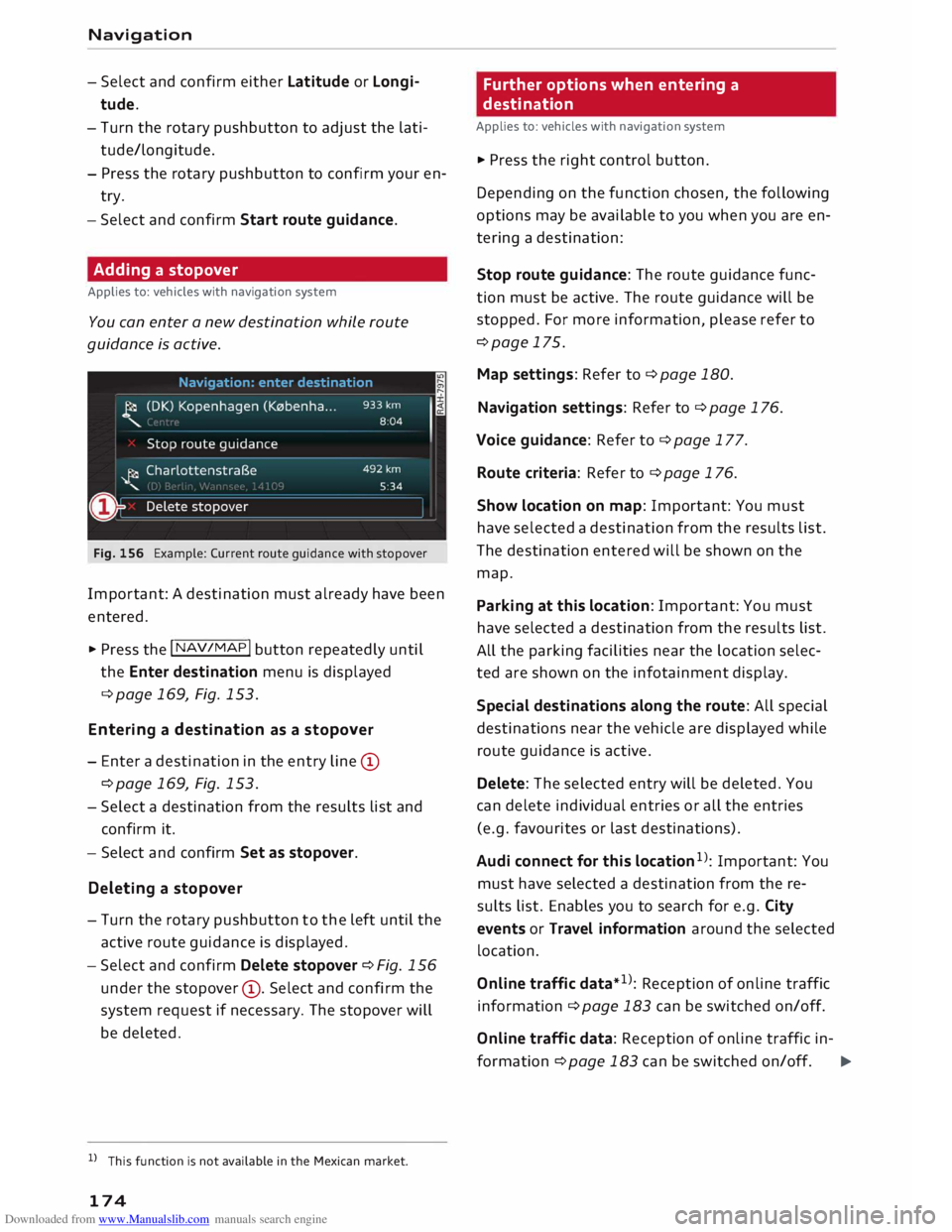
You can enter a new destination while route
guidance is active.
Fig. 156 Example: Current route guidance with stopover
Important: A destination must already have been
entered.
.,. Press the I NAV
/MAP
I button repeated Ly u nti L
the Enter destination menu is displayed
¢ page 169, Fig. 153.
Entering a desti nation as a sto pover
- Enter a destination in the entry Line (D
¢page 169, Fig. 153.
- Select a destination from the results List and
confirm it.
- Select and confirm Set as stopover.
Deleting a stopo
ver
- Turn the rotary pushbutton to the Left until the
active route guidance is displayed.
-Select and confirm Delete stopover ¢Fig. 156
under the stopover (D
. Select and confirm the
system request if necessary. The stopover will
be deleted.
l l
This function is not available in the Mexican market.
174 Further
options when entering a
destination
Applies to: vehicles with navigation system
"' Press the right control button.
Depending on the function chosen, the following
options may be available to you when you are en
tering a destination:
Stop route guidance: The route guidance func
tion must be active. The route guidance will be
stopped. For more information, please refer to
¢page 175.
Map settings: Refer to¢ page 180.
Navigation settings: Refer to ¢ page 176.
Voice guidance: Refer to¢ page 177.
Route criteria: Refer to ¢ page 176.
Show location on map: Important: You must
have selected a destination from the results List.
The destination entered will be shown on the
map.
Parking at this location: Important: You must
have selected a destination from the results List .
All the parking facilities near the Location selec
ted are shown on the infotainment display.
Special destinations along the route: All special
destinations near the vehicle are displayed while
route guidance is active.
Delete: The selected entry will be deleted. You
can delete individual entries or all the entries
(e.g. favourites or Last destinations).
Audi connect for this location 1
)
: Important: You
must have selected a destination from the re
sults List. Enables you to search for e.g. City
events or Travel information around the selected
location.
Online traffic data*1): Reception of online traffic
information ¢ page 183 can be switched on/off.
Online traffic data: Reception of on line traffic in-
formation ¢page 183 can be switched on/off. �
Page 181 of 306
Downloaded from www.Manualslib.com manuals search engine 0
N
,.....
N
......
0
,.....
Vl
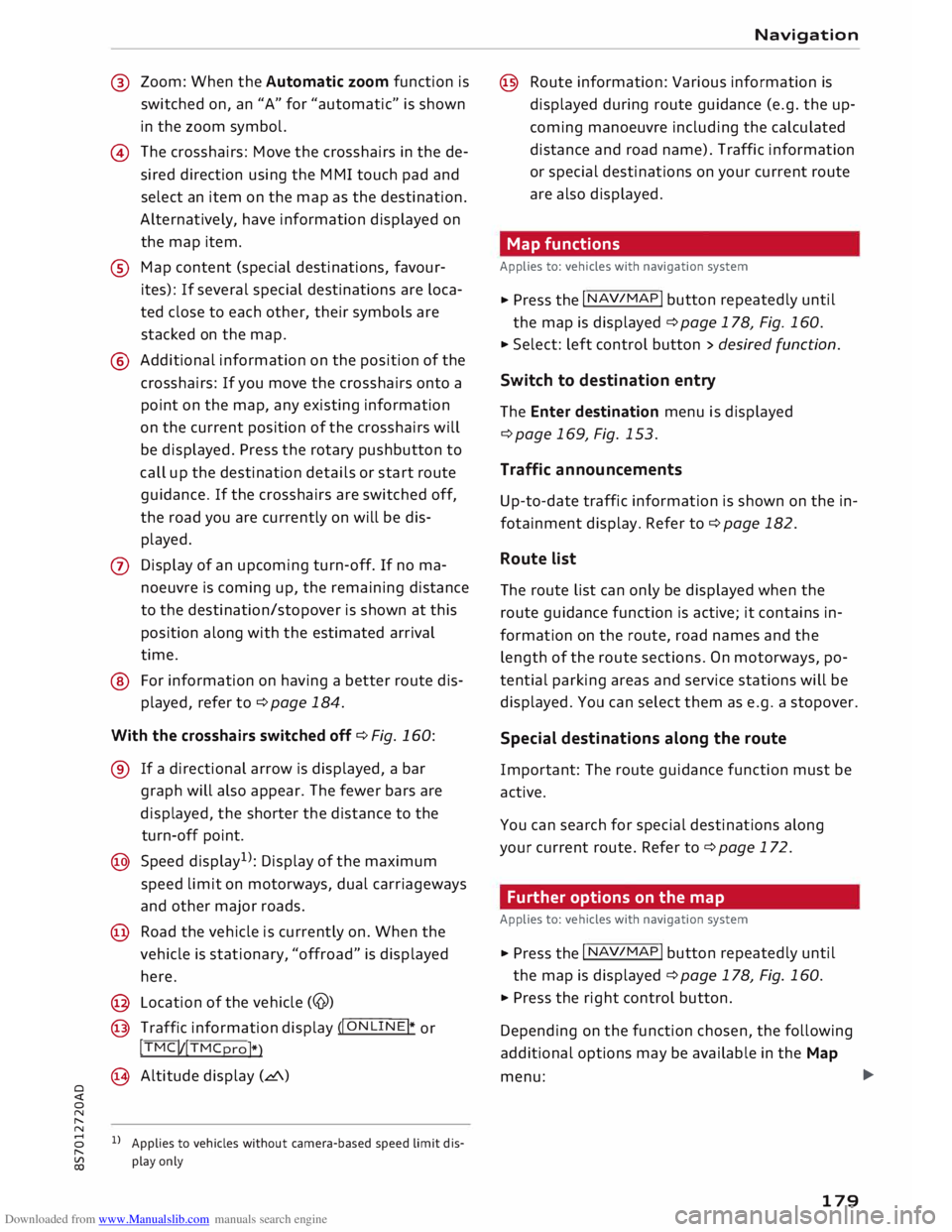
CX) @
Zoom: When the Automatic zoom function is
switched on, an "A" for "automatic" is shown
in the zoom symbol.
@ The crosshairs: Move the crosshairs in the de
sired direction using the MMI touch pad and
select an item on the map as the destination.
Alternatively, have information displayed on
the map item.
® Map content (special destinations, favour
ites): If several special destinations are loca
ted close to each other, their symbols are
stacked on the map.
@ Additional information on the position of the
crosshairs: If you move the crosshairs onto a
point on the map, any existing information
on the current position of the crosshairs will
be displayed. Press the rotary pushbutton to
call up the destination details or start route
guidance. If the crosshairs are switched off,
the road you are currently on will be dis
played.
0 Display of an upcoming turn-off. If no ma
noeuvre is coming up, the remaining distance
to the destination /
stopover is shown at this
position along with the estimated arrival
time.
@ For information on having a better route dis
played, refer to¢ page 184.
With the crosshairs switched off¢ Fig. 160:
® If a directional arrow is displayed, a bar
graph will also appear. The fewer bars are
displayed, the shorter the distance to the
turn-off point.
@ Speed display 1
>: Display of the maximum
speed limit on motorways, dual carriageways
and other major roads.
@ Road the vehicle is currently on. When the
vehicle is stationary, "offroad" is displayed
here.
@ Location of the vehicle (@)
@ Traffic information display (�I O_ N
_L_I_ N
_E�I* or
!TMC! /!TMCpro!*
)
@ Altitude display (L!'.\)
1} Applies to vehicles without camera-based speed limit dis
play only Navigation
@ Route information: Various information is
displayed during route guidance (e.g. the up
coming manoeuvre including the calculated
distance and road name). Traffic information
or special destinations on your current route
are also displayed.
Map functions
Applies to: vehicles with navigation system
� Press the I N
AV/MAP
! button repeatedly until
the map is displayed ¢page 178, Fig. 160.
� Select: left control button> desired function.
Switch to destination entry
The Enter destination menu is displayed
¢ page 169, Fig. 153.
Traffic announcements
Up-to-date traffic information is shown on the in
fotainment display. Refer to¢ page 182.
Route list
The route list can only be displayed when the
route guidance function is active; it contains in
formation on the route, road names and the
length of the route sections. On motorways, po
tential parking areas and service stations will be
displayed. You can select them as e.g. a stopover.
Special destinations along the route
Important: The route guidance function must be
active.
You can search for special destinations along
your current route. Refer to ¢page 172.
Further options on the map
Applies to: vehicles with navigation system
� Press the I N
AV/MAP
! button repeatedly until
the map is displayed ¢page 178, Fig. 160.
� Press the right control button.
Depending on the function chosen, the following
additional options may be available in the Map
menu: .,.
179
Page 294 of 306
Downloaded from www.Manualslib.com manuals search engine Index
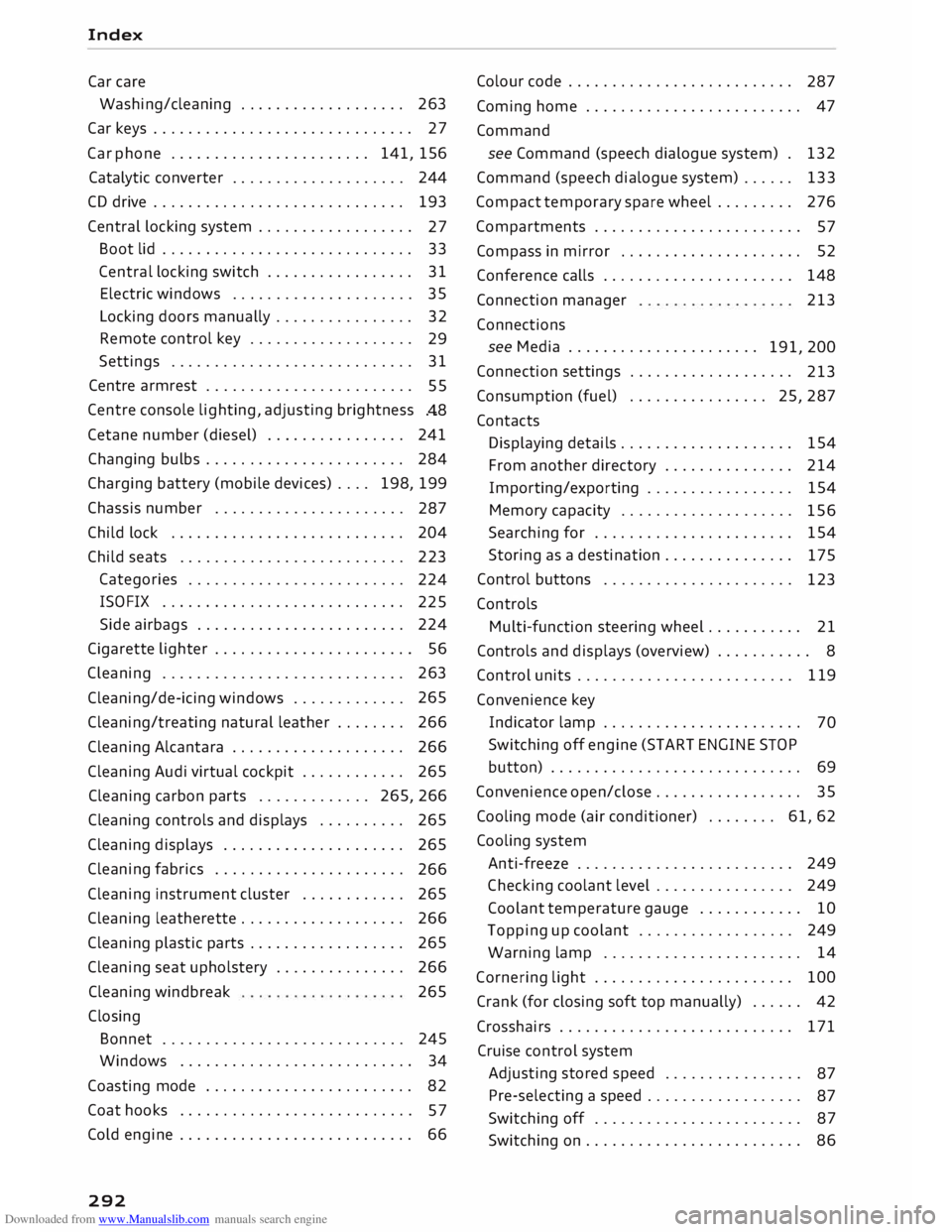
Car care
Washing/cleaning . . . . . . . . . . . . . . . . . . . 263
Car keys . . . . . . . . . . . . . . . . . . . . . . . . . . . . . . 27
Car phone . . . . . . . . . . . . . . . . . . . . . . . 141, 156
Catalytic converter . . . . . . . . . . . . . . . . . . . .
244
CD drive . . . . . . . . . . . . . . . . . . . . . . . . . . . . .
193
Central locking system . . . . . . . . . . . . . . . . . .
27
Boot lid . . . . . . . . . . . . . . . . . . . . . . . . . . . . . 33
Central locking switch . . . . . . . . . . . . . . . . .
31
Electric windows . . . . . . . . . . . . . . . . . . . . .
35
Locking doors manually . . . . . . . . . . . . . . . . 32
Remote control key . . . . . . . . . . . . . . . . . . .
29
Settings .. .. .. .. .. .. .. .. .. .. . . .. .. ..
31
Centre armrest . . . . . . . . . . . . . . . . . . . . . . . .
55
Centre console lighting, adjusting brightness
.48
Cetane number (diesel) . . . . . . . . . . . . . . . .
241
Changing bulbs . . . . . . . . . . . . . . . . . . . . . . .
284
Charging battery (mobile devices) . . . . 198, 199
Chassis number . . . . . . . . . . . . . . . . . . . . . .
287
Child lock . . . . . . . . . . . . . . . . . . . . . . . . . . .
204
Child seats . . . . . . . . . . . . . . . . . . . . . . . . . .
223
Categories . . . . . . . . . . . . . . . . . . . . . . . . .
224
ISOFIX . . . . . . . . . . . . . . . . . . . . . . . . . . . .
225
Side airbags . . . . . . . . . . . . . . . . . . . . . . . .
224
Cigarette lighter . . . . . . . . . . . . . . . . . . . . . . . 56
Cleaning . . . . . . . . . . . . . . . . . . . . . . . . . . . .
263
Cleaning/de-icing windows . . . . . . . . . . . . . 265
Cleaning/treating natural leather . . . . . . . . 266
Cleaning Alcantara . . . . . . . . . . . . . . . . . . . .
266
Cleaning Audi virtual cockpit . . . . . . . . . . . .
265
Cleaning carbon parts . . . . . . . . . . . . . 265, 266
Cleaning controls and displays . . . . . . . . . . 265
Cleaning displays . . . . . . . . . . . . . . . . . . . . . 265
Cleaning fabrics . . . . . . . . . . . . . . . . . . . . . .
266
Cleaning instrument cluster . . . . . . . . . . . .
265
Cleaning leatherette . . . . . . . . . . . . . . . . . . .
266
Cleaning plastic parts . . . . . . . . . . . . . . . . . .
265
Cleaning seat upholstery . . . . . . . . . . . . . . . 266
Cleaning windbreak
Closing 265
Bonnet . . . . . . . . . . . . . . . . . . . . . . . . . . . .
245
Windows ........................... 34
Coasting mode . . . . . . . . . . . . . . . . . . . . . . . .
82
Coat hooks . . . . . . . . . . . . . . . . . . . . . . . . . . .
5 7
Cold engine . . . . . . . . . . . . . . . . . . . . . . . . . . . 66
292 Colour
code . . . . . . . . . . . . . . . . . . . . . . . . . .
287
Coming home . . . . . . . . . . . . . . . . . . . . . . . . . 47
Command see Command (speech dialogue system) . 132
Command (speech dialogue system) . . . . . . 133
Compact temporary spare wheel . . . . . . . . . 276
Compartments . . . . . . . . . . . . . . . . . . . . . . . .
57
Compass in mirror . . . . . . . . . . . . . . . . . . . . .
52
Conference calls . . . . . . . . . . . . . . . . . . . . . . 148
Connection manager 213
Connections see Media . . . . . . . . . . . . . . . . . . . . . .
191, 200
Connection settings . . . . . . . . . . . . . . . . . . .
213
Consumption (fuel)
. . . . . . . . . . . . . . . . 25, 287
Contacts Displaying details.. . . . . . . . . . . . . . . . . . . 154
From another directory . . . . . . . . . . . . . . . 214
Importing/exporting . . . . . . . . . . . . . . . . .
154
Memory capacity . . . . . . . . . . . . . . . . . . . .
156
Searching for . . . . . . . . . . . . . . . . . . . . . . .
154
Storing as a destination...............
175
Control buttons . . . . . . . . . . . . . . . . . . . . . .
123
Controls Multi-function steering wheel..... ...... 21
Controls and displays (overview) . . . . . . . . . . . 8
Control units . . . . . . . . . . . . . . . . . . . . . . . . . 119
Convenience key
Indicator lamp . . . . . . . . . . . . . . . . . . . . . . .
70
Switching off engine (START ENGINE STOP
button) . . . . . . . . . . . . . . . . . . . . . . . . . . . . . 69
Convenience open/close . . . . . . . . . . . . . . . . . 35
Cooling mode (air conditioner) . . . . . . . . 61, 62
Cooling system
Anti-freeze . . . . . . . . . . . . . . . . . . . . . . . . . 249
Checking coolant level . . . . . . . . . . . . . . . . 249
Coolant temperature gauge . . . . . . . . . . . . 10
Topping up coolant . . . . . . . . . . . . . . . . . . 249
Warning lamp . . . . . . . . . . . . . . . . . . . . . . . 14
Cornering light . . . . . . . . . . . . . . . . . . . . . . . 100
Crank (for closing soft top manually) . . . . . . 42
Crosshairs . . . . . . . . . . . . . . . . . . . . . . . . . . . 171
Cruise control system
Adjusting stored speed . . . . . . . . . . . . . . . .
87
Pre-selecting a speed . . . . . . . . . . . . . . . . . .
87
Switching off . . . . . . . . . . . . . . . . . . . . . . . .
87
Switching on . . . . . . . . . . . . . . . . . . . . . . . . . 86
Page 302 of 306
Downloaded from www.Manualslib.com manuals search engine Index
Cleaning sensors . . . . . . . . . . . . . . . . . . . . 264
Switching on and off . . . . . . . . . . . . . . . . . .
99
Side lights . . . . . . . . . . . . . . . . . . . . . . . . . . . .
44
SIM card reader . . . . . . . . . . . . . . . . . . 144, 159
Ski bag............................... 58
Smartphone see Telephone . . . . . . . . . . . . . . . . . . . . . . 141
SMS see Text messages . . . . . . . . . . . . . . . . . . .
150
Snowboard bag . . . . . . . . . . . . . . . . . . . . . . . . 58
Snow chains . . . . . . . . . . . . . . . . . . . . . . . . . 257
Soft top . . . . . . . . . . . . . . . . . . . . . . . . . . . . . . 39
Closing . . . . . . . . . . . . . . . . . . . . . . . . . . . . . 39
Convenience close function . . . . . . . . . . . . . 40
Convenience open function . . . . . . . . . . . . . 40
Driver messages . . . . . . . . . . . . . . . . . . . . . . 40
General notes . . . . . . . . . . . . . . . . . . . . . . . . 39
Malfunction . . . . . . . . . . . . . . . . . . . . . . . . . 40
Manual operation . . . . . . . . . . . . . . . . . . . . . 41
Opening . . . . . . . . . . . . . . . . . . . . . . . . . . . .
39
Washing . . . . . . . . . . . . . . . . . . . . . . . . . . . 264
Windbreak . . . . . . . . . . . . . . . . . . . . . . . . . . 41
Software update
see System update (MMI)
Software (MMI)
Licence
Update
Version
sos 216
218
216
216
see Emergency call, making . . . . . . . . . . . 152
Sound settings . . . . . . . . . . . . . . . . . . . . . . .
217
Source overview . . . . . . . . . . . . . . . . . . . . . .
200
Source selection
Multi-function steering wheel . . . . . . . . . . . 23
Spanner . . . . . . . . . . . . . . . . . . . . . . . . . . . . . 270
Spare key. . . . . . . . . . . . . . . . . . . . . . . . . . . . . 27
Spare wheel . . . . . . . . . . . . . . . . . . . . . . . . . 276
Special destination . . . . . . . . . . . . . . . . . . . .
172
Speech dialogue system . . . . . . . . . . . . . 23, 133
Commands . . . . . . . . . . . . . . . . . . . . . . . . . 134
External . . . . . . . . . . . . . . . . . . . . . . . . . . . 139
Settings . . . . . . . . . . . . . . . . . . . . . . . . . . . 213
Volume ............................ 218
Speed-dependent volume control . . . . . . . .
217
Speed limiter . . . . . . . . . . . . . . . . . . . . . . . . .
88
Changing cut-off speed . . . . . . . . . . . . . . . .
89
Driver message . . . . . . . . . . . . . . . . . . . . . .
89
300 Overriding
cut-off speed . . . . . . . . . . . . . . .
89
Setting cut-off speed . . . . . . . . . . . . . . . . . .
88
Switching off . . . . . . . . . . . . . . . . . . . . . . . .
89
Switching on . . . . . . . . . . . . . . . . . . . . . . . . .
88
Speedometer . . . . . . . . . . . . . . . . . . . . . . 10, 20
Speed warning . . . . . . . . . . . . . . . . . . . . . . . . 86
Speller . . . . . . . . . . . . . . . . . . . . . . . . . . . . . . 128
Spoken cue . . . . . . . . . . . . . . . . . . . . . . . . . .
177
Sport displays . . . . . . . . . . . . . . . . . . . . . . . . . 96
Sport mode . . . . . . . . . . . . . . . . . . . . . . . . . . 114
Stabilisation program
see Electronic stabilisation control (ES() . 113
Start/stop system . . . . . . . . . . . . . . . . . . . . . .
71
Driver messages . . . . . . . . . . . . . . . . . . . . . .
74
Engine cuts in automatically . . . . . . . . . . . . 72
Engine does not switch off . . . . . . . . . . . . . 72
Indicator lamps . . . . . . . . . . . . . . . . . . . . . .
72
Switching off/on . . . . . . . . . . . . . . . . . . . . . 73
Switching off/starting the engine . . . . . . . .
72
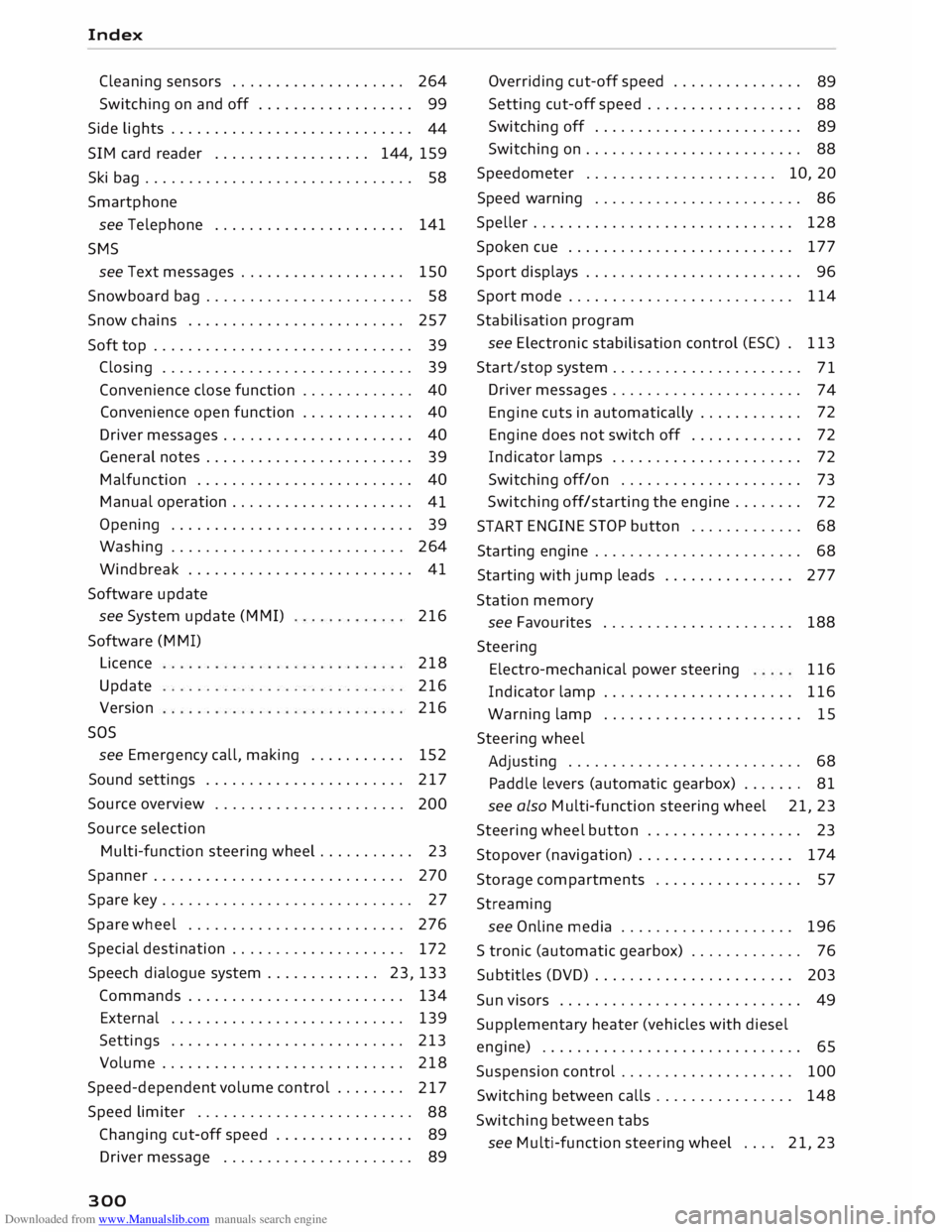
START ENGINE
STOP button . . . . . . . . . . . . .
68
Starting engine . . . . . . . . . . . . . . . . . . . . . . . . 68
Starting with jump leads . . . . . . . . . . . . . . . 277
Station memory
see Favourites ..................... .
188
Steering Electro-mechanical power steering 116
Indicator lamp . . . . . . . . . . . . . . . . . . . . . . 116
Warning lamp
. . . . . . . . . . . . . . . . . . . . . . . 15
Steering wheel
Adjusting . . . . . . . . . . . . . . . . . . . . . . . . . . .
68
Paddle levers (automatic gearbox) . . . . . . . 81
see also Multi-function steering wheel 21, 23
Steering wheel button . . . . . . . . . . . . . . . . . . 23
Stopover (navigation) . . . . . . . . . . . . . . . . . . 174
Storage compartments . . . . . . . . . . . . . . . . . 57
Streaming see Online media . . . . . . . . . . . . . . . . . . . .
196
S tronic (automatic gearbox) . . . . . . . . . . . . . 76
Subtitles (DVD) . . . . . . . . . . . . . . . . . . . . . . . 203
Sun visors . . . . . . . . . . . . . . . . . . . . . . . . . . . . 49
Supplementary heater (vehicles with diesel
engine) . . . . . . . . . . . . . . . . . . . . . . . . . . . . . . 65
Suspension control . . . . . . . . . . . . . . . . . . . . 100
Switching between calls . . . . . . . . . . . . . . . . 148
Switching between tabs
see Multi-function steering wheel . . . . 21,
23