door lock AUDI TT ROADSTER 2018 User Guide
[x] Cancel search | Manufacturer: AUDI, Model Year: 2018, Model line: TT ROADSTER, Model: AUDI TT ROADSTER 2018Pages: 310, PDF Size: 46.95 MB
Page 42 of 310
Lights and Vision
Canada models: this function cannot be switched
off . They activate automatica lly each time the ig
n ition is switched on . T his menu item is shown
with a "gray background".
Entry /exit lighting
The ent ry li ghti ng function illum ina tes the area
outside the vehicle when you unlock the vehicle
when it is dark . To switch on the function, select
Ent ry/ex it lighting .
The exit light ing fun ct io n illum inates the area
outside the vehicle when you turn the ignition o ff
an d open the driver 's door when it is dark. To
sw itch on the function, select
Entry /exit light·
ing .
The ent ry/exit lighting only wo rks when it is dar k
an d the light switch is in the
AUTO position.
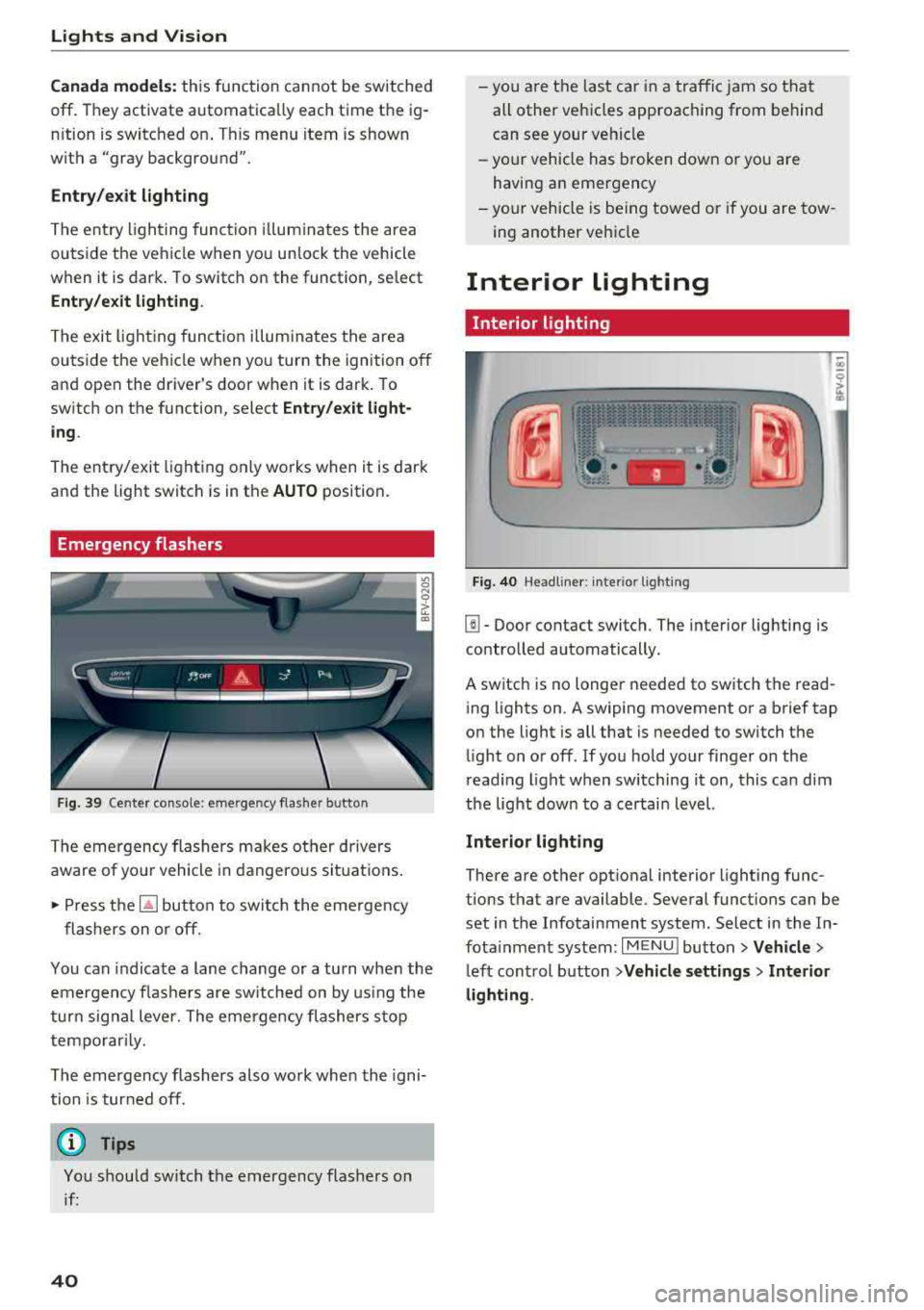
Emergency flashers
Fig. 39 Cente r conso le : eme rge ncy f las her butto n
The emergency flashers makes ot her dr ivers
aware of yo ur vehicle in dangerous si tuat io ns.
• P ress t h e ~ button to swi tch the eme rgency
flashers on or off.
You can indicate a lane change or a tu rn when the
em ergency fl ashe rs are sw itched on by us ing the
tur n sig na l lever. The emergency flashers s to p
tempo rarily.
The emergency flashers also work whe n the igni
tion is tur ned off.
(D Tips
You s hou ld switch t he emergency flashers on
i f :
40
-yo u are t he las t car in a traffi c jam so that
all other vehi cles approaching from behind
can see your ve hicle
- yo ur vehicle has broken down o r yo u a re
havin g an emerge ncy
-yo ur vehicle is be ing towed or if you a re tow
ing another vehi cle
Interior lighting
Interior lighting
Fi g. 40 Head lin e r: int eri or light ing
[]] - Door contact switch. The interior lighting is
contro lled automatically.
A switch is no longer needed to sw itch the read
i ng lights on .
A swiping movement o r a b rief tap
o n the light is all that is needed to switch the
li ght on o r off. If yo u ho ld your finger on the
r ead ing light when switching it on, this ca n dim
the lig ht dow n to a certai n level.
Interior lighting
There are othe r opt ional interior lighting func
tions that are available . Seve ral funct ions can be
set in the Infotainment system. Select in the In
fota inment system :
I MENU I button> Vehicle >
left con trol b utton > Vehicle settings > Interior
lighting .
Page 43 of 310
Cl co .... N ,....
N ...... 0 ,....
Vl co
Instrument illumination
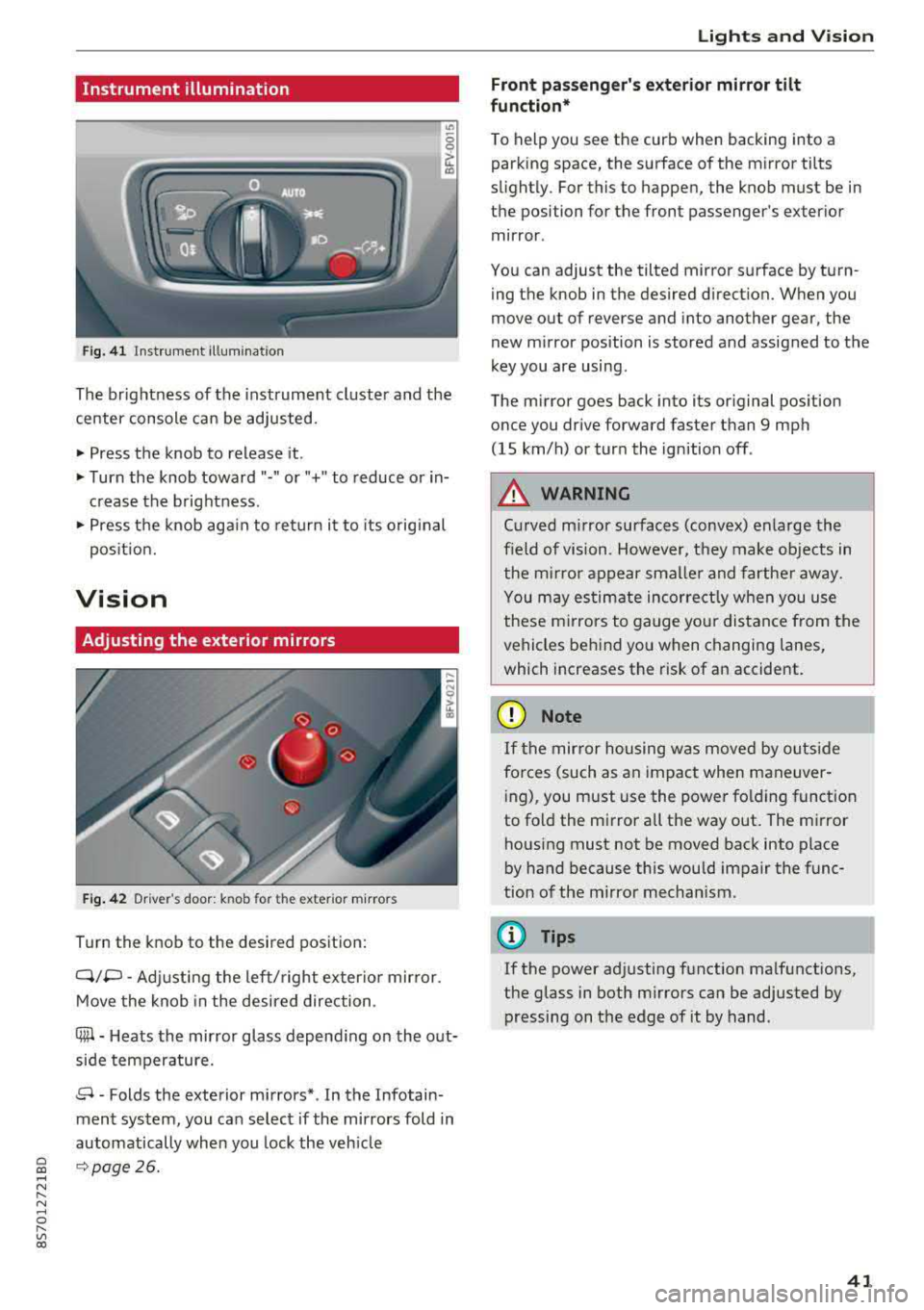
Fig. 41 Instrument illumination
The brightness of the instrument cluster and the
center console can be adjusted.
~ Press the knob to release it.
~ Turn the knob toward"·" or"+" to reduce or in
crease the brightness .
~ Press the knob again to return it to its original
posit ion.
Vision
Adjusting the exterior mirrors
Fig. 42 Driver 's door: knob for the ex ter ior mirrors
Turn the knob to the desired pos ition:
Q/P -Adjusting the left/ right exter io r mir ror.
Move the knob in the desired direction .
C@-Heats the mirror glass depend ing on the out
side temperature.
8 -Folds the exterior mirrors* . In the Infotain
ment system, you can select if the mirrors fold in
automatically when you lock the veh icle
9 page26.
Lights and Vision
Front passenger 's exterior mirror tilt
function*
To help you see the curb when backing into a
parking space, the surface of the mirror tilts
slight ly. For this to happen, the knob must be in
the position for the front passenger's exterior
mirror .
You can adjust the tilted mirror surface by turn ing the knob in the desired direction. When you
move out of reverse and into another gear, the
new mirror position is stored and assigned to the
key you are using .
The mirror goes back into its original position
once you drive forward faster than 9 mph
(15 km/h) or turn the ignition off .
A WARNING
Curved mirror surfaces (convex) enlarge the
f ield of vision. However, they make objects in
the m irror appear smaller and farther away.
You may estimate incorrectly when you use
these mirrors to gauge your distance from the
vehicles behind you when changing lanes,
which increases the risk of an accident.
(D Note
If th e mirror housing was moved by outs ide
fo rces (such as an impact when maneuver
i ng), you must use the power fold ing funct ion
to fold the mirror a ll the way out . The mirror
housing must not be moved back into place
by hand because th is would impair the func
tion of the mirror mechanism.
(D Tips
If the power adjusting function malfunctions,
the glass in both mirrors can be adjusted by
pressing on the edge of it by hand.
41
Page 49 of 310
Cl co .... N ,....
N ...... 0 ,....
Vl co
_& WARNING
-To reduce the risk of an accident, only adjust
the seat when the veh icle is stationary.
- Exercise caution when adjusting the seat
height . Adjusting the seat care lessly or
without checking can pinch hands and fin
gers .
- For safety reasons, the seat backrests must
always be locked while driving .
- Never drive with a safety belt through the
openings in the backrest . Otherw ise the
backrest could fold forward wh ile driving
and cause an accident.
Multifunction button
Applies to: vehicles with multifunction button
You con adjust the side bolsters using the multi
function button .
"If you turn the multifun ction button (D
¢ page 46, fig. 49 to the left or r ight, the side
bolsters on the seat backrests will increase or
decrease the lateral support.
@ Tips
The air in the side bolsters* is released as
soon as the driver's door opens . T his makes is
possible to enter and exit the vehicle more
comfortably. As soon as you start driving the
veh icle, the side bolsters fill.
Center armrest
Applies to: vehicles with center armrest
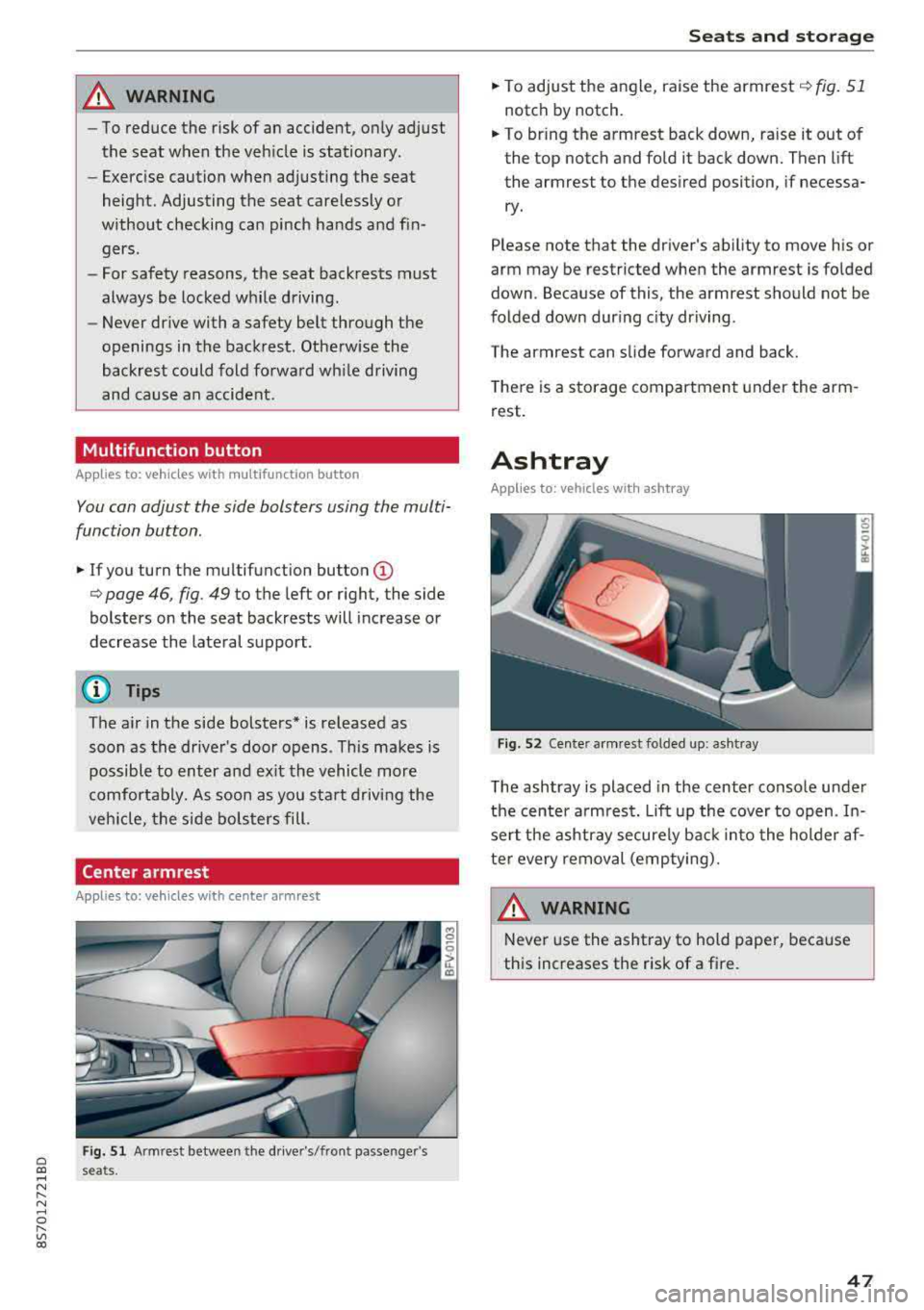
Fig. 51 A rm rest betwee n the dr ive r's/fr ont passe nge r's
s e a ts.
S eats and storag e
"To adjust the angle, raise the armrest ¢ fig. 51
notch by notch.
.. To br ing the armrest back down, ra ise it out of
the top notch and fold it back down. Then lift
the armrest to the desired position, if necessa ry .
Please note that the d river 's ability to move his or
arm may be restricted when the armrest is folded
down . Because of this , the armrest should not be
folded down dur ing c ity dr iving .
The a rm rest can slide forward and back.
T here is a storage compartment under the arm
rest.
Ashtray
Applies to: vehicles with ashtray
F ig. 52 Cen te r arm re st fo lded up: ash tray
The ashtray is placed in the center console under
the center a rm rest.
Lift up the cover to open . In
sert the ashtray securely back into the holder af
ter every removal (emptying).
_& WARNING
Never use the ashtray to hold paper, because
this increases the risk of a fire.
47
Page 51 of 310
Cl co .... N ,....
N .... 0 ,....
Vl co
(D Note
Beverage containers in the cup holders should
always have a lid. If not, beverages could spill
and cause damage to vehicle equipment, such
electronics or seat covers.
Additional storage compartments
You will find a range of storage compartments
and holders at different locations in the veh icle .
- Compartments in the doors
- Storage area in the glove compartment . The
glove compartment can be locked using the
mechan ica l key
q page 23.
- Storage compartment under the center arm
rest*
- Storage compartment on the rear side of the
seat* . The compartment can hold a max imum
weight of 2.2 lbs (1 kg).
A WARNING
-Always leave the lid on the glove compart
ment cover closed while driving to reduce
the risk of injury.
- Only use the storage compartments in the door trim panels to store small objects that
will not st ic k out of the compa rtment and
impair the range of the side a irbags.
Storage compartment between the seat
backrests
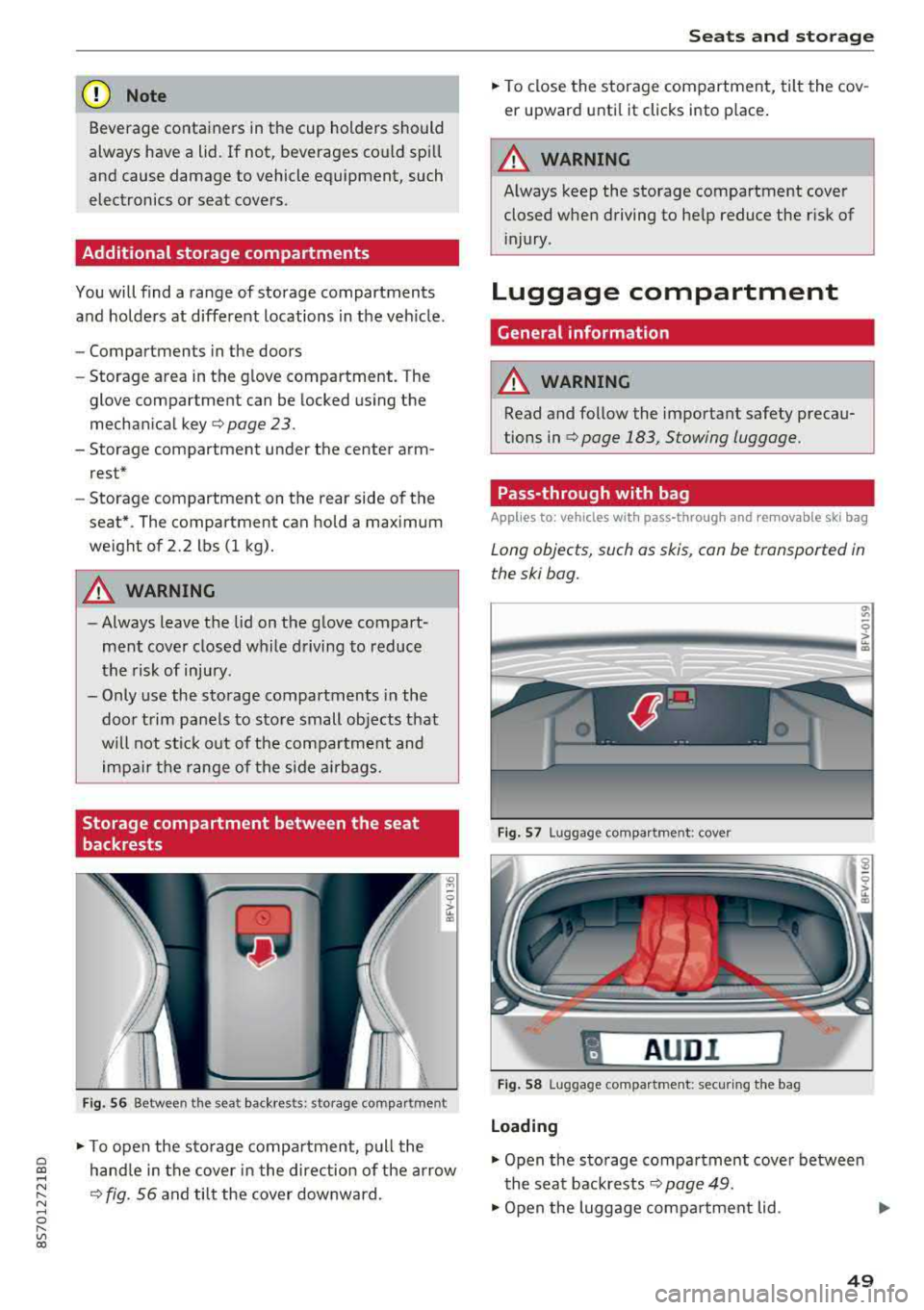
F ig . 56 Between the seat backrests: storage compartment
-
.. To open the s to rage compa rtment, p ull the
hand le in the cover in the direction of the arrow
q fig. 56 and tilt the cover downward.
S eats and storag e
.. To close the storage com partment, tilt the cov
er upward unti l it clicks into place .
A WARNING
Always keep the storage compartment cover
closed when driving to he lp reduce the risk of
i njury.
Luggage compartment
Gene ral information
A WARNING
-Read and follow the important safety precau
tions in
qpage 183, Stowing luggage.
Pass-through with bag
Applies to : vehicles with pass-through and removable ski bag
Long objects, such as skis, con be transported in
the ski bog.
Fig. 57 Luggage compa rtment : cove r
"
AUD I l
Fig . 58 Luggage compa rtment: secur ing the bag
Loading
.. Open the storage compartment cover betwee n
the seat backrests
Q page 49.
.. Open the luggage compartment lid . .,_
49
Page 62 of 310
Driving
switched on. Switch the ignition off so that the
battery will not discharge .
Pressing start /stop button again will swit ch off
e ngine.
This message appea rs when you press the
I S TAR T
ENGI NE STOP I but ton while dr iving .
Engine start sy st e m: malfunction! Please con
tact Se rvice
The engine automatic start system has a mal
function. Drive to an author ized Audi dealer or
author ized Audi Service Facility immed iate ly to
have the malfunct ion co rrected . To sta rt the en
g ine, p ress and ho ld the lS TART
ENGINE STOPI
button.
fl Remote control key : hold back of key
again st the designated area. See owner 's man
ual
This message appears if there is no convenience
key inside the vehicle or if the system does not
recognize the key. The conve nience key may not
be recognized, for examp le, if it is covered by an
object that
disrupts t he s ignal (such as a b rief
case), o r if the key ba tte ry is weak. Elect ronic de
vices s uch as cell phones can also interfere w it h
the sign al.
T o sti ll be able to sta rt or stop the e ngine, see
~ page 60, Starting the engine when there i s a
malfunction .
Ill Remote control key: key not recognized . Is
the key still in the vehicle?
The Ill ind icator light turns on and this message
appears if the conve nience key was removed from
the vehicle whe n the eng ine was running .
If the
conven ience key is no longer in the vehicle, you
cannot swi tch the ig nition on or st art the engine
once yo u stop it. Yo u also cannot lock the veh icle
from the outside.
Please press brake pedal
This message appears if you do not press the
b rake pedal whe n starting the engine.
Please select N o r P
60
This message appears w hen starting or stopping
the engine if the selecto r lever is not in the "N " or
" P" pos ition. The engine will not sta rt/stop.
Shift to P, otherwise vehicle c an roll away.
Door s do not lock if gearshift is not in P
This message appears for safety reasons along
with a war ning tone. It appears if t he selec to r
l ever for the a utoma tic tr ansmiss ion is no t in the
P position when switching the ign ition off with
the I START
ENGINE STOPI button. Shift these
l ector lever to the P pos ition. Otherwise, t he vehi
cle co uld ro ll. You also cannot lock the veh icle us
ing the lock ing sensor on the door handle or us
i ng the conven ience key .
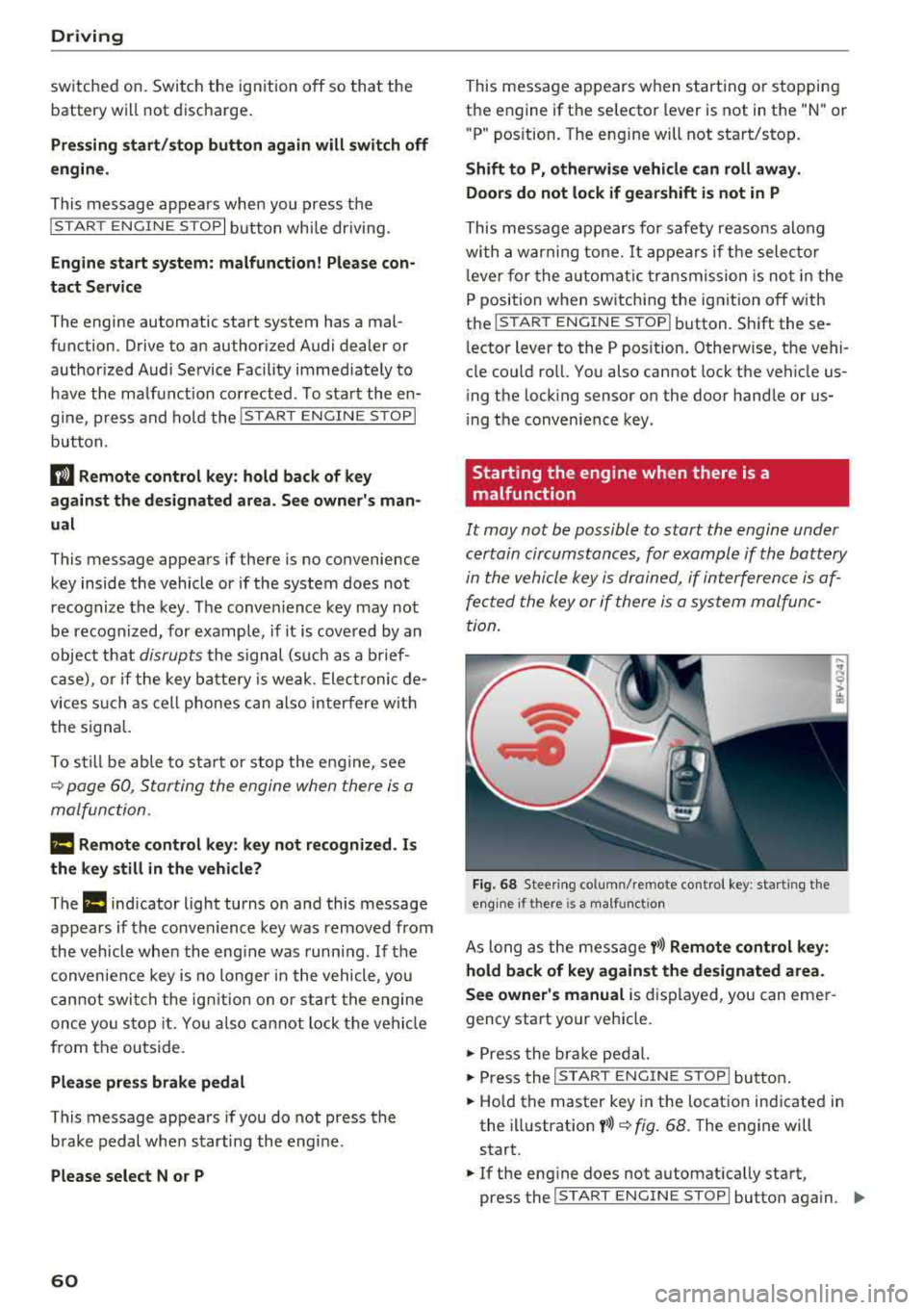
Starting the engine when there is a
malfunction
It may not be possible to start the engine under
certain circumstances, for example if the battery
in the vehicle key i s drained, if in terferen ce is af
fe cted the key or if there i s a system malfunc
tion.
Fi g. 6 8 Stee ring co lumn /remote contro l key : sta rting t he
e n g in e if there is
a m alfunct io n
As long as the message y>>) Remote control key :
hold back of key against the designated area.
See owner's manual
is d isplayed, you can emer
gency start your vehicle.
.,. Press the br ake pe dal.
... Press the I S TAR T ENGINE ST OP ! butto n.
.,. Hold the master key in the location ind icated in
the illustration
y >>) ~ fig . 68. The engine will
start .
.,. If the eng ine does not automat ica lly start,
press the
I S TART E NGINE STOPI butto n aga in . ..,.
Page 64 of 310
Drivin g
- If the power sup ply fai ls, you cannot set the
parking brake if it is release d. In this case,
park the vehicle on level ground an d secure
it by placing the selector lever in the P posi
t ion . See an authorized Aud i d ealer or au
thorized Aud i Serv ice Facility for ass istance.
- If you leave the veh icle, switch the ignit ion
off and take the vehicle key w ith you . This
applies particularly when children remain in
the vehicle. Othe rwise children could sta rt
the engine, re lease the par king brake o r op
erate electrical equipment such as power
windows, which increases the risk of an acci
dent.
- No one shou ld remain in the vehicle when it
is locked - especially chi ldren . Locked doors
make it more diff icu lt for emergency work
ers to get into the vehicle, which puts lives
at risk.
(D Tips
When stopping at a traffic signal or stopping in city traffic, you can set the parking brake
manually. The vehicle does not have to be
he ld w ith the brake pedal. The parking brake
elim inates the tendency to creep when a se
lector lever pos ition is engaged. As soon as
you press the accelerator pedal, the park ing
brake releases automat ica lly and your vehicle
s tarts to move
~ page 62.
(D Tips
- Occasiona l noises when the par king b rake is
set and re leased a re normal and a re not a
cause for con cern.
- T he par king brake goes th ro ugh a se lf-test
cycle at regular intervals when the veh icle is
stoppe d. Any noises associated w ith this a re
no rma l.
- If there is a power fa ilure, the p arking bra ke
will not set if it is re leased, and it will not
release if it is
set~ &.. See an authorized
A udi dealer or authorized Audi Service Fa
cility for ass istance.
62
Starting to drive
Va rious convenience and sa fe ty f unctions may be
available when the vehicle begins driving, de pending on vehicle equipment.
Starting on hills with th e parking brake set
Requireme nt: the d rive r's doo r mus t be closed.
"'To sta rt drivi ng comfortably when on a h ill, set
the parking b rake and beg in driving as usual.
The b raking force of the pa rking brake does not
release automat ic a lly until t he whee ls build up
enoug h driving force .
Starting on hills with hill hold assist
Hill hold assist makes it easier to start on hills .
Requirement: the driver 's door must be closed
and t he engine must be running.
"' To activate hi ll hold assist, press and hold the
brake pedal for severa l seconds. The vehicle
must be in an uphill direct ion of travel.
After re leasing the brake pedal, the braking pow
er is maintained for a brief
moment~ A to pre ·
vent the vehicle from ro lling back when starting.
D ur ing this time, you can easily begin to move
your vehicle.
A WARNING
Applies to: vehicles with hill hold assist
-If you do not beg in dr iving immed iate ly or
t he engine stalls after releasing the bra ke
pedal, your veh icle may beg in to roll back
ward . Press the bra ke peda l or set the park
ing brake immediately.
- The inte lligent technology of hill ho ld assist
cannot ove rcome the limitat ions imposed by
natural phys ica l laws. The increased com fort
offered by hill hold assist should not cause
you to take safety risks .
- Hill hold ass ist cannot hold the vehicle in
place on all hills (for examp le, if the ground
is s lippery or icy).
- To reduce the r is k of an accident, always
make sure the veh icle is situated safely
while stationary .
Page 67 of 310
Cl co .... N ,....
N ...... 0 ,....
Vl co
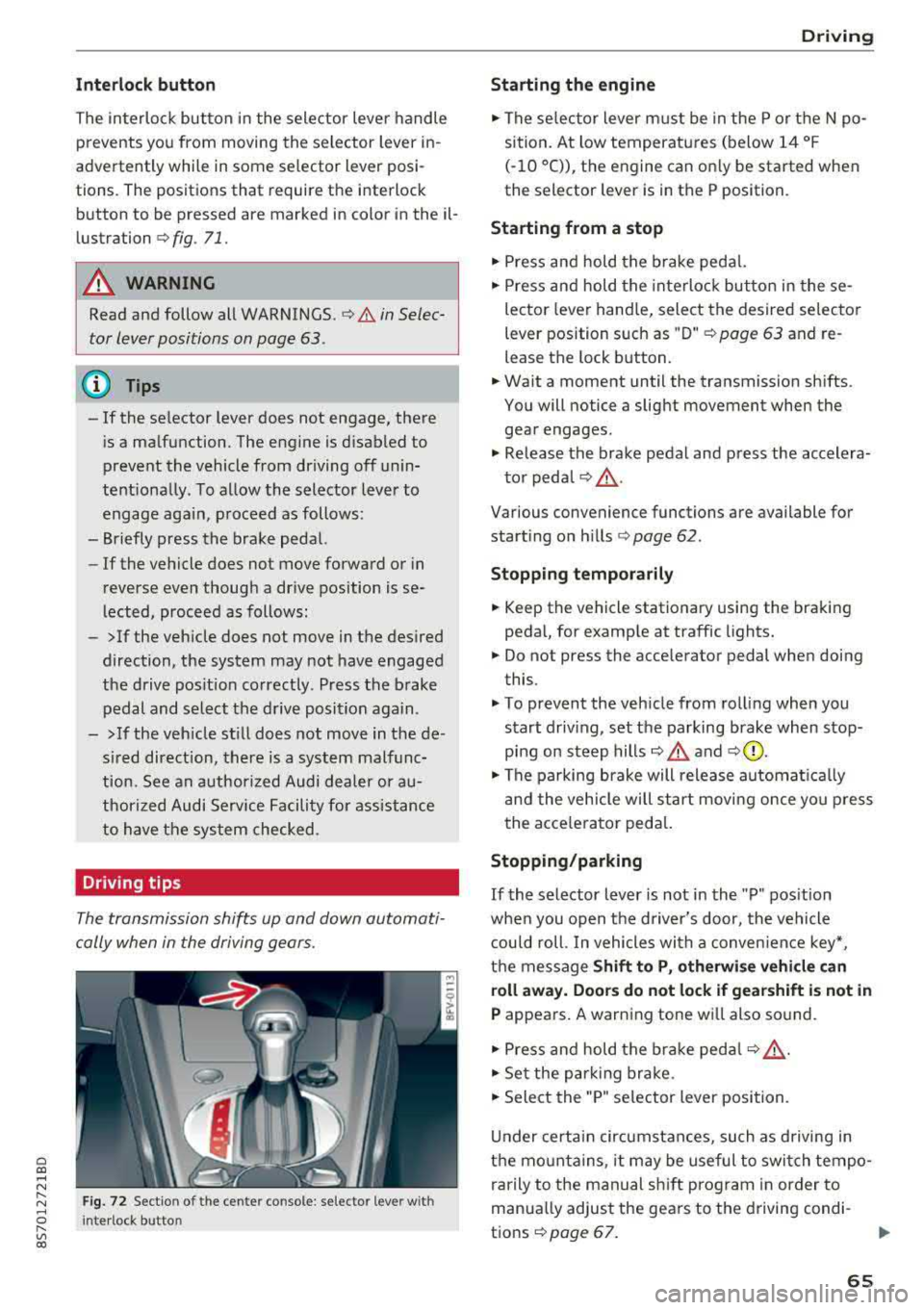
Inte rlock button
The in terlock button in the selector lever handle
prevents you from moving the selector lever in
advertently while in some selector lever posi
tions. The positions that require the interlock
button to be pressed are marked in color in the il
lustration
c:;, fig . 71.
A WARNING
Read and follow all WARNINGS . c;, .&. in Selec
tor lever positions on page 63.
@ Tips
-If the se lector lever does not engage, there
i s a malfunction. The engine is d isabled to
prevent the vehicle from driving off unin
tentiona lly . To allow the selector lever to
engage aga in , proceed as follows:
-Briefly press the brake pedal.
-If the vehicle does not move forward or in
reverse even thoug h a drive position is se
lected, proceed as follows:
-> If the veh icle does not move in the desired
direction, the system may not have engaged
the drive pos it ion correctly. Press the brake
pedal and select the drive position again.
->If the veh icle st ill does not move in the de
s ired direction, there is a system malfunc
tion. See an authorized Audi dea ler or au
thorized Audi Service Facility for assistance
to have the system checked .
Driving tips
The transmission shifts up and down automati
cally when in the driving gears.
F ig. 72 Sectio n of the cente r console: se lecto r leve r w ith
I nte rlock button
D rivi ng
Starting the engine
.,. The se lector lever must be in the P or t he N po
sition. At low temperatures (below 14 °F
(-10 °C)), the engine can on ly be started when
the selector lever is in the P position.
Starting from a stop
.,. Press and hold the brake pedal.
.,. Press and hold the interloc k butto n in these
lector lever hand le, select the desired selecto r
lever position s uch as " D"
c;, page 63 and re
lease the lock b utton.
.,. Wa it a moment until the transmission sh ifts.
You will notice a slight movement when the
gear engages .
.,. Release the brake pedal and press the accelera-
to r peda l
c;, _&..
Various convenience functions are available for
start ing o n hills
¢ page 62.
Stopping t emporarily
.,. Keep the vehicle stationary using the braking
pedal, for examp le at traffic lights.
.,. Do not press the acce lerator pedal when doing
this.
.,. To prevent the veh icle from rolling when you
s tart driv ing, set the parking brake when stop
ping on steep
hills¢ .&. and c;,0.
.,. The pa rking brake will release automat ica lly
and the vehicle will star t movi ng once yo u press
the acce le rator ped al.
Stopping /parking
If
the selector lever is not in the "P" pos ition
whe n you open the d river's door, the vehicle
c ou ld roll. In vehicles wi th a conven ien ce key*,
t h e message
Shift to P, otherwi se vehicle can
roll away. Door s do not lock if gearshift is not in
P appears. A warning tone wi ll also so und .
.,. Press and hold the brake peda l c;, _&. .
.,. Set the park ing br ake .
.,. Sele ct the "P" selector lever position.
U nder certain circumstances, such as d riving in
the mo unta ins, i t may be useful to switch tempo
rarily to the manual sh ift prog ram in order to
manua lly adjust the gears to the d riving condi-
t ions
c;, page 67. .,.
65
Page 186 of 310
Safe driving
on the safety compliance sticker on the left
door jamb. Exceeding permissible weight
standards can cause the vehicle to slide and handle differently .
- Please observe information on safe driving
9 page 179.
A WARNING
To help prevent poisonous exhaust gas from
being drawn into the vehicle, always keep the
rear lid closed while driving.
- Never transport objects larger than those
fitting completely into the luggage area be cause the rear lid cannot be fully closed .
- If you absolutely must drive with the rear lid open, observe the following notes to reduce
the risk of poisoning:
- Close all windows,
- Close the convertible top,
- Open all air outlets in the instrument pan-
el,
- Switch off the air recirculation,
- Set the fresh air fan to the highest speed .
A WARNING
.
-
Always make sure that the doors, all win
dows, the convertible top and the rear lid are
securely closed and locked to reduce the risk
of injury when the vehicle is not being used.
- After closing the rear lid , always make sure
that it is properly closed and locked.
- Never leave your vehicle unattended espe
cially with the rear lid left open . A child
could crawl into the vehicle through the lug
gage compartment and close the rear lid be
coming trapped and unable to get out. Be
ing trapped in a vehicle can lead to serious
personal injury.
- Never let children play in or around the vehi
cle.
- Never let passengers ride in the luggage compartment. Vehicle occupants must al
ways be properly restrained in one of the ve
hicle's seating positions.
184
@ Tips
- Air circulation helps to reduce window fog
ging. Stale air escapes to the outside
through vents in the trim panel, on the left
side of the luggage compartment. Be sure
to keep these slots free and open.
- The tire pressure must correspond to the
load. The tire pressure is shown on the tire
pressure label. The tire pressure label is lo
cated on the driver's side B-pillar . The tire
pressure label lists the recommended cold
tire inflation pressures for the vehicle at its
maximum capacity weight and the tires that
were on your vehicle at the time it was man
ufactured. For recommended tire pressures
for normal load conditions , please see chap
ter ¢page255.
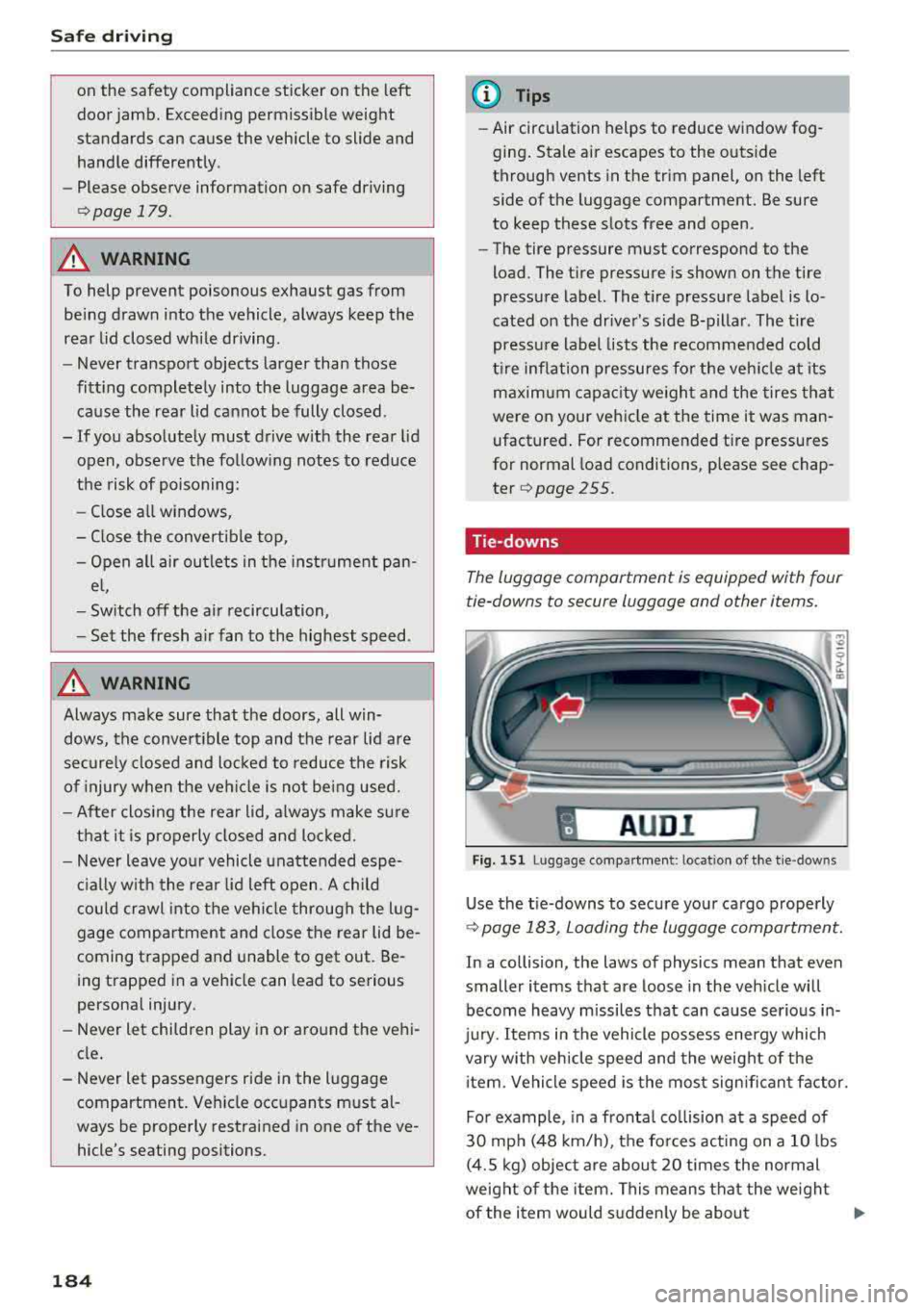
Tie -downs
The luggage compartment is equipped with four
tie-downs to secure luggage and other items.
I A UD I I
Fig. 151 Lu ggage compartmen t: loca tion of the tie -dow ns
Use the tie-downs to secure your cargo properly
9page 183, Loading the luggage compartment.
In a collision, the laws of physics mean that even
smaller items that are loose in the vehicle will
become heavy missiles that can cause serious in
jury. Items in the vehicle possess energy which
vary with vehicle speed and the weight of the
item . Vehicle speed is the most significant factor.
For example , in a frontal collision at a speed of
30 mph (48 km/h), the forces acting on a 10 lbs
(4.5 kg) object are about 20 times the normal
weight of the item. This means that the weight
of the item would suddenly be about
...
Page 192 of 310
Safe ty belts
-Never remove a safety be lt while the vehicle
is mov ing . Doing so will increase your r isk of
being injured or killed.
-Never wear belts twisted.
-Never wear belts over rigid or breakable ob -
jects in or on your cloth ing, such as eye
glasses , pens, keys, etc ., as these may cause
injury.
-Never allow safety be lts to become dam
aged by being caught in door or seat hard
ware .
-Do not wear the shoulder part of the belt
under your arm or otherwise out of position.
-Severa l layers of heavy clothing may inter
fere with correct positioning of belts and re duce the overall effectiveness of t he system.
-Always keep belt buckles free of anything
that may prevent the buckle from latching
securely .
-Never use comfort clips or devices that cre
ate slack in the shoulder belt. However, spe
c ial clips may be requ ired for the proper use
of some child restraint systems.
-Torn or frayed safety belts can tear and damaged belt hardware can break in an acc i
dent. Inspect belts regularly .
If webbing,
bind ings, buckles, or retrac to rs are dam
aged, have belts replaced by an auth orized
Audi dealer or quali fied workshop .
-Safety belts that have been wo rn and loaded
in an accident m ust be rep lace d wi th the
c orrect replacemen t sa fety be lt by an au
tho rized Aud i dea le r. Replacement may be
necessary even if damage cannot be clear ly
seen . Anchorages that were loaded m ust al
so be inspected.
-Never remove, modify, disassemble, or try
to repair the safety belts yourself .
- Always keep the belts clean . Di rty be lts may
not work proper ly and can impai r the f unc
t ion of the inertia ree l ¢
table Interior
cleaning on page 268.
190
Safety belts
Fastening safety belts
Safety first -everybody buckle up!
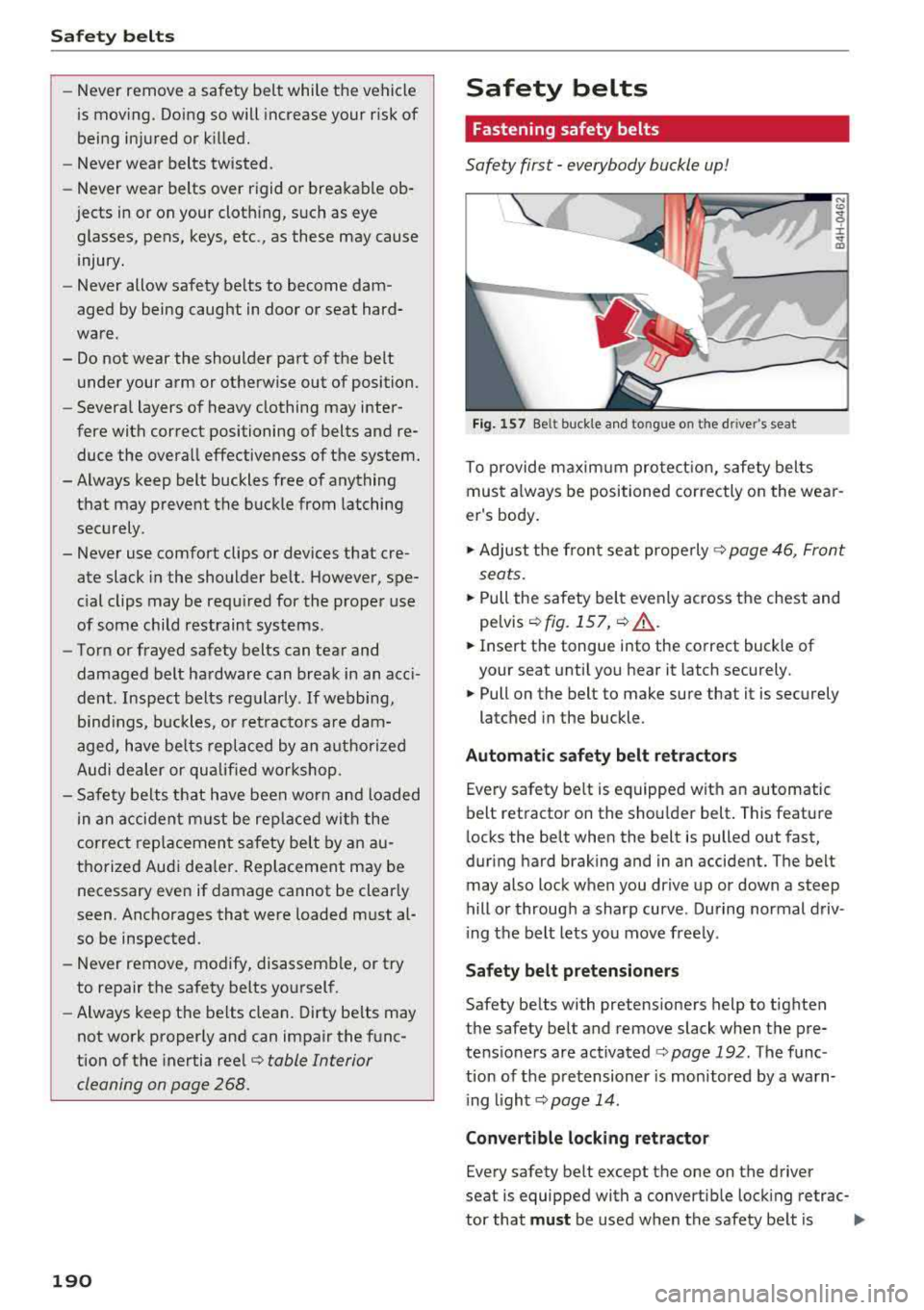
Fig. 1 57 Belt buck le a nd to ngue on t he drive r's seat
To p rovide m axim um pro tect ion , safety belts
must a lways be positioned correctly on the wear
er 's body .
.,. Adjust the fron t se at prope rly ¢ page 46 , Front
sea ts .
.,. Pull the safety belt evenly across the chest and
pe lvis
¢ fig. 157 , ¢ .&,.
.,. Insert the tongue into the correct buck le of
your seat until you hear it latch securely.
.,. Pull on the belt to m ake sure that it is sec urely
latched in the buckle .
Automatic safety belt ret ractors
Eve ry safety belt is equipped with an automatic
b elt ret ractor on th e shou lder belt . This feature
locks the belt when the belt is pulled out fast,
during hard brak ing and in an accident. The belt
may also lock when you dr ive up or down a steep
hill or through a sharp curve . During normal driv
i ng t he belt lets you move free ly .
Safety belt pretensioners
Safety be lts with pretensioners help to tighten
the safety belt and remove slack when the pre
te ns ioners are activated
¢ page 192 . The f u nc
tion of the p re tensioner is mon itored by a warn
i ng
li ght ¢ page 14 .
Convertible locking retractor
Every safety belt except the one on the driver
seat is equipped with a convertib le lock ing retrac-
tor that
must be used when t he safety be lt is .,..
Page 200 of 310
Airbag system
Front airbags
Description of front airbags
The airbag system can provide supplemental
protection to properly restrained front seat occu
pants.
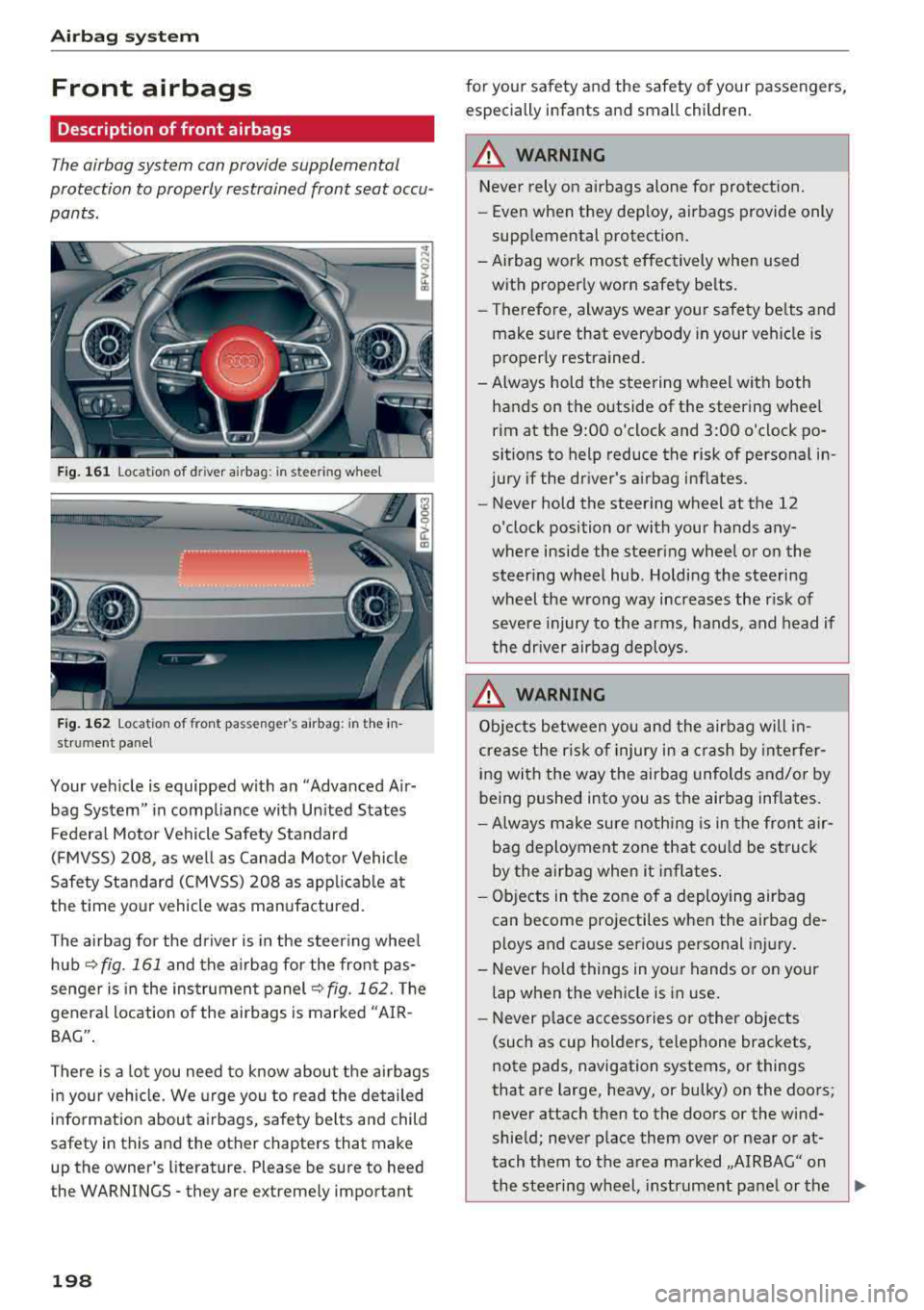
Fig. 161 location of driver airbag: in steering wheel
Fig. 162 location of front passenger's airbag: in the in
strument panel
Your vehicle is equipped with an "Advanced Air
bag System" in compliance with Un ited States
Federal Motor Vehicle Safety Standard
(FMVSS) 208, as well as Canada Motor Vehicle
Safety Standard (CMVSS) 208 as applicable at
the time your vehicle was manufactured.
The airbag for the driver is in the steer ing whee l
hub
~ fig. 161 and the airbag for the front pas
senger is in the instrument panel
~fig. 162. The
general location of the airbags is marked "AIR
BAG" .
There is a lot you need to know about the airbags
in your vehicle. We urge you to read th e detailed
information about airbags, safety belts and child
safety in this and the other chapters that make
up the owner's literature. Please be sure to heed
the WARNINGS - they are extremely important
198
for your safety and the safety of your passengers,
especially infants and small children.
A WARNING -
Never rely on airbags alone for protection.
- Even when they deploy, airbags provide only
supplemental protection.
- Airbag work most effectively when used with proper ly worn safety belts.
- Therefore, always wear your safety be lts and
make sure that everybody in your veh icle is
properly restrained.
- Always hold the steering wheel with both hands on the outside of the steering wheel
rim at the 9:00 o'clock and 3:00 o'clock po
sitions to help reduce the risk of personal in
jury if the driver's airbag inflates.
- Never hold the steering wheel at the 12
o'clock position or with your hands any
where inside the steering wheel or on the
steering wheel hub. Holding the steering
wheel the wrong way increases the risk of
severe injury to the arms, hands, and head if
the dr iver airbag deploys .
.&_ WARNING
Objects between you and the airbag will in
crease the r isk of injury in a crash by interfer
ing with the way the airbag unfolds and/or by
being pushed into you as the airbag inflates.
-Always make sure nothing is in the front air-
bag deployment zone that cou ld be struck
by the airbag when it inflates.
-
- Objects in the zone of a deploying airbag
can become projectiles when the airbag de
ploys and cause serious personal injury.
- Never hold things in your hands or on your
lap when the vehicle is in use.
- Never p lace accessories or other objects
(such as cup holders, telephone brackets,
note pads, navigation systems, or things
that are large, heavy, or bulky) on the doors;
never attach then to the doors or the wind
shield; never place them over or near or at
tach them to the area marked ,,AIRBAG" on the steering wheel, instrument panel or the
.,..