lock AUDI TT ROADSTER 2018 User Guide
[x] Cancel search | Manufacturer: AUDI, Model Year: 2018, Model line: TT ROADSTER, Model: AUDI TT ROADSTER 2018Pages: 310, PDF Size: 46.95 MB
Page 28 of 310
Opening and clo sin g
pull once on the door handle to unlock the
vehicle and a second time to open it .
- The energy management system gradually
turns off unnecessary convenience functions
to prevent the vehicle battery from draining
and to maintain the vehicle's ability to start
for as long as possible. You may not be able
to unlock your vehicle using the convenience
key.
- For an explanation on conformity with the
FCC regulations in the United States and the
Industry Canada regulations, see
¢page 293.
(0 Tips
Unlocking with the convenience key (keyless
access) can be deactivated temporarily .
- Place the selector lever in the "P" pos ition;
otherwise, the vehicle cannot be locked.
- Close the door and press the button
(D III
¢ page 24, fig.16.
- Press the sensor on the door handle on ce
within five seconds ¢ fig. 17, ¢ & . Do not
ho ld the door handle wh ile doing this .
- The next time the vehicle is unlocked, it can
on ly be done with the remote control key or
mechanically us ing the door lock cylinder.
The convenience key will be active again af
ter the next loc king/un locking.
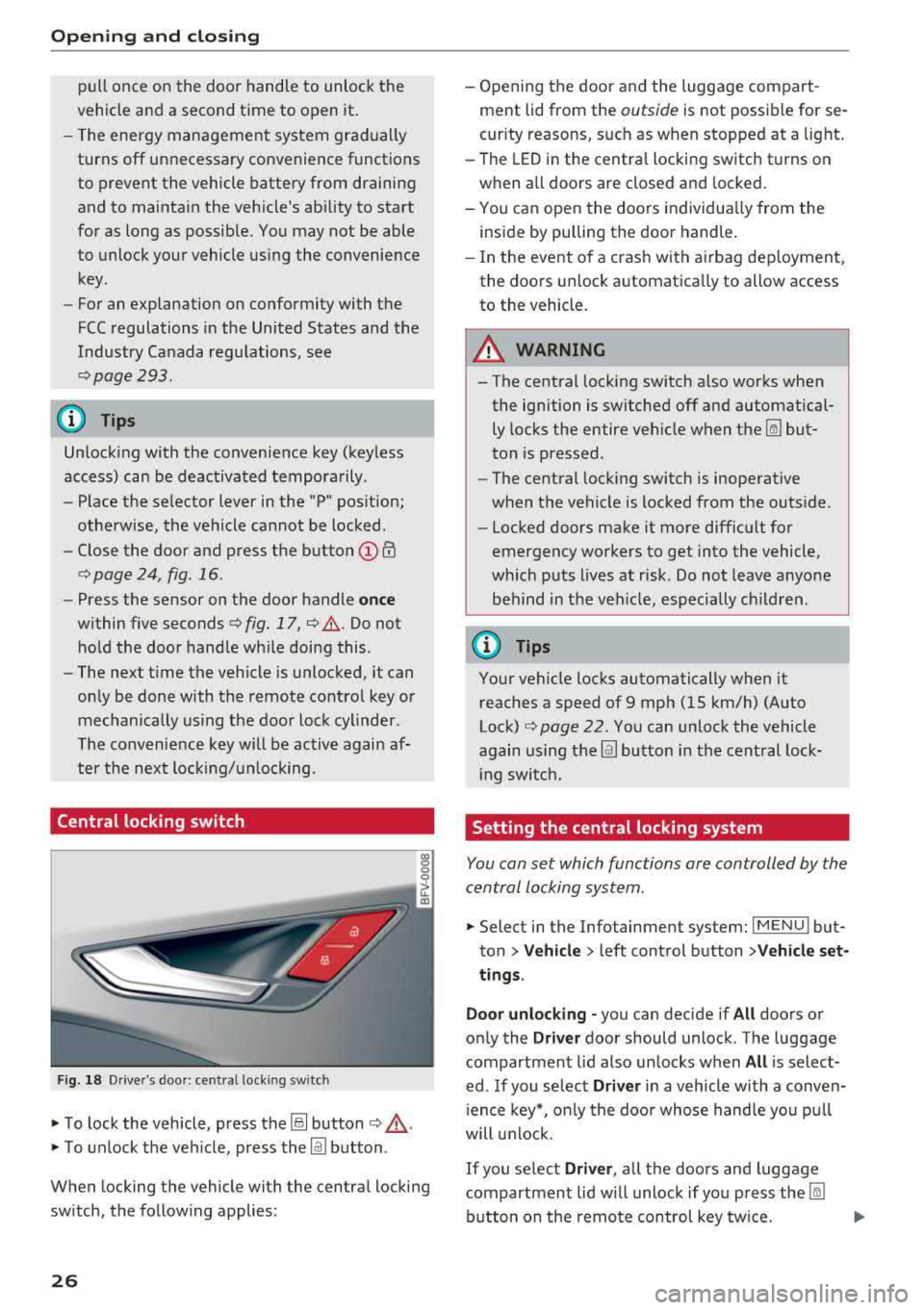
Central locking switch
F ig . 18 Dr ive r's doo r: central locki ng switch
• To lock the vehicle, press the@! button ¢,& .
• To unlock the veh icle, press the @J button .
When locking the vehicle with the central locking
sw itch, the follow ing applies:
26
- Opening the door a nd the luggage compart
ment lid from the
outside is not possible for se
curity reasons, such as when stopped at a light.
- The LED in the centra l locking switch t urns on
when all doors are closed and locked.
- You ca n open the doors individua lly from the
inside by pulling the door handle.
- In the eve nt of a cras h with a irbag dep loyment,
the doo rs unlock automatica lly to allow access
to the vehicle.
8_ WARNING
-The central locking switch a lso works when
the ignition is switched off and automatical
ly locks the entire vehicle when
the~ but
ton is pressed.
- The central locking switch is inoperative
when the vehicle is locked from the outs ide .
-Locked doors make it more difficult for
emergency workers to get into the vehicle,
which p uts lives at risk . Do not leave anyone
behind in the ve hicle, especially ch ildren.
(D Tips
Your vehicle locks automatically when it
reaches a speed of 9 mph (15 km/h) (Auto
Lock)
¢ page 22. Yo u can unlock the vehicle
again using the
@J button i n the cent ral lock-
i ng switch.
Setting the central locking system
You con set which functions ore controlled by the
central locking system .
• Select in the Infotainment system: IMENUJ but
ton
>Ve hicle > left control button >V ehicle set
ting s.
Door unloc king -
you can decide if All doors or
on ly the
Driv er door should unlock . The luggage
compartmen t lid also un locks when
All is select
ed . If you se lect
Driver in a vehicle with a conven
i ence key*, o nly the doo r whose hand le yo u pu ll
will u nlock.
If you se lect Driver , all the doors and luggage
compartment lid w ill unloc k if yo u press
the ~
button on the remo te con trol key tw ice.
Page 29 of 310
Cl co ..... N ,....
N ...... 0
Fold mirrors* -if yo u se lec t On , the exterior rear
view mirrors fold in automatically when you press
the
[ml button on the remote cont rol key o r touch
the sensor* in the hand le.
Lo ck when driving1> -if you select On , the vehicle
l oc ks automatically when driving . A ll of the doors
and the luggage compa rtment lid lock.
Mechanically unlocking and locking the
doors
If the central locking fails , you mus t unlock/lock
t he doors separa tely.
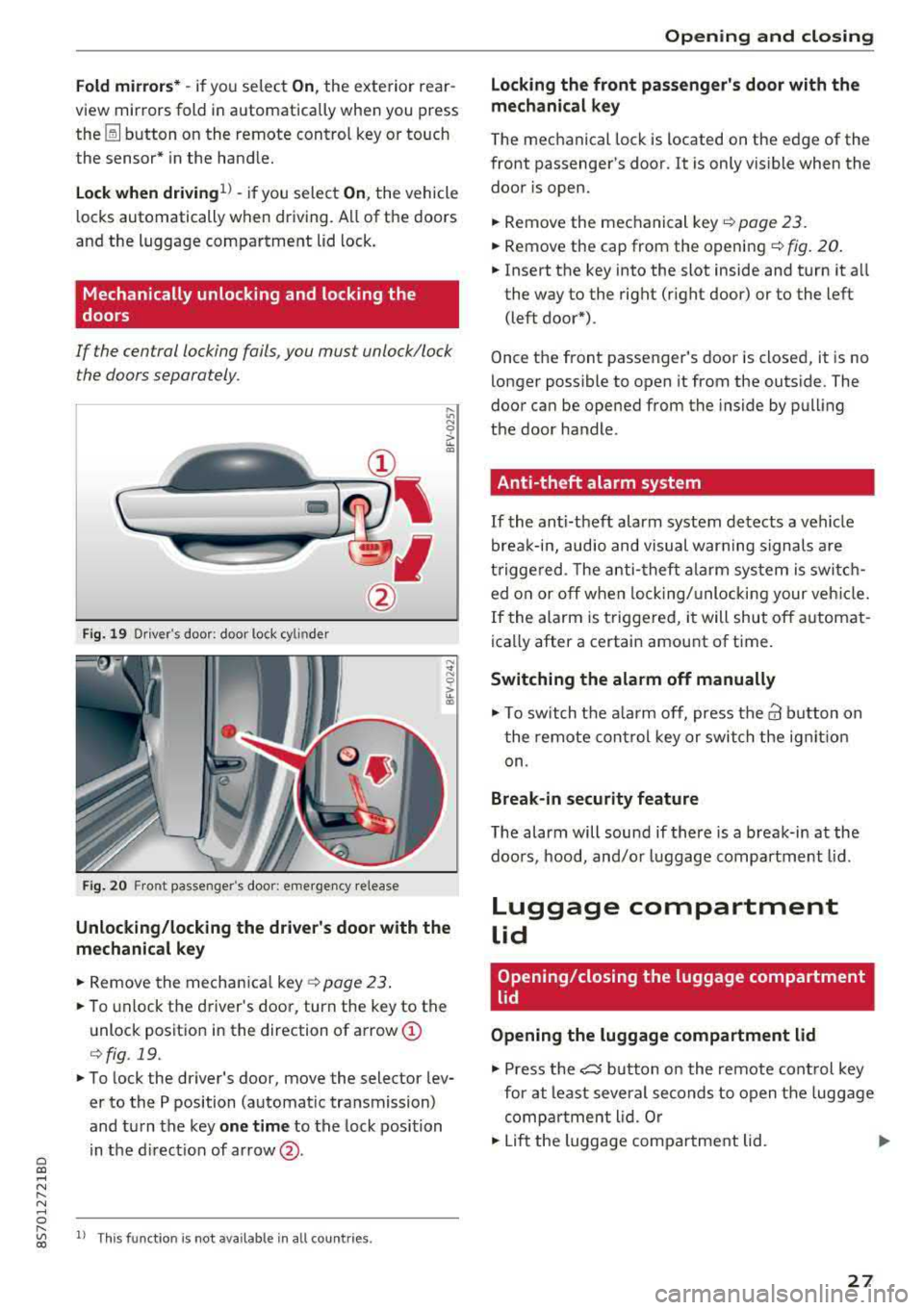
F ig. 19 Dr iver 's door: doo r loc k cy lin der
F ig. 20 Fro nt passenger 's doo r: e merge ncy re lease
Unlocking/locking the driver's door with the
mechanical key
.. Remove the mechan ica l key o:!> page 23 .
.. To unlock the driver's doo r, turn the key to the
unlock positio n in the direction of arrow
(I)
r=> fig . 19.
.. To lock the driver's door, move the selector lev
er to the P position (automat ic tra nsmission)
and tu rn the key
one t ime to the lock position
in the d irect ion of ar row @.
,....
"' l) Thi s fun ctio n is not avail able in al l coun tries. co
Opening and closing
Locking the front passenger's door with the
mechanical key
The mechanical lock is located on the edge of the
front passenger's door . It is only vis ible when the
door is open.
.. Remove the mechanical key .:!> page 23.
.. Remove the cap from the openi ng ¢ fig . 20 .
.. Insert the key into the slot inside and turn it a ll
the way to the right (r ight door) or to the left
(left door*).
Once the front passenger 's door is closed, it is no
longer possible to open it from the outs ide . The
door can be opened from the inside by pull ing
t h e door handle.
Anti-theft alarm system
If the anti-theft alarm system detects a vehicle
brea k-in, audio and visual warn ing signals are
t rigge red. The anti -theft a la rm sys tem is swi tc h
ed o n or off when lock ing/ unlo cki ng your ve hicle.
If the alarm is triggered, i t will shut off a utomat
ica lly after a certain amount of time.
Switching the alarm off manually
.,. To swit ch t he a la rm off, press t he@ b utton on
t he remote cont rol key o r switch the ig nit io n
on.
Break-in security feature
T he alarm will sound if there is a break-in at the
doo rs , hood, and/o r luggage compa rtment lid.
Luggage compartment
lid
Opening/closing the luggage compartment
lid
Opening the luggage compartment lid
.,. Press the e5 button on the remote con trol key
for at least severa l seconds to open the luggage
comp artment lid. Or
.. Lift the luggage compa rtment lid . ..,_.
27
Page 30 of 310
Opening and clo sin g
Cl osing the luggage compartment lid
~ U se the inside g rip to pull the luggage com
partment lid down and a llow it to close using a
g en tle push
¢ &_ .
A WARNING
-Afte r clos ing the luggage compartment lid,
make sure that it is latched. Otherwise the
luggage compartment lid could open sud
denly when driving, which inc reases the risk
of an accident .
-Never drive with the luggage compartment
lid ajar or open, because po isonous gases
can enter the vehicle interior and create the
risk of asphyxiation .
-Never leave your vehicle unatte nded when
the luggage compartment lid is open . A
child could c raw l into the luggage compar t
ment.
If the l uggage compar tment lid was
then closed, the chi ld wou ld be trapped in
the vehicle and unable to escape . To reduce
the risk of injury, do not allow children to
play in or around the vehicle. Always keep
the luggage compartment lid and the doors
closed when the veh icle is not in use.
-Always make sure no one is in the luggage
compartment lid's range of motion when it
is closing , especially near the h inges . Fin
gers or hands could be p inched .
(D Tips
-When the vehicle is locked, the luggage
compartment lid can be unlocked separately
by pressing the
a button on the remote
control key . The luggage compartment lid
l ocks automatically when it is closed aga in .
-In case of an eme rgency or a faulty handle,
the luggage compartment lid can be opened
manua lly from the
inside ¢ page 28 .
28
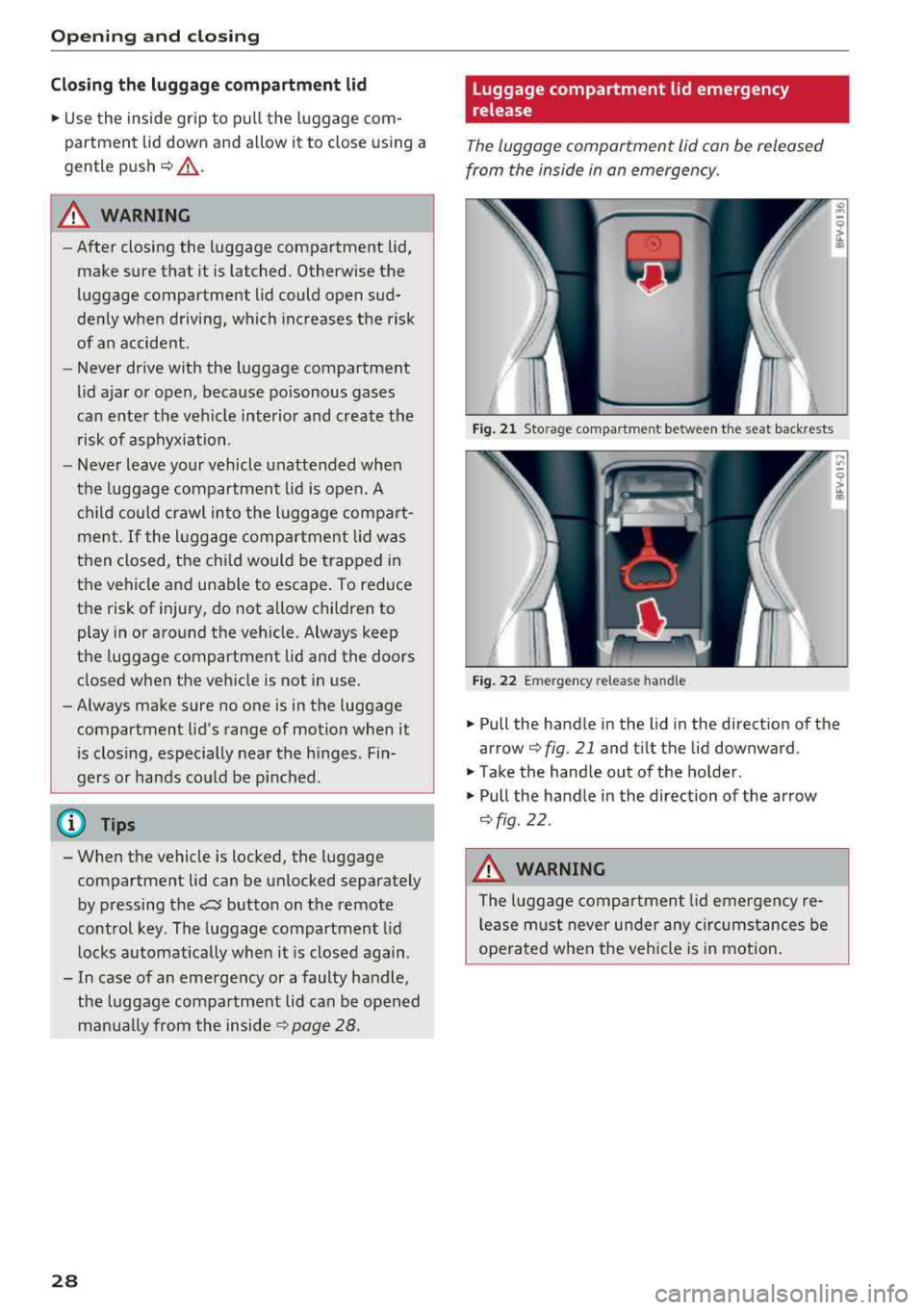
Luggage compartment lid emergency
release
The luggage compartment lid can be released
from the inside in an emergency.
Fig . 21 Sto rag e compar tmen t be twee n the sea t ba ckre sts
F ig . 2 2 Emerge ncy rele ase handl e
~ Pull the handle in the lid in the direct ion of the
arrow
q fig . 21 and t ilt the lid downward .
~ Take the hand le out of the ho lder.
~ Pull the ha ndle in the direction of the arrow
q fig .22 .
.&_ WARNING
The luggage comp artment lid emergency re
lease m ust never under any circumstances be
ope ra ted when the vehicle is in motion.
Page 31 of 310
Cl 00 ... N r-N ... 0 r-Vl 00
Power window
Controls
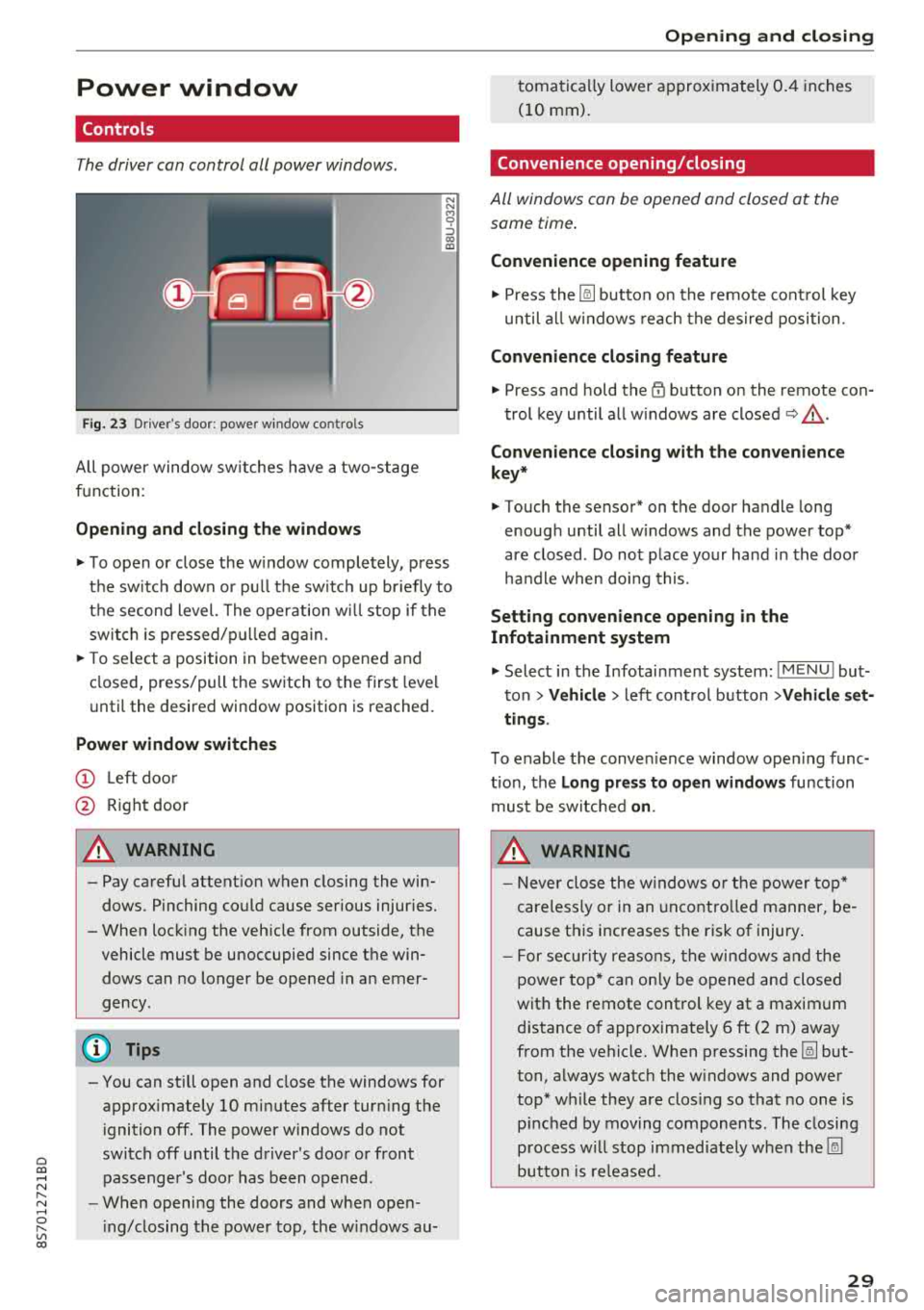
The driver can control all power windows.
Fig. 23 Dr iver's door: power w indow co ntro ls
All power window sw itches have a two -stage
function:
Opening and clo sing the windows
N N M 0 ::':,
"' ID
.,. T o open or close the w indow completely, press
the sw itch down or pu ll the sw itch up br iefly to
the second level. The operation wi ll stop if the
switch is pressed/p ulled aga in.
.,. T o se lect a position in between opened and
closed, press/pull the switch to the first level
unti l the desired window position is reached.
Power window switch es
(D Left doo r
@ Right door
A WARNING
- Pay careful attent ion when closing the win
dows . Pinching could cause serious injur ies.
- When locking the veh icle from outside, the
vehicle must be unoccupied since the win dows can no longer be opened in an emer
gency .
(D Tips
-You can still open and close the windows for
approximately
10 minutes after turning the
i gnition off. The power windows do not
switch off until the driver's door or front passenger's doo r has been opened .
- When opening the doors and when open
i ng/closing the power top, the w indows au-
Open ing and cl osing
tomatically lower approx imately 0.4 inches
(10 mm).
Convenience opening/closing
All windows can be opened and closed at the
same time.
Convenience opening feature
.,. Press the [@] button on the remote cont rol key
until all w indows reach the desired position .
Convenience closing feature
.,. Press and hold the~ button on the remote con-
trol key until all w indows are
closed ~,&. .
Con venience closing with the con venience
key *
.,. Touch the sensor* on the door handle long
enough until all w indows and the power top*
are closed . Do not place your hand in the door
ha ndle when doing this.
Settin g convenience opening in the
Infotainment sy stem
.,. Select in the Infotainment system: I M ENU ! but
ton
> Vehicl e> left cont rol button > Vehicle set
ting s.
To enable the conven ience window open ing func
tion, the
L o ng pres s to open windows function
must be switched
o n.
A WARNING
- Never close the w indows o r the power top*
careless ly or in an uncontro lled manner, be
cause this increases the risk of injury.
- For secur ity reasons, the win dows and the
power top* can only be opened and closed
with the remote control key at a maximum
d istance of approximately 6 ft (2 m) away
from the vehicle. When p ressing the [@] but
ton, always watch the w indows and power
top* while they are closing so that no one is
p inched by moving components . The closing
p rocess w ill stop immediately when the [@]
button is re leased.
29
Page 35 of 310
Cl co .... N ,....
N .... 0 ,....
Vl co
Power top
Power top
General information
The power top opens and closes automat ica lly .
When open , the power top is stored completely
in the power top compartment . The power top
can be opened or closed at speeds up to 30 mph (SO km/h).
Under normal conditions , the power top is wind
and waterproof. In rare cases, small droplets of
water may form under ext reme weather condi
tions such as torrential or prolonged rain. That is normal and no cause for conc ern .
F ollow the care instruct ions to keep the power
top free of leaks and to maintain its appearance
9 page 266, Care and cleaning . Also observe the
following:
- Open and stow the power top only when it is
clean and dry . Stowing the power top when it is
damp can create imprints in it, and if it is left
that way for long periods of time, mi ldew and
other damage can fo rm . T o prevent scratch ing
or damaging the power top, do not use any
sharp-edged objects to remove ice and snow .
The rear window may be cleared w ith a stand
ard ice scraper .
- Do not leave the power top open for several
weeks or the creases in it may become discol ored .
- Do not open the power top when the tempera
ture is below 32 °F (0 °C) . The fabric in the
power top loses elast icity in s ub-zero tempe ra
tu res .
Powe r top
Opening and closing the power top
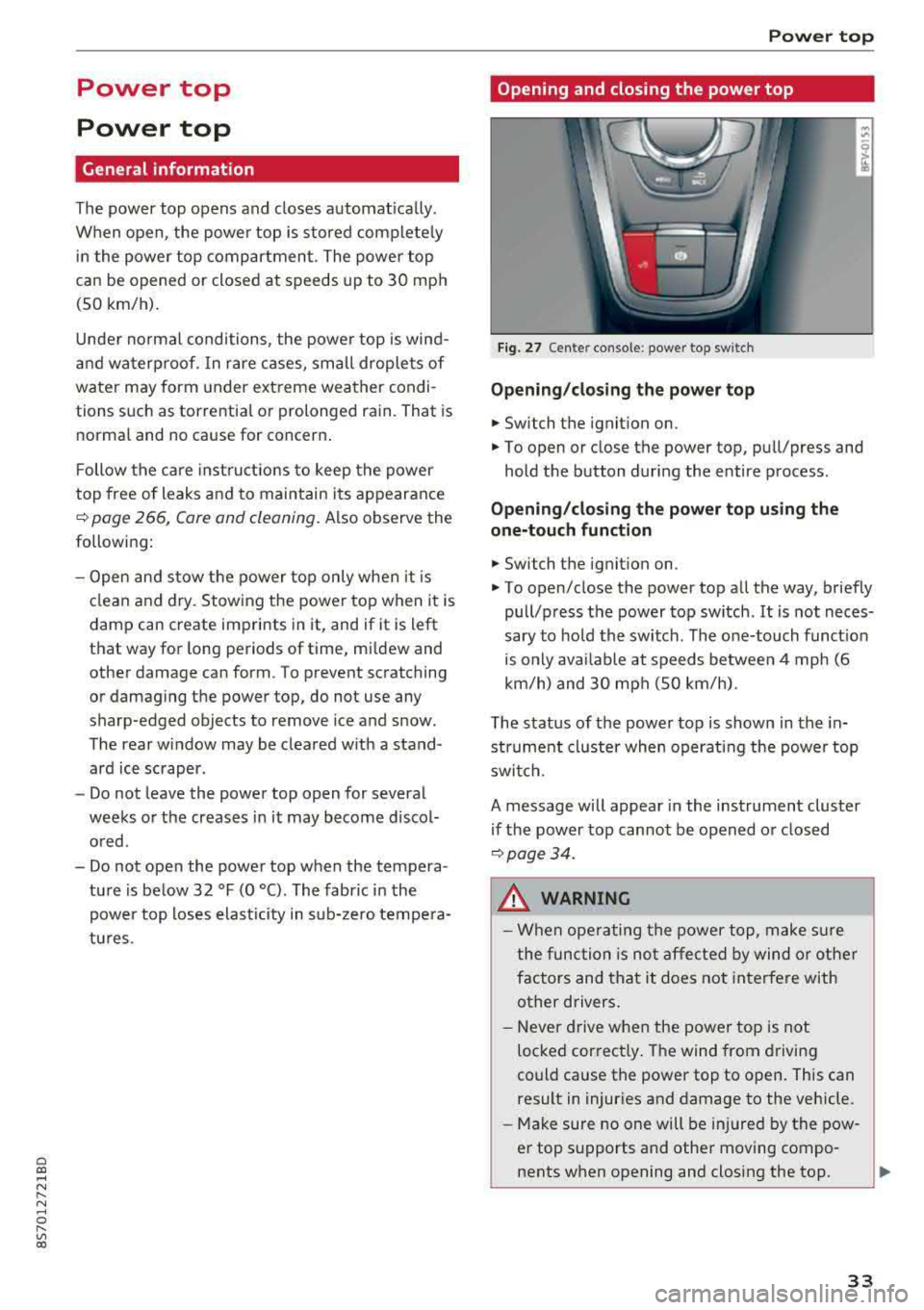
Fig. 27 Cen te r conso le : p ow er t op swi tch
Opening /closing the power top
.. Switch the ignition on.
.. To open or close the power top , pu ll/press and
hold the button during the entire process .
Opening/cl osi ng the power top u sing the
one-touch function
.. Switch the ignit ion on .
.. To open/close the power top all the way, briefly
pull/press the power top switch . It is not neces
sary to ho ld the switch . The one-touch funct io n
is only avai lab le at speeds between 4 mph (6
km/h) and 30 mph (SO km/h).
The status of the power top is shown in the in strument cluster when operating the powe r top
switch .
A message will appear in the instrument cluster
if the power top cannot be opened or closed
9 page34.
A WARNING
-When operating the power top, make s ure
the func tion is not affected by wind or other
factors and that it does not interfere with
other drivers .
- Neve r drive when the power top is not
locked cor rect ly . The wind from driving
could cause the power top to open . This can
result in injuries and damage to the vehicle .
-Make sure no one will be injured by the pow
er top supports and othe r moving compo
nents when opening and closing the top.
3 3
Page 36 of 310
Power top
-Visibility to the rear is limited when operat
ing the power top. Avoid operat ing the top
wh ile driving in reverse.
(D Note
- To prevent damage to the power top:
- do not store any objects in the power top
storage compartment.
- make sure there is enough space above
the vehicle when opening or clos ing the
powe r top.
(D Tips
- To prevent the vehicle battery from dra ining
unnecessari ly, do not open or close the pow
er top repeatedly when the engine is switch
ed off.
- A message will appear in the instrument
cluster if there is a malfunction in the powe r
top
~ page 34.
- The powe r top can also be operated manual
l y temporari ly if there is a malfunction
~ page 36, Power top emergency opera
tion.
An authorized A udi dealer or author
ized Audi Service Facility should diagnose
and correct the cause of the ma lfunction as
soon as possib le .
- If the vehicle is parked with the power top open, the vehicle interior is not protected
from damaging weather or unauthor ized ac
cess. Lock any items you leave behind in the
luggage compartment. C lose the power top
before leaving the vehicle .
- The side windows automat ically lower
slightly when opening or closing the power
top.
34 Power top convenience opening and closing
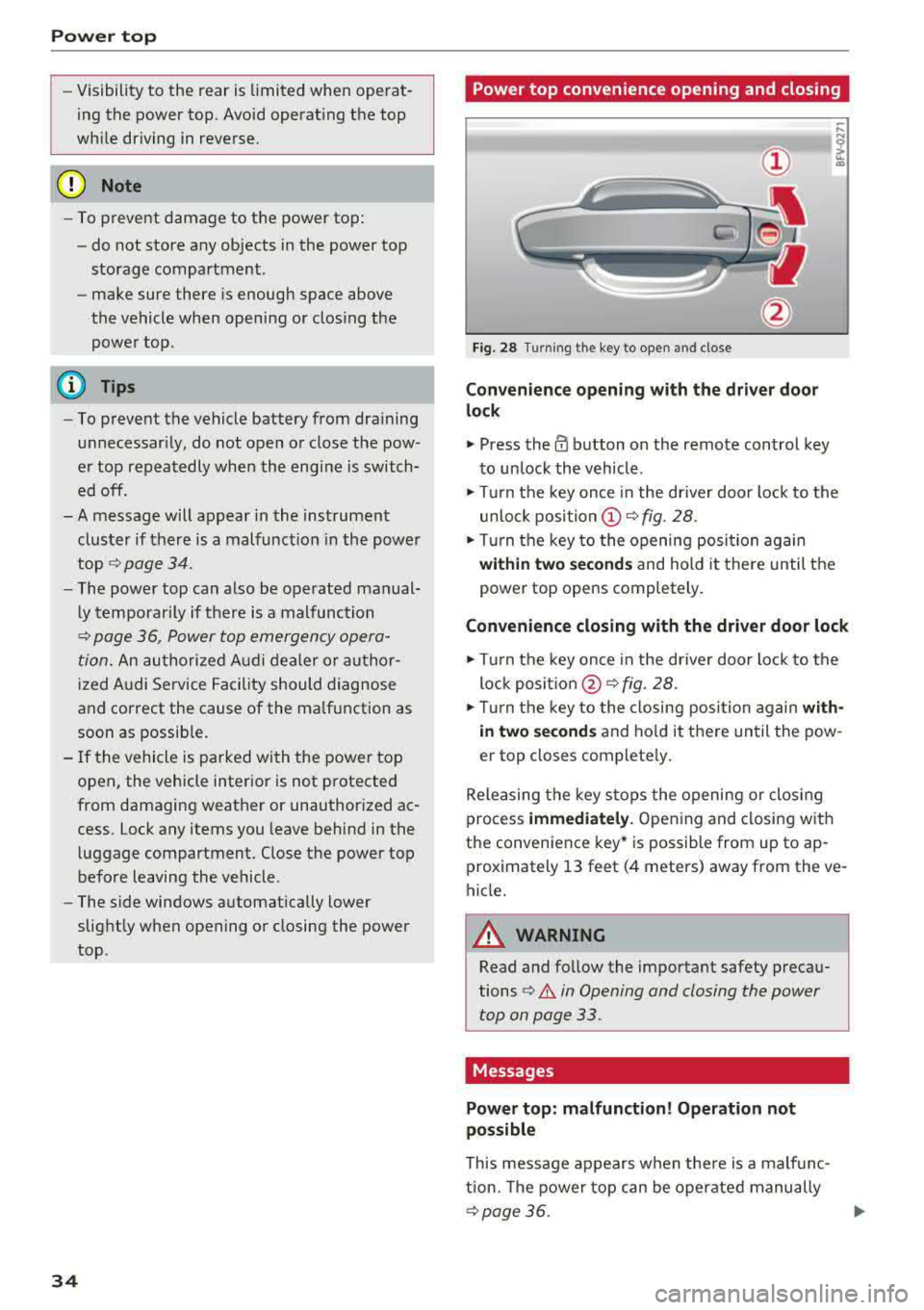
Fig. 28 Turn
ing the key to open and close
Convenience opening with t he dri ver door
lock
.,. Press the 0 button on the remote control key
to un lock the vehicle .
.,. Turn the key once in the driver door lock to the
unlo ck
position @~ fig. 28 .
.. Turn the key to the opening posi tion again
within two se cond s and hold it there until the
power top opens completely .
Convenience closing with the driver door lock
.,. Turn the key once in the driver door lock to the
lock
posit ion @ ~ fig. 28.
.. T urn the key to the closing posi tion again w ith
i n two second s
and ho ld it there until the pow
er top closes complete ly .
Releasing the key stops the opening or clos ing
process
immedi ately . Opening and closing with
the convenience key* is possible from up to ap
prox imately 13 feet (4 meters) away from the ve
hicle.
A WARNING
Read and follow the important safety precau
tions
¢ .&. in Opening and closing the power
top on page 33.
Messages
Power top: m alfunction! Oper ation not
possible
This message appears when the re is a malfunc
tion. The power top can be operated manually
~ page 36. .,.
Page 37 of 310
Cl co .... N ,-... N .... 0 ,-... Vl co
Power top: operation currently not poss ible
If t h e power top is operate d con tinu ally fo r a
l ong period of time, the overload pro tection acti
vates for approximate ly 15 to 3 0 minutes . You
can open or close the power top again after that .
Power top: operation currently not possible.
Engine must be running
The power top is automatically deactivated if the
battery voltage is low. You can open or close the
power top again after sta rting the engine.
Power top: operation currently not possible.
Outs ide temperature too low
The power top will not o pen whe n the tempera
ture is below 5 °F (-15 °C) .
Power top: operation not possible. Speed too
high
If you go above 30 mph (SO km/h), the power
top cannot be operated due to safety reasons. Reduce the vehicle speed to close or open the
power top.
Power top : not secu re . Speed too high
This message appears if you go above 50 km/h
when operating the power top . Reduce t he vehi
cle speed and operate the power top again.
Power top: malfunction! You may continue
driving (limited functionality). See owner's manual
This message appea rs if there is a ma lfunction in
the system . Try to open or close the power top
again. If the message st ill appea rs, then have an
au thor ized Audi dealer or author ized A udi S ervice
F aci lity correct the malf unct io n. Do not dr ive
mo re t han 3 0 mph
(SO km/h) unti l i t i s corre ct
e d.
_& WARNING
N ever drive whe n the power top is not locked
correctly. The w ind from driving co uld cause
the power top to open. This can result in inju r ies and damage to the vehicle.
Power top
Wind deflector
Appl ies to: vehicles wit h w ind deflector
The wind deflector reduces air movement in the
passenger compartment in order to increase driving comfort.
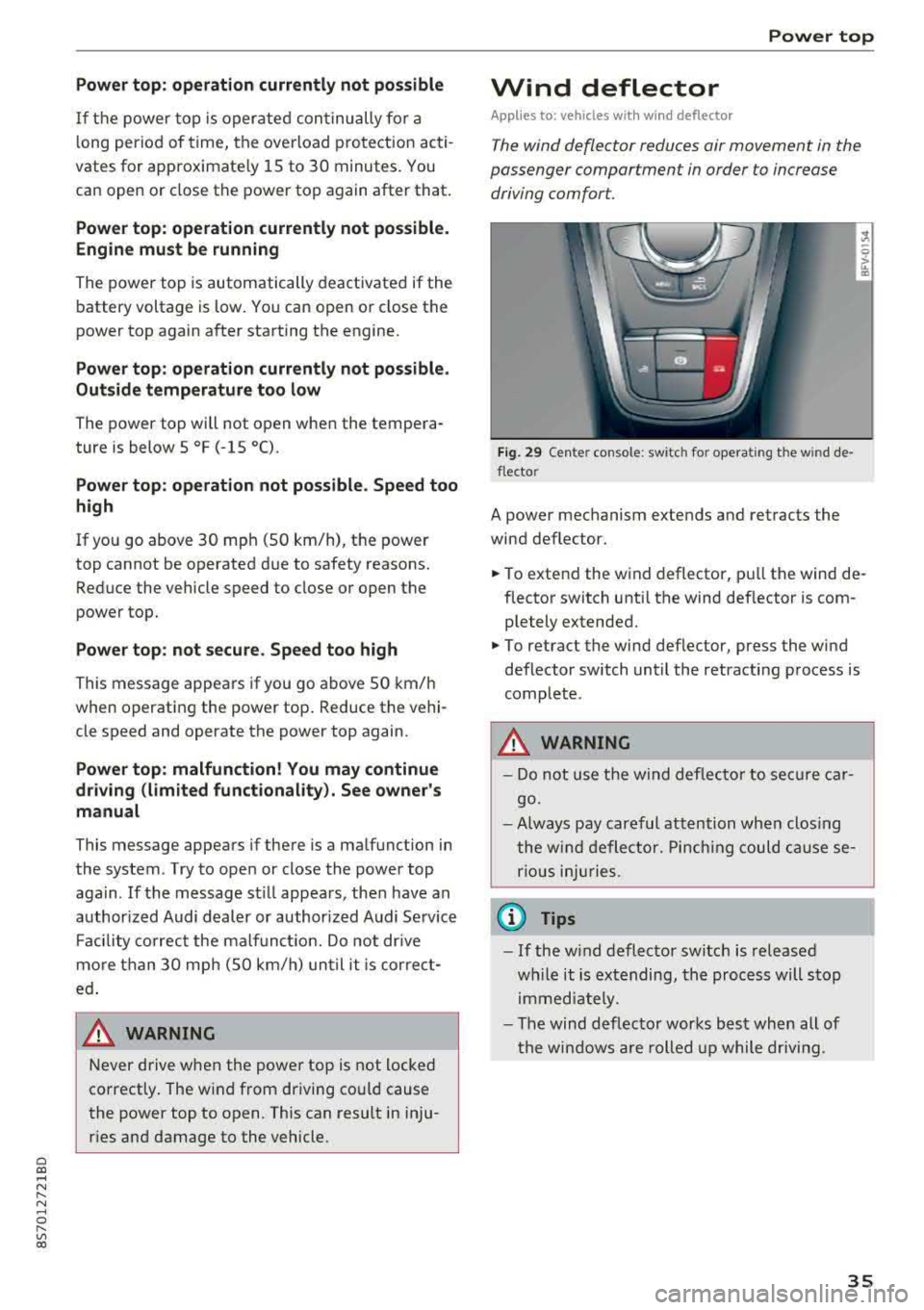
Fig . 29 Ce nte r console: swi tc h fo r operating t he w ind de
flec to r
A power mechanism extends and retracts the
wind deflector.
... ....
.,. To extend the wind deflector, pull the wind de
flector switch unti l the wind deflector is com
p letely extended .
.,. To retract the wind deflector, press the wi nd
deflector switch until the retracting p rocess is
complete .
_& WARNING
- Do not use the wind deflec to r to se cure ca r
go.
- Always pay car eful att ention wh en clos ing
t he wi nd deflector. Pin chi ng could ca use se
ri ous injuries.
@ Tips
- If the w ind deflector switch is released
w hile it is e xtending, th e proc ess will s top
i m med iate ly.
- T he wind deflec tor works best when all of
t he win dows a re rolled up while drivi ng.
35
Page 38 of 310
Power top
Power top emergency
operation
General information
The power top con be closed manually if there is
a malfunction .
• Set the parking brake .
• Open all windows.
• Switch the ignition off .
Only close the power top manual ly in an emer
gency. Have a second person assist. Drive to an
author ized Audi dealer or author ized Audi Se rvice
F aci lity immediately to have the malfunction cor
rected .
A WARNING
-There is a risk of pinching the hands or other
people during all of the power top emergen
cy operation steps.
- Make sure all windows a re lowered during
emergency ope ration.
- Do not reach into the power top supports
or other moving components.
- Never drive when the power top is not locked co rrectly. The wind from driving
cou ld cause the power top to open. This can
result in inj uries and damage to the vehicle.
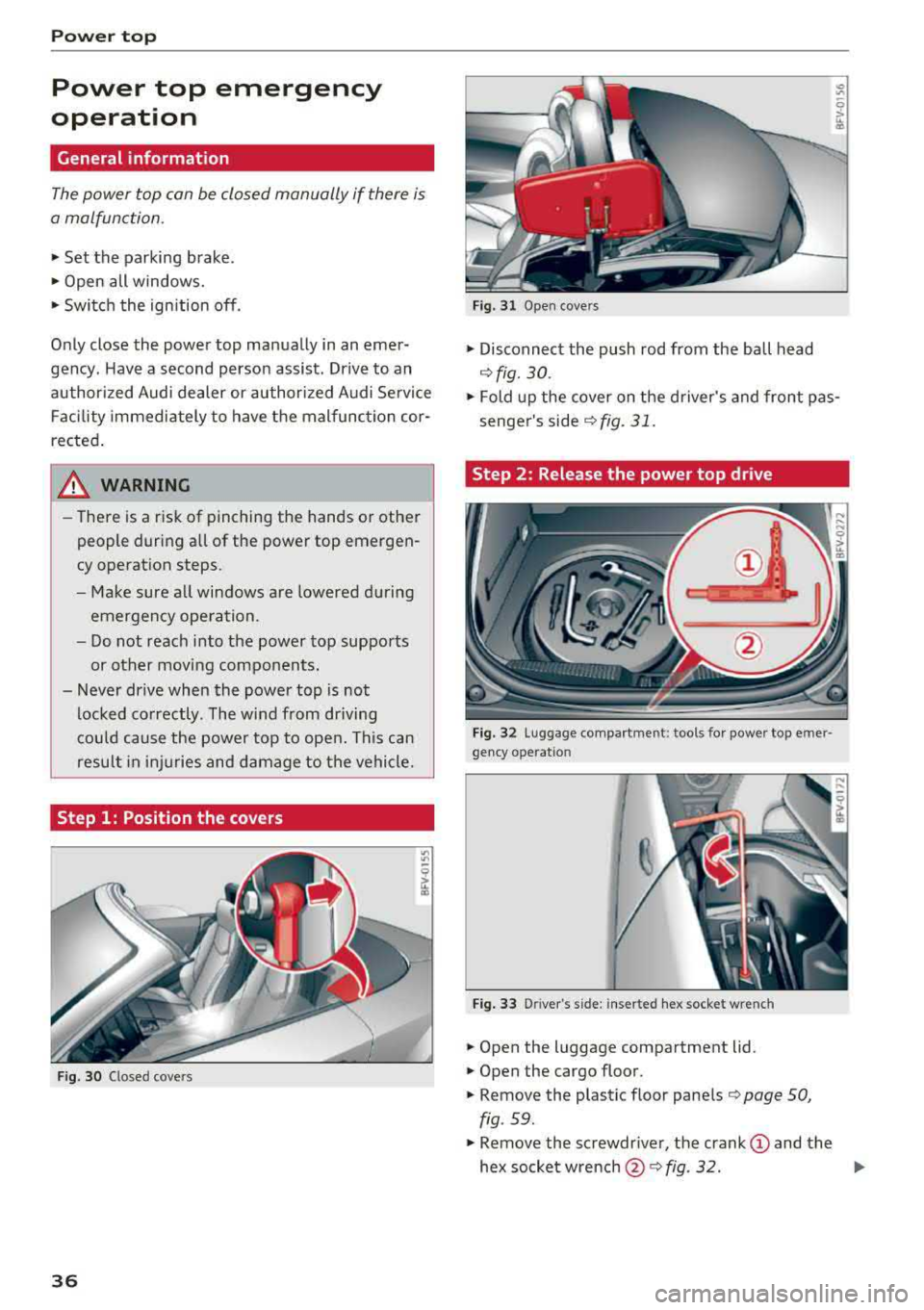
Step 1: Position the covers
Fig. 30 C losed covers
36
Fig. 31 Open cove rs
• Disconnect the push rod from the ball head
~ fig. 30 .
• Fold up the cover on the driver's and front pas
senger's
side ~ fig. 31.
Step 2 : Release the power top drive
Fig. 32 Luggage compar tment: tools for power top e mer ·
gency ope ratio n
Fig. 33 D river 's s ide: inserted hex socket w re nch
• Open the luggage compartment lid.
• Open the cargo floor.
• Remove the plastic floor panels ¢ page 50,
fig . 59.
• Remove the screwdr iver, the crank (D and the
hex socket
w rench @~ fig. 32. IJI>
Page 39 of 310
Cl co .... N ,....
N ...... 0 ,....
Vl co
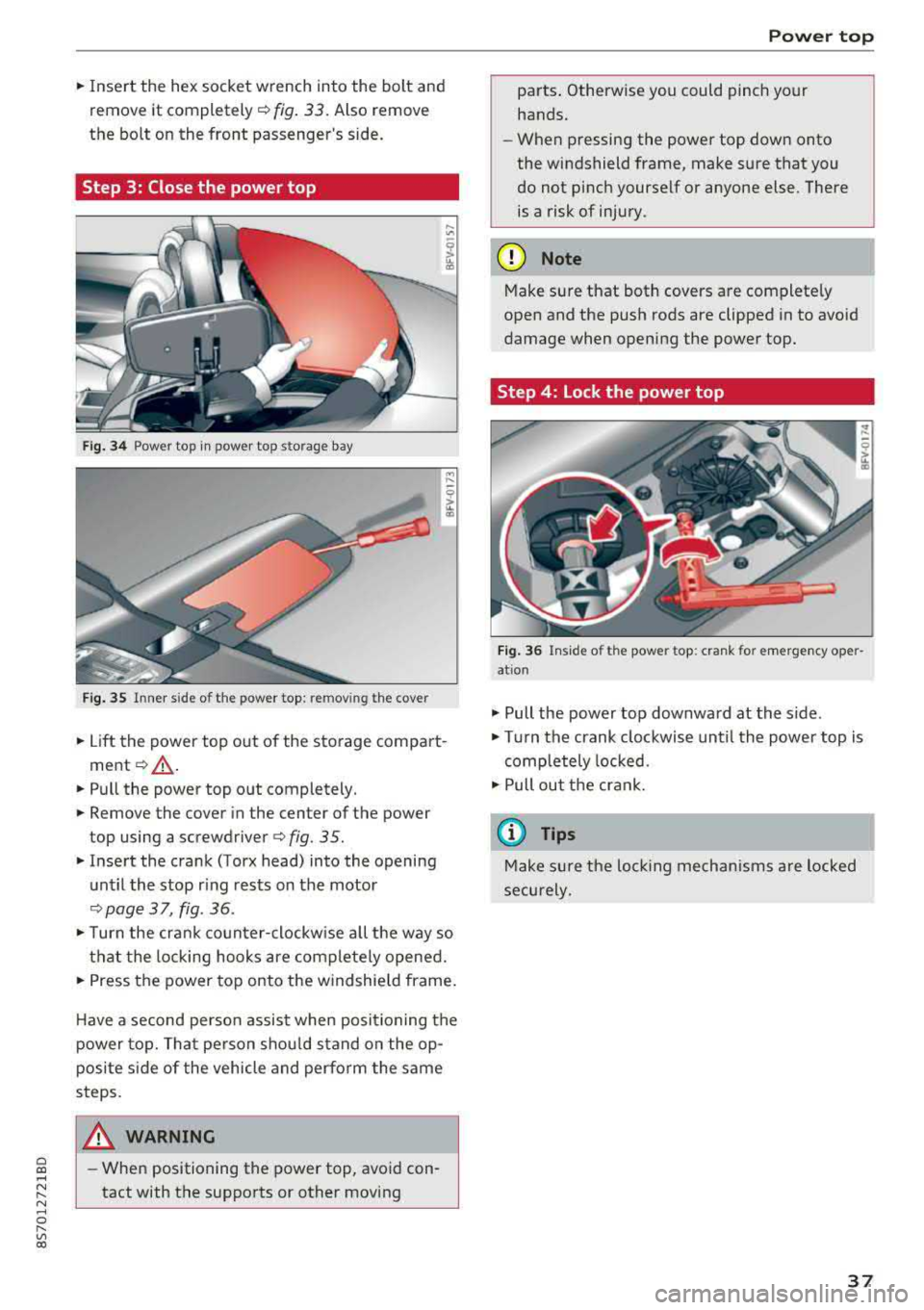
.,. Insert the hex socket wrench into the bolt and
remove it completely¢ fig. 33. Also remove
the bolt on the front passenger's side.
Step 3: Close the power top
Fig. 34 Power top in power top s torage bay
Fig. 35 Inner side o f the power top : re mov ing the cov er
.,. Lift the power top out of the sto rage compart
ment ¢ _A.
.,. Pull the power top out completely .
.,. Remove the cover in the center of the power
top using a
screwdriver ¢ fig. 35 .
.,. Insert the crank (Torx head) into the opening
until the stop ring rests on the motor
¢page 37, fig. 36 .
.,. Turn the crank counter-clockw ise all the way so
that the locking hooks are completely opened .
.,. Press the power top onto the w indshield frame.
H ave a second person assist when positioning the
power top. That person shou ld stand on the op
posite side of the vehicle and perform the same
steps .
_& WARNING
-When positioning the power top, avoid con
tact with the supports or other moving
Power top
parts . Otherwise you could pinch your
hands.
- When pressing the power top down onto
the windshield frame, make sure that you
do not pinch yourse lf or anyone else . There
is a risk of injury.
(D Note
Make sure that both covers are complete ly
open and the push rods are clipped in to avoid
damage when opening the power top.
Step 4: Lock the power top
Fig. 36 Inside o f the powe r top : cra nk for emergency oper
at ion
.,. Pull the power top downward at the side .
.,. Turn the crank clockwise until the power top is
completely locked .
.,. Pull out the crank .
(D Tips
Make sure the lockin g mechanisms are locked
securely.
37
Page 42 of 310
Lights and Vision
Canada models: this function cannot be switched
off . They activate automatica lly each time the ig
n ition is switched on . T his menu item is shown
with a "gray background".
Entry /exit lighting
The ent ry li ghti ng function illum ina tes the area
outside the vehicle when you unlock the vehicle
when it is dark . To switch on the function, select
Ent ry/ex it lighting .
The exit light ing fun ct io n illum inates the area
outside the vehicle when you turn the ignition o ff
an d open the driver 's door when it is dark. To
sw itch on the function, select
Entry /exit light·
ing .
The ent ry/exit lighting only wo rks when it is dar k
an d the light switch is in the
AUTO position.
Emergency flashers
Fig. 39 Cente r conso le : eme rge ncy f las her butto n
The emergency flashers makes ot her dr ivers
aware of yo ur vehicle in dangerous si tuat io ns.
• P ress t h e ~ button to swi tch the eme rgency
flashers on or off.
You can indicate a lane change or a tu rn when the
em ergency fl ashe rs are sw itched on by us ing the
tur n sig na l lever. The emergency flashers s to p
tempo rarily.
The emergency flashers also work whe n the igni
tion is tur ned off.
(D Tips
You s hou ld switch t he emergency flashers on
i f :
40
-yo u are t he las t car in a traffi c jam so that
all other vehi cles approaching from behind
can see your ve hicle
- yo ur vehicle has broken down o r yo u a re
havin g an emerge ncy
-yo ur vehicle is be ing towed or if you a re tow
ing another vehi cle
Interior lighting
Interior lighting
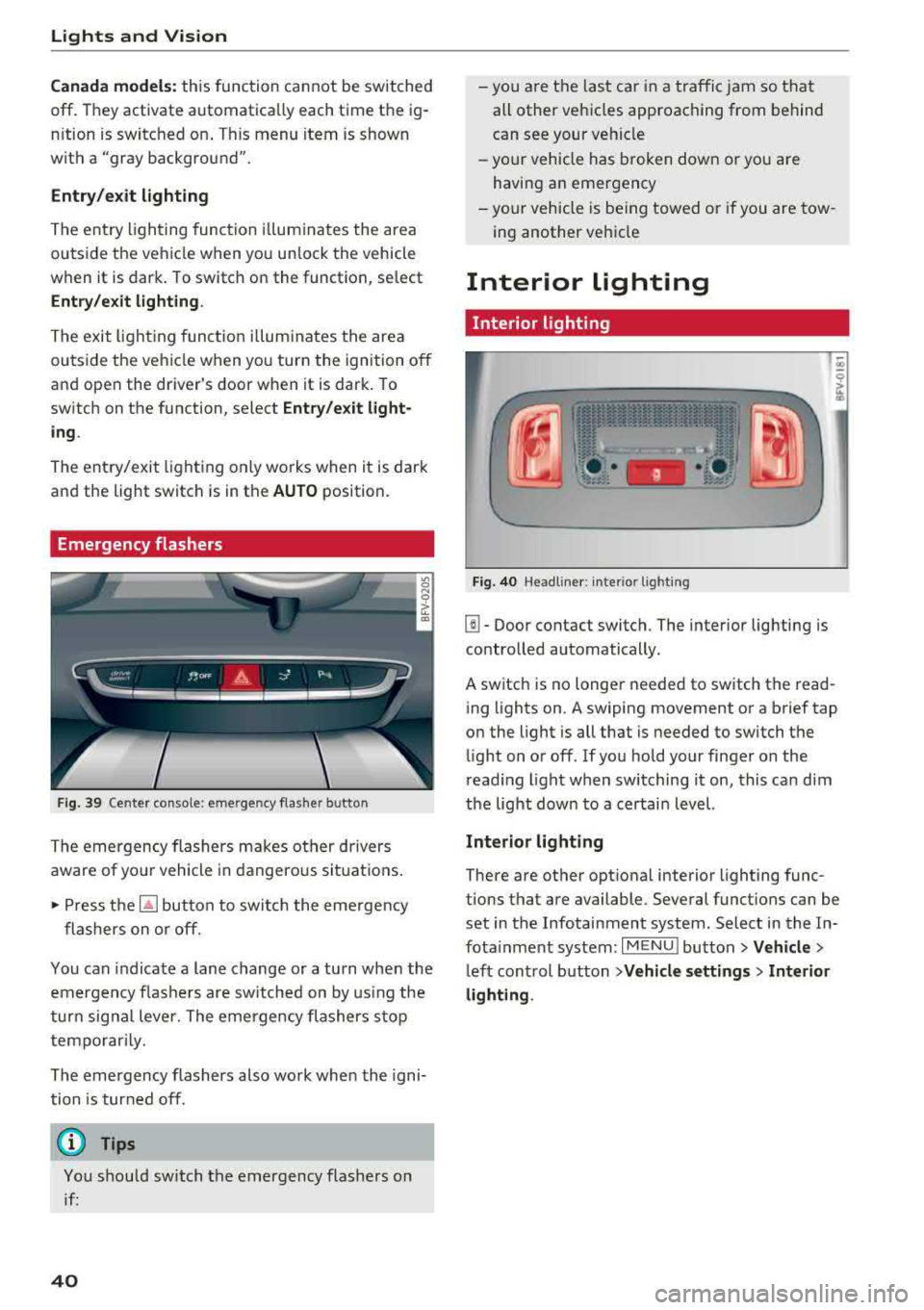
Fi g. 40 Head lin e r: int eri or light ing
[]] - Door contact switch. The interior lighting is
contro lled automatically.
A switch is no longer needed to sw itch the read
i ng lights on .
A swiping movement o r a b rief tap
o n the light is all that is needed to switch the
li ght on o r off. If yo u ho ld your finger on the
r ead ing light when switching it on, this ca n dim
the lig ht dow n to a certai n level.
Interior lighting
There are othe r opt ional interior lighting func
tions that are available . Seve ral funct ions can be
set in the Infotainment system. Select in the In
fota inment system :
I MENU I button> Vehicle >
left con trol b utton > Vehicle settings > Interior
lighting .