dual BMW 335I COUPE 2009 E92 Owner's Guide
[x] Cancel search | Manufacturer: BMW, Model Year: 2009, Model line: 335I COUPE, Model: BMW 335I COUPE 2009 E92Pages: 260, PDF Size: 7.95 MB
Page 118 of 260
Things to remember when driving
116
Things to remember when driving
Break-in period
Moving parts need breaking-in time to adjust to
each other. Please follow the instructions below
in order to achieve the optimal service life and
economy of operation for your vehicle.
Engine and differential
Always obey all official speed limits.
Up to 1,200 miles/2,000 km
Drive at varying engine and road speeds, but do
not exceed an engine speed of 4500 rpm or a
road speed of 100 mph/160 km/h.
Avoid full-throttle operation and use of the
transmission's kick-down mode.
After driving 1,200 miles/2,000 km
Engine and vehicle speeds can be gradually
increased.
Tires
Due to technical factors associated with their
manufacture, tires do not achieve their full trac-
tion potential until after an initial break-in
period. Therefore, drive cautiously during the
first 200 miles/300 km.
Brake system
Brakes require an initial break-in period of
approx. 300 miles/500 km to achieve optimized
contact and wear patterns between brake pads
and rotors. Drive cautiously during this break-in
period.
Clutch
The function of the clutch reaches its optimal
level only after a distance driven of approx.
300 miles/500 km. During this break-in period,
engage the clutch gently.
Following part replacement
The same break-in procedures should be
observed if any of the components mentioned
above have to be renewed in the course of the
vehicle's operating life.
Saving fuel
The fuel consumption of your vehicle depends
on several factors. You can lower fuel consump-
tion and the environmental impact by taking
certain measures, adjusting your driving style
and having the vehicle serviced regularly.
Remove any unneeded cargo
Additional weight increases fuel consumption.
Remove any mounted parts after you
have finished using them
Remove unneeded additional mirrors, the roof
rack and the rear luggage rack after use.
Mounted parts affect the vehicle's aerodynam-
ics and increase fuel consumption.
Close the windows and glass roof
An open glass roof or window causes higher air
resistance and thus increases fuel consump-
tion.
Check tire inflation pressure regularly
Check the tire inflation pressure at least twice a
month and before embarking on a long journey,
and correct it if necessary.
Low tire inflation pressure causes higher rolling
resistance and thus increases fuel consumption
and tire wear.
Set off immediately
Do not let the engine warm up while the car is
still standing, but set off immediately at moder-
ate engine speed. This is the fastest way for the
cold engine to reach its operating temperature.
Page 128 of 260
Destination entry
126 Delete letters, if necessary:
>To delete individual letters:
Turn the controller to select , and
then press the controller.
>To delete all letters:
Turn the controller to select , and
then press the controller for an extended
period.
>To enter spaces:
Select the symbol.
The list gradually grows smaller each time
you enter a new letter.
2.Move the controller to the right.
3.Select the name of the town/city from the
list. The three destinations stored last are
displayed.
If there are several towns/cities with the same
name:
1.Change to the list of town/city names.
2.Highlight the town/city: a preview map is
displayed.
3.Select the town/city.
Entering the postal code
1.Select "Town/City/Zip Code" or the dis-
played town/city.
2.Select the symbol.
3.Select the digits.
4.Change to the list of postal codes and
towns/cities.
5.Highlight the postal code. A preview map is
displayed in the assistance window.
6.Select the postal code.
Entering street and intersection
1.Select "Street" or the displayed street.
2.Enter a street and intersection as you would
the town/city.
After the street you can also enter the intersec-
tion or the house number.
If there are several streets with the same name:1.Change to the list of street names.
2.Highlight the street: a preview map is dis-
played.
3.Select the street.
Entering a street without a destination
town/city
You can also enter a street without specifying a
town/city. In this case, all streets of the same
name in the designated state/province are
offered. The corresponding town/city is dis-
played after the street name.
If a town/city has already been entered, you can
negate this entry. This could be helpful in
instances where the desired street does not
exist in the entered town/city because it
belongs to another suburb, for example.
1."Navigation"
2."Enter address"
3.Select "Street" or the displayed street.
4.Change to the list of street names.
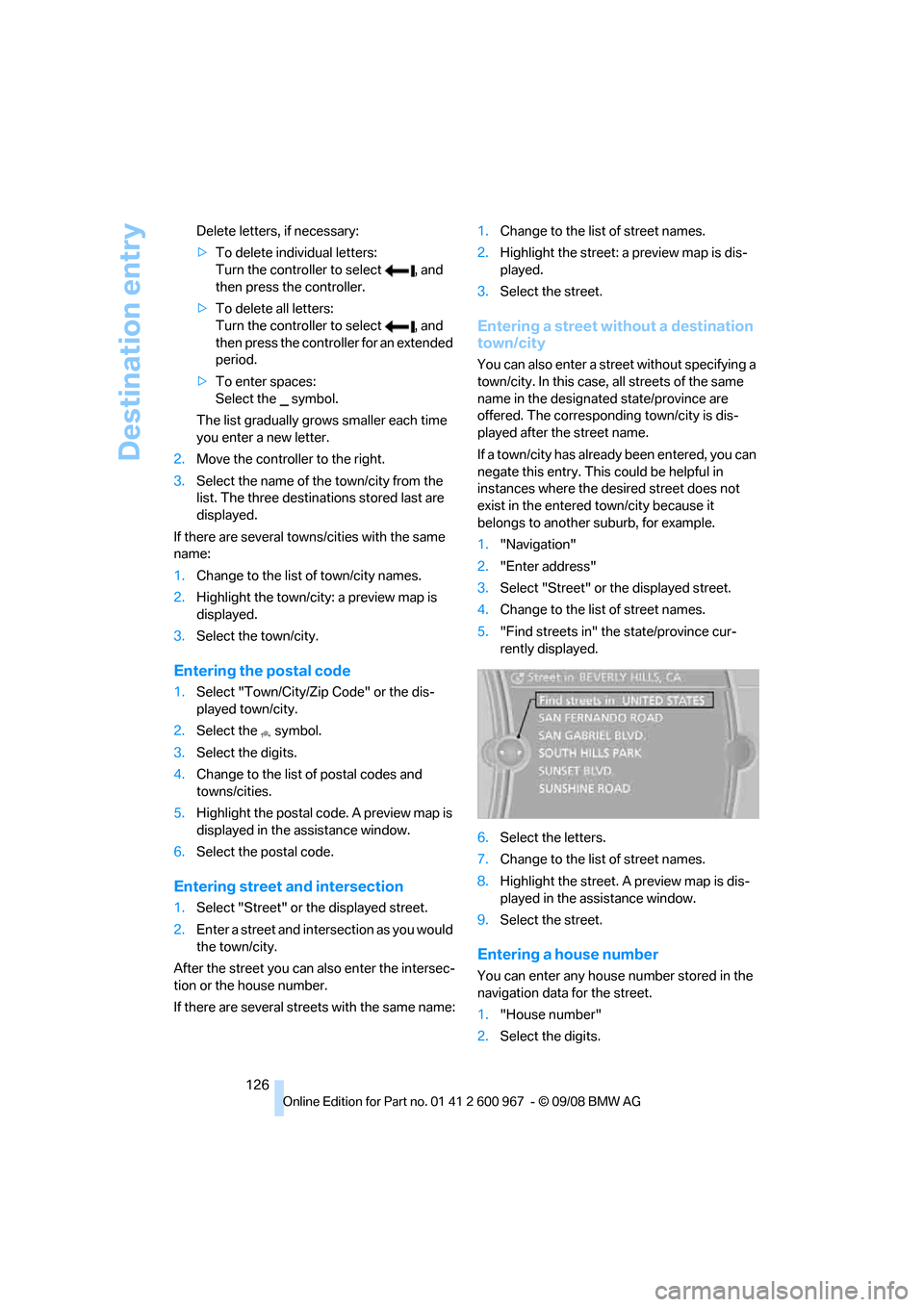
5."Find streets in" the state/province cur-
rently displayed.
6.Select the letters.
7.Change to the list of street names.
8.Highlight the street. A preview map is dis-
played in the assistance window.
9.Select the street.
Entering a house number
You can enter any house number stored in the
navigation data for the street.
1."House number"
2.Select the digits.
Page 147 of 260
Navigation
Entertainment
Driving tips
145Reference
At a glance
Controls
Communications
Mobility
Opening the tone settings
1."Radio" or "CD/Multimedia"
2."Tone"
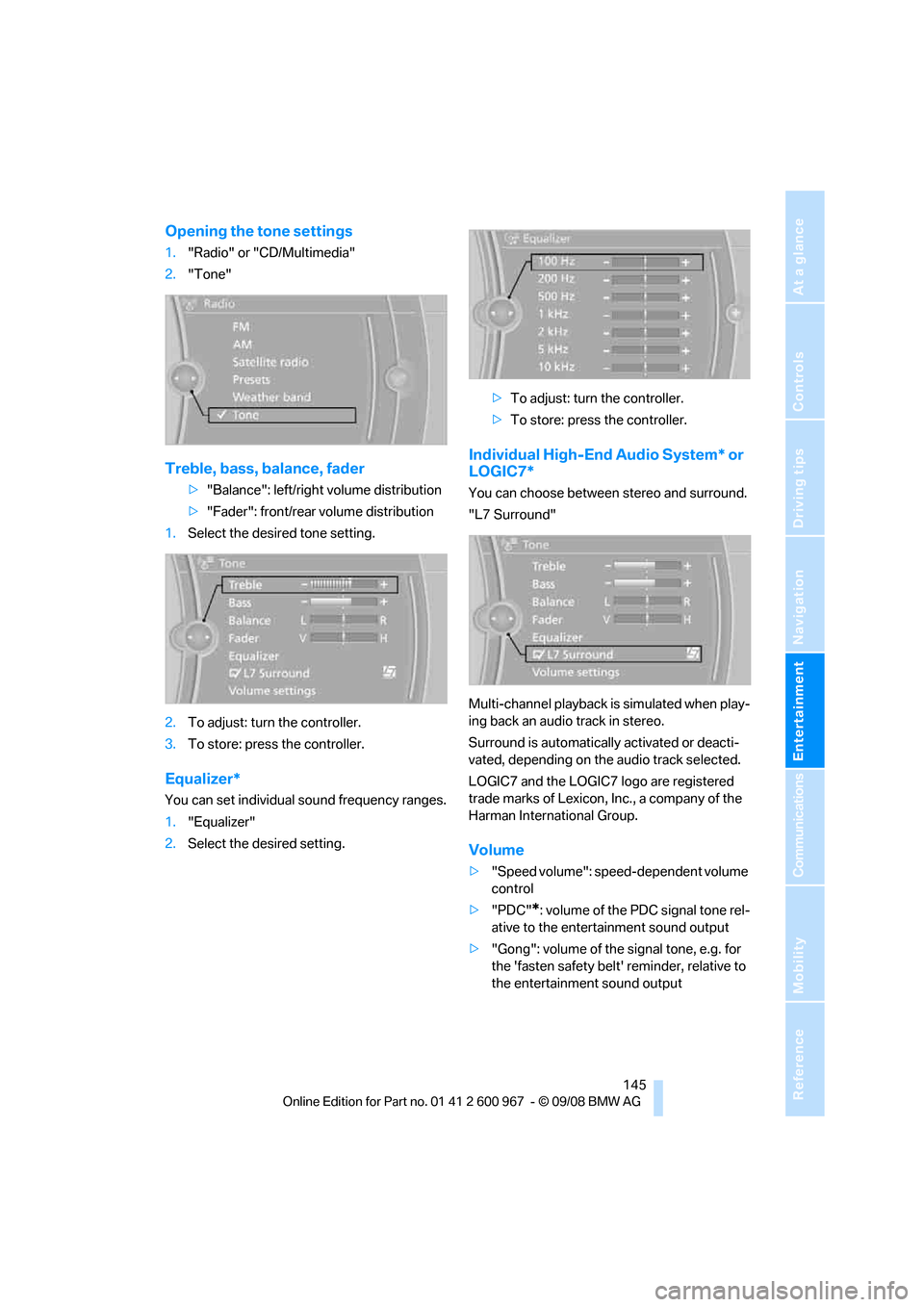
Treble, bass, balance, fader
>"Balance": left/right volume distribution
>"Fader": front/rear volume distribution
1.Select the desired tone setting.
2.To adjust: turn the controller.
3.To store: press the controller.
Equalizer*
You can set individual sound frequency ranges.
1."Equalizer"
2.Select the desired setting.>To adjust: turn the controller.
>To store: press the controller.
Individual High-End Audio System* or
LOGIC7*
You can choose between stereo and surround.
"L7 Surround"
Multi-channel playback is simulated when play-
ing back an audio track in stereo.
Surround is automatically activated or deacti-
vated, depending on the audio track selected.
LOGIC7 and the LOGIC7 logo are registered
trade marks of Lexicon, Inc., a company of the
Harman International Group.
Volume
>"Speed volume": speed-dependent volume
control
>"PDC"
*: volume of the PDC signal tone rel-
ative to the entertainment sound output
>"Gong": volume of the signal tone, e.g. for
the 'fasten safety belt' reminder, relative to
the entertainment sound output
Page 160 of 260
CD player and CD changer
158
Malfunctions with individual CDs/DVDs
If malfunctions only occur with individual CDs/
DVDs, one of the following factors may be the
cause.
Self-recorded CDs/DVDs
Possible reasons for malfunctions with self-
recorded CDs/DVDs are, e.g. inconsistent data-
creation or recording processes, or poor quality
or high age of the CD/DVD blank.
Only label CDs/DVDs on the top, with a pen
designed for this purpose.
Damaged CDs/DVDs
Avoid leaving fingerprints, as well as dust,
scratches or moisture on the CDs/DVDs.
Keep CDs/DVDs in protective sleeves or cases.
Do not subject CDs/DVDs to temperatures over
1227/506, high levels of humidity or direct
sunlight.
CDs/DVDs with copy protection
CDs/DVDs are often copy-protected by the
manufacturer. This can mean that some CDs/
DVDs cannot be played or can only be played to
a limited extent.
Care
Clean the reflective signal side of CDs/DVDs as
needed by wiping it with a commercially avail-
able cleaning tissue in straight lines from the
center of the disc outwards.
Page 161 of 260
Navigation
Entertainment
Driving tips
159Reference
At a glance
Controls
Communications
Mobility
Music collection
Storing music
Music tracks from CDs and DVDs can be stored
in the music collection in the vehicle and played
from there.
>Audio CD: tracks are converted into a com-
pressed audio format when they are stored.
The CD is stored in the vehicle as an album.
If available, information on the album, such
as the artist, is stored as well.
>CDs with compressed audio files: the entire
CD is stored in the vehicle as an album.
After storing, the tracks and directories can
be deleted individually. Files are only stored
in the WMA, MP3, and AAC formats. Tracks
with DRM copy protection can be stored in
the vehicle but cannot be played back.
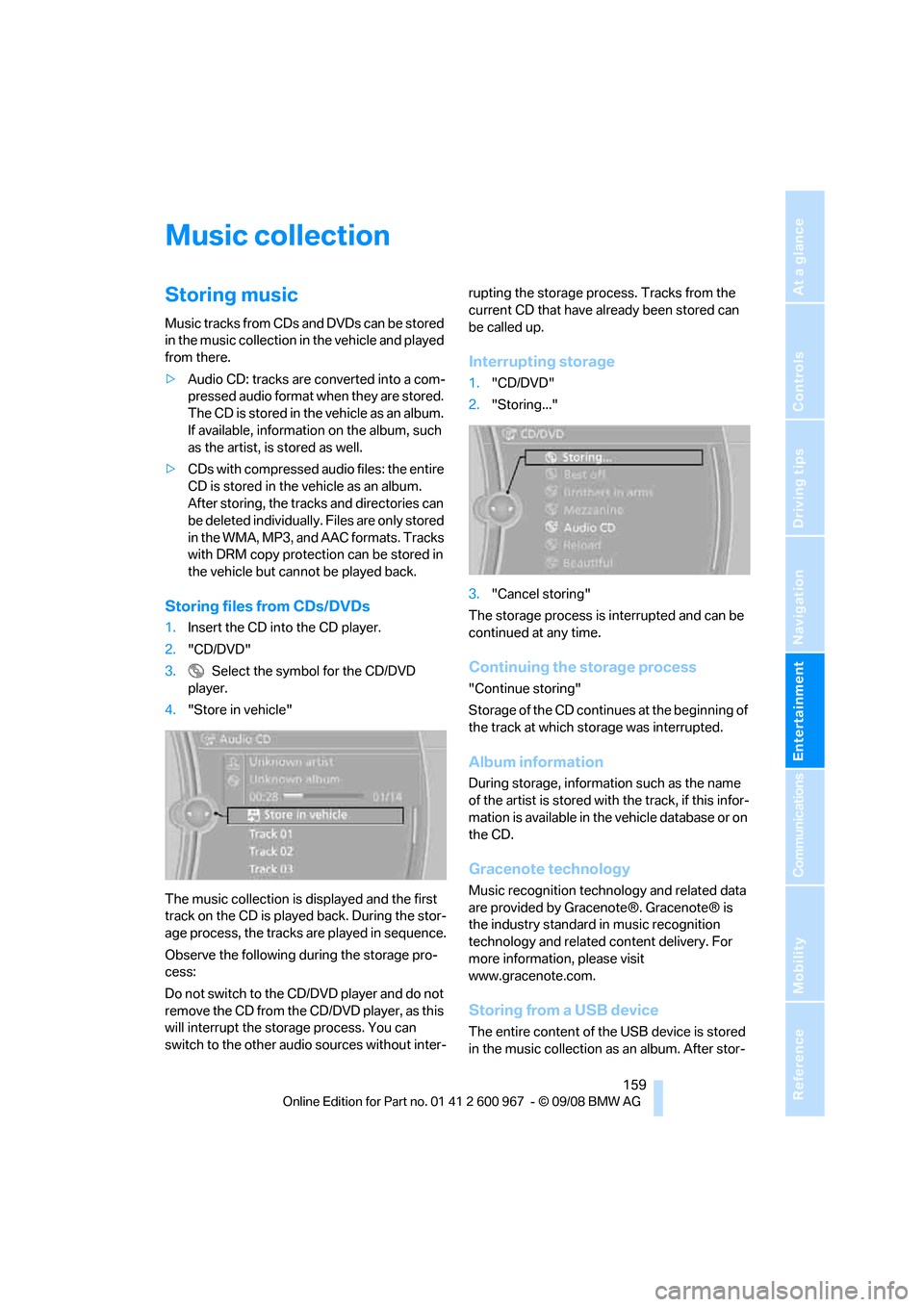
Storing files from CDs/DVDs
1.Insert the CD into the CD player.
2."CD/DVD"
3. Select the symbol for the CD/DVD
player.
4."Store in vehicle"
The music collection is displayed and the first
track on the CD is played back. During the stor-
age process, the tracks are played in sequence.
Observe the following during the storage pro-
cess:
Do not switch to the CD/DVD player and do not
remove the CD from the CD/DVD player, as this
will interrupt the storage process. You can
switch to the other audio sources without inter-rupting the storage process. Tracks from the
current CD that have already been stored can
be called up.
Interrupting storage
1."CD/DVD"
2."Storing..."
3."Cancel storing"
The storage process is interrupted and can be
continued at any time.
Continuing the storage process
"Continue storing"
Storage of the CD continues at the beginning of
the track at which storage was interrupted.
Album information
During storage, information such as the name
of the artist is stored with the track, if this infor-
mation is available in the vehicle database or on
the CD.
Gracenote technology
Music recognition technology and related data
are provided by Gracenote®. Gracenote® is
the industry standard in music recognition
technology and related content delivery. For
more information, please visit
www.gracenote.com.
Storing from a USB device
The entire content of the USB device is stored
in the music collection as an album. After stor-
Page 162 of 260
Music collection
160 ing, the tracks and directories can be deleted
individually.
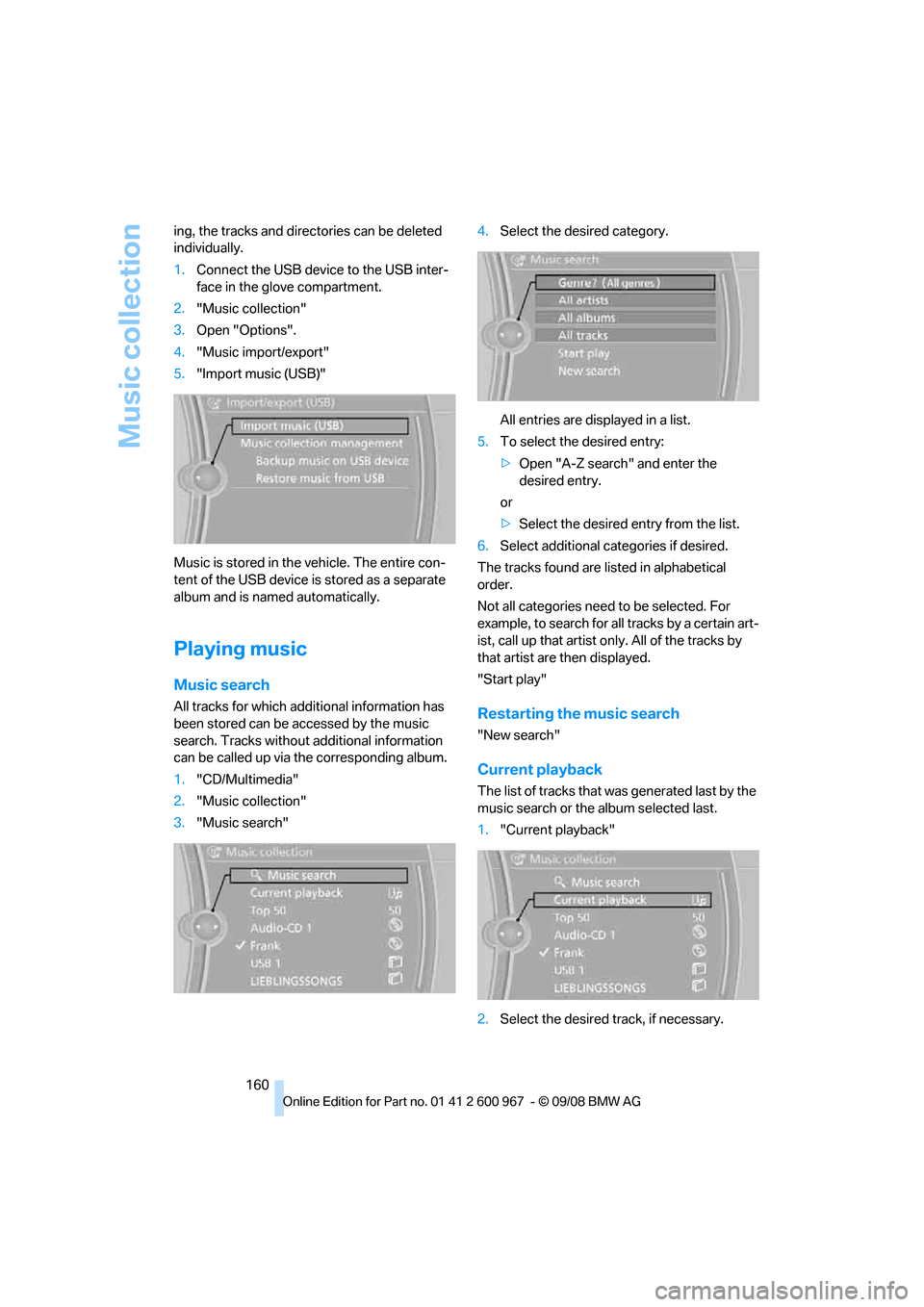
1.Connect the USB device to the USB inter-
face in the glove compartment.
2."Music collection"
3.Open "Options".
4."Music import/export"
5."Import music (USB)"
Music is stored in the vehicle. The entire con-
tent of the USB device is stored as a separate
album and is named automatically.
Playing music
Music search
All tracks for which additional information has
been stored can be accessed by the music
search. Tracks without additional information
can be called up via the corresponding album.
1."CD/Multimedia"
2."Music collection"
3."Music search"4.Select the desired category.
All entries are displayed in a list.
5.To select the desired entry:
>Open "A-Z search" and enter the
desired entry.
or
>Select the desired entry from the list.
6.Select additional categories if desired.
The tracks found are listed in alphabetical
order.
Not all categories need to be selected. For
example, to search for all tracks by a certain art-
ist, call up that artist only. All of the tracks by
that artist are then displayed.
"Start play"Restarting the music search
"New search"
Current playback
The list of tracks that was generated last by the
music search or the album selected last.
1."Current playback"
2.Select the desired track, if necessary.
Page 163 of 260
Navigation
Entertainment
Driving tips
161Reference
At a glance
Controls
Communications
Mobility
Top 50
List of the 50 most frequently played tracks.
1."Top 50"
2.Select the desired track, if necessary.
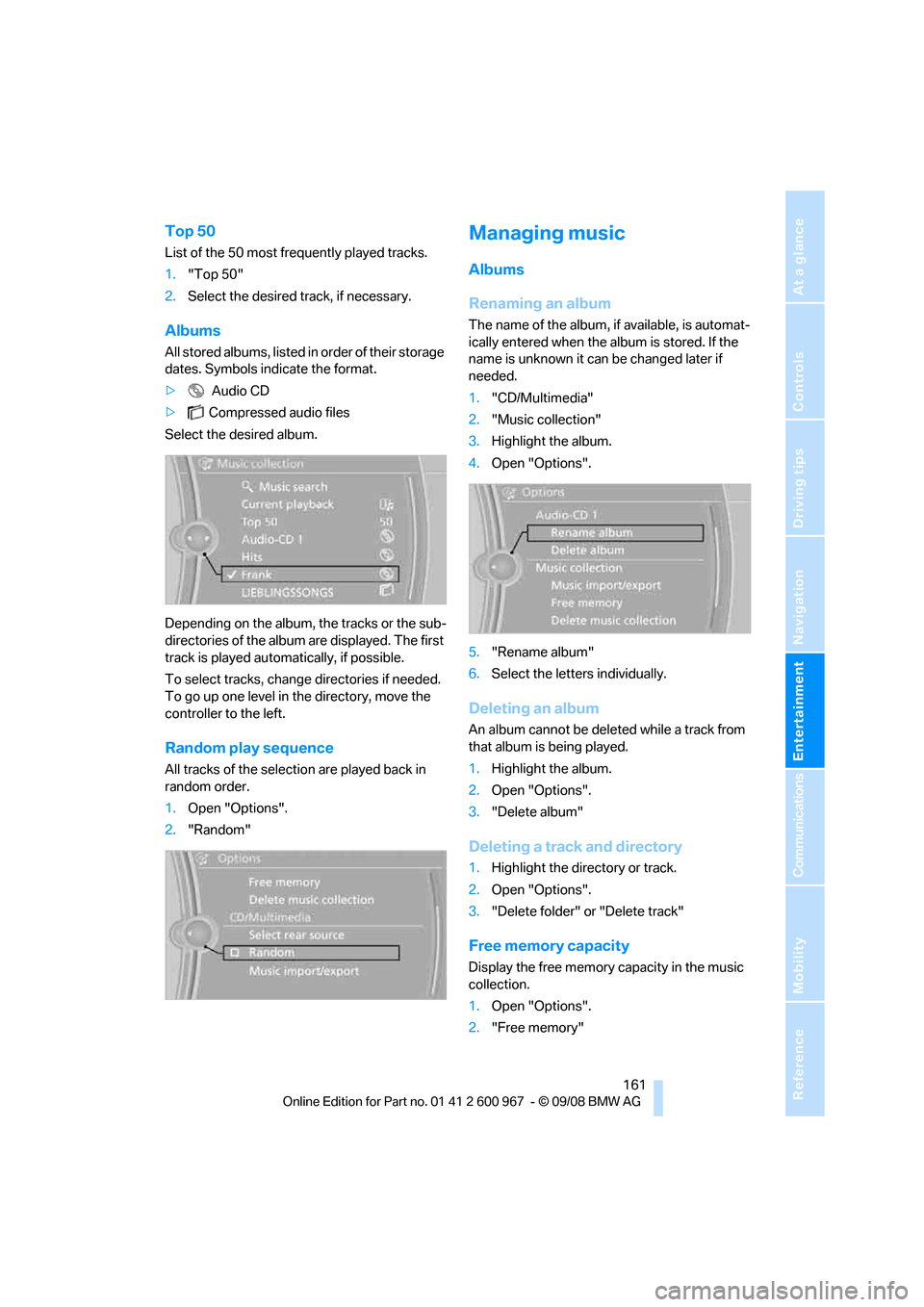
Albums
All stored albums, listed in order of their storage
dates. Symbols indicate the format.
> Audio CD
>Compressed audio files
Select the desired album.
Depending on the album, the tracks or the sub-
directories of the album are displayed. The first
track is played automatically, if possible.
To select tracks, change directories if needed.
To go up one level in the directory, move the
controller to the left.
Random play sequence
All tracks of the selection are played back in
random order.
1.Open "Options".
2."Random"
Managing music
Albums
Renaming an album
The name of the album, if available, is automat-
ically entered when the album is stored. If the
name is unknown it can be changed later if
needed.
1."CD/Multimedia"
2."Music collection"
3.Highlight the album.
4.Open "Options".
5."Rename album"
6.Select the letters individually.
Deleting an album
An album cannot be deleted while a track from
that album is being played.
1.Highlight the album.
2.Open "Options".
3."Delete album"
Deleting a track and directory
1.Highlight the directory or track.
2.Open "Options".
3."Delete folder" or "Delete track"
Free memory capacity
Display the free memory capacity in the music
collection.
1.Open "Options".
2."Free memory"
Page 176 of 260
Telephone
174
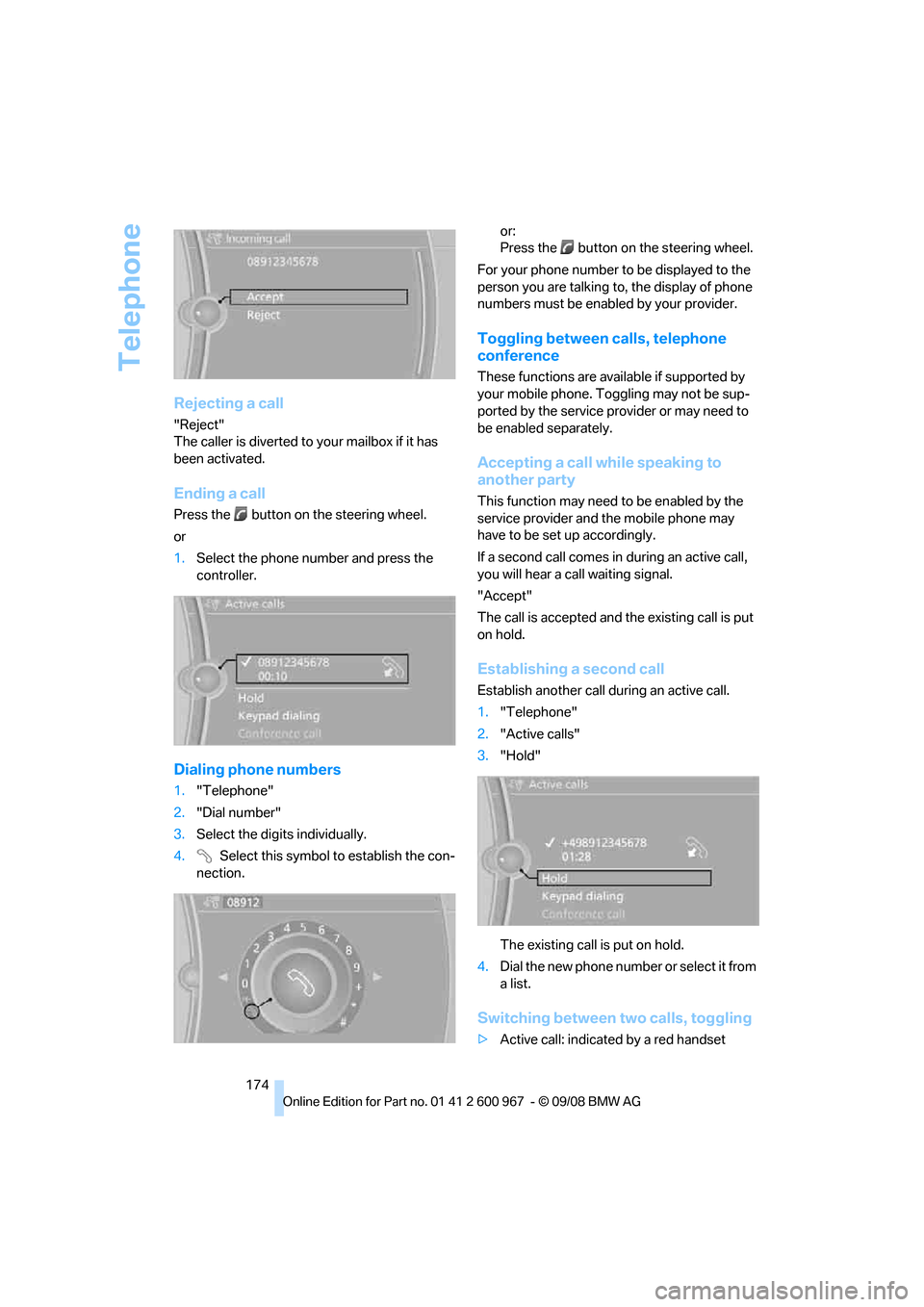
Rejecting a call
"Reject"
The caller is diverted to your mailbox if it has
been activated.
Ending a call
Press the button on the steering wheel.
or
1.Select the phone number and press the
controller.
Dialing phone numbers
1."Telephone"
2."Dial number"
3.Select the digits individually.
4. Select this symbol to establish the con-
nection.or:
Press the button on the steering wheel.
For your phone number to be displayed to the
person you are talking to, the display of phone
numbers must be enabled by your provider.
Toggling between calls, telephone
conference
These functions are available if supported by
your mobile phone. Toggling may not be sup-
ported by the service provider or may need to
be enabled separately.
Accepting a call while speaking to
another party
This function may need to be enabled by the
service provider and the mobile phone may
have to be set up accordingly.
If a second call comes in during an active call,
you will hear a call waiting signal.
"Accept"
The call is accepted and the existing call is put
on hold.
Establishing a second call
Establish another call during an active call.
1."Telephone"
2."Active calls"
3."Hold"
The existing call is put on hold.
4.Dia l the ne w pho ne numbe r o r sele ct it from
a list.
Switching between two calls, toggling
>Active call: indicated by a red handset
Page 179 of 260
177
Entertainment
Reference
At a glance
Controls
Driving tips Communications
Navigation
Mobility
Depending on the type of mobile phone you are
using, it may occur that calls are switched from
the hands-free system to the mobile phone if
reception of the wireless network is poor.
Operation by voice
commands*
The concept
You can operate your mobile phone without
having to take a hand off the steering wheel.
During your entries, you will be guided in many
cases by announcements or questions.
The same prerequisites apply as for operation
via iDrive, refer to page173.
Saying commands
Activating the system
1.Briefly press the button on the steering
wheel.
A sound signal indicates that you can say
commands.
2.Say the command.
Ending/canceling operation by voice
commands
Press the button on the steering wheel
or
In dialogs where text, e.g. a name, rather than a
command is spoken, canceling is only possible
using the button on the steering wheel.
Having the possible commands read
aloud
The system recognizes specific commands
that must be pronounced exactly word for word.
You can have the possible commands for any
function read aloud to you:
Using alternative commands
Often there is more than a single command to
run a function, e.g.:
Digits from zero to nine are recognized.
You can say each digit individually or group
them into a sequence to accelerate the input.
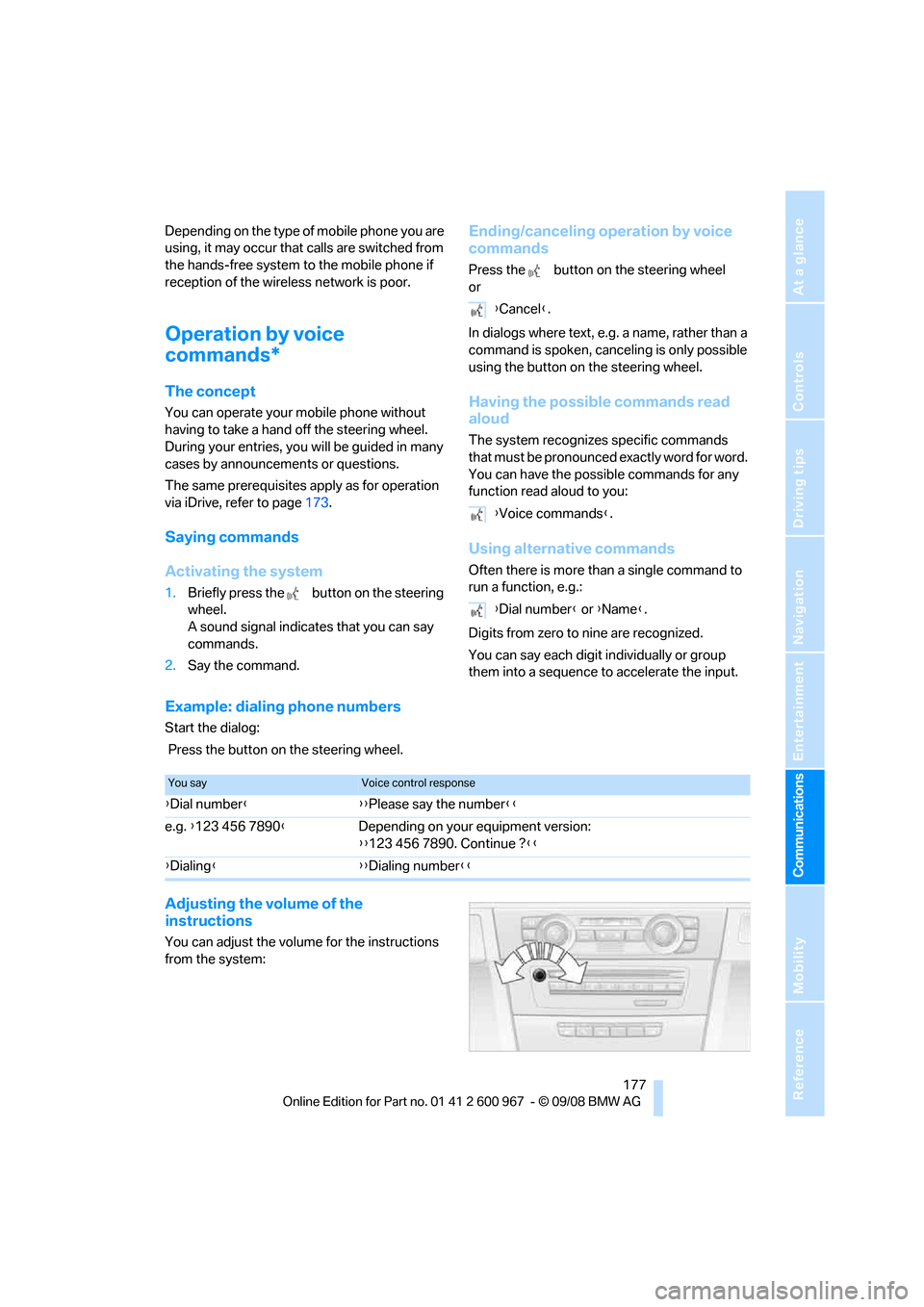
Example: dialing phone numbers
Start the dialog:
Press the button on the steering wheel.
Adjusting the volume of the
instructions
You can adjust the volume for the instructions
from the system:
{Cancel}.
{Voice commands}.
{Dial number} or {Name}.
You sayVoice control response
{Dial number}{{Please say the number}}
e.g. {123 456 7890}Depending on your equipment version:
{{123 456 7890. Continue ?}}
{Dialing}{{Dialing number}}
Page 188 of 260
BMW Assist
186
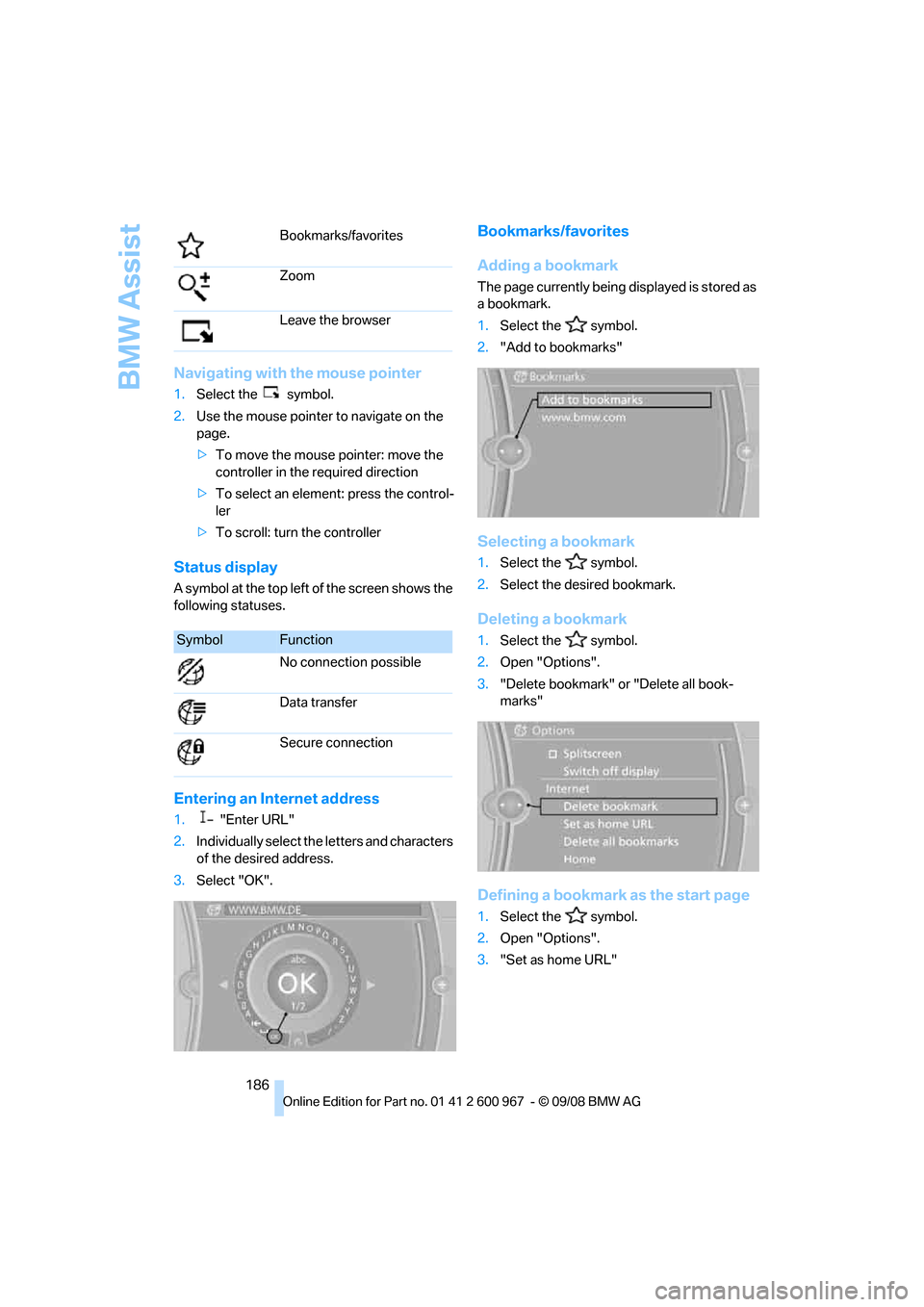
Navigating with the mouse pointer
1.Select the symbol.
2.Use the mouse pointer to navigate on the
page.
>To move the mouse pointer: move the
controller in the required direction
>To select an element: press the control-
ler
>To scroll: turn the controller
Status display
A symbol at the top left of the screen shows the
following statuses.
Entering an Internet address
1."Enter URL"
2.Individually select the letters and characters
of the desired address.
3.Select "OK".
Bookmarks/favorites
Adding a bookmark
The page currently being displayed is stored as
a bookmark.
1.Select the symbol.
2."Add to bookmarks"
Selecting a bookmark
1.Select the symbol.
2.Select the desired bookmark.
Deleting a bookmark
1.Select the symbol.
2.Open "Options".
3."Delete bookmark" or "Delete all book-
marks"
Defining a bookmark as the start page
1.Select the symbol.
2.Open "Options".
3."Set as home URL" Bookmarks/favorites
Zoom
Leave the browser
SymbolFunction
No connection possible
Data transfer
Secure connection