Rear BMW 7 SERIES 2016 G11 Repair Manual
[x] Cancel search | Manufacturer: BMW, Model Year: 2016, Model line: 7 SERIES, Model: BMW 7 SERIES 2016 G11Pages: 314, PDF Size: 7.9 MB
Page 166 of 314
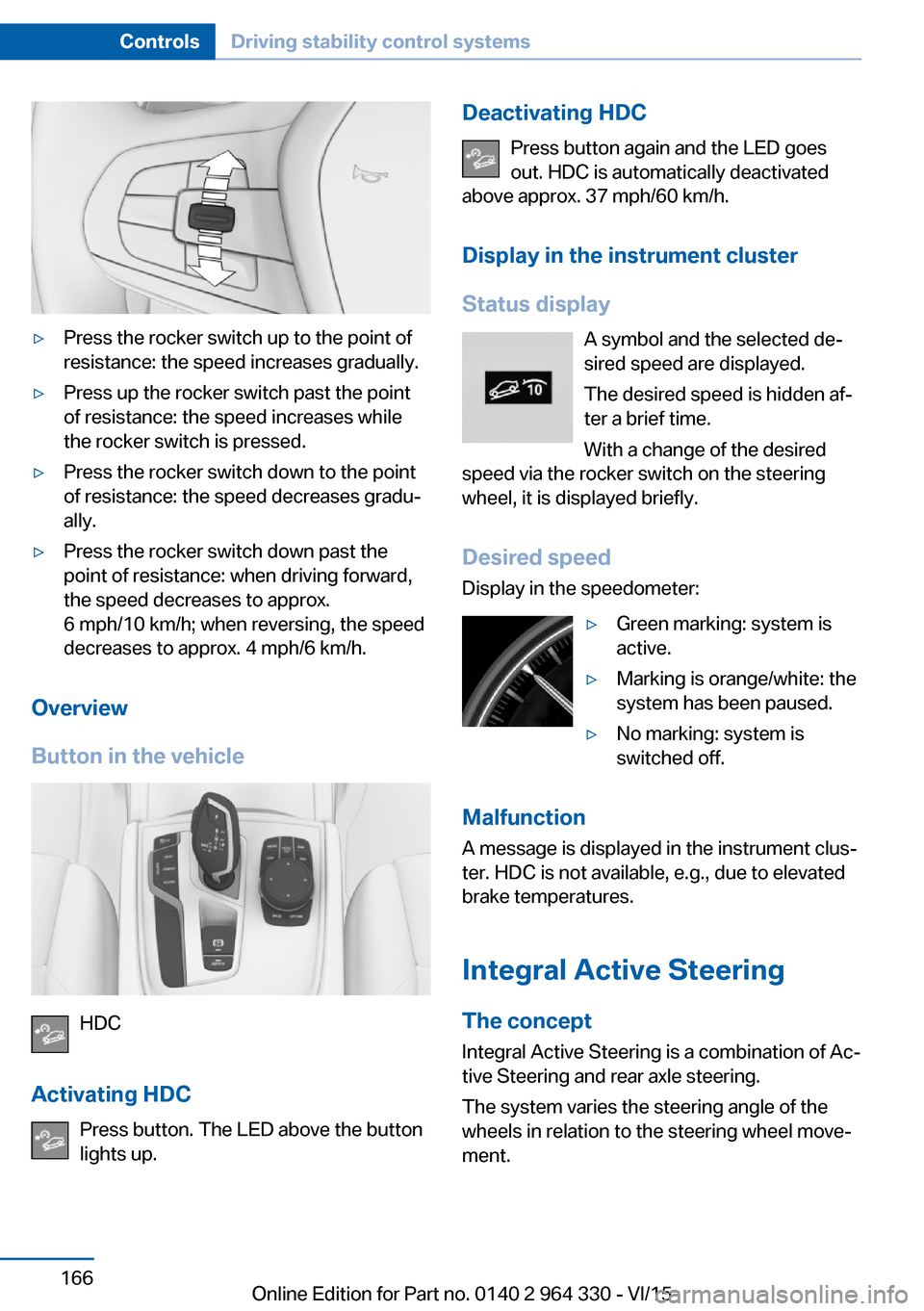
▷Press the rocker switch up to the point of
resistance: the speed increases gradually.▷Press up the rocker switch past the point
of resistance: the speed increases while
the rocker switch is pressed.▷Press the rocker switch down to the point
of resistance: the speed decreases gradu‐
ally.▷Press the rocker switch down past the
point of resistance: when driving forward,
the speed decreases to approx.
6 mph/10 km/h; when reversing, the speed
decreases to approx. 4 mph/6 km/h.
Overview
Button in the vehicle
HDC
Activating HDC Press button. The LED above the buttonlights up.
Deactivating HDC
Press button again and the LED goes
out. HDC is automatically deactivated
above approx. 37 mph/60 km/h.
Display in the instrument cluster
Status display A symbol and the selected de‐
sired speed are displayed.
The desired speed is hidden af‐
ter a brief time.
With a change of the desired
speed via the rocker switch on the steering
wheel, it is displayed briefly.
Desired speedDisplay in the speedometer:▷Green marking: system is
active.▷Marking is orange/white: the
system has been paused.▷No marking: system is
switched off.
Malfunction
A message is displayed in the instrument clus‐
ter. HDC is not available, e.g., due to elevated
brake temperatures.
Integral Active Steering The concept
Integral Active Steering is a combination of Ac‐
tive Steering and rear axle steering.
The system varies the steering angle of the
wheels in relation to the steering wheel move‐
ment.
Seite 166ControlsDriving stability control systems166
Online Edition for Part no. 0140 2 964 330 - VI/15
Page 167 of 314
With strong steering movements and low
speeds, e.g. when parking, the wheel angle is
magnified, that is, the steering is more direct.
The rear axle steering acts to increase maneu‐
verability by turning the rear wheels slightly in
a direction opposite to the front wheels.
At higher speeds, the rear wheels are turned in
the same direction as the front wheels.
In critical driving situations, the Integral Active
Steering can stabilize the vehicle through pur‐
poseful steering of the rear wheels before the
driver intervenes, e.g. in case of oversteering.
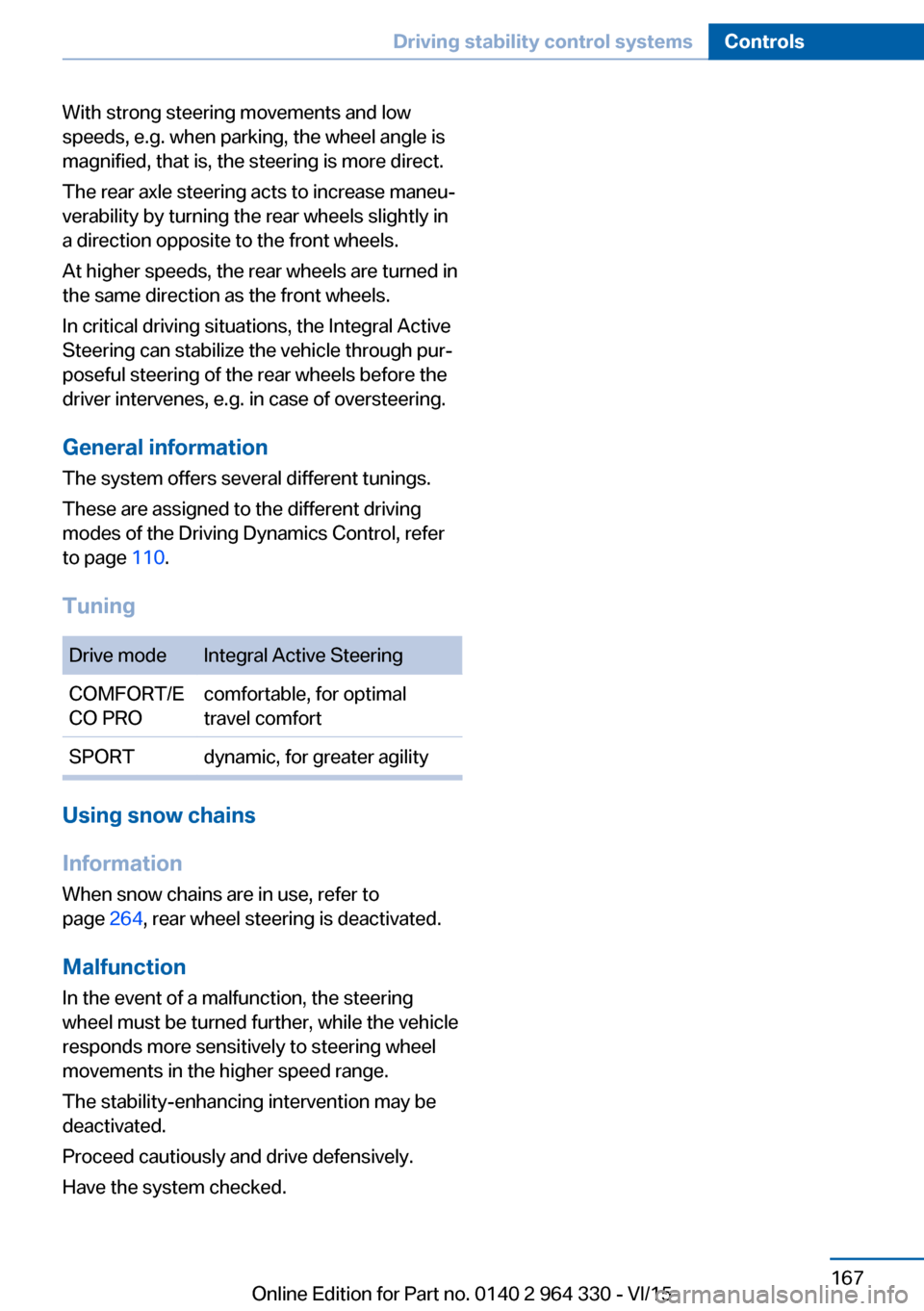
General information The system offers several different tunings.
These are assigned to the different driving
modes of the Driving Dynamics Control, refer
to page 110.
TuningDrive modeIntegral Active SteeringCOMFORT/E
CO PROcomfortable, for optimal
travel comfortSPORTdynamic, for greater agility
Using snow chains
Information When snow chains are in use, refer to
page 264, rear wheel steering is deactivated.
Malfunction
In the event of a malfunction, the steering
wheel must be turned further, while the vehicle
responds more sensitively to steering wheel
movements in the higher speed range.
The stability-enhancing intervention may be
deactivated.
Proceed cautiously and drive defensively.
Have the system checked.
Seite 167Driving stability control systemsControls167
Online Edition for Part no. 0140 2 964 330 - VI/15
Page 169 of 314
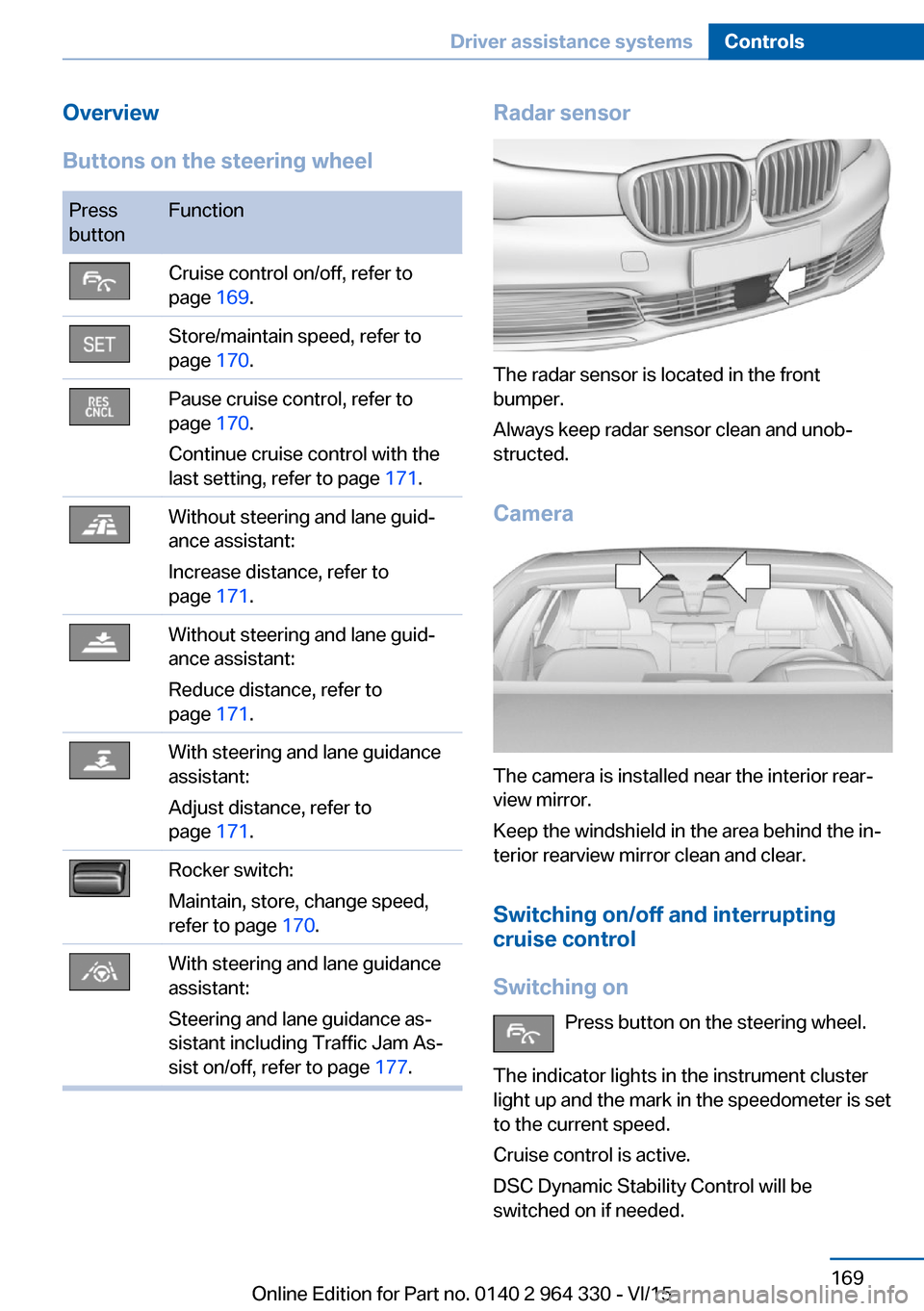
Overview
Buttons on the steering wheelPress
buttonFunctionCruise control on/off, refer to
page 169.Store/maintain speed, refer to
page 170.Pause cruise control, refer to
page 170.
Continue cruise control with the
last setting, refer to page 171.Without steering and lane guid‐
ance assistant:
Increase distance, refer to
page 171.Without steering and lane guid‐
ance assistant:
Reduce distance, refer to
page 171.With steering and lane guidance
assistant:
Adjust distance, refer to
page 171.Rocker switch:
Maintain, store, change speed,
refer to page 170.With steering and lane guidance
assistant:
Steering and lane guidance as‐
sistant including Traffic Jam As‐
sist on/off, refer to page 177.Radar sensor
The radar sensor is located in the front
bumper.
Always keep radar sensor clean and unob‐
structed.
Camera
The camera is installed near the interior rear‐
view mirror.
Keep the windshield in the area behind the in‐
terior rearview mirror clean and clear.
Switching on/off and interrupting
cruise control
Switching on Press button on the steering wheel.
The indicator lights in the instrument cluster
light up and the mark in the speedometer is set
to the current speed.
Cruise control is active.
DSC Dynamic Stability Control will be
switched on if needed.
Seite 169Driver assistance systemsControls169
Online Edition for Part no. 0140 2 964 330 - VI/15
Page 178 of 314
General information
The system determines the position of the
lane markings and the vehicle driving ahead
using five radar sensors and a camera.
Sensors on the steering wheel detect whether
the steering wheel is being touched.
In order to be able to use the system, place
your hands around the steering wheel.
The system is deactivated if the steering wheel
is no longer being touched.
Information WARNING
The system does not relieve from the
personal responsibility to correctly assess the
traffic situation. Based on the limits of the sys‐
tem, it cannot independently react to all traffic
situations. There is risk of an accident. Adjust
the driving style to the traffic conditions. Watch
traffic closely and actively interfere in the re‐
spective situations.◀
Overview
Button the steering wheelPress but‐
tonFunctionSwitch steering and lane guid‐
ance assistant including Traffic
Jam Assist on/off, refer to
page 179.
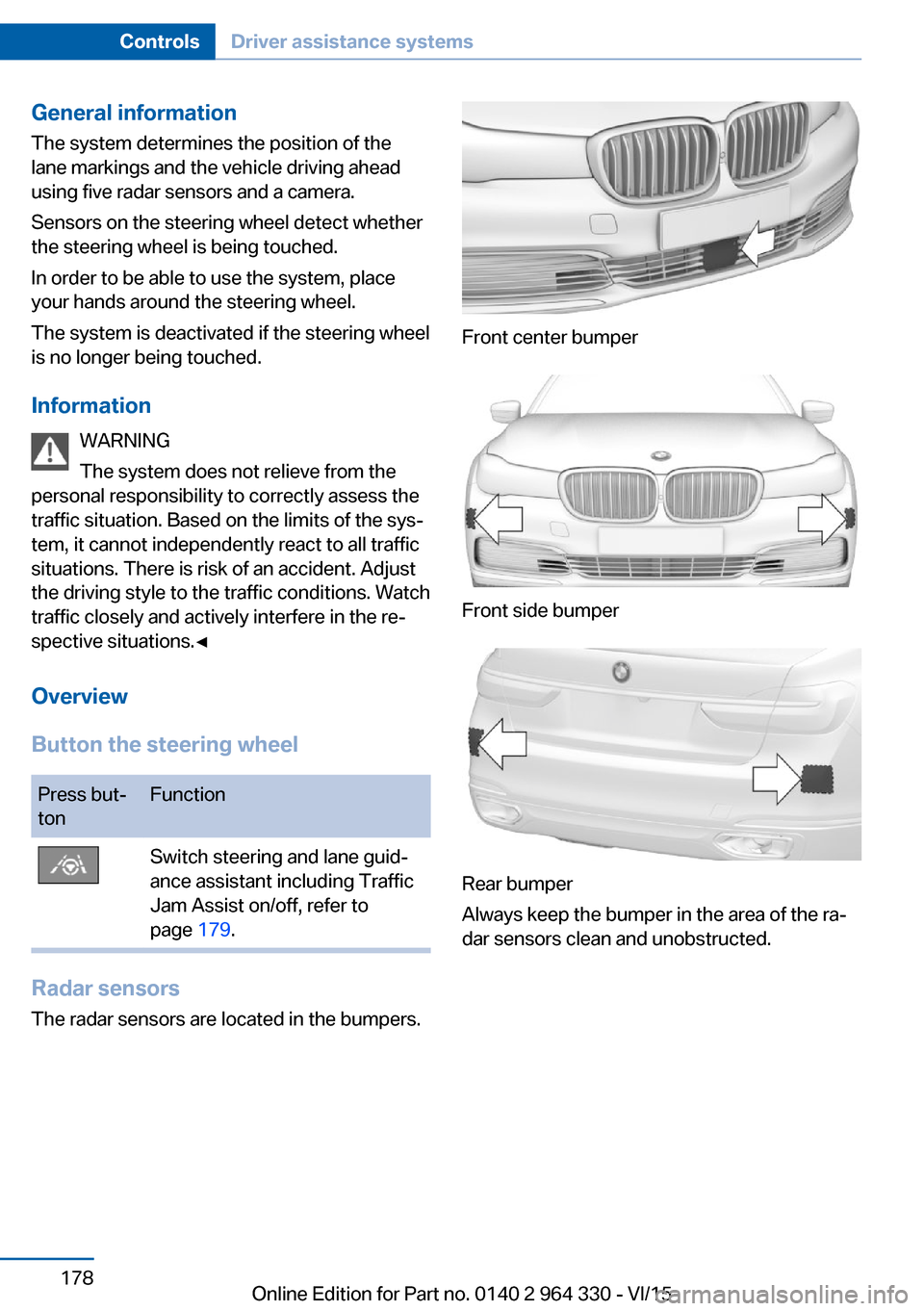
Radar sensors
The radar sensors are located in the bumpers.
Front center bumper
Front side bumper
Rear bumper
Always keep the bumper in the area of the ra‐
dar sensors clean and unobstructed.
Seite 178ControlsDriver assistance systems178
Online Edition for Part no. 0140 2 964 330 - VI/15
Page 179 of 314
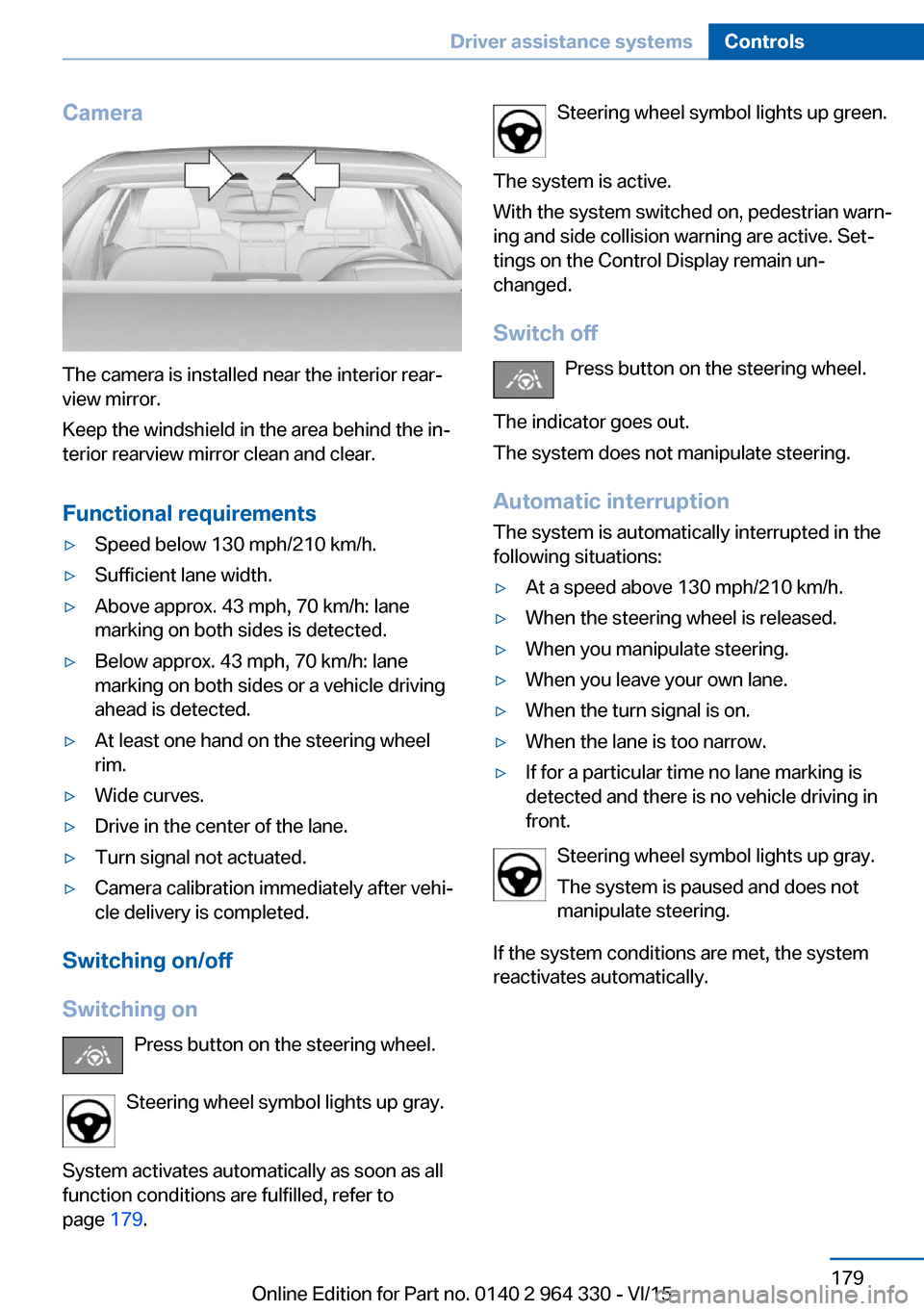
Camera
The camera is installed near the interior rear‐
view mirror.
Keep the windshield in the area behind the in‐
terior rearview mirror clean and clear.
Functional requirements
▷Speed below 130 mph/210 km/h.▷Sufficient lane width.▷Above approx. 43 mph, 70 km/h: lane
marking on both sides is detected.▷Below approx. 43 mph, 70 km/h: lane
marking on both sides or a vehicle driving
ahead is detected.▷At least one hand on the steering wheel
rim.▷Wide curves.▷Drive in the center of the lane.▷Turn signal not actuated.▷Camera calibration immediately after vehi‐
cle delivery is completed.
Switching on/off
Switching on Press button on the steering wheel.
Steering wheel symbol lights up gray.
System activates automatically as soon as all
function conditions are fulfilled, refer to
page 179.
Steering wheel symbol lights up green.
The system is active.
With the system switched on, pedestrian warn‐
ing and side collision warning are active. Set‐
tings on the Control Display remain un‐
changed.
Switch off Press button on the steering wheel.
The indicator goes out.
The system does not manipulate steering.
Automatic interruptionThe system is automatically interrupted in the
following situations:▷At a speed above 130 mph/210 km/h.▷When the steering wheel is released.▷When you manipulate steering.▷When you leave your own lane.▷When the turn signal is on.▷When the lane is too narrow.▷If for a particular time no lane marking is
detected and there is no vehicle driving in
front.
Steering wheel symbol lights up gray.
The system is paused and does not
manipulate steering.
If the system conditions are met, the system
reactivates automatically.
Seite 179Driver assistance systemsControls179
Online Edition for Part no. 0140 2 964 330 - VI/15
Page 180 of 314
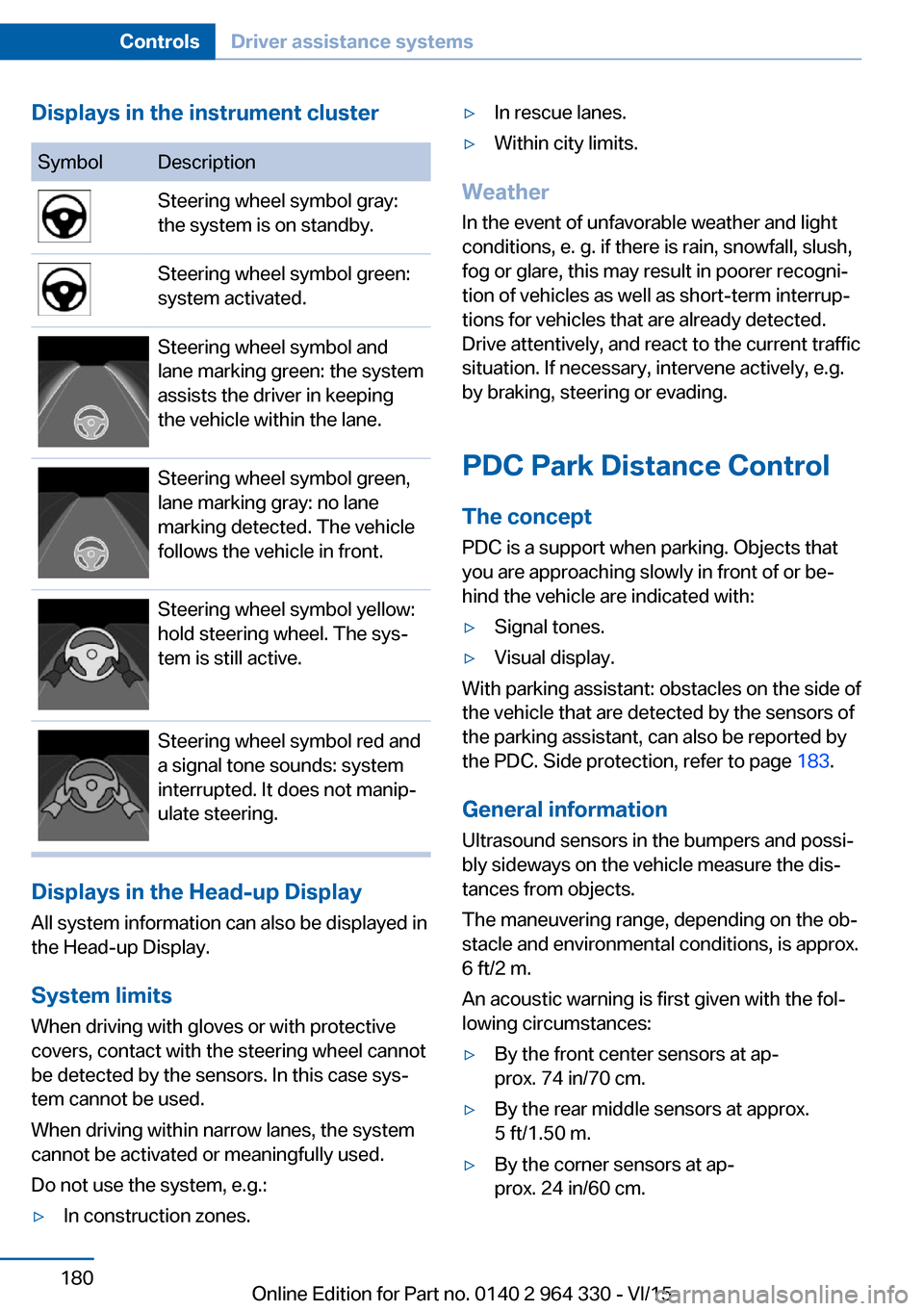
Displays in the instrument clusterSymbolDescriptionSteering wheel symbol gray:
the system is on standby.Steering wheel symbol green:
system activated.Steering wheel symbol and
lane marking green: the system
assists the driver in keeping
the vehicle within the lane.Steering wheel symbol green,
lane marking gray: no lane
marking detected. The vehicle
follows the vehicle in front.Steering wheel symbol yellow:
hold steering wheel. The sys‐
tem is still active.Steering wheel symbol red and
a signal tone sounds: system
interrupted. It does not manip‐
ulate steering.
Displays in the Head-up Display
All system information can also be displayed in
the Head-up Display.
System limits
When driving with gloves or with protective
covers, contact with the steering wheel cannot
be detected by the sensors. In this case sys‐
tem cannot be used.
When driving within narrow lanes, the system
cannot be activated or meaningfully used.
Do not use the system, e.g.:
▷In construction zones.▷In rescue lanes.▷Within city limits.
Weather
In the event of unfavorable weather and light conditions, e. g. if there is rain, snowfall, slush,
fog or glare, this may result in poorer recogni‐
tion of vehicles as well as short-term interrup‐
tions for vehicles that are already detected. Drive attentively, and react to the current trafficsituation. If necessary, intervene actively, e.g.
by braking, steering or evading.
PDC Park Distance Control The conceptPDC is a support when parking. Objects that
you are approaching slowly in front of or be‐
hind the vehicle are indicated with:
▷Signal tones.▷Visual display.
With parking assistant: obstacles on the side of
the vehicle that are detected by the sensors of
the parking assistant, can also be reported by
the PDC. Side protection, refer to page 183.
General information
Ultrasound sensors in the bumpers and possi‐
bly sideways on the vehicle measure the dis‐
tances from objects.
The maneuvering range, depending on the ob‐
stacle and environmental conditions, is approx.
6 ft/2 m.
An acoustic warning is first given with the fol‐
lowing circumstances:
▷By the front center sensors at ap‐
prox. 74 in/70 cm.▷By the rear middle sensors at approx.
5 ft/1.50 m.▷By the corner sensors at ap‐
prox. 24 in/60 cm.Seite 180ControlsDriver assistance systems180
Online Edition for Part no. 0140 2 964 330 - VI/15
Page 182 of 314
Switching on/off manuallyPress button.▷On: the LED lights up.▷Off: the LED goes out.
The rearview camera image is displayed when
the reverse gear is engaged by pressing the
button.
Display
Signal tones When approaching an object, an intermittent
sound indicates the position of the object. E. g.
if an object is detected to the left rear of the
vehicle, a signal tone sounds from the left rear
speaker.
The shorter the distance to the object, the
shorter the intervals.
If the distance to a detected object is less than
approx. 10 in/25 cm, a continuous tone is
sounded.
If there are objects in front of and behind the
vehicle at the same time, with a distance
smaller than approx. 10 in/25 cm, an alternat‐
ing constant tone will sound.
The interval tone and constant tone are
switched off if the selector lever position P is
engaged.
The interval tone is switched off after a short
time when the vehicle is stationary.
Volume
The ratio of the PDC signal tone volume to the
entertainment volume can be adjusted.
About iDrive:
1."My Vehicle"2."System settings"3."Tone"4."Volume settings"5."PDC"6.Set the desired value.
The setting is stored for the drive profile cur‐
rently used.
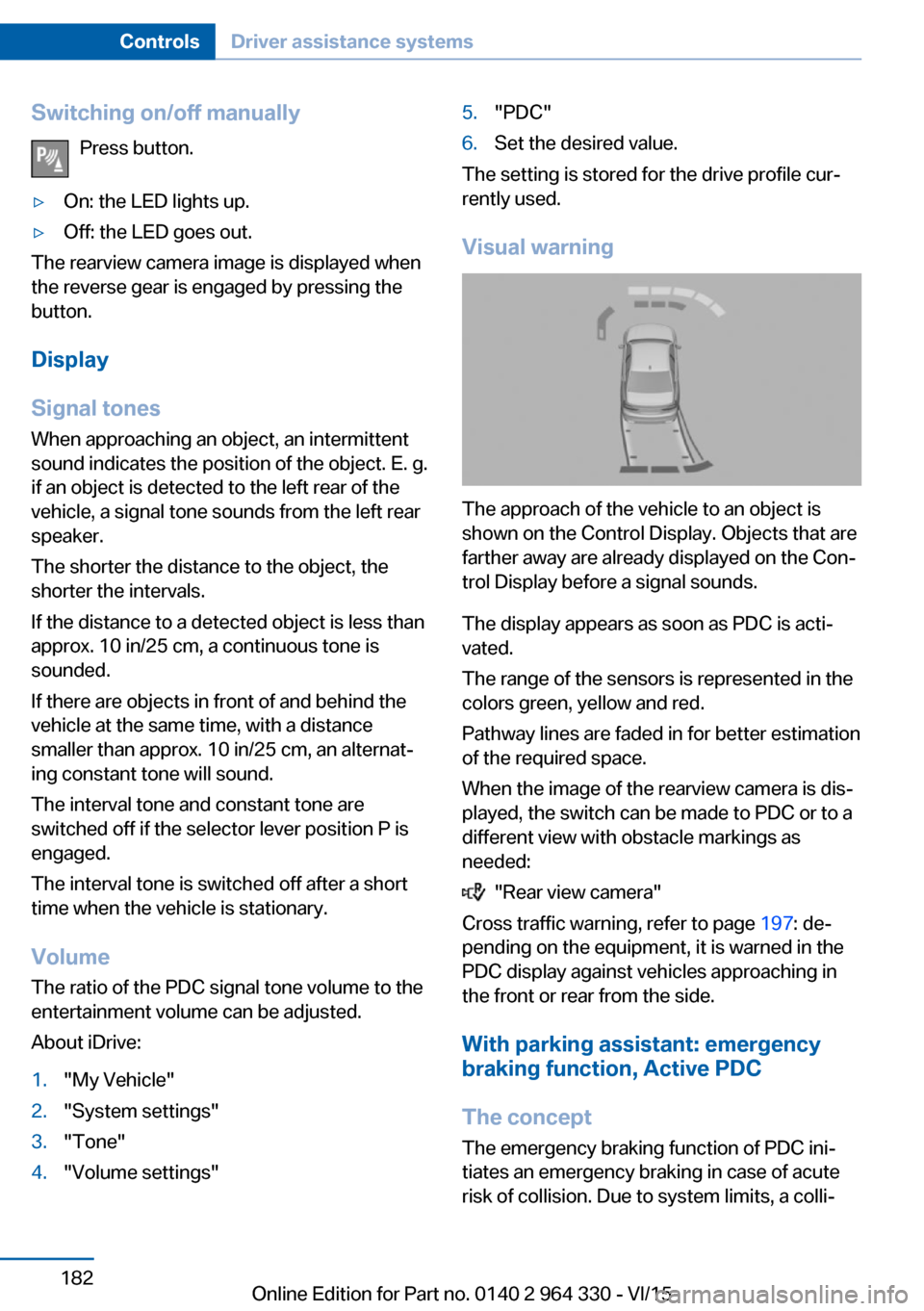
Visual warning
The approach of the vehicle to an object is
shown on the Control Display. Objects that are
farther away are already displayed on the Con‐
trol Display before a signal sounds.
The display appears as soon as PDC is acti‐
vated.
The range of the sensors is represented in the
colors green, yellow and red.
Pathway lines are faded in for better estimation
of the required space.
When the image of the rearview camera is dis‐
played, the switch can be made to PDC or to a
different view with obstacle markings as
needed:
"Rear view camera"
Cross traffic warning, refer to page 197: de‐
pending on the equipment, it is warned in the
PDC display against vehicles approaching in
the front or rear from the side.
With parking assistant: emergency
braking function, Active PDC
The concept The emergency braking function of PDC ini‐
tiates an emergency braking in case of acute
risk of collision. Due to system limits, a colli‐
Seite 182ControlsDriver assistance systems182
Online Edition for Part no. 0140 2 964 330 - VI/15
Page 184 of 314
▷For persons with certain clothing, e.g.
coats.▷With external interference of the ultra‐
sound, e.g. from passing vehicles or loud
machines.▷When sensors are dirty, iced over, dam‐
aged or out of position.▷Under certain weather conditions such as
high relative humidity, rain, snowfall, ex‐
treme heat or strong wind.▷With tow bars and trailer couplings of other
vehicles.▷With thin or wedge-shaped objects.▷With moving objects.▷With elevated, protruding objects such as
ledges or cargo.▷With objects with corners and sharp edges.▷With objects with a fine surface structure
such as fences.▷For objects with porous surfaces.
Low objects already displayed, e.g., curbs, can
move into the blind area of the sensors before
or after a continuous tone sounds.
Cargo that extends beyond the perimeter of
the vehicle is not taken into account by the
system.
False warnings
PDC may issue a warning under the following
conditions even though there is no obstacle
within the detection range:
▷In heavy rain.▷When sensors are very dirty or covered
with ice.▷When sensors are covered in snow.▷On rough road surfaces.▷On uneven surfaces, such as speed
bumps.▷In large buildings with right angles and
smooth walls, e.g., in underground ga‐
rages.▷In automatic car washes.▷Through heavy pollution.▷Due to other ultrasound sources, e.g.,
sweeping machines, high pressure steam
cleaners or neon lights.
Malfunction
A Check Control message is displayed.
White symbol is displayed, and the
range of the sensors is dimmed on the
Control Display.
PDC has failed. Have the system checked.
Without Surround View:
rearview camera
The concept The rearview camera provides assistance in
parking and maneuvering backwards. The area
behind the vehicle is shown on the Control
Display.
Information WARNING
The system does not relieve from the
personal responsibility to correctly assess the
traffic situation. There is risk of an accident.
Adjust the driving style to the traffic condi‐
tions. Watch traffic and vehicle surroundings
closely and actively interfere in the respective
situations.◀
Seite 184ControlsDriver assistance systems184
Online Edition for Part no. 0140 2 964 330 - VI/15
Page 185 of 314
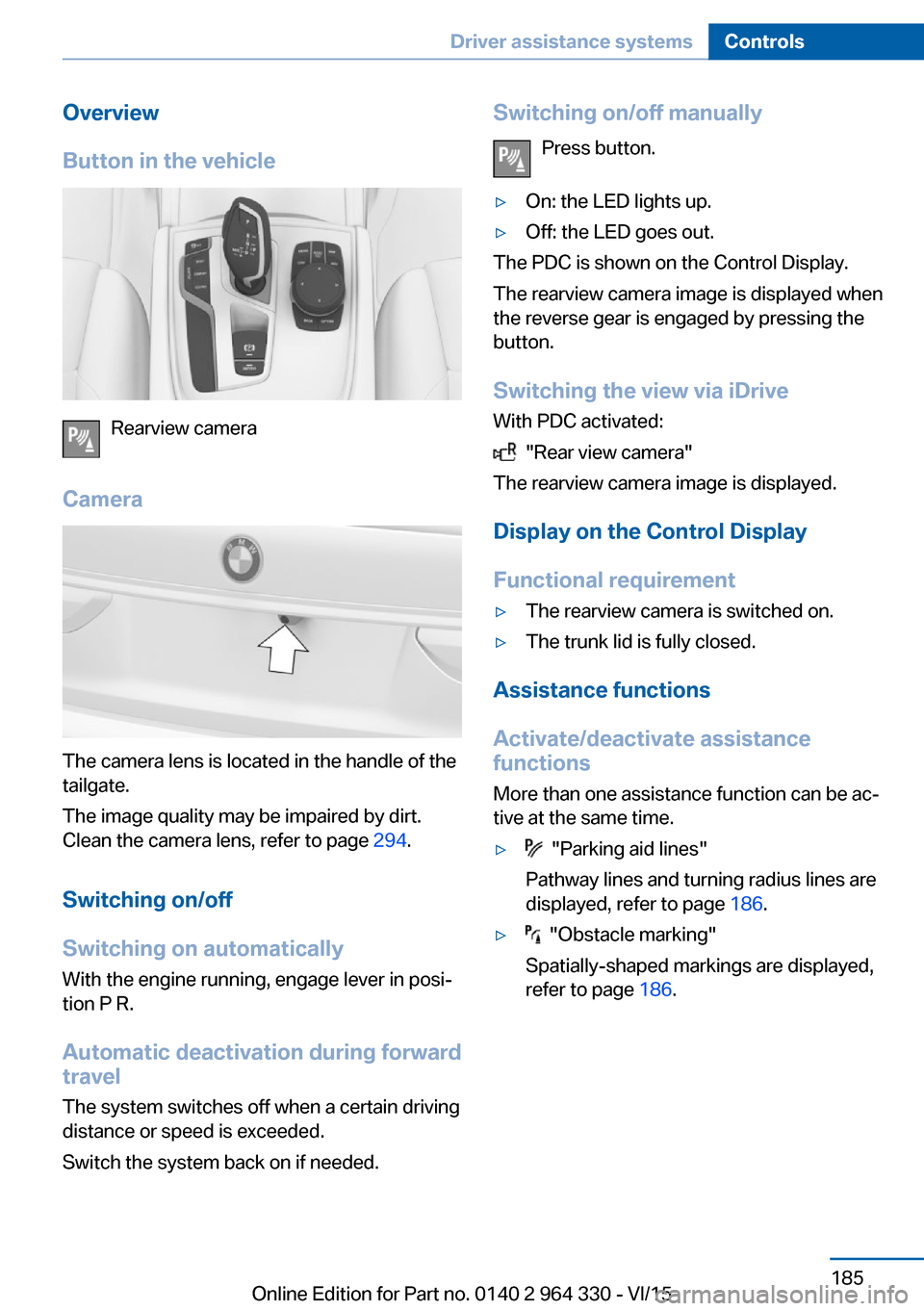
Overview
Button in the vehicle
Rearview camera
Camera
The camera lens is located in the handle of the
tailgate.
The image quality may be impaired by dirt.
Clean the camera lens, refer to page 294.
Switching on/off
Switching on automatically With the engine running, engage lever in posi‐
tion P R.
Automatic deactivation during forward travel
The system switches off when a certain driving
distance or speed is exceeded.
Switch the system back on if needed.
Switching on/off manually
Press button.▷On: the LED lights up.▷Off: the LED goes out.
The PDC is shown on the Control Display.
The rearview camera image is displayed when
the reverse gear is engaged by pressing the
button.
Switching the view via iDrive With PDC activated:
"Rear view camera"
The rearview camera image is displayed.
Display on the Control Display
Functional requirement
▷The rearview camera is switched on.▷The trunk lid is fully closed.
Assistance functions
Activate/deactivate assistance
functions
More than one assistance function can be ac‐
tive at the same time.
▷ "Parking aid lines"
Pathway lines and turning radius lines are
displayed, refer to page 186.▷ "Obstacle marking"
Spatially-shaped markings are displayed,
refer to page 186.Seite 185Driver assistance systemsControls185
Online Edition for Part no. 0140 2 964 330 - VI/15
Page 186 of 314
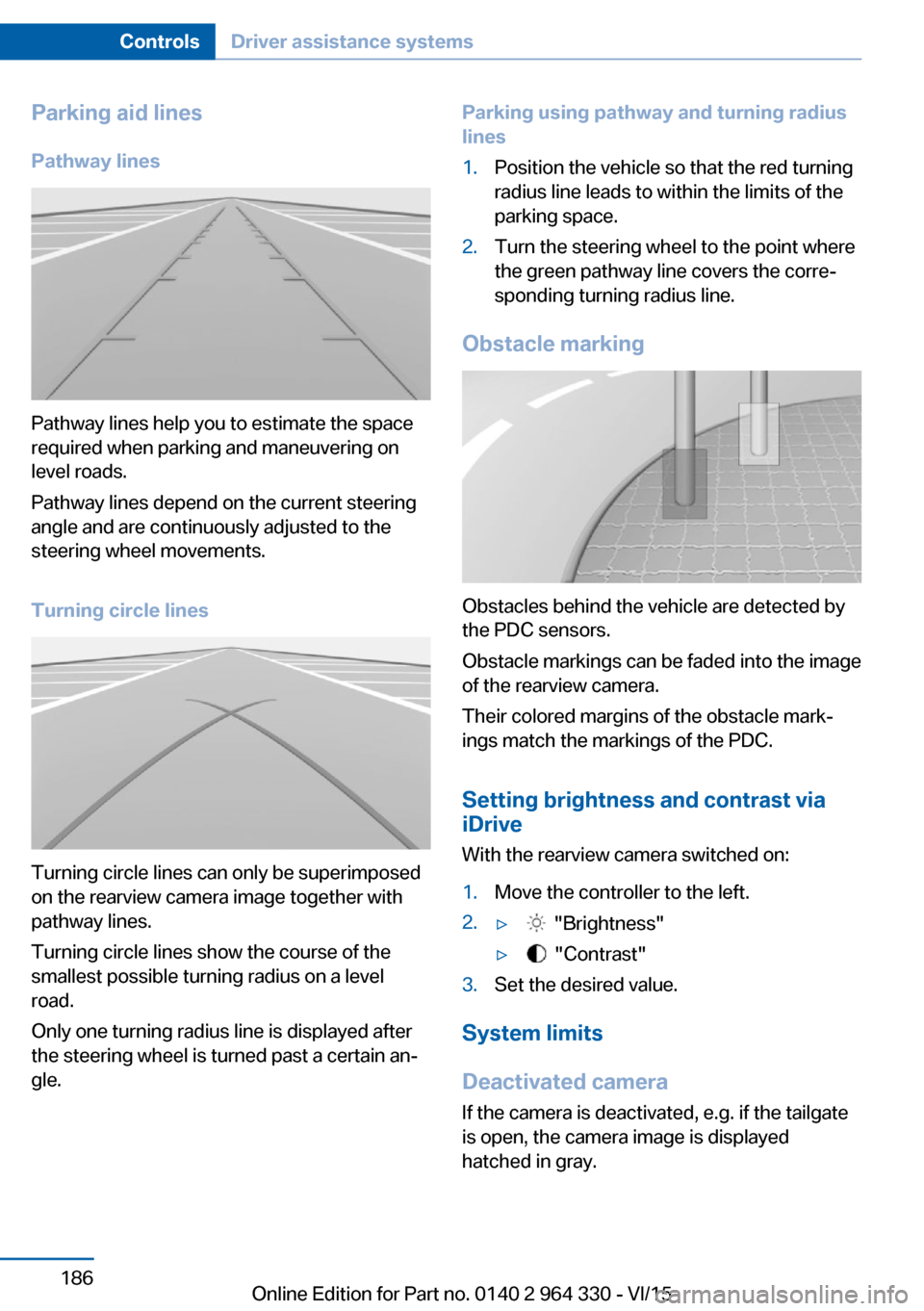
Parking aid linesPathway lines
Pathway lines help you to estimate the space
required when parking and maneuvering on
level roads.
Pathway lines depend on the current steering
angle and are continuously adjusted to the
steering wheel movements.
Turning circle lines
Turning circle lines can only be superimposed
on the rearview camera image together with
pathway lines.
Turning circle lines show the course of the
smallest possible turning radius on a level
road.
Only one turning radius line is displayed after
the steering wheel is turned past a certain an‐
gle.
Parking using pathway and turning radius
lines1.Position the vehicle so that the red turning
radius line leads to within the limits of the
parking space.2.Turn the steering wheel to the point where
the green pathway line covers the corre‐
sponding turning radius line.
Obstacle marking
Obstacles behind the vehicle are detected by
the PDC sensors.
Obstacle markings can be faded into the image
of the rearview camera.
Their colored margins of the obstacle mark‐
ings match the markings of the PDC.
Setting brightness and contrast via
iDrive
With the rearview camera switched on:
1.Move the controller to the left.2.▷ "Brightness"▷ "Contrast"3.Set the desired value.
System limits
Deactivated camera If the camera is deactivated, e.g. if the tailgate
is open, the camera image is displayed
hatched in gray.
Seite 186ControlsDriver assistance systems186
Online Edition for Part no. 0140 2 964 330 - VI/15