low BMW 740LI SEDAN 2015 Owners Manual
[x] Cancel search | Manufacturer: BMW, Model Year: 2015, Model line: 740LI SEDAN, Model: BMW 740LI SEDAN 2015Pages: 314, PDF Size: 7.9 MB
Page 6 of 314
InformationUsing this Owner's ManualOrientation
The fastest way to find information on a partic‐
ular topic is by using the index.
An initial overview of the vehicle is provided in
the first chapter.
Updates made after the editorialdeadline
Any updates made after the editorial deadline
can be found in the appendix of the printed
Owner's Handbook for Vehicle.
User's manual for Navigation,
Entertainment, Communication
The Owner's Manual for Navigation, Entertain‐
ment, and Communication is available as
printed book at your service center.
The topics of Navigation, Entertainment, and
Communication can be retrieved on the Con‐
trol Display via the Integrated Owner's Manual
and in the BMW Driver’s Guide app.
Additional sources of
information
A dealer’s service center or another qualified
service center or repair shop will be glad to an‐
swer additional questions at any time.
Information on BMW, e.g., on technology, is
available on the Internet: www.bmwusa.com.
BMW Driver’s Guide App
The Owner's Manual is available in many coun‐
tries as an app. Additional information on the
Internet:
www.bmw.com/bmw_drivers_guideSymbols and displays
Symbols in the Owner's Manual
Indicates precautions that must be followed
precisely in order to avoid the possibility of
personal injury and serious damage to the
vehicle.
◄ Marks the end of a specific item of
information.
Refers to measures that can be taken to
help protect the environment.
"..." Identifies display texts in vehicle used to
select individual functions.
›...‹ Verbal instructions to use with the voice
activation system.
››...‹‹ Identifies the answers generated by the
voice activation system.
Action steps Action steps to be carried out are presented as
numbered list. The steps must be carried out
in the defined order.
1.First action step.2.Second action step.
Enumerations
Enumerations without mandatory order or al‐
ternative possibilities are presented as list with
bullet points.
▷First possibility.▷Second possibility.
Symbols on vehicle components
Indicates that you should consult the
relevant section of this Owner's Manual for
information on a particular part or assembly.
Seite 6Information6
Online Edition for Part no. 0140 2 964 330 - VI/15
Page 8 of 314
BMW warrants genuine BMW parts and acces‐
sories.
BMW does not evaluate whether each individ‐
ual product from another manufacturer can be
used with BMW vehicles without presenting a
safety hazard, even if a country-specific official
approval was issued. BMW does not evaluate
whether these products are suitable for BMW
vehicles under all usage conditions.
California Proposition 65 Warning California laws require us to state the following
warning:
Engine exhaust and a wide variety of automo‐
bile components and parts, including compo‐
nents found in the interior furnishings in a vehi‐
cle, contain or emit chemicals known to the
State of California to cause cancer and birth
defects and reproductive harm. In addition,
certain fluids contained in vehicles and certain
products of component wear contain or emit
chemicals known to the State of California to
cause cancer and birth defects or other repro‐
ductive harm. Battery posts, terminals and re‐
lated accessories contain lead and lead com‐
pounds. Wash your hands after handling. Used
engine oil contains chemicals that have caused
cancer in laboratory animals. Always protect
your skin by washing thoroughly with soap and
water.
Service and warranty
We recommend that you read this publication
thoroughly. Your vehicle is covered by the fol‐
lowing warranties:▷New Vehicle Limited Warranty.▷Rust Perforation Limited Warranty.▷Federal Emissions System Defect War‐
ranty.▷Federal Emissions Performance Warranty.▷California Emission Control System Lim‐
ited Warranty.
Detailed information about these warranties is
listed in the Service and Warranty Information
Booklet for US models or in the Warranty and
Service Guide Booklet for Canadian models.
Your vehicle has been specifically adapted and
designed to meet the particular operating con‐
ditions and homologation requirements in your
country and continental region in order to de‐
liver the full driving pleasure while the vehicle
is operated under those conditions. If you wish
to operate your vehicle in another country or
region, you may be required to adapt your ve‐
hicle to meet different prevailing operating
conditions and homologation requirements.
You should also be aware of any applicable
warranty limitations or exclusions for such
country or region. In such case, please contact
Customer Relations for further information.
Maintenance
Maintain the vehicle regularly to sustain the
road safety, operational reliability and the New
Vehicle Limited Warranty.
Specifications for required maintenance meas‐
ures:▷BMW Maintenance system▷Service and Warranty Information Booklet
for US models▷Warranty and Service Guide Booklet for
Canadian models
If the vehicle is not maintained according to
these specifications, this could result in seri‐
ous damage to the vehicle. Such damage is
not covered by the BMW New Vehicle Limited
Warranty.
Data memory
Many electronic components on your vehicle
are equipped with data memories that tempo‐
rarily or permanently store technical informa‐
tion about the condition of the vehicle, events
and faults. This technical information generally
records the state of a component, a module, a system or the environment:
Seite 8Information8
Online Edition for Part no. 0140 2 964 330 - VI/15
Page 10 of 314
Vehicle identification
number
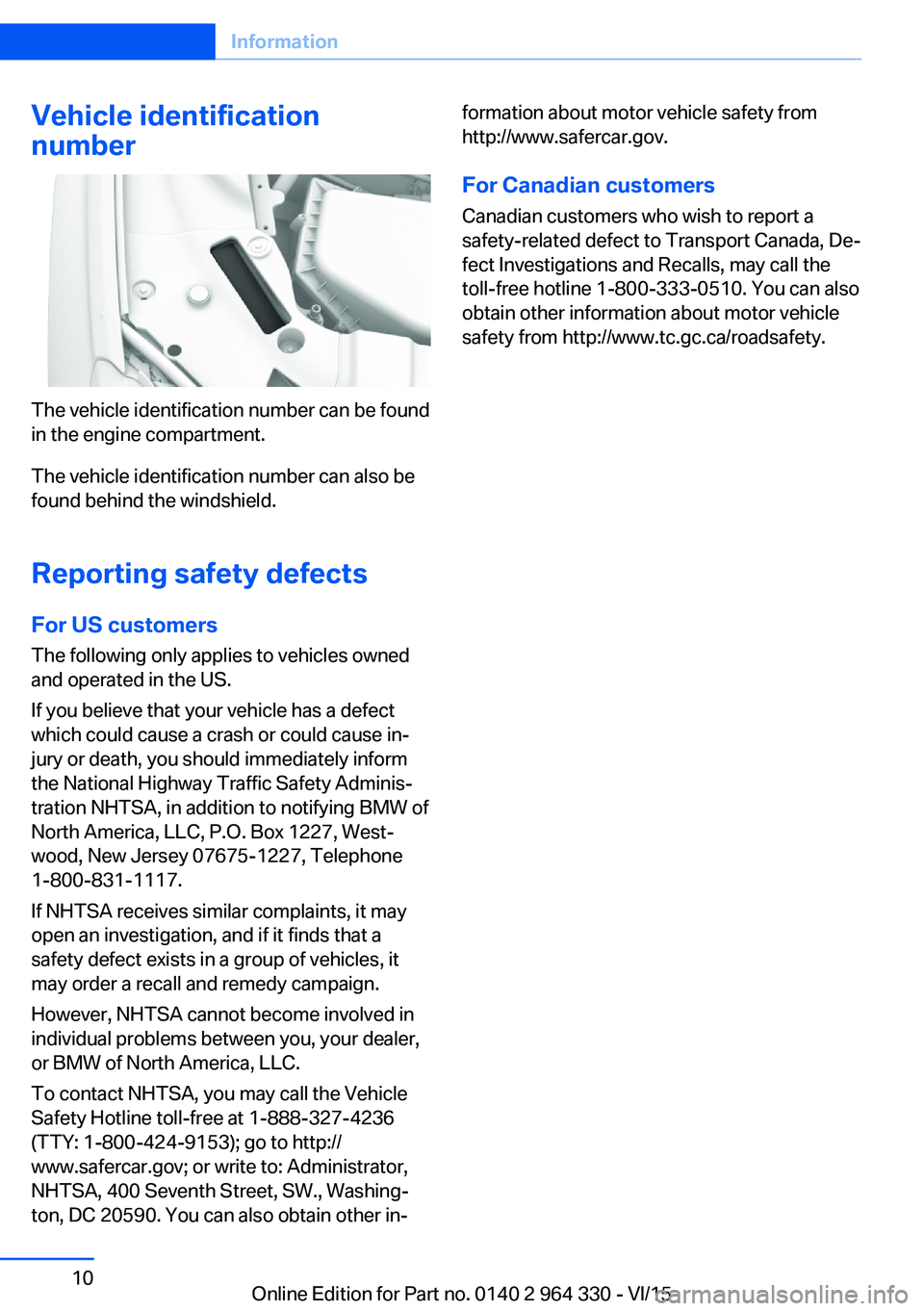
The vehicle identification number can be found
in the engine compartment.
The vehicle identification number can also be
found behind the windshield.
Reporting safety defects
For US customers The following only applies to vehicles owned
and operated in the US.
If you believe that your vehicle has a defect
which could cause a crash or could cause in‐
jury or death, you should immediately inform
the National Highway Traffic Safety Adminis‐
tration NHTSA, in addition to notifying BMW of
North America, LLC, P.O. Box 1227, West‐
wood, New Jersey 07675-1227, Telephone
1-800-831-1117.
If NHTSA receives similar complaints, it may
open an investigation, and if it finds that a
safety defect exists in a group of vehicles, it
may order a recall and remedy campaign.
However, NHTSA cannot become involved in
individual problems between you, your dealer,
or BMW of North America, LLC.
To contact NHTSA, you may call the Vehicle
Safety Hotline toll-free at 1-888-327-4236
(TTY: 1-800-424-9153); go to http://
www.safercar.gov; or write to: Administrator,
NHTSA, 400 Seventh Street, SW., Washing‐
ton, DC 20590. You can also obtain other in‐
formation about motor vehicle safety from
http://www.safercar.gov.
For Canadian customers
Canadian customers who wish to report a
safety-related defect to Transport Canada, De‐
fect Investigations and Recalls, may call the
toll-free hotline 1-800-333-0510. You can also
obtain other information about motor vehicle
safety from http://www.tc.gc.ca/roadsafety.Seite 10Information10
Online Edition for Part no. 0140 2 964 330 - VI/15
Page 15 of 314
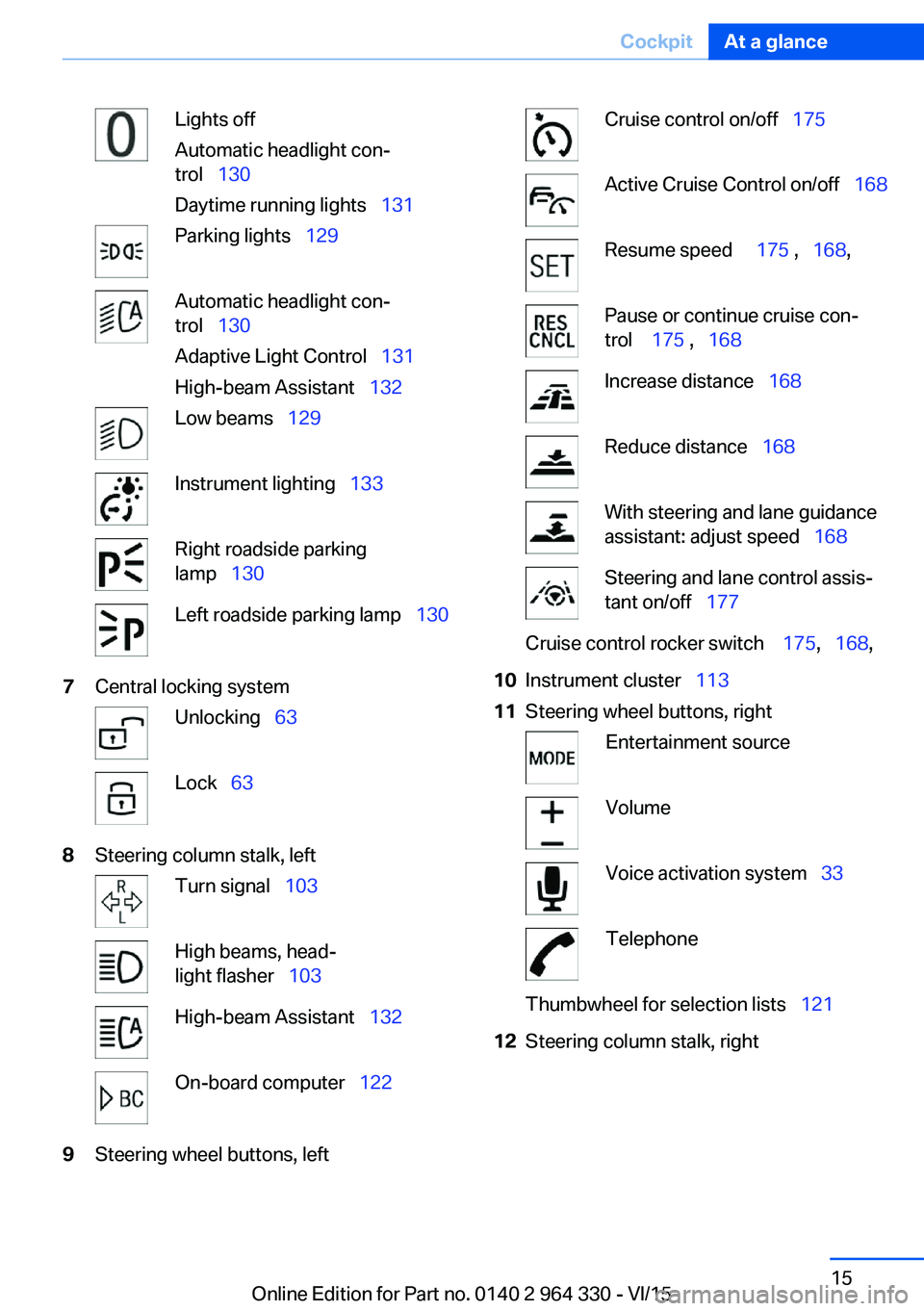
Lights off
Automatic headlight con‐
trol 130
Daytime running lights 131Parking lights 129Automatic headlight con‐
trol 130
Adaptive Light Control 131
High-beam Assistant 132Low beams 129Instrument lighting 133Right roadside parking
lamp 130Left roadside parking lamp 1307Central locking systemUnlocking 63Lock 638Steering column stalk, leftTurn signal 103High beams, head‐
light flasher 103High-beam Assistant 132On-board computer 1229Steering wheel buttons, leftCruise control on/off 175Active Cruise Control on/off 168Resume speed 175 , 168 ,Pause or continue cruise con‐
trol 175 , 168Increase distance 168Reduce distance 168With steering and lane guidance
assistant: adjust speed 168Steering and lane control assis‐
tant on/off 177Cruise control rocker switch 175, 168 ,10Instrument cluster 11311Steering wheel buttons, rightEntertainment sourceVolumeVoice activation system 33TelephoneThumbwheel for selection lists 12112Steering column stalk, rightSeite 15CockpitAt a glance15
Online Edition for Part no. 0140 2 964 330 - VI/15
Page 19 of 314
Idle state, operating and drive readinessVehicle features and optionsThis chapter describes all standard, country-
specific and optional features offered with the
series. It also describes features that are not
necessarily available in your car, e. g., due to
the selected options or country versions. This
also applies to safety-related functions and
systems. The respectively applicable country
provisions must be observed when using the
respective features and systems.
General information Depending on the situation, the vehicle is in
one of the three states:▷Idle state.▷Operating readiness.▷Drive readiness.
Idle state
The concept The vehicle is switched off in idle state. All
electronic systems/power consumers are de‐
activated.
General information
The vehicle is in idle state prior to opening
from the outside and after exiting and locking.
Information WARNING
An unsecured vehicle can put itself into
motion and roll away. There is risk of an acci‐
dent. Before exiting, secure the vehicle against
rolling.
In order to ensure that the vehicle is secured
against rolling away, observe the following:
▷Set the parking brake.▷On uphill grades or on a slope, turn the
front wheels in the direction of the curb.▷On uphill grades or on a slope, also secure
the vehicle, e.g. with a wheel chock.◀
WARNING
Unattended children or animals can
move the vehicle and endanger themselves
and traffic, e.g. with the following actions:
▷Pressing the Start/Stop button.▷Releasing the parking brake.▷Opening and closing of doors or windows.▷Shifting the selector lever into neutral.▷Using vehicle equipment.
There is risk of accidents or injuries. Do not
leave children or animals unattended in the ve‐
hicle. Carry remote control along when exiting
and lock the vehicle.◀
Idle state automatic
The idle state is automatically established:
▷After several minutes, if no operation takes
place on the vehicle.▷If the charging state of the vehicle batteries
is low.▷If one of the front doors is opened, de‐
pending on the setting via iDrive,
The idle state is not automatically established
while a phone call is active.
Establishing idle state when opening
the front doors
About iDrive:
1."My Vehicle"2."Vehicle settings"3."Doors/Key"4."Turn off after door opening"Seite 19Idle state, operating and drive readinessAt a glance19
Online Edition for Part no. 0140 2 964 330 - VI/15
Page 21 of 314
iDriveVehicle features and options
This chapter describes all standard, country-
specific and optional features offered with the
series. It also describes features that are not
necessarily available in your car, e. g., due to
the selected options or country versions. This
also applies to safety-related functions and
systems. The respectively applicable country
provisions must be observed when using the
respective features and systems.
The concept
The iDrive combines the functions of many
switches. These functions can be operated via
controller or touchscreen.
Information WARNING
Operating the integrated information
system and communication devices while driv‐
ing can distract from traffic. It is possible to
lose control of the vehicle. There is risk of an
accident. Only use the systems or devices
when the traffic situation allows. If necessary
stop and use the systems and devices while
the vehicle is stationary.◀Control elements
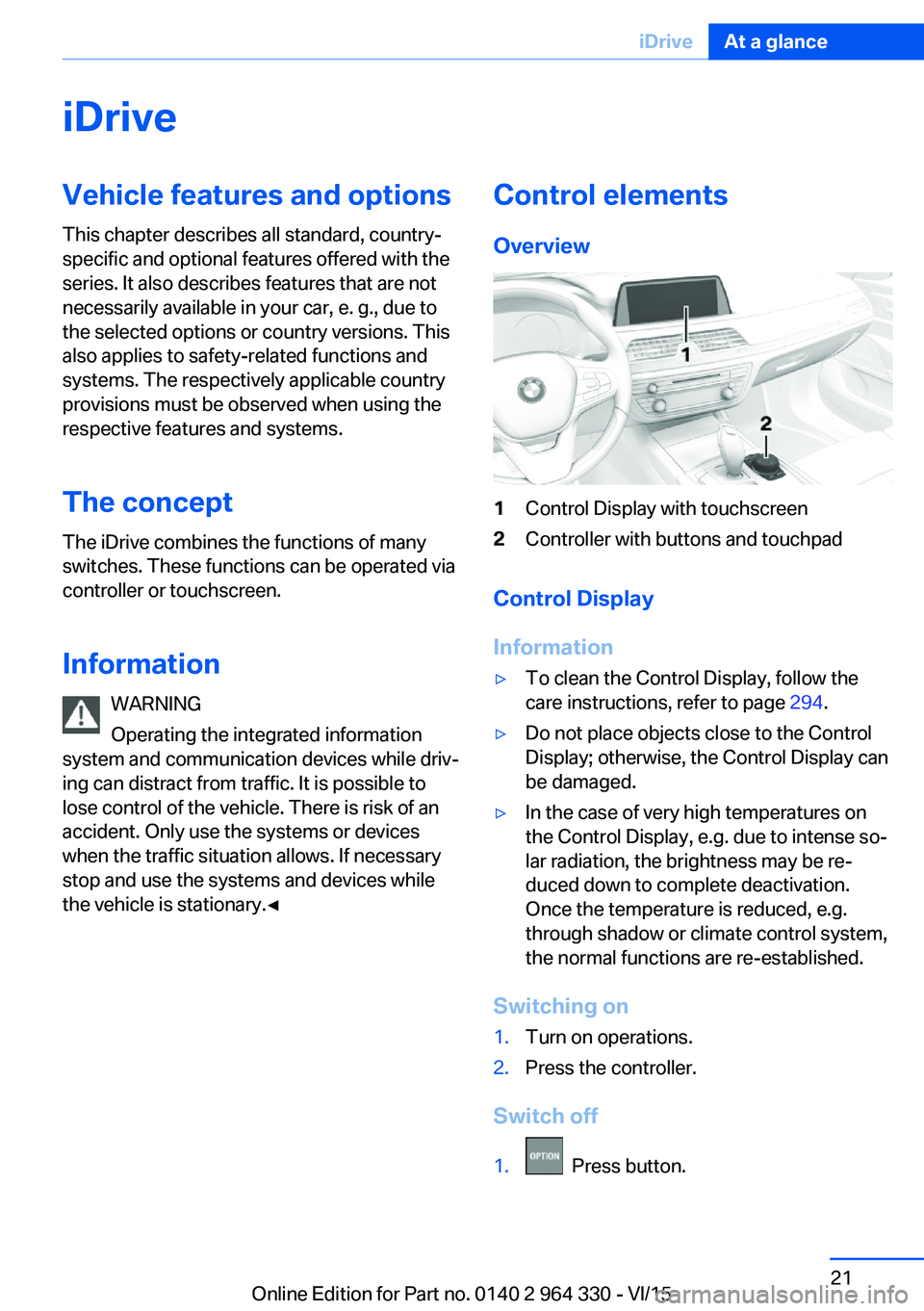
Overview1Control Display with touchscreen2Controller with buttons and touchpad
Control Display
Information
▷To clean the Control Display, follow the
care instructions, refer to page 294.▷Do not place objects close to the Control
Display; otherwise, the Control Display can
be damaged.▷In the case of very high temperatures on
the Control Display, e.g. due to intense so‐
lar radiation, the brightness may be re‐
duced down to complete deactivation.
Once the temperature is reduced, e.g.
through shadow or climate control system,
the normal functions are re-established.
Switching on
1.Turn on operations.2.Press the controller.
Switch off
1. Press button.
Seite 21iDriveAt a glance21
Online Edition for Part no. 0140 2 964 330 - VI/15
Page 24 of 314
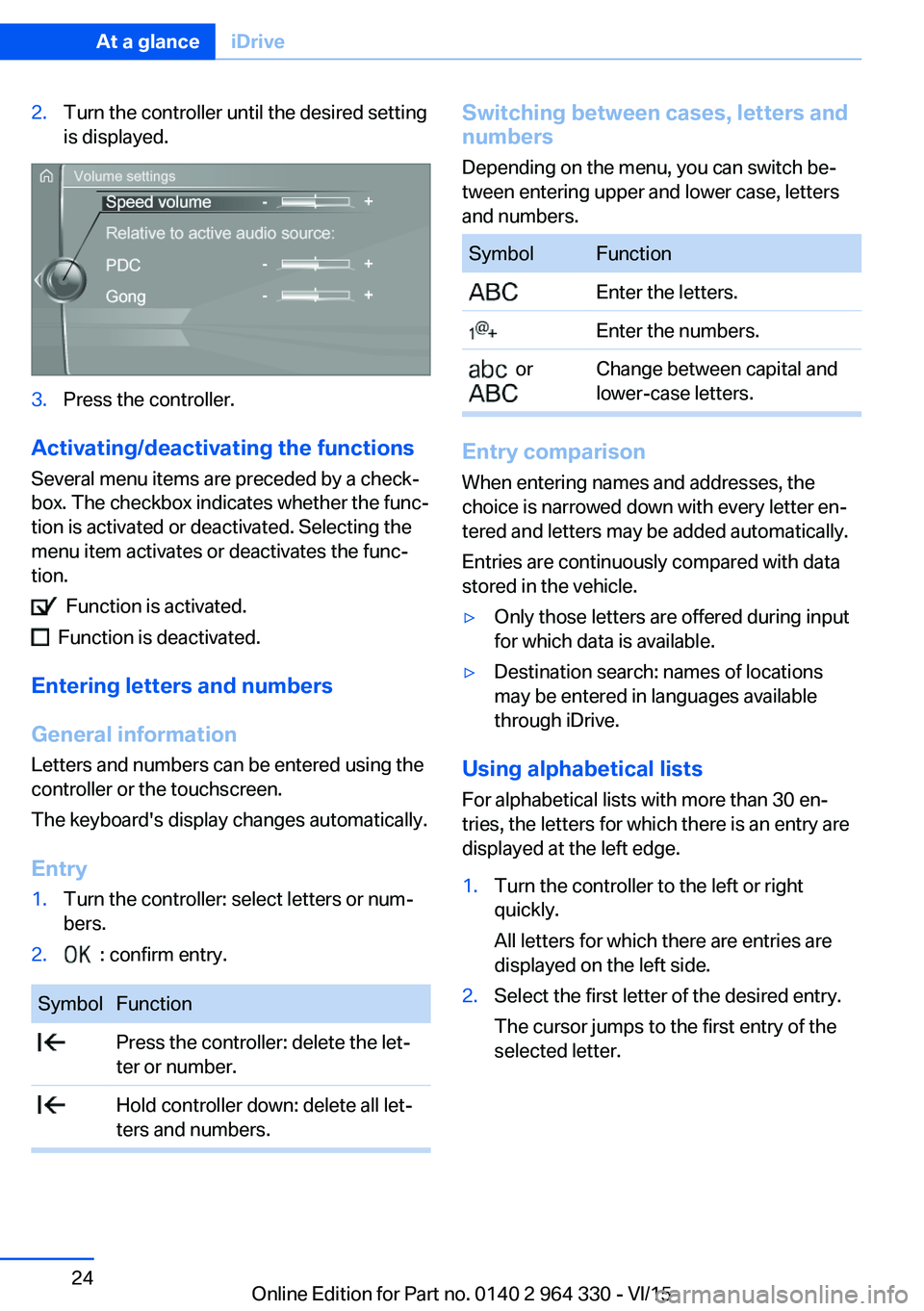
2.Turn the controller until the desired setting
is displayed.3.Press the controller.
Activating/deactivating the functions
Several menu items are preceded by a check‐
box. The checkbox indicates whether the func‐
tion is activated or deactivated. Selecting the
menu item activates or deactivates the func‐
tion.
Function is activated.
Function is deactivated.
Entering letters and numbers
General information
Letters and numbers can be entered using the
controller or the touchscreen.
The keyboard's display changes automatically.
Entry
1.Turn the controller: select letters or num‐
bers.2. : confirm entry.SymbolFunction Press the controller: delete the let‐
ter or number. Hold controller down: delete all let‐
ters and numbers.Switching between cases, letters and
numbers
Depending on the menu, you can switch be‐
tween entering upper and lower case, letters
and numbers.SymbolFunction Enter the letters. Enter the numbers. or
Change between capital and
lower-case letters.
Entry comparison
When entering names and addresses, the
choice is narrowed down with every letter en‐
tered and letters may be added automatically.
Entries are continuously compared with data
stored in the vehicle.
▷Only those letters are offered during input
for which data is available.▷Destination search: names of locations
may be entered in languages available
through iDrive.
Using alphabetical lists
For alphabetical lists with more than 30 en‐
tries, the letters for which there is an entry are
displayed at the left edge.
1.Turn the controller to the left or right
quickly.
All letters for which there are entries are
displayed on the left side.2.Select the first letter of the desired entry.
The cursor jumps to the first entry of the
selected letter.Seite 24At a glanceiDrive24
Online Edition for Part no. 0140 2 964 330 - VI/15
Page 26 of 314
Entering letters and numbers
General information
Letters and numbers can be entered using the
controller or the touchscreen.
The keyboard's display changes automatically.SymbolFunction Tapping the symbol: delete the let‐
ter or number. Tapping the symbol for an extended
period: delete all letters or numbers.
Switching between cases, letters and
numbers
SymbolFunction Enter the letters. Enter the numbers. or
Change between capital and
lower-case letters.
Operating navigation map
The navigation map can be moved with the
touchscreen.
FunctionControlsEnlarge/shrink
map.Drag in or out with the fin‐
gers.Rotate map.Move fingers in a circle.
Touchpad
General information
Some iDrive functions can be operated using
the touchpad on the controller.
Selecting functions1."My Vehicle"2."System settings"3."Touchpad"4.Select desired setting.▷"Speller": enter letters and numbers.▷"Interactive map": viewing the interac‐
tive map.▷"Browser": enter Internet addresses.▷"Search fields": write letters without
selecting the list field.▷"Audio feedback": pronounces entered
letters and numbers.▷"Two-finger scrolling": operate lists.
Entering letters and numbers
Entering letters requires some practice at the
beginning. When entering, pay attention to the
following:
▷The system recognizes capital and lower
case letters. For the input of upper/lower
case letters and numbers, it may be neces‐
sary to switch to the corresponding input
mode, e.g. when upper and lower case let‐
ters are written the same way. Switching
between cases, numbers and letters, refer
to page 24.▷Enter characters as they are displayed on
the Control Display.▷Always enter associated characters, such
as accents or periods so that the letter can
be clearly recognized. Possible input de‐
pends on the set language. Where neces‐
sary, enter special characters via the con‐
troller.▷To delete a character, swipe to the left on
the touchpad.▷To enter a blank space, slide to the right in
the center of the touchpad.▷To enter a hyphen, slide to the right in the
upper area of the touchpad.Seite 26At a glanceiDrive26
Online Edition for Part no. 0140 2 964 330 - VI/15
Page 27 of 314
▷To enter an underscore, swipe to the right
in the lower area of the touchpad.
Using interactive map and Internet
Via touch-pad move the interactive map in the
navigation system and Internet sites.
FunctionControlsMove interactive map or
Internet sites.Swipe in the ap‐
propriate direc‐
tion.Enlarge/shrink interactive
map or Internet sites.Drag in or out on
the touchpad with
fingers.Display the menu or
open a link in the Inter‐
net.Tap once.
Changing settings
You may change control display settings via
touchpad. Slide left or right accordingly.
Split screen
General information Additional information can be displayed on the
right side of the split screen, e.g., information
from the on-board comupter.
In the divided screen view, the so-called split
screen, this information remains visible even
when you change to another menu.
Switching the split screen on and off
1. Press button.2."Split screen"
Selecting the display
1. Press button.2.Move the controller to the right until the
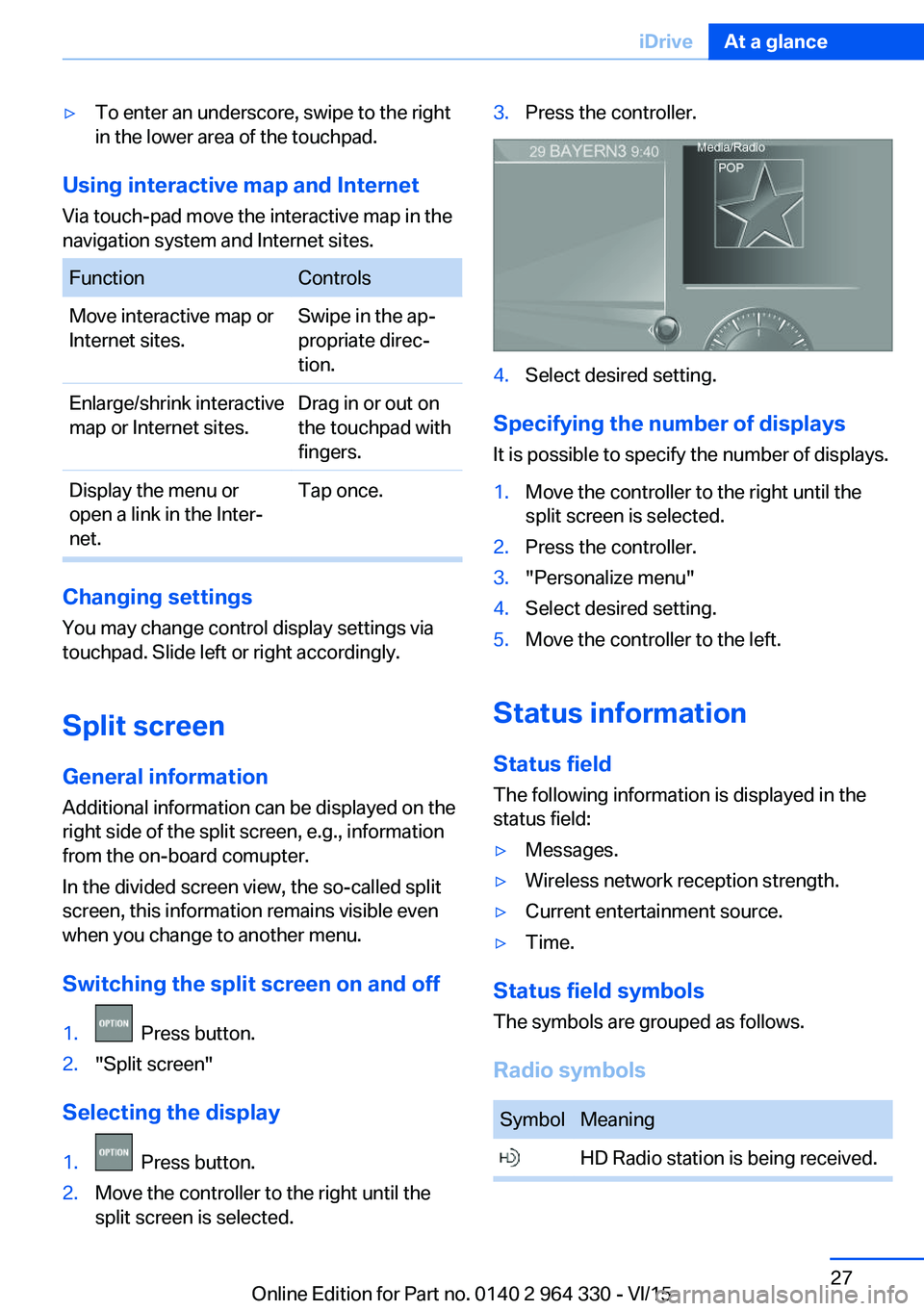
split screen is selected.3.Press the controller.4.Select desired setting.
Specifying the number of displays
It is possible to specify the number of displays.
1.Move the controller to the right until the
split screen is selected.2.Press the controller.3."Personalize menu"4.Select desired setting.5.Move the controller to the left.
Status information
Status field The following information is displayed in the
status field:
▷Messages.▷Wireless network reception strength.▷Current entertainment source.▷Time.
Status field symbols
The symbols are grouped as follows.
Radio symbols
SymbolMeaning HD Radio station is being received.Seite 27iDriveAt a glance27
Online Edition for Part no. 0140 2 964 330 - VI/15
Page 31 of 314
Possible gestures
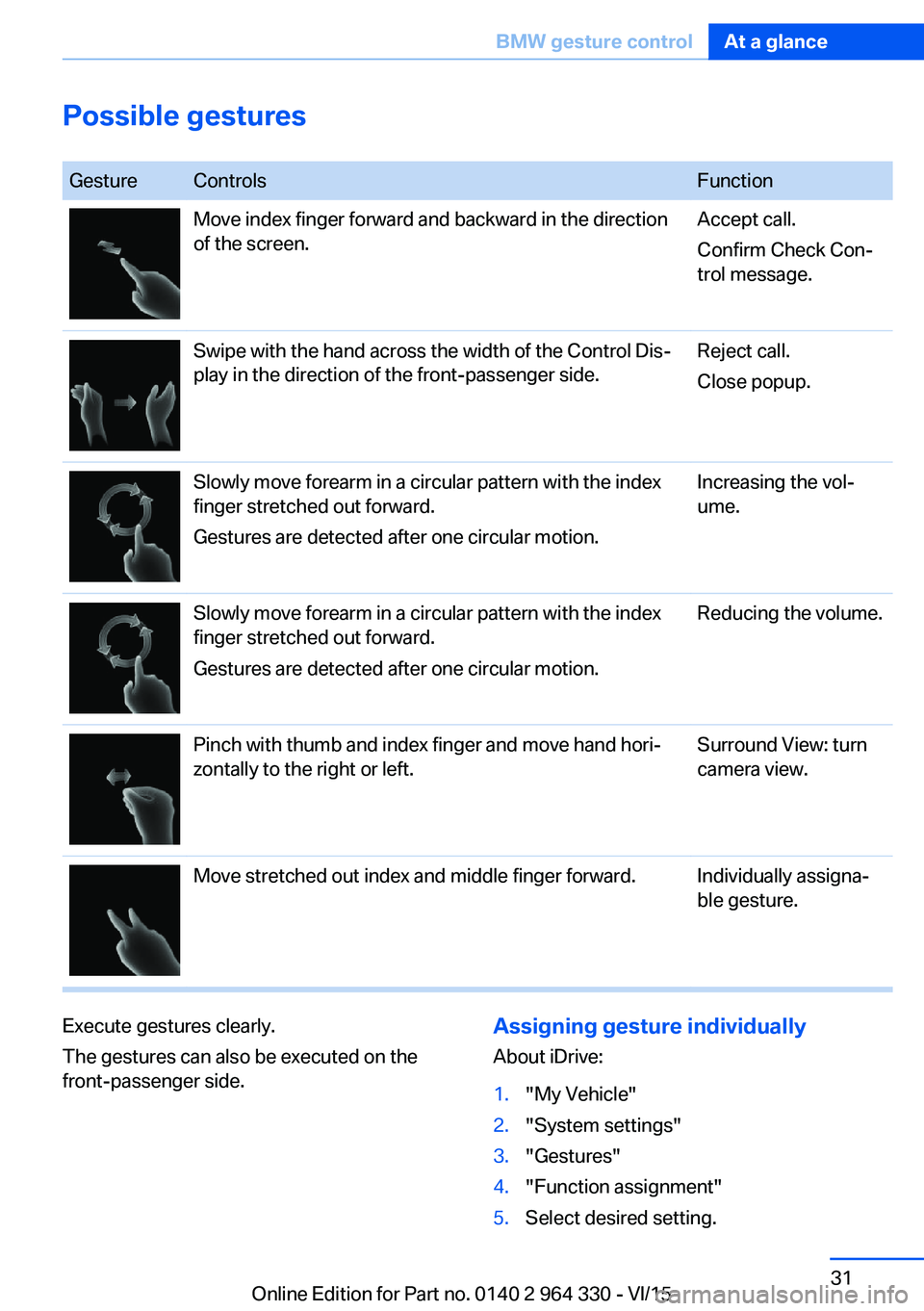
GestureControlsFunctionMove index finger forward and backward in the direction
of the screen.Accept call.
Confirm Check Con‐
trol message.Swipe with the hand across the width of the Control Dis‐
play in the direction of the front-passenger side.Reject call.
Close popup.Slowly move forearm in a circular pattern with the index
finger stretched out forward.
Gestures are detected after one circular motion.Increasing the vol‐
ume.Slowly move forearm in a circular pattern with the index
finger stretched out forward.
Gestures are detected after one circular motion.Reducing the volume.Pinch with thumb and index finger and move hand hori‐
zontally to the right or left.Surround View: turn
camera view.Move stretched out index and middle finger forward.Individually assigna‐
ble gesture.Execute gestures clearly.
The gestures can also be executed on the
front-passenger side.Assigning gesture individually
About iDrive:1."My Vehicle"2."System settings"3."Gestures"4."Function assignment"5.Select desired setting.Seite 31BMW gesture controlAt a glance31
Online Edition for Part no. 0140 2 964 330 - VI/15