display BMW 750LI SEDAN 2015 Owner's Guide
[x] Cancel search | Manufacturer: BMW, Model Year: 2015, Model line: 750LI SEDAN, Model: BMW 750LI SEDAN 2015Pages: 314, PDF Size: 7.9 MB
Page 56 of 314
The BMW display key supports all functions of
the standard remote control. Beyond that, the
following functions are available.▷Display status of doors and windows.▷Display status of the alarm system.▷With parked-car heating: operate parked-
car heating.
Without parked-car heating: operate
parked-car ventilation.▷Call up range with available fuel.▷Display service information.
Emergency detection of the BMW
display key
The description for the emergency detection
of the remote control, refer to page 55, also
applies for the BMW display key. However, the
locking button should be at the height of the
marking.
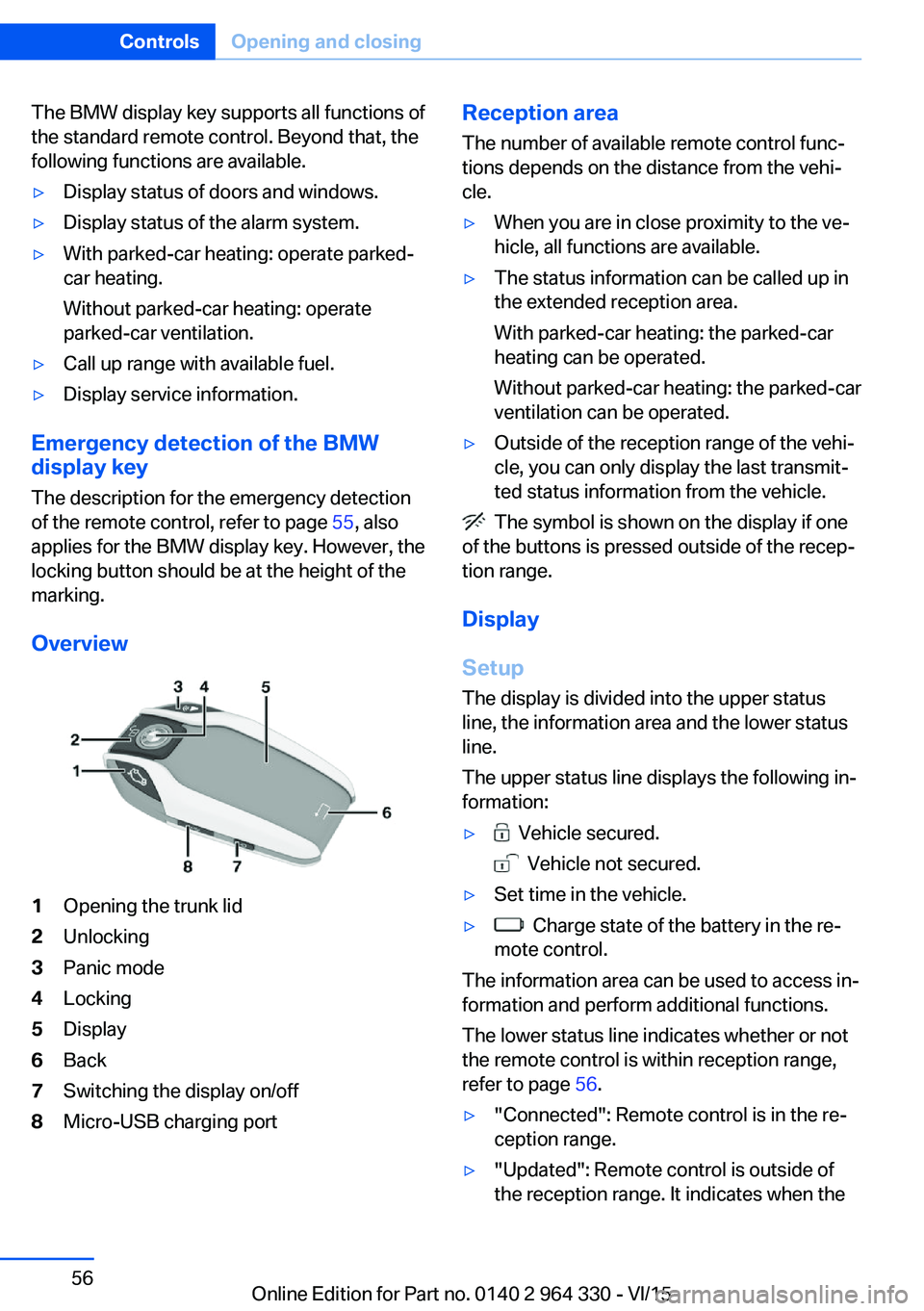
Overview
1Opening the trunk lid2Unlocking3Panic mode4Locking5Display6Back7Switching the display on/off8Micro-USB charging portReception area
The number of available remote control func‐
tions depends on the distance from the vehi‐
cle.▷When you are in close proximity to the ve‐
hicle, all functions are available.▷The status information can be called up in
the extended reception area.
With parked-car heating: the parked-car
heating can be operated.
Without parked-car heating: the parked-car
ventilation can be operated.▷Outside of the reception range of the vehi‐
cle, you can only display the last transmit‐
ted status information from the vehicle.
The symbol is shown on the display if one
of the buttons is pressed outside of the recep‐
tion range.
Display
Setup The display is divided into the upper status
line, the information area and the lower status
line.
The upper status line displays the following in‐
formation:
▷ Vehicle secured.
Vehicle not secured.
▷Set time in the vehicle.▷ Charge state of the battery in the re‐
mote control.
The information area can be used to access in‐
formation and perform additional functions.
The lower status line indicates whether or not
the remote control is within reception range,
refer to page 56.
▷"Connected": Remote control is in the re‐
ception range.▷"Updated": Remote control is outside of
the reception range. It indicates when theSeite 56ControlsOpening and closing56
Online Edition for Part no. 0140 2 964 330 - VI/15
Page 57 of 314
last data transfer from the vehicle took
place.
Controls
If the information area contains more than one
page, then page indicators are shown beneath
the information.
The indicator for the current page has
been filled in.
Swipe to the right or left with a finger to
change between the pages.
If additional information is available on a page,
tap the appropriate symbol.
Touch the arrow symbol beneath the dis‐
play to return to the original page.
Switching the display on/off
The display will go out automatically after a
brief period to conserve battery power.
To hide the display manually, press the button
on the left side of the remote control. Over‐
view, refer to page 56.
Show the display:
1.Press button on the left side of the remote
control.2.Then, swipe with your finger from bottom
to top to unlock the screen lock.
Completely switch off the display to increase
the usable battery life.
1.Press and hold the button on the left side
of the remote control for longer than 4 sec‐
onds.2."OK" tap.
Press button on the left side of the remote
control to switch on the switched-off display.
Operating concept
Depending on the equipment, there are up to
five main menus that provide access to the
sub-menus.
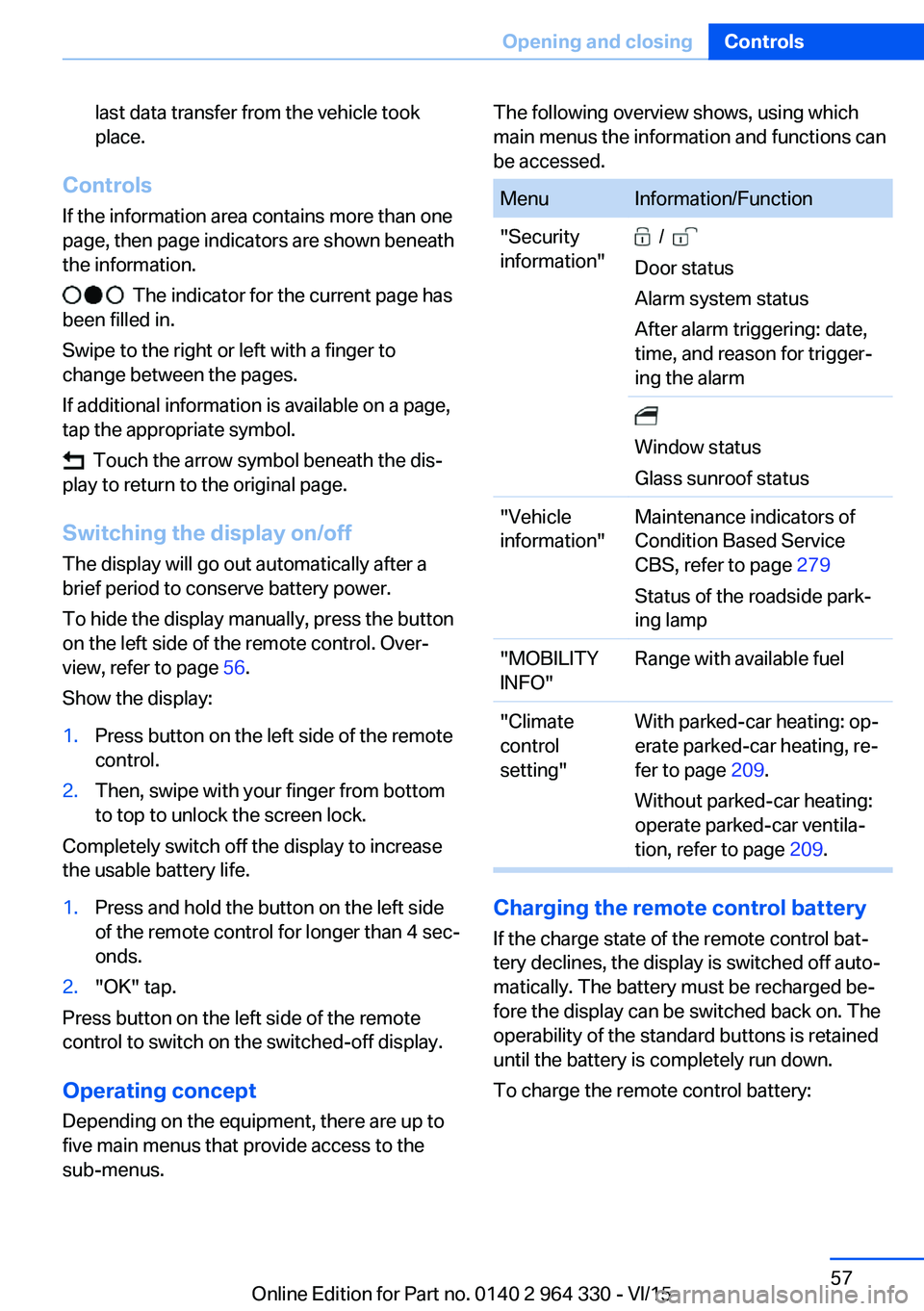
The following overview shows, using which
main menus the information and functions can
be accessed.MenuInformation/Function"Security
information" /
Door status
Alarm system status
After alarm triggering: date,
time, and reason for trigger‐
ing the alarm
Window status
Glass sunroof status"Vehicle
information"Maintenance indicators of
Condition Based Service
CBS, refer to page 279
Status of the roadside park‐
ing lamp"MOBILITY
INFO"Range with available fuel"Climate
control
setting"With parked-car heating: op‐
erate parked-car heating, re‐
fer to page 209.
Without parked-car heating:
operate parked-car ventila‐
tion, refer to page 209.
Charging the remote control battery
If the charge state of the remote control bat‐
tery declines, the display is switched off auto‐
matically. The battery must be recharged be‐
fore the display can be switched back on. The
operability of the standard buttons is retained
until the battery is completely run down.
To charge the remote control battery:
Seite 57Opening and closingControls57
Online Edition for Part no. 0140 2 964 330 - VI/15
Page 58 of 314
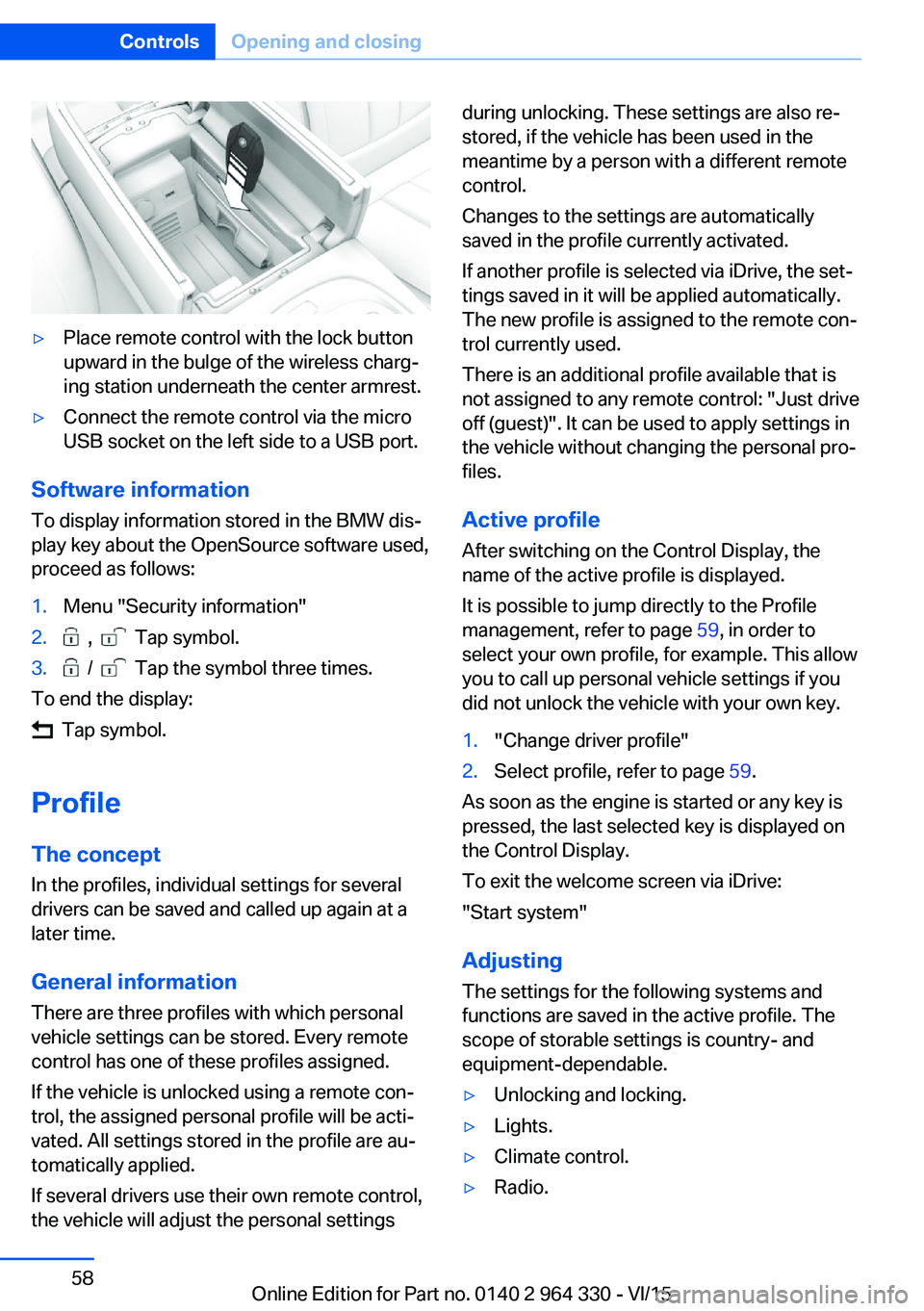
▷Place remote control with the lock button
upward in the bulge of the wireless charg‐
ing station underneath the center armrest.▷Connect the remote control via the micro
USB socket on the left side to a USB port.
Software information
To display information stored in the BMW dis‐
play key about the OpenSource software used,
proceed as follows:
1.Menu "Security information"2. , Tap symbol.3. / Tap the symbol three times.
To end the display:
Tap symbol.
Profile The concept In the profiles, individual settings for several
drivers can be saved and called up again at a
later time.
General information
There are three profiles with which personal
vehicle settings can be stored. Every remote
control has one of these profiles assigned.
If the vehicle is unlocked using a remote con‐
trol, the assigned personal profile will be acti‐
vated. All settings stored in the profile are au‐
tomatically applied.
If several drivers use their own remote control,
the vehicle will adjust the personal settings
during unlocking. These settings are also re‐
stored, if the vehicle has been used in the
meantime by a person with a different remote
control.
Changes to the settings are automatically
saved in the profile currently activated.
If another profile is selected via iDrive, the set‐
tings saved in it will be applied automatically.
The new profile is assigned to the remote con‐
trol currently used.
There is an additional profile available that is
not assigned to any remote control: "Just drive
off (guest)". It can be used to apply settings in
the vehicle without changing the personal pro‐
files.
Active profile
After switching on the Control Display, the
name of the active profile is displayed.
It is possible to jump directly to the Profile
management, refer to page 59, in order to
select your own profile, for example. This allow
you to call up personal vehicle settings if you
did not unlock the vehicle with your own key.1."Change driver profile"2.Select profile, refer to page 59.
As soon as the engine is started or any key is
pressed, the last selected key is displayed on
the Control Display.
To exit the welcome screen via iDrive:
"Start system"
Adjusting The settings for the following systems and
functions are saved in the active profile. The
scope of storable settings is country- and
equipment-dependable.
▷Unlocking and locking.▷Lights.▷Climate control.▷Radio.Seite 58ControlsOpening and closing58
Online Edition for Part no. 0140 2 964 330 - VI/15
Page 59 of 314

▷Instrument cluster.▷Programmable memory buttons.▷Volumes, tone.▷Control Display.▷Navigation.▷TV.▷Park Distance Control PDC.▷Rearview camera▷Side View.▷Head-up Display.▷Driving Dynamics Control.▷Seat position, exterior mirror position,
steering wheel position.▷Cruise control.▷Intelligent Safety.▷Night vision.
Profile management
Selecting a profile Regardless of the remote control in use a dif‐
ferent profile may be activated.
About iDrive:
1."My Vehicle"2."Driver profiles"3.Select profile.4."OK"▷All settings stored in the called-up profile
are automatically applied.▷The called-up profile is assigned to the re‐
mote control being used at the time.▷If the profile is already assigned to a differ‐
ent remote control, this profile will apply to
both remote controls. It cannot be differen‐
tiated anymore between the settings for
the two remote controls.Guest profile
The guest profile is for individual settings that
are stored in none of the three personal pro‐
files.
This can be useful for drivers who are using
the vehicle temporarily and do not have their
own profile.
About iDrive:1."My Vehicle"2."Driver profiles"3."Just drive off (guest)"4."OK"
The guest profile cannot be renamed. It is not
assigned to the current remote control.
Rename profile A personal name can be assigned to the activeprofile to avoid confusion between the profiles.
About iDrive:
1."My Vehicle"2."Driver profiles"
The profile marked with this symbol can
be renamed.
3.Select profile.4."Change driver profile name"5.Enter profile name.6. Select the symbol.
Resetting the profile
The settings of the active profile are reset to
their default values.
About iDrive:
1."My Vehicle"2."Driver profiles"
The profile marked with this symbol can
be reset.
3.Select profile.4."Reset driver profile"Seite 59Opening and closingControls59
Online Edition for Part no. 0140 2 964 330 - VI/15
Page 61 of 314
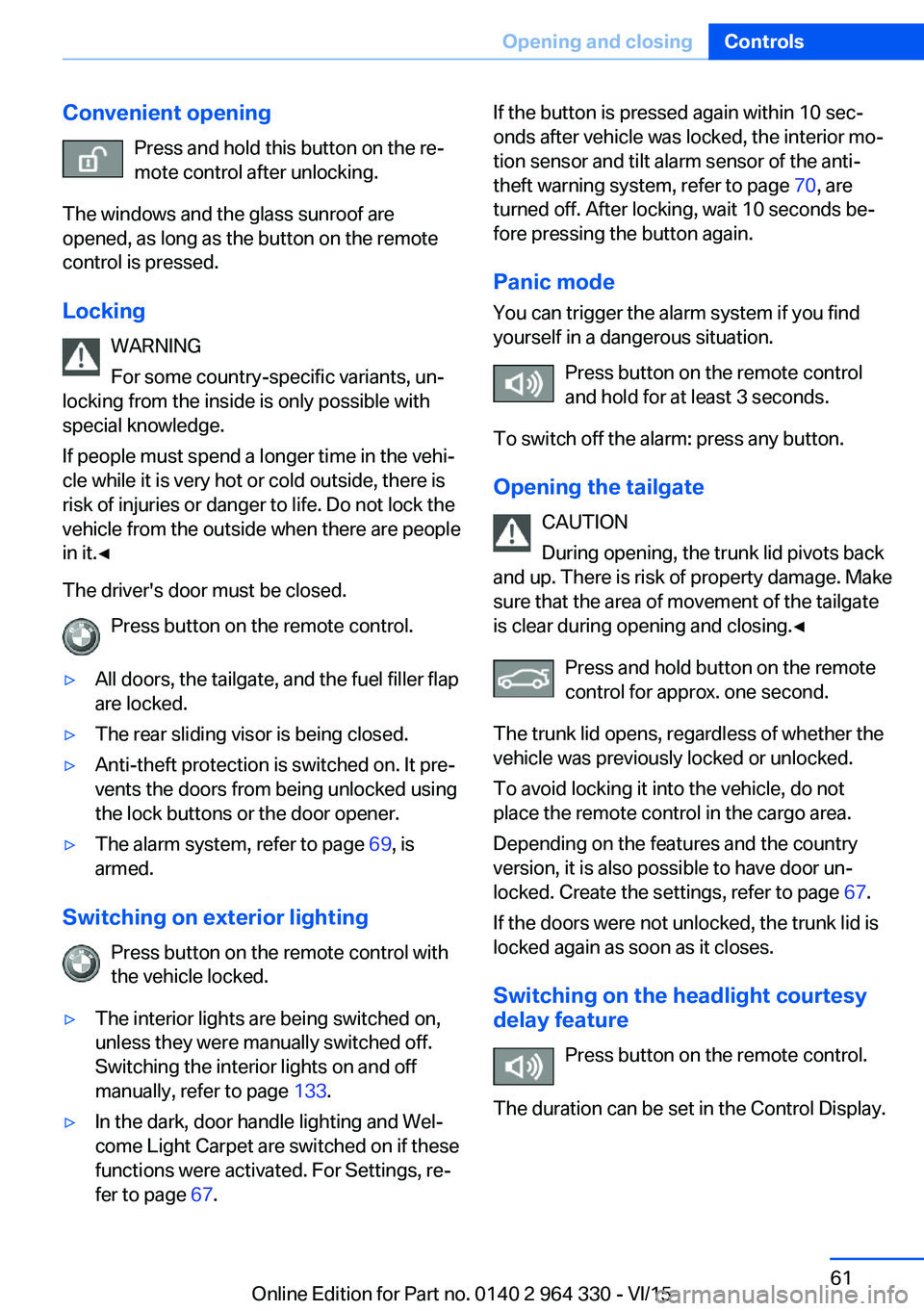
Convenient openingPress and hold this button on the re‐
mote control after unlocking.
The windows and the glass sunroof are
opened, as long as the button on the remote
control is pressed.
Locking WARNING
For some country-specific variants, un‐
locking from the inside is only possible with
special knowledge.
If people must spend a longer time in the vehi‐
cle while it is very hot or cold outside, there is
risk of injuries or danger to life. Do not lock the
vehicle from the outside when there are people
in it.◀
The driver's door must be closed. Press button on the remote control.▷All doors, the tailgate, and the fuel filler flap
are locked.▷The rear sliding visor is being closed.▷Anti-theft protection is switched on. It pre‐
vents the doors from being unlocked using
the lock buttons or the door opener.▷The alarm system, refer to page 69, is
armed.
Switching on exterior lighting
Press button on the remote control with
the vehicle locked.
▷The interior lights are being switched on,
unless they were manually switched off.
Switching the interior lights on and off
manually, refer to page 133.▷In the dark, door handle lighting and Wel‐
come Light Carpet are switched on if these
functions were activated. For Settings, re‐
fer to page 67.If the button is pressed again within 10 sec‐
onds after vehicle was locked, the interior mo‐
tion sensor and tilt alarm sensor of the anti-
theft warning system, refer to page 70, are
turned off. After locking, wait 10 seconds be‐
fore pressing the button again.
Panic mode
You can trigger the alarm system if you find
yourself in a dangerous situation.
Press button on the remote control
and hold for at least 3 seconds.
To switch off the alarm: press any button.
Opening the tailgate CAUTION
During opening, the trunk lid pivots back
and up. There is risk of property damage. Make
sure that the area of movement of the tailgate
is clear during opening and closing.◀
Press and hold button on the remotecontrol for approx. one second.
The trunk lid opens, regardless of whether the
vehicle was previously locked or unlocked.
To avoid locking it into the vehicle, do not
place the remote control in the cargo area.
Depending on the features and the country
version, it is also possible to have door un‐
locked. Create the settings, refer to page 67.
If the doors were not unlocked, the trunk lid is
locked again as soon as it closes.
Switching on the headlight courtesy delay feature
Press button on the remote control.
The duration can be set in the Control Display.Seite 61Opening and closingControls61
Online Edition for Part no. 0140 2 964 330 - VI/15
Page 90 of 314
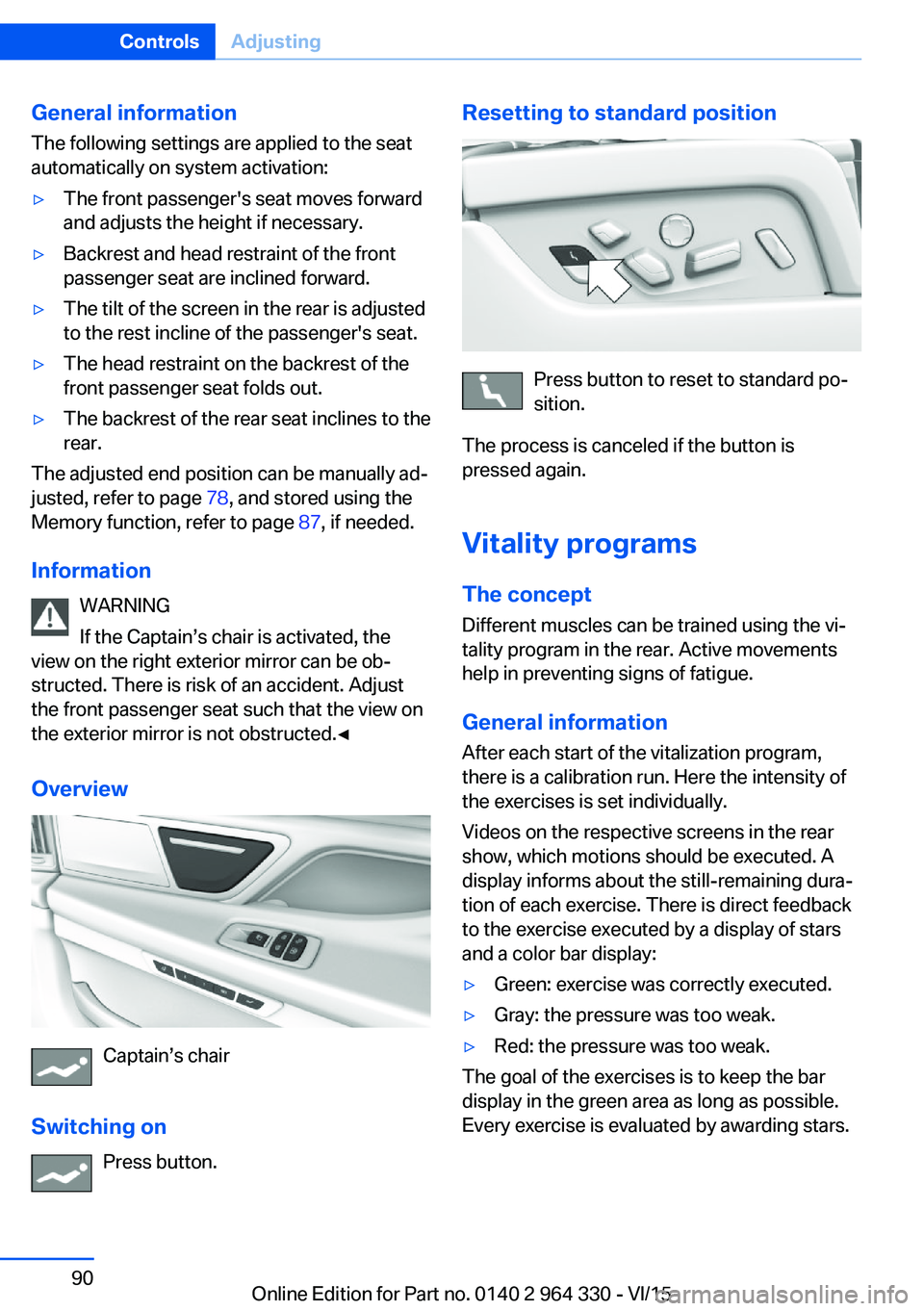
General information
The following settings are applied to the seat
automatically on system activation:▷The front passenger's seat moves forward
and adjusts the height if necessary.▷Backrest and head restraint of the front
passenger seat are inclined forward.▷The tilt of the screen in the rear is adjusted
to the rest incline of the passenger's seat.▷The head restraint on the backrest of the
front passenger seat folds out.▷The backrest of the rear seat inclines to the
rear.
The adjusted end position can be manually ad‐
justed, refer to page 78, and stored using the
Memory function, refer to page 87, if needed.
Information WARNING
If the Captain’s chair is activated, the
view on the right exterior mirror can be ob‐
structed. There is risk of an accident. Adjust
the front passenger seat such that the view on
the exterior mirror is not obstructed.◀
Overview
Captain’s chair
Switching on Press button.
Resetting to standard position
Press button to reset to standard po‐
sition.
The process is canceled if the button is
pressed again.
Vitality programs The concept
Different muscles can be trained using the vi‐
tality program in the rear. Active movements
help in preventing signs of fatigue.
General information After each start of the vitalization program,
there is a calibration run. Here the intensity of
the exercises is set individually.
Videos on the respective screens in the rear
show, which motions should be executed. A
display informs about the still-remaining dura‐
tion of each exercise. There is direct feedback
to the exercise executed by a display of stars
and a color bar display:
▷Green: exercise was correctly executed.▷Gray: the pressure was too weak.▷Red: the pressure was too weak.
The goal of the exercises is to keep the bar
display in the green area as long as possible.
Every exercise is evaluated by awarding stars.
Seite 90ControlsAdjusting90
Online Edition for Part no. 0140 2 964 330 - VI/15
Page 91 of 314
Switching onOn the screens in the rear:1."My Vehicle"2."Seat comfort"3."BMW Vitality Program"
Switch off
On the screens in the rear:
1.Press left arrow button on the remote con‐
trol in the rear.2."Stop"
BMW Touch Command
The vitality program can also be operated us‐
ing BMW Touch Command.
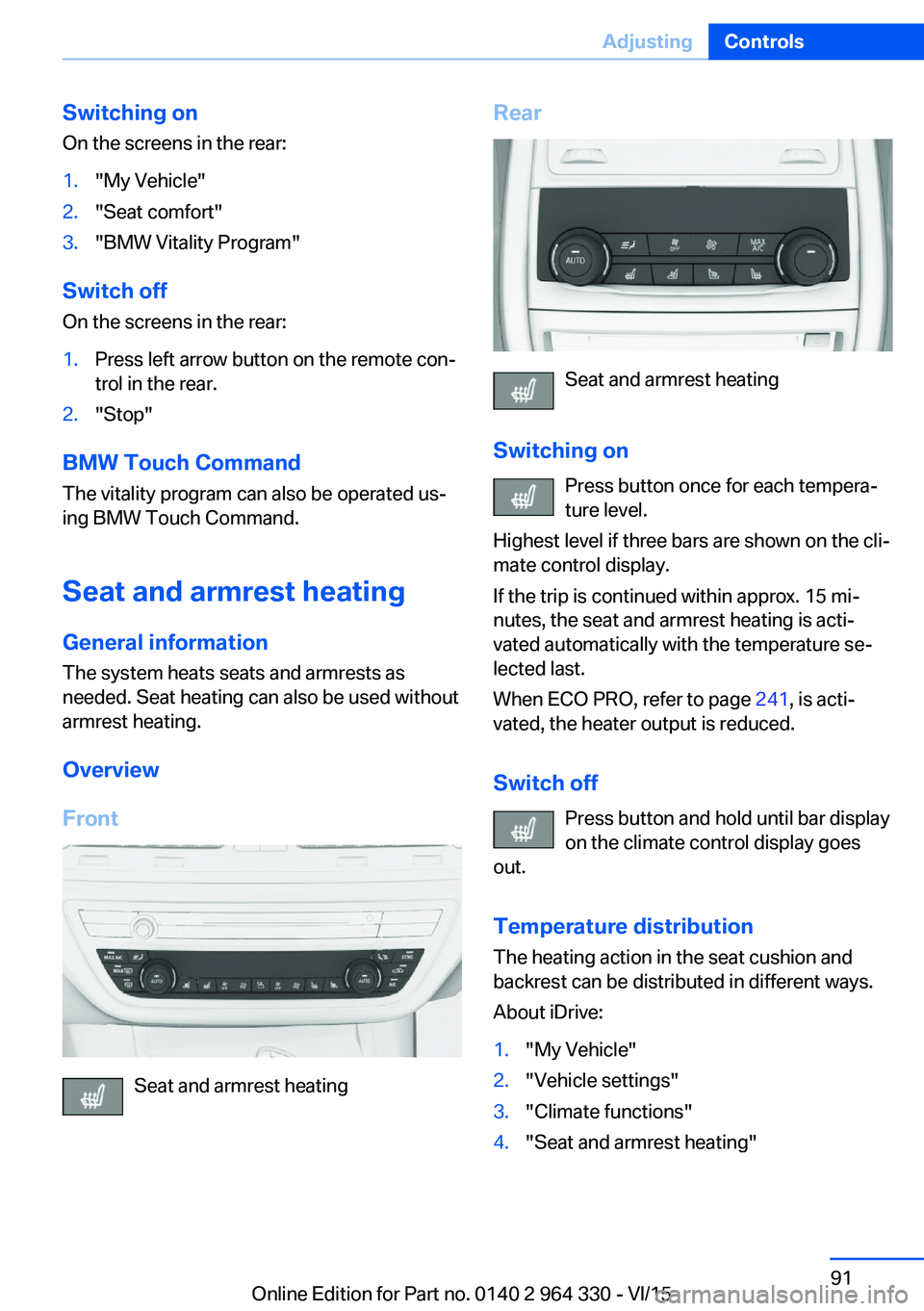
Seat and armrest heating
General information The system heats seats and armrests as
needed. Seat heating can also be used without
armrest heating.
Overview
Front
Seat and armrest heating
Rear
Seat and armrest heating
Switching on Press button once for each tempera‐
ture level.
Highest level if three bars are shown on the cli‐
mate control display.
If the trip is continued within approx. 15 mi‐
nutes, the seat and armrest heating is acti‐
vated automatically with the temperature se‐
lected last.
When ECO PRO, refer to page 241, is acti‐
vated, the heater output is reduced.
Switch off Press button and hold until bar display
on the climate control display goes
out.
Temperature distribution The heating action in the seat cushion and
backrest can be distributed in different ways.
About iDrive:
1."My Vehicle"2."Vehicle settings"3."Climate functions"4."Seat and armrest heating"Seite 91AdjustingControls91
Online Edition for Part no. 0140 2 964 330 - VI/15
Page 92 of 314
5.Select desired seat.6.Pres the controller and turn to set the tem‐
perature distribution.
Switching armrest heating on/off
About iDrive:
1."My Vehicle"2."Vehicle settings"3."Climate functions"4."Seat and armrest heating"5.Select desired seat.6."Heat up armrest together with seat"
Active seat ventilation
The concept
The seat cushion and backrest surfaces are
cooled by means of integrated fans.
The ventilation cools the seat, e. g., if the vehi‐
cle interior is overheated or for continuous
cooling at high temperatures.
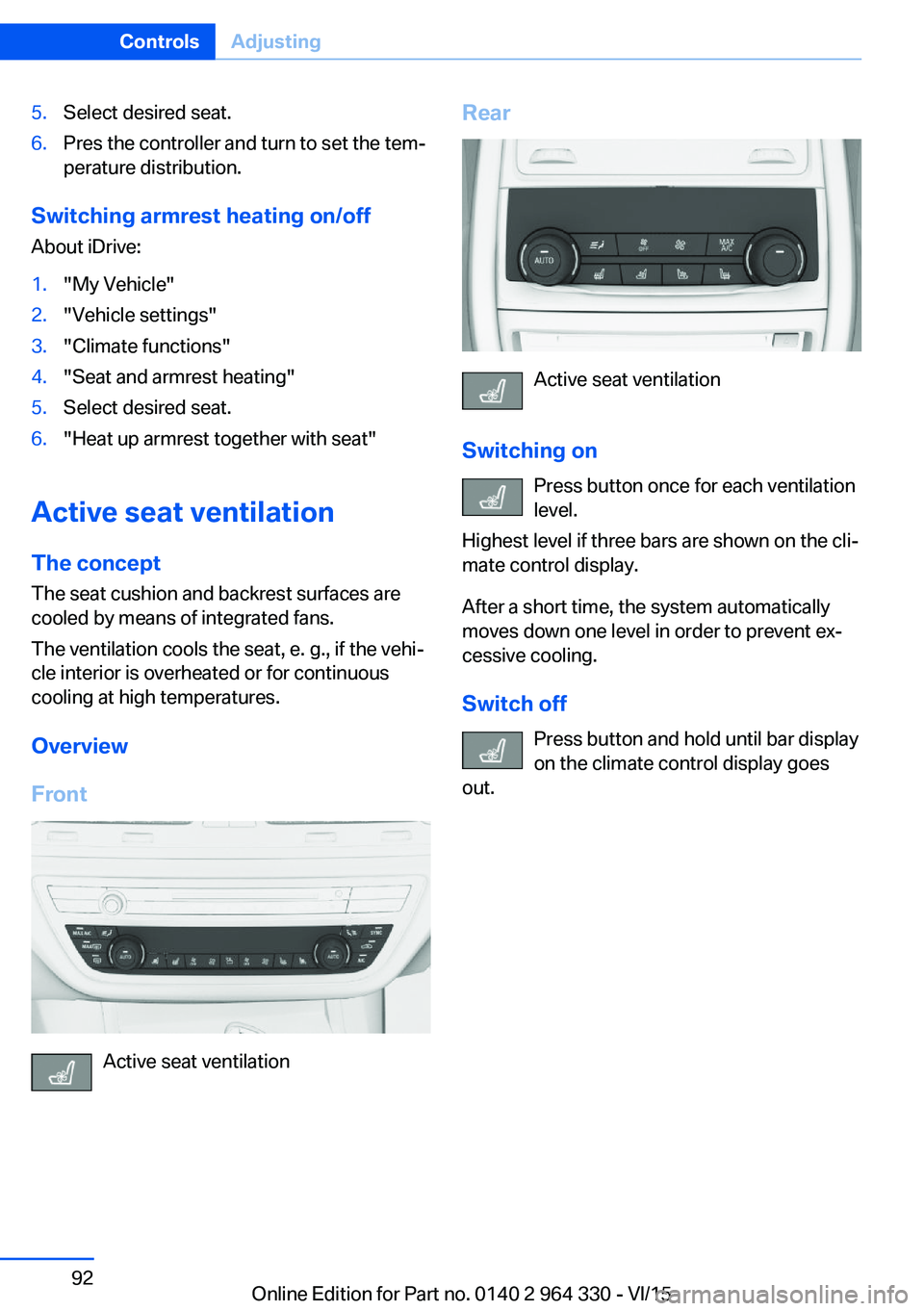
Overview
Front
Active seat ventilation
Rear
Active seat ventilation
Switching on Press button once for each ventilation
level.
Highest level if three bars are shown on the cli‐
mate control display.
After a short time, the system automatically
moves down one level in order to prevent ex‐
cessive cooling.
Switch off Press button and hold until bar display
on the climate control display goes
out.
Seite 92ControlsAdjusting92
Online Edition for Part no. 0140 2 964 330 - VI/15
Page 98 of 314
3.Set the parking brake.
Before driving into a car wash
So that the vehicle can roll into a car wash ob‐
serve instructions for going into an automatic
car wash, refer to page 291.
Auto Start/Stop function
The concept The Auto Start/Stop function helps save fuel.
The system switches off the engine during a
stop, e.g., in traffic congestion or at traffic lights. Drive readiness remains switched on.
The engine starts again automatically for driv‐
ing off.
Information After every engine start via the Start/Stop but‐
ton, the Auto Start/Stop function is activated or
deactivated, according to the last setting, refer
to page 99. If the Auto Start/Stop function is
active, it is available as soon as a speed of ap‐
prox. 3 mph, approx. 5 km/h is exceeded.
Engine stop
The engine is switched off automatically dur‐
ing a stop under the following conditions:
▷The selector lever is in selector lever posi‐
tion D.▷The brake pedal remains pressed while the
vehicle is stationary or the vehicle is held
by Automatic Hold.▷The driver's safety belt is buckled or the
driver's door is closed.
The air flow from the air conditioner is reduced
when the engine is switched off.
Displays in the instrument cluster
The display in the tachometer
indicates that the Auto Start/
Stop function is ready for an Au‐
tomatic engine start.
The display indicates that the
conditions for an automatic en‐
gine stop have not been met.
Functional limitations The engine is not switched off automatically in
the following situations:▷In case of a steep downhill grade.▷Brake not engaged strongly enough.▷The external temperature is high and auto‐
matic climate control is running.▷The car's interior has not yet been heated
or cooled to the required level.▷If window condensation is imminent.▷Engine or other parts not at operating tem‐
perature.▷Engine cooling is required.▷The wheels are at a sharp angle or the
steering wheel is being turned.▷Vehicle battery is heavily discharged.▷At higher elevations.▷The engine compartment lid is unlocked.▷HDC Hill Descent Control is activated.▷The parking assistant is activated.▷Stop-and-go traffic.▷Selector lever position in N or R.▷After driving in reverse.▷Use of fuel with high ethanol content.
Starting the engine
The engine starts automatically under the fol‐
lowing conditions:
Seite 98ControlsDriving98
Online Edition for Part no. 0140 2 964 330 - VI/15
Page 100 of 314
Automatic deactivation
In certain situations, Auto Start/Stop function
is deactivated automatically for safety reasons
as if the driver were absent.
Malfunction
The Auto Start/Stop function no longer
switches off the engine automatically. A Check
Control message is displayed. It is possible to
continue driving. Have the system checked.
Parking brake The concept
The parking brake is used to prevent the vehi‐
cle from rolling when it is parked.
Information WARNING
An unsecured vehicle can put itself into
motion and roll away. There is risk of an acci‐
dent. Before exiting, secure the vehicle against
rolling.
In order to ensure that the vehicle is secured
against rolling away, observe the following:▷Set the parking brake.▷On uphill grades or on a slope, turn the
front wheels in the direction of the curb.▷On uphill grades or on a slope, also secure
the vehicle, e.g. with a wheel chock.◀
WARNING
Unattended children or animals can
move the vehicle and endanger themselves
and traffic, e.g. with the following actions:
▷Pressing the Start/Stop button.▷Releasing the parking brake.▷Opening and closing of doors or windows.▷Shifting the selector lever into neutral.▷Using vehicle equipment.There is risk of accidents or injuries. Do not
leave children or animals unattended in the ve‐
hicle. Carry remote control along when exiting
and lock the vehicle.◀
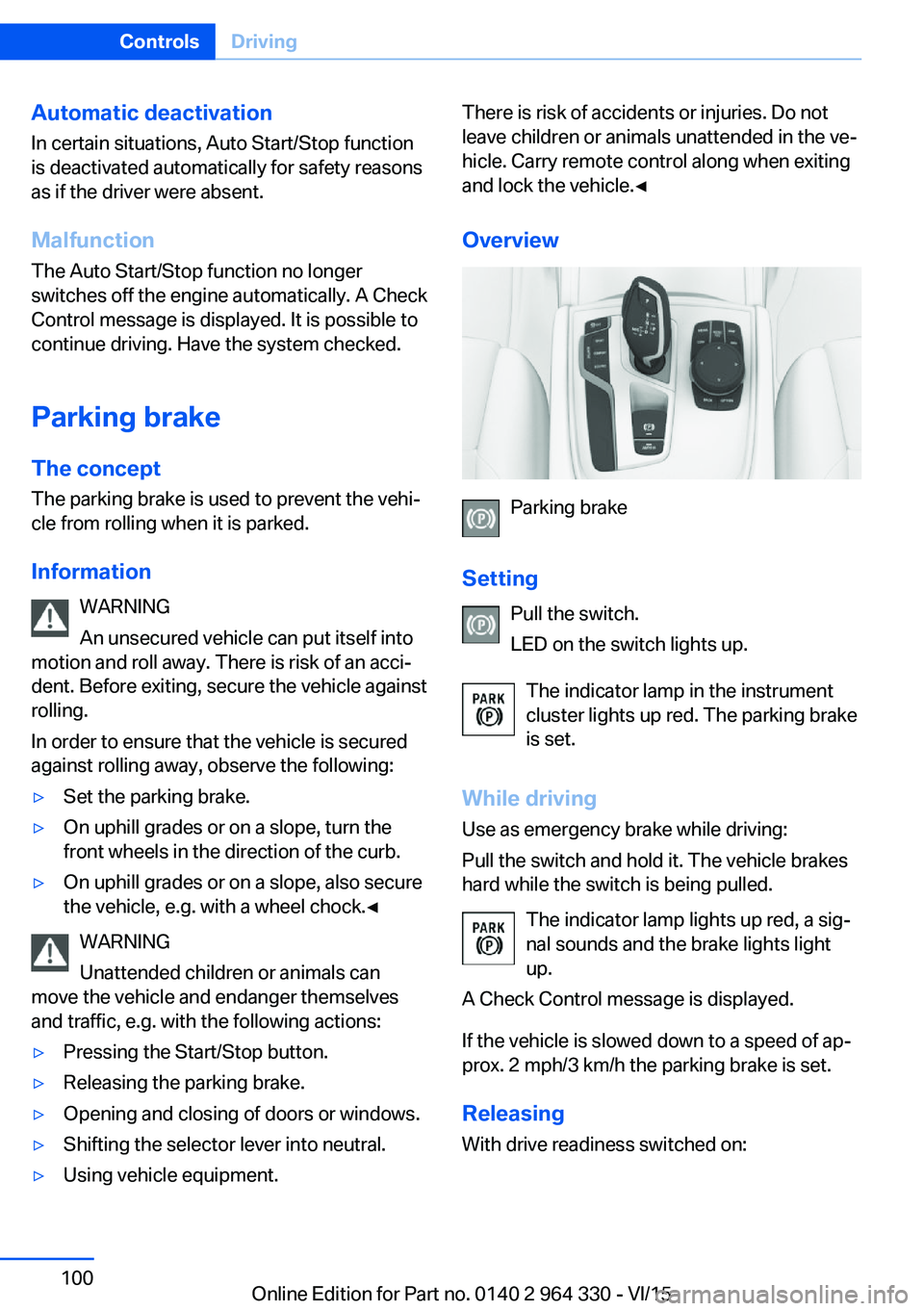
Overview
Parking brake
Setting Pull the switch.
LED on the switch lights up.
The indicator lamp in the instrument
cluster lights up red. The parking brake
is set.
While driving Use as emergency brake while driving:
Pull the switch and hold it. The vehicle brakes
hard while the switch is being pulled.
The indicator lamp lights up red, a sig‐
nal sounds and the brake lights light
up.
A Check Control message is displayed.
If the vehicle is slowed down to a speed of ap‐
prox. 2 mph/3 km/h the parking brake is set.
Releasing
With drive readiness switched on:
Seite 100ControlsDriving100
Online Edition for Part no. 0140 2 964 330 - VI/15