automatic transmission BMW ACTIVEHYBRID3 2013 Owners Manual
[x] Cancel search | Manufacturer: BMW, Model Year: 2013, Model line: ACTIVEHYBRID3, Model: BMW ACTIVEHYBRID3 2013Pages: 220, PDF Size: 5.09 MB
Page 16 of 220
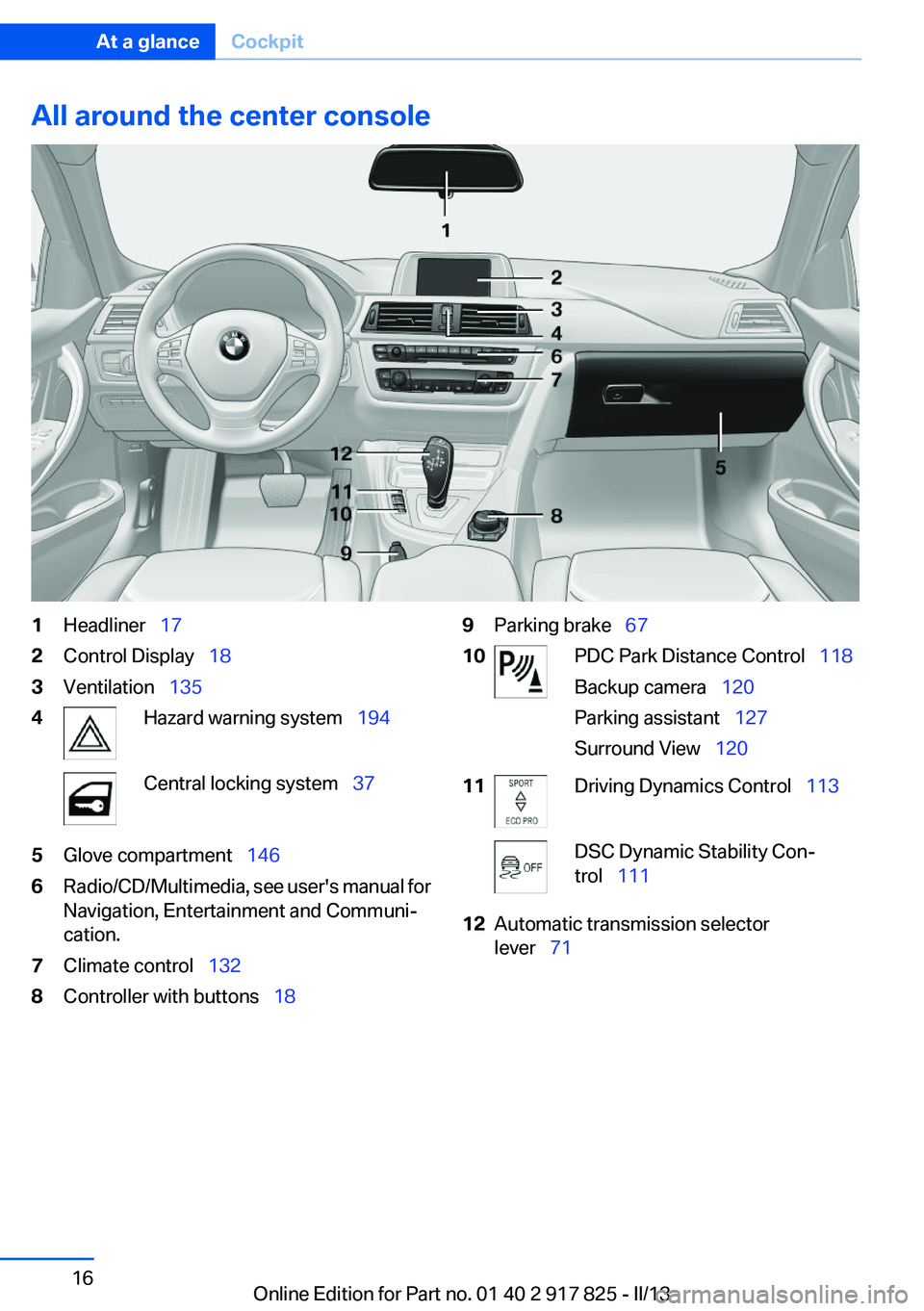
All around the center console1Headliner 172Control Display 183Ventilation 1354Hazard warning system 194Central locking system 375Glove compartment 1466Radio/CD/Multimedia, see user's manual for
Navigation, Entertainment and Communi‐
cation.7Climate control 1328Controller with buttons 189Parking brake 6710PDC Park Distance Control 118
Backup camera 120
Parking assistant 127
Surround View 12011Driving Dynamics Control 113DSC Dynamic Stability Con‐
trol 11112Automatic transmission selector
lever 71Seite 16At a glanceCockpit16
Online Edition for Part no. 01 40 2 917 825 - II/13
Page 35 of 220
4.Insert a battery of the same type with the
positive side facing upwards.5.Press the cover closed.
Take the used battery to a recycling cen‐
ter or to your service center.
New remote controls
You can obtain new remote controls from your
service center.
Loss of the remote controls
Lost remote controls can be blocked by your
service center.
Emergency detection of remote control
It is also possible to switch on the ignition or ac‐
tivate engine readiness in situations such as the
following:
▷Interference of radio transmission to remote
control by external sources.▷Discharged battery in the remote control.▷Interference of radio transmission by mobile
devices in close proximity to the remote
control.▷Interference of radio transmission by
charger while charging items such as mobile
devices in the vehicle.
A Check Control message is displayed if an at‐
tempt is made to switch on the ignition or start
the engine or activate engine readiness.
Starting the engine or activating engine
readiness with emergency detection of
the remote control
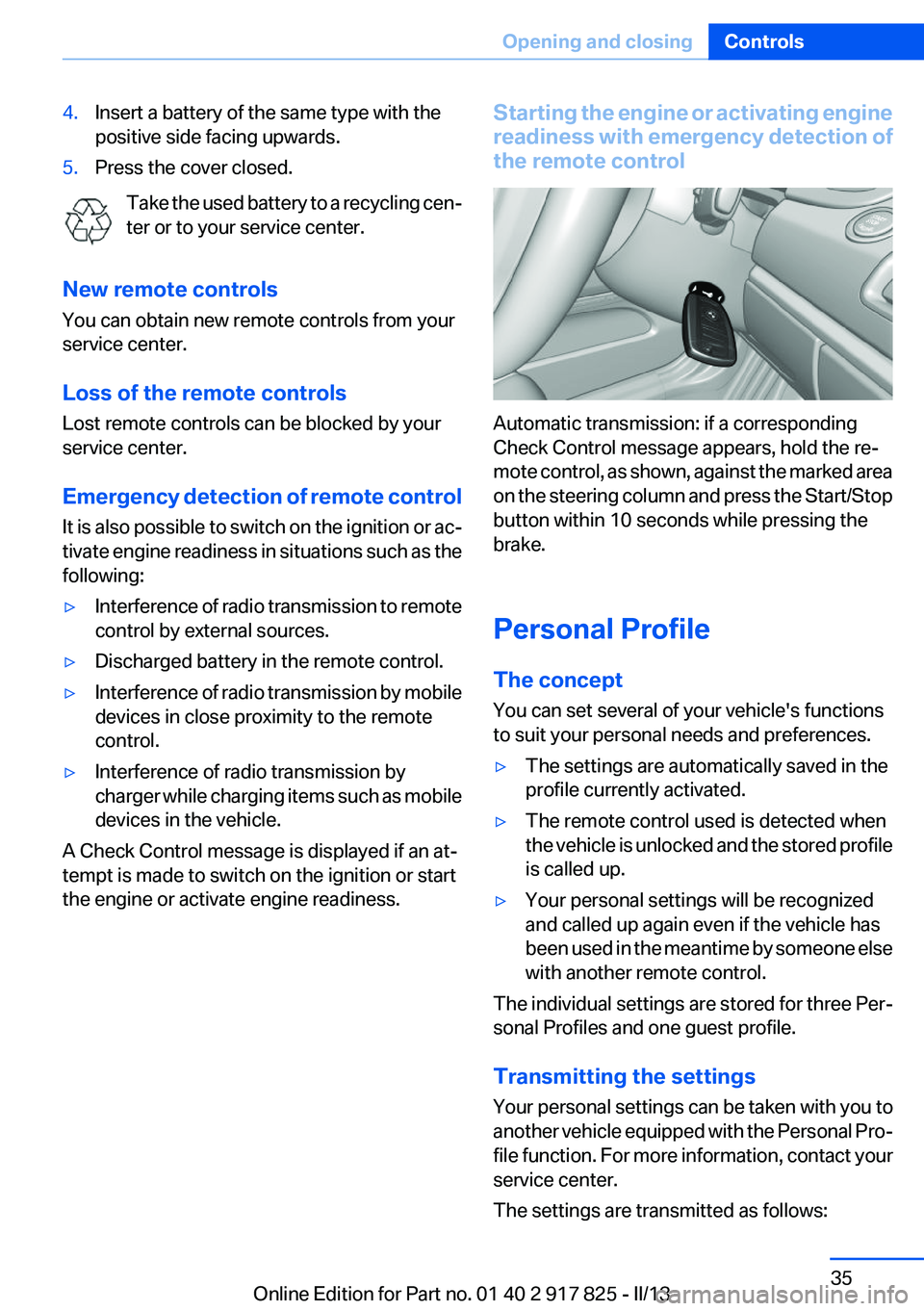
Automatic transmission: if a corresponding
Check Control message appears, hold the re‐
mote control, as shown, against the marked area
on the steering column and press the Start/Stop
button within 10 seconds while pressing the
brake.
Personal Profile
The concept
You can set several of your vehicle's functions
to suit your personal needs and preferences.
▷The settings are automatically saved in the
profile currently activated.▷The remote control used is detected when
the vehicle is unlocked and the stored profile
is called up.▷Your personal settings will be recognized
and called up again even if the vehicle has
been used in the meantime by someone else
with another remote control.
The individual settings are stored for three Per‐
sonal Profiles and one guest profile.
Transmitting the settings
Your personal settings can be taken with you to
another vehicle equipped with the Personal Pro‐
file function. For more information, contact your
service center.
The settings are transmitted as follows:
Seite 35Opening and closingControls35
Online Edition for Part no. 01 40 2 917 825 - II/13
Page 57 of 220
Saving positions
Seat and mirror memory, refer to page 55
Adjusting manually
If an electrical malfunction occurs, for example,
press the edges of the mirror glass.
Automatic Curb Monitor
When the reverse gear is engaged, the mirror
glass tilts downward slightly on the front pas‐
senger side. This improves your view of the curb
and other low-lying obstacles when parking, for
example.
Activating1. Slide the mirror changeover switch
to the driver's side mirror position.2.Engage transmission position R.
Deactivating
Slide the mirror changeover switch to the pas‐
senger's side mirror position.
Fold in and out Press the button.
Possible up to approx. 15 mph/20 km/h.
For example, this is advantageous
▷In car washes.▷In narrow streets.▷For folding back mirrors that were folded
away manually.
Mirrors that were folded in are folded out auto‐
matically at a speed of approx. 25 mph/40 km/h.
Fold in the mirror in a car wash
Before entering an automatic car wash,
fold in the exterior mirrors by hand or with the
button; otherwise, they could be damaged, de‐
pending on the width of the vehicle.◀
Automatic heating
Both exterior mirrors are automatically heated
whenever the engine is running.
Automatic dimming feature
Both exterior mirrors are automatically dimmed.
Photocells are used for control in the Interior rear
view mirror, refer to page 57.
Interior rearview mirror
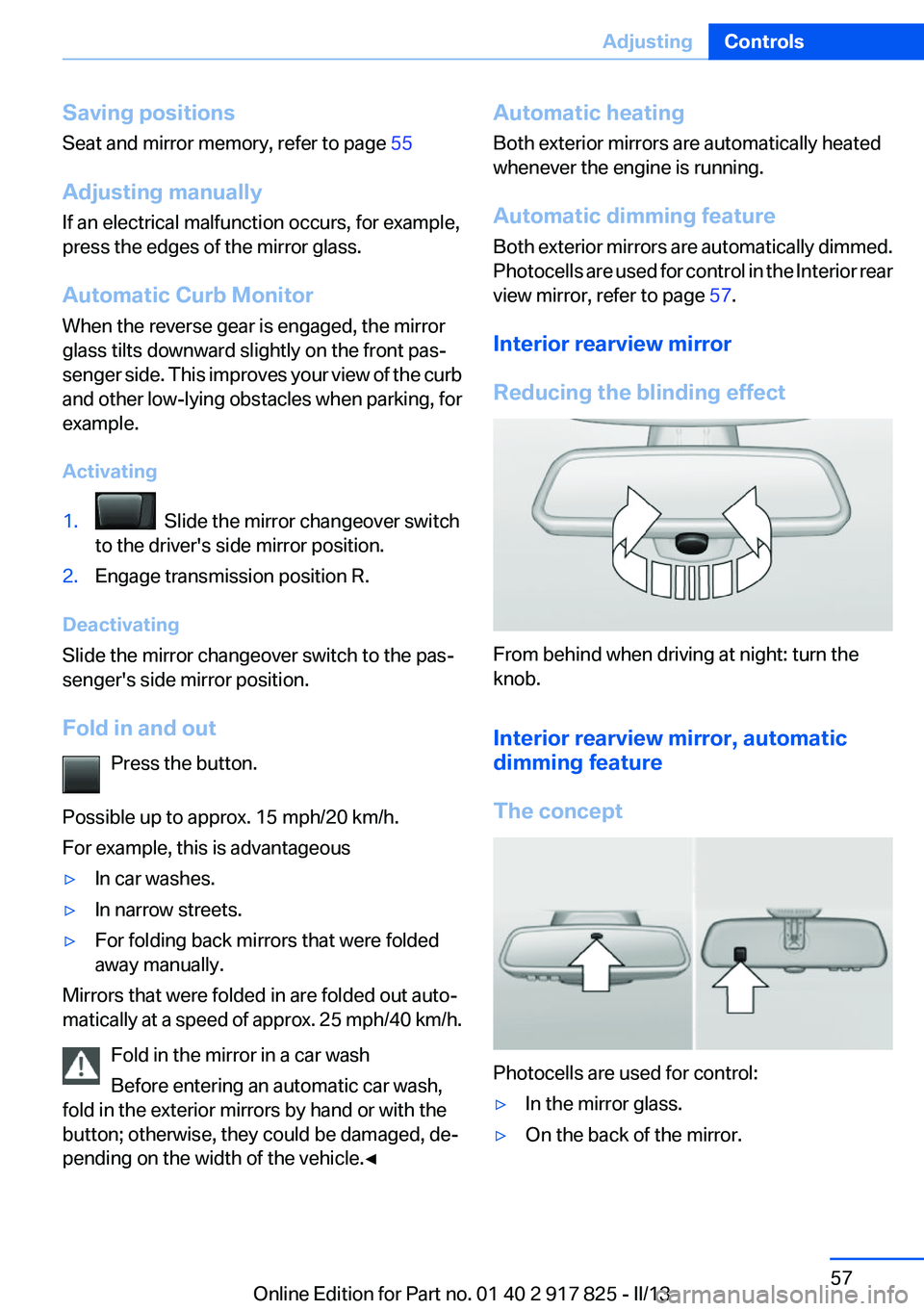
Reducing the blinding effect
From behind when driving at night: turn the
knob.
Interior rearview mirror, automatic
dimming feature
The concept
Photocells are used for control:
▷In the mirror glass.▷On the back of the mirror.Seite 57AdjustingControls57
Online Edition for Part no. 01 40 2 917 825 - II/13
Page 64 of 220
Transmission position P with the ignition
off
When the ignition is switched off, position P is
engaged automatically. When in an automatic
car wash, for example, ensure that the ignition is
not switched off accidentally.◀
The ignition is switched off automatically in the
following situations while the vehicle is station‐
ary and the engine is off:▷When locking the vehicle, and when the low
beams are activated.▷Shortly before the battery is discharged
completely, so that the engine can still be
started. This function is only available when
the low beams are switched off.▷When opening and closing the driver door, if
the driver's seat belt is unbuckled and the
low beams are switched off.▷While the driver's seat belt is unbuckled, if
the driver's door is open and the low beams
are switched off.
When the ignition is switched off, by opening or
closing the driver's door or unbuckling the driv‐
er's seat belt, the radio ready state remains ac‐
tive.
Drive readiness
When drive readiness is activated, the vehicle is
operational. Activated drive readiness is the
equivalent of a running engine in conventional
vehicles. Deactivated engine readiness is equiv‐
alent to switching the ignition off.
The following are the different drive readiness
variants:
▷Electric driving, refer to page 66:
The combustion engine is not switched on.▷Driving with the combustion engine, refer to
page 66:
The vehicle is powered by the combustion
engine.Drive readiness in detail
General information Do not leave the vehicle unattended
Do not leave the vehicle unattended with
drive readiness active; otherwise, it presents a
potential source of danger.◀
Activating drive readiness1.Close the driver's door.2.Depress the brake pedal.3.Press the Start/Stop button.
Drive readiness is activated:
▷Starting the combustion engine or▷Electric drive readiness, Silent Start.
Electric drive readiness, Silent Start
The vehicle is ready for driving without starting
the combustion engine.
Silent Start is possible after activating radio
ready state if the conditions for electric driving,
refer to page 66, have been met.
Display The READY display indicates
that the vehicle is ready for driv‐
ing.
Awareness of vehicle reduced when
driven in electric mode
When driving in electric mode, note that due to
the lack of engine noise pedestrians and other
road users will not be as aware of the vehicle as
they usually would with a conventional engine.
For instance, pay particular attention when ma‐
neuvering into and out of a parking space.◀
Seite 64ControlsDriving64
Online Edition for Part no. 01 40 2 917 825 - II/13
Page 65 of 220
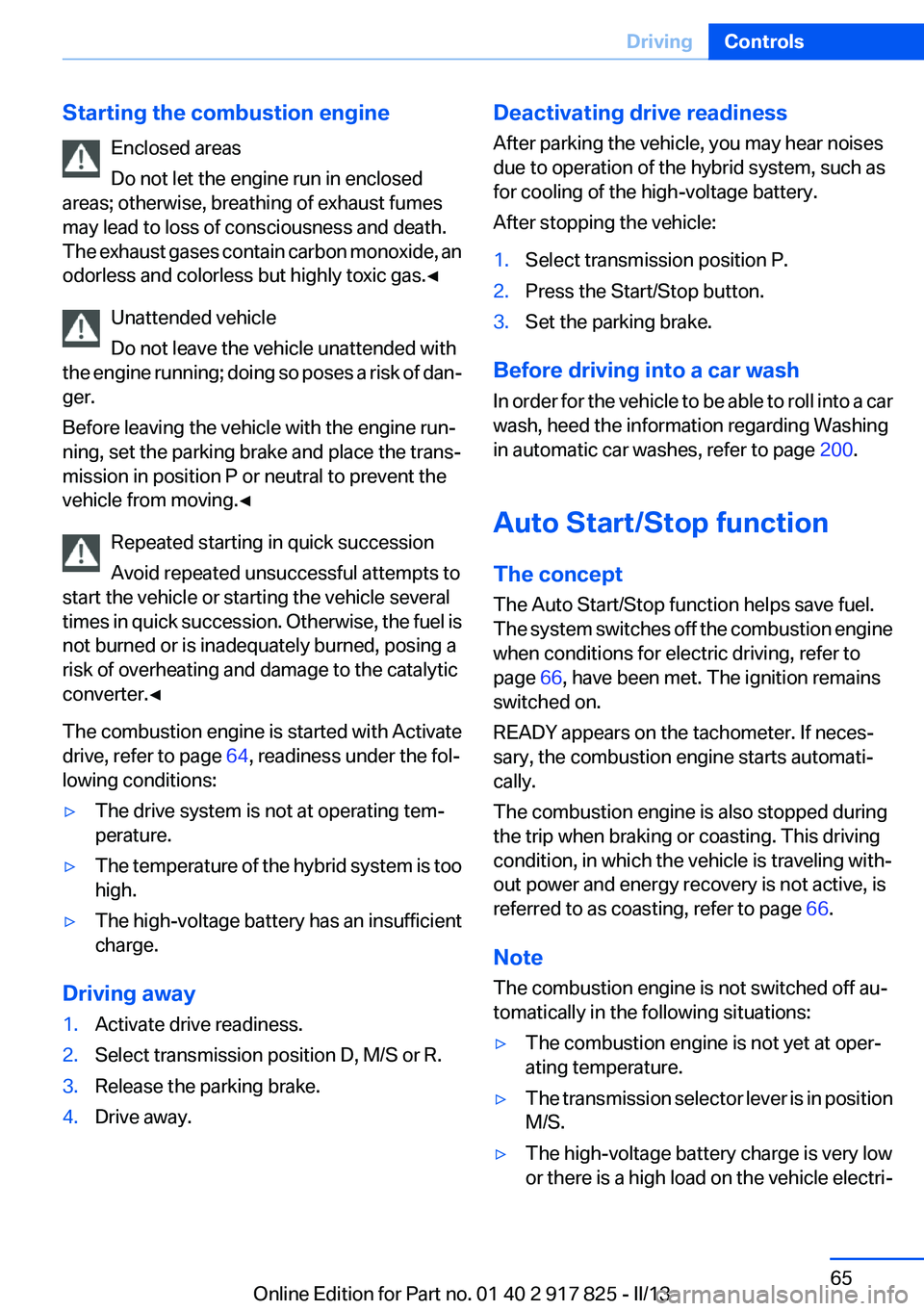
Starting the combustion engineEnclosed areas
Do not let the engine run in enclosed
areas; otherwise, breathing of exhaust fumes
may lead to loss of consciousness and death.
The exhaust gases contain carbon monoxide, an
odorless and colorless but highly toxic gas.◀
Unattended vehicle
Do not leave the vehicle unattended with
the engine running; doing so poses a risk of dan‐
ger.
Before leaving the vehicle with the engine run‐
ning, set the parking brake and place the trans‐
mission in position P or neutral to prevent the
vehicle from moving.◀
Repeated starting in quick succession
Avoid repeated unsuccessful attempts to
start the vehicle or starting the vehicle several
times in quick succession. Otherwise, the fuel is
not burned or is inadequately burned, posing a
risk of overheating and damage to the catalytic
converter.◀
The combustion engine is started with Activate
drive, refer to page 64, readiness under the fol‐
lowing conditions:▷The drive system is not at operating tem‐
perature.▷The temperature of the hybrid system is too
high.▷The high-voltage battery has an insufficient
charge.
Driving away
1.Activate drive readiness.2.Select transmission position D, M/S or R.3.Release the parking brake.4.Drive away.Deactivating drive readiness
After parking the vehicle, you may hear noises
due to operation of the hybrid system, such as
for cooling of the high-voltage battery.
After stopping the vehicle:1.Select transmission position P.2.Press the Start/Stop button.3.Set the parking brake.
Before driving into a car wash
In order for the vehicle to be able to roll into a car
wash, heed the information regarding Washing
in automatic car washes, refer to page 200.
Auto Start/Stop function
The concept
The Auto Start/Stop function helps save fuel.
The system switches off the combustion engine
when conditions for electric driving, refer to
page 66, have been met. The ignition remains
switched on.
READY appears on the tachometer. If neces‐
sary, the combustion engine starts automati‐
cally.
The combustion engine is also stopped during
the trip when braking or coasting. This driving
condition, in which the vehicle is traveling with‐
out power and energy recovery is not active, is
referred to as coasting, refer to page 66.
Note
The combustion engine is not switched off au‐
tomatically in the following situations:
▷The combustion engine is not yet at oper‐
ating temperature.▷The transmission selector lever is in position
M/S.▷The high-voltage battery charge is very low
or there is a high load on the vehicle electri‐Seite 65DrivingControls65
Online Edition for Part no. 01 40 2 917 825 - II/13
Page 66 of 220
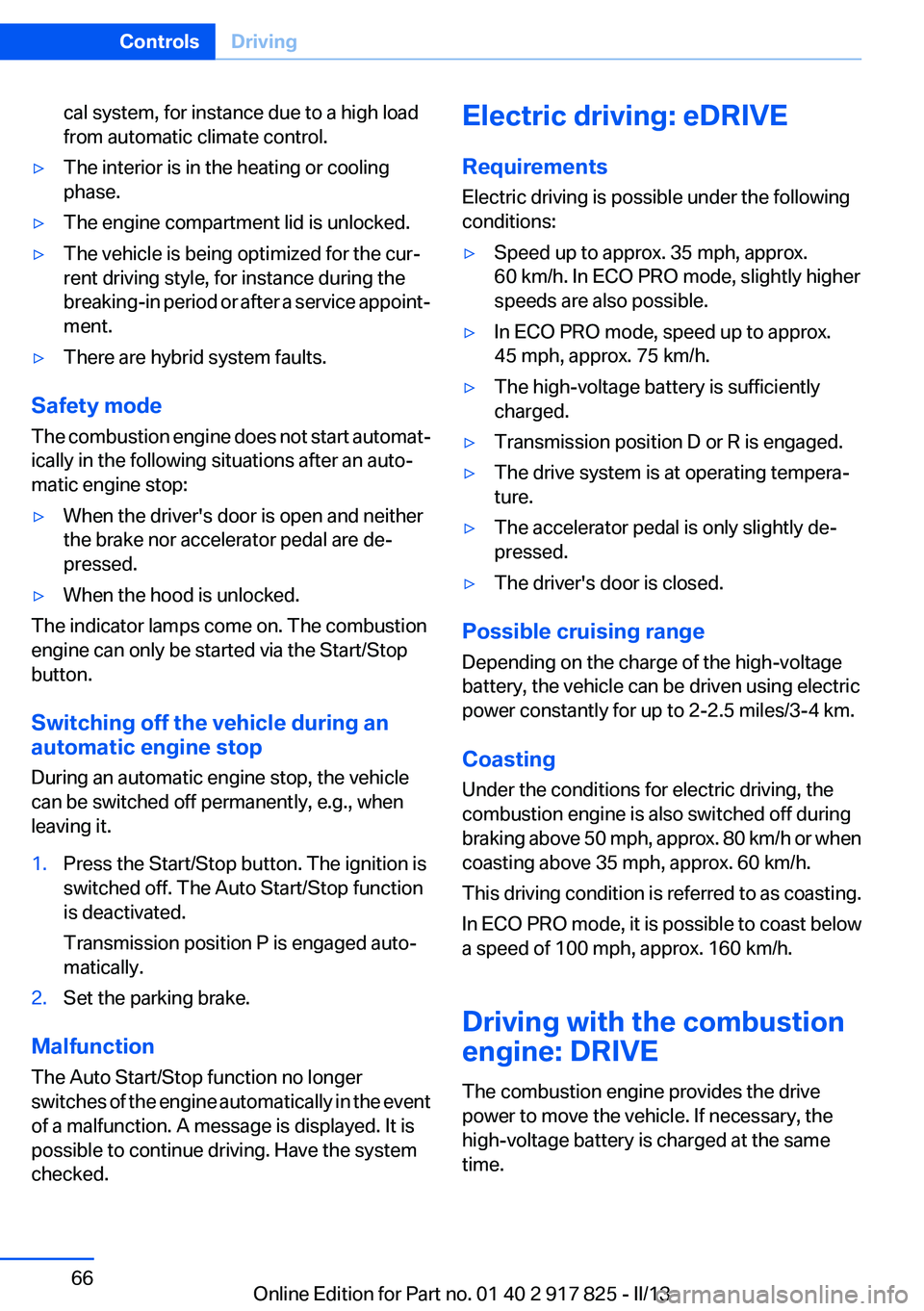
cal system, for instance due to a high load
from automatic climate control.▷The interior is in the heating or cooling
phase.▷The engine compartment lid is unlocked.▷The vehicle is being optimized for the cur‐
rent driving style, for instance during the
breaking-in period or after a service appoint‐
ment.▷There are hybrid system faults.
Safety mode
The combustion engine does not start automat‐
ically in the following situations after an auto‐
matic engine stop:
▷When the driver's door is open and neither
the brake nor accelerator pedal are de‐
pressed.▷When the hood is unlocked.
The indicator lamps come on. The combustion
engine can only be started via the Start/Stop
button.
Switching off the vehicle during an
automatic engine stop
During an automatic engine stop, the vehicle
can be switched off permanently, e.g., when
leaving it.
1.Press the Start/Stop button. The ignition is
switched off. The Auto Start/Stop function
is deactivated.
Transmission position P is engaged auto‐
matically.2.Set the parking brake.
Malfunction
The Auto Start/Stop function no longer
switches of the engine automatically in the event
of a malfunction. A message is displayed. It is
possible to continue driving. Have the system
checked.
Electric driving: eDRIVE
Requirements
Electric driving is possible under the following
conditions:▷Speed up to approx. 35 mph, approx.
60 km/h. In ECO PRO mode, slightly higher
speeds are also possible.▷In ECO PRO mode, speed up to approx.
45 mph, approx. 75 km/h.▷The high-voltage battery is sufficiently
charged.▷Transmission position D or R is engaged.▷The drive system is at operating tempera‐
ture.▷The accelerator pedal is only slightly de‐
pressed.▷The driver's door is closed.
Possible cruising range
Depending on the charge of the high-voltage
battery, the vehicle can be driven using electric
power constantly for up to 2-2.5 miles/3-4 km.
Coasting
Under the conditions for electric driving, the
combustion engine is also switched off during
braking above 50 mph, approx. 80 km/h or when
coasting above 35 mph, approx. 60 km/h.
This driving condition is referred to as coasting.
In ECO PRO mode, it is possible to coast below
a speed of 100 mph, approx. 160 km/h.
Driving with the combustion
engine: DRIVE
The combustion engine provides the drive
power to move the vehicle. If necessary, the
high-voltage battery is charged at the same
time.
Seite 66ControlsDriving66
Online Edition for Part no. 01 40 2 917 825 - II/13
Page 67 of 220
Automatic start while driving
The combustion engine is automatically started
under the following conditions while driving:▷Transmission position M/S is engaged.▷The speed for electric driving is exceeded
while accelerating.▷The high-voltage battery charge is insuffi‐
cient or it is fully charged, such as when driv‐
ing downhill.▷The required power output is increased,
such as due to the accelerator pedal position
or driving uphill.▷System-related requirement for hybrid
components.▷Preparation for an upcoming route section
with activated destination guidance.
Automatic stopping while driving
When reducing speed, the combustion engine
is switched off when the conditions for electric
driving, refer to page 66, are met.
Assistance for the
combustion engine
The combustion engine provides the primary
drive power to move the vehicle.
The electric motor provides assistance as
needed with additional propulsive power.
ASSIST
During normal vehicle operation, the electric
motor assists the combustion engine, depend‐
ing on the situation.
eBOOST
Accelerating quickly, such as when passing, re‐
quires the maximum available power from the
electric motor. To do this, apply extra force to
the accelerator pedal.
Energy recovery: CHARGE
The hybrid system makes it possible to convert
kinetic energy into electrical power when brak‐
ing and coasting. This recovered energy
charges the high voltage battery. If necessary,
this stored electrical energy is output to the
electric motor.
The following conditions must be met to recover
kinetic energy:▷The vehicle is moving.▷Transmission position D, M/S is engaged.▷The high-voltage battery is not fully
charged.
Energy recovery displays in the instrument clus‐
ter, refer to page 80.
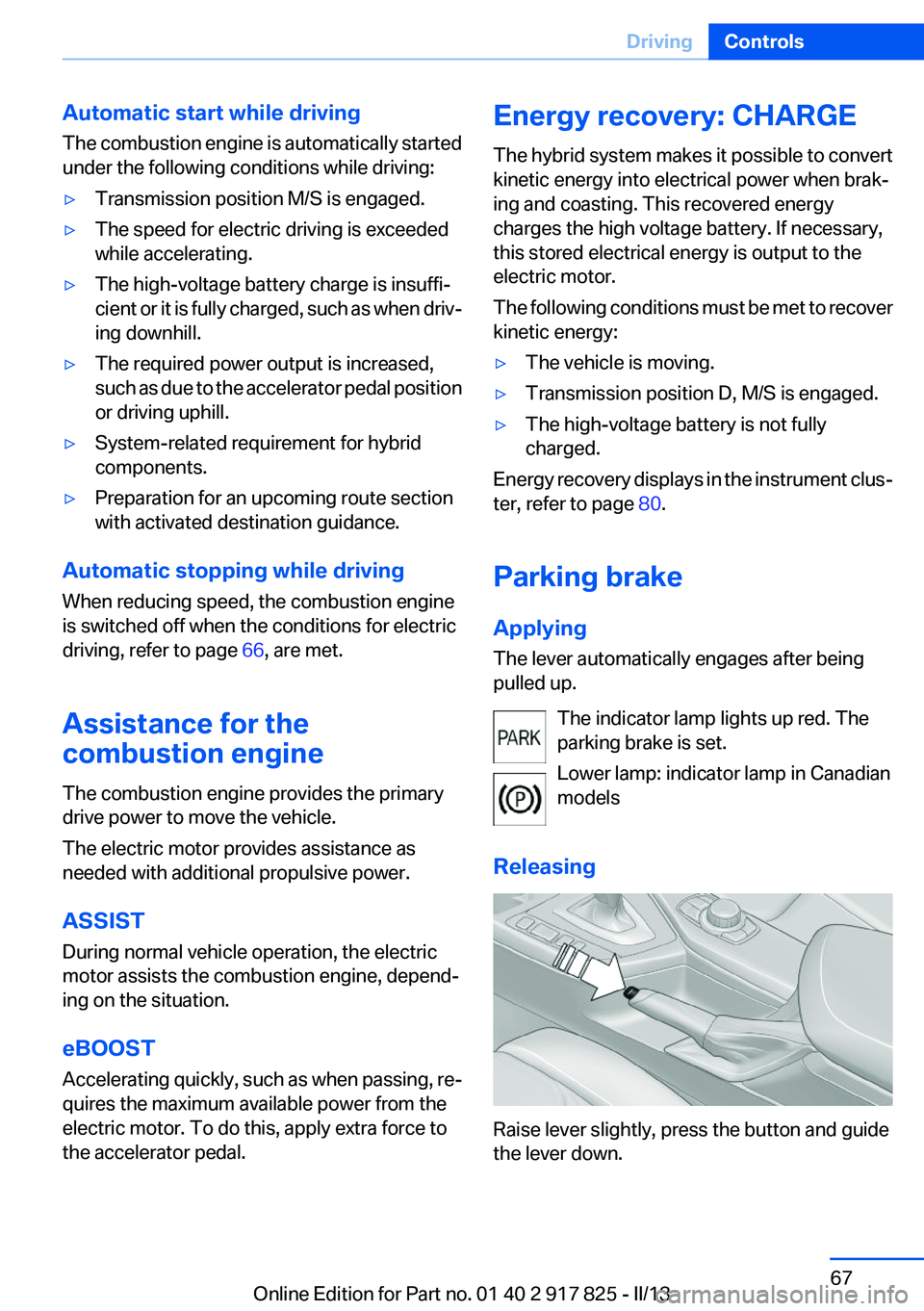
Parking brake
Applying
The lever automatically engages after being
pulled up.
The indicator lamp lights up red. The
parking brake is set.
Lower lamp: indicator lamp in Canadian
models
Releasing
Raise lever slightly, press the button and guide
the lever down.
Seite 67DrivingControls67
Online Edition for Part no. 01 40 2 917 825 - II/13
Page 71 of 220
Follow the notes and instructions on the con‐
tainer.
United States: The washer fluid mixture ratio is
regulated by the U.S. EPA and many individual
states; do not exceed the allowable washer fluid
dilution ratios limits that apply. Follow the usage
instructions on the washer fluid container. Use
BMW’s Windshield Washer Concentrate or the
equivalent.◀
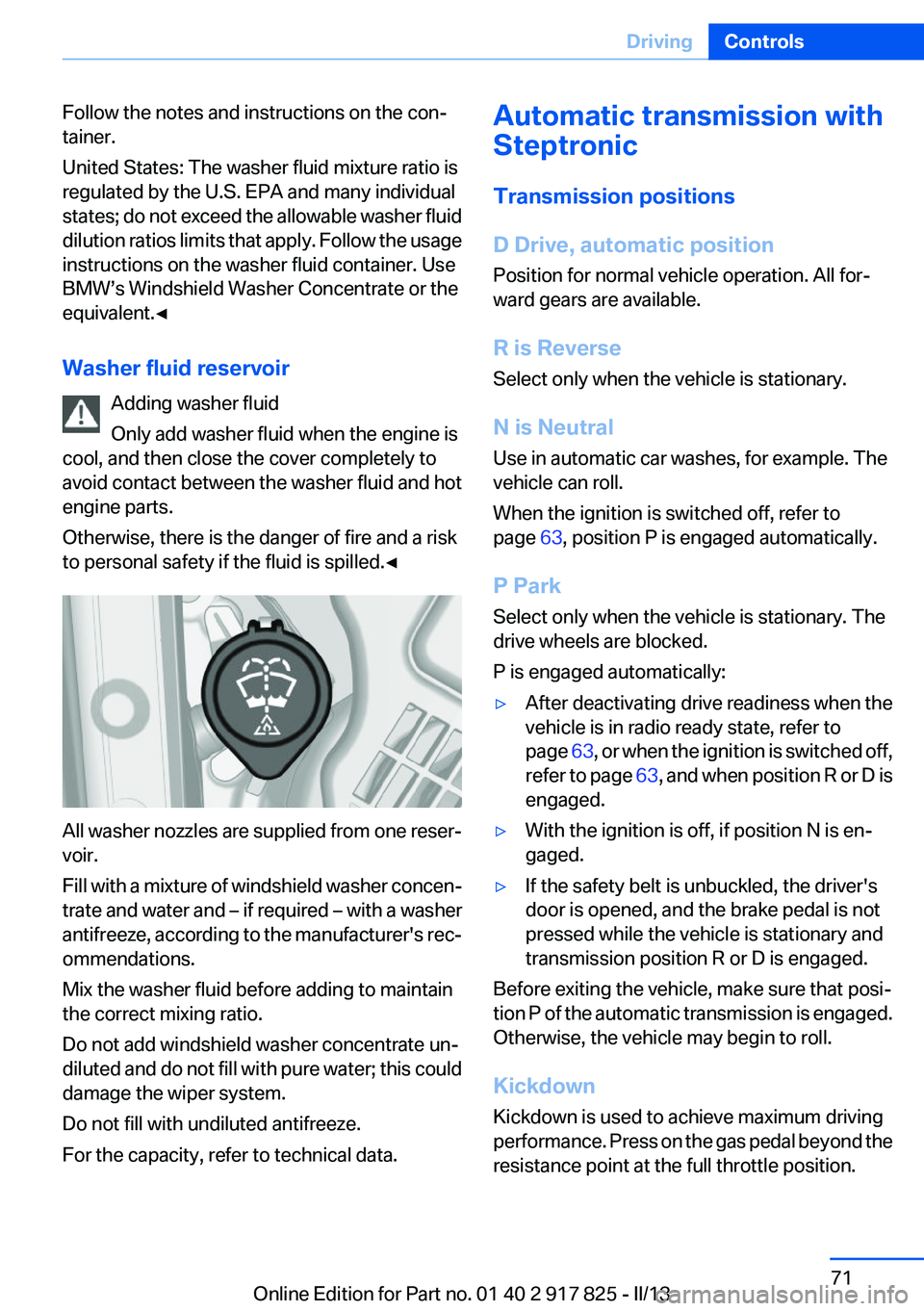
Washer fluid reservoir Adding washer fluid
Only add washer fluid when the engine is
cool, and then close the cover completely to
avoid contact between the washer fluid and hot
engine parts.
Otherwise, there is the danger of fire and a risk
to personal safety if the fluid is spilled.◀
All washer nozzles are supplied from one reser‐
voir.
Fill with a mixture of windshield washer concen‐
trate and water and – if required – with a washer
antifreeze, according to the manufacturer's rec‐
ommendations.
Mix the washer fluid before adding to maintain
the correct mixing ratio.
Do not add windshield washer concentrate un‐
diluted and do not fill with pure water; this could
damage the wiper system.
Do not fill with undiluted antifreeze.
For the capacity, refer to technical data.
Automatic transmission with
Steptronic
Transmission positions
D Drive, automatic position
Position for normal vehicle operation. All for‐
ward gears are available.
R is Reverse
Select only when the vehicle is stationary.
N is Neutral
Use in automatic car washes, for example. The
vehicle can roll.
When the ignition is switched off, refer to
page 63, position P is engaged automatically.
P Park
Select only when the vehicle is stationary. The
drive wheels are blocked.
P is engaged automatically:▷After deactivating drive readiness when the
vehicle is in radio ready state, refer to
page 63, or when the ignition is switched off,
refer to page 63, and when position R or D is
engaged.▷With the ignition is off, if position N is en‐
gaged.▷If the safety belt is unbuckled, the driver's
door is opened, and the brake pedal is not
pressed while the vehicle is stationary and
transmission position R or D is engaged.
Before exiting the vehicle, make sure that posi‐
tion P of the automatic transmission is engaged.
Otherwise, the vehicle may begin to roll.
Kickdown
Kickdown is used to achieve maximum driving
performance. Press on the gas pedal beyond the
resistance point at the full throttle position.
Seite 71DrivingControls71
Online Edition for Part no. 01 40 2 917 825 - II/13
Page 73 of 220
The engaged gear is displayed in the instrument
cluster, e.g., M1.
Once maximum engine speed is attained, M/S
manual mode is automatically upshifted as
needed.
Switching to manual mode▷To shift down: press the selector lever for‐
ward.▷To shift up: pull the selector lever rearwards.
Gears will only be shifted at appropriate engine
and road speeds, e.g., downshifting is not pos‐
sible if the engine speed is too high.
The selected gear is briefly displayed in the in‐
strument cluster, followed by the current gear.
Sport automatic transmissions:
prevent automatic upshifting in M/S
manual mode
For vehicles with Sport automatic transmis‐
sions, automatic shift operations are not per‐
formed, at maximum engine speed for example,
if one of the following conditions is met:
▷DSC deactivated.▷TRACTION activated.▷SPORT+ activated.
In addition, the kickdown is deactivated.
Ending the sport program/manual
mode
Push the selector lever to the right.
D is displayed in the instrument cluster.
Shift paddles for Sport automatic
transmission
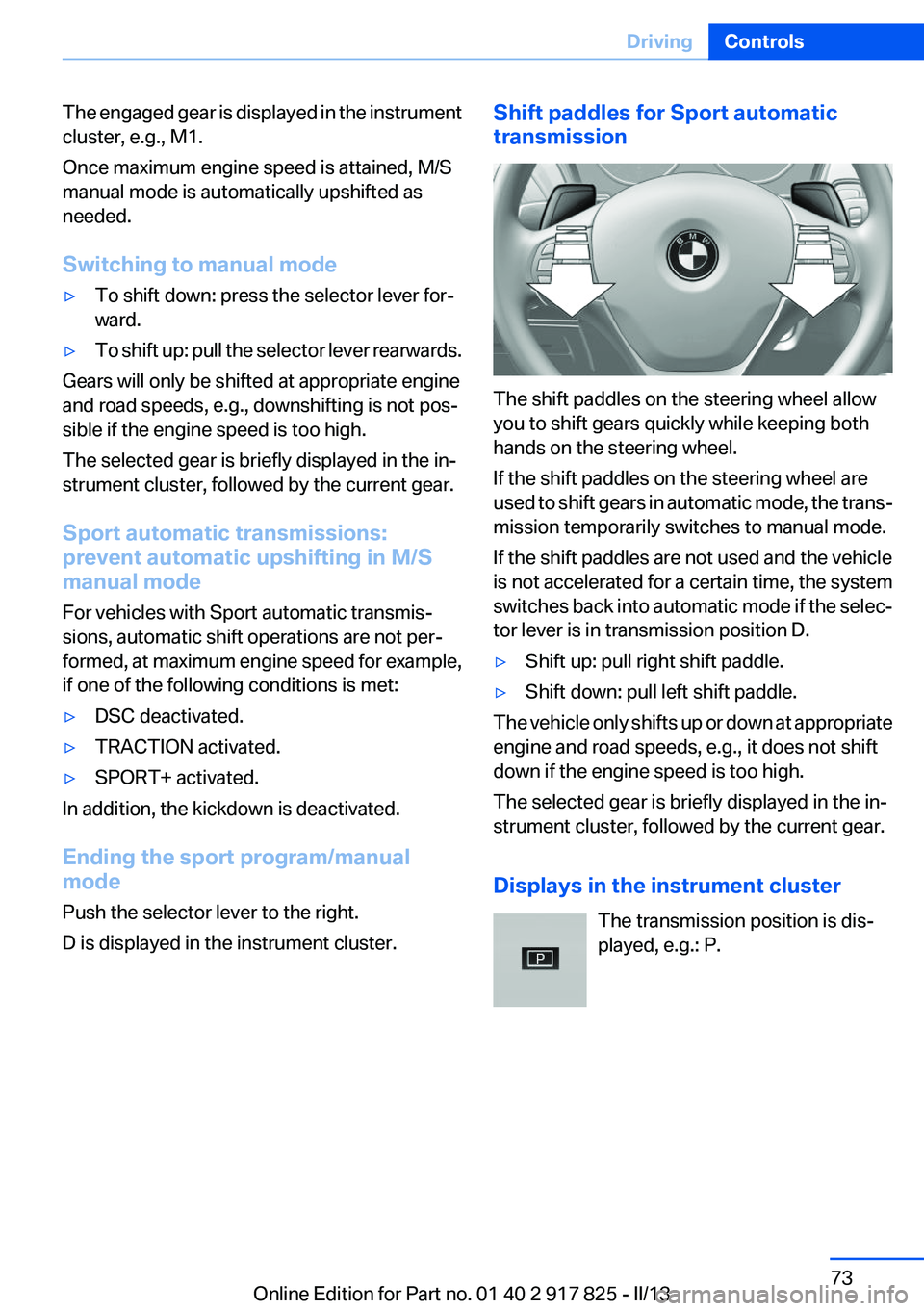
The shift paddles on the steering wheel allow
you to shift gears quickly while keeping both
hands on the steering wheel.
If the shift paddles on the steering wheel are
used to shift gears in automatic mode, the trans‐
mission temporarily switches to manual mode.
If the shift paddles are not used and the vehicle
is not accelerated for a certain time, the system
switches back into automatic mode if the selec‐
tor lever is in transmission position D.
▷Shift up: pull right shift paddle.▷Shift down: pull left shift paddle.
The vehicle only shifts up or down at appropriate
engine and road speeds, e.g., it does not shift
down if the engine speed is too high.
The selected gear is briefly displayed in the in‐
strument cluster, followed by the current gear.
Displays in the instrument cluster The transmission position is dis‐
played, e.g.: P.
Seite 73DrivingControls73
Online Edition for Part no. 01 40 2 917 825 - II/13
Page 117 of 220
Interrupting the systemWhen active, press the button.
The system is automatically interrupted if:▷The brakes are applied.▷The clutch pedal is depressed for a few sec‐
onds or released while a gear is not en‐
gaged.▷The gear engaged is too high for the current
speed.▷The transmission position D is disengaged.▷DTC Dynamic Traction Control is activated
or DSC is deactivated.▷DSC is actively controlling stability.
Maintaining/storing the current speed
Press the button.
Or
Press the rocker switch while the system is in‐
terrupted.
When the system is switched on, the current
speed is maintained and stored as the desired
speed.
It is displayed in the speedometer and briefly
displayed in the instrument cluster, Displays in
the speedometer, refer to page 118.
When cruise control is maintained or stored,
DSC Dynamic Stability Control is switched on, if
necessary.
Changing/maintaining speed
The rocker switch can be pressed while the sys‐
tem is interrupted in order to maintain and store
the current speed.
Adapting the desired speed
Adapt the desired speed to the road con‐
ditions and be ready to brake at all times; other‐
wise, there is the danger of an accident occur‐
ring.◀
Press the rocker switch up or down repeatedly
until the desired speed is set.
If active, the displayed speed is stored and the
vehicle reaches the stored speed if the road is
clear.
▷Each time the rocker switch is pressed to the
point of resistance, the desired speed in‐
creases or decreases by approx.
1 mph/1 km/h.▷Each time the rocker switch is pressed past
the point of resistance, the desired speed
increases or decreases by a maximum of
5 mph/10 km/h.▷Pressing the rocker switch to the resistance
point and holding it there accelerates or de‐
celerates the vehicle without requiring pres‐
sure on the accelerator. After the rocker
switch is released, the vehicle maintains its
final speed. Pressing the switch beyond the
resistance point causes the vehicle to ac‐
celerate more rapidly.
Resuming the desired speed
Press the button.
Seite 117Driving comfortControls117
Online Edition for Part no. 01 40 2 917 825 - II/13