radio BMW M3 CONVERTIBLE 2012 Workshop Manual
[x] Cancel search | Manufacturer: BMW, Model Year: 2012, Model line: M3 CONVERTIBLE, Model: BMW M3 CONVERTIBLE 2012Pages: 255, PDF Size: 6.32 MB
Page 171 of 255
170
CommunicationsConnectedDrive
My Info
With this service, text messages associated
with phone numbers can be sent via the BMW
Assist Internet portal and displayed in the vehi-
cle.
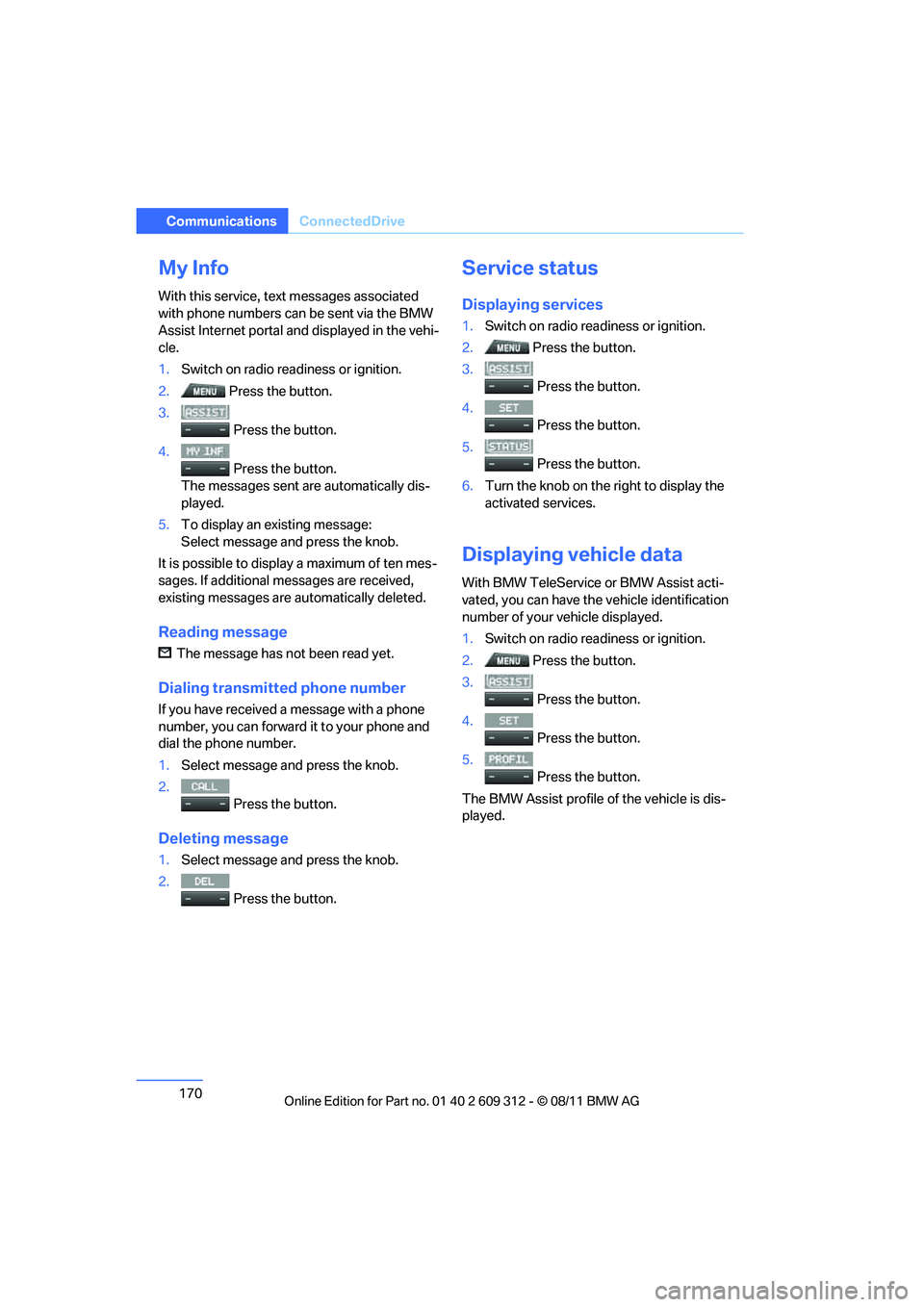
1. Switch on radio read iness or ignition.
2. Press the button.
3.
Press the button.
4. Press the button.
The messages sent are automatically dis-
played.
5. To display an existing message:
Select message and press the knob.
It is possible to display a maximum of ten mes-
sages. If additional messages are received,
existing messages are automatically deleted.
Reading message
The message has not been read yet.
Dialing transmi tted phone number
If you have received a message with a phone
number, you can forward it to your phone and
dial the phone number.
1.Select message and press the knob.
2. Press the button.
Deleting message
1.Select message and press the knob.
2.
Press the button.
Service status
Displaying services
1.Switch on radio readiness or ignition.
2. Press the button.
3.
Press the button.
4.
Press the button.
5.
Press the button.
6. Turn the knob on the right to display the
activated services.
Displaying vehicle data
With BMW TeleService or BMW Assist acti-
vated, you can have the vehicle identification
number of your vehicle displayed.
1. Switch on radio readiness or ignition.
2. Press the button.
3.
Press the button.
4.
Press the button.
5.
Press the button.
The BMW Assist profile of the vehicle is dis-
played.
Online Edition for Part no. 01 40 2 609 312 - \251 08/11 BMW AG
Page 208 of 255
207
Care
Mobility
Treat the leather at least once every two
months using a leather lotion as dirt and grease
will gradually attack th
e leather's protective
layer.
Carpet and floor mats
Keep floor mats, carpet, and other objects
out of the movement range of the pedals;
otherwise, they may inhi bit the function of the
pedals during driving.
Do not place additional floor mats onto an exist-
ing one or onto other objects.
Only use floor mats that have been approved for
the vehicle and can be appropriately fastened.
Make sure that the floo r mats are securely fas-
tened again after they ha ve been removed, e.g.
for cleaning. <
Interior plastic parts
>Imitation leather surfaces
> Lamp glasses
> Display pane of instrument cluster
> Matte parts
Clean with water and solvent-free plastic
cleaner if necessary.
Fine wood parts
Clean fine wood trim and fine wood parts with a
damp cloth. Wipe dry with a soft cloth.
Safety belts
Dirty belt straps impede the reeling action and
thus have a negative impact on safety. Do not clean chemically, as this may
destroy the webbing. <
Interior sensors/cameras
To clean interior sens ors and cameras, use a
lint-free cloth moistene d with glass cleaner.
Displays
To clean displays, e.g. of the radio or instrument
cluster, use a cleaning cloth for displays or a
soft, non-abrasive, lint-free cloth.
Avoid applying excessive pressure when
cleaning the displays; otherwise, damage
may occur. <
Do not use chemical or abrasive house-
hold cleaning agents. Keep all types of
fluid away from the device. Otherwise, surfaces
or electrical components may be corroded or
damaged. <
CD/DVD drives
Do not use a cleaning CD, as it may dam-
age parts of the drive. <
Vehicle storage
If you plan to park your vehicle for longer than
three months, your BMW center will be happy
to advise you.
Online Edition for Part no. 01 40 2 609 312 - \251 08/11 BMW AG
Page 213 of 255
212
MobilityReplacing components
When mounting new tires or changing over
from summer to winter tires and vice versa,
mount run-flat tires for your own safety. In the
event of a flat, no spare wheel is available. Your
BMW center will be glad to advise you. Refer
also to New wheels and tires, page 195.
The tools for changing wheels are avail-
able as optional accessories from your
BMW center. <
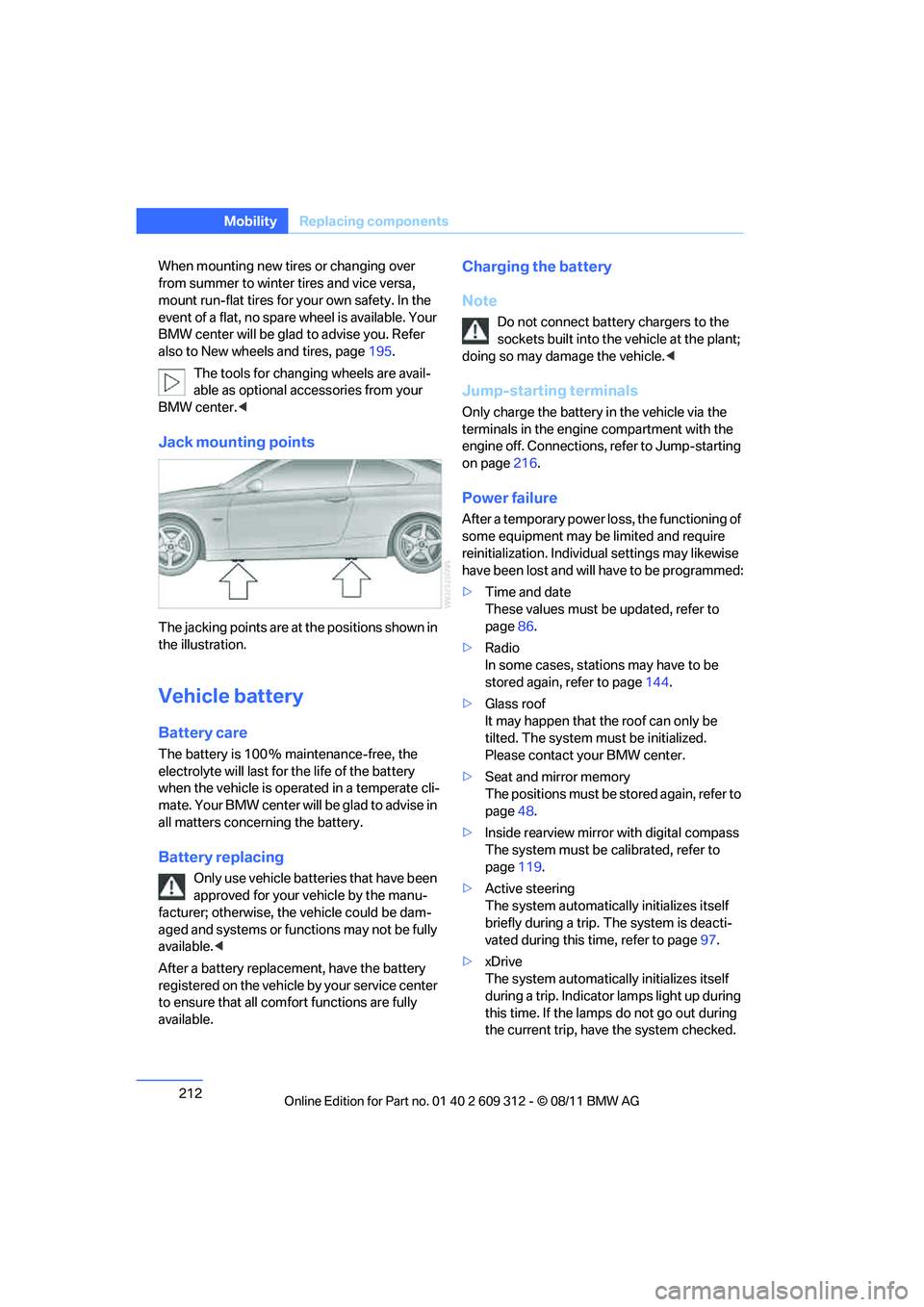
Jack mounting points
The jacking points are at the positions shown in
the illustration.
Vehicle battery
Battery care
The battery is 100 % maintenance-free, the
electrolyte will last for the life of the battery
when the vehicle is operated in a temperate cli-
mate. Your BMW center will be glad to advise in
all matters concerning the battery.
Battery replacing
Only use vehicle batteries that have been
approved for your vehicle by the manu-
facturer; otherwise, the vehicle could be dam-
aged and systems or functions may not be fully
available. <
After a battery replacem ent, have the battery
registered on the vehicle by your service center
to ensure that all comfort functions are fully
available.
Charging the battery
Note
Do not connect battery chargers to the
sockets built into the vehicle at the plant;
doing so may dama ge the vehicle.<
Jump-starting terminals
Only charge the battery in the vehicle via the
terminals in the engine compartment with the
engine off. Connections, refer to Jump-starting
on page216.
Power failure
After a temporary power lo ss, the functioning of
some equipment may be limited and require
reinitialization. Individual settings may likewise
have been lost and will have to be programmed:
> Time and date
These values must be updated, refer to
page 86.
> Radio
In some cases, statio ns may have to be
stored again, refer to page 144.
> Glass roof
It may happen that the roof can only be
tilted. The system must be initialized.
Please contact your BMW center.
> Seat and mirror memory
The positions must be stored again, refer to
page 48.
> Inside rearview mirror with digital compass
The system must be calibrated, refer to
page 119.
> Active steering
The system automatically initializes itself
briefly during a trip. The system is deacti-
vated during this time, refer to page 97.
> xDrive
The system automatically initializes itself
during a trip. Indicator lamps light up during
this time. If the lamps do not go out during
the current trip, have the system checked.
Online Edition for Part no. 01 40 2 609 312 - \251 08/11 BMW AG
Page 215 of 255
214
MobilityGiving and receiving assistance
Giving and receiving assistance
Vehicle equipment
In this chapter, all pr oduction, country, and
optional equipment that is offered in the model
range is described. For this reason, descrip-
tions will be given of some equipment that may
not be available in a vehi cle, for example due to
the special options or national-market version
selected. This also app lies to safety related
functions and systems.
Emergency Request
Requirements
> Full preparation package mobile phone: this
equipment makes it possible to send an
Emergency Request even if no mobile
phone is paired with the vehicle.
> BMW Assist is activated.
> Radio readiness is switched on.
> The BMW Assist system is logged into a
mobile phone network that is supported by
BMW Assist.
> The Emergency Request system is opera-
ble.
Only press the SOS button in an emergency.
For technical reasons, the Emergency
Request service canno t be guaranteed
for the most unfavorable conditions. <
Subscriber contract
Upon expiration of the subscriber contract with
BMW Assist, the BMW Assist system can be
deactivated by a BMW center without a work-
shop visit.
After the system is deacti vated, it is no longer
possible to make Emergency Requests.
It may be possible for a BMW center to reacti-
vate the system after a new contract has been
signed.
Sending an Emergency Request
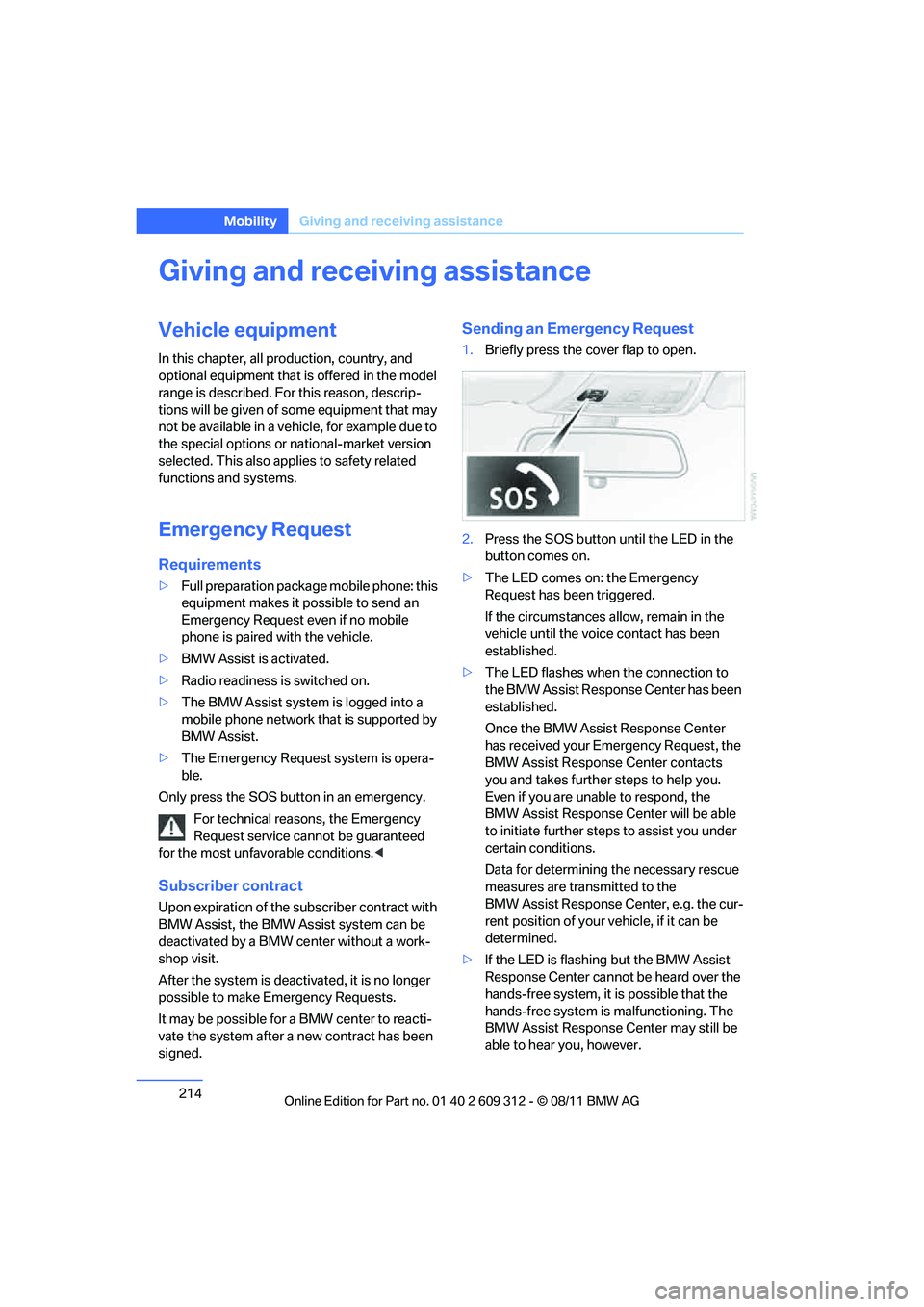
1. Briefly press the cover flap to open.
2. Press the SOS button un til the LED in the
button comes on.
> The LED comes on: the Emergency
Request has been triggered.
If the circumstances a llow, remain in the
vehicle until the voice contact has been
established.
> The LED flashes when the connection to
the BMW Assist Response Center has been
established.
Once the BMW Assist Response Center
has received your Emergency Request, the
BMW Assist Response Center contacts
you and takes further steps to help you.
Even if you are unable to respond, the
BMW Assist Response Center will be able
to initiate further steps to assist you under
certain conditions.
Data for determining the necessary rescue
measures are transmitted to the
BMW Assist Response Center, e.g. the cur-
rent position of your vehicle, if it can be
determined.
> If the LED is flashing but the BMW Assist
Response Center cannot be heard over the
hands-free system, it is possible that the
hands-free system is malfunctioning. The
BMW Assist Response Center may still be
able to hear you, however.
Online Edition for Part no. 01 40 2 609 312 - \251 08/11 BMW AG
Page 229 of 255
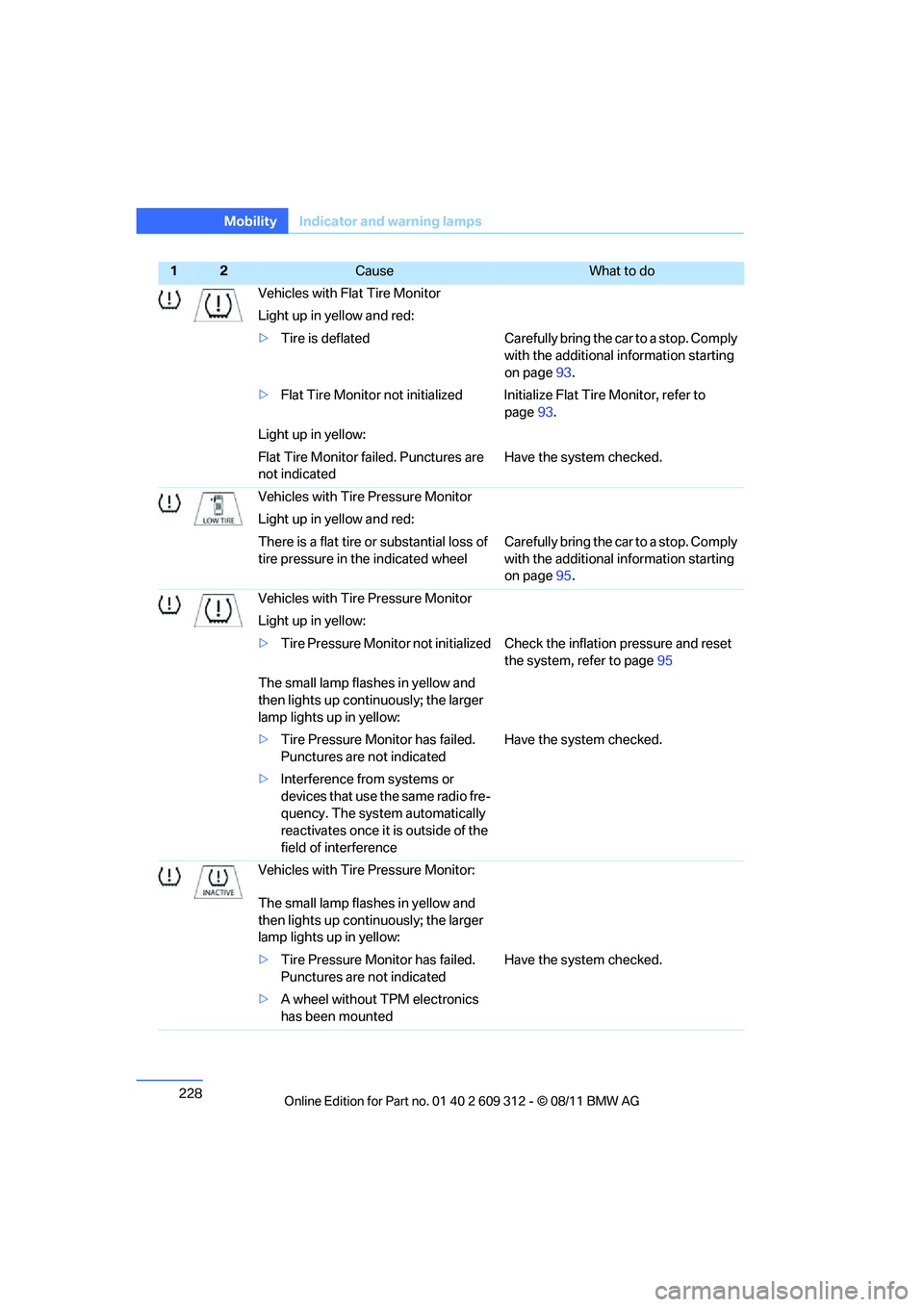
228
MobilityIndicator and warning lamps
Vehicles with Flat Tire Monitor
Light up in yellow and red:
>Tire is deflated Carefully bring the car to a stop. Comply
with the additional information starting
on page93.
> Flat Tire Monitor not initialized Initialize Flat Tire Monitor, refer to
page93.
Light up in yellow:
Flat Tire Monitor failed. Punctures are
not indicated Have the system checked.
Vehicles with Tire Pressure Monitor
Light up in yellow and red:
There is a flat tire or substantial loss of
tire pressure in the indicated wheel Carefully bring the car to a stop. Comply
with the additional information starting
on page
95.
Vehicles with Tire Pressure Monitor
Light up in yellow:
> Tire Pressure Monitor not initialized Ch eck the inflation pressure and reset
the system, refer to page 95
The small lamp flashes in yellow and
then lights up contin uously; the larger
lamp lights up in yellow:
> Tire Pressure Monitor has failed.
Punctures are not indicated Have the system checked.
> Interference from systems or
devices that use the same radio fre-
quency. The system automatically
reactivates once it is outside of the
field of interference
Vehicles with Tire Pressure Monitor:
The small lamp flashes in yellow and
then lights up contin uously; the larger
lamp lights up in yellow:
> Tire Pressure Monitor has failed.
Punctures are not indicated Have the system checked.
> A wheel without TPM electronics
has been mounted
12Cause What to do
Online Edition for Part no. 01 40 2 609 312 - \251 08/11 BMW AG
Page 242 of 255
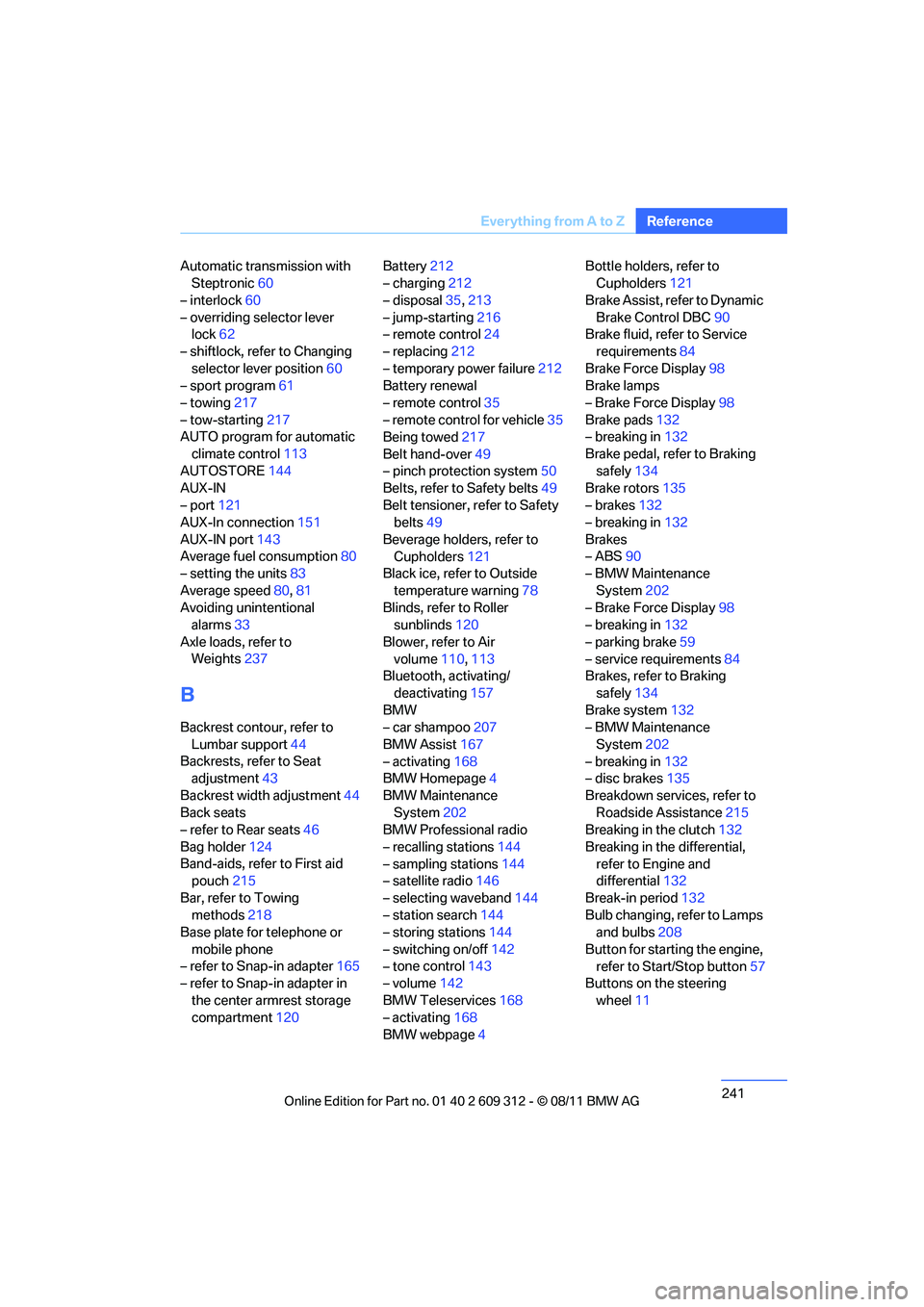
241
Everything from A to Z
Reference
Automatic transmission with
Steptronic 60
– interlock 60
– overriding selector lever lock 62
– shiftlock, refer to Changing selector lever position 60
– sport program 61
– towing 217
– tow-starting 217
AUTO program for automatic
climate control 113
AUTOSTORE 144
AUX-IN
– port 121
AUX-In connection 151
AUX-IN port 143
Average fuel consumption 80
– setting the units 83
Average speed 80,81
Avoiding unintentional alarms 33
Axle loads, refer to Weights 237
B
Backrest contour, refer to
Lumbar support 44
Backrests, refer to Seat adjustment 43
Backrest width adjustment 44
Back seats
– refer to Rear seats 46
Bag holder 124
Band-aids, refer to First aid pouch 215
Bar, refer to Towing methods 218
Base plate for telephone or
mobile phone
– refer to Snap-in adapter 165
– refer to Snap-in adapter in
the center armrest storage
compartment 120 Battery
212
– charging 212
– disposal 35,213
– jump-starting 216
– remote control 24
– replacing 212
– temporary power failure 212
Battery renewal
– remote control 35
– remote control for vehicle 35
Being towed 217
Belt hand-over 49
– pinch protection system 50
Belts, refer to Safety belts 49
Belt tensioner, refer to Safety
belts 49
Beverage holders, refer to Cupholders 121
Black ice, refer to Outside
temperature warning 78
Blinds, refer to Roller sunblinds 120
Blower, refer to Air volume 110,113
Bluetooth, activating/
deactivating 157
BMW
– car shampoo 207
BMW Assist 167
– activating 168
BMW Homepage 4
BMW Maintenance System 202
BMW Professional radio
– recalling stations 144
– sampling stations 144
– satellite radio 146
– selecting waveband 144
– station search 144
– storing stations 144
– switching on/off 142
– t
one control 143
– volume 142
BMW Teleservices 168
– activating 168
BMW webpage 4 Bottle holders, refer to
Cupholders 121
Brake Assist, refer to Dynamic Brake Control DBC 90
Brake fluid, refer to Service
requirements 84
Brake Force Display 98
Brake lamps
– Brake Force Display 98
Brake pads 132
– breaking in 132
Brake pedal, refer to Braking safely 134
Brake rotors 135
– brakes 132
– breaking in 132
Brakes
– ABS 90
– BMW Maintenance
System 202
– Brake Force Display 98
– breaking in 132
– parking brake 59
– service requirements 84
Brakes, refer to Braking
safely 134
Brake system 132
– BMW Maintenance
System 202
– breaking in 132
– disc brakes 135
Breakdown services, refer to Roadside Assistance 215
Breaking in the clutch 132
Breaking in the differential, refer to Engine and
differential 132
Break-in period 132
Bulb changing, refer to Lamps and bulbs 208
Button for starting the engine, refer to Start/Stop button 57
Buttons on the steering
wheel 11
Online Edition for Part no. 01 40 2 609 312 - \251 08/11 BMW AG
Page 243 of 255
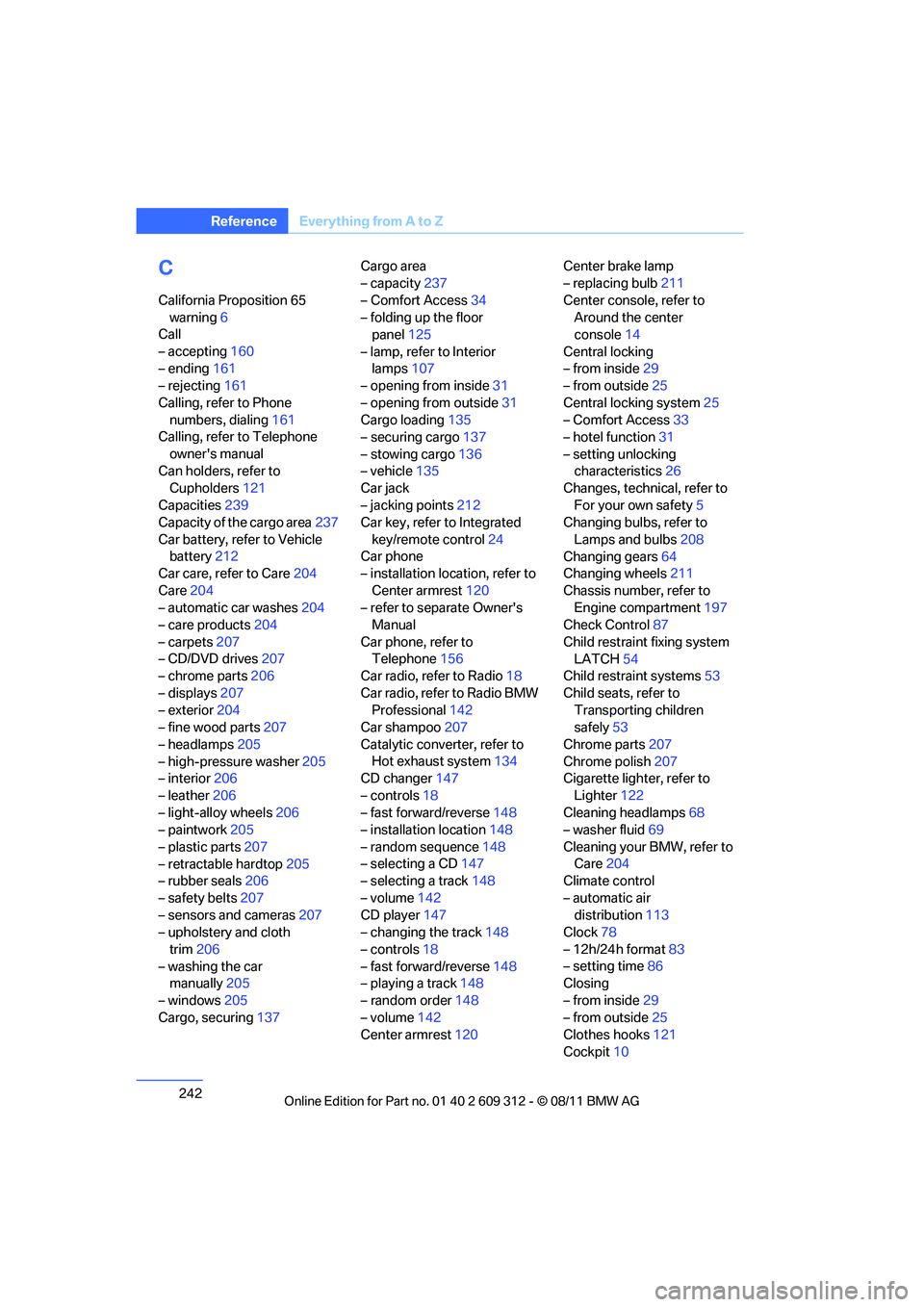
242
ReferenceEverything from A to Z
C
California Proposition 65
warning 6
Call
– accepting 160
– ending 161
– rejecting 161
Calling, refer to Phone numbers, dialing 161
Calling, refer to Telephone
owner's manual
Can holders, refer to Cupholders 121
Capacities 239
Capacity of the cargo area 237
Car battery, refer to Vehicle battery 212
Car care, refer to Care 204
Care 204
– automatic car washes 204
– care products 204
– carpets 207
– CD/DVD drives 207
– chrome parts 206
– displays 207
– exterior 204
– fine wood parts 207
– headlamps 205
– high-pressure washer 205
– interior 206
– leather 206
– light-alloy wheels 206
– paintwork 205
– plastic parts 207
– retractable hardtop 205
– rubber seals 206
– safety belts 207
– sensors and cameras 207
– upholstery and cloth
trim 206
– washing the car manually 205
– windows 205
Cargo, securing 137 Cargo area
– capacity
237
– Comfort Access 34
– folding up the floor panel 125
– lamp, refer to Interior lamps 107
– opening from inside 31
– opening from outside 31
Cargo loading 135
– securing cargo 137
– stowing cargo 136
– vehicle 135
Car jack
– jacking points 212
Ca
r key, refer to Integrated
key/remote control 24
Car phone
– installation location, refer to
Center armrest 120
– refer to separate Owner's Manual
Car phone, refer to Telephone 156
Car radio, refer to Radio 18
Car radio, refer to Radio BMW Professional 142
Car shampoo 207
Catalytic converter, refer to Hot exhaust system 134
CD changer 147
– controls 18
– fast forward/reverse 148
– installation location 148
– random sequence 148
– selecting a CD 147
– selecting a track 148
– volume 142
CD player 147
– changing the track 148
– controls 18
– fast forward/reverse 148
– playing a track 148
– random order 148
– volume 142
Center armrest 120 Center brake lamp
– replacing bulb
211
Center console, refer to Around the center
console 14
Central locking
– from inside 29
– from outside 25
Central locking system 25
– Comfort Access 33
– hotel function 31
– setting unlocking characteristics 26
Changes, technical, refer to
For your own safety 5
Changing bulbs, refer to
Lamps and bulbs 208
Changing gears 64
Changing wheels 211
Chassis number, refer to Engine compartment 197
Check Control 87
Child restraint fixing system LATCH 54
Child restraint systems 53
Child seats, refer to Transporting children
safely 53
Chrome parts 207
Chrome polish 207
Cigarette lighter, refer
to
Lighter 122
Cleaning headlamps 68
– washer fluid 69
Cleaning your BMW, refer to Care 204
Climate control
– automatic air distribution 113
Clock 78
– 12h/24h format 83
– setting time 86
Closing
– from inside 29
– from outside 25
Clothes hooks 121
Cockpit 10
Online Edition for Part no. 01 40 2 609 312 - \251 08/11 BMW AG
Page 244 of 255
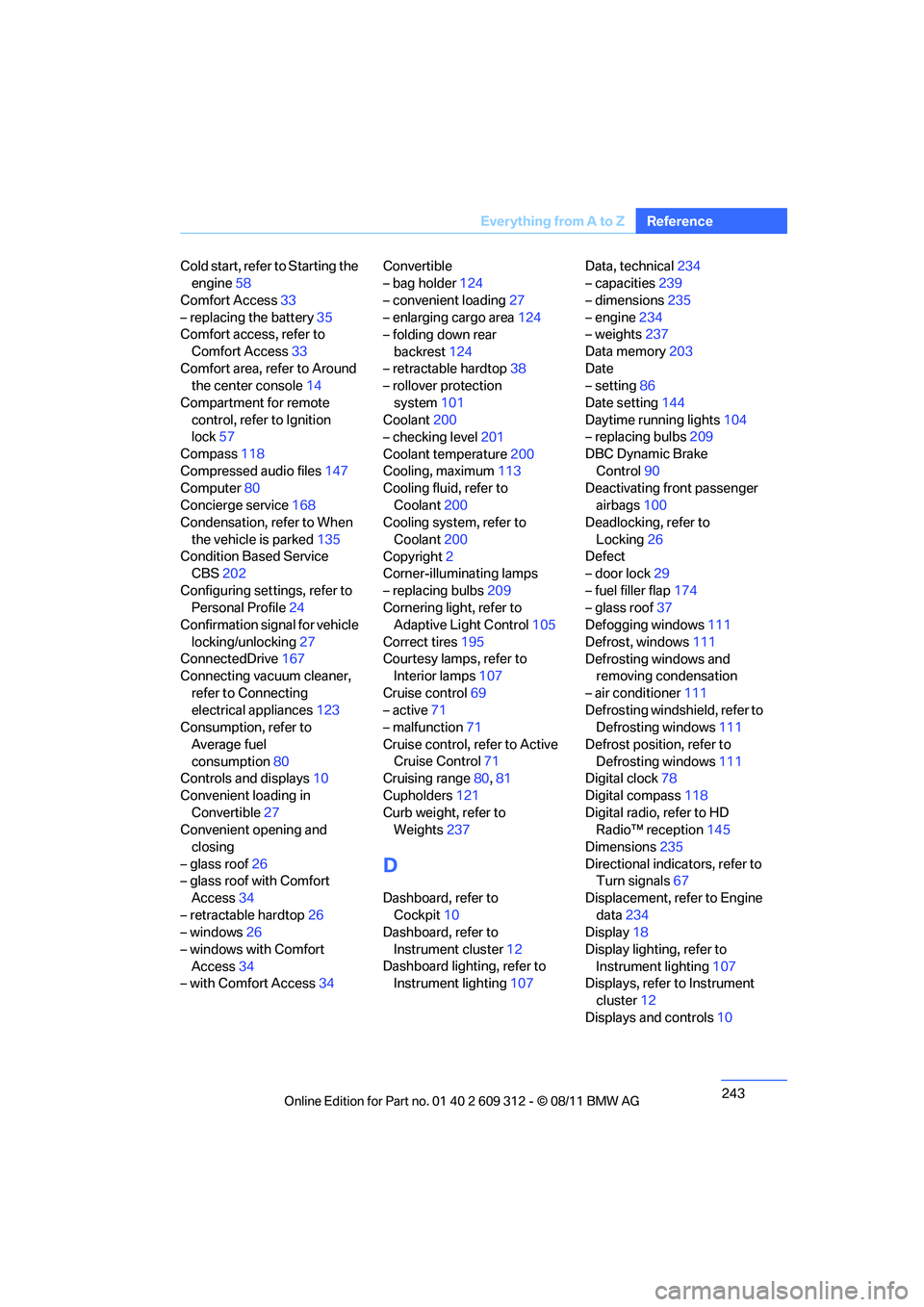
243
Everything from A to Z
Reference
Cold start, refer to Starting the
engine 58
Comfort Access 33
– replacing the battery 35
Comfort access, refer to
Comfort Access 33
Comfort area, refer to Around the center console 14
Compartment for remote control, refer to Ignition
lock 57
Compass 118
Compressed audio files 147
Computer 80
Concierge service 168
Condensation, refer to When
the vehicle is parked 135
Condition Based Service CBS 202
Configuring settings, refer to Personal Profile 24
Confirmation signal for vehicle
locking/unlocking 27
ConnectedDrive 167
Connecting vacuum cleaner,
refer to Connecting
electrical appliances 123
Consumption, refer to
Average fuel
consumption 80
Controls and displays 10
Convenient loading in Convertible 27
Convenient opening and
closing
– glass roof 26
– glass roof with Comfort
Access 34
– retractable hardtop 26
– windows 26
– windows with Comfort Access 34
– with Comfort Access 34Convertible
– bag holder
124
– convenient loading 27
– enlarging cargo area 124
– folding down rear
backrest 124
– retractable hardtop 38
– rollover protection
system 101
Coolant 200
– checking level 201
Coolant temperature 200
Cooling, maximum 113
Cooling fluid, refer to
Coolant 200
Cooling system, refer to
Coolant 200
Copyright 2
Corner-illuminating lamps
– replacing bulbs 209
Cornering light, refer to
Adaptive Light C
ontrol105
Correct tires 195
Courtesy lamps, refer to Interior lamps 107
Cruise control 69
– active 71
– malfunction 71
Cruise control, refer to Active Cruise Control 71
Cruising range 80,81
Cupholders 121
Curb weight, refer to Weights 237
D
Dashboard, refer to
Cockpit 10
Dashboard, refer to
Instrument cluster 12
Dashboard lighting, refer to Instrument lighting 107Data, technical
234
– capacities 239
– dimensions 235
– engine 234
– weights 237
Data memory 203
Date
– setting 86
Date setting 144
Daytime running lights 104
– replacing bulbs 209
DBC Dynamic Brake Control 90
Deactivating front passenger
airbags 100
Deadlocking, refer to
Locking 26
Defect
– door lock 29
– fuel filler flap 174
– glass roof 37
Defogging windows 111
Defrost, windows 111
Defrosting windows and removing condensation
– air conditioner 111
Defrosting windshield, refer to Defrosting windows 111
Defrost position, refer to Defrosting windows 111
Digital clock 78
Digital compass 118
Digital radio, refer to HD Radio™ reception 145
Dimensions 235
Directional indicators, refer to Turn signals 67
Displacement, refer to Engine data 234
Display 18
Display lighting, refer to Instrument lighting 107
Displays, refer to Instrument
cluster 12
Displays and controls 10
Online Edition for Part no. 01 40 2 609 312 - \251 08/11 BMW AG
Page 246 of 255
245
Everything from A to Z
Reference
Eyes
– for tow-starting and towing
away 217
– for tying down loads 137
F
Failure messages, refer to
Check Control 87
Failure of an electrical consumer 213
False alarm
– avoiding unintentional alarm 33
– switching off an alarm 32
Fastening safety belts, refer to
Safety belts 49
Fast forward
– CD 148
Fault messages, refer to Check Control 87
Filter
– refer to Microfilter/activated- charcoal filter for automatic
climate control 115
– refer to Microfilter for air conditioner 111
First aid pouch 215
Fixture for remote control, refer to Ignition lock 57
Flash when locking/
unlocking 27
Flat tire
– Run-flat tires 196
– Tire Pressure Monitor TPM 95
Flat Tire Monitor FTM 93
– indicating a flat tire 94
– indicator/warning lamp 94
– initialization 93
– snow chains 93,196
– system limits 93
Flat tires, refer to Tire
condition 194
Fluid reservoir, refer to Washer fluid reservoir 69
FM waveband 144 Fog lamps
107
– indicator lamp 107,220
Folding up the floor panel 125
Footwell lamps, refer to Interior lamps 107
For your own safety 5
Four-wheel drive, refer to xDrive 92
Front airbags 99
FTM, refer to Flat Tire Monitor 93
Fuel 175
– average consumption 80
– gauge 79
– high-quality brands 175
– quality 175
– specifications 175
– tank contents, refer to Capacities 239
Fuel clock, refer to Fuel gauge 79
Fuel consumption indicator
– av
erage fuel
consumption 80
Fuel display, refer to Fuel
gauge 79
Fuel filler flap 174
– releasing in the event of
electrical malfunction 174
Fuses 213
G
Garage door opener, refer to
Integrated universal remote
control 116
Gasoline
– refer to Average consumption 80
Gasoline, refer to Required
fuel 175
Gasoline display, refer to Fuel gauge 79
Gear indicator, automatic transmission with
Steptronic 60 Gear indicator, refer to
Displays in the instrument
cluster 63
Gearshift lever 62
– automatic transmission with
Steptronic 60
– manual transmission 60
Gearshifts
– automatic transmission with Steptronic 60
– manual transmission 60
General driving notes 133
Glass roof, electric 37
– closing after electrical
malfunction 37
– convenient opening and
closing 26,29
– convenient opening and closing with Comfort
Access 34
– initializing 37
– opening, closing 37
– pinch protection system 37
– power failure 37
– remote control 26
– tilting 37
Glove compartment 120
Gong
– volume 142
Grills, refer to Air vents 110
Gross vehicle weight, refer to
Weights 237H
Handbrake, refer to Parking
brake 59
Hands-free system 14,163
Hazard warning flashers 14
HDC Hill Descent Control 92
HD Radio™ reception 145
Head airbags 99
Headlamp control,
automatic 103
Headlamp flasher 67
– indicator lamp 11,14, 220
Online Edition for Part no. 01 40 2 609 312 - \251 08/11 BMW AG
Page 247 of 255
246
ReferenceEverything from A to Z
Head Light, refer to Adaptive
Light Control 105
Head restraints 45
– rear, removing 46
– sitting safely 42
Heated
– mirrors 51
– rear window 111,114
– seats 48
– steering wheel 52
Heating 109
– mirrors 51
– rear window 111,114
– seats 48
– steering wheel 52
Heating and ventilation, refer
to Climate 109
Heavy loads, refer to Stowing cargo 136
Height, refer to Dimensions 235
Height adjustment
– seats 43
– steering wheel 52
High-beam Assistant 106
High beams 105
– headlamp flasher 105
– indicator lamp 220
High beams and low beams, automatic, refer to High-
beam Assistant 106
High-pressure washer 204,205
High water, refer to Driving
through water 134
Hill Descent Control HDC 92
Hills 135
Holders for cups 121
Homepage BMW 4
Hood 198
Hooks for shopping bags 125
Horn 10,11
Hotel function, refer to
Locking or unlocking
separately 31 Hot exhaust system
134
Hydraulic brake assist, refer to
Dynamic Brake Control 90
Hydroplaning 134
I
Ice warning, refer to Outside
temperature warning 78
Identification marks
– Run-flat tires 196
– tire coding 193
Ignition 58
– switched off 58
– switched on 58
Ignition key, refer to Remote
control with integrated
key 24
Ignition key position 1, refer to
Radio readiness 57
Ignition key position 2, refer to Ignition on 58
Ignition lock 57
Imprint 2
Indicator and warning
lamps 13
– Tire Pressure Monitor TPM 96
Indicator and warning lamps, overview 220
Individual air distribution 110
Inflation pressure, refer to Tire inflation pressure 177
Inflation pressure monitoring,
refer to Tire Pressure
Monitor TPM 95
Initializing
– after power failure 212
– compass, refer to Calibrating 119
– Flat Tire Monitor FTM 93
– glass roof 37
Installation location
– CD changer 148
– telephone 120 Instrument cluster
12
Instrument cluster, refer to
Cockpit 10
Instrument combination, refer to Instrument cluster 12
Instrument lighting 107
Integrated key 24
Integrated universal remote
control 116
Interior lamps 107
– remote control 27
Interior motion sensor 33
Interior rearview mirror 51
– automatic dimming
feature 51
– compass 118
Interlock, refer to Disengaging the remote control 60
Intermittent mode of the
wipers 68
J
Jacking points 212
Jumpering, refer to Jump-
starting 216
Jump-starting 216
K
Key, refer to Integrated key/
remote control 24
Keyless go, refer to Comfort Access 33
Keyless opening and closing, refer to Comfort Access 33
Key Memory, refer to Personal
Profile 24
Keypad dialing 162
Kickdown 61
– automatic transmission with Steptronic 61
Knock control 175
Online Edition for Part no. 01 40 2 609 312 - \251 08/11 BMW AG