radio BMW M3 CONVERTIBLE 2012 User Guide
[x] Cancel search | Manufacturer: BMW, Model Year: 2012, Model line: M3 CONVERTIBLE, Model: BMW M3 CONVERTIBLE 2012Pages: 255, PDF Size: 6.32 MB
Page 36 of 255
35
Opening and closing
Controls
Switching off the engine in cars with
automatic transmission
The engine can only be switched off when the
selector lever is in po
sition P, refer to page 59.
To switch the engine off when the selector lever
is in position N, the remote control must be in
the ignition lock.
Malfunction
Local radio waves can in terfere with the func-
tion of Comfort Access, for example when a
mobile phone is in the immediate vicinity of the
remote control or by when a mobile phone is
being charged in the vehicle.
If this happens, open or close the vehicle via the
buttons on the remote co ntrol or using the inte-
grated key. To start the engine afterward, insert
the remote control into the ignition lock.
Warning lamps
The warning lamp in the instrument
cluster lights up when you attempt to
start the engine: the engine cannot
be started. The remote co ntrol is not inside the
vehicle or is malfunctioning.
Take the remote contro l with you inside the
vehicle or have it checke d. If necessary, insert
another remote control in to the ignition lock.
The warning lamp in the instrument
cluster lights up wh ile the engine is
running: the remote control is no
longer inside the vehicle. After the engine is
switched off, the engine can only be restarted
within approx. 10 seconds.
The indicator lamp in the instrument
cluster lights up: re place the battery
in the remote control.
Replacing the battery
The remote control for Comfort Access con-
tains a battery that will need to be replaced from
time to time.
1. Take the integrated ke y out of the remote
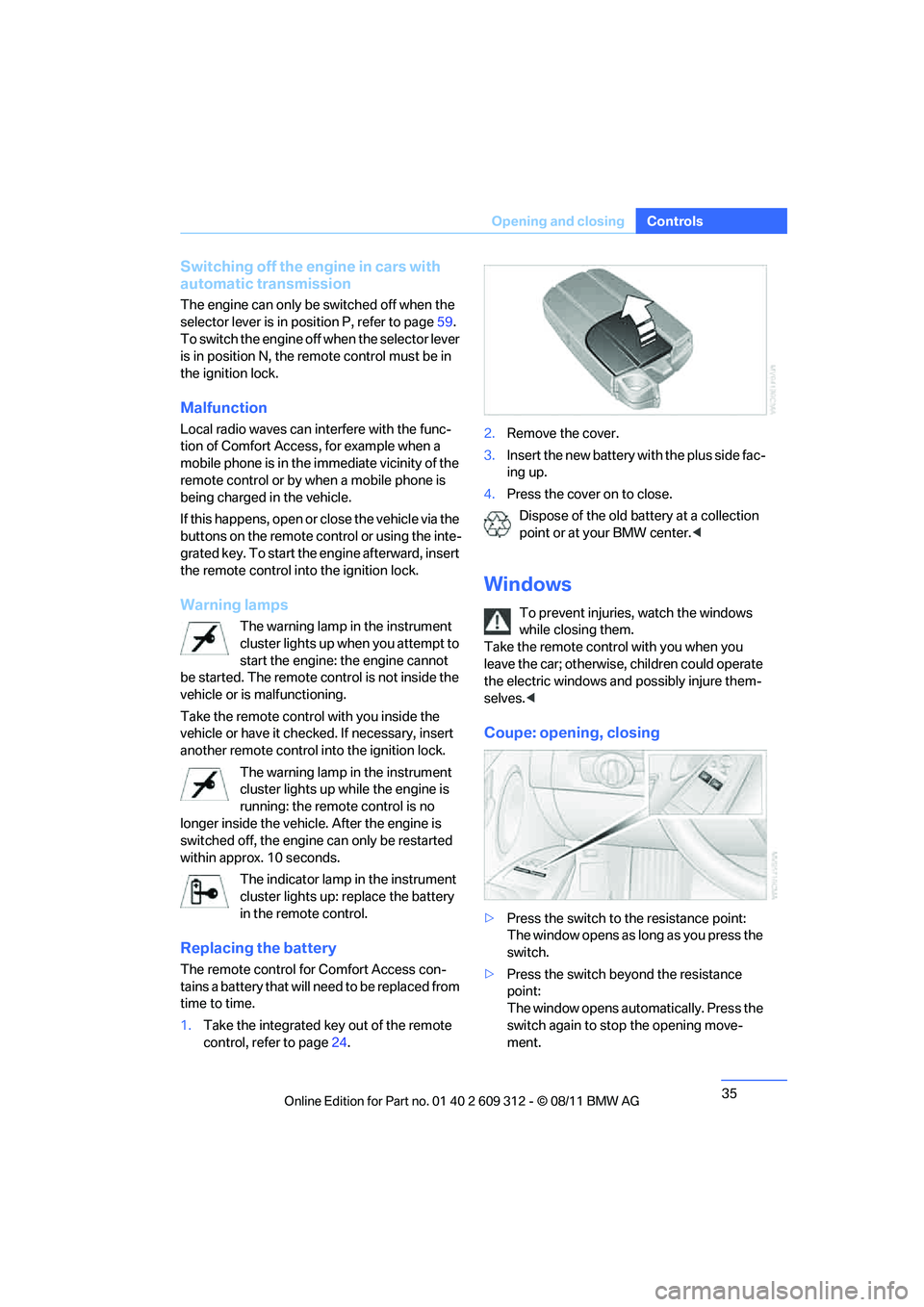
control, refer to page 24. 2.
Remove the cover.
3. Insert the new battery wi th the plus side fac-
ing up.
4. Press the cover on to close.
Dispose of the old battery at a collection
point or at your BMW center. <
Windows
To prevent injuries, watch the windows
while closing them.
Take the remote contro l with you when you
leave the car; otherwise, children could operate
the electric windows and possibly injure them-
selves. <
Coupe: opening, closing
>Press the switch to the resistance point:
The window opens as long as you press the
switch.
> Press the switch beyond the resistance
point:
The window opens automatically. Press the
switch again to stop the opening move-
ment.
Online Edition for Part no. 01 40 2 609 312 - \251 08/11 BMW AG
Page 40 of 255
39
Opening and closing
Controls
Do not place any objects on the retract-
able hardtop or on the trunk lid; other-
wise, they could fall during movements of the
retractable hardtop and ca use damage or injury.
Never move the retracta ble hardtop when the
rollover protection system is in the activated
position.
Driving when the hardtop is not fully opened or
closed may result in damage or injury.
Do not reach into the mechanism during the
opening or closing procedure. Keep children
away from the swiveling area of the retractable
hardtop. <
The retractable hard top cannot be moved
at temperatures below + 14 7/–10 6.<
The retractable hardtop can only be
opened and closed when the vehicle is
stationary. To avoid causing damage, do not
drive off until the hardtop has stopped mov-
ing. <
Before opening and closing
> Comply with the sa fety precautions
described above.
> Ensure that the cargo area partition is
folded down and engaged on both sides,
refer to page 124; otherwise, it will not be
possible to open the retractable hardtop.
> Do not place any objects next to or on the
cargo area partition and close the storage
compartment on the left side of the cargo
area.
> Do not exceed the maximum loading height
under the cargo area pa rtition; refer to the
label in the cargo area showing a line indi-
cating the maximum height.
> Ensure that the tr unk lid is closed.
> The vehicle should be pa rked on fairly level
ground. Excessive angle is indicated by a
lamp.
Before moving the ha rdtop, make sure
that there are no objects on or next to the
cargo area partition, the storage compartment
on the left side of the cargo area is closed, and the maximum loading heig
ht in the cargo area
has not been exceeded; otherwise, damage
may occur. <
Opening and closing
When the vehicle is stationary and at radio
readiness or beyo nd, refer to page57:
If possible, conserve the battery by only
operating the retractable hardtop when
the engine is running.
Before closing the retrac table hardtop, remove
all foreign objects from the windshield frame as
these could prevent the hardtop from closing
properly. <
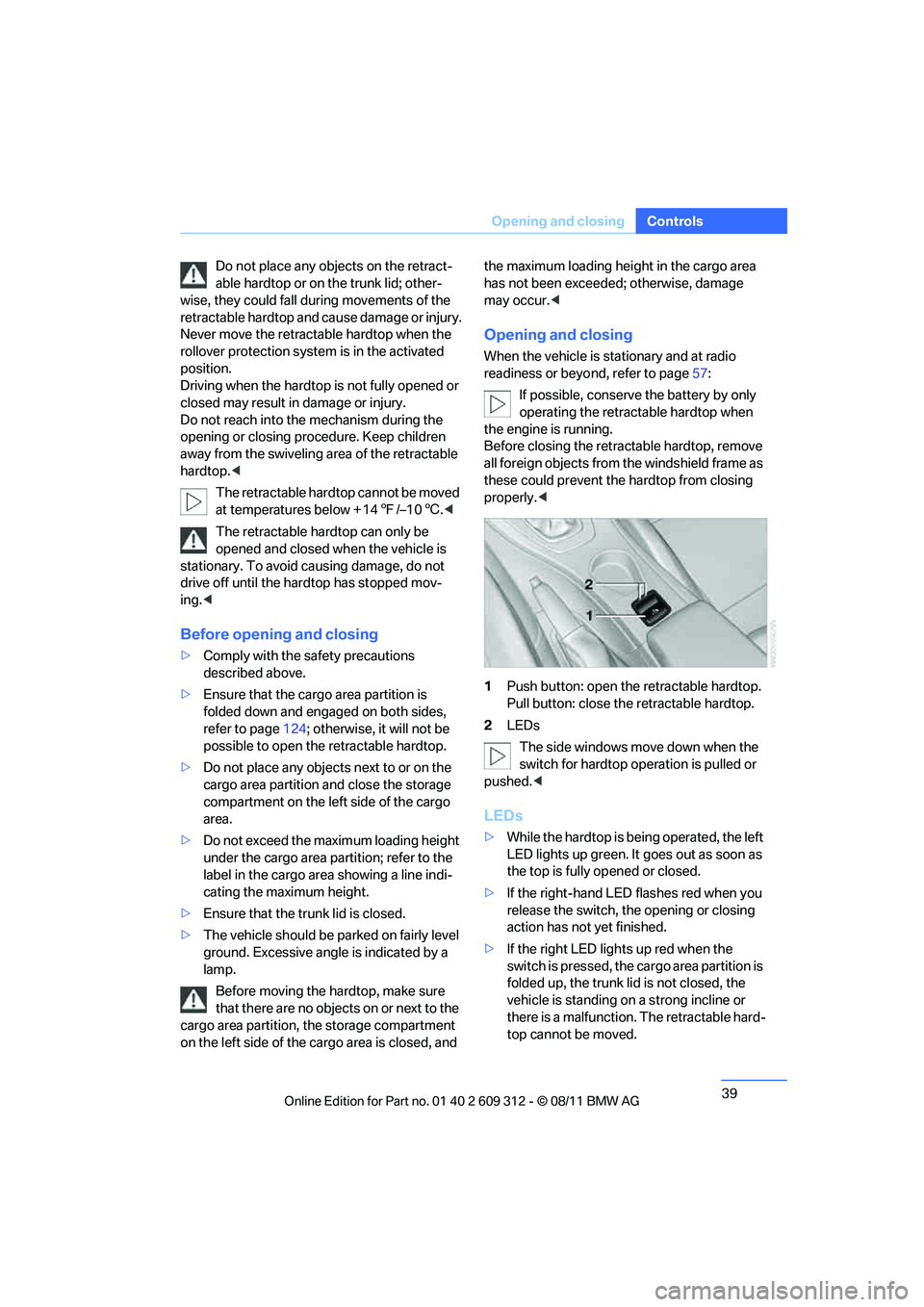
1 Push button: open th e retractable hardtop.
Pull button: close the retractable hardtop.
2 LEDs
The side windows move down when the
switch for hardtop operation is pulled or
pushed. <
LEDs
>While the hardtop is be ing operated, the left
LED lights up green. It goes out as soon as
the top is fully op ened or closed.
> If the right-hand LED flashes red when you
release the switch, the opening or closing
action has not yet finished.
> If the right LED lights up red when the
switch is pressed, the cargo area partition is
folded up, the trunk lid is not closed, the
vehicle is standing on a strong incline or
there is a malfunction. The retractable hard-
top cannot be moved.
Online Edition for Part no. 01 40 2 609 312 - \251 08/11 BMW AG
Page 49 of 255
48
ControlsAdjustments
Seat heating
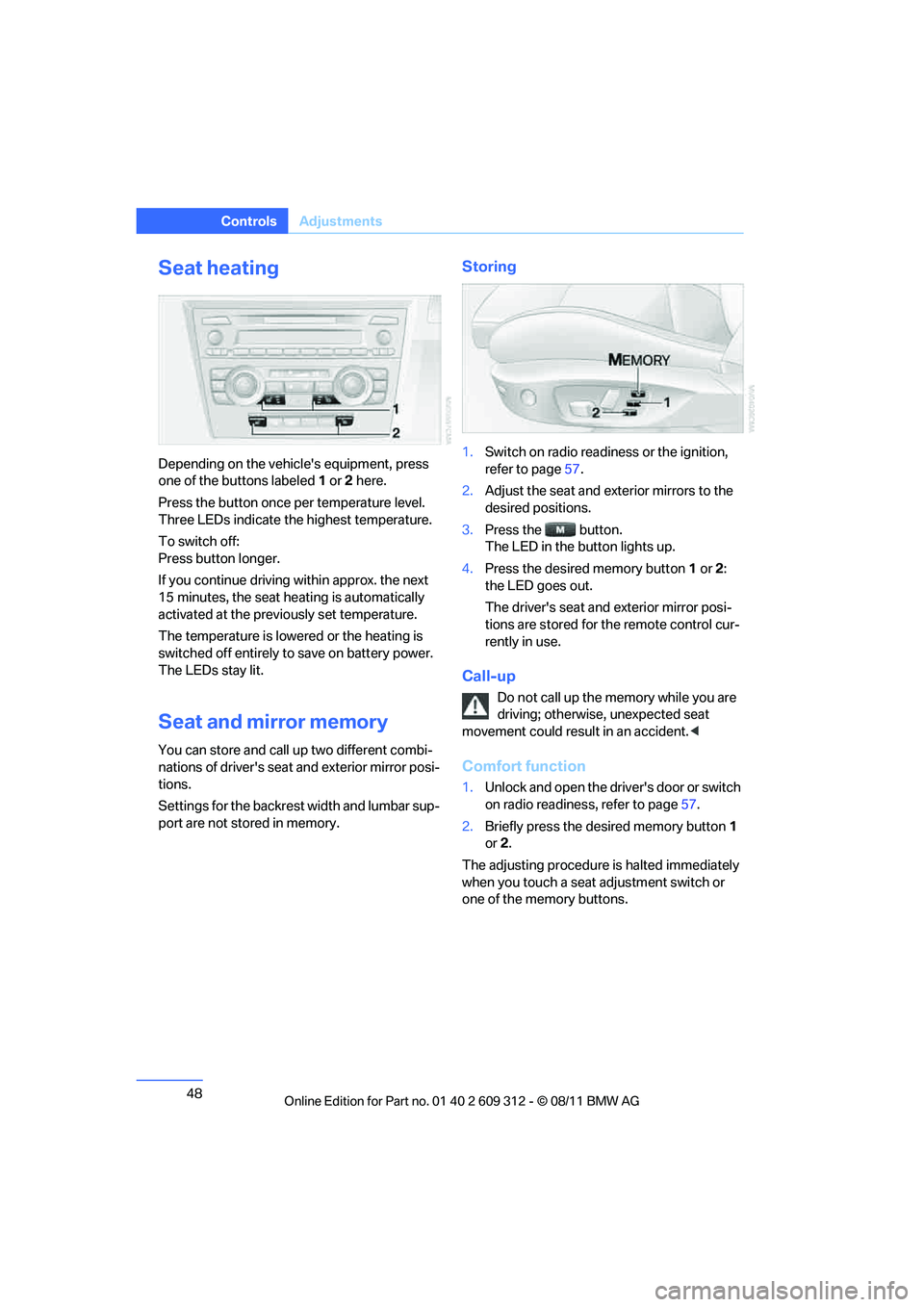
Depending on the vehicle's equipment, press
one of the buttons labeled 1 or 2 here.
Press the button once per temperature level.
Three LEDs indicate the highest temperature.
To switch off:
Press button longer.
If you continue driving within approx. the next
15 minutes, the seat he ating is automatically
activated at the previously set temperature.
The temperature is lowered or the heating is
switched off entirely to save on battery power.
The LEDs stay lit.
Seat and mirror memory
You can store and call up two different combi-
nations of driver's seat and exterior mirror posi-
tions.
Settings for the backrest width and lumbar sup-
port are not stored in memory.
Storing
1. Switch on radio readiness or the ignition,
refer to page 57.
2. Adjust the seat and exterior mirrors to the
desired positions.
3. Press the button.
The LED in the button lights up.
4. Press the desired memory button 1 or 2:
the LED goes out.
The driver's seat and exterior mirror posi-
tions are stored for th e remote control cur-
rently in use.
Call-up
Do not call up the me mory while you are
driving; otherwise, unexpected seat
movement could result in an accident. <
Comfort function
1.Unlock and open the driver's door or switch
on radio readiness, refer to page 57.
2. Briefly press the desired memory button 1
or 2.
The adjusting procedure is halted immediately
when you touch a seat adjustment switch or
one of the memory buttons.
Online Edition for Part no. 01 40 2 609 312 - \251 08/11 BMW AG
Page 50 of 255
49
Adjustments
Controls
Safety feature
1.
Close the driver's door and switch the igni-
tion on or off, refer to page 57.
2. Press the desired memory button 1 or 2
and keep it pressed until the adjustment
process has been completed.
If the button was pr essed accidentally:
Press the button again; the LED goes out.
Safety belts
Observe the adjustment instructions on
page 43 to ensure the best possible per-
sonal protection. <
Before every drive, make sure that all occupants
wear their safety belts. Airbags complement the
safety belt as an additi onal safety device, but
they do not represent a substitute.
Closing
Make sure you hear the latch plate engage in
the belt buckle.
The upper belt anchor is suitable for adults of
any stature as long as the seat is adjusted prop-
erly, refer to page 43.
Opening
1.Grasp the belt firmly.
2. Press the red button in the buckle.
3. Guide the belt into its reel.
"Fasten safety be lts" reminder for
driver's and fron t passenger seat
The indicator lamps light up and an
acoustic signal sounds. Check
whether the safety belt has been fas-
tened correctly.
The 'Fasten safety belts' reminder is issued as
long as the driver's safe ty belt has not been fas-
tened. The "Fasten safety belts" reminder is
also activated at road speeds above approx.
5 mph or 8 km/h if the front passenger safety
belt is not fastened, if objects are placed on the
front passenger seat, or if driver or front pas-
senger unfasten their safety belts.
Damage to safety belts
If the safety belts are damaged or
stressed in an accident: have the belt sys-
tem, including any belt tensioners or child
restraint systems, replaced and the belt
anchors checked. Have this work carried out
only at your BMW center. Otherwise correct
operation of this safety equipment is not guar-
anteed. <
Coupe: belt hand-over
The concept
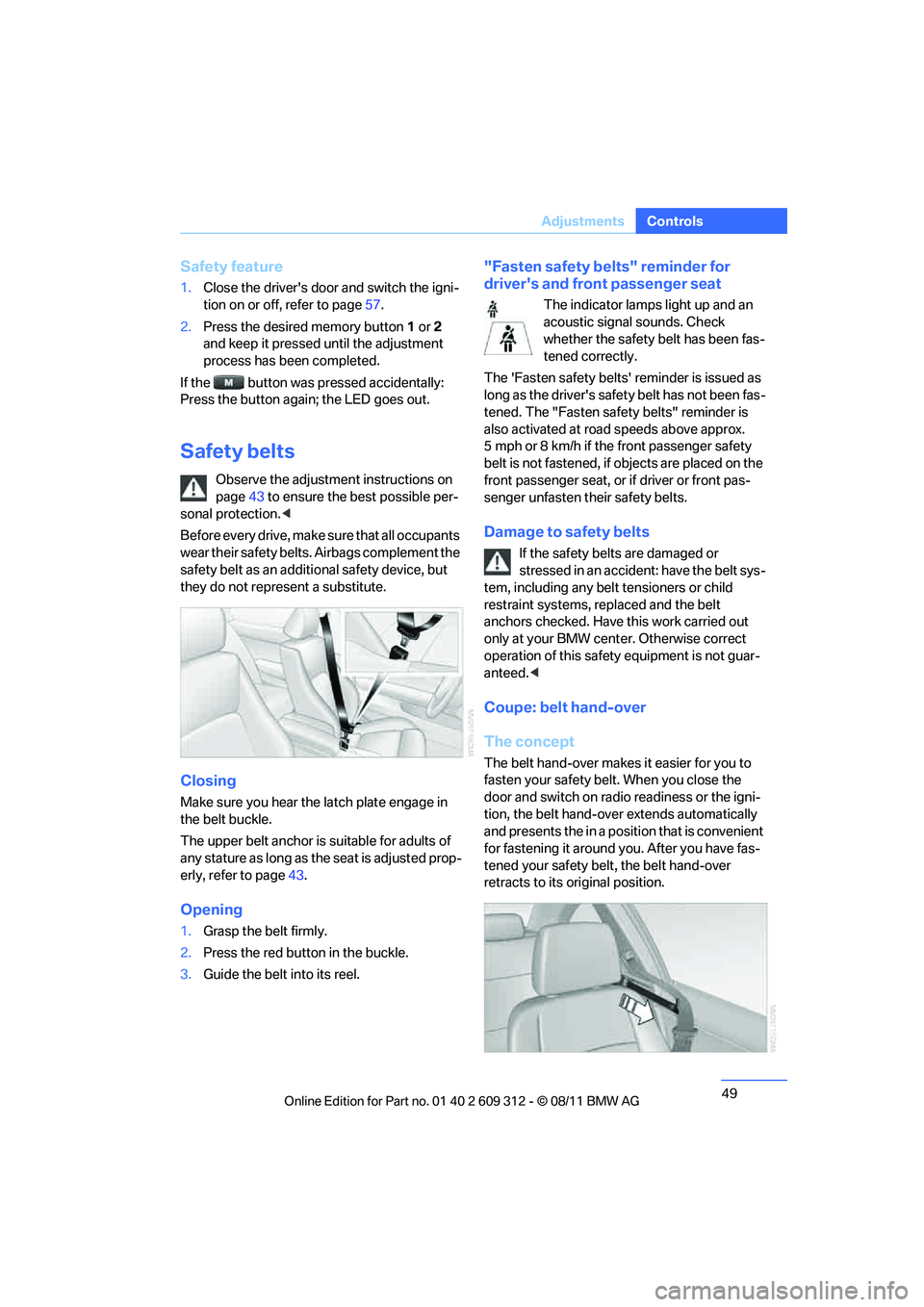
The belt hand-over makes it easier for you to
fasten your safety belt. When you close the
door and switch on radio readiness or the igni-
tion, the belt hand-ove r extends automatically
and presents the in a posi tion that is convenient
for fastening it around you. After you have fas-
tened your safety belt , the belt hand-over
retracts to its original position.
Online Edition for Part no. 01 40 2 609 312 - \251 08/11 BMW AG
Page 51 of 255
50
ControlsAdjustments
Even if you have not ye t fastened your safety
belt, the belt hand-ove r will retract if you:
> Wait for more than approx. one minute
> Open the corresponding door
> Start driving.
Closing the respective do or reactivates the belt
hand-over if the ignition or radio readiness is on.
Front passenger seat
The belt hand-over will exte nd only if the seat is
occupied and after the front passenger door is
closed.
Pinch protection system
If the belt hand-over encounters resistance on
moving in or out, it mo ves back slightly in the
opposite direction and stops in this position. To
reactivate the belt hand -over: open and close
the door or switch the ignition off and on.
Although there is a pinch protection sys-
tem, always check th at the maneuvering
area of the belt hand-ove r is clear. Otherwise it
cannot be ensured that the system will stop
moving in certain extreme situations. <
Mirrors
Exterior mirrors
The front passenger's mirror is more con-
vex than the driver's mirror. The objects
seen in the mirror are closer than they appear.
Do not gauge your distance from traffic behind
you on the basis of what you see in the mirror;
otherwise, there is an in creased risk of an acci-
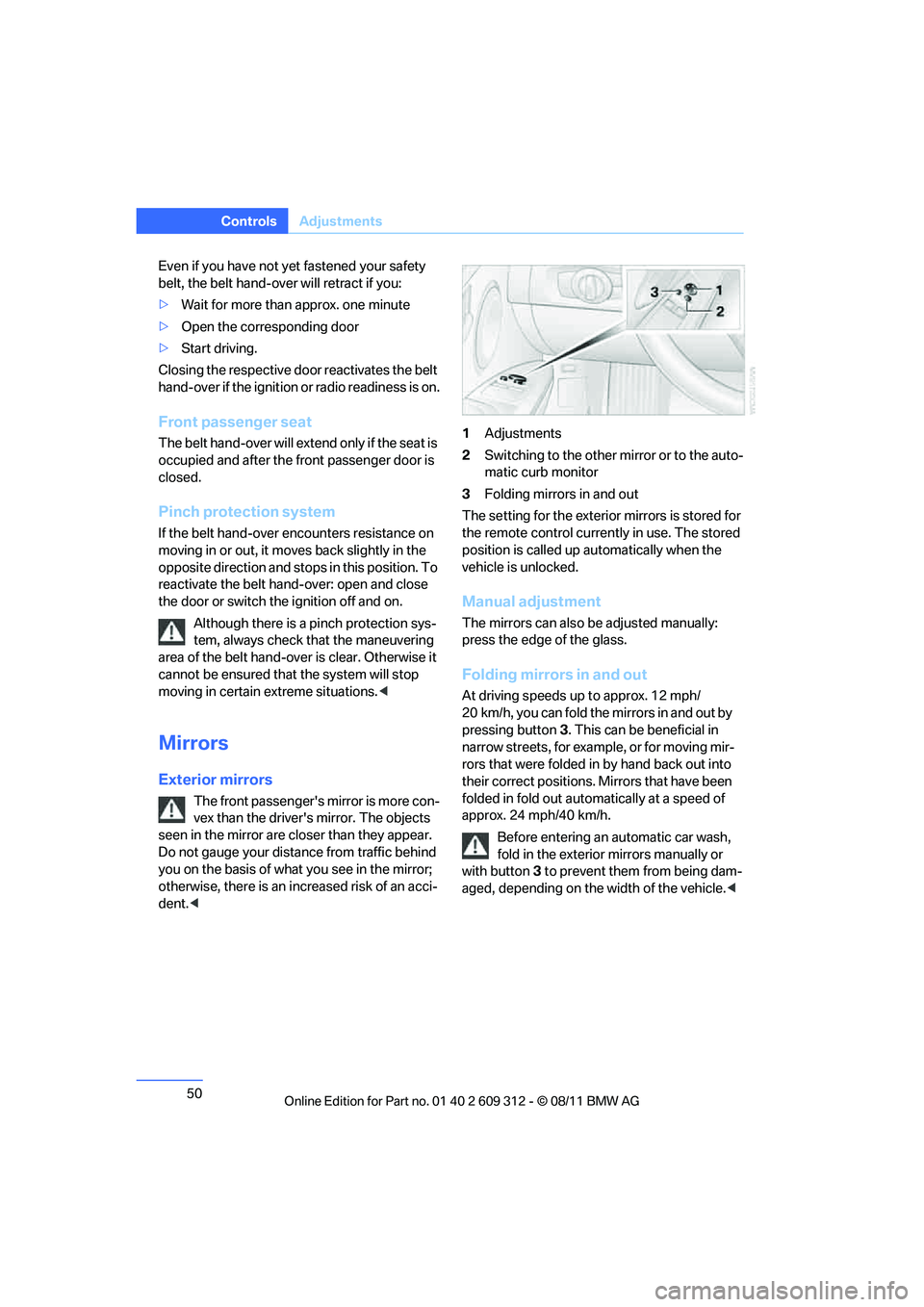
dent. < 1
Adjustments
2 Switching to the other mirror or to the auto-
matic curb monitor
3 Folding mirrors in and out
The setting for the exterior mirrors is stored for
the remote control currently in use. The stored
position is called up automatically when the
vehicle is unlocked.
Manual adjustment
The mirrors can also be adjusted manually:
press the edge of the glass.
Folding mirrors in and out
At driving speeds up to approx. 12 mph/
20 km/h, you can fold the mirrors in and out by
pressing button 3. This can be beneficial in
narrow streets, for example, or for moving mir-
rors that were folded in by hand back out into
their correct positions. Mirrors that have been
folded in fold out automatically at a speed of
approx. 24 mph/40 km/h.
Before entering an automatic car wash,
fold in the exterior mirrors manually or
with button 3 to prevent them from being dam-
aged, depending on the width of the vehicle. <
Online Edition for Part no. 01 40 2 609 312 - \251 08/11 BMW AG
Page 58 of 255
57
Driving
Controls
Driving
Vehicle equipment
In this chapter, all production, country, and
optional equipment that is offered in the model
range is described. For this reason, descrip-
tions will be given of some equipment that may
not be available in a vehi
cle, for example due to
the special options or national-market version
selected. This also app lies to safety related
functions and systems.
Ignition lock
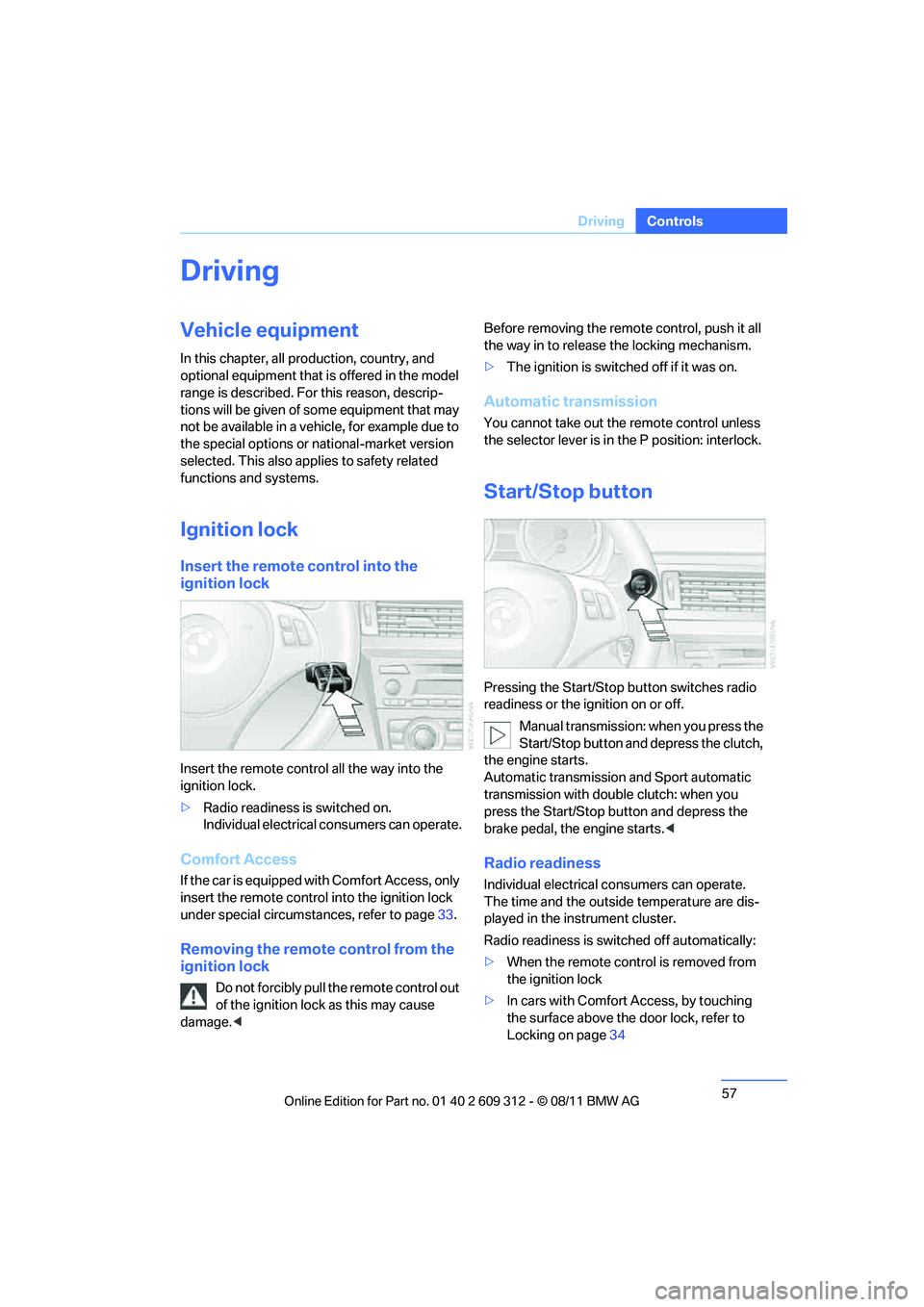
Insert the remote control into the
ignition lock
Insert the remote contro l all the way into the
ignition lock.
> Radio readiness is switched on.
Individual electrical consumers can operate.
Comfort Access
If the car is equipped with Comfort Access, only
insert the remote control into the ignition lock
under special circumstances, refer to page 33.
Removing the remote control from the
ignition lock
Do not forcibly pull the remote control out
of the ignition lock as this may cause
damage. < Before removing the remote control, push it all
the way in to release
the locking mechanism.
> The ignition is switched off if it was on.
Automatic transmission
You cannot take out the remote control unless
the selector lever is in the P position: interlock.
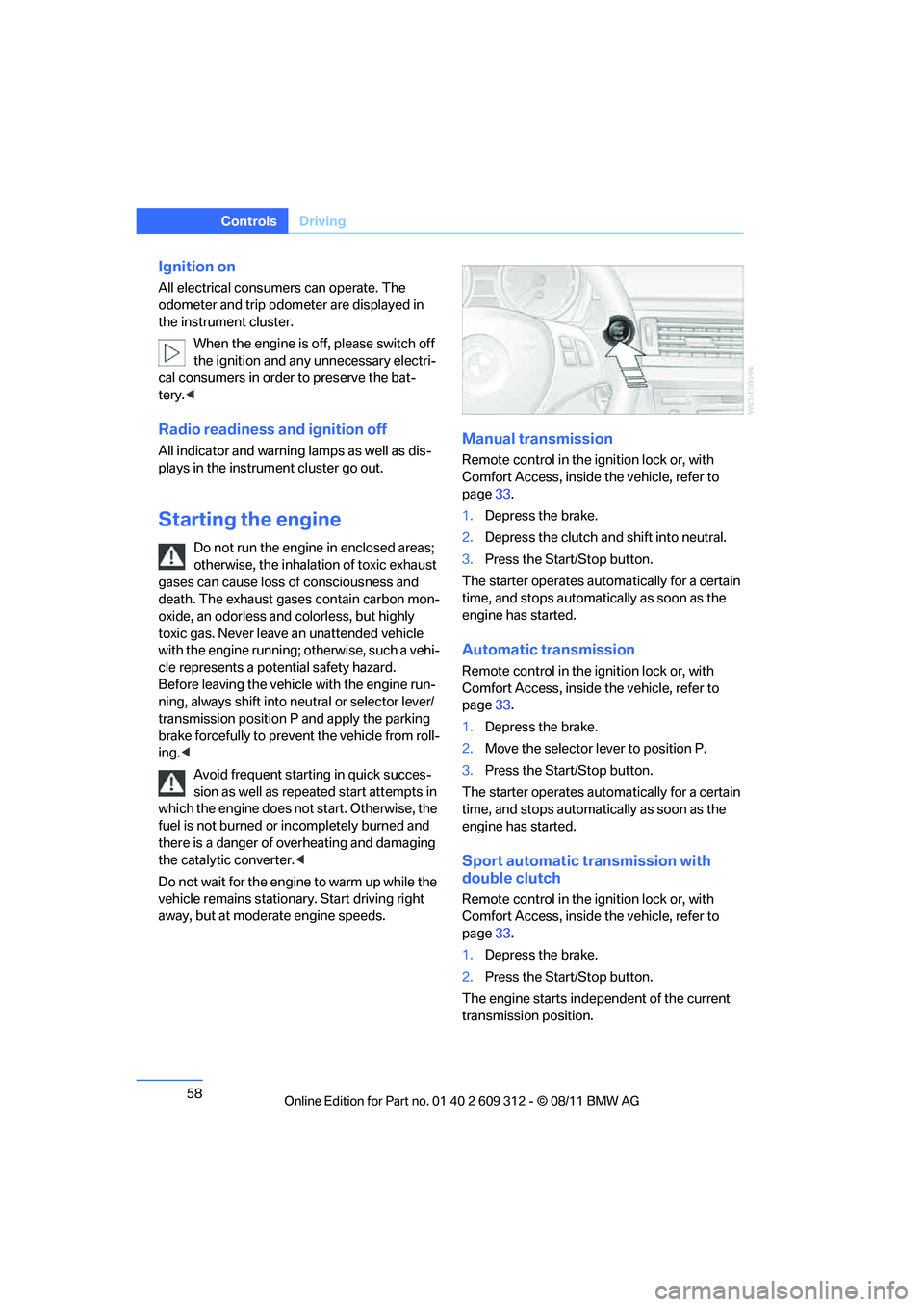
Start/Stop button
Pressing the Start/Stop button switches radio
readiness or the ignition on or off.
Manual transmission: when you press the
Start/Stop button and depress the clutch,
the engine starts.
Automatic transmission and Sport automatic
transmission with doub le clutch: when you
press the Start/Stop button and depress the
brake pedal, the engine starts. <
Radio readiness
Individual electrical consumers can operate.
The time and the outside temperature are dis-
played in the instrument cluster.
Radio readiness is switched off automatically:
> When the remote control is removed from
the ignition lock
> In cars with Comfort Access, by touching
the surface above the door lock, refer to
Locking on page 34
Online Edition for Part no. 01 40 2 609 312 - \251 08/11 BMW AG
Page 59 of 255
58
ControlsDriving
Ignition on
All electrical consumers can operate. The
odometer and trip odometer are displayed in
the instrument cluster.
When the engine is off, please switch off
the ignition and any unnecessary electri-
cal consumers in order to preserve the bat-
tery.<
Radio readiness and ignition off
All indicator and warning lamps as well as dis-
plays in the instrument cluster go out.
Starting the engine
Do not run the engine in enclosed areas;
otherwise, the inhalati on of toxic exhaust
gases can cause loss of consciousness and
death. The exhaust gases contain carbon mon-
oxide, an odorless and colorless, but highly
toxic gas. Never leave an unattended vehicle
with the engine running; otherwise, such a vehi-
cle represents a pote ntial safety hazard.
Before leaving the vehicl e with the engine run-
ning, always shift into ne utral or selector lever/
transmission position P and apply the parking
brake forcefully to prevent the vehicle from roll-
ing. <
Avoid frequent starting in quick succes-
sion as well as repeated start attempts in
which the engine does no t start. Otherwise, the
fuel is not burned or incompletely burned and
there is a danger of overheating and damaging
the catalytic converter. <
Do not wait for the engine to warm up while the
vehicle remains stationary. Start driving right
away, but at moderate engine speeds.
Manual transmission
Remote control in the ignition lock or, with
Comfort Access, inside the vehicle, refer to
page 33.
1. Depress the brake.
2. Depress the clutch an d shift into neutral.
3. Press the Start/Stop button.
The starter operates automatically for a certain
time, and stops automatically as soon as the
engine has started.
Automatic transmission
Remote control in the ignition lock or, with
Comfort Access, inside the vehicle, refer to
page 33.
1. Depress the brake.
2. Move the selector lever to position P.
3. Press the Start/Stop button.
The starter operates automatically for a certain
time, and stops automatically as soon as the
engine has started.
Sport automatic transmission with
double clutch
Remote control in the ignition lock or, with
Comfort Access, inside the vehicle, refer to
page 33.
1. Depress the brake.
2. Press the Start/Stop button.
The engine starts independent of the current
transmission position.
Online Edition for Part no. 01 40 2 609 312 - \251 08/11 BMW AG
Page 81 of 255
80
ControlsControls overview
Computer
Displays in the instrument cluster
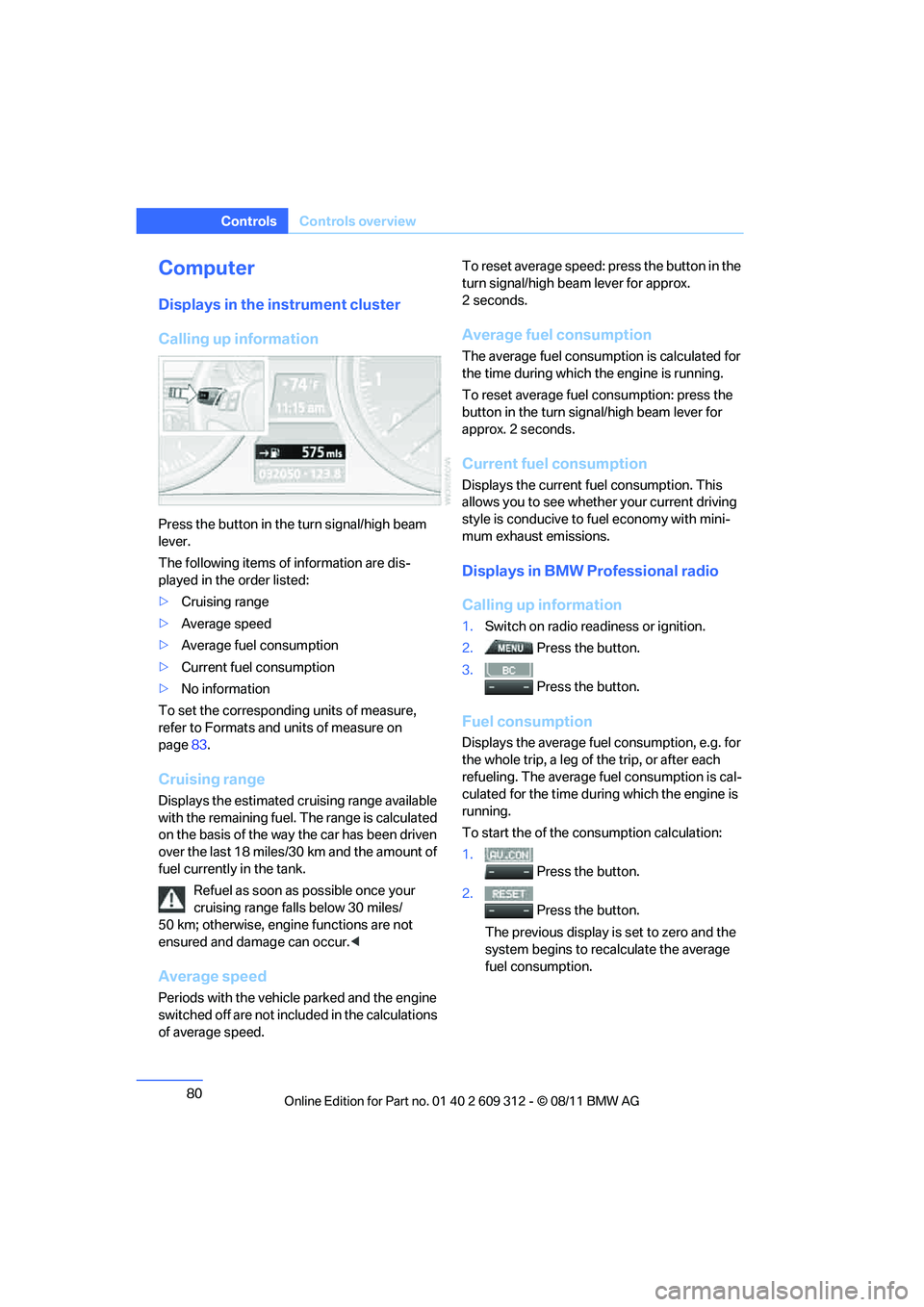
Calling up information
Press the button in the turn signal/high beam
lever.
The following items of information are dis-
played in the order listed:
>Cruising range
> Average speed
> Average fuel consumption
> Current fuel consumption
> No information
To set the corresponding units of measure,
refer to Formats and units of measure on
page 83.
Cruising range
Displays the estimated cruising range available
with the remaining fuel. The range is calculated
on the basis of the way the car has been driven
over the last 18 miles/30 km and the amount of
fuel currently in the tank.
Refuel as soon as possible once your
cruising range falls below 30 miles/
50 km; otherwise, engine functions are not
ensured and damage can occur. <
Average speed
Periods with the vehicle parked and the engine
switched off are not included in the calculations
of average speed. To reset average speed: press the button in the
turn signal/high beam lever for approx.
2seconds.
Average fuel consumption
The average fuel consumption is calculated for
the time during which the engine is running.
To reset average fuel consumption: press the
button in the turn sign
al/high beam lever for
approx. 2 seconds.
Current fuel consumption
Displays the current fu el consumption. This
allows you to see whether your current driving
style is conducive to fuel economy with mini-
mum exhaust emissions.
Displays in BMW Professional radio
Calling up information
1. Switch on radio readiness or ignition.
2. Press the button.
3. Press the button.
Fuel consumption
Displays the average fuel consumption, e.g. for
the whole trip, a leg of the trip, or after each
refueling. The average fu el consumption is cal-
culated for the time duri ng which the engine is
running.
To start the of the consumption calculation:
1. Press the button.
2. Press the button.
The previous display is set to zero and the
system begins to recalculate the average
fuel consumption.
Online Edition for Part no. 01 40 2 609 312 - \251 08/11 BMW AG
Page 84 of 255
83
Controls overview
Controls
Formats and units of measure
In the instrument cluster
Setting the units of measure
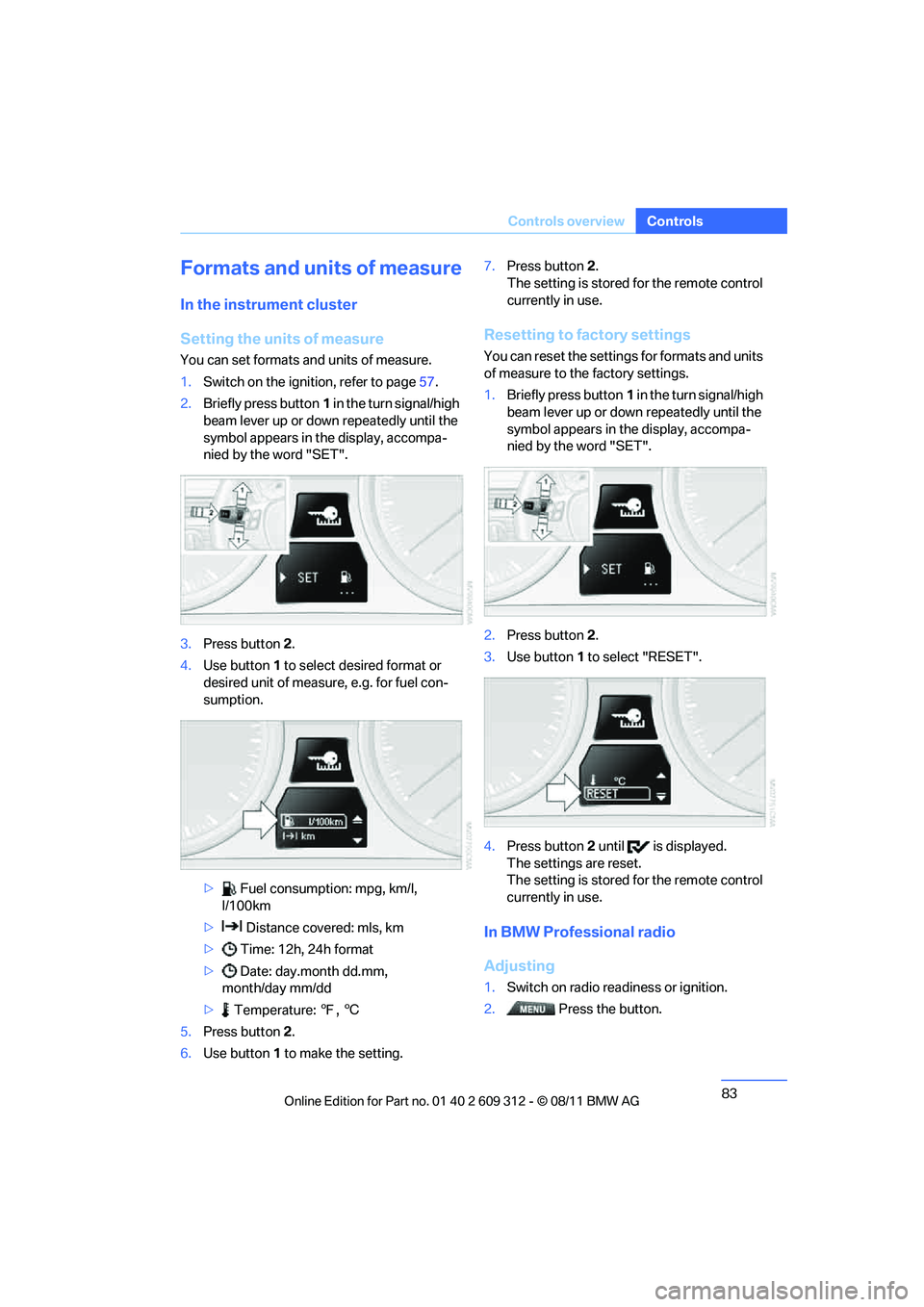
You can set formats and units of measure.
1.
Switch on the ignition, refer to page 57.
2. Briefly press button 1 in the turn signal/high
beam lever up or down repeatedly until the
symbol appears in the display, accompa-
nied by the word "SET".
3. Press button 2.
4. Use button 1 to select desired format or
desired unit of measure, e.g. for fuel con-
sumption.
> Fuel consumption: mpg, km/l,
l/100km
> Distance covered: mls, km
> Time: 12h, 24h format
> Date: day.month dd.mm,
month/day mm/dd
> Temperature: 7, 6
5. Press button 2.
6. Use button 1 to make the setting. 7.
Press button 2.
The setting is stored for the remote control
currently in use.
Resetting to factory settings
You can reset the settings for formats and units
of measure to the factory settings.
1. Briefly press button 1 in the turn signal/high
beam lever up or down repeatedly until the
symbol appears in the display, accompa-
nied by the word "SET".
2. Press button 2.
3. Use button 1 to select "RESET".
4. Press button 2 until is displayed.
The settings are reset.
The setting is stored for the remote control
currently in use.
In BMW Professional radio
Adjusting
1. Switch on radio readiness or ignition.
2. Press the button.
Online Edition for Part no. 01 40 2 609 312 - \251 08/11 BMW AG
Page 85 of 255
84
ControlsControls overview
3.
Press the button.
> "DIST": change the unit of measure-
ment for the range.
> "LANG": select the language of the dis-
play text.
> "CONSMP": change the unit of mea-
surement for the average fuel consump-
tion.
> "TEMP": change the unit of measure-
ment for the external temperature.
4. Highlight the desired menu item and press
the button.
5. Make the desired setting.
The settings of the units of measurement are
adopted for the displays in the radio and in the
instrument cluster and ar e stored in the remote
control currently in use.
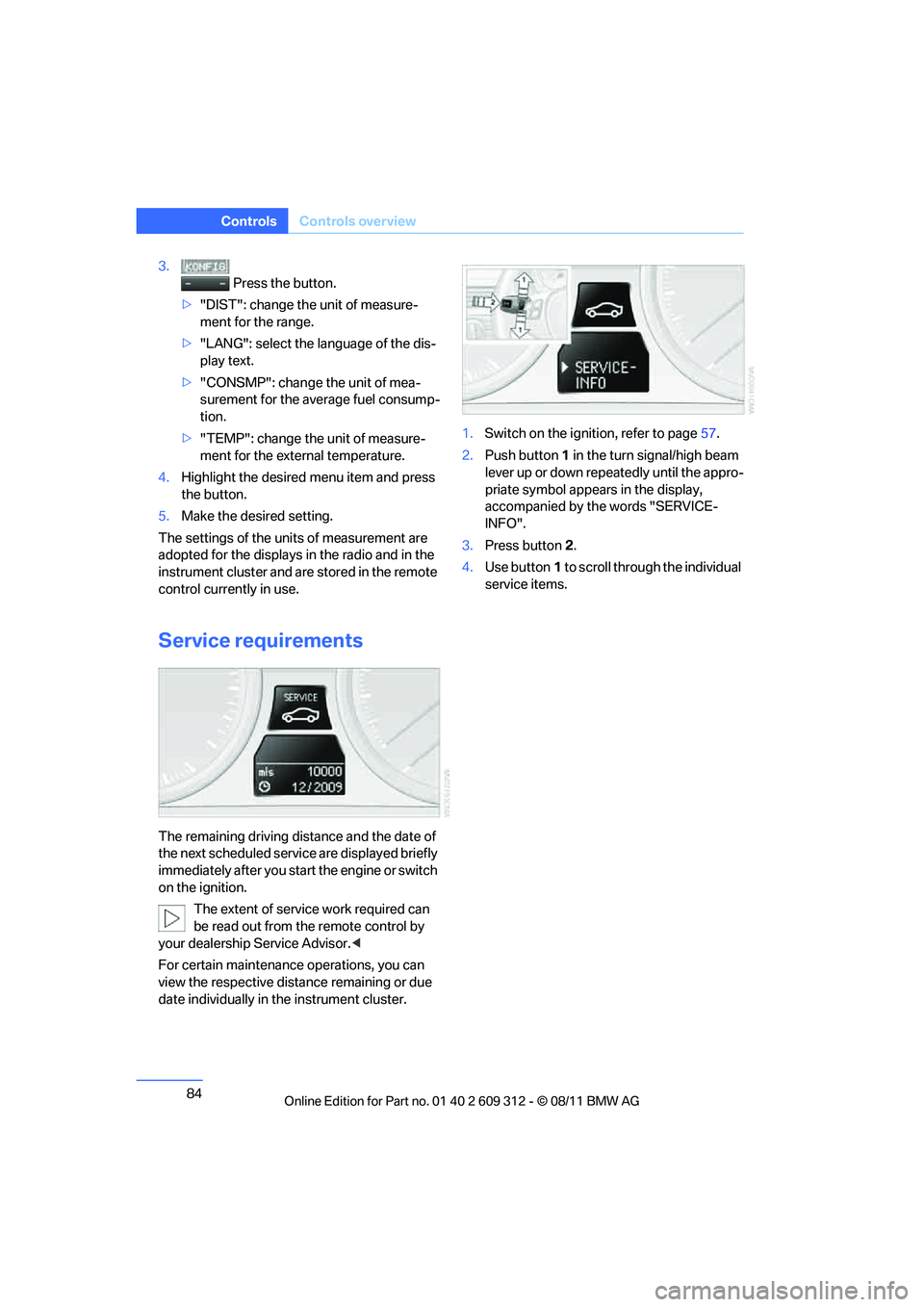
Service requirements
The remaining driving distance and the date of
the next scheduled servic e are displayed briefly
immediately after you start the engine or switch
on the ignition.
The extent of service work required can
be read out from the remote control by
your dealership Service Advisor. <
For certain maintenance operations, you can
view the respective distance remaining or due
date individually in the instrument cluster. 1.
Switch on the ignition, refer to page 57.
2. Push button 1 in the turn signal/high beam
lever up or down repe atedly until the appro-
priate symbol appear s in the display,
accompanied by the words "SERVICE-
INFO".
3. Press button 2.
4. Use button 1 to scroll through the individual
service items.
Online Edition for Part no. 01 40 2 609 312 - \251 08/11 BMW AG